
Transcreva Vídeo para Texto Online Grátis Seu Guia
Descubra como transcrever vídeo para texto online grátis com nosso guia especializado. Aprenda dicas práticas para transcrição de IA rápida e precisa e reutilização de conteúdo.
Kate, Praveen
November 8, 2023
Absolutamente. Você pode transcrever vídeo para texto online gratuitamente com ferramentas alimentadas por IA como Transcript.LOL. Essas plataformas pegam as palavras faladas do seu vídeo e as convertem automaticamente em um documento de texto editável, poupando você de horas de digitação manual tediosa.
Desbloqueie o Potencial Oculto do Seu Conteúdo
Antes de mergulharmos no "como fazer", vamos falar sobre o porquê. Pensar em transcrição apenas como uma forma de colocar palavras no papel é perder a visão geral. É uma das decisões mais inteligentes que você pode tomar para obter mais valor do conteúdo que já possui.
Uma transcrição transforma um único vídeo em um ativo versátil e trabalhador.
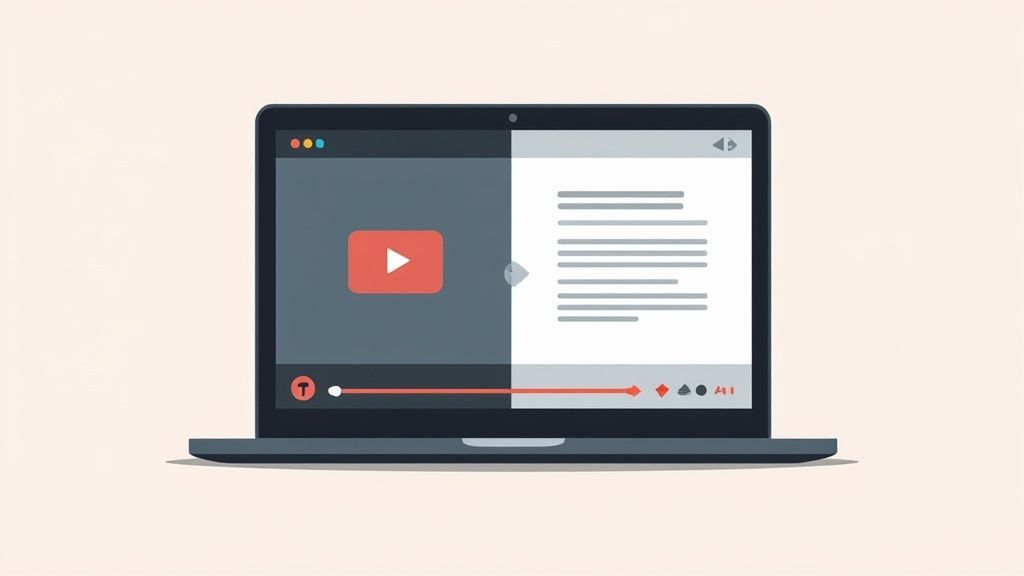
Pense em transformar um webinar de uma hora em um post de blog detalhado e bem classificado. Ou imagine pegar a transcrição de um único vídeo e dividi-la em dezenas de clipes e citações envolventes para redes sociais. Essas não são apenas hipóteses — são o que criadores e profissionais de marketing experientes estão fazendo todos os dias para maximizar seu alcance.
Dê um Impulso Sério ao Seu SEO e Engajamento
Vamos direto ao ponto: os motores de busca não conseguem "assistir" aos seus vídeos. Google e outros dependem de texto para entender do que se trata o seu conteúdo, e uma transcrição completa é uma mina de ouro de palavras-chave e contexto para eles rastrearem e indexarem.
O impacto é real e mensurável. Adicionar transcrições pode aumentar seu tráfego orgânico de busca em 6,68%. No YouTube, vídeos com legendas precisas veem uma média de 7,32% mais visualizações vitalícias. Uma grande parte disso é que aproximadamente 85% dos vídeos do Facebook são assistidos sem som, tornando as legendas essenciais para capturar e manter a atenção. (Você pode se aprofundar em mais estatísticas em dacast.com).
Ponto Chave: A transcrição não é apenas uma utilidade; é uma ferramenta estratégica. É como você impulsiona o SEO, melhora a acessibilidade e reutiliza o conteúdo para obter o melhor retorno possível de cada vídeo que produz.
No final das contas, esse simples arquivo de texto se torna sua arma secreta para:
- Aumentar a descoberta em motores de busca.
- Melhorar a acessibilidade para espectadores com deficiência auditiva e aqueles em ambientes barulhentos.
- Aumentar o engajamento do público e o tempo total de visualização.
- Reutilizar conteúdo de vídeo em blogs, posts sociais e newsletters com o mínimo de esforço.
A transcrição é a ponte que conecta seu vídeo a um público muito, muito maior.
Legendas = Mais Visualizações
Vídeos com legendas precisas têm em média 7,32% mais visualizações. Adicionar transcrições não é mais opcional — é uma estratégia de crescimento.
Principais Benefícios da Transcrição de Vídeo
Para resumir, transformar o áudio do seu vídeo em texto oferece um número surpreendente de vantagens. Aqui está um resumo rápido de onde você verá o maior impacto.
| Área de Benefício | Vantagem Específica | Impacto no Mundo Real |
|---|---|---|
| SEO e Descoberta | Torna o conteúdo de vídeo rastreável por mecanismos de busca. | Classificações mais altas nos resultados de pesquisa para palavras-chave relevantes, gerando mais tráfego orgânico. |
| Alcance de Audiência | Melhora a acessibilidade para todos os espectadores. | Engaja usuários com deficiência auditiva e pessoas que assistem com o som desligado, aumentando a retenção. |
| Estratégia de Conteúdo | Permite a fácil reutilização de material de vídeo. | Um único vídeo pode se tornar um post de blog, clipes para redes sociais e conteúdo de e-mail. |
| Experiência do Usuário | Permite que os espectadores escaneiem rapidamente em busca de informações. | Os usuários podem encontrar momentos específicos em seu vídeo sem ter que percorrer todo ele. |
Como você pode ver, os benefícios vão muito além de apenas ter uma cópia escrita. Trata-se de fazer seu conteúdo funcionar de forma mais inteligente, não mais difícil.
Por que Criadores Escolhem Transcript.LOL
IA de última geração
Alimentado pelo Whisper da OpenAI para precisão líder na indústria. Suporte para vocabulários personalizados, arquivos de até 10 horas e resultados ultra rápidos.

Detecção de falantes
Identifique automaticamente diferentes falantes nas suas gravações e rotule-os com seus nomes.
Resumos e Chatbot
Gere resumos e outros insights da sua transcrição, prompts personalizados reutilizáveis e chatbot para o seu conteúdo.
Encontrando e Usando as Melhores Ferramentas Gratuitas de Transcrição
Sejamos honestos, quando você precisa transcrever vídeo para texto online gratuitamente, o número de opções disponíveis pode ser um pouco avassalador. O truque é cortar o ruído para encontrar um serviço que atinja o ponto ideal: ótima precisão, uma interface que não requer um manual e um plano gratuito que seja realmente útil. Descobri que ferramentas modernas como Transcript.LOL realmente simplificaram isso, transformando o que costumava ser uma tarefa árdua em alguns cliques simples.
Tudo começa com o upload. A maioria das plataformas que você encontrará hoje é bastante flexível, aceitando formatos de vídeo padrão como MP4, MOV e AVI. Apenas esteja ciente dos limites de tamanho de arquivo, pois essa é uma restrição comum em planos gratuitos. A boa notícia? Um vídeo típico de 10 minutos e 1080p geralmente se encaixa confortavelmente nesses limites, então você pode começar sem ter que mexer na compressão de arquivos.
Do Upload ao Texto Editável
Depois que seu arquivo for enviado, a verdadeira mágica começa. A IA entra em ação, processando a faixa de áudio e gerando um documento de texto completo — muitas vezes em uma fração do tempo de execução do vídeo. É surpreendentemente rápido.
Todo o processo é bastante direto. Você está basicamente pegando um arquivo de vídeo e, com zero habilidade técnica, transformando-o em um documento funcional e editável.
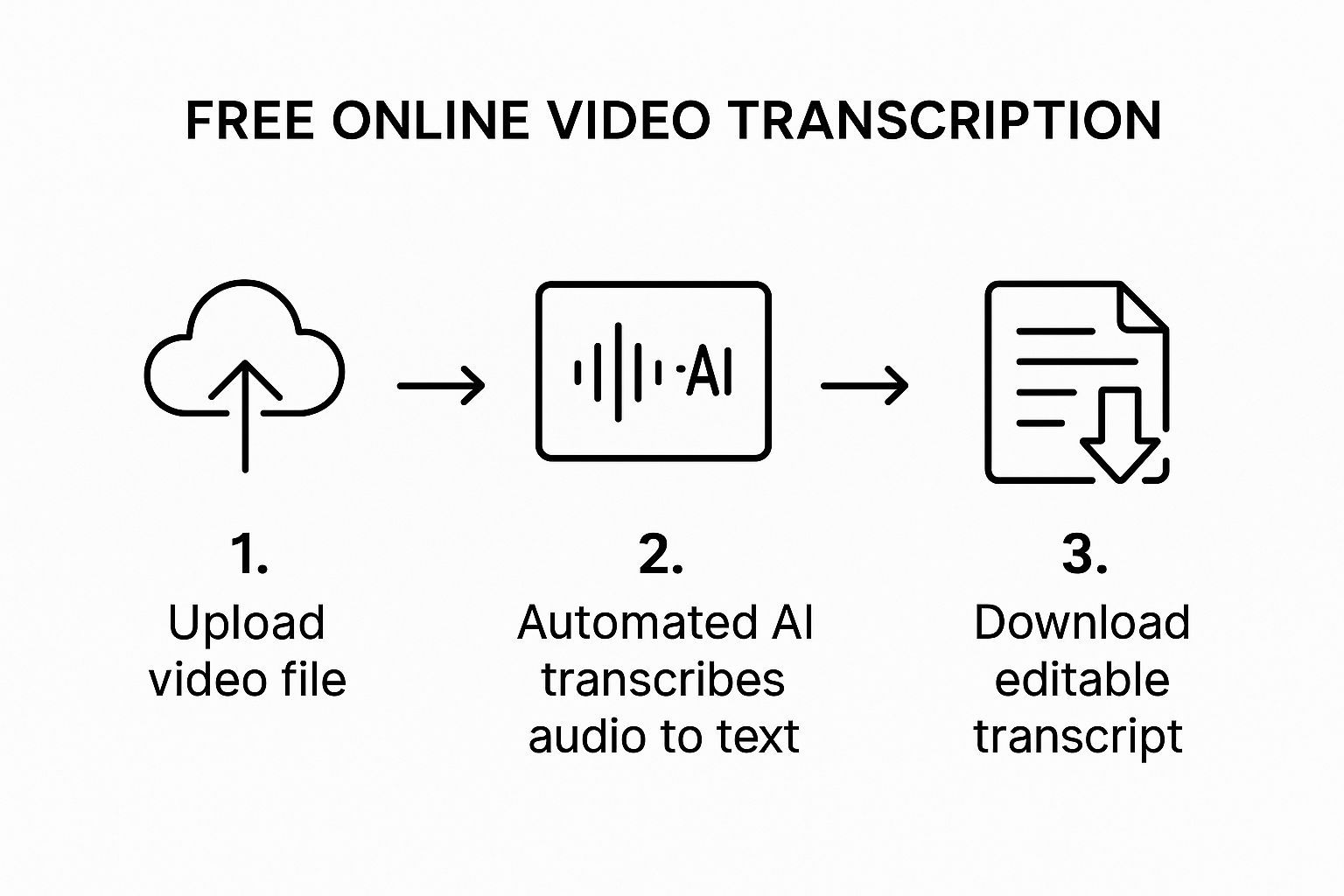
Após a passagem inicial da IA, você chegará a um editor interativo. Esta é a sua chance de polir as coisas. Você pode corrigir quaisquer erros menores, adicionar rótulos de locutor se for uma entrevista e verificar se os carimbos de data/hora estão sincronizados perfeitamente.
Dica Profissional: Antes de clicar em exportar, faça uma rápida audição enquanto lê a transcrição. É a melhor maneira de capturar aqueles pequenos erros contextuais ou nomes mal ouvidos que uma IA às vezes pode perder. Isso garante que sua transcrição final seja 100% precisa.
Esta é uma visão bastante padrão do que você estará trabalhando. Observe como o texto está sincronizado com os carimbos de data/hora, tornando incrivelmente fácil encontrar e editar momentos específicos. Para quem procura explorar mais ferramentas gratuitas e de IA para criadores digitais, esse guia oferece ótimas ideias práticas.
Do Upload à Transcrição Polida em Minutos

Importar de múltiplas fontes
Importe arquivos de áudio e vídeo de várias fontes, incluindo upload direto, Google Drive, Dropbox, URLs, Zoom e mais.

Ferramentas de edição
Edite transcrições com ferramentas poderosas incluindo buscar e substituir, atribuição de falantes, formatos de texto rico e destaque.

Exportar em múltiplos formatos
Exporte suas transcrições em múltiplos formatos incluindo TXT, DOCX, PDF, SRT e VTT com opções de formatação personalizáveis.
Escolhendo o Formato de Exportação Correto
Ok, sua transcrição está perfeita. E agora? O formato que você exporta é fundamental, pois determina como você pode usar o texto.
- Arquivo TXT: Este é o seu arquivo para texto puro. É perfeito para colar em uma postagem de blog, redigir notas de show ou extrair citações para mídias sociais.
- Arquivo SRT: O padrão da indústria para legendas de vídeo. Este formato inclui todos os dados de timestamp necessários para sincronizar o texto com seu vídeo em plataformas como YouTube ou Vimeo.
Embora a maioria das ferramentas seja ótima para vídeos em geral, transcrever algo como uma chamada do Zoom tem seus próprios desafios específicos. Se esse é o seu foco, recomendo fortemente conferir nossa análise dos 12 melhores softwares de transcrição de reuniões.
No final das contas, escolher a ferramenta certa e o formato certo é tudo o que é preciso para transformar qualquer vídeo em um ativo de texto seriamente valioso.
Como Editar Sua Transcrição para Precisão Impecável
A transcrição por IA é um ponto de partida fantástico, muitas vezes atingindo mais de 95% de precisão imediatamente. Mas esses últimos 5%? É aí que a mágica acontece. É aqui que uma pequena supervisão humana transforma uma boa transcrição em uma ótima.
Pense na saída inicial da IA como um primeiro rascunho sólido. Seu trabalho é polir – esclarecer quem está falando, corrigir qualquer frase estranha e garantir que o texto capture verdadeiramente a intenção da conversa. Ao entrar no editor, não procure apenas por erros de digitação. A melhor maneira de começar é reproduzindo o vídeo ao lado do texto.
Ouça o ritmo e o fluxo naturais. Uma frase se estende demais ou parece desconexa? A maioria dos editores permite mesclar ou dividir blocos de texto facilmente para corresponder às pausas reais na fala. É um pequeno ajuste que faz uma grande diferença na legibilidade.
Ajustando Sua Transcrição
Assim que a estrutura geral parecer correta, é hora de focar nos detalhes. O objetivo é tornar o texto limpo, preciso e fácil de ler para qualquer pessoa. Para que suas transcrições pareçam verdadeiramente profissionais, é útil saber como editar textos como um profissional.
Aqui estão algumas coisas que sempre verifico durante uma revisão final:
- Rótulos de Falante: Em entrevistas com várias pessoas, a IA às vezes pode se confundir. Uma varredura rápida para garantir que cada linha seja atribuída à pessoa certa é crucial para a clareza.
- Sincronização de Timestamp: Se você está criando legendas (um arquivo SRT), o tempo é tudo. Ajuste os tempos de início e fim dos blocos de texto para que eles apareçam e desapareçam perfeitamente em sincronia com o áudio.
- Lidando com Áudio Difícil: Ruído de fundo, conversas cruzadas ou murmúrios podem confundir até mesmo a melhor IA. Preste atenção extra a esses pontos e corrija manualmente quaisquer palavras que a máquina possa ter tropeçado.
Insight Chave: A fase de edição é o seu controle de qualidade. É o que garante que a transcrição final não apenas capture as palavras, mas também o contexto e a clareza da conversa original, tornando-a um recurso verdadeiramente confiável.
Dedicar alguns minutos a este polimento final garante que seu esforço para transcrever vídeo para texto online gratuitamente resulte em um ativo de nível profissional que você pode usar em qualquer lugar.
Transforme Sua Transcrição em uma Mina de Ouro de SEO
Sua transcrição recém-editada é muito mais do que um registro palavra por palavra do seu vídeo. É um ativo poderoso e inexplorado, pronto para turbinar toda a sua estratégia de conteúdo, especialmente quando se trata de otimização para mecanismos de busca.
Pense nisso: mecanismos de busca como o Google não conseguem assistir a um vídeo, mas são incrivelmente bons em rastrear e indexar texto. Ao simplesmente incorporar a transcrição completa na mesma página do seu vídeo, você torna cada palavra falada completamente detectável. Isso é enorme. Significa que seu conteúdo pode começar a classificar para dezenas de palavras-chave de cauda longa e frases específicas que você mencionou espontaneamente.
Repropósito Seu Conteúdo Sem Esforço
Além do impulso direto de SEO, sua transcrição é a base definitiva para a repropósito de conteúdo. Esse único vídeo agora pode alimentar seu calendário de conteúdo por semanas com surpreendentemente pouco esforço. É tudo sobre trabalhar de forma mais inteligente, não mais difícil.
Considere-o um framework para multiplicação. Uma transcrição de vídeo pode se tornar:
- Uma Postagem de Blog Detalhada: Detalhe os tópicos principais, adicione alguns títulos e incorpore o vídeo original. Pronto – um conteúdo abrangente.
- Uma Série de Atualizações de Mídias Sociais: Extraia citações convincentes, estatísticas surpreendentes ou dicas acionáveis. Cada uma é uma postagem perfeita e concisa para plataformas como X, LinkedIn ou Instagram.
- Um Boletim Informativo por E-mail Engajador: Resuma os principais insights e envie-os aos seus assinantes, direcionando-os de volta ao seu site para assistir à gravação completa.
- Um Guia para Download: Combine o texto com alguns visuais para criar um recurso PDF valioso ou um ímã de leads para expandir sua lista de e-mail.
Essa abordagem estende dramaticamente a vida útil e o impacto do seu vídeo original. Para realmente fazer sua transcrição funcionar para você, é útil aplicar essas dicas acionáveis de escrita de conteúdo de SEO.
A Demanda Crescente por Transcrição
Essa estratégia está se tornando cada vez mais importante à medida que o vídeo digital continua a dominar. O mercado global de serviços de transcrição online foi avaliado em cerca de US$ 8 bilhões em 2025 e está projetado para atingir quase US$ 25 bilhões até 2033.
O que está impulsionando esse crescimento massivo? A necessidade urgente de transcrição precisa tanto para SEO quanto para acessibilidade. Você pode encontrar mais insights sobre essa tendência em archivemarketresearch.com.
Principal Conclusão: Pare de pensar em seu vídeo e transcrição como coisas separadas. Eles são uma dupla poderosa. O vídeo fornece o conteúdo visual envolvente, enquanto a transcrição fornece o texto pesquisável e indexável que tanto os mecanismos de busca quanto os leitores ocupados adoram.
Quando você transcreve vídeo para texto online gratuitamente, você ganha uma séria vantagem estratégica. Mergulhamos mais fundo nesse tópico em nosso guia completo sobre como converter vídeo para texto. É um passo simples que desbloqueia um imenso potencial de visibilidade e criação de conteúdo.
Erros Comuns de Transcrição a Evitar
Obter um ótimo resultado ao transcrever vídeo para texto online gratuitamente requer um pouco mais do que apenas clicar no botão de upload. Vi alguns obstáculos comuns atrapalharem projetos perfeitos, mas saber o que são com antecedência economizará muita frustração.
O inimigo número um da precisão? Áudio ruim. Se o seu vídeo está cheio de ruído de fundo, pessoas falando umas sobre as outras ou um locutor abafado, até mesmo a IA mais inteligente terá dificuldades. Sério, um microfone externo barato e um ambiente silencioso podem fazer toda a diferença.
Outro grande erro é pular a revisão. É tão tentador simplesmente pegar a saída da IA e rodar, especialmente quando parece limpa à primeira vista. A mágica da transcrição online é sua velocidade – transforma uma tarefa que poderia levar de 4 a 6 horas manualmente em apenas alguns minutos. É por isso que o mercado deve atingir US$ 28 bilhões até 2033. Mas essa velocidade não a torna infalível. Um olho humano ainda é essencial.
Ignorando Detalhes Técnicos
Mesmo com áudio cristalino, são os pequenos detalhes técnicos que podem te derrubar. Prestar atenção a eles garante que sua transcrição final esteja realmente polida e pronta para uso.
- Esquecer Rótulos de Falante: Uma transcrição de uma entrevista com várias pessoas sem rótulos de falante é apenas um bloco de texto. É confuso e quase impossível de seguir.
- Escolher o Formato de Exportação Errado: Este é um clássico. Você precisa de um arquivo .TXT para sua postagem de blog, mas um arquivo .SRT para legendas de vídeo. Escolher o errado significa que sua transcrição é inútil para o propósito pretendido.
- Ignorar o Contexto: A IA é incrível com palavras, mas muitas vezes perde a nuance. Sarcasmo, piadas internas ou acrônimos da indústria podem ser completamente mal interpretados sem uma rápida verificação humana.
Dica Profissional: Uma rápida revisão de cinco minutos geralmente é tudo o que é necessário. Gosto de reproduzir o vídeo em 1,5x de velocidade enquanto escaneio a transcrição. Isso ajuda você a identificar quaisquer erros gritantes ou frases estranhas sem se prender a uma edição palavra por palavra.
No final, evitar esses deslizes comuns garante que sua transcrição seja precisa não apenas em suas palavras, mas em seu significado e usabilidade. Se você quiser se aprofundar no que torna uma transcrição de alta qualidade, confira nosso guia sobre como melhorar a precisão de fala para texto.
Perguntas Frequentes
Ao entrar no mundo da transcrição gratuita de vídeo online, é totalmente normal ter algumas perguntas. Vamos abordar algumas das mais comuns logo de cara para que você possa começar com confiança.
Quão Precisas São Essas Ferramentas Gratuitas?
Essa é a grande questão, certo? Ferramentas modernas de transcrição por IA podem atingir taxas de precisão de 90-95% – às vezes até mais – mas tudo se resume à qualidade do áudio. Você obterá os melhores resultados de vídeos com áudio cristalino, um único falante e muito pouco ruído de fundo.
Claro, o mundo real é bagunçado. Coisas como sotaques pesados, pessoas falando umas sobre as outras ou apenas um microfone ruim podem confundir a IA. É exatamente por isso que qualquer ferramenta decente oferece um editor interativo. Uma rápida revisão é tudo o que é preciso para limpar erros menores e obter essa transcrição para 100% de precisão.
Melhores Formatos de Arquivo de Vídeo para Transcrição
A maioria das ferramentas online é bastante flexível e aceitará alegremente formatos de vídeo comuns como MP4, MOV e AVI. O contêiner de vídeo em si não importa muito; é a trilha de áudio contida dentro que a IA está ouvindo.
Para a transcrição mais precisa, apenas certifique-se de que o áudio do seu vídeo esteja limpo e tenha sido salvo com uma taxa de bits razoável – pense em 128 kbps ou superior. Clareza é tudo.
Uma trilha de áudio de alta qualidade sempre produzirá uma transcrição mais precisa, independentemente de estar em um arquivo MP4 ou MOV. A IA está ouvindo, não assistindo.
Suporte a Idiomas e Limitações
Absolutamente. Muitos dos principais serviços de transcrição online lidam com uma variedade de idiomas. Não é incomum que uma plataforma transcreva com precisão dezenas de idiomas diferentes.
É sempre uma boa ideia verificar rapidamente a lista de idiomas suportados pela ferramenta antes de fazer o upload. Algumas plataformas são inteligentes o suficiente para detectar o idioma automaticamente, mas outras podem pedir que você o selecione manualmente. Isso garante que o modelo de IA certo faça o trabalho. Para um mergulho mais profundo no que é possível, você pode conferir nossas FAQs detalhadas de transcrição.
Pronto para ver quão rápida e precisa a transcrição por IA pode ser? Transcript.LOL transforma seus vídeos em texto pesquisável e editável em minutos. Experimente gratuitamente hoje!