
A Guide to Video to Text Conversion
Unlock the power of your video content. Our guide to video to text conversion covers AI tools, transcription best practices, and SEO strategies.
Praveen
January 17, 2024
At its most basic, video-to-text conversion is the simple act of taking the spoken words from a video and turning them into a written transcript. Think of it like getting the complete screenplay for a movie after it’s already been shot. Suddenly, everything that was said is now searchable, accessible, and ready to be used in a million different ways.
Unlock the Hidden Value in Your Videos
Here’s a way to think about it: your video library is packed with fantastic ideas and information, but for search engines and a huge chunk of your audience, the door is shut. Converting that video to text is the key that unlocks it. It transforms a single piece of media into an army of assets, all working for you.
This isn't just a technical step; it's a core strategy for making your content discoverable, inclusive, and ridiculously easy to reuse. By turning spoken words into plain text, you’re laying the groundwork for a much smarter content plan that gets way more mileage out of your production efforts. The impact is almost immediate.
Why This Process Is So Important
At its heart, turning a video into a text document solves some huge problems for modern creators and businesses. It breaks down communication barriers and gives your message a much longer reach across different platforms and formats. The benefits stack up, one on top of the other, to build a much stronger digital presence.
Let’s get specific. Here are the immediate wins:
- Boosted SEO Performance: Search engines like Google can’t "watch" your video, but they can definitely read. A transcript makes every word in your video visible to search crawlers, helping you rank for all the right keywords.
- Enhanced Accessibility: With transcripts and captions, you’re making your content available to people who are deaf or hard of hearing. This isn't just about compliance; it's about reaching everyone.
- Effortless Content Repurposing: A transcript is the ultimate raw material. That one-hour webinar? It can now become five blog posts, twenty social media snippets, a deep-dive email newsletter, or a detailed FAQ page.
A single video file holds a massive amount of untapped potential. The transcript is your blueprint. It lets you pull out killer quotes, spot key themes, and quickly spin spoken insights into written gold without having to re-watch hours of footage.
From Video Files to Content Goldmines
The good news is that going from a video file to a valuable text asset has never been faster. This guide will walk you through exactly how the video-to-text process works, from the tech behind it to the practical workflows you can start using today. We’ll dive into the different methods, flag the best practices, and show you how to get the most out of this powerful technique.
For a great real-world example, look at the trend of transforming video podcasts into shareable shorts. This strategy is almost entirely dependent on having accurate transcripts to make the editing and subtitling process smooth. You’ll learn how to find the hidden value in every video you make, turning fleeting moments into assets that last.
So, What Exactly is Video-to-Text Conversion?
At its heart, video-to-text conversion is exactly what it sounds like: turning all the spoken words in a video into a written document. Think of it like hiring a personal stenographer to meticulously type out every single word, creating a text-based version of your video.
But it's not just about creating a simple text file. This process unlocks two powerful assets that serve very different, yet equally important, roles: transcripts and captions. People often use these terms interchangeably, but they're not the same thing at all.
Transcripts: The Searchable Foundation
A transcript is the bedrock of your video's new life as a text-based asset. It's a complete, plain-text document of all the dialogue, from start to finish. You can think of it as the full script of your video, ready to be read, searched, and repurposed.
This is a complete game-changer for content discovery. Search engines like Google can't watch your video to understand what it's about, but they can crawl and index every last word in a transcript. Suddenly, your video content becomes visible to them, allowing you to rank for specific keywords and phrases people are actually searching for.
For instance, if you mention "advanced SEO strategies" in your digital marketing webinar, a transcript makes your video a potential search result for that exact term.
Captions: The Key to Accessibility and Engagement
Captions take that same text and sync it up with the video's timeline, displaying the words on-screen as they're being spoken. This isn't just a nice-to-have feature; it’s absolutely critical for accessibility and keeping your audience engaged.
Let’s face it, a ton of people watch videos with the sound off—whether they're on public transit, in a quiet office, or just scrolling at night. Captions are the only way they can follow along.
More importantly, captions open up your content to individuals who are deaf or hard of hearing, instantly broadening your potential reach. Plus, seeing the text on-screen actually helps all viewers with comprehension and remembering your key points.
By turning spoken words into text, you’re building a bridge between your video content and the text-centric world of search engines and diverse audiences. It’s the foundation for better accessibility, powerful content repurposing, and a huge boost in discoverability.
With video's unstoppable growth, making your content searchable and accessible isn't optional anymore. Video is on track to account for a staggering 82% of all internet traffic by 2025, which just shows how dominant it has become. You can dig into the full report on the text-to-video AI market from ResearchAndMarkets.com to see the data for yourself. This trend makes the need for effective video-to-text tools more urgent than ever.
The use cases go way beyond just public videos, too. In a business setting, accurate transcripts are worth their weight in gold. For teams constantly in virtual meetings, using an online meeting transcription tool creates a searchable log of every decision and action item. Nothing gets lost or forgotten.
In the end, transcripts and captions work together to unlock all the value that's currently trapped inside your video files.
AI Automation vs. Human Transcription
When it comes to turning your video's audio into text, you're at a crossroads. One path offers incredible speed, the other guarantees near-perfect precision. This isn't a simple choice of "good" vs. "bad"—it's about picking the right tool for the job.
The two main options are AI automation and professional human transcription. Your decision will directly shape your project's cost, turnaround time, and final accuracy. So, let's break down how each one works and figure out where they truly shine.
The Power and Speed of AI Transcription
AI-powered transcription uses complex algorithms to listen to your video and spit out a text version. Think of it as a tireless, lightning-fast stenographer that can chew through hours of footage in minutes. This tech, often called Automated Speech Recognition (ASR), has gotten shockingly good over the last few years.
The big wins here are speed and scale. You can upload a long video and get a full transcript back almost instantly. This makes it a no-brainer for anyone on a tight deadline or dealing with a massive amount of content. If you're a business trying to transcribe your entire video archive or a creator pumping out daily videos, the efficiency of AI is a game-changer.
The real magic of AI transcription is its ability to give you immediate, cheap access to what's inside your video. It’s the engine that lets you quickly repurpose content, find key moments, and analyze information at scale.
AI really hits its stride with clear audio, where speakers talk clearly with minimal background noise. In these ideal conditions, modern ASR systems can hit accuracy rates of 90% or higher. But throw in some heavy accents, people talking over each other, or niche industry jargon, and you'll see that accuracy start to dip.
The image below gives you a simple way to think about which path to take.
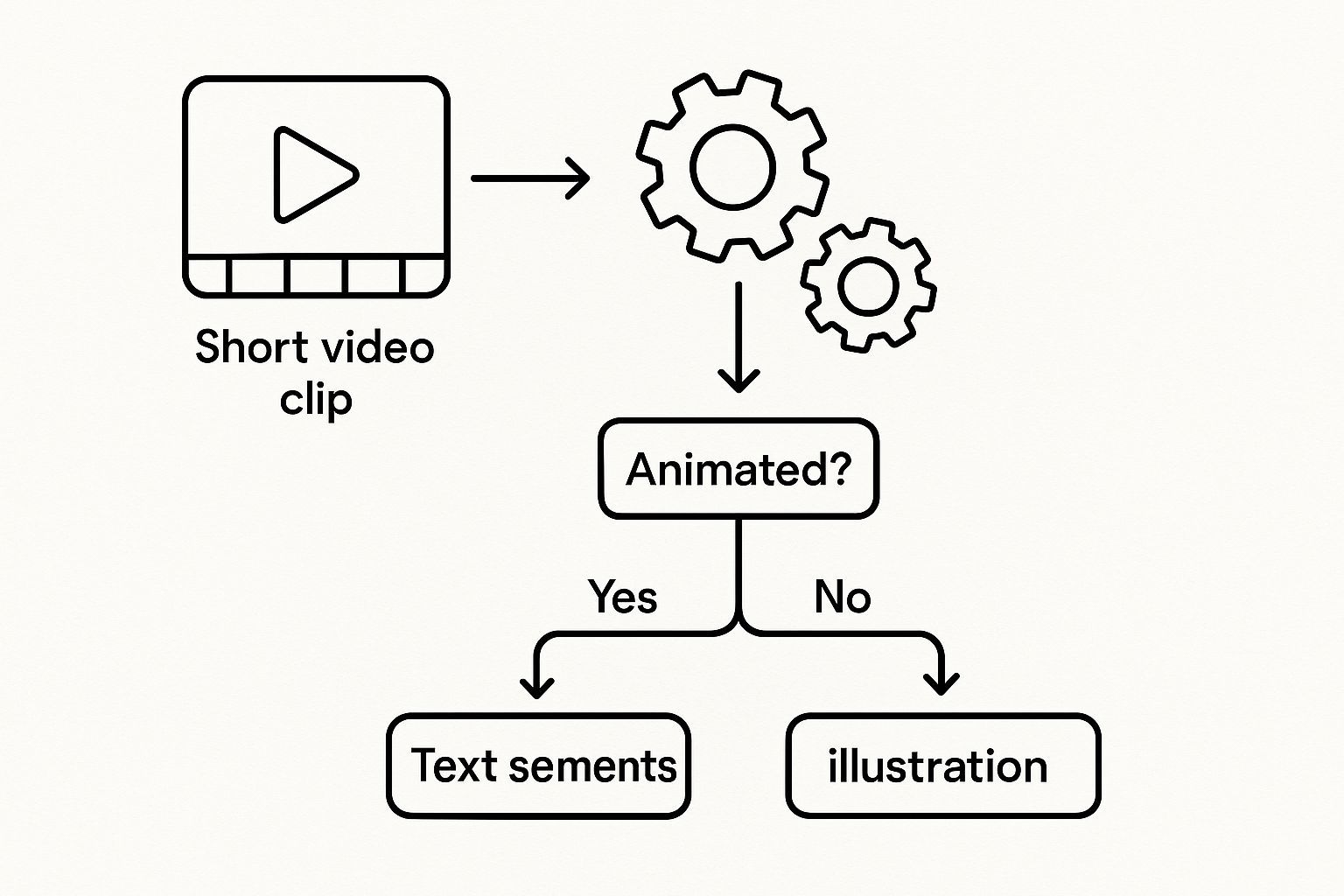
This decision tree helps you see how things like budget, how accurate it needs to be, and your deadline all point you toward the best method for your specific project.
The Nuance and Precision of Human Transcription
While AI is fast, a human transcriptionist brings a level of understanding and nuance that machines just can't match yet. A real person doesn't just hear words; they get the context, pick up on the tone, and can untangle messy audio that would completely stump an algorithm.
This human touch is absolutely critical when you can't afford any mistakes. Think about situations like these:
- Legal Proceedings: Every single word in a deposition has to be captured perfectly.
- Medical Dictations: Technical medical terms and patient confidentiality demand absolute precision.
- Market Research: Understanding the subtle give-and-take in a focus group is everything.
In these cases, a person can correctly identify who is speaking, look up the spelling of proper names or technical terms, and work through poor audio quality with way more skill. They can also add helpful notes like [laughter] or [crosstalk], adding a layer of detail that AI usually misses. The end result? A polished, professional document that can hit 99% accuracy or higher.
AI vs Human Transcription: A Head-to-Head Comparison
To make the choice clearer, let's put AI and human transcription side-by-side. Seeing their strengths and weaknesses in a direct comparison can help you zero in on what truly matters for your project.
| Feature | AI Transcription | Human Transcription |
|---|---|---|
| Accuracy | Typically 80-95%; struggles with accents, jargon, and poor audio. | Can reach 99%+ accuracy; excels with complex audio and context. |
| Speed | Extremely fast. Get transcripts for hours of video in just a few minutes. | Much slower. Can take several hours or days depending on the length. |
| Cost | Very affordable, often just pennies per minute. | Significantly more expensive, usually priced per audio minute. |
| Best For | High-volume content, quick drafts, internal notes, and content repurposing. | Legal, medical, academic, and any project where absolute precision is key. |
| Handling Nuance | Cannot interpret tone, emotion, or non-verbal cues. | Can capture context, identify speakers, and note non-verbal sounds. |
| Scalability | Massively scalable. Process thousands of hours of video without a bottleneck. | Limited by the number of available human transcriptionists. |
Ultimately, there's no single "best" option—just the best option for you.
Making the Right Choice for Your Needs
So, which way should you go? It almost always boils down to a trade-off between three things: accuracy, speed, and cost.
A human service is going to cost more and take longer. That’s a given. But that investment is worth every penny when you absolutely need it to be perfect. For many people, though, a hybrid approach offers the best of both worlds.
Here’s a practical workflow that a lot of businesses and creators are using:
- Start with AI: Run your video through an automated video to text tool like Transcript LOL to get a quick, cheap first draft. This is often "good enough" for internal use or for finding a specific quote.
- Clean it Up with a Human: Have someone on your team (or a professional editor) go through the AI-generated text. They can quickly fix any mistakes, correct names and jargon, and format it perfectly.
This blended strategy gives you the speed of a machine with the polish of a human expert. It's a smart way to get high-quality transcripts without breaking the bank or waiting forever.
Why Video Transcription Is a Business Imperative
Let's be honest: turning video into text sounds like a dull administrative task. But in reality, it's one of the smartest moves you can make for your content strategy. This isn't just about having a text file sitting on your server; it's about unlocking real, measurable growth in how many people find you, engage with you, and ultimately, buy from you.
Think about it. Every word spoken in your videos is a goldmine of untapped potential. If you’re not transcribing, you're leaving that gold buried. Each untranscribed video is a ghost to search engines and a closed door to a huge slice of your potential audience. A consistent video-to-text workflow flips that script, turning your video library from a dusty archive into a 24/7 lead-generating machine.
Supercharge Your SEO with Searchable Video
Here's a simple truth: search engines like Google are brilliant at reading text. They are, however, completely blind to the actual content inside your video files. Without a transcript, all the valuable expertise, keywords, and answers you share are invisible to them. Your video might as well not exist in the world of search.
A transcript changes the game entirely. It makes every single word spoken in your video fully indexable. Suddenly, that in-depth explanation of "agile project management techniques" from your last webinar isn't just for the live attendees—it’s a keyword-rich document that Google can crawl, understand, and serve up in search results. You're directly connecting your video to the exact phrases people are typing into their search bar, driving super-relevant organic traffic right to your doorstep.
Think of it this way: a video without a transcript is like a book with a blank cover and no title. Search engines just scroll right past it. A transcript acts as the book's title, table of contents, and full text, all rolled into one, making your content impossible to ignore.
This isn't a minor tweak. For every single video you transcribe, you create a new, unique page of content that can rank on its own. Over time, this builds a powerful library of assets that consistently boosts your authority and search rankings.
Broaden Your Reach Through Greater Accessibility
Accessibility is more than a buzzword or a box to check—it’s about fundamentally reaching more people. A huge portion of the population is deaf or hard of hearing, and without transcripts or captions, your content is a complete dead end for them. Providing these resources is the clearest way to say, "my message is for everyone."
But the ripple effect goes much further. How often do you scroll through social media with the sound off? You’re not alone. People are watching videos on public transit, in quiet offices, or late at night next to a sleeping partner. It's no surprise that videos with captions see wildly higher engagement and watch time. They simply fit into how people actually live their lives.
- Meet Compliance Standards: For many in education, government, or public sectors, providing accessible content isn't just nice—it's the law.
- Improve User Comprehension: Let's face it, even for viewers with perfect hearing, captions help with focus. This is especially true for complex topics or videos filled with technical jargon.
- Serve Non-Native Speakers: For a global audience, captions are a lifeline. They help people who aren't fluent in the video's language follow along, learn, and feel included.
By prioritizing accessibility, you're not just being inclusive. You're expanding your market and building a stronger, more loyal community that feels seen and respected.
Multiply Your Content Output Effortlessly
Here’s where video-to-text conversion becomes a true business superpower: content repurposing. A single one-hour webinar or a 30-minute podcast episode contains enough raw material to fuel your content calendar for weeks, if not months. The transcript is the blueprint that makes it all possible.
Stop staring at a blank page, trying to brainstorm new ideas. Instead, mine your existing video transcripts for killer quotes, key takeaways, and detailed explanations. This strategy absolutely demolishes the time and cost of content creation while keeping your brand's messaging perfectly consistent. You can see just how content creation transcription fuels this process and reclaims countless hours.
Here’s what that looks like in the real world, starting with just one video:
- Blog Posts: Pull out a few key sections from a webinar transcript and flesh them out into full-blown, SEO-friendly articles.
- Social Media Content: Lift dozens of shareable quotes, stats, and quick tips to create engaging posts for LinkedIn, Twitter, or Instagram.
- Lead Magnets: Combine the best insights from a video series into a must-have eBook or whitepaper to capture new leads.
- Email Newsletters: Summarize the main points from your latest video and send it to your email list, providing instant value and driving traffic back to your site.
This turns content creation from a constant grind into a smart, efficient system. When you embrace video-to-text conversion, you’re not just making a transcript; you're investing in a strategy that pays you back over and over in SEO, accessibility, and marketing firepower.
Choosing Your Video to Text Toolkit
Alright, you know why you need to turn your videos into text. Now comes the fun part: picking the right tools for the job.
The market for video to text software is packed with options, each built for different needs, budgets, and levels of accuracy. The goal isn’t to find the single “best” tool, but the best tool for your specific project. After all, grabbing a quick transcript for your personal notes is a world away from creating a legally binding document or a polished blog post.
Exploring the Tool Landscape
Your options run the gamut from free, built-in features to specialized professional services. Each has its place.
- Platform-Native Tools (like YouTube): Lots of video platforms, especially YouTube, give you free automatic captions. It’s a great starting point for basic accessibility, but the accuracy can be a real coin toss, particularly with tricky audio.
- Dedicated AI Software (like Descript): These are the power tools. Platforms like this are built specifically for transcription and come loaded with features like speaker identification, custom vocabularies, and slick editors that sync text to your video, which makes cleanup a breeze.
- Professional Human Services (like Rev): When you absolutely, positively cannot have a single error, humans are still the gold standard. These services deliver transcripts with 99%+ accuracy, but they come with a higher price tag and a longer wait.
Ultimately, it's a classic trade-off: cost vs. speed vs. precision. If you're churning out content, an AI tool is your best friend. For that mission-critical webinar where every word counts, investing in a human service might be the smarter play.
The growth in this space is just wild. The broader Text-to-Video AI market is expected to explode to $2.48 billion by 2032—a huge leap from $256.5 million in 2022. This just goes to show how much demand there is for video content and the AI that makes it more valuable. If you want to dig deeper, you can check out the full market report on text-to-video AI. The bottom line? These tools are only going to get better and more accessible.
A Simple Workflow to Get You Started
No matter what tool you land on, the basic process is pretty much the same. This simple four-step workflow will get you from a raw video file to a valuable text asset you can use right away.
- Upload Your Video: First, get your video into the tool. You can usually upload it from your computer, paste in a YouTube link, or connect to a cloud drive.
- Pick Your Transcription Method: This is where you decide between the instant gratification of AI or the precision of a human-powered transcript. Many modern platforms let you choose either one.
- Review and Edit the Text: Don't skip this step. Seriously. No matter how good the AI is, you need to give the transcript a final proofread. Fix any weird errors, correct names and industry jargon, and clean up the formatting.
- Export and Publish: Once it looks good, export the text in the format you need (like a .txt, .docx, or .srt file for captions). Now you’re ready to publish it as a blog post, drop it in your video description, or start slicing it up for social media.
Finding the Right Fit for Your Budget
Let's talk money. Cost is obviously a big deal. While free tools are tempting, the time you'll spend fixing all the mistakes can quickly cancel out the savings.
Most AI platforms offer different tiers that strike a nice balance between cost and features. It's worth poking around to see what fits. For a clear breakdown, you can check out different transcription pricing models to see how per-minute rates stack up against subscription plans. Getting this right means you can scale up your video-to-text efforts without any surprise bills.
Best Practices for Flawless Transcription
You've probably heard the old programming saying, "garbage in, garbage out." Well, it's the golden rule for video to text conversion, too. The quality of your transcript depends almost entirely on the quality of your video's audio.
Think of it this way: trying to get a good transcript from a noisy video is like trying to take a clear photo in a dark, blurry room. No matter how fancy your camera (or transcription service), the final result just won't be sharp. Whether you're using a slick AI tool or a seasoned professional, clean audio is the foundation for everything.
Preparing Your Audio for Success
A little prep work before you press record can save you a mountain of headaches later. Your goal is to give the transcription service—be it human or machine—the clearest possible audio to work from. This means getting rid of anything that could trip up the software or make it hard for a person to hear what's being said.
Here are a few non-negotiables:
- Get a Decent Microphone: Your laptop or phone mic just isn't going to cut it for serious work. A simple external mic can make a world of difference, cutting out room echo and capturing voices with real clarity.
- Find a Quiet Spot: Background noise is transcription's arch-nemesis. Street noise, a whirring fan, or coworkers chatting in the next room can wreck your accuracy. Do yourself a favor and find a quiet space.
- Speak Clearly, Not Quickly: Try to talk at a natural, even pace. When you mumble or rush, words get mashed together, making them a nightmare for any system to untangle.
Even with 95% accuracy, an AI can still get things wrong. It might mishear a brand name, bungle industry jargon, or mix up speakers. That's why a final human review is absolutely essential for any content that matters.
The Critical Final Review
I can't stress this enough: never, ever skip the human proofread. Automated tools are fantastic, but they don't understand context the way a person does. An AI won't know that "ice cream" doesn't make sense when you actually said "I scream."
A human can spot those subtle but critical errors—like confusing "their" and "there" or misspelling a client's name. This final once-over is what turns a decent video to text output into a polished, professional piece of content. A few minutes of review can mean the difference between looking smart and looking sloppy.
Frequently Asked Questions About Video to Text
Jumping into video-to-text conversion always kicks up a few common questions. Getting straight answers is the key to picking the right tools and knowing what to expect from the results. Let's dig into what people ask most.
How Accurate Is AI Video to Text Conversion?
This is the big one. The good news is that AI transcription has gotten seriously good. Top-tier services regularly hit 85-95% accuracy when the conditions are perfect.
What does "perfect" mean? Think crystal-clear audio, one person speaking without a heavy accent, and using everyday language. In those cases, the AI transcript is often good enough to use with just a quick glance.
But the real world is messy. Background noise, thick accents, people talking over each other, or specialized jargon can all knock that accuracy number down. That's why a quick human proofread is always a good idea before you publish anything important.
Can I Transcribe Videos in Different Languages?
You absolutely can. Modern AI tools are fantastic at handling multiple languages. Many can even figure out what language is being spoken automatically, so you don't have to fiddle with settings.
This is a huge deal if you're trying to reach a global audience. The best platforms support dozens of languages, and some can even translate the spoken words into a completely different language for your text output. It’s an incredible way to make your content accessible to people everywhere. For a deeper dive, you can always check out a list of FAQs about transcription services to see the full range of possibilities.
What Is the Difference Between Captions and Subtitles?
They look similar, but they do two very different jobs. It’s crucial to know which one you need.
-
Captions are all about accessibility. They’re built for viewers who can't hear the audio. Because of this, they don't just include dialogue; they also describe important sounds like [applause], [music playing], or a [door slams].
-
Subtitles are for translation. They assume the viewer can hear just fine but doesn't speak the language in the video. So, subtitles only focus on translating the spoken dialogue, leaving out all the other sound cues.
Ready to see what your video content is truly made of? Transcript.LOL uses powerful AI to deliver fast, accurate, and secure video-to-text transcripts in seconds. Start transcribing for free today and see the difference.