
Como Transcrever Vídeo do YouTube para Texto da Maneira Fácil
Aprenda como transcrever vídeo do YouTube para texto usando métodos manuais, ferramentas integradas do YouTube e IA poderosa. Desbloqueie benefícios de SEO e reutilização de conteúdo.
Kate, Praveen
June 11, 2025
Você pode obter uma transcrição rápida e gratuita de qualquer vídeo do YouTube usando o recurso de legendas integrado da plataforma. Basta abrir o vídeo, clicar nos três pontos abaixo do player e selecionar "Mostrar transcrição". A partir daí, você pode copiar e colar o texto gerado automaticamente. É a maneira mais rápida de obter um script básico sem precisar de outras ferramentas.
Por Que Transcrever Seus Vídeos É Uma Estratégia Inegociável
Antes de entrarmos nos métodos passo a passo, vamos falar sobre por que você deveria se dar ao trabalho de transcrever seus vídeos. Esta não é apenas uma tarefa administrativa tediosa; é uma estratégia de crescimento poderosa que desbloqueia um monte de potencial oculto em seu conteúdo. Quando você tem uma transcrição completa, está transformando suas palavras faladas em um ativo pesquisável, acessível e incrivelmente versátil.
Capacidades Que Tornam a Transcrição Poderosa
IA de última geração
Alimentado pelo Whisper da OpenAI para precisão líder na indústria. Suporte para vocabulários personalizados, arquivos de até 10 horas e resultados ultra rápidos.

Importar de múltiplas fontes
Importe arquivos de áudio e vídeo de várias fontes, incluindo upload direto, Google Drive, Dropbox, URLs, Zoom e mais.

Ferramentas de edição
Edite transcrições com ferramentas poderosas incluindo buscar e substituir, atribuição de falantes, formatos de texto rico e destaque.
Muitos criadores pulam isso, pensando que é apenas trabalho extra. Honestamente, é uma das coisas de maior alavancagem que você pode fazer. A versão em texto do seu vídeo se torna a base para melhor descoberta, maior engajamento do público e reutilização infinita de conteúdo.
Por Que Transcrições São Ativos de Alta Alavancagem?
Uma transcrição transforma conteúdo falado temporário em um ativo digital permanente. Torna os vídeos pesquisáveis, acessíveis e reutilizáveis em várias plataformas. Este único passo multiplica o valor a longo prazo de cada vídeo que você publica.
Desbloqueando o Potencial dos Motores de Busca
Motores de busca como o Google são incríveis em rastrear texto, mas eles não conseguem realmente "assistir" ao seu vídeo para entender do que se trata. Ao fornecer uma transcrição, você está basicamente entregando a eles um roteiro palavra por palavra do seu vídeo, tornando tudo o que você disse pesquisável. Isso muda completamente o jogo para SEO.
Digamos que você filmou um vídeo detalhado sobre "técnicas avançadas de panificação com fermento natural". Sem uma transcrição, o YouTube e o Google estão apenas olhando para o seu título, descrição e tags. Mas com uma transcrição, eles podem ver que você falou sobre "autólise", "fermentação em bloco" e "manutenção do levain", ajudando você a aparecer para todas essas valiosas palavras-chave de cauda longa.
Ao tornar o conteúdo do seu vídeo legível para os rastreadores dos motores de busca, você está essencialmente criando um novo ativo baseado em texto que pode atrair tráfego orgânico muito depois que o vídeo for publicado. Isso abre um canal totalmente novo para descoberta.
Melhorando a Acessibilidade e a Experiência do Espectador
Acessibilidade não é mais apenas algo bom de se ter, é uma necessidade. As transcrições abrem imediatamente seu conteúdo para um público muito mais amplo, incluindo pessoas surdas ou com deficiência auditiva. Mas os benefícios vão muito além disso.
Pense em quantas vezes as pessoas assistem a vídeos em locais públicos onde não podem ligar o som. De fato, 69% dos espectadores assistem a vídeos com o som desligado quando estão por aí. Uma transcrição ou legendas permite que eles acompanhem sem fones de ouvido, o que os mantém assistindo em vez de rolar para longe.
Essa adição simples pode ter um grande impacto. Estatísticas mostram que vídeos com legendas e transcrições podem ter um aumento de visualizações de até 40%. Se você estiver curioso, pode ler a pesquisa completa sobre essas estatísticas de engajamento de vídeo para ver o quão grande é o impacto.
O Comportamento do Espectador Mudou
O público consome cada vez mais vídeos silenciosamente em dispositivos móveis. Legendas e transcrições não são mais aprimoramentos opcionais. Elas agora são essenciais para o engajamento e a retenção.
Criando uma Mina de Ouro de Reutilização de Conteúdo
Uma transcrição de alta qualidade é o ponto de partida definitivo para reutilizar seu conteúdo. Em vez de tentar criar novas ideias do zero, você pode dividir eficientemente seu vídeo em dezenas de outros formatos. Trata-se de multiplicar sua produção com o mínimo de esforço extra.
Veja como uma única transcrição pode se tornar uma máquina de criação de conteúdo:
- Posts de Blog: Transforme facilmente o roteiro do seu vídeo em um artigo detalhado e otimizado para SEO para o seu site.
- Conteúdo para Redes Sociais: Extraia citações-chave, dicas ou estatísticas para criar gráficos atraentes para Instagram, X (anteriormente Twitter) ou LinkedIn.
- Newsletters por E-mail: Resuma os pontos principais do vídeo e compartilhe-os com sua lista de e-mail, direcionando tráfego de volta para o seu canal.
- Iscas Digitais (Lead Magnets): Combine as transcrições de alguns vídeos relacionados para criar um e-book ou guia para download.
Para deixar isso cristalino, aqui está um breve resumo de como esses benefícios funcionam juntos para ajudá-lo a crescer.
Principais Benefícios da Transcrição do YouTube em Resumo
Esta tabela resume as vantagens centrais da transcrição de seus vídeos, fornecendo uma referência rápida para criadores de conteúdo sobre o valor imediato que eles podem desbloquear.
| Área de Benefício | Impacto para Criadores | Caso de Uso Exemplo |
|---|---|---|
| SEO e Descoberta | Torna o conteúdo de vídeo indexável pelos motores de busca, impulsionando o tráfego orgânico. | Um tutorial sobre "Noções básicas do Figma" classifica-se para termos específicos como "redes vetoriais" e "prototipagem". |
| Acessibilidade e Inclusão | Abre o conteúdo para públicos surdos ou com deficiência auditiva e falantes não nativos. | Um espectador internacional usa a transcrição para acompanhar uma explicação técnica complexa. |
| Experiência do Espectador | Permite a visualização silenciosa em ambientes públicos ou tranquilos, aumentando o tempo de exibição. | Um passageiro assiste ao seu último vídeo no trem com o som desligado, confiando nas legendas. |
| Reutilização de Conteúdo | Fornece um roteiro pronto para posts de blog, redes sociais e newsletters. | Um vídeo de 10 minutos é transformado em um post de blog de 1.200 palavras e cinco cartões de citação para redes sociais. |
Como você pode ver, o pequeno esforço de criar uma transcrição compensa de várias maneiras, transformando um único vídeo em um ativo de longo prazo que funciona para você 24 horas por dia.
Usando as Ferramentas de Transcrição Integradas do YouTube
A rota mais direta para obter uma transcrição é usar as ferramentas que o YouTube já oferece. É totalmente gratuito, disponível em quase todos os vídeos públicos e, honestamente, é um ponto de partida surpreendentemente sólido se você estiver com orçamento limitado ou apenas precisar do texto de um clipe rápido.
O processo não poderia ser mais simples. Enquanto um vídeo está sendo reproduzido, procure os três pontos (...) logo abaixo do player. Clique nele e você deverá ver a opção "Mostrar transcrição". Isso abre uma transcrição completa e com marcação de tempo ao lado do vídeo, facilitando a leitura ou o salto para uma parte específica.
Esta pequena árvore de decisão resume praticamente tudo: transcrever seu conteúdo é um caminho direto para o crescimento.
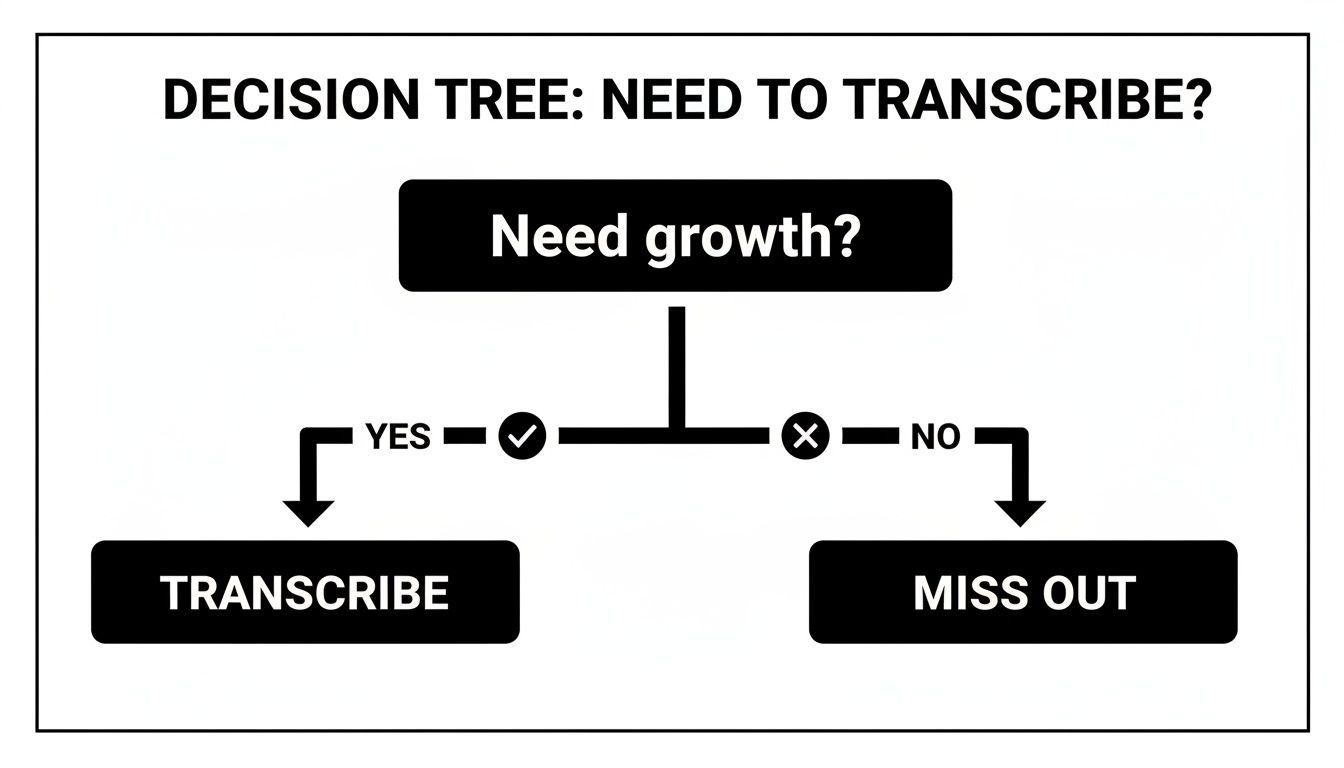
Escolher transcrever abre as portas para melhor SEO, acessibilidade e inúmeras oportunidades de reutilização de conteúdo. É uma escolha simples com um grande retorno.
Obtendo um Arquivo de Texto Limpo
Uma vez que a janela de transcrição esteja aberta, obter o texto é uma questão de copiar e colar. Você pode selecionar tudo e colar em um editor de texto como o Bloco de Notas ou o Google Docs. A única ressalva? Ele traz todos os carimbos de data/hora junto, o que você provavelmente não precisa.
Para se livrar deles, basta clicar nos três pontos no topo da mesma janela de transcrição e clicar em "Alternar carimbos de data/hora". Instantaneamente, os marcadores de tempo desaparecem, deixando você com um bloco de texto limpo pronto para ser transformado em um post de blog, atualização de mídia social ou notas do programa.
Dica Profissional: Tenha em mente que as legendas geradas automaticamente pelo YouTube não são perfeitas. A precisão realmente depende da qualidade do áudio do vídeo. Você deve sempre planejar gastar um tempo revisando e corrigindo quaisquer erros, especialmente com nomes, jargões e pontuação.
Legendas Automáticas Não Estão Prontas para Produção
As legendas do YouTube frequentemente interpretam mal nomes e termos técnicos. Confiar nelas sem revisão pode prejudicar a credibilidade. Conteúdo profissional sempre requer limpeza.
Trabalhando com Arquivos SRT
Se você precisar de um pouco mais de controle — por exemplo, para reenviar legendas corrigidas para o seu próprio vídeo — então pegar o arquivo SRT (SubRip Subtitle) é o seu próximo passo. Este é apenas um arquivo de texto simples que contém todo o texto da legenda, juntamente com os tempos precisos de início e fim para cada linha.
O YouTube não tem um grande botão "baixar SRT" em vídeos de outras pessoas, mas muitas ferramentas online gratuitas podem pegar o arquivo para você. Depois de tê-lo, você pode abri-lo em qualquer editor de texto para limpá-lo. Para um guia mais detalhado, confira nosso guia sobre como baixar uma transcrição de vídeo do YouTube.
Para conteúdo altamente especializado, como sermões ou palestras acadêmicas, as ferramentas integradas do YouTube às vezes podem ter dificuldades. Nesses casos, procurar um serviço dedicado de transcrição de sermões pode oferecer resultados muito mais precisos e economizar muito tempo de edição.
Como a IA Oferece Transcrições Mais Rápidas e Precisas
Sejamos honestos: a transcrição integrada do YouTube é um bom ponto de partida, mas muitas vezes tropeça. Quando "bom o suficiente" não é realmente bom o suficiente, os serviços dedicados de transcrição por IA são a resposta. Essas ferramentas são construídas para uma única tarefa e apenas uma tarefa: transformar vídeos do YouTube em texto com velocidade e precisão incríveis.
Recursos Que Vão Além das Legendas do YouTube

Detecção de falantes
Identifique automaticamente diferentes falantes nas suas gravações e rotule-os com seus nomes.

Exportar em múltiplos formatos
Exporte suas transcrições em múltiplos formatos incluindo TXT, DOCX, PDF, SRT e VTT com opções de formatação personalizáveis.
Resumos e Chatbot
Gere resumos e outros insights da sua transcrição, prompts personalizados reutilizáveis e chatbot para o seu conteúdo.
O que antes era um processo entediante de corrigir manualmente quase todas as palavras se torna um fluxo de trabalho simples de copiar e colar. Você apenas fornece ao AI um URL do YouTube e, alguns minutos depois, recebe uma transcrição polida e pronta para uso. Isso muda o jogo para criadores que precisam agir rápido sem sacrificar a qualidade.
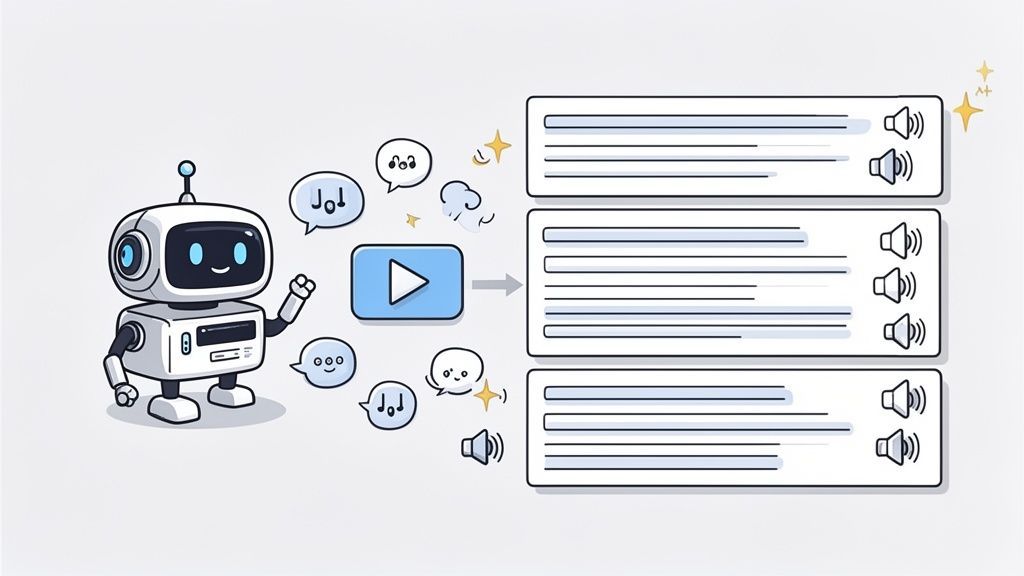
O Poder dos Modelos de IA Especializados
Então, o que torna essas ferramentas tão melhores do que o padrão do YouTube? Tudo se resume ao treinamento especializado. A IA do YouTube precisa lidar com bilhões de vídeos em todos os tópicos imagináveis. Em contraste, serviços dedicados usam modelos avançados treinados especificamente para transcrição.
Esse foco significa que eles se destacam onde as ferramentas de uso geral falham:
- Terminologia Complexa: Eles acertam o jargão específico de nicho, sejam termos médicos, frases legais ou conceitos de engenharia de software.
- Sotaques Variados: Treinados em diversos conjuntos de dados globais, esses modelos entendem facilmente uma ampla gama de sotaques e estilos de fala.
- Ruído de Fundo: Eles são brilhantes em ignorar música e conversas de fundo, focando apenas nas palavras faladas.
Algumas das melhores plataformas até oferecem um vocabulário personalizado. Esse recurso permite que você "ensine" à IA nomes específicos, marcas ou acrônimos exclusivos do seu conteúdo. É um pequeno detalhe que economiza uma quantidade enorme de tempo de edição posteriormente.
Um Guia Prático Usando uma Ferramenta de IA
Vamos ver como isso funciona no mundo real usando uma ferramenta como Transcript.LOL. Todo o processo é refrescantemente direto e mostra o quão poderoso um fluxo de trabalho baseado em URL pode ser.
- Primeiro, encontre o vídeo do YouTube que você deseja transcrever e copie seu URL.
- Em seguida, acesse a ferramenta e cole o link no campo de entrada.
- Com um único clique, a IA começa a funcionar. Ela extrai o áudio do vídeo e o processa através de seu motor de fala para texto.
- Em instantes, você obtém uma transcrição completa e altamente precisa, pronta para revisão e exportação como arquivo DOCX, SRT ou texto simples.
A verdadeira mágica da IA moderna é como ela praticamente elimina o trabalho braçal. Uma tarefa que antes levava horas de audição, digitação e correção agora é feita no tempo que leva para tomar um café.
Desbloqueando Recursos Avançados para um Resultado Polido
Além de apenas fornecer o texto bruto, os serviços de IA de ponta adicionam recursos que entregam um resultado verdadeiramente profissional. Um dos mais valiosos é a rotulagem automática de falantes.
Se você estiver transcrevendo uma entrevista, um podcast ou um painel de discussão, a IA pode detectar cada voz distinta e rotular automaticamente quem está falando (por exemplo, "Falante 1", "Falante 2"). Esse recurso sozinho economiza horas de trabalho árduo. Chega de tentar descobrir quem disse o quê em uma conversa rápida — a IA faz o trabalho pesado. Este é um motivo chave pelo qual as pessoas procuram o melhor software de transcrição de IA.
Com serviços alcançando até 99% de precisão, é um salto gigantesco em relação às ferramentas padrão. Esse nível de qualidade e acessibilidade impulsionou um crescimento incrível, com o mercado global de transcrição projetado para atingir US$ 31,82 bilhões até 2026. É claro que a IA não é mais apenas uma alternativa; está se tornando o padrão.
Refinando Sua Transcrição para Impacto Máximo
Obter o texto bruto depois de transcrever um vídeo do YouTube é um ótimo começo, mas raramente é a linha de chegada. Uma transcrição não editada e gerada por máquina é como um rascunho — ela tem todas as informações importantes, mas precisa de algum polimento antes de realmente brilhar.
É aqui que o valor real entra: transformar esse texto bruto em um documento limpo, profissional e genuinamente útil. O processo é mais do que apenas corrigir erros de digitação; trata-se de moldar o texto para o que você tem em mente, seja um post de blog ou um conjunto de legendas perfeitamente sincronizado.
Como Polir uma Transcrição Bruta
Corrigir Problemas de Precisão
Corrija nomes, marcas e terminologia primeiro. Esses erros se destacam imediatamente para os leitores. Corrigi-los aumenta o profissionalismo.
Remover Linguagem de Preenchimento
Exclua preenchimentos verbais como "uhm" e "sabe". Eles poluem o conteúdo escrito e reduzem a clareza. Texto limpo melhora o fluxo de leitura.
Melhorar a Estrutura
Divida monólogos longos em parágrafos curtos. Adicione espaçamento para escaneabilidade. Isso torna as transcrições prontas para blogs.
Otimizar para o Propósito
Edite de forma diferente para blogs, legendas ou pesquisas. Cada formato tem requisitos únicos. A edição orientada por intenção economiza tempo.
Edição para Clareza e Fluidez
Sua primeira passagem deve ser focada em tornar o texto fácil de ler e entender. As transcrições de IA são impressionantemente precisas hoje em dia, mas ainda não conseguem capturar completamente a nuance humana.
Comece abordando os problemas mais comuns que as máquinas tendem a perder:
- Correção de Nomes e Jargões: A IA muitas vezes tropeça em nomes únicos, termos específicos da empresa ou jargões técnicos. Corrigir isso é uma vitória rápida que torna sua transcrição profissional.
- Remoção de Palavras de Preenchimento: Todos nós dizemos "hã", "tipo", "sabe" quando falamos. Embora seja natural na conversa, essas palavras apenas poluem uma transcrição escrita. Cortá-las cria uma leitura muito mais limpa.
- Estruturação de Parágrafos: As pessoas não falam em parágrafos organizados. Você precisará dividir esses longos monólogos em blocos menores e mais digeríveis de 2-3 frases. Essa única mudança melhora drasticamente a legibilidade, especialmente para conteúdo online.
Este estágio de edição é o que transforma a palavra falada em texto polido. Para um mergulho mais profundo, nosso guia sobre os essenciais de revisão em transcrição cobre técnicas mais avançadas.
Escolhendo o Formato de Exportação Correto
Depois que sua transcrição estiver polida, o passo final é exportá-la no formato certo para o seu projeto. O tipo de arquivo que você escolher impacta diretamente como você pode usar o texto. Não é uma situação única para todos.
Pense na sua escolha de exportação como selecionar a ferramenta certa para o trabalho. Você não usaria um martelo para apertar um parafuso, e não deveria usar um arquivo TXT quando precisa de legendas com marcação de tempo. Combinar o formato à função é fundamental.
Aqui está uma análise prática das opções mais comuns e quando usar cada uma delas:
-
DOCX (Microsoft Word): Este é o seu formato ideal para reutilização de conteúdo. Se você está transformando uma transcrição em um post de blog, artigo ou e-book, a formatação de rich text em um arquivo DOCX lhe dá controle total sobre títulos, negrito e layout.
-
SRT (SubRip Subtitle): Escolha este formato se o seu objetivo é adicionar ou atualizar legendas no YouTube ou em outra plataforma de vídeo. Arquivos SRT contêm não apenas o texto, mas também os carimbos de data/hora precisos necessários para sincronizar as palavras perfeitamente com o vídeo.
-
TXT (Texto Simples): O mais simples de todos. Um arquivo TXT é perfeito quando você precisa apenas do texto bruto sem nenhuma formatação. É ideal para extrair citações rapidamente, colar conteúdo em mídias sociais ou alimentar o texto em outra ferramenta para análise.
Transformando Sua Transcrição em um Motor de Conteúdo
Uma vez que você tenha uma transcrição polida, a diversão realmente começa. É hora de parar de vê-la apenas como um arquivo de texto e começar a vê-la pelo que ela realmente é: um poderoso motor de conteúdo.
Um único vídeo pode ser a semente para um ecossistema inteiro de conteúdo, multiplicando seu alcance e impacto com surpreendentemente pouco trabalho extra. Este é o retorno estratégico quando você transcreve um vídeo do YouTube para texto.
Uma Transcrição, Conteúdo Infinito
Transcrições são a base da criação de conteúdo escalável. Elas reduzem a fadiga de ideias e o tempo de produção. Um vídeo pode impulsionar semanas de publicações.
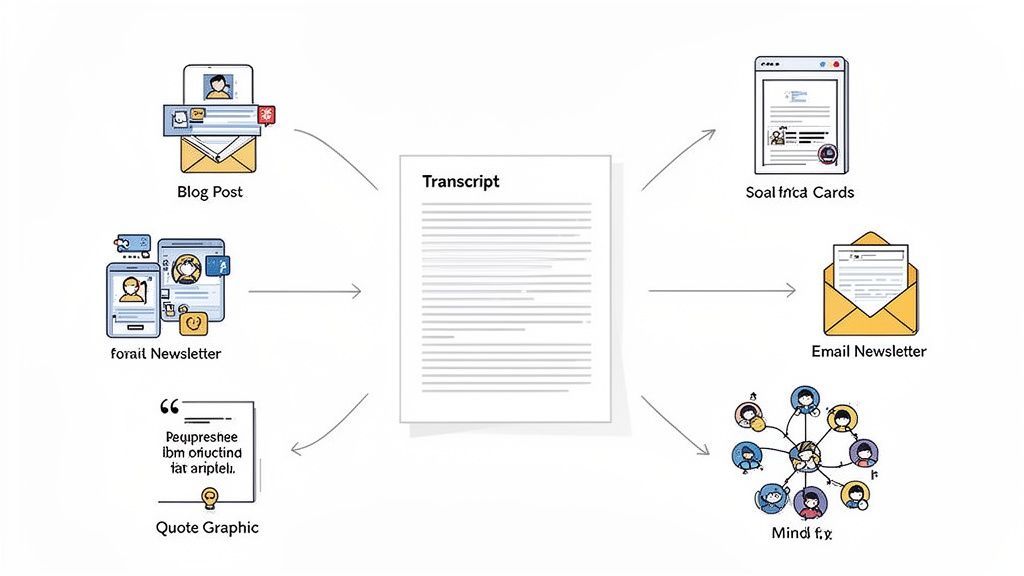
Pense nisso: uma entrevista em vídeo de 20 minutos pode se tornar um post de blog aprofundado, cinco gráficos com citações impactantes para redes sociais, um artigo profissional para o LinkedIn e um resumo conciso para sua próxima newsletter por e-mail. Não se trata de trabalhar mais; trata-se de fazer com que seu conteúdo principal "puxe o peso".
De Texto a Tráfego e Engajamento
A vantagem mais óbvia de reutilizar sua transcrição em um post de blog é o enorme valor de SEO. Os motores de busca não conseguem "assistir" a vídeos, mas podem rastrear e indexar cada palavra do seu texto.
Quando o podcast This American Life adicionou transcrições aos seus episódios, seus visitantes únicos de busca orgânica aumentaram em 6,68%. Isso é um grande avanço, especialmente quando você considera que 93% de todas as experiências online começam com um motor de busca.
Melhor ainda, as transcrições podem impulsionar até 50% mais interação em vídeos. Você não está apenas obtendo cliques; está transformando espectadores passivos em um público engajado.
Ferramentas modernas de IA levam isso um passo adiante. Plataformas como Transcript.LOL podem gerar automaticamente resumos, extrair os principais aprendizados e até criar mapas mentais diretamente da sua transcrição. O que antes era uma tarefa administrativa agora é a pedra angular de uma máquina de marketing eficiente.
Estratégias Práticas de Reutilização
Então, como isso funciona no mundo real? Uma transcrição bem editada é sua matéria-prima para todos os tipos de ativos de alto valor.
- Crie Posts de Blog Pilares: Use a transcrição para expandir os temas-chave do seu vídeo. Extraia citações diretas para adicionar autoridade, estruture seus argumentos e certifique-se de que seu post seja incrivelmente detalhado.
- Crie Conteúdo "Snackable" para Redes Sociais: Procure as frases mais cativantes, estatísticas ou insights surpreendentes. Transforme-os em gráficos chamativos para Instagram, X (anteriormente Twitter) ou Facebook para interromper o scroll e direcionar tráfego de volta para o seu vídeo.
- Elabore Artigos Aprofundados para o LinkedIn: Reutilize os conselhos profissionais ou a análise de mercado do seu vídeo em um artigo ponderado. Isso ajuda a posicioná-lo como um especialista e a se conectar com um público diferente e mais focado em negócios.
Ao fatiar e picar sua mensagem principal em diferentes formatos, você encontra seu público nas plataformas que eles realmente usam. É uma estratégia simples para maximizar a visibilidade e reforçar sua mensagem em vários canais.
Depois de transformar sua transcrição em conteúdo valioso, você também deve pensar em otimizar o conteúdo para busca por IA para garantir que ele tenha um bom desempenho nos cenários de busca emergentes.
Aqui está um guia rápido para você começar.
Ideias de Reutilização de Conteúdo a Partir de Uma Única Transcrição
Esta tabela oferece um ponto de partida para transformar uma transcrição de vídeo em uma biblioteca inteira de conteúdo.
| Formato de Conteúdo | Plataforma | Dica Principal |
|---|---|---|
| Post de Blog | Site/Blog | Use a transcrição para citações e estrutura, depois adicione nova análise. |
| Cartões de Citação | Instagram, X, Facebook | Extraia frases curtas e impactantes e coloque-as em um modelo de marca. |
| Artigo no LinkedIn | Concentre-se em insights profissionais e pontos de dados do vídeo. | |
| Newsletter por E-mail | Plataforma de E-mail Marketing | Crie um resumo conciso com os 3-5 principais aprendizados do vídeo. |
| Thread no Twitter | X (anteriormente Twitter) | Divida um conceito-chave do vídeo em uma série de 5-7 tweets. |
| Infográfico | Pinterest, Blog | Visualize estatísticas-chave ou um processo passo a passo discutido no vídeo. |
O objetivo é maximizar o valor de cada vídeo que você cria. Em vez de uma abordagem "faça uma vez e pronto", você está construindo uma biblioteca de conteúdo interconectado que funciona 24 horas por dia, 7 dias por semana, para aumentar seu público e autoridade.
Para formas mais criativas de multiplicar sua produção, você pode explorar estas estratégias de reutilização de conteúdo acionáveis. Assim que você começar a ver sua transcrição como um ativo versátil, você desbloqueará uma maneira muito mais sustentável e eficaz de criar conteúdo.
Perguntas Sobre Transcrição de YouTube? Temos Respostas
Mesmo com as melhores ferramentas, você provavelmente terá algumas dúvidas ao começar a transformar vídeos do YouTube em texto. Entender coisas como precisão, formatos de arquivo e questões legais é fundamental para que todo o esforço valha a pena.
Vamos analisar algumas das perguntas mais comuns que as pessoas fazem.
Quão Precisas São as Transcrições Automáticas do YouTube, Realmente?
As legendas integradas do YouTube são um bom ponto de partida, mas sejamos honestos: a precisão delas é inconsistente.
Se você tem um vídeo com áudio perfeito e cristalino e zero ruído de fundo, pode ver 80-90% de precisão. Mas no momento em que você adiciona um sotaque forte, algumas pessoas falando ao mesmo tempo ou jargões complexos, esse número cai rapidamente.
Para suas próprias anotações pessoais, isso pode ser suficiente. Mas se você está criando um post de blog ou legendas profissionais a partir dessa transcrição, você terá que editá-la. É inevitável.
Um caminho melhor é usar um serviço de IA de alta qualidade feito para isso. Uma ferramenta especializada o levará a 99%+ de precisão imediatamente, o que economiza uma quantidade enorme de tempo de edição.
Qual é o Melhor Formato para Minha Transcrição?
Esta é fácil: o melhor formato é o que se adapta ao seu objetivo. Não existe uma única opção "melhor", tudo depende do que você precisa fazer a seguir.
Aqui está um resumo rápido dos suspeitos de sempre:
- SRT ou VTT: Se você está corrigindo legendas para reenviá-las ao YouTube ou a outro player de vídeo, você precisa de um desses. Eles contêm todos os carimbos de data/hora necessários para sincronizar o texto perfeitamente com o vídeo.
- DOCX: Este é o seu formato ideal para transformar um vídeo em um artigo ou relatório. Você pode manter toda a formatação de texto rico — títulos, texto em negrito e marcadores — e trabalhar com ele no Word ou Google Docs.
- TXT: Para simplicidade pura e sem adornos. Um arquivo de texto simples é perfeito para extrair algumas citações, anotar notas ou colar em uma postagem de mídia social onde a formatação é irrelevante.
Posso Transcrever um Vídeo do YouTube Que Não é Meu?
Tecnicamente? Sim. Qualquer vídeo público do YouTube é um alvo justo para ferramentas de transcrição, pois elas apenas processam áudio que já está disponível para todos.
Mas há um grande "porém": você precisa pensar sobre direitos autorais.
Usar uma transcrição para seu próprio estudo pessoal, pesquisa ou para tornar o conteúdo mais acessível é quase sempre considerado uso justo. Sem problemas aí.
As linhas legais começam a ficar turvas quando você republica grandes trechos da transcrição de outra pessoa. Nunca apresente as palavras faladas por eles como sua própria escrita. Sempre dê crédito claro ao criador original.
Quanto Custa Transcrever um Vídeo?
O custo pode variar de totalmente gratuito a vários dólares por minuto.
Usar a ferramenta integrada do YouTube é gratuito, mas você paga com seu tempo gasto em correções manuais. Serviços baseados em IA como o nosso atingem o ponto ideal, geralmente custando entre US$ 0,15 a US$ 0,25 por minuto. Para perfeição absoluta, serviços de transcrição humana são uma opção, mas eles ficam caros, geralmente começando em US$ 1,50 por minuto.
Pronto para transformar seus vídeos em conteúdo preciso e utilizável em apenas alguns cliques? Transcript.LOL usa IA avançada para entregar transcrições, resumos e ativos de conteúdo com mais de 99% de precisão instantaneamente. Comece gratuitamente em https://transcript.lol e veja como é fácil.