
Como Transcrever Conversas: como transcrever conversas...
Descubra como transcrever conversas com dicas de especialistas sobre preparação, ferramentas e edição para transcrições rápidas e precisas que você pode usar hoje.
Praveen
November 6, 2024
Na sua essência, transcrever uma conversa é simplesmente transformar palavras faladas de um arquivo de áudio ou vídeo em texto. Você pode fazer isso manualmente, o que leva uma eternidade, ou pode usar um serviço com tecnologia de IA para obter um rascunho inicial sólido em minutos. A partir daí, é apenas uma questão de uma revisão e polimento rápidos.
Por que a Transcrição Precisa Muda o Jogo
Uma transcrição é muito mais do que um monte de palavras. É uma chave que desbloqueia o valor oculto em seu áudio e vídeo.
Pense nisso. Para um jornalista, essa transcrição precisa é a espinha dorsal de uma história credível, capturando cada detalhe de uma entrevista crítica. Para um pesquisador de mercado, são os dados brutos de um grupo focal que revelam o que os clientes realmente pensam.
As apostas podem ser surpreendentemente altas. Uma equipe jurídica depende de um registro perfeito e literal, onde uma única palavra mal ouvida pode mudar o resultado de um caso. E um criador de conteúdo inteligente pode pegar uma transcrição detalhada de uma entrevista e transformá-la em uma dúzia de posts de blog, atualizações de mídia social e clipes de vídeo – extraindo todo o valor de seu esforço original.
O Impacto do Mundo Real da Precisão
Transcrição ruim causa problemas reais. Imagine um estudante de medicina tentando aprender com uma palestra gravada onde termos complexos são distorcidos. Isso leva à confusão e perda de tempo. Ou imagine uma equipe corporativa trabalhando em notas de reunião onde itens de ação são atribuídos à pessoa errada devido a um erro de identificação do orador.
Esses não são apenas pequenos contratempos; são erros caros que matam a produtividade e prejudicam a credibilidade.
Por outro lado, uma transcrição limpa e precisa cria clareza e abre novas possibilidades. Torna-se um ativo pesquisável, compartilhável e reutilizável que dá uma segunda vida à sua conversa.
Uma transcrição precisa transforma palavras faladas efêmeras em um ativo permanente, pesquisável e analisável. É assim que você desbloqueia todo o potencial do seu conteúdo de áudio e vídeo.
Uma Habilidade para um Mundo Orientado por Dados
Saber como criar transcrições precisas de forma eficiente não é mais apenas uma habilidade de nicho. O mercado global de transcrição já valia cerca de US$ 21 bilhões em 2022 e está a caminho de ultrapassar US$ 35 bilhões até 2032, impulsionado pela explosão do trabalho remoto e ferramentas de IA mais inteligentes.
Dominar os fundamentos é essencial para qualquer pessoa que trabalhe com conteúdo de áudio ou vídeo. Para entender realmente o que separa uma transcrição decente de uma ótima, é útil investigar os fatores que influenciam a precisão da fala para texto e ver como eles afetam o resultado final.
Preparando o Terreno para uma Transcrição Perfeita
Antes mesmo de pensar em fazer upload de um arquivo de áudio, precisamos falar sobre o fator mais importante para uma ótima transcrição: qualidade de áudio.
Recursos Essenciais para Melhor Entrada de Áudio Bruto
IA de última geração
Alimentado pelo Whisper da OpenAI para precisão líder na indústria. Suporte para vocabulários personalizados, arquivos de até 10 horas e resultados ultra rápidos.

Importar de múltiplas fontes
Importe arquivos de áudio e vídeo de várias fontes, incluindo upload direto, Google Drive, Dropbox, URLs, Zoom e mais.

Exportar em múltiplos formatos
Exporte suas transcrições em múltiplos formatos incluindo TXT, DOCX, PDF, SRT e VTT com opções de formatação personalizáveis.
Uma ferramenta de transcrição de IA pode parecer um pouco mágica, mas não consegue decifrar o que não consegue ouvir claramente. Dedicar apenas alguns minutos ao trabalho de preparação antecipadamente irá literalmente poupar-lhe horas de edição frustrante no final. Confie em mim.
Pense nisso assim: fornecer áudio limpo a um serviço de transcrição é como entregar a um chef ingredientes frescos e de alta qualidade. Você está configurando todo o processo para o sucesso desde o início.
Dominando seu Ambiente de Gravação
Você não precisa de um estúdio de gravação profissional para obter resultados fantásticos. O objetivo real é simples: minimizar o ruído de fundo e garantir que cada locutor seja ouvido alto e claro. Mesmo pequenos ajustes podem fazer uma grande diferença.
Certa vez, tive que transcrever uma entrevista de grupo focal que foi gravada em um café ridiculamente movimentado. A transcrição inicial da IA foi uma bagunça - estava cheia de barulho de pratos e conversas ambientes. Levei horas de correção manual para salvá-la, uma dor de cabeça que poderia ter sido completamente evitada se eles tivessem apenas se mudado para um canto mais silencioso.
Aqui estão algumas dicas práticas para melhorar seu áudio na fonte:
- Escolha seu Espaço com Sabedoria: Uma sala pequena e acarpetada com móveis macios é sua melhor amiga porque absorve o eco. Evite salas grandes e vazias com superfícies duras que refletem o som por toda parte.
- Posicionamento do Microfone é Crucial: Aproxime o microfone da boca de cada locutor, mas não tão perto a ponto de captar cada respiração. Se você tiver vários locutores, usar microfones separados para cada pessoa é o padrão ouro.
- Elimine Distrações: Este parece óbvio, mas é tão frequentemente negligenciado. Desligue ventiladores, ar condicionado e silencie notificações em telefones e computadores antes de gravar.
A regra geral é simples: se você mal consegue ouvir um locutor acima do ruído de fundo com seus próprios ouvidos, a IA terá ainda mais dificuldade. Um rápido "teste, 1, 2, 3" pode salvá-lo de uma gravação arruinada.
Áudio Ruim Destrói a Precisão
Gravações de baixa qualidade podem aumentar os erros em até 50% na saída de voz para texto. Sempre garanta que seu ambiente esteja silencioso, os alto-falantes estejam próximos ao microfone e evite formatos com alta compressão. Sua transcrição final depende inteiramente da clareza do seu áudio de origem.
O Equipamento Certo e os Formatos de Arquivo
Em uma emergência, seu smartphone pode realmente ser um dispositivo de gravação muito decente. Mas para um áudio consistentemente nítido, investir em um microfone externo dedicado é uma jogada inteligente.
Para quem procura algo mais sério, nosso guia sobre o melhor gravador de voz com recursos de transcrição pode ajudá-lo a encontrar o equipamento certo para suas necessidades específicas.
Quando se trata de formatos de arquivo, você verá principalmente MP3 e WAV. Enquanto os MP3 são menores e mais convenientes para compartilhar, os arquivos WAV não são comprimidos. Isso significa que eles retêm todos os dados de áudio originais, dando à IA a quantidade máxima de informações para trabalhar.
Se você tiver espaço de armazenamento, sempre tente gravar e enviar em formato WAV. É um daqueles pequenos passos que levam a um resultado muito mais preciso e tornam a criação dessa transcrição impecável muito mais fácil.
Escolhendo seu Kit de Ferramentas de Transcrição
Descobrir como transcrever uma conversa hoje em dia parece um pouco como decidir entre um mapa de papel antigo e um GPS. Claro, você poderia fazer do jeito antigo, mas as ferramentas modernas mudaram completamente o jogo. Sua escolha realmente se resume ao que você precisa: precisão, velocidade ou orçamento.
Para aquelas conversas raras e altamente sensíveis onde a privacidade dos dados é tudo, a transcrição manual lhe dá controle total. Você é o único a manusear o arquivo e digitar as palavras, então nada atinge um servidor de terceiros. Mas sejamos honestos - é um enorme desperdício de tempo. Um digitador profissional pode gastar quatro horas transcrevendo apenas uma hora de áudio limpo. Para o resto de nós? Dobre isso, facilmente.
É exatamente por isso que os serviços impulsionados por IA se tornaram o novo padrão. Eles podem transformar uma gravação de uma hora em uma transcrição completa em apenas alguns minutos, não horas. É uma mudança fundamental, e é crucial entender o papel da IA na transcrição para ver por que ela é tão dominante.
Recursos Avançados para Transcrição Mais Inteligente

Detecção de falantes
Identifique automaticamente diferentes falantes nas suas gravações e rotule-os com seus nomes.

Ferramentas de edição
Edite transcrições com ferramentas poderosas incluindo buscar e substituir, atribuição de falantes, formatos de texto rico e destaque.
Resumos e Chatbot
Gere resumos e outros insights da sua transcrição, prompts personalizados reutilizáveis e chatbot para o seu conteúdo.
Integrações
Conecte-se com suas ferramentas e plataformas favoritas para otimizar seu fluxo de trabalho de transcrição.
Serviços Dedicados de IA vs. Recursos Integrados
Nem toda transcrição de IA é igual, no entanto. Você basicamente tem duas opções: plataformas especializadas criadas para a tarefa ou recursos integrados ao software que você já usa.
- Plataformas Dedicadas de IA: Pense em serviços como Sonix ou Otter.ai. Eles são construídos do zero para transcrição, oferecendo maior precisão, identificação de locutor sofisticada (diarização), vocabulários personalizados e uma tonelada de opções de exportação. Estes são os "cavalos de batalha" para jornalistas, pesquisadores e qualquer pessoa que crie conteúdo e precise de uma transcrição confiável e de nível profissional.
- Recursos Integrados: Ferramentas como Zoom e Google Meet começaram a incluir seus próprios recursos de transcrição. Eles são incrivelmente úteis para obter um registro rápido e informal de uma reunião. Mas geralmente não conseguem igualar a precisão ou o poder de edição de um serviço dedicado. Eles são ótimos para anotações internas, mas muitas vezes precisam de muita limpeza antes que você possa usar o texto para qualquer coisa pública.
Essa explosão de ferramentas de IA é o motivo pelo qual o mercado de transcrição está em ascensão. Em 2024, o espaço de transcrição de IA foi avaliado em cerca de US$ 4,5 bilhões, e as previsões mostram que ele disparará para US$ 19,2 bilhões até 2034. Esse tipo de crescimento diz tudo o que você precisa saber: as pessoas estão se afastando do trabalho manual porque a IA oferece velocidade e escala que antes eram inimagináveis.
Fazendo a Escolha Certa para o Seu Projeto
Então, como você escolhe? Depende realmente do que você está trabalhando. Pense em suas necessidades de precisão, tempo de resposta, segurança e, é claro, custo. Um rápido encontro de equipe? A transcrição gratuita do Zoom provavelmente serve. Uma deposição legal crítica? Você vai querer a precisão de um serviço dedicado de IA, talvez até seguido por uma revisão humana.
Antes mesmo de escolher uma ferramenta, no entanto, o primeiro passo é sempre verificar a qualidade do seu áudio. Esta simples árvore de decisão mostra o porquê.
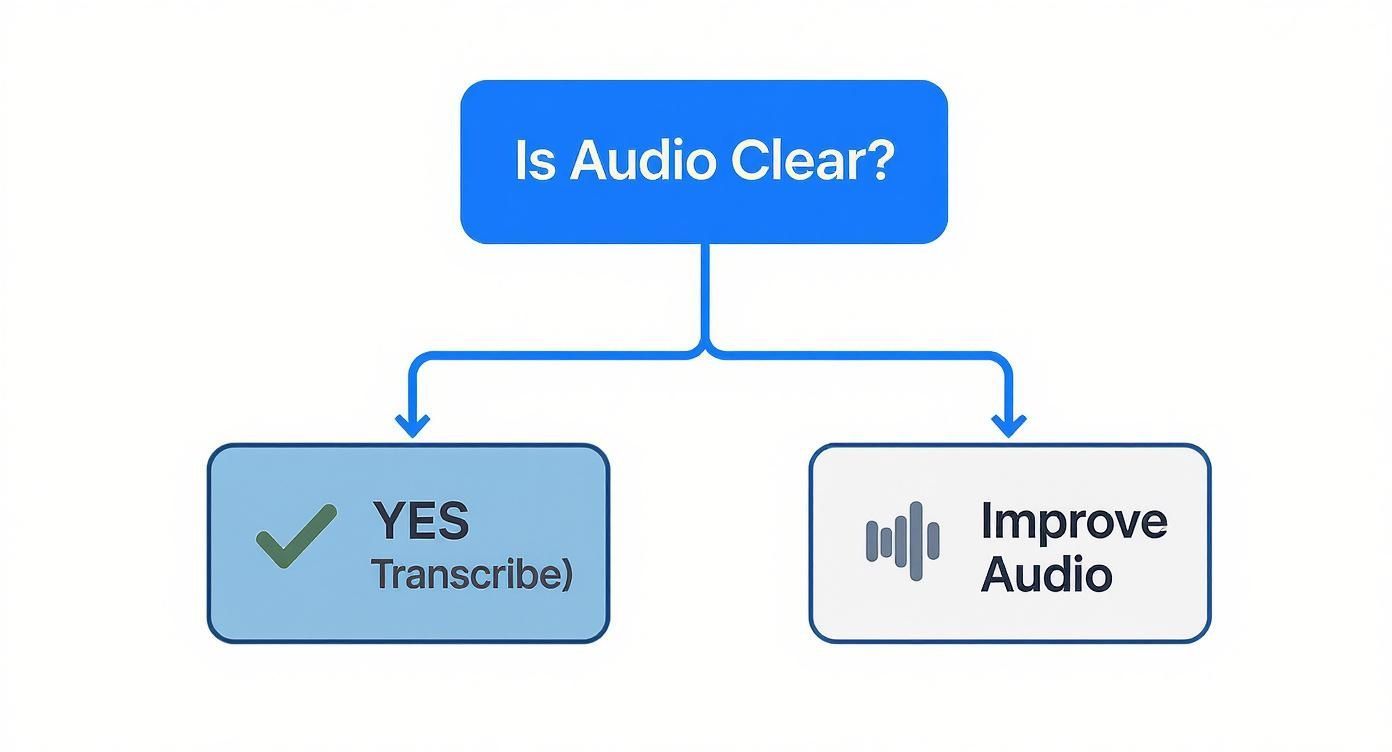
É um ponto simples, mas poderoso: lixo entra, lixo sai. Não importa quão sofisticada seja sua ferramenta, áudio ruim sempre resultará em uma transcrição ruim.
Para ajudá-lo a ponderar as opções, aqui está uma comparação rápida dos diferentes métodos.
Comparando Métodos de Transcrição
| Fator | Transcrição Manual | Serviço de Transcrição de IA | Híbrido (IA + Revisão Humana) |
|---|---|---|---|
| Velocidade | Extremamente lenta (4-8 horas por hora de áudio) | Extremamente rápida (minutos por hora de áudio) | Moderada (mais lenta que IA pura, mais rápida que manual) |
| Custo | Alto (taxas profissionais podem ser altas) | Baixo (assinaturas acessíveis ou pagamento por uso) | Mais alto (combina custos de IA e mão de obra humana) |
| Precisão | Potencialmente muito alta (99%+) mas depende da habilidade do digitador | Alta (85-98%) mas tem dificuldades com sotaques, jargões e áudio ruim | Mais alta (99%+) com revisão profissional |
| Escalabilidade | Muito baixa; difícil de lidar com grandes volumes | Muito alta; pode processar centenas de horas facilmente | Moderada; depende da disponibilidade do revisor humano |
| Melhor Para | Dados altamente sensíveis, áudio complexo que a IA não consegue lidar | A maioria dos usos empresariais: reuniões, entrevistas, criação de conteúdo | Deposições legais, registros médicos, conteúdo de qualidade de transmissão |
Em última análise, cada método tem seu lugar, mas o "ponto ideal" para a maioria das pessoas está nos serviços dedicados de IA.
Para a maioria das situações profissionais, um serviço dedicado de IA oferece a melhor combinação de velocidade, custo e precisão. O tempo que você economiza em comparação com a realização manual é enorme, e a qualidade é um grande avanço em relação aos recursos básicos do software de reunião.
Se você quiser se aprofundar nos principais players, confira nosso guia sobre o melhor software de transcrição de áudio. Ele detalha os recursos e preços para ajudá-lo a encontrar a combinação perfeita. Ter o conjunto de ferramentas certo desde o início torna todo o processo muito mais tranquilo.
Transformando uma Boa Transcrição em uma Ótima
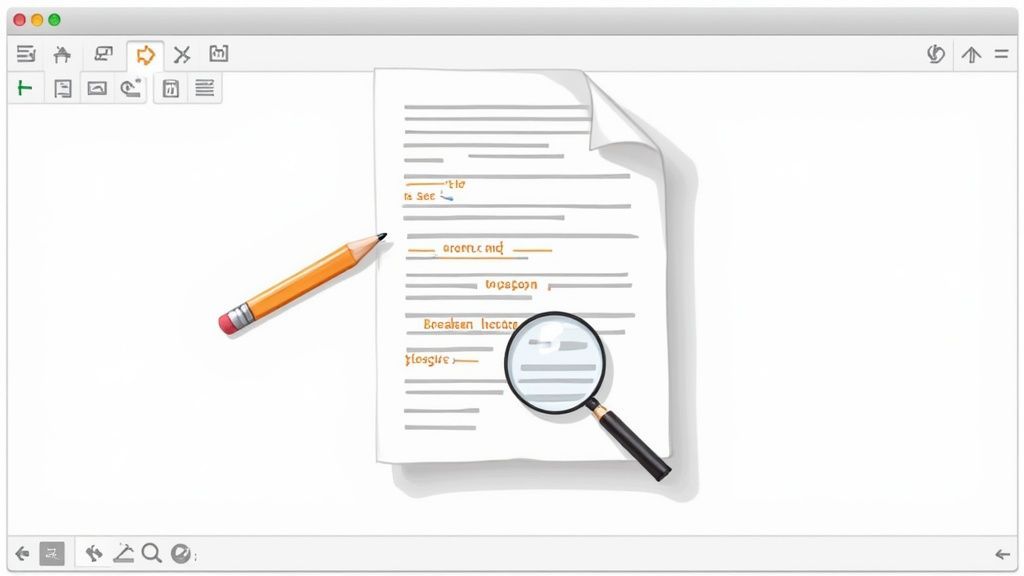
Pense em uma transcrição gerada por IA como um primeiro rascunho fantástico. Não é o produto final. Embora a IA moderna tenha feito progressos enormes, ela não é perfeita, e a verdadeira mágica acontece quando você arregaça as mangas para transformar esse texto bruto em um documento polido e profissional.
A IA se tornou surpreendentemente boa em transcrever conversas. Plataformas populares podem atingir níveis de precisão de até 90%, e algumas análises mostram que ferramentas de IA podem aumentar o reconhecimento em até 30%, especialmente com sotaques diversos.
Mas mesmo com esse desempenho impressionante, uma taxa de erro de 10% é significativa. Para uma transcrição de 1.000 palavras, isso pode significar 100 erros. É aqui que seu toque humano se torna inestimável.
Um Fluxo de Trabalho de Edição Mais Inteligente
Não mergulhe e comece a corrigir erros aleatoriamente. Uma abordagem estruturada economiza tempo e garante que você pegue tudo. O objetivo é passar de correções de visão geral para o ajuste fino dos detalhes, tornando todo o processo muito mais eficiente.
Comece com os rótulos dos locutores. A IA faz um bom trabalho em adivinhar quem está falando, mas se confunde com bastante facilidade, especialmente quando as vozes se sobrepõem. Sua primeira passagem deve ser dedicada inteiramente a garantir que cada linha de diálogo seja atribuída à pessoa certa. Este único passo faz uma diferença enorme na legibilidade.
Em seguida, é hora de uma leitura completa enquanto ouve o áudio. A maioria das plataformas de transcrição possui um editor interativo que destaca as palavras conforme elas são faladas. Esse recurso é seu melhor amigo para identificar e corrigir rapidamente palavras mal ouvidas.
Os erros mais comuns da IA são homófonos (como 'their' vs. 'there' em inglês), nomes próprios e jargões de nicho da indústria. Dica profissional: Criar uma lista de vocabulário personalizado em sua ferramenta de transcrição pode reduzir drasticamente esses erros desde o início.
Depois de limpar os erros óbvios de palavras, mude seu foco para pontuação e formatação. A IA geralmente tem dificuldades com as pausas naturais e o fluxo da fala humana, o que pode levar a quebras de frase verdadeiramente estranhas e pontuação inconsistente.
Polimento para Legibilidade
Uma vez que as palavras e os locutores estejam corretos, o passo final é tudo sobre tornar a transcrição fácil de ler. Isso é menos sobre precisão técnica e mais sobre a experiência do usuário. Ninguém quer encarar uma parede gigante de texto.
Aqui estão algumas dicas rápidas de formatação:
- Divida Parágrafos Longos: Se um locutor falar por um tempo, divida seu monólogo em parágrafos menores e mais digeríveis. Uma boa regra geral é iniciar um novo parágrafo para cada nova ideia.
- Lide com Seções Inaudíveis: Se você encontrar uma palavra ou frase que seja completamente ininteligível, não adivinhe. Use um marcador claro como [inaudível 00:15:32] para sinalizar o problema e seu carimbo de data/hora.
- Mantenha a Pontuação Consistente: Decida um estilo e atenha-se a ele. Você está usando travessões (—) para interrupções? Soletrando números ou usando algarismos? A consistência é o que mais importa.
Esta etapa final de revisão é o que separa uma transcrição amadora de uma profissional. Para um olhar mais aprofundado, nosso guia sobre revisão em transcrição oferece uma lista de verificação acionável para garantir que seu documento final seja impecável. Seguir este processo sistemático transformará esse bom rascunho de IA em um ativo ótimo e compartilhável todas as vezes.
Melhoria de Transcrição Nível Profissional
Formatação Limpa
Uma formatação bem estruturada aumenta a legibilidade e torna sua transcrição mais utilizável. Parágrafos limpos, pausas consistentes e espaçamento adequado melhoram a compreensão.
Precisão de Carimbo de Data/Hora
Adicionar carimbos de data/hora precisos ajuda os usuários a navegar por áudios longos rapidamente. Isso é especialmente útil para pesquisa, entrevistas e fluxos de trabalho de edição.
Rótulos Claros de Falante
Identificar corretamente os falantes confere clareza à sua transcrição e evita confusão. Isso é essencial para reuniões, podcasts e grupos focais.
Pontuação Consistente
Pontuação consistente melhora o fluxo e elimina más interpretações. Esta etapa final de refinamento transforma seu texto em um documento polido.
Colocando Sua Transcrição Final Para Funcionar
Com uma transcrição polida e precisa em mãos, o trabalho real — e o valor real — começa. Uma transcrição não é apenas um registro de uma conversa; é a matéria-prima para uma vasta gama de conteúdo. A chave é exportá-la no formato certo para o trabalho.
Pense nisso como escolher a ferramenta certa. Escolher seu formato de exportação impacta diretamente o que você pode fazer a seguir, e é menos sobre qual formato é "melhor" e mais sobre qual é certo para seu objetivo específico.
Selecionando o Formato Certo
O destino do seu projeto dita o formato que você precisará. Um criador de vídeo editando um vídeo curto para o YouTube, um pesquisador analisando dados de entrevistas e um profissional de marketing de conteúdo escrevendo um post de blog terão requisitos diferentes para a mesma conversa.
Aqui estão os formatos mais comuns e para que eles são realmente bons:
- DOCX (.docx): Este é o seu formato ideal para qualquer coisa que precise de formatação profissional. É perfeito para criar resumos de reuniões, artigos de pesquisa ou transformar uma entrevista em um artigo completo.
- Texto Simples (.txt): Despojado de toda formatação, um arquivo TXT é ideal para análise de dados. Você pode importá-lo facilmente para software de análise qualitativa ou usá-lo como uma fonte limpa para alimentar outras ferramentas de IA para processamento adicional.
- Legenda SubRip (.srt): Este é essencial para quem trabalha com vídeo. Um arquivo SRT contém não apenas o texto, mas também os carimbos de data/hora precisos necessários para exibir legendas em sincronia com seu vídeo em plataformas como YouTube ou Vimeo. É a chave para tornar seu conteúdo acessível.
O formato que você escolhe é o primeiro passo em sua estratégia de conteúdo. Exportar como
.docxprepara seu texto para leitores humanos, enquanto um arquivo.srto prepara para espectadores de vídeo.
De Transcrição a Motor de Conteúdo
Uma única conversa pode ser a semente para uma campanha de conteúdo inteira. Em vez de ver sua transcrição como o produto final, pense nela como uma mina de ouro de conteúdo esperando para ser escavada. É assim que você obtém um retorno massivo sobre o esforço que você colocou na conversa original.
Você Sabia?
Uma transcrição pode ser reutilizada em até 20 formatos de conteúdo diferentes, incluindo blogs, reels, legendas, threads e newsletters. Isso multiplica sua produção de conteúdo sem mais tempo de gravação.
Por exemplo, uma entrevista de podcast de uma hora pode ser reaproveitada em:
- Um post de blog completo usando o arquivo .docx.
- Uma série de 10-15 posts para redes sociais extraindo citações-chave.
- Um thread envolvente no Twitter resumindo os principais aprendizados.
- Clipes de vídeo curtos para TikTok ou Instagram Reels usando o arquivo .srt para legendas.
- Um guia ou checklist em PDF para download para seu público.
Essa abordagem transforma uma peça de trabalho em semanas de conteúdo, garantindo que sua valiosa conversa alcance as pessoas em diferentes plataformas e nos formatos que elas preferem. Sua transcrição não é mais apenas um registro; é um ativo poderoso e versátil que alimenta toda a sua máquina de conteúdo.
Suas Principais Perguntas sobre Transcrição, Respondidas
Mesmo com as melhores ferramentas, você certamente terá perguntas ao começar a transcrever conversas. Resolver essas dúvidas logo no início economiza muita frustração e ajuda você a construir um fluxo de trabalho que simplesmente funciona.
Vamos abordar algumas das mais comuns que ouço.
Qual é o Melhor Software para Transcrever uma Conversa?
O "melhor" software realmente depende do que você está tentando fazer. Não existe uma ferramenta perfeita para todos, mas podemos definitivamente dividi-la por alguns cenários comuns.
Se você precisa de resultados de nível profissional, onde precisão e velocidade são tudo, serviços dedicados com tecnologia de IA são os campeões indiscutíveis. Eles vêm repletos de recursos como identificação automática de falantes e timestamps precisos, tornando-os uma escolha óbvia para jornalistas, pesquisadores e criadores de conteúdo.
Por outro lado, para coisas mais casuais ou internas, os recursos de transcrição integrados em plataformas como Zoom ou Google Meet são surpreendentemente decentes. Eles são ótimos para obter um registro rápido de uma reunião de equipe sem adicionar outra ferramenta ao seu conjunto. E se você estiver trabalhando com dados altamente sensíveis e tiver bastante tempo, a transcrição manual ainda é a opção mais segura, pois nada sai da sua máquina local.
Minha opinião? Comece com um teste gratuito de um serviço dedicado de IA. É a melhor maneira de ver como ele lida com a qualidade do seu áudio específico e se os recursos realmente facilitam sua vida antes de gastar um centavo.
Como Transcrever com Precisão uma Conversa com Vários Falantes?
Lidar com vários falantes é provavelmente a maior dor de cabeça na transcrição. A coisa mais importante que você pode fazer é começar com uma gravação de alta qualidade onde cada voz seja clara. Isso dá a qualquer ferramenta – IA ou humana – uma chance de acertar.
Ao usar um serviço de IA, procure um que seja bom em diarização de falantes. Esse é o termo chique para descobrir automaticamente quem está falando e quando. A maioria das ferramentas modernas apresentará rótulos genéricos como "Falante 1" e "Falante 2".
Seu primeiro trabalho durante a etapa de edição deve ser percorrer e substituir esses rótulos genéricos pelos nomes reais dos falantes. Este único passo torna a transcrição final infinitamente mais legível.
- Dica Profissional: Se a IA parecer confusa, apenas ouça os primeiros minutos do áudio e anote rapidamente quem é quem. Ter esse ponto de referência simples facilita a correção dos rótulos de falantes em todo o restante do arquivo.
Quanto Tempo Leva para Transcrever Uma Hora de Áudio?
O tempo necessário para transcrever algo varia muito dependendo do seu método. Honestamente, a diferença entre fazer isso manualmente e usar IA é gritante.
Um transcritor profissional experiente geralmente trabalha com uma proporção de 4:1. Isso significa que ele leva cerca de quatro horas de trabalho para transcrever com precisão uma hora de áudio claro. Se você for novo nisso, essa proporção pode facilmente saltar para 6:1 ou até 8:1.
Em contraste, um serviço de IA poderoso pode processar o mesmo arquivo de uma hora em cerca de 10 a 20 minutos. Mas o trabalho não está totalmente concluído. Você ainda precisa reservar tempo para edição humana para torná-lo perfeito. Para uma gravação limpa, planeje gastar mais 30-60 minutos revisando e formatando o trabalho da IA para atingir aquela precisão final de 99-100%.
Pronto para transformar suas conversas em texto preciso e acionável em minutos? Transcript.LOL usa IA avançada para entregar transcrições rápidas, seguras e altamente precisas. Pare de perder horas com trabalho manual e veja como a transcrição pode ser fácil. Comece a transcrever gratuitamente hoje mesmo!