
Audio to Text AI Your Complete Guide to Automated Transcr...
Discover how audio to text AI transforms workflows. This guide explains how it works, its real-world uses, and what to look for in a transcription tool.
Kate
September 17, 2025
IA de áudio para texto é um termo sofisticado para tecnologia que escuta um arquivo de áudio e converte automaticamente as palavras faladas em texto escrito. Você também pode ouvir que é chamada de reconhecimento automático de fala (ASR). Ela funciona usando IA para analisar ondas sonoras, descobrir o que está sendo dito e gerar uma transcrição muito mais rápido do que qualquer ser humano jamais conseguiria.
Do Trabalho Manual ao Texto Instantâneo: A Mudança da Transcrição por IA
Lembra da antiga maneira de transcrever? Você ficava lá com fones de ouvido, apertando pausa e retroceder a cada poucos segundos, apenas para ter certeza de que capturou cada palavra de uma entrevista ou reunião. Era um processo árduo, lento e caro, sem mencionar que era propenso a erros humanos simples. Para muitas pessoas, era um mal necessário.
Agora, imagine isto em vez disso: você pega o mesmo arquivo de áudio, faz o upload para uma plataforma e, alguns minutos depois, uma transcrição quase perfeita está pronta para você. Essa é a mudança monumental que a IA de áudio para texto trouxe. Não é apenas um pequeno passo à frente; é como trocar uma carroça por um carro esportivo. Você ainda chega ao mesmo destino — um documento de texto — mas a velocidade, a eficiência e a pura facilidade da jornada estão em um nível totalmente diferente.
Why Audio to Text AI Is a Breakthrough Technology
Audio to text AI removes the biggest bottleneck in working with spoken content—manual effort. By automating transcription, it transforms audio from an inaccessible format into searchable, editable, and reusable information within minutes.
The Core Problem AI Solves
The biggest headache AI transcription solves is the incredible amount of time and money manual transcription eats up. Before AI became accessible, getting a transcript meant either blocking off hours of your own time or paying a pricey service that could take days to deliver. This created a huge bottleneck, leaving a ton of valuable information locked away in audio and video files.
AI technology demolishes that barrier, making transcription instant and affordable. It gives creators, researchers, and businesses the power to use their audio data almost as soon as it’s recorded.
At its heart, AI transcription is about turning messy, unstructured audio into clean, structured, and searchable information. It unlocks the insights trapped in recordings that were previously just too much work to deal with.
Essential Features That Power Audio to Text AI
IA de última geração
Alimentado pelo Whisper da OpenAI para precisão líder na indústria. Suporte para vocabulários personalizados, arquivos de até 10 horas e resultados ultra rápidos.

Importar de múltiplas fontes
Importe arquivos de áudio e vídeo de várias fontes, incluindo upload direto, Google Drive, Dropbox, URLs, Zoom e mais.

Ferramentas de edição
Edite transcrições com ferramentas poderosas incluindo buscar e substituir, atribuição de falantes, formatos de texto rico e destaque.
Uma Nova Era de Produtividade
Este salto tecnológico está mudando completamente a forma como as pessoas trabalham em dezenas de indústrias. Profissionais de mídia, marketing, educação e pesquisa estão adotando essas ferramentas para recuperar seu tempo e encontrar novas maneiras de usar seu conteúdo. O que antes era uma tarefa administrativa desgastante, agora é uma vantagem estratégica genuína.
Isso se encaixa perfeitamente no quadro geral do trabalho moderno, onde a automação está assumindo tarefas repetitivas para liberar as pessoas para um pensamento mais criativo e crítico. Vemos isso em todos os lugares — confira estes exemplos de automação de processos de negócios para ver como essa mesma ideia está impulsionando a eficiência em toda a linha.
Os benefícios são impossíveis de ignorar:
- Economia de Tempo Massiva: O trabalho que antes levava horas agora é feito em minutos. Isso libera você para se concentrar nas coisas que realmente importam.
- Redução de Custos: Serviços automatizados custam uma fração do custo da transcrição manual, tornando-os uma opção viável para qualquer orçamento.
- Acessibilidade Aprimorada: Transcrições abrem seu conteúdo de áudio e vídeo para pessoas surdas ou com deficiência auditiva e dão ao seu conteúdo online um bom impulso de SEO.
- Insights Orientados por Dados: Quando seu áudio é pesquisável, você pode analisar rapidamente chamadas de clientes, reuniões de equipe ou entrevistas com usuários para identificar tendências e extrair temas-chave.
Como a IA Aprende a Entender a Fala Humana
Já se perguntou como um algoritmo pode ouvir um podcast e magicamente gerar um roteiro escrito? Não é mágica, mas é um processo fascinante que é muito parecido com a forma como aprendemos a falar e escrever.
Tudo começa dividindo o áudio bruto em suas menores partes. Assim como uma criança aprende primeiro os sons de "A", "B" e "C", a IA tem que aprender as unidades básicas de som em uma língua. Essas são chamadas de fonemas — os sons minúsculos e distintos que compõem as palavras, como o som de "c" em "casa" ou o som de "ch" em "chuva".
Este primeiro passo é chamado de modelagem acústica. A IA é alimentada com milhares de horas de áudio falado que já foi transcrito por pessoas. Ao vasculhar esse enorme conjunto de dados, ela aprende a conectar padrões específicos de ondas sonoras com fonemas específicos. É um jogo de reconhecimento de padrões em escala colossal, transformando a IA em uma especialista em identificar os blocos de construção da fala, mesmo com diferentes tons, velocidades e sotaques.
De Sons a Frases
Uma vez que a IA consegue identificar fonemas individuais de forma confiável, o verdadeiro desafio começa: juntá-los em palavras e frases que realmente façam sentido. É aqui que entra a modelagem de linguagem. Pense nisso como a IA aprendendo gramática e contexto, muito parecido com um aluno descobrindo como formar uma frase adequada.
Um modelo de linguagem é uma poderosa ferramenta estatística. Ele vasculha enormes quantidades de texto — livros, artigos, sites — para descobrir quais palavras provavelmente seguirão outras. Ele aprende que a frase "prazer em conhecê-lo..." é quase sempre seguida por "bem", e não por "elefante". Essa habilidade preditiva é o que a torna tão boa em resolver os quebra-cabeças da linguagem falada.
A IA não apenas ouve sons; ela faz suposições informadas. Quando alguém diz, "Eu grito por sorvete", o modelo acústico pode ouvir sons idênticos, mas o modelo de linguagem usa o contexto para transcrever corretamente as duas frases distintas.
É assim que a IA lida com situações complicadas como homófonos (palavras que soam iguais, mas têm significados diferentes, como "concerto" e "conserto") ou conversas com ruído de fundo. Ela está constantemente calculando a sequência mais provável de palavras, o que é um divisor de águas para a precisão da transcrição. Para uma análise mais aprofundada do que impacta esses resultados, confira nosso guia sobre precisão de fala para texto.
Este simples fluxograma mostra como a IA pode transformar horas de áudio em uma transcrição polida em apenas alguns minutos.
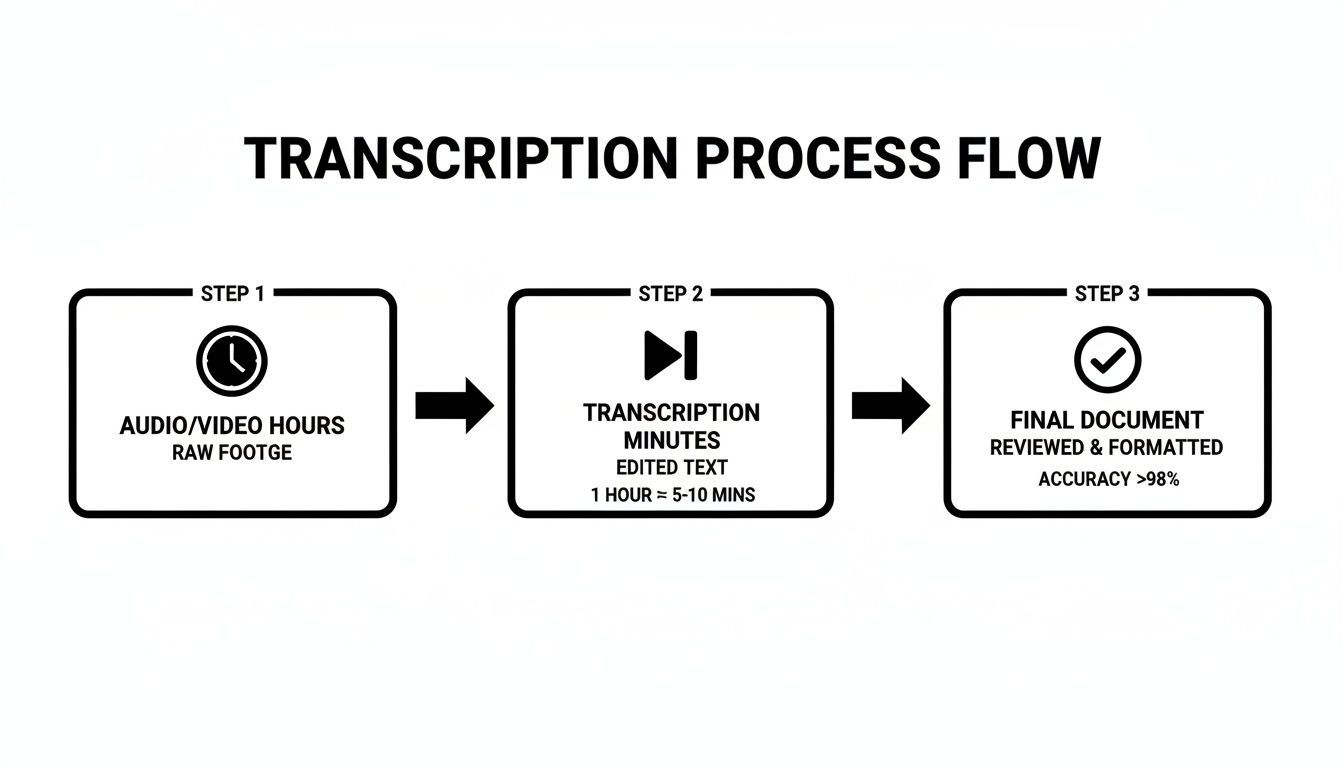
É bastante claro o quão mais eficiente isso é, reduzindo uma tarefa que costumava levar horas de trabalho manual a um processo rápido e automatizado.
A Revolução do Deep Learning
A tecnologia por trás de tudo isso percorreu um longo caminho. Sistemas modernos agora dependem de deep learning e redes neurais — algoritmos complexos inspirados no cérebro humano. Essas redes usam várias camadas para processar informações, permitindo-lhes identificar padrões incrivelmente sutis e complexos tanto em áudio quanto em linguagem.
Essa melhoria constante está abalando toda a indústria de transcrição. À medida que os modelos melhoram, as taxas de erro caem e a transcrição de streaming em tempo real se torna uma realidade. Esse avanço está impulsionando um crescimento significativo no mercado de transcrição de IA, que foi avaliado em cerca de US$ 4,5 bilhões em 2024 e deve atingir aproximadamente US$ 19,2 bilhões até 2034.
AI Transcription Is Rapidly Scaling Worldwide
Advancements in deep learning and neural networks are dramatically improving transcription accuracy and speed. As a result, businesses are adopting AI transcription at scale across media, healthcare, education, and enterprise workflows.
These powerful tools are just one part of a much bigger picture. To get a better handle on the foundational ideas that drive technologies like speech recognition, you can learn more about the field of Artificial Intelligence.
Ultimately, the whole process boils down to three key stages:
- Audio Processing: The raw audio is cleaned up and converted into a digital format the AI can work with.
- Acoustic Modeling: The AI identifies the sequence of phonemes by matching sound patterns against its massive training library.
- Language Modeling: Using context and grammar, the AI assembles the phonemes into the most likely words and sentences, giving you the final transcript.
By understanding these steps, you get a much better feel for what’s happening behind the scenes the next time you use an audio to text AI tool to instantly turn your recordings into accurate, ready-to-use content.
Why Businesses Are Adopting Audio to Text AI?
Save Time at Scale
Manual transcription can take 4–6 hours for a single recording. Audio to text AI reduces this to minutes, allowing teams to process large volumes of content without increasing workload.
Reduce Operational Costs
AI transcription eliminates the need for expensive human transcription services. This makes it affordable for startups, educators, and enterprises to transcribe content regularly.
Improve Accessibility & Reach
Transcripts make audio and video content accessible to hearing-impaired users while also improving SEO. This expands audience reach and ensures compliance with accessibility standards.
Turn Conversations into Data
Once audio becomes text, it becomes searchable and analyzable. Teams can extract insights, identify trends, and make better data-driven decisions from spoken information.
Escolhendo a Ferramenta Certa de Transcrição de IA para Suas Necessidades
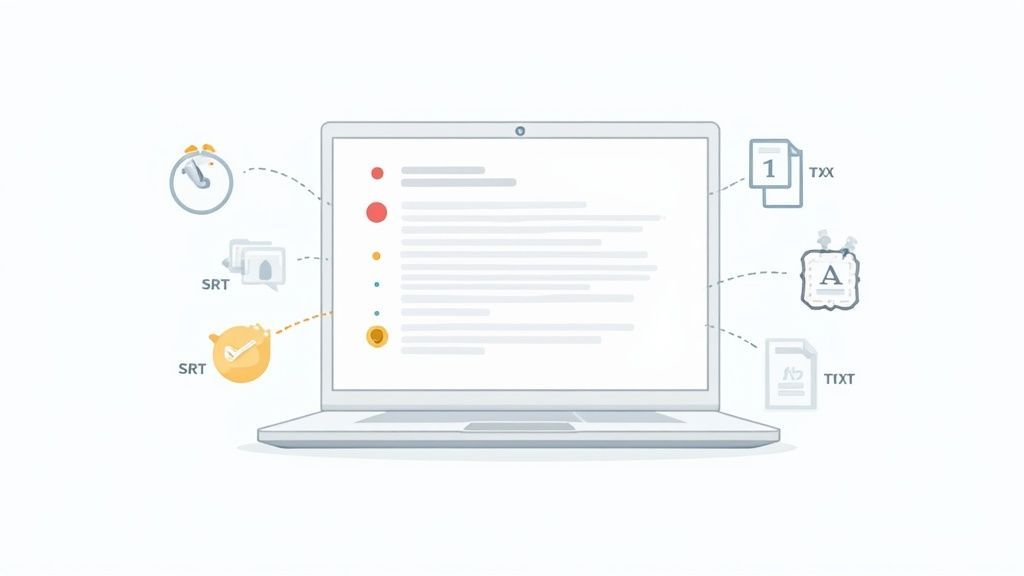
Ok, já cobrimos como essa mágica de IA funciona. Agora vem a parte difícil: escolher a ferramenta certa de IA de áudio para texto em um mar de opções. É fácil se perder em listas intermináveis de recursos, mas o segredo é focar no que realmente facilita sua vida.
Pense assim: um carro de Fórmula 1 é uma maravilha da engenharia, mas é completamente inútil para uma ida ao supermercado. Da mesma forma, uma plataforma de transcrição supercomplexa pode ser um exagero total se você só precisa transformar suas anotações de reunião em um arquivo de texto simples. Seu objetivo é encontrar a ferramenta que se encaixa no seu fluxo de trabalho.
Recursos Essenciais que Realmente Importam
Quando você começar a comparar serviços, alguns recursos rapidamente se destacam como inegociáveis. Estes são os fundamentos que separam uma ferramenta genuinamente útil de uma que apenas cria mais dores de cabeça. Acertando estes, você está no caminho certo.
Em primeiro lugar, procure por:
- Alta Precisão: Esta é a base absoluta. Se a IA está constantemente tropeçando nas palavras ou não consegue lidar com sotaques diferentes, você gastará mais tempo editando do que economizando. Um serviço de ponta deve atingir 95% de precisão ou mais em áudio claro, ponto final.
- Identificação de Falante (Diariação): Para qualquer gravação com mais de uma voz — entrevistas, reuniões, podcasts — saber quem disse o quê é tudo. Rótulos automáticos de falante (um recurso chamado diarização) economiza a tarefa esmagadora de descobrir tudo manualmente.
- Carimbos de Data/Hora Precisos: Este é um divisor de águas. Um bom carimbo de data/hora permite que você clique em uma palavra na transcrição e a ouça instantaneamente no áudio. É uma salvação para extrair citações, editar trechos ou simplesmente verificar uma frase específica.
Uma ferramenta de transcrição de IA deve ser um acelerador, não um obstáculo. Se você está constantemente corrigindo erros básicos ou marcando falantes manualmente, a ferramenta não está fazendo seu trabalho.
Poor AI Tools Can Waste More Time Than They Save
Low-quality transcription tools create extra work through inaccurate text, missing speakers, and broken timestamps. Always test tools with real-world audio before relying on them for professional use.
Avaliando Usabilidade e Integração de Fluxo de Trabalho
Além do motor principal, a experiência diária de usar a ferramenta é o que realmente importa. Um algoritmo poderoso não significa muito se a interface for um pesadelo para navegar. Afinal, o objetivo de uma IA de áudio para texto é simplificar as coisas.
Pense em como uma ferramenta se encaixa no seu processo existente. Você quer um caminho suave de áudio bruto para um documento finalizado com o mínimo de cliques possível. É aqui que uma ferramenta como o Transcript.LOL realmente se destaca, com seu foco em uma interface limpa e fluxo de trabalho eficiente. Para uma análise mais aprofundada da concorrência, confira nosso guia sobre o melhor software de transcrição de IA.
Aqui está uma tabela rápida comparando o que você pode encontrar em uma ferramenta básica versus uma mais avançada.
Comparação de Recursos Chave em Ferramentas de IA de Áudio para Texto
Esta tabela detalha os recursos essenciais a serem procurados ao avaliar diferentes serviços de transcrição de IA, ajudando você a identificar a diferença entre um transcritor simples e uma plataforma de nível profissional.
| Recurso | Ferramenta Básica | Ferramenta Avançada (ex: Transcript.LOL) |
|---|---|---|
| Precisão | Razoável em áudio claro, de um único locutor. | Precisão de 95%+ com múltiplos locutores, sotaques e ruído de fundo. |
| Identificação de Locutor | Pode não estar disponível ou requer marcação manual. | Diarização automática e precisa para distinguir locutores. |
| Carimbos de Data/Hora | Nível de parágrafo ou inexistente. | Carimbos de data/hora em nível de palavra para navegação precisa do áudio. |
| Exportações de Arquivo | Geralmente limitado a arquivos TXT ou DOCX básicos. | Uma ampla variedade de formatos: TXT, DOCX, SRT, VTT, e mais. |
| Integrações | Limitado a uploads diretos de arquivos. | Suporta uploads, unidades de nuvem (Google Drive, Dropbox) e links diretos (YouTube). |
| Interface do Usuário | Pode ser desajeitada e exigir uma curva de aprendizado. | Limpa, intuitiva e projetada para um fluxo de trabalho rápido. |
Em última análise, a ferramenta que parece fácil de usar e se encaixa perfeitamente no seu dia é aquela que você continuará usando.
Finalmente, tenha em mente estes fatores práticos:
- Interface do Usuário Intuitiva: Você não deve precisar ler um manual apenas para fazer o upload de um arquivo. As melhores ferramentas são limpas, diretas e não atrapalham.
- Múltiplas Opções de Exportação: Um dia você precisa de um arquivo TXT simples, no outro você precisa de um SRT para legendas de vídeo. Uma boa plataforma oferece opções como TXT, DOCX, SRT e VTT.
- Métodos de Importação Flexíveis: Procure um serviço que permita fazer upload de arquivos diretamente, importar de armazenamento em nuvem como o Google Drive, ou até mesmo colar um link do YouTube.
Advanced Capabilities That Fit Modern Workflows

Detecção de falantes
Identifique automaticamente diferentes falantes nas suas gravações e rotule-os com seus nomes.

Exportar em múltiplos formatos
Exporte suas transcrições em múltiplos formatos incluindo TXT, DOCX, PDF, SRT e VTT com opções de formatação personalizáveis.
Resumos e Chatbot
Gere resumos e outros insights da sua transcrição, prompts personalizados reutilizáveis e chatbot para o seu conteúdo.
Integrações
Conecte-se com suas ferramentas e plataformas favoritas para otimizar seu fluxo de trabalho de transcrição.
Escolher a ferramenta certa depende de combinar seus pontos fortes com suas tarefas. Um podcaster precisa de rótulos de alto-falante e carimbos de data/hora matadores. Um pesquisador pode priorizar alta precisão acima de tudo. Comece com esta lista de verificação e você encontrará uma IA de áudio para texto que rapidamente se torna uma parte essencial do seu kit de ferramentas.
Colocando a Transcrição de IA para Funcionar no Mundo Real
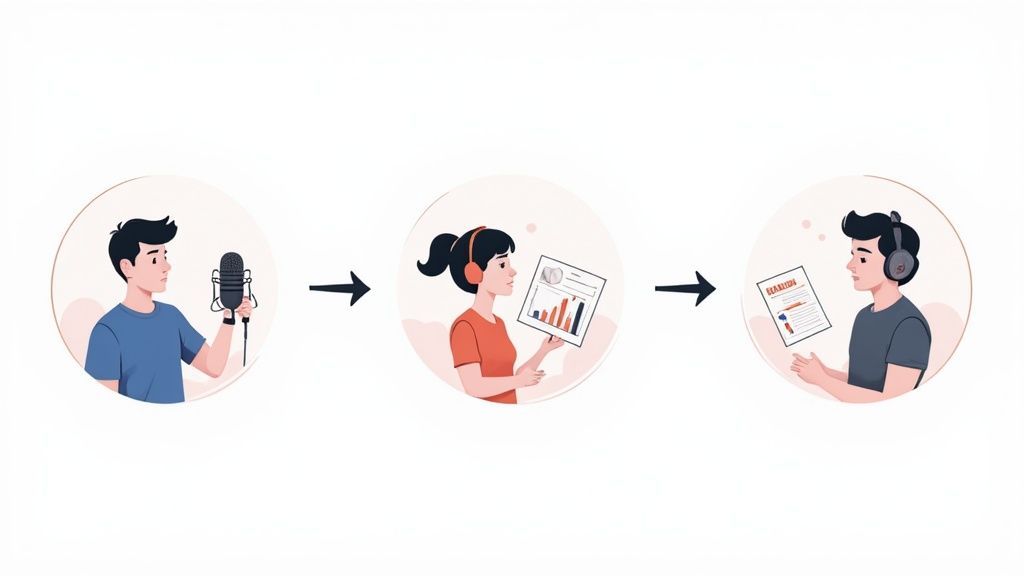
A verdadeira magia de qualquer tecnologia não está apenas no como, mas no o quê—o que ela permite que você realize. Para IA de áudio para texto, os casos de uso são tão diversos quanto as vozes que ela converte, indo muito além da anotação básica. Trata-se de transformar palavras faladas de momentos fugazes em ativos tangíveis e pesquisáveis.
Essa mudança está acontecendo em todos os lugares. Grandes indústrias como saúde, mídia e comunicações corporativas estão aderindo para resolver problemas específicos e de alto risco. A prova está nos números—mesmo apenas automatizar notas clínicas na área da saúde é um mercado massivo e crescente.
Vamos mergulhar em como essa tecnologia está realmente fazendo a diferença no dia a dia.
Para Jornalistas e Criadores de Conteúdo
Imagine um jornalista encerrando uma entrevista crítica de uma hora. No passado, isso significava de quatro a seis horas extenuantes de transcrição manual antes que a escrita real pudesse sequer começar. Não mais.
Agora, eles podem fazer upload desse áudio para uma ferramenta como Transcript.LOL e obter uma transcrição completa e com carimbo de data/hora em minutos. Isso é um divisor de águas completo. Permite que os repórteres encontrem citações-chave instantaneamente, verifiquem fatos clicando em uma palavra para ouvir o áudio original e publiquem histórias mais rápido do que nunca.
Para podcasters e criadores de vídeo, os benefícios são igualmente grandes:
- Notas do Programa Instantâneas: Transcrições se tornam notas detalhadas do programa e postagens de blog com esforço mínimo, impulsionando SEO e acessibilidade.
- Legendas sem Esforço: Uma exportação com um clique para arquivos SRT ou VTT transforma uma transcrição em legendas de vídeo precisas.
- Reaproveitamento de Conteúdo: Um podcast pode alimentar dezenas de clipes de mídia social, um boletim informativo por e-mail ou um artigo, extraindo insights diretamente do texto.
Um dos desenvolvimentos mais legais que surgiram disso é a edição de áudio e vídeo baseada em texto. Esse fluxo de trabalho permite editar sua mídia simplesmente editando a transcrição—exclua uma frase no texto e ela desaparecerá do áudio. É incrivelmente eficiente.
Para Profissionais de Marketing e Negócios
Pense em toda a inteligência valiosa trancada nas gravações de áudio da sua empresa—chamadas de vendas, sessões de feedback de clientes, reuniões de equipe. Uma ferramenta de IA de áudio para texto é a chave que destrava tudo, transformando conversas em dados que você pode realmente usar.
Imagine uma equipe de marketing tentando identificar os pontos problemáticos dos clientes. Eles podem transcrever dezenas de chamadas de suporte e simplesmente pesquisar palavras como "frustrante", "confuso" ou "gostaria que tivesse". De repente, padrões emergem e as oportunidades de melhoria do produto ficam muito claras.
A transcrição de IA transforma dados de voz de um arquivo passivo em um recurso ativo e estratégico. Ela faz com que a "voz do cliente" não seja apenas algo que você ouve, mas algo que você pode analisar em escala.
Isso se aplica internamente também. Transcrever reuniões cria um registro pesquisável de decisões e itens de ação. Acaba com toda a confusão de "quem concordou com o quê?", mantendo todos na mesma página.
Para Estudantes e Pesquisadores
Na academia, transcrever palestras e entrevistas sempre foi um mal necessário—fundamental, mas incrivelmente demorado. Para os alunos, gravar uma palestra e obter uma transcrição instantânea significa que eles podem realmente se concentrar em entender o material em aula, em vez de apenas tentar anotá-lo tudo.
Para pesquisadores em campos como sociologia ou psicologia, a transcrição de IA é um acelerador massivo para a análise qualitativa. Um entrevistador pode receber as transcrições no mesmo dia, permitindo que eles mergulhem na codificação de temas e na análise de dados quase imediatamente.
Essa eficiência significa:
- Análise Mais Profunda: Mais tempo é gasto interpretando os dados em vez de apenas prepará-los.
- Escopo Aumentado: Pesquisadores podem lidar com conjuntos de dados maiores e mais entrevistas, levando a descobertas mais fortes.
- Acessibilidade Melhorada: Transcrições tornam materiais de estudo e dados de pesquisa acessíveis a alunos e colegas com deficiência auditiva.
Da redação à sala de reuniões à sala de aula, a IA de áudio para texto não é apenas um "nice-to-have". É uma ferramenta central que impulsiona a eficiência, descobre insights e muda completamente a forma como trabalhamos com informações faladas.
Desbloqueando o Potencial Inexplorado dos Dados de Voz
Pense em todos os arquivos de áudio e vídeo que sua empresa cria. Cada chamada de cliente, reunião de equipe e webinar está repleto de inteligência bruta—insights, feedback e ideias brilhantes.
O problema? Para a maioria das empresas, esse conteúdo é basicamente "dados escuros". Ele é armazenado, com certeza, mas é completamente não pesquisável e, francamente, inútil.
É aqui que a IA de áudio para texto muda o jogo. Ela pega palavras faladas trancadas em um formato passivo e as transforma em um ativo ativo e analisável. Ao tornar seus dados de voz tão fáceis de pesquisar quanto seus dados de texto, você pode finalmente colocá-los para funcionar.
É uma enorme mudança estratégica, e é por isso que as empresas estão investindo dinheiro nessa tecnologia. O mercado de ferramentas de IA de fala para texto deve saltar de US$ 3,08 bilhões em 2024 para incríveis US$ 36,91 bilhões até 2035. Como você pode saber mais sobre as tendências do mercado de transcrição de IA, esse boom está sendo impulsionado por setores como saúde, mídia e atendimento ao cliente que veem a enorme vantagem competitiva escondida em seus arquivos de áudio.
Transformando Conversas em Inteligência
Uma vez que seu áudio se torna texto, um mundo totalmente novo de análise se abre. De repente, você não está apenas ouvindo passivamente gravações antigas. Você pode pesquisar, medir e entender ativamente o que está sendo dito em escala.
Isso o move além da simples economia de tempo para a inteligência de dados genuína. Agora você pode identificar momentos específicos, detectar temas recorrentes e começar a tomar decisões muito mais inteligentes e baseadas em dados.
Uma ferramenta de IA de áudio para texto não apenas lhe dá um roteiro. Ela cria um banco de dados estruturado e pesquisável a partir do seu conteúdo falado, tornando cada palavra encontrável e valiosa.
Searchable Transcripts Unlock Hidden Business Value
Searchable transcripts allow teams to analyze conversations at scale. From customer sentiment to internal knowledge sharing, voice data becomes a strategic asset rather than archived noise.
Aplicações Estratégicas para Dados Desbloqueados
Com uma biblioteca pesquisável de transcrições, você pode executar estratégias poderosas que antes eram simplesmente inatingíveis. As aplicações são infinitas e têm um impacto direto nos resultados.
Aqui estão algumas das maneiras mais poderosas de usá-lo:
- Análise de Sentimento: Escaneie instantaneamente as transcrições de chamadas de suporte ao cliente para ver quem está feliz e quem está frustrado. Você pode identificar problemas emergentes antes que eles explodam, dando-lhe um pulso em tempo real sobre o sentimento do cliente.
- Identificação de Tendências: Analise um trimestre inteiro de reuniões de vendas ou sessões de brainstorming. Descubra objeções comuns, solicitações de recursos populares ou ideias inovadoras que teriam sido esquecidas.
- Reaproveitamento de Conteúdo em Escala: Um único webinar de uma hora é uma mina de ouro. Com uma transcrição, você pode transformá-lo instantaneamente em um post de blog, uma dúzia de atualizações de mídia social, um boletim informativo por e-mail e alguns gráficos de citações. Confira nosso guia sobre estratégias de reaproveitamento de conteúdo para ver como isso multiplica sua produção de marketing com esforço mínimo.
- Conformidade e Treinamento: Precisa garantir que todos estejam seguindo a política da empresa? Basta pesquisar em todas as comunicações internas. Você também pode identificar lacunas de conhecimento e criar treinamento direcionado para preenchê-las.
Em última análise, usar uma ferramenta de IA de áudio para texto não é apenas sobre transcrição. É sobre ativação. É sobre pegar sua fonte de dados mais valiosa e inexplorada e transformá-la em um ativo estratégico que impulsiona o crescimento, estimula a inovação e lhe dá uma compreensão muito mais profunda de seus clientes e de seu negócio.
Perguntas Comuns sobre IA de Áudio para Texto
Mesmo quando você entende o básico de como a IA de áudio para texto funciona, é totalmente normal ter algumas perguntas práticas antes de começar. Afinal, o áudio do mundo real é frequentemente confuso. Vamos abordar algumas das preocupações mais comuns para lhe dar uma imagem clara do que esperar.
Pense em uma ferramenta de transcrição de IA como um assistente super qualificado. É incrivelmente rápido, mas seu desempenho ainda depende da qualidade das informações que ele recebe. Um humano teria dificuldade com uma gravação abafada, e uma IA não é diferente, embora os sistemas modernos sejam surpreendentemente bons em lidar com o material bruto.
Uma vez que você entenda os pontos fortes da tecnologia e o que a atrapalha, você pode se preparar para um fluxo de trabalho muito mais tranquilo.
Quão Precisa é a IA com Ruído de Fundo ou Qualidade de Áudio Ruim?
Esta é a grande questão, e a resposta honesta é: depende, mas provavelmente é melhor do que você pensa. Modelos modernos de IA de áudio para texto são treinados em montanhas de dados, incluindo tudo, desde o burburinho da rua e o barulho de cafés até gravações de telefone de baixa qualidade. Esse treinamento os torna notavelmente bons em focar na fala humana e ignorar o lixo.
Por exemplo, uma entrevista na rua com carros passando ou uma chamada Zoom com um leve eco pode ter sido uma causa perdida para sistemas mais antigos. Hoje, uma ferramenta de ponta pode frequentemente atingir mais de 90% de precisão, mesmo nessas situações complicadas.
Mas ainda há um limite. Quanto mais limpo o seu áudio, melhor a sua transcrição. Para realmente acertar a precisão, é sempre inteligente:
- Use um bom microfone: Um microfone dedicado sempre superará o microfone embutido em seu laptop ou telefone.
- Encontre um local silencioso: Reduza o ruído ambiente sempre que puder.
- Fale claramente: Certifique-se de que os falantes estejam perto do microfone e articulem corretamente.
Uma ótima regra geral é: se um humano tivesse dificuldade em entender, a IA provavelmente também teria. Mas se você conseguir entender as palavras, mesmo com algum barulho, a IA tem uma chance fantástica de acertar.
A IA Pode Lidar com Múltiplos Falantes ou Sotaques Fortes?
Absolutamente. É aqui que as melhores plataformas de IA de áudio para texto realmente mostram sua força. O recurso principal aqui é chamado de diarização de falantes — um termo chique para descobrir automaticamente quem está falando e quando. Um bom sistema rotulará "Falante 1", "Falante 2" e assim por diante, transformando uma conversa caótica em um script limpo e fácil de ler.
Isso é um divisor de águas completo para a transcrição de:
- Entrevistas com duas ou mais pessoas
- Reuniões de equipe e chamadas de conferência
- Podcasts com vários apresentadores e convidados
- Painéis de discussão ou grupos focais
E quanto aos sotaques? IAs de alta qualidade são treinadas em um coro global de vozes, então elas são muito proficientes com uma ampla gama de sotaques regionais e internacionais. Embora um sotaque muito forte ou incomum possa atrapalhá-la um pouco mais, a precisão ainda é geralmente sólida. Muitas plataformas permitem que você especifique o idioma ou dialeto para aprimorar ainda mais os resultados.
E Quanto à Privacidade e Segurança dos Dados?
Entregar seus arquivos de áudio a um serviço é uma consideração séria, especialmente se o conteúdo for confidencial. Provedores de IA de áudio para texto respeitáveis entendem isso e têm políticas rigorosas para proteger seus dados.
Ao escolher uma ferramenta, procure uma política de privacidade que declare claramente que seus dados não serão usados para treinar os modelos de IA deles sem sua permissão. Um serviço como o Transcript.LOL, por exemplo, tem uma política rigorosa de não treinamento. Isso significa que seus arquivos são processados com segurança e nunca, jamais, são usados para melhorar o sistema deles. Suas conversas privadas, reuniões de negócios e pesquisas confidenciais permanecem completamente confidenciais.
Sempre verifique as credenciais de segurança de um provedor. Procure compromissos com:
- Criptografia de Dados: Os arquivos devem ser criptografados tanto durante o upload (em trânsito) quanto enquanto armazenados em seus servidores (em repouso).
- Infraestrutura Segura: O serviço deve ser executado em uma plataforma de nuvem segura e confiável.
- Políticas de Dados Claras: Os termos devem ser explícitos sobre como seus dados são manuseados, armazenados e excluídos.
Para qualquer uso profissional, escolher um serviço que priorize sua privacidade não é apenas uma boa ideia — é inegociável.
Quais Tipos de Arquivo Posso Usar e Exportar?
Uma boa ferramenta precisa se encaixar em seu fluxo de trabalho, não forçá-lo a mudá-lo. A maioria das plataformas de transcrição modernas é construída para lidar com praticamente qualquer arquivo de áudio e vídeo comum que você possa usar. Você não deve ter que perder tempo convertendo arquivos apenas para começar.
Formatos de entrada comumente suportados incluem:
- Áudio: MP3, WAV, M4A, FLAC
- Vídeo: MP4, MOV, WMV, AVI
Além de apenas fazer upload de arquivos, as melhores plataformas oferecem várias maneiras de obter seu conteúdo. Isso geralmente inclui colar um link do YouTube ou conectar-se diretamente ao armazenamento em nuvem como Google Drive e Dropbox para uma transferência contínua.
Obter sua transcrição fora é tão importante quanto. Uma ótima ferramenta permite que você baixe seu texto no formato exato que você precisa.
| Formato de Exportação | Caso de Uso Comum |
|---|---|
| TXT | Texto simples para notas ou análises simples. |
| DOCX | Para edição no Microsoft Word ou Google Docs. |
| SRT / VTT | Arquivos de legendas para adicionar legendas a vídeos. |
| Um formato limpo e não editável para compartilhamento. |
Ter esse tipo de flexibilidade significa que sua transcrição final está pronta para uso, seja você escrevendo um post de blog, legendando um vídeo ou apenas arquivando notas de reunião.
Pronto para ver quão rápida e precisa uma IA de áudio para texto pode ser? Pare de perder tempo com transcrição manual. Experimente o Transcript.LOL e receba sua primeira transcrição em minutos. Experimente a velocidade e a simplicidade por si mesmo!