
How to Transcribe a Video to Text | Easy AI Guide
Learn how to transcribe a video to text easily with AI tools. Quick, simple steps to get accurate transcripts fast. Start transcribing today!
Praveen
October 25, 2023
Intentar transcribir un video a texto sin las herramientas adecuadas puede parecer una tarea imposible. Pero, ¿y si pudieras convertir horas de video en un documento preciso y editable en solo unos minutos?
Para eso están diseñadas las plataformas modernas de IA. Estas herramientas pueden generar una transcripción con más del 95% de precisión; todo lo que tienes que hacer es subir tu archivo, elegir el idioma y dejar que la IA se encargue del trabajo pesado.
Convierte tu Video a Texto Rápidamente
Esto cambia completamente las reglas del juego, ahorrándote el trabajo agotador de escribir todo a mano. A cambio, obtienes una transcripción limpia y con marcas de tiempo que puedes descargar como un simple archivo de texto o exportar en un formato de subtítulos como SRT.
Si trabajas con contenido de YouTube, el proceso puede ser aún más sencillo. Hemos preparado una guía sobre cómo descargar la transcripción de un video de YouTube sin necesidad de descargar el video primero.
La mayoría de las herramientas de transcripción de IA mantienen las cosas simples y limpias, tal como ves aquí.
No hay desorden, solo un botón directo de "Subir" y un menú de idiomas. Está diseñado para ser intuitivo, proporcionándote un borrador inicial sólido que puedes pulir rápidamente en cualquier editor de texto.
Comparando Métodos de Transcripción de Video
Antes de empezar, es útil conocer tus opciones. No todos los métodos de transcripción son iguales, y la mejor opción realmente depende de tu presupuesto, plazo y necesidades de precisión.
| Método | Velocidad | Precisión | Costo |
|---|---|---|---|
| Manual | Muy Lento (Días) | Alta (99%+) | Alto ($1.50+/min) |
| Basado en IA | Muy Rápido (Minutos) | Buena (95%+) | Bajo ($0.10/min) |
| Híbrido | Moderado (Horas) | Muy Alta (99%+) | Medio ($0.50+/min) |
Como puedes ver, la transcripción basada en IA logra un equilibrio fantástico. Ofrece una velocidad impresionante y una precisión sólida a una fracción del costo de los métodos tradicionales, lo que la convierte en la opción preferida para la mayoría de los proyectos.
⚡ Core Features for Fast, Reliable Transcription
IA de última generación
Impulsado por Whisper de OpenAI para una precisión líder en la industria. Soporte para vocabularios personalizados, archivos de hasta 10 horas y resultados ultra rápidos.

Importar desde múltiples fuentes
Importa archivos de audio y video desde diversas fuentes, incluyendo carga directa, Google Drive, Dropbox, URLs, Zoom y más.

Exportar en múltiples formatos
Exporta tus transcripciones en múltiples formatos incluyendo TXT, DOCX, PDF, SRT y VTT con opciones de formato personalizables.
Cómo funciona realmente la transcripción de vídeo con IA
Antes de subir tu primer archivo, vale la pena descorrer el telón para ver qué sucede detrás de escena cuando transcribes un vídeo a texto. No es magia, pero casi.
Las herramientas de IA actuales utilizan modelos de aprendizaje profundo increíblemente sofisticados para escuchar tu audio, identificando palabras, puntuación e incluso quién está hablando. Esto tampoco es solo una tecnología de nicho, está impulsando un mercado que se valoró en alrededor de 8 mil millones de dólares y está en camino de alcanzar los 25 mil millones de dólares para 2033. Puedes profundizar en más datos de investigación de mercado sobre servicios de transcripción.
Por supuesto, la precisión de la IA depende casi por completo de la claridad de tu audio. El sonido apagado y el ruido de fondo son sus mayores enemigos. Para una inmersión más profunda, consulta nuestra guía sobre cómo un convertidor de vídeo a texto aborda estos desafíos exactos.
Conclusión clave: Te encontrarás con términos como diarización de hablantes, que es simplemente la forma sofisticada en que la IA distingue a los hablantes, y marcas de tiempo, que vinculan el texto con el momento preciso en que se pronunció. Familiarizarte con estos conceptos te ayudará a obtener mejores resultados desde el principio.
Why These Terms Matter
Understanding transcription concepts like timestamps and speaker detection helps you get the best possible output. When you know how the AI processes speech, you’ll spend less time fixing errors and more time repurposing your transcript into valuable content.
Dale una mano a tu IA: Prepara tu video para la transcripción
Piénsalo de esta manera: si metes basura, sacas basura. Un poco de trabajo de preparación antes de transcribir un video a texto puede marcar una gran diferencia en la precisión de tu transcripción final.
Lo más importante que puedes hacer es limpiar tu audio. ¿Hay mucho ruido de fondo, tráfico pasando o gente hablando al mismo tiempo? Un rápido paso por un editor de audio gratuito para reducir el ruido puede hacer maravillas.
Una vez que tu archivo esté listo y subido, no te limites a pulsar "transcribir" y esperar lo mejor. Tómate un momento para ajustar la configuración.
La captura de pantalla anterior te da una buena idea de lo que debes buscar. Seleccionar el idioma correcto e incluso el dialecto específico (por ejemplo, inglés de EE. UU. vs. inglés del Reino Unido) es crucial para alcanzar altos niveles de precisión de voz a texto.
Aún mejor, muchas herramientas te permiten añadir un vocabulario personalizado. Esto cambia las reglas del juego si tu video está lleno de jerga de la industria, nombres de productos únicos o personas con nombres poco comunes. Alimentar esos términos a la IA de antemano reduce drásticamente tu tiempo de corrección posterior.
Training Material
Turn recorded meetings, webinars, or workshops into step-by-step guides. Transcripts help teams revisit lessons anytime without rewatching the entire video.
Research Insights
Quickly code, tag, and analyze transcripts to extract themes and insights. This makes qualitative research faster, more structured, and easier to publish.
Customer Support
Transform call center recordings into searchable text. Agents can learn from past interactions, spot FAQs, and improve responses with real examples.
Knowledge Base
Feed transcripts into your documentation system. From onboarding guides to product tutorials, transcripts keep your knowledge hub fresh and comprehensive.
No es de extrañar que hacer esto bien sea importante. El mercado de transcripción de EE. UU. se valoró en 30.42 mil millones de USD y solo sigue creciendo. Puede obtener más información sobre este mercado en expansión en Grand View Research.
Tu flujo de trabajo de transcripción con IA
Una vez que tu video esté cargado, es hora de que la IA se ponga a trabajar. El proceso para transcribir un video a texto es sorprendentemente rápido; he visto un clip de cinco minutos terminar en menos de 60 segundos.
Normalmente verás un panel donde puedes seguir el progreso del trabajo en tiempo real. Es un buen detalle que te da tranquilidad de que tu archivo se está procesando realmente.
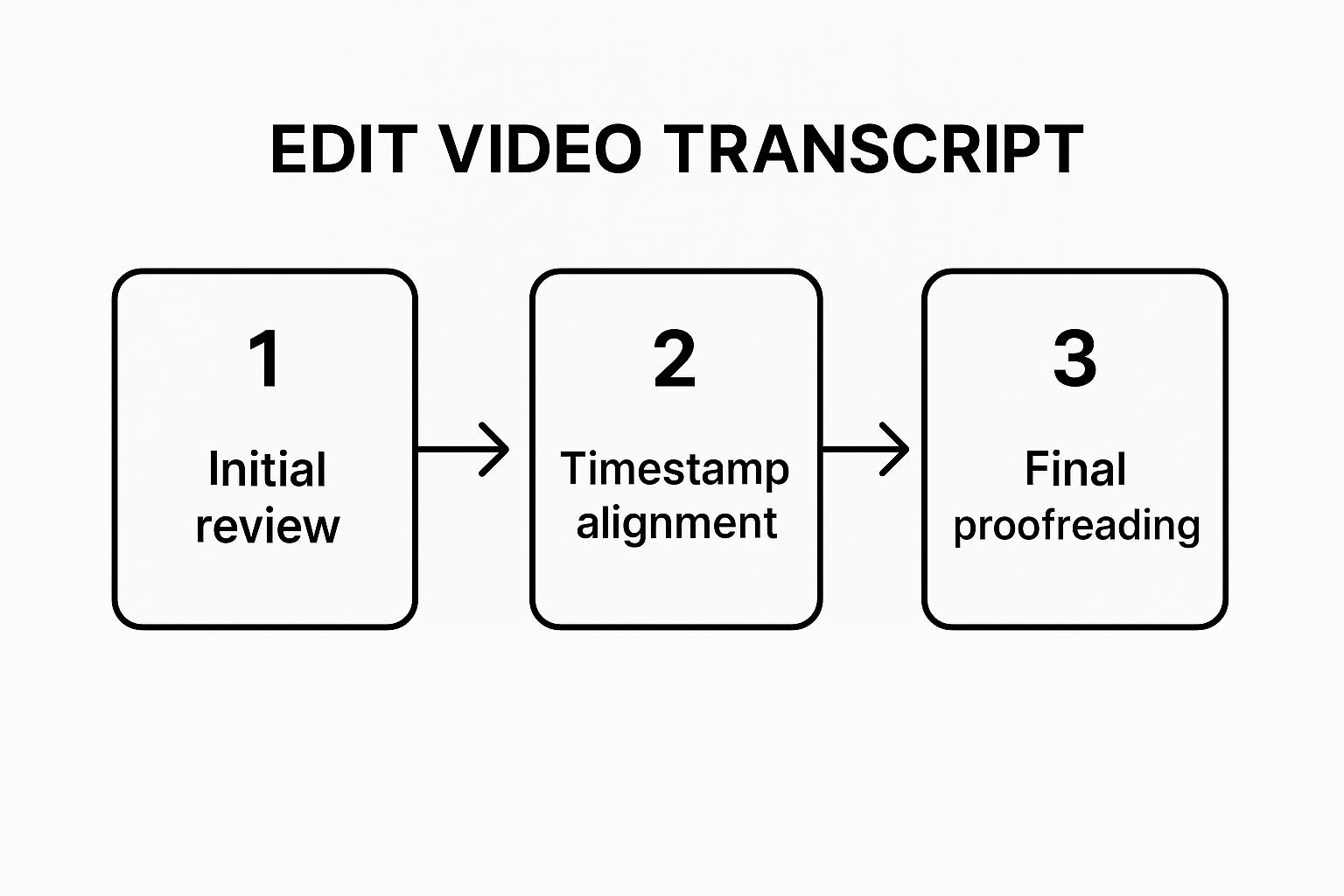
Cuando la transcripción esté lista, descubrirás que la magia está en el editor. La mayoría de las herramientas modernas sincronizan la reproducción del video con el texto, resaltando cada palabra a medida que se habla. Esto hace que encontrar y corregir cualquier error sea increíblemente intuitivo.
Este flujo de trabajo de edición sincronizada cambia las reglas del juego, especialmente a medida que el trabajo remoto continúa impulsando el mercado de transcripción de videoconferencias, que se ha disparado hasta los 0.806 mil millones de USD.
🚀 Advanced Features That Save You Time

Detección de hablantes
Identifica automáticamente diferentes hablantes en tus grabaciones y etiquétalos con sus nombres.

Herramientas de edición
Edita transcripciones con herramientas potentes como buscar y reemplazar, asignación de hablantes, formatos de texto enriquecido y resaltado.
Resúmenes y Chatbot
Genera resúmenes y otros análisis de tu transcripción, prompts personalizados reutilizables y chatbot para tu contenido.
Está claro que una transcripción precisa y rápida es más que una conveniencia: es una necesidad. Puedes profundizar en este mercado en crecimiento en Business Research Insights.
Edita tu Transcripción para una Legibilidad Perfecta
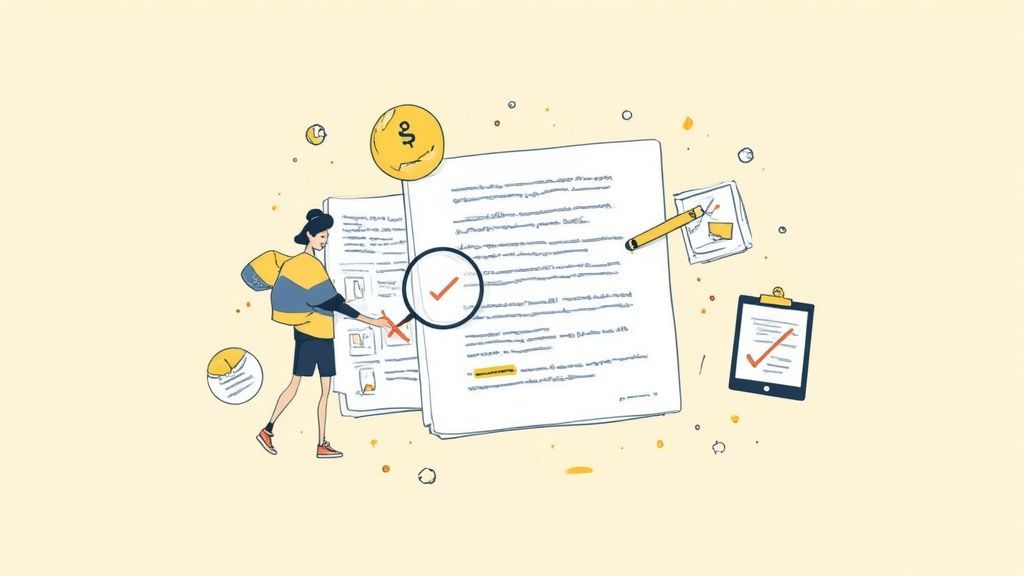
La transcripción inicial de IA es un excelente punto de partida, pero casi siempre necesita un toque humano para llevarla a la meta. No te preocupes, no se trata de empezar de cero, sino de realizar ediciones inteligentes y específicas.
Tu primer pase debe ser un escaneo rápido de lo obvio. Busca errores de puntuación evidentes o frases que suenen entrecortadas donde la IA claramente se perdió una pausa natural. Simplemente corregir estos errores simples puede hacer que todo el documento fluya mejor al instante.
A continuación, es hora de un movimiento de poder clásico: la función "Buscar y Reemplazar" en tu editor de texto. Este es tu mejor amigo para corregir nombres, jerga o términos técnicos mal escritos de manera consistente, todo a la vez. Te ahorra la tediosa tarea de buscar cada instancia manualmente.
Finalmente, la parte más crucial es una lectura completa mientras escuchas el audio original una vez más. Aquí es donde captarás los matices: errores específicos del contexto, frases incómodas y lugares donde un salto de párrafo marcaría una gran diferencia en la legibilidad.
Para aquellos que necesitan precisión absoluta, nuestra guía sobre transcripción con código de tiempo puede mostrarte cómo sincronizar perfectamente tu texto con el video, lo cual es un salvavidas para proyectos más detallados.
Problemas Comunes de Transcripción y Cómo Solucionarlos
Incluso la IA más inteligente puede tener problemas al transcribir un video, pero no te preocupes, la mayoría de los problemas comunes son sorprendentemente fáciles de solucionar.
Si obtienes una transcripción llena de errores, el 99% de las veces, el culpable es la mala calidad del audio. Cosas como el ruido de fondo, altavoces apagados o música pueden realmente confundir a la IA. La mejor solución suele ser limpiar el archivo de origen. Intenta pasarlo por un editor de audio básico para eliminar parte de ese ruido antes de volver a cargarlo.
Watch Out for Audio Issues
Even the smartest AI struggles with poor-quality recordings. Crosstalk, background noise, or muffled speech will reduce accuracy. Always clean your audio before uploading—it’s the single biggest factor in producing a usable transcript.
What if the text just looks like complete gibberish? This usually happens when the wrong language was selected in the settings. It’s a super quick fix—just head back to your tool’s settings, pick the correct language, and re-process the file.
Here’s a pro tip for jumbled speaker labels: Instead of fixing every single entry, just manually correct the first few exchanges in the editor. This simple action often helps the AI recalibrate and correctly identify the speakers for the rest of the recording. It's a small trick that can save you a ton of editing time.
Common Questions Answered
Still have a few questions about getting your videos transcribed into text? Let's clear up some of the most common ones we hear.
Market Insight Update
The transcription industry is expanding at record speed, projected to reach USD 25 billion by 2033. Businesses, educators, and creators adopting AI-powered transcription today are positioning themselves ahead of the curve.
¿Qué formatos de archivo dan los mejores resultados?
Si bien la mayoría de las herramientas de IA se contentan con aceptar archivos de video comunes como MP4 y MOV, el secreto de una transcripción excelente es en realidad el flujo de audio que se esconde dentro.
Para obtener la máxima precisión, un formato de audio sin pérdidas como FLAC o WAV es el estándar de oro. Pero no te preocupes, una pista AAC o MP3 de alta calidad incluida en tu video aún te dará resultados fantásticos y muy precisos.
¿Cómo manejo videos con varios idiomas?
Esta es una gran pregunta. Muchos de los servicios de transcripción más sofisticados ahora pueden detectar y transcribir automáticamente varios idiomas dentro del mismo archivo.
La clave es verificar que la herramienta que estás utilizando admita específicamente todos los idiomas que se hablan en tu video antes de presionar el botón de carga. Te ahorrará un dolor de cabeza más adelante.
¿Listo para convertir tus videos en texto? Con Transcript.LOL, puedes subir tus grabaciones y obtener una transcripción limpia y con etiquetas de hablante en minutos. Comprueba por ti mismo lo fácil que es crear una biblioteca consultable del conocimiento de tu equipo. Obtén tu transcripción gratuita en Transcript.LOL