
Ihr Leitfaden zur Video-zu-Text-Konverter-Technologie
Entdecken Sie, wie ein Video-zu-Text-Konverter Ihre Inhalte transformieren kann. Erfahren Sie, wie die KI funktioniert, welche SEO-Vorteile sie bietet und wie Sie das richtige Tool für Ihre Bedürfnisse auswählen.
Praveen
December 27, 2023
Im Kern ist ein Video-zu-Text-Konverter ein Werkzeug, das die gesprochenen Worte in einem Video automatisch in eine einfache Textdatei umwandelt. Stellen Sie es sich als eine Brücke vor, die all die wertvollen, gesprochenen Informationen freischaltet, die im Audiotrack Ihres Videos verborgen sind, und sie lesbar, bearbeitbar und durchsuchbar macht.
Worum geht es beim Konvertieren von Videos in Text?
Stellen Sie sich vor, Sie hätten einen persönlichen Assistenten, der jedes Video anhören und jedes einzelne Wort mit nahezu perfekter Genauigkeit und fast augenblicklich abtippen könnte. Genau das leistet ein Video-zu-Text-Konverter. Er nimmt den Ton aus Ihren Videodateien und wandelt ihn in ein Format um, das sowohl Menschen als auch Suchmaschinen leicht verstehen können.
Diese einfache Umwandlung löst eine Menge Probleme für Content-Ersteller, Unternehmen und Pädagogen. Plötzlich wird aus einem einstündigen Webinar ein durchsuchbares Dokument, in dem Sie nach wichtigen Erkenntnissen suchen können. Ein aufgenommenes Interview kann schnell in eine Reihe von Zitaten für einen Artikel umgewandelt werden. Außerdem wird Ihr gesamter Videoinhalt einem viel breiteren Publikum zugänglich gemacht, einschließlich gehörloser oder schwerhöriger Menschen.
Warum diese Technologie immer beliebter wird
Der Bedarf an Werkzeugen zur Umwandlung von Videos in Text wächst rasant, hauptsächlich weil Video zur Standardmethode der Online-Kommunikation geworden ist. Betrachten Sie nur den Markt für die Transkription von Videokonferenzen – ein naher Verwandter dieser Technologie. Er wurde 2024 auf rund 0,806 Milliarden US-Dollar geschätzt und wird voraussichtlich bis 2033 1,18 Milliarden US-Dollar erreichen.
Dies ist kein Nischen-Trend; es zeigt einen massiven Wandel hin zur Nutzung automatisierter Spracherkennung, um gesprochene Inhalte für alle nützlicher zu machen. Sie können mehr über den Aufstieg der Video-Transkription erfahren, um das Gesamtbild zu erhalten.
Wenn Sie gesprochene Worte in Text umwandeln, wird Ihr Inhalt plötzlich auffindbarer, zugänglicher und flexibler. Es ist nicht mehr nur ein Video; es ist eine tiefe Quelle textbasierter Informationen, die Sie immer wieder nutzen können.
Sofortige Vorteile der Konvertierung von Video in Text
Die Verwendung eines Video-zu-Text-Konverters ist mehr als nur ein technischer Schritt – es ist eine strategische Entscheidung, die Ihren gesamten Content-Workflow erheblich verbessert. Es geht darum, intelligenter zu arbeiten, nicht härter.
Die folgende Tabelle zeigt die sofortigen Vorteile, die Sie erzielen, wenn Sie die Transkription zu einem festen Bestandteil Ihres Prozesses machen.
| Vorteil | Auswirkung auf Ihre Content-Strategie |
|---|---|
| Mühelose Content-Wiederverwertung | Ein einzelnes Video kann zu einem Blogbeitrag, Social-Media-Schnipseln, einem E-Mail-Newsletter oder sogar Podcast-Notizen werden. Sie vervielfachen Ihre Ausgabe, ohne etwas Neues zu erstellen. |
| Massiver SEO-Boost | Suchmaschinen können Videos nicht "sehen", aber sie sind Profis im Lesen von Text. Eine vollständige Transkription versorgt sie mit Schlüsselwörtern und hilft Ihrem Video, in den Suchergebnissen höher zu ranken. |
| Echte Zugänglichkeit | Transkripte und Untertitel machen Ihre Inhalte für gehörlose oder schwerhörige Menschen inklusiv und stellen sicher, dass jeder Ihre Botschaft verstehen kann. |
| Höheres Engagement des Publikums | Viele Menschen ziehen es vor, lange Videos zu überfliegen oder zu lesen, anstatt sie anzusehen. Wenn Sie ihnen eine Textoption anbieten, bleiben sie länger auf Ihrer Website und es wird ihren Lernpräferenzen entsprochen. |
Durch die einfache Hinzufügung dieses einen Schritts erstellen Sie nicht nur ein Transkript; Sie bauen eine leistungsfähigere, effizientere und inklusivere Content-Maschine auf.
Wie KI Ihre Videos tatsächlich in Text umwandelt
Haben Sie sich jemals gefragt, was unter der Haube passiert, wenn ein Video-zu-Text-Konverter startet und ein perfektes Transkript ausgibt? Es fühlt sich wie Magie an, aber es ist wirklich ein faszinierender Prozess, bei dem verschiedene KI-Technologien wie ein gut geöltes Uhrwerk zusammenarbeiten.
Stellen Sie es sich als eine dreistufige Montagelinie vor. Jede Station hat eine spezifische Aufgabe und baut auf der Arbeit der vorherigen auf, um gesprochene Worte in ein sauberes, lesbares Dokument umzuwandeln. Die KI "hört" nicht nur Wörter; sie muss sie isolieren, erkennen und dann verstehen.
Schritt 1: Zuhören und Stimme isolieren
Zuerst muss die KI die Audiospur Ihres Videos anhören. Ihre erste Aufgabe ist ein bisschen wie die eines Toningenieurs in einem Aufnahmestudio. Sie muss sich auf die menschliche Sprache konzentrieren und alles andere herausfiltern – Hintergrundmusik, eine vorbeifahrende Sirene oder sogar das Summen einer Klimaanlage.
Sobald die Stimme isoliert ist, wird das System noch detaillierter und zerlegt die Sprache in ihre kleinsten Lauteinheiten, die sogenannten Phoneme. Dieser Schritt ist absolut entscheidend. Je sauberer die Audioquelle, desto besser kann die KI diese Laute isolieren, was sich direkt auf die Genauigkeit des endgültigen Transkripts auswirkt.
Schritt 2: Laute mit ASR in Rohwörter umwandeln
Mit dem sauberen Audio in der Hand übernimmt das eigentliche Arbeitspferd: Automatische Spracherkennung (ASR). Dies ist die Kernmaschine, die die Schwerstarbeit leistet. ASR analysiert die Schallwellen der isolierten Sprache und spielt ein Hochgeschwindigkeits-Abgleichspiel, indem es sie mit einer riesigen Bibliothek von Lauten, Wörtern und Sprachmustern vergleicht, die es während seines Trainings gelernt hat.
Sie können sich ASR als einen blitzschnellen digitalen Stenografen vorstellen. Er hört sich die Phoneme an und tippt die Wörter ein, die er erkennt. Moderne ASR ist unglaublich leistungsfähig, da sie auf buchstäblich Billionen von Stunden gesprochener Sprache aus aller Welt trainiert wurde. Deshalb kann sie verschiedene Akzente, Sprechgeschwindigkeiten und Dialekte mit überraschender Genauigkeit bewältigen.
Dieses Diagramm gibt Ihnen eine Vorstellung davon, wie ein KI-System die komplexe Aufgabe des Sprachverständnisses in überschaubarere Ebenen zerlegt.
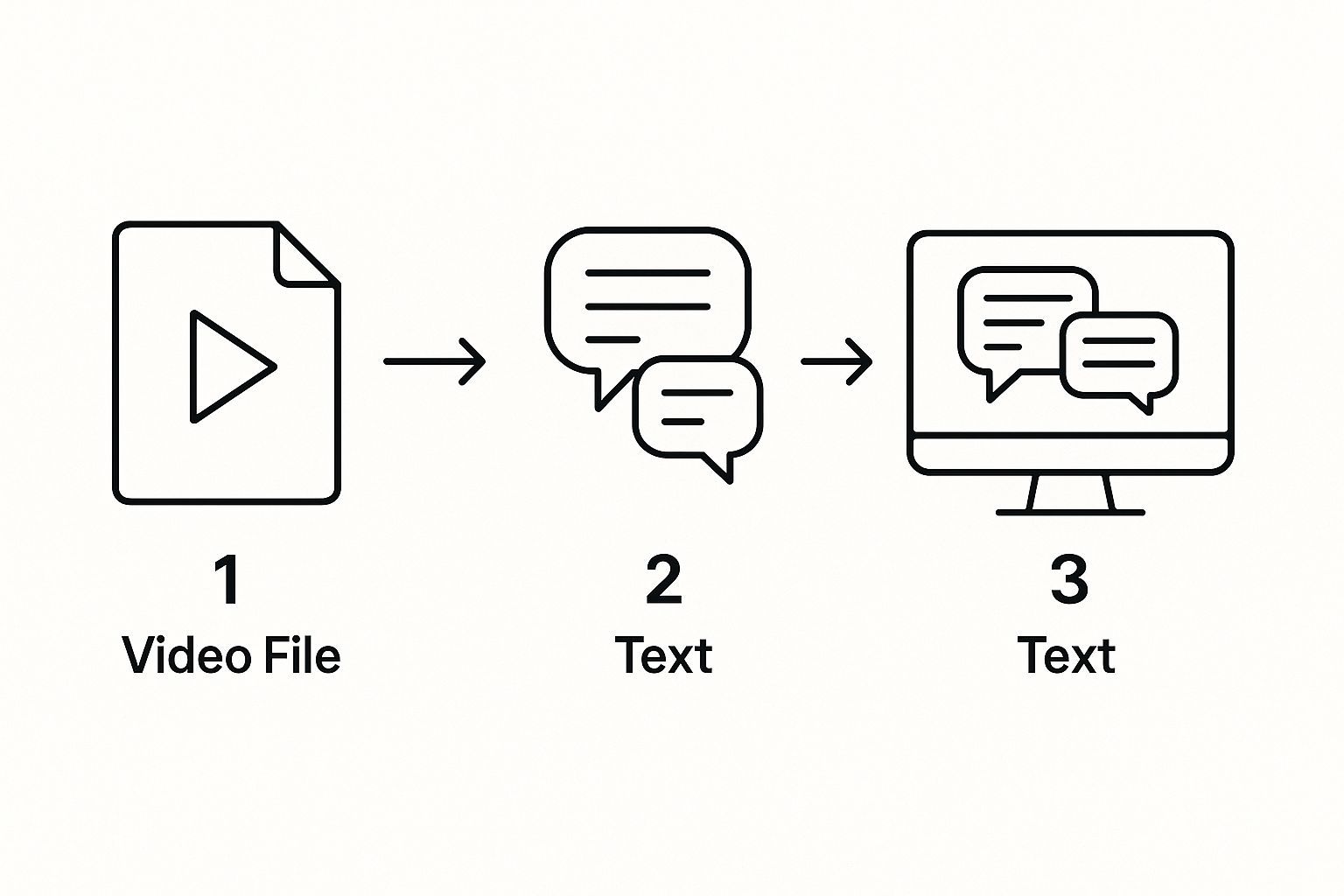
Wie Sie sehen können, bewegt sich der Prozess vom bloßen Hören von Rohsprache zum tatsächlichen Verständnis ihrer Struktur und Bedeutung – was entscheidend ist, um ein Transkript zu erhalten, das Sie tatsächlich verwenden können.
Schritt 3: Polieren und Strukturieren mit NLP
Der von ASR erzeugte Text ist nur ein roher, kontinuierlicher Wortstrom. Er ist genau, aber nicht sehr gut lesbar. Hier kommt die Verarbeitung natürlicher Sprache (NLP) ins Spiel, um die letzten Schliff zu geben. Wenn ASR der Stenograf ist, ist NLP der Redakteur.
Verarbeitung natürlicher Sprache formatiert nicht nur Text. Sie versucht, Sprache so zu verstehen, wie es ein Mensch tut, und fügt den Kontext, die Zeichensetzung und die Struktur hinzu, die ein Transkript wirklich nützlich machen.
NLP-Algorithmen erledigen mehrere wichtige Bereinigungsaufgaben:
- Zeichensetzung und Großschreibung: Die KI fügt intelligent Punkte, Kommas und Fragezeichen hinzu und schreibt den Satzanfang und Eigennamen groß.
- Absatzumbrüche: Anstatt einer riesigen Textwand analysiert sie den Gesprächsfluss, um logische Absatzumbrüche einzufügen.
- Entfernung von Füllwörtern: NLP kann all diese störenden "Ähm", "Äh" und "Sie wissen schon" erkennen und entfernen, was Ihnen ein viel saubereres Endskript liefert.
Dieser gesamte automatisierte Prozess treibt enorme Produktivitätssteigerungen in Bereichen wie Medien, Marketing und Bildung voran. Die Technologie, die durch Deep Learning angetrieben wird, wird immer besser. Wenn Sie tiefer in die Marktkräfte hinter diesem Wachstum eintauchen möchten, bietet Market.us einige interessante Daten. Diese ständige Verbesserung macht die heutigen Video-zu-Text-Konverter leistungsfähiger als je zuvor.
Video-Transkripte nutzen

Es ist eine Sache, die Technologie hinter einem Video-zu-Text-Konverter zu verstehen, aber eine andere, zu sehen, was er tatsächlich leisten kann. Die wahre Magie geschieht, wenn Sie erkennen, dass ein Transkript nicht nur ein Textblock ist. Es ist Rohmaterial, voller Potenzial, das nur darauf wartet, zu einem Dutzend verschiedener Assets geformt zu werden.
Hier geht es darum, Ihre Videoinhalte intelligenter, nicht härter arbeiten zu lassen. Für Vermarkter, Pädagogen und Content-Ersteller wird der Text aus einem Video zum Ausgangspunkt für so viele andere Dinge. Anstatt ein Video und sein Transkript als getrennt zu betrachten, sehen Sie sie als ein Power-Duo, das Ihre Reichweite erweitern und Ihren Workflow erheblich vereinfachen kann.
Schauen wir uns ein paar reale Beispiele an.
Steigern Sie Ihr Content-Marketing
Für Content-Vermarkter ist ein Transkript der ultimative Multiplikator. Ein einziges einstündiges Webinar kann genug Inhalt enthalten, um Ihren Kalender für Wochen, vielleicht sogar Monate zu füllen. Hier glänzt die Wiederverwertung wirklich.
Nehmen wir an, Sie haben gerade ein großartiges Webinar veranstaltet. Anstatt diese Aufnahme einfach digital verstauben zu lassen, kann ein Video-zu-Text-Konverter ihren Wert freisetzen. Plötzlich kann dieses eine Transkript werden zu:
- Eine Reihe von Blogbeiträgen: Sie könnten leicht fünf oder sechs Kernthemen aus dem Transkript extrahieren und jedes davon zu einem detaillierten Blogartikel ausarbeiten.
- Goldgrube für Social Media: Schnappen Sie sich ein Dutzend der besten Zitate, überraschenden Statistiken oder schnellen Tipps. Boom – Sie haben ansprechende Beiträge für LinkedIn, Twitter und Instagram.
- Inhalt für E-Mail-Newsletter: Schreiben Sie eine kurze Zusammenfassung der wichtigsten Punkte des Webinars und teilen Sie sie mit Ihrer E-Mail-Liste als wertvolles Update.
- Lead-Magnet oder E-Book: Gehen Sie tiefer auf die Kernkonzepte ein und erstellen Sie einen umfassenden Leitfaden, den Sie als herunterladbare Ressource anbieten können, um Leads zu generieren.
Dieser gesamte Ansatz lässt den ROI für jedes von Ihnen erstellte Video in die Höhe schnellen. Um dies wirklich zu meistern, lohnt es sich, effektive Strategien zur Content-Wiederverwertung zu erkunden, die Ihre Video-Transkripte in eine treibende Kraft für all Ihre Marketingbemühungen verwandeln.
Erstellen Sie leistungsstarke Lern- und Unternehmensressourcen
Die Anwendungen gehen jedoch weit über das Marketing hinaus. In akademischen und unternehmerischen Umgebungen sind Transkripte unverzichtbare Werkzeuge für das Lernen, die Dokumentation und die Zugänglichkeit von Informationen.
Für Studenten ist eine transkribierte Vorlesung ein Wendepunkt. Anstatt stundenlang durch Videos zu scrollen, um das eine zu finden, das ein Professor gesagt hat, können sie einfach Strg+F drücken und es in Sekundenschnelle finden. Das Video wird sofort zu einem durchsuchbaren, aktiven Lernleitfaden.
Und in der Geschäftswelt ist eine klare Dokumentation alles.
Die Transkription wichtiger Besprechungen, Schulungen oder aller Mitarbeitergespräche stellt sicher, dass eine klare schriftliche Aufzeichnung dessen vorliegt, was besprochen wurde. Dies beseitigt Mehrdeutigkeiten und bietet eine einzige Quelle der Wahrheit für alle Teammitglieder.
Dieser einfache Prozess ist eine große Hilfe für:
- Erstellung genauer Besprechungsprotokolle: Sie erhalten eine zuverlässige Aufzeichnung von Diskussionen und Aktionspunkten, ohne sich auf die hektischen, manuellen Notizen einer Person verlassen zu müssen.
- Aufbau einer Wissensbasis: Wandeln Sie Ihre internen Schulungsvideos in durchsuchbare Artikel für das Wiki Ihres Unternehmens oder für Onboarding-Handbücher für Mitarbeiter um.
- Sicherstellung der Compliance: In regulierten Branchen kann eine Textaufzeichnung von mündlichen Gesprächen absolut entscheidend für die Einhaltung von Vorschriften sein.
Genau deshalb wächst die Nachfrage nach Werkzeugen, die Sprache in Text umwandeln. Der verwandte Text-zu-Video-KI-Markt wurde 2024 auf rund 0,31 Milliarden US-Dollar geschätzt und wird voraussichtlich bis 2025 0,4 Milliarden US-Dollar erreichen. Alles wird durch den enormen Bedarf an zugänglichen, einfach zu bedienenden digitalen Inhalten angetrieben. Wir haben auch einen umfassenden Leitfaden zum Thema Transkription für die Content-Erstellung nutzen zusammengestellt, der ein Muss für jeden in der Content-Branche ist.
Ob Sie Blogbeiträge verfassen oder Unternehmensstrategien dokumentieren, die Möglichkeiten sind endlos. Indem Sie gesprochene Worte in Text umwandeln, erschließen Sie eine neue Ebene des Wertes, die Ihre Inhalte flexibler, durchsuchbarer und für Ihr Publikum nützlicher macht.
Steigern Sie Ihr SEO mit Video-Transkriptionen
Einer der größten Gewinne, die Sie mit einem Video-zu-Text-Konverter erzielen können, ist sein massiver (und oft übersehener) Einfluss auf die Suchmaschinenoptimierung (SEO). Suchmaschinen wie Google sind brillant, aber sie haben einen großen blinden Fleck: Sie können Ihr Video nicht wirklich "ansehen", um herauszufinden, worum es geht. Ihre Welt basiert auf Text.
Wenn Sie ein Video ohne Transkript hochladen, lassen Sie eine riesige Menge an SEO-Potenzial liegen. Aber indem Sie den vollständigen Text Ihres Audios bereitstellen, übergeben Sie Suchmaschinen im Wesentlichen ein detailliertes Skript, das mit den Schlüsselwörtern und Phrasen gefüllt ist, nach denen Ihr Publikum sucht. So einfach ist das. Dieser einzelne Schritt verwandelt Ihr Video von einer SEO-Blackbox in ein textlastiges Asset, das Google crawlen, verstehen und ranken kann.
Wie Transkripte die Suchmaschinen füttern
Betrachten Sie das Audio Ihres Videos als ein Gespräch voller wertvoller Nuggets. Ohne Transkript ist dieses Gespräch für Suchmaschinen-Crawler völlig unsichtbar. Ein Video-zu-Text-Konverter macht dieses Gespräch sichtbar und steigert Ihr SEO auf einige wirkungsvolle Weise.
- Mehr Keyword-Saft: Ihr Transkript wird natürlich mit den Hauptschlüsselwörtern Ihres Themas und all den verwandten Begriffen gefüllt sein, die Google signalisieren, worum es in Ihren Inhalten geht.
- Ranking für Long-Tail-Gold: Ein detailliertes Transkript ist eine Goldgrube für Long-Tail-Keywords – diese super-spezifischen, gesprächigen Phrasen, die echte Menschen in Suchleisten eingeben. Das Ranking für diese kann hyper-zielgerichteten Traffic generieren.
- Bessere Nutzersignale: Wenn Sie den Leuten die Möglichkeit geben zu lesen, bleiben sie oft länger. Diese erhöhte "Verweildauer" ist ein riesiges Daumen hoch für Suchmaschinen, dass Ihre Seite wertvoll ist.
Nehmen wir an, Sie haben ein 15-minütiges Video über "Techniken zur Kaffeezubereitung zu Hause" erstellt. Das Transkript könnte leicht über 2.000 Wörter indexierbaren Text ergeben. Das ist genug Inhalt, um für Nischenbegriffe wie "beste Mahlgradgröße für French Press" oder "wie man Kaffeepulver richtig aufbrüht" zu ranken – Anfragen, an die Sie wahrscheinlich nicht einmal gedacht haben, sie anzuzielen.
Einen Vorteil mit zugänglichen Inhalten erzielen
Über die direkten Keyword-Vorteile hinaus machen Transkripte Ihre Inhalte zugänglicher, ein weiterer Faktor, den Suchmaschinen lieben. Sie bedienen nicht nur Benutzer mit Hörbehinderungen; Sie helfen auch Menschen, die einfach lieber lesen oder sich an einem Ort befinden, an dem sie keinen Ton abspielen können. Dieser inklusive Ansatz schafft eine bessere Benutzererfahrung, und Google belohnt das absolut.
Das Hinzufügen eines Transkripts ist, als würde man seinem Video eine Stimme geben, die Suchmaschinen endlich hören können. Es schaltet den gesamten SEO-Wert frei, der in Ihrem Audio gefangen ist, und verwandelt jedes gesprochene Wort in eine Chance zu ranken.
Da viele Video-zu-Text-Konverter KI-gestützt sind, ist es sinnvoll, Googles Ansatz für KI-generierte Inhalte zu verstehen. Die Quintessenz ist, dass Qualität und Nutzerwert entscheidend sind. Ein gutes Transkriptionstool hilft Ihnen, genau das zu liefern.
Ein praktischer SEO-Workflow
Das Einbinden von Transkripten in Ihren Video-Veröffentlichungsprozess ist einfacher als Sie denken. Ein einfacher, konsistenter Workflow kann im Laufe der Zeit einen echten Unterschied bei Ihren Suchrankings bewirken.
- Erstellen Sie Ihr Video: Tun Sie einfach, was Sie am besten können – produzieren Sie großartige Videoinhalte für Ihr Publikum.
- Generieren Sie das Transkript: Führen Sie Ihr fertiges Video durch einen zuverlässigen Video-zu-Text-Konverter, um eine genaue Textdatei zu erhalten.
- Überprüfen und bearbeiten: Nehmen Sie sich ein paar Minuten Zeit, um das Transkript zu überprüfen. Korrigieren Sie kleine Fehler, insbesondere bei Namen, markenspezifischen Begriffen oder Branchenjargon.
- Auf Ihrer Website veröffentlichen: Betten Sie das vollständige Transkript direkt auf derselben Seite wie Ihr Video ein. Eine großartige Möglichkeit, dies zu tun, ohne die Seite zu überladen, ist, es in einem einklappbaren "Transkript anzeigen"-Bereich unter dem Videoplayer zu platzieren.
Indem Sie dies zu Ihrer Routine machen, stellen Sie sicher, dass sowohl Ihr Publikum als auch die Suchmaschinen-Bots alles erhalten, was sie von Ihrem Video benötigen, und maximieren so seine Reichweite und Wirkung.
So wählen Sie den richtigen Video-zu-Text-Konverter aus
Bei einer Flut von Optionen kann die Auswahl des richtigen Video-zu-Text-Konverters wie eine lästige Pflicht erscheinen. Aber die Sache ist die: Es geht nicht darum, das absolut billigste oder schnellste Werkzeug auf dem Markt zu finden. Die beste Wahl ist diejenige, die perfekt zu dem passt, was Sie tun möchten.
Stellen Sie es sich wie die Wahl eines Fahrzeugs vor. Sie würden keinen Roller für eine Überlandfahrt nehmen, oder? Auf die gleiche Weise mag ein kostenloser, einfacher Transkriptionsdienst für einen Zwei-Minuten-Clip in Ordnung sein, aber er wird versagen, wenn Sie mit einem einstündigen Interview voller Fachjargon und mehreren Sprechern zu tun haben. Lassen Sie uns aufschlüsseln, wie Sie das richtige Werkzeug für die Aufgabe finden.
Genauigkeit: Die einzige Metrik, die am wichtigsten ist
Kommen wir direkt zum Punkt: Genauigkeit ist alles. Ein Transkript voller Fehler ist nicht nur nutzlos – es ist ein Zeitfresser. Sie werden Stunden damit verbringen, Fehler zu beheben, was den Zweck der Verwendung eines automatisierten Werkzeugs von vornherein zunichtemacht.
Die besten KI-Konverter können Genauigkeitsraten von über 95 % erreichen, aber das gilt in einer perfekten Laborsituation. Wir sprechen von einem einzelnen Sprecher mit klarer Stimme, ohne Akzent und ohne Hintergrundgeräusche. Ihre realen Videoinhalte sind wahrscheinlich viel chaotischer.
Was steht also einer perfekten Transkription im Wege?
- Audioqualität: Das ist das Fundament. Gedämpftes Audio, Hintergrundgespräche oder laute Musik lassen Ihre Genauigkeitsbewertung sinken. Müll rein, Müll raus.
- Klarheit des Sprechers: Starke Akzente, schnelles Sprechen und Leute, die sich gegenseitig ins Wort fallen, sind für jede KI schwer zu entschlüsseln.
- Technischer Jargon: Wenn Ihr Video voller Fachbegriffe aus Bereichen wie Medizin oder Finanzen ist, wird ein generisches KI-Modell wahrscheinlich stolpern. Die besten Tools lassen Sie ein benutzerdefiniertes Wörterbuch hinzufügen.
Eine 98%ige Genauigkeitsrate klingt unglaublich, aber lassen Sie uns das ins rechte Licht rücken. Für ein Transkript mit 10.000 Wörtern (ungefähr eine Stunde Sprechzeit) sind das immer noch 200 Fehler, die Sie finden und beheben müssen. Diese zusätzlichen 1-2 % Genauigkeit können Ihnen buchstäblich Stunden mühsamer Bearbeitung ersparen.
Jenseits des Grundlegenden: Funktionen, die Sie tatsächlich nutzen werden
Sobald Sie ein paar genaue Optionen haben, ist es an der Zeit, sich die Funktionen anzusehen, die Ihr Leben einfacher machen. Lassen Sie sich nicht von einer langen Liste glänzender Objekte blenden. Konzentrieren Sie sich auf die Werkzeuge, die Ihre spezifischen Workflow-Probleme lösen.
Ein großartiger Video-zu-Text-Konverter tut mehr, als Ihnen nur eine Textwand vorzulegen. Er liefert Ihnen ein Transkript, das für die Content-Erstellung, Recherche oder die Zugänglichmachung Ihrer Videos bereit ist.
Hier ist eine praktische Vergleichstabelle, die Sie bei der Bewertung leitet.
Feature-Vergleich für Video-zu-Text-Konverter
Eine Checkliste mit wichtigen Funktionen, auf die Sie bei der Bewertung verschiedener Transkriptionsdienste achten sollten, um eine fundierte Entscheidung zu treffen.
| Funktion | Warum es wichtig ist | Was Sie suchen sollten