
A Guide to Transcription With Timecode
Discover how transcription with timecode transforms audio and video. Learn how it works, why it's a game-changer for SEO, and how to use it effectively.
Kate
May 1, 2024
Ever tried to find a specific quote in a long podcast or a 2-hour video? You end up scrubbing back and forth, listening to the same parts over and over, hoping to catch it. It’s a frustrating, time-wasting exercise. A standard transcript helps, but it’s just a wall of text.
Now, what if that transcript had a built-in navigation system? That’s exactly what a transcription with timecode is. It’s a text document where every word, or at least every few seconds of dialogue, is linked to the precise moment it was spoken in the original audio or video.
What Is Transcription With Timecode
Think of it this way: a normal transcript is like a book with no page numbers. You know the information is in there somewhere, but finding a specific passage is a nightmare of endless scanning.
A transcription with timecode is that same book, but with a hyper-detailed index that points you to the exact line on every single page. It turns a flat, static document into a searchable, interactive map of your content.
The Core Components Explained
The magic ingredient is simple: timestamps. These little markers, usually formatted as HH:MM:SS (hours, minutes, seconds), create a direct link between the written word and the spoken moment.
It looks something like this:
- [00:01:15] "We discovered the key finding right at this point."
- [00:01:18] "It changed the entire direction of our research."
This connection is what makes all the difference. You’re no longer just reading what was said; you can instantly jump to when it was said in the original recording. This simple addition is the foundation for faster video editing, much better accessibility, and way deeper content analysis.
A time-coded transcript doesn't just capture the dialogue; it maps it. It turns a one-dimensional script into a two-dimensional grid, connecting words to moments and unlocking a new level of efficiency for creators, researchers, and professionals.
To really see the difference, a side-by-side comparison makes it obvious just how much more powerful a time-coded transcript is.
Standard Transcription vs Transcription With Timecode
Here’s a quick breakdown of how a transcript with timestamps stacks up against a plain text version.
| Feature | Standard Transcription | Transcription With Timecode |
|---|---|---|
| Searchability | You can only search for keywords within the text itself. | Lets you find a keyword and instantly jump to that exact moment in the audio or video. |
| Editing Efficiency | Editors have to manually scrub through footage to find soundbites. | Editors can find specific quotes in seconds, slashing post-production time. |
| Accessibility | Provides a text version for hearing-impaired users. | Powers interactive transcripts and captions, letting users click on text to navigate the video. |
| Reference Value | It's tough to cite or reference specific moments accurately. | Gives you precise timestamps for legal, academic, or journalistic citations. |
As you can see, adding timecodes is less of an upgrade and more of a complete transformation. It unlocks a whole new world of possibilities for how you can interact with your media, which we'll get into next.
Why Timecodes Are a Game Changer for Creators
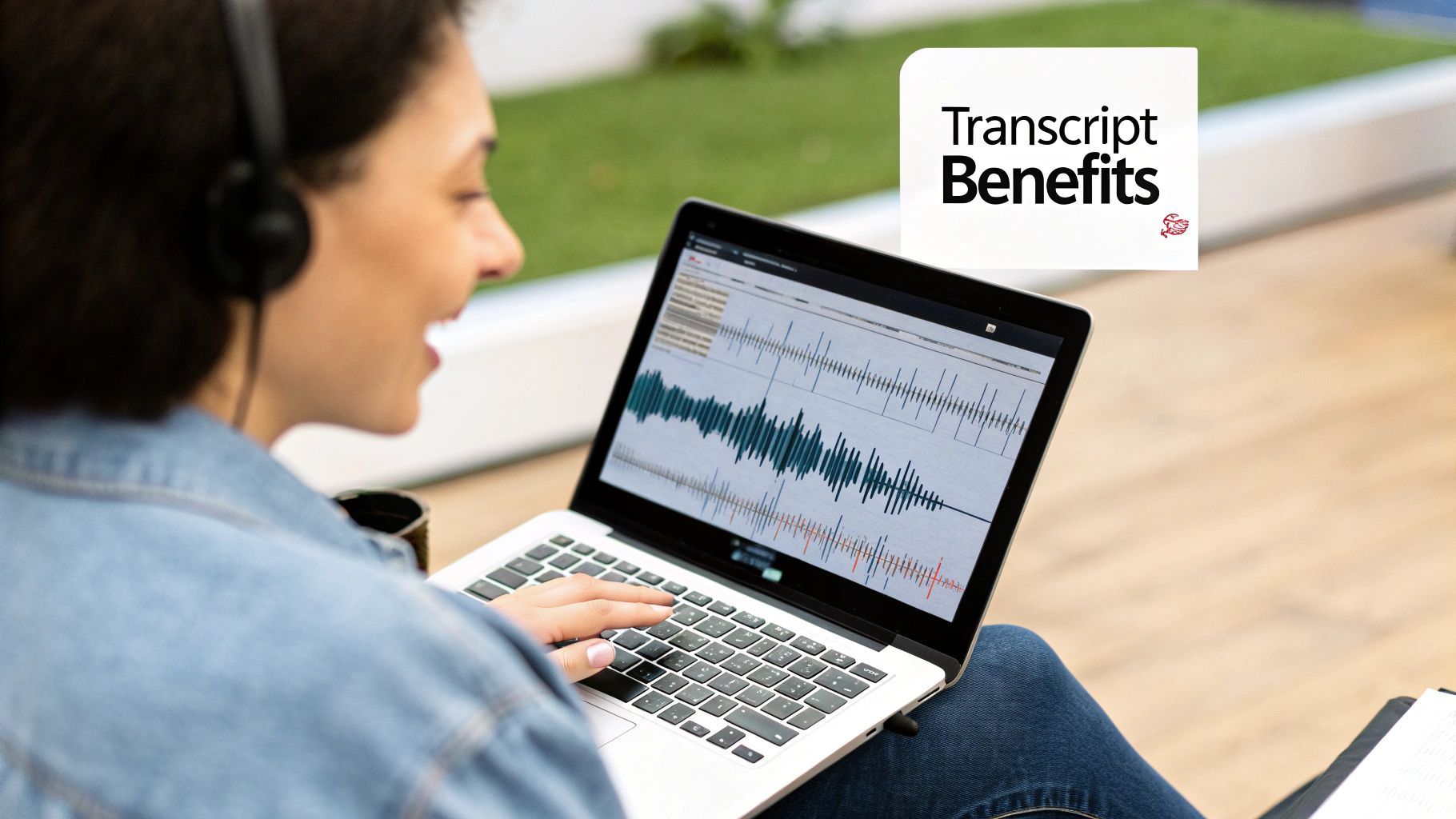
Once you understand what a transcription with timecode actually is, you start seeing its true power. These aren't just little numbers on the side of your text; they're a strategic tool that can completely change how you create and share your content.
For any creator, time is everything. Timecodes slash through the busywork of post-production, turning a tedious job into a quick, targeted task. It’s like going from blindly searching for a needle in a haystack to having a magnet that pulls it right out.
Supercharge Your Post-Production Workflow
Let’s get real. Imagine you just finished a fantastic hour-long podcast interview, and now you want to chop it up into ten short, punchy clips for social media. Without timecodes, you're stuck scrubbing through the timeline, listening, pausing, and jotting down start and end times. It’s a total drag.
Now, picture having a time-coded transcript. You just read through the text, spot a killer quote, and see its exact location—say, [00:27:14]. You can jump straight to that moment in your editing software, slice it, and you're done.
Timecodes turn your transcript into a clickable roadmap for your audio or video. Instead of hunting for moments, you just point and click. This can shrink your editing time from hours down to minutes.
This isn’t just about saving a bit of time. It’s about being able to pull more content out of a single recording, getting a much bigger bang for your buck on the effort you already put in.
Boost Your Content’s Discoverability and SEO
Beyond the editing suite, timecodes are a secret weapon for search engine optimization. When you upload a time-coded transcript file (like an SRT or VTT) with your video on a platform like YouTube, you’re basically handing search engines a detailed map of everything you said.
This means Google can index every single word, not just your title and description. The result? Your content can show up in search results as "Key Moments," linking people directly to the part of your video that answers their exact question. It’s a massive win for user experience and drives hyper-relevant traffic your way.
This is quickly becoming the new standard, especially with the AI transcription industry booming. The global AI transcription market is set to explode from $4.5 billion in 2024 to $19.2 billion by 2034, with AI platforms generating these timestamped files at over 95% accuracy. You can dive deeper by checking out the AI transcription market research.
Enhance Accessibility and Keep People Watching
Finally, a transcription with timecode is a massive leap forward for accessibility. It's the foundation for accurate, synced closed captions, which are a must-have for viewers who are deaf or hard of hearing.
But the benefits don't stop there. Interactive transcripts, which are powered by timecodes, let all viewers:
- Click a sentence to instantly jump to that spot in the video.
- Scan the text to find the specific topics that grab their attention.
- Follow along without missing a beat, even in a noisy place.
Giving viewers this kind of control makes them stick around longer and turns them from passive watchers into active participants. It makes your content more engaging, more useful, and ultimately, far more valuable.
Choosing the Right Timecoding Format
Timecodes aren't a one-size-fits-all solution. Think of it like a map: sometimes you need a broad overview of the entire country, and other times you need to zoom in on a single street. Your transcription with timecode works the same way, and choosing the right level of detail from the start makes all the difference.
What are you trying to accomplish? Are you sifting through a fast-paced interview with a dozen speakers, or are you reviewing a long, uninterrupted keynote speech? Each scenario calls for a different timestamping strategy.
Speaker-Based vs. Interval-Based Timecodes
The two most common approaches are speaker-based and interval-based timecodes. You can think of them as two totally different navigation systems for your audio or video.
-
Timecodes at Every Speaker Change: This format drops a pin right when a new person starts talking. It’s absolutely perfect for interviews, panel discussions, or legal depositions where knowing who said what and when is the whole point. This gives you a clean, conversational map of the dialogue.
-
Timecodes at Regular Intervals: This method is more like placing mile markers along a highway, dropping a timestamp every 15, 30, or 60 seconds. It provides consistent reference points throughout the content, which is a lifesaver for monologues, webinars, or lectures where a single person holds the floor for a long time.
This decision tree gives you a quick visual guide for picking the best timecode interval for your specific content.
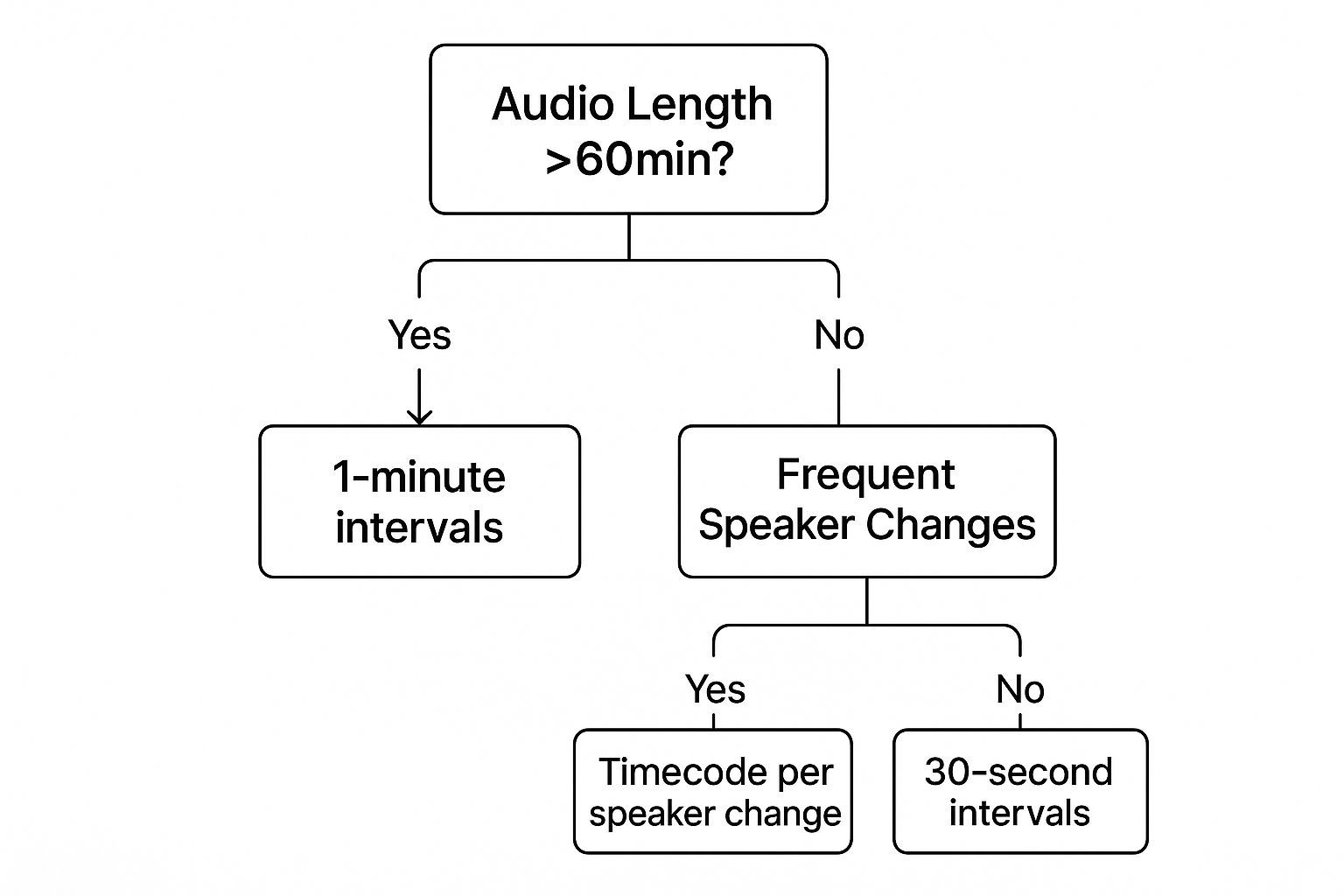
As you can see, the best choice really boils down to the length of your content and how many people are talking. Getting this right from the start saves a ton of headaches later.
Choosing the Right Timecode Format For Your Needs
To make it even clearer, here’s a quick breakdown to help you match the format to your project. Think about what you'll be doing with the transcript and pick the style that gets you there fastest.
| Timecode Format | Best Use Case | Key Benefit |
|---|---|---|
| Speaker Change | Interviews, podcasts, panels, focus groups | Pinpoints exactly who is speaking and when, making it easy to pull quotes. |
| Short Intervals (15-30s) | Detailed analysis, training videos, tutorials | Provides granular reference points for in-depth review and precise editing. |
| Long Intervals (60s+) | Keynotes, lectures, webinars, long monologues | Offers general navigation without cluttering a lengthy transcript. |
| SRT (SubRip) | Video captioning and subtitles | Synchronizes text with video playback for accessibility and engagement. |
Ultimately, the best format gives you the reference points you actually need without getting in the way.
How SRT Files Fit Into the Picture
If you've ever dealt with video captions, you've already seen a highly specialized form of time-coded transcription in action. An SRT (SubRip Subtitle) file is a simple text file that contains dialogue broken down into chunks, with each piece assigned a precise start and end time.
It looks something like this:
2
00:00:15,500 --> 00:00:18,300
This is how captions are timed
This format is the engine that drives accurate closed captions and subtitles, ensuring the right words appear on screen at the exact right moment. It’s a perfect, real-world example of how tying text to a timeline can make content more accessible and useful for everyone. Once you understand SRTs, the power of timecoding really starts to click.
How Timecodes Power Professional Industries
Sure, time-coded transcripts are a big deal for content creators, but their real power shines in high-stakes professional fields where every word counts. In these worlds, precision and accountability aren't just nice-to-haves; they're the entire game.
Think of timestamps as more than just a convenience. They're a critical link—a direct, verifiable bridge between a written document and the exact moment something was said.
Picture a law firm gearing up for a huge trial. They have a ten-hour deposition video and need to find one specific, game-changing quote buried inside. Without timecodes, that's like finding a needle in a haystack. With them? A quick search pinpoints the quote and its timestamp, letting them jump right to that moment in the video.
This isn't just theory. Let's look at how this plays out in the real world.
Media Production and Journalism
In media, time is money. A documentary filmmaker might be sitting on hundreds of hours of interview footage. A transcription with timecode becomes their map, letting the director and editor find that perfect soundbite in seconds, not hours.
Being able to instantly locate and reference specific dialogue turbocharges the whole post-production workflow. For journalists, it's all about accuracy—having a clear reference point to verify a source's quote and its context is non-negotiable. You can see more on how this works in our guide to transcription for content creation.
Legal and Corporate Compliance
The legal world is built on the verbatim record. Court reporters and paralegals rely on time-stamped transcripts to create a searchable, rock-solid account of depositions, hearings, and witness statements.
In a legal setting, a timestamp is an unshakeable point of reference. It kills ambiguity, giving legal teams the confidence to build arguments and present evidence based on a completely accurate record.
This same level of detail is a lifesaver in the corporate world for meeting minutes and compliance calls. When a board member needs to review a specific decision, a timecode takes them straight to the moment it was discussed. No more guessing games.
Healthcare and Medical Documentation
In healthcare, accuracy can literally be a matter of life and death. The U.S. transcription market is a massive $30.42 billion industry in 2024, and a huge chunk of that is driven by the medical field's need for precision.
Time-coded transcriptions of patient consultations or dictated notes let doctors quickly verify details and maintain meticulous records. This kind of rapid-fire retrieval is absolutely essential for meeting the strict compliance standards of laws like HIPAA.
This screenshot from the CDC's website drives home just how critical it is to protect patient health information.
This legal framework is exactly why precise, verifiable patient records—often made possible by time-coded transcripts—are so foundational to modern medicine.
How to Get Your First Time Coded Transcript
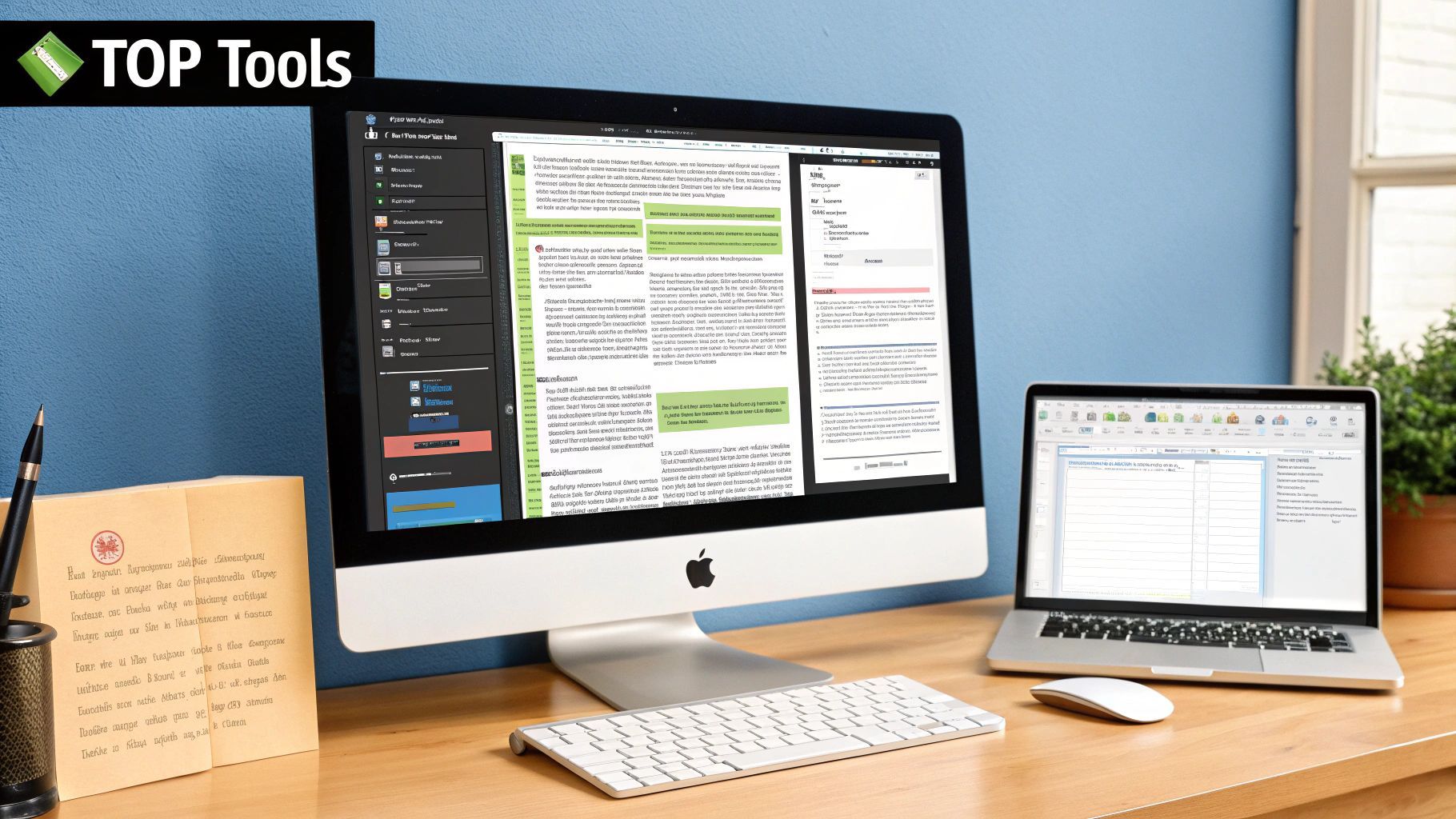
Alright, enough theory. Let's get our hands dirty. Getting your own transcription with timecode is surprisingly quick and painless, especially with a tool like Transcript.LOL in your corner. Forget about needing any technical chops or complicated software—if you have a media file, you're pretty much ready to go.
I'm going to walk you through the whole process, step by step. We’ll turn that raw audio or video file into a polished, time-coded transcript you can use for just about anything.
Step 1: Prepare and Upload Your Media
First things first: garbage in, garbage out. While today's AI is pretty amazing at cleaning things up, starting with clear audio will always give you the best results. Do what you can to minimize echoes, kill any background noise like fans or air conditioners, and make sure whoever is speaking is close to the mic.
Once your file is ready, getting it uploaded is a breeze. With Transcript.LOL, you can:
- Drag and drop it right from your desktop.
- Import from a cloud service like Google Drive or Dropbox.
- Paste a link from YouTube, Vimeo, or another public source.
Basically, no matter where your content is stored, you can get it transcribed without any fuss.
Step 2: Choose Your Timecode Settings
After the upload, you’ll land on a settings screen. This is where you tell the AI what you need. A key option here is speaker identification—definitely turn this on if you have more than one person talking. It automatically labels who’s speaking, which is a lifesaver.
Most importantly, you'll want to confirm you need timestamps. Some tools ask you to pick an interval (like every 15 seconds), but smarter ones just place them naturally based on the flow of conversation. Honestly, the default settings are usually spot-on for most projects.
Pro Tip: If you're transcribing a call or interview with multiple speakers, always enable speaker detection. It works hand-in-hand with the timecodes to create a super clear script showing who said what and when. It’s a game-changer for analyzing online meeting transcription and pulling out key insights.
Once you’ve got your settings dialed in, it’s time to hit the "transcribe" button and let the magic happen.
Step 3: Review and Export Your Transcript
In just a few minutes, the AI will serve up your complete transcript. It'll pop up in an editor where you can see the timestamps right next to the text. From here, you can read along, click on any word to jump to that exact spot in the audio, and clean up any minor mistakes.
The last step is to export the file. You'll have a few options, and the one you choose really depends on what you're doing with it.
- .TXT or .DOCX: Perfect for a simple, readable document with the timecodes baked right in.
- .SRT (SubRip): This is the industry standard for video captions. If you're uploading to YouTube or Vimeo, this is your go-to.
- .VTT (WebVTT): A more modern version of SRT that's great for web-based video players.
Choosing the right format means your time-coded transcript is plug-and-play, whether you’re dropping it into video editing software or just keeping it as a searchable record. With just a few clicks, you've created a powerful new asset.
Common Questions About Time-Coded Transcripts
Once you start using time-coded transcripts, you’ll probably have a few questions pop into your head. It's only natural. Getting a feel for the specifics—like how accurate they really are and what you can do with them—is key to using them like a pro.
Let's dig into some of the most common things people ask.
How Accurate Are AI-Generated Timestamps?
Today’s AI transcription tools are impressively precise. We're talking accuracy often within a fraction of a second. This is what makes a transcription with timecode so reliable for serious work like video editing or legal review.
But, like any technology, it's not totally infallible. A few things can throw it off. Muffled audio, a ton of background noise, or people talking over each other can sometimes cause a slight drift. That said, the best platforms have algorithms smart enough to cut through most of that noise, keeping the text and audio in near-perfect sync.
Can I Edit the Timecodes in a Transcript?
Yes, and you absolutely should if you need to. While the AI does the heavy lifting to get you 95% of the way there in seconds, you always have the final say. Most good transcription platforms and video editors let you manually tweak the timecodes.
This is a game-changer for detailed work. Maybe you need a subtitle to pop up the exact moment a chart appears on screen, or you need to pinpoint a critical statement in a deposition. This mix of AI speed and human precision gives you the best of both worlds—a lightning-fast draft with the power to make it perfect.
The ability to edit timestamps isn't just a nice-to-have feature; it's essential. It guarantees your final transcript is perfectly synchronized to the visual and audio cues in your recording, which is non-negotiable for professional-grade work.
If you want to dive deeper into how this all works, check out our detailed FAQs about transcription services for more answers.
Do Time-Coded Transcripts Improve YouTube SEO?
Oh, absolutely. This is one of the biggest—and most underrated—perks of using a transcription with timecode. When you upload a transcript file (like an SRT) with your video, you’re basically handing YouTube and Google a complete, searchable map of your content.
Search engines crawl that text, allowing your video to rank for all sorts of long-tail keywords you mentioned but didn't cram into your title. It opens up a whole new world of discovery.
Even better, it enables Google to show "Key Moments" in search results. These are direct, clickable links that jump a viewer to the exact spot in your video that answers their question. It’s a huge boost for your visibility and brings in viewers who get exactly what they were looking for, right away.
Ready to create your own searchable, editable, and SEO-friendly transcripts in minutes? Transcript.LOL uses advanced AI to generate highly accurate time-coded transcripts from any audio or video file. Try Transcript.LOL for free today!