
Top 12 Tools for Video to Text Transcription Free in 2026
Discover the top 12 tools for video to text transcription free. Our guide covers web apps, DIY tools, pros, cons, and privacy for all your needs.
Kate, Praveen
January 29, 2026
In a content-driven world, video is essential. But the spoken words within that video? That's where the real value is hidden. Transcribing your video content makes it searchable for SEO, accessible to a wider audience, and easily repurposed into articles, social media posts, or training materials. The primary hurdle has always been the associated cost and time commitment. This guide is designed to solve that problem by providing a comprehensive look at the best options for video to text transcription free of charge.
Important to Know About Free Transcription Tools
Free transcription tools are powerful, but most come with limits on minutes, file length, or export formats. Understanding these constraints upfront helps you avoid workflow disruptions and choose the right tool for your volume and accuracy needs.
Exploraremos uma seleção curada de ferramentas, cada uma com seus próprios pontos fortes. Esta lista abrange desde plataformas web poderosas e impulsionadas por IA e aplicações desktop de código aberto até métodos inteligentes e sem custo, utilizando ferramentas que você já pode ter, como YouTube e Google Docs. Cada entrada inclui uma visão geral prática, prós e contras, e instruções passo a passo para ajudá-lo a começar imediatamente. Nosso objetivo é ajudá-lo a encontrar a solução perfeita para suas necessidades específicas, seja você um podcaster precisando de notas de show, um profissional de marketing criando conteúdo para blog, ou um estudante transcrevendo palestras. Ao explorar essas ferramentas para maximizar o potencial do seu vídeo, lembre-se que plataformas como shortgenius também podem oferecer serviços complementares para processar ou reutilizar seu conteúdo de vídeo após a transcrição.
Este recurso é o seu caminho direto para transformar conteúdo falado em texto valioso e utilizável sem gastar um centavo. Fizemos a pesquisa para que você possa pular o tentativa e erro e ir direto para a transcrição. Vamos mergulhar nas principais ferramentas gratuitas que podem desbloquear todo o potencial da sua biblioteca de vídeos.
1. Transcript.LOL
Transcript.LOL se destaca como uma escolha de primeira linha para usuários que buscam uma ferramenta poderosa, privada e versátil para transcrição de vídeo para texto gratuitamente. Ela utiliza o modelo Whisper avançado da OpenAI, aprimorado com suporte a vocabulário personalizado, para entregar precisão líder na indústria (alegada em ~99,8%) e processamento notavelmente rápido. Isso a torna uma opção excepcional para todos, desde podcasters e profissionais de marketing até pesquisadores acadêmicos e equipes corporativas.
Core AI Capabilities That Save Hours
IA de última geração
Alimentado pelo Whisper da OpenAI para precisão líder na indústria. Suporte para vocabulários personalizados, arquivos de até 10 horas e resultados ultra rápidos.

Ferramentas de edição
Edite transcrições com ferramentas poderosas incluindo buscar e substituir, atribuição de falantes, formatos de texto rico e destaque.
Resumos e Chatbot
Gere resumos e outros insights da sua transcrição, prompts personalizados reutilizáveis e chatbot para o seu conteúdo.
A plataforma se diferencia não apenas pela transcrição de conteúdo, mas pela sua transformação. Além de um simples arquivo de texto, o Transcript.LOL gera automaticamente derivados acionáveis como resumos, capítulos, itens de ação e até posts para redes sociais. Este conjunto de ferramentas com IA acelera a reutilização e análise de conteúdo, transformando um único arquivo de vídeo em uma riqueza de ativos prontos para uso.
Principais Recursos e Experiência do Usuário
O Transcript.LOL oferece um fluxo de trabalho simplificado com amplas opções de importação, incluindo uploads diretos, serviços de nuvem (Google Drive, Dropbox), Zoom e URLs de plataformas como YouTube e Vimeo. As robustas capacidades de integração, com uma extensão do Chrome, Zapier e acesso à API, permitem que ele se encaixe perfeitamente nos processos existentes. A interface é limpa, facilitando a edição de transcrições com marcação de locutor e formatação de texto rico.
Preços e Acesso
A plataforma oferece um nível gratuito altamente acessível que inclui duas transcrições por dia com um limite máximo de 20 minutos de upload. Para usuários de alto volume, o plano Unlimited ($120/ano) oferece transcrições ilimitadas para arquivos de até 10 horas, processamento prioritário e acesso a todas as ferramentas de geração de conteúdo com IA. Um plano Team também está disponível, adicionando espaços de trabalho colaborativos para um arquivo centralizado de transcrições.
- Ideal para: Criadores de conteúdo, profissionais de marketing, pesquisadores e equipes que precisam de uma ferramenta de transcrição rápida, precisa e multifuncional.
- Prós:
- Precisão e Velocidade Excepcionais: Alimentado por um modelo Whisper aprimorado para resultados precisos, mesmo com arquivos longos.
- Política de Privacidade em Primeiro Lugar: Garante que os dados do cliente nunca sejam usados para treinamento de IA.
- Saídas de IA Versáteis: Automatiza a criação de resumos, posts sociais, mapas mentais e muito mais.
- Amplas Integrações: Conecta-se a inúmeras plataformas de nuvem, sociais e de automação.
- Contras:
- Plano Gratuito Limitado: O limite de 20 minutos e o processamento de baixa prioridade podem não atender usuários com vídeos mais longos ou necessidades urgentes.
- Verificação de Conformidade: Falta exibição proeminente de certificações de conformidade específicas como HIPAA ou SOC 2.
Website: https://transcript.lol
Para um mergulho mais profundo em suas capacidades, você pode encontrar um guia completo sobre transcrever vídeo para texto com sua ferramenta online.
2. Otter.ai
O Otter.ai é um nome conhecido na transcrição com IA, mais conhecido por sua integração perfeita com plataformas de reunião como Zoom, Google Meet e Microsoft Teams. Embora seu foco principal seja a transcrição e resumo de reuniões ao vivo, seu plano Básico (gratuito) oferece um ponto de entrada valioso para usuários que procuram experimentar a transcrição de vídeo para texto gratuitamente, especialmente para aqueles que gravam frequentemente reuniões ou entrevistas.
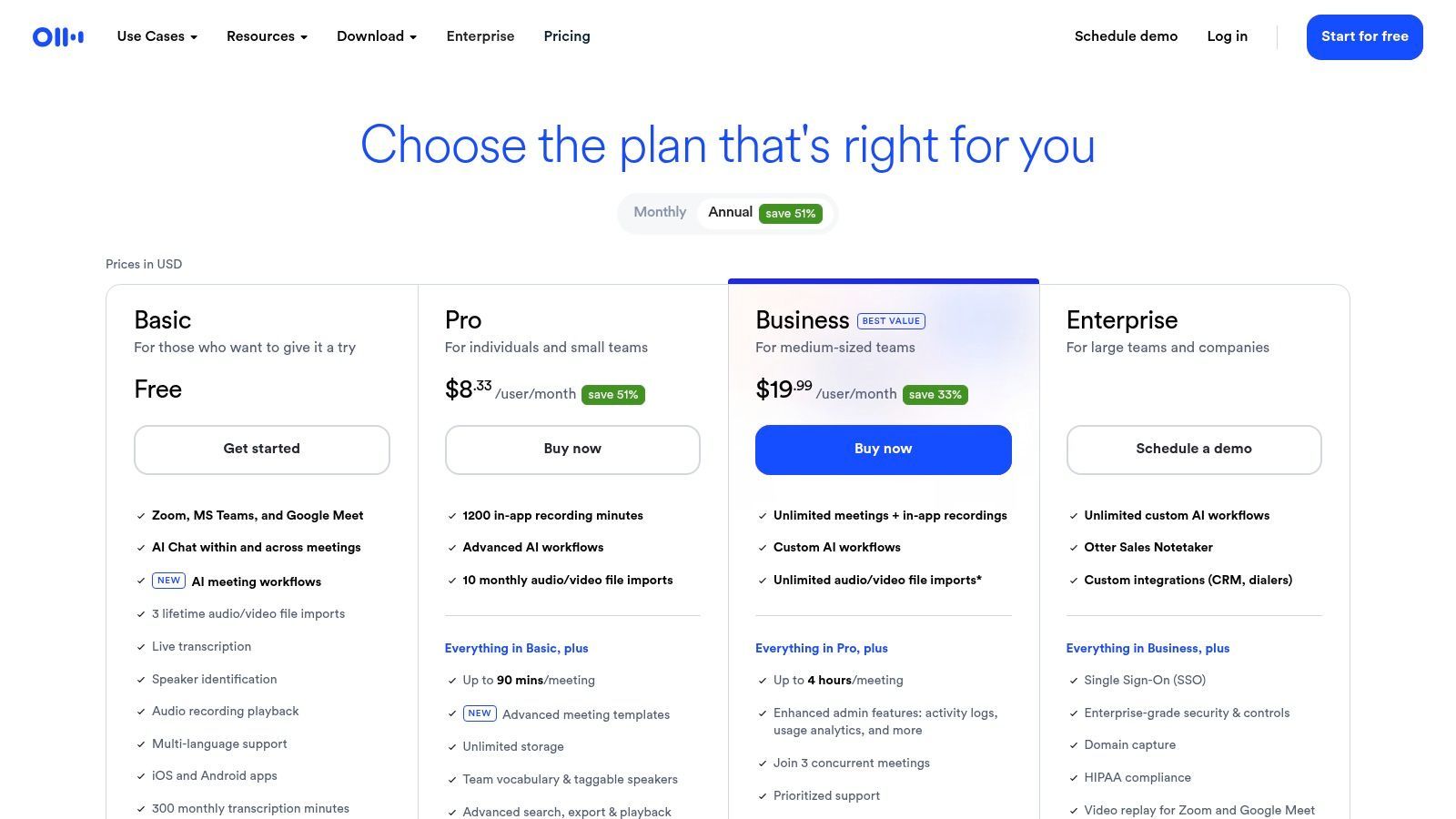
O que diferencia o Otter.ai é seu robusto conjunto de recursos, mesmo no plano gratuito. Ele oferece identificação de locutor, que rotula automaticamente diferentes vozes no vídeo, e gera transcrições pesquisáveis e com marcação de tempo. Isso torna incrivelmente fácil localizar citações ou momentos específicos dentro de uma gravação longa. Embora o plano gratuito tenha limitações, sua interface de usuário de alta qualidade e desempenho confiável o tornam uma escolha de ponta para trabalhadores do conhecimento, estudantes e jornalistas. Para um mergulho mais profundo em suas capacidades, você pode encontrar mais informações sobre seus recursos de áudio para texto.
Principais Recursos e Limitações
| Recurso/Limitação | Otter.ai (Plano Básico) |
|---|---|
| Acesso ao Nível Gratuito | Sim, o plano "Basic" é gratuito. |
| Limite de Transcrição | 300 minutos de transcrição mensal; 30 minutos por conversa. |
| Limite de Importação de Arquivos | Até 3 arquivos de vídeo/áudio no total (limite vitalício). |
| ID de Locutor | Sim, com rotulagem automática. |
| Formatos de Exportação | TXT, com PDF e DOCX disponíveis em planos pagos. |
| Ideal para | Transcrição de reuniões gravadas, entrevistas e palestras onde a identificação do locutor é crucial. |
| Website | otter.ai/pricing |
3. Rev
A Rev é um player importante na indústria de transcrição, conhecida por seu modelo híbrido que combina IA poderosa com serviços humanos para precisão quase perfeita. Embora sua transcrição humana profissional seja um serviço pago, a Rev oferece um caminho para os usuários testarem suas capacidades de IA, tornando-a uma opção valiosa para aqueles que precisam de um rascunho gratuito antes de potencialmente investir em maior precisão. Isso a torna uma excelente ferramenta para profissionais que precisam de uma passagem automatizada rápida em um arquivo antes de decidir se ele justifica o custo de uma revisão humana.
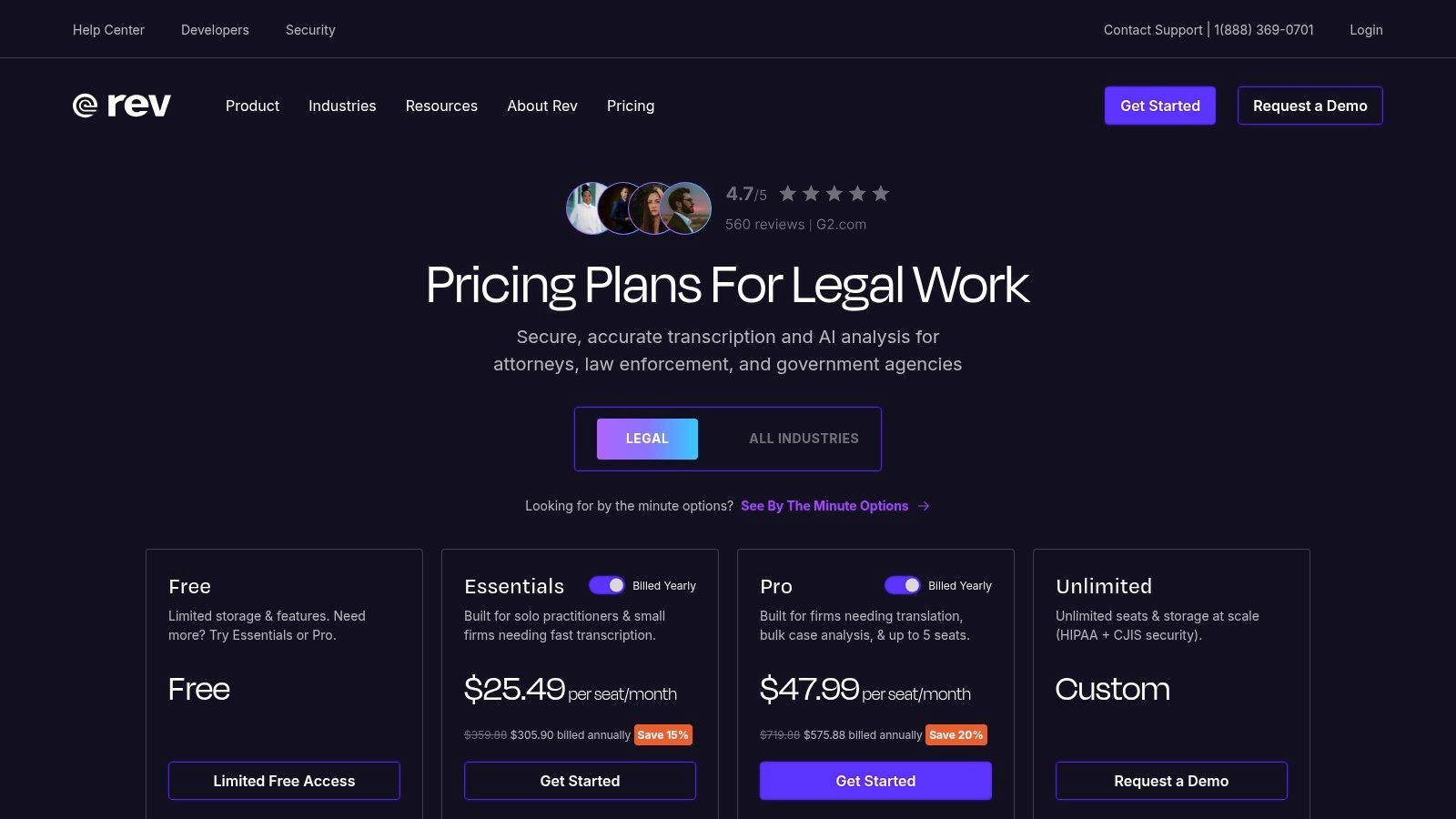
O que diferencia a Rev é o caminho de atualização perfeito de sua transcrição automática de IA para uma versão verificada por humanos com 99% de precisão. Os usuários podem começar com um rascunho de IA de transcrição de vídeo para texto gratuita para obter a essência do conteúdo e, em seguida, com um único clique, enviá-lo para um profissional para polimento. Este fluxo de trabalho é ideal para projetos legais, médicos ou acadêmicos onde a transcrição inicial de IA pode economizar tempo, mas a precisão final é inegociável. A plataforma também possui um editor interativo para limpar a transcrição de IA você mesmo.
Principais Recursos e Limitações
| Recurso/Limitação | Rev (Transcrição de IA) |
|---|---|
| Acesso ao Nível Gratuito | Sim, minutos limitados de teste gratuito estão disponíveis. |
| Limite de Transcrição | Minutos de teste limitados (por exemplo, ~45 minutos), que podem variar. |
| Limite de Importação de Arquivos | Nenhum limite rígido no número de arquivos durante o teste, apenas um limite total de minutos. |
| ID de Locutor | Sim, a IA tenta identificar diferentes locutores. |
| Formatos de Exportação | TXT, DOCX, PDF e SRT estão disponíveis. |
| Ideal para | Profissionais que precisam de um rascunho rápido de IA com um caminho claro e fácil para atualizar para transcrição aperfeiçoada por humanos. |
| Website | rev.com/pricing |
4. Descript
O Descript revoluciona o processo de transcrição tratando-o como a base para edição de vídeo e áudio. Em vez de apenas fornecer uma transcrição, o Descript permite editar sua mídia simplesmente editando o texto, uma abordagem que ele chama de "edição baseada em documentos". Isso o torna uma ferramenta incrivelmente poderosa para criadores de conteúdo que precisam de mais do que apenas um serviço simples de transcrição de vídeo para texto gratuita; eles precisam de um fluxo de trabalho simplificado para criar conteúdo polido. O plano gratuito oferece uma ótima maneira de experimentar esse paradigma de edição exclusivo em primeira mão.
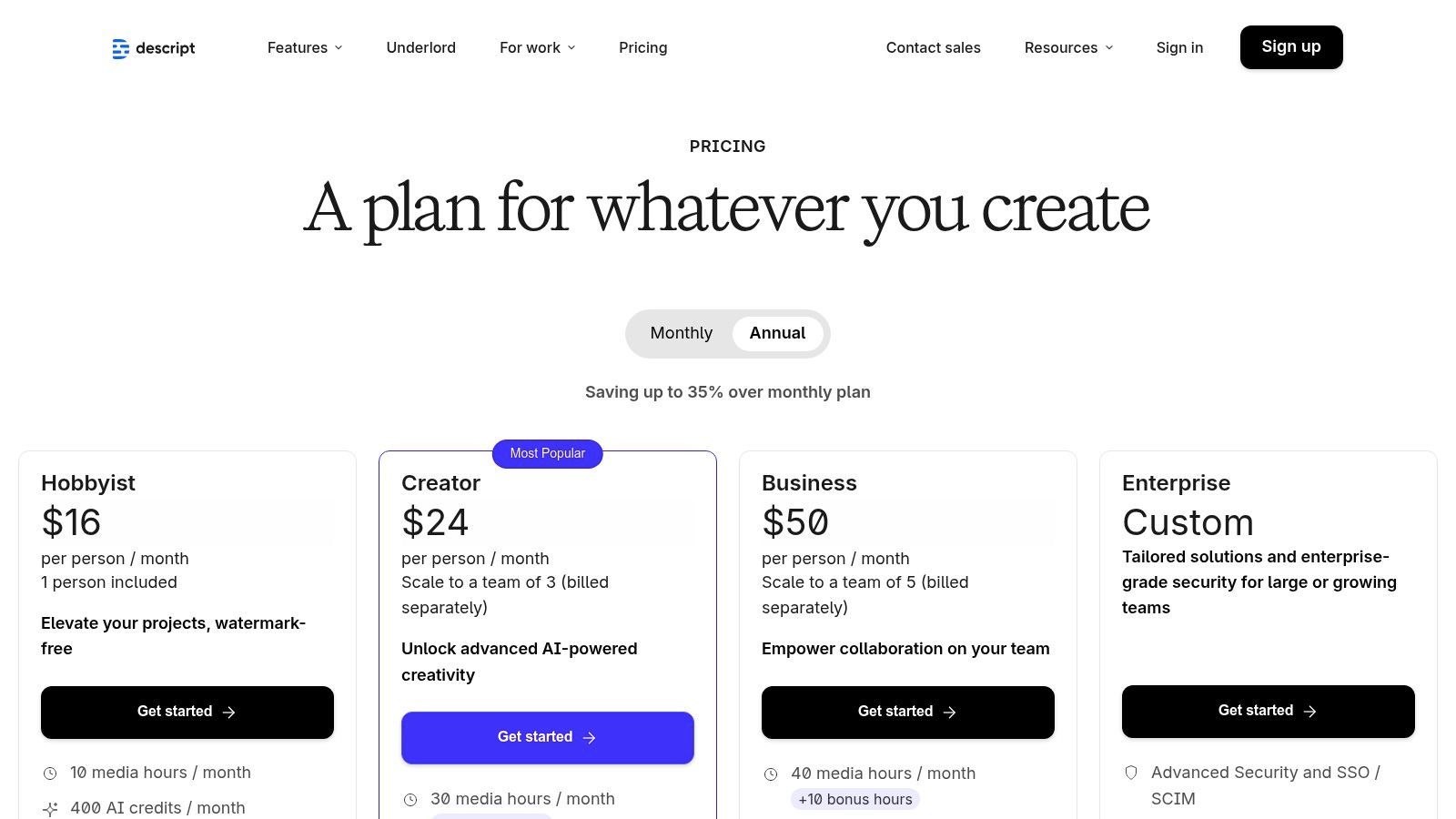
O que realmente diferencia o Descript é sua funcionalidade tudo-em-um. A plataforma combina perfeitamente transcrição, um editor poderoso, um gravador de tela e ferramentas com IA como remoção de palavras de preenchimento ("um", "uh") e Studio Sound para melhorar a qualidade do áudio. Embora os limites do plano gratuito sejam bastante restritivos, ele é perfeito para criadores que trabalham com conteúdo de formato curto ou para aqueles que desejam testar o fluxo de trabalho antes de se comprometer. Para aqueles interessados em como o Descript se encaixa no ecossistema mais amplo, você pode explorar mais sobre este tipo de conversor de vídeo para texto.
Principais Recursos e Limitações
| Recurso/Limitação | Descript (Plano Gratuito) |
|---|---|
| Acesso ao Nível Gratuito | Sim, o plano "Free" está disponível. |
| Limite de Transcrição | 1 hora de transcrição por mês. |
| Limite de Importação de Arquivos | Nenhum limite explícito de número de arquivos, restrito por horas de transcrição mensais. |
| ID de Locutor | Sim, com detecção automática de locutor. |
| Formatos de Exportação | TXT, SRT, VTT. Exportação de vídeo com marca d'água (até 720p). |
| Ideal para | Podcasters e criadores de vídeo que desejam editar seu conteúdo editando a transcrição. |
| Website | www.descript.com/pricing |
5. VEED
O VEED é uma suíte abrangente de edição de vídeo baseada em navegador que conquistou um nicho com suas ferramentas poderosas e intuitivas de legendagem automática. Embora funcione como um editor completo, sua força para usuários que buscam transcrição de vídeo para texto gratuitamente reside em sua capacidade de gerar, estilizar e gravar legendas diretamente em vídeos rapidamente. Isso o torna uma plataforma ideal para criadores de mídia social, profissionais de marketing e qualquer pessoa que precise de legendas visualmente atraentes sem software de desktop complexo.
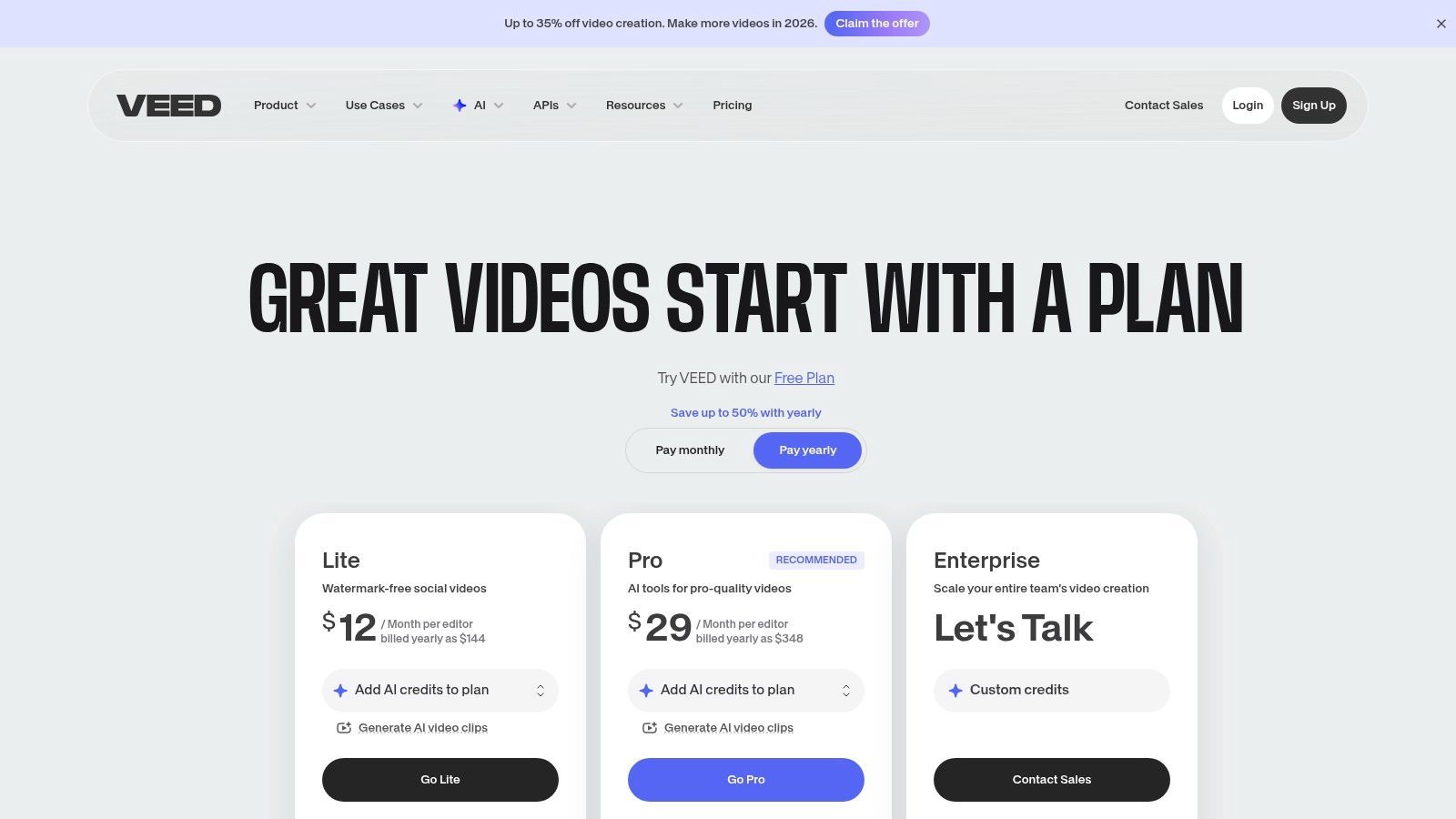
O que diferencia o VEED é seu foco no fluxo de trabalho de legendagem de ponta a ponta. Você pode fazer upload de um vídeo, gerar automaticamente uma transcrição, editar o texto para precisão e, em seguida, estilizar as legendas com fontes, cores e animações personalizadas. O plano gratuito é excelente para testar o serviço em clipes curtos, mas é importante notar que ele inclui uma marca d'água nas exportações de vídeo. Para aqueles que priorizam o controle estético sobre a saída de texto bruto, o VEED oferece uma solução simplificada que integra a transcrição diretamente no processo de criação de vídeo.
Principais Recursos e Limitações
| Recurso/Limitação | VEED (Plano Gratuito) |
|---|---|
| Acesso ao Nível Gratuito | Sim, o plano "Free" está disponível. |
| Limite de Transcrição | 10 minutos de legendas por mês. |
| Limite de Importação de Arquivos | Tamanho de arquivo de até 1 GB; limite de tamanho de exportação de 250 MB. |
| Marca d'água de Vídeo | Sim, todas as exportações no plano gratuito incluem uma marca d'água VEED. |
| Formatos de Exportação | Vídeo MP4 com legendas gravadas. O download de SRT é um recurso pago. |
| Ideal para | Criadores de mídia social e profissionais de marketing que precisam adicionar rapidamente legendas estilizadas e gravadas a vídeos curtos. |
| Website | veed.io/pricing |
6. Kapwing
O Kapwing é um editor de vídeo online popular projetado para criadores modernos, mas também oferece uma ferramenta poderosa para transcrição de vídeo para texto gratuitamente por meio de seu gerador de legendas automáticas. Embora funcione principalmente como uma suíte criativa, seu recurso intuitivo de legendagem permite que os usuários gerem rapidamente uma transcrição de texto a partir de seu conteúdo de vídeo. Isso o torna uma excelente opção para gerentes de mídia social, profissionais de marketing e criadores de conteúdo que precisam transcrever e editar seu vídeo em um único fluxo de trabalho simplificado.
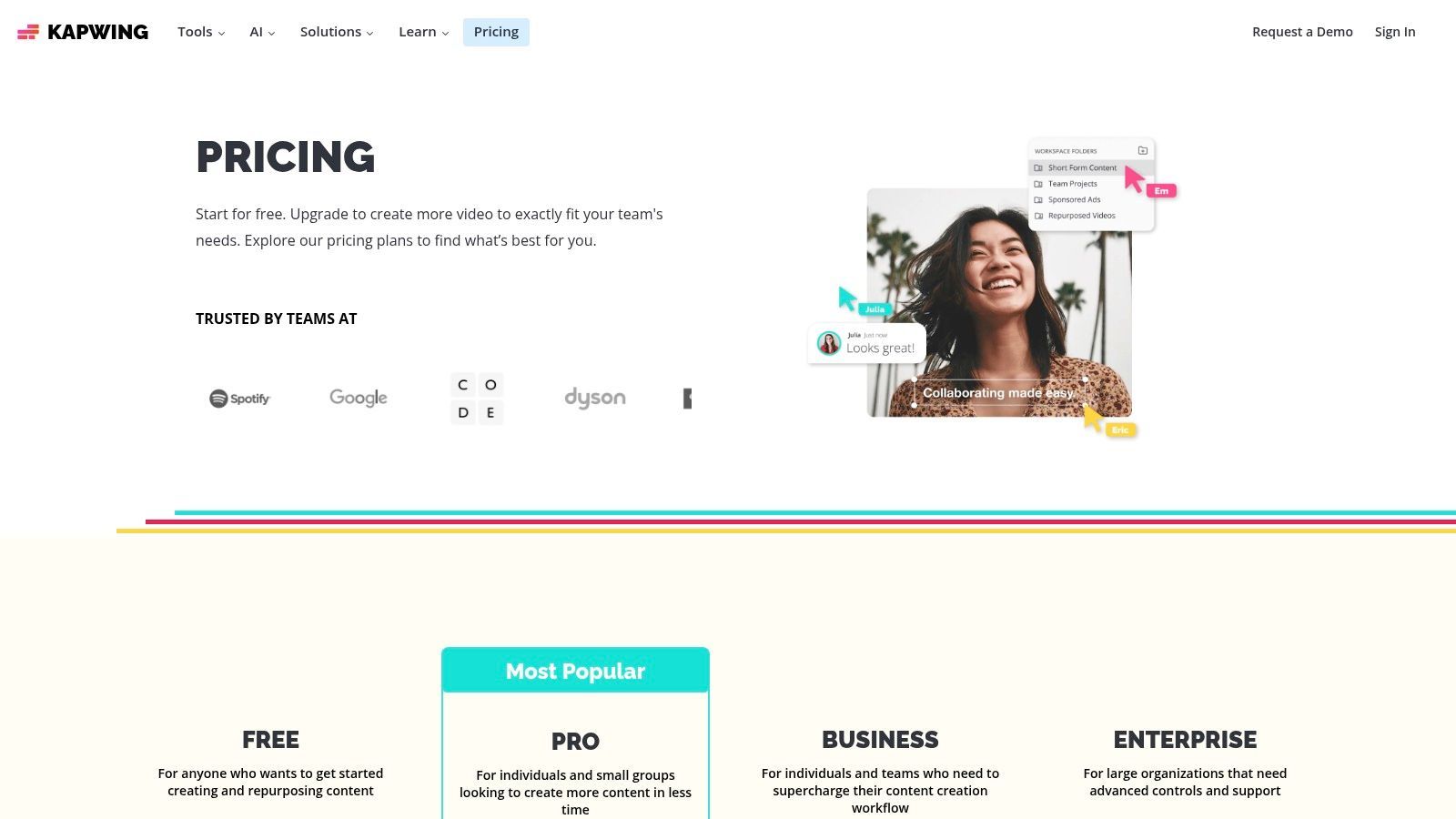
O que diferencia o Kapwing é seu sistema baseado em créditos, que é transparente e fácil de entender. O plano gratuito oferece uma alocação mensal de créditos que podem ser usados para auto-transcrição, tornando-o adequado para usuários com necessidades modestas e recorrentes. A plataforma é totalmente baseada em navegador, não requer instalação de software, e sua interface de usuário é construída para velocidade e simplicidade. Embora a versão gratuita inclua marcas d'água e tenha limitações de exportação, ela oferece uma maneira fantástica de lidar com tarefas de transcrição e edição de vídeo simultaneamente, especialmente para conteúdo destinado a plataformas como TikTok, Instagram ou YouTube Shorts.
Principais Recursos e Limitações
| Recurso/Limitação | Kapwing (Plano Gratuito) |
|---|---|
| Acesso ao Nível Gratuito | Sim, o plano "Free" está disponível. |
| Limite de Transcrição | 10 minutos de legendagem automática por mês (usa créditos). |
| Limite de Importação de Arquivos | Faça upload de arquivos de até 250 MB. |
| Marca d'água | Sim, vídeos exportados no plano gratuito têm uma marca d'água. |
| Formatos de Exportação | SRT para legendas; MP4 para vídeo (limitado a 720p). |
| Ideal para | Criadores de mídia social que precisam adicionar rapidamente legendas e obter uma transcrição dentro de seu fluxo de trabalho de edição de vídeo. |
| Website | www.kapwing.com/pricing |
7. Notta
O Notta é um serviço versátil de transcrição baseado em nuvem que se destaca tanto na gravação de reuniões ao vivo quanto na transcrição baseada em arquivos, tornando-o um forte concorrente para usuários que buscam uma solução abrangente de transcrição de vídeo para texto gratuita. Seu plano gratuito é particularmente prático, oferecendo uma alocação mensal decente que é redefinida, o que é uma vantagem chave em relação a serviços com um limite vitalício único. Isso o torna uma opção sustentável para usuários com necessidades recorrentes de baixo volume de transcrição.
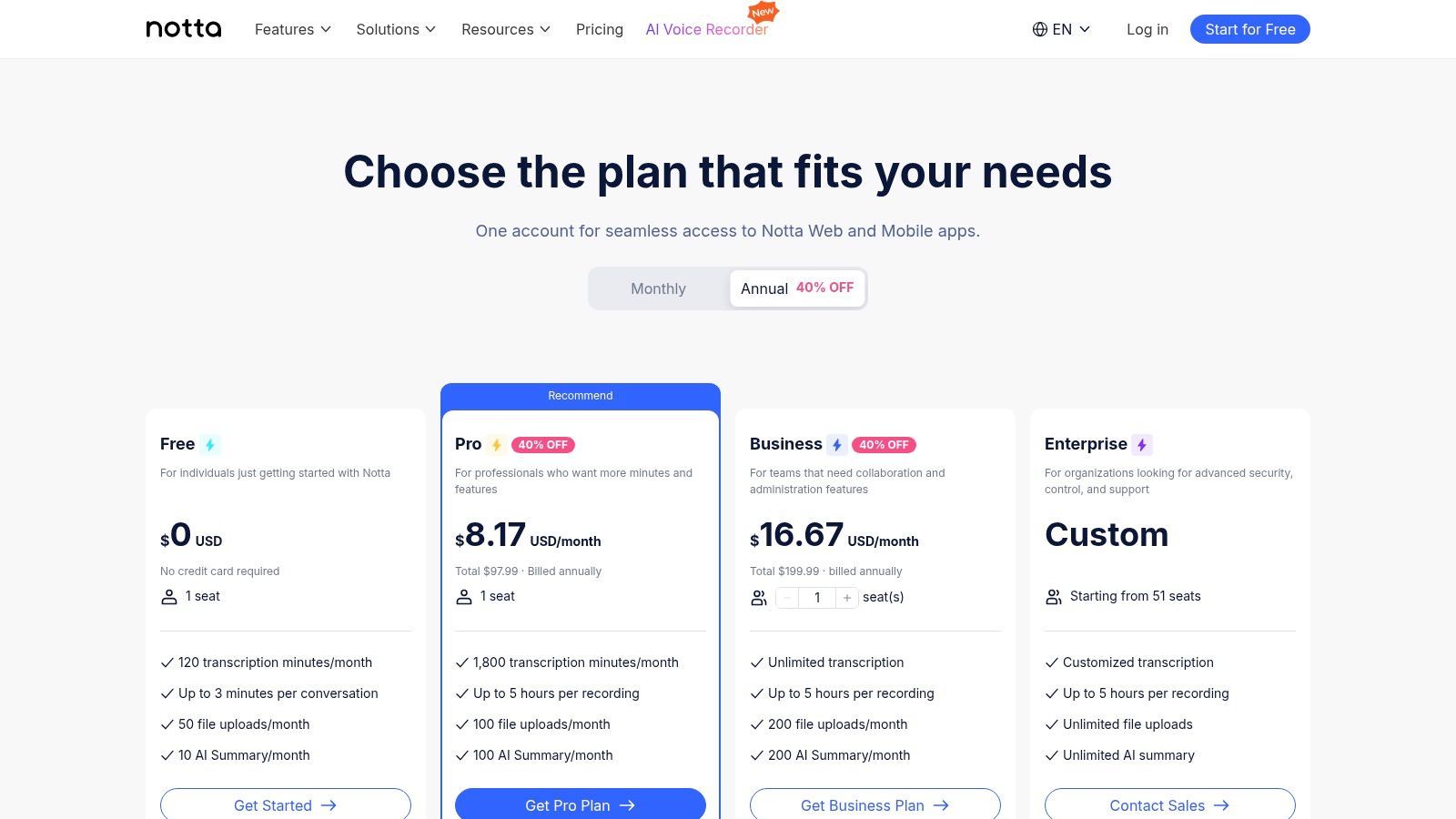
O que diferencia o Notta é sua combinação de recursos no nível gratuito, incluindo identificação de locutor, resumos com IA e uma prática extensão de navegador para capturar áudio diretamente de páginas da web. A plataforma suporta uma ampla variedade de formatos de arquivo e até oferece transcrição em tempo real para reuniões ou eventos em andamento. Embora recursos avançados como vocabulário personalizado e integrações extensas sejam reservados para níveis pagos, a oferta gratuita é robusta o suficiente para estudantes, criadores de conteúdo e profissionais que precisam de transcrição confiável para reuniões, entrevistas ou conteúdo online.
Principais Recursos e Limitações
| Recurso/Limitação | Notta (Plano Gratuito) |
|---|---|
| Acesso ao Nível Gratuito | Sim, o plano "Free" está disponível. |
| Limite de Transcrição | 120 minutos por mês; 5 minutos por conversa/arquivo. |
| Limite de Importação de Arquivos | Suporta uploads de arquivos de vídeo/áudio dentro do limite mensal de minutos. |
| ID de Locutor | Sim, com rotulagem automática. |
| Formatos de Exportação | TXT, com DOCX, SRT e PDF em planos pagos. |
| Ideal para | Usuários que precisam de uma alocação mensal recorrente para transcrever reuniões curtas, entrevistas e áudio da web. |
| Website | www.notta.ai/en/pricing |
8. Sonix
O Sonix se posiciona como um serviço premium de transcrição de IA self-service, distinguido por seu poderoso editor web e modelos de preços flexíveis. Embora não seja um serviço perpetuamente gratuito, ele oferece um modelo crucial de experimentação antes da compra, fornecendo a cada novo usuário um teste gratuito de 30 minutos. Isso o torna uma excelente opção para aqueles que buscam uma transcrição de vídeo para texto gratuita de alta qualidade e única, ou para profissionais que desejam testar uma ferramenta robusta antes de se comprometer com um plano pago para projetos maiores.
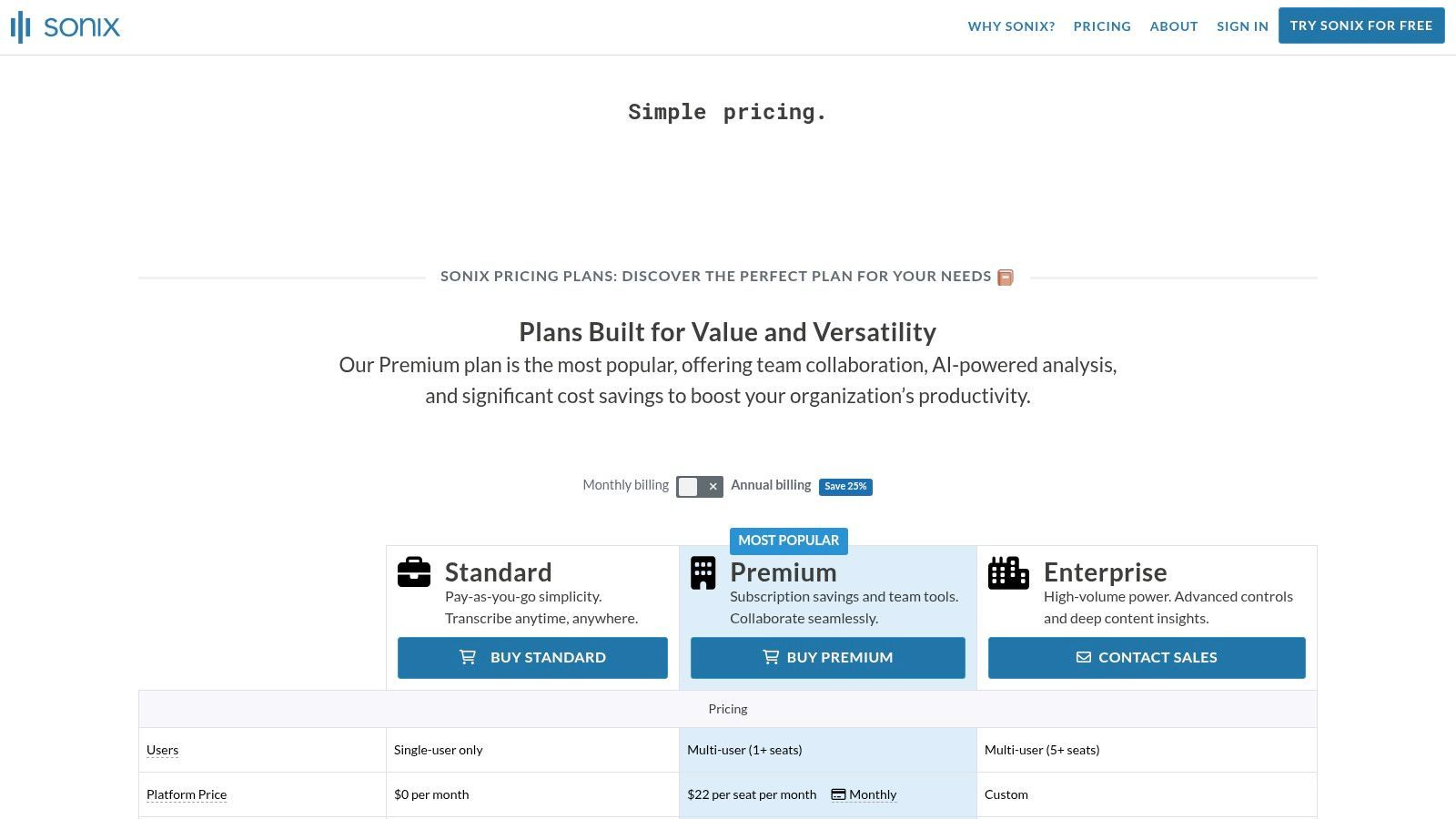
O que diferencia o Sonix é sua ênfase na edição pós-transcrição e flexibilidade de exportação. A plataforma oferece um editor limpo e interativo onde os usuários podem corrigir facilmente a transcrição enquanto o áudio é reproduzido em sincronia. Ele também suporta inúmeros formatos de exportação de legendas como SRT e VTT, o que é uma vantagem significativa para criadores de vídeo e profissionais de marketing. A combinação de um teste generoso, suporte multilíngue e um editor de nível profissional o torna uma escolha de ponta para usuários que antecipam a necessidade de mais do que apenas um arquivo de texto básico.
Principais Recursos e Limitações
| Recurso/Limitação | Sonix (Teste Gratuito) |
|---|---|
| Acesso ao Nível Gratuito | Sim, um teste gratuito único de 30 minutos para novos usuários. |
| Limite de Transcrição | 30 minutos no total (único). |
| Limite de Importação de Arquivos | Nenhum limite específico dentro da alocação de teste de 30 minutos. |
| ID de Locutor | Sim, com diarização de locutor. |
| Formatos de Exportação | TXT, DOCX, PDF, SRT, VTT. |
| Ideal para | Criadores de vídeo e podcasters que precisam de transcrições precisas e arquivos de legendas para um projeto único ou para testar uma ferramenta premium. |
| Website | sonix.ai/pricing |
9. Happy Scribe
O Happy Scribe é uma plataforma abrangente de transcrição e legendagem que preenche a lacuna entre IA automatizada e serviços profissionais humanos. Embora não seja uma ferramenta permanentemente gratuita, seu teste gratuito oferece uma oportunidade valiosa para os usuários testarem uma transcrição de vídeo para texto gratuita de alta qualidade. É particularmente adequado para criadores e equipes que podem começar com IA e, posteriormente, precisar de precisão aperfeiçoada por humanos para o mesmo projeto.
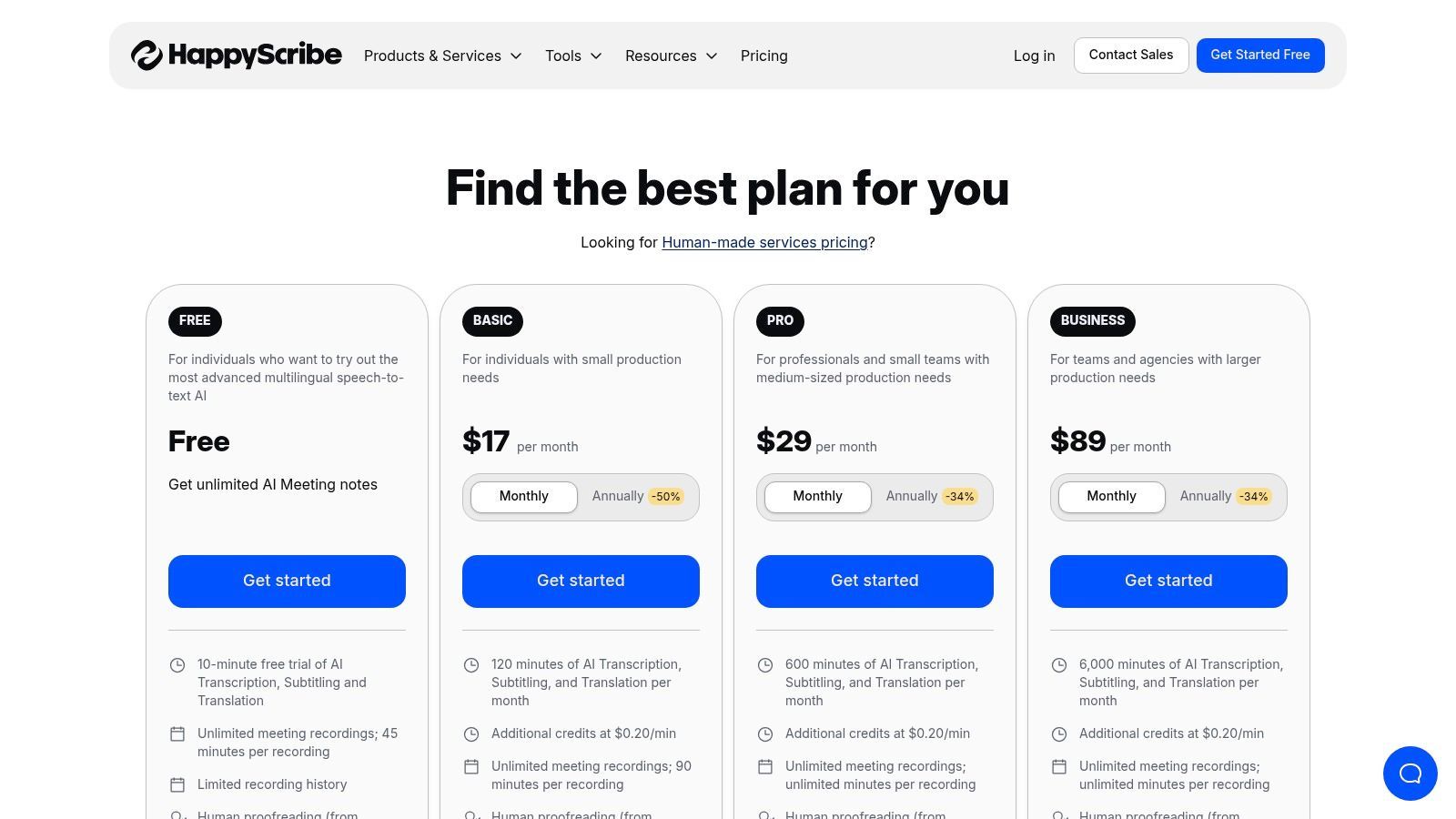
O que diferencia o Happy Scribe é seu fluxo de trabalho perfeito de IA para revisão humana e suas extensas capacidades de integração. Os usuários podem conectar suas contas do YouTube, Vimeo ou armazenamento em nuvem (como Google Drive e Dropbox) para importações fáceis de arquivos. A plataforma também suporta uma ampla variedade de formatos de exportação para transcrições e legendas, tornando-a uma escolha flexível para profissionais de conteúdo que precisam reutilizar seu conteúdo de vídeo em diferentes mídias. Isso o torna uma excelente solução completa para necessidades de transcrição, legendagem e tradução.
Principais Recursos e Limitações
| Recurso/Limitação | Happy Scribe (Teste Gratuito) |
|---|---|
| Acesso ao Nível Gratuito | Sim, um teste gratuito está disponível após o cadastro. |
| Limite de Transcrição | Um número limitado de minutos gratuitos (geralmente abaixo de 10) para testar o serviço. |
| Limite de Importação de Arquivos | Nenhum limite específico de número de arquivos durante o teste, apenas um limite de minutos. |
| ID de Locutor | Sim, com marcações de tempo e rótulos de locutor. |
| Formatos de Exportação | Extensos, incluindo TXT, DOCX, PDF, SRT, VTT e mais. |
| Ideal para | Criadores e equipes que precisam de um caminho flexível de transcrição rápida de IA para precisão paga e aperfeiçoada por humanos. |
| Website | happyscribe.com/pricing |
10. YouTube Studio (Legendas Automáticas)
Para criadores de conteúdo que já publicam no YouTube, o recurso de legendagem automática integrado da plataforma oferece um método nativo e totalmente gratuito para transcrição de vídeo. Embora não seja um serviço de transcrição dedicado, é uma ferramenta poderosa integrada diretamente ao fluxo de trabalho do criador. Ao fazer upload de um vídeo (mesmo como privado ou não listado), os criadores podem aproveitar a tecnologia de reconhecimento de fala do Google para gerar uma transcrição com marcação de tempo sem custo, tornando-a uma opção altamente prática para transcrição de vídeo para texto gratuita.
Accuracy Warning for Auto-Generated Captions
Auto-captions are best treated as a starting point. Background noise, accents, and technical terms can significantly reduce accuracy, so manual review or AI refinement is strongly recommended before publishing or repurposing.
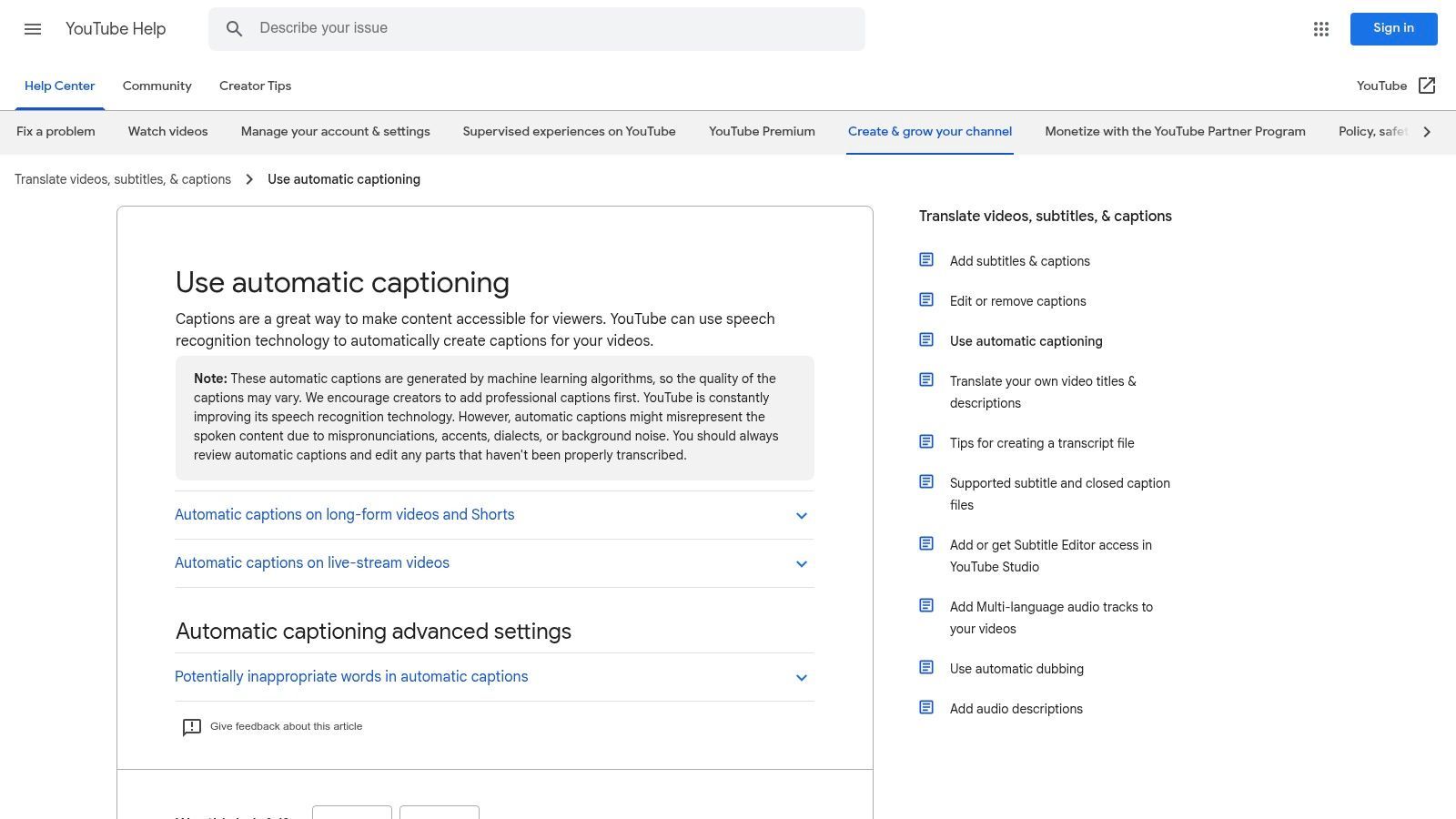
O que diferencia o YouTube Studio é a sua conveniência e acessibilidade. O processo é simples: carregue o seu vídeo e o YouTube processa e gera legendas automaticamente. Em seguida, pode aceder à transcrição completa, editá-la para obter precisão no editor do Studio e exportar o ficheiro. Isto torna-o uma excelente base para criar legendas, rascunhos de posts de blog ou notas de programas. Embora as legendas melhorem a acessibilidade, é também crucial aprender como encontrar e corrigir legendas de vídeo que prejudicam o envolvimento para maximizar o seu impacto. Para um guia mais detalhado, pode saber mais sobre como transcrever vídeos do YouTube para texto.
Principais Funcionalidades e Limitações
| Funcionalidade/Limitação | YouTube Studio (Legendas Automáticas) |
|---|---|
| Acesso ao Nível Gratuito | Sim, totalmente gratuito com uma conta do YouTube. |
| Limite de Transcrição | Sem limite explícito; ligado ao carregamento de vídeos. |
| Limite de Importação de Ficheiros | Com base nos limites padrão de carregamento de vídeo do YouTube. |
| Identificação de Orador | Não, não diferencia entre oradores. |
| Formatos de Exportação | SRT (SubRip Subtitle), VTT (WebVTT), SBV (SubViewer). |
| Ideal Para | Criadores de conteúdo que necessitam de uma forma gratuita e integrada de gerar legendas e uma transcrição básica a partir dos seus carregamentos de vídeo. |
| Website | support.google.com/youtube/answer/6373554 |
11. Google Cloud Speech-to-Text
O Google Cloud Speech-to-Text não é uma aplicação voltada para o consumidor, mas sim uma API poderosa de nível de programador que suporta muitos serviços de transcrição. Embora exija conhecimento técnico para ser utilizada, é uma opção fantástica para aqueles que precisam de incorporar capacidades de transcrição gratuita de vídeo para texto nas suas próprias aplicações ou fluxos de trabalho. O seu principal atrativo é o generoso nível gratuito, que oferece uma alocação mensal de minutos de transcrição, tornando-o altamente económico para programadores e projetos de pequena escala.
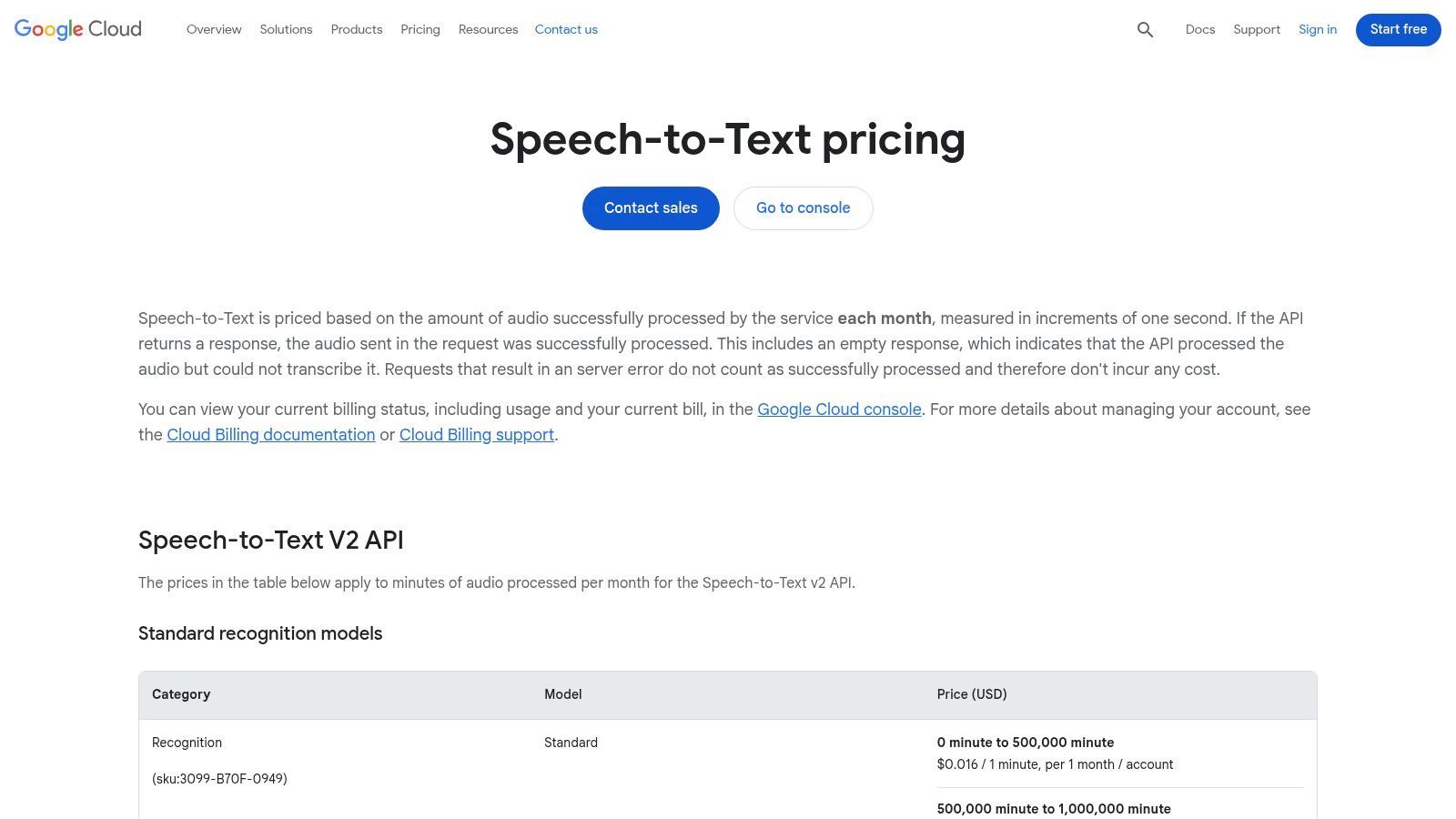
O que realmente diferencia a API do Google é a sua variedade de modelos e escalabilidade. Os utilizadores podem selecionar entre modelos especializados otimizados para diferentes tipos de áudio, incluindo um modelo de "vídeo" concebido para conteúdo com múltiplos oradores. Esta precisão e flexibilidade a nível empresarial, combinadas com o seu preço pay-as-you-go após o nível gratuito, tornam-no um motor incrivelmente poderoso para qualquer pessoa confortável a trabalhar com APIs. Permite o processamento em lote de grandes ficheiros armazenados no Google Cloud Storage e suporta um vasto número de idiomas.
Principais Funcionalidades e Limitações
| Funcionalidade/Limitação | Google Cloud Speech-to-Text |
|---|---|
| Acesso ao Nível Gratuito | Sim, 60 minutos gratuitos por mês para modelos standard. |
| Limite de Transcrição | 60 minutos/mês gratuitos; faturação detalhada por minuto após isso. |
| Limite de Importação de Ficheiros | Sem limite rígido, mas depende da sua configuração do Google Cloud Storage. |
| Identificação de Orador | Sim, disponível através da funcionalidade de diarização de oradores. |
| Formatos de Exportação | A API retorna dados em formato JSON para os programadores processarem. |
| Ideal Para | Programadores, empresas e utilizadores com conhecimentos técnicos que integram transcrição em aplicações ou fluxos de trabalho personalizados. |
| Website | cloud.google.com/speech-to-text/pricing |
12. Amazon Transcribe (AWS)
O Amazon Transcribe é um serviço totalmente gerido e de nível empresarial da Amazon Web Services (AWS) que oferece transcrição poderosa em lote e em streaming. Embora seja principalmente uma ferramenta paga para programadores e empresas, inclui um Nível Gratuito da AWS, tornando-o uma opção viável para aqueles que necessitam de transcrição gratuita de vídeo para texto de alta qualidade e ocasional. É ideal para utilizadores já no ecossistema AWS ou para aqueles que requerem funcionalidades avançadas para projetos específicos.
O que diferencia o Amazon Transcribe é a sua profunda integração com outros serviços AWS e o seu foco em funcionalidades de nível de produção. O serviço fornece capacidades avançadas como a redação de informações de identificação pessoal (PII), diarização de oradores (identificação de canais) e a capacidade de criar modelos de linguagem personalizados para melhorar a precisão para vocabulários específicos. Isto torna-o uma escolha poderosa, embora complexa, para utilizadores técnicos que necessitam de mais do que um simples conversor baseado na web e que se sentem confortáveis a navegar na consola AWS e na gestão de faturação.
Principais Funcionalidades e Limitações
| Funcionalidade/Limitação | Amazon Transcribe (Nível Gratuito AWS) |
|---|---|
| Acesso ao Nível Gratuito | Sim, incluído no Nível Gratuito AWS. |
| Limite de Transcrição | 60 minutos por mês durante os primeiros 12 meses. |
| Limite de Importação de Ficheiros | Sem limite de ficheiro específico, mas ligado ao limite mensal de 60 minutos. |
| Identificação de Orador | Sim, suporta diarização de oradores. |
| Formatos de Exportação | JSON é a saída standard, que pode ser analisada noutros formatos. |
| Ideal Para | Programadores, empresas e utilizadores técnicos que necessitam de funcionalidades avançadas como redação de PII e vocabulários personalizados. |
| Website | aws.amazon.com/transcribe/pricing/ |
Comparação de 12 Ferramentas Gratuitas de Vídeo para Texto
| Produto | Funcionalidades Principais | Qualidade (★) | Valor / Preço (💰) | Público-alvo (👥) | Pontos de Venda Únicos (✨) |
|---|---|---|---|---|---|
| Transcript.LOL 🏆 | IA baseada em Whisper, uploads de 10h/5GB, importação multi-fonte, rotulagem de oradores, exportação multi-formato | ★4.8/5 (afirmado no site 99.8%) | 💰 Nível gratuito; Ilimitado $120/ano; Equipa $240/ano (2 utilizadores) | 👥 Podcasters, criadores, profissionais de marketing, equipas, investigadores, advogados/médicos | ✨ Privacidade em primeiro lugar (sem treino), resumos/questionários/mapas mentais automáticos, amplas integrações |
| Otter.ai | Gravador de reuniões ao vivo, ID de orador, apps móveis e Chrome, transcrições pesquisáveis | ★4.4/5 | 💰 Generosos minutos gratuitos; planos pagos para funcionalidades avançadas | 👥 Profissionais do conhecimento, equipas com muitas reuniões | ✨ Integrações suaves de calendário/reuniões, legendas ao vivo |
| Rev | IA + opção de upgrade para transcrição humana, editor de legendas, SLAs claros | ★4.3/5 (humano 99%) | 💰 Minutos de IA gratuitos; pagamento por minuto para humanos (premium) | 👥 Utilizadores que necessitam de precisão quase perfeita, equipas de media | ✨ Escalada perfeita de IA→humano, preços transparentes |
| Descript | Edição de áudio/vídeo baseada em texto, deteção de orador, remoção de palavras de preenchimento, legendas | ★4.5/5 | 💰 Minutos limitados gratuitos; níveis Creator/Pro com mais minutos de media | 👥 Criadores, podcasters, editores de vídeo | ✨ Edite vídeo editando texto, ferramentas de áudio/vídeo integradas |
| VEED | Editor no navegador, legendas/traduções automáticas, estilização de legendas, modelos sociais | ★4.1/5 | 💰 Gratuito para clipes curtos; pago remove marca d'água e aumenta limites | 👥 Criadores de vídeo social, profissionais de marketing | ✨ Rápida estilização de legendas, modelos sociais no navegador |
| Kapwing | Legendas/traduções automáticas, uso baseado em créditos, ferramentas de colaboração | ★4.0/5 | 💰 Baseado em créditos; plano gratuito com marca d'água, Pro para mais créditos | 👥 Criadores focados em social, pequenas equipas | ✨ Modelo previsível de minutos→créditos, fluxos de trabalho sociais fáceis |
| Notta | Transcrição de ficheiros e reuniões ao vivo, ID de orador, resumos, traduções | ★4.2/5 | 💰 Gratuito ~120 min/mês; níveis pagos para limites mais altos e vocabulário | 👥 Utilizadores de captura de reuniões, equipas bilíngues | ✨ Generosa alocação gratuita, extensões de navegador |
| Sonix | Editor web com timestamps, diarização, exportações de legendas, acesso API | ★4.3/5 | 💰 Teste gratuito de 30 min; pagamento por uso ou assinaturas | 👥 Utilizadores de transcrição em massa, equipas de localização | ✨ Experimente antes de comprar, preços flexíveis para volume |
| Happy Scribe | IA + revisão humana, muitos formatos de exportação, integrações cloud | ★4.2/5 | 💰 Minutos de teste gratuitos; pagamento por minuto depois; humano extra | 👥 Criadores e equipas que necessitam de precisão flexível | ✨ Caminho fácil de IA→revisão humana, amplas integrações |
| YouTube Studio (Legendas Automáticas) | Legendas automáticas em uploads, edição no estúdio, opções de exportação | ★3.8/5 | 💰 💰 Gratuito (requer upload para o YouTube) | 👥 Criadores que já publicam no YouTube | ✨ Base zero custo para legendas, integrado no fluxo de trabalho do criador |
| Google Cloud Speech-to-Text | API para programadores, múltiplos modelos (vídeo/telefone/longo), lote e streaming | ★4.4/5 | 💰 API pay-as-you-go; alocações mensais gratuitas em alguns modelos | 👥 Programadores, empresas que constroem pipelines personalizados | ✨ API escalável, múltiplos modelos especializados, faturação detalhada |
| Amazon Transcribe (AWS) | Lote e streaming, redação de PII, ID de canal, modelos personalizados | ★4.4/5 | 💰 Pay-as-you-go; preços empresariais via AWS | 👥 Empresas, pipelines de produção focados em conformidade | ✨ Funcionalidades empresariais (redação de PII), profunda integração AWS |
| VEED (duplicado) | Legendas automáticas, traduções, estilização de legendas | ★4.1/5 | 💰 Clipes gratuitos; pago para remover marca d'água | 👥 Criadores sociais | ✨ Rápida estilização no navegador |
Escolhendo a Ferramenta de Transcrição Gratuita Certa para as Suas Necessidades
Navegar no cenário das ferramentas de transcrição gratuita de vídeo para texto revela uma poderosa verdade: não existe uma única opção "melhor", apenas a melhor opção para a sua tarefa específica. Como explorámos, a escolha certa depende inteiramente das suas prioridades, fluxo de trabalho e da natureza do seu conteúdo.
AI Transcription Is Improving Rapidly
Modern AI models are evolving fast, with better speaker detection, punctuation, and language support added regularly. Tools that update their models frequently deliver noticeably better results over time.
The journey from a raw video file to a polished, usable transcript is no longer a costly or time-consuming endeavor, thanks to the diverse array of solutions available.
The key takeaway is to align the tool's strengths with your primary goal. A podcaster's needs are fundamentally different from a student's, just as a marketer's requirements diverge from those of a researcher. Your decision should be a calculated one based on a clear understanding of what you need to accomplish.
Common Use Cases for Free Video-to-Text Tools
Podcasters & YouTubers
Turn long recordings into show notes, captions, and SEO-friendly blog posts without manual transcription.
Marketers & Content Teams
Repurpose one video into multiple content formats like newsletters, LinkedIn posts, and lead magnets.
Students & Educators
Convert lectures and lessons into searchable notes that improve revision, comprehension, and accessibility.
Researchers & Professionals
Quickly extract quotes, insights, and action items from interviews, webinars, and meetings.
Uma Breve Revisão: Combinando a Ferramenta com a Tarefa
Vamos destilar nossas descobertas em um simples framework de tomada de decisão. Considere isso uma lista de verificação final para guiar sua seleção:
- Para Resumos Instantâneos e Retorno Rápido: Se seu objetivo principal é extrair insights chave, obter uma visão geral de alto nível ou transcrever um clipe curto com velocidade máxima, uma ferramenta como a oferta gratuita do Transcript.LOL é ideal. Seu foco em sumarização impulsionada por IA a torna perfeita para digerir conteúdo rapidamente.
- Para Reuniões Colaborativas e Transcrição ao Vivo: Profissionais que passam seus dias em reuniões do Zoom ou Teams encontrarão um valor imenso no Otter.ai. Sua transcrição em tempo real e identificação de falantes são projetadas especificamente para ambientes colaborativos.
- Para Edição de Vídeo e Reutilização de Conteúdo: Criadores que desejam editar seus vídeos simplesmente editando o texto acharão o Descript um divisor de águas. Ele reimagina fundamentalmente o fluxo de trabalho de edição de vídeo, tornando-o tão intuitivo quanto editar um documento.
- Para Conteúdo Existente no YouTube: Se seus vídeos já estão no YouTube, aproveitar as Legendas Automáticas nativas da plataforma é o método mais eficiente e sem custo. Não requer nenhum software novo e é perfeitamente integrado ao seu fluxo de trabalho existente.
- Para Usuários Técnicos e Controle Máximo: Desenvolvedores ou usuários confortáveis com uma configuração mais técnica podem alcançar precisão e controle incomparáveis executando o Whisper da OpenAI localmente. Essa abordagem oferece a melhor privacidade, mas requer uma curva de aprendizado técnico significativa.
Flexible Workflows for Every Content Type

Importar de múltiplas fontes
Importe arquivos de áudio e vídeo de várias fontes, incluindo upload direto, Google Drive, Dropbox, URLs, Zoom e mais.

Detecção de falantes
Identifique automaticamente diferentes falantes nas suas gravações e rotule-os com seus nomes.

Exportar em múltiplos formatos
Exporte suas transcrições em múltiplos formatos incluindo TXT, DOCX, PDF, SRT e VTT com opções de formatação personalizáveis.
Fatores Chave a Considerar na Sua Decisão
Além de casos de uso específicos, vários fatores universais devem influenciar sua escolha final ao procurar uma solução gratuita de transcrição de vídeo para texto. O rótulo "gratuito" geralmente vem com concessões, e estar ciente delas é crucial para uma experiência tranquila.
- Precisão vs. Velocidade: Algumas ferramentas priorizam o processamento rápido, enquanto outras levam mais tempo para entregar uma transcrição mais precisa. Teste a qualidade do seu áudio típico em algumas plataformas para ver qual mecanismo lida melhor com seu conteúdo.
- Privacidade e Segurança de Dados: Ao transcrever informações confidenciais, a privacidade é primordial. Um modelo executado localmente como o Whisper oferece segurança completa dos dados, enquanto os serviços baseados em nuvem operam sob suas próprias políticas de privacidade. Sempre revise essas políticas antes de carregar material confidencial.
- Limitações de Tempo e Minutos: Quase todos os planos gratuitos impõem limites, seja o número de minutos que você pode transcrever por mês ou o comprimento máximo de um único arquivo. Avalie seu volume mensal para garantir que o plano gratuito seja suficiente para suas necessidades contínuas.
- Formatos de Exportação e Integrações: A melhor ferramenta para você é aquela que se encaixa em seu fluxo de trabalho existente. Verifique se a plataforma pode exportar no formato que você precisa (.txt, .srt, .vtt) e se ela se integra a outros softwares que você usa regularmente.
Em última análise, o poder da escolha está em suas mãos. Ao usar este guia, você pode experimentar com confiança os planos gratuitos e testes das ferramentas que cobrimos. Teste-os com seus próprios arquivos de vídeo, compare os resultados e experimente suas interfaces de usuário em primeira mão. Essa abordagem prática é a maneira mais eficaz de descobrir a ferramenta perfeita que não apenas converte seu vídeo em texto gratuitamente, mas também aumenta sua produtividade e desbloqueia o valor oculto em seu conteúdo.
Pronto para experimentar a maneira mais rápida e inteligente de transcrever e resumir seu conteúdo? Transcript.LOL oferece um poderoso plano gratuito que transforma seus vídeos em texto preciso e resumos concisos com IA em segundos. Pare de vasculhar horas de vídeo e comece a obter as informações que você precisa instantaneamente visitando Transcript.LOL hoje.