
Convertendo Notas de Voz em Texto: Um Guia Moderno
Descubra os melhores métodos para converter notas de voz em texto. Este guia abrange as principais ferramentas de IA, dicas práticas para precisão e instruções passo a passo.
Praveen
August 21, 2024
Abandonar o processo manual de converter memorandos de voz em texto é uma mudança de jogo. Com as ferramentas de IA de hoje, você pode transformar horas de áudio falado em um documento limpo e editável em minutos — com rótulos de falante, carimbos de data/hora e tudo mais.
Isso não é apenas sobre economizar tempo. É sobre tornar suas ideias gravadas instantaneamente pesquisáveis, compartilháveis e realmente úteis.
Por que a Transcrição Manual Está te Impedindo
Vamos ser sinceros: transcrever áudio manualmente é uma tarefa esmagadora. Todos nós já passamos por isso — fones de ouvido apertados, dedo pairando sobre o botão de retroceder, tentando decifrar uma palavra abafada de uma entrevista ou palestra crítica.
Este método antigo não apenas consome horas do seu tempo. Ele drena sua bateria mental e, francamente, é surpreendentemente fácil cometer erros.
Imagine que você é um estudante tentando capturar cada último detalhe de uma palestra de três horas. Ou um jornalista com um prazo apertado, extraindo citações de uma fonte chave. A pausa constante, a reprodução e a digitação criam um atrito que mata completamente seu fluxo criativo e seu ímpeto.
O Verdadeiro Custo de Digitar Você Mesmo
O problema não é apenas o tempo que você perde. É sobre o que esse tempo poderia ter sido usado. Cada minuto gasto transcrevendo é um minuto que você não está analisando, escrevendo ou criando.
Essa rotina manual inevitavelmente leva a:
- Fadiga Mental: Alternar constantemente entre ouvir e digitar é cognitivamente exigente. Isso te deixa menos afiado para o trabalho que realmente importa.
- Erros Desnecessários: É muito fácil que palavras mal ouvidas, erros de digitação e pontuação incorreta passem despercebidos, o que pode comprometer a integridade das suas anotações.
- Perda de Produtividade: O processo é simplesmente ineficiente. Um memorando de voz de cinco minutos pode facilmente se tornar uma tarefa administrativa de vinte minutos.
Adotar ferramentas automatizadas para converter memorandos de voz em texto não é uma mera conveniência. É uma mudança fundamental de produtividade que recupera seu foco para o que realmente importa.
Por que a Transcrição Manual Gera Perdas Ocultas de Produtividade?
A transcrição manual não apenas desperdiça tempo, mas também prejudica seu foco a longo prazo. Quando seu cérebro alterna constantemente entre ouvir e digitar, você perde clareza mental e produz um trabalho de menor qualidade. Entender isso ajuda você a ver por que a automação é essencial, não opcional.
Essa mudança em direção à automação é o motivo pelo qual o mercado está explodindo. O setor global de tecnologia de voz para texto foi avaliado em US$ 15,93 bilhões em 2024 e está a caminho de atingir quase US$ 55 bilhões até 2035, tudo impulsionado pela demanda por soluções mais inteligentes e sem as mãos.
Você pode aprender mais sobre esse crescimento na tecnologia de reconhecimento de voz para ver exatamente para onde a indústria está se dirigindo.
Escolhendo o Método de Transcrição Certo para Suas Necessidades
Sejamos honestos, nem todos os métodos de transcrição são iguais. Transformar seus memorandos de voz em texto não é um jogo de "tamanho único". A melhor ferramenta para o trabalho realmente depende do que você está tentando fazer — seja capturando um pensamento rápido antes que ele desapareça ou documentando meticulosamente uma entrevista importante.
Você tem três caminhos principais para escolher: uma ferramenta de IA dedicada, os recursos integrados do seu telefone ou um serviço manual tradicional. Cada um se destaca em diferentes áreas, equilibrando velocidade, precisão e custo. Para um podcaster que precisa de um rascunho rápido e editável para as notas do programa, um serviço de IA dedicado é uma escolha óbvia.
Mas e se você só precisar se lembrar de comprar leite? A ditado integrado do seu telefone é perfeito para isso. É instantâneo, gratuito e faz o trabalho para anotações simples. Por outro lado, se você estiver lidando com uma deposição legal que requer precisão certificada, nada supera um transcritor humano profissional.
Comparando Suas Opções
Então, como você escolhe? Tudo se resume a ponderar o que é mais importante para você. Às vezes, a velocidade é tudo, mas outras vezes, você simplesmente não pode comprometer a precisão. E, claro, o custo é sempre um fator, com opções que variam de totalmente gratuitas a preços premium por minuto.
Esta árvore de decisão rápida pode ajudá-lo a visualizar se a velocidade ou a precisão devem ser sua prioridade.
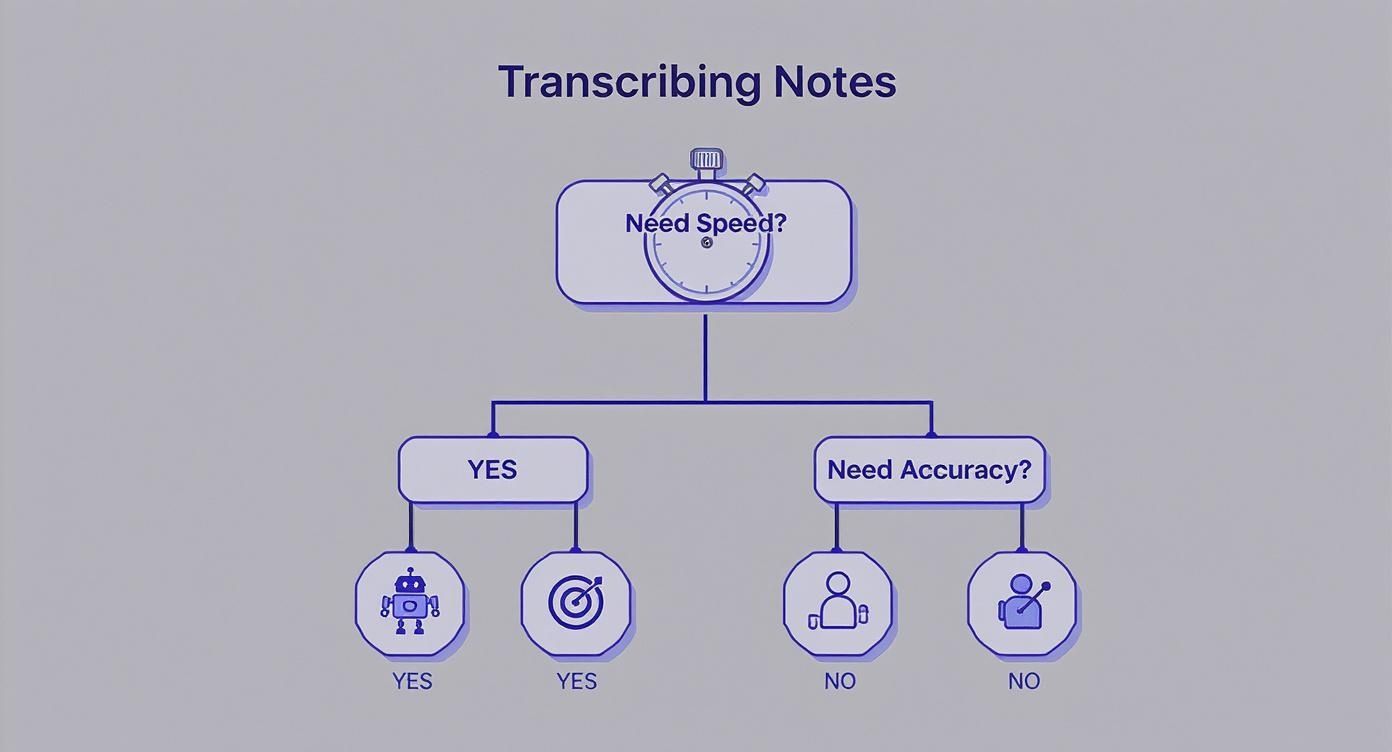
Como você pode ver, para a maioria das necessidades modernas, as ferramentas alimentadas por IA atingem o ponto ideal, oferecendo velocidade impressionante e alta precisão.
Por que as Ferramentas de IA se Destacam para Transcrição Rápida e Precisa?
IA de última geração
Alimentado pelo Whisper da OpenAI para precisão líder na indústria. Suporte para vocabulários personalizados, arquivos de até 10 horas e resultados ultra rápidos.

Importar de múltiplas fontes
Importe arquivos de áudio e vídeo de várias fontes, incluindo upload direto, Google Drive, Dropbox, URLs, Zoom e mais.

Exportar em múltiplos formatos
Exporte suas transcrições em múltiplos formatos incluindo TXT, DOCX, PDF, SRT e VTT com opções de formatação personalizáveis.
Métodos de Transcrição em Resumo
Para tornar tudo ainda mais claro, preparei uma tabela simples que detalha as principais formas de transcrever seus memorandos de voz. Pense nisso como um guia rápido para o seu fluxo de trabalho.
| Método | Ideal para | Precisão Típica | Custo | Velocidade |
|---|---|---|---|---|
| Ferramenta Dedicada de IA | Rascunhos rápidos e precisos para uso profissional | 95-99% | Gratuito a Pago | Segundos a Minutos |
| Recurso Embutido no Telefone | Notas e lembretes pessoais rápidos | 80-90% | Gratuito | Instantâneo (Tempo Real) |
| Serviço Manual | Necessidades legais, médicas ou certificadas | 99%+ | Alto (Por minuto) | Horas a Dias |
A tabela realmente destaca como plataformas de IA dedicadas como o Transcript.LOL criaram um meio-termo poderoso. Elas oferecem precisão quase igual à dos serviços humanos, mas por uma fração do custo e em uma fração do tempo.
Se você quiser explorar isso mais a fundo, preparamos um guia completo sobre o melhor software de transcrição de áudio que você pode encontrar hoje.
Em última análise, a ferramenta "certa" é aquela que se adapta ao seu fluxo de trabalho, e não o contrário. Para a grande maioria de profissionais, estudantes e criadores, um serviço com inteligência artificial oferece a melhor combinação possível de desempenho e valor.
Certo, vamos passar da teoria à prática. Converter seus memorandos de voz em texto com uma ferramenta de IA dedicada é surpreendentemente rápido. Todo o processo — desde extrair o arquivo de áudio do seu telefone até ter uma transcrição limpa — pode ser concluído em apenas alguns minutos.
Não se trata de economizar alguns segundos de digitação; trata-se de desbloquear as ideias, notas e conversas presas nessas gravações quase instantaneamente.
Primeiro de tudo, você precisa colocar seu memorando de voz na ferramenta de transcrição. A maioria das plataformas, como o Transcript.LOL, é projetada para isso. Você pode usar o AirDrop para enviar o arquivo do seu iPhone para o seu Mac, enviá-lo por e-mail para si mesmo ou simplesmente carregá-lo diretamente do Google Drive ou Dropbox. O que funcionar melhor para você.
O Processo de Upload e Transcrição
Assim que tiver seu arquivo de áudio pronto, a verdadeira mágica começa. Ferramentas de IA modernas mantêm essa parte extremamente simples, geralmente com uma interface de arrastar e soltar.
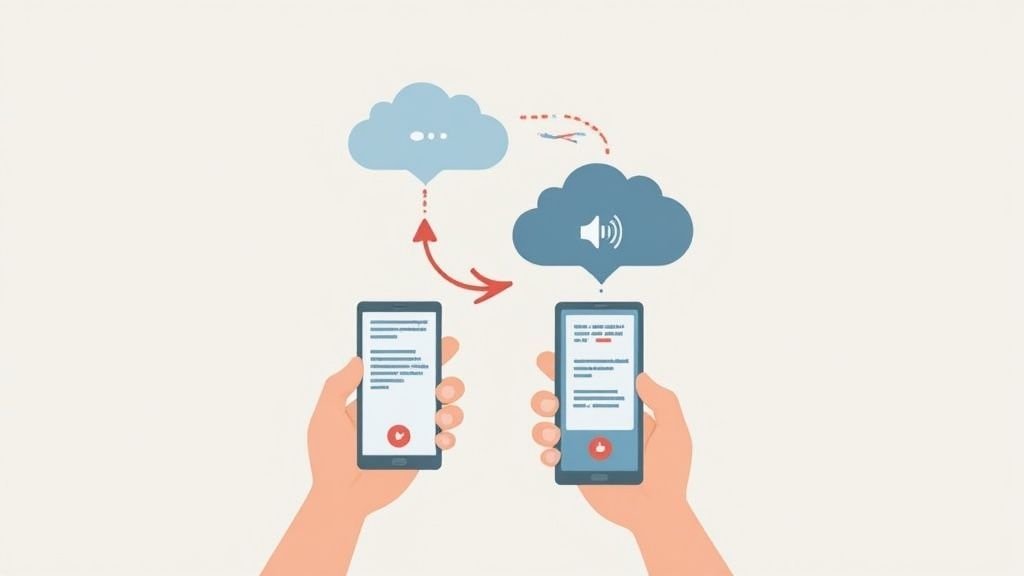
Como você pode ver, você pode puxar seu arquivo de praticamente qualquer lugar, tornando fácil começar, não importa onde você tenha guardado sua gravação.
Após o upload, você geralmente terá algumas opções poderosas para ajustar a precisão da sua transcrição:
Ferramentas Mais Novas Oferecem Melhor Controle Sobre a Precisão
Plataformas de transcrição modernas agora incluem detecção inteligente de falantes, vocabulário personalizável e processamento multilíngue aprimorado. Esses recursos atualizados aumentam dramaticamente a precisão, mesmo para gravações complexas ou jargões da indústria.
- Identificação do Orador: Isso é uma salvação. Se a sua gravação tiver várias pessoas falando, a IA pode detectar e rotular automaticamente quem disse o quê. É perfeito para entrevistas ou anotações de reuniões.
- Seleção de Idioma: Certifique-se de que a ferramenta esteja configurada para o idioma correto. Este parece óbvio, mas errar é a maneira mais rápida de obter uma transcrição inútil.
- Vocabulário Personalizado: Algumas das melhores ferramentas permitem que você adicione uma lista de nomes específicos, jargões incomuns ou termos da empresa. Isso ajuda a evitar que a IA tropece em palavras que não viu antes.
Com suas configurações definidas, basta clicar em "Transcrever". A IA faz o seu trabalho e, para um memorando de voz típico, você geralmente terá uma transcrição finalizada em menos de um minuto. É muito mais rápido do que qualquer digitador humano, por mais cafeinado que seja.
Revisando e Exportando seu Texto
Quando a IA terminar, você receberá uma transcrição completa e com marcação de tempo. O passo final é apenas dar uma olhada rápida. Mesmo com precisão de até 99%, é sempre uma boa ideia verificar se há nomes próprios ou termos técnicos que possam ter sido distorcidos. A maioria das ferramentas possui um editor interativo elegante que sincroniza o texto com o áudio, para que você possa simplesmente clicar em uma palavra e ouvir a gravação original para confirmar.
O objetivo não é apenas colocar as palavras em uma página; é torná-las utilizáveis. Uma boa ferramenta de IA oferece várias opções de exportação para se encaixar perfeitamente em seu fluxo de trabalho.
A partir daí, você pode exportar seu texto finalizado em qualquer formato que precisar. As opções mais comuns são:
- .TXT: Para texto simples, sem complicações.
- .DOCX: Para inserir diretamente no Microsoft Word ou Google Docs para mais edições.
- .SRT / .VTT: Se você estiver transformando seu áudio em legendas de vídeo.
Este fluxo contínuo de uma ideia falada para um documento funcional é o que torna a transcrição por IA tão poderosa. Se você está avaliando suas opções, nosso guia sobre o melhor software de transcrição por IA oferece uma análise muito mais detalhada do que está disponível.
Dicas Profissionais para Obter uma Transcrição Impecável
Uma boa transcrição é ótima, mas uma impecável economiza horas de edição dolorosa. O segredo para obter o melhor resultado ao converter memorandos de voz em texto, na verdade, começa muito antes de você clicar em "transcrever". A qualidade do seu áudio de origem é, sem dúvida, o fator mais importante na determinação da precisão.
Pense assim: se um humano teria dificuldade em entender um áudio abafado, uma IA também terá. O objetivo é fornecer ao mecanismo de transcrição o sinal mais limpo possível.
Isso significa que encontrar um espaço silencioso é inegociável. Ruído de fundo de cafés, tráfego passando de uma janela aberta ou até mesmo um ar condicionado zumbindo podem introduzir um número surpreendente de erros. Você não precisa de um estúdio profissional — um pequeno cômodo com superfícies macias, como carpetes e cortinas, faz maravilhas.
Melhores Práticas de Pré-Gravação
Antes mesmo de apertar o botão de gravar, alguns ajustes simples podem melhorar drasticamente a qualidade do seu áudio. Esses ajustes levam segundos, mas compensam muito em precisão de transcrição.
- Cuide do seu Microfone: Aproxime o microfone da sua boca, idealmente a cerca de seis polegadas de distância. Sério, até o headset básico que veio com seu telefone é uma grande melhoria em relação ao microfone embutido do telefone.
- Fale Claramente: Articule suas palavras e fale em um ritmo consistente e natural. A pressa ou o murmúrio forçam a IA a adivinhar, e é aí que acontecem erros bobos.
- Faça um Teste Rápido: Grave um clipe de teste de 10 segundos e reproduza-o. Seu nível de volume está consistente? Você notou algum ruído de fundo distrativo que não percebeu antes?
Estratégias Pós-Transcrição
Depois que sua transcrição for gerada, uma revisão rápida e estratégica é fundamental. A IA fez o trabalho pesado, mas um toque humano final é o que a torna perfeita. Em vez de ler cada palavra, concentre sua atenção nas áreas onde a IA geralmente tropeça.
Um processo de revisão inteligente não se trata de refazer o trabalho; trata-se de polir eficientemente a saída da IA. Verifique rapidamente nomes próprios, jargões específicos da empresa e quaisquer números que possam ter sido mal interpretados.
É aqui que ferramentas como o Transcript.LOL realmente se destacam, fornecendo carimbos de data/hora clicáveis. Se uma frase parecer um pouco estranha, você pode clicar instantaneamente para ouvir o segmento de áudio original e verificá-lo em segundos. Essa abordagem direcionada é muito mais rápida do que ouvir a gravação inteira novamente.
Recursos Avançados que Tornam a Edição Mais Rápida e Inteligente

Detecção de falantes
Identifique automaticamente diferentes falantes nas suas gravações e rotule-os com seus nomes.

Ferramentas de edição
Edite transcrições com ferramentas poderosas incluindo buscar e substituir, atribuição de falantes, formatos de texto rico e destaque.
Resumos e Chatbot
Gere resumos e outros insights da sua transcrição, prompts personalizados reutilizáveis e chatbot para o seu conteúdo.
Para um mergulho mais profundo, nosso guia sobre revisão em transcrição oferece técnicas mais avançadas para deixar seu documento absolutamente perfeito.
Como a Tecnologia Moderna de Transcrição Funciona De Verdade
Quando você transforma um memorando de voz em texto, pode parecer pura mágica. Mas nos bastidores, há uma tecnologia muito sofisticada em ação. Todo o processo depende do que são conhecidos como APIs de Fala para Texto (STT) — programas especializados que dividem seu áudio em pedaços minúsculos e analisáveis.
Esses sistemas são construídos sobre modelos de aprendizado de máquina, especificamente redes neurais, que foram treinados em bibliotecas incrivelmente vastas de fala humana. A IA não apenas "ouve" palavras; ela aprende a reconhecer fonemas (os sons distintos que compõem uma língua) e, em seguida, prevê a sequência mais provável de palavras com base no contexto, gramática e até mesmo no ritmo da sua fala.
Se você está curioso sobre o lado do hardware, como o som analógico é capturado em primeiro lugar, este guia sobre sistemas de áudio com mixer digital modernos oferece uma ótima visão desse processo de conversão inicial.
Essa tecnologia não é apenas uma ferramenta de nicho; é o motor de uma indústria massiva e em expansão. O mercado global de APIs de fala para texto já foi avaliado em US$ 3,8 bilhões em 2024 e está a caminho de mais do que dobrar até 2030, graças ao seu uso crescente em todos os lugares, da saúde aos negócios.
Entender essa base ajuda você a apreciar tanto o poder incrível quanto os limites atuais da IA de transcrição. É a chave para definir expectativas realistas de precisão e obter o máximo da tecnologia.
Perguntas Comuns Sobre Transcrição de Memorandos de Voz
Quando você começa a transformar memorandos de voz em texto, algumas perguntas sempre parecem surgir. Vamos esclarecer para que você saiba exatamente o que esperar e possa escolher a ferramenta certa para o trabalho.
A maior delas é sempre sobre precisão. Quão boa ela é, realmente? Ferramentas modernas de IA podem atingir 95-99% de precisão quando o áudio está limpo. Mas esse número não está gravado em pedra. Coisas como ruído de fundo alto, sotaques carregados ou um monte de jargões técnicos definitivamente diminuirão essa porcentagem um pouco.
Se você tem uma gravação nítida de uma pessoa falando claramente, provavelmente obterá uma transcrição quase perfeita. Por outro lado, se for uma reunião caótica com pessoas falando umas sobre as outras, planeje fazer alguma limpeza manual. Para ter uma ideia do que a tecnologia pode lidar, vale a pena aprender mais sobre as nuances da precisão de fala para texto e o que realmente impulsiona a qualidade de sua transcrição final.
Lidando com Múltiplos Falantes e Tipos de Arquivo
E quanto a gravações com mais de uma pessoa? Absolutamente. A maioria dos serviços de transcrição sólidos agora tem um recurso chamado diarização de falantes. É um divisor de águas. Ele descobre automaticamente quem está falando e rotula cada parte da conversa, transformando um bate-papo confuso em um script organizado e legível. Para entrevistas e reuniões, é uma salvação.
Outra pergunta comum é sobre tipos de arquivo. Embora os puristas possam apontar para formatos sem perdas como WAV como os melhores, a verdade é que a maioria das ferramentas funciona perfeitamente bem com os arquivos MP3 ou M4A que seu telefone cria por padrão.
A qualidade da sua gravação importa muito mais do que o tipo de arquivo. Um MP3 claro sempre vencerá um arquivo WAV abafado e barulhento.
Dicas Rápidas para Melhorar Sempre a Precisão da Transcrição
Use um Fundo Limpo e Silencioso
Ambientes sem ruído sempre oferecem a maior precisão. Mesmo sons pequenos como ventiladores ou tráfego podem confundir a IA. Escolha um espaço calmo antes de gravar.
Mantenha o Microfone Perto e Estável
Grave com o microfone a 12-15 cm da sua boca. Evite agitar ou mover o dispositivo – isso causa quedas de volume e distorção.
Fale em um Ritmo Natural e Claro
Você não precisa falar devagar – apenas de forma clara e consistente. Pronúncia e ritmo afetam diretamente a qualidade da transcrição.
Revise Termos-Chave Após a Transcrição
A IA às vezes ouve mal nomes ou palavras técnicas. Uma verificação rápida garante a precisão para termos específicos da indústria ou incomuns.
A transcrição vai muito além de notas pessoais. Tornou-se uma grande ajuda em muitos campos diferentes. Por exemplo, estudantes de idiomas frequentemente dependem de transcrições de recursos como podcasts em espanhol para aprendizes para aprimorar sua compreensão. E, claro, a segurança é um grande problema. Sempre certifique-se de que qualquer serviço que você use tenha criptografia de ponta a ponta e uma política de privacidade clara antes de fazer upload de qualquer coisa sensível.
Pronto para parar de digitar e começar a transcrever? Transcript.LOL oferece transcrição ultrarrápida e altamente precisa para todas as suas necessidades de áudio e vídeo. Experimente gratuitamente hoje