
Cómo transcribir una entrevista como un profesional
Aprende a transcribir una entrevista con esta guía práctica. Descubre flujos de trabajo modernos, consejos de edición y cómo obtener transcripciones precisas de manera eficiente.
Kate
June 12, 2024
Saber cómo transcribir una entrevista es mucho más que simplemente escribir lo que escuchas. Se trata de convertir una conversación en un activo potente y reutilizable, y el proceso ha cambiado drásticamente. Atrás quedaron los días de pasar horas escribiendo manualmente. Hoy en día, es un flujo de trabajo inteligente y asistido por IA que te proporciona resultados precisos en minutos.
Vamos a ver cómo crear una transcripción pulida de la manera moderna.
Por qué la transcripción precisa es tu arma secreta
Antes de entrar en el cómo, hablemos del porqué. Una transcripción de alta calidad no es solo un registro; es la base para un análisis profundo, contenido impactante y hechos verificables. Esto es cierto tanto si eres periodista, investigador de UX o profesional del marketing. ¿Una transcripción descuidada? Conduce a citas erróneas, datos incorrectos y una gran cantidad de tiempo perdido.
El salto de la transcripción manual a los servicios impulsados por IA ha sido un cambio total de juego. Lo que antes le tomaba a un profesional 4-6 horas para una sola hora de audio, ahora puede ser redactado por la IA en una fracción del tiempo. Esto te libera para concentrarte en lo que realmente importa: extraer ideas del contenido, no solo capturarlo laboriosamente.
El valor real de la precisión
Seamos francos: las transcripciones inexactas son una responsabilidad. Una palabra mal entendida puede cambiar el significado de una cita. Las etiquetas de orador incorrectas pueden atribuir una declaración crítica a la persona equivocada. Aquí es donde las herramientas modernas marcan la diferencia.
Con una transcripción de alta calidad, puedes:
- Extraer citas impactantes para artículos, estudios de caso o publicaciones en redes sociales.
- Analizar datos cualitativos con total confianza para investigación académica o de mercado.
- Reutilizar contenido sin esfuerzo, convirtiendo audio en subtítulos de video o publicaciones de blog.
- Mejorar tu SEO al convertir palabras habladas en texto que los motores de búsqueda puedan leer.
La demanda de esto está explotando. El mercado global de transcripción de marketing se valoró en 2.240 millones de USD en 2025 y se proyecta que alcance los 5.640 millones de USD para 2035. Las entrevistas constituyen un enorme 21,3 % de eso.
Para una rápida comparación de cómo se comparan los métodos antiguos y nuevos, aquí tienes un simple desglose.
Transcripción manual vs. IA de un vistazo
| Característica | Transcripción Manual | Transcripción con IA |
|---|---|---|
| Velocidad | Extremadamente lenta (4-6 horas por hora de audio) | Extremadamente rápida (minutos por hora de audio) |
| Costo | Alto (a menudo $1.00 - $2.50 por minuto) | Bajo (fracciones de centavo por minuto) |
| Precisión inicial | Alta, pero propensa a errores humanos/fatiga | Alta (95%+), pero puede tener dificultades con el ruido/acentos |
| Flujo de trabajo | Lineal y laborioso | Cargar, editar, exportar: muy eficiente |
| Escalabilidad | Muy limitada; difícil de manejar el volumen | Altamente escalable; procesa varios archivos a la vez |
Como puedes ver, la IA se encarga del trabajo pesado, pero la supervisión humana sigue siendo clave para cerrar esa brecha final de precisión.
La precisión lo es todo
Si bien la IA te brinda una velocidad increíble, el objetivo final es siempre la precisión. Los algoritmos actuales son increíblemente precisos, pero cosas como el ruido de fondo, los acentos marcados y las personas que hablan al mismo tiempo aún pueden hacerlos tropezar. Es por eso que una revisión humana final no es solo una sugerencia, es un paso innegociable en cualquier flujo de trabajo profesional.
Una gran transcripción es una colaboración entre una IA potente y un humano detallista. La IA hace el trabajo pesado, mientras que tú añades el toque final para garantizar una fiabilidad y un contexto del 100 %.
Familiarizarte con los matices de la precisión del habla a texto te ayudará a establecer expectativas realistas y a perfeccionar tu proceso de edición. Esta guía te mostrará exactamente cómo lograr ese equilibrio.
Obtén un audio excelente antes de grabar
El secreto de una transcripción impecable comienza mucho antes de subir cualquier archivo. Realmente se reduce a esto: el viejo dicho "basura entra, basura sale" es la verdad absoluta en la transcripción. Lo he visto una y otra vez: la mala calidad del audio es el enemigo número uno de la precisión, obligándote a pasar mucho más tiempo editando y corrigiendo errores de lo que deberías.
Tu objetivo es capturar un audio tan limpio que una IA pueda entender cada palabra sin tener que adivinar. Esto significa hacer bien algunas cosas clave antes de siquiera pensar en presionar el botón de grabar.
Funciones inteligentes de IA que mejoran la precisión de tu audio a texto
Aquí tienes las funciones esenciales impulsadas por IA que toda herramienta de transcripción debería tener para lograr precisión, velocidad y comodidad.
IA de última generación
Impulsado por Whisper de OpenAI para una precisión líder en la industria. Soporte para vocabularios personalizados, archivos de hasta 10 horas y resultados ultra rápidos.

Importar desde múltiples fuentes
Importa archivos de audio y video desde diversas fuentes, incluyendo carga directa, Google Drive, Dropbox, URLs, Zoom y más.

Detección de hablantes
Identifica automáticamente diferentes hablantes en tus grabaciones y etiquétalos con sus nombres.
Elige tu entorno de grabación sabiamente
El lugar donde grabas tiene un gran impacto en la calidad del sonido. Una cafetería bulliciosa con platos ruidosos y una máquina de café expreso siseante es una receta para el desastre. Lo mismo ocurre con esas habitaciones grandes y vacías con suelos de madera y paredes desnudas: el eco enturbiará el audio y hará que las voces sean muy difíciles de distinguir.
En su lugar, busca un espacio pequeño y tranquilo con superficies blandas. Piensa en habitaciones con alfombras, cortinas o incluso un vestidor si es necesario. Estos materiales son excelentes para absorber el sonido y reducir el eco, lo que te proporciona una grabación mucho más limpia. Y si estás en una videollamada, recuerda que las mismas reglas se aplican a todos los que están en la línea.
Domina la Colocación de tu Micrófono
Ese pequeño espacio entre la boca del orador y el micrófono es crucial. Demasiado lejos, y captarás todo el ruido de fondo de la habitación. Demasiado cerca, y obtendrás esos molestos "popeos" y distorsión. Una buena regla general que siempre sigo es mantener el micrófono a unos 20-30 cm de distancia del orador.
Aquí hay algunas configuraciones que funcionan bien para diferentes situaciones:
- En Persona: Utiliza micrófonos de solapa individuales para cada orador. Esto mantiene los niveles de audio consistentes para todos, incluso si se mueven.
- Entrevistas Remotas: Cada persona debe usar un micrófono externo dedicado. En serio, incluso un micrófono USB básico es una gran mejora en comparación con el micrófono integrado de una computadora portátil. Para más información sobre esto, nuestra guía sobre cómo transcribir reuniones de Zoom tiene algunos consejos específicos.
- Llamadas Telefónicas: Hagas lo que hagas, evita el altavoz. Ambas personas deben usar auriculares o audífonos con micrófonos integrados para mantener sus voces aisladas y claras.
La Prueba de Sonido No Negociable
Siempre, siempre haz una prueba de sonido. Toma menos de un minuto y puede salvarte de una grabación completamente inutilizable. Solo haz que cada persona hable durante 20-30 segundos a su volumen normal.
Escucha esa rápida grabación de prueba. ¿Escuchas algún zumbido de fondo, distorsión o el volumen de alguien es demasiado bajo? Esta es tu oportunidad para ajustar los niveles del micrófono, acercarte al micrófono o pedirle a alguien que cierre una ventana antes de que comience la entrevista real.
Consejo Profesional: Si tienes la opción, graba en un formato de archivo sin pérdidas como WAV o FLAC. Los archivos son más grandes, claro, pero conservan todos los datos de audio originales. Esto le da al software de transcripción el mejor material fuente posible para trabajar.
Más allá de la configuración técnica, recuerda que la forma en que las personas hablan también importa. Una entrega clara y articulada es un factor importante en la precisión de la transcripción. Repasar habilidades de comunicación para entrevistas puede ayudar a garantizar que cada palabra se capture perfectamente. Este trabajo de preparación construye una base sólida para tu transcripción.
Tu Flujo de Trabajo de Transcripción Moderno con IA
Bien, tienes el audio cristalino en mano. El trabajo de preparación está hecho, y ahora es el momento de sumergirse en el núcleo de la transcripción moderna. Aquí es donde dejas que la tecnología haga el trabajo pesado, convirtiendo lo que solía ser una tarea tediosa y de varias horas en un proceso que se realiza en minutos. Olvídate de pausar, rebobinar y escribir cada palabra. Tu nuevo flujo de trabajo se trata de cargar, ajustar algunas configuraciones y dejar que la IA te lleve al 95% del camino.
Todo comienza con una simple carga de archivo. Una buena plataforma como Transcript.LOL está diseñada para el uso en el mundo real, lo que significa que puedes cargar tu archivo de entrevista desde casi cualquier lugar: tu escritorio, una unidad en la nube como Google, o incluso pegando una URL directa.
Este gráfico realmente desglosa los pasos simples pero cruciales que tomas antes de llegar a la IA.
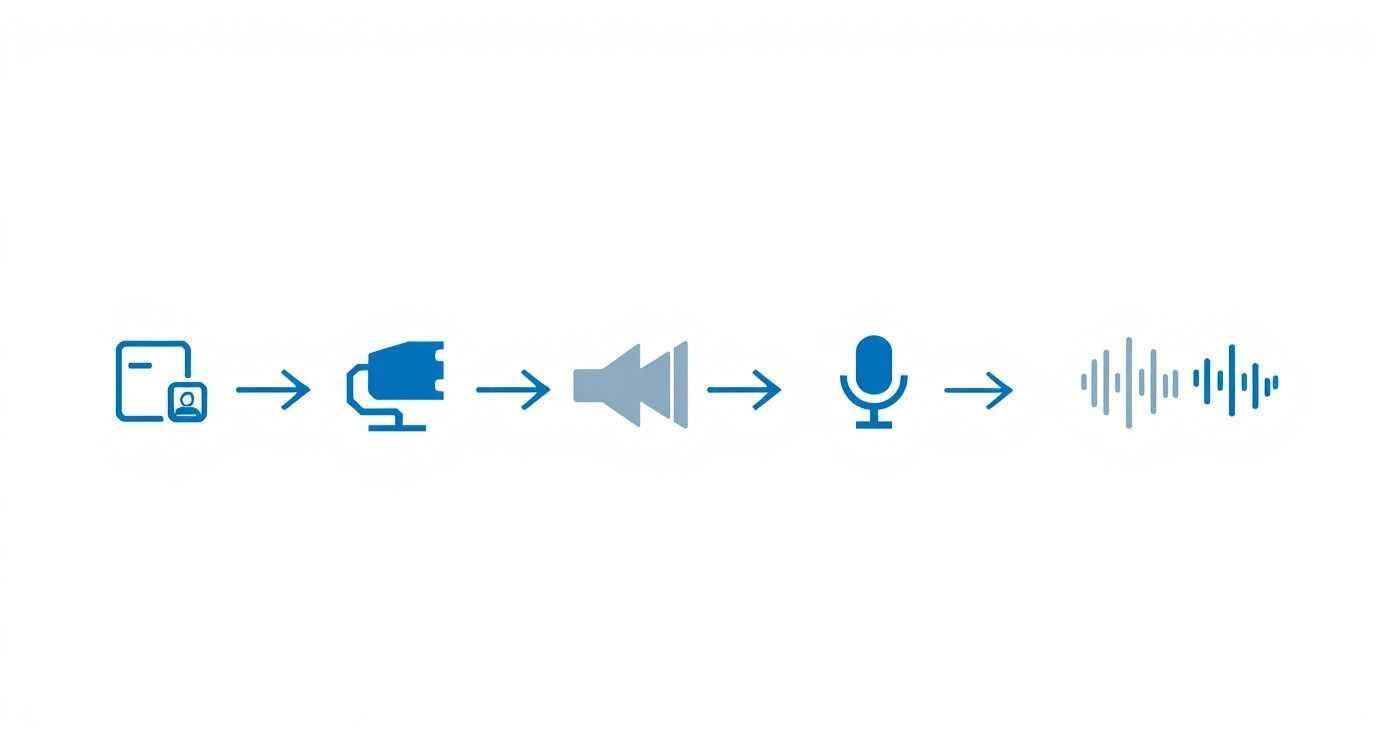
Es un gran recordatorio visual de que una habitación silenciosa, un micrófono decente y una prueba de sonido rápida son los tres pilares del audio de alta calidad. Y un mejor audio se traduce directamente en una mejor precisión de la IA.
Preparando la IA para el Éxito
Una vez que tu archivo esté en el sistema, tomarás un par de decisiones clave. Primero y más importante: confirma el idioma hablado en la grabación. Los modelos de IA modernos pueden manejar docenas de idiomas, pero decirle el correcto desde el principio es la forma más fácil de garantizar una precisión de primer nivel.
Otra característica que definitivamente querrás es la identificación de hablantes, a veces llamada diarización. Simplemente diciéndole a la IA cuántas personas están hablando, etiquetará automáticamente cada párrafo con "Hablante 1", "Hablante 2", y así sucesivamente. Esto ahorra mucho tiempo. Convierte una posible pared de texto en un borrador estructurado y conversacional que es infinitamente más fácil de limpiar.
El primer borrador de la IA es tu nuevo punto de partida. Piénsalo no como un producto terminado, sino como un conjunto de notas increíblemente detalladas que ya han capturado cada palabra. Tu trabajo cambia de ser un mecanógrafo tedioso a un editor hábil.
Este cambio fundamental en la forma en que trabajamos es una gran razón por la que el mercado de la transcripción está en auge. Fue valorado en alrededor de 21 mil millones de dólares en 2022 y se espera que supere los 35 mil millones de dólares para 2032, principalmente porque la IA hace factible procesar el volumen masivo de audio de entrevistas y reuniones en línea.
Notas importantes antes de empezar a editar
El audio limpio hace que la IA sea 2-3 veces más precisa. Dedicar un poco de tiempo a configurar un buen entorno de grabación te ahorrará mucha edición manual más adelante. Asegúrate siempre de que el audio sea lo más claro posible.
De la Carga al Primer Borrador
Una vez que hayas configurado tus opciones, la IA se pone a trabajar. Entonces, ¿cuánto tiempo tarda? Para una entrevista de una hora, un servicio de IA de calidad generalmente generará la transcripción inicial en solo unos minutos. Esa velocidad es lo que hace que todo este flujo de trabajo sea tan potente.
Cuando obtengas ese primer borrador, tendrás un archivo de texto donde la IA ha hecho todo lo posible para capturar cada palabra y asignarla a la persona correcta. La precisión suele ser sorprendentemente buena, pero no es perfecta, y eso está bien. Aquí es donde entras tú. Tu próximo paso es refinar este borrador en un documento pulido y 100% preciso, que es un beneficio principal de usar software de transcripción impulsado por IA.
Para mejorar realmente tu eficiencia, puedes considerar la integración de varias herramientas de automatización de flujos de trabajo de IA para manejar otras tareas repetitivas. Estas pueden ayudar con todo, desde la organización de archivos hasta la distribución del contenido final. El objetivo es construir un sistema repetible para convertir palabras habladas en valiosos activos escritos con el menor esfuerzo manual posible.
Cómo Editar y Refinar tu Transcripción de IA
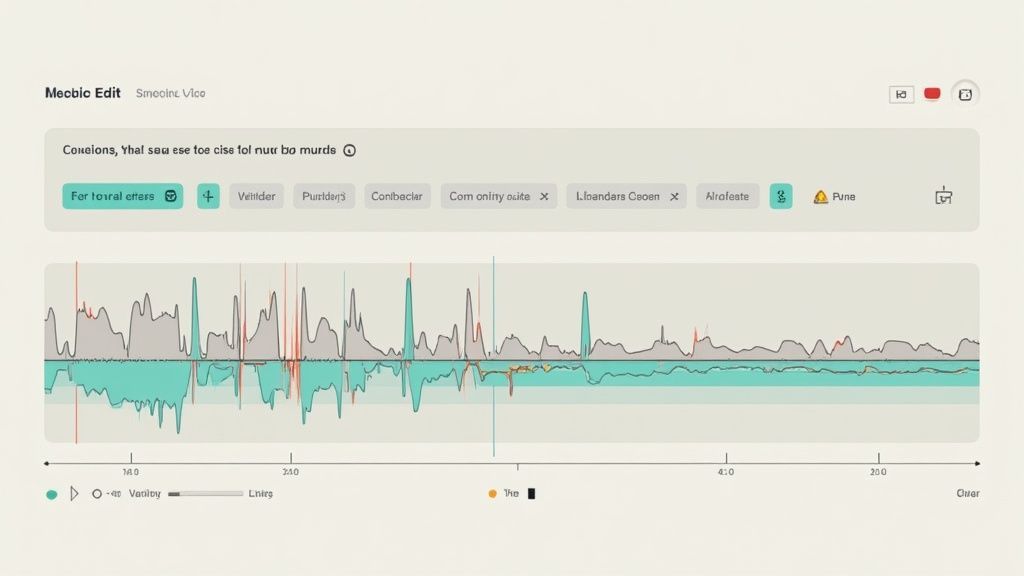
La IA ha hecho su parte, convirtiendo horas de audio en texto en solo unos minutos. Eso es una ventaja increíble, pero la salida bruta es tu punto de partida, no la línea de meta. El siguiente paso es donde ocurre la verdadera magia: agregar el toque humano para transformar un buen borrador de IA en un documento impecable y pulido.
Aquí es donde capturas los errores sutiles que incluso la IA más inteligente puede pasar por alto. Piénsalo como una corrección de pruebas con una capa adicional de contexto, asegurándote de que el texto coincida perfectamente con el audio hablado.
Tu Lista de Verificación Esencial para la Corrección
Cuando te sumerjas en la revisión, presta atención a los errores más comunes de la IA. Plataformas como Transcript.LOL hacen esto súper eficiente con un editor interactivo que sincroniza la reproducción de audio con el texto. Puedes hacer clic en cualquier palabra y escuchar instantáneamente lo que se dijo.
Aquí tienes lo que debes buscar:
- Nombres Propios Mal Escritos: La IA a menudo tropieza con nombres únicos de personas, empresas o lugares específicos. Un nombre como "Siobhan" podría aparecer como "Sha'von".
- Homófonos Confusos: Las palabras que suenan igual pero significan cosas diferentes son errores clásicos de la IA. ¿Dijo el hablante "their", "there" o "they're"?
- Jerga Específica de la Industria: Si tu entrevista está repleta de términos técnicos o acrónimos, querrás verificar que la IA los haya escrito correctamente.
- Etiquetas de Hablante Incorrectas: La detección de hablantes suele ser sólida, pero el habla superpuesta a veces puede confundir al algoritmo. Es una solución rápida reasignar cualquier párrafo mal etiquetado a la persona correcta.
El proceso de edición es tu control de calidad. Es el paso que eleva un texto generado por máquina a un documento confiable y de grado profesional que puedes usar con confianza para investigación, contenido o registros legales.
Ajuste Fino de Sellos de Tiempo y Formato
La precisión no se trata solo de las palabras; también se trata del tiempo. Los sellos de tiempo precisos son innegociables si estás creando subtítulos de video o necesitas encontrar rápidamente momentos clave en el audio. Mientras editas, puedes ajustar fácilmente los tiempos de inicio y fin de los bloques de texto para asegurarte de que se sincronicen perfectamente. Para una inmersión más profunda, consulta nuestra guía sobre transcripción con código de tiempo.
Este nivel de detalle se está volviendo cada vez más crítico, especialmente en la educación y la investigación. El mercado de transcripción académica en los EE. UU. es una gran parte de la industria de transcripción general de casi 30 mil millones de dólares. Se proyecta que crezca un 5,5% cada año hasta 2035, todo gracias a las necesidades digitales de las instituciones educativas. Puedes encontrar más información sobre estas tendencias del mercado de transcripción académica en dittotranscripts.com.
Elección de tu Estilo de Transcripción
Finalmente, necesitas decidir el estilo adecuado para tu transcripción. Esta elección realmente depende de cómo manejes el desorden natural del habla humana.
| Estilo | Descripción | Mejor para |
|---|---|---|
| Verbatim | Captura cada sonido: palabras de relleno ("um", "uh"), tartamudeos, inicios falsos e incluso señales no verbales. | Procedimientos legales, análisis psicológicos o cualquier situación en la que la forma exacta de hablar sea crítica. |
| Clean Verbatim | Elimina todas las palabras de relleno, tartamudeos y repeticiones para crear un texto limpio y legible que preserve el significado original del hablante. | Creación de contenido, materiales de marketing, periodismo y la mayoría de los casos de uso empresarial o académico. |
Para la mayoría de las entrevistas, clean verbatim es la mejor opción. Hace que la transcripción sea mucho más fácil de leer y extraer citas sin perder ninguna información central. Una vez que hayas terminado tus ediciones y hayas elegido un estilo, tu transcripción estará lista para la acción.
Usos rápidos para tu transcripción finalizada
Crear publicaciones de blog
Convierte entrevistas largas en artículos de blog estructurados utilizando ideas y citas directas.
Producir contenido para redes sociales
Extrae frases potentes y reutilízalas en reels, carruseles y subtítulos de publicaciones.
Crear estudios de caso
Destaca historias y resultados clave compartidos por tu entrevistado para crear estudios de caso persuasivos.
Generar activos SEO
Utiliza transcripciones para crear páginas ricas en palabras clave que mejoren la visibilidad en las búsquedas.
Pon a trabajar tu transcripción pulida
Así que has limpiado tu transcripción. Es precisa, está perfectamente formateada y lista para usar. Pero no la guardes en una carpeta y des por terminado el día; aquí es donde entra el valor real.
La última pieza del rompecabezas para aprender a transcribir una entrevista es convertir ese texto en un activo flexible que puedas utilizar de muchas maneras. Y todo comienza eligiendo el formato de exportación adecuado para el trabajo.
Funciones de flujo de trabajo que potencian la productividad

Herramientas de edición
Edita transcripciones con herramientas potentes como buscar y reemplazar, asignación de hablantes, formatos de texto enriquecido y resaltado.

Exportar en múltiples formatos
Exporta tus transcripciones en múltiples formatos incluyendo TXT, DOCX, PDF, SRT y VTT con opciones de formato personalizables.
Resúmenes y Chatbot
Genera resúmenes y otros análisis de tu transcripción, prompts personalizados reutilizables y chatbot para tu contenido.
Eligiendo el Mejor Formato de Exportación
Piensa en los formatos de exportación como diferentes herramientas en una caja de herramientas. Tomar la decisión correcta ahora te ahorrará muchos dolores de cabeza más adelante. Si solo necesitas un documento limpio y legible para tus registros o para compartir con un colega, un archivo .docx o .txt es tu mejor aliado. Son universales y muy fáciles de usar.
Pero la verdadera magia ocurre con los formatos más especializados.
¿Planeas añadir subtítulos a un video de la entrevista? Exportar como un archivo .srt (SubRip Subtitle) es el estándar de la industria. Es un cambio radical porque el archivo no solo contiene el texto; incluye las marcas de tiempo precisas necesarias para sincronizar cada palabra con tu video. Hace que todo el proceso sea ridículamente fácil.
Para la mayoría de las necesidades de contenido, uno de estos será suficiente:
- .docx: Perfecto para convertir tu entrevista en informes, artículos o cualquier documento que necesite más formato.
- .txt: Una opción simple y ligera que es excelente para el análisis de datos o para importar a otras aplicaciones.
- .srt / .vtt: Los formatos ideales para crear subtítulos y transcripciones de video para plataformas como YouTube o Vimeo.
Reutiliza tu Contenido como un Profesional
Una gran transcripción de entrevista es una mina de oro de contenido esperando ser excavada. En lugar de verla como una pieza única y terminada, deberías verla como la materia prima para una docena más. Así es como obtienes el máximo provecho de cada entrevista que realizas.
Tu transcripción no es el producto final; es el comienzo de tu estrategia de contenido. Una entrevista puede alimentar tu calendario de contenido durante semanas si sabes cómo desglosarla.
Por ejemplo, comienza extrayendo las citas más potentes y contundentes directamente del texto. Al instante, esas se convierten en publicaciones para redes sociales, testimonios para una página de destino o llamadas de atención llamativas en una publicación de blog. No dejes que esas pepitas de oro queden enterradas.
También puedes ampliar y identificar los temas principales o las ideas clave que surgieron en la conversación. Cada uno de esos grandes temas puede convertirse en su propia publicación de blog dedicada, dando a tu audiencia algo más profundo para reflexionar.
¿Tu entrevistado compartió una historia personal convincente? Esa es la base perfecta para un estudio de caso detallado o un artículo narrativo. El objetivo es cortar, picar y reempaquetar la información central para diferentes plataformas, convirtiendo una conversación en un motor de contenido que funciona en múltiples canales.
Preguntas Comunes sobre Transcripción de Entrevistas
Cuando estás aprendiendo a transcribir una entrevista, siempre surgen algunas preguntas. El flujo de trabajo básico está bastante claro, pero los pequeños detalles sobre el tiempo, la precisión y la seguridad pueden marcar una gran diferencia en la utilidad de tu transcripción final.
Entremos en algunas de las preguntas más comunes que la gente hace. Dominar estos detalles desde el principio te ayudará a establecer las expectativas correctas para tu proyecto y a evitar dolores de cabeza más adelante.
¿Cuánto tiempo lleva realmente?
Este es el gran interrogante. Transcribir manualmente una entrevista de una hora consume mucho tiempo. Incluso un profesional experimentado suele necesitar de 4 a 6 horas para completar una hora de audio claro. Es un trabajo arduo de pausar, rebobinar y escribir constantemente.
Con un servicio de IA, el borrador inicial es una historia completamente diferente: suele estar listo en solo unos minutos. La variable real es el tiempo de edición, que depende de la calidad del audio y de cuán preciso necesites ser. Para una grabación limpia, una revisión rápida podría llevar solo de 30 a 60 minutos, lo que supone un salto masivo en comparación con hacerlo a mano.
Literal vs. Literal Limpio
Escuchará estos dos términos con frecuencia y es importante conocer la diferencia.
- Transcripción Literal: Este estilo captura cada sonido. Hablamos de muletillas ("eh", "um"), tartamudeos, inicios falsos e incluso ruidos de fondo. Es esencial para cosas como deposiciones legales o análisis psicológicos, donde la forma exacta en que se dijo algo es crítica.
- Transcripción Literal Limpio: Esto es lo que la mayoría de la gente necesita. También se llama literal inteligente y elimina todas las muletillas y repeticiones que distraen. El resultado es una transcripción fluida y legible que mantiene intacto el significado original del hablante. Para la creación de contenido, reuniones de negocios o investigación académica, esta es casi siempre la opción a elegir.
Elegir el literal limpio hace que su transcripción sea mucho más útil para extraer citas o reutilizar contenido. Obtiene el mensaje central sin todo el desorden de los patrones de habla natural.
¿Puede la IA manejar acentos y varios hablantes?
La IA moderna ha mejorado sorprendentemente en esto. Los modelos actuales pueden distinguir entre varios hablantes y comprender una amplia gama de acentos con una precisión impresionante. Una IA de alta calidad incluso puede etiquetar automáticamente a los hablantes ("Hablante 1", "Hablante 2") por usted.
Por supuesto, no es perfecto. Los acentos fuertes, las personas que hablan al mismo tiempo o la mala calidad del audio aún pueden confundir a la IA. Aquí es donde la parte de edición humana del proceso se vuelve tan importante. La IA le da un comienzo increíble y, a partir de ahí, puede corregir fácilmente cualquier error en las etiquetas de los hablantes o palabras mal escuchadas directamente en el editor.
¿Qué pasa con las entrevistas sensibles o confidenciales?
La seguridad debe ser su máxima prioridad cuando maneje información sensible. Elija siempre un servicio de transcripción que tenga una política de privacidad sólida y transparente y que utilice cifrado de extremo a extremo para proteger sus archivos.
Si trabaja en una industria regulada, busque plataformas que cumplan con estándares como GDPR o HIPAA. Para una seguridad máxima, algunos servicios incluso ofrecen procesamiento en el dispositivo para que sus archivos nunca tengan que salir de su computadora. Sea cual sea la herramienta que utilice, recuerde anonimizar manualmente cualquier dato personal en la transcripción final si se va a compartir o publicar.
¿Listo para transformar sus entrevistas en texto preciso y procesable en minutos? Pruebe Transcript.LOL y experimente un flujo de trabajo de transcripción más inteligente y rápido. Obtenga su primera transcripción hoy.