
Os 12 melhores softwares de transcrição para entrevistas em 2025
Encontre o melhor software de transcrição para entrevistas. Nossa análise de 2025 abrange os principais serviços de IA e humanos para precisão, velocidade e integração de fluxo de trabalho.
Praveen
August 25, 2025
Em áreas como jornalismo, pesquisa acadêmica e análise qualitativa, as entrevistas são a base para a obtenção de insights. No entanto, o processo de converter horas de áudio em texto utilizável representa um gargalo significativo. Transcrever manualmente uma entrevista de uma hora pode levar de quatro a seis horas, consumindo um tempo valioso que poderia ser dedicado à análise de dados, à redação de relatórios ou à realização de mais entrevistas. Esse processo tedioso não é apenas ineficiente; é propenso a erros humanos, o que pode comprometer a integridade de sua pesquisa e fluxos de trabalho de conteúdo.
A boa notícia é que esse esforço manual não é mais necessário. O software de transcrição para entrevistas moderno automatiza todo esse fluxo de trabalho, entregando texto altamente preciso em uma fração do tempo. Essas ferramentas fazem mais do que apenas converter fala em texto; elas oferecem recursos como identificação de locutor, marcação de tempo e edição colaborativa que otimizam a análise pós-entrevista. Além de entrevistas, diversos setores se beneficiam imensamente da transcrição automatizada. Por exemplo, ministérios utilizam serviços profissionais de transcrição de sermões para reutilizar mensagens faladas em diversos formatos de conteúdo, como posts de blog e guias de estudo.
Este guia detalha as 12 melhores ferramentas de transcrição disponíveis atualmente. Nós as organizamos por casos de uso específicos, desde assistentes de reunião ao vivo para equipes corporativas até plataformas poderosas e seguras para pesquisadores acadêmicos. Cada análise inclui capturas de tela, links diretos e uma avaliação honesta de recursos e limitações. Nosso objetivo é ajudá-lo a encontrar a plataforma certa para suas necessidades, para que você possa recuperar seu tempo e focar no que realmente importa: os insights ocultos em suas conversas.
1. Transcript.LOL
O Transcript.LOL se posiciona como uma potência no espaço de transcrição, utilizando o motor Whisper da OpenAI para entregar precisão excepcional para gravações de entrevistas. Esta plataforma é projetada para profissionais que exigem mais do que uma simples conversão de texto; ela serve como um hub de fluxo de trabalho abrangente para transformar conteúdo de entrevistas em ativos acionáveis. Sua capacidade de lidar com uploads longos - até 10 horas - o torna uma escolha ideal para transcrever entrevistas aprofundadas, grupos focais de dia inteiro ou sessões de pesquisa extensas sem divisão de arquivos.
A plataforma se distingue por um conjunto robusto de recursos voltados para clareza e eficiência na transcrição de entrevistas.
IA de última geração
Alimentado pelo Whisper da OpenAI para precisão líder na indústria. Suporte para vocabulários personalizados, arquivos de até 10 horas e resultados ultra rápidos.

Importar de múltiplas fontes
Importe arquivos de áudio e vídeo de várias fontes, incluindo upload direto, Google Drive, Dropbox, URLs, Zoom e mais.

Exportar em múltiplos formatos
Exporte suas transcrições em múltiplos formatos incluindo TXT, DOCX, PDF, SRT e VTT com opções de formatação personalizáveis.
A detecção automática de falantes é um recurso crítico, rotulando com precisão quem está falando em uma conversa com vários participantes, o que economiza inúmeras horas de revisão manual. Além disso, a inclusão de um recurso de vocabulário personalizado permite que os usuários "ensinem" à IA nomes específicos, jargões da indústria ou acrônimos, elevando ainda mais sua já alta precisão de mais de 99,8% para tópicos especializados.
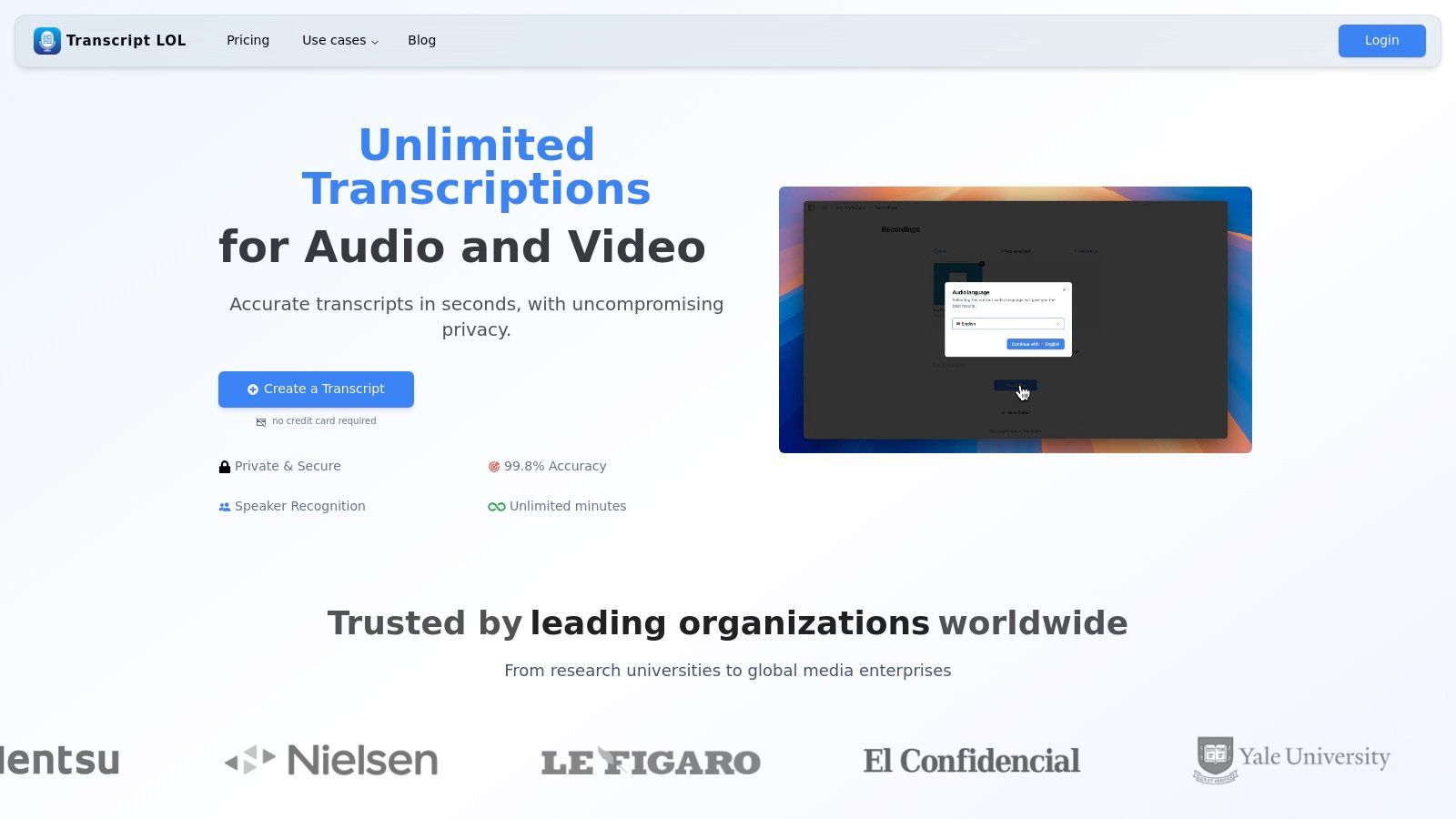
Principais Recursos para Transcrição de Entrevistas
- Alta Precisão e Vocabulário Personalizado: Alcança transcrição quase perfeita e aprende sua terminologia específica, crucial para entrevistas técnicas ou acadêmicas.
- Opções de Importação Versáteis: Importe gravações de entrevistas perfeitamente do Google Drive, Dropbox, Zoom ou até mesmo diretamente de uma URL, otimizando o processo inicial de upload.
- Suite de Edição Avançada: O editor interativo fornece ferramentas como localizar e substituir, reatribuir falantes e formatação de texto rico, permitindo que você aprimore o documento final.
- Geração de Conteúdo: Além da transcrição, ele gera automaticamente resumos, itens de ação, mapas mentais e até mesmo sugestões para mídias sociais diretamente do conteúdo da entrevista, maximizando seu valor.
- Colaboração Segura: Espaços de trabalho compartilhados e controles de acesso granulares facilitam a revisão segura por equipes de dados de entrevistas confidenciais, tudo sob uma política rigorosa onde os dados do usuário nunca são usados para treinamento de IA. Saiba mais sobre transcrição de entrevistas e grupos focais no Transcript.LOL.
Preços e Acesso
- Plano Gratuito: Adequado para testes, oferecendo 2 transcrições por dia, cada uma com até 20 minutos de duração.
- Plano Ilimitado: Preço de US$ 120/ano, este plano individual oferece uploads ilimitados e processamento prioritário, tornando-o uma solução econômica para usuários frequentes.
- Plano de Equipe: Por US$ 240/ano, ele adiciona recursos colaborativos como espaços de trabalho compartilhados e acesso multiusuário.
O Transcript.LOL é uma escolha de destaque para profissionais que buscam um software de transcrição rápido, preciso e seguro para entrevistas que também aprimora os fluxos de trabalho pós-entrevista.
Site: https://transcript.lol
O Transcript.LOL garante que seus dados nunca sejam usados para treinamento de IA — tornando-o uma escolha segura para entrevistas acadêmicas ou jornalísticas sensíveis.
2. Rev
A Rev se estabeleceu como uma plataforma ideal para projetos de alto risco, oferecendo um poderoso modelo híbrido que combina transcrição humana líder de mercado com um motor automatizado rápido e econômico. Essa abordagem dupla a torna uma excelente opção para usuários que precisam de precisão garantida para algumas entrevistas e de um retorno rápido para outras. É particularmente adequada para pesquisadores acadêmicos, profissionais jurídicos e jornalistas que não podem se dar ao luxo de ter interpretações errôneas em seu material de origem.
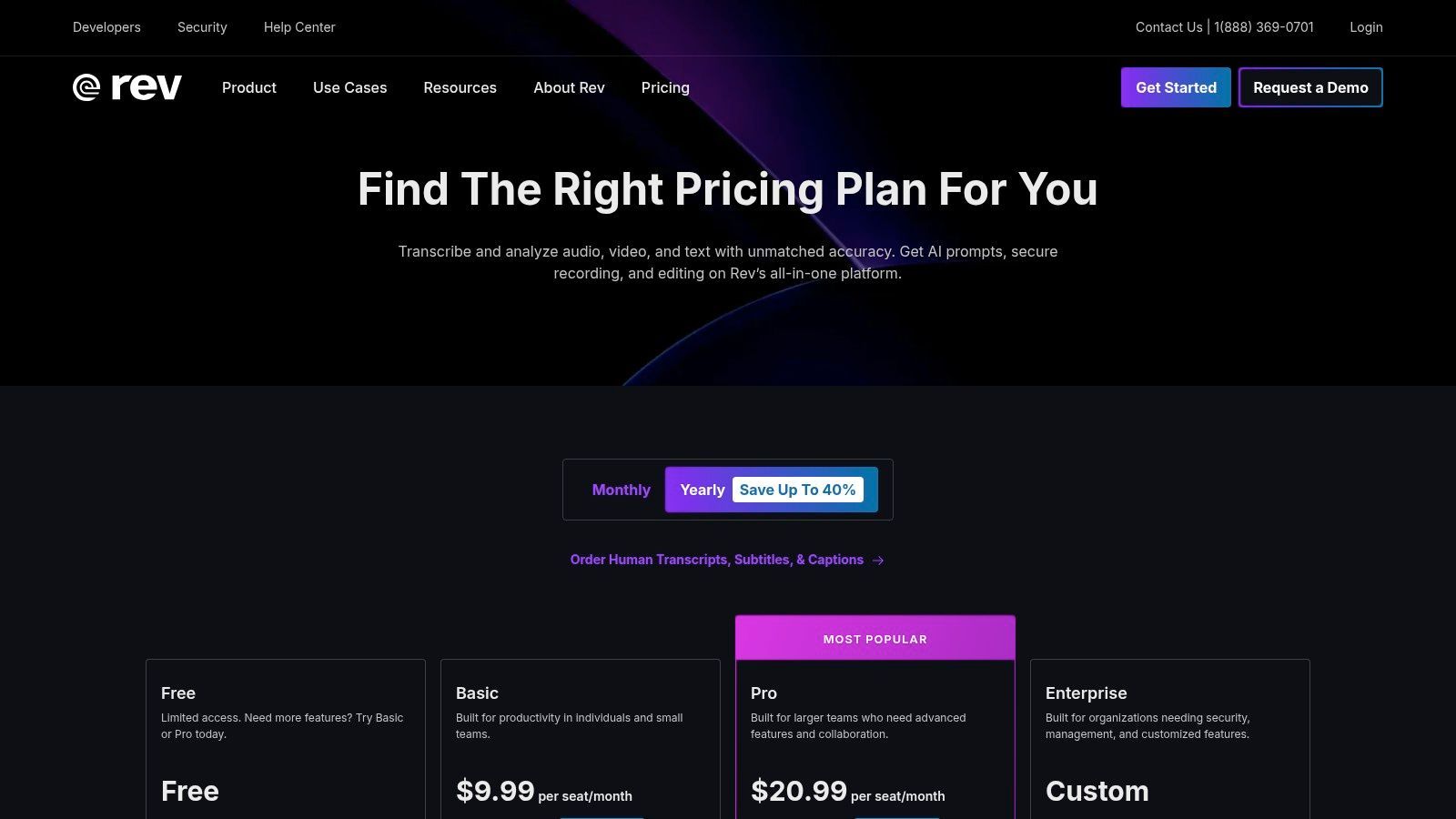
O principal diferencial da plataforma é seu serviço de transcrição humana, que promete 99% de precisão com um tempo de retorno de 12 horas, entregue por uma vasta rede de transcritores profissionais. Essa confiabilidade é crucial ao transcrever entrevistas com vários falantes, sotaques fortes ou qualidade de áudio ruim. O editor interativo é outro recurso de destaque, permitindo revisar facilmente as transcrições, identificar os falantes e exportar o texto final em vários formatos.
Principais Recursos e Preços
| Recurso | Detalhes | Preço |
|---|---|---|
| Transcrição Humana | Garantia de 99% de precisão, realizada por transcritores profissionais. | A partir de US$ 1,50 por minuto de áudio |
| Transcrição Automatizada | Transcrição com IA, com até 90% de precisão, entregue em minutos. | US$ 0,25 por minuto de áudio |
| Editor Interativo | Reproduza áudio em sincronia com o texto, destaque citações importantes e faça edições facilmente. | Incluído em todos os pedidos de transcrição |
| Planos para Equipes | Faturamento centralizado, gerenciamento de usuários e minutos de transcrição de IA agrupados. | Preços personalizados disponíveis |
Caso de Uso Prático
Um jornalista que conduz uma série de entrevistas sensíveis e aprofundadas para uma matéria investigativa acharia o serviço de transcrição humana da Rev inestimável. A precisão garantida de 99% garante que as citações diretas sejam capturadas com precisão, o que é essencial para manter a integridade jornalística e evitar problemas legais. O editor permite que eles encontrem e extraiam rapidamente citações importantes para seu artigo.
Website: https://www.rev.com/pricing
3. Otter.ai
O Otter.ai se tornou um favorito entre jornalistas, estudantes e pesquisadores por sua capacidade de produzir transcrições ao vivo durante reuniões e entrevistas. A plataforma se destaca na transformação de conversas faladas em notas inteligentes e pesquisáveis em tempo real. Sua força reside na integração perfeita com plataformas de reunião e em uma interface amigável que combina gravação, transcrição e anotações em um fluxo de trabalho único e eficiente, tornando-o um excelente software de transcrição para entrevistas realizadas remotamente.
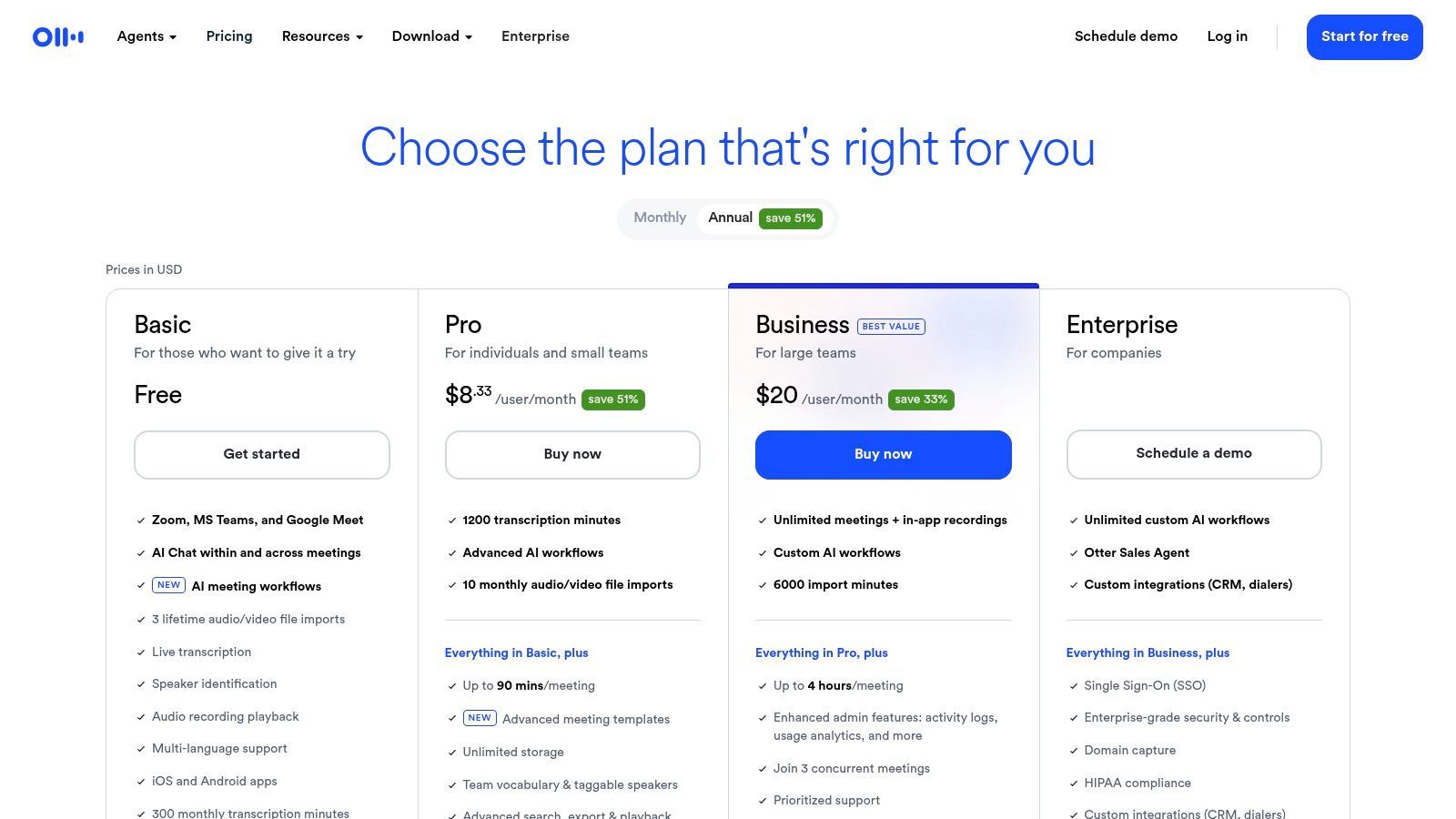
Os recursos de destaque da plataforma são a identificação de falantes em tempo real e os resumos automatizados, que ajudam os usuários a captar rapidamente os principais pontos de uma longa conversa. Após a gravação, o Otter processa o áudio para criar uma transcrição onde você pode clicar em qualquer palavra para reproduzir o áudio correspondente. Isso torna a revisão e a extração de citações incrivelmente eficientes. Embora a precisão da IA seja forte com áudio claro, ela pode ter dificuldades com sotaques fortes ou ruído de fundo, uma limitação comum para serviços automatizados. Para obter orientação sobre como trabalhar com texto gerado por IA, explore como analisar dados de entrevistas para pesquisa qualitativa.

Detecção de falantes
Identifique automaticamente diferentes falantes nas suas gravações e rotule-os com seus nomes.

Ferramentas de edição
Edite transcrições com ferramentas poderosas incluindo buscar e substituir, atribuição de falantes, formatos de texto rico e destaque.
Resumos e Chatbot
Gere resumos e outros insights da sua transcrição, prompts personalizados reutilizáveis e chatbot para o seu conteúdo.
Principais Recursos e Preços
| Recurso | Detalhes | Preço |
|---|---|---|
| Transcrição ao Vivo | Transcrição em tempo real com identificação de locutor para reuniões e entrevistas. | Plano Gratuito disponível; Pro a partir de US$ 16,99/mês |
| Resumo Gerado por IA | Cria automaticamente um resumo, esboço e itens de ação a partir da sua transcrição. | Incluído em planos pagos |
| Integrações de Reunião | Conecta-se com Zoom, Google Meet e Microsoft Teams para transcrever automaticamente. | Disponível nos planos Pro e Business |
| Minutos Generosos | O plano Business oferece um alto volume de minutos de transcrição por usuário. | Plano Business a partir de US$ 35/usuário/mês |
Caso de Uso Prático
Um pesquisador de mercado que conduz uma série de grupos focais virtuais se beneficiaria imensamente da transcrição ao vivo e das integrações de reunião do Otter.ai. Ao conectar o Otter às suas sessões do Zoom, eles podem se concentrar inteiramente na moderação da discussão enquanto o software captura cada palavra. Depois, eles podem usar a transcrição pesquisável e os resumos de IA para identificar rapidamente temas-chave e sentimentos do consumidor, acelerando significativamente seu processo de análise e relatórios.
Website: https://otter.ai/pricing
4. Temi (da Rev)
O Temi oferece uma abordagem direta e sem frescuras para a transcrição automatizada, tornando-o um forte concorrente para usuários que precisam de resultados rápidos e acessíveis sem o compromisso de uma assinatura. Alimentado pela tecnologia avançada de reconhecimento de fala da Rev, ele oferece um serviço de pagamento conforme o uso, perfeito para projetos únicos ou usuários com necessidades de transcrição flutuantes. É uma escolha ideal para estudantes, podcasters e profissionais de marketing que precisam de uma maneira rápida e econômica de transformar áudio de entrevistas em texto.
O principal apelo da plataforma é sua simplicidade e velocidade; você pode fazer upload de um arquivo e receber uma transcrição em minutos. Embora a precisão da IA dependa muito da qualidade do áudio, o Temi fornece um editor baseado na web fácil de usar que sincroniza o texto com a reprodução de áudio, facilitando as correções. Ele identifica automaticamente diferentes locutores e adiciona carimbos de data/hora, o que é crucial para analisar a dinâmica da entrevista. O primeiro arquivo de até 45 minutos é gratuito, oferecendo um teste sem riscos.
Principais Recursos e Preços
| Recurso | Detalhes | Preço |
|---|---|---|
| IA de Pagamento Conforme o Uso | Preços por minuto sem assinatura para transcrição automatizada. | US$ 0,25 por minuto de áudio |
| Editor Interativo | Revise e edite transcrições com áudio sincronizado, rótulos de locutor e carimbos de data/hora. | Incluído em todos os pedidos |
| Múltiplas Opções de Exportação | Baixe transcrições concluídas como arquivos DOCX, PDF, TXT, SRT e VTT. | Incluído em todos os pedidos |
| Teste Gratuito | Sua primeira transcrição de um arquivo de até 45 minutos é gratuita. | Grátis |
Caso de Uso Prático
Um estudante de pós-graduação que realiza várias entrevistas para sua dissertação pode usar o Temi para processar rapidamente horas de áudio com um orçamento limitado. O modelo de pagamento por minuto significa que eles pagam apenas pelo que usam, evitando uma assinatura mensal. Eles podem então usar o editor interativo para refinar o texto gerado por IA e extrair citações e temas-chave para sua análise de pesquisa, tornando-o uma ferramenta eficiente para trabalho acadêmico.
Website: https://www.temi.com/
5. Trint
Fundado por um jornalista, o Trint é construído especificamente para fluxos de trabalho de narração e criação de conteúdo. Ele se destaca em ajudar os usuários a passar de entrevistas brutas de áudio ou vídeo para uma narrativa finalizada. A plataforma é projetada para equipes que precisam colaborar em transcrições, extrair citações importantes e criar histórias a partir de várias fontes de forma eficiente, tornando-a uma escolha principal para redações, equipes de marketing e produtores de documentários.
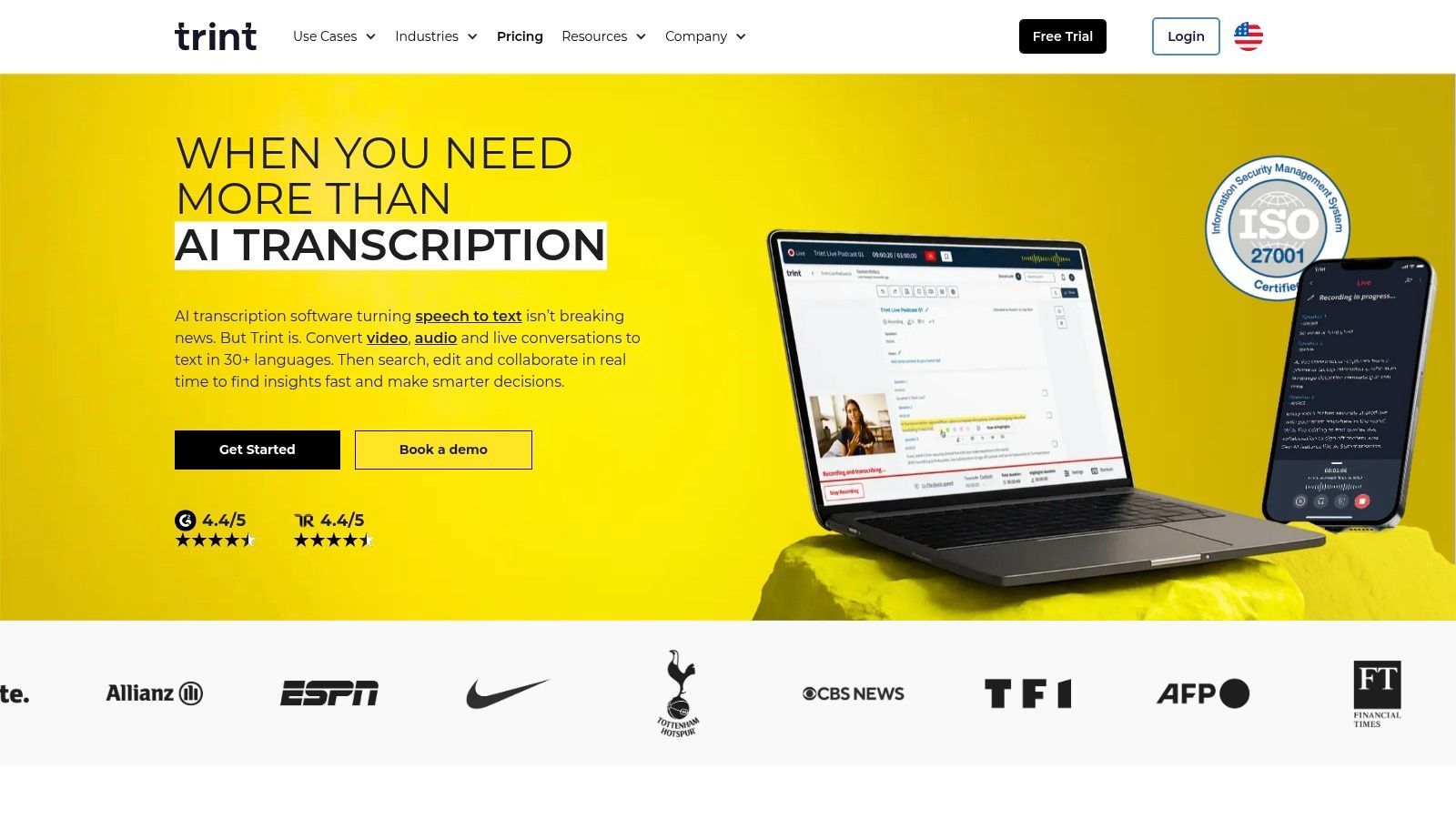
O ponto forte do Trint reside em seu editor colaborativo no navegador, que permite aos usuários pesquisar, destacar e comentar diretamente nas transcrições. Isso transforma o texto estático em um espaço de trabalho dinâmico. Seus robustos recursos de segurança, incluindo certificação ISO 27001 e opções de residência de dados, fornecem a conformidade de nível empresarial que organizações maiores exigem. Embora dependa exclusivamente de transcrição por IA, as ferramentas de fluxo de trabalho da plataforma são otimizadas especificamente para tornar a revisão e verificação desse texto o mais contínuas possível.
Principais Recursos e Preços
| Recurso | Detalhes | Preço |
|---|---|---|
| Fluxo de Trabalho de Narração | Ferramentas para pesquisar em várias transcrições, montar citações e criar narrativas. | A partir de US$ 80 por usuário/mês |
| Colaboração | Espaços de trabalho de equipe compartilhados, edição em tempo real, comentários e permissões. | Incluído em todos os planos |
| Suporte a Idiomas Globais | Transcreva em mais de 40 idiomas e traduza para mais de 50 idiomas. | Incluído em todos os planos |
| Segurança Empresarial | Certificado ISO 27001 com opções de residência de dados nos EUA ou UE. | Disponível no plano Enterprise (preços personalizados) |
Caso de Uso Prático
Uma equipe de marketing de conteúdo produzindo um vídeo de estudo de caso com várias entrevistas de clientes usaria o Trint para gerenciar o projeto. Eles podem fazer upload de todas as entrevistas, obter transcrições rápidas de IA e atribuir membros da equipe para revisar diferentes arquivos. Usando o editor, eles podem destacar as citações de clientes mais poderosas de cada entrevista e montá-las em um único documento de "história" para construir o roteiro do vídeo, otimizando todo o processo de pós-produção.
Website: https://www.trint.com/
6. Descript
O Descript revoluciona o processo de transcrição, tratando-o como a base para um editor de áudio e vídeo tudo-em-um. Em vez de apenas entregar um arquivo de texto, ele vincula a transcrição diretamente à mídia, permitindo que você edite sua gravação de entrevista simplesmente editando o texto. Este modelo de "edição por transcrição" o torna a ferramenta definitiva para podcasters, criadores de vídeo e pesquisadores que precisam transformar filmagens brutas de entrevistas em conteúdo polido e publicável.
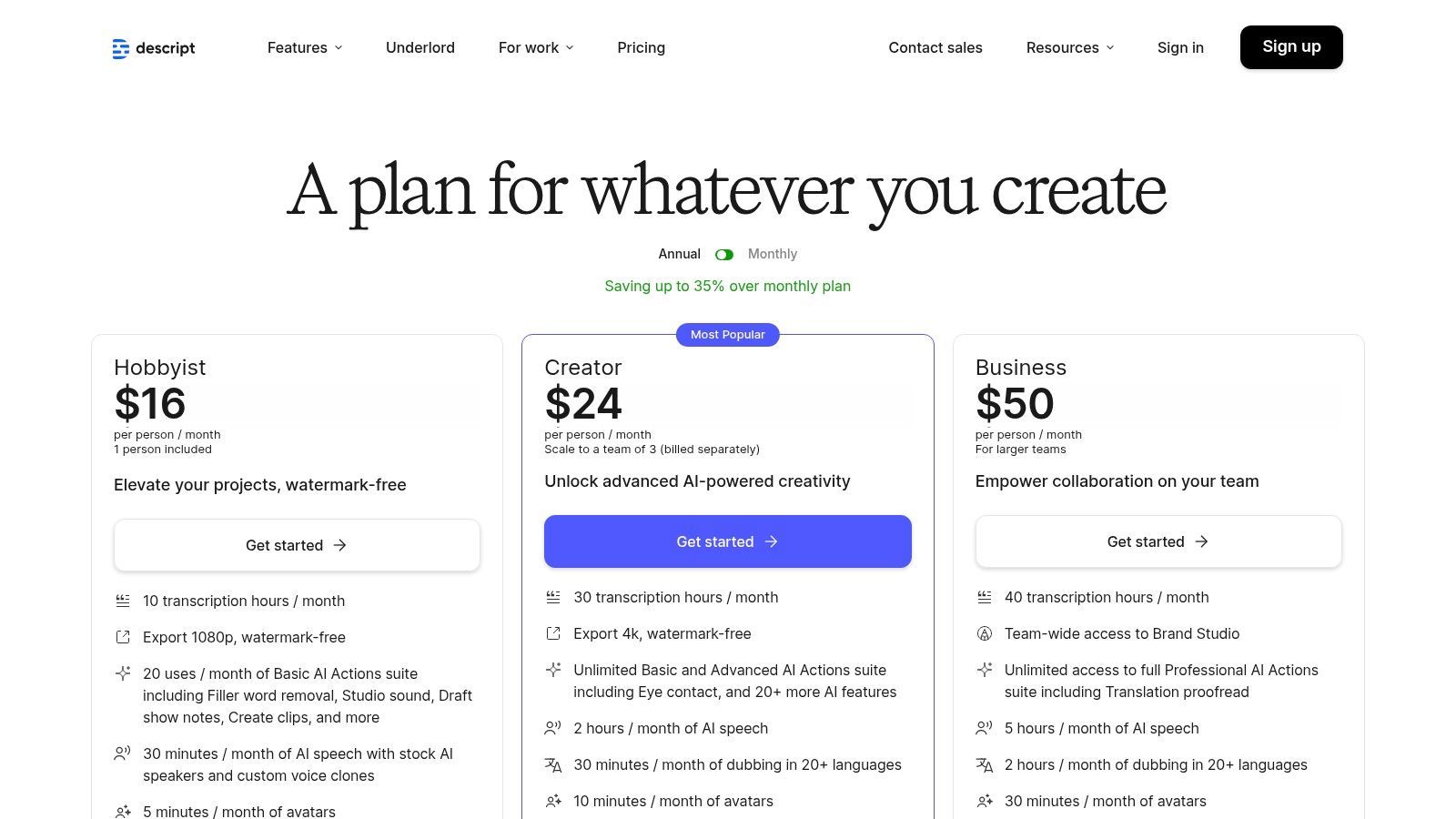
O recurso de destaque da plataforma é seu poderoso conjunto de ferramentas de edição baseadas em IA. Os usuários podem remover automaticamente palavras de preenchimento como "ãh" e "éh" com um único clique, aprimorar áudio ruim com seu recurso Studio Sound e criar facilmente clipes compartilháveis. Embora apresente uma curva de aprendizado mais acentuada do que serviços simples de transcrição, seu valor é incomparável para qualquer pessoa cujo fluxo de trabalho se estenda além da simples transcrição de entrevistas para a produção de mídia a partir delas. As generosas horas de transcrição mensais incluídas nos planos pagos o tornam uma escolha econômica para criadores de conteúdo regulares.
Principais Recursos e Preços
| Recurso | Detalhes | Preço |
|---|---|---|
| Edição Baseada em Texto | Edite áudio e vídeo simplesmente editando o texto correspondente na transcrição. | Incluído em todos os planos, começando com Gratuito |
| Transcrição por IA | Horas de transcrição mensais generosas incluídas em planos pagos para precisão automatizada. | 10-30 horas por mês em planos pagos |
| Studio Sound | Ferramenta de IA com um clique para remover ruído de fundo e aprimorar a qualidade da voz do locutor. | Incluído em todos os planos |
| Remoção de Palavras de Preenchimento | Detecta e exclui automaticamente palavras de preenchimento ("ãh", "éh", etc.) de áudio e vídeo. | Disponível nos planos Creator e Pro, a partir de US$ 12/usuário/mês |
Caso de Uso Prático
Um apresentador de podcast que realiza entrevistas remotas pode usar o Descript para gerenciar todo o seu fluxo de trabalho de pós-produção. Após a gravação, eles podem fazer upload do arquivo para obter uma transcrição rápida e automatizada. Em seguida, podem corrigir quaisquer erros, remover palavras de preenchimento e usar o editor baseado em texto para cortar seções irrelevantes. Finalmente, podem aplicar o Studio Sound para melhorar a qualidade do áudio e exportar o episódio final, pronto para transmissão, sem sair da plataforma.
Website: https://www.descript.com/pricing
7. Sonix
O Sonix é um poderoso serviço de transcrição baseado em IA projetado para profissionais e equipes que trabalham frequentemente com áudio e vídeo de entrevistas. Seu principal apelo reside em seus modelos de preços flexíveis e robustos recursos colaborativos, tornando-o uma excelente escolha para projetos recorrentes. A plataforma se destaca no processamento de grandes volumes de mídia, oferecendo opções de pagamento conforme o uso e de assinatura para atender às necessidades flutuantes de transcrição.
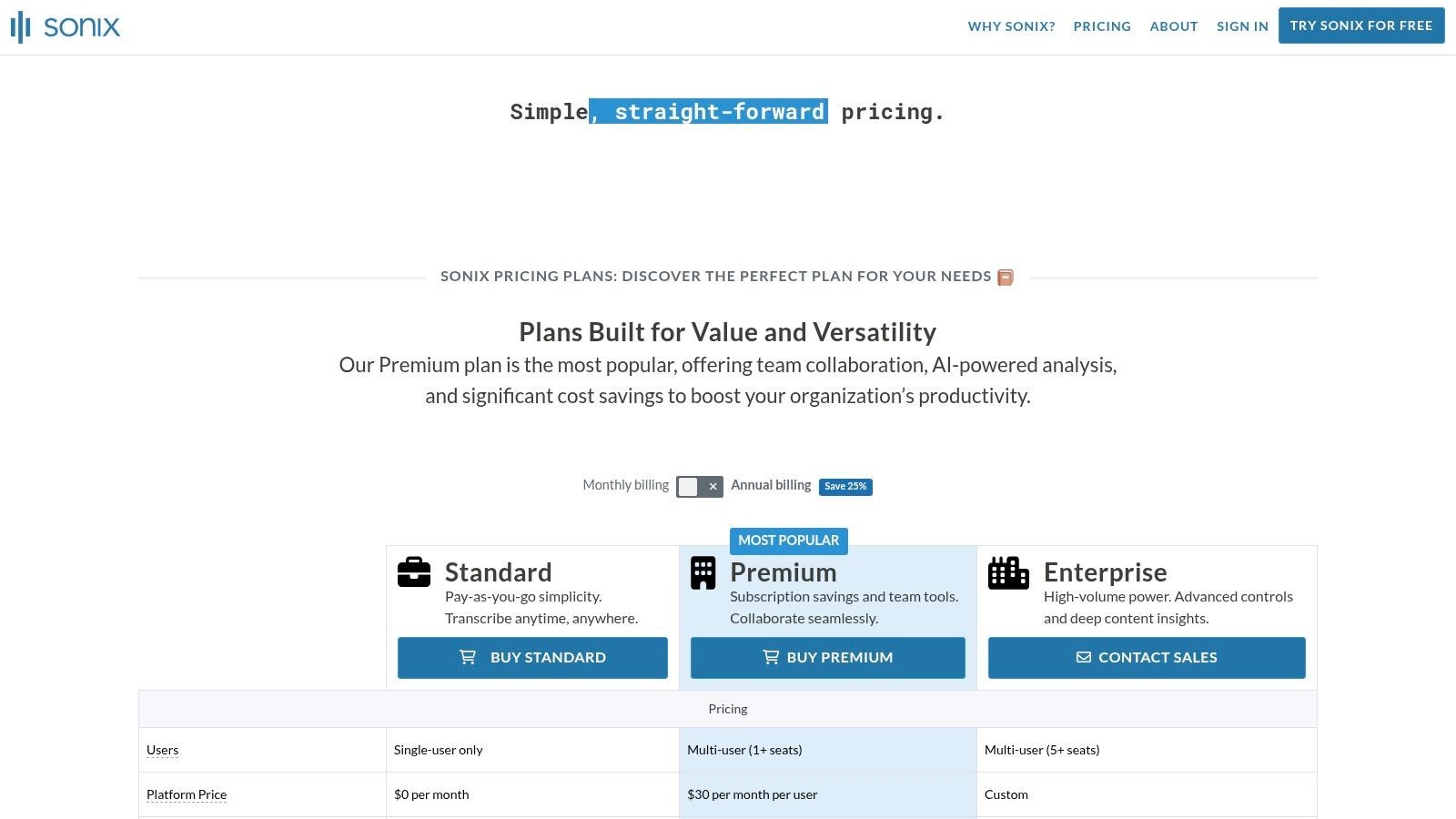
A plataforma suporta mais de 40 idiomas e fornece um editor no navegador que identifica automaticamente diferentes locutores (diarização) e permite que os usuários criem um dicionário personalizado para terminologia especializada. Isso a torna uma peça de software de transcrição altamente eficaz para entrevistas com assuntos de nicho. A capacidade de traduzir transcrições para diferentes idiomas é outro recurso chave, ampliando sua utilidade para equipes globais e pesquisadores de mercado.
Principais Recursos e Preços
| Recurso | Detalhes | Preço |
|---|---|---|
| Plano de Pagamento Conforme o Uso | Transcrição automatizada padrão sem compromisso recorrente. | A partir de US$ 10 por hora |
| Assinatura Premium | Inclui um número definido de horas de transcrição e taxas por hora mais baixas. | US$ 5 por hora + US$ 22/usuário/mês |
| Editor no Navegador | Edite transcrições ao lado da reprodução de áudio, com rotulagem de locutor e um dicionário personalizado. | Incluído com todos os planos |
| Colaboração em Equipe | Recursos como acesso multiusuário, pastas compartilhadas e gerenciamento de permissões. | Disponível com os planos Premium e Enterprise |
Caso de Uso Prático
Uma empresa de pesquisa de mercado que realiza entrevistas de grupos focais em diferentes países se beneficiaria muito do Sonix. Eles podem usar o modelo de assinatura para transcrição em massa econômica e alavancar as ferramentas de colaboração em equipe para permitir que vários pesquisadores acessem e analisem as transcrições. O recurso de tradução da plataforma seria essencial para converter rapidamente entrevistas conduzidas em vários idiomas em uma única linguagem unificada para o relatório final.
Website: https://sonix.ai/pricing
8. Happy Scribe
O Happy Scribe se destaca no cenário globalizado de entrevistas, oferecendo robustos serviços multilíngues de transcrição e tradução. Ele fornece um modelo flexível com transcrição rápida baseada em IA e um serviço feito por humanos, tornando-o ideal para pesquisadores internacionais, jornalistas e empresas globais. Seu recurso de destaque é o extenso suporte a idiomas, que não é apenas um complemento, mas uma parte central de sua oferta.
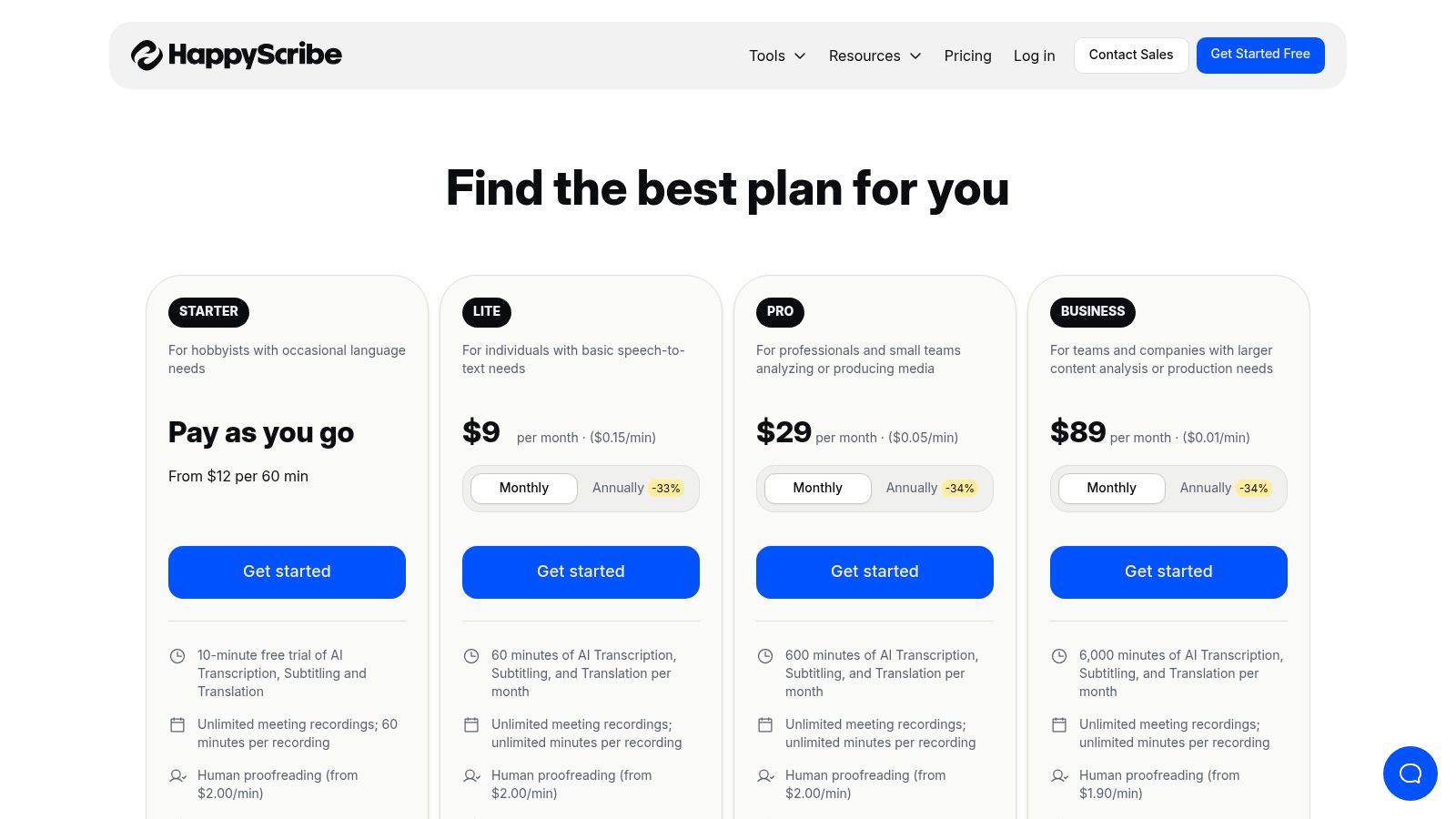
A plataforma é projetada para usuários que lidam regularmente com entrevistas em vários idiomas e precisam de transcrições confiáveis sem trocar de ferramenta. A precificação transparente por idioma do Happy Scribe para revisão humana permite um planejamento orçamentário claro em projetos internacionais. O editor colaborativo aprimora ainda mais sua utilidade, permitindo que equipes espalhadas por diferentes regiões trabalhem juntas no aprimoramento de transcrições de entrevistas.
Principais Recursos e Preços
| Recurso | Detalhes | Preço |
|---|---|---|
| Transcrição de IA Multilíngue | Suporta transcrição automatizada em mais de 120 idiomas e sotaques. | A partir de US$ 10/mês (cobrado anualmente) para 120 minutos |
| Transcrição Feita por Humanos | Serviço de 99% de precisão por transcritores nativos. | A partir de US$ 2,00 por minuto de áudio (varia por idioma) |
| Editor Colaborativo | Espaço de trabalho interativo para equipes editarem, destacarem e comentarem transcrições. | Incluído com todos os planos |
| Múltiplos Formatos de Exportação | Exporte transcrições em formatos como DOCX, PDF, TXT e SRT. | Incluído com todos os planos |
Caso de Uso Prático
Um pesquisador acadêmico que conduz um estudo qualitativo com participantes da França, Espanha e Alemanha acharia o software de transcrição do Happy Scribe para entrevistas indispensável. Eles podem fazer upload de todo o áudio das entrevistas em uma plataforma e receber transcrições precisas geradas por IA em seus idiomas nativos. Para citações críticas, eles podem facilmente atualizar arquivos específicos para o serviço feito por humanos para garantir 99% de precisão para sua análise e publicações.
Website: https://www.happyscribe.com/pricing
9. Fireflies.ai
O Fireflies.ai conquista seu nicho como um assistente de reunião de IA que se destaca na transcrição de entrevistas realizadas em plataformas de videoconferência. Embora seu foco principal sejam reuniões ao vivo, seus poderosos recursos de automação e integração o tornam um forte concorrente para qualquer pessoa cujo fluxo de trabalho de entrevistas dependa fortemente de ferramentas como Zoom, Google Meet ou Microsoft Teams. Ele vai além da simples transcrição, fornecendo resumos, itens de ação e notas pesquisáveis impulsionados por IA.
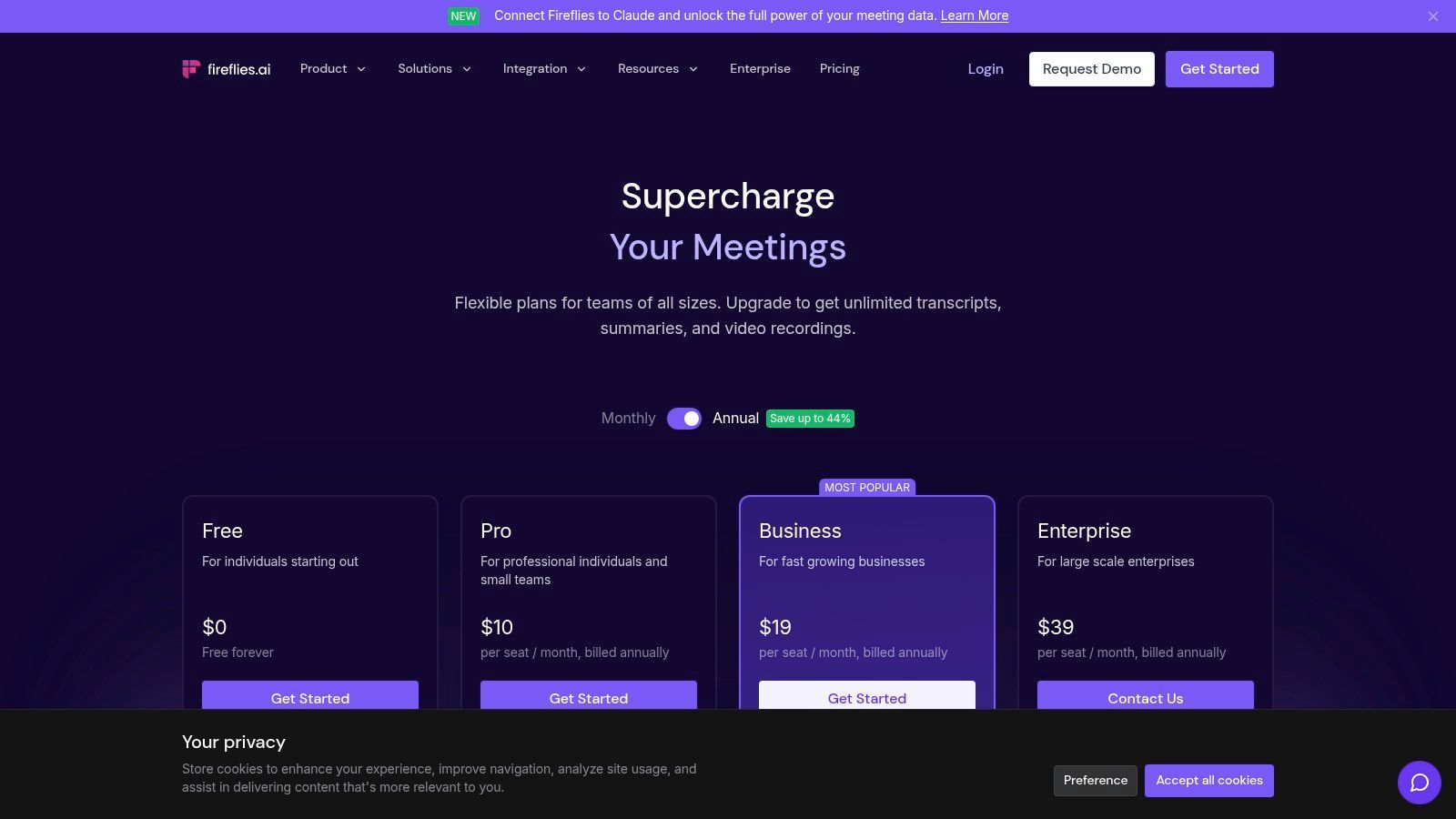
O recurso de destaque da plataforma é sua capacidade de ingressar, gravar e transcrever automaticamente eventos de calendário, criando um processo contínuo e sem intervenção para capturar o conteúdo da entrevista. O Fireflies.ai também suporta mais de 69 idiomas e permite que os usuários façam upload de arquivos de áudio ou vídeo existentes para transcrição. Seu assistente de IA, 'AskFred', pode responder a perguntas sobre o conteúdo da entrevista, tornando-o uma ferramenta eficiente para análise de dados qualitativos ou para encontrar rapidamente informações importantes sem reler o texto inteiro.
Principais Recursos e Preços
| Recurso | Detalhes | Preço |
|---|---|---|
| Super Resumos de IA | Obtenha notas divididas em capítulos, itens de ação e um esboço de sua entrevista. | Incluído em todos os planos pagos |
| Inteligência de Conversa | Analise o tempo de fala do locutor, sentimento e outras métricas importantes. | Disponível nos planos Business e Enterprise |
| Integrações | Conecta-se com CRMs, ferramentas de gerenciamento de projetos e plataformas de armazenamento. | Incluído em todos os planos |
| Transcrição Ilimitada | Sem taxas por minuto para reuniões ao vivo ou arquivos enviados em planos pagos. | A partir de US$ 10/assento/mês (cobrado anualmente) |
Caso de Uso Prático
Uma empresa de pesquisa de mercado que realiza uma série de grupos focais virtuais e entrevistas individuais se beneficiaria muito do Fireflies.ai. O assistente de IA pode ingressar e documentar automaticamente cada sessão, e as transcrições são instantaneamente centralizadas e pesquisáveis. A equipe pode usar a Inteligência de Conversa para analisar o sentimento do participante e o tempo de fala, fornecendo dados quantitativos para apoiar suas descobertas qualitativas sem esforço manual.
Website: https://fireflies.ai/pricing
10. Microsoft Word (Transcrever no Word – Microsoft 365)
Para profissionais já inseridos no ecossistema Microsoft, o recurso Transcrever integrado no Word oferece uma solução surpreendentemente poderosa e conveniente. Em vez de depender de uma ferramenta de terceiros, os assinantes do Microsoft 365 podem fazer upload ou gravar áudio de entrevistas diretamente no Word para a web, que gera uma transcrição completa e interativa em um painel lateral. Essa integração elimina a necessidade de alternar entre aplicativos, otimizando o fluxo de trabalho para aqueles que redigem relatórios, artigos ou notas diretamente no Word.
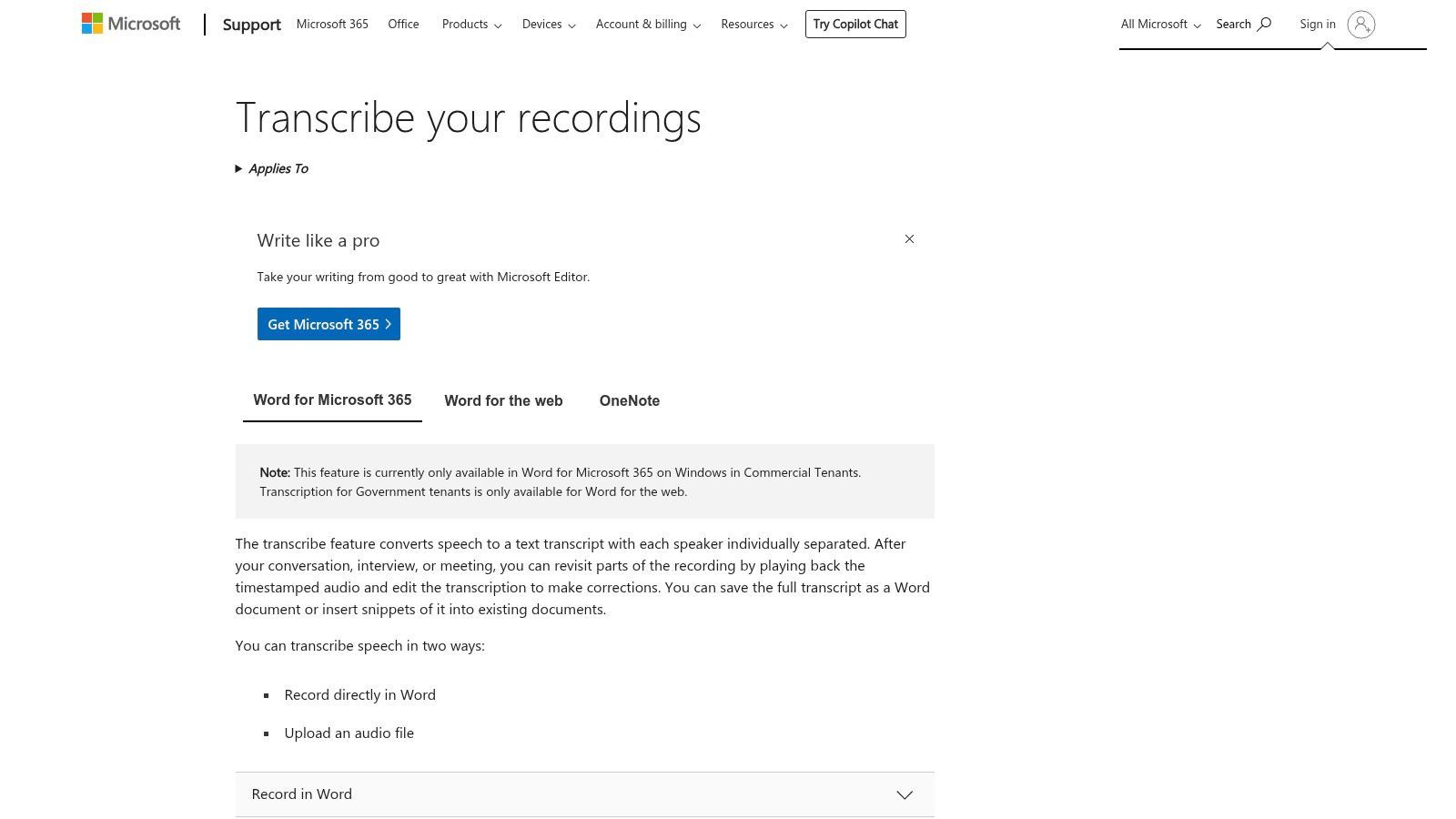
A principal vantagem é sua integração perfeita. A transcrição é marcada com carimbo de data/hora e separa os locutores, permitindo que você clique em um bloco de texto específico para ouvir o áudio correspondente. Os usuários podem facilmente extrair citações ou seções inteiras diretamente em seu documento com um único clique, tornando-o um dos softwares de transcrição mais eficientes para entrevistas quando seu resultado final é um documento do Word. É particularmente útil para tarefas como transcrição de triagem telefônica de recrutadores, onde as notas devem ser capturadas e formatadas rapidamente.
Principais Recursos e Preços
| Recurso | Detalhes | Preço |
|---|---|---|
| Integração Direta | Grave ou faça upload de áudio e transcreva diretamente no Word para a web. | Incluído na maioria das assinaturas do Microsoft 365 |
| Transcrição Interativa | O painel de transcrição sincroniza a reprodução de áudio com texto com carimbo de data/hora e locutor separado. | Incluído com a assinatura |
| Snippets com um Clique | Insira facilmente citações ou seções de transcrição em seu documento do Word. | Incluído com a assinatura |
| Limites Mensais | Os planos de assinatura têm limites mensais de minutos de upload (por exemplo, 300 minutos). | Varia de acordo com o plano do Microsoft 365 |
Caso de Uso Prático
Um gerente corporativo que realiza entrevistas internas com funcionários para um ciclo de avaliação de desempenho pode usar o Transcrever no Word para manter um registro limpo e organizado. Eles podem gravar as conversas diretamente ou fazer upload de arquivos de áudio posteriormente. A transcrição aparece ao lado de suas notas, permitindo que eles extraiam facilmente feedback e itens de ação importantes para o documento oficial de revisão sem sair da interface do Word, garantindo um processo seguro e eficiente.
Website: https://support.microsoft.com/office/transcribe-your-recordings-7fc2efec-245e-45f0-b053-2a97531ecf57
11. Adobe Premiere Pro (Speech to Text)
Para profissionais cujas entrevistas são principalmente baseadas em vídeo, o Adobe Premiere Pro oferece uma solução poderosa e integrada com seu recurso Speech to Text. Em vez de exportar áudio para uma ferramenta separada, os usuários podem gerar transcrições e legendas diretamente na linha do tempo de edição de vídeo. Este fluxo de trabalho tudo-em-um economiza um tempo significativo para produtores de vídeo, documentaristas e criadores de conteúdo que precisam transcrever entrevistas para edição, legendagem ou extração de citações.
A principal vantagem de usar o Premiere Pro é a conexão perfeita entre o texto transcrito e o material de vídeo. A transcrição é codificada por tempo, e clicar em uma palavra move instantaneamente o cursor para aquele momento exato no vídeo. Isso torna a localização de trechos específicos incrivelmente eficiente. No entanto, seu foco principal é a edição de vídeo, tornando o custo da assinatura excessivo para usuários que precisam apenas de serviços de transcrição sem as ferramentas avançadas de produção de vídeo.
Principais Recursos e Preços
| Recurso | Detalhes | Preço |
|---|---|---|
| Transcrição Integrada | Transcrição baseada em IA gerada e editável diretamente na linha do tempo do vídeo. | Incluído com a assinatura do Premiere Pro |
| Edição de Vídeo Baseada em Texto | Edite vídeo simplesmente cortando e colando texto no painel de transcrição. | Incluído com a assinatura |
| Legendas Automatizadas | Converta a transcrição em legendas personalizáveis e com tempo com um clique. | Incluído com a assinatura |
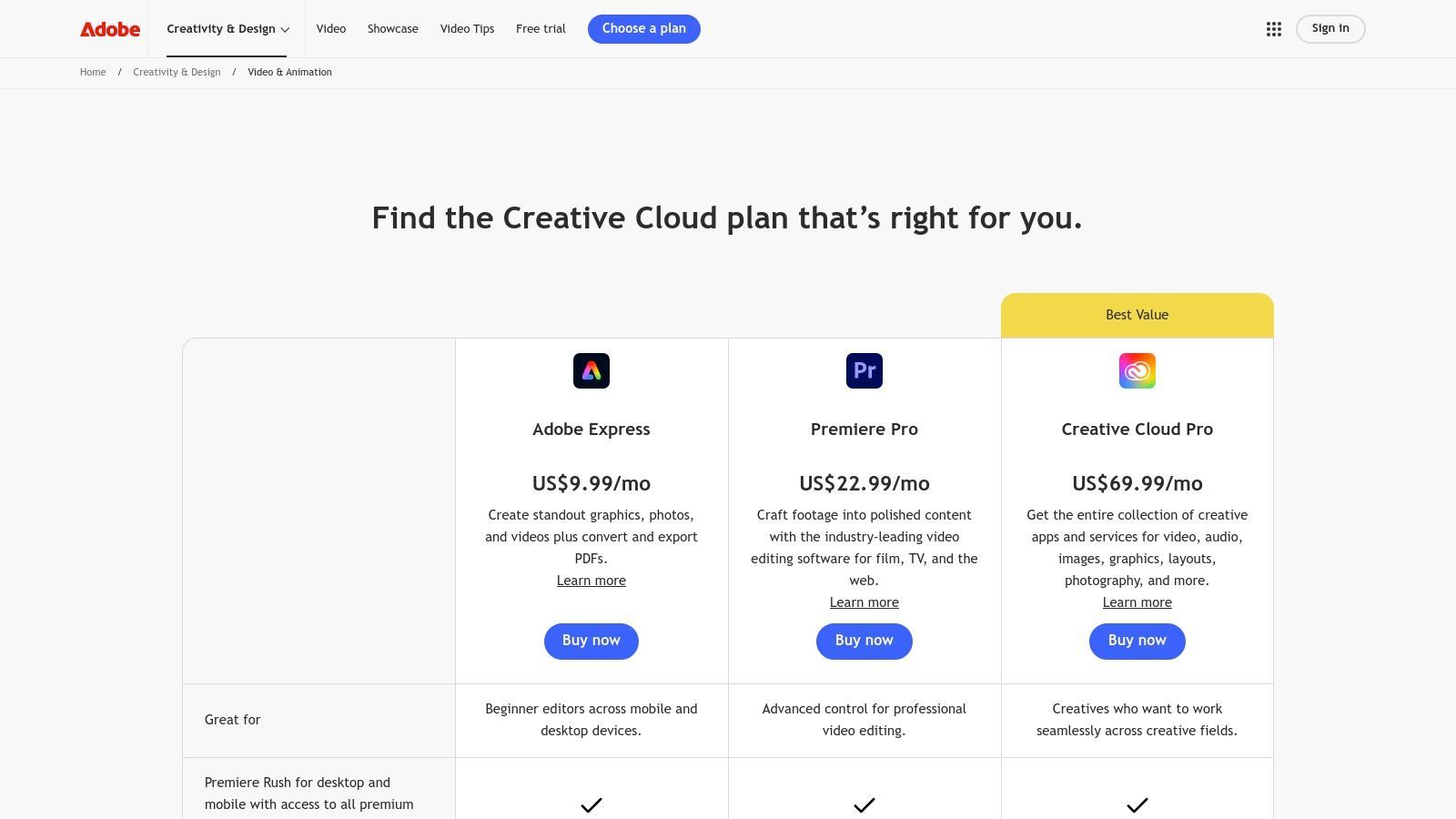
| Adobe Creative Cloud | Parte de um ecossistema maior de ferramentas criativas para produção de vídeo e áudio. | A partir de US$ 22,99/mês (apenas para Premiere Pro) |
Caso de Uso Prático
Um cinegrafista de documentário que realiza uma série de entrevistas em vídeo pode usar o Speech to Text do Premiere Pro para criar uma transcrição pesquisável de todo o seu material. Eles podem digitalizar rapidamente o texto para identificar as citações mais convincentes e, em seguida, usar o recurso de edição baseado em texto para criar um corte bruto dos segmentos de entrevista simplesmente destacando e organizando o texto desejado, o que edita automaticamente os clipes de vídeo na linha do tempo.
Website: https://www.adobe.com/creativecloud/video/compare-plans.html
12. Amazon (Express Scribe e equipamentos/software de transcrição relacionados)
Embora não seja um provedor de software direto, a Amazon serve como um mercado crucial para aqueles que constroem uma configuração de transcrição manual. É o destino principal para a compra de software de player de transcrição de nível profissional como o Express Scribe, juntamente com o hardware essencial que otimiza o processo, como pedais e fones de ouvido de alta qualidade. Isso o torna um ponto de partida ideal para transcritores, pesquisadores ou assistentes que preferem uma abordagem prática e precisam de ferramentas físicas para transcrever entrevistas de forma eficiente.
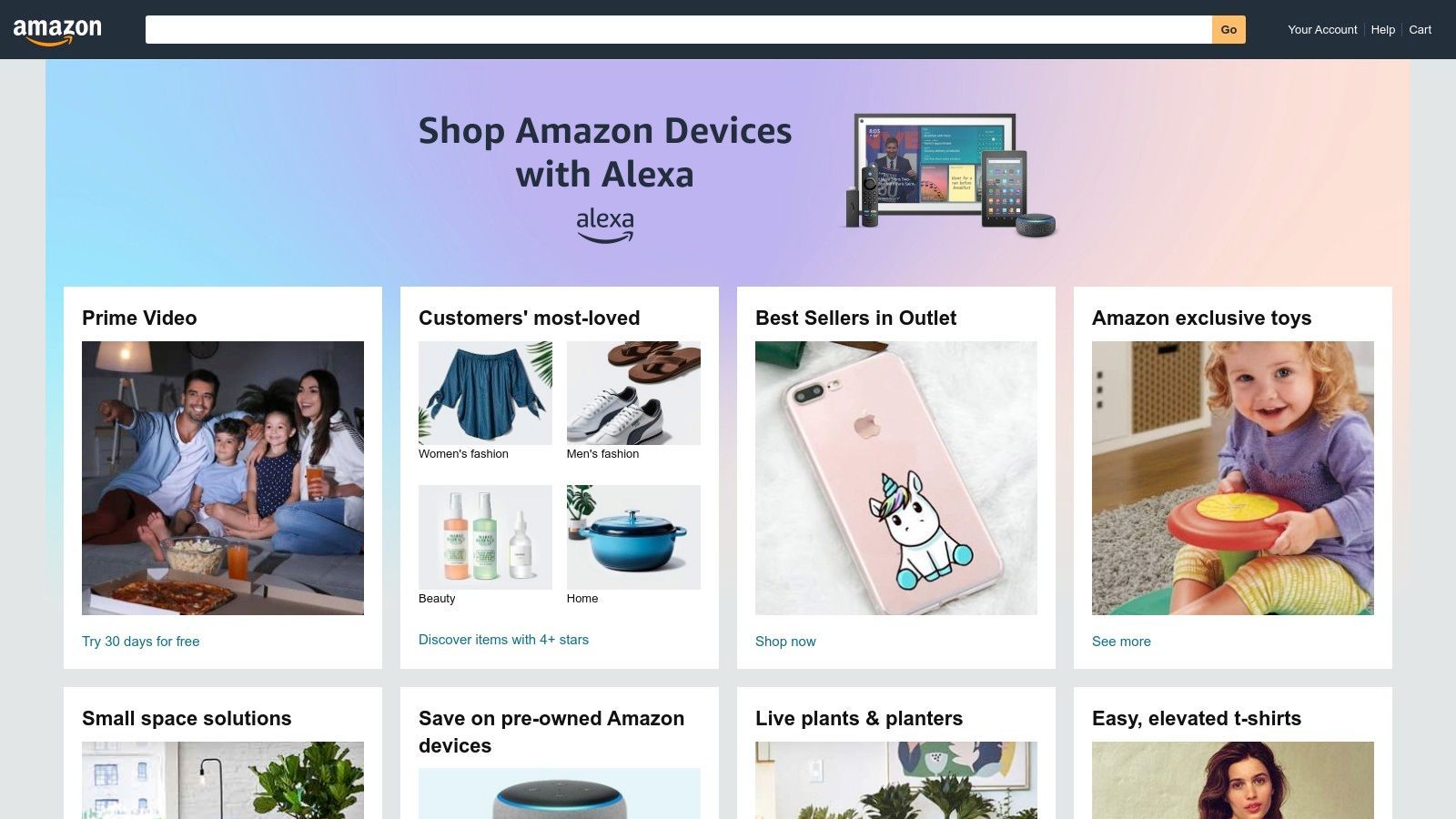
A principal vantagem da plataforma é seu papel como um balcão único, agrupando downloads de software com hardware compatível. Em vez de obter itens de diferentes fornecedores, os usuários podem comprar um kit completo com a confiança das avaliações de usuários e as políticas confiáveis de envio e devolução da Amazon. No entanto, é importante notar que este ecossistema suporta um fluxo de trabalho manual; ele fornece as ferramentas de reprodução, mas depende do usuário para realizar a digitação real, distinguindo-o dos serviços automatizados de IA.
Principais Recursos e Preços
| Recurso | Detalhes | Preço |
|---|---|---|
| Software Express Scribe | Player de transcrição profissional para download com velocidade variável e suporte a pedal. | Varia por vendedor; tipicamente US$ 50-US$ 70 |
| Pacotes de Hardware | Kits incluindo pedais USB e fones de ouvido de transcrição profissionais. | Pacotes geralmente variam de US$ 80-US$ 150 |
| Ampla Seleção de Produtos | Um vasto mercado de equipamentos de transcrição novos e usados de vários fabricantes. | Varia amplamente por produto e vendedor |
| Envio Rápido | Muitos itens são elegíveis para envio Prime para entrega rápida. | Incluído na assinatura do Amazon Prime |
Caso de Uso Prático
Um paralegal freelancer ou assistente médico encarregado de transcrever entrevistas de áudio confidenciais usaria a Amazon para construir uma estação de trabalho eficiente e ergonômica. Eles poderiam comprar uma licença do Express Scribe Pro, um pedal USB para controlar a reprodução de áudio sem tirar as mãos do teclado e um fone de ouvido com cancelamento de ruído para garantir que cada palavra seja ouvida claramente. Essa configuração maximiza a velocidade de digitação e a precisão para tarefas de transcrição manual de alto volume.
Website: https://www.amazon.com/
Comparação das Principais 12 Funcionalidades de Software de Transcrição de Entrevistas
| Plataforma | Principais Recursos / Precisão | Experiência do Usuário e Qualidade ★★★★☆ | Valor e Preços 💰 | Público-Alvo 👥 | Pontos de Venda Únicos ✨ |
|---|---|---|---|---|---|
| 🏆 Transcript.LOL | Precisão de 99,8%+, uploads de 10h, multiformato | Classificação de 4,8/5, edição avançada e detecção de locutor | Nível gratuito; US$ 120/ano individual; US$ 240/ano equipe | Podcasters, profissionais de marketing, educadores, empresas | Resumos, questionários, mapas mentais, conteúdo de mídia social, privacidade rigorosa 🔒 |
| Rev | Humano 99%, opção de IA; focado em entrevistas | Preços claros, confiável, escalável | Pagamento conforme o uso para transcrição humana e de IA | Entrevistadores, empresas | Combinação Humano+IA, integrações de reunião |
| Otter.ai | Transcrição ao vivo, ID do locutor | Fluxo de trabalho fácil, forte pesquisa e resumos | Limite gratuito de minutos; plano Business para usuários intensivos | Jornalistas, pesquisadores | Transcrição ao vivo + resumos de IA |
| Temi (da Rev) | Pagamento por minuto, editor web, carimbos de data/hora | Entrega rápida, editor simples | Sem assinatura; pague conforme o uso | Usuários com orçamento, transcrições rápidas | Primeiros 45 min grátis, preços diretos |
| Trint | Multilíngue, pesquisa e colaboração | Seguro com ISO 27001; focado em redações | Preços por consulta de vendas | Jornalistas, empresas | Multilíngue, conformidade, colaboração |
| Descript | Edição de áudio/vídeo baseada em transcrição | Amigável para equipes; ferramentas avançadas de IA | Assinatura com horas mensais de IA | Podcasters, editores de vídeo | Edição de áudio/vídeo e remoção de palavras de preenchimento |
| Sonix | Pagamento conforme o uso ou assinatura; 40+ idiomas | Planos flexíveis; benefícios de preços em volume | Teste + planos premium | Equipes, empresas | Suporte a tradução, faturamento prorata |
| Happy Scribe | IA + transcrição humana; 80+ idiomas | Editor colaborativo, revisão humana | Preços variam por idioma | Entrevistadores multilíngues | Opção de precisão revisada por humanos |
| Fireflies.ai | Transcrição ilimitada em planos pagos | Forte automação e integrações | Preços competitivos por assento | Equipes com muitas reuniões | Assistente de IA, integrações de CRM |
| Microsoft Word (Transcrever no Word) | Upload/gravação no Word, carimbos de data/hora | Integrado ao Microsoft 365; edição fácil | Incluído na assinatura do Microsoft 365 | Usuários do Microsoft 365 | Integração nativa dentro do Word |
| Adobe Premiere Pro (Speech to Text) | Legenda + transcrição com linha do tempo de vídeo | Fluxo de trabalho profissional de vídeo + legendas | Assinatura cara | Editores de vídeo, profissionais de mídia | Edição de vídeo e transcrição tudo-em-um |
| Amazon (Express Scribe e equipamentos) | Ferramentas e hardware de transcrição manual | Player para download, pedais | Varia amplamente; pacotes de hardware + software | Transcritores manuais | Pacote de hardware + software marketplace |
Escolhendo a Ferramenta Certa para Amplificar Seus Insights de Entrevista
Navegar no cenário de software de transcrição para entrevistas pode parecer avassalador, mas, como exploramos, a ferramenta perfeita não é uma solução única para todos. É aquela que se integra perfeitamente ao seu fluxo de trabalho exclusivo, respeita seu orçamento e, finalmente, ajuda você a extrair o valor máximo de suas conversas. A jornada das palavras faladas para insights acionáveis é complexa, e o software certo atua como um poderoso catalisador nesse processo.
Cobrimos uma ampla gama de opções, desde a velocidade impulsionada por IA do Otter.ai e Fireflies.ai para anotações de reuniões ao vivo até a garantia de precisão incomparável de 99% do serviço humano da Rev. Para criadores de conteúdo, as capacidades de edição de vídeo baseadas em texto que mudam o jogo do Descript e do Adobe Premiere Pro redefinem o que é possível na pós-produção. Até mesmo ferramentas familiares como o Microsoft Word agora oferecem recursos de transcrição surpreendentemente robustos, demonstrando o quão central essa tecnologia se tornou para a produtividade moderna.
👥 Quem se beneficia mais dessas ferramentas?
📚 Pesquisadores
Transcrições precisas com formatos exportáveis que se integram a softwares de análise.
📰 Jornalistas
Citações rápidas e precisas e acompanhamento fácil de falantes para cumprir prazos apertados.
🏢 Equipes e Empresas
Recursos de colaboração, espaços de trabalho compartilhados e integrações para trabalho em equipe produtivo.
🎙️ Criadores de Conteúdo
Transforme filmagens brutas de entrevistas em podcasts, blogs e posts de mídia social sem esforço.
Sintetizando Sua Decisão: Uma Abordagem Baseada em Necessidades
Fazer a escolha final requer uma avaliação clara das suas necessidades primárias. Não se deixe influenciar por uma longa lista de recursos que você nunca usará. Em vez disso, concentre-se na função principal que terá o maior impacto no seu trabalho. Para ajudá-lo a focar no melhor software de transcrição para entrevistas para a sua situação, considere estes perfis de usuário:
-
Para o Pesquisador Qualitativo e Acadêmico: Suas necessidades primárias são precisão, privacidade de dados e facilidade de análise. Uma ferramenta como Transcript.LOL é um forte concorrente, aproveitando o avançado Whisper AI para alta precisão sem treinar com seus dados, garantindo a confidencialidade. A capacidade de exportar em vários formatos para software de análise também é fundamental.
-
Para o Jornalista e Podcaster com Prazo: Velocidade e integração de fluxo de trabalho são primordiais. Serviços como Trint e Sonix oferecem prazos rápidos e editores colaborativos. Para aqueles que editam seu próprio áudio e vídeo, Descript é uma ferramenta transformadora que mescla a transcrição diretamente no processo de edição criativa, economizando inúmeras horas.
-
Para a Equipe Corporativa e Profissional de Negócios: Colaboração, integração e inteligência de reuniões são essenciais. Fireflies.ai e Otter.ai se destacam aqui, não apenas transcrevendo, mas também resumindo reuniões, identificando itens de ação e integrando-se diretamente às plataformas de CRM e comunicação da sua equipe, como Slack e Zoom.
-
Para o Usuário Consciente do Orçamento e Transcritor Ocasional: Se suas necessidades são infrequentes, comprometer-se com uma assinatura mensal pode não ser prático. A transcrição integrada no Microsoft 365 oferece uma solução valiosa e sem custo adicional para assinantes existentes. Modelos de pagamento por uso de serviços como Temi também fornecem um ponto de entrada acessível para projetos únicos.
Considerações Finais de Implementação
Antes de se comprometer, siga estes passos finais. Primeiro, sempre use o teste gratuito. Teste cada um dos seus principais concorrentes com uma amostra de áudio do mundo real - uma com vários falantes, ruído de fundo ou terminologia específica do seu campo. Esta é a única maneira de realmente avaliar a precisão e usabilidade de uma plataforma para seus casos de uso específicos. Segundo, avalie a interface de edição. Quão fácil é corrigir erros, atribuir rótulos de falantes e ajustar carimbos de data/hora? Um editor desajeitado pode anular o tempo economizado pela automação.
Em última análise, o melhor software de transcrição para entrevistas faz mais do que apenas converter áudio em texto. Ele desbloqueia os ricos dados presos em suas gravações, tornando-os pesquisáveis, analisáveis e compartilháveis. Ao combinar cuidadosamente seus requisitos específicos com os pontos fortes especializados dessas ferramentas, você pode transformar uma tarefa administrativa tediosa em uma vantagem estratégica, garantindo que nenhum insight crítico seja perdido.
Pronto para experimentar um serviço de transcrição que prioriza precisão e privacidade acima de tudo? Transcript.LOL utiliza IA de ponta para entregar transcrições excepcionalmente precisas para suas entrevistas mais importantes, ao mesmo tempo que garante que seus dados nunca sejam usados para treinamento. Experimente hoje e veja como a transcrição de alta qualidade pode ser fácil e segura em Transcript.LOL.
⚡ Pronto para Economizar Horas em Transcrição de Entrevistas? Pare de perder tempo com digitação manual. Experimente transcrição segura e alimentada por IA que oferece 99,8% de precisão.
👉 Experimente hoje em Transcript.LOL.