
A Practical Guide to Take Meeting Notes That Drive Action
Stop taking useless notes. Learn how to take meeting notes that are clear, actionable, and effective with our guide on techniques, templates, and AI tools.
Kate, Praveen
April 30, 2025
Esqueça tudo o que você pensa que sabe sobre anotações de reuniões. Elas não são uma tarefa para o estagiário ou um resumo rápido a ser esquecido em um drive compartilhado. Tirar ótimas anotações é uma habilidade estratégica, uma que separa equipes produtivas daquelas presas em um ciclo de reuniões de acompanhamento intermináveis.
Por Que Ótimas Anotações de Reuniões São Sua Arma Secreta
Sejamos honestos: a maioria das anotações de reuniões são inúteis. Geralmente são uma bagunça de pensamentos incompletos que não levam a nenhuma ação real. Mas em um mundo de videochamadas consecutivas, a capacidade de capturar claramente decisões e atribuir responsabilidades tornou-se uma das habilidades mais valiosas nos negócios.
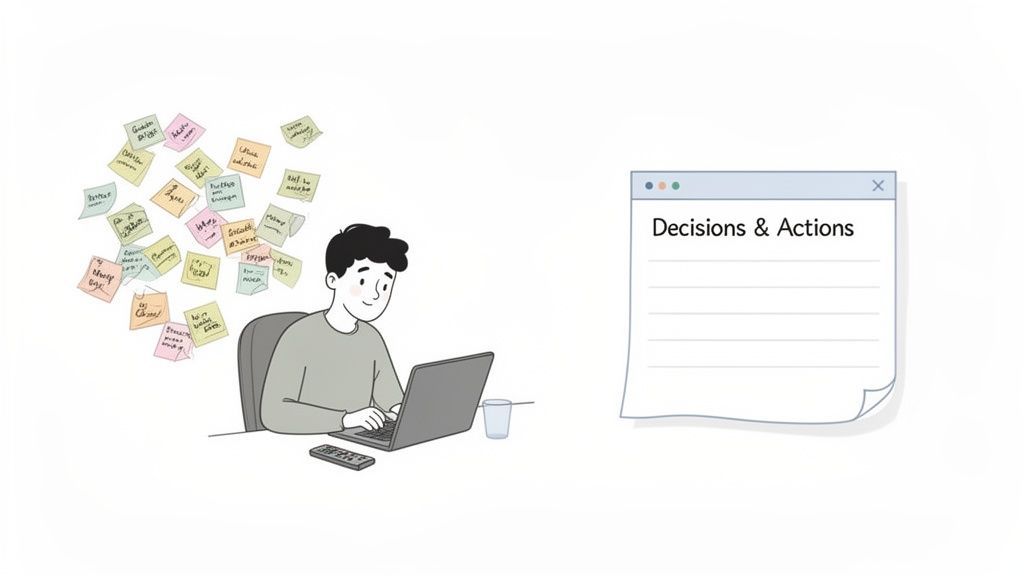
Isso é mais do que apenas manter a organização. É sobre construir uma ponte entre a discussão e a execução. Boas anotações criam uma única fonte de verdade que coloca todos na mesma página, responsabiliza as pessoas e impede que projetos importantes morram lentamente de ambiguidade.
Features That Capture Every Meeting Detail Automatically
IA de última geração
Alimentado pelo Whisper da OpenAI para precisão líder na indústria. Suporte para vocabulários personalizados, arquivos de até 10 horas e resultados ultra rápidos.

Importar de múltiplas fontes
Importe arquivos de áudio e vídeo de várias fontes, incluindo upload direto, Google Drive, Dropbox, URLs, Zoom e mais.

Detecção de falantes
Identifique automaticamente diferentes falantes nas suas gravações e rotule-os com seus nomes.
The Staggering Cost of Bad Meetings
Unproductive meetings are a silent killer of time, money, and morale. And what’s a major cause? Terrible notes. When key details get lost, conversations are repeated, and nobody remembers what was decided, the financial hit is massive.
The Hidden Risk of Poor Meeting Notes
Missing or unclear notes lead to repeated discussions, missed deadlines, and accountability gaps. Over time, this creates meeting fatigue and slows down decision-making across teams.
É um problema maior do que você imagina. Reuniões ineficazes custam às empresas dos EUA uma estimativa de US$ 399 bilhões todos os anos. Uma grande parte disso vem do fato de que quase 75% dos líderes admitem que têm dificuldade em capturar detalhes importantes durante as chamadas, o que leva diretamente à confusão e a ainda mais reuniões.
Boas anotações de reunião não são um registro do que foi dito; são um plano para o que precisa acontecer a seguir. Elas transformam conversas em impulso.
Há um custo humano também. Anotações meticulosamente capturadas são uma ferramenta poderosa para Reduzir a Fadiga de Reuniões. Quando o resumo é claro e acionável, você elimina a necessidade dessas chamadas desgastantes de "vamos nos reunir novamente para esclarecer".
De Ouvinte Passivo a Condutor Ativo
A boa notícia é: qualquer um pode se tornar bom nisso. O primeiro passo é uma mudança mental. Pare de se ver como um escriba que apenas anota as coisas. Comece a pensar em si mesmo como a pessoa que cria clareza e impulsiona o resultado da reunião para frente.
Este guia oferece técnicas práticas e do mundo real para fazer isso acontecer. Você aprenderá como se preparar para o sucesso, capturar apenas o que importa e transformar suas anotações em um plano concreto que realmente faz a diferença. Para mais informações sobre isso, confira nosso guia sobre como melhorar a produtividade da equipe.
What Great Meeting Notes Help You Achieve
🧠 Clear Decisions
Well-structured notes capture final decisions clearly, ensuring everyone understands what was agreed upon and why it matters.
📌 Action Accountability
Assigning owners and deadlines in notes removes ambiguity and ensures tasks actually get completed after meetings.
⏱ Less Follow-Up Meetings
Clear summaries reduce the need for clarification calls, saving time and preventing meeting fatigue.
📚 Team Knowledge Retention
Meeting notes become long-term documentation that helps new and existing team members stay aligned.
Preparando o Terreno para o Sucesso Antes da Reunião
O segredo para fazer ótimas anotações de reunião não começa quando a chamada inicia — começa muito antes. Aprendi que a preparação proativa é a coisa mais importante que separa um escriba passivo de um participante ativo que captura o que realmente importa. Tudo se resume a construir uma estrutura antes mesmo que a conversa aconteça.
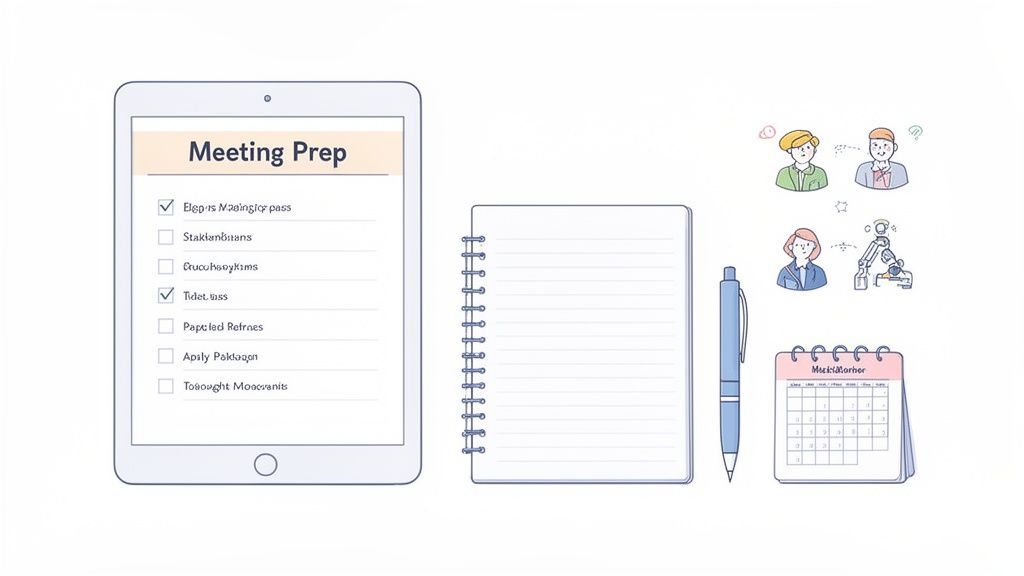
Este trabalho de preparação é mais crucial do que nunca em nosso mundo remoto-primeiro. Em apenas dois anos, as reuniões virtuais dispararam de 48% para 77% de todos os encontros profissionais, uma mudança que deixou muitos de nós afogados em chamadas. Você pode explorar mais estatísticas sobre hábitos modernos de reunião para ter a imagem completa, mas o ponto principal é claro: sem uma rotina sólida pré-reunião, insights importantes simplesmente desaparecem no éter digital.
Desconstrua a Pauta da Reunião
Uma pauta não é apenas uma lista de tarefas; é o seu roteiro. Dedique cinco minutos antes da reunião para transformá-la em um simples andaime para anotações em sua ferramenta favorita — seja um aplicativo digital como Notion, um caderno físico ou diretamente em seu software de transcrição.
Para cada item da pauta, crie uma seção dedicada. Este simples ato prepara seu cérebro para ouvir informações específicas e dá às suas anotações uma estrutura imediata e lógica. Você estará pronto para capturar os pontos-chave sem se apressar para descobrir onde eles se encaixam.
Por exemplo, se um item da pauta for "Revisar o Desempenho da Campanha de Marketing do 3º Trimestre", seu andaime pode parecer assim:
- Métricas Chave Discutidas:
- Decisões Tomadas:
- Itens de Ação:
Essa estrutura força você a parar de apenas transcrever o diálogo e começar a filtrar ativamente os resultados.
Identifique o Propósito e as Pessoas
Nem todas as reuniões são criadas iguais. Antes de entrar, faça a si mesmo duas perguntas simples: Qual é o objetivo principal aqui e quem são os principais tomadores de decisão? Saber as respostas ajuda você a priorizar o que anotar.
Se for um brainstorming criativo, você se concentrará em capturar ideias e conceitos brutos. Se for uma atualização de status de projeto, sua atenção deve estar focada em obstáculos, progresso e itens de ação.
Entender o propósito central da reunião é como ter um filtro para suas anotações. Ele permite que você ignore o ruído e se concentre em capturar o sinal — a informação que realmente impulsionará o trabalho após o término da chamada.
Da mesma forma, saber quem são os principais interessados ajuda você a prestar mais atenção quando eles falam. Suas contribuições geralmente têm mais peso e são mais propensas a moldar as decisões finais e os próximos passos.
Prepare Suas Ferramentas de Anotação
Seja você usando o método antigo com caneta e papel ou um aplicativo sofisticado, prepare suas ferramentas antes que a reunião comece. Nada é pior do que procurar o documento certo ou uma caneta funcionando quando a reunião já começou. Você tem a garantia de perder informações cruciais nesses primeiros minutos.
Aqui está uma lista de verificação rápida para você:
- Abra o Documento Correto: Tenha seu aplicativo ou documento de anotações aberto, nomeado com o nome e a data da reunião.
- Adicione Detalhes Chave: Preencha informações essenciais como a lista de participantes e o objetivo declarado da reunião.
- Configure Seu Andaime: Como acabamos de falar, use a pauta para criar títulos para cada ponto de discussão.
- Prepare Sua Gravação (Se Aplicável): Se você planeja usar uma ferramenta como Transcript.LOL para gravar e transcrever a reunião, certifique-se de que esteja configurada e que você tenha permissão para gravar. Isso libera você para se concentrar na discussão de alto nível em vez de cada palavra.
Essa rotina simples leva menos de cinco minutos, mas muda completamente sua abordagem. Você entrará na reunião sentindo-se calmo e no controle, pronto para fazer anotações de reunião que sejam organizadas, perspicazes e realmente úteis.
Técnicas de Anotação para Cada Tipo de Reunião
Sejamos honestos: não existe uma única "maneira certa" de fazer anotações de reunião. Um brainstorming criativo de alta energia exige uma abordagem completamente diferente de uma revisão formal de projeto. Escolher a técnica certa para a situação é o que separa insights organizados e acionáveis de uma página cheia de pensamentos aleatórios e desconectados.
O objetivo não é apenas anotar as coisas. Trata-se de criar um registro que realmente sirva ao propósito da reunião. Quando você combina seu método com o contexto da reunião, você deixa de ser um simples transcritor e começa a capturar o que realmente importa.
O Método Cornell para Discussões Estruturadas
Quando você precisa trazer ordem ao caos — pense em sessões de treinamento, atualizações de status detalhadas ou palestras — o Método Cornell é um clássico por um motivo. Ele é projetado para ajudá-lo não apenas a registrar informações, mas a processá-las e revisá-las ativamente mais tarde. A mágica está em sua estrutura, que divide sua página em três zonas distintas.
Veja como você configuraria sua página:
- Área Principal de Anotações (Coluna Direita): Esta é sua maior tela. Durante a reunião, você anotará a maior parte da discussão aqui — pontos-chave, exemplos e detalhes importantes à medida que acontecem.
- Pistas ou Perguntas (Coluna Esquerda): Esta coluna mais estreita é para reflexão pós-reunião. Você extrairá palavras-chave, ideias principais e perguntas de suas anotações principais para destilar os conceitos centrais.
- Área de Resumo (Seção Inferior): Após a reunião, você se força a escrever um resumo de uma ou duas frases na parte inferior. Este simples ato faz com que você identifique o takeaway mais importante.
Este método transforma a anotação de uma tarefa passiva em um processo de aprendizado ativo. Você não está apenas ouvindo; você está se engajando com o material em um nível mais profundo, o que faz uma grande diferença na quantidade que você se lembra. Você pode explorar uma variedade de outros métodos eficazes de anotação que se baseiam nesses princípios estruturados.
O Método Quadrante para Reuniões Orientadas para Ação
Para reuniões onde o objetivo principal é descobrir o que vem a seguir — como um pontapé inicial de projeto ou uma sincronização semanal da equipe — o Método Quadrante é minha escolha. É um sistema incrivelmente prático que força você a filtrar informações em quatro categorias distintas à medida que as ouve.
Basta dividir sua página em quatro caixas:
- Notas Gerais: Para pontos de discussão chave e contexto.
- Itens de Ação para Mim: Sua lista de tarefas pessoal da reunião.
- Itens de Ação para Outros: Tarefas atribuídas a outros membros da equipe.
- Perguntas: Qualquer coisa que precise de esclarecimento ou acompanhamento.
É brilhante porque separa automaticamente o ruído da ação. De relance, você pode ver exatamente o que precisa fazer e o que os outros estão encarregados de fazer. Chega de caçar em uma parede de texto o único item de ação crítico.
Mapeamento Mental para Brainstormings Criativos
Anotações lineares simplesmente não funcionam para sessões criativas, revisões de design ou reuniões de estratégia de visão geral. Quando as ideias estão voando e as conexões estão sendo feitas rapidamente, o mapeamento mental é uma opção muito melhor. Esta técnica visual ajuda você a capturar o fluxo natural de uma conversa sem ficar preso em uma estrutura rígida e de cima para baixo.
Comece com o tópico principal no centro da página. À medida que novas ideias surgem, desenhe ramificações a partir do meio. Pensamentos relacionados e subpontos se tornam ramificações menores das principais.
O mapeamento mental é como criar uma transcrição visual do processo de pensamento do grupo. Ele se destaca em mostrar relacionamentos entre diferentes ideias que uma lista simples nunca conseguiria capturar.
Isso muda o jogo para pensadores visuais. Torna muito mais fácil ver o quadro geral e identificar conexões que você poderia ter perdido.
Escolhendo Seu Método de Anotação
Então, qual método você deve usar? Depende realmente do objetivo da reunião e do seu estilo pessoal. Aqui está uma comparação rápida para ajudá-lo a decidir.
| Método | Melhor Para | Vantagem Chave | Desvantagem Potencial |
|---|---|---|---|
| Método Cornell | Reuniões estruturadas, palestras, sessões de treinamento. | Promove a escuta ativa e a revisão fácil. | Pode parecer rígido; requer trabalho pós-reunião. |
| Método Quadrante | Reuniões orientadas para ação, sincronizações de projetos. | Separa instantaneamente tarefas da discussão. | Pode simplificar demais tópicos complexos e sutis. |
| Mapeamento Mental | Brainstormings, sessões criativas, reuniões de estratégia. | Visualiza conexões e incentiva o pensamento livre. | Pode ficar confuso; menos útil para informações lineares. |
| Anotações Lineares | Reuniões simples e diretas. | Fácil e familiar; não requer configuração especial. | Itens de ação e pontos-chave podem se perder facilmente. |
Em última análise, o melhor método é aquele que o ajuda a permanecer engajado e produz um registro útil. Não tenha medo de experimentar ou até mesmo combinar elementos de diferentes técnicas para encontrar o que funciona melhor para você.
Desenvolvendo Sua Própria Taquigrafia
Não importa qual método você escolha, a conversa se move rapidamente. Desenvolver uma taquigrafia pessoal é a chave para acompanhar sem perder detalhes cruciais. Isso não se trata de aprender algum sistema formal como Gregg ou Pitman; trata-se de criar abreviações consistentes e pessoais para palavras que você ouve o tempo todo.
Aqui estão algumas ideias para você começar:
- Use símbolos:
→para um item de ação,?para uma pergunta,*para um ponto importante. - Abrevie nomes: Use iniciais para participantes (por exemplo, JS para Jane Smith).
- Abrevie termos comuns: "cli" para cliente, "proj" para projeto, "mktg" para marketing.
Consistência é tudo. Sua taquigrafia deve se tornar um segundo instinto, permitindo que você faça anotações de reunião rapidamente para que possa se concentrar mais em ouvir e menos em digitar freneticamente cada palavra. Este pequeno hábito pode melhorar drasticamente a qualidade de suas anotações.
Transformando Anotações Brutas em Planos Acionáveis
A reunião acabou, mas não feche seu laptop ainda. O trabalho mais importante está apenas começando. Todas aquelas anotações confusas e com taquigrafia que você rabiscou são apenas matéria-prima. A verdadeira mágica acontece quando você transforma esses dados em um plano claro e acionável que mantém os projetos em andamento e todos responsáveis.
Este processo pós-reunião é onde muitas equipes falham. Uma ótima discussão acontece, todos se sentem energizados, mas sem um acompanhamento estruturado, esse momentum morre. Ao dedicar apenas alguns minutos logo após uma chamada para refinar e compartilhar suas anotações, você cria uma poderosa fonte de verdade que impede a má comunicação e garante que nada seja esquecido.
A Hora de Ouro: Revisar e Refinar
Chamo os momentos logo após uma reunião de "hora de ouro". O contexto ainda está fresco em sua mente, tornando-o o momento perfeito para limpar suas anotações. Sério, não adie isso. Se você esperar até amanhã, ficará surpreso com quantos detalhes pequenos, mas cruciais, começam a ficar confusos.
Primeiro de tudo: examine suas anotações em busca de clareza. Desenvolva sua taquigrafia, corrija erros de digitação e reformule qualquer coisa que possa soar confusa para alguém que não estava lá. O objetivo não é uma transcrição palavra por palavra. Você está elaborando um resumo conciso que alguém pode ler e entender em minutos.
Em seguida, dê alguma estrutura. Agrupe pontos relacionados sob títulos claros — estes provavelmente corresponderão à pauta original. Este simples passo transforma um fluxo caótico de consciência em um registro profissional do que realmente foi feito.
Destile Decisões e Identifique Itens de Ação
Depois que suas anotações estiverem limpas, é hora de extrair as duas coisas que realmente importam: decisões chave e itens de ação. Estes são o motivo pelo qual você teve a reunião em primeiro lugar. Faça-os se destacar. Negrite-os, use uma cor diferente, o que for preciso.
Uma decisão é uma resolução final. Um item de ação é uma tarefa específica atribuída a alguém.
O verdadeiro teste de boas anotações de reunião? Um colega que perdeu a reunião deve ser capaz de lê-las e saber exatamente o que foi decidido e o que acontece a seguir. Se eles não conseguirem, as anotações falharam.
Para cada item de ação, certifique-se de ter capturado três detalhes não negociáveis:
- A tarefa específica: O que exatamente precisa ser feito? Sem linguagem vaga.
- O responsável: Quem é responsável? Atribua um nome para evitar a armadilha do "eu pensei que você estava fazendo isso".
- O prazo: Quando vence? Uma data específica, não "o mais rápido possível" ou "na próxima semana".
Clareza é tudo aqui. Tarefas vagas são onde os projetos morrem. Para um mergulho mais profundo, nosso guia sobre como criar tarefas claras tem um ótimo modelo de ata de reunião com itens de ação.
Deixe a IA Fazer o Trabalho Pesado
Processar anotações manualmente, especialmente para reuniões longas ou consecutivas, consome muito tempo. É aqui que ferramentas como Transcript.LOL mudam completamente o jogo, transformando uma tarefa tediosa em um fluxo de trabalho automatizado.
Modern Teams Are Switching to AI Note-Taking
AI note-taking tools now handle transcription, summaries, and action items automatically. This allows teams to focus on conversations instead of documentation while maintaining perfect records.
The way we meet is changing. We’re seeing a shift to shorter, more focused sessions, and asynchronous communication is exploding. In 2023 alone, 77 million Loom videos were recorded as people tried to cut their meeting time by 28%. But the overload is still real—professionals spent nearly 15 hours a week in meetings in 2024. This new reality demands smarter note-taking. An AI tool can instantly transcribe audio from a Zoom call or even a WhatsApp voice note, automatically flagging speakers, summarizing the discussion, and pulling out action items. It’s a huge productivity boost for everyone.
Instead of typing up a summary, you just upload the audio or video file. The platform gives you a highly accurate, speaker-labeled transcript in minutes.
From there, the AI can:
Features That Turn Transcripts Into Actionable Outcomes

Ferramentas de edição
Edite transcrições com ferramentas poderosas incluindo buscar e substituir, atribuição de falantes, formatos de texto rico e destaque.

Exportar em múltiplos formatos
Exporte suas transcrições em múltiplos formatos incluindo TXT, DOCX, PDF, SRT e VTT com opções de formatação personalizáveis.
Resumos e Chatbot
Gere resumos e outros insights da sua transcrição, prompts personalizados reutilizáveis e chatbot para o seu conteúdo.
- Generate an Instant Summary: Get a clean, bulleted overview of key discussion points and decisions.
- Extract Action Items: Automatically identify and list all tasks, often suggesting owners and deadlines based on what was said.
- Improve Accessibility: Create a searchable, shareable record of the entire conversation.
This fundamentally changes how you take meeting notes. It frees you from the pressure of capturing every single word during the call, letting you stay present and actually contribute to the discussion.
Why AI Note-Taking Improves Meeting Quality
AI-powered note-taking doesn’t just save time—it improves the quality of meetings themselves. When transcription, summaries, and action items are handled automatically, participants can focus on decision-making, collaboration, and problem-solving instead of typing notes.
Este diagrama de fluxo mostra alguns métodos comuns que as pessoas usam para capturar seus pensamentos iniciais antes de processá-los.
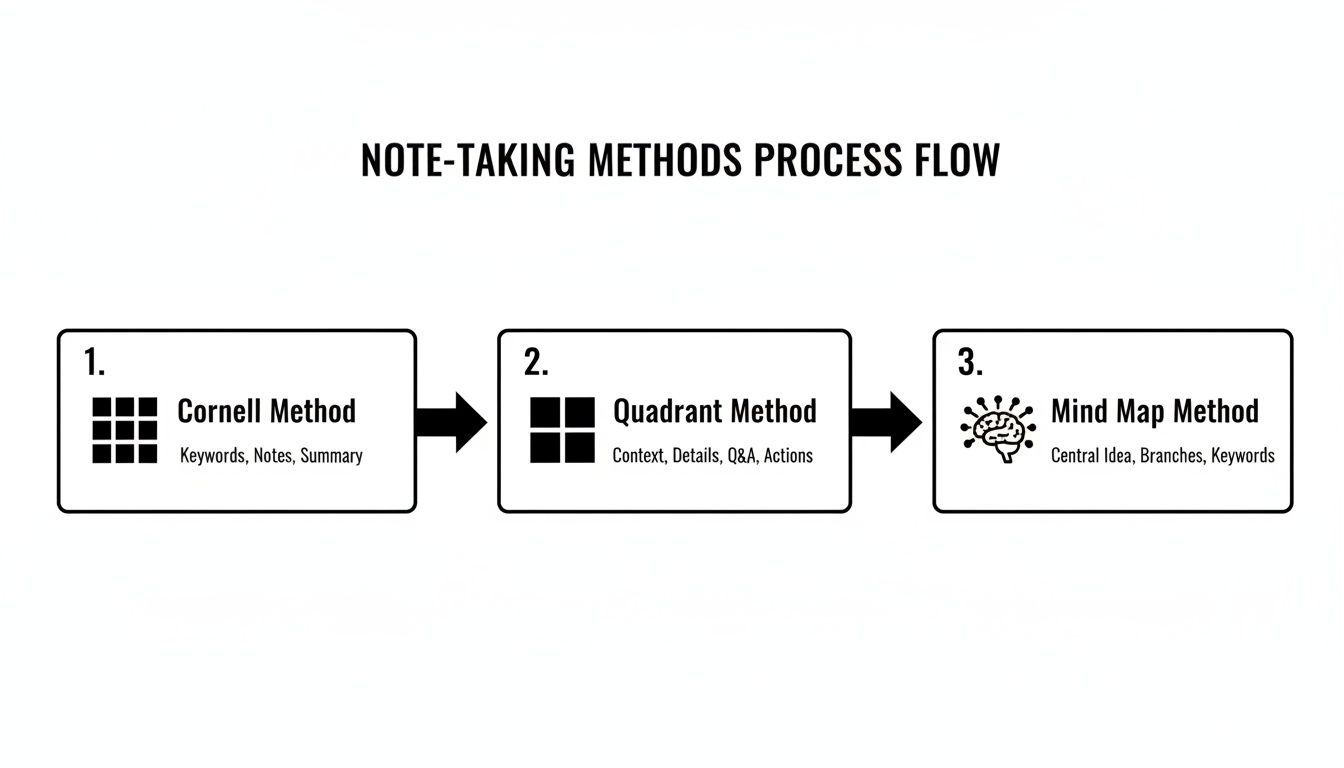
Você pode ver como diferentes formatos — como Cornell, Quadrante ou um Mapa Mental — são adequados para diferentes tipos de conversas, sejam elas altamente estruturadas, focadas em ações ou mais um brainstorming criativo.
Assim que suas anotações forem transformadas em um plano acionável, pense maior. Como elas podem contribuir para o conhecimento coletivo de sua equipe? Este guia para construir uma base de conhecimento abrangente tem ótimas ideias. Quando cada reunião se torna uma fonte de informação estruturada e acessível, você não está apenas tirando notas — você está construindo uma empresa mais inteligente e alinhada.
Deixando a IA Aperfeiçoar Seu Fluxo de Trabalho de Anotações
Imagine isto: um dia repleto de chamadas de clientes uma após a outra. Você está se esforçando para ouvir atentamente, inserir ideias inteligentes e, de alguma forma, capturar cada detalhe crítico. Isso costumava ser um ato de equilíbrio impossível.
Mas a IA mudou completamente o jogo, transformando uma tarefa estressante em um fluxo de trabalho suave e automatizado. Não se trata de economizar alguns minutos; trata-se de atingir um nível de precisão e percepção que tirar notas à mão simplesmente não consegue igualar.
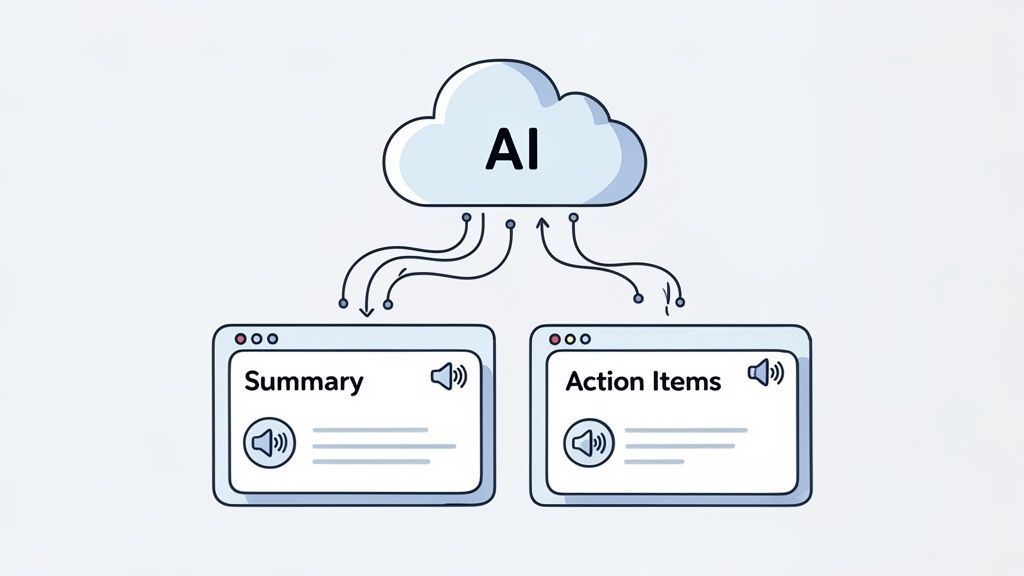
Essa mudança permite que você passe de um escriba frenético a um participante totalmente presente. Você pode parar de se preocupar em perder uma frase-chave e apenas se concentrar na conversa, confiante de que um registro perfeito está sendo criado para você em segundo plano.
Do Áudio Bruto à Transcrição Polida
Vamos ver como isso funciona para uma gerente de projeto ocupada — vamos chamá-la de Sarah. Depois de encerrar três reuniões de acompanhamento com clientes seguidas, ela não enfrenta uma hora tentando dar sentido às suas anotações rabiscadas. Em vez disso, ela simplesmente carrega as gravações de áudio em uma ferramenta como Transcript.LOL.
Em minutos, ela recebe algo muito mais valioso do que suas próprias anotações: uma transcrição super precisa e com identificação de falantes para cada reunião. Cada palavra está lá, e está perfeitamente claro quem disse o quê. Imediatamente, ela eliminou o risco de se lembrar mal de um detalhe-chave ou misturar feedback de diferentes clientes.
Essa transcrição instantânea é a base para todo o resto. É uma fonte de verdade pesquisável e compartilhável, pronta para o próximo passo. Para qualquer pessoa que faz chamadas frequentes em movimento, um bom anotador de IA para Zoom pode tornar esse processo ainda mais suave, conectando-se diretamente ao seu software de reunião.
Gerando Resumos e Itens de Ação Instantaneamente
Com as transcrições em mãos, o trabalho de Sarah fica ainda mais fácil. Ela não precisa reler horas de conversa para redigir um resumo para seu chefe. Ela simplesmente usa a IA da plataforma para gerar um resumo rápido em tópicos para cada chamada, extraindo os pontos de discussão e decisões mais importantes.
Isso é perfeito para stakeholders que precisam dos destaques, mas não têm tempo para analisar toda a conversa.
Ferramentas com tecnologia de IA tornam a informação acessível. Elas garantem que todos, independentemente de terem participado da reunião ou não, recebam um registro claro e preciso do que foi decidido e do que precisa acontecer a seguir.
Em seguida, ela aborda a parte mais importante de qualquer reunião: os itens de ação. Em vez de procurar tarefas no texto, ela usa uma função de IA que extrai automaticamente uma lista de verificação. A ferramenta identifica frases como "Vou te enviar até sexta-feira" ou "Você pode me enviar os novos mockups?" e as transforma em uma lista de tarefas estruturada.
Enviando Dados Acionáveis Para Onde Importa
É aqui que a mágica realmente acontece. Esses itens de ação extraídos não ficam apenas em um documento; eles estão prontos para serem colocados em prática. Sarah pode copiar a lista de verificação e colá-la diretamente no quadro Asana de sua equipe, criando e atribuindo tarefas instantaneamente com todo o contexto necessário da reunião.
Esse link direto entre o registro da reunião e a ferramenta de gerenciamento de projetos fecha o ciclo. Isso garante que as coisas que as pessoas prometeram fazer durante uma chamada não se percam na tradução e se tornem imediatamente visíveis para toda a equipe.
Para sessões de estratégia mais complexas, ela pode até mesmo solicitar à IA que crie um mapa mental visual a partir da transcrição. Isso a ajuda a ver como diferentes ideias da chamada se conectam, dando-lhe uma visão estratégica que é quase impossível de construir a partir de notas lineares. Todo esse processo permite que você leve tirar notas de reuniões a um nível totalmente novo, transformando um simples registro em um poderoso motor de produtividade.
Perguntas Comuns Que Recebo Sobre Tirar Notas de Reuniões
Mesmo com as melhores estruturas, algumas perguntas comuns sempre surgem quando as pessoas começam a levar a sério suas anotações. Vamos abordá-las diretamente com conselhos práticos e do mundo real.
Quão Detalhadas Devem Ser Minhas Anotações?
Essa é a grande questão. Você tenta capturar cada palavra, ou apenas os destaques? Meu conselho: foque nos resultados, não em uma transcrição. Seu objetivo real não é documentar a conversa; é criar um projeto para o que acontece a seguir.
Esqueça de anotar cada comentário. Em vez disso, treine seu ouvido para ouvir três coisas:
- Decisões: Com o que realmente concordamos?
- Itens de Ação: Quem está fazendo o quê e qual é o prazo?
- Percepções Chave: Qual foi aquele dado ou contexto que muda a forma como avançamos?
Aqui está um filtro simples que uso: se não leva diretamente a uma decisão ou ação, provavelmente não pertence ao resumo final. Isso mantém suas anotações enxutas, fáceis de escanear e focadas no que realmente importa.
Pensar dessa forma libera você para realmente participar da discussão em vez de ficar preso como o estenógrafo do grupo.
E Se Eu Não Conseguir Acompanhar a Conversa?
Isso acontece com todo mundo, especialmente quando uma discussão fica animada. Se você se encontrar ficando para trás, a pior coisa que você pode fazer é tentar escrever em frases completas. Pare. É exatamente por isso que desenvolver sua própria abreviação é um divisor de águas.
Use símbolos rápidos (* para um ponto crítico, ? para uma pergunta de acompanhamento), corte palavras comuns (proj para projeto) e use apenas iniciais para os falantes. O objetivo é simplesmente colocar a ideia central na página. Você pode detalhá-la com o contexto adequado logo após a reunião terminar, enquanto tudo ainda está fresco em sua mente.
Se você está sempre lutando para acompanhar o ritmo, leve isso como um sinal. É hora de começar a gravar suas reuniões. Deixar uma ferramenta de transcrição de IA rodando em segundo plano remove toda a pressão, permitindo que você se concentre na estratégia de alto nível e no fluxo da conversa.
Quão Logo Após Uma Reunião Devo Enviar as Anotações?
Envie-as rapidamente. Eu tento enviar as minhas dentro de algumas horas após o término da reunião, o que chamo de regra da "hora de ouro". Quanto mais você espera, mais da nuance e do contexto importantes evaporam — tanto para você quanto para todos os outros.
Enviar anotações rapidamente faz duas coisas: mantém o ímpeto da reunião e mostra a todos que você está no controle.
Sinceramente, se você limpou suas anotações e extraiu os principais pontos logo após a chamada, você pode obter o resumo em menos de 15 minutos. É um pequeno hábito, mas constrói uma reputação massiva de eficiência e responsabilidade.
Pare de se afogar em anotações manuais. Deixe a IA fazer o trabalho pesado.
Com Transcript.LOL, você obtém transcrições instantâneas, resumos com tecnologia de IA e itens de ação extraídos automaticamente para você. Transforme suas conversas em planos claros e acionáveis em segundos.
Experimente o Transcript.LOL gratuitamente e veja por si mesmo!