
Os 12 Melhores Softwares de Edição de Podcast para 2026
Descubra o melhor software de edição de podcast para o seu fluxo de trabalho. Analisamos 12 ferramentas de ponta para iniciantes e profissionais, comparando recursos, preços e casos de uso.
Kate, Praveen
January 9, 2026
Escolher o melhor software de edição de podcasts é uma decisão crítica que impacta diretamente a eficiência do seu fluxo de trabalho e a qualidade final do seu áudio. A ferramenta certa pode otimizar horas de trabalho, transformando um processo complexo de pós-produção em uma tarefa gerenciável, até mesmo agradável. Inversamente, o software errado pode levar à frustração, obstáculos técnicos e um produto final menos que profissional.
Este guia foi projetado para cortar o ruído. Compilamos uma lista abrangente das principais plataformas disponíveis, desde Estações de Trabalho de Áudio Digital (DAWs) padrão da indústria até editores inovadores baseados em texto. Nosso objetivo é fornecer um recurso claro e prático para ajudá-lo a selecionar o software ideal para suas necessidades específicas, orçamento e nível de habilidade técnica. Seja você um engenheiro de áudio experiente ou um iniciante lançando seu primeiro programa, esta análise o ajudará a encontrar a opção perfeita. Para se manter à frente no cenário competitivo, explore avanços que integram inteligência artificial à sua produção, como as melhores ferramentas de IA para podcasters.
Nesta lista, você encontrará:
- Análises Detalhadas: Cada entrada de software inclui uma análise aprofundada dos principais recursos, preços e prós e contras honestos com base no uso no mundo real.
- Casos de Uso Específicos: Identificamos para quem cada plataforma é mais adequada, desde criadores solo até equipes de produção profissionais.
- Orientação Visual: Capturas de tela são incluídas com cada análise para oferecer uma visão clara da interface do usuário.
Fizemos a pesquisa para que você possa gastar menos tempo comparando e mais tempo criando. Vamos encontrar o software que elevará seu podcast.
Por que Escolher o Editor de Podcast Certo Importa
O software de edição de podcast impacta diretamente a velocidade de produção, a qualidade do áudio e a energia criativa. A ferramenta certa simplifica seu fluxo de trabalho e mantém você focado no conteúdo. A escolha errada adiciona atrito, atrasa lançamentos e limita o crescimento ao longo do tempo.
1. Descript
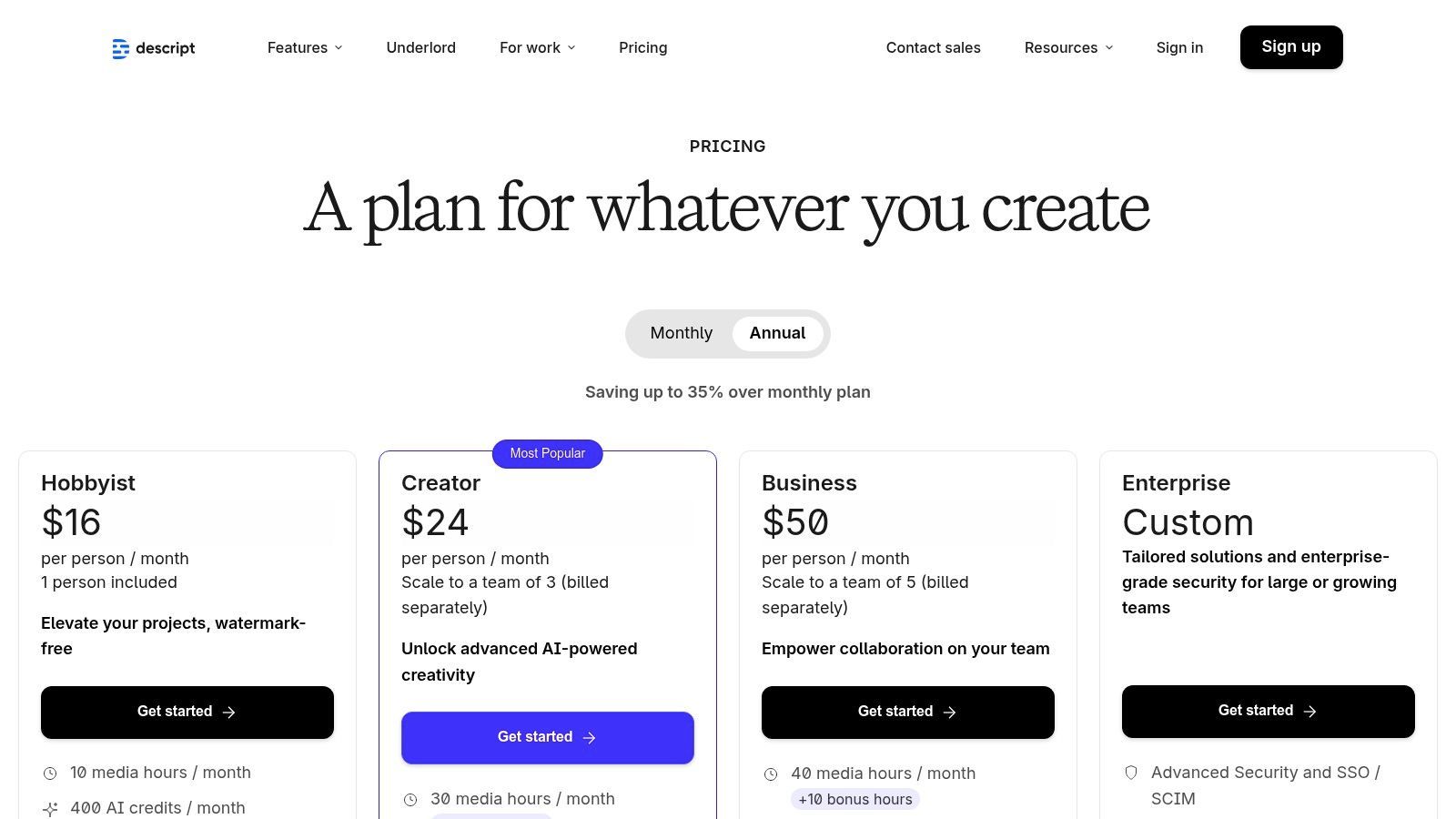
O Descript revoluciona a produção de podcasts, transformando a edição de áudio e vídeo em um processo tão simples quanto editar um documento de texto. Em vez de manipular formas de onda complexas, você edita a transcrição gerada automaticamente. Excluir uma palavra ou frase no texto corta automaticamente o áudio ou vídeo correspondente, tornando-o uma opção incrivelmente intuitiva para criadores que não são engenheiros de áudio tradicionais. Este fluxo de trabalho baseado em texto o torna uma das melhores opções de software de edição de podcast para aqueles que priorizam velocidade e simplicidade.
Seus poderosos recursos de IA são um grande atrativo. O Studio Sound pode remover ruído de fundo e aprimorar a qualidade da voz com um único clique, enquanto a ferramenta de remoção de palavras de preenchimento ("um", "uh", "sabe") pode limpar uma gravação em segundos. Para aqueles que precisam de uma transcrição polida, o Descript fornece uma base sólida, e você pode aprender mais sobre como aperfeiçoar o processo explorando como transcrever um podcast para obter precisão e legibilidade máximas.
Principais Recursos e Preços
- Edição Baseada em Transcrição: O cerne do apelo do Descript. Edite áudio simplesmente editando texto.
- Limpeza com IA: "Studio Sound" para redução de ruído e remoção de palavras de preenchimento com um clique.
- Overdub: Crie um clone realista da sua própria voz para corrigir palavras ou adicionar novas linhas.
- Colaboração: Recursos de colaboração em tempo real, estilo Google Docs, para equipes.
| Plano | Preço (Mensal) | Ideal para |
|---|---|---|
| Grátis | $0 | Iniciantes, teste da plataforma |
| Creator | $15/usuário | Criadores solo, podcasters regulares |
| Pro | $30/usuário | Usuários avançados, equipes de conteúdo profissional |
Prós e Contras
Prós:
- Facilidade de Uso Inigualável: A curva de aprendizado é excepcionalmente baixa para qualquer pessoa familiarizada com um processador de texto.
- Fluxo de Trabalho Tudo-em-Um: Grave, edite, mixe, transcreva e publique a partir de um único aplicativo.
- Ferramentas de IA Poderosas: Recursos como Studio Sound e Overdub economizam imensas quantidades de tempo.
Contras:
- Dependente de Internet: A forte dependência do processamento em nuvem requer uma conexão de internet estável.
- Limites Baseados em Créditos: Horas de transcrição e recursos de IA são medidos dependendo do plano.
2. Adobe Audition (Adobe)
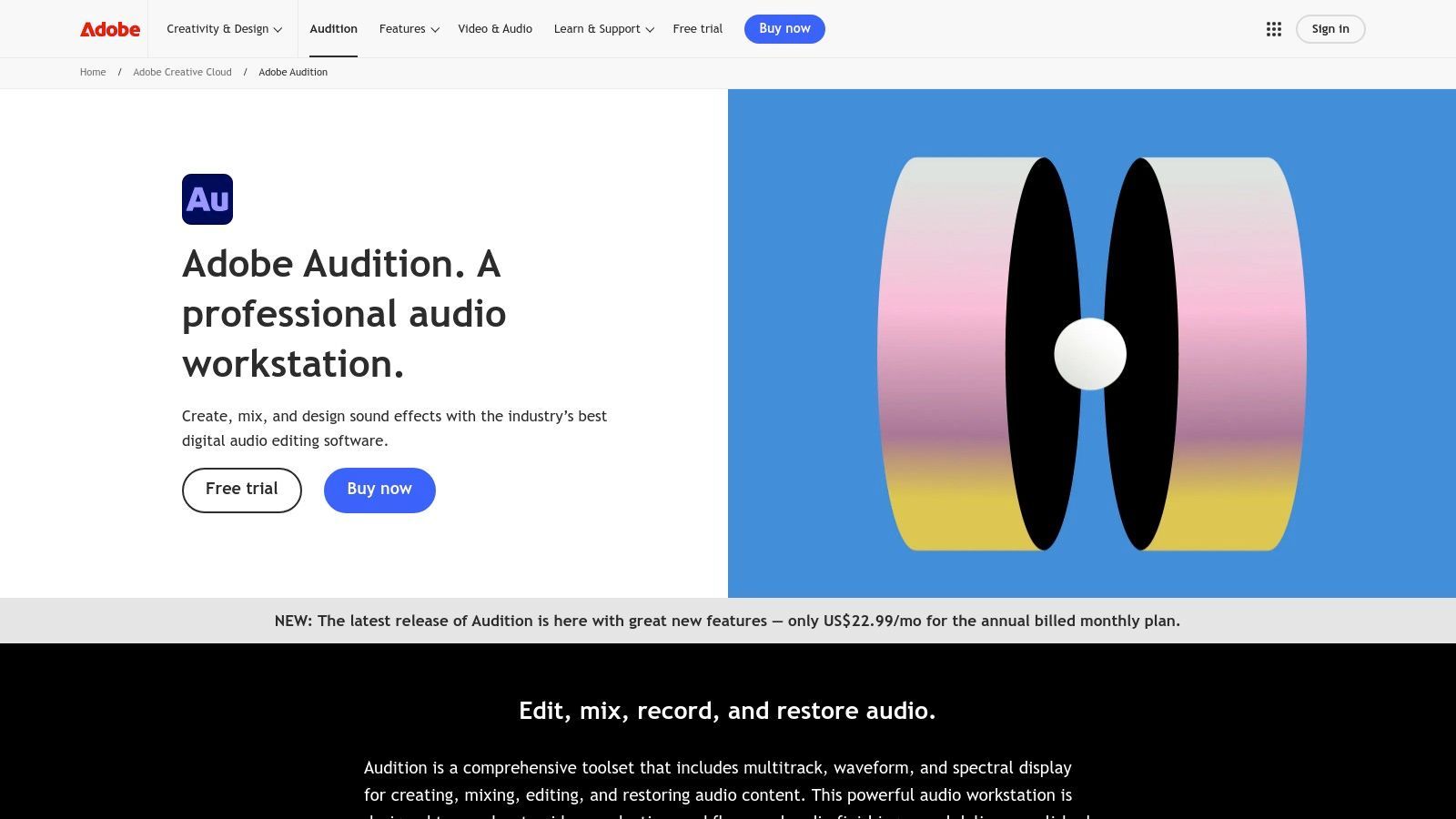
O Adobe Audition é uma estação de trabalho de áudio digital (DAW) de nível profissional que traz um conjunto completo de poderosas ferramentas de mixagem, edição e restauração de áudio. Como parte do Adobe Creative Cloud, ele oferece um ambiente incrivelmente robusto para podcasters que exigem precisão e controle. Ao contrário de plataformas mais simples, o Audition oferece recursos avançados como edição multitrilha, exibição de frequência espectral para identificar ruídos com precisão e processamento em lote poderoso, tornando-o uma das melhores opções de software de edição de podcast para profissionais e aqueles que produzem conteúdo em vídeo.
Sua maior vantagem reside em sua integração perfeita com o ecossistema Adobe, particularmente com o Premiere Pro. Este Dynamic Link permite que podcasters de vídeo enviem áudio facilmente para frente e para trás para mixagem e masterização de nível profissional sem perder qualidade ou tempo. As extensas ferramentas de redução de ruído e restauração do software são líderes do setor, capazes de limpar gravações desafiadoras que outros aplicativos podem ter dificuldade. Embora a curva de aprendizado seja mais acentuada, o controle que ele oferece é incomparável para alcançar um som de qualidade de transmissão.
Principais Recursos e Preços
- Edição Multitrilha Avançada: Trabalhe com várias faixas de áudio simultaneamente com controles de mixagem profissionais.
- Exibição de Frequência Espectral: Identifique visualmente e remova cirurgicamente sons indesejados como tosses ou zumbidos de fundo.
- Painel Essential Sound: Simplifica processos de áudio complexos com predefinições para diálogo, música e efeitos sonoros.
- Integração Perfeita com Premiere Pro: O padrão ouro para fluxos de trabalho de áudio para vídeo.
| Plano | Preço (Mensal) | Ideal para |
|---|---|---|
| Audition Single App | $22.99 | Profissionais de áudio, podcasters dedicados |
| Creative Cloud All Apps | $59.99 | Criadores que usam várias ferramentas Adobe (vídeo, gráficos) |
Prós e Contras
Prós:
- Poder Padrão da Indústria: Um conjunto de ferramentas abrangente para mixagem e reparo de áudio em nível profissional.
- Ferramentas de Restauração Excepcionais: Recursos de ponta para limpar áudio imperfeito.
- Integração Profunda com Creative Cloud: Eficiência de fluxo de trabalho inigualável para podcasters de vídeo que usam Premiere Pro.
Contras:
- Curva de Aprendizado Mais Acentuada: Pode ser intimidante para iniciantes absolutos em comparação com editores mais simples.
- Apenas por Assinatura: Nenhuma opção de licença perpétua; requer uma taxa mensal ou anual contínua.
3. Hindenburg Pro 2
O Hindenburg Pro 2 é uma estação de trabalho de áudio digital (DAW) construída especificamente para áudio falado, tornando-o um favorito entre jornalistas, podcasters narrativos e produtores de audiolivros. Ao contrário das DAWs tradicionais projetadas para música, o Hindenburg automatiza muitos processos complexos de áudio, como nivelamento e normalização de volume. Isso permite que os criadores se concentrem na narrativa em vez de se perderem em configurações técnicas, solidificando seu lugar como um dos melhores softwares de edição de podcast para conteúdo focado em narrativa.
O fluxo de trabalho é centrado na eficiência para produção vocal. Recursos como a área de transferência para organizar clipes e o modo de manuscrito para edição baseada em texto simplificam a montagem de histórias complexas. Seu nivelamento automático garante que diferentes locutores, efeitos sonoros e música se encaixem perfeitamente na mixagem sem ajustes manuais tediosos, aderindo aos padrões de transmissão da indústria prontos para uso.
Principais Recursos e Preços
- Processamento de Áudio Automatizado: Normalização de volume automática e perfil de voz para áudio claro e consistente.
- Ferramentas Focadas em Histórias: Área de transferência para organizar clipes de áudio e um modo de manuscrito para edição.
- Transcrição Integrada: Add-on opcional para transcrever áudio diretamente dentro do editor.
- Relatórios de Música: Gera automaticamente relatórios para rastrear o uso de música para direitos e royalties.
| Plano | Preço (Mensal) | Ideal para |
|---|---|---|
| Hindenburg Lite | $12/usuário | Iniciantes, edição básica de voz |
| Hindenburg Pro | $15/usuário | Podcasters profissionais, contadores de histórias |
| Hindenburg Pro + Transcribe | $30/usuário | Usuários que precisam de transcrição integrada |
Prós e Contras
Prós:
- Construído Especificamente para Voz: Todo o fluxo de trabalho é otimizado para voz, não para música.
- Automação que Economiza Tempo: Recursos de nivelamento automático e volume aceleram drasticamente o processo de edição.
- Qualidade de Áudio Excepcional: O perfilador de voz e as ferramentas de EQ produzem um som limpo e profissional.
Contras:
- Foco de Nicho: Menos ideal para podcasts que dependem fortemente de produção musical complexa.
- Custos de Add-on: Recursos importantes como transcrição não estão incluídos no plano Pro padrão.
4. Audacity
O Audacity é um nome lendário no mundo do áudio digital, servindo como o editor gratuito, de código aberto e multiplataforma preferido por milhões. Ele fornece um ambiente de edição multitrilha robusto e tradicional que oferece aos podcasters controle fundamental sobre seu áudio sem nenhum custo. Embora falte os fluxos de trabalho baseados em texto e impulsionados por IA de ferramentas mais novas, sua confiabilidade e conjunto abrangente de recursos o tornam um concorrente perene para o melhor software de edição de podcast para aqueles com orçamento limitado.
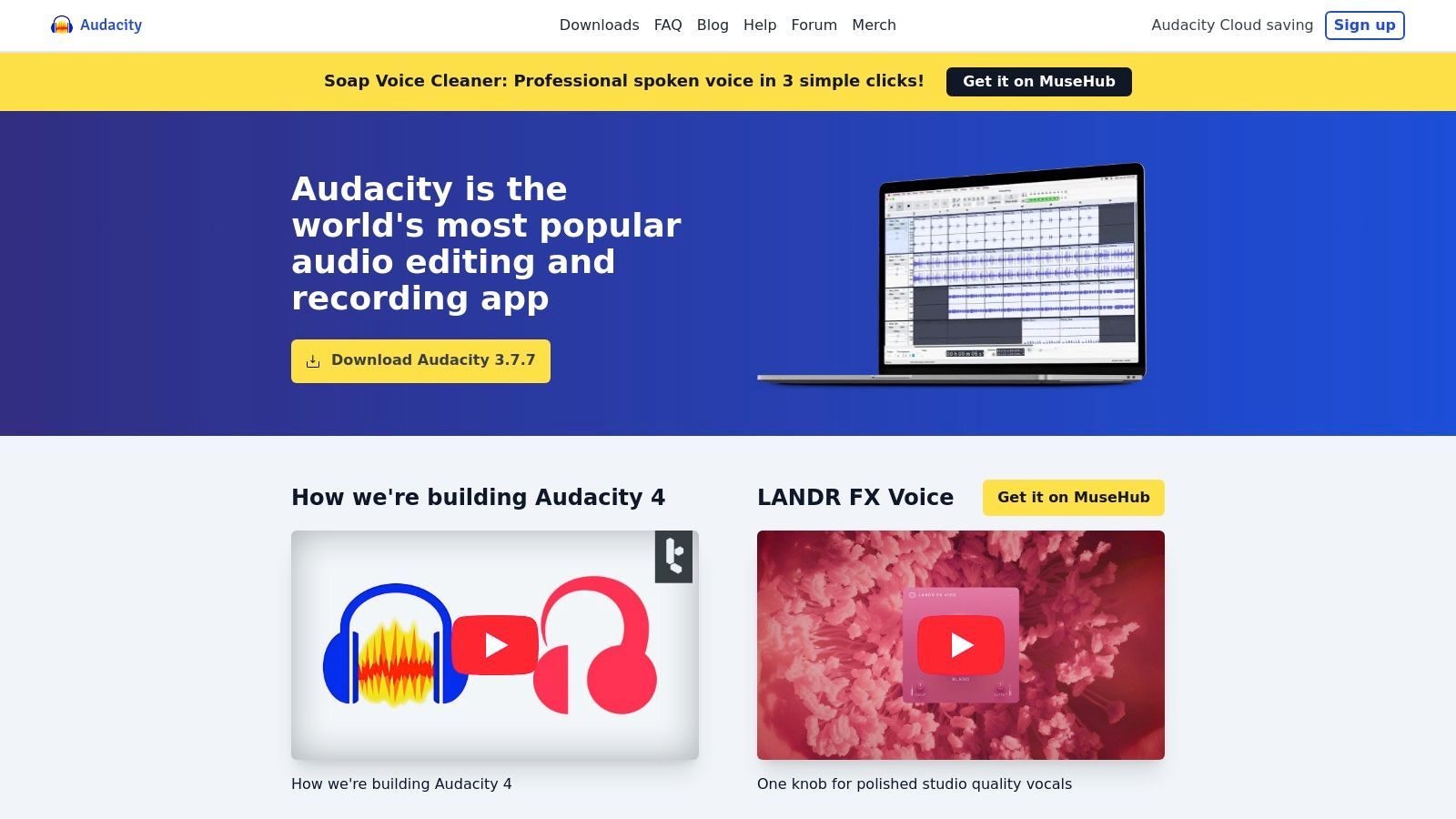
A plataforma se destaca com suas ferramentas poderosas e diretas para gravação, edição e mixagem. Você pode gerenciar facilmente várias faixas para hosts, convidados e música, aplicando efeitos como redução de ruído, equalização e compressão para polir seu som. Para tarefas como combinar música de introdução com sua gravação principal, você pode aprender mais sobre como mesclar arquivos de áudio para otimizar seu fluxo de trabalho. Seu amplo suporte a plugins (incluindo VST3 e Nyquist) permite que os usuários expandam suas capacidades muito além da instalação padrão.
Principais Recursos e Preços
- Edição Multitrilha e Efeitos: Um editor de linha do tempo tradicional com um conjunto completo de efeitos de áudio integrados.
- Suporte a Plugins: Extensível com uma biblioteca massiva de plugins VST3 e Nyquist de terceiros.
- Ferramentas de Análise: Inclui espectrograma e outros recursos de análise para inspeção detalhada de áudio.
- Multiplataforma: Funciona nativamente em Windows, macOS e GNU/Linux.
| Plano | Preço (Mensal) | Ideal para |
|---|---|---|
| Grátis | $0 | Todos, de iniciantes a profissionais com orçamento limitado |
Prós e Contras
Prós:
- Completamente Grátis: Sem taxas, assinaturas ou testes com recursos limitados para se preocupar.
- Grande Comunidade: Documentação extensa, tutoriais e suporte comunitário estão prontamente disponíveis.
- Poderoso e Extensível: Oferece controle profundo sobre o áudio e pode ser expandido com inúmeros plugins.
Contras:
- Curva de Aprendizado Mais Acentuada: A interface tradicional pode ser menos intuitiva do que editores modernos e impulsionados por IA.
- Menos Ferramentas Específicas para Podcast: Falta recursos de um clique para remoção de palavras de preenchimento ou mixagem automática encontrados em aplicativos pagos.
5. REAPER
O REAPER oferece uma estação de trabalho de áudio digital (DAW) completa a um preço incrivelmente acessível, tornando-o uma escolha poderosa para podcasters que desejam controle total sobre seu ambiente de produção. Ao contrário de ferramentas simplificadas e específicas para podcast, o REAPER oferece edição multitrilha profunda, roteamento e capacidades de automação normalmente encontradas em softwares caros de produção musical. Isso o torna um dos melhores softwares de edição de podcast para criadores com mentalidade técnica que gostam de construir fluxos de trabalho personalizados do zero.
A verdadeira força da plataforma reside em sua profunda personalização e eficiência. Os usuários podem adaptar quase todos os aspectos da interface e criar ações personalizadas ou macros complexas por meio de seu suporte a scripts (ReaScripts). Além disso, o REAPER é famoso por ser leve e estável, rodando suavemente mesmo em hardware modesto, o que é uma vantagem significativa para criadores que não possuem computadores de ponta.
Principais Recursos e Preços
- Edição Multitrilha Profunda: Faixas ilimitadas com automação, agrupamento e barramento de nível profissional.
- Personalização Extrema: Modifique temas, menus, barras de ferramentas e crie ações personalizadas com scripts.
- Roteamento Flexível: Capacidades avançadas de roteamento de sinal para configurações complexas com vários hosts ou fontes de som.
- Desempenho Eficiente: Aplicativo leve que usa recursos mínimos do sistema, garantindo estabilidade.
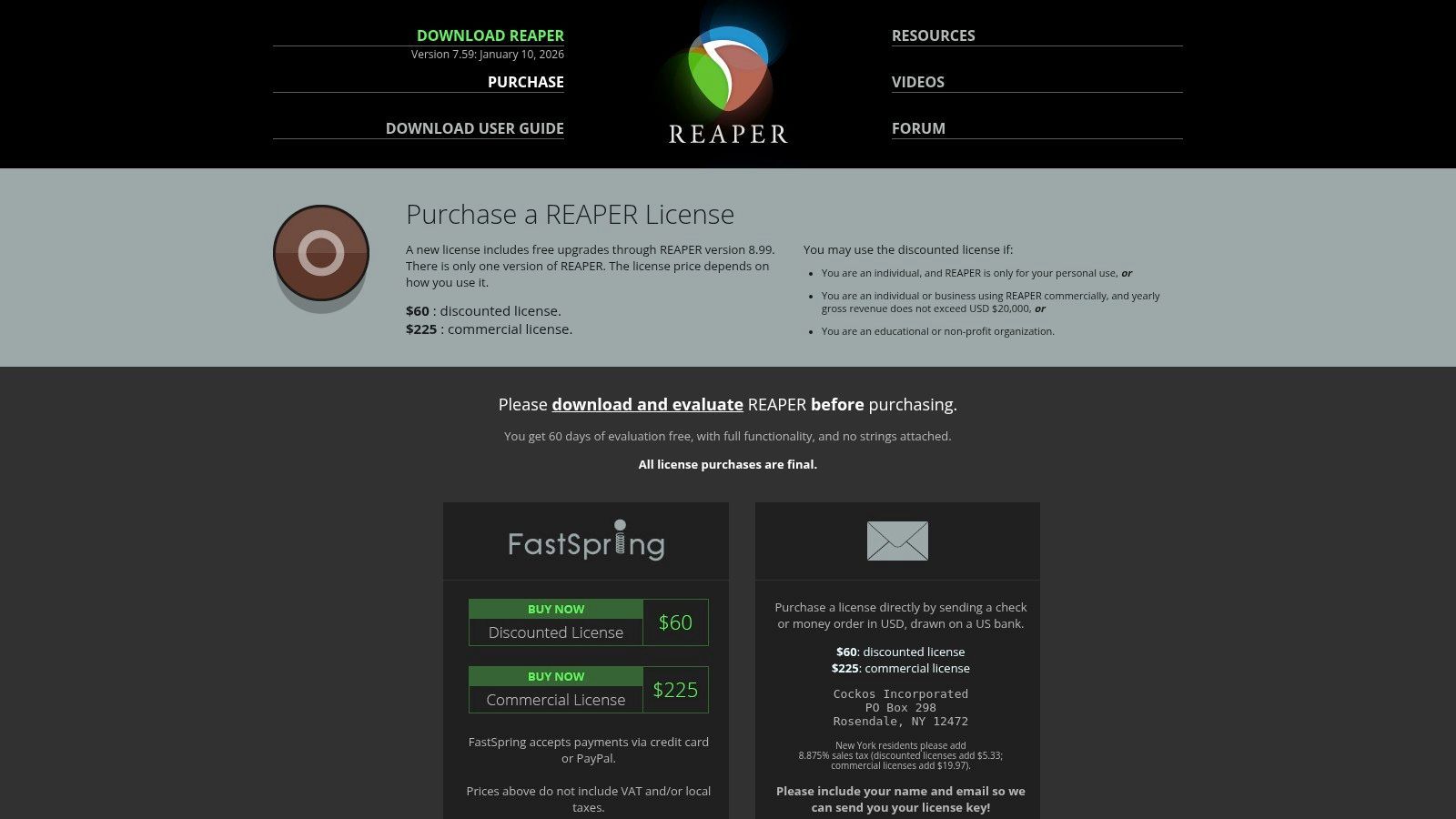
| Licença | Preço (Pagamento Único) | Ideal para |
|---|---|---|
| Descontada | $60 | Indivíduos, organizações sem fins lucrativos ou pequenas empresas |
| Comercial | $225 | Uso comercial com receita bruta superior a US$ 20 mil/ano |
Prós e Contras
Prós:
- Altamente Acessível: Uma taxa única fornece uma DAW completa com atualizações futuras.
- Extremamente Configurável: Pode ser adaptado para corresponder perfeitamente a qualquer fluxo de trabalho de podcast.
- Leve e Estável: Roda eficientemente em computadores mais antigos ou menos potentes sem travar.
Contras:
- Curva de Aprendizado Acentuada: A interface e a configuração inicial podem parecer intimidantes para iniciantes.
- Falta de Modelos Específicos para Podcast: Requer mais configuração manual do que ferramentas criadas exclusivamente para podcasting.
6. Logic Pro (Apple)
O Logic Pro é a Estação de Trabalho de Áudio Digital (DAW) de nível profissional da Apple, exclusivamente para usuários de Mac. Embora renomado pela produção musical, suas ferramentas de edição poderosas e precisas o tornam uma escolha formidável para podcasters que buscam controle total sobre seu áudio. Sua linha do tempo multitrilha tradicional oferece controle granular sobre cada clipe, tornando-o um dos melhores softwares de edição de podcast para criadores que precisam de mixagem avançada, design de som e capacidades de masterização.
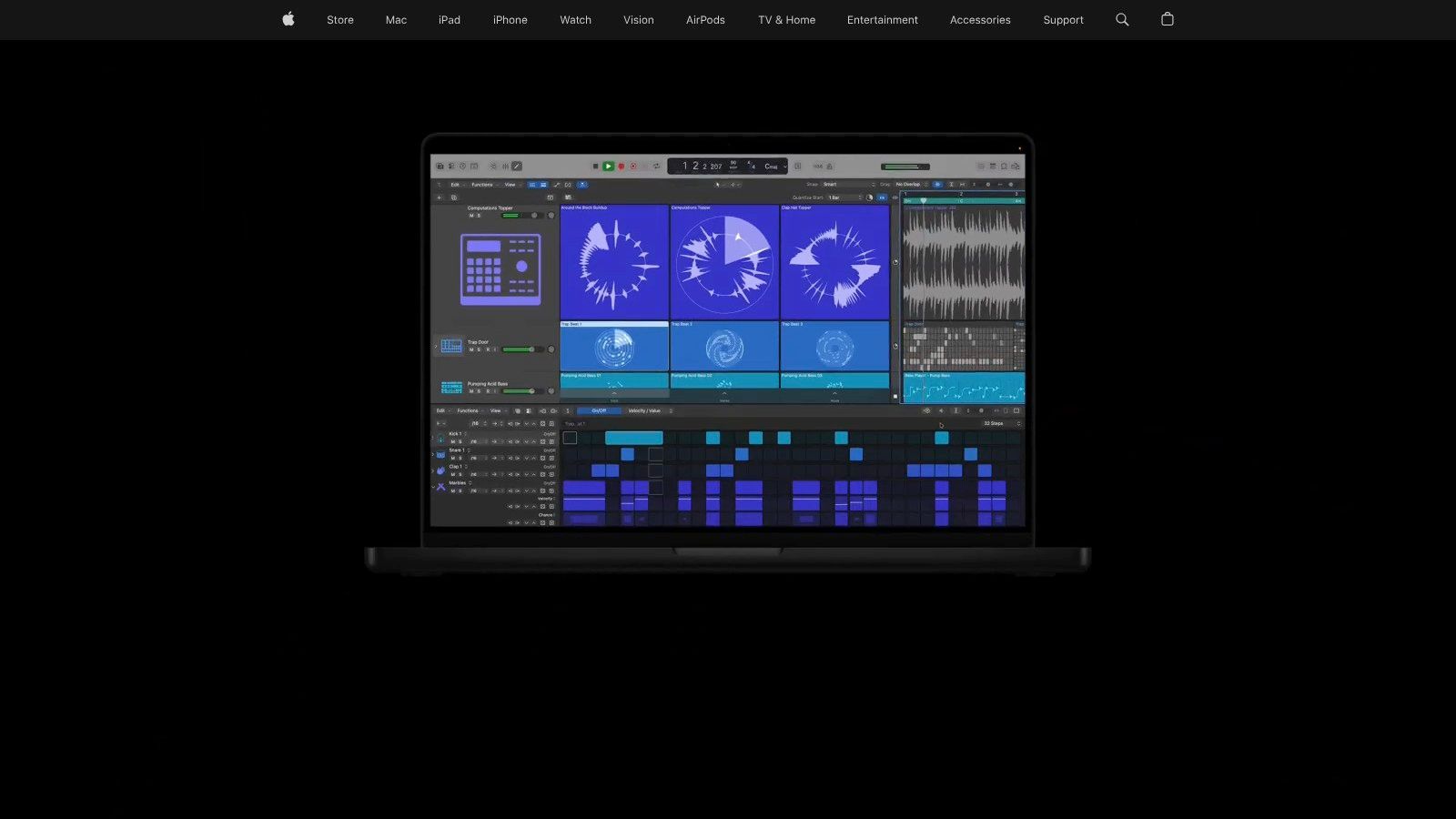
Ao contrário dos modelos de assinatura, o Logic Pro é uma compra única, oferecendo uma solução econômica a longo prazo. Ele fornece um conjunto abrangente de ferramentas, desde comping de takes para entrevistas perfeitas até Flex Time para corrigir erros de tempo. Com assistentes de masterização integrados, amplo suporte a plugins e integração profunda no ecossistema Apple, é uma potência para podcasters que também são músicos ou engenheiros de áudio que buscam produzir um show de qualidade de transmissão inteiramente em seu Mac.
Principais Recursos e Preços
- Edição Multitrilha Avançada: Ferramentas precisas para cortar, organizar e mixar clipes de áudio.
- Comping e Flex Time: Combine facilmente as melhores partes de vários takes e corrija problemas de tempo.
- Assistente de Masterização Integrado: Ferramentas impulsionadas por IA para ajudar a finalizar seu episódio para distribuição.
- Amplo Suporte a Plugins: Compatível com uma vasta gama de plugins de terceiros Audio Units (AU).
| Plano | Preço (Pagamento Único) | Ideal para |
|---|---|---|
| Licença Completa | $199.99 | Usuários de Mac que buscam uma DAW profissional de compra única |
Prós e Contras
Prós:
- Econômico a Longo Prazo: Uma única compra oferece acesso vitalício e todas as atualizações futuras.
- Conjunto de Ferramentas Profissional: Oferece recursos padrão da indústria para edição, mixagem e masterização.
- Estável e Otimizado: Profundamente integrado ao macOS para operação confiável e de alto desempenho.
Contras:
- Apenas para Mac: Não disponível para usuários de Windows ou Linux, limitando a acessibilidade.
- Curva de Aprendizado Mais Acentuada: Pode ser intimidante para iniciantes sem experiência prévia em produção musical.
7. iZotope RX 11
O iZotope RX 11 é menos um editor primário e mais um cirurgião de áudio especializado. É uma suíte de reparo de áudio líder do setor, projetada para corrigir gravações imperfeitas, tornando-se um companheiro essencial para uma DAW tradicional. Em vez de apenas cortar e organizar clipes, o RX 11 segmenta e remove problemas específicos como zumbido de fundo, cliques de microfone, reverb distrativo e ruídos de boca indesejados. Isso o torna uma das melhores ferramentas de software de edição de podcast para salvar áudio que, de outra forma, seria inutilizável.
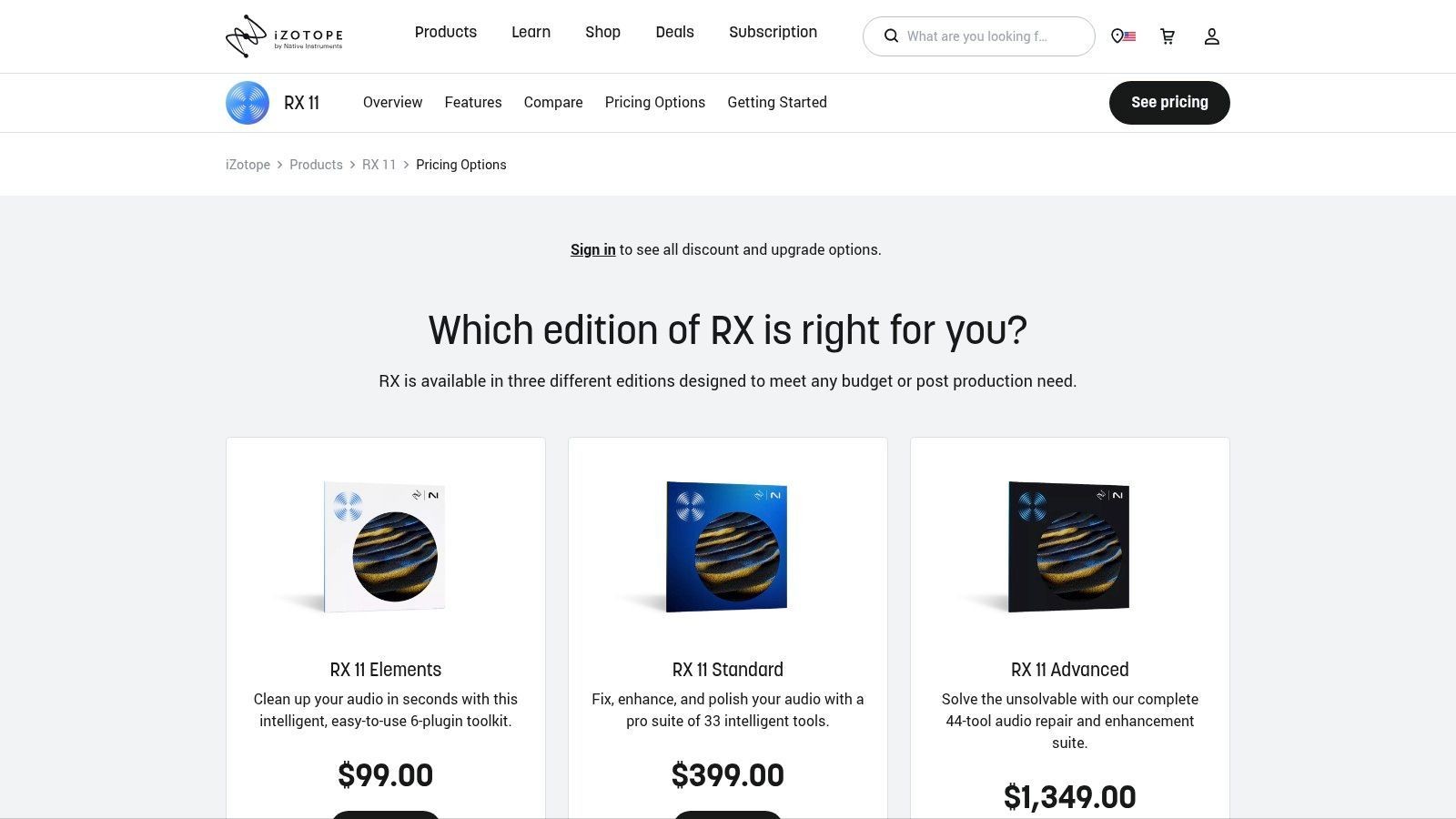
Seu poder reside em seu conjunto de módulos dedicados e seu editor espectral visual, que permite ver sons como plosivas ou rangidos de cadeira e literalmente apagá-los da gravação. O Repair Assistant, impulsionado por IA, pode analisar seu áudio e sugerir uma cadeia de correções com um único clique, fornecendo um caminho rápido para diálogos limpos. Ele opera tanto como um aplicativo independente quanto como um conjunto de plug-ins dentro de sua DAW preferida, oferecendo incrível flexibilidade para qualquer fluxo de trabalho de pós-produção.
Principais Recursos e Preços
- Editor Espectral: Identifique e remova visualmente ruídos indesejados com precisão cirúrgica.
- Módulos de Reparo Dedicados: Ferramentas projetadas especificamente para de-hum, de-click, de-reverb e de-noise de voz.
- Repair Assistant: Uma ferramenta de IA que detecta automaticamente problemas e propõe uma cadeia de reparo personalizada.
- Operação em DAW e Standalone: Use-o sozinho ou como um plug-in (AU/AAX/VST3) dentro de DAWs como Audition ou Pro Tools.
| Plano | Preço (Pagamento Único) | Ideal para |
|---|---|---|
| RX Elements | $129 | Iniciantes, remoção básica de ruído |
| RX 11 Standard | $399 | Podcasters sérios, produtores musicais |
| RX 11 Advanced | $1,199 | Profissionais de pós-produção |
Prós e Contras
Prós:
- Reparo de Áudio de Ponta: Capacidade inigualável de resgatar gravações barulhentas ou problemáticas.
- Salva Gravações Problemáticas: Pode corrigir problemas de áudio que outros softwares simplesmente não conseguem lidar.
- Ampla Compatibilidade: Integra-se perfeitamente como um plug-in com todas as principais DAWs.
Contras:
- Adiciona à sua Pilha de Software: É uma compra adicional além do seu editor principal.
- Pode Ser Caro: As versões avançadas representam um investimento financeiro significativo.
8. Auphonic
O Auphonic não é um editor tradicional, mas um serviço web inteligente e automatizado de pós-produção de áudio. Ele atua como o polimento final para seu episódio após a conclusão da edição principal, equilibrando automaticamente os níveis, reduzindo o ruído de fundo e garantindo que seu áudio final atenda aos padrões de volume da indústria. Para criadores que terminaram de cortar seu conteúdo, mas precisam de um som profissional de qualidade de transmissão, o Auphonic é um passo final essencial.
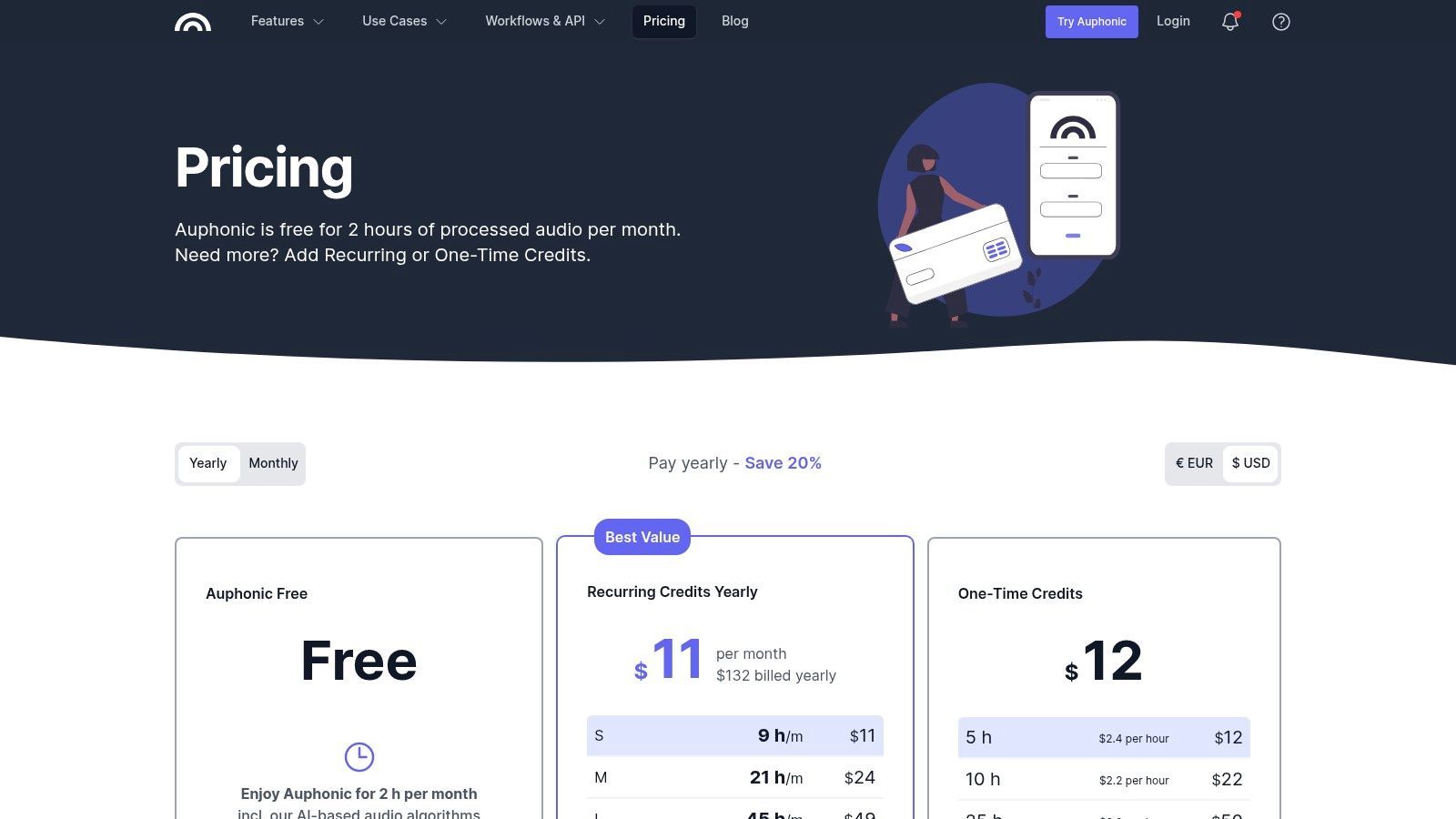
A força da plataforma reside em seus algoritmos sofisticados que lidam com tarefas complexas como compressão de faixa dinâmica, redução de zumbido e nivelamento de várias faixas com apenas alguns cliques. Em vez de passar horas ajustando plugins em uma DAW, você pode simplesmente fazer o upload do seu arquivo, definir seus alvos e deixar a IA do Auphonic entregar um arquivo mestre limpo e consistente. Isso o torna uma ferramenta inestimável para podcasters que buscam eficiência sem sacrificar a qualidade do áudio.
Principais Recursos e Preços
- Nivelador Inteligente: Equilibra automaticamente os níveis entre diferentes locutores, música e segmentos.
- Normalização de Volume: Conformidade do áudio com padrões como LUFS para plataformas como Spotify e Apple Podcasts.
- Redução de Ruído e Reverb: Limpa problemas comuns de áudio como chiado de fundo, zumbido e eco excessivo.
- Processamento Multitrilha: Mixa e processa várias faixas de áudio em um arquivo estéreo ou mono final e equilibrado.
| Plano | Preço (Mensal) | Ideal para |
|---|---|---|
| Grátis | $0 | Até 2 horas de processamento de áudio por mês |
| Créditos Recorrentes | A partir de $13 | Podcasters regulares que precisam de mais de 2 horas |
| Créditos Únicos | A partir de $12 | Projetos únicos ou uso infrequente |
Prós e Contras
Prós:
- Polimento Automatizado: Economiza imenso tempo em tarefas técnicas de pós-produção.
- Qualidade Consistente: Entrega um som confiável e profissional em todos os episódios.
- Nível Gratuito Generoso: As 2 horas gratuitas de processamento por mês são perfeitas para muitos podcasters semanais.
Contras:
- Não é um Editor Completo: É uma ferramenta de finalização, não um substituto para uma DAW ou editor de conteúdo.
- Pode Soar Sobreprocessado: A limpeza automatizada pode, às vezes, soar muito clínica para podcasts criativos ou focados em narrativa.
9. Alitu: The Podcast Maker
O Alitu foi projetado para automatizar as partes mais tediosas do podcasting, tornando-o uma solução completa baseada em navegador para criadores que desejam ir da gravação à publicação o mais rápido possível. Ele simplifica toda a cadeia de produção processando automaticamente o áudio com redução de ruído, remoção de zumbido e nivelamento. Esse foco em automação e facilidade o torna uma das melhores opções de software de edição de podcast para iniciantes ou podcasters solo sobrecarregados por detalhes técnicos.
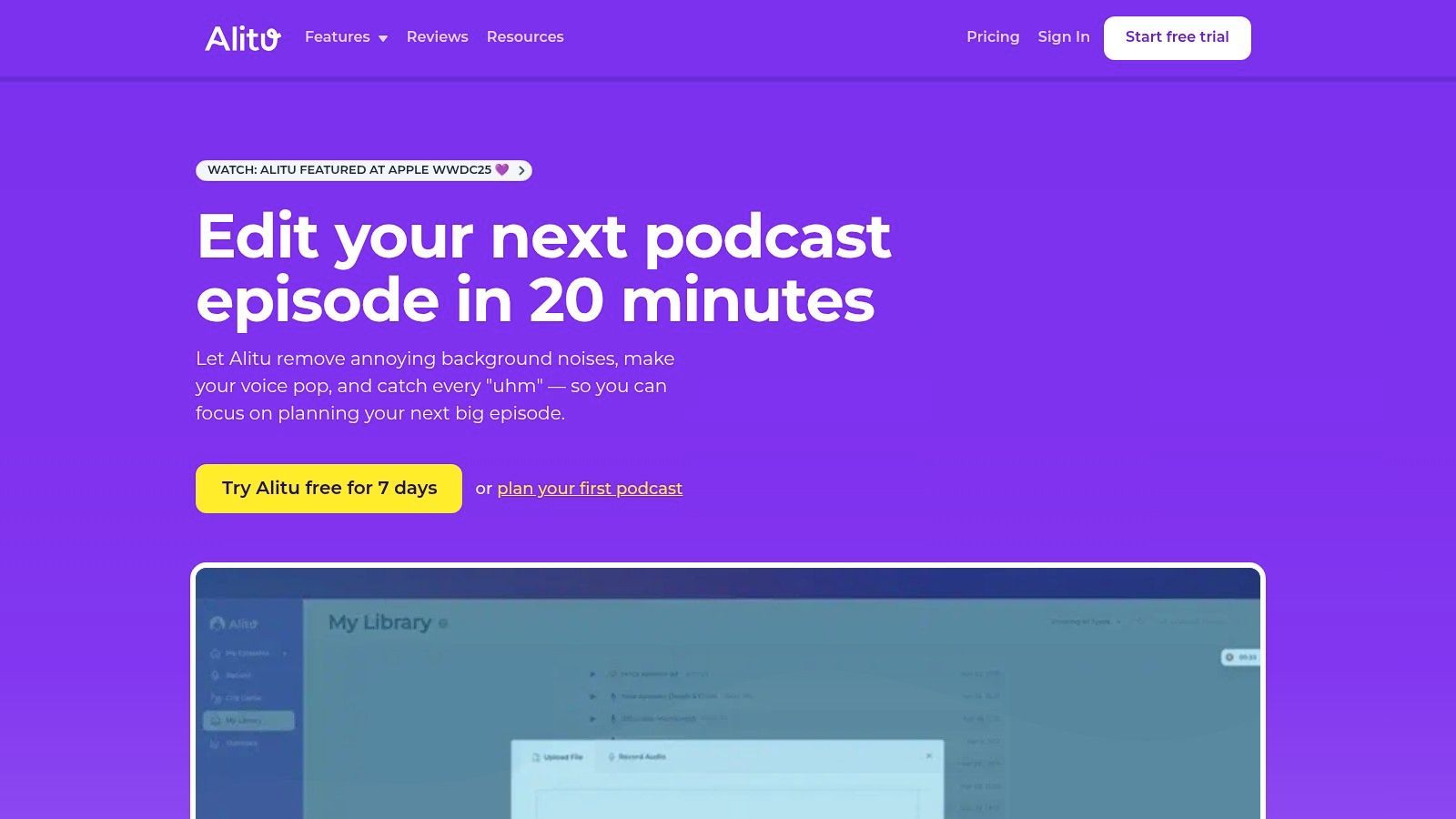
A plataforma o guia em cada etapa, desde a gravação de entrevistas remotas até a adição de música de introdução de sua biblioteca integrada e a montagem de seu episódio com um editor simples de arrastar e soltar. Ele até gera transcrições e pode publicar diretamente em hosts de podcast importantes. Esse processo simplificado libera mais tempo para se concentrar no conteúdo e na promoção, o que você pode aprimorar explorando estratégias eficazes de marketing de podcast.
Principais Recursos e Preços
- Limpeza Automática de Áudio: "Filtros mágicos" nivelam automaticamente volumes, reduzem ruído de fundo e limpam gravações.
- Construtor de Episódios: Interface de arrastar e soltar para montar gravações, música e jingles em um episódio finalizado.
- Gravação Remota: Ferramenta integrada para gravar áudio de alta qualidade com até 10 convidados remotos.
- Biblioteca Integrada: Inclui músicas de tema e jingles gratuitos para adicionar um toque profissional.
| Plano | Preço (Mensal) | Ideal para |
|---|---|---|
| Alitu | $38 | Criadores solo e iniciantes |
| Alitu Pro | $100 | Equipes e empresas que precisam de recursos avançados |
Prós e Contras
Prós:
- Extremamente Amigável para Iniciantes: O fluxo de trabalho é projetado para ser intuitivo, removendo barreiras técnicas.
- Plataforma Tudo-em-Um: Lida com gravação, edição e publicação dentro de uma única ferramenta.
- Automação que Economiza Tempo: O processamento automático de áudio economiza um tempo de edição significativo.
Contras:
- Controle Criativo Limitado: Não é adequado para edição de áudio complexa ou design de som detalhado.
- Custos Adicionais: Hospedagem e alguns serviços avançados são vendidos como add-ons separados.
10. Podcastle
O Podcastle é uma plataforma abrangente baseada em navegador que combina gravação remota de alta qualidade com poderosas ferramentas de edição impulsionadas por IA. Ele funciona como um estúdio tudo-em-um, permitindo que você grave com convidados, edite o áudio e vídeo multitrilha e gere ativos de marketing sem sair do seu navegador da web. Este fluxo de trabalho integrado o torna um forte concorrente para o melhor software de edição de podcast, especialmente para equipes e criadores que valorizam simplicidade e colaboração.
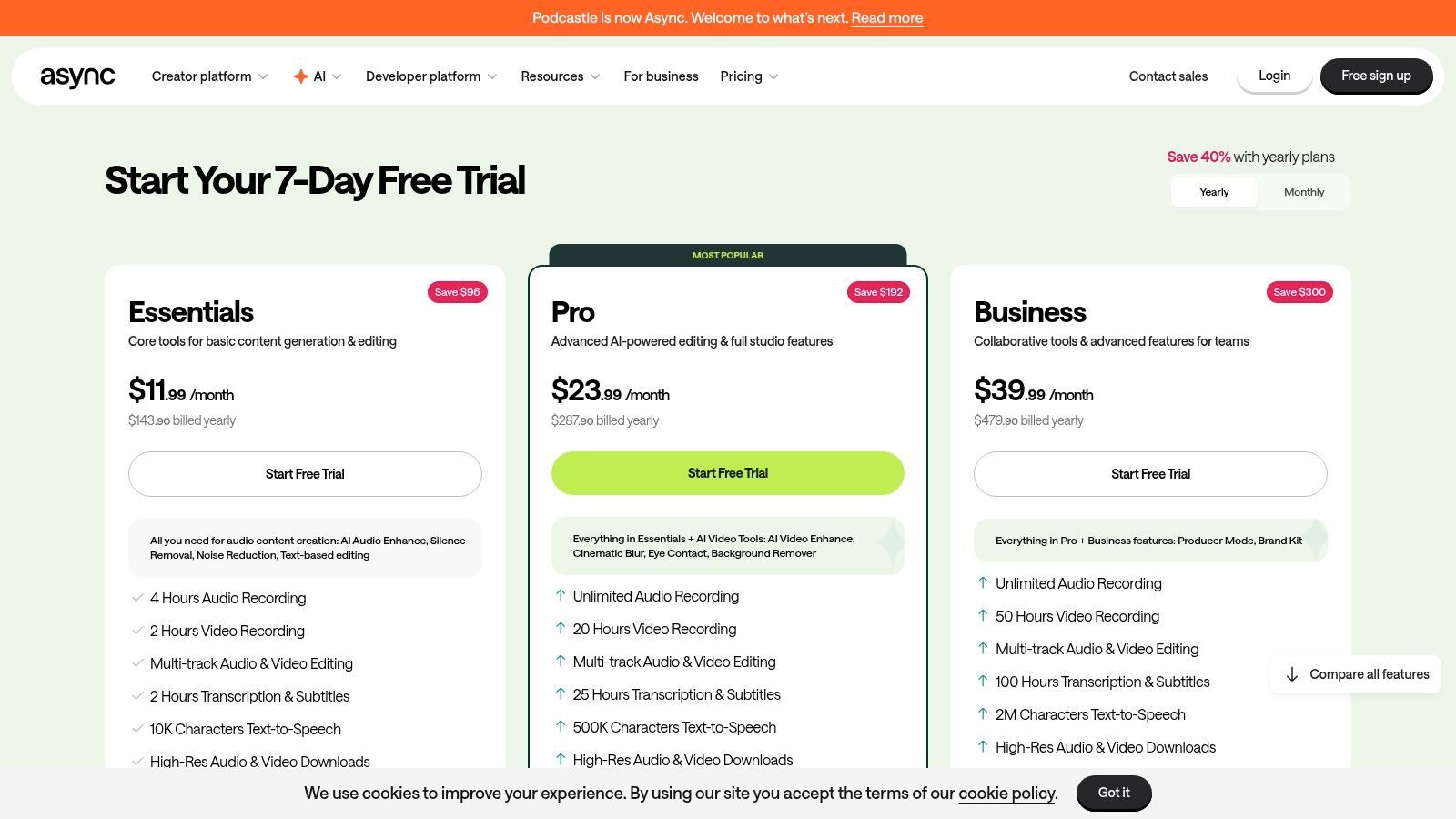
A plataforma oferece tanto um editor de linha do tempo tradicional quanto um editor baseado em texto, dando aos usuários flexibilidade em como eles abordam sua pós-produção. Seus recursos de IA de destaque, como "Magic Dust" para aprimoramento de áudio e remoção de silêncio com um clique, simplificam significativamente o processo de limpeza. O Podcastle também inclui ferramentas para criar clipes para mídias sociais com legendas dinâmicas e modelos, tornando a reutilização de conteúdo incrivelmente eficiente.
Principais Recursos e Preços
- Estúdio Remoto: Grave áudio e vídeo de qualidade de estúdio, não comprimido localmente, com até 10 participantes.
- Edição Impulsionada por IA: "Magic Dust" para cancelamento de ruído e aprimoramento de áudio, além de edição baseada em texto.
- Ferramentas de Criação de Conteúdo: Notas de show geradas por IA, vozes de texto para fala e uma biblioteca de músicas isentas de royalties.
- Vídeo e Clipes Sociais: Editor de vídeo integrado com ferramentas para redimensionar, adicionar legendas e criar modelos.
| Plano | Preço (Mensal) | Ideal para |
|---|---|---|
| Grátis | $0 | Indivíduos começando, gravação básica |
| Storyteller | $14.99/editor | Podcasters que precisam de ferramentas de IA e mais horas |
| Pro | $29.99/editor | Usuários avançados, podcasters de vídeo, equipes |
Prós e Contras
Prós:
- Fluxo de Trabalho Tudo-em-Um no Navegador: Mova-se perfeitamente da gravação remota para as edições finais em um só lugar.
- Integração Fácil de Convidados: Convidados podem entrar em uma sessão de gravação com um link simples, sem downloads necessários.
- Recursos de IA Competitivos: O aprimorador Magic Dust e a detecção de palavras de preenchimento são altamente eficazes.
Contras:
- Dependente do Navegador: O desempenho é otimizado para navegadores baseados em Chrome, o que pode limitar alguns usuários.
- Plano Pago para Recursos Chave: Exportações avançadas, maior qualidade e as melhores ferramentas de IA são restritas por assinaturas.
11. Riverside
O Riverside se destaca por combinar gravação remota de alta fidelidade com uma poderosa suíte de edição integrada. Ele grava o áudio e vídeo de cada participante localmente, garantindo vídeo 4K impecável e qualidade de áudio WAV de 48 kHz, independentemente da estabilidade da conexão com a internet. Esse foco na qualidade da captura o torna uma escolha de primeira linha para criadores que se recusam a comprometer o valor de produção, mesmo com convidados remotos.
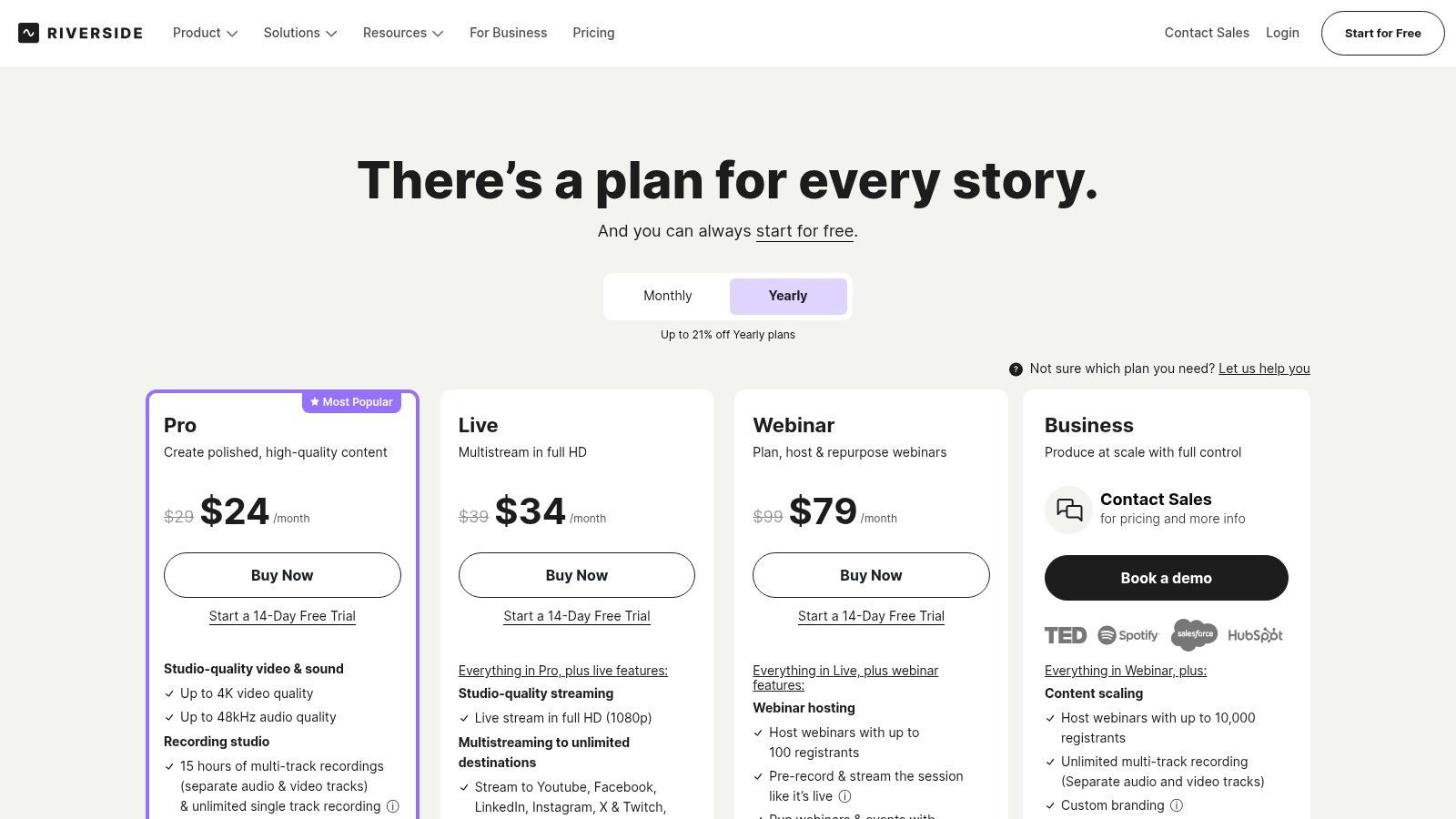
A plataforma evoluiu para um centro abrangente de criação de conteúdo. Seu editor integrado usa um fluxo de trabalho baseado em texto, permitindo que você edite sua gravação simplesmente editando a transcrição. Ferramentas de IA como o Magic Audio aprimoram a clareza da voz e equilibram os níveis com um único clique, enquanto o recurso Magic Clips encontra automaticamente momentos-chave para mídias sociais. Para aqueles que buscam criar conteúdo acessível, o Riverside facilita a geração de legendas; você pode explorar como criar legendas para vídeos para maximizar seu alcance.
Principais Recursos e Preços
- Gravação Local Multitrilha: Captura faixas de áudio e vídeo separadas e de alta qualidade para cada participante localmente.
- Editor Baseado em Texto: Edite vídeo e áudio manipulando a transcrição gerada automaticamente.
- Ferramentas Impulsionadas por IA: Inclui Magic Audio para aprimoramento de som e Magic Clips para conteúdo de mídia social.
- Plataforma Tudo-em-Um: Grave, edite, transmita ao vivo e hospede conteúdo a partir de um único painel.
| Plano | Preço (Mensal) | Ideal para |
|---|---|---|
| Grátis | $0 | Teste da plataforma, gravações curtas |
| Standard | $19 | Podcasters e criadores regulares |
| Pro | $29 | Criadores que precisam de maior qualidade e streaming ao vivo |
Prós e Contras
Prós:
- Qualidade de Gravação Superior: A gravação local impede que falhas na internet arruínem seu áudio ou vídeo.
- Fluxo de Trabalho Integrado: A transição perfeita da gravação para a edição economiza tempo e esforço significativos.
- Excelente para Entrevistas: Simplifica o processo de gravação de conversas remotas de alta qualidade.
Contras:
- Limites de Horas de Gravação: Os planos têm limites mensais para gravação de faixas separadas.
- O Editor é Menos Robusto que uma DAW Completa: Embora ótimo para edições fundamentais, falta as ferramentas avançadas de software de áudio dedicado.
12. Ferrite Recording Studio (iPhone/iPad)
O Ferrite Recording Studio traz o poder de um editor multitrilha profissional para a conveniência do seu iPhone ou iPad. Projetado especificamente para jornalistas móveis, produtores de rádio e podcasters que trabalham em trânsito, o Ferrite facilita a captura, edição e mixagem de áudio sem estar preso a um desktop. Seu fluxo de trabalho simplificado permite gravações rápidas de punch-in e navegação fácil, tornando-o um dos melhores softwares de edição de podcast para criadores em campo.
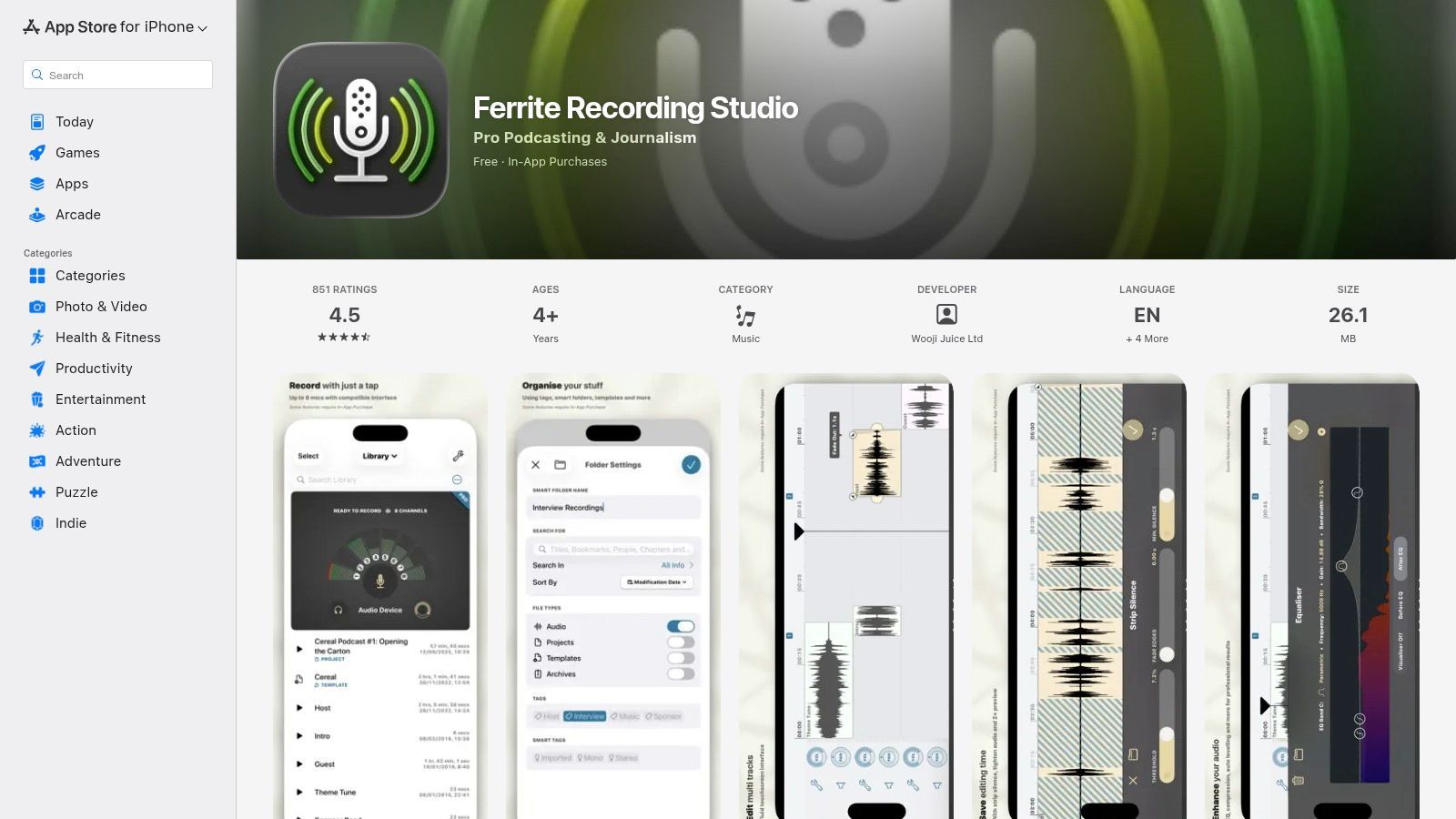
A interface do aplicativo é perfeitamente adaptada para toque, com excelente suporte para Apple Pencil e trackpads no iPad, proporcionando uma experiência de edição tátil e eficiente. Embora o aplicativo base seja gratuito e altamente funcional para gravação e corte básicos, a compra opcional no aplicativo Ferrite Pro desbloqueia um conjunto de ferramentas poderosas. Estas incluem automação, redução de ruído e o recurso "Tighten Audio", que remove inteligentemente silêncios para melhorar o ritmo.
Principais Recursos e Preços
- Edição Multitrilha Móvel: Editor completo para gravação, mixagem e organização de áudio em dispositivos iOS.
- Ferramentas Pro Avançadas: Upgrade opcional desbloqueia automação, efeitos, suporte a plugins AU e remoção de silêncio.
- Interface Otimizada: Projetado para toque, Apple Pencil e trackpad para controle preciso no iPad.
- Modelos de Fluxo de Trabalho: Configure modelos de projeto para otimizar a produção de formatos de show recorrentes.
| Plano | Preço (Pagamento Único) | Ideal para |
|---|---|---|
| Grátis | $0 | Gravação e edição móvel básica |
| Ferrite Pro | $29.99 | Usuários avançados móveis, jornalistas |
Prós e Contras
Prós:
- Excelente Fluxo de Trabalho Móvel: Inigualável para gravar e editar podcasts diretamente em um iPhone ou iPad.
- Interface Intuitiva do iOS: Limpa, responsiva e fácil de navegar para usuários familiarizados com o ecossistema Apple.
- Compra Única: Recursos Pro são desbloqueados com um único pagamento acessível, não uma assinatura.
Contras:
- Bloqueado por Plataforma: Disponível apenas no iOS e iPadOS, sem versão para desktop ou Android.
- Recursos Avançados Bloqueados por Pagamento: Ferramentas profissionais essenciais como automação e redução de ruído exigem o upgrade Pro.
Visite o Ferrite Recording Studio
Top 12 Softwares de Edição de Podcast — Comparativo de Recursos
| Ferramenta | Recursos Principais | Qualidade ★ | Único / USP ✨🏆 | Público 👥 | Preço 💰 |
|---|---|---|---|---|---|
| Descript | Edição baseada em transcrição, Studio Sound, Overdub, multitrilha | ★★★★☆ | ✨Edição por texto e Overdub, publicação rápida de clipes 🏆 | 👥 Podcasters, criadores | 💰 Grátis → Equipe; créditos de IA/mídia |
| Adobe Audition | Multitrilha, reparo espectral, redução de ruído, integração com Premiere | ★★★★★ | ✨Ferramentas espectrais avançadas e transição perfeita para vídeo 🏆 | 👥 Profissionais, engenheiros de pós | 💰 Assinatura (Creative Cloud) |
| Hindenburg Pro 2 | Ferramentas de manuscrito/história, nivelamento automático, volume de transmissão | ★★★★☆ | ✨Fluxo de trabalho focado em história e relatórios de música 🏆 | 👥 Jornalistas, podcasters narrativos | 💰 Nivelado; add-ons de transcrição |
| Audacity | Edição multitrilha, efeitos, plugins VST/Nyquist, multiplataforma | ★★★★☆ | ✨Código aberto com grande comunidade de plugins | 👥 Iniciantes, educadores, criadores DIY | 💰 Grátis |
| REAPER | Roteamento profundo, scripts, automação, desempenho eficiente | ★★★★☆ | ✨Altamente configurável + suporte a scripts 🏆 | 👥 Usuários avançados, podcasters técnicos | 💰 Licença muito acessível (descontada) |
| Logic Pro | Multitrilha, comping, Flex Time, ferramentas de masterização (Mac) | ★★★★★ | ✨Compra única; otimizações para Apple silicon 🏆 | 👥 Usuários de Mac, produtores | 💰 Compra única (apenas Mac) |
| iZotope RX 11 | Editor espectral, módulos de reparo de voz, Repair Assistant | ★★★★★ | ✨Melhor limpeza de áudio para diálogo 🏆 | 👥 Engenheiros, fluxos de trabalho de restauração | 💰 Pago; níveis avançados podem ser caros |
| Auphonic | Nivelador Inteligente, redução de ruído/reverb, normalização de volume | ★★★★☆ | ✨Finalização automatizada e API para polimento em lote 🏆 | 👥 Podcasters que precisam de polimento rápido | 💰 Modelo de créditos; 2h grátis/mês |
| Alitu | Gravador de navegador, filtros mágicos, montagem automática, biblioteca de música | ★★★★☆ | ✨Criador de podcast ponta a ponta amigável para iniciantes 🏆 | 👥 Criadores solo, novos podcasters | 💰 Assinatura; hospedagem/add-ons |
| Podcastle | Estúdio remoto, editor de texto/linha do tempo, TTS e legendas | ★★★★☆ | ✨TTS/vozes de IA no navegador + integração fácil de convidados 🏆 | 👥 Podcasters remotos, criadores de clipes sociais | 💰 Freemium → planos Pro |
| Riverside | Gravação local multitrilha 4K/48k, edição de texto, streaming ao vivo e hospedagem | ★★★★☆ | ✨Captura remota de qualidade local + análises de publicação 🏆 | 👥 Shows remotos profissionais, webinars | 💰 Nivelado; limites de horas por plano |
| Ferrite Recording Studio | Punch-in móvel, edição multitrilha, suporte AU, otimizações para iPad | ★★★★☆ | ✨Fluxo de trabalho de edição focado em mobile, suporte a Apple Pencil 🏆 | 👥 Podcasters móveis, gravadores de campo | 💰 Grátis + upgrades Ferrite Pro no aplicativo |
O Corte Final: Tomando Sua Decisão
Exploramos uma vasta paisagem de ferramentas de edição de áudio, desde a inovação baseada em texto do Descript até o poder padrão da indústria do Adobe Audition e o ponto de partida acessível do Audacity. A jornada por esta lista selecionada revela uma verdade crucial: não existe um único "melhor software de edição de podcast" para todos. A escolha certa é profundamente pessoal e depende inteiramente do seu contexto específico, orçamento e ambições criativas.
O que o Software de Edição de Podcast Certo Desbloqueia?
Ciclos de Produção Mais Rápidos
O editor certo reduz o atrito técnico. Menos tempo corrigindo áudio significa mais tempo publicando consistentemente. A velocidade potencializa o crescimento.
Episódios com Melhor Som
Áudio mais limpo constrói confiança do ouvinte instantaneamente. Som profissional mantém o público engajado por mais tempo. A qualidade impacta diretamente a retenção.
Liberdade Criativa
Quando as ferramentas não atrapalham, a criatividade flui. Você experimenta mais e se estressa menos com erros. Essa liberdade transparece no seu conteúdo.
Fluxos de Trabalho Escaláveis
À medida que seu podcast cresce, suas ferramentas devem acompanhar. Um bom software suporta equipes, convidados e volume. A escalabilidade evita retrabalho futuro.
A principal conclusão é combinar a ferramenta com seu fluxo de trabalho, e não o contrário. Um podcaster iniciante gravando um show solo tem necessidades drasticamente diferentes de um engenheiro de áudio profissional produzindo uma série narrativa com múltiplos apresentadores e rica em sons. Seu software ideal é aquele que remove o atrito do seu processo criativo, permitindo que você se concentre em criar conteúdo envolvente em vez de lutar contra uma interface complexa.
A Produção de Podcast Está Evoluindo Rapidamente
Edição assistida por IA, transcrição e automação estão se tornando padrão, não opcionais. Podcasters modernos esperam velocidade sem sacrificar a qualidade. Ferramentas que se adaptam a essa mudança ganham vantagem competitiva.
Como Escolher o Editor de Podcast Perfeito
Para destilar todas essas informações em uma decisão clara, considere suas necessidades através destas três lentes críticas. Este framework o ajudará a navegar pelas opções e selecionar o software que melhor se alinha com seus objetivos de podcasting.
1. Avalie seu Nível de Habilidade e Compromisso de Tempo:
- Iniciantes ou Criadores com Pouco Tempo: Procure plataformas como Alitu, Podcastle ou Descript. Essas ferramentas são projetadas para velocidade e simplicidade, automatizando muitas das etapas técnicas e oferecendo edição intuitiva, muitas vezes baseada em texto, que reduz significativamente a curva de aprendizado.
- Usuários Intermediários a Avançados: Se você tem alguma experiência em áudio ou está disposto a investir tempo em aprendizado, uma Estação de Trabalho de Áudio Digital (DAW) tradicional como Adobe Audition, Hindenburg Pro 2 ou REAPER oferece controle e precisão incomparáveis. Estes são para criadores que desejam ajustar cada aspecto de seu som.
2. Avalie seu Orçamento e Escalabilidade:
- Orçamento Zero: Audacity continua sendo o rei indiscutível do software gratuito de edição de podcast. Embora falte o polimento das alternativas pagas, sua funcionalidade principal poderosa é mais do que suficiente para produzir um show de alta qualidade.
- Modelos Baseados em Assinatura: Ferramentas como Descript, Riverside e Adobe Audition operam por meio de assinaturas mensais ou anuais. Este modelo é excelente para acesso a atualizações contínuas e recursos de nuvem integrados, mas representa um custo operacional contínuo.
- Compra Única: Softwares como REAPER, Hindenburg Pro 2 e Logic Pro (para usuários de Mac) oferecem uma licença perpétua. Isso envolve um custo inicial mais alto, mas pode ser mais econômico a longo prazo, liberando você de taxas recorrentes.
3. Defina suas Necessidades Principais de Fluxo de Trabalho:
- Gravação e Edição Tudo-em-Um: Se você deseja uma única plataforma para lidar com gravação remota, edição e até mesmo distribuição, Riverside e Podcastle são projetados especificamente para este fluxo de trabalho integrado.
- Reparo de Áudio Avançado e Pós-Produção: Para aqueles obcecados por qualidade de áudio impecável, uma ferramenta especializada como iZotope RX 11 ou uma DAW poderosa como REAPER é essencial para lidar com ruído, reverberação e outras imperfeições de áudio.
- Edição Mobile-First: Se você trabalha principalmente em um iPad ou iPhone, Ferrite Recording Studio é uma DAW móvel notavelmente capaz que oferece recursos de nível profissional em um pacote portátil.
Em última análise, encontrar o melhor software de edição de podcast é um processo ativo. Não tenha medo de aproveitar os testes gratuitos. Passe uma semana com dois ou três de seus principais concorrentes. Importe um clipe de áudio curto, faça algumas edições básicas, aplique um efeito e exporte o arquivo. Essa experiência prática dirá mais do que qualquer revisão jamais poderia. Sua escolha final deve ser empoderadora, fazendo com que o lado técnico do podcasting pareça menos uma tarefa e mais uma extensão natural de sua visão criativa.
Ferramentas Excessivamente Complicadas Matam a Consistência
Fluxos de trabalho complexos levam ao esgotamento e a cronogramas de publicação perdidos. Muitos podcasts falham devido ao atrito, não à falta de ideias. Escolha um software que apoie o momentum, não a perfeição.
Assim que seu episódio for editado com perfeição, o trabalho não acabou. Deixe o Transcript.LOL cuidar do resto, transformando seu áudio final em transcrições precisas, notas de show detalhadas e clipes envolventes para redes sociais em minutos. Eleve seu fluxo de trabalho de pós-produção e maximize o alcance do seu conteúdo visitando Transcript.LOL para ver como ele pode se tornar uma parte essencial do seu kit de ferramentas de podcasting.