
What Is SDH Subtitles A Guide for Modern Creators
Unlock true accessibility. Learn what is SDH subtitles, how they differ from captions, and why they are essential for reaching a wider, more inclusive audience.
Kate, Praveen
May 28, 2025
Ever feel like you’re only getting half the story? Regular subtitles show you what people are saying, but what about the creaky door in a horror movie or the soaring music in a dramatic scene? You'd miss all that crucial context.
This is exactly the problem SDH (Subtitles for the Deaf and Hard-of-Hearing) was designed to solve.
The Complete Script for Your Video
Think of SDH as a complete script for everything happening on-screen. It’s a hybrid format, merging the dialogue translation of traditional subtitles with the sound descriptions of closed captions. It’s one powerful tool that does the job of two.
Built for Accurate, Accessible Subtitles
IA all'avanguardia
Alimentato da Whisper di OpenAI per una precisione leader nel settore. Supporto per vocabolari personalizzati, file fino a 10 ore e risultati ultra rapidi.

Rilevamento dei parlanti
Identifica automaticamente diversi parlanti nelle tue registrazioni e etichettali con i loro nomi.

Strumenti di modifica
Modifica le trascrizioni con strumenti potenti tra cui trova e sostituisci, assegnazione dei parlanti, formati di testo arricchito ed evidenziazione.
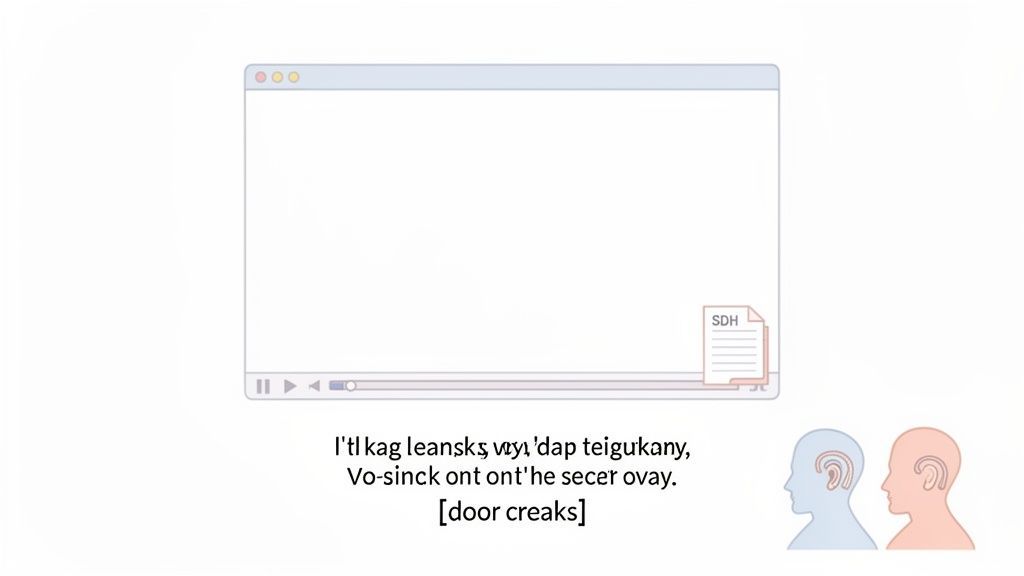
A differenza dei sottotitoli standard, che presumono che tu possa sentire tutto il resto, gli SDH ti offrono il quadro completo. Descrivono meticolosamente tutti i segnali audio pertinenti, da un telefono che squilla appena fuori campo a un cane che abbaia in lontananza.
La Soluzione Ibrida per l'Accessibilità
Gli SDH sono la risposta moderna all'accessibilità video. Fondono abilmente elementi sia dai sottotitoli standard che dalle didascalie chiuse, rendendoli uno strumento essenziale per qualsiasi creatore di contenuti oggi.
Storicamente, sottotitoli e didascalie sono stati sviluppati a decenni di distanza per ragioni completamente diverse: sottotitoli per barriere linguistiche, didascalie per la perdita dell'udito. Gli SDH colmano questo divario, servendo entrambi i pubblici contemporaneamente. È una soluzione versatile che aiuta gli spettatori sordi o con problemi di udito, ma avvantaggia anche chiunque guardi in una lingua diversa o in un luogo rumoroso dove l'audio è ovattato.
L'obiettivo è semplice: assicurarsi che nessuno perda nemmeno un battito della storia. Se sei pronto a rendere i tuoi contenuti più accessibili, la nostra guida su come creare sottotitoli per video è il punto di partenza perfetto.
Per rendere le distinzioni cristalline, analizziamo come si confronta ciascun formato.
SDH vs Didascalie Chiuse vs Sottotitoli Standard a Colpo d'Occhio
Questa tabella ti offre una rapida panoramica delle differenze chiave, aiutandoti a vedere immediatamente perché gli SDH sono un formato così unico e prezioso.
| Caratteristica | Scopo Principale | Include Audio Non Verbale | Presume che lo Spettatore Possa Sentire |
|---|---|---|---|
| Sottotitoli SDH | Accessibilità per sordi/ipoacusici e traduzione linguistica | Sì | No |
| Didascalie Chiuse (CC) | Accessibilità per sordi/ipoacusici | Sì | No |
| Sottotitoli Standard | Traduzione linguistica per pubblico udente | No | Sì |
Come puoi vedere, sia gli SDH che le didascalie chiuse sono costruiti per l'accessibilità, ma gli SDH aggiungono il livello critico della traduzione linguistica, rendendoli l'opzione più completa.
In definitiva, scegliere gli SDH significa creare un'esperienza veramente inclusiva. Forniscono una trascrizione completa del mondo uditivo, rendendo i tuoi contenuti comprensibili e godibili per il pubblico più ampio possibile.
Perché Effetti Sonori e Identificazioni degli Speaker Sono Importanti negli SDH
Se pensi che i sottotitoli siano solo per i dialoghi, stai ottenendo solo metà della storia. I sottotitoli standard fanno un ottimo lavoro con le parole pronunciate, ma ignorano completamente il resto del paesaggio sonoro. È qui che brillano i sottotitoli SDH, traducendo l'intera esperienza uditiva in testo.
Per farlo accadere, due elementi sono assolutamente essenziali: effetti sonori e identificazione dello speaker.
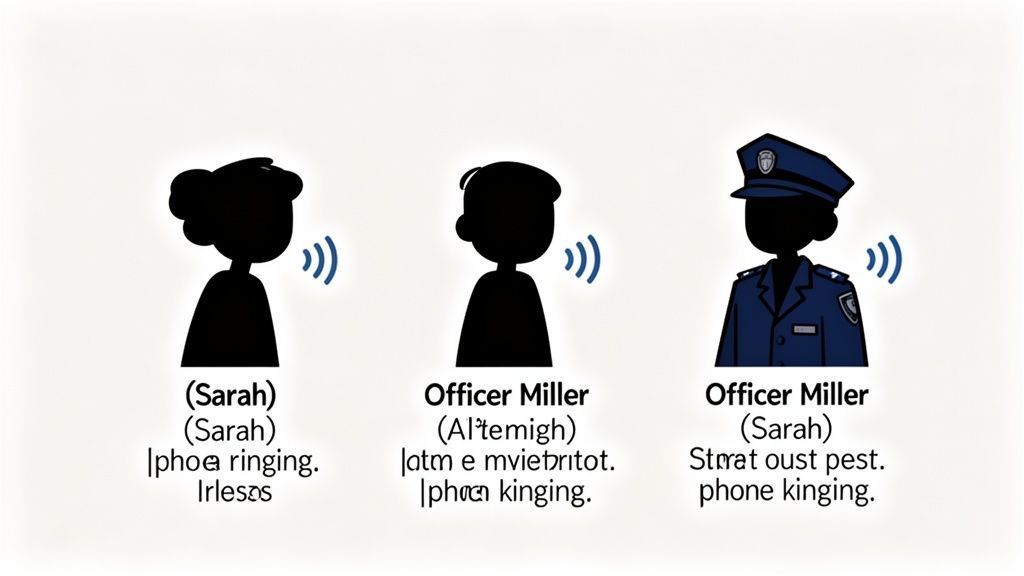
Immagina una scena tesa in un thriller. I personaggi smettono di parlare e uno di loro improvvisamente sembra terrorizzato. Una persona udente sa istantaneamente perché: ha sentito uno scricchiolio di un'asse del pavimento al piano di sopra o lo schiocco di un ramoscello appena fuori dalla finestra.
Senza un'indicazione SDH come [scricchiolio di assi del pavimento], uno spettatore sordo o ipoacusico viene lasciato completamente all'oscuro. Perde la cruciale costruzione della suspense che fa funzionare la scena. Questi segnali non verbali sono i mattoni stessi dell'atmosfera e della tensione.
Why SDH Is More Than Dialogue
SDH subtitles don’t just display words—they translate the full soundscape. Ambient noises, emotional cues, and off-screen sounds provide essential context that dialogue alone cannot deliver. Without these details, key story elements are lost for deaf and hard-of-hearing viewers.
Dipingere un Quadro Sonoro Completo
Le descrizioni degli effetti sonori in SDH vanno ben oltre la semplice constatazione di fatti. Sono l'equivalente testuale dell'intero sound design di un film, incaricate di trasmettere emozioni, creare l'atmosfera e persino segnalare punti chiave della trama.
Pensate alla differenza emotiva tra questi semplici suggerimenti:
- [la porta sbatte]: Non è solo un suono; è rabbia, urgenza o definitività.
- [musica tesa aumenta]: Questo dice al pubblico di trattenere il respiro: sta per succedere qualcosa di grosso.
- [sirena lontana ulula]: Improvvisamente, l'ambiente sembra più urbano, grintoso o pericoloso.
Queste minuscole descrizioni sono il collante che tiene insieme l'esperienza visiva, fornendo un contesto vitale che il solo dialogo non può offrire. Garantiscono che tutti possano immergersi nel mondo della storia, indipendentemente dalla loro capacità di udire.
L'SDH non riguarda solo la trascrizione; riguarda la traduzione. Traduce l'intero paesaggio sonoro — dialogo, rumori ambientali e segnali musicali — in un formato testuale, creando un'esperienza più ricca e accessibile per tutti.
Eliminare la Confusione con gli Identificativi dei Parlanti
L'atmosfera è una cosa, ma la chiarezza è tutto. Nelle scene in cui più persone parlano contemporaneamente, o quando una voce proviene da fuori campo, può essere quasi impossibile seguire la conversazione senza sapere chi sta dicendo cosa.
È qui che entrano in gioco gli identificativi dei parlanti. Aggiungendo un semplice nome o titolo come (SARA) o (AGENTE MILLER) prima di una battuta di dialogo, i sottotitoli SDH rimuovono ogni ambiguità.
Ciò è particolarmente critico in scenari comuni come:
- Un litigio incalzante tra più personaggi.
- Un personaggio che sussurra da un'altra stanza.
- Un narratore o una voce fuori campo che non è visivamente collegata a nessuno sullo schermo.
Intrecciando effetti sonori dettagliati e un'identificazione dei parlanti cristallina, i sottotitoli SDH diventano più di una semplice funzionalità di accessibilità: si trasformano in un potente strumento narrativo. Garantiscono che ogni battuta, ogni momento emotivo e ogni colpo di scena scioccante colpiscano perfettamente, rendendo i contenuti veramente universali.
What SDH Subtitles Actually Improve
Story Comprehension
SDH ensures viewers understand why something is happening, not just what is being said, by including emotional and environmental sound cues.
Scene Clarity
Speaker labels remove confusion during overlapping dialogue, off-screen speech, or fast-paced conversations.
Viewer Immersion
Music cues and sound descriptions recreate tension, humor, and drama, allowing every viewer to feel the moment fully.
Universal Accessibility
SDH supports deaf viewers, non-native speakers, and people watching in silent or noisy environments alike.
Per capire veramente perché l'SDH sia così importante, dobbiamo tornare indietro nel tempo. La storia del testo sullo schermo è iniziata molto prima dei servizi di streaming e delle smart TV, quando i film non avevano nulla da dire da soli.
Nell'era del cinema muto, gli intertitoli erano l'unica soluzione. Si trattava di semplici cartelli di testo inseriti tra le scene per spiegare la trama o ciò che i personaggi stavano "dicendo". Funzionavano. Ma quando i "talkies" fecero la loro comparsa alla fine degli anni '20, gli intertitoli scomparvero e un nuovo problema emerse: come mostrare un film a persone che non parlano la lingua?
È così che negli anni '30 nacquero i primi sottotitoli tradizionali. Il loro unico scopo era tradurre i dialoghi. Si presumeva che si potesse sentire tutto il resto perfettamente: la musica, gli effetti sonori, tutto.
La Spinta verso una Vera Accessibilità
I sottotitoli erano ottimi per superare le barriere linguistiche, ma lasciavano il pubblico sordo e ipoudente completamente all'oscuro. Per decenni, una vasta parte della comunità è stata esclusa dall'esperienza cinematografica e televisiva. Questo richiese un approccio completamente diverso, che alla fine portò ai sottotitoli per non udenti (CC) per la TV negli anni '70.
A differenza dei sottotitoli, i sottotitoli per non udenti sono stati creati fin dall'inizio per l'accessibilità. Non si limitavano a trascrivere ciò che veniva detto; descrivevano suoni importanti, che è proprio ciò che rende efficaci gli attuali SDH.
Gli SDH non sono apparsi dal nulla. Sono il risultato della collisione di due storie separate: il mondo dei sottotitoli focalizzato sulla lingua e il mondo dei sottotitoli per non udenti guidato dall'accessibilità.
Questo ci porta finalmente agli SDH. La prima trasmissione con SDH arrivò sulla televisione britannica nel 1979, grazie al sistema Ceefax Teletext della BBC. Pensateci: ci sono voluti circa 60 anni dall'invenzione dei sottotitoli standard perché la comunità sorda e ipoudente ottenesse una soluzione adeguata come questa. Potete leggere di più su questo lungo percorso in questa storia dei sottotitoli per il pubblico sordo e ipoudente.
Gli SDH sono stati il mashup definitivo. Hanno preso le descrizioni dettagliate dei suoni dai sottotitoli per non udenti e li hanno fusi con le opzioni di traduzione e stilizzazione dei sottotitoli. Questo ibrido ci ha fornito uno strumento potente per tutti, segnando un enorme passo avanti nel rendere i media accessibili a tutti.
Ottenere i File SDH sul Tuo Schermo
Quindi, abbiamo visto cosa sono i sottotitoli SDH. Ma come arrivano effettivamente dal software di editing di un creatore al tuo schermo? È un sistema piuttosto ingegnoso.
Molto tempo fa, i sottotitoli erano spesso "incorporati" nel file video stesso. Erano una parte permanente dell'immagine e non potevano essere disattivati. Oggi, le cose sono molto più flessibili. Gli SDH vengono distribuiti come un semplice file di testo separato che accompagna il video.
Pensatelo come un file di accompagnamento. Il tuo lettore video, sia su YouTube, Netflix o sul tuo computer, legge questo file e sincronizza il testo con l'azione sullo schermo. Questo è ciò che ti permette di attivare o disattivare gli SDH con un clic.
I Due Grandi Protagonisti: SRT e VTT
Quando si tratta di formati di file SDH, due nomi dominano la scena: SRT e VTT. Possono sembrare simili a prima vista, ma ognuno ha i suoi punti di forza.
- SRT (SubRip Text): Questo è il classico, l'originale, il formato più ampiamente supportato in circolazione. Un file SRT è fondamentalmente un elenco numerato di frammenti di testo, ognuno con un timestamp preciso di inizio e fine. È semplice, incredibilmente affidabile e fa il suo lavoro senza complicazioni. Se vuoi approfondire, consulta la nostra guida su come utilizzare un creatore di file SRT.
- VTT (Web Video Text Tracks): Potete pensare al VTT come al successore moderno dell'SRT. Fa tutto ciò che fa l'SRT, ma aggiunge più opzioni di stilizzazione. Con il VTT, puoi includere formattazione come grassetto o corsivo e avere un maggiore controllo su dove appare il testo sullo schermo.
Entrambi i formati sono semplici file di testo, il che li rende leggeri e super facili da modificare. È la loro natura strutturata ma semplice che consente loro di trasportare tutte le informazioni descrittive cruciali, come [squilli del telefono] ed etichette degli altoparlanti, che rendono gli SDH così efficaci.

Importa da più fonti
Importa file audio e video da varie fonti tra cui caricamento diretto, Google Drive, Dropbox, URL, Zoom e altro.

Esporta in più formati
Esporta le tue trascrizioni in più formati tra cui TXT, DOCX, PDF, SRT e VTT con opzioni di formattazione personalizzabili.
Riassunti e Chatbot
Genera riassunti e altri approfondimenti dalla tua trascrizione, prompt personalizzati riutilizzabili e chatbot per i tuoi contenuti.
Il passaggio dal testo masterizzato a file separati come SRT e VTT è stato un enorme passo avanti. Ha trasformato i sottotitoli da una funzionalità statica, prendi o lascia, a uno strumento dinamico e controllato dall'utente che ha completamente cambiato le regole del gioco per l'accessibilità.
Come la distribuzione si è evoluta
Il modo in cui riceviamo i sottotitoli è cambiato drasticamente. La vera spinta verso l'era digitale è iniziata nei primi anni 2000, mentre gli standard industriali iniziavano a prendere forma. Un momento chiave è stato il 3 novembre 2003, quando è stato rilasciato un nuovo formato basato su XML per le sale cinematografiche digitali.
Avanti veloce al 2012, e abbiamo iniziato a vedere nuove tecnologie selvagge in fase di test, come occhiali speciali che ricevevano segnali di sottotitoli tramite Wi-Fi dal server del cinema. Questo passaggio da segnali broadcast "taglia unica" a una distribuzione personalizzata e wireless è ciò che rende possibile l'accessibilità moderna.
Oggi è incredibilmente semplice. Un creatore può caricare il proprio video e il relativo file SDH su una piattaforma, e gli spettatori ovunque possono ottenere un'esperienza di visione completa e ricca, personalizzata per le loro esigenze.
Come creare sottotitoli SDH perfetti
Creare sottotitoli SDH di alta qualità può sembrare una montagna da scalare, ma gli strumenti moderni hanno davvero livellato il campo di gioco. Si tratta meno di essere un mago tecnico e più di seguire un flusso di lavoro intelligente e strutturato per garantire accuratezza e accessibilità.
Esaminiamo i passaggi essenziali per trasformare l'audio del tuo video in un file SDH perfetto.
L'intero percorso inizia con una trascrizione di base. Con uno strumento come Transcript.LOL, basta caricare il tuo video. L'IA della piattaforma si mette al lavoro, analizzando l'audio e producendo una versione testuale con codifica temporale di tutto il dialogo in pochi minuti. Questa trascrizione iniziale è il tuo materiale grezzo, una solida base su cui costruire.
Questo diagramma di flusso illustra il semplice processo in tre fasi per portare i sottotitoli SDH al tuo pubblico.
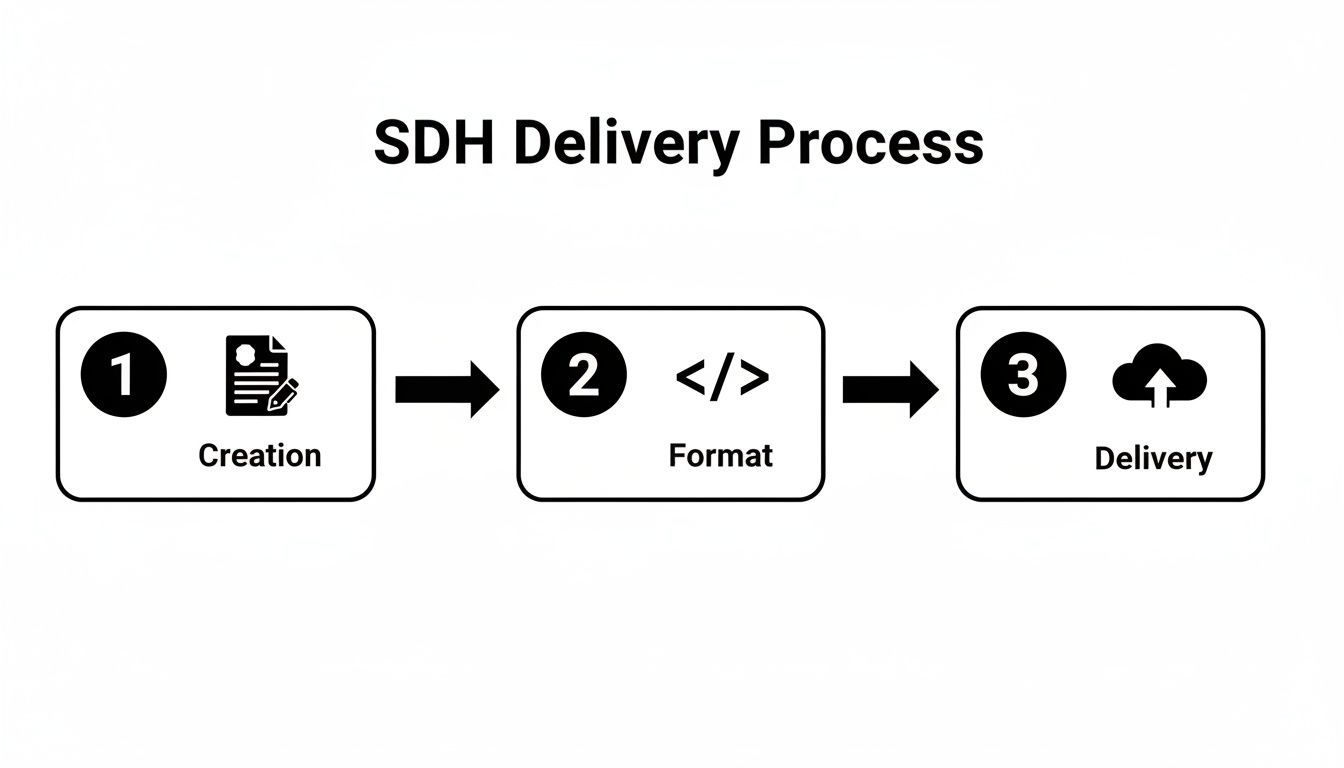
Come puoi vedere, è un flusso pulito dalla creazione e formattazione fino alla distribuzione finale su qualsiasi piattaforma tu utilizzi.
Affinare la tua trascrizione per SDH
Una volta ottenuta la trascrizione iniziale, inizia il vero lavoro artigianale. È qui che aggiungi i livelli di dettaglio che separano i sottotitoli di base dai veri SDH completi. L'obiettivo non è solo trascrivere le parole; è tradurre l'intera esperienza uditiva.
La tua lista di controllo di editing dovrebbe avere tre compiti non negoziabili:
- Aggiungere etichette degli altoparlanti: Identifica chi sta parlando, il che è assolutamente fondamentale in scene con più personaggi o dialoghi fuori campo. Usa identificatori chiari come (MARTHA) o [NARRATORE] per eliminare ogni confusione.
- Inserire indicatori sonori: Ascolta attentamente eventuali suoni non vocali che sono importanti per la storia. Questo copre tutto, da [squilla il telefono] e [abbaia il cane] a indicatori atmosferici come [la musica tesa aumenta] o [il vento ulula].
- Verificare la sincronizzazione: Leggi i sottotitoli mentre guardi il video. Assicurati che il testo appaia e scompaia in perfetta sincronia con l'audio. Non aver paura di modificare i timestamp per ottenere quella sensazione fluida e professionale.
È qui che un buon editor torna utile. L'interfaccia user-friendly di uno strumento come Transcript.LOL consente correzioni rapide del testo, regolazioni dei tempi e assegnazioni degli altoparlanti senza una curva di apprendimento ripida. Per ottimizzare davvero il tuo flusso di lavoro, vale la pena esplorare varie opzioni di software per l'editing dei sottotitoli per trovare quella che ti si addice meglio.
Esportazione e pubblicazione del tuo file
Con le modifiche finalizzate, il passo finale è esportare il file in un formato compatibile. I due formati più comuni e versatili per SDH sono SRT e VTT. Quasi tutte le piattaforme a cui puoi pensare, da YouTube e Vimeo ai siti di social media, accettano felicemente questi tipi di file.
Il processo di esportazione è il tuo traguardo. Scegliere il formato giusto garantisce che tutto il tuo duro lavoro, i tempi precisi, gli indicatori sonori descrittivi e le etichette degli altoparlanti chiare, vengano preservati e visualizzati correttamente per il tuo pubblico.
Una volta ottenuto il tuo file SRT o VTT, lo carichi semplicemente insieme al tuo video. Gli spettatori vedranno quindi l'opzione per attivare o disattivare la traccia SDH, dando loro il controllo totale sulla loro esperienza.
Se sei interessato a un approfondimento, scopri di più su come aggiungere sottotitoli a un video nella nostra guida dettagliata. Seguire questi passaggi garantisce che i tuoi contenuti non vengano solo visti, ma pienamente compresi da tutti.
Perché SDH è un punto di svolta per la crescita del pubblico
Pensa a SDH come più di una semplice casella di controllo per l'accessibilità. È uno dei modi più semplici ed efficaci per far crescere il tuo pubblico. Mentre l'obiettivo immediato è servire i 430 milioni di persone in tutto il mondo con disabilità uditive, i benefici nel mondo reale si estendono ben oltre.
Siamo onesti su come le persone guardano i video oggi. Sono su un treno rumoroso, in un ufficio silenzioso, o semplicemente scorrono i social media con l'audio disattivato per impostazione predefinita. In queste situazioni quotidiane, i sottotitoli normali non sono sufficienti. SDH colma tutte le lacune: gli effetti sonori, i cambi di altoparlante, gli indicatori audio sottili, rendendo i tuoi contenuti comprensibili e coinvolgenti per chiunque, ovunque.
Aumenta i tuoi numeri, rimani conforme
Questa rete più ampia che stai lanciando ha un impatto diretto sulle tue metriche. Vediamo costantemente che i video con sottotitoli completi come SDH ottengono migliori tempi di visualizzazione e tassi di completamento. Ha senso: quando le persone possono seguire facilmente, indipendentemente dalle circostanze, rimangono. Quel coinvolgimento aggiuntivo è un segnale potente per gli algoritmi, aiutando i tuoi contenuti a essere scoperti.
Oltre a far crescere un pubblico, fornire contenuti veramente accessibili è un obbligo legale ed etico. Regolamenti come l'Americans with Disabilities Act (ADA) e l'European Accessibility Act (EAA) non sono suggerimenti, sono requisiti.
Per la maggior parte delle aziende e dei creatori, ciò significa che SDH non è solo un "nice-to-have"; è una necessità legale. Ignorarlo non solo ti taglia fuori da un'enorme fetta del tuo pubblico potenziale, ma può anche aprirti a grattacapi legali. Rendendo SDH una parte standard del tuo flusso di lavoro, non solo espandi la tua portata, ma costruisci anche un marchio più inclusivo e legalmente solido.
Hai ancora domande su SDH? Chiarifichiamole
Anche dopo aver appreso le basi, alcune domande pratiche sorgono quasi sempre quando si inizia a lavorare con SDH per la prima volta. Affrontiamo alcune delle più comuni in modo che tu possa andare avanti con fiducia.
Posso semplicemente usare sottotitoli normali invece di SDH?
Ascolta, usare sottotitoli standard è decisamente meglio di niente. Ma ecco il punto: sono costruiti per persone che possono già sentire cosa sta succedendo. Forniscono solo il dialogo, saltando completamente gli indicatori sonori e le etichette degli altoparlanti che sono assolutamente fondamentali per chiunque nella comunità dei sordi e degli ipoacusici.
Passare a SDH è l'unico modo per fornire una vera accessibilità. È così che garantisci che ogni singolo spettatore riceva la storia completa, creando un'esperienza più ricca e inclusiva per tutti.
Le didascalie generate automaticamente da YouTube sono sufficienti?
Le didascalie automatiche sono un ottimo punto di partenza, ma è tutto ciò che sono. Da sole, raramente sono sufficienti per qualsiasi contenuto professionale. Sono note per errori di trascrizione, punteggiatura pasticciata e quasi mai includono le cruciali descrizioni audio non vocali che sono l'intero scopo di SDH.
Pensa alle didascalie automatiche come a una prima bozza approssimativa. Per contenuti professionali, devi assolutamente modificarle e formattarle in un file SDH appropriato con uno strumento dedicato. È l'unico modo per garantire accuratezza e accessibilità completa.
L'uso di SDH aiuta effettivamente con la SEO?
Assolutamente sì. È un vantaggio enorme, spesso trascurato. I motori di ricerca non possono guardare il tuo video, ma possono scansionare ogni singola parola nel tuo file SDH (come un SRT o VTT). Questo fornisce loro una trascrizione completa e ricca di parole chiave del tuo contenuto, dando loro una profonda comprensione di cosa tratta il tuo video.
Questo può dare al tuo video una spinta significativa nei ranking di ricerca per termini pertinenti. SDH implementato correttamente non è solo una funzionalità di accessibilità; è uno strumento potente per generare più traffico organico e rendere i tuoi contenuti più scopribili. Puoi approfondire la trasformazione delle parole parlate in testo scopribile nella nostra guida a speech-to-text per video.
Pronto a creare sottotitoli SDH accurati e accessibili in pochi minuti? Transcript.LOL utilizza l'IA per generare trascrizioni precise che puoi facilmente modificare ed esportare come file SRT o VTT. Inizia a trascrivere gratuitamente su Transcript.LOL.