
trascrizione vocale in testo per video: trascrizioni veloci e accurate
Scopri come la trascrizione vocale in testo per video migliora l'accessibilità, fa risparmiare tempo ed espande la portata con passaggi pratici per i creatori.
Praveen
October 30, 2024
Hai mai provato a trovare una citazione specifica sepolta da qualche parte in un webinar di due ore? È un incubo. La conversione da voce a testo per i video risolve completamente questo problema trasformando ogni parola pronunciata in una trascrizione ricercabile e utilizzabile. È come dare alla tua intera libreria video il suo potente motore di ricerca.
Trasforma il Dialogo dei Tuoi Video in Contenuti Ricercabili
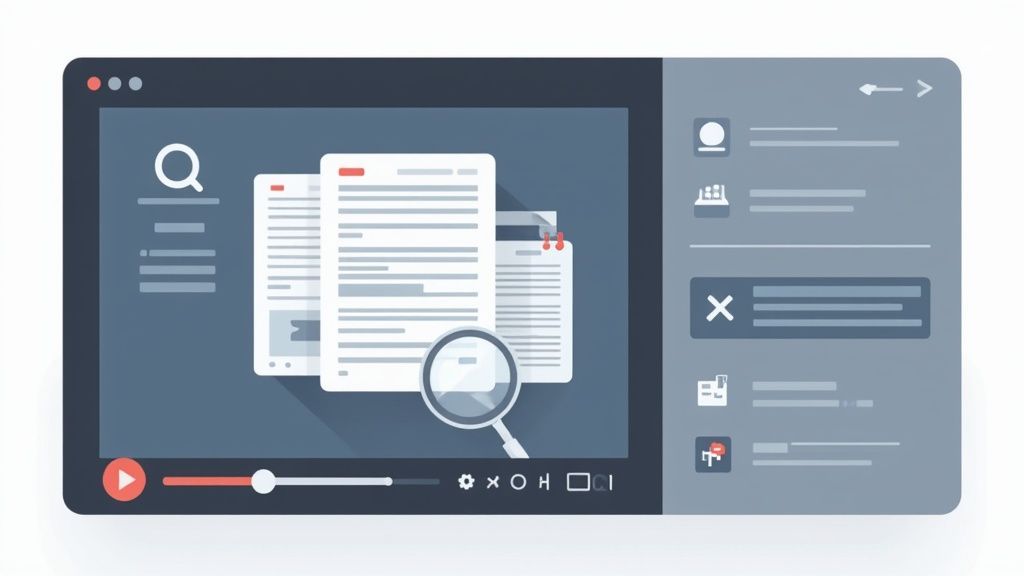
Senza una trascrizione, tutte le preziose informazioni pronunciate nei tuoi video rimangono bloccate. Pensala come una biblioteca piena di libri non scritti: la conoscenza c'è, ma buona fortuna a trovare una frase specifica. Questa tecnologia ribalta completamente questo copione, trasformando il dialogo in dati che puoi effettivamente utilizzare.
Questo semplice cambiamento rende i tuoi contenuti più scopribili, accessibili e preziosi. Fa risparmiare innumerevoli ore a creatori di contenuti, ricercatori e team di marketing che non devono più scorrere manualmente ore di filmati solo per trovare una piccola clip.
Funzionalità chiave basate sull'IA per una trascrizione video più intelligente
IA all'avanguardia
Alimentato da Whisper di OpenAI per una precisione leader nel settore. Supporto per vocabolari personalizzati, file fino a 10 ore e risultati ultra rapidi.

Importa da più fonti
Importa file audio e video da varie fonti tra cui caricamento diretto, Google Drive, Dropbox, URL, Zoom e altro.

Esporta in più formati
Esporta le tue trascrizioni in più formati tra cui TXT, DOCX, PDF, SRT e VTT con opzioni di formattazione personalizzabili.
La crescente domanda di video trascritti
La necessità di trascrizioni automatiche è in forte espansione. Il mercato globale delle API speech-to-text, che è il motore di questa tecnologia, è stato valutato intorno ai 5 miliardi di dollari USA nel 2024 e si prevede che raggiungerà i 21 miliardi di dollari USA entro il 2034.
Questa crescita non è solo un picco casuale; mostra un chiaro cambiamento nel modo in cui gestiamo i video. Invece di trattare il video come una scatola nera, gli strumenti moderni ne sbloccano il pieno potenziale. Convertendo il dialogo del tuo video in testo, crei una base per tutti i tipi di nuove strategie di contenuto. Se vuoi approfondire, consulta la nostra guida sui benefici della conversione da video a testo.
I contenuti video crescono più velocemente dei contenuti basati su testo e le aziende si stanno spostando verso dati video ricercabili e strutturati. La tecnologia speech-to-text garantisce che non perderai mai preziose informazioni sepolte nelle registrazioni. Migliora inoltre l'efficienza del team trasformando l'audio non strutturato in informazioni attuabili e leggibili.
Punti chiave: Convertire il parlato in testo per i video non serve solo a creare sottotitoli; serve a rendere l'intera libreria video ricercabile e utile come un documento di testo.
Quindi, cosa significa questo per te in termini pratici? Ecco una rapida panoramica dei vantaggi immediati che ottieni trasformando le parole pronunciate nei tuoi video in testo.
| Vantaggio | Impatto sui tuoi contenuti |
|---|---|
| SEO potenziato | I motori di ricerca non possono guardare i video, ma possono indicizzare il testo. Una trascrizione rende il tuo video indicizzabile, aiutandolo a posizionarsi per parole chiave pertinenti. |
| Accessibilità migliorata | Trascrizioni e sottotitoli rendono i tuoi contenuti accessibili a persone sorde o con problemi di udito, garantendo il rispetto di standard come l'ADA. |
| Riuso dei contenuti senza sforzo | Una singola trascrizione video può essere trasformata in post di blog, brevi estratti per i social media, newsletter via email e note dello show con uno sforzo minimo. |
| Maggiore coinvolgimento degli utenti | Sottotitoli e trascrizioni ricercabili mantengono gli spettatori coinvolti, specialmente quelli che guardano in ambienti senza audio (che sono tantissimi!). |
Questo processo sblocca diversi enormi vantaggi per chiunque lavori con i video. Uno degli usi più comuni e potenti è rendere i tuoi contenuti più accessibili e coinvolgenti. Per ottenere il massimo dal tuo dialogo, vale la pena esplorare le migliori app per generare sottotitoli video.
Come l'IA impara effettivamente a capire i tuoi video
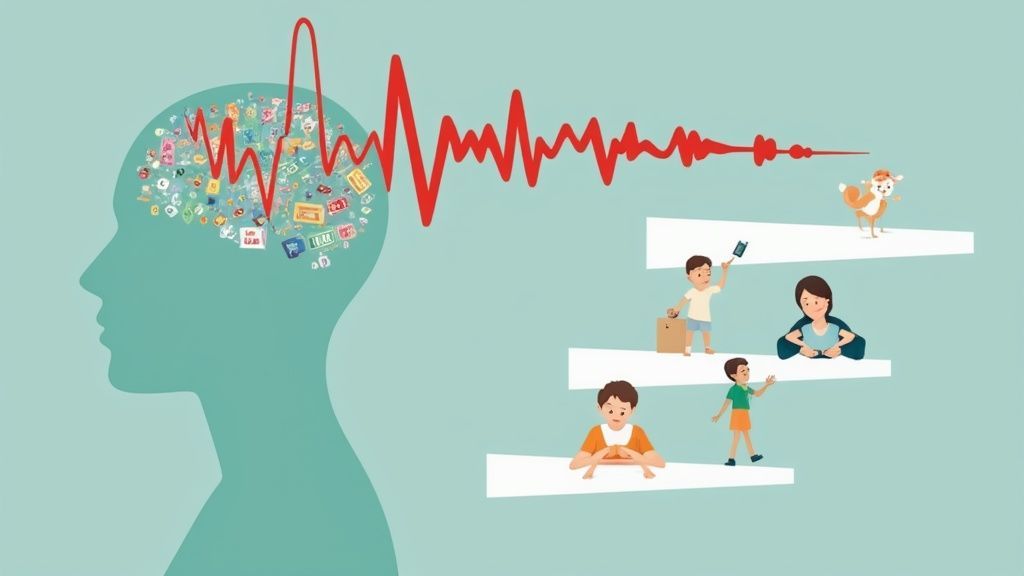
La tecnologia dietro la conversione del parlato in testo per i video non è magia, è un sofisticato processo di apprendimento che assomiglia molto a come impariamo una lingua. Pensa a insegnare a un bambino a leggere. Inizia con suoni individuali (lettere), poi passa a parole intere e, infine, capisce frasi intere perché coglie il contesto.
L'IA segue un percorso sorprendentemente simile. L'intera operazione è alimentata da una tecnologia chiamata Riconoscimento Vocale Automatico (ASR). Il primo compito del sistema ASR è ascoltare l'audio del tuo video e suddividerlo nelle più piccole unità sonore possibili, o fonemi. In pratica, impara a distinguere la differenza tra la "c" di "casa" e la "ch" di "chiamare".
Dai suoni alle frasi
Una volta che l'audio è stato suddiviso in questi piccoli pezzi, inizia il vero addestramento dell'IA. I moderni modelli di trascrizione, come Whisper di OpenAI, vengono alimentati con una quantità sbalorditiva di dati audio: parliamo di centinaia di migliaia di ore raccolte da Internet. Questa vasta libreria è ciò che insegna all'IA a mappare quei suoni fonetici alle parole scritte.
Questi dati di addestramento sono incredibilmente diversi, coprendo innumerevoli accenti, velocità di parola e rumori di fondo. È così che l'IA può capire qualcuno con un forte accento scozzese tanto quanto qualcuno che parla un inglese perfetto da trasmissione. È qui che gli strumenti di oggi si distinguono davvero, andando ben oltre la semplice dettatura per cogliere le vere sfumature del parlato umano.
Puoi vedere come tutto questo addestramento paga quando controlli come il miglior software di trascrizione basato sull'IA raggiunge oggi un'altissima precisione.
Il contesto è tutto: Il vero genio dell'IA è la sua capacità di cogliere il contesto. Quando dici: "Devo andare in banca", il modello utilizza le parole intorno a "in" per sapere che non si tratta di "un" o "altrimenti".
Perché il contesto è importante nella trascrizione
Comprensione dell'intento
I modelli di IA analizzano le parole circostanti per determinare se intendevi "banca" come edificio o "banca" come verbo, preservando il significato tra le frasi.
Gestione degli accenti
Il contesto aiuta il modello a fare previsioni più accurate anche quando accenti o pronunce variano significativamente tra gli oratori.
Correzione di parole ambigue
Parole come "a", "due" e "anche" vengono corrette automaticamente in base a schemi contestuali appresi da enormi set di dati.
Miglioramento del flusso delle frasi
La comprensione contestuale aiuta a generare punteggiatura e struttura naturali, rendendo le trascrizioni più facili da leggere e utilizzare.
Il Potere dei Set di Dati Massicci
La pura mole di dati di addestramento è ciò che fa la differenza tra una trascrizione approssimativa e una quasi perfetta. L'IA ha ascoltato così tanto parlato umano che può fare congetture incredibilmente intelligenti, anche quando la qualità audio non è ottimale.
Impara a ignorare un colpo di tosse, filtrare una sirena lontana e persino identificare correttamente il gergo settoriale che ha già sentito. Tutto questo processo è un fantastico esempio di automazione intelligente, dove un compito seriamente complesso viene gestito con incredibile velocità e precisione.
Il Viaggio del Tuo Video dall'Upload alla Trascrizione
Ti sei mai chiesto cosa succede realmente dopo aver premuto "carica" su un file video? Non è un singolo passaggio magico, è più simile a una catena di montaggio a più stadi che trasforma il tuo filmato grezzo in una trascrizione lucida e utilizzabile.
Ripercorriamo l'intero processo, passo dopo passo. Immagina di seguire un video di testimonianza di un cliente dal momento in cui lo carichi all'esportazione finale e perfettamente formattata.
Elaborazione Iniziale ed Estrazione Audio
Il viaggio inizia nel momento in cui consegni il tuo file. Sia che lo trascini e rilasci direttamente o lo colleghi da un'unità cloud, il primo compito del sistema è lo smistamento.
Si mette immediatamente al lavoro per isolare la traccia audio dal video. Pensala come uno chef che separa i tuorli dagli albumi; l'IA ha solo bisogno dell'audio per fare il suo lavoro. Questo audio viene quindi standardizzato e suddiviso in blocchi più piccoli e gestibili, preparandolo per l'evento principale.
Il Nucleo della Trascrizione IA
Con l'audio preparato e pronto, viene inviato al motore principale ASR (Automatic Speech Recognition). È qui che avviene il lavoro più pesante.
L'IA "ascolta" i blocchi audio, confrontando rapidamente i suoni fonetici con le parole che riconosce dalla sua massiccia libreria di addestramento. Emette un file di testo grezzo e non formattato: la prima bozza. Questo output iniziale è spesso sorprendentemente accurato, ma mancano ancora dettagli chiave come le etichette degli altoparlanti e la punteggiatura perfetta. È qui che entrano in gioco i passaggi successivi.

Rilevamento dei parlanti
Identifica automaticamente diversi parlanti nelle tue registrazioni e etichettali con i loro nomi.

Strumenti di modifica
Modifica le trascrizioni con strumenti potenti tra cui trova e sostituisci, assegnazione dei parlanti, formati di testo arricchito ed evidenziazione.
Riassunti e Chatbot
Genera riassunti e altri approfondimenti dalla tua trascrizione, prompt personalizzati riutilizzabili e chatbot per i tuoi contenuti.
La demanda de esta tecnología se está disparando. Se proyecta que el mercado de transcripción de IA alcance los 19.200 millones de dólares estadounidenses para 2034, lo que demuestra cuán esenciales se han vuelto estas herramientas para hacer que el contenido de video sea accesible y buscable. Puede ver más sobre esta tendencia en Sonix.ai.
Detección y Etiquetado de Altavoces Inteligentes
Para cualquier video con más de una persona, como una entrevista, un podcast o una mesa redonda, saber quién dijo qué es innegociable. Aquí es donde entra en juego una pieza de tecnología genial llamada diarización de hablantes.
La IA analiza las huellas vocales únicas en el audio (tono, timbre y ritmo) para determinar quién está hablando. Luego, asigna automáticamente etiquetas genéricas como "Hablante 1" y "Hablante 2" a las líneas de diálogo correctas. En una herramienta como Transcript.LOL, puede renombrar fácilmente esas etiquetas con los nombres de los participantes reales, convirtiendo un bloque de texto confuso en un guion limpio y de aspecto profesional.
Consejo profesional: Cuanto más claro sea tu audio, mejor será la detección de hablantes. Si puedes, dale a cada persona su propio micrófono. Marca una gran diferencia en la precisión.
La Fase de Edición Interactiva
Seamos sinceros: ninguna IA es perfecta. Puede que escuche mal un nombre de empresa único, tropiece con un acento marcado o se equivoque con una jerga. Es por eso que la fase de edición es tan importante: te devuelve al asiento del conductor.
Un buen editor interactivo te permite hacer clic en cualquier palabra de la transcripción y saltar instantáneamente a ese momento exacto en el video. Esto hace que corregir errores sea pan comido. Puedes limpiar nombres, ajustar la puntuación y corregir términos técnicos en segundos, no en horas. Además, obtener las marcas de tiempo correctas es crucial para crear subtítulos perfectamente sincronizados. Profundizamos en la importancia de obtener transcripciones con marcas de tiempo en nuestra guía dedicada.
Finalmente, con tu transcripción pulida y perfeccionada, estás listo para usarla. Puedes exportarla en una variedad de formatos diferentes según lo que necesites:
- Texto sin formato (TXT): Sencillo y perfecto para incluir en publicaciones de blog, artículos o notas de programas.
- Subtítulos (SRT/VTT): Los archivos estándar con marcas de tiempo que necesitas para YouTube, Vimeo y plataformas de redes sociales.
- Documentos (DOCX/PDF): Ideales para compartir con tu equipo, archivar o crear registros oficiales.
Formas Prácticas de Maximizar la Precisión de la Transcripción
Obtener una transcripción casi perfecta no se trata solo del software; es el resultado directo de la calidad de tu audio. Piénsalo como un fotógrafo que trabaja con la luz: cuanto mejor sea la iluminación, más clara será la imagen final. Para la conversión de voz a texto para video, un buen audio es tu luz.
Si bien los modelos de IA actuales son increíblemente potentes, no son milagrosos. Necesitan una señal limpia para hacer su mejor trabajo. Unos pocos ajustes sencillos antes de presionar grabar pueden marcar una gran diferencia en la calidad de tu transcripción final, ahorrándote mucho tiempo de edición en el futuro.
Este es el viaje básico que realiza tu video para convertirse en una transcripción pulida.
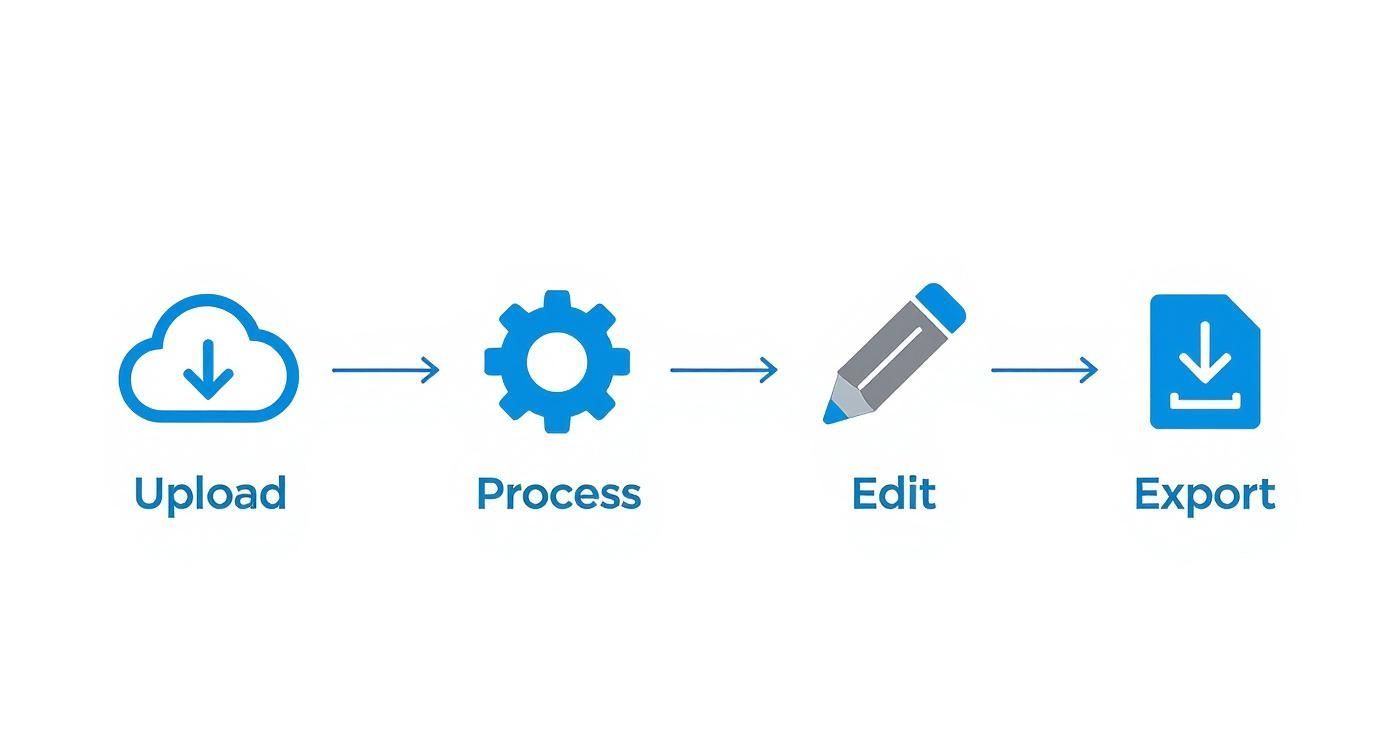
La conclusión aquí es que la etapa de "Procesar" solo es tan buena como la etapa de "Cargar" que la alimenta. Tomar algunas medidas proactivas garantiza que la IA tenga el mejor material posible para trabajar desde el principio.
Controla tu Entorno de Grabación
Tu primera prioridad es eliminar el ruido de fondo. Ese aire acondicionado ruidoso, una conversación en la habitación de al lado o incluso el eco en un espacio grande y vacío pueden enturbiar el audio. Cuando eso sucede, la IA tiene que trabajar horas extras para separar las voces del ruido, que es donde se producen los errores.
Prueba estos sencillos consejos para contraatacar:
- Elige un espacio tranquilo: Graba en una habitación más pequeña con superficies blandas como alfombras, cortinas o muebles. Estas cosas absorben el sonido y reducen el eco.
- Apaga las distracciones: Silencia tu teléfono y apaga cualquier electrodoméstico que cree un zumbido bajo, como ventiladores o refrigeradores.
- Verifica tu distancia: Acerca el micrófono a la boca del hablante, idealmente a entre seis y doce pulgadas de distancia. Esto te da una señal clara y fuerte que es fácil de transcribir.
Invierte en un Micrófono Decente
El micrófono incorporado de tu portátil o cámara está diseñado para captar el sonido de todas las direcciones. Eso es genial para capturar el ambiente de una habitación, pero terrible para grabar diálogos claros. Siempre captará más ruido de fondo que un micrófono dedicado.
No tienes que gastar una fortuna para ver una gran mejora. Un micrófono de solapa (lavalier) asequible o un micrófono USB simple pueden mejorar drásticamente la claridad al centrarse directamente en la voz del hablante. Esta única mejora es a menudo el cambio más impactante que puedes hacer. Puedes obtener más información sobre cómo los diferentes factores afectan los resultados leyendo nuestra guía sobre cómo mejorar la precisión de la voz a texto.
Impacto en el mundo real: Una transcripción de un micrófono de portátil en una cafetería ruidosa podría alcanzar solo entre el 70% y el 80% de precisión, dejándote con un trabajo de edición pesado. La misma conversación grabada con un micrófono de solapa de 20 dólares podría alcanzar fácilmente el 95% de precisión o más, dándote un borrador casi perfecto desde el principio.
La qualità dell'audio è importante
Audio scadente — eco, rumori di fondo, rumore del vento, oratori sovrapposti — ridurrà drasticamente l'accuratezza della trascrizione. Anche i migliori sistemi ASR faticano con input poco chiari. Dai sempre priorità a un audio pulito e diretto per evitare pesanti correzioni manuali in seguito.
Fai Attenzione alle Tue Abitudini di Parlata
Il modo in cui parli è importante quanto la tua attrezzatura. Mormorare, parlare troppo velocemente o far parlare le persone l'una sull'altra sono cause comuni di trascrizioni scadenti. L'IA si confonde quando le voci si sovrappongono, rendendo quasi impossibile separare correttamente il dialogo.
Incoraggia gli oratori ad articolare chiaramente e, soprattutto, a parlare a turno. Un po' di disciplina durante la sessione di registrazione ripaga enormemente quando generi la trascrizione. Concentrandoti sulla cattura di un audio pulito, dai all'IA la migliore possibilità possibile di fornire un risultato impeccabile.
Flussi di Lavoro del Mondo Reale per Creatori e Team
La vera magia della speech-to-text per video non è la tecnologia in sé, ma ciò che puoi fare con essa. Professionisti di ogni settore stanno costruendo modi di lavorare più intelligenti e veloci trasformando le parole pronunciate in dati che possono effettivamente utilizzare. Superiamo la teoria e vediamo come i team reali utilizzano le trascrizioni per portare a termine il lavoro.
Questa non è solo una tendenza di nicchia; sta diventando centrale nel modo in cui vengono creati i contenuti moderni. Il mercato globale del riconoscimento vocale e del parlato è stato valutato a 15,46 miliardi di USD nel 2024 e si prevede che raggiungerà gli incredibili 81,59 miliardi di USD entro il 2032. Questa esplosione dimostra quanto ci affidiamo alla trascrizione per tutto, dalla resa dei contenuti accessibili al mantenimento del coinvolgimento del pubblico. Puoi scoprire ulteriori approfondimenti su questa tendenza di mercato e cosa la sta guidando.
Content Marketer che Riadattano su Larga Scala
Per qualsiasi content marketer, un singolo webinar video è una miniera d'oro. Ma scavare manualmente per trovare le cose buone è un lavoro lento e doloroso. Una volta che hai una trascrizione accurata, l'intero gioco cambia.
Un webinar di un'ora può essere istantaneamente trasformato in un post di blog ottimizzato per la SEO, già ricco di titoli e citazioni contenenti parole chiave. I marketer possono quindi scegliere le migliori battute e trasformarle in dozzine di post sui social media, snippet di newsletter via email o persino nello script per un breve video promozionale. Si tratta di moltiplicare il ROI su ogni singolo video che crei.
Ricercatori UX che Scoprono Insight più Velocemente
I ricercatori di user experience (UX) vivono nelle interviste con i clienti, cercando quei momenti "aha!" che portano a prodotti migliori. Il collo di bottiglia più grande? Scorrere ore di registrazioni solo per trovare quella citazione che cambia il gioco.
Le trascrizioni speech-to-text rendono l'intero processo incredibilmente efficiente. I ricercatori possono cercare in un'intera intervista parole chiave come "frustrante" o "confuso" per trovare i punti dolenti in pochi secondi. Possono copiare e incollare potenti citazioni dei clienti direttamente nei loro report, dando ai loro risultati il peso di prove autentiche e convincenti. Ciò riduce il ciclo di ricerca e aiuta i team a costruire prodotti basati su ciò che gli utenti stanno effettivamente dicendo.
I motori di trascrizione di nuova generazione includono ora funzionalità di ricerca semantica, che consentono ai team di cercare non solo parole chiave, ma anche idee e temi all'interno delle trascrizioni. Questo aggiornamento migliora drasticamente la rapidità con cui è possibile estrarre informazioni da lunghe sessioni di interviste.
Trasformazione del Flusso di Lavoro: Invece di analizzare ore di video, i ricercatori possono trovare temi chiave in pochi minuti. Un processo che una volta richiedeva giorni, ora può essere completato in un unico pomeriggio.
Educatori e Formatori Creano Corsi Accessibili
Nell'ambito dell'istruzione e della formazione aziendale, l'accessibilità non è solo un "nice-to-have"; è spesso un requisito legale. Fornire sottotitoli accurati per i corsi video è fondamentale per gli studenti sordi o con problemi di udito, e francamente aiuta tutti migliorando la concentrazione e la memorizzazione.
La generazione di trascrizioni con uno strumento come Transcript.LOL consente agli educatori di creare file di sottotitoli SRT o VTT perfettamente sincronizzati con uno sforzo quasi nullo. Ciò garantisce che i loro contenuti siano inclusivi e soddisfino gli standard di accessibilità. Inoltre, una trascrizione ricercabile diventa un potente strumento di studio, permettendo agli studenti di saltare a argomenti specifici in una lunga lezione senza dover rivedere tutto.
Domande? Abbiamo Risposte.
Anche dopo aver preso confidenza con il flusso di lavoro, è normale avere qualche domanda su come funziona realmente la conversione da voce a testo per video. È uno strumento potente, ma comprenderne i dettagli ti aiuta a sfruttarlo al meglio. Ecco alcune risposte dirette alle domande che sentiamo più spesso da creatori e team.
Queste coprono gli elementi essenziali, da cosa aspettarsi in termini di prestazioni alle differenze pratiche tra una trascrizione e un file di sottotitoli. Fare le cose per bene è fondamentale per costruire un flusso di lavoro efficiente per i contenuti video.
Quanto è Accurata Questa Tecnologia, Davvero?
La moderna trascrizione AI può raggiungere oltre il 95% di accuratezza su audio di alta qualità. Ma "alta qualità" è la frase chiave. Il risultato finale dipende sempre dalla pulizia dell'audio sorgente.
Alcune cose possono confondere l'AI:
- Chiarezza dell'Audio: L'audio nitido e pulito, senza distorsioni, è fondamentale.
- Rumore di Fondo: Caffetterie rumorose, musica di sottofondo o persone che parlano contemporaneamente possono creare confusione.
- Accenti Forti: Sebbene i modelli odierni siano incredibilmente bravi con gli accenti, dialetti molto forti o unici possono ancora causare qualche intoppo.
- Gergo Specifico: Termini specifici del settore o nomi di prodotti unici potrebbero essere scritti in modo errato se l'AI non li ha mai visti prima.
Per un podcast ben registrato, la trascrizione che ottieni è spesso quasi perfetta. Per qualcosa di più caotico, come una chiamata di conferenza con persone che parlano contemporaneamente, l'AI ti fornisce una fantastica prima bozza che puoi perfezionare in pochi minuti utilizzando un editor interattivo.
Riesce a Distinguere Chi Parla in un Video?
Sì, assolutamente. Questa funzionalità cambia completamente le regole del gioco per interviste, riunioni e tavole rotonde. Il termine tecnico è diarizzazione degli speaker.
Le piattaforme avanzate possono rilevare automaticamente quando una nuova persona inizia a parlare e etichettarla di conseguenza, come "Speaker 1", "Speaker 2" e così via.
Questo è essenziale per qualsiasi contenuto con più di una voce, tra cui:
- Interviste
- Tavole rotonde
- Riunioni di team
- Chiamate di assistenza clienti
Una volta generata la trascrizione, puoi accedere all'editor e sostituire quelle etichette generiche con i nomi degli speaker effettivi. Il risultato è uno script pulito e perfettamente formattato che rende cristallino chi ha detto cosa.
Qual è la Differenza tra Trascrizioni e Sottotitoli?
Questa è una cosa che confonde sempre tutti. Sebbene provengano dallo stesso audio, trascrizioni e sottotitoli sono creati per scopi completamente diversi. Devi sapere quale usare per il tuo obiettivo specifico.
Una trascrizione è il testo completo di tutto ciò che è stato detto, solitamente in un unico documento con etichette degli speaker. È perfetta per la SEO, per trasformare un video in un post di blog o per condurre ricerche approfondite sul contenuto.
I sottotitoli (o didascalie) sono file di testo, come SRT o VTT, che sono codificati temporalmente per apparire sullo schermo in sincronia con il video. Il loro scopo principale è l'accessibilità per gli spettatori sordi, con problemi di udito o che semplicemente guardano senza audio (che sono la maggior parte delle persone sui social media oggi).
Distinzione Chiave: Pensala in questo modo: una trascrizione serve per leggere e cercare il contenuto dopo che è stato prodotto. I sottotitoli servono per guardarlo e comprenderlo in tempo reale. Qualsiasi buon servizio ti permetterà di esportarli entrambi.
Quanto è Sicuro il Mio Contenuto?
Qualsiasi servizio affidabile mette la sicurezza e la privacy dei dati al primo posto. Punto. Dovrebbero utilizzare connessioni crittografate (come SSL/TLS) per tutti gli upload di file e archiviare i tuoi dati in ambienti cloud sicuri e conformi agli standard del settore.
Prima di iscriverti, controlla sempre una politica sulla privacy trasparente che spieghi esattamente come vengono gestiti i tuoi dati, chi può vederli e per quanto tempo vengono conservati. Se hai a che fare con contenuti aziendali, legali o personali sensibili, cerca servizi conformi a standard come GDPR o SOC 2. Questo garantisce che siano tenuti ai più alti standard di sicurezza. Il tuo contenuto non dovrebbe mai essere utilizzato per addestrare modelli AI senza il tuo esplicito permesso.
Pronto a trasformare i tuoi video in contenuti accurati, ricercabili e riutilizzabili in pochi secondi? Transcript.LOL offre una piattaforma basata sull'AI con rilevamento degli speaker, un editor interattivo e molteplici opzioni di esportazione per semplificare il tuo flusso di lavoro. Provalo gratuitamente oggi stesso su https://transcript.lol.