
Come Trascrivere Video in Testo: Una Guida Completa
Scopri come trascrivere video in testo con la nostra guida completa. Scopri i migliori strumenti, flussi di lavoro e suggerimenti per ottenere trascrizioni veloci e accurate per qualsiasi progetto.
Praveen
September 24, 2025
Per ottenere testo da un video, hai davvero tre strade principali: farlo a mano, assumere un servizio gestito da esseri umani o utilizzare strumenti basati sull'IA. Al giorno d'oggi, creatori e aziende intelligenti si affidano pesantemente al software automatizzato. Perché? Perché trasforma istantaneamente un file video in testo modificabile, aprendo una miriade di nuove possibilità per contenuti e accessibilità. Questo singolo cambiamento può farti risparmiare innumerevoli ore e trasformare un singolo video in una risorsa strategica seria.
Capacità Fondamentali che Rendono la Trascrizione Video Senza Sforzo
IA all'avanguardia
Alimentato da Whisper di OpenAI per una precisione leader nel settore. Supporto per vocabolari personalizzati, file fino a 10 ore e risultati ultra rapidi.

Importa da più fonti
Importa file audio e video da varie fonti tra cui caricamento diretto, Google Drive, Dropbox, URL, Zoom e altro.

Rilevamento dei parlanti
Identifica automaticamente diversi parlanti nelle tue registrazioni e etichettali con i loro nomi.
Perché Trascrivere i Tuoi Contenuti Video è una Mossa Strategica
Se pensi ancora alla trascrizione come a un altro compito noioso nella tua lista di cose da fare, ti stai perdendo il quadro generale. Trasformare il video in testo non riguarda più solo avere una registrazione scritta; è una strategia fondamentale per chiunque voglia ottenere il massimo dai propri contenuti. È così che rendi il tuo video ricercabile, accessibile e pronto per essere riutilizzato in una dozzina di modi diversi.
Perché le Trascrizioni Sono Più Che Semplice Testo
Le trascrizioni video migliorano la reperibilità, l'accessibilità e il riutilizzo dei contenuti. Consentono ai motori di ricerca di indicizzare le idee parlate, aiutano il pubblico a consumare contenuti nel formato preferito e fungono da materiale grezzo per blog, email e post sui social media.
Non credetemi sulla parola: il mercato racconta la stessa storia. Il mercato globale dei servizi di trascrizione online è stato valutato a ben 12,9 miliardi di dollari USA nel 2022. Si prevede che più che raddoppierà fino a 27,4 miliardi di dollari USA entro il 2027, il che dimostra quanto sia diventata massiccia la domanda.
Da un video a una dozzina di asset di contenuto
Entriamo nel pratico. Immaginate che il vostro team di marketing abbia appena terminato un webinar di un'ora. Senza una trascrizione, quel contenuto è bloccato. Vive e muore come un singolo file video e il suo valore è limitato.
Ma nel momento in cui lo trascrivete, quell'unico asset diventa il trampolino di lancio per un'intera campagna di contenuti.
- Articoli del blog: I punti chiave sono schemi perfetti per articoli approfonditi.
- Aggiornamenti sui social media: Estraete le citazioni e le statistiche più convincenti per post rapidi e coinvolgenti su LinkedIn o X.
- Newsletter via email: Preparate un riassunto dei punti chiave da inviare ai vostri abbonati.
- Lead magnet: Impacchettate l'intera trascrizione in una guida PDF raffinata e scaricabile.
Improvvisamente, un pezzo di contenuto è stato moltiplicato per una dozzina, il tutto con uno sforzo minimo aggiuntivo. Se volete approfondire questo aspetto, date un'occhiata a queste potenti strategie di riutilizzo dei contenuti per estrarre ogni goccia di valore dai vostri video.
Sbloccare i vantaggi di accessibilità e SEO
Una trascrizione fa più che alimentare la vostra macchina di contenuti. Rende immediatamente il vostro video accessibile a un pubblico molto più ampio, comprese le persone sorde o con problemi di udito, senza contare coloro che semplicemente preferiscono leggere.
Una delle cose più potenti che potete fare con una trascrizione è creare sottotitoli. Imparare come aggiungere sottotitoli ai video può dare alla vostra portata e al vostro coinvolgimento una spinta seria.
Fornendo ai motori di ricerca come Google una versione testuale del vostro video, state dando loro contenuti leggibili da indicizzare e scansionare. Ciò significa che le idee e le parole chiave sepolte nel vostro video possono finalmente iniziare a posizionarsi nei risultati di ricerca, generando traffico organico molto tempo dopo aver premuto "pubblica".
Il vostro flusso di lavoro per la trascrizione automatizzata
Iniziare con la trascrizione automatizzata può sembrare un po' tecnico, ma gli strumenti moderni hanno reso l'intero processo sorprendentemente semplice. Un buon flusso di lavoro consiste nel togliere l'incertezza dal processo, permettendovi di passare da un file video grezzo a un documento di testo raffinato e modificabile in pochi minuti.
Non si tratta solo di velocità. Si tratta di far funzionare la tecnologia per voi, sia che siate un podcaster che carica un'intervista Zoom o uno studente che ha bisogno di trascrivere una lezione.
L'idea generale è quella di lasciare che un'IA faccia il lavoro pesante. La crescita del mercato della trascrizione AI dice tutto: è stato valutato a 4,5 miliardi di dollari USA nel 2024 e si prevede che esploderà fino a 19,2 miliardi di dollari USA entro il 2034. Questo è un enorme spostamento dai metodi lenti e manuali del passato verso risultati istantanei guidati dall'IA.
La Trascrizione IA Sta Diventando lo Standard del Settore
La trascrizione basata sull'IA sta rapidamente sostituendo i flussi di lavoro manuali grazie alla sua velocità, convenienza e scalabilità. Le aziende ora si aspettano trascrizioni quasi istantanee come parte dei loro processi standard di contenuti e documentazione.
Questo diagramma mostra davvero quanto siano cambiate le cose, passando da un lavoro manuale meticoloso a soluzioni eleganti basate sull'IA.
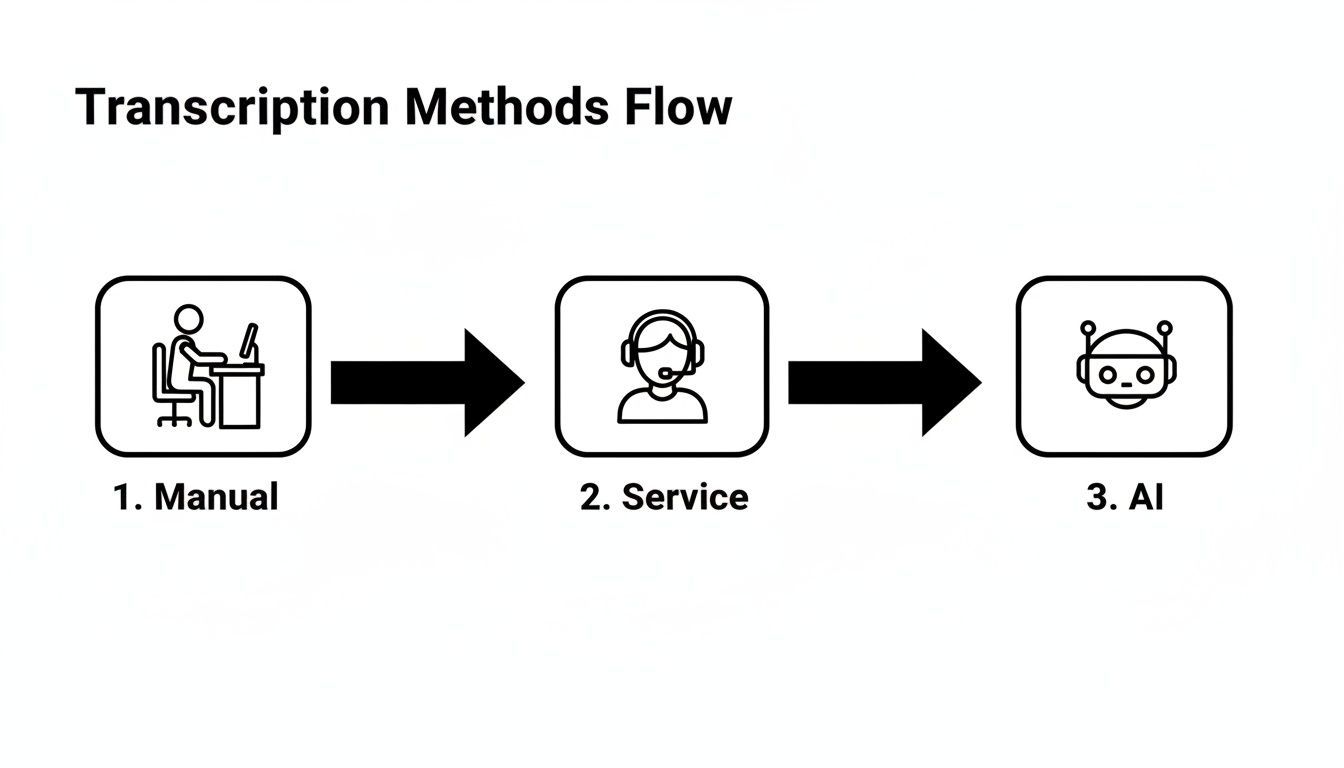
Puoi vedere perché l'IA sta vincendo. Automatizza ciò che una volta richiedeva ore di intensa concentrazione, rendendo la trascrizione accessibile praticamente a tutti.
Preparazione e Caricamento dei File Video
Il percorso verso una trascrizione eccellente inizia con il file sorgente. L'IA è intelligente, ma non è magica: ha bisogno di un audio chiaro per fare il suo miglior lavoro. Prima di caricare qualsiasi cosa, è sempre una buona idea fare un rapido controllo e assicurarsi che l'audio del tuo video sia il più pulito possibile.
Audio Scarso = Trascrizioni Scarse
Il rumore di fondo, il parlato sovrapposto e i microfoni di bassa qualità riducono significativamente l'accuratezza della trascrizione. Anche i migliori strumenti IA faticano quando la chiarezza audio è compromessa, portando a più modifiche manuali in seguito.
Un file con rumore di fondo minimo e altoparlanti chiari ti fornirà sempre una trascrizione più accurata.
Fortunatamente, la maggior parte delle piattaforme moderne è super flessibile su come caricare i tuoi file nel sistema. Non sei più bloccato nell'upload dal tuo computer.
- Caricamento Diretto: Il classico drag-and-drop. Perfetto per file MP4, MOV o AVI che si trovano sul tuo desktop.
- Integrazione Cloud: Connettiti direttamente a servizi come Google Drive o Dropbox per importare file senza scaricarli prima. Questo fa risparmiare un sacco di tempo.
- Incolla URL: Il mio preferito per i contenuti online. Incolla semplicemente un link da YouTube o Vimeo e lo strumento recupererà il video per te.
Configurazione delle Impostazioni di Trascrizione
Una volta caricato il tuo video, vedrai solitamente alcune impostazioni semplici ma potenti. Queste sono la tua occasione per dare all'IA un po' di contesto sul tuo audio, il che fa una grande differenza nell'accuratezza finale. Prendere un momento qui può farti risparmiare un sacco di tempo di editing in seguito.
Pensala come dare a un trascrittore umano un breve briefing prima che inizi. Più informazioni ha in anticipo, migliore sarà il risultato finale.
Innanzitutto, dovrai dire all'IA quale lingua viene parlata nel video. Molte delle migliori soluzioni software di trascrizione AI gestiscono decine di lingue, quindi assicurati solo di scegliere quella giusta.
Dopo di che, vorrai cercare altre due impostazioni che cambiano il gioco:
- Rilevamento Speaker (Diariazione): Questa funzione individua automaticamente chi sta parlando e quando, etichettando ogni persona come "Speaker 1", "Speaker 2" e così via. È assolutamente essenziale per interviste, riunioni o discussioni di gruppo in cui è necessario sapere chi ha detto cosa.
- Vocabolario Personalizzato: Qui puoi davvero aumentare l'accuratezza. Se il tuo video menziona nomi specifici, gergo aziendale, acronimi o termini tecnici, puoi aggiungerli a un elenco personalizzato. L'IA imparerà quindi a riconoscere correttamente queste parole invece di fare un'ipotesi selvaggia.
Dopo aver modificato queste impostazioni, sei pronto per partire. Basta premere il pulsante e l'IA si metterà al lavoro, fornendo solitamente una trascrizione completa in una frazione del tempo di esecuzione del video. Trasforma un compito un tempo temuto in un passaggio rapido e semplice nel tuo flusso di lavoro.
Come Rivedere e Perfezionare la Tua Trascrizione
Una trascrizione generata dall'IA ti porta al 95% del percorso, ma quell'ultimo piccolo tratto è dove avviene la vera magia. Questa revisione finale è la tua occasione per lucidare il testo, cogliere gli errori sottili che le macchine non colgono e trasformare una buona bozza in un documento impeccabile.
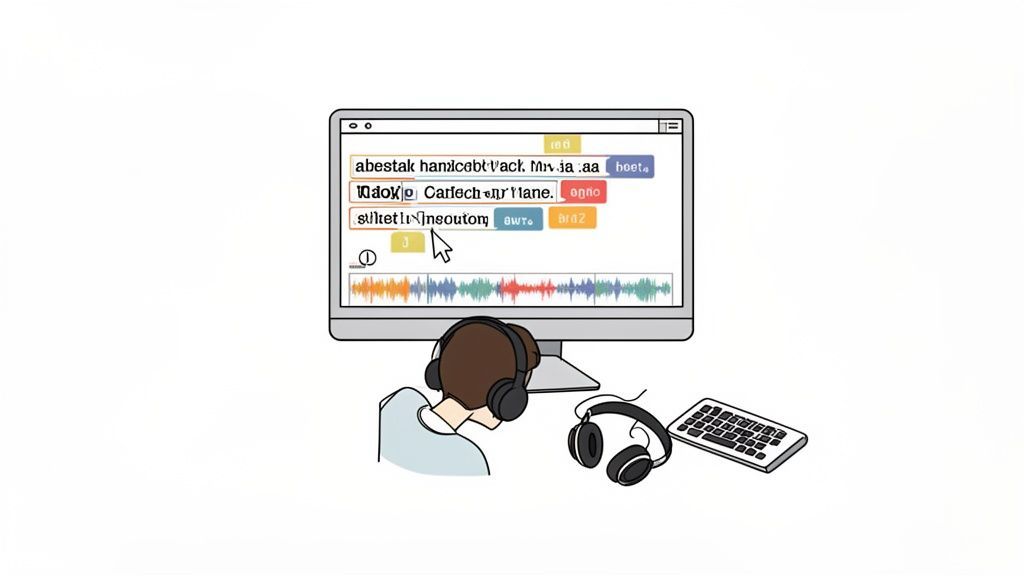
La maggior parte degli strumenti di trascrizione moderni, come il nostro, dispone di un editor interattivo che sincronizza il testo con l'audio. Questo è il tuo migliore amico. Mentre riproduci il video, le parole si evidenziano in tempo reale, permettendoti di seguire e apportare correzioni al volo.
Questa riproduzione sincronizzata è un punto di svolta per ottenere il contesto giusto. Un'IA potrebbe sentire "their" quando l'oratore ha chiaramente detto "there". Sentirlo tu stesso mentre leggi rende un gioco da ragazzi individuare e correggere questi piccoli errori di omofoni.
Correzione di Errori Comuni dell'IA
Anche l'IA più intelligente ha i suoi punti ciechi. Sapere dove l'automazione tende a inciampare ti aiuta a concentrare la tua revisione e a completarla molto più velocemente.
Il tuo primo passaggio dovrebbe concentrarsi su questi sospetti abituali:
- Nomi Propri: Questo è un punto importante. L'IA spesso storpi i nomi unici di persone, aziende o prodotti. Potrebbe scrivere "Kaitlyn" come "Caitlin" o interpretare erroneamente "Transcript.LOL" come "Transcript LOL".
- Gergo di Settore: Se stai lavorando con linguaggi specializzati o acronimi interni, l'IA può facilmente confondersi a meno che tu non abbia impostato un vocabolario personalizzato.
- Etichette Speaker: Sebbene l'IA sia abbastanza brava a distinguere gli speaker, a volte unisce il dialogo di due persone o attribuisce erroneamente le battute. Ricontrolla che tutti siano etichettati correttamente.
Pensa alla fase di editing meno come a una riscrittura e più come a un perfezionamento. Stai solo colmando il divario tra l'output automatizzato e le sfumature umane per onorare il dialogo originale.
Lucidatura per Leggibilità e Flusso
Una volta corretti gli errori evidenti, è ora di rendere la trascrizione facile da leggere. Si tratta di più che correggere parole; si tratta di strutturare il testo in modo che scorra naturalmente. Se vuoi diventare davvero bravo in questo, padroneggiare l'arte della correzione di bozze nella trascrizione porterà i tuoi documenti finali al livello successivo.
Un risparmio di tempo incredibile qui è la funzione trova e sostituisci. Hai notato che un nome è scritto male nello stesso modo dieci volte? Puoi correggere ogni singola istanza in un'unica mossa invece di doverle cercare una per una.
Inoltre, tieni d'occhio le stranezze di formattazione. L'IA a volte crea un nuovo paragrafo ogni volta che uno speaker fa una pausa, facendo sembrare il testo frammentato e disconnesso. Non aver paura di unire frasi brevi e correlate in un unico paragrafo coeso. Fa una grande differenza nell'esperienza di lettura ed eleva la tua bozza AI in qualcosa di veramente pronto per la pubblicazione.
Mettere al Lavoro la Tua Trascrizione: Esportazione e Riuso
Una volta che hai perfezionato la tua trascrizione, inizia il vero divertimento. È qui che metti al lavoro tutto quel testo. La prima decisione che prenderai, come esportarla, è più strategica di quanto potresti pensare. Tutto dipende da cosa hai intenzione di fare dopo.
Scegliere il formato giusto fin dall'inizio è la chiave per sbloccare il pieno potenziale del tuo video e risparmiarti un enorme mal di testa in seguito.
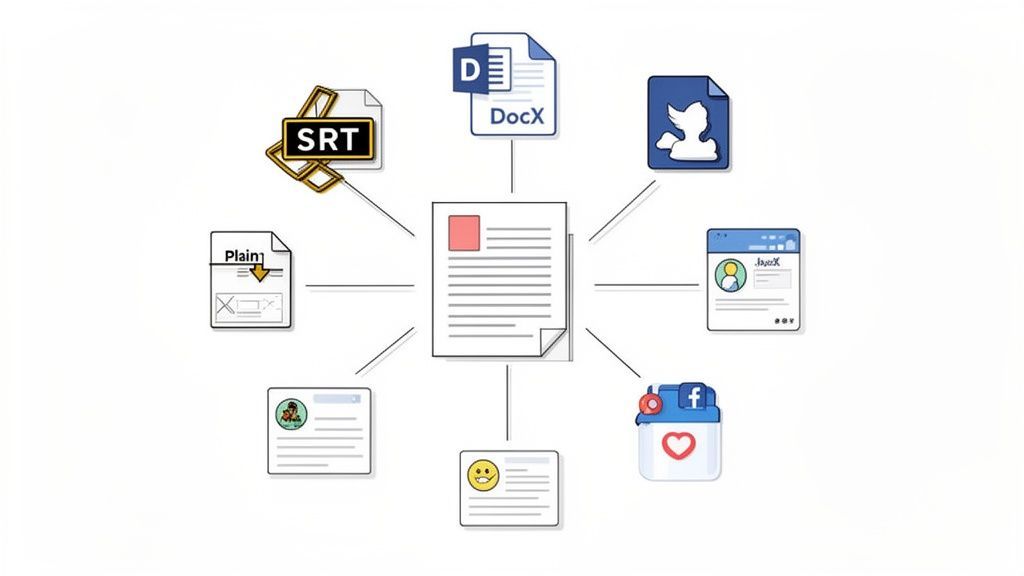
Pensaci: uno YouTuber che cerca di massimizzare la portata del proprio video ha esigenze completamente diverse rispetto a un ricercatore che archivia una lunga intervista. Uno ha bisogno di un file creato per le didascalie sullo schermo, mentre l'altro ha solo bisogno del testo grezzo per l'analisi.
Scelta del Formato di Esportazione Corretto
Familiarizzare con i principali tipi di file renderà il tuo flusso di lavoro molto più agevole. Ognuno è creato per un lavoro specifico, che si tratti di aggiungere didascalie o di redigere un nuovo post del blog.
- SRT & VTT: Questi sono lo standard d'oro per le didascalie e i sottotitoli dei video. Entrambi i formati includono non solo il testo, ma anche i timestamp cruciali che sincronizzano perfettamente le parole con l'audio del tuo video. Sono essenziali per piattaforme come YouTube e Vimeo e sono il fondamento dei contenuti accessibili. Se hai mai bisogno di crearne uno da zero, un creatore di file SRT dedicato è il tuo migliore amico.
- DOCX: Hai intenzione di trasformare la tua trascrizione in un articolo, un rapporto o un documento formale? Questo è il formato che fa per te. Mantiene tutta la formattazione importante come paragrafi ed etichette degli speaker, fornendoti una base pulita e pronta per l'editing in Microsoft Word o Google Docs.
- TXT: Quando hai solo bisogno del testo puro e non adulterato, il semplice file TXT è perfetto. È uno dei preferiti tra ricercatori e analisti di dati che hanno bisogno di importare testo pulito in altri strumenti per l'analisi senza che la formattazione interferisca.
Scelta del Formato di Esportazione Corretto per le Tue Esigenze
Per renderlo ancora più chiaro, ecco una rapida panoramica di quale formato utilizzare e quando.
| Formato | Estensione File | Caso d'uso Primario | Caratteristica Chiave |
|---|---|---|---|
| SRT | .srt | Didascalie video per YouTube, social media, player | Testo + Timestamp per una sincronizzazione perfetta |
| VTT | .vtt | Didascalie video web moderne (HTML5) | Simile a SRT, con opzioni di stile avanzate |
| DocX | .docx | Post di blog, articoli, rapporti, note di riunioni | Mantiene la formattazione (paragrafi, etichette speaker) |
| Testo | .txt | Analisi dati, ricerca, archiviazione testo semplice | Testo puro, non formattato, per la massima compatibilità |
Scegliere il formato corretto in anticipo ti evita di dover convertire file o riformattare manualmente tutto in seguito.
Tutto Ciò di Cui Hai Bisogno per Modificare, Esportare e Riutilizzare le Trascrizioni

Strumenti di modifica
Modifica le trascrizioni con strumenti potenti tra cui trova e sostituisci, assegnazione dei parlanti, formati di testo arricchito ed evidenziazione.

Esporta in più formati
Esporta le tue trascrizioni in più formati tra cui TXT, DOCX, PDF, SRT e VTT con opzioni di formattazione personalizzabili.
Riassunti e Chatbot
Genera riassunti e altri approfondimenti dalla tua trascrizione, prompt personalizzati riutilizzabili e chatbot per i tuoi contenuti.
Il formato che scegli dovrebbe supportare direttamente il tuo obiettivo finale. Non scaricare semplicemente un file di testo generico se il tuo vero obiettivo è aggiungere sottotitoli di livello professionale al tuo video: ti creerai solo più lavoro.
Trasforma la tua trascrizione in un motore di contenuti
La tua trascrizione finita non è solo un resoconto di ciò che è stato detto; è materiale grezzo per un sacco di nuovi contenuti. Avere una versione testuale del tuo video ti permette di moltiplicarne l'impatto con uno sforzo sorprendentemente ridotto.
È qui che passi dal semplice sapere come trascrivere video in testo al padroneggiare veramente il tuo flusso di lavoro di contenuti. Per ottenere il massimo da ogni video, vorrai padroneggiare le strategie di riutilizzo dei contenuti.
Ad esempio, un singolo webinar di un'ora può essere trasformato istantaneamente in:
- Un riassunto rapido: Utilizza uno strumento AI per generare una sinossi accattivante perfetta per una newsletter via email.
- Azioni chiare: Estrai ogni compito o decisione da una trascrizione di riunione per un documento di follow-up pulito.
- Contenuti per i social media di una settimana: Estrai citazioni potenti, statistiche sorprendenti o punti chiave per creare post coinvolgenti per X, LinkedIn o Instagram.
Questo approccio trasforma un video in un'intera libreria di risorse, estendendo la sua portata e il suo valore ben oltre la registrazione originale.
Ottenere la migliore accuratezza di trascrizione: alcuni consigli interni
La trascrizione AI ha fatto molta strada, ma la sua accuratezza non riguarda solo il software. Riguarda quasi interamente la qualità del tuo audio.
Pensala in questo modo: l'AI sta ascoltando attentamente, quindi fornirle una traccia audio pulita e chiara è la cosa migliore che puoi fare per ottenere una trascrizione eccellente al primo tentativo. Il tuo percorso verso un file di testo perfetto inizia molto prima di cliccare su "trascrivi".
Cosa Rende Ogni Volta una Trascrizione di Alta Qualità
Prima l'Audio Pulito
L'audio chiaro è il singolo fattore più importante nell'accuratezza della trascrizione. Riduci il rumore di fondo, evita l'eco e registra in ambienti controllati ogni volta che è possibile.
Usa la Separazione degli Oratori
Il rilevamento degli oratori aiuta a organizzare chiaramente le conversazioni. È essenziale per interviste, riunioni e discussioni di gruppo in cui l'attribuzione è importante.
Insegna all'IA il Tuo Vocabolario
Il vocabolario personalizzato garantisce che termini specifici del settore, nomi e acronimi vengano trascritti correttamente, riducendo le correzioni manuali ripetitive.
Rivedi Prima di Pubblicare
L'IA ti porta la maggior parte del lavoro, ma una rapida revisione umana garantisce leggibilità, contesto corretto e una finitura professionale.
La domanda per queste cose è alle stelle, tra l'altro. Con la crescente quantità di contenuti online, si prevede che il mercato generale della trascrizione negli Stati Uniti supererà i 32 miliardi di dollari entro il 2025 e raggiungerà i 50 miliardi di dollari entro il 2035. Questo boom, specialmente in settori come quello legale e sanitario, evidenzia quanto sia diventata critica l'accuratezza. Puoi approfondire ulteriormente i dati dietro questa tendenza in questo approfondimento sul mercato dei servizi di trascrizione.
Tutto Inizia dal Tuo Ambiente Audio
C'è un vecchio detto nella tecnologia: spazzatura in ingresso, spazzatura in uscita. Non potrebbe essere più vero per la trascrizione.
Se l'IA non riesce a distinguere chiaramente le parole, deve indovinare, ed è allora che si verificano errori. Prima ancora di premere registra, prenditi un minuto per controllare l'ambiente circostante.
- Elimina il rumore di fondo. Registra in un posto tranquillo. Allontanati da condizionatori che ronzano, traffico stradale o anche solo chiacchiere d'ufficio. Quei piccoli suoni potrebbero non darti fastidio, ma possono facilmente confondere un'IA.
- Impedisci alle persone di parlarsi addosso. Se hai più relatori, assicurati che si diano spazio per parlare. Il dialogo sovrapposto è una delle cose più difficili da districare per qualsiasi software di trascrizione.
- Usa un microfono decente. Il microfono del tuo telefono o laptop va bene all'occorrenza, ma un semplice microfono USB esterno o lavalier fa un'enorme differenza. È un piccolo investimento che ripaga enormemente in termini di accuratezza.
Insegna all'IA il Tuo Linguaggio
Anche con un audio impeccabile, l'IA può inciampare su parole che non ha mai sentito prima. Pensa al gergo di settore, ai nomi unici di aziende o ad acronimi specifici.
È qui che una funzione di vocabolario personalizzato diventa la tua arma segreta.
La maggior parte degli strumenti di trascrizione seri, incluso Transcript.LOL, ti consente di creare un elenco di parole personalizzate. Aggiungendo questi termini prima di caricare il tuo file, stai essenzialmente dando all'IA un foglio di suggerimenti per il tuo argomento specifico.
Ad esempio, un medico che trascrive una lezione potrebbe aggiungere termini come "farmacocinetica" o "enalapril". L'IA saprà quindi riconoscere quelle parole complesse invece di indovinare qualcosa di più comune.
Fare questo semplice passo trasforma l'IA da generalista a specialista per il tuo contenuto. Riduce drasticamente le modifiche manuali e garantisce che la tua trascrizione finale sia perfetta.
Saltare nella trascrizione video di solito solleva le stesse poche domande. Le persone vogliono sapere dell'accuratezza, dei costi, della privacy e di come gestire audio non perfetti.
Rispondiamo a queste domande in modo che tu possa iniziare con fiducia.
La Trascrizione AI è Buona Come un Umano?
Questa è la domanda importante, e la risposta onesta è: dipende.
Per audio chiari con uno o due relatori, la moderna trascrizione AI è incredibile, raggiungendo spesso fino al 95% di accuratezza o più. È incredibilmente veloce e un enorme risparmio di tempo per trasformare riunioni, interviste o lezioni in testo.
Ma un trascrittore umano professionista vince ancora nelle situazioni davvero difficili. Sono più bravi a capire:
- Accenti pesanti o relatori con dialetti unici.
- Audio disordinato con molto rumore di fondo o eco.
- Conversazioni sovrapposte in cui tutti parlano contemporaneamente.
- Contesto sottile, come sarcasmo o gergo di nicchia che un'IA potrebbe semplicemente trascurare.
Per file critici come deposizioni legali o ricerche pubblicate, far rivedere la trascrizione da un essere umano è non negoziabile. Per quasi tutto il resto, l'IA ti porta al 95% del percorso in una frazione minuscola del tempo e del costo.
Qual è il Modo Migliore per Gestire un Audio Cattivo?
C'è un vecchio detto nella tecnologia: spazzatura in ingresso, spazzatura in uscita. È particolarmente vero per la trascrizione. Voci ovattate, chiacchiere di sottofondo o un brutto eco faranno crollare rapidamente la tua accuratezza.
Mentre nessuno strumento può fare miracoli su audio completamente incomprensibile, non sei indifeso.
Prima di caricare il tuo file, prova a eseguirlo tramite uno strumento di riduzione del rumore. Programmi come Audacity (che è gratuito) o strumenti professionali come Adobe Audition hanno filtri che possono ripulire ronzii, sibili e rumori di fondo. Anche un piccolo miglioramento può fare un'enorme differenza per la trascrizione finale, facendoti risparmiare un sacco di tempo su modifiche manuali in seguito.
Quanto Costa Davvero Trascrivere un Video?
Il prezzo varia enormemente a seconda del tuo approccio.
Se lo fai da solo, ti costa solo il tuo tempo, e molto. Assumere un servizio di trascrizione umana è l'opzione più costosa, che di solito va da $1,00 a $2,50 al minuto audio. Un video di un'ora potrebbe facilmente costarti da $60 a $150.
È qui che i servizi basati sull'IA brillano davvero. Molte piattaforme, inclusa la nostra, offrono una prova gratuita per farti testare le acque. Da lì, i piani a pagamento sono solitamente basati su un abbonamento o su un modello pay-as-you-go che costa solo pochi centesimi al minuto. È facilmente il modo più conveniente e scalabile per gestire la trascrizione se hai esigenze regolari.
I Miei Dati Sono Sicuri Quando Uso uno Strumento Online?
Questa è una domanda legittima. Quando carichi un file, riponi la tua fiducia in un servizio per gestire il tuo contenuto in modo responsabile. È essenziale scegliere una piattaforma con una politica sulla privacy cristallina.
La cosa più importante da cercare è la promessa che non utilizzeranno i tuoi dati per addestrare i loro modelli AI. Le aziende rispettabili lo dichiareranno in anticipo.
Inoltre, controlla le basi di sicurezza come la crittografia dei file durante il caricamento e l'archiviazione. Su Transcript.LOL, abbiamo una rigorosa politica di non addestramento. I tuoi dati vengono utilizzati solo per generare la tua trascrizione, punto. È sempre una buona idea dedicare due minuti alla lettura dei termini sulla privacy di qualsiasi servizio prima di caricare materiale sensibile.
Pronto a trasformare i tuoi video in testo accurato e facile da usare? Con Transcript.LOL, puoi caricare dal tuo computer, da Google Drive o persino incollare un link YouTube e ottenere una trascrizione rifinita in pochi minuti.