
I migliori 12 software di trascrizione audio gratuiti per il 2025
Scopri i migliori software di trascrizione audio gratuiti da usare nel 2025. Confronta i migliori strumenti per accuratezza, funzionalità e limitazioni per trovare la soluzione perfetta per te.
Kate, Praveen
September 15, 2025
La conversione dell'audio in testo è un'esigenza comune per podcaster, marketer, studenti e professionisti. Sia che tu stia creando note di show, riutilizzando contenuti video per i social media o semplicemente documentando verbali di riunioni, lo strumento giusto può farti risparmiare ore di lavoro manuale. Trovare un software di trascrizione audio gratuito affidabile, tuttavia, può essere una sfida. Molte opzioni presentano limiti restrittivi, scarsa accuratezza o costi nascosti che compaiono solo dopo aver investito il tuo tempo.
Questa guida va dritta al punto. Abbiamo compilato un elenco completo dei migliori strumenti di trascrizione gratuiti disponibili, andando oltre le affermazioni di marketing per fornire un'analisi pratica di ciò che ciascuno offre veramente. Analizzeremo le loro funzionalità principali, le limitazioni oneste e i casi d'uso specifici in cui eccellono. Oltre a convertire semplicemente il parlato in testo, questi strumenti possono aiutarti a integrare in modo fluido le didascalie, cruciali per migliorare l'accessibilità e l'engagement con sottotitoli video senza sforzo.
Il nostro obiettivo è aiutarti a identificare rapidamente la soluzione ideale per le tue esigenze specifiche, sia che tu richieda un'elevata accuratezza per contenuti tecnici, l'identificazione degli oratori per interviste o uno strumento semplice per trascrivere note vocali personali. Ogni voce include collegamenti diretti e screenshot per aiutarti a iniziare immediatamente.
1. Transcript.LOL
Transcript.LOL si distingue come una scelta di primo piano per il software di trascrizione audio gratuito, offrendo una piattaforma eccezionalmente potente e versatile basata sulla tecnologia avanzata Whisper di OpenAI. Offre un'accuratezza leader del settore (fino al 99,8%) e una suite completa di strumenti che vanno ben oltre la semplice conversione del testo. La piattaforma è progettata per professionisti che richiedono non solo precisione, ma anche efficienza e la capacità di riutilizzare facilmente i contenuti trascritti.
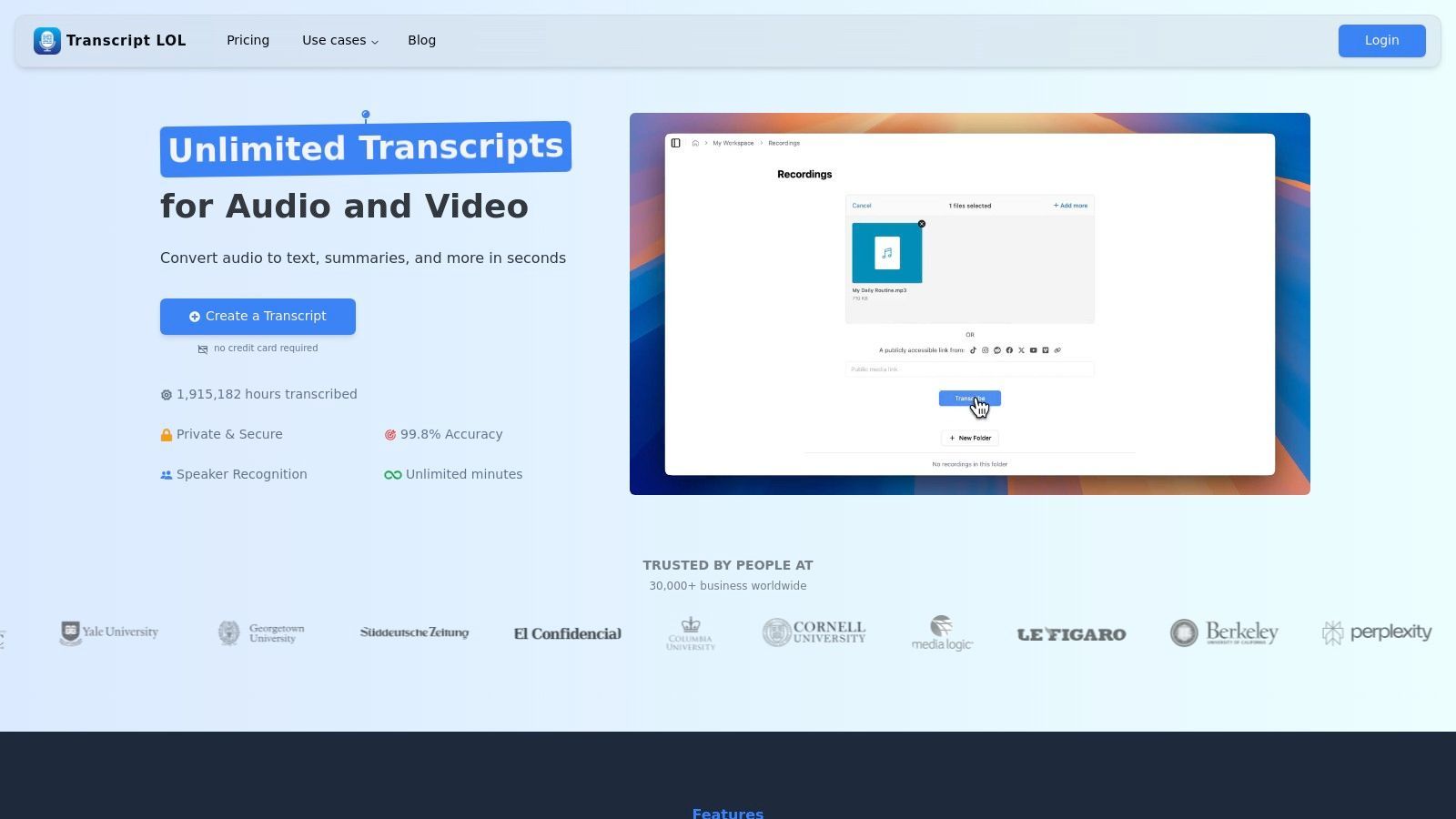
Ciò che distingue veramente Transcript.LOL è la sua capacità di trasformare una trascrizione grezza in una varietà di risorse preziose. Gli utenti possono generare istantaneamente riassunti, elementi d'azione, quiz o persino post sui social media direttamente dal loro testo, rendendolo uno strumento indispensabile per content marketer, podcaster e team aziendali. Supporta una vasta gamma di origini di importazione, dai caricamenti diretti a Google Drive, YouTube e Zoom, e offre opzioni di esportazione flessibili come DOCX, SRT e VTT.
IA all'avanguardia
Alimentato da Whisper di OpenAI per una precisione leader nel settore. Supporto per vocabolari personalizzati, file fino a 10 ore e risultati ultra rapidi.

Importa da più fonti
Importa file audio e video da varie fonti tra cui caricamento diretto, Google Drive, Dropbox, URL, Zoom e altro.

Esporta in più formati
Esporta le tue trascrizioni in più formati tra cui TXT, DOCX, PDF, SRT e VTT con opzioni di formattazione personalizzabili.
Caratteristiche principali ed esperienza utente
La piattaforma eccelle con funzionalità come il rilevamento automatico dell'oratore, un editor di testo ricco per correzioni senza interruzioni e una rigorosa politica sulla privacy dei dati senza addestramento. Anche il suo piano gratuito è robusto, offrendo un solido punto di ingresso per individui con esigenze moderate.
- Pro:
- Eccezionale accuratezza alimentata dal modello Whisper di OpenAI.
- Strumenti avanzati di generazione di contenuti (riassunti, quiz, post sui social).
- Supporta file lunghi (fino a 10 ore sui piani a pagamento) e numerose origini.
- Robuste funzionalità di collaborazione di squadra e impegno per la privacy dei dati.
- Contro:
- Il livello gratuito limita i caricamenti a 20 minuti per file e due trascrizioni giornaliere.
- La collaborazione avanzata è esclusiva del piano a pagamento per team.
Visita il sito web: https://transcript.lol
2. OpenAI Whisper
OpenAI Whisper si distingue come un potente sistema di riconoscimento automatico del parlato (ASR) open-source per gli utenti che danno priorità alla privacy e all'efficacia dei costi. A differenza dei servizi basati su cloud, Whisper viene eseguito interamente sulla tua macchina locale, il che significa che i tuoi file audio non vengono mai caricati su un server. Ciò lo rende una scelta eccezionale per trascrivere contenuti sensibili o riservati senza costi ricorrenti.
Lo sapevi?
Oltre l'80% dei podcaster dichiara di risparmiare più di 5 ore settimanali quando passa dalla digitazione manuale alla trascrizione AI.
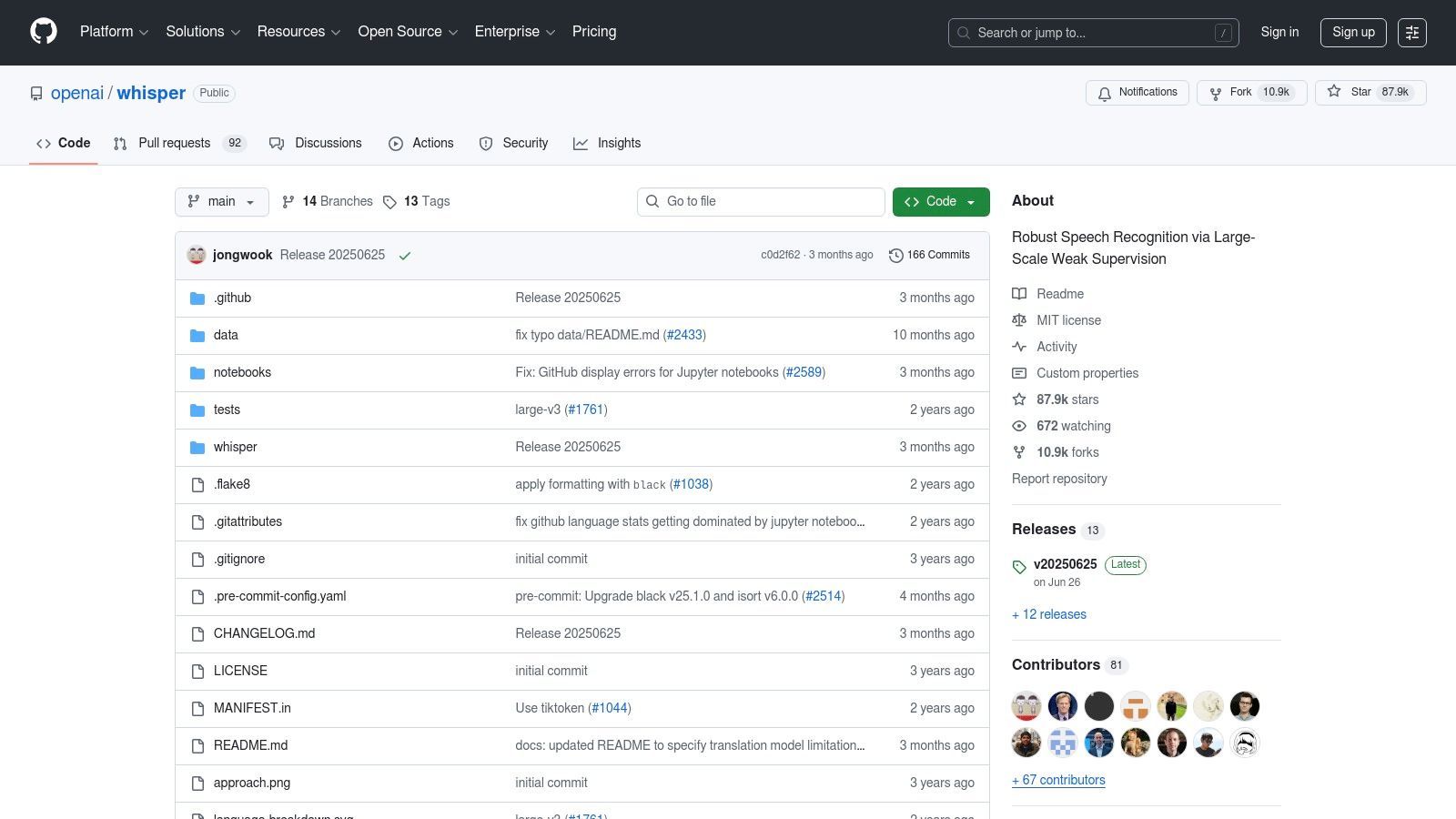
Questo strumento è un'opzione leader per il software di trascrizione audio gratuito grazie alla sua notevole precisione, anche con rumori di fondo e vari accenti. Sebbene manchi di un'interfaccia grafica utente (GUI) ufficiale, richiedendo una certa familiarità tecnica con la riga di comando o Python, le sue prestazioni sono di prim'ordine. Per coloro che desiderano iniziare, è possibile trovare una guida utile su come trascrivere l'audio in testo gratuitamente utilizzando Whisper.
Funzionalità chiave e considerazioni
- Funzionamento offline: i tuoi dati rimangono completamente privati sul tuo computer.
- Nessun costo: Essendo uno strumento open-source, è completamente gratuito da usare senza costi per minuto o abbonamenti.
- Elevata precisione: eccelle nella comprensione di un'ampia gamma di lingue e dialetti con impressionante precisione.
- Configurazione tecnica: richiede l'installazione tramite riga di comando (ad esempio, Pip) e la dipendenza
ffmpegper l'elaborazione audio. Si consiglia una CPU potente o, idealmente, una GPU per prestazioni più rapide.
Sito web: https://github.com/openai/whisper
3. Vosk
Vosk è un toolkit versatile di riconoscimento vocale offline open-source, ideale per sviluppatori e utenti esperti di tecnologia che necessitano di funzionalità di trascrizione su diverse piattaforme, tra cui desktop, dispositivi mobili e persino computer a scheda singola come il Raspberry Pi. Il suo punto di forza principale risiede nel fornire una soluzione di trascrizione completamente privata e offline che opera senza inviare dati al cloud. Ciò lo rende un'ottima scelta per progetti che richiedono la riservatezza dei dati o l'operatività in ambienti senza accesso a Internet.
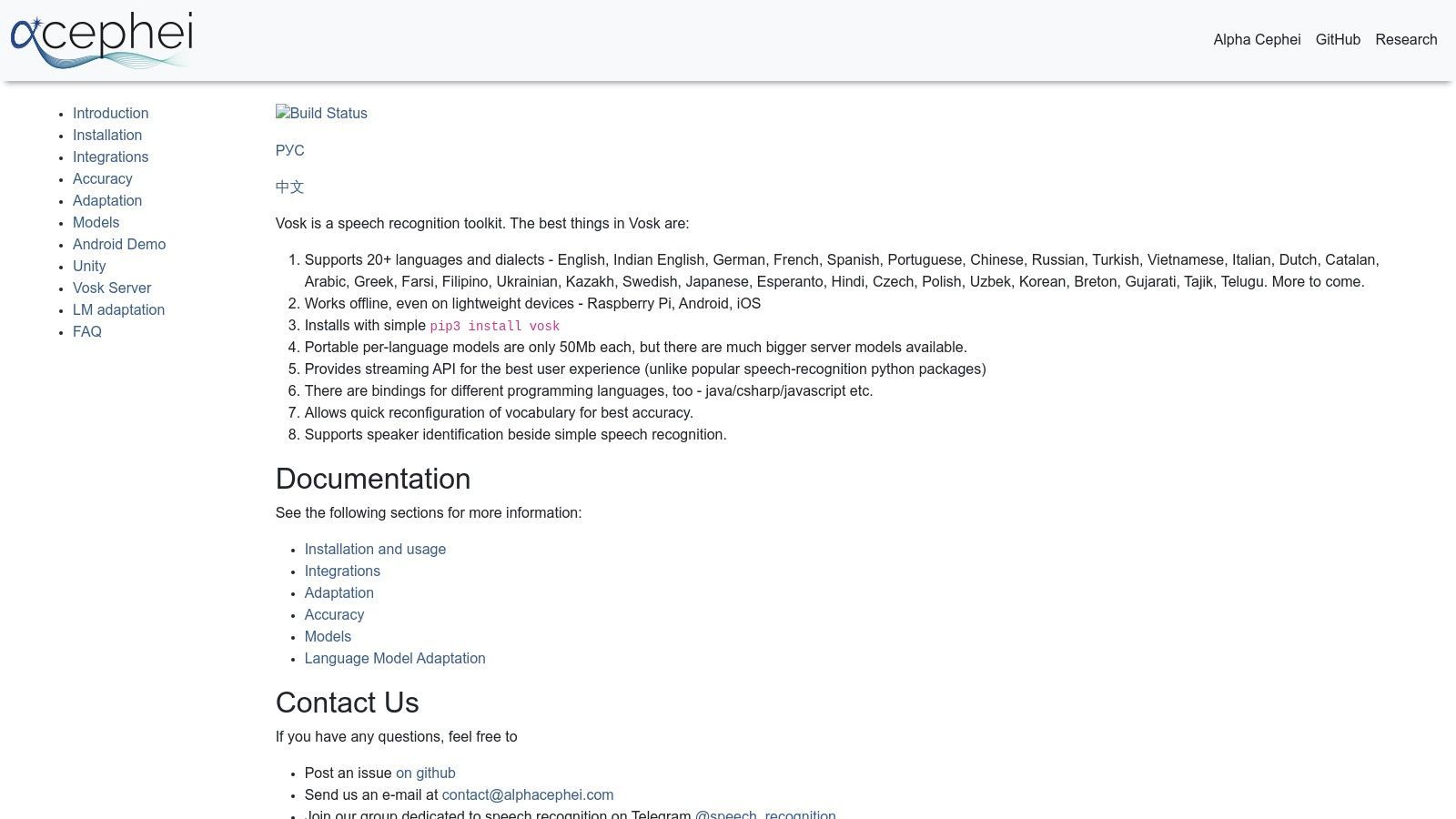
In quanto potente software di trascrizione audio privo di costi ricorrenti, Vosk si distingue per i suoi modelli leggeri (alcuni di soli 50 MB) e l'ampio supporto linguistico. Sebbene richieda una configurazione fai-da-te utilizzando linguaggi di programmazione come Python o Java, la sua flessibilità è un vantaggio importante per integrazioni personalizzate. Le prestazioni possono variare ed è importante comprendere come i diversi modelli influiscono sui risultati; è possibile leggere di più sull'accuratezza del parlato-testo per impostare le giuste aspettative.
Funzionalità chiave e considerazioni
- Completamente offline: tutta l'elaborazione viene eseguita localmente, garantendo il 100% di privacy dei dati.
- Gratuito: essendo open-source, non ci sono costi per minuto o abbonamenti.
- Supporto multipiattaforma: funziona su un'ampia gamma di dispositivi, da server potenti a sistemi embedded a basse risorse.
- Orientato agli sviluppatori: richiede configurazione e integrazione tecnica utilizzando i binding disponibili per vari linguaggi di programmazione. L'accuratezza dipende fortemente dal modello linguistico scelto.
Sito web: https://alphacephei.com/vosk/
4. Otter.ai
Otter.ai è un nome leader nella trascrizione collaborativa in tempo reale, in particolare per riunioni e lezioni. Si integra perfettamente con piattaforme di videoconferenza popolari come Zoom, Google Meet e Microsoft Teams, fornendo note live e riepiloghi automatici. Ciò lo rende un potente strumento di produttività per studenti, professionisti e team che necessitano di acquisire e condividere in modo efficiente le informazioni delle riunioni.
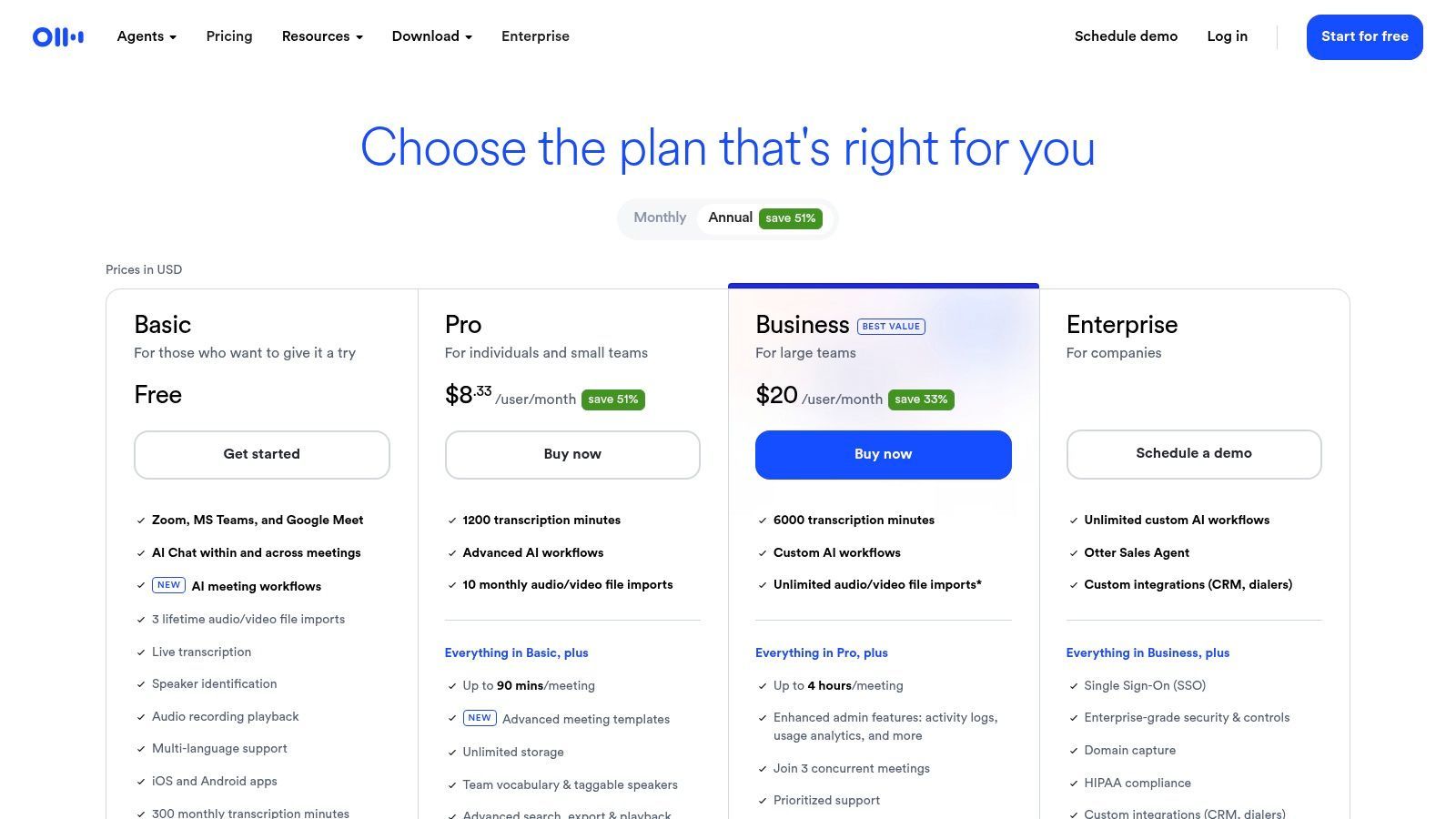
La piattaforma si distingue come una scelta eccellente per il software di trascrizione audio gratuito grazie al suo generoso piano gratuito e all'interfaccia user-friendly. Mentre altri strumenti si concentrano esclusivamente sulla trascrizione, Otter.ai costruisce un intero spazio di lavoro collaborativo attorno alle tue conversazioni. Il suo "OtterPilot" basato sull'intelligenza artificiale può partecipare automaticamente alle riunioni, prendere appunti e generare riepiloghi, risparmiando tempo significativo sulle attività amministrative. Le app mobili per iOS e Android migliorano ulteriormente la sua accessibilità per la registrazione e la revisione in movimento.
Suggerimenti rapidi per ottenere la migliore trascrizione
🎙 Usa audio di qualità
Una registrazione pulita = meno modifiche in seguito.
👥 Limita le sovrapposizioni
Evita che più persone parlino contemporaneamente.
🌐 Internet stabile
Previene glitch negli strumenti di trascrizione live.
📝 Correggi una volta
Piccole correzioni rendono le trascrizioni professionali.
Caratteristiche Chiave e Considerazioni
- Trascrizione in Tempo Reale: Ottieni sottotitoli e note dal vivo durante le riunioni per migliorare la concentrazione e l'accessibilità.
- Generoso Piano Gratuito: Offre 300 minuti di trascrizione mensili, con un limite di 30 minuti per singola conversazione.
- Riassunti AI delle Riunioni: Genera automaticamente un riassunto dei punti chiave, delle azioni da intraprendere e una bozza dopo ogni riunione.
- Strumenti di Collaborazione: Gli utenti possono evidenziare, commentare e condividere le trascrizioni con i membri del team direttamente all'interno dell'app.
- Limitazioni di Esportazione: Il piano gratuito consente principalmente l'esportazione come file TXT; formati più avanzati come DOCX e SRT sono riservati agli abbonamenti a pagamento.
Sito Web: https://otter.ai/pricing
5. Descript
Descript offre un approccio unico e all-in-one che unisce la trascrizione audio con potenti strumenti di editing video e podcast. È particolarmente adatto ai creatori di contenuti che desiderano ottimizzare il loro flusso di lavoro di post-produzione. La caratteristica distintiva della piattaforma è l'editing basato sul testo, che ti consente di modificare i tuoi file video o audio semplicemente modificando la trascrizione generata automaticamente. Ciò rende la rimozione di parole riempitive o il riarrangiamento di segmenti incredibilmente intuitivi.
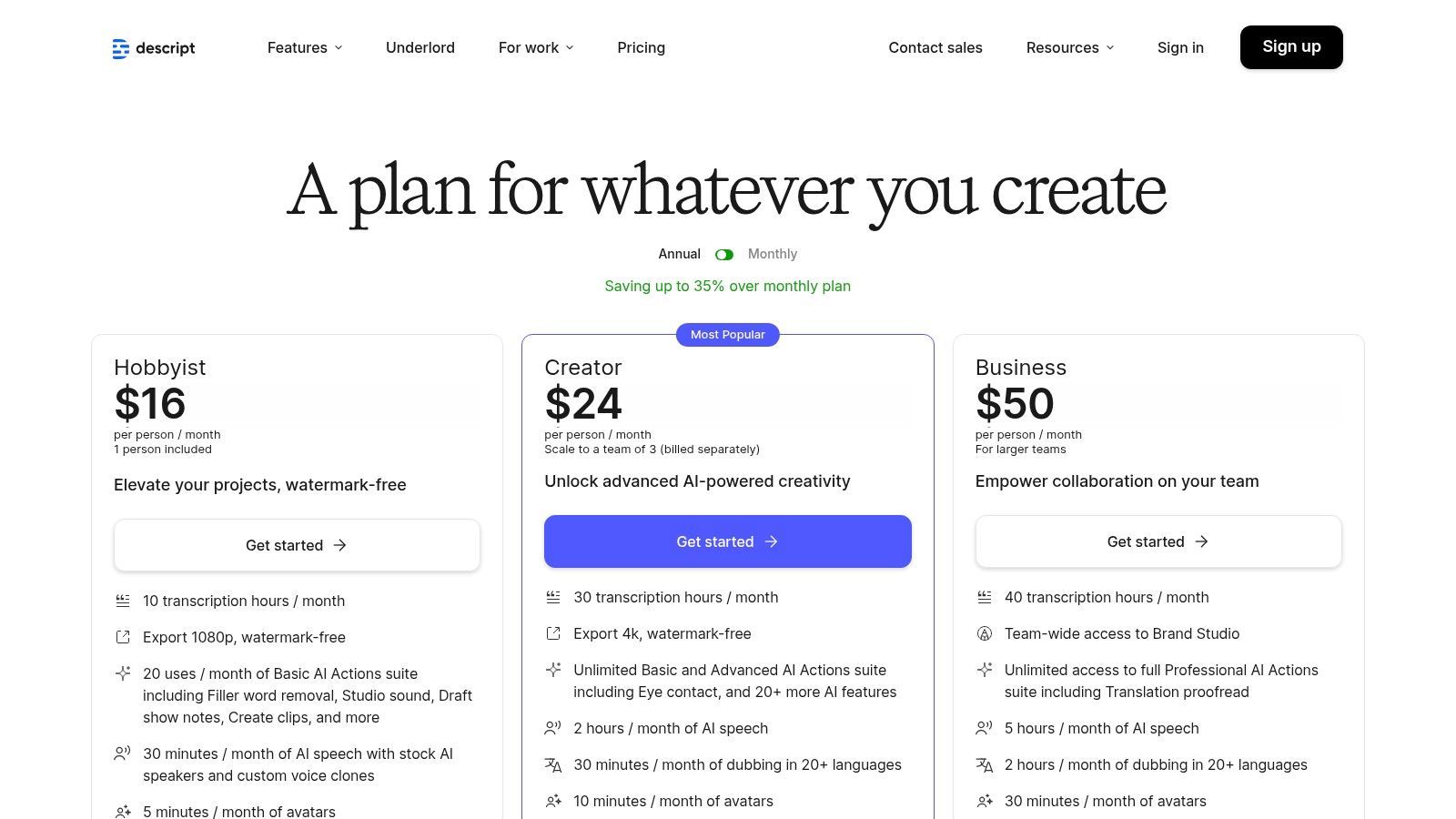
Come opzione gratuita di software di trascrizione audio, il suo generoso piano offre un eccellente punto di partenza per podcaster e produttori video. La funzione "Studio Sound" può migliorare drasticamente la qualità audio con un singolo clic, e il suo registratore dello schermo integrato aggiunge un ulteriore livello di utilità. Molti utenti sfruttano Descript anche per le sue potenti funzionalità di software di editing video gratuito, che completano i suoi servizi di trascrizione principali per un flusso di lavoro di creazione di contenuti completo. Scopri di più su come puoi utilizzare Descript per la creazione di sottotitoli.
Caratteristiche Chiave e Considerazioni
- Editing Multimediale Basato sul Testo: Modifica audio e video manipolando il testo trascritto, un punto di svolta per i creatori di contenuti.
- Generoso Livello Gratuito: Il piano gratuito include un'ora di trascrizione al mese, sufficiente per molti progetti più piccoli.
- Miglioramento Audio: Funzionalità come "Studio Sound" e la rimozione automatica delle parole riempitive consentono di risparmiare un tempo di editing significativo.
- Strumenti di Collaborazione: Progettato per i team, consente la condivisione di progetti e l'editing collaborativo all'interno di un'unica interfaccia.
- Limitazioni: Il piano gratuito ha un limite mensile di trascrizione e l'applicazione desktop completa può richiedere molte risorse.
Sito Web: https://www.descript.com/pricing
6. Notta
Notta offre una soluzione comoda e basata su cloud che unisce accessibilità e funzionalità potenti, rendendola ideale per gli utenti che necessitano di trascrizioni rapide su più dispositivi. La sua forza risiede nel suo ecosistema di app web, iOS e Android, che consente la registrazione senza interruzioni di riunioni, memo vocali o lezioni e la loro trascrizione in movimento. La piattaforma è progettata per l'efficienza, elaborando l'audio rapidamente e fornendo una trascrizione pulita e modificabile.
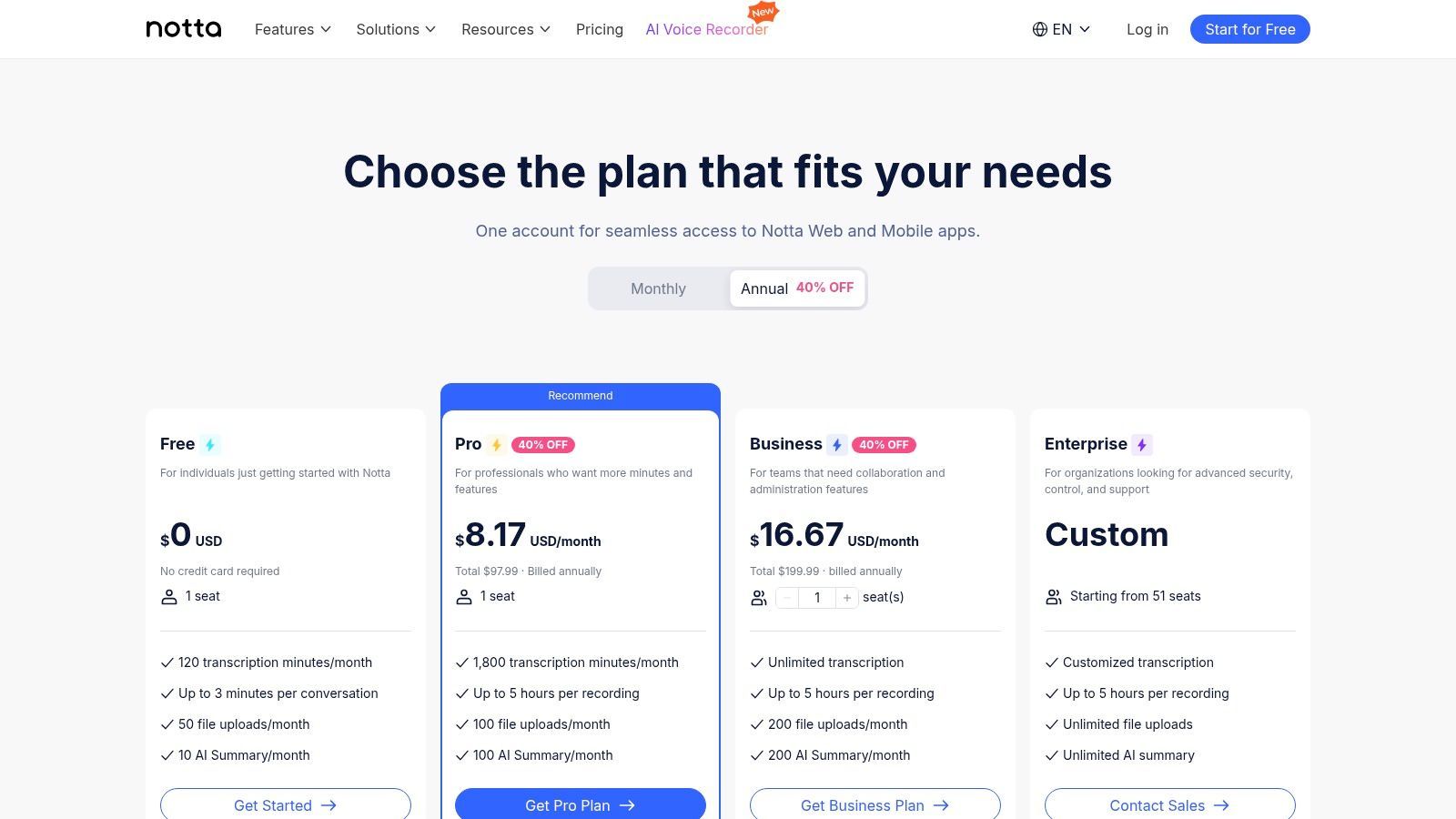
Come software di trascrizione audio gratuito per iniziare, Notta offre agli utenti una quota mensile di minuti di trascrizione senza richiedere una carta di credito. Ciò rende facile testare le sue funzionalità principali, che includono l'identificazione di base degli altoparlanti e la possibilità di caricare vari formati di file. L'interfaccia è intuitiva, garantendo un'esperienza utente fluida sia per la trascrizione dal vivo che per i caricamenti di file, rendendolo un forte contendente per l'uso quotidiano.

Rilevamento dei parlanti
Identifica automaticamente diversi parlanti nelle tue registrazioni e etichettali con i loro nomi.

Strumenti di modifica
Modifica le trascrizioni con strumenti potenti tra cui trova e sostituisci, assegnazione dei parlanti, formati di testo arricchito ed evidenziazione.
Riassunti e Chatbot
Genera riassunti e altri approfondimenti dalla tua trascrizione, prompt personalizzati riutilizzabili e chatbot per i tuoi contenuti.
Caratteristiche principali e considerazioni
- Generoso piano gratuito: Fornisce un certo numero di minuti di trascrizione gratuiti ogni mese, perfetti per utenti occasionali o per chi desidera provare il servizio.
- Sincronizzazione multipiattaforma: Avvia una registrazione sul tuo telefono e modifica la trascrizione in seguito sul tuo computer con sincronizzazione automatica.
- Interfaccia semplice: La piattaforma è estremamente intuitiva e non richiede quasi alcuna competenza tecnica per caricare file o avviare una trascrizione.
- Limitazioni delle funzionalità: Il piano gratuito ha limiti sulla durata della trascrizione per file. Strumenti avanzati come riepiloghi AI, traduzione e vocabolario personalizzato sono riservati agli abbonamenti a pagamento.
Sito web: https://www.notta.ai/en/pricing
7. Rev
Rev è un nome ben noto nel settore della trascrizione, principalmente per i suoi servizi basati su esseri umani, ma offre anche una robusta opzione automatizzata. Per gli utenti che cercano un punto di ingresso gratuito, Rev offre un numero limitato di minuti di trascrizione AI gratuiti ogni mese. Questo lo rende un'ottima scelta per coloro che occasionalmente necessitano di trascrizioni automatizzate di alta qualità o desiderano testare la piattaforma prima di impegnarsi nei suoi servizi a pagamento.
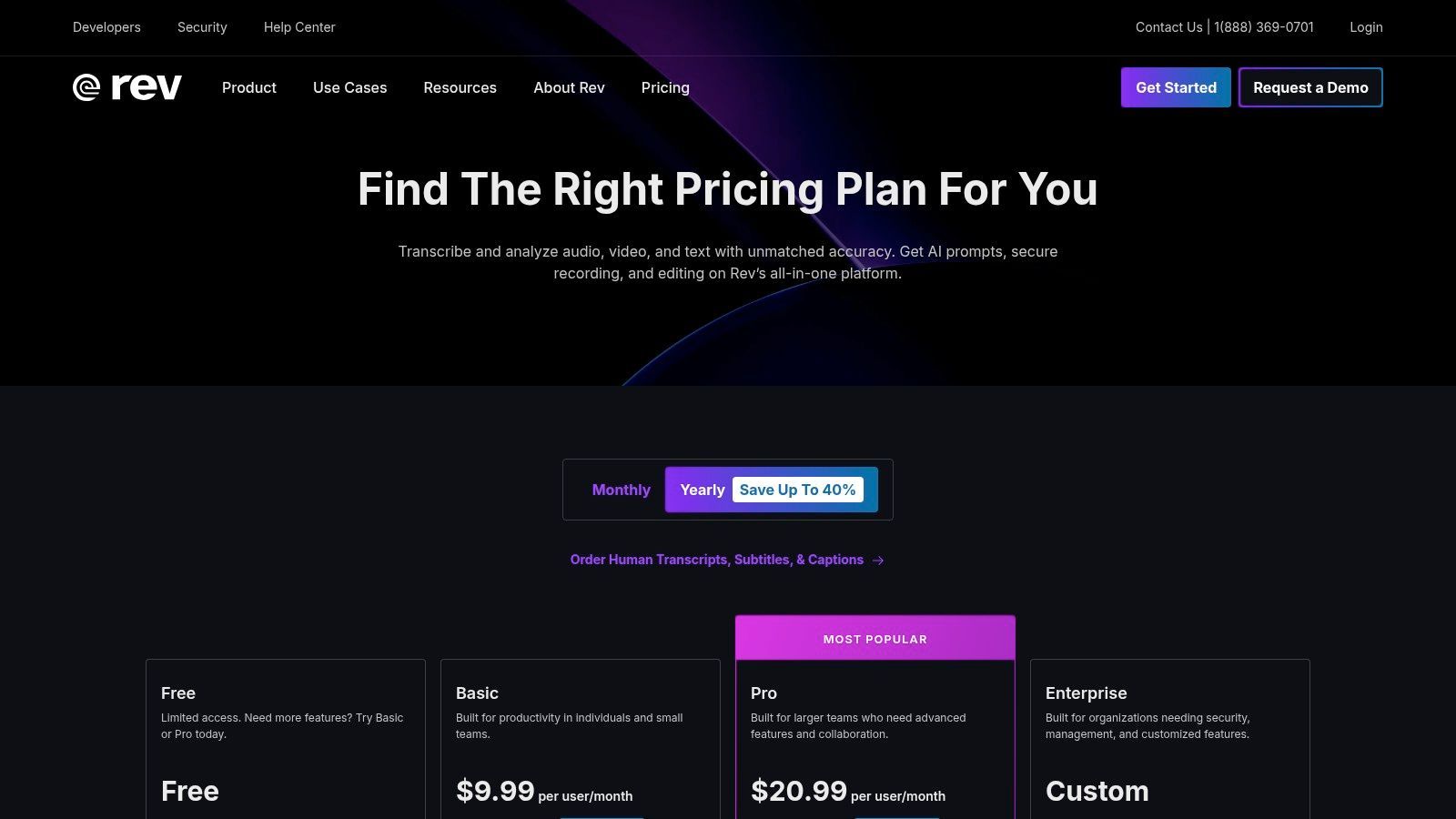
La piattaforma si distingue offrendo un percorso di aggiornamento fluido dalla trascrizione AI a quella umana. Se una trascrizione automatizzata non è sufficientemente accurata per le tue esigenze, puoi facilmente ordinare una versione revisionata da un umano direttamente all'interno della stessa interfaccia. Questo approccio integrato lo rende una soluzione versatile, colmando il divario tra software di trascrizione audio gratuiti e servizi professionali a pagamento per progetti che richiedono la massima accuratezza.
Caratteristiche principali e considerazioni
- Minuti AI gratuiti: Viene fornito un quantitativo mensile di trascrizione automatizzata gratuita, ideale per brevi clip audio o prove.
- Servizi integrati: Passa facilmente da trascrizioni generate dall'AI a trascrizioni professionali umane per esigenze di maggiore accuratezza.
- Editor interattivo: La piattaforma include un editor intuitivo per rivedere e correggere la trascrizione AI, completo di timestamp e etichette degli altoparlanti.
- Costo per volume: Sebbene i minuti iniziali siano gratuiti, l'uso estensivo o frequente della trascrizione AI e di qualsiasi servizio umano comporterà dei costi.
Sito web: https://www.rev.com/pricing
8. Temi
Temi offre un servizio di trascrizione automatizzata semplice che opera con un modello pay-as-you-go, rendendolo un ottimo punto di partenza per coloro che necessitano di una trascrizione rapida e occasionale. Si distingue offrendo una generosa prova gratuita che consente agli utenti di trascrivere il loro primo file audio, fino a 45 minuti, completamente gratis. Questa prova offre un modo privo di rischi per testare la sua accuratezza e le sue funzionalità prima di impegnarsi.
Questo servizio è una scelta pratica per gli utenti che desiderano evitare abbonamenti e hanno solo esigenze di trascrizione occasionali. Sebbene non sia un software di trascrizione audio permanentemente gratuito, la sua offerta gratuita iniziale è sostanziale. La piattaforma fornisce un editor basato sul web facile da usare dove puoi perfezionare la trascrizione automatizzata, con funzionalità interattive come timestamp per parola e identificazione dell'oratore.
Attenzione ai costi nascosti
Alcune app di trascrizione “gratuite” limitano le esportazioni o aggiungono watermark ai tuoi file. Controlla sempre le clausole scritte in piccolo prima di investire il tuo tempo.
Caratteristiche chiave e considerazioni
- Generosa prova gratuita: Trascrivi il tuo primo file audio (fino a 45 minuti) gratuitamente per valutare il servizio.
- Modello Pay-As-You-Go: Dopo la prova, il prezzo è di soli $0,25 per minuto audio senza costi mensili o impegni.
- Editor interattivo: Pulisci e modifica facilmente la tua trascrizione con un editor che sincronizza il testo con la riproduzione audio.
- Limitazione linguistica: Il servizio attualmente supporta solo la trascrizione in inglese.
- Opzioni di esportazione: Scarica le trascrizioni completate in vari formati, tra cui DOCX, PDF, TXT, SRT e VTT per un uso flessibile.
Sito web: https://www.temi.com/
9. Deepgram
Deepgram è una piattaforma API speech-to-text incentrata sugli sviluppatori che offre uno dei livelli gratuiti più generosi disponibili, rendendola una scelta potente per la creazione di flussi di lavoro di trascrizione personalizzati. Sebbene non sia uno strumento pronto all'uso per gli utenti finali, fornisce a sviluppatori e individui esperti di tecnologia $200 in crediti gratuiti per esplorare i suoi modelli di trascrizione altamente accurati e veloci. Questo è l'ideale per integrare la trascrizione automatizzata in applicazioni, servizi backend o progetti sperimentali senza un investimento iniziale.
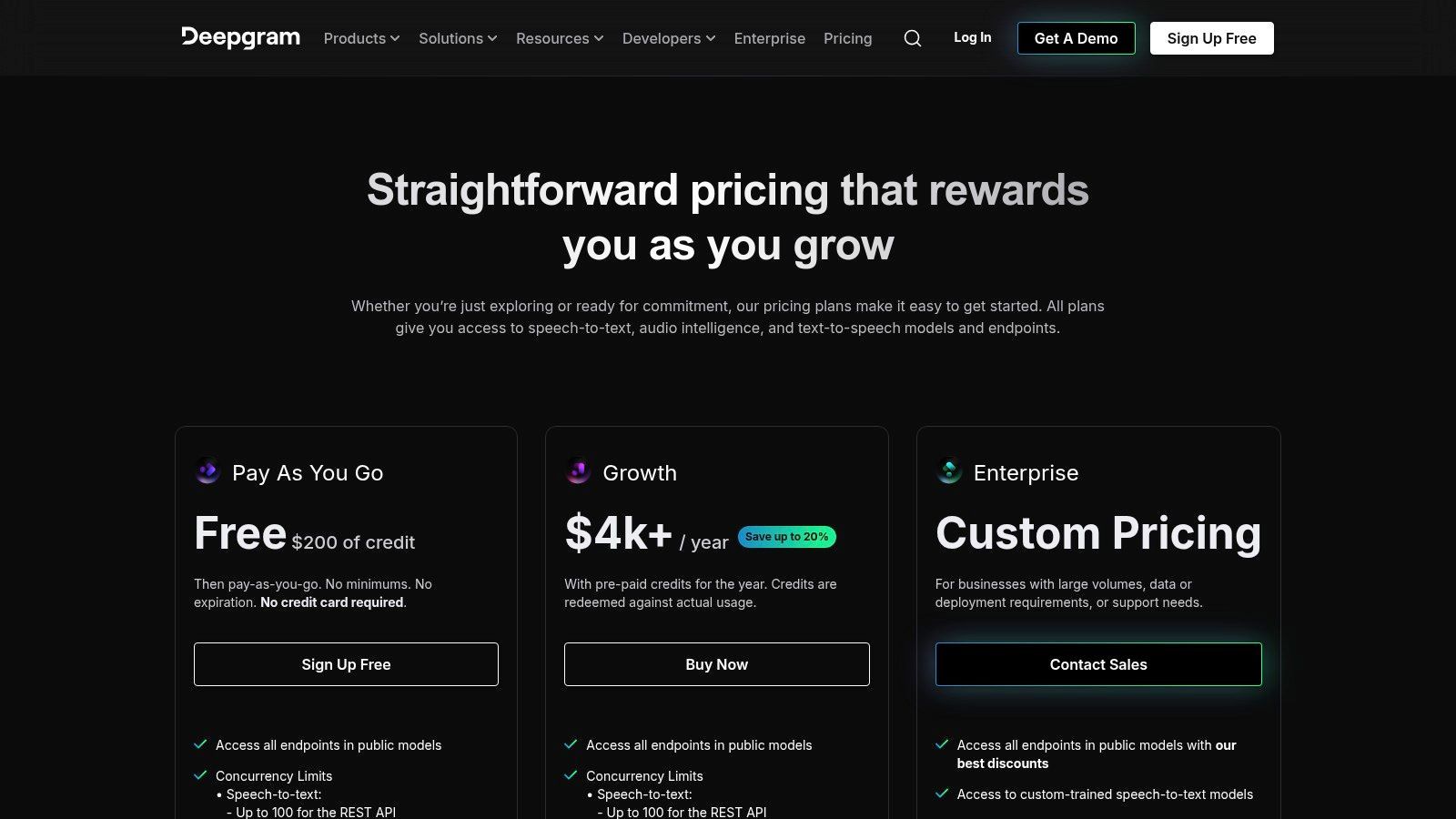
La piattaforma è riconosciuta come un'opzione di prim'ordine per il software di trascrizione audio gratuito per coloro che sono disposti a lavorare con un'API. La sua ampia documentazione e i molteplici livelli di modelli (inclusi Nova, Enhanced e una versione gestita di Whisper Cloud) offrono agli utenti un controllo granulare su velocità, accuratezza e costi. Una volta utilizzati i crediti gratuiti, Deepgram passa a un modello pay-as-you-go competitivo, rendendola una soluzione scalabile da test su piccola scala a produzione su larga scala.
Caratteristiche chiave e considerazioni
- Generoso livello gratuito: I nuovi utenti ricevono $200 in crediti, sufficienti per una quantità sostanziale di elaborazione audio.
- Incentrato sugli sviluppatori: Costruito per l'integrazione tramite API, richiede alcune conoscenze di programmazione per un uso efficace.
- Funzionalità avanzate: Offre potenti componenti aggiuntivi come la diarizzazione degli altoparlanti, il rilevamento delle entità e la redazione di PII.
- Prestazioni scalabili: Progettato per carichi di lavoro ad alta concorrenza con prezzi chiari e bassi per minuto dopo la prova gratuita.
- Nessuna interfaccia utente finale: Manca un'interfaccia grafica semplice per caricare e trascrivere; devi crearne una tua o utilizzare client API.
Sito web: https://deepgram.com/pricing
10. Google Cloud Speech-to-Text
Google Cloud Speech-to-Text fornisce una tecnologia di riconoscimento vocale di livello enterprise, rendendola un'opzione potente per coloro che necessitano di elevata accuratezza e scalabilità. Sebbene sia principalmente un servizio a pagamento, si guadagna un posto in questo elenco grazie al suo generoso livello gratuito. I nuovi utenti ricevono un credito di $300 e alcuni modelli offrono 60 minuti di elaborazione audio gratuita al mese, rendendolo un eccellente software di trascrizione audio gratuito per progetti su piccola scala.
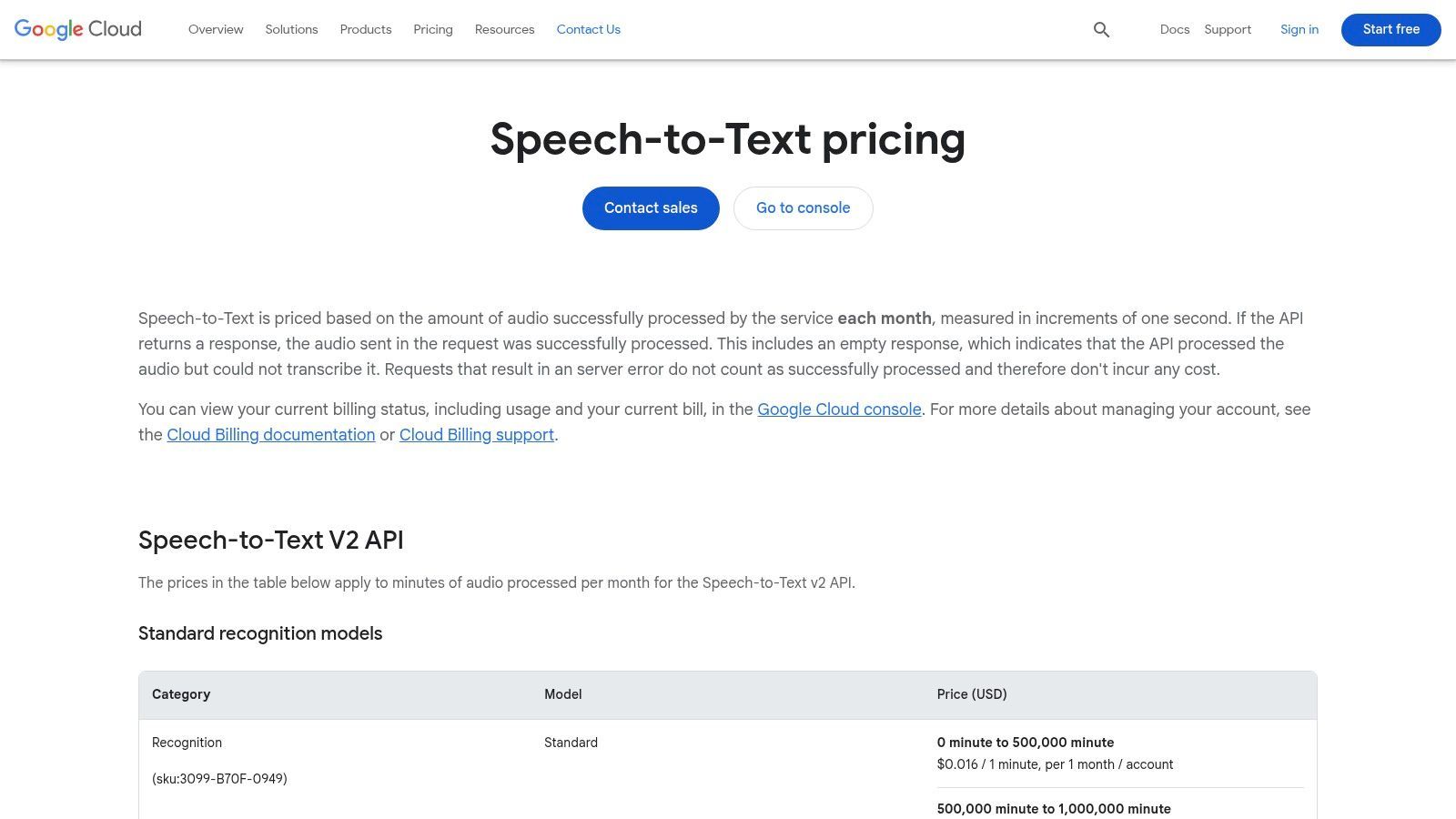
Questa piattaforma è ideale per sviluppatori e aziende che intendono integrare la trascrizione direttamente nei loro flussi di lavoro. Offre modelli specializzati per diversi tipi di audio, come chiamate telefoniche, contenuti video e persino dettatura medica, garantendo una maggiore accuratezza per casi d'uso specifici. L'API supporta sia l'elaborazione batch per file esistenti che lo streaming in tempo reale per audio live. Per i creatori di video, la sua accuratezza è particolarmente utile; puoi scoprire come ottenere una trascrizione di video di YouTube e sfruttare questa tecnologia per i sottotitoli.
Caratteristiche chiave e considerazioni
- Generoso livello gratuito: Include un significativo credito una tantum per i nuovi utenti e 60 minuti gratuiti al mese per il modello di trascrizione standard.
- Modelli specializzati: Offre maggiore accuratezza per scenari specifici come chiamate telefoniche, video e trascrizioni mediche.
- Scalabilità: Costruito per gestire enormi carichi di lavoro e si integra perfettamente con il più ampio ecosistema Google Cloud.
- Configurazione tecnica: Richiede un account Google Cloud con informazioni di fatturazione e l'utilizzo comporta l'interazione con la sua API, che potrebbe essere una barriera per i non sviluppatori. I prezzi possono essere complessi una volta superato il livello gratuito.
Sito web: https://cloud.google.com/speech-to-text/pricing
11. Amazon Transcribe
Amazon Transcribe è un servizio di riconoscimento automatico del parlato (ASR) di livello enterprise di Amazon Web Services (AWS) che offre un generoso livello gratuito per i nuovi utenti. Sebbene sia principalmente un servizio a pagamento, la sua offerta gratuita è sufficientemente sostanziale per molti utenti per gestire esigenze di trascrizione moderate per il primo anno. Fornisce trascrizioni altamente accurate e scalabili che si integrano perfettamente nel più ampio ecosistema AWS, rendendola una scelta solida per sviluppatori e aziende che utilizzano già AWS.
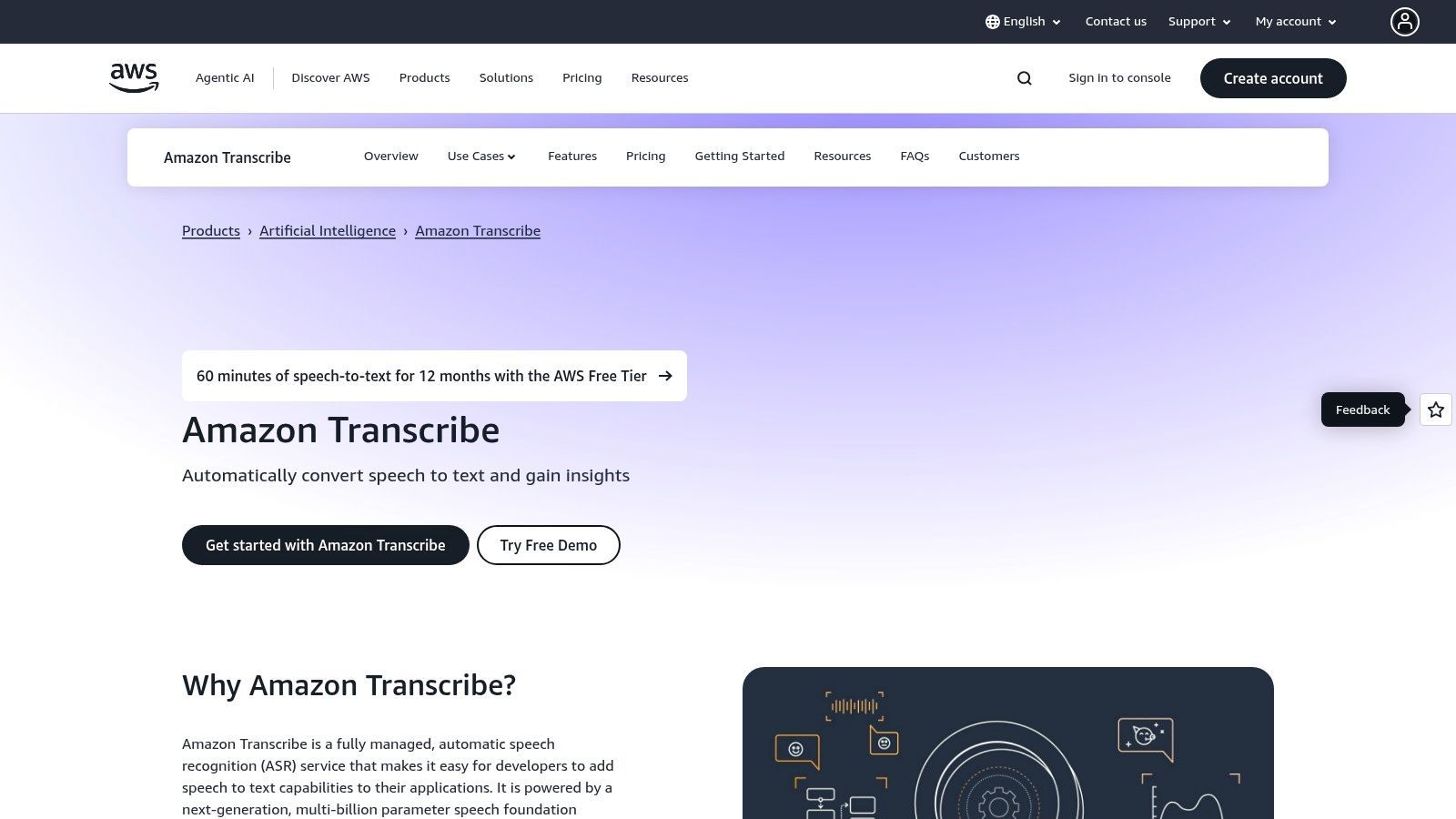
Questa piattaforma è un'opzione potente per coloro che cercano software di trascrizione audio gratuito di alta qualità per prototipare progetti o gestire carichi di lavoro iniziali. La sua capacità di gestire sia lo streaming in tempo reale che i file audio batch, unita a funzionalità come la diarizzazione degli altoparlanti e vocabolari personalizzati, la distingue. Il servizio è progettato per la scalabilità, da piccoli progetti personali ad analisi di call center su larga scala, sebbene richieda un account AWS per iniziare.
Caratteristiche chiave e considerazioni
- Generoso livello gratuito: I nuovi clienti AWS ricevono 60 minuti di trascrizione al mese per 12 mesi.
- Funzionalità enterprise-ready: Include funzionalità avanzate come la redazione di PII per proteggere informazioni sensibili e vocabolari personalizzati per migliorare l'accuratezza per termini specifici del dominio.
- Elevata scalabilità: Costruito su una robusta infrastruttura AWS, può gestire enormi volumi di audio senza degrado delle prestazioni.
- Integrazione AWS: Richiede la configurazione di un account AWS e la fatturazione, che può essere complessa per i principianti. I prezzi dopo il livello gratuito sono pay-as-you-go e possono diventare intricati con i componenti aggiuntivi.
Sito web: https://aws.amazon.com/transcribe/
12. Microsoft Azure AI Speech
Microsoft Azure AI Speech offre una soluzione potente di livello enterprise per gli utenti che necessitano di uno strumento di trascrizione robusto integrato in un importante ecosistema cloud. Sebbene parte di una piattaforma a pagamento più ampia, il suo generoso livello gratuito lo rende un eccellente software di trascrizione audio gratuito per progetti più piccoli, pilota o individui con esigenze moderate. Fornisce capacità di streaming in tempo reale ed elaborazione batch, offrendo risultati affidabili sia per sviluppatori che per aziende.
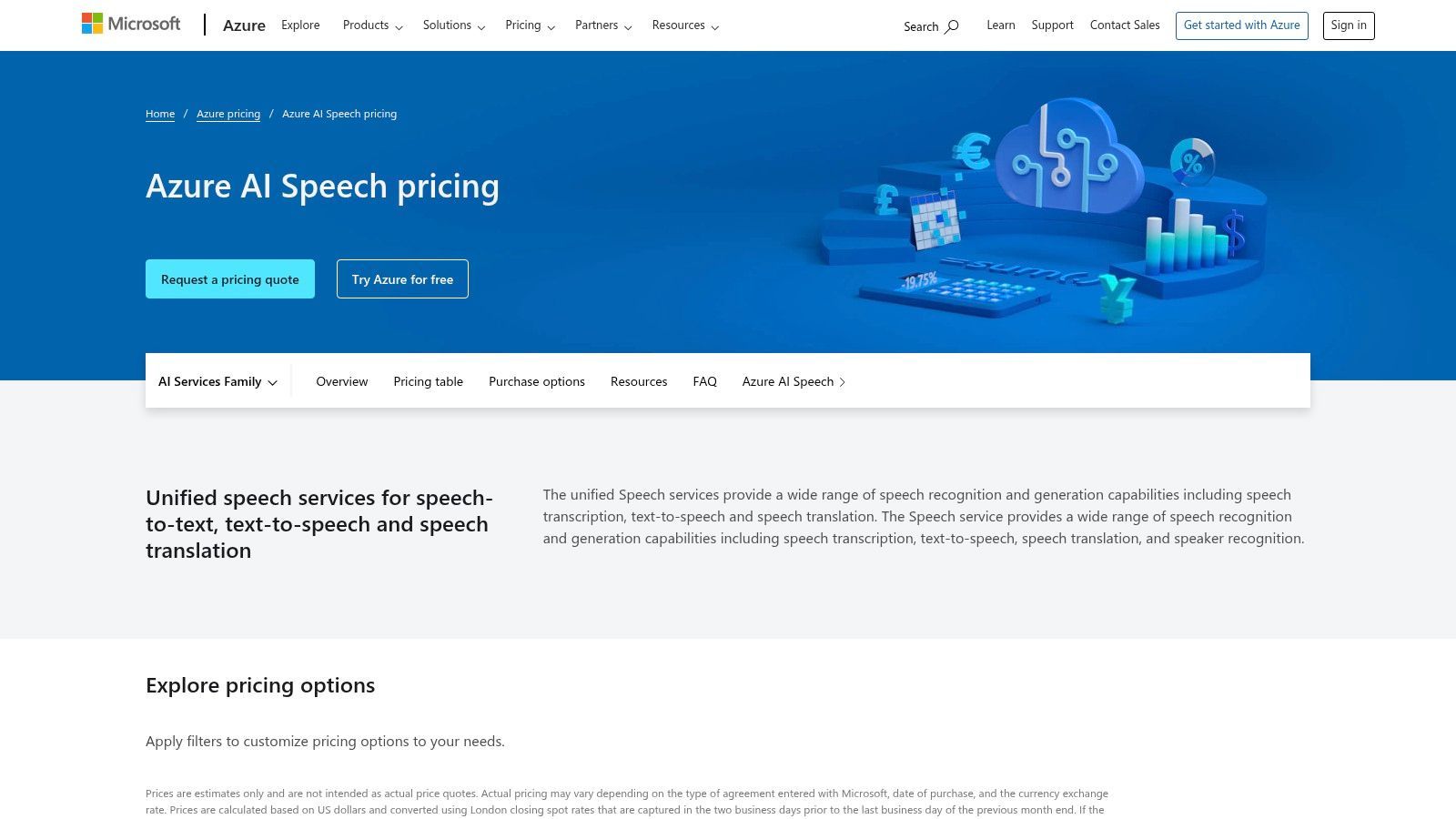
Questo servizio si distingue per la sua perfetta integrazione con altri servizi Azure e la sua forte attenzione alla sicurezza e alla conformità. La piattaforma è progettata per gli sviluppatori, offrendo SDK per linguaggi popolari come Python, .NET e Java, consentendo una facile inclusione in applicazioni personalizzate. La configurazione richiede un account Azure e informazioni di fatturazione, anche per il livello gratuito, il che può essere un ostacolo per gli utenti occasionali.
Caratteristiche chiave e considerazioni
- Generoso livello gratuito: Include 5 ore audio di speech-to-text standard al mese, rendendolo un'ottima opzione gratuita per utenti a basso volume.
- Adatto agli sviluppatori: Fornisce un ampio supporto SDK e documentazione per l'integrazione della trascrizione in varie applicazioni.
- Enterprise-Ready: Offre funzionalità avanzate come la diarizzazione degli altoparlanti, modelli personalizzati e opzioni di sicurezza e residenza dei dati di livello enterprise.
- Configurazione dell'account: Richiede la creazione di un account Microsoft Azure e la fornitura di dettagli di fatturazione, che può essere un processo complesso rispetto a strumenti più semplici.
Sito web: https://azure.microsoft.com/en-us/pricing/details/cognitive-services/speech-services/
Software gratuito di trascrizione audio: confronto delle funzionalità
| Prodotto | Funzionalità principali/Accuratezza ★ | Esperienza utente e collaborazione 👥 | Punti di forza unici ✨ | Prezzi / Valore 💰 | Pubblico di destinazione 👥 |
|---|---|---|---|---|---|
| 🏆 Transcript.LOL | Accuratezza 99,8%, caricamenti 10 ore, esportazione multi-formato | Modifica testo ricco, etichettatura altoparlanti, aree di lavoro di team, privacy rigorosa senza training | Riassunti, quiz, mappe mentali, contenuti per social media, integrazioni multiple | Livello gratuito; $120/anno individuale; $240/anno team | Podcaster, marketer, educatori, team legali, aziendali |
| OpenAI Whisper | Elevata accuratezza tramite AI locale, multilingua | CLI/API Python; nessuna GUI, uso offline, forte privacy | Open-source, funziona offline, nessun costo ricorrente | Gratuito, open-source | Sviluppatori, utenti attenti alla privacy |
| Vosk | Offline, 20+ lingue, leggero, API di streaming | SDK multilingua, supporto mobile/embedded | Uso offline su dispositivi embedded, installazione facile | Gratuito | Sviluppatori, progetti embedded/mobili |
| Otter.ai | Trascrizione riunioni in tempo reale, riassunti | App mobili, forte collaborazione, facile onboarding | Integrato con Zoom, Google Meet, Teams | Gratuito con limiti; aggiornamenti a pagamento | Professionisti, studenti, team |
| Descript | Modifica media basata su testo, rimozione filler | User-friendly per creatori e team | Studio Sound, registrazione schermo, media stock | Livello gratuito con 1 ora/mese di limite | Creatori di contenuti, podcaster |
| Notta | App web e mobili, ID altoparlante, riassunti | UI veloce per note rapide, caricamenti file | Traduzioni, esportazioni, vocabolario personalizzato (livelli a pagamento) | Minuti mensili gratuiti, livelli a pagamento | Utenti occasionali, prenditori di appunti per riunioni |
| Rev | Trascrizione AI + umana, integrazione note | Marchio affidabile, scalabile, app mobile | Opzione trascrizioni revisionate da umani | Minuti AI gratuiti + umani a pagamento | Aziende, utenti attenti all'accuratezza |
| Temi | Editor web, timestamp per parola | Prezzi semplici pay-as-you-go | Nessun abbonamento, primo file gratuito | $0,25/min, primo file gratuito | Utenti di trascrizione occasionali |
| Deepgram | API per sviluppatori, modelli multipli | Documentazione chiara, basato su API, alta concorrenza | $200 di crediti gratuiti, redazione e rilevamento entità | Pay-as-you-go | Sviluppatori, creatori di app |
| Google Cloud Speech-to-Text | Modelli specializzati multipli | API cloud, si integra con l'ecosistema Google | Credito gratuito di $300, 60 minuti gratuiti/mese | Pay-as-you-go, prezzi complessi | Aziende, utenti cloud |
| Amazon Transcribe | Batch/streaming, redazione PII, vocabolario | Integrazione AWS, multilingua | Livello gratuito di 12 mesi, scalabile | Pay-as-you-go | Aziende, utenti AWS |
| Microsoft Azure AI Speech | Tempo reale e batch, diarizzazione, ID lingua | SDK per più lingue, buon livello gratuito | 5 ore gratuite/mese, sicurezza enterprise | Pay-as-you-go | Aziende, utenti Azure |
Fare la scelta giusta: il tuo verdetto finale sul software gratuito di trascrizione audio
Navigare nel panorama del software di trascrizione audio gratuito può sembrare opprimente, ma come abbiamo esplorato, esiste una soluzione potente per quasi ogni esigenza e livello di comfort tecnico. Il punto chiave è che "gratuito" non significa più "bassa qualità". Dagli strumenti basati su browser come Transcript.LOL a sofisticati modelli open-source come Whisper di OpenAI, la trascrizione ad alta accuratezza è più accessibile che mai.
La tua decisione finale non dipende dalla ricerca di un unico strumento "migliore", ma dall'identificazione dello strumento giusto per il tuo flusso di lavoro specifico. La scelta ideale è un riflesso diretto delle esigenze del tuo progetto, della tua competenza tecnica e della tua tolleranza per le limitazioni intrinseche dei livelli gratuiti.
Punti chiave e considerazioni finali
Prima di impegnarti in una piattaforma, rivisita questi punti decisionali critici. Una chiara comprensione delle tue priorità eviterà frustrazioni e ti farà risparmiare tempo prezioso in futuro.
- Comodità vs. Controllo: Hai bisogno di una soluzione semplice basata su browser per attività rapide? O sei uno sviluppatore che richiede la profonda personalizzazione e le capacità offline di un modello come Whisper o Vosk? La tua risposta è il bivio più significativo.
- Tempo vs. Accuratezza: Molti piani gratuiti, come quelli di Otter.ai o Notta, impongono limiti mensili di minuti. Se hai un grande volume di audio, potresti dover combinare diversi servizi gratuiti o optare per un'opzione open-source illimitata, che richiede un investimento iniziale di tempo per la configurazione.
- Privacy e sicurezza dei dati: Per contenuti sensibili in contesti legali, sanitari o aziendali, l'utilizzo di un servizio basato su cloud potrebbe non essere un'opzione. I modelli offline e self-hosted offrono un controllo dei dati superiore, garantendo che i tuoi file audio non lascino mai la tua macchina locale.
- Oltre la trascrizione: Considera il tuo obiettivo finale. Hai solo bisogno di un file di testo semplice o stai cercando un'esperienza più integrata con funzionalità come l'identificazione degli altoparlanti, l'editing video (Descript) o aree di lavoro collaborative (Otter.ai)? Queste funzionalità a valore aggiunto possono essere un fattore decisivo.
I tuoi prossimi passi attuabili
Il viaggio verso una trascrizione efficiente inizia con un singolo passo. Si consiglia un approccio pratico per finalizzare la tua scelta.
- Identifica i tuoi 2-3 candidati principali: Sulla base dei confronti dettagliati in questa guida, seleziona gli strumenti che meglio si allineano al tuo caso d'uso principale.
- Esegui un file di prova: Scegli un campione audio rappresentativo, idealmente uno che includa più altoparlanti, rumori di fondo o gergo specifico rilevante per il tuo settore.
- Confronta gli output: Esegui il tuo file di prova attraverso ciascuna delle tue scelte principali. Valutali in base all'accuratezza, alla formattazione, ai tempi di consegna e alla facilità del processo di modifica. Questo test pratico rivelerà quale software di trascrizione audio gratuito si adatta veramente al tuo flusso di lavoro.
In definitiva, il software di trascrizione gratuito perfetto è quello che si integra perfettamente nel tuo processo, rimuove gli attriti e ti consente di concentrarti sul contenuto stesso. Valutando strategicamente le tue esigenze rispetto alle capacità che abbiamo delineato, sei ora pienamente attrezzato per prendere una decisione informata e sbloccare la potenza dei tuoi contenuti audio.
Pronto a provare uno strumento gratuito che privilegia semplicità e privacy senza compromettere la qualità? Transcript.LOL utilizza il potente modello Whisper di OpenAI direttamente nel tuo browser, il che significa che i tuoi file non vengono mai caricati su un server. Per una soluzione di trascrizione veloce, sicura e completamente gratuita, visita 👉 Transcript.LOL e ottieni la tua prima trascrizione in pochi minuti.