
Tomar Actas de Reuniones: Domina Técnicas Probadas
Domina la toma de actas de reuniones con pasos prácticos, plantillas y consejos de IA para aumentar la precisión y la velocidad. Empieza hoy mismo.
Kate
November 26, 2025
Tomar notas de una reunión se trata de crear la historia oficial de una conversación: qué se discutió, qué se decidió y quién hará qué a continuación. Es el proceso de convertir la charla en un registro formal y escrito. Esto no se trata solo de rendición de cuentas; se trata de construir una referencia histórica para proyectos futuros, tanto para quienes estuvieron en la sala como para quienes no pudieron asistir.
Por qué las Actas de Reunión Efectivas son un Superpoder Empresarial
 Seamos honestos, tomar notas de una reunión a menudo se siente como una tarea ingrata. Es fácil descartarlo como un simple trabajo administrativo. Pero, ¿y si te dijera que es una de las habilidades más poderosas que podrías desarrollar para tu carrera y para toda tu organización?
La verdad es que las actas elaboradas por expertos son mucho más que simples notas. Son una herramienta estratégica que transforma conversaciones divagantes en planes de acción concretos. Sin ese registro claro, las ideas brillantes se evaporan, las decisiones críticas se vuelven confusas y la rendición de cuentas desaparece por completo.
El Verdadero Costo de las Reuniones Inefectivas
El lugar de trabajo moderno está absolutamente inundado de reuniones, y demasiadas de ellas son improductivas. Datos recientes muestran que los empleados pasan alrededor de 11.3 horas por semana en reuniones, consumiendo casi el 28% de su semana laboral. Eso son unas asombrosas 392 horas de trabajo por persona, al año.
Y dado que el 83% de los empleados pasan hasta un tercio de su semana en reuniones, el costo de esa ambigüedad es enorme. Sin la documentación adecuada, las decisiones se repiten en interminables cadenas de correos electrónicos, y los miembros del equipo se van con ideas completamente diferentes sobre lo que se acaba de acordar.
Las actas de reunión efectivas son el antídoto contra este caos. Crean una única fuente de verdad que alinea a los equipos, aclara los compromisos y proporciona una base para el progreso real.
Por Qué las Actas Importan Más de lo Que Crees
Las actas de reuniones no son solo documentación, son un seguro de decisiones. Previenen el retrabajo, reducen los malentendidos y aseguran que la responsabilidad no se desvanezca con el tiempo. Cuando se redactan bien, las actas se convierten en un punto de referencia en el que los equipos confían mucho después de que la reunión termina.
Un Enfoque Moderno para una Habilidad Esencial
Afortunadamente, la forma en que tomamos notas está cambiando. Ya no se trata solo de escribir frenéticamente mientras intentas seguir el ritmo y participar. Hoy en día, herramientas increíbles como la transcripción impulsada por IA pueden encargarse de la parte pesada de capturar cada palabra con precisión.
Este cambio te libera para que te enfoques en el trabajo de nivel superior: comprender el contexto de la conversación, extraer las conclusiones clave y asegurarte de que el documento final sea un activo verdaderamente valioso para el intercambio de conocimientos en organizaciones. Esta guía te mostrará exactamente cómo combinar las mejores prácticas atemporales con la tecnología moderna para dominar verdaderamente esta habilidad esencial.
Tu Manual de Preparación Pre-Reunión
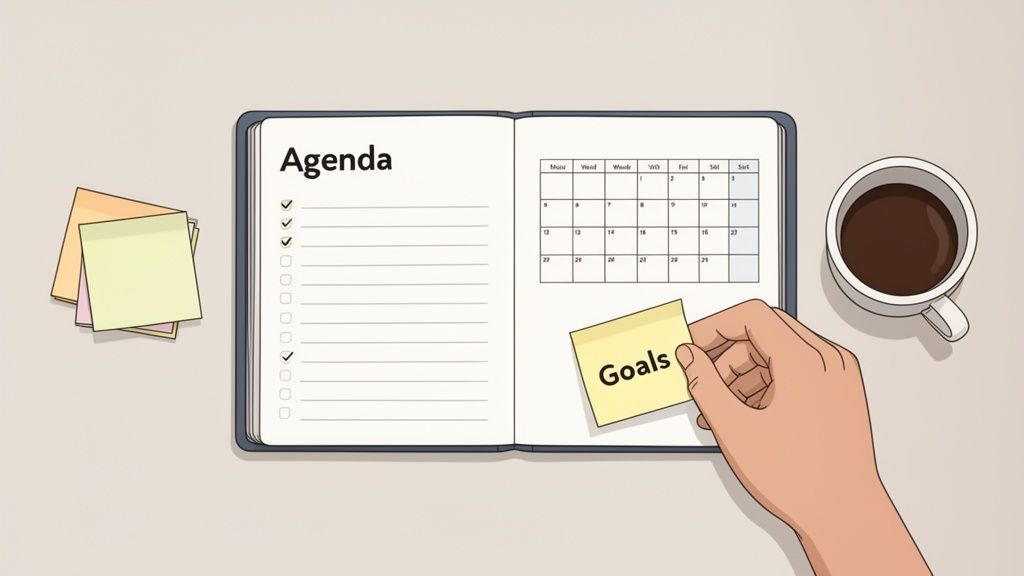
Aquí hay un secreto que he aprendido a lo largo de los años: las grandes actas no suceden por casualidad. Son el resultado directo de una preparación inteligente. Entrar en una reunión sin preparación es la forma más rápida de terminar con un registro confuso e incompleto que no ayuda a nadie. Tu verdadero trabajo comienza mucho antes de que alguien se una a la llamada.
Cuando realizas este trabajo de preparación, pasas de ser un tomador de notas pasivo a un participante informado. Es la diferencia entre simplemente escribir palabras y comprender realmente por qué está ocurriendo la conversación, que es la clave para capturar lo que realmente importa.
Lo Que Siempre Capturan las Actas de Reuniones de Alta Calidad
Decisiones Claras
Las actas deben indicar claramente lo que se decidió, no lo que se implicó o supuso. Esto evita volver a debatir los mismos temas y mantiene el impulso hacia adelante.
Propiedad de las Acciones
Cada tarea necesita un nombre adjunto. La propiedad transforma la discusión en ejecución y elimina la ambigüedad al instante.
Plazos Que se Cumplen
Sin plazos, los elementos de acción desaparecen silenciosamente. Las buenas actas fijan los compromisos en el tiempo, no solo en la intención.
Contexto Que Importa
Una breve justificación explica por qué se tomó una decisión. Esto ayuda a los futuros lectores a comprender las decisiones sin reabrir debates.
Conéctate con el Organizador de la Reunión
Primero lo primero, habla con la persona que convocó la reunión. Leer la agenda no es suficiente. Necesitas meterte en su cabeza y entender los objetivos reales. Una charla rápida puede darte el tipo de contexto que la agenda nunca te dará.
Sé directo. Haz algunas preguntas sencillas para determinar el rumbo verdadero de la reunión. Conocer el resultado deseado es tu filtro; te ayuda a ignorar el ruido y a centrarte en las discusiones que realmente marcan la diferencia.
Intenta preguntar cosas como:
- "¿Cómo se ve un resultado exitoso para esta reunión?"
- "¿Estamos tratando de llegar a una decisión final, solo de generar ideas, o es una verificación de estado?"
- "¿Hay algún tema sensible o conflicto potencial para el que deba estar preparado?"
Honestamente, esta conversación es tu herramienta más poderosa. Alinea tu estrategia de toma de notas con el propósito de la reunión desde el principio.
Crea una Plantilla Personalizada para Tomar Notas
Olvídate de las plantillas "talla única", rara vez funcionan. La estructura de tus notas debe reflejar los objetivos específicos de la reunión. Una lluvia de ideas creativa y fluida necesita un diseño totalmente diferente a una reunión formal de junta directiva con mociones y votaciones oficiales.
Antes de la reunión, crea un documento esqueleto basado en la agenda. Pre-llénalo con los puntos de la agenda, encabezados y la lista de asistentes que ya conoces. Este simple paso te ahorra escribir frenéticamente y tratar de organizar sobre la marcha. Te da un marco lógico para insertar tus notas a medida que se desarrolla la conversación.
Consejo Profesional: Piensa en tu plantilla como un marco estratégico, no solo como un documento. Para una reunión de toma de decisiones, podrías tener secciones como "Opciones Discutidas", "Decisión Final" y "Razonamiento Clave". Para el inicio de un proyecto, quizás necesites columnas para "Tarea", "Responsable" y "Fecha de Vencimiento".
Esta preparación hace que capturar información en tiempo real sea mucho más fácil. En lugar de intentar construir el avión mientras lo vuelas, solo estás completando los espacios en blanco que ya has creado. Si necesitas un buen punto de partida, nuestra guía con una muestra de actas de reunión con elementos de acción muestra cómo una estructura sólida puede aportar una claridad increíble.
Comprende a los Jugadores y sus Intereses
Finalmente, tómate un minuto para averiguar quién estará en la sala (o en la llamada). Una reunión no es solo una lista de temas; es una dinámica entre personas con diferentes trabajos, perspectivas y motivaciones. Saber quiénes son los asistentes y qué les importa te ayuda a anticipar los puntos clave de discusión e incluso los posibles desacuerdos.
Me gusta crear una lista rápida de "quién es quién":
- Tomadores de Decisiones Clave: ¿Quién tiene la última palabra aquí?
- Expertos en la Materia: ¿Quién aporta los datos críticos o el conocimiento técnico?
- Partes Interesadas: ¿Quién se verá más afectado por los resultados de esta reunión?
Este contexto es oro. Cuando el jefe de ingeniería y el gerente de producto principal tienen opiniones diferentes sobre el cronograma de una característica, conocer sus roles te ayuda a capturar los matices del debate. Así es como tus actas pasan de simplemente documentar lo que se dijo a explicar por qué fue importante.
Bien, el trabajo de preparación está hecho, la agenda está abierta y la gente está hablando. Aquí es donde comienza el verdadero trabajo. Tu tarea ahora es sintonizar, filtrar el ruido y capturar lo que realmente importa en tiempo real.
No eres un taquígrafo judicial. Tu objetivo no es transcribir cada tos y cada "eh". Es destilar la conversación hasta su núcleo: las decisiones, los compromisos y los próximos pasos que realmente marcarán la diferencia. Esto es menos sobre velocidad de escritura y más sobre escucha activa y aguda.
Sintoniza tus Oídos con Decisiones y Elementos de Acción
Las partes más críticas de cualquier reunión son los momentos en que se toma una decisión o se asigna una tarea. Estas son las pepitas de oro que estás buscando, y deben ser capturadas sin ambigüedades.
Empezarás a reconocer las frases desencadenantes que señalan que algo importante está sucediendo:
- "De acuerdo, entonces estamos todos alineados en..."
- "La decisión final aquí es..."
- "Sarah, ¿puedes encargarte de eso?"
- "Vamos a hacer eso para el próximo viernes."
Cuando escuches esto, tus dedos deberían estar volando. No te limites a anotar la decisión; obtén el contexto.
Para cada elemento de acción, necesitas tres piezas de información, sin excepciones:
- La Tarea: ¿Cuál es, exactamente, el entregable?
- El Responsable: ¿Quién tiene su nombre en ello?
- La Fecha Límite: ¿Cuándo vence?
"Investigar marketing" es una nota inútil. "Acción: Alex M. para investigar las opciones del presupuesto de marketing del Q4 y presentar tres escenarios antes del final del viernes" es una excelente. ¿Ves la diferencia?
Saber Cuándo Resumir y Cuándo Citar
La mayoría de las veces, resumir es tu mejor amigo. Nadie quiere leer un resumen palabra por palabra de un debate de diez minutos. Tu papel es capturar la esencia de la discusión y la conclusión a la que llevó.
Pero a veces, una cita directa es oro puro. Cambia de resumir a citar cuando:
- Hay una moción formal sobre la mesa: "Muevo aprobar el presupuesto del Q3 tal como se presentó."
- La posición exacta de un actor clave es crítica: Fijar su redacción precisa puede evitar un sinfín de "él dijo, ella dijo" en el futuro.
- Una frase específica y matizada define el camino a seguir: Ocasionalmente, las palabras exactas son la decisión.
Una regla simple que sigo es resumir la discusión pero capturar la decisión textualmente. Esto mantiene las actas concisas y asegura que los resultados sean sólidos.
Crea un Sistema de Formato Rápido y Sucio
Si intentas producir notas perfectamente pulidas durante una reunión en vivo, te quedarás atrás. Rápido. El truco es desarrollar una taquigrafía personal que puedas usar sobre la marcha. Puedes embellecerla más tarde.
He visto a gente usar sistemas sencillos que funcionan de maravilla:
- [D] = Decisión
- [A] = Elemento de Acción
- [Q] = Pregunta para seguimiento
- Texto en negrita para nombres y fechas
Un sistema como este te permite etiquetar información al instante sin perder el hilo de tus pensamientos. Estás creando un archivo bruto estructurado que hace que la limpieza posterior a la reunión sea muy fácil. Este tipo de velocidad se está volviendo esencial. Según el informe de Doodle de 2023, el 55% de las reuniones en América del Norte ahora duran entre 30 y 60 minutos. Las reuniones más cortas exigen una toma de notas más rápida y eficiente.
Domina el "Estacionamiento"
¿Qué sucede cuando surge una gran idea en el momento equivocado? Es un clásico desviador de reuniones. Aquí es donde el "estacionamiento" se convierte en tu arma secreta para mantener las cosas en marcha.
Es un concepto simple. Cuando surge un tema que es valioso pero no relevante para el punto de la agenda actual, simplemente lo "estacionas".
Simplemente interviene educadamente y di algo como: "Ese es un gran punto, John. Quiero asegurarme de que le demos el tiempo que merece, así que lo estoy agregando a nuestro estacionamiento. Podemos abordarlo al final o programar una charla separada".
Luego, simplemente crea una sección de "Estacionamiento" en tus notas y anota el tema allí. Has reconocido la idea, respetado a la persona que la compartió y hábilmente redirigido la conversación de vuelta a la agenda. Es un cambio de juego.
Cómo la IA Puede Revolucionar tu Flujo de Trabajo
Imagina entrar a una reunión y estar realmente presente. Estás aportando ideas, interactuando con colegas y leyendo la sala, todo sin la presión constante de capturar cada palabra. Esto no es un sueño lejano; es lo que está sucediendo ahora gracias a las herramientas de transcripción de IA.
Estas herramientas cambian completamente el juego. El tomador de notas ya no es un taquígrafo que escribe frenéticamente. En cambio, te conviertes en un participante estratégico. Puedes centrarte en comprender la conversación real, identificar el consenso y señalar momentos clave, porque la IA se encarga del trabajo pesado de crear un registro preciso.
Funciones Clave de IA Que Eliminan el Esfuerzo Manual
IA de última generación
Impulsado por Whisper de OpenAI para una precisión líder en la industria. Soporte para vocabularios personalizados, archivos de hasta 10 horas y resultados ultra rápidos.

Importar desde múltiples fuentes
Importa archivos de audio y video desde diversas fuentes, incluyendo carga directa, Google Drive, Dropbox, URLs, Zoom y más.

Detección de hablantes
Identifica automáticamente diferentes hablantes en tus grabaciones y etiquétalos con sus nombres.
El Poder de la Transcripción Automatizada y la Identificación de Oradores
En el corazón de este cambio se encuentra la transcripción automatizada. Un servicio como Transcript.LOL puede tomar el archivo de audio o video de tu reunión y convertirlo en una transcripción palabra por palabra en solo unos minutos. Esto elimina por completo el estrés y el error humano que acompañan a la toma de notas manual, especialmente cuando la conversación se acelera y las personas se hablan unas a otras.
Una de las características más valiosas aquí es la identificación de oradores (también conocida como diarización). La IA es lo suficientemente inteligente como para distinguir diferentes voces y etiquetar automáticamente quién dijo qué. Esta única característica resuelve un gran dolor de cabeza. No más notas vagas como "alguien sugirió..." o mezclar dos oradores.
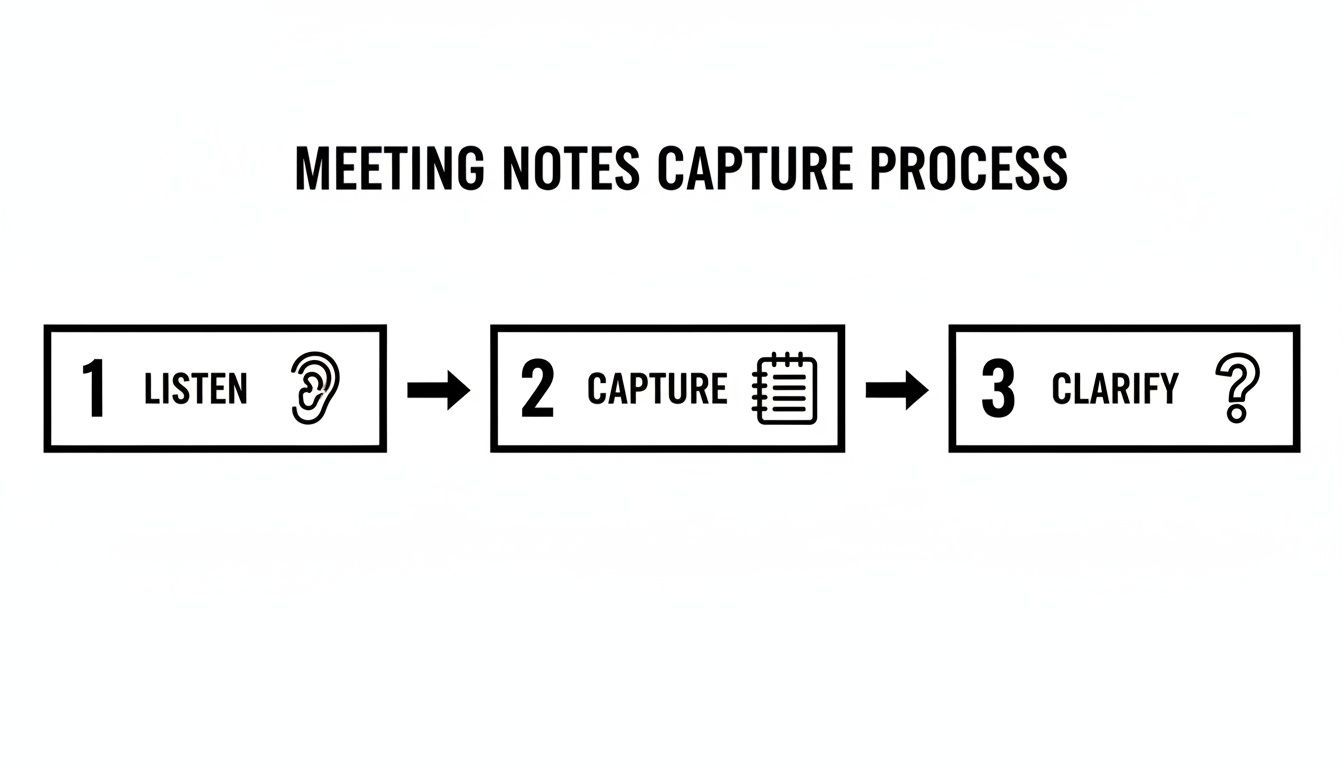
Las herramientas de IA esencialmente se encargan del paso de "captura" con una precisión casi perfecta. Esto te deja libre para poner toda tu energía en escuchar y aclarar lo que realmente importa.
De Texto Crudo a Información Accionable
Pero una transcripción perfecta es solo el punto de partida. La verdadera magia ocurre cuando la IA te ayuda a darle sentido a todo. Las herramientas modernas no solo te arrojan un muro de texto; te dan formas de extraer instantáneamente lo importante de horas de discusión.
Piensa en capacidades como:
- Resúmenes Automatizados: Genera instantáneamente una descripción general corta y concisa de toda la reunión, cubriendo todos los temas y decisiones principales.
- Extracción de Elementos de Acción: La IA puede detectar frases que señalan la asignación de una tarea y luego agruparlas en una lista de tareas pendientes limpia.
- Identificación de Temas Clave: Obtén una vista rápida de lo que se discutió más, ayudándote a estructurar tus minutos finales de una manera que tenga sentido.
Para aprovechar al máximo esto, ayuda pensar en grande sobre la optimización de flujos de trabajo. No se trata solo de una reunión; se trata de construir un sistema más inteligente para capturar y actuar sobre la información en toda tu empresa.
Considera el lado financiero de las cosas. Las reuniones improductivas le cuestan a la economía de EE. UU. un estimado de $37 mil millones por año, y algunos ejecutivos pasan casi 23 horas por semana en ellas. La transcripción con IA es un ataque directo a ese desperdicio, haciendo que cada reunión sea más productiva y sus resultados más fáciles de seguir.
La Eficiencia de las Reuniones Está Cambiando Rápidamente
Reuniones más cortas, decisiones más rápidas y equipos distribuidos se están convirtiendo en la norma. La transcripción de IA ya no es una mejora de la productividad, se está convirtiendo en infraestructura estándar. Los equipos que la adoptan temprano ganan claridad y velocidad que otros luchan por igualar.
Un Escenario Práctico: IA en Acción
Veamos cómo se ve esto en el mundo real. Digamos que acabas de terminar una reunión de inicio de proyecto de 90 minutos con ocho personas. ¿La vieja forma? Pasarías al menos una hora más tratando de organizar tus notas, recordar quién acordó qué y escribir un correo electrónico de resumen.
Con una herramienta de IA, tu proceso es totalmente diferente:
- Cargar: Sube la grabación de la reunión a una plataforma como Transcript.LOL.
- Transcribir: En unos minutos, obtienes una transcripción completa con cada orador claramente etiquetado.
- Resumir: Presionas un botón y obtienes un resumen ejecutivo. Hecho.
- Extraer Tareas: Usa la función de elementos de acción para generar una lista de tareas y quién es el responsable.
- Editar y Compartir: Dale un vistazo rápido a la salida de la IA, haz algunos ajustes para mayor claridad y envía actas pulidas. Todo el proceso lleva menos de 30 minutos.
Convirtiendo Transcripciones en Activos Accionables

Herramientas de edición
Edita transcripciones con herramientas potentes como buscar y reemplazar, asignación de hablantes, formatos de texto enriquecido y resaltado.

Exportar en múltiples formatos
Exporta tus transcripciones en múltiples formatos incluyendo TXT, DOCX, PDF, SRT y VTT con opciones de formato personalizables.
Resúmenes y Chatbot
Genera resúmenes y otros análisis de tu transcripción, prompts personalizados reutilizables y chatbot para tu contenido.
Esto no solo ahorra mucho tiempo, sino que produce un registro mucho más preciso y útil de lo que la mayoría de nosotros podríamos crear manualmente. Un asistente de reuniones con IA hace más que solo tomar notas; crea un archivo inteligente y consultable de las conversaciones más importantes de tu equipo. Al delegar el trabajo pesado, te liberas para ser un contribuyente más valioso.
Elaboración y Distribución de Actas Pulidas
La reunión puede haber terminado, pero tu trabajo aún no está completo. Aquí es donde ocurre la verdadera magia: convertir un revoltijo de notas crudas en un registro valioso y permanente para el equipo. Ya sea que hayas utilizado una transcripción de IA o hayas garabateado todo a mano, esta fase de edición y distribución asegura que tu arduo trabajo realmente conduzca a la acción.
Tu primera tarea es transformar esas notas desordenadas y en tiempo real en un documento limpio y profesional. Esto no se trata solo de corregir errores tipográficos; se trata de dar forma al contenido para lograr claridad e impacto total.
De Notas Crudas a un Registro Pulido
No puedo enfatizar esto lo suficiente: revisa tus notas o transcripción lo antes posible, idealmente dentro de un par de horas después de la reunión. El contexto aún está fresco, lo que hace que sea infinitamente más fácil descifrar tu propia taquigrafía o dar sentido a una oración ambigua de una transcripción.
Mientras editas, concéntrate en algunas cosas clave:
- Claridad y Brevedad: Ve directo al grano. Elimina la charla superficial, los comentarios repetitivos y cualquier desvío que no haya resultado en una decisión. Estás creando un resumen conciso, no un guion palabra por palabra.
- Objetividad: Tus opiniones personales no tienen cabida aquí. Elimina cualquier lenguaje emocional y cíñete a los hechos. En lugar de escribir "hubo un debate acalorado", intenta algo neutral como "Después de discutir varios puntos de vista...".
- Estructura para la Facilidad de Lectura: Seamos honestos, nadie quiere leer un muro de texto. Usa encabezados que coincidan con la agenda, texto en negrita para nombres y plazos importantes, y viñetas para decisiones o elementos de acción.
Piensa en ti mismo como un periodista que escribe el primer borrador de la historia de tu empresa. El documento final debe ser tan claro que alguien que ni siquiera estuvo en la sala pueda comprender los resultados en solo unos minutos.
Haciendo que tus Actas sean Fáciles de Entender
La forma en que estructuras el documento final lo es todo. Un formato inteligente y organizado significa que tus colegas ocupados pueden encontrar lo que necesitan en segundos. Una encuesta reciente mostró una gran brecha aquí: mientras que el 86% de las personas dijo que se tomaban actas, solo el 54% sintió que los elementos de acción se rastreaban de manera efectiva. Un buen formato cierra esa brecha.
Siempre pon la información más importante donde no se pueda pasar por alto. Mi truco infalible es colocar un resumen dedicado de "Decisiones y Elementos de Acción" justo en la parte superior, incluso antes de las notas principales. Este único cambio puede marcar una gran diferencia en si las cosas realmente se hacen.
Consejo Profesional: Me encanta usar una tabla simple para los elementos de acción con tres columnas: Elemento de Acción, Responsable y Fecha de Vencimiento. Hace que sea instantáneamente, visualmente claro quién es responsable de qué y para cuándo.
Si quieres profundizar en la estructura de tu documento, buscar diferentes plantillas es un excelente próximo paso. Puedes aprender más sobre cómo elaborar un formato profesional de actas de reunión con elementos de acción y ver cuán poderoso puede ser un diseño limpio.
Los Pasos Finales: Distribución y Aprobación
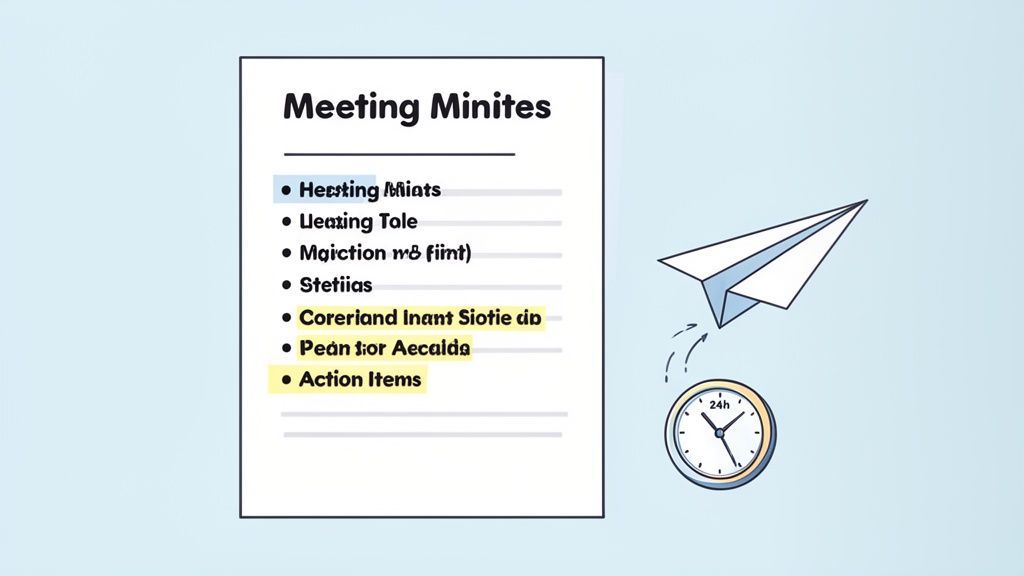
Una vez que tus actas se vean pulcras, el último paso es hacerlas llegar a las manos correctas, rápidamente. La velocidad es tu aliada aquí. Intenta enviarlas dentro de las 24 horas posteriores a la finalización de la reunión. Esto mantiene los detalles frescos y les da a todos un recordatorio oportuno de lo que se comprometieron a hacer.
Antes de enviarlo a todo el grupo, siempre sigo un proceso de aprobación rápido. Primero, envía el borrador al presidente de la reunión para una revisión rápida. Esta simple verificación asegura que hayas capturado los resultados clave y su intención con precisión.
Una vez que obtengas la luz verde, puedes distribuir las actas finales a todos los asistentes y a cualquier otra persona que necesite estar al tanto. Este seguimiento oportuno y profesional no solo cierra el ciclo de la reunión; refuerza la responsabilidad y solidifica tu papel como parte esencial del éxito del equipo.
Trampas Comunes al Tomar Notas (y Cómo Evitarlas)
Incluso los tomadores de notas más agudos pueden caer en algunas trampas comunes. Estos pequeños descuidos pueden parecer inofensivos en el momento, pero pueden descarrilar por completo el valor de tu registro. Saber qué observar es la mitad de la batalla.
Uno de los mayores errores que veo es permitir que las opiniones personales o el lenguaje sesgado se filtren en las notas. Tu trabajo es ser un reportero objetivo, no un comentarista. El objetivo es capturar los hechos de lo que se dijo, no tu interpretación.
¿Otro error clásico? Elementos de acción vagos. Una nota como "David se encargará del seguimiento de marketing" es prácticamente inútil. Carece de una tarea concreta y una fecha límite, dejándola abierta a la mala interpretación y convirtiendo la rendición de cuentas en un juego de adivinanzas.
Mantener la Objetividad y la Precisión
La objetividad no es solo una buena práctica; es una necesidad. Las actas pueden convertirse en documentos oficiales, incluso legales. Tu opinión personal o tu redacción juiciosa podrían crear riesgos reales para tu organización en el futuro.
Aquí te explicamos cómo mantenerte en el camino correcto:
- Usa lenguaje neutral. En lugar de escribir "Después de una acalorada discusión", intenta algo más fáctico como "Tras una discusión detallada de diferentes puntos de vista...".
- Atribuye ideas, no sentimientos. Cíñete a lo que se dijo, no a cómo crees que alguien se sintió cuando lo dijo.
- Elimina adjetivos y adverbios. Estas palabras a menudo llevan una carga subjetiva. Una redacción simple y directa es siempre más clara y segura.
Corregir los elementos de acción es aún más sencillo: define siempre el "qué", "quién" y "cuándo". Cada tarea necesita un entregable específico, el nombre de una persona adjunto y una fecha de vencimiento clara. Este pequeño hábito transforma una intención vaga en un compromiso que puedes rastrear.
Un propósito fundamental de tomar actas de reuniones es reflejar las verdaderas intenciones del grupo. La ambigüedad es el enemigo de la acción. Tu trabajo es eliminarla siendo implacablemente claro, conciso y objetivo en cada entrada.
Las Actas Vagas Crean Riesgos Ocultos
La redacción poco clara conduce a plazos incumplidos, culpas y proyectos estancados. Las actas también pueden convertirse en registros legales o de cumplimiento; la precisión no es opcional. Si algo es lo suficientemente importante como para discutirlo, es lo suficientemente importante como para documentarlo claramente.
El problema con la puntualidad y la confidencialidad
Posponer el envío de las actas es otro error crítico. Una encuesta reciente me lo dejó muy claro: mientras que el 86% de las personas dijo que se tomaron actas en sus reuniones, solo el 54% sintió que los elementos de acción se rastreaban realmente. Esa es una brecha enorme. Enviar las actas rápidamente —dentro de las 24 horas es el estándar de oro— mantiene el impulso y asegura que esas tareas importantes no se pierdan.
Finalmente, nunca olvides que muchas discusiones son confidenciales. Las actas de las reuniones no están destinadas al chismorreo de la empresa. Ten en cuenta temas sensibles como problemas de personal o asesoramiento legal, y asegúrate de manejarlos de acuerdo con las políticas de tu organización. En caso de duda, siempre es mejor ser breve y factual, omitiendo cualquier detalle que no sea absolutamente esencial para el registro oficial.
¿Tienes preguntas sobre cómo tomar actas? Tenemos respuestas.
Incluso después de años de tomar actas, ciertas situaciones todavía pueden dejarte rascándote la cabeza. Ya sea que recién estés comenzando o seas el encargado de tomar notas de tu equipo, algunas preguntas comunes siempre parecen surgir. Vamos a abordarlas.
¿Cuántos detalles son demasiados?
Este es el dilema clásico del tomador de actas. Quieres ser minucioso, pero no eres un reportero judicial. El objetivo no es una transcripción palabra por palabra; es un resumen de lo que realmente sucedió.
Concéntrate en los resultados: qué se decidió, quién es responsable de la siguiente acción y cuál es la fecha límite. Cualquier otra cosa suele ser solo ruido.
Una excelente regla general que siempre sigo es documentar las acciones y decisiones, no todo el debate que te llevó hasta allí. Quedarse atascado en el "él dijo, ella dijo" puede crear confusión e incluso dolores de cabeza legales en el futuro. Mantenlo limpio y enfocado en los resultados.
¿Quién necesita ver estas actas realmente?
Como mínimo, tu lista de distribución debe incluir a todos los que estuvieron en la reunión. También es una buena práctica enviarlas a cualquiera que haya sido invitado pero no pudo asistir; esto los mantiene informados.
Más allá de eso, piensa en quién se ve afectado por las decisiones tomadas. Podrían ser otros líderes de equipo, jefes de departamento o partes interesadas clave. Solo asegúrate de obtener una rápida aprobación del presidente de la reunión antes de enviar las actas a una audiencia más amplia.
¿Qué pasa si la reunión se pone... tensa?
Sucede. Cuando las discusiones se caldean, tu trabajo es mantenerte completamente neutral. Aquí es donde ceñirse a los hechos se vuelve más importante que nunca.
Evita cualquier lenguaje que suene emocional o subjetivo. Tus notas deben ser un registro objetivo.
- No escribas: "Después de una acalorada discusión, el equipo finalmente cedió y estuvo de acuerdo".
- Escribe: "Después de discutir múltiples puntos de vista, el grupo llegó a un consenso para seguir adelante con la Opción A".
Este enfoque captura el resultado sin memorializar el conflicto. El registro oficial no es lugar para el drama de oficina.
¿Cansado de hacer malabares con las notas mientras intentas participar? Transcript.LOL utiliza IA inteligente para encargarse del trabajo pesado. Obtén transcripciones precisas, etiquetas de hablantes e incluso resúmenes automatizados para que puedas concentrarte en la conversación, no en el teclado. Pruébalo gratis y ve la diferencia.