
Corrección de pruebas en transcripción: Domina transcripciones impecables
Descubre la corrección de pruebas efectiva en transcripción: combina herramientas de IA con verificaciones humanas para entregar transcripciones precisas e impecables.
Kate, Praveen
December 11, 2024
La corrección es ese último y crucial paso en el que un revisor humano compara una transcripción con el audio original para buscar y corregir hasta el último error. Es lo que convierte un borrador generado por IA, crudo y a menudo torpe, en un documento pulido y fiable.
Este toque humano es fundamental. Es la comprobación de calidad final que garantiza que las palabras en la página coinciden perfectamente con lo que se dijo realmente.
Por qué el Toque Humano Sigue Dominando la Transcripción
Las herramientas de transcripción de IA son sorprendentemente buenas, pero simplemente no pueden igualar la comprensión matizada de un corrector humano. Aquí es donde nace la precisión de nivel profesional, transformando un texto funcional en un documento en el que realmente puedes confiar.
En campos de alto riesgo como la medicina o el derecho, una palabra equivocada puede tener consecuencias masivas. Por supuesto, la mejor manera de garantizar la precisión es empezar con un gran audio. Aprender cómo eliminar eficazmente el ruido de fondo para un audio claro puede reducir drásticamente los tipos de errores que incluso el mejor corrector humano tiene que pasar tiempo extra corrigiendo.
Funciones inteligentes que fortalecen tu transcripción en bruto
IA de última generación
Impulsado por Whisper de OpenAI para una precisión líder en la industria. Soporte para vocabularios personalizados, archivos de hasta 10 horas y resultados ultra rápidos.

Importar desde múltiples fuentes
Importa archivos de audio y video desde diversas fuentes, incluyendo carga directa, Google Drive, Dropbox, URLs, Zoom y más.

Detección de hablantes
Identifica automáticamente diferentes hablantes en tus grabaciones y etiquétalos con sus nombres.
El Impacto en el Mundo Real de las Transcripciones Impecables
Piensa en la corrección de textos no como una tarea pesada, sino como el control de calidad que protege contra errores confusos y, a veces, costosos. Va mucho más allá de un simple corrector ortográfico para captar los errores sutiles, dependientes del contexto, que los algoritmos tropiezan constantemente.
Una revisión humana meticulosa garantiza:
- Precisión Contextual: La IA podría generar "Yo grito" cuando el hablante claramente dijo "helado". Un corrector humano detecta fácilmente la diferencia porque entiende la conversación.
- Matices del Hablante: El sarcasmo, las preguntas retóricas y el tono emocional se pierden por completo para las máquinas. Un buen corrector utiliza la puntuación para asegurarse de que la verdadera intención del hablante se transmita.
- Jerga Específica de la Industria: Los términos legales, los acrónimos médicos o los nombres de empresas únicos casi siempre confundirán a un sistema automatizado. Un humano hábil los detectará, verificará y corregirá cada vez.
Esta guía te ofrece un flujo de trabajo probado en batalla para cerrar la brecha entre ese borrador inicial de IA y una transcripción final y pulida. El valor de esta supervisión humana es enorme: solo el mercado de transcripción de EE. UU. está valorado en alrededor de 30.42 mil millones de USD, una industria donde la corrección meticulosa es innegociable para la calidad y el cumplimiento.
El objetivo de la corrección de textos en la transcripción no es solo corregir errores tipográficos. Es certificar que la palabra escrita es una representación fiel y verdadera de la palabra hablada, preservando el significado, la intención y la integridad.
En última instancia, un proceso de corrección de textos adecuado genera confianza con los clientes y solidifica tu reputación de entregar un trabajo impecable.
Si deseas optimizar todo tu flujo de trabajo de principio a fin, nuestra guía completa sobre cómo transcribir archivos de audio cubre técnicas fundamentales que complementan perfectamente un sistema de corrección riguroso.
Construyendo tu Central de Corrección
Un gran flujo de trabajo comienza mucho antes de que presiones reproducir. Configurar una "central de energía" dedicada para tu trabajo de corrección no se trata solo de mantenerse organizado, se trata de crear un entorno donde puedas concentrarte profundamente y captar cada detalle.
El primer paso es organizar tus materiales. Crea una carpeta de proyecto limpia para cada trabajo que contenga el archivo de audio, la transcripción en bruto y cualquier guía de estilo o instrucciones de tu cliente. Este simple hábito ahorra muchos dolores de cabeza y mantiene todo lo que necesitas a un clic de distancia.
A continuación, hablemos del equipo. Las herramientas adecuadas pueden transformar por completo tu velocidad y precisión. Claro, técnicamente puedes arreglártelas con auriculares básicos, pero simplemente no son suficientes para una corrección de nivel profesional.
Equipo Esencial para un Rendimiento Óptimo
Algunas inversiones clave marcan una gran diferencia:
Nota rápida antes de configurar tu equipo
Antes de comprar equipo, verifica los requisitos de tu cliente. Algunas industrias, como la legal y la médica, exigen una calidad de audio específica o precisión de marca de tiempo. Alinear tus herramientas desde el principio evita costosos retrabajos y asegura que la transcripción cumpla con los estándares de cumplimiento desde el inicio.
- Auriculares con cancelación de ruido: Estos son innegociables. Bloquean las distracciones para que puedas escuchar susurros tenues, habla superpuesta y otras señales de audio sutiles que son fáciles de pasar por alto.
- Un pedal de transcripción: Esto puede parecer un poco anticuado, pero un simple pedal USB libera tus manos para escribir. Puedes reproducir, pausar y rebobinar el audio sin cambiar constantemente entre ventanas, lo que supone un gran impulso a tus palabras por minuto.
- Un espacio de trabajo ergonómico: Una buena silla y un monitor bien posicionado previenen la tensión física durante sesiones largas. Esto no se trata solo de comodidad; se trata de mantener la concentración sin desviarse por un dolor de espalda o cuello.
Esta visualización muestra el viaje típico desde el primer borrador de una máquina hasta un documento pulido y verificado por humanos.
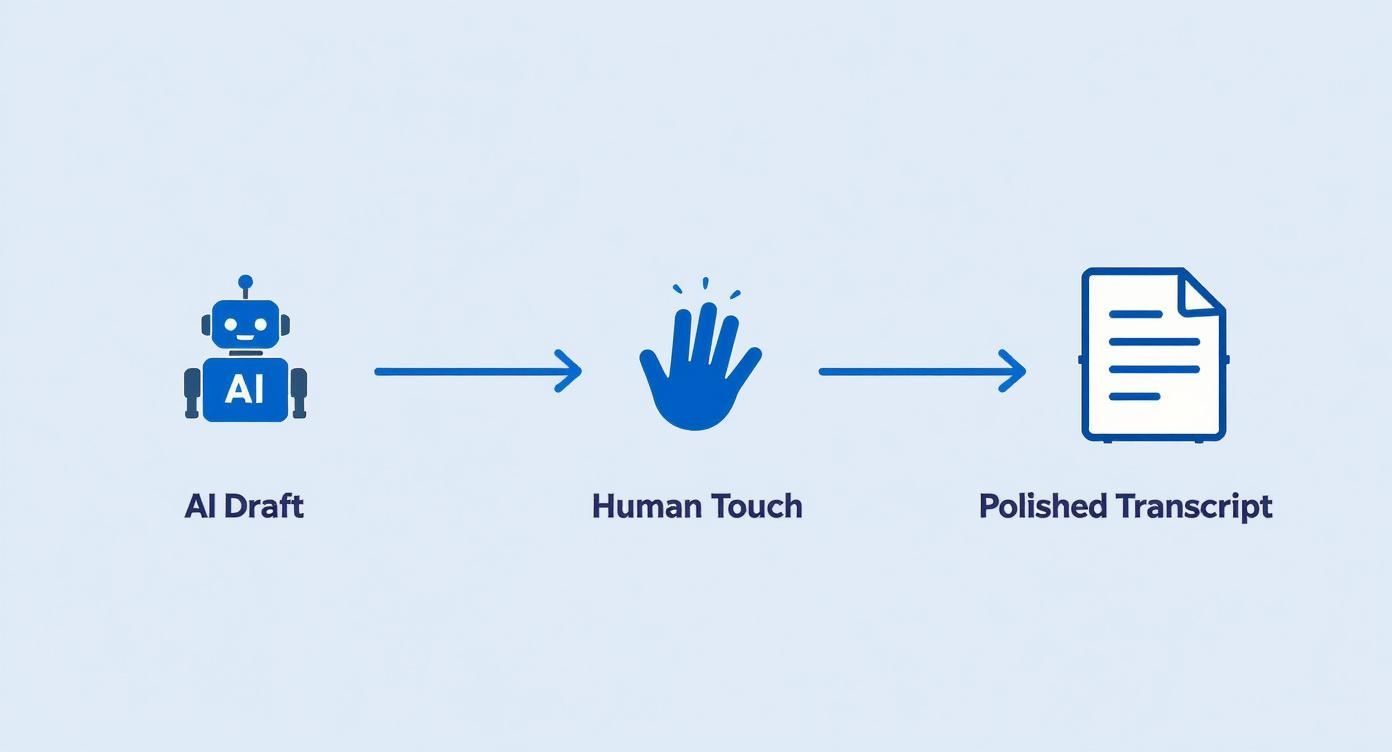
El proceso lo deja claro: si bien la IA realiza el trabajo inicial más pesado, es el toque humano el que refina el texto hasta convertirlo en un producto final y confiable.
A medida que desarrolles tu conjunto de herramientas, recuerda que la IA es un punto de partida poderoso. Aprender sobre los diferentes tipos de software de transcripción con IA te ayuda a comprender la materia prima con la que trabajarás, permitiéndote anticipar errores comunes y afinar tu estrategia de corrección.
Piénsalo como la cocina de un chef profesional. Tener tus ingredientes (archivos) preparados y tus herramientas (auriculares, pedal) listas significa que puedes concentrarte por completo en el arte de crear una transcripción perfecta. Una estación bien organizada es la base de un trabajo impecable.
Tu primera pasada con automatización inteligente
Piensa en tu primera pasada como una limpieza de alto nivel. Aquí es donde las herramientas inteligentes hacen el trabajo más pesado, pero tú sigues al mando. El objetivo aquí es la eficiencia, no la perfección. Solo estás intentando detectar los errores más obvios de la transcripción bruta de IA para que tu revisión manual real pueda centrarse en las cosas complicadas.
Siempre empiezo ejecutando un corrector ortográfico y gramatical completo en todo el documento. Estos correctores son excelentes para detectar errores tipográficos básicos y errores gramaticales simples que abarrotan el texto. Pero, y esto es un gran pero, tienes que abordar sus sugerencias con ojo crítico. Están lejos de ser perfectos.
Conoce dónde falla la automatización
Las herramientas automatizadas a menudo se tropiezan con las mismas cosas que hacen que el habla humana sea tan desordenada e interesante. Se pierden la jerga específica del contexto, se confunden con homófonos (como 'there' vs. 'their') y pueden malinterpretar por completo la intención de un hablante.
Es por eso que el núcleo de esta primera pasada es lo que llamo el método de "escuchar y seguir".
Reproduce el audio (encuentro que empezar a 0.8x de velocidad es el punto ideal) y sigue el texto. Tu única misión es detectar y corregir los errores más evidentes de la IA.
Busca cosas como:
- Palabras o frases completamente sin sentido
- Nombres mal escuchados o términos específicos de la empresa
- Oraciones que simplemente se cortan o se mezclan
No te obsesiones con cada coma. Este paso se trata de captar el ritmo del hablante y limpiar los errores que prácticamente saltan de la página. Solo estás construyendo una base más limpia para el trabajo detallado que viene después.
Si recién estás comenzando, vale la pena explorar algunos tipos diferentes de software de transcripción automática gratuito para tener una idea de la salida bruta con la que trabajarás.
Para darte una mejor idea de qué buscar, he preparado una tabla rápida de errores comunes de IA y cómo un corrector humano debería manejarlos.
Errores comunes de transcripción de IA y correcciones humanas
| Tipo de error de IA | Ejemplo de error | Estrategia de corrección humana |
|---|---|---|
| Homófonos | "Ocupo ir también a la tienda por su proyecto." | Escucha atentamente el contexto. Corrige "también" por "tengo" y "su" por "su" (si se refiere a posesión). |
| Nombres mal escuchados | "Nuestro próximo orador es el Dr. On Yash Arma." | Investiga las listas de oradores o escucha las introducciones para confirmar la ortografía correcta, "Dra. Anya Sharma". |
| Jerga técnica | "Necesitamos optimizar la llamada de retorno de la API." | Comprueba con glosarios de la industria o pistas contextuales. Corrige al término adecuado, como "callback de API". |
| Puntuación incorrecta | "¿Cuándo empezamos el proyecto es la pregunta principal?" | Añade puntuación basándote en las pausas y la entonación del hablante: "¿Cuándo empezamos el proyecto? Esa es la pregunta principal." |
| Oraciones corridas | "Así que empezamos la iniciativa y todos estaban a bordo y los resultados fueron geniales y pasamos a la siguiente fase." | Divide las oraciones largas y divagantes en otras más cortas y claras basándote en las pausas naturales del hablante. |
Esta tabla no es exhaustiva, por supuesto, pero cubre los infractores más frecuentes que encontrarás durante esta pasada inicial.
Habilidades avanzadas que todo corrector de pruebas debe dominar
Conciencia contextual
Los buenos correctores de pruebas escuchan el significado, no solo las palabras. Comprender la intención del hablante te ayuda a evitar sutiles malinterpretaciones que la IA a menudo pasa por alto.
Adaptabilidad a acentos
Los clientes vienen de todas partes. Entrenar tu oído para comprender nuevos acentos aumenta drásticamente tu precisión y reduce las repeticiones.
Precisión de la guía de estilo
Cada cliente tiene reglas de formato únicas. Seguirlas consistentemente genera confianza y hace que tu transcripción sea inmediatamente utilizable.
Reconocimiento de patrones de error
Con la experiencia, comienzas a notar errores recurrentes de la IA. Detectar patrones acelera tu flujo de trabajo y mejora la precisión de tus correcciones.
Capturar esto temprano hace que las siguientes pasadas, más detalladas, sean mucho más fluidas.
Consejo profesional: Usa una aplicación de expansión de texto para acelerar correcciones repetitivas. Si el nombre de un orador, como "Dra. Anya Sharma", se escribe consistentemente mal como "Dra. On Yash Arma", puedes crear un atajo. Escribir un código simple como "dras" podría insertar automáticamente el nombre correcto, ahorrándote docenas de correcciones manuales.
La Inmersión Profunda para una Precisión Impecable
 Bien, has hecho la primera pasada rápida y has capturado lo obvio. Ahora es el momento de reducir la velocidad y profundizar de verdad. Esta es la parte del proceso donde una transcripción decente se convierte en una impecable.
Estás yendo más allá de simplemente corregir errores tipográficos. Esta etapa se trata de escuchar intencionalmente, asegurándote de que el texto refleje perfectamente el ritmo, las pausas y la intención de la conversación real. Piensa en ti mismo menos como un editor y más como un detective, examinando cada detalle para hacerlo bien.
Pulir la Puntuación y las Etiquetas de Orador
Uno de los signos más seguros de una transcripción tosca es una puntuación torpe y poco natural. Una IA podría simplemente poner un punto al final de cada oración, pero un oído humano sabe mejor. Una coma bien colocada o un guion largo (—) pueden cambiar completamente el tono y hacer que el punto de un orador se entienda correctamente.
Tu objetivo aquí es hacer que el texto fluya como habla la persona.
- Guiones largos (—): Perfectos para esos momentos en los que un orador se detiene abruptamente o cambia a un nuevo pensamiento.
- Elipsis (...): Úsalas para mostrar que un orador se está quedando sin palabras o haciendo una pausa para pensar.
- Comas y Puntos: Escucha la cadencia natural. Una pausa corta probablemente sea una coma, mientras que una más larga que señala el final de un pensamiento merece un punto.
Las etiquetas de orador son igualmente críticas. Nada confunde más a un lector que nombres inconsistentes. Durante esta pasada, asegúrate de que cada orador esté identificado correcta y consistentemente de principio a fin. Si comienzas con "Dr. Smith", no cambies repentinamente a "Jane Smith" a mitad de camino.
Verificar Terminología y Nombres Propios
Aquí es donde podrías necesitar investigar un poco. La transcripción automática a menudo se tropieza con jerga de la industria, nombres de empresas o nombres propios específicos. ¿Escuchó la IA "Pfizer" como "fizer"? ¿O "Salesforce" como "sales force"? Estos pequeños errores pueden arruinar instantáneamente la credibilidad de una transcripción.
Cuando encuentres una palabra o nombre sobre el que no estés seguro, tómate un segundo para buscarlo. Confirma la ortografía de las empresas, los términos técnicos y las personas mencionadas en el audio. Es esta atención al detalle lo que separa el trabajo profesional del resto.
Esto no se trata solo de verse bien; en algunos campos, es innegociable. Para sectores especializados como la atención médica o los servicios legales, la revisión es absolutamente esencial. El mercado de transcripción legal por sí solo es una industria de 2.62 mil millones de dólares en los EE. UU., donde la precisión es primordial para proteger la integridad de los documentos judiciales.
Asegurar la Precisión de las Marcas de Tiempo
Si tu transcripción necesita marcas de tiempo, ahora es el momento de volver a verificarlas. Las marcas de tiempo son herramientas de navegación que permiten a un lector saltar a un momento específico en el audio o video. Si están desfasadas, son inútiles.
Mientras escuchas, verifica periódicamente que la marca de tiempo en el texto coincida perfectamente con ese momento en el audio. Presta especial atención a las marcas de tiempo que marcan la entrada de un nuevo orador, ya que estos son puntos de referencia importantes. Una verificación rápida aquí asegura que tu documento final no solo sea preciso en su contenido, sino también completamente funcional. Comprender los factores que afectan la precisión del habla a texto puede ayudarte a anticipar dónde es más probable que aparezcan estos errores.

Herramientas de edición
Edita transcripciones con herramientas potentes como buscar y reemplazar, asignación de hablantes, formatos de texto enriquecido y resaltado.

Exportar en múltiples formatos
Exporta tus transcripciones en múltiples formatos incluyendo TXT, DOCX, PDF, SRT y VTT con opciones de formato personalizables.
Resúmenes y Chatbot
Genera resúmenes y otros análisis de tu transcripción, prompts personalizados reutilizables y chatbot para tu contenido.
El Pulido Final Antes de la Entrega
Estás en la recta final. Después de esa inmersión profunda en el audio, tu transcripción es precisa, pero aún no está lista para ser enviada. Antes de entregar ese archivo, una última verificación de control de calidad asegurará que tu trabajo sea absolutamente impecable.
Este paso final crucial es lo que yo llamo la "lectura en frío", y es donde revisas la transcripción una última vez, sin que el audio se esté reproduciendo.
Esto puede sentirse un poco extraño después de pasar horas sincronizando texto y sonido, pero separarse de la grabación es el objetivo principal. Cuando lees el documento por sí solo, tu cerebro deja de intentar escuchar. En cambio, está libre para detectar frases torpes, formato extraño y errores gramaticales sigilosos que podrías haber pasado por alto mientras hacías malabares con ambos.
Tu Lista de Verificación Final de Calidad
Piensa en esto como tu chequeo previo al vuelo. Un escaneo rápido con estos puntos en mente puede detectar esos pequeños problemas que marcan una gran diferencia en el producto final. Tu objetivo es entregar un documento que no solo sea preciso, sino también limpio, profesional y muy fácil de leer.
- Formato de Números: ¿Están todos los números escritos de la misma manera? Decide si usas cifras (9) o palabras (nueve) y mantente firme, a menos que la guía de estilo de tu cliente diga lo contrario.
- Saltos de Párrafo: ¿El texto fluye de forma natural? Busca bloques de texto largos y densos y divídelos donde veas una pausa natural o un cambio de tema. La legibilidad aumenta considerablemente.
- Consistencia General: Dale un último escaneo para detectar cualquier rareza persistente en la ortografía (como color vs. colour), la capitalización de términos clave o cómo has formateado las etiquetas de los hablantes.
Esta revisión final, sin audio, es tu última oportunidad de ver la transcripción a través de los ojos de tu cliente. Es donde captas las sutilezas que separan una buena transcripción de una excelente.
Exportación para tu Cliente
Una vez que hayas terminado tu lectura en frío y te sientas satisfecho con el documento, lo último que debes hacer es exportarlo en el formato correcto.
Diferentes clientes tienen diferentes necesidades, y entregar el archivo exactamente como lo pidieron es un sello distintivo de un profesional. Siempre me aseguro de aclarar el formato requerido con anticipación para evitar cualquier apuro de último momento.
Aquí están los formatos más comunes que la gente solicita:
- Documento de Word (.docx): Este es el estándar para la mayoría de los usos empresariales, académicos y generales. Es fácil de editar y todo el mundo puede abrirlo.
- Texto Plano (.txt): Un formato simple y sin adornos que a menudo se solicita para importar texto a otros sistemas de software donde el formato simplemente interfiere.
- Archivo de Subtítulos SubRip (.srt): Este es específicamente para subtítulos de video. Incluye marcas de tiempo formateadas precisamente para el texto en pantalla.
- Archivo de Pistas de Texto de Video Web (.vtt): Otro formato de subtítulos, muy similar a SRT pero con opciones de formato más avanzadas que funcionan bien para videos web.
Verificar el formato del archivo y las convenciones de nomenclatura antes de presionar 'enviar' es un pequeño paso que refuerza tu confiabilidad. Es el pulido final que asegura que tu cliente reciba un documento perfecto y listo para usar cada vez.
Evita el error n.º 1: Entregar sin una revisión final
Nunca te saltes la lectura en frío. La mayoría de las quejas de los clientes provienen de pequeños errores: etiquetas de orador incorrectas, puntuación faltante o problemas de formato dispersos. Este último paso protege tu reputación y asegura que cada transcripción que envías esté lista para el cliente.
Preguntas Comunes sobre la Corrección de Transcripciones
A medida que te adentras en la corrección de transcripciones, te encontrarás con las mismas preguntas una y otra vez. Obtener buenas respuestas a estas puede marcar la diferencia entre un flujo de trabajo fluido y un dolor de cabeza. Abordemos algunas de las más comunes que escucho.
Una de las primeras cosas que la gente pregunta es qué implica realmente el trabajo. Es más que una simple revisión ortográfica rápida; estás verificando el texto contra el audio original para garantizar la precisión. Es útil comprender los matices entre corrección y edición, porque un buen trabajo de transcripción a menudo toma prestado de ambas disciplinas para crear un producto final que sea preciso y fácil de leer.
¿Cuánto Tiempo Debería Llevar la Corrección de una Transcripción?
No hay una respuesta única, pero una regla general sólida es presupuestar 2-4 horas de corrección por cada hora de audio.
Muchas cosas pueden modificar ese plazo. Si tienes audio impecable con un solo hablante claro y sin términos técnicos, podrías terminarlo en dos horas. Pero si añades acentos marcados, ruido de fondo o un montón de gente hablando a la vez, fácilmente alcanzarás la marca de cuatro horas, o incluso la superarás.
Tomarse cinco minutos para revisar el audio antes de cotizar un plazo es una jugada profesional. Establece expectativas realistas tanto para ti como para tu cliente desde el principio.
¿Cuáles Son las Mejores Herramientas para Corregir Transcripciones?
Una configuración de corrección excelente no requiere mucho equipo, pero la combinación adecuada de herramientas cambia totalmente tu velocidad y precisión.
- Software de Transcripción: Necesitas absolutamente un software que sincronice la reproducción de audio con tu texto. Hay una razón por la que herramientas como oTranscribe (¡que es gratis!) y Express Scribe son estándares de la industria; simplemente funcionan.
- Corrector Gramatical: Una herramienta como Grammarly Premium vale su peso en oro. Va mucho más allá de una revisión ortográfica estándar, detectando errores sutiles y ayudándote a hacer el texto más legible.
- Hardware de Calidad: No subestimes un buen hardware. Un par de auriculares con cancelación de ruido puede ayudarte a distinguir palabras que de otro modo pasarías por alto. ¿Y un pedal de pie USB? Libera tus manos para que puedas escribir y controlar el audio simultáneamente, lo que acelera seriamente las cosas.
¿Cómo Manejas las Palabras Inaudibles o Poco Claras?
Cuando te encuentres con una sección de audio que simplemente no puedes descifrar, tus principios rectores deben ser la honestidad y la claridad. Siempre haz un esfuerzo real primero: reduce la velocidad del audio, repite la sección varias veces, quizás incluso consigue una segunda opinión si puedes.
Si has intentado de todo y una palabra sigue siendo un misterio, nunca adivines. Insertar la palabra equivocada puede distorsionar completamente el significado de una oración y destruir la credibilidad de la transcripción.
El estándar profesional es marcar el lugar con un marcador de posición con marca de tiempo. Algo como [inaudible 00:21:14] o [unclear 00:21:14] funciona perfectamente. Esto señala el problema a tu cliente, le permite ir directamente a ese punto en el audio y le da el poder de tomar la decisión final. Demuestra que eres un profesional en el que pueden confiar.
En Transcript.LOL, convertimos tu audio y video en transcripciones de alta precisión en segundos, dándote una poderosa ventaja en tu proceso de corrección. Nuestra plataforma impulsada por IA, mejorada con detección de hablantes y vocabulario personalizado, se encarga del trabajo pesado para que puedas concentrarte en el pulido final. Experimenta un flujo de trabajo de transcripción más rápido e inteligente hoy mismo.