
Cómo Transcribir un Podcast: Una Guía Práctica
Aprende a transcribir un podcast con nuestra guía práctica. Cubrimos herramientas de IA, servicios manuales y consejos de edición de expertos para mejorar tu SEO y alcance.
Kate, Praveen
July 17, 2024
Así que sabes que deberías transcribir tu podcast, pero ¿realmente entiendes por qué? No se trata solo de convertir tu audio en un archivo de texto. Ese único paso desbloquea una docena de nuevas formas de hacer crecer tu programa, haciendo que tu contenido sea buscable, accesible y mucho más fácil de reutilizar.
Por qué transcribir tu podcast cambia las reglas del juego
Antes de pasar al "cómo", aclaremos el "por qué". Una transcripción es mucho más que una copia palabra por palabra de tu programa. Es un activo estratégico que impulsa el crecimiento, amplía tu alcance y exprime hasta la última gota de valor de los episodios que tanto te esfuerzas en crear.
Demasiados podcasters tratan la transcripción como una ocurrencia tardía. No cometas ese error. Merece ser una parte fundamental de tu flujo de trabajo de publicación.
En su nivel más básico, una transcripción convierte tu audio, que es completamente invisible para los motores de búsqueda, en texto totalmente indexable. Esto es una gran ventaja para el SEO. Google finalmente puede rastrear y comprender de qué trata tu episodio, ayudando a los nuevos oyentes a descubrir tu programa cuando buscan temas específicos que has cubierto.
Amplía tu audiencia y accesibilidad
Una de las victorias más rápidas de la transcripción es hacer que tu contenido esté disponible para una audiencia mucho más amplia. Esto incluye inmediatamente a personas sordas o con problemas de audición, que ahora pueden experimentar tu programa igual que los demás.
También ayuda a los hablantes no nativos que encuentran más fácil leer mientras escuchan, lo que mejora su comprensión.
Pero va más allá de eso. Piensa en tus oyentes en diferentes entornos: atrapados en una oficina ruidosa, en un tren tranquilo sin auriculares, o buscando información rápidamente. Una transcripción les da una forma de consumir tu contenido cuando el audio simplemente no es una opción. Estás eliminando barreras y facilitando que más personas se unan a tu comunidad.
Alimenta tu motor de marketing de contenidos
Aquí es donde ocurre la verdadera magia.
Características Clave que Potencian tu Flujo de Trabajo de Transcripción
IA de última generación
Impulsado por Whisper de OpenAI para una precisión líder en la industria. Soporte para vocabularios personalizados, archivos de hasta 10 horas y resultados ultra rápidos.

Importar desde múltiples fuentes
Importa archivos de audio y video desde diversas fuentes, incluyendo carga directa, Google Drive, Dropbox, URLs, Zoom y más.

Exportar en múltiples formatos
Exporta tus transcripciones en múltiples formatos incluyendo TXT, DOCX, PDF, SRT y VTT con opciones de formato personalizables.
Una transcripción de alta calidad es la plataforma de lanzamiento definitiva para la reutilización de contenido. En lugar de tener solo un archivo de audio, ahora tiene un documento de texto enriquecido listo para ser cortado y dividido en innumerables piezas de contenido.
Así es como obtienes un retorno masivo de tu tiempo y esfuerzo.
Aquí tienes solo algunas ideas para empezar:
- Crea publicaciones de blog optimizadas para SEO: Tu transcripción es la materia prima perfecta para una publicación de blog detallada. Ordénala, añade algunos encabezados y tendrás un artículo que puede posicionarse en Google y generar tráfico orgánico durante años.
- Genera fragmentos para redes sociales: Extrae las citas más impactantes, las estadísticas sorprendentes o las conclusiones clave. Conviértelas en gráficos llamativos o publicaciones de texto para X, LinkedIn e Instagram.
- Crea notas de programa detalladas: Ve más allá de un simple resumen. Publica la transcripción completa en tu sitio web como un recurso completo y consultable para tus oyentes.
- Desarrolla boletines por correo electrónico: Extrae las mejores ideas de un episodio, resúmelas y envíalas a tu lista de correo electrónico. Es una excelente manera de ofrecer valor y atraer a las personas de regreso al episodio completo.
Al convertir una hora de audio en una docena de activos de marketing, multiplicas tu impacto sin grabar material nuevo. Es una de las estrategias de crecimiento más eficientes disponibles para los creadores. Nuestra guía sobre estrategias de reutilización de contenido explora estas ideas con mayor profundidad.
La demanda de esto está creciendo rápidamente. Se proyecta que el mercado de transcripción en general supere los 32 mil millones de dólares solo en EE. UU. para 2025, y el podcasting es una razón importante para ese crecimiento.
Para resumir, aquí tienes un vistazo rápido a los beneficios principales.
Beneficios clave de la transcripción de podcasts de un vistazo
| Beneficio | Impacto en tu podcast | Ejemplo |
|---|---|---|
| Impulso SEO | Hace que tu contenido de audio sea descubrible por los motores de búsqueda, generando tráfico orgánico. | Un oyente encuentra tu episodio buscando en Google una cita específica de tu invitado. |
| Accesibilidad mejorada | Abre tu contenido a audiencias sordas, con problemas de audición o que no hablan el idioma de forma nativa. | Un fan con problemas de audición ahora puede seguir tu programa leyendo las transcripciones. |
| Experiencia del oyente mejorada | Permite a las personas consumir contenido en entornos ruidosos o encontrar información específica rápidamente. | Un oyente en una oficina abierta lee la transcripción para ponerse al día con un episodio sin auriculares. |
| Reutilización de contenido | Proporciona la materia prima para publicaciones de blog, contenido de redes sociales, boletines informativos y más. | Conviertes un segmento de 10 minutos en una publicación de blog detallada y cinco gráficos para redes sociales. |
En última instancia, la transcripción no es un costo, es una inversión en el futuro de tu podcast, haciendo que cada episodio trabaje más para ti mucho después de que presiones publicar.
IA vs. Manual: ¿Qué método de transcripción es el adecuado para ti?
Entonces, necesitas una transcripción para tu podcast. Ahora viene la gran pregunta: ¿confías en una máquina o en un humano para hacer el trabajo? Esto no es solo un detalle técnico, es una elección estratégica que depende de tu presupuesto, la calidad de tu audio y lo que realmente planeas hacer con la transcripción.
No hay una única forma "mejor" de hacerlo. Solo hay la mejor manera para tu programa. Todo se reduce a un equilibrio entre costo, precisión y velocidad. Si te equivocas, podrías enfrentarte a horas de ediciones dolorosas o, lo que es peor, a una transcripción completamente inútil.
Por qué la mayoría de los podcasters recurren a la IA
Para la gran mayoría de los podcasters de hoy en día, la transcripción con IA es una decisión obvia. La tecnología se ha vuelto ridículamente buena. Las herramientas modernas de IA pueden procesar un episodio de una hora en solo unos minutos, y lo hacen por centavos en comparación con los servicios tradicionales.
Este cambio ha sido un punto de inflexión. Todo el mercado de transcripción de podcasts ha explotado, principalmente porque la IA lo hizo tan asequible y rápido. De hecho, alrededor del 70% de los podcasters ahora utilizan herramientas impulsadas por IA en lugar de servicios manuales. Con audio claro, muchas de estas plataformas pueden alcanzar más del 90% de precisión, una estadística sobre la que puedes aprender más en informes de la industria como los de podcastindustry.org.
La transcripción con IA es probablemente tu mejor opción si tienes:
- Audio limpio: Tienes un ruido de fondo mínimo, las personas no hablan unas sobre otras y todos hablan con claridad.
- Un presupuesto modesto: Necesitas una transcripción sólida sin gastar mucho dinero en un profesional humano.
- Temas generales: Tu programa no profundiza en jerga súper específica o terminología médica o legal sensible.
- Necesidad de velocidad: Quieres tener las notas del programa, las publicaciones de blog o los clips de redes sociales listos justo después de que se publique un episodio.
Para muchos creadores, el flujo de trabajo es simple: suben el audio a un servicio de IA, reciben un borrador en minutos y pasan una hora o dos limpiándolo. Esta combinación de automatización y supervisión humana ofrece lo mejor de ambos mundos.
Cuándo necesitas absolutamente un toque humano
Tan asombrosa como es la IA, no es perfecta. Todavía se tropieza con acentos marcados, se enreda con el cruce de palabras cuando los hablantes se interrumpen mutuamente y puede producir galimatías a partir de audio de mala calidad. También tiene el mal hábito de escribir mal la terminología específica, los nombres de marcas o los términos científicos complejos.
Aquí es exactamente donde un transcriptor humano se gana su sueldo. Un profesional aporta un nivel de contexto y comprensión que el software simplemente no puede replicar, ofreciendo una precisión casi perfecta.
La IA No Es Suficiente para Audio Complejo
Cuando el audio contiene acentos, ruido de fondo o jerga técnica, la precisión de la IA disminuye drásticamente. La revisión humana se vuelve esencial para evitar errores vergonzosos en tu transcripción.
Deberías considerar seriamente contratar un servicio manual si tu podcast involucra:
- Audio Desordenado o Complejo: Tienes varios invitados hablando a la vez, mucho ruido de fondo o locutores con acentos marcados.
- Contenido Técnico o Sensible: Tus episodios cubren temas legales, médicos o científicos donde una sola palabra equivocada podría ser un gran problema.
- Demanda de Precisión del 99%+: La transcripción es para registros legales, investigación académica u otras situaciones de alto riesgo donde cada palabra debe ser perfecta.
- Cero Tiempo para Editar: Tu horario está apretado y preferirías pagar un extra por una transcripción pulida y lista para publicar.
Claro, un servicio manual cuesta más y lleva más tiempo, generalmente un tiempo de respuesta de 24 a 48 horas. Pero lo que estás comprando es tranquilidad. Obtienes una transcripción prácticamente impecable desde el momento en que llega a tu bandeja de entrada. Para una inmersión más profunda, consulta nuestra guía completa sobre software de transcripción impulsado por IA.
Tomando la Decisión Final para tu Programa
Para tomar la decisión correcta, deja de pensar solo en el archivo de audio y empieza a pensar en el objetivo final. ¿Para qué es esta transcripción?
Si solo estás reutilizando un episodio en una publicación de blog para SEO, una transcripción de IA ligeramente imperfecta que tú mismo corriges es perfecta. El ahorro de costos es enorme, y arreglar algunos errores es fácil. Pero si la transcripción es el producto final, como un recurso de pago para tu curso en línea o un registro oficial para fines legales, entonces la precisión casi perfecta de un servicio manual es innegociable.
Aquí tienes una forma rápida de pensarlo:
| Factor | Elige Transcripción IA Si... | Elige Transcripción Manual Si... |
|---|---|---|
| Presupuesto | Necesitas una solución asequible y de bajo costo. | La precisión es más importante que el costo. |
| Tiempo de Respuesta | Necesitas la transcripción en minutos o unas pocas horas. | Puedes esperar 24-48 horas para un resultado pulido. |
| Calidad del Audio | Tu audio está limpio con un mínimo ruido de fondo. | Tu audio tiene cruces de voz, acentos o mala calidad. |
| Tipo de Contenido | Discuten temas generales y terminología común. | Cubren temas especializados, técnicos o sensibles. |
| Tiempo de Edición | Tienes una o dos horas para revisar y limpiar el texto. | No tienes tiempo y necesitas un documento listo para publicar. |
En última instancia, todo se trata de alinear tus herramientas con tus objetivos. Piensa en estos factores y elegirás el enfoque que te ahorre tiempo, se ajuste a tu presupuesto y te proporcione una transcripción que realmente sirva a tu podcast.
Tu Guía Práctica de Herramientas de Transcripción IA
La teoría es genial, pero la única forma de sentir realmente la transcripción de podcasts es sumergirse y hacerlo. Así que, repasemos el proceso real utilizando una herramienta de IA moderna. El objetivo aquí no es solo generar un montón de texto; se trata de configurar los ajustes correctos desde el principio para producir un primer borrador limpio que te ahorre horas de tediosa edición en el futuro.
Comenzar suele ser muy sencillo. La mayoría de los servicios, como Transcript.LOL, tienen una interfaz sencilla de arrastrar y soltar. Todo lo que necesitas hacer es tomar tu archivo de audio pulido y cargarlo.
Características Avanzadas que Mejoran la Precisión y Ahorran Tiempo

Detección de hablantes
Identifica automáticamente diferentes hablantes en tus grabaciones y etiquétalos con sus nombres.

Herramientas de edición
Edita transcripciones con herramientas potentes como buscar y reemplazar, asignación de hablantes, formatos de texto enriquecido y resaltado.
Resúmenes y Chatbot
Genera resúmenes y otros análisis de tu transcripción, prompts personalizados reutilizables y chatbot para tu contenido.
Integraciones
Conecta con tus herramientas y plataformas favoritas para optimizar tu flujo de trabajo de transcripción.
Ajustando tus Configuraciones de Transcripción
Una vez que tu archivo esté cargado, verás algunas configuraciones críticas. No te limites a pulsar el botón "Transcribir" y esperar lo mejor. Tomarte treinta segundos aquí para ajustar estas opciones mejorará enormemente la precisión de tu transcripción y reducirá tu tiempo de limpieza posterior.
Piensa en estas configuraciones como tu primera línea de defensa contra los errores comunes de la IA.
Aquí tienes un desglose de lo que debes buscar y por qué es importante:
- Selecciona el Idioma: Esto suena obvio, pero es el paso más crítico. Asegúrate de haber elegido el idioma y dialecto correctos (por ejemplo, Inglés - EE. UU. vs. Inglés - Reino Unido) hablados en tu podcast. Una configuración de idioma incorrecta es la razón número 1 por la que obtendrás una transcripción completamente inútil.
- Habilita la Detección de Hablantes: A menudo llamada "diarización", esto es algo imprescindible para cualquier podcast con más de un hablante. La IA identificará automáticamente las diferentes voces y las etiquetará (por ejemplo, Hablante 1, Hablante 2). Esto convierte un trabajo de edición caótico en un simple buscar y reemplazar para añadir el nombre de tu invitado.
- Usa un Vocabulario Personalizado: Este es el movimiento profesional que diferencia una transcripción mediocre de una excelente. Si tu programa menciona nombres de marcas específicos, jerga de la industria, acrónimos o tus invitados tienen nombres únicos, añádelos a una lista de vocabulario personalizado. Esto, esencialmente, "enseña" a la IA cómo escribir correctamente esas palabras, evitando docenas de errores frustrantes y repetitivos.
Una lista de vocabulario personalizado es como darle a la IA una hoja de trucos antes del examen. Le estás entregando las respuestas a las preguntas más difíciles de antemano, para que no arruine el nombre de tu empresa o el título del nuevo libro de tu invitado cien veces.
Este diagrama de flujo desglosa esa elección inicial entre una herramienta de IA y un servicio manual.
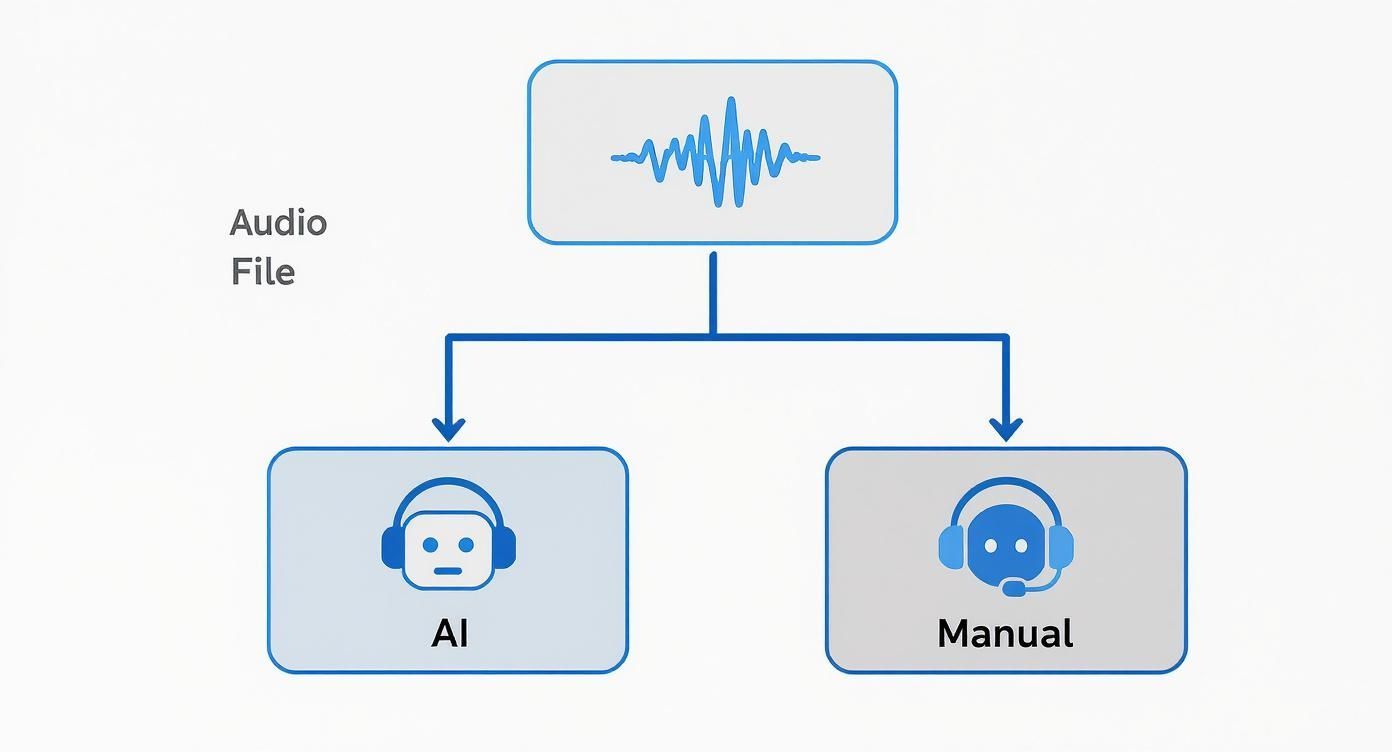
Como puedes ver, el camino que tomes depende de tus necesidades específicas, pero la IA es casi siempre la opción preferida por su velocidad y asequibilidad.
De la Carga al Primer Borrador
Después de haber fijado tus configuraciones, es hora de iniciar la transcripción. Los servicios modernos de IA, a menudo impulsados por modelos increíbles como Whisper de OpenAI, son sorprendentemente rápidos. Un episodio de podcast de una hora puede ser transcrito completamente en tan solo 5-10 minutos.
Aquí es donde ocurre la magia. La IA procesa el audio, separa a los hablantes y convierte todo en texto con marcas de tiempo. Probablemente recibirás un correo electrónico tan pronto como esté listo.
Lo que obtienes es tu primer borrador: una transcripción cruda pero totalmente manejable. No será perfecta, pero te da una gran ventaja. Muchas herramientas también tienen un convertidor gratuito de voz a texto en línea, para que puedas probar la tecnología con un clip de audio corto antes de comprometerte con un episodio completo.
Dando Sentido a la Salida de la IA
Tu nueva transcripción casi siempre aparecerá en un editor interactivo diseñado para hacer el proceso de limpieza lo más indoloro posible.
¿Qué Verás Dentro del Editor de Transcripciones?
Navegación por Marcas de Tiempo
Salta rápidamente a cualquier momento de tu audio haciendo clic en las marcas de tiempo enlazadas al texto. Hace que la verificación de la precisión sea sencilla y ahorra horas.
Etiquetas de Orador
Separa automáticamente las voces en secciones etiquetadas para que tu transcripción se mantenga organizada y fácil de seguir.
Resaltados de Confianza
El editor marca visualmente las palabras inciertas para que puedas corregir áreas problemáticas al instante sin tener que releer todo.
Herramientas de Edición en Línea
Limpia texto, corrige nombres y ajusta el formato directamente en el editor con solo unos pocos clics.
Aquí tienes lo que puedes esperar ver:
- Texto con marcas de tiempo: Cada palabra o frase está vinculada al momento exacto en que se pronunció en el audio. Hacer clic en una palabra del texto llevará el reproductor de audio directamente a ese punto, lo que hace que verificar y corregir errores sea increíblemente fácil.
- Etiquetas de orador: Dado que habilitaste la detección de orador, el diálogo estará ordenado de forma clara por quién habla (por ejemplo, Orador 1: "Bienvenido al programa"). Tu primer trabajo es reemplazar estas etiquetas genéricas con los nombres correctos.
- Puntuaciones de confianza: Algunas plataformas más avanzadas incluso resaltarán palabras o frases donde la IA tuvo algunas dudas sobre la precisión. Esto te ayuda a centrarte en los posibles puntos problemáticos que necesitan una revisión humana rápida.
Con este material en bruto en mano, el trabajo pesado ya está hecho. Estás listo para convertir un texto generado por máquina en un documento pulido y profesional.
Refina tu transcripción de texto en bruto a contenido pulido
Una transcripción generada por IA es un excelente punto de partida, pero nunca es la línea de meta. Uno de los mayores errores que veo es que los podcasters publican ese texto en bruto y sin editar. Puede hacer que una marca profesional parezca descuidada. Esta siguiente fase, el toque humano, es donde transformas ese borrador en un activo valioso y pulido que realmente refleja la calidad de tu programa.
El proceso de edición no se trata de reescribir tu episodio. Se trata de refinar. El objetivo es hacer que el texto sea claro, preciso y fácil de leer, asegurando que sirva tanto a tu audiencia como a tu estrategia de SEO. Este es realmente el paso más crucial para aprender a transcribir un podcast correctamente.
Tu lista de verificación inicial de edición
Antes de empezar a preocuparte por la estructura de las oraciones, haz una limpieza rápida y de alto nivel. Este primer pase detecta los errores más obvios y te da una base limpia para trabajar. Piénsalo como ordenar la habitación antes de empezar a decorar.
Tu primera pasada debe centrarse solo en algunas áreas clave:
- Etiquetas de orador correctas: La detección de orador de la IA es un salvavidas, pero su primera suposición a menudo es genérica. Repasa y reemplaza etiquetas como "Orador 1" y "Orador 2" con los nombres reales de tu anfitrión e invitados. Inmediatamente hace que la transcripción sea más legible.
- Corrige nombres propios y jerga: Incluso con un vocabulario personalizado, la IA aún puede mezclar nombres únicos, marcas o términos técnicos. Escanea el documento específicamente en busca de estas palabras y corrígelas. Una búsqueda y reemplazo rápida puede eliminar errores recurrentes en segundos.
- Aborda errores evidentes de puntuación: La IA a menudo tiene problemas con las pausas naturales y el flujo de una conversación real. Esto puede llevar a oraciones inconexas incómodas o comas mal colocadas. Simplemente corrige las más obvias que perjudican la legibilidad por ahora.
Esta primera pasada no debería llevar mucho tiempo, pero es vital. Hace que el documento se sienta mucho más organizado y menos intimidante de editar.
Decidir entre verbatim y lectura limpia
Una de las decisiones más importantes que tomarás es cómo manejar la imperfección natural del habla humana. ¿Conservas cada "eh", "ah" y comienzo en falso, o lo limpias? Esta elección define todo el estilo de tu transcripción.
Una transcripción verbatim captura cada sonido, incluidas las palabras de relleno, los tartamudeos y los tics verbales. Esto es esencial para cosas como deposiciones legales o análisis lingüísticos profundos, pero francamente, es una tarea ardua para que una audiencia general la lea.
Para la mayoría de los podcasters, una transcripción de lectura limpia es el camino a seguir. Esta versión editada elimina hábilmente las palabras de relleno, corrige pequeños errores gramaticales y ordena las oraciones para mayor claridad. Conserva lo que el orador quiso decir y crea una experiencia de lectura mucho más agradable.
Consejo profesional: A menos que tengas una razón específica y convincente para conservarlos, elimina siempre las palabras de relleno. Tu audiencia está ahí por tus ideas, no por un registro perfecto de cada vacilación. Una lectura limpia hace que tu contenido se sienta más profesional y accesible.
Añadir marcas de tiempo para una mejor navegación
Las marcas de tiempo son un detalle pequeño con un gran impacto. Sincronizan el texto directamente con el audio, permitiendo a los lectores hacer clic en un párrafo y saltar a ese momento exacto de tu podcast. Esto es increíblemente útil para los oyentes que desean volver a escuchar un punto específico o compartir un segmento clave con alguien más.
Muchas herramientas de IA generan marcas de tiempo automáticamente, pero aún querrás revisarlas durante tu edición. Asegúrate de que sean precisas y estén colocadas lógicamente, generalmente al comienzo del turno de un nuevo orador o cuando cambia el tema. Si estás creando marcas de tiempo desde cero, tenemos una guía completa en nuestro artículo sobre cómo añadir códigos de tiempo a tu transcripción.
Esta función convierte tu transcripción de un muro de texto estático a una tabla de contenido interactiva para tu audio.
La corrección final para claridad y fluidez
Con las correcciones técnicas fuera de camino, tu último paso es leer la transcripción completa de principio a fin. Esta vez, no solo estás buscando errores; estás leyendo para la fluidez y la comprensión. ¿Tiene sentido como contenido independiente? ¿Es el tono correcto?
Durante esta pasada final, concéntrate en:
- Legibilidad: Divide los párrafos largos y densos. Apunta a fragmentos más cortos y escaneables de solo una a tres oraciones.
- Claridad: Reformula cualquier oración incómoda. Algunas cosas suenan bien al hablar, pero son simplemente torpes al escribir.
- Consistencia: Vuelve a verificar que el formato de los nombres, títulos y términos clave sea coherente en todo momento.
Este pulido final es lo que eleva tu transcripción de un simple archivo de texto a una pieza de contenido de alta calidad que puede destacar con confianza junto a tu audio.
Convierte tu transcripción en una mina de oro de contenido
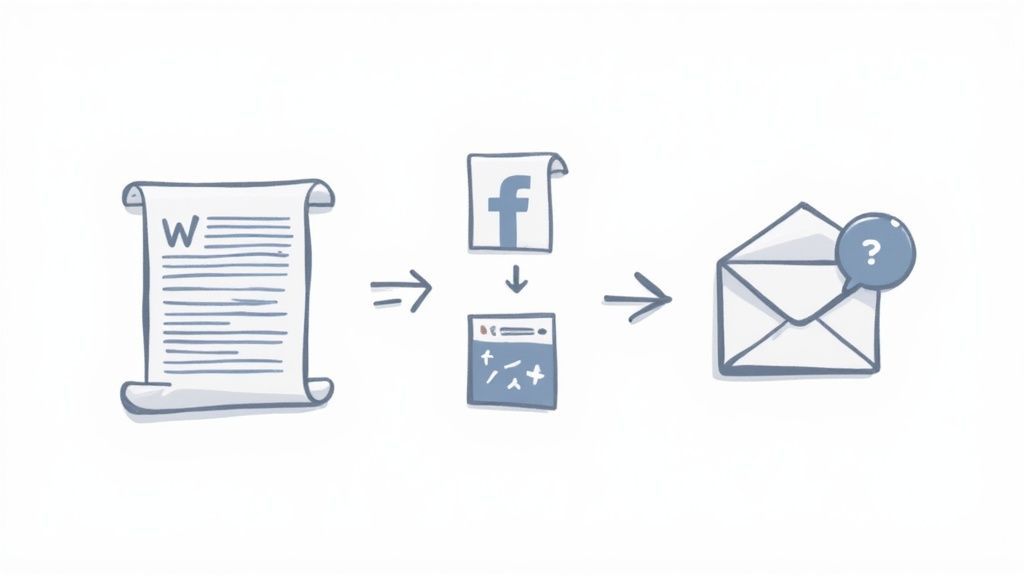
Entonces, tienes tu transcripción pulida. No la dejes simplemente en una carpeta acumulando polvo digital. Ese archivo de texto es un motor de contenido, una plataforma de lanzamiento para toda una estrategia de marketing que puede mantener un solo episodio de podcast relevante durante semanas.
Pensar en ello solo como una copia de seguridad es una oportunidad perdida masiva. La verdadera magia ocurre cuando empiezas a cortarlo y reformatearlo para diferentes plataformas. Así es como sacas el máximo provecho de cada minuto que dedicaste a crear tu programa.
La Reutilización es tu Mayor Palanca de Crecimiento
Reutilizar tu transcripción en artículos, clips, correos electrónicos y contenido SEO multiplica tu alcance sin crear nuevos episodios. Es la forma más inteligente de crecer de manera constante.
Transforma tu Transcripción en una Potencia SEO
La victoria más directa es convertir tu transcripción en una publicación de blog completa y optimizada para SEO. Esto no es un simple trabajo de copiar y pegar. Necesitas estructurarla tanto para los motores de búsqueda como para los ojos humanos.
Trata la transcripción como tu materia prima. Lee y extrae los temas centrales, las preguntas y las conclusiones clave. Utiliza estos elementos para diseñar una estructura lógica con encabezados claros (H2, H3) que incluyan las palabras clave que tu audiencia realmente busca.
Por ejemplo, un segmento sobre "rutinas matutinas para emprendedores" se puede reformular como una sección de blog titulada "Cómo los fundadores exitosos comienzan su día". Ese simple cambio alinea tu contenido con lo que la gente escribe en Google, haciéndolo mucho más descubrible. No olvides incorporar las mejores citas para añadir autoridad y romper el texto.
Un consejo rápido: añade enlaces internos a otros episodios o artículos relevantes en tu sitio. Esto ayuda a los motores de búsqueda a conectar los puntos y mantiene a los visitantes haciendo clic, lo que envía fuertes señales positivas a Google.
Divide y Conquista para la Interacción en Redes Sociales
Tu transcripción es una mina de oro absoluta para contenido de redes sociales en formato corto. Deja de estresarte por qué publicar a continuación y simplemente extrae de tu último episodio fragmentos interesantes.
Aquí tienes algunas formas de empezar de inmediato:
- Crea Gráficos de Citas: Extrae las frases más perspicaces, divertidas o incluso controvertidas de tu invitado. Insértalas en una herramienta sencilla como Canva para crear gráficos elegantes y compartibles para Instagram, LinkedIn y X.
- Crea Audiogramas: Un audiograma combina un clip de audio corto con una imagen estática y subtítulos animados. Son increíblemente efectivos para captar la atención en un mundo de desplazamiento silencioso.
- Genera Publicaciones Basadas en Texto: Resume un punto clave en una publicación impactante para LinkedIn, o crea un hilo en X que desglosa un tema complejo del episodio.
Este flujo de trabajo mantiene tu calendario social lleno de contenido valioso directamente de tu programa. Es una forma súper eficiente de mantener a tu audiencia enganchada entre lanzamientos de episodios.
Alimenta tu Boletín de Correo Electrónico y Más Allá
Tu lista de correo electrónico es uno de tus activos más valiosos, y esa transcripción es el combustible perfecto para mantenerla activa. En lugar de simplemente enviar un enlace al nuevo episodio, dale a tus suscriptores una razón para hacer clic.
Resume los tres a cinco puntos clave directamente en el boletín. Extrae una cita poderosa o una estadística sorprendente que les genere suficiente curiosidad como para escuchar la conversación completa.
Esta estrategia rinde dividendos en todos los ámbitos. Se proyecta que la audiencia global de podcasts alcance 584.1 millones en 2025, y el contenido accesible es la forma de capturar una parte de ese pastel. Los podcasters que proporcionan transcripciones a menudo ven un aumento del 20-30% en la interacción porque las personas pueden encontrar y compartir fácilmente ideas específicas.
Una de las mejores maneras de reutilizar tu transcripción es convertirla en subtítulos de video. Puedes encontrar una guía completa sobre cómo añadir subtítulos a videos para empezar. Al reciclar tu transcripción en diferentes formatos, un solo episodio puede generar material de marketing para una semana, convirtiendo tu programa en una poderosa máquina de creación de contenido.
¿Tienes Preguntas Sobre la Transcripción? Vamos a Aclararlas.
Sumergirse en la transcripción de podcasts por primera vez puede resultar un poco abrumador. Hay nueva jerga que aprender, diferentes herramientas que entender, y probablemente tengas un montón de preguntas sobre cómo funciona todo en la práctica.
Vamos a cortar el ruido y abordar las preguntas más comunes que tienen los podcasters. Obtener estas respuestas te ayudará a establecer las expectativas correctas para tu tiempo, presupuesto y flujo de trabajo.
¿Cuánto Tiempo Realmente Lleva Transcribir un Podcast?
Esta es la clásica pregunta de "depende", pero puedo darte algunas cifras del mundo real para que trabajes. El tiempo que lleva esa primera pasada depende completamente del método que elijas.
- Transcripción con IA: Un servicio de IA como Transcript.LOL es ridículamente rápido. Puede procesar un archivo de audio de una hora en aproximadamente 5-15 minutos, dándote un primer borrador instantáneo para trabajar.
- Transcripción Manual: Si contratas un servicio humano profesional, generalmente buscas un tiempo de entrega de 24-48 horas para ese mismo archivo de una hora.
Pero aquí está la cosa que la mayoría de la gente se pierde: para los podcasters que usan IA, el verdadero compromiso de tiempo está en la edición.
Una buena regla general para audio limpio con hablantes claros es una relación de 2x-3x. Eso significa que por cada hora de tu podcast, deberías planificar pasar dos o tres horas editando y corrigiendo la transcripción.
Si tu audio es un poco caótico, tal vez tengas invitados hablando unos sobre otros, acentos fuertes o ruido de fondo, esa relación puede aumentar fácilmente a 4x-5x. De repente, ese episodio de una hora podría llevarte toda una tarde para que quede perfecto.
¿Verbatim o Lectura Limpia? ¿Cuál Necesito?
Cuando empieces a editar, necesitarás decidir un estilo. Para los podcasters, esta elección es casi siempre obvia.
Una transcripción verbatim es un registro literal, palabra por palabra, de cada sonido. Incluye cada "eh", "ah", tartamudeo y comienzo en falso. Esto es esencial para cosas como procedimientos legales, pero es una pesadilla de leer.
Una transcripción de lectura limpia, por otro lado, se edita para mayor claridad. Elimina cuidadosamente todas las palabras de relleno, corrige pequeños errores gramaticales y pule las oraciones para reflejar lo que el hablante quería decir. Esto es exactamente lo que quieres para publicaciones de blog, notas del programa y contenido de redes sociales.
Para prácticamente todos los escenarios de podcasting, una lectura limpia es el camino a seguir. Hace que tu contenido parezca profesional y le da a tu audiencia una experiencia mucho mejor. Están aquí por tus ideas, no por tus vacilaciones.
¿Puede la IA Manejar Múltiples Hablantes?
Sí, absolutamente. Las herramientas modernas de IA hacen que transcribir entrevistas y mesas redondas sea más fácil que nunca. La salsa secreta es una función llamada detección de hablantes (a veces llamada "diarización").
Cuando activas esto, la IA escucha las voces únicas y las etiqueta automáticamente, generalmente como "Hablante 1", "Hablante 2", y así sucesivamente. No siempre es perfecto; podría confundirse si las voces suenan similares o si las personas se interrumpen, pero te da una gran ventaja. Tu primera tarea de edición es simplemente revisar y reemplazar esas etiquetas genéricas con los nombres reales de tus hablantes.
Consejo profesional: Para obtener la mejor precisión posible con múltiples hablantes, graba a cada persona en una pista de audio separada. Darle a la IA audio limpio y aislado para cada voz ayuda a que acierte las etiquetas de los hablantes casi siempre.
Errores Comunes de Transcripción a Evitar
Una vez que te acostumbras, el proceso de transcripción es bastante sencillo. Pero algunos errores comunes pueden hacerte tropezar y desperdiciar mucho tiempo.
Aquí están los principales a tener en cuenta:
- Publicar la Transcripción Bruta de IA: Nunca, jamás, te saltes la revisión humana. Una transcripción de IA sin editar a menudo está llena de puntuación extraña, etiquetas de hablantes mezcladas y nombres mal escritos. Publicarla tal cual puede hacer que tu marca parezca descuidada.
- Ignorar el Vocabulario Personalizado: La mayoría de las herramientas te permiten "enseñar" a la IA jerga específica, nombres de empresas o los nombres de tus invitados antes de que comience a transcribir. Olvidar este paso significa que pasarás horas corrigiendo manualmente los mismos errores una y otra vez.
- Olvidar Formatear para la Legibilidad: No publiques un muro gigante de texto en tu sitio web. Nadie lo leerá. Divide tu transcripción en párrafos cortos y escaneables. Usa subtítulos y texto en negrita para resaltar puntos clave y facilitar que tu audiencia lo revise rápidamente.
¿Listo para saltarte los dolores de cabeza y obtener un primer borrador rápido y preciso?
Prueba Transcript.LOL para Transcripción con IA
Obtén transcripciones instantáneas y de alta precisión con vocabulario personalizado, detección de orador y herramientas de edición sencillas. Perfecto para podcasters que buscan velocidad y calidad.
Transcript.LOL utiliza IA de primer nivel para generar transcripciones pulidas en minutos. Con soporte para vocabulario personalizado y detección automática de orador, nos encargamos del trabajo pesado para que puedas concentrarte en tu contenido. Pruébalo gratis hoy en https://transcript.lol.