
Cómo obtener la transcripción de un video de YouTube: La forma fácil
Aprende a obtener la transcripción de un video de YouTube utilizando herramientas integradas, aplicaciones e IA para mejorar el SEO y reutilizar contenido.
Kate, Praveen
March 12, 2025
Obtener una transcripción de un video de YouTube es sorprendentemente fácil. Puedes conseguir una usando la función integrada de YouTube "Mostrar transcripción", descargar archivos de subtítulos con una herramienta de terceros o usar un servicio de IA para obtener un resultado mucho más preciso. Estos métodos convierten el audio hablado en texto buscable y editable en cuestión de minutos.
Funciones inteligentes que simplifican la transcripción de YouTube
IA de última generación
Impulsado por Whisper de OpenAI para una precisión líder en la industria. Soporte para vocabularios personalizados, archivos de hasta 10 horas y resultados ultra rápidos.

Importar desde múltiples fuentes
Importa archivos de audio y video desde diversas fuentes, incluyendo carga directa, Google Drive, Dropbox, URLs, Zoom y más.

Detección de hablantes
Identifica automáticamente diferentes hablantes en tus grabaciones y etiquétalos con sus nombres.
Desbloquea el potencial oculto de tu video con transcripciones
Antes de entrar en el "cómo", hablemos del "por qué". Una transcripción de video no es solo un muro de texto; es un activo poderoso que puede transformar por completo tu estrategia de contenido.
¿Por qué las transcripciones importan más que nunca?
Las transcripciones hacen que el contenido de video sea buscable, accesible y reutilizable. Ayudan a los motores de búsqueda a comprender el contenido hablado y permiten a los creadores reutilizar videos en blogs, correos electrónicos y publicaciones sociales sin esfuerzo.
Es la materia prima para innumerables piezas de contenido nuevas, lo que hace que tus videos existentes trabajen mucho más para ti.
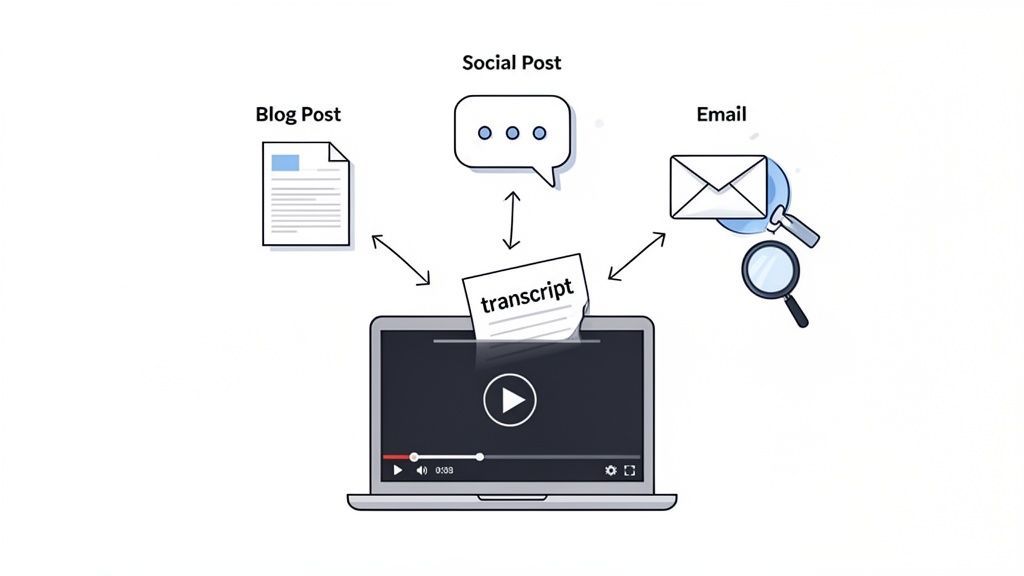
Este proceso desbloquea enormes beneficios que la mayoría de la gente pasa por alto. En primer lugar, las transcripciones son una mina de oro para el SEO. Los motores de búsqueda no pueden ver tus videos, pero pueden rastrear texto como nadie. Transcribir tu video hace que cada palabra que dices sea indexable, convirtiendo tu diálogo en un tesoro de palabras clave que pueden mejorar tus rankings. También es una excelente manera de mejorar el SEO de tu video con subtítulos.
Más allá de la visibilidad en las búsquedas, las transcripciones son el multiplicador de contenido definitivo. Piénsalo: un solo video de 20 minutos puede convertirse en múltiples activos con muy poco esfuerzo.
- Publicaciones de blog: Tu transcripción es básicamente un primer borrador para un artículo en profundidad.
- Contenido para redes sociales: Extrae citas clave, estadísticas potentes o consejos rápidos para publicaciones en X, LinkedIn o Instagram.
- Boletines de correo electrónico: Resume los puntos principales del video y compártelos con tus suscriptores.
Este enfoque ahorra una cantidad ridícula de tiempo. Si quieres profundizar, tenemos una guía completa sobre estrategias creativas de reutilización de contenido.
Una transcripción no solo te beneficia a ti, sino que mejora la experiencia del espectador. Hace que tu contenido sea más accesible para personas sordas o con problemas de audición y se adapta a espectadores que prefieren leer o necesitan encontrar información específica rápidamente.
Con el consumo de video en su punto más alto, hacer que el contenido sea accesible ya no es un "extra agradable". A partir de abril de 2023, un asombroso 91.8% de todos los usuarios de Internet ven videos en línea todas las semanas. Esa demanda, especialmente de contenido educativo accesible, hace que herramientas como las transcripciones sean esenciales.
El consumo de video se está disparando
Con el video dominando el contenido en línea, las transcripciones se están volviendo esenciales en lugar de opcionales. Apoyan la accesibilidad, el SEO y la reutilización de contenido a una escala que los formatos tradicionales no pueden igualar.
Obtener una transcripción directamente de YouTube
Lo creas o no, la forma más rápida de obtener una transcripción de un video de YouTube a menudo está a simple vista. La mayoría de la gente ni siquiera sabe que está ahí, pero YouTube tiene una herramienta integrada que te permite obtener el texto de un video en segundos, completamente gratis.
Es la solución perfecta cuando solo necesitas un borrador rápido para tus notas, quieres buscar una cita específica o simplemente necesitas hojear el contenido sin ver todo el video.
Para encontrarla, simplemente ve al video de YouTube que te interesa. Mira debajo del reproductor de video, en el cuadro de descripción. Verás un botón con tres puntos (...) etiquetado como "Más". Haz clic en él y encontrarás una opción para Mostrar transcripción.
Al hacer clic en eso, se abrirá un nuevo panel, generalmente en el lado derecho del video, con el texto completo y con marcas de tiempo. ¿La mejor parte? El texto se desplaza y resalta automáticamente a medida que se reproduce el video, por lo que puedes seguirlo palabra por palabra.
Aquí tienes exactamente lo que debes buscar en una página típica de video de YouTube. Como puedes ver, está escondido dentro del cuadro de descripción después de hacer clic en '...más'.
Cómo limpiar y copiar el texto
Una vez que el panel de transcripción esté abierto, tendrás una pequeña opción útil para hacerlo más útil. En la parte superior de ese panel, haz clic en los tres puntos verticales. Esto revelará una opción para Desactivar marcas de tiempo.
Desactivarlas elimina todos los códigos de tiempo (como 0:14, 0:17), dejándote con un bloque de texto limpio que es mucho más fácil de leer y pegar en otro lugar.
A partir de ahí, es un simple trabajo de copiar y pegar. Simplemente haz clic y arrastra para resaltar el texto, haz clic derecho y presiona "Copiar". Ahora puedes pegarlo directamente en Google Docs, Microsoft Word o cualquier aplicación que estés utilizando.
Este método es fantástico por su rapidez, pero es un enfoque básico. Es gratuito e instantáneo, pero viene con algunas limitaciones serias que debes conocer antes de depender de él para algo importante.
Las transcripciones de YouTube no son completamente fiables
Las transcripciones de YouTube generadas automáticamente a menudo carecen de puntuación, etiquetas de hablante y precisión, especialmente con acentos, jerga o habla superpuesta. Confiar en ellas para uso profesional puede generar errores y confusión.
La Contrapartida: Lo Que Sacrificas
El mayor problema aquí es la precisión. Las transcripciones de YouTube se generan automáticamente por su IA, y está lejos de ser perfecta. Realmente tiene dificultades con:
- Temas complejos o jerga específica de la industria.
- Varias personas hablando a la vez o interrumpiéndose.
- Acentos marcados o simplemente mala calidad de audio.
- Puntuación, que suele ser un desastre de comas y puntos que faltan.
Además de eso, la transcripción no identifica quién está hablando. Simplemente agrupa todo el diálogo en un bloque largo y continuo. Esto hace que sea una pesadilla seguir conversaciones en entrevistas, podcasts o mesas redondas.
En resumen: es genial para una toma rápida, pero simplemente no servirá cuando necesites una transcripción confiable y precisa.
Descarga de Archivos de Transcripción para Uso Avanzado
Copiar texto directamente de YouTube está bien para obtener una cita rápida, pero cuando te adentras en trabajos más serios, te toparás con un muro bastante rápido. Si estás creando subtítulos adecuados, sincronizando diálogos en software de edición de video, o simplemente necesitas un formato más flexible, querrás un archivo de transcripción dedicado. Ahí es donde entran formatos como SRT y VTT.
Estos no son tus archivos de texto promedio. Están repletos de datos de marca de tiempo cruciales que le dicen a un reproductor de video exactamente cuándo mostrar cada línea de texto en la pantalla. Esto es innegociable para crear subtítulos precisos o insertar diálogos en una línea de tiempo en Adobe Premiere Pro o DaVinci Resolve.
Elegir la Herramienta Adecuada para el Trabajo
Entonces, ¿cómo los obtienes? YouTube no te ofrece un botón de descarga directo, por lo que tendrás que recurrir a una herramienta de terceros. Afortunadamente, hay muchísimas opciones excelentes, desde simples convertidores en línea hasta útiles extensiones del navegador.
- Convertidores en Línea: Son sitios web donde simplemente pegas una URL de YouTube. El sitio hace el trabajo y te proporciona un enlace de descarga para la transcripción, generalmente en formato SRT, VTT o TXT plano.
- Extensiones del Navegador: Estos pequeños complementos colocan un botón de descarga directamente en la página de YouTube. Esta es mi opción personal favorita por su eficiencia: puedes obtener una transcripción con un solo clic sin salir nunca del video.
Este diagrama de flujo te da una buena idea de qué camino tomar según lo que estés tratando de lograr.
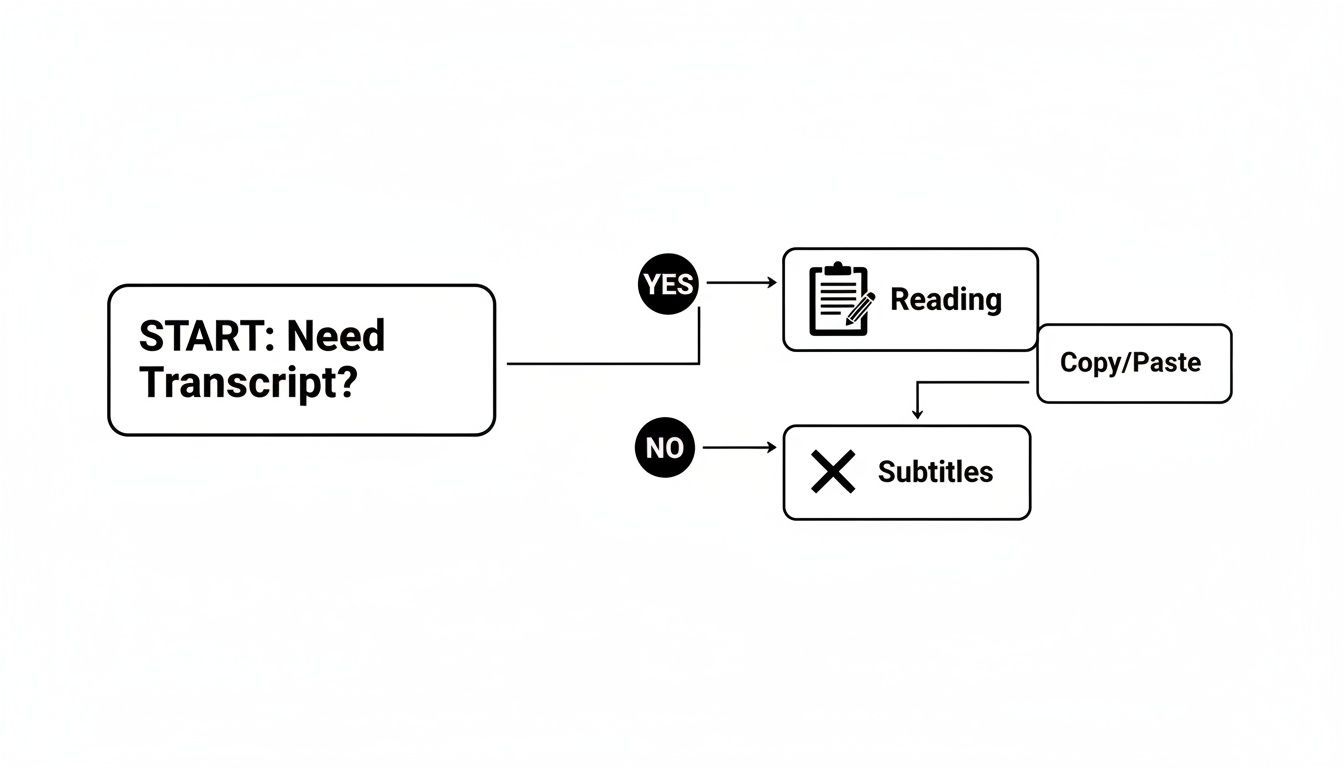
En última instancia, lo que planeas hacer con la transcripción, ya sea para una lectura rápida o para un proyecto de video técnico, es lo que dicta la mejor herramienta para el trabajo.
Comparación de Métodos de Transcripción de YouTube
Para ayudarte a decidir, aquí tienes un resumen rápido de los métodos comunes.
| Método | Mejor para | Pros | Contras |
|---|---|---|---|
| Visor Nativo de YouTube | Leer o copiar rápidamente fragmentos de texto pequeños. | Gratis, integrado, no se necesitan herramientas adicionales. | Sin marcas de tiempo, formato desordenado, no se puede exportar un archivo. |
| Convertidores en Línea | Descargas únicas sin instalar software. | Soporta múltiples formatos (SRT, VTT, TXT). | A menudo tienen anuncios, pueden tener límites de tamaño/duración de archivo. |
| Extensiones del Navegador | Usuarios frecuentes que desean un flujo de trabajo sin interrupciones. | Muy conveniente, se integra directamente en YouTube. | Requiere instalación, la calidad varía entre extensiones. |
| Servicios de Transcripción IA | Necesidades de alta precisión, etiquetas de hablante y exportaciones personalizadas. | Mayor precisión, identifica hablantes, funciones avanzadas. | Generalmente es un servicio de pago, ligera curva de aprendizaje. |
Cada enfoque tiene su lugar. Los convertidores en línea son fantásticos si solo necesitas una transcripción de vez en cuando y no quieres instalar nada. Pero si obtienes transcripciones varias veces al día, una extensión del navegador cambia las reglas del juego. Simplemente se integra en tu flujo de trabajo.
Por ejemplo, un administrador de redes sociales podría usar una extensión para obtener rápidamente citas para clips de video. Un editor de video profesional, por otro lado, podría recurrir a una herramienta en línea dedicada que ofrezca opciones de formato más robustas para garantizar la compatibilidad con su suite de edición. Y si estás inmerso en la creación de subtítulos, vale la pena entender cómo crear un archivo SRT personalizado para obtener control total.
El objetivo real es encontrar un flujo de trabajo que se sienta rápido y sin fricciones para ti. Prueba un par de herramientas en línea y una o dos extensiones. Rápidamente descubrirás cuál se adapta a tus necesidades específicas y te ahorra más tiempo.
Cuando las herramientas integradas de YouTube simplemente no son suficientes, es hora de recurrir a los especialistas. Para profesionales, especialistas en marketing e investigadores, "suficientemente bueno" a menudo significa tiempo perdido y contenido impreciso. Aquí es exactamente donde brillan los servicios de transcripción impulsados por IA, ofreciendo un nivel de precisión que cambia por completo la forma en que trabajas con video.
Las herramientas de IA modernas superan consistentemente los subtítulos automáticos de YouTube, alcanzando frecuentemente más del 95% de precisión en el primer intento. Estos sistemas están entrenados con enormes conjuntos de datos de audio, por lo que no tienen problemas para comprender diferentes acentos, jerga técnica densa o incluso cuando las personas hablan unas sobre otras, todos puntos débiles comunes para el software básico.
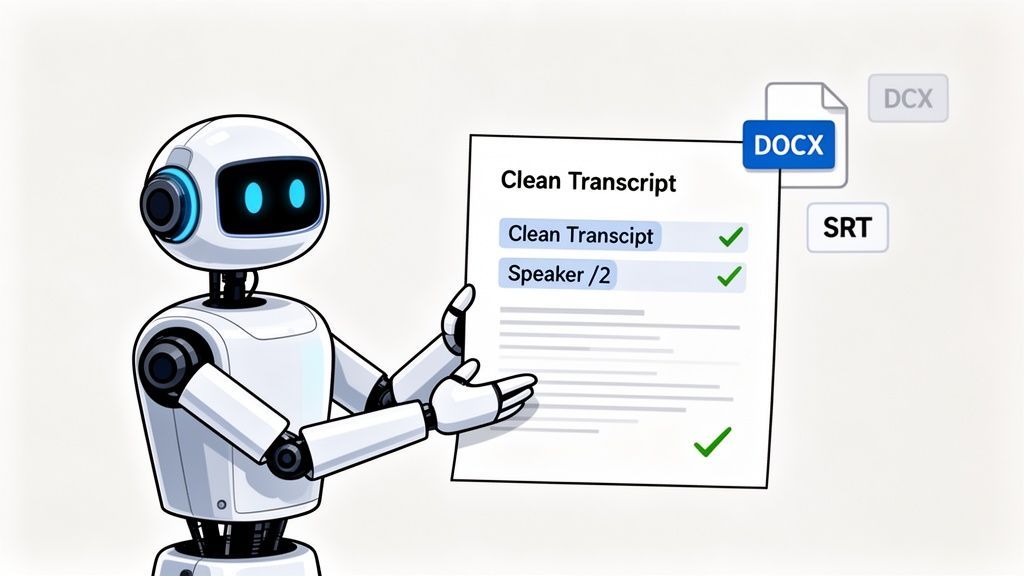
Todo el proceso está diseñado para ser ridículamente simple: pega un enlace de YouTube y la IA hace todo el trabajo pesado. Obtienes una transcripción pulida y de alta precisión en minutos, no en horas.
Cuándo funciona mejor cada método de transcripción de YouTube
Transcripción integrada de YouTube
Ideal para leer rápidamente o encontrar una cita específica. Gratuito e instantáneo, pero la precisión y el formato son limitados.
Descargadores de transcripciones en línea
Útil para descargas ocasionales de SRT o TXT sin instalar software. La calidad varía según la herramienta.
Extensiones del navegador
Ideal para usuarios frecuentes que desean descargar transcripciones con un solo clic directamente desde YouTube.
Servicios de transcripción con IA
La mejor opción para precisión, etiquetas de hablante, exportaciones y reutilización de contenido profesional a escala.
Un recorrido rápido con IA
Supongamos que eres un profesional del marketing de contenidos y tu jefe te acaba de pedir que conviertas un seminario web reciente de una hora de duración de la empresa en una publicación de blog detallada. Intentar transcribirlo manualmente o arreglar el texto desordenado de YouTube te consumiría toda la tarde.
Con un servicio como Transcript.LOL, el flujo de trabajo es totalmente diferente.
- Simplemente pega el enlace. Copia la URL de YouTube y pégala directamente en la plataforma. Sin descargas, sin convertir archivos, sin complicaciones.
- Deja que la IA haga su trabajo. El sistema se pone a trabajar, procesando el audio. En pocos minutos, recibirás una notificación de que la transcripción completa está lista.
- Revisa y pule. El texto aparece en un editor interactivo, ya puntuado y dividido en párrafos. Lo mejor de todo es que ha identificado y etiquetado automáticamente a cada orador.
Esta última parte ahorra mucho tiempo. En lugar de mirar una gran pared de texto, verás "Orador 1", "Orador 2", etc., lo que hace que sea increíblemente fácil seguir la conversación.
La verdadera victoria con la IA no es solo la precisión; se trata de convertir una tarea tediosa en un punto de partida creativo. La transcripción se convierte en el comienzo de tu proceso de contenido, no en el final de una tarea manual.
Es más que solo texto
El verdadero poder de estas plataformas es lo que sucede después de obtener la transcripción. Están repletas de funciones diseñadas para profesionales.
Funciones que convierten las transcripciones en contenido finalizado

Herramientas de edición
Edita transcripciones con herramientas potentes como buscar y reemplazar, asignación de hablantes, formatos de texto enriquecido y resaltado.

Exportar en múltiples formatos
Exporta tus transcripciones en múltiples formatos incluyendo TXT, DOCX, PDF, SRT y VTT con opciones de formato personalizables.
Resúmenes y Chatbot
Genera resúmenes y otros análisis de tu transcripción, prompts personalizados reutilizables y chatbot para tu contenido.
- Edición sin esfuerzo: Haz clic en cualquier palabra de la transcripción y el audio se sincronizará instantáneamente con ese momento exacto. Realizar correcciones es rápido y muy sencillo.
- Múltiples formatos de exportación: ¿Necesitas el texto para una publicación de blog? Descárgalo como DOCX. ¿Necesitas añadir subtítulos al vídeo? Obtén el archivo SRT. ¿Solo necesitas una copia simple? Exporta como TXT.
- Creación instantánea de contenido: Muchas herramientas pueden generar resúmenes, extraer puntos clave de acción o incluso redactar publicaciones en redes sociales basándose en lo que se dijo en el vídeo.
Piensa en la magnitud de YouTube: se subieron más de 800 millones de vídeos para 2023. Una transcripción de alta calidad le da a tu contenido un gran impulso de SEO, ayudándote a destacar en un espacio muy saturado. Para una inmersión más profunda, Descript tiene información muy útil sobre la interacción en YouTube.
Si te tomas en serio el sacar el máximo provecho de tu contenido de vídeo, una herramienta de IA especializada es una decisión obvia. Para ver cómo se comparan las mejores opciones, consulta nuestra guía sobre el mejor software de transcripción con IA. Es una pequeña inversión que se amortiza casi de inmediato en tiempo ahorrado y nuevas posibilidades de contenido.
Automatización de tu Flujo de Trabajo de Transcripción
Transcribir vídeos manualmente, incluso con la ayuda de la IA, sigue añadiendo un paso extra a tu proceso de contenido. Para creadores y empresas que producen contenido a gran escala, cada clic y cada acción de copiar y pegar realmente empieza a sumar. Aquí es donde puedes poner tu proceso de transcripción en piloto automático, creando un sistema que simplemente funcione para ti en segundo plano.
Claro, un desarrollador podría usar la API de Datos de YouTube para crear scripts personalizados que obtengan detalles del vídeo y activen trabajos de transcripción, pero ese enfoque no es práctico para la mayoría de nosotros. Una solución mucho más accesible está al alcance de tu mano con plataformas de automatización sin código como Zapier o Make.
Estas herramientas actúan como un puente entre tus aplicaciones favoritas, permitiéndote crear flujos de trabajo increíblemente potentes sin tener que escribir una sola línea de código.
Una Receta de Automatización Práctica
Imagina un sistema donde una nueva transcripción de vídeo aparece mágicamente en tu almacenamiento en la nube momentos después de subirla a YouTube, sin ningún esfuerzo manual. Esto es totalmente posible y sorprendentemente fácil de configurar.
Aquí tienes un flujo de trabajo popular que conecta YouTube, un servicio de transcripción con IA y Google Drive:
- El Disparador: Todo comienza con una acción simple. Puedes configurar una automatización para que vigile una lista de reproducción específica de YouTube. Cuando se añade un nuevo vídeo a esa lista de reproducción, todo el flujo de trabajo se inicia automáticamente.
- La Acción: La herramienta de automatización (como Zapier) luego obtiene la URL del nuevo vídeo y la envía directamente a tu servicio de transcripción con IA, como Transcript.LOL. Esto crea un nuevo trabajo de transcripción sin que tengas que visitar el sitio web.
- El Resultado: Una vez que la transcripción está completa, se activa otra acción. El archivo de texto finalizado se sube automáticamente a una carpeta designada en tu Google Drive, Dropbox o cualquier otro almacenamiento en la nube que utilices.
Al conectar estos servicios, construyes una máquina de contenido que funciona sola. Tu único trabajo es subir el vídeo; el sistema se encarga del resto, desde la transcripción hasta la organización del documento final para tu equipo.
Este tipo de configuración es un ejemplo perfecto de automatización eficaz de procesos empresariales. Si buscas más formas de ahorrar tiempo, tenemos un artículo que explora varios ejemplos de automatización de procesos empresariales que puedes aplicar a tus propias operaciones.
Por Qué la Automatización Cambia las Reglas del Juego
Configurar este tipo de flujo de trabajo puede llevarte 15 minutos hoy, pero puede ahorrarte horas cada semana. No se trata solo del acto de transcribir; se trata de preparar sistemáticamente tu contenido de vídeo para su reutilización en el momento en que se publica.
Para una perspectiva más amplia sobre el uso de la tecnología para optimizar tareas repetitivas, explora esta guía práctica de automatización de formación corporativa. Este sistema asegura que tu motor de contenido esté siempre en marcha, convirtiendo cada vídeo en un valioso activo de texto listo para publicaciones de blog, redes sociales y optimización SEO.
Preguntas Comunes Sobre las Transcripciones de YouTube
Cuando empieces a extraer transcripciones de vídeos de YouTube, inevitablemente te encontrarás con algunas preguntas comunes. Una cosa es obtener el texto, pero usarlo correctamente —legal y eficazmente— es un juego completamente diferente. Abordemos algunas de las cosas que la gente más se pregunta.
¿Es Legal Transcribir el Vídeo de Otra Persona?
Esta es una pregunta importante, y la respuesta corta es: depende completamente de lo que planees hacer con él.
Si estás transcribiendo un vídeo para tu uso personal —digamos, para estudio privado, investigación o para tomar algunas notas— generalmente estás cubierto por el uso legítimo. No lo estás distribuyendo ni haciéndolo pasar por tu propio trabajo.
Pero en el momento en que quieras usar esa transcripción públicamente o con fines comerciales, las reglas cambian. ¿Quieres republicar el texto en tu blog? ¿Usar fragmentos en una campaña de marketing? Absolutamente necesitas obtener permiso de la persona que creó el vídeo. Si no lo haces, te estás adentrando en territorio de infracción de derechos de autor.
Aquí está la regla más simple para vivir: siempre cita la fuente. Y si tus planes van más allá de las notas personales, contactar al creador para obtener permiso no es solo educado, es la única manera de mantenerse del lado correcto de la ley.
¿Cómo Puedo Mejorar la Precisión de la Transcripción?
Seamos realistas por un segundo: las transcripciones generadas automáticamente por YouTube pueden ser un desastre. Están bien para una búsqueda rápida de palabras clave, pero para algo más serio, necesitarás limpiarlas.
La forma más efectiva de obtener una transcripción limpia es usar un servicio de transcripción con IA dedicado. Estas herramientas están diseñadas para un solo propósito y consistentemente ofrecen más del 95% de precisión. Están entrenadas con enormes conjuntos de datos, lo que significa que pueden manejar diferentes acentos, jerga técnica y hablantes superpuestos mucho mejor que la función integrada de YouTube.
¿Te quedas con la transcripción gratuita de YouTube? Tu única opción real es una edición manual. Es un proceso sencillo, aunque un poco tedioso:
- Abre el vídeo en un lado de tu pantalla.
- Pega la transcripción en un editor de texto en el otro lado.
- Escucha atentamente, corrigiendo palabras mal escuchadas, arreglando la puntuación y añadiendo saltos de párrafo a medida que avanzas.
Para los creadores, el mejor consejo es ser proactivo: graba audio claro y de alta calidad desde el principio. Una grabación limpia es el factor más importante para obtener una buena transcripción automática.
¿Puedo Obtener una Transcripción en Otro Idioma?
Sí, y tienes un par de maneras de hacerlo. Muchas plataformas modernas de transcripción con IA, como la nuestra, ofrecen tanto transcripción como traducción. Simplemente puedes pegar una URL de YouTube y decirle a la herramienta que necesitas que la transcripción se traduzca del inglés al español, por ejemplo.
YouTube también tiene una función de autotraducción integrada en sus subtítulos, que puedes encontrar en la configuración del reproductor de vídeo (el pequeño icono de engranaje). Es una función útil para una vista rápida, pero ten cuidado: la calidad de las traducciones automáticas de YouTube puede ser muy inconsistente. Para cualquier uso profesional o público, un servicio especializado te dará una traducción mucho más precisa y natural.
¿Cuál es la Diferencia Entre Transcripciones y Subtítulos?
La gente a menudo usa "transcripciones" y "subtítulos" indistintamente, pero son dos cosas diferentes. La distinción clave se reduce a la codificación de tiempo.
- Una transcripción es solo un bloque de texto plano que contiene todas las palabras habladas. Piensa en ello como el guion del vídeo. Es perfecto para leer, buscar o convertir en otro contenido como una publicación de blog.
- Los subtítulos, que vienen en formatos como SRT o VTT, son diferentes. Cada línea de texto está sincronizada con una marca de tiempo específica en el vídeo. Esto es lo que permite que las palabras aparezcan en pantalla en el momento exacto en que se pronuncian.
Básicamente, los subtítulos son para la accesibilidad en pantalla mientras se ve el vídeo. Las transcripciones son para la lectura sin conexión, el análisis y la creación de contenido.
¿Listo para saltarte la limpieza manual y obtener transcripciones perfectas siempre? Transcript.LOL utiliza IA avanzada para ofrecer transcripciones de alta precisión y con etiquetas de hablante a partir de cualquier vídeo de YouTube en minutos. Pega un enlace y déjanos el resto. Empieza gratis en Transcript.LOL.