
Mejores Software de Transcripción Automática Gratuitos para 2025
Descubre las mejores opciones de software de transcripción automática gratuitas en 2025. Eficiente, confiable y perfecto para tus necesidades de transcripción. ¡Haz clic para saber más!
Kate
May 22, 2025
En un mundo rebosante de contenido de audio y video, transcribirlo manualmente es una tarea tediosa y que consume mucho tiempo. Ya sea que seas un estudiante grabando conferencias, un periodista realizando entrevistas, un podcaster creando notas de programas o un profesional del marketing analizando comentarios de clientes, necesitas una solución más rápida y eficiente. Aquí es donde entra el software de transcripción automática gratuito, que convierte las palabras habladas en texto en cuestión de minutos. Pero con tantas opciones disponibles, ¿cómo encuentras una herramienta confiable que no te cueste un ojo de la cara?
Ahorra el 90% de tu Tiempo
El software de transcripción automática convierte horas de audio en texto en solo minutos. No más escritura manual.
Esta guía elimina el ruido. Hemos seleccionado una lista definitiva de las 12 mejores opciones de software de transcripción automática gratuitas, profundizando en su rendimiento en el mundo real, sus limitaciones ocultas y sus casos de uso ideales. Por ejemplo, educadores y estudiantes utilizan cada vez más estas herramientas para hacer el aprendizaje más accesible. Para explorar más a fondo el panorama más amplio de cómo la IA está transformando el aprendizaje y la comunicación, puede encontrar información valiosa en una guía completa sobre IA en marketing y comunicaciones educativas.
Olvídate del marketing genérico. Este es un desglose práctico con enlaces directos y capturas de pantalla para cada herramienta, desde simples convertidores basados en navegador hasta potentes modelos de código abierto. Nuestro objetivo es ayudarte a elegir la plataforma adecuada para recuperar tu tiempo y desbloquear el valor oculto en tus archivos de audio.
1. Transcript.LOL
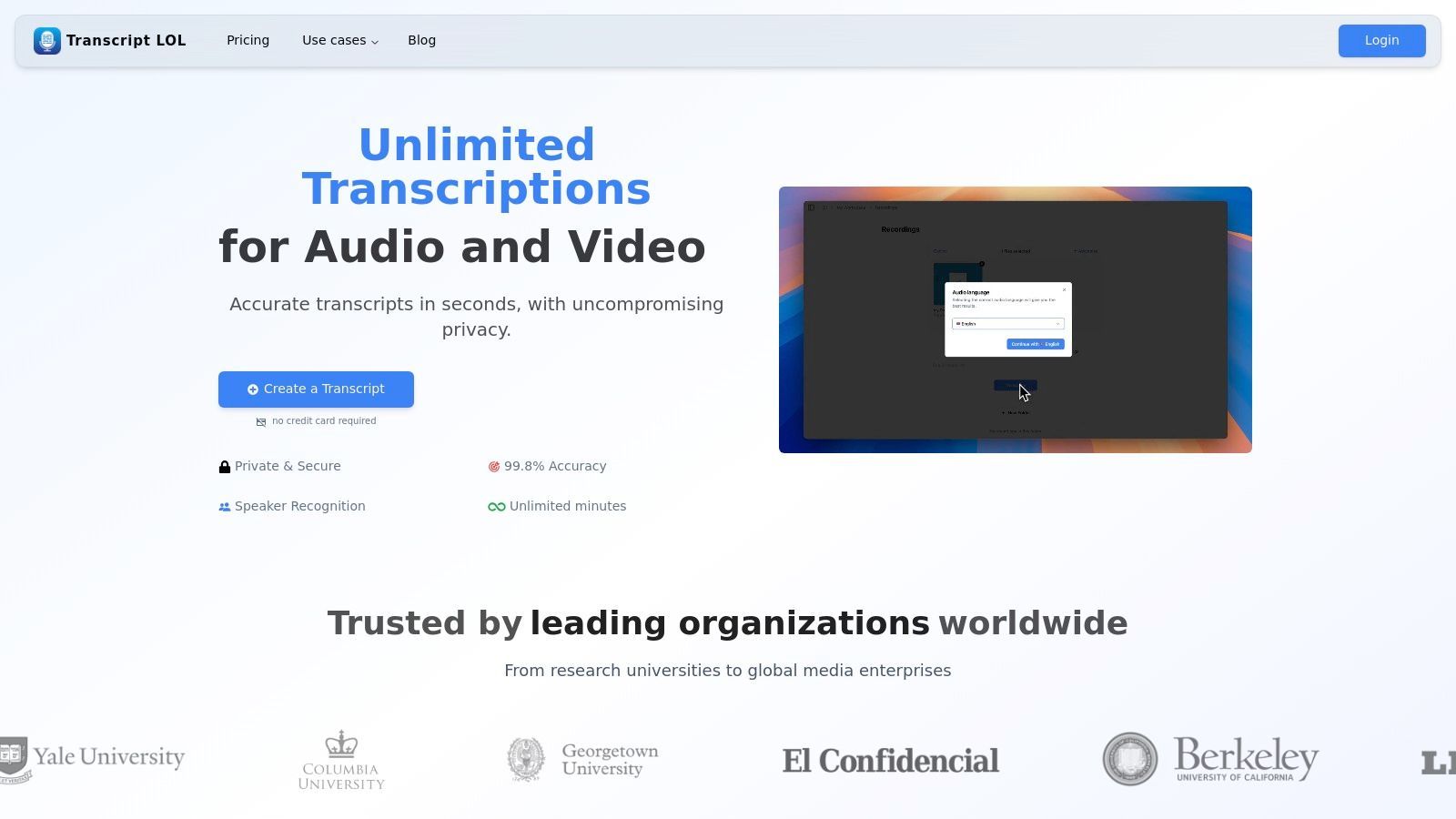
Transcript.LOL se posiciona como una opción principal para software de transcripción automática gratuito al combinar una precisión excepcional con un sólido conjunto de funciones de productividad. Aprovecha la avanzada tecnología Whisper de OpenAI para lograr una impresionante tasa de precisión del 99,8%, lo que la convierte en una herramienta fiable para profesionales que van desde podcasters y especialistas en marketing hasta equipos corporativos y educadores. La plataforma destaca por ofrecer más que una simple transcripción, transformando el audio en bruto en contenido procesable.
¿Qué Hace que Transcript.LOL Destaque?
IA de última generación
Impulsado por Whisper de OpenAI para una precisión líder en la industria. Soporte para vocabularios personalizados, archivos de hasta 10 horas y resultados ultra rápidos.

Importar desde múltiples fuentes
Importa archivos de audio y video desde diversas fuentes, incluyendo carga directa, Google Drive, Dropbox, URLs, Zoom y más.

Exportar en múltiples formatos
Exporta tus transcripciones en múltiples formatos incluyendo TXT, DOCX, PDF, SRT y VTT con opciones de formato personalizables.
Lo que realmente distingue a Transcript.LOL es su ecosistema de herramientas impulsadas por IA diseñadas para optimizar los flujos de trabajo. Los usuarios pueden generar instantáneamente resúmenes, puntos de acción, publicaciones en redes sociales o incluso cuestionarios directamente a partir de sus transcripciones. Esta función ahorra un tiempo considerable, eliminando la necesidad de reutilizar contenido manualmente. Su soporte para vocabulario personalizado garantiza que la jerga técnica o los nombres únicos se transcriban correctamente, una característica crítica para campos especializados.
Características Destacadas y Casos de Uso
- Alta Precisión y Versatilidad: Ideal para podcasters y periodistas que requieren transcripciones precisas. El soporte de vocabulario personalizado es invaluable para investigadores y profesionales legales que manejan terminologías específicas.
- Generación Avanzada de Contenido: Un punto de inflexión para los especialistas en marketing de contenidos. Un solo archivo de audio se puede convertir en una suite completa de materiales de marketing como esquemas de publicaciones de blog, actualizaciones de redes sociales y fragmentos de boletines informativos en minutos.
- Colaboración en Equipo: Los espacios de trabajo compartidos y los controles de acceso detallados lo hacen perfecto para equipos empresariales que necesitan un centro seguro y centralizado para las actas de reuniones y las grabaciones de proyectos.
¿Quién se Beneficia de Transcript.LOL?
🎙 Podcasters
Crea notas de programas y resúmenes de episodios al instante.
🎓 Educadores/Estudiantes
Transcribe conferencias y crea cuestionarios.
📈 Profesionales del Marketing
Reutiliza seminarios web en blogs y publicaciones sociales.
🏢 Equipos
Centraliza actas de reuniones y puntos de acción.
Limitaciones y Precios
El plan gratuito es generoso, ofrece dos transcripciones por día, pero limita la duración del archivo a 20 minutos. Para aquellos que necesitan transcribir contenido más largo como conferencias o entrevistas extensas, el plan Ilimitado por $120/año proporciona una solución rentable. Los planes para equipos comienzan en $240/año para funciones colaborativas. Si estás empezando, puedes explorar sus guías sobre cómo transcribir audio a texto gratis para maximizar las capacidades de la plataforma.
Sitio web: https://transcript.lol
Asequible para Todos
Empieza gratis (2 transcripciones/día). Actualiza a Ilimitado por solo $120/año, mucho más barato que la mayoría de los competidores.
2. Otter.ai
Otter.ai es un gigante en el espacio de la transcripción, evolucionando de una simple herramienta de dictado a un potente asistente de reuniones con IA. Su nivel gratuito lo convierte en una de las mejores opciones para usuarios que necesitan transcripción en vivo para reuniones y desean resúmenes impulsados por IA sin una inversión inicial. Es una pieza excepcional de software de transcripción automática gratuito para estudiantes, periodistas y profesionales que asisten frecuentemente a reuniones virtuales.
La característica destacada de la plataforma es su capacidad de transcripción en tiempo real. OtterPilot puede unirse automáticamente a tus reuniones de Zoom, Google Meet o Microsoft Teams, tomar notas e incluso capturar diapositivas. Esto crea un registro rico y buscable de tus conversaciones.
Características Clave y Limitaciones
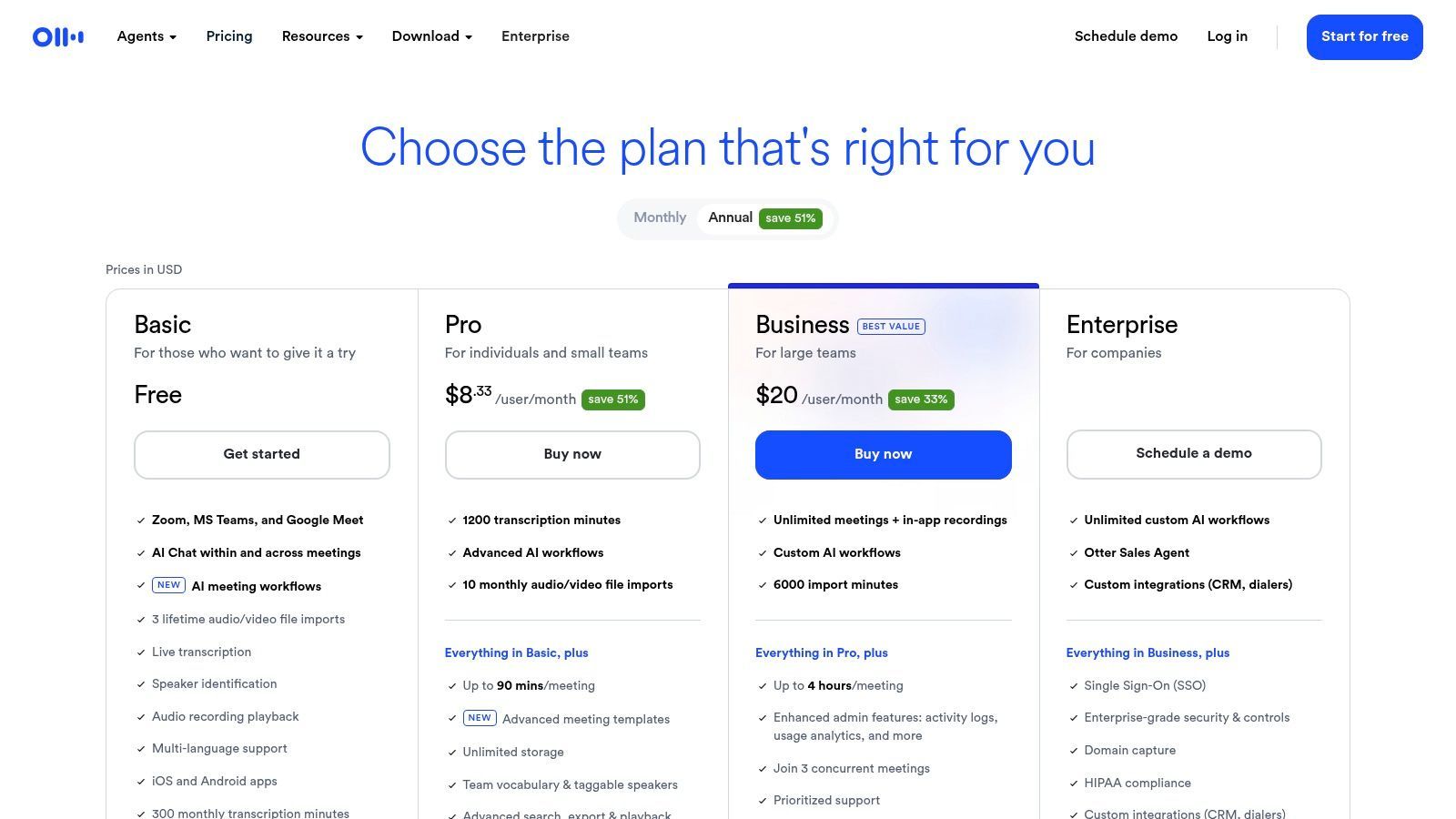
El plan gratuito de Otter.ai es bastante generoso para uso en vivo, pero tiene límites claros diseñados para fomentar las actualizaciones.
Lo que obtienes con el plan gratuito:
- Transcripción en Vivo: Transcribe hasta 30 minutos por conversación en tiempo real.
- Asistente de Reuniones con IA: OtterPilot se une y graba automáticamente tus reuniones del calendario.
- Cuota Mensual: Recibes 300 minutos de transcripción mensuales.
- Importación de Archivos: Importa y transcribe hasta 3 archivos de audio o video de por vida.
La limitación más significativa es el límite de 30 minutos por conversación y el estricto límite en la importación de archivos. Si tus reuniones son más largas o tienes un gran volumen de audio para transcribir, alcanzarás rápidamente estos límites. Sin embargo, para sincronizaciones cortas de equipo o notas de clase, es muy efectivo.
Obtén más información y regístrate en: otter.ai/pricing
3. Descript
Descript revoluciona el proceso de edición al tratar el audio y el video como texto. Es más que un simple servicio de transcripción; es un estudio de producción completo construido alrededor de su motor de transcripción. Esto lo convierte en el software de transcripción automática gratuito ideal para podcasters, YouTubers y cualquier creador de contenido que desee grabar, transcribir, editar y exportar desde una única plataforma intuitiva.
El concepto central es simple pero potente: edita la transcripción y el archivo de audio o video correspondiente se edita automáticamente. Este enfoque de edición basado en texto reduce significativamente la barrera de entrada para la producción de audio y video, haciendo que las ediciones complejas se sientan tan fáciles como corregir un error tipográfico en un documento.
Características Clave y Limitaciones
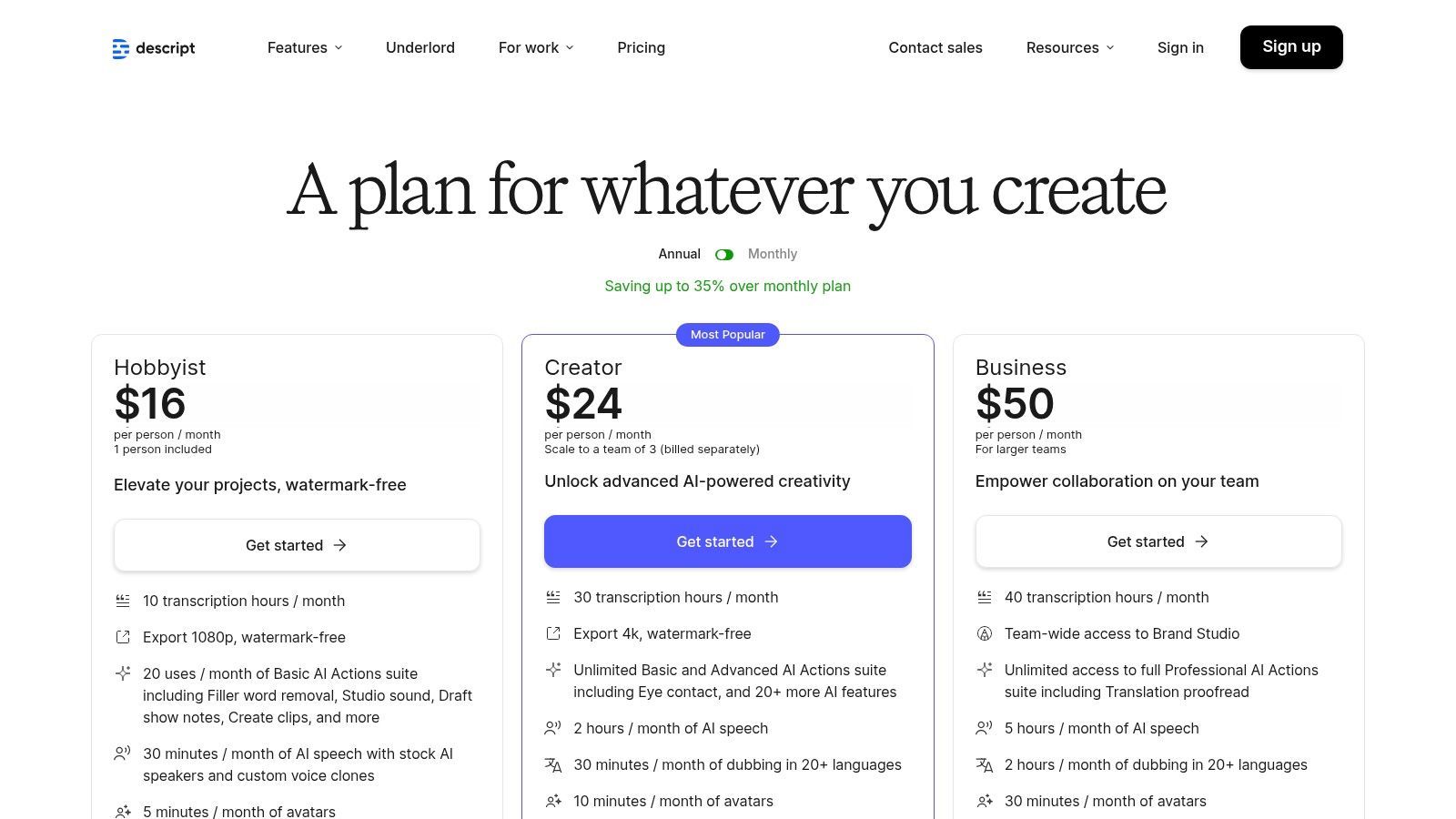
El plan gratuito de Descript ofrece una excelente muestra de su flujo de trabajo, pero reserva sus funciones de IA más potentes y opciones de exportación para los niveles de pago.
Lo que obtienes con el plan gratuito:
- Horas de Transcripción: 1 hora de transcripción por mes.
- Importación de Archivos: Importación ilimitada de archivos de audio y video.
- Exportación de Video: Una exportación de video sin marca de agua al mes a resolución de 720p.
- Efectos de IA: Uso limitado de funciones de IA como Studio Sound (mejora la calidad de la voz) y Green Screen.
Las principales limitaciones son la baja cuota mensual de transcripción y la única exportación sin marca de agua. Si produces contenido regularmente, probablemente necesitarás actualizar para obtener una mayor calidad de exportación y más tiempo de transcripción. Sin embargo, para un creador que recién comienza o trabaja en un solo proyecto, el nivel gratuito es un excelente punto de entrada a la edición basada en texto.
Obtén más información y regístrate en: https://www.descript.com/pricing
4. Notta
Notta se posiciona como una herramienta de transcripción simplificada y altamente accesible, enfocada en reuniones y conversaciones en vivo. Su fortaleza radica en su amplia disponibilidad en plataformas, incluida una útil extensión de Chrome, lo que la convierte en una pieza versátil de software de transcripción automática gratuito para usuarios que necesitan capturar audio de diversas fuentes sobre la marcha. Es particularmente adecuada para profesionales que necesitan transcripciones de reuniones rápidas y sencillas sin una configuración compleja.
La plataforma se integra directamente con tu calendario y las principales plataformas de reuniones como Zoom, Google Meet y Microsoft Teams. Sus resúmenes impulsados por IA ayudan a destilar conversaciones largas en puntos accionables, lo que ahorra un tiempo considerable para cualquiera que busque analizar datos de entrevistas o resultados de reuniones de manera eficiente.
Características Clave y Limitaciones
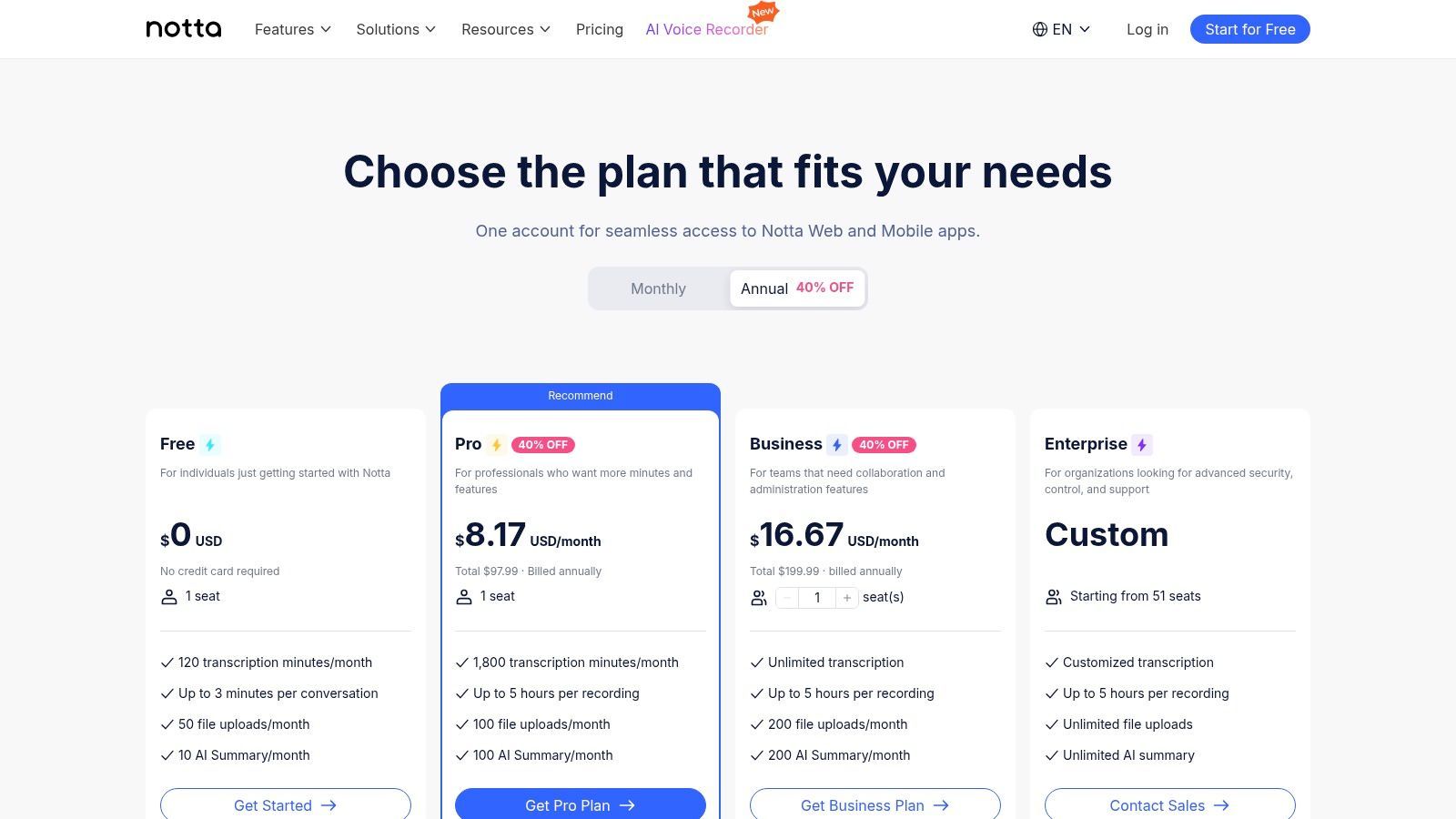
El plan gratuito de Notta está diseñado para un uso ligero u ocasional, con límites claros que fomentan la actualización para necesidades de transcripción más exigentes.
Lo que obtienes con el plan gratuito:
- Cuota Mensual: Generosos 120 minutos de transcripción mensuales.
- Transcripción en Vivo: Transcribe reuniones o conversaciones en vivo, pero con un límite de 3 minutos por sesión.
- Importación de Archivos: Importa y transcribe archivos de audio o video, también limitados a 3 minutos por archivo.
- Acceso a Plataformas: Usa Notta en la web, aplicaciones móviles (iOS/Android) y como extensión de Chrome.
La limitación más restrictiva es el límite de 3 minutos tanto para transcripciones en vivo como para cargas de archivos. Esto hace que el plan gratuito sea ideal para transcribir notas de voz cortas o segmentos breves de reuniones, pero inadecuado para transcribir entrevistas completas, conferencias o reuniones de equipo más largas.
Obtén más información y regístrate en: www.notta.ai/en/pricing
5. Sonix
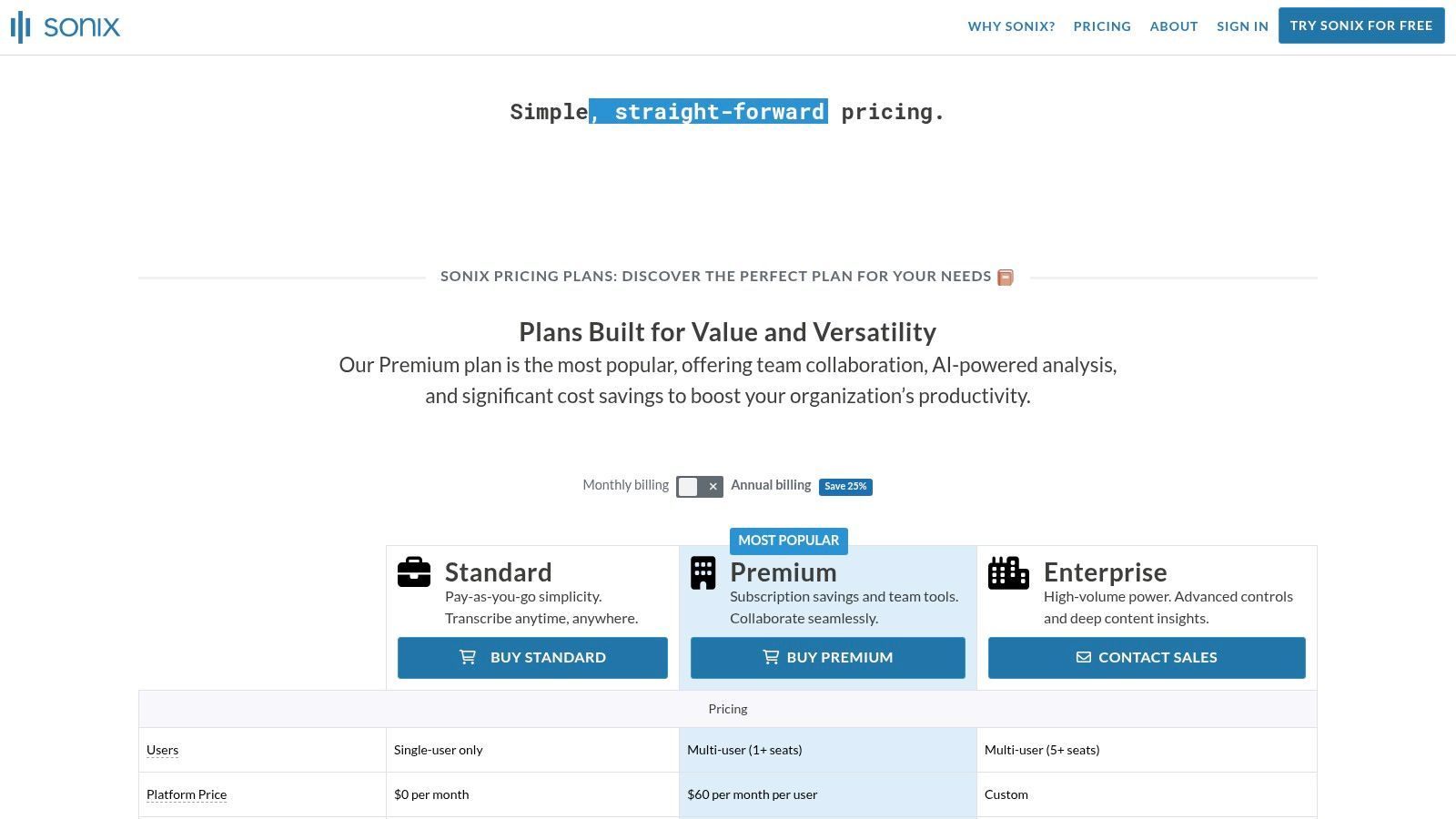
Sonix es un servicio de transcripción basado en la nube reconocido por su rápida velocidad de procesamiento y amplias opciones de exportación, lo que lo hace ideal para profesionales de los medios. Aunque no es un servicio completamente gratuito, su prueba ofrece una visión de una plataforma potente diseñada para podcasters, cineastas y creadores de contenido que necesitan transcripciones, subtítulos o leyendas en varios formatos rápidamente. Se posiciona como un software de transcripción automática gratuito de prueba premium, centrado en ofrecer resultados editables de alta calidad para flujos de trabajo de medios.
La plataforma se destaca en convertir audio y video en texto y luego hacer que ese texto sea útil. Su editor basado en web permite una fácil colaboración y refinamiento, con funciones como etiquetado de hablantes y ajustes de marca de tiempo.
Características Clave y Limitaciones
La prueba gratuita de Sonix es una oferta por tiempo limitado, diseñada para mostrar sus funciones premium antes de requerir una suscripción.
Lo que obtienes con la prueba gratuita:
- Minutos de Transcripción: Recibe 30 minutos de transcripción gratuita al registrarte.
- Acceso Completo a Funciones: La prueba incluye acceso a todas las funciones, como el editor en el navegador, identificación de hablantes y marcas de tiempo palabra por palabra.
- Amplias Opciones de Exportación: Exporta tu transcripción como SRT, VTT, Microsoft Word y otros formatos.
- Traducción Automática: Prueba su capacidad para traducir tu transcripción a docenas de idiomas diferentes.
La limitación principal es la pequeña cantidad de minutos de prueba. Una vez que se utilizan los 30 minutos, debes actualizar a un plan de pago. Esto lo hace adecuado para pruebas o para un solo proyecto corto, pero no para uso continuo gratuito.
Obtén más información y regístrate en: sonix.ai/pricing
6. Deepgram
Deepgram es una plataforma centrada en desarrolladores que ofrece una API de reconocimiento automático del habla (ASR) potente y altamente precisa. Aunque no es una aplicación orientada al usuario como otras en esta lista, proporciona uno de los niveles gratuitos más generosos para aquellos que se sienten cómodos con la integración de API. Esto lo convierte en la mejor pieza de software de transcripción automática gratuito para desarrolladores, startups o empresas que necesitan incorporar capacidades de transcripción directamente en sus productos o flujos de trabajo.
La plataforma es conocida por su velocidad y precisión, aprovechando modelos de aprendizaje profundo de extremo a extremo. Admite tanto la transcripción de audio pregrabado (por lotes) como en tiempo real (streaming), lo que brinda a los desarrolladores flexibilidad para diversas aplicaciones, desde transcribir archivos de audio hasta potenciar subtítulos en vivo.
Características Clave y Limitaciones
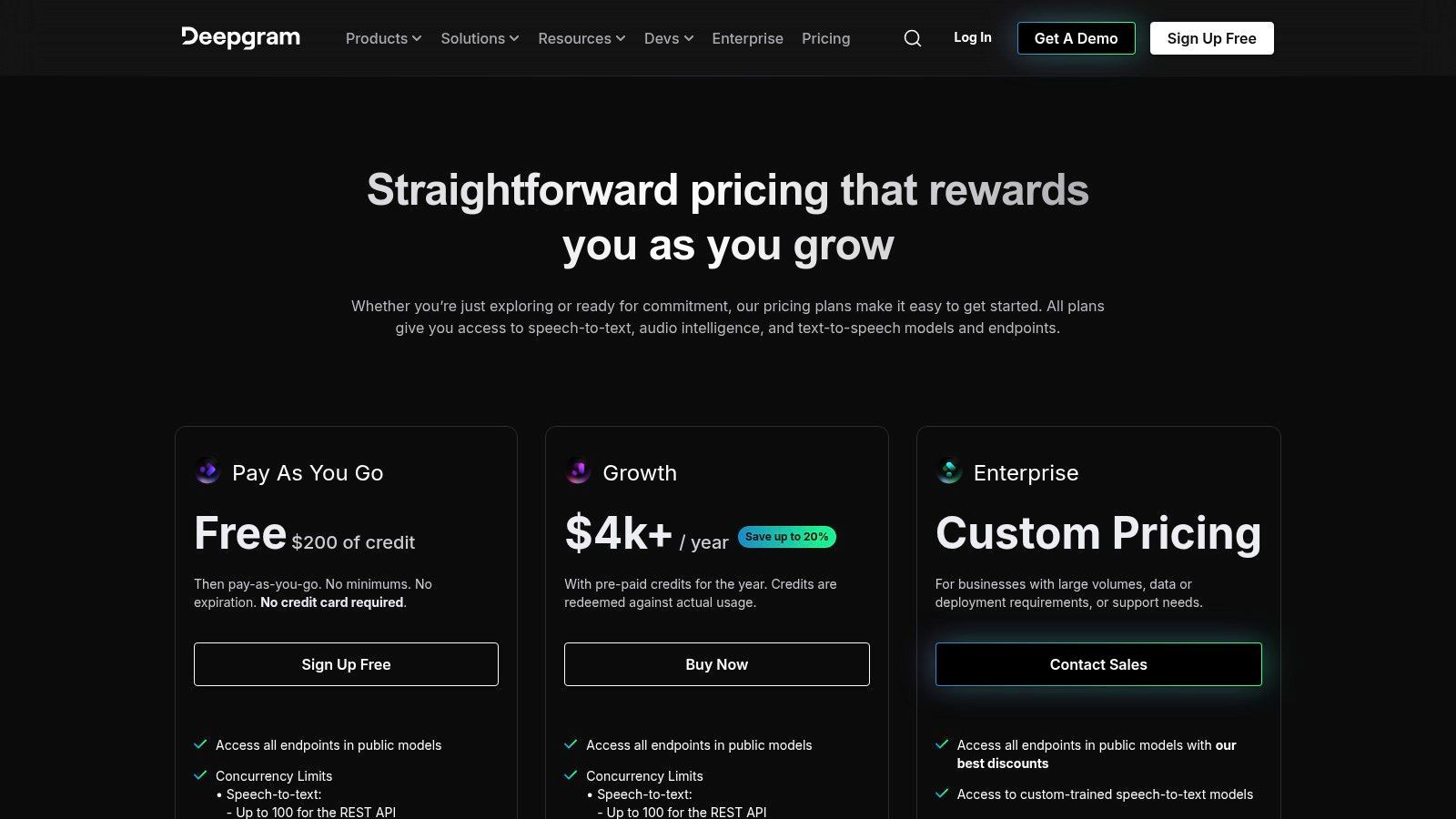
La oferta gratuita de Deepgram está diseñada para que los desarrolladores puedan construir y probar extensamente antes de comprometerse con un plan de pago.
Lo que obtienes con el plan gratuito:
- Créditos Generosos: Comienza con $200 en créditos gratuitos, que no caducan. No se requiere tarjeta de crédito para registrarse.
- Acceso Completo a la API: Accede a todas las funciones principales, incluida la diarización de hablantes, el impulso de palabras clave y el soporte para múltiples idiomas.
- Modelos de Alta Calidad: Utiliza sus modelos "Nova-2" de alta precisión tanto para transcripción en streaming como por lotes.
- Excelente Documentación: SDKs y guías completas para Python, Node.js y otros lenguajes populares facilitan la integración.
La limitación principal es que Deepgram no es una herramienta independiente; requiere conocimiento técnico para implementarla a través de su API. Si necesitas una interfaz simple de carga y transcripción sin escribir código, esta no es la opción correcta. Sin embargo, los créditos gratuitos proporcionan una gran plataforma para el desarrollo y las pruebas.
Obtén más información y regístrate en: deepgram.com/pricing
APIs que Impulsan la Próxima Ola de Transcripción
7. AssemblyAI
AssemblyAI es una plataforma centrada en desarrolladores que ofrece una potente API de voz a texto, lo que la convierte en una pieza única de software de transcripción automática gratuito para aquellos que se sienten cómodos con la codificación. A diferencia de las aplicaciones dirigidas al consumidor, AssemblyAI proporciona los bloques de construcción para crear soluciones de transcripción personalizadas, completas con funciones avanzadas de inteligencia de audio como resumen, detección de temas y análisis de sentimientos. Es ideal para desarrolladores y empresas que desean integrar transcripciones de alta precisión directamente en sus productos.
La plataforma destaca por su sólida documentación y facilidad de prototipado. Su nivel gratuito está diseñado como una prueba generosa, lo que brinda a los desarrolladores un amplio margen para probar y crear aplicaciones utilizando sus modelos de vanguardia, incluidos los puntos finales compatibles con Whisper.
Características y limitaciones clave
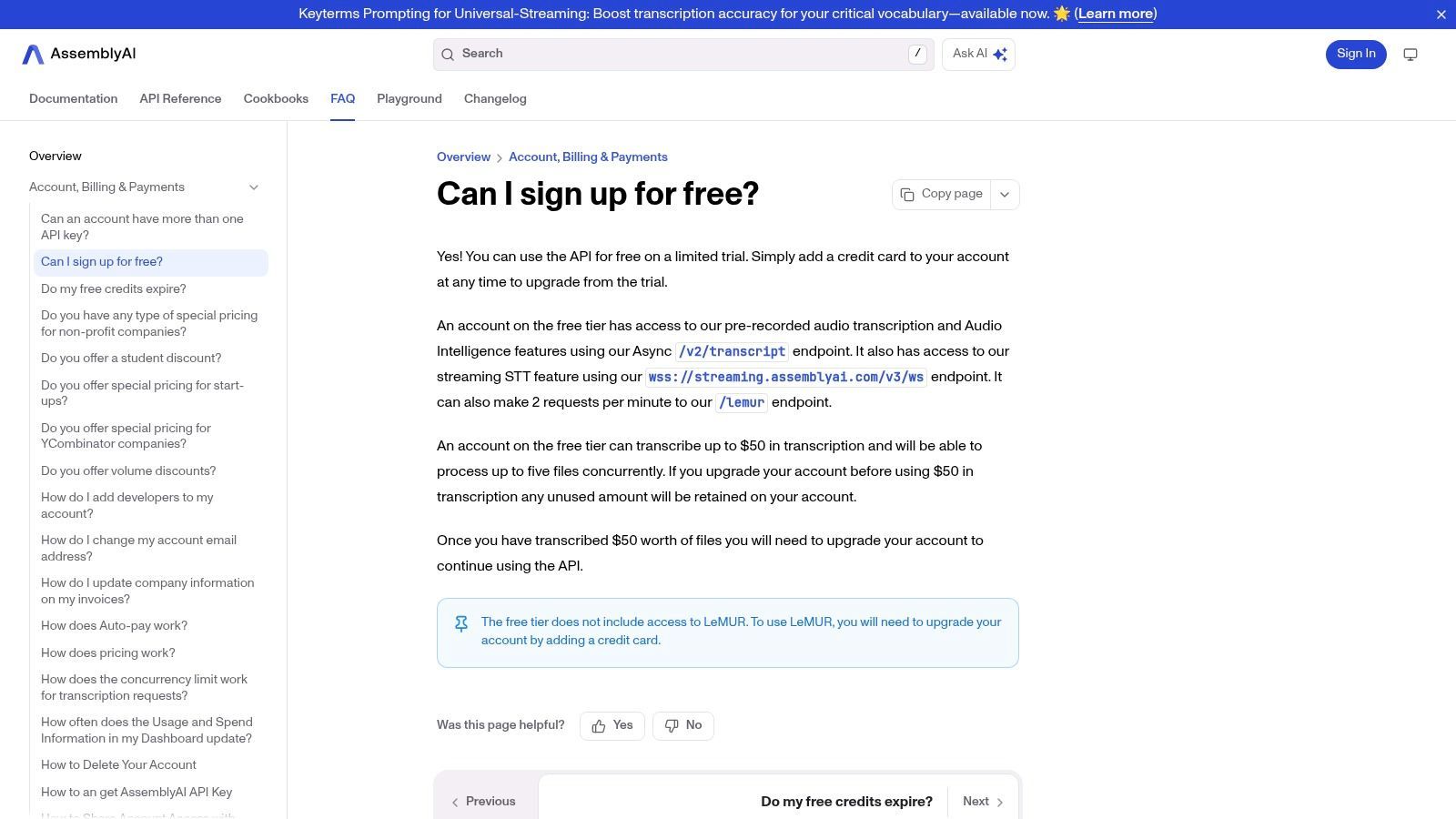
La oferta gratuita de AssemblyAI es un sistema basado en créditos, que proporciona un valor significativo para las pruebas, pero requiere una mentalidad de desarrollador para implementarlo.
Lo que obtienes con el plan gratuito:
- Créditos de transcripción gratuitos: Los nuevos usuarios reciben $50 en créditos gratuitos, lo que se traduce en varias horas de transcripción de audio para probar el servicio.
- Inteligencia de audio: Acceso a funciones avanzadas como resumen, análisis de sentimientos, detección de temas y más.
- Acceso a API y SDK: Acceso completo a sus API de transcripción asíncrona y de transmisión en tiempo real y varios kits de desarrollo de software (SDK).
- Documentación extensa: Fuerte soporte a través de guías y documentación completas para ayudarte a empezar rápidamente.
La principal limitación es que es una API, no una aplicación lista para usar. Requiere habilidades de programación para integrarla y no es adecuada para usuarios que buscan una interfaz simple de carga y transcripción. Sin embargo, para aquellos que crean herramientas personalizadas, es un punto de partida increíblemente potente y accesible.
Obtén más información y regístrate en: https://www.assemblyai.com/docs/faq/can-i-sign-up-for-free
8. Google Cloud Speech-to-Text
Google Cloud Speech-to-Text ofrece potencia de transcripción de nivel empresarial a usuarios individuales a través de un generoso nivel gratuito. Si bien es una API diseñada para desarrolladores, su alta precisión y modelos especializados la convierten en una pieza atractiva de software de transcripción automática gratuito para aquellos dispuestos a navegar por una configuración más técnica. Sobresale en el procesamiento de grandes lotes de audio o en la integración directa de transcripciones en flujos de trabajo personalizados.
La plataforma es conocida por su increíble soporte de idiomas y modelos específicos de dominio, que pueden mejorar significativamente los resultados de transcripción para audio relacionado con finanzas, medicina u otros campos técnicos. Si bien no es una herramienta simple de cargar y usar, la calidad que ofrece es de primer nivel para audio limpio.
Características y limitaciones clave
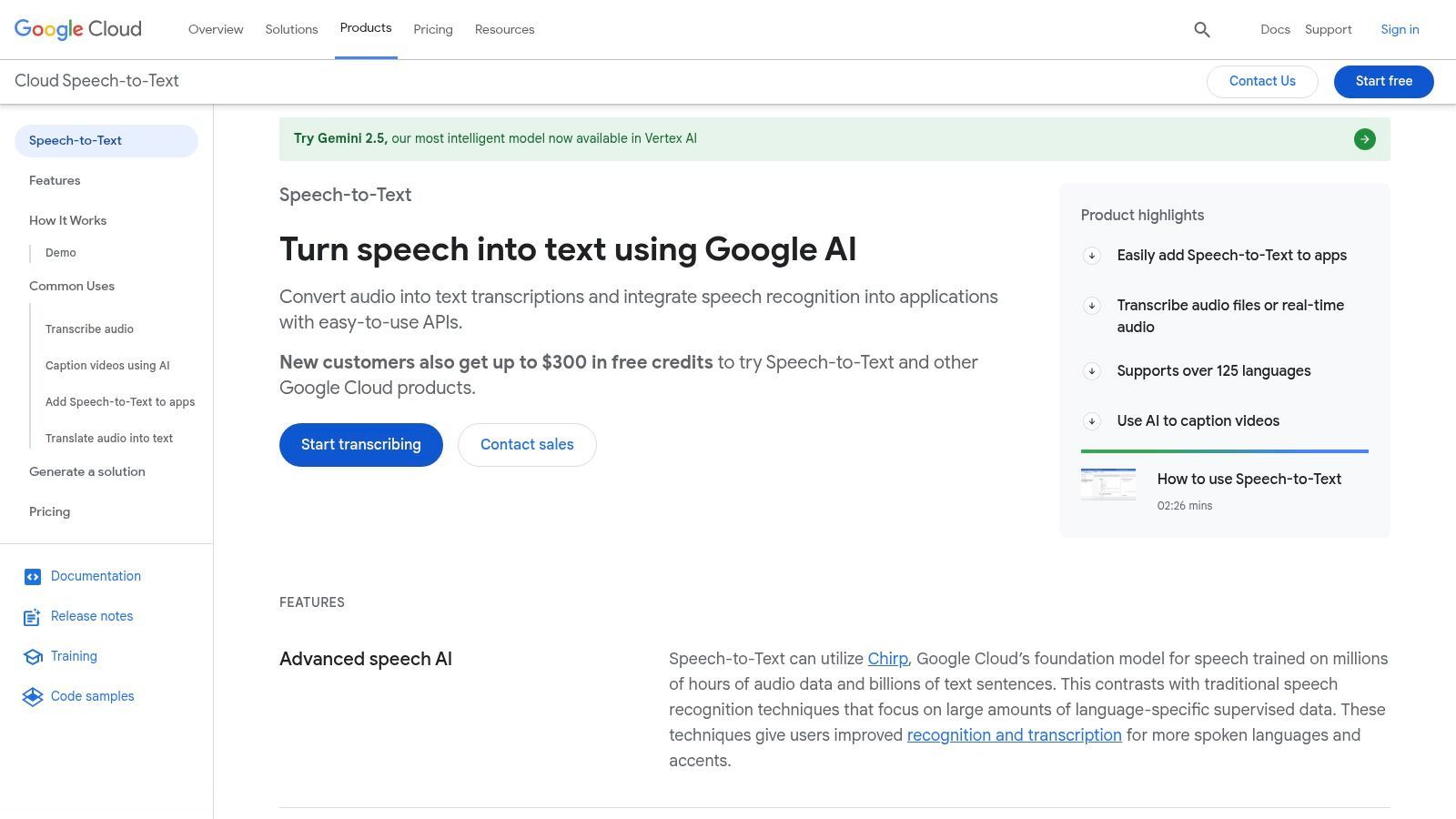
La oferta gratuita de Google está diseñada para que puedas probar y usar el servicio con un volumen bajo sin compromiso, pero aún se requiere una cuenta de facturación para la configuración.
Lo que obtienes con el plan gratuito:
- Cuota mensual: Transcribe hasta 60 minutos de audio al mes sin costo.
- Crédito para nuevos usuarios: Los nuevos usuarios de Google Cloud a menudo reciben $300 en créditos gratuitos para explorar servicios, que se pueden usar para transcripciones extensas.
- Modelos avanzados: Acceso a todos los modelos de transcripción estándar y especializados.
- Soporte de idiomas: Transcribe audio en más de 125 idiomas y variantes.
La principal limitación es la barrera técnica de entrada; requiere configurar un proyecto de Google Cloud e interactuar con una API, lo que puede ser desalentador para los no desarrolladores. Su precisión, aunque excelente, depende en gran medida de la calidad del audio. Para obtener más información sobre cómo factores como la claridad del audio afectan los resultados, puedes explorar análisis detallados de precisión de voz a texto.
Obtén más información y regístrate en: cloud.google.com/speech-to-text
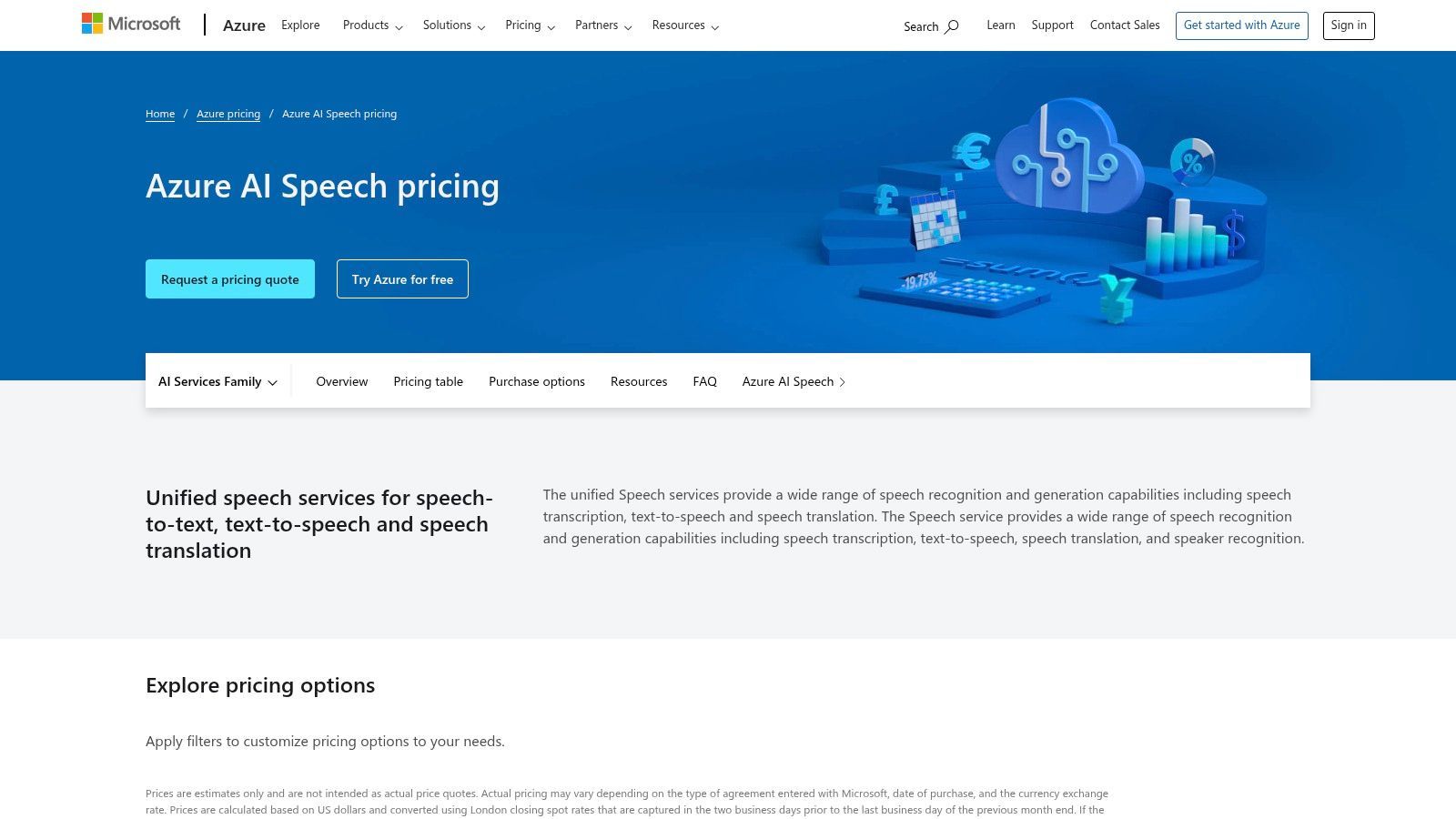
9. Microsoft Azure AI Speech (Speech to Text)
El servicio AI Speech to Text de Microsoft Azure es una solución de nivel empresarial que ofrece uno de los niveles gratuitos más generosos disponibles de un importante proveedor de nube. Si bien a menudo se considera una herramienta para desarrolladores, su potente motor de transcripción y su sustancial cuota gratuita lo convierten en una pieza atractiva de software de transcripción automática gratuito para personas con cierta comodidad técnica que necesitan transcripciones de alto volumen y alta precisión para proyectos.
Esta plataforma no es una aplicación web simple de cargar y usar, sino un servicio robusto integrado en el ecosistema de la nube de Azure. Sobresale tanto en el procesamiento en tiempo real como en lotes, lo que la hace adecuada para todo, desde aplicaciones de subtítulos en vivo hasta la transcripción de grandes archivos de audio con excelente precisión e identificación de hablantes (diarización).
Características y limitaciones clave
El plan gratuito de Azure está diseñado para que los usuarios exploren las capacidades del servicio extensamente antes de comprometerse, pero requiere navegar por el portal de Azure.
Lo que obtienes con el plan gratuito:
- Cuota mensual: Transcribe hasta 5 horas de audio al mes sin costo.
- Transcripción en tiempo real: Incluye 5 horas de procesamiento de voz a texto en tiempo real al mes.
- Personalización: Acceso a herramientas para crear modelos de voz y pronunciación personalizados.
- Diarización: La identificación del hablante se incluye dentro de las horas de procesamiento gratuitas.
La principal limitación es la complejidad de la configuración inicial. Los nuevos usuarios deben crear una cuenta de Azure, configurar un recurso y, potencialmente, usar una API o SDK, lo que presenta una curva de aprendizaje más pronunciada que las aplicaciones web de transcripción dedicadas. Sin embargo, para aquellos que superan este obstáculo, la asignación mensual es una ventaja significativa para las necesidades recurrentes de transcripción.
Obtén más información y regístrate en: azure.microsoft.com/en-us/pricing/details/cognitive-services/speech-services/
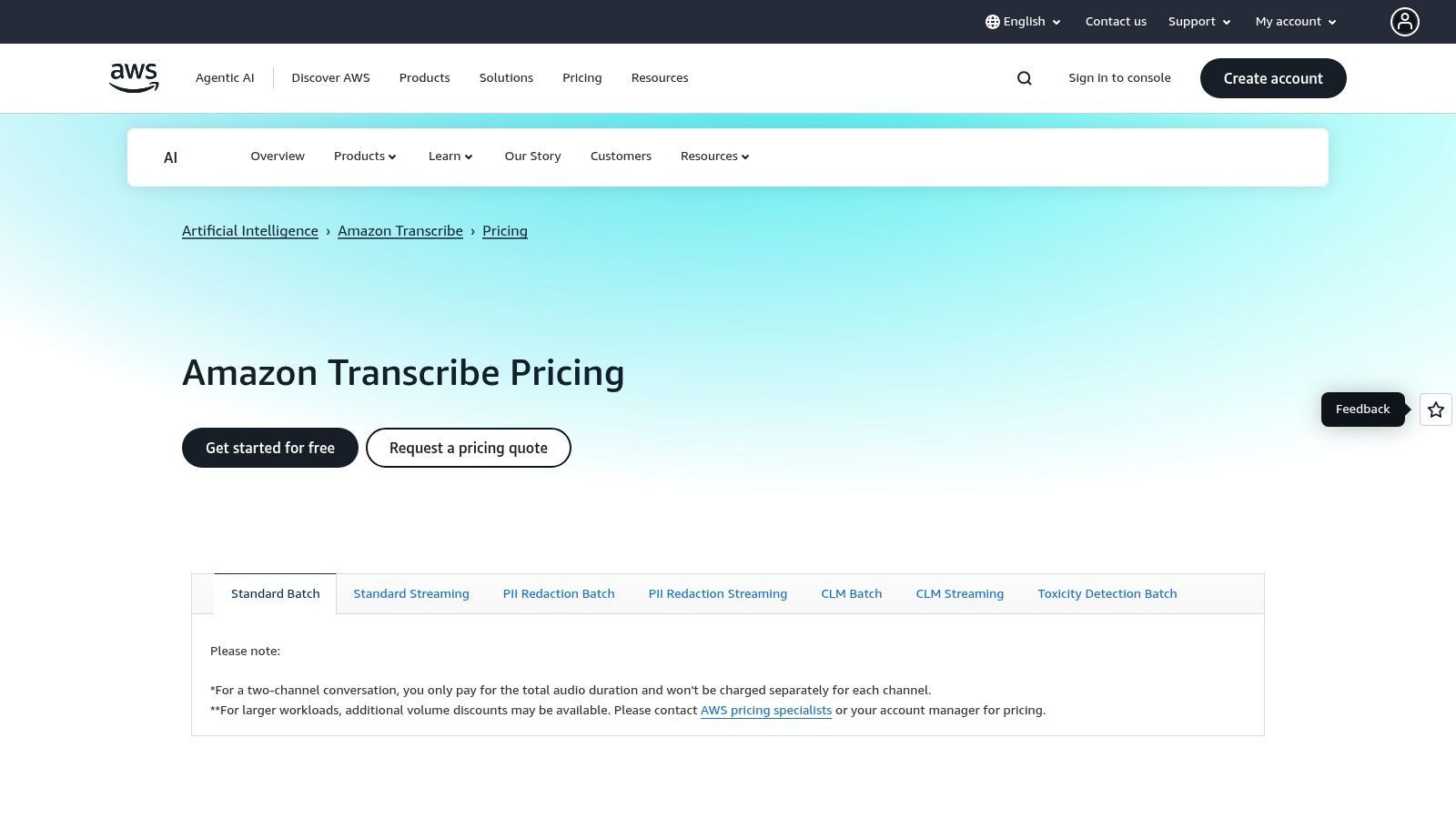
10. Amazon Transcribe
Amazon Transcribe es un potente servicio de reconocimiento automático de voz (ASR) centrado en desarrolladores de Amazon Web Services (AWS). Si bien no es una aplicación independiente como otras en esta lista, ofrece un nivel gratuito que la convierte en una excelente pieza de software de transcripción automática gratuito para aquellos que se sienten cómodos en el ecosistema de AWS o que necesitan integrar transcripciones en una aplicación. Sobresale en el manejo de grandes volúmenes de audio con alta precisión.
El servicio es altamente personalizable, lo que permite vocabularios especializados y funciones como la diarización de hablantes y la identificación de canales. Esto lo hace ideal para procesar audio complejo, como grabaciones de centros de llamadas o entrevistas con varios hablantes donde distinguir voces es fundamental.
Características y limitaciones clave
La oferta gratuita de Amazon Transcribe es parte del AWS Free Tier más amplio, diseñado para que los desarrolladores experimenten y creen sin costos iniciales.
Lo que obtienes con el plan gratuito:
- Cuota mensual: 60 minutos de transcripción de audio al mes durante los primeros 12 meses después de registrarse.
- Transcripción estándar: Admite tanto el procesamiento por lotes de archivos pregrabados como la transcripción de transmisión en tiempo real.
- Personalización: Acceso a funciones como vocabulario personalizado e identificación de hablantes.
- Redacción de PII: Identifica y redacta automáticamente información de identificación personal de las transcripciones.
Las principales limitaciones son el estricto límite mensual de 60 minutos y el límite de tiempo de 12 meses. Más importante aún, requiere configurar una cuenta de AWS y tener algunos conocimientos técnicos para configurar y usar el servicio, lo que puede ser una barrera para los no desarrolladores.
Obtén más información y regístrate en: aws.amazon.com/transcribe/pricing
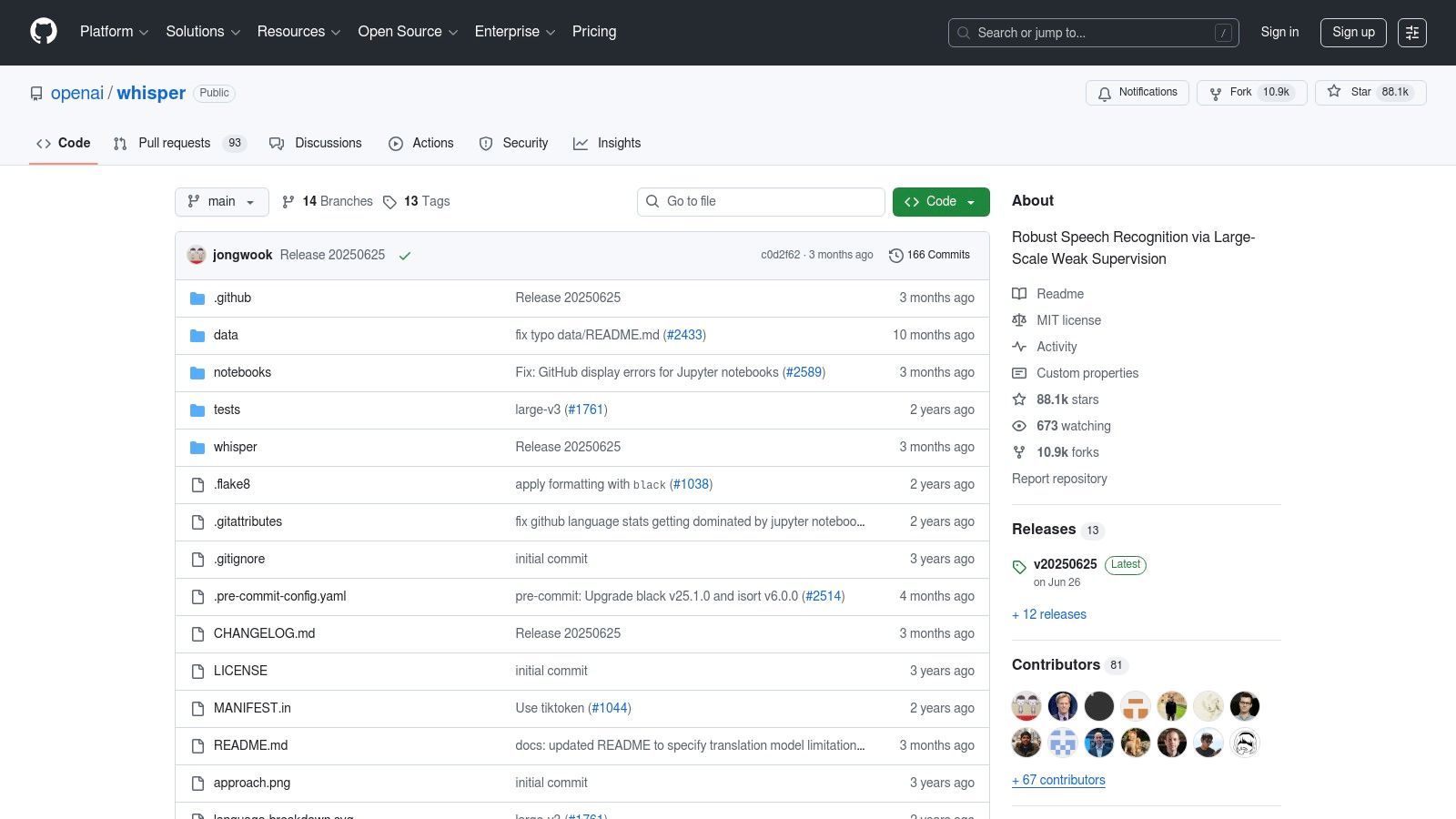
11. OpenAI Whisper (código abierto)
Para usuarios con habilidades técnicas que buscan el máximo control y privacidad, Whisper de OpenAI es un modelo excepcional de código abierto. A diferencia de los servicios basados en la nube, Whisper se ejecuta localmente en tu máquina, lo que lo convierte en una potente pieza de software de transcripción automática gratuito libre de dependencia del proveedor y tarifas continuas. Es ideal para desarrolladores, investigadores o cualquier persona que maneje datos confidenciales y necesite capacidades de transcripción multilingüe robustas.
El modelo es reconocido por su alta precisión en varios idiomas, acentos e incluso en presencia de ruido de fondo. Dado que es de código abierto, ha surgido todo un ecosistema de herramientas desarrolladas por la comunidad para hacerlo más accesible, desde interfaces de línea de comandos simples hasta aplicaciones gráficas.
Características y limitaciones clave
Whisper pone la transcripción de vanguardia en tus manos, pero requiere que proporciones el hardware y la configuración.
Lo que obtienes con el modelo gratuito:
- Transcripción de alta calidad: Excelente precisión para transcripción y traducción multilingüe.
- Privacidad completa: Todo el procesamiento se realiza localmente, por lo que tus archivos nunca salen de tu computadora.
- Sin dependencia del proveedor: La licencia MIT permite total libertad para usar y modificar el software.
- Capacidad sin conexión: Transcribe archivos de audio y video sin conexión a Internet.
Las principales limitaciones son técnicas. El rendimiento está directamente relacionado con el hardware de tu computadora, particularmente la GPU. Tampoco tiene funciones SaaS integradas como identificación de hablantes o resúmenes automáticos, lo que requiere herramientas adicionales o desarrollo personalizado. Puedes descubrir más leyendo sobre cómo descargar transcripciones de videos de YouTube con Whisper.
Obtén más información y comienza en: github.com/openai/whisper
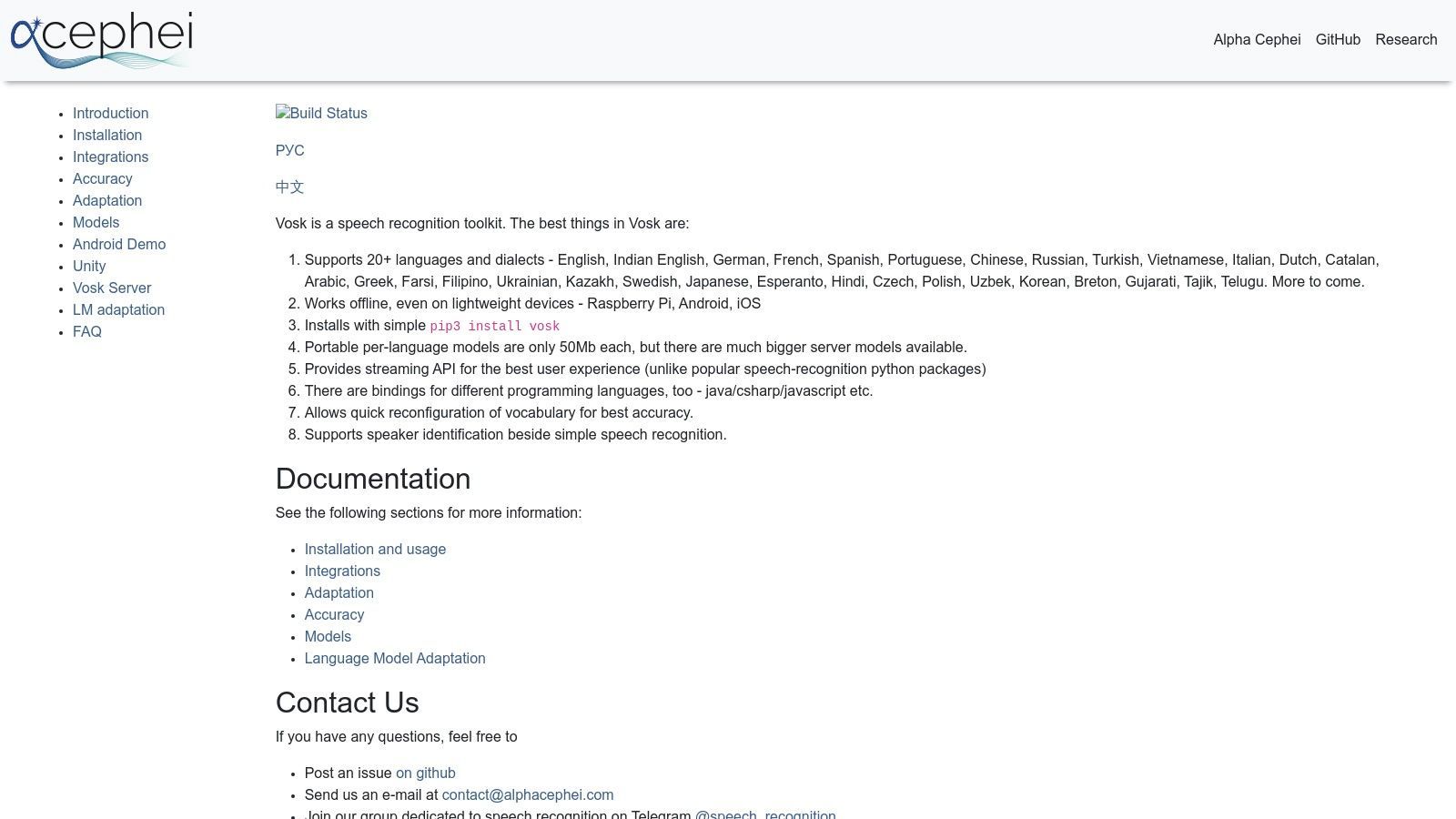
12. Vosk (código abierto, Alphacephei)
Para desarrolladores y usuarios preocupados por la privacidad, Vosk ofrece una potente alternativa a los servicios basados en la nube. Es un kit de herramientas de reconocimiento de voz sin conexión y de código abierto que se ejecuta completamente en tu propio dispositivo. Este enfoque lo convierte en una pieza única de software de transcripción automática gratuito libre de costos continuos y preocupaciones de privacidad de datos, ideal para integrar transcripciones en aplicaciones o ejecutarlas en hardware de bajo consumo.
Vosk destaca porque opera completamente sin conexión. Sus modelos ligeros pueden ejecutarse de manera eficiente en todo, desde un servidor hasta una Raspberry Pi o un teléfono Android, brindando a los desarrolladores una flexibilidad increíble sin necesidad de una conexión a Internet.
Características y limitaciones clave
Como kit de herramientas de código abierto, Vosk es completamente gratuito bajo la licencia Apache 2.0, pero requiere conocimientos técnicos para implementarlo.
Lo que obtienes con el kit de herramientas gratuito:
- Operación sin conexión: Procesa audio localmente para máxima privacidad y seguridad.
- Soporte multilingüe: Accede a modelos para más de 20 idiomas.
- Modelos ligeros: Los modelos comienzan con tan solo 50 MB, perfectos para dispositivos de borde.
- Bindings para desarrolladores: Proporciona soporte para Python, Java, Node.js, C#, y más.
La principal limitación es que Vosk no es una aplicación lista para usar; es un kit de herramientas para desarrolladores. Los usuarios deben tener habilidades de programación para integrarlo en sus propios proyectos. La precisión también puede variar según el modelo de idioma específico utilizado y requiere cierta sintonización para un rendimiento óptimo.
Obtén más información y descarga en: alphacephei.com/vosk
Comparación de los 12 mejores software de transcripción automática gratuitos
| Producto | Características principales / Precisión | Experiencia de usuario y calidad ★★★★☆ | Valor y precios 💰 | Audiencia objetivo 👥 | Puntos de venta únicos ✨ |
|---|---|---|---|---|---|
| 🏆 Transcript.LOL | Whisper impulsado por IA, cargas de 10 h, identificación de hablantes | 4.8★ de más de 1.200 reseñas, edición enriquecida | Gratis (2/día), $120/año Ilimitado, $240/año Equipos | Podcasters, especialistas en marketing, equipos | Resúmenes, cuestionarios, mapas mentales, redes sociales, privacidad |
| Otter.ai | Transcripción en vivo, integraciones de reuniones | Aplicaciones fluidas, resúmenes sólidos | Nivel gratuito (límite de 30 min), niveles de pago | Equipos, profesionales | Subtítulos en vivo de Zoom/Meet, automatización de reuniones |
| Descript | Transcripción automática + edición de audio/video basada en texto | Compartir fácil, flujo de trabajo de extremo a extremo | IA limitada gratuita, marca de agua en la exportación | Podcasters, creadores de contenido | Las ediciones de texto se reflejan en audio/video |
| Notta | Transcripción en vivo/archivos, bots de reuniones | Plan gratuito simple con minutos mensuales | Gratis (límite de 3 min/grabación), planes de pago | Usuarios de reuniones, transcripción casual | Extensión de Chrome, integración de calendario y reuniones |
| Sonix | Transcripción y traducción rápidas, exportaciones múltiples | Incorporación rápida | Minutos de prueba limitados | Equipos de contenido, flujos de trabajo de medios | Traducción + diversos formatos de exportación |
| Deepgram | API de transmisión + lotes, aumento de palabras clave | Amigable para desarrolladores, documentación clara | $200 en créditos gratuitos | Desarrolladores, empresas | API de transmisión, modelos neuronales, texto a voz |
| AssemblyAI | API asíncrona/de transmisión, inteligencia de audio | Documentación sólida, prototipado fácil | Prueba gratuita de $50 | Desarrolladores | Resúmenes, sentimientos, SDK compatibles con Whisper |
| Google Cloud Speech-to-Text | Lotes + transmisión, más de 100 idiomas | Buena precisión con audio limpio | 60 minutos gratuitos/mes, $300 crédito para nuevos usuarios | Empresas, desarrolladores | Amplio soporte de idiomas, nivel empresarial |
| Microsoft Azure AI Speech | 5 horas gratuitas/mes, en tiempo real y por lotes | Seguridad sólida, cumplimiento | Nivel gratuito con límites | Empresas | Modelos personalizados, centros de datos en EE. UU. |
| Amazon Transcribe | Lotes/transmisión, variante médica | Integrado en AWS, facturación por segundo | 60 min/mes gratis durante 12 meses | Usuarios de AWS, atención médica | Redacción de PII, personalización de vocabulario |
| OpenAI Whisper (código abierto) | Multilingüe, robusto al ruido | Sin dependencia del proveedor, uso sin conexión | Gratis, depende del hardware | Usuarios con conocimientos técnicos | Código abierto, transcripción sin conexión |
| Vosk (código abierto) | Sin conexión, multilingüe, modelos pequeños | Se ejecuta en dispositivos de bajo consumo | Gratis, sin tarifas | Desarrolladores, usuarios de dispositivos de borde | Sin conexión, multilingüe, ligero |
Tomando la decisión correcta para tus necesidades de transcripción
Navegar por el panorama del software de transcripción automática gratuito revela un ecosistema diverso de herramientas, cada una adaptada a diferentes usuarios y flujos de trabajo. El término 'gratuito' no es una etiqueta única para todos; varía desde generosas asignaciones mensuales de minutos para usuarios cotidianos hasta créditos únicos sustanciales para desarrolladores, e incluso modelos de código abierto con todas las funciones para aquellos con experiencia técnica. La clave para desbloquear la solución correcta no radica en encontrar una única herramienta "mejor", sino en identificar la que se alinea perfectamente con tus requisitos específicos.
Como hemos explorado, tu caso de uso principal es el factor más crítico. ¿Eres un podcaster que necesita transcripciones precisas con etiquetas de hablantes para las notas del programa? ¿O un desarrollador que crea una aplicación activada por voz? La opción ideal para uno a menudo es poco práctica para el otro.
Cómo elegir tu herramienta de transcripción gratuita
Para tomar una decisión informada, considera estos factores clave basados en las herramientas que hemos revisado:
- Para facilidad de uso y alta precisión: Si necesitas una herramienta web sencilla que ofrezca transcripciones precisas sin una curva de aprendizaje pronunciada, plataformas como Transcript.LOL y Notta son excelentes puntos de partida. Sus niveles gratuitos ofrecen una forma tangible de probar la precisión y las funciones antes de comprometerse.
- Para reuniones colaborativas: Para profesionales que pasan sus días en reuniones virtuales, la transcripción en tiempo real y las funciones colaborativas de Otter.ai están diseñadas específicamente para capturar cada detalle, asignar elementos de acción y crear un registro de conversaciones con capacidad de búsqueda.
- Para edición de contenido creativo: Los creadores de video y los podcasters encontrarán revolucionaria la innovadora edición de audio/video basada en texto de Descript. Su plan gratuito ofrece una oportunidad única para experimentar cómo la transcripción de tus medios puede cambiar fundamentalmente tu flujo de trabajo de edición.
- Para desarrolladores y usuarios técnicos: Si estás creando aplicaciones, las API centradas en desarrolladores de Deepgram, AssemblyAI y los principales proveedores de nube (Google, Microsoft, Amazon) ofrecen soluciones potentes y escalables. Sus créditos y niveles gratuitos están diseñados para que puedas prototipar, probar e integrar sus modelos avanzados en tus proyectos.
- Para el máximo control y privacidad: Para usuarios que manejan datos confidenciales o que exigen control total sobre su flujo de trabajo y costos, el camino del código abierto es inigualable. Whisper de OpenAI proporciona precisión de vanguardia, mientras que Vosk ofrece una alternativa ligera y sin conexión, siempre que te sientas cómodo gestionando la configuración técnica en tu propio hardware.
Reflexiones finales sobre la implementación
Antes de integrar cualquier software de transcripción automática gratuito en tu rutina diaria, recuerda evaluar las limitaciones. Presta mucha atención a los límites mensuales de minutos, las restricciones de tamaño de archivo y la disponibilidad de funciones avanzadas como la diarización de hablantes o el vocabulario personalizado en los planes gratuitos. La estrategia más efectiva es seleccionar dos o tres herramientas de esta lista que mejor se adapten a tu perfil y ejecutar el mismo archivo de audio a través de cada una. Esta comparación directa revelará rápidamente qué plataforma proporciona la precisión, la velocidad y la experiencia de usuario que necesitas para transformar palabras habladas en texto valioso y accesible.
¿Listo para experimentar una herramienta de transcripción que combina precisión de primer nivel con una interfaz fácil de usar y valiosas funciones de generación de contenido? El plan gratuito de Transcript.LOL es el lugar perfecto para comenzar, ofreciendo una generosa asignación para convertir tus archivos de audio y video en texto preciso. Prueba Transcript.LOL gratis hoy mismo y comprueba lo fácil que puede ser la transcripción.