
IA de Voz a Texto: Tu Guía Completa para la Transcripción Automatizada...
Descubre cómo la IA de voz a texto transforma los flujos de trabajo. Esta guía explica cómo funciona, sus usos en el mundo real y qué buscar en una herramienta de transcripción.
Kate
September 17, 2025
La IA de audio a texto es un término elegante para la tecnología que escucha un archivo de audio y convierte automáticamente las palabras habladas en texto escrito. También puedes escucharla como reconocimiento automático del habla (ASR). Funciona utilizando IA para analizar las ondas sonoras, determinar qué se está diciendo y generar una transcripción mucho más rápido de lo que cualquier humano podría hacerlo.
De la mano de obra manual al texto instantáneo: El cambio de la IA de audio a texto
¿Recuerdas la antigua forma de transcribir? Te sentabas con auriculares, pausando y rebobinando cada pocos segundos, solo para asegurarte de captar cada palabra de una entrevista o una reunión. Era un proceso laborioso, lento y costoso, sin mencionar que era propenso a errores humanos simples. Para muchas personas, era un mal necesario.
Ahora, imagina esto en su lugar: tomas ese mismo archivo de audio, lo subes a una plataforma y, unos minutos después, tienes una transcripción casi perfecta lista para ti. Ese es el cambio monumental que ha provocado la IA de audio a texto. No es solo un pequeño paso adelante; es como cambiar un caballo y un carro por un coche deportivo. Todavía llegas al mismo destino, un documento de texto, pero la velocidad, la eficiencia y la pura facilidad del viaje están a un nivel completamente diferente.
¿Por qué la IA de Voz a Texto es una Tecnología Revolucionaria?
La IA de voz a texto elimina el mayor obstáculo para trabajar con contenido hablado: el esfuerzo manual. Al automatizar la transcripción, transforma el audio de un formato inaccesible a información buscable, editable y reutilizable en cuestión de minutos.
El Problema Central que Resuelve la IA
El mayor dolor de cabeza que resuelve la transcripción con IA es la increíble cantidad de tiempo y dinero que consume la transcripción manual. Antes de que la IA fuera accesible, obtener una transcripción significaba dedicar horas de tu propio tiempo o pagar un servicio costoso que podía tardar días en entregarse. Esto creaba un gran cuello de botella, dejando una gran cantidad de información valiosa bloqueada en archivos de audio y video.
La tecnología de IA derriba esa barrera, haciendo que la transcripción sea instantánea y asequible. Brinda a creadores, investigadores y empresas el poder de utilizar sus datos de audio casi tan pronto como se graban.
En esencia, la transcripción con IA se trata de convertir audio desordenado y no estructurado en información limpia, estructurada y buscable. Desbloquea las ideas atrapadas en grabaciones que antes eran demasiado trabajo para manejar.
Funciones Esenciales que Potencian la IA de Voz a Texto
IA de última generación
Impulsado por Whisper de OpenAI para una precisión líder en la industria. Soporte para vocabularios personalizados, archivos de hasta 10 horas y resultados ultra rápidos.

Importar desde múltiples fuentes
Importa archivos de audio y video desde diversas fuentes, incluyendo carga directa, Google Drive, Dropbox, URLs, Zoom y más.

Herramientas de edición
Edita transcripciones con herramientas potentes como buscar y reemplazar, asignación de hablantes, formatos de texto enriquecido y resaltado.
Una Nueva Era de Productividad
Este salto tecnológico está cambiando por completo la forma en que las personas trabajan en docenas de industrias. Profesionales de medios, marketing, educación e investigación están adoptando estas herramientas para recuperar su tiempo y encontrar nuevas formas de utilizar su contenido. Lo que antes era una tarea administrativa agotadora, ahora es una ventaja estratégica genuina.
Esto encaja perfectamente con el panorama general del trabajo moderno, donde la automatización se encarga de las tareas repetitivas para liberar a las personas para un pensamiento más creativo y crítico. Vemos esto en todas partes: echa un vistazo a estos ejemplos de automatización de procesos empresariales para ver cómo esta misma idea está impulsando la eficiencia en todos los ámbitos.
Los beneficios son imposibles de ignorar:
- Ahorro de tiempo masivo: El trabajo que antes llevaba horas, ahora se hace en minutos. Esto te libera para concentrarte en lo que realmente importa.
- Reducción de costos: Los servicios automatizados son una fracción del costo de la transcripción manual, lo que los convierte en una opción viable para cualquier presupuesto.
- Mayor accesibilidad: Las transcripciones abren tu contenido de audio y video a personas sordas o con problemas de audición y dan a tu contenido en línea un buen impulso de SEO.
- Información basada en datos: Cuando tu audio es buscable, puedes analizar rápidamente llamadas de clientes, reuniones de equipo o entrevistas a usuarios para detectar tendencias y extraer temas clave.
Cómo la IA Aprende a Entender el Habla Humana
¿Alguna vez te has preguntado cómo un algoritmo puede escuchar un podcast y mágicamente generar un guion escrito? No es magia, pero es un proceso fascinante que se parece mucho a cómo aprendemos a hablar y escribir nosotros mismos.
Todo comienza descomponiendo el audio en bruto en sus piezas más pequeñas. Al igual que un niño aprende primero los sonidos de "A", "B" y "C", la IA tiene que aprender las unidades básicas de sonido en un idioma. Estos se llaman fonemas: los sonidos diminutos y distintos que componen las palabras, como el sonido "k" en "casa" o el sonido "sh" en "shoe".
Este primer paso se llama modelado acústico. A la IA se le alimentan miles de horas de audio hablado que ya ha sido transcrito por personas. Al examinar este enorme conjunto de datos, aprende a conectar patrones de ondas sonoras específicos con fonemas específicos. Es un juego de reconocimiento de patrones a una escala colosal, que convierte a la IA en una experta en identificar los componentes básicos del habla, incluso con diferentes tonos, velocidades y acentos.
De Sonidos a Frases
Una vez que la IA puede identificar de manera confiable los fonemas individuales, comienza el verdadero desafío: unirlos en palabras y frases que realmente tengan sentido. Aquí es donde entra el modelado del lenguaje. Piénsalo como si la IA aprendiera gramática y contexto, muy parecido a un estudiante que descubre cómo formar una oración correcta.
Un modelo de lenguaje es una poderosa herramienta estadística. Examina enormes cantidades de texto (libros, artículos, sitios web) para averiguar qué palabras es probable que sigan a otras. Aprende que la frase "encantado de conocer..." casi siempre va seguida de "te", no de "iguana". Esta habilidad predictiva es lo que la hace tan buena para resolver los acertos del lenguaje hablado.
La IA no solo escucha sonidos; hace suposiciones informadas. Cuando alguien dice: "Quiero helado", el modelo acústico podría escuchar sonidos idénticos, pero el modelo de lenguaje utiliza el contexto para transcribir correctamente las dos frases distintas.
Así es como la IA maneja situaciones complicadas como los homófonos (palabras que suenan igual, como "hola" y "ola") o conversaciones con ruido de fondo. Constantemente calcula la secuencia de palabras más probable, lo que cambia las reglas del juego para la precisión de la transcripción. Para una mirada más profunda a lo que afecta estos resultados, consulta nuestra guía sobre precisión de voz a texto.
Este simple diagrama de flujo muestra cómo la IA puede convertir horas de audio en una transcripción pulida en solo unos minutos.
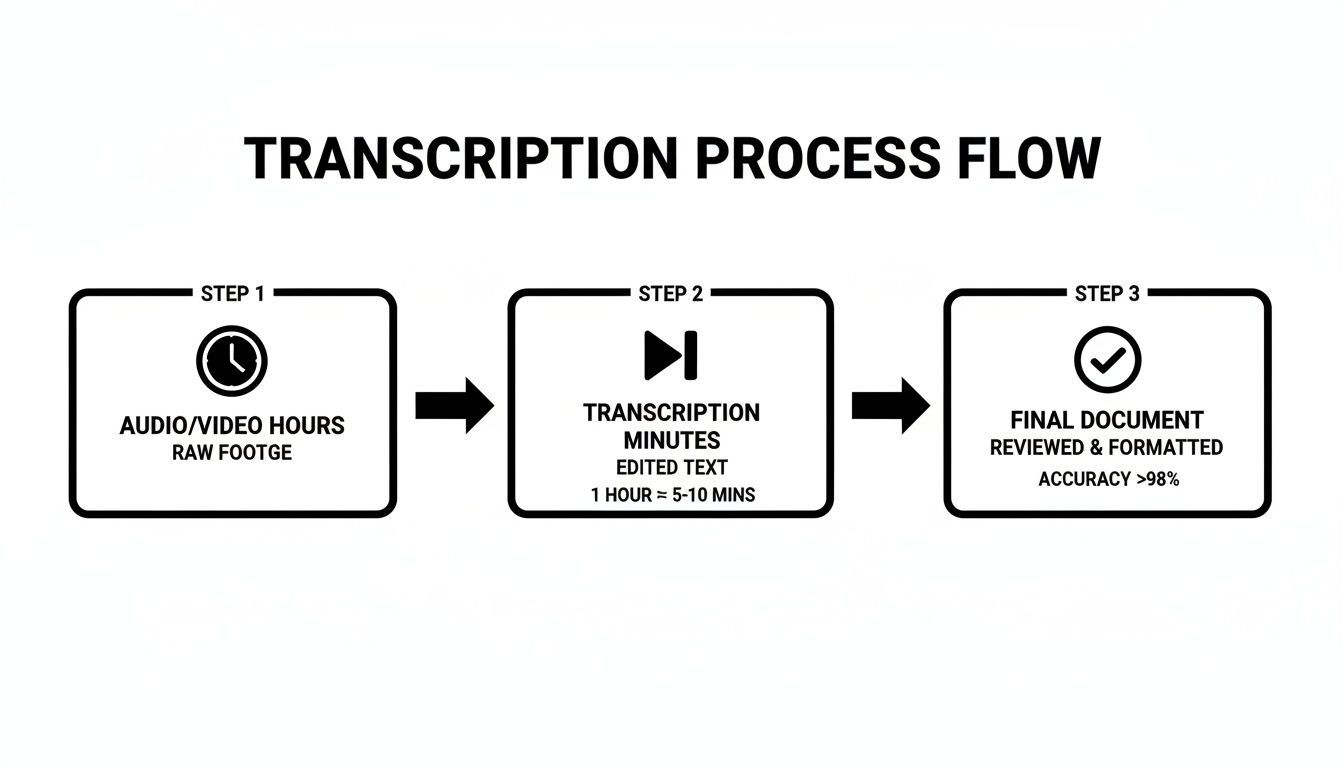
Es bastante claro cuán más eficiente es esto, reduciendo una tarea que solía requerir horas de trabajo manual a un proceso rápido y automatizado.
La Revolución del Aprendizaje Profundo
La tecnología detrás de todo esto ha avanzado mucho. Los sistemas modernos ahora dependen del aprendizaje profundo y las redes neuronales, algoritmos complejos inspirados en el cerebro humano. Estas redes utilizan múltiples capas para procesar información, lo que les permite detectar patrones increíblemente sutiles y complejos tanto en audio como en lenguaje.
Esta mejora constante está revolucionando toda la industria de la transcripción. A medida que los modelos mejoran, las tasas de error disminuyen y la transcripción en tiempo real se convierte en una realidad. Este avance está impulsando un crecimiento importante en el mercado de transcripción de IA, que se valoró en alrededor de 4.500 millones de USD en 2024 y se espera que alcance aproximadamente 19.200 millones de USD para 2034.
La Transcripción con IA se Está Escalando Rápidamente a Nivel Mundial
Los avances en aprendizaje profundo y redes neuronales están mejorando drásticamente la precisión y la velocidad de la transcripción. Como resultado, las empresas están adoptando la transcripción con IA a gran escala en medios, atención médica, educación y flujos de trabajo empresariales.
Estas potentes herramientas son solo una parte de un panorama mucho más amplio. Para comprender mejor las ideas fundamentales que impulsan tecnologías como el reconocimiento de voz, puedes obtener más información sobre el campo de la Inteligencia Artificial.
En última instancia, todo el proceso se reduce a tres etapas clave:
- Procesamiento de Audio: El audio crudo se limpia y se convierte en un formato digital con el que la IA puede trabajar.
- Modelado Acústico: La IA identifica la secuencia de fonemas comparando patrones de sonido con su enorme biblioteca de entrenamiento.
- Modelado del Lenguaje: Utilizando el contexto y la gramática, la IA ensambla los fonemas en las palabras y oraciones más probables, proporcionándote la transcripción final.
Al comprender estos pasos, obtienes una mejor idea de lo que sucede detrás de escena la próxima vez que utilizas una herramienta de IA de voz a texto para convertir instantáneamente tus grabaciones en contenido preciso y listo para usar.
¿Por qué las Empresas Están Adoptando la IA de Voz a Texto?
Ahorra Tiempo a Gran Escala
La transcripción manual puede llevar de 4 a 6 horas para una sola grabación. La IA de voz a texto reduce esto a minutos, permitiendo a los equipos procesar grandes volúmenes de contenido sin aumentar la carga de trabajo.
Reduce los Costos Operativos
La transcripción con IA elimina la necesidad de costosos servicios de transcripción humana. Esto la hace asequible para startups, educadores y empresas para transcribir contenido regularmente.
Mejora la Accesibilidad y el Alcance
Las transcripciones hacen que el contenido de audio y video sea accesible para usuarios con discapacidad auditiva y también mejoran el SEO. Esto amplía el alcance de la audiencia y garantiza el cumplimiento de los estándares de accesibilidad.
Convierte Conversaciones en Datos
Una vez que el audio se convierte en texto, se vuelve buscable y analizable. Los equipos pueden extraer información, identificar tendencias y tomar mejores decisiones basadas en datos a partir de información hablada.
Elegir la Herramienta de Transcripción de IA Adecuada para Sus Necesidades
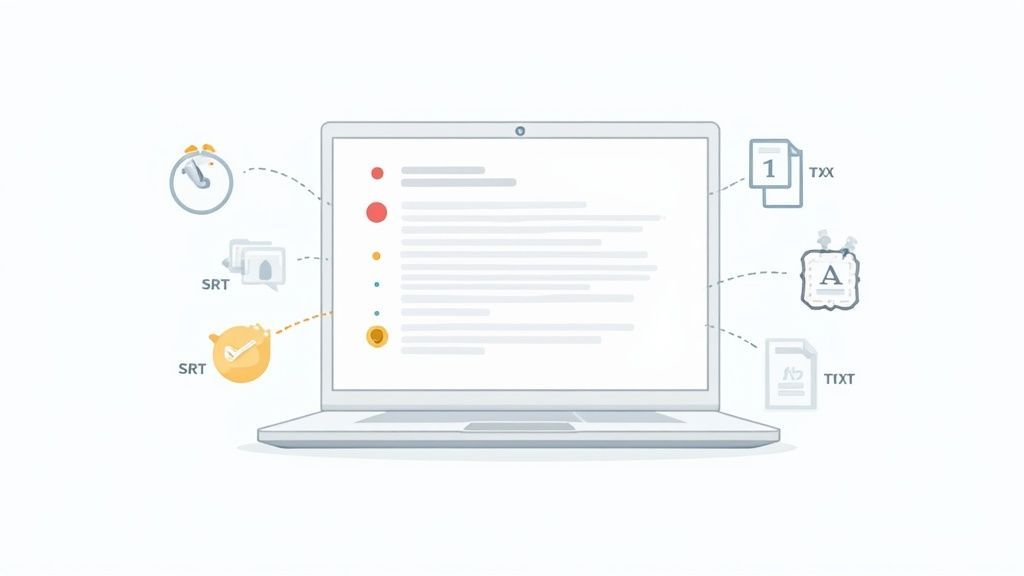
Bien, ya hemos cubierto cómo funciona esta magia de la IA. Ahora viene la parte difícil: elegir la herramienta de IA de audio a texto adecuada entre un mar de opciones. Es fácil sentirse abrumado por interminables listas de funciones, pero el secreto es centrarse en lo que realmente te facilita la vida.
Piénsalo de esta manera: un coche de Fórmula 1 es una maravilla de la ingeniería, pero es completamente inútil para ir a comprar al supermercado. De la misma manera, una plataforma de transcripción súper compleja podría ser excesiva si solo necesitas convertir tus notas de reunión en un archivo de texto simple. Tu objetivo es encontrar la herramienta que se ajuste a tu flujo de trabajo.
Funciones Clave que Realmente Importan
Cuando empieces a comparar servicios, algunas funciones emergen rápidamente como innegociables. Estos son los fundamentos que separan una herramienta genuinamente útil de una que solo crea más dolores de cabeza. Si aciertas con estas, estarás listo.
En primer lugar, busca:
- Alta Precisión: Esta es la base absoluta. Si la IA se equivoca constantemente con las palabras o no puede manejar diferentes acentos, pasarás más tiempo editando del que ahorrarás. Un servicio de primer nivel debería alcanzar una precisión del 95% o superior en audio claro, sin más.
- Identificación de Hablantes (Diarización): Para cualquier grabación con más de una voz (entrevistas, reuniones, podcasts), saber quién dijo qué lo es todo. Las etiquetas automáticas de hablantes (una función llamada diarización) te ahorran la tarea desmoralizante de averiguarlo manualmente.
- Marcas de Tiempo Precisas: Esto cambia las reglas del juego. Una buena marca de tiempo te permite hacer clic en una palabra de la transcripción y escucharla instantáneamente en el audio. Es un salvavidas para extraer citas, editar fragmentos o simplemente verificar una frase específica.
Una herramienta de transcripción de IA debería ser un acelerador, no un obstáculo. Si corriges constantemente errores básicos o etiquetas manualmente a los hablantes, la herramienta no está haciendo su trabajo.
Las Herramientas de IA Deficientes Pueden Perder Más Tiempo del que Ahorran
Las herramientas de transcripción de baja calidad crean trabajo adicional a través de texto impreciso, oradores omitidos y marcas de tiempo rotas. Siempre prueba las herramientas con audio del mundo real antes de confiar en ellas para uso profesional.
Evaluación de la Usabilidad y la Integración del Flujo de Trabajo
Más allá del motor principal, la experiencia diaria de usar la herramienta es lo que realmente cuenta. Un algoritmo potente no significa mucho si la interfaz es una pesadilla para navegar. Después de todo, el objetivo de una IA de audio a texto es simplificar las cosas.
Piensa en cómo una herramienta se integra en tu proceso existente. Quieres un camino fluido desde el audio sin procesar hasta un documento final con el menor número de clics posible. Aquí es donde una herramienta como Transcript.LOL realmente se destaca, con su enfoque en una interfaz limpia y un flujo de trabajo eficiente. Para una mirada más profunda a la competencia, consulta nuestra guía sobre el mejor software de transcripción de IA.
Aquí tienes una tabla rápida que compara lo que podrías encontrar en una herramienta básica frente a una más avanzada.
Comparación de Características Clave en Herramientas de IA de Audio a Texto
Esta tabla desglosa las características esenciales a tener en cuenta al evaluar diferentes servicios de transcripción de IA, ayudándote a detectar la diferencia entre un simple transcriptor y una plataforma de nivel profesional.
| Característica | Herramienta Básica | Herramienta Avanzada (ej. Transcript.LOL) |
|---|---|---|
| Precisión | Decente en audio claro y de un solo hablante. | Precisión del 95% o más con múltiples hablantes, acentos y ruido de fondo. |
| Identificación de Hablante | Puede no estar disponible o requiere etiquetado manual. | Diarización automática y precisa para distinguir hablantes. |
| Marcas de Tiempo | A nivel de párrafo o inexistentes. | Marcas de tiempo a nivel de palabra para una navegación precisa del audio. |
| Exportaciones de Archivos | Generalmente limitado a archivos TXT o DOCX básicos. | Una amplia gama de formatos: TXT, DOCX, SRT, VTT, y más. |
| Integraciones | Limitado a cargas de archivos directas. | Admite cargas, unidades en la nube (Google Drive, Dropbox) y enlaces directos (YouTube). |
| Interfaz de Usuario | Puede ser torpe y requerir una curva de aprendizaje. | Limpia, intuitiva y diseñada para un flujo de trabajo rápido. |
En última instancia, la herramienta que te resulte fácil de usar y que se integre perfectamente en tu día a día será la que uses.
Finalmente, ten en cuenta estos factores prácticos:
- Interfaz de Usuario Intuitiva: No deberías necesitar leer un manual solo para subir un archivo. Las mejores herramientas son limpias, sencillas y no te estorban.
- Múltiples Opciones de Exportación: Un día necesitas un archivo TXT simple, al siguiente necesitas un SRT para subtítulos de video. Una buena plataforma te ofrece opciones como TXT, DOCX, SRT y VTT.
- Métodos de Importación Flexibles: Busca un servicio que te permita subir archivos directamente, extraer de almacenamiento en la nube como Google Drive, o incluso simplemente pegar un enlace de YouTube.
Capacidades Avanzadas que se Adaptan a los Flujos de Trabajo Modernos

Detección de hablantes
Identifica automáticamente diferentes hablantes en tus grabaciones y etiquétalos con sus nombres.

Exportar en múltiples formatos
Exporta tus transcripciones en múltiples formatos incluyendo TXT, DOCX, PDF, SRT y VTT con opciones de formato personalizables.
Resúmenes y Chatbot
Genera resúmenes y otros análisis de tu transcripción, prompts personalizados reutilizables y chatbot para tu contenido.
Integraciones
Conecta con tus herramientas y plataformas favoritas para optimizar tu flujo de trabajo de transcripción.
Elegir la herramienta adecuada depende de hacer coincidir sus fortalezas con tus tareas. Un podcaster necesita etiquetas de orador y marcas de tiempo excelentes. Un investigador podría priorizar la alta precisión por encima de todo. Comienza con esta lista de verificación y encontrarás una IA de audio a texto que rápidamente se convertirá en una parte esencial de tu kit de herramientas.
Poniendo la Transcripción de IA a Trabajar en el Mundo Real
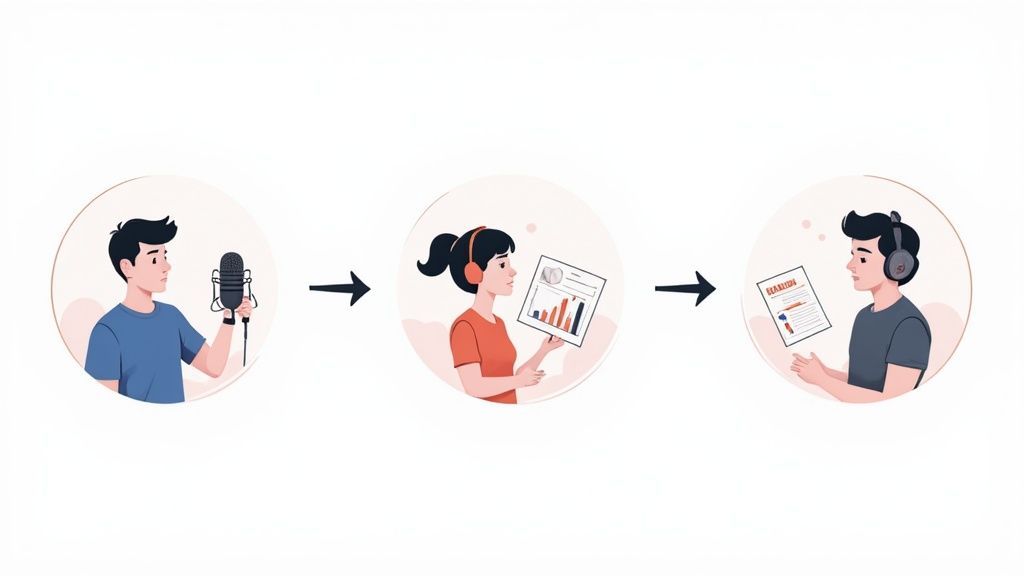
La verdadera magia de cualquier tecnología no está solo en el cómo, sino en el qué: lo que te permite lograr. Para la IA de audio a texto, los casos de uso son tan diversos como las voces que convierte, y van mucho más allá de la toma de notas básica. Se trata de convertir las palabras habladas de momentos fugaces en activos tangibles y buscables.
Este cambio está ocurriendo en todas partes. Grandes industrias como la salud, los medios de comunicación y las comunicaciones empresariales se están sumando para resolver problemas específicos y de alto riesgo. La prueba está en los números: incluso solo automatizar notas clínicas en el sector de la salud es un mercado masivo y en crecimiento.
Profundicemos en cómo esta tecnología está marcando la diferencia en el día a día.
Para Periodistas y Creadores de Contenido
Imagina a un periodista terminando una entrevista crítica de una hora. En el pasado, eso significaba de cuatro a seis horas agotadoras de transcripción manual antes de que pudiera comenzar la escritura real. Ya no.
Ahora, pueden subir ese audio a una herramienta como Transcript.LOL y obtener una transcripción completa y con marcas de tiempo en minutos. Esto cambia completamente el juego. Permite a los reporteros encontrar citas clave al instante, verificar hechos haciendo clic en una palabra para escuchar el audio original y sacar las historias más rápido que nunca.
Para podcasters y creadores de video, los beneficios son igual de grandes:
- Notas del programa instantáneas: Las transcripciones se convierten en notas del programa detalladas y publicaciones de blog con un mínimo esfuerzo, lo que mejora el SEO y la accesibilidad.
- Subtítulos sin esfuerzo: Una exportación con un solo clic a archivos SRT o VTT convierte una transcripción en subtítulos de video precisos.
- Reutilización de contenido: Un podcast puede alimentar docenas de clips de redes sociales, un boletín por correo electrónico o un artículo extrayendo información directamente del texto.
Uno de los desarrollos más interesantes que ha surgido de esto es la edición de audio y video basada en texto. Este flujo de trabajo te permite editar tus medios simplemente editando la transcripción: elimina una oración en el texto y desaparecerá del audio. Es increíblemente eficiente.
Para Profesionales de Marketing y Negocios
Piensa en toda la inteligencia valiosa que está oculta en las grabaciones de audio de tu empresa: llamadas de ventas, sesiones de comentarios de clientes, reuniones de equipo. Una IA de audio a texto es la clave que desbloquea todo, convirtiendo las conversaciones en datos que puedes usar.
Imagina un equipo de marketing intentando identificar los puntos débiles de los clientes. Pueden transcribir docenas de llamadas de soporte y simplemente buscar palabras como "frustrante", "confuso" o "desearía que tuviera". De repente, surgen patrones y las oportunidades de mejora del producto se vuelven muy claras.
La transcripción de IA transforma los datos de voz de un archivo pasivo a un recurso activo y estratégico. Hace que la "voz del cliente" no sea solo algo que escuchas, sino algo que puedes analizar a escala.
Esto también se aplica internamente. Transcribir reuniones crea un registro buscable de decisiones y elementos de acción. Pone fin a todo el lío de "¿quién acordó qué?", manteniendo a todos en la misma página.
Para Estudiantes e Investigadores
En el ámbito académico, transcribir conferencias y entrevistas siempre ha sido un mal necesario: fundamental pero increíblemente lento. Para los estudiantes, grabar una conferencia y obtener una transcripción instantánea significa que pueden centrarse realmente en comprender el material en clase en lugar de solo intentar escribirlo todo.
Para los investigadores en campos como la sociología o la psicología, la transcripción de IA es un gran acelerador para el análisis cualitativo. Un entrevistador puede obtener las transcripciones el mismo día, lo que les permite sumergirse en la codificación de temas y el análisis de datos casi de inmediato.
Esta eficiencia significa:
- Análisis más profundo: Se dedica más tiempo a interpretar los datos en lugar de solo prepararlos.
- Mayor alcance: Los investigadores pueden manejar conjuntos de datos más grandes y más entrevistas, lo que lleva a hallazgos más sólidos.
- Mejora de la accesibilidad: Las transcripciones hacen que los materiales de estudio y los datos de investigación sean accesibles para estudiantes y colegas con discapacidades auditivas.
Desde la sala de redacción hasta la sala de juntas y el aula, la IA de audio a texto no es solo una conveniencia. Es una herramienta central que impulsa la eficiencia, descubre información y cambia por completo la forma en que trabajamos con la información hablada.
Desbloqueando el Potencial Inexplorado de los Datos de Voz
Piensa en todos los archivos de audio y video que crea tu empresa. Cada llamada de cliente, cada reunión de equipo y cada seminario web está repleto de inteligencia bruta: ideas, comentarios y pensamientos brillantes.
¿El problema? Para la mayoría de las empresas, este contenido es básicamente "datos oscuros". Está almacenado, claro, pero es completamente inencontrable y, francamente, inútil.
Aquí es donde la IA de audio a texto cambia el juego. Toma palabras habladas encerradas en un formato pasivo y las convierte en un activo activo y analizable. Al hacer que tus datos de voz sean tan fáciles de buscar como tus datos de texto, finalmente puedes ponerlos a trabajar.
Es un gran cambio estratégico, y es por eso que las empresas están invirtiendo dinero en esta tecnología. Se espera que el mercado de herramientas de IA de voz a texto salte de 3.080 millones de USD en 2024 a unos increíbles 36.910 millones de USD para 2035. Como puedes aprender más sobre las tendencias del mercado de transcripción de IA, este auge está siendo impulsado por industrias como la salud, los medios de comunicación y el servicio al cliente, que ven la enorme ventaja competitiva oculta en sus archivos de audio.
Convirtiendo Conversaciones en Inteligencia
Una vez que tu audio se convierte en texto, se abre un mundo completamente nuevo de análisis. De repente, ya no solo escuchas grabaciones antiguas de forma pasiva. Puedes buscar, medir y comprender activamente lo que se dice a escala.
Esto te lleva más allá del simple ahorro de tiempo a la inteligencia de datos genuina. Ahora puedes identificar momentos específicos, detectar temas recurrentes y comenzar a tomar decisiones mucho más inteligentes y basadas en datos.
Una herramienta de IA de audio a texto no solo te da un guion. Crea una base de datos estructurada y buscable a partir de tu contenido hablado, haciendo que cada palabra sea localizable y valiosa.
Las Transcripciones Buscables Desbloquean Valor Empresarial Oculto
Las transcripciones buscables permiten a los equipos analizar conversaciones a escala. Desde el sentimiento del cliente hasta el intercambio de conocimiento interno, los datos de voz se convierten en un activo estratégico en lugar de ruido archivado.
Aplicaciones Estratégicas para Datos Desbloqueados
Con una biblioteca de transcripciones que se puede buscar, puedes ejecutar estrategias potentes que antes estaban simplemente fuera de alcance. Las aplicaciones son infinitas y tienen un impacto directo en los resultados.
Aquí tienes algunas de las formas más potentes de utilizarlo:
- Análisis de Sentimiento: Escanea instantáneamente las transcripciones de llamadas de atención al cliente para ver quién está contento y quién está frustrado. Puedes detectar problemas emergentes antes de que se agraven, dándote un pulso en tiempo real sobre el sentimiento del cliente.
- Identificación de Tendencias: Analiza un trimestre completo de reuniones de ventas o sesiones de lluvia de ideas. Descubre objeciones comunes, solicitudes de funciones populares o ideas innovadoras que de otro modo se habrían olvidado.
- Reutilización de Contenido a Escala: Un solo seminario web de una hora es una mina de oro. Con una transcripción, puedes convertirlo instantáneamente en una entrada de blog, una docena de actualizaciones en redes sociales, un boletín por correo electrónico y un puñado de gráficos con citas. Consulta nuestra guía sobre estrategias de reutilización de contenido para ver cómo esto multiplica tu producción de marketing con un esfuerzo mínimo.
- Cumplimiento y Capacitación: ¿Necesitas asegurarte de que todos siguen la política de la empresa? Simplemente busca en todas las comunicaciones internas. También puedes detectar lagunas de conocimiento y crear capacitación específica para cubrirlas.
En última instancia, usar una herramienta de IA de audio a texto no se trata solo de transcripción. Se trata de activación. Se trata de tomar tu fuente de datos más valiosa y sin explotar y convertirla en un activo estratégico que impulse el crecimiento, fomente la innovación y te brinde una comprensión mucho más profunda de tus clientes y tu negocio.
Preguntas Comunes Sobre IA de Audio a Texto
Incluso cuando entiendes lo básico de cómo funciona la IA de audio a texto, es totalmente normal tener algunas preguntas prácticas antes de empezar. Después de todo, el audio del mundo real a menudo es confuso. Abordemos algunas de las preocupaciones más comunes para darte una imagen clara de lo que puedes esperar.
Piensa en una herramienta de transcripción de IA como un asistente súper hábil. Es increíblemente rápido, pero su rendimiento aún depende de la calidad de la información que recibe. A un humano le costaría una grabación apagada, y una IA no es diferente, aunque los sistemas modernos son sorprendentemente buenos manejando lo difícil.
Una vez que entiendas las fortalezas de la tecnología y lo que la dificulta, puedes prepararte para un flujo de trabajo mucho más fluido.
¿Qué Tan Precisa Es la IA con Ruido de Fondo o Calidad de Audio Pobre?
Esta es la pregunta importante, y la respuesta honesta es: depende, pero probablemente sea mejor de lo que piensas. Los modelos modernos de IA de audio a texto se entrenan con montañas de datos, que incluyen desde el ruido de la calle y el murmullo de los cafés hasta grabaciones telefónicas de baja calidad. Este entrenamiento los hace notablemente buenos para centrarse en el habla humana e ignorar el ruido.
Por ejemplo, una entrevista callejera con coches pasando o una llamada de Zoom con un ligero eco podrían haber sido una causa perdida para sistemas más antiguos. Hoy en día, una herramienta de primer nivel a menudo puede alcanzar más del 90% de precisión incluso en estas situaciones complicadas.
Pero todavía hay un límite. Cuanto más limpio sea tu audio, mejor será tu transcripción. Para lograr la máxima precisión, siempre es inteligente:
- Usar un buen micrófono: Un micrófono dedicado siempre superará al integrado en tu portátil o teléfono.
- Encontrar un lugar tranquilo: Reduce el ruido ambiental siempre que puedas.
- Hablar con claridad: Asegúrate de que los altavoces estén cerca del micrófono y articulen correctamente.
Una buena regla general es: si a un humano le costara entenderlo, la IA probablemente también tendría dificultades. Pero si puedes distinguir las palabras, incluso con algo de ruido, la IA tiene una excelente oportunidad de acertar.
¿Puede la IA Manejar Múltiples Hablantes o Acentos Marcados?
Absolutamente. Aquí es donde las mejores plataformas de IA de audio a texto realmente demuestran su valía. La característica clave aquí se llama diarización de hablantes, un término elegante para determinar automáticamente quién está hablando y cuándo. Un buen sistema etiquetará "Hablante 1", "Hablante 2", etc., convirtiendo una conversación caótica en un guion limpio y fácil de leer.
Esto cambia completamente el juego para la transcripción de:
- Entrevistas con dos o más personas
- Reuniones de equipo y llamadas de conferencia
- Podcasts con múltiples presentadores e invitados
- Mesas redondas o grupos focales
¿Y qué hay de los acentos? Las IA de alta calidad se entrenan con un coro global de voces, por lo que son muy competentes con una amplia gama de acentos regionales e internacionales. Si bien un acento muy marcado o inusual podría dificultarlo un poco más, la precisión sigue siendo generalmente sólida. Muchas plataformas incluso te permiten especificar el idioma o dialecto para mejorar aún más los resultados.
¿Qué Pasa con la Privacidad y Seguridad de los Datos?
Entregar tus archivos de audio a un servicio es una consideración seria, especialmente si el contenido es confidencial. Los proveedores de IA de audio a texto de buena reputación entienden esto y tienen políticas estrictas para proteger tus datos.
Al elegir una herramienta, busca una política de privacidad que indique claramente que tus datos no se utilizarán para entrenar sus modelos de IA sin tu permiso. Un servicio como Transcript.LOL, por ejemplo, tiene una estricta política de no entrenamiento. Esto significa que tus archivos se procesan de forma segura y nunca, jamás, se utilizan para mejorar su sistema. Tus conversaciones privadas, reuniones de negocios e investigaciones sensibles permanecen completamente confidenciales.
Siempre verifica las credenciales de seguridad de un proveedor. Busca compromisos con:
- Cifrado de Datos: Los archivos deben estar cifrados tanto durante la carga (en tránsito) como mientras se almacenan en sus servidores (en reposo).
- Infraestructura Segura: El servicio debe ejecutarse en una plataforma en la nube segura y confiable.
- Políticas de Datos Claras: Los términos deben ser explícitos sobre cómo se manejan, almacenan y eliminan tus datos.
Para cualquier uso profesional, elegir un servicio que priorice tu privacidad no es solo una buena idea, es innegociable.
¿Qué Tipos de Archivos Puedo Usar y Exportar?
Una buena herramienta debe encajar en tu flujo de trabajo, no obligarte a cambiarlo. La mayoría de las plataformas de transcripción modernas están diseñadas para manejar prácticamente cualquier archivo de audio y video común que puedas enviarles. No deberías tener que perder tiempo convirtiendo archivos solo para empezar.
Los formatos de entrada comúnmente admitidos incluyen:
- Audio: MP3, WAV, M4A, FLAC
- Video: MP4, MOV, WMV, AVI
Más allá de simplemente cargar archivos, las mejores plataformas te ofrecen múltiples formas de ingresar tu contenido. Esto a menudo incluye pegar un enlace de YouTube o conectarse directamente al almacenamiento en la nube como Google Drive y Dropbox para una transferencia fluida.
Sacar tu transcripción es igual de importante. Una gran herramienta te permite descargar tu texto en el formato exacto que necesitas.
| Formato de Exportación | Caso de Uso Común |
|---|---|
| TXT | Texto plano para notas o análisis simples. |
| DOCX | Para editar en Microsoft Word o Google Docs. |
| SRT / VTT | Archivos de subtítulos para agregar subtítulos a videos. |
| Un formato limpio y no editable para compartir. |
Tener este tipo de flexibilidad significa que tu transcripción final está lista para usar, ya sea que estés escribiendo una entrada de blog, subtitulando un video o simplemente archivando notas de reuniones.
¿Listo para ver cuán rápida y precisa puede ser una IA de audio a texto? Deja de perder tiempo con la transcripción manual. Prueba Transcript.LOL y obtén tu primera transcripción en minutos. ¡Experimenta la velocidad y la simplicidad por ti mismo!