
MP3 in Text umwandeln von Anfang bis Ende
Entdecken Sie in diesem praxisorientierten Leitfaden, wie Sie MP3 in Text umwandeln. Lernen Sie, Ihr Audio vorzubereiten, KI-Tools zu verwenden und Transkripte für professionelle Ergebnisse zu bearbeiten.
Kate, Praveen
June 4, 2025
Wenn Sie Audioinhalte erstellen, sitzen Sie auf einer Goldgrube. Das Problem? Alles ist verschlossen. Jede Podcast-Episode, jedes Interview und jede Besprechung steckt voller wertvoller Informationen, die schwer zu finden, zu teilen oder wiederzuverwenden sind, da sie in einer Audiodatei stecken.
Die Umwandlung Ihrer MP3s in Text erschließt all diesen Wert. Sie verwandelt gesprochene Worte in vielseitige, durchsuchbare Assets, die Sie auf unzählige neue Arten nutzen können.
Funktionen, die MP3-Inhalte sofort erschließen
Modernste KI
Angetrieben von OpenAIs Whisper für branchenführende Genauigkeit. Unterstützung für benutzerdefinierte Vokabulare, bis zu 10 Stunden lange Dateien und ultraschnelle Ergebnisse.

Aus mehreren Quellen importieren
Importiere Audio- und Videodateien aus verschiedenen Quellen, einschließlich direktem Upload, Google Drive, Dropbox, URLs, Zoom und mehr.

Sprechererkennung
Identifiziere automatisch verschiedene Sprecher in deinen Aufnahmen und beschrifte sie mit ihren Namen.
Warum Sie MP3 in Text umwandeln müssen
Hierbei geht es nicht nur darum, eine schriftliche Kopie zu haben. Es geht darum, das Beste aus Ihrer ursprünglichen Arbeit mit minimalem zusätzlichem Aufwand herauszuholen.
Erschließung von Möglichkeiten zur Wiederverwendung von Inhalten
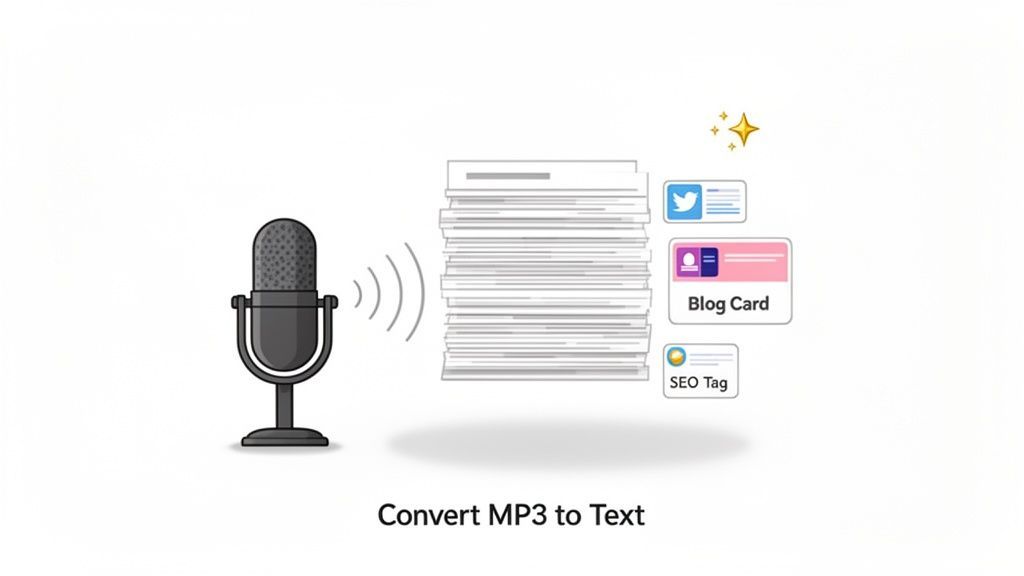
Einer der größten Vorteile der Umwandlung von MP3s in Text ist die Inhaltsvervielfältigung. Ein einziger einstündiger Podcast kann in eine Fülle neuer Materialien umgewandelt werden.
Stellen Sie sich vor, Sie verwandeln ein einziges Gespräch in all das:
- Mehrere Blog-Posts, die tiefer auf die von Ihnen besprochenen Themen eingehen.
- Dutzende von Social-Media-Snippets mit prägnanten Zitaten und wichtigsten Erkenntnissen.
- Ein SEO-freundliches Transkript, das Google hilft, Ihre Inhalte zu finden und zu ranken.
- Einen detaillierten E-Mail-Newsletter, der die besten Erkenntnisse für Ihr Publikum zusammenfasst.
Sie erreichen mehr Menschen auf verschiedenen Plattformen, ohne erneut auf "Aufnahme" drücken zu müssen. Es ist üblich, dass clevere Content-Ersteller Ihre Podcast-Inhalte wiederverwenden und daraus zehn oder mehr separate Inhalte machen, wodurch deren Reichweite dramatisch verlängert wird.
Warum Texttranskripte den Content-Wert vervielfachen?
Textbasierte Inhalte sind einfacher zu durchsuchen, zu bearbeiten, wiederzuverwenden und plattformübergreifend zu verteilen. Ein einziges Transkript kann Blogs, Newsletter, SEO-Seiten und Social Media befeuern – und so die Reichweite mit minimalem Aufwand maximieren.
Wenn Sie weitere Ideen wünschen, lesen Sie unseren ausführlichen Artikel unter https://transcript.lol/blog/content-repurposing-strategies.
Verbesserung der Zugänglichkeit und Zusammenarbeit
Über das Marketing hinaus eröffnen Transkripte Ihre Inhalte einem viel größeren Publikum. Denken Sie an Menschen mit Hörbehinderungen oder solche, die es einfach vorziehen zu lesen. Es hilft auch Nicht-Muttersprachlern, die dem Text folgen können, um jedes Wort besser zu verstehen.
Für Teams ist es ein enormer Produktivitätsgewinn. Kein mühsames Durchsuchen einer langen Besprechungsaufzeichnung mehr, um diese eine spezifische Entscheidung zu finden. Suchen Sie einfach im Text.
Diese Effizienz ist der Grund, warum der Markt für solche Tools explodiert. Der globale Markt für Speech-to-Text-APIs – die treibende Kraft hinter Diensten wie unserem – wird voraussichtlich 5,4 Milliarden US-Dollar bis 2026 erreichen, ein enormer Sprung von 2,2 Milliarden US-Dollar im Jahr 2021.
Hier ist ein kurzer Überblick darüber, wie verschiedene Berufsgruppen davon profitieren.
Hauptvorteile der MP3-zu-Text-Konvertierung für verschiedene Berufe
Diese Tabelle zeigt die greifbaren Vorteile für verschiedene Rollen.
| Beruf | Hauptvorteil | Anwendungsbeispiel |
|---|---|---|
| Podcaster/Content Creator | Inhaltsvervielfältigung | Umwandlung eines 1-stündigen Interviews in 5 Blogbeiträge, 10 Social-Media-Clips und ein vollständiges SEO-freundliches Transkript. |
| Journalist | Genauigkeit & Geschwindigkeit | Schnelle Erstellung eines wortwörtlichen Transkripts eines Interviews, um genaue Zitate für einen Artikel zu entnehmen. |
| Akademischer Forscher | Datenanalyse | Transkribieren von qualitativen Interviews oder Fokusgruppen, um Themen im Text einfach zu kodieren und zu analysieren. |
| Marketing Manager | Kundeneinblicke | Umwandlung von Kundeninterviews und Webinaraufzeichnungen in Text, um Schwachstellen und Marketingbotschaften zu identifizieren. |
| Student | Lernen & Wiederholen | Aufzeichnen von Vorlesungen und Umwandlung in durchsuchbare Notizen, um wichtige Konzepte vor einer Prüfung einfach wiederholen zu können. |
Wie Sie sehen, sind die Anwendungen breit gefächert und der Wert ist klar.
Wer profitiert am meisten von der MP3-zu-Text-Konvertierung
🎙 Content-Ersteller
Verwandeln Sie Podcasts und Interviews in Blogs, Untertitel, Newsletter und Social-Media-Schnipsel, ohne neu aufnehmen zu müssen.
🧑💼 Business-Teams
Konvertieren Sie Besprechungsaufzeichnungen in durchsuchbare Dokumentationen, Zusammenfassungen und Aktionspunkte.
🎓 Studenten & Lehrende
Wandeln Sie Vorlesungen in lesbare Lernnotizen, Wiederholungsmaterial und Lernressourcen um.
📰 Forscher & Journalisten
Extrahieren Sie schnell Zitate, Erkenntnisse und Themen aus Interviews und qualitativen Forschungsarbeiten.
Wenn Sie Ihre Audios nicht umwandeln, verpassen Sie enorme Effizienzgewinne und kreative Möglichkeiten. Audio in umsetzbaren Text zu verwandeln, ist ein Eckpfeiler moderner Content-Strategien.
Bereiten Sie Ihr Audio für eine makellose Transkription vor
Die Qualität Ihres endgültigen Transkripts wird lange bevor Sie auf „Hochladen“ klicken, entschieden. Das ist eine einfache Wahrheit, die aber ständig übersehen wird.
Stellen Sie es sich so vor: So wie ein Koch frische Zutaten für ein großartiges Essen benötigt, benötigt ein KI-Transkriptionstool sauberes Audio, um seine Magie zu entfalten. Nur ein paar zusätzliche Minuten für die Audioaufbereitung können den Unterschied zwischen einem nahezu perfekten Transkript und einem, das viele Korrekturen erfordert, ausmachen.
Es läuft alles auf ein Prinzip hinaus: Je einfacher es für die KI ist, die Worte zu „hören“, desto präziser wird das Ergebnis sein, wenn Sie MP3 in Text umwandeln.
Hintergrundgeräusche minimieren
Hintergrundgeräusche sind der Erzfeind der genauen Transkription.
Schlechtes Audio kann die Transkriptionsgenauigkeit beeinträchtigen
Audio von geringer Qualität führt zu falsch verstandenen Wörtern, fehlendem Kontext und erhöhtem Bearbeitungsaufwand. Saubere Aufnahmen verbessern die Transkriptionsgenauigkeit dramatisch und reduzieren den Nachbearbeitungsaufwand.
Eine KI kann kaum zwischen der Stimme eines Sprechers und einer summenden Klimaanlage, einem bellenden Hund oder dem Verkehr draußen unterscheiden.
Die Aufnahme in einer ruhigen, kontrollierten Umgebung ist das Wichtigste, was Sie tun können.
- Wählen Sie Ihren Ort mit Bedacht. Ein kleiner Raum mit weichen Möbeln – Teppiche, Vorhänge, Sofas – ist perfekt. Diese Materialien absorbieren Schall und reduzieren Echos. Meiden Sie große, leere Räume mit harten, reflektierenden Oberflächen.
- Schalten Sie Ablenkungen aus. Das bedeutet, Lüfter, Klimaanlagen und alle Benachrichtigungen auf Ihrem Handy oder Computer auszuschalten.
- Verwenden Sie ein ordentliches Mikrofon. Sie brauchen keine professionelle Studioausstattung. Selbst ein preiswertes Ansteckmikrofon, das an Ihrem Hemd befestigt wird, liefert weitaus bessere Ergebnisse als das eingebaute Mikrofon Ihres Laptops. Es nimmt Ihre Stimme direkt auf und isoliert sie vom Umgebungsgeräusch des Raumes.
Wenn Sie bereits etwas mit unvermeidlichen Hintergrundgeräuschen aufgenommen haben, lohnt es sich, Strategien zur Entfernung von Hintergrundgeräuschen aus Audio zu erkunden, bevor Sie es hochladen. Dieser zusätzliche Schritt kann einen großen Unterschied machen.
Konzentrieren Sie sich auf die Klarheit des Sprechers
Wie Menschen sprechen, hat direkten Einfluss auf die Transkriptionsqualität. Sie müssen nicht wie ein Roboter sprechen, aber klare Aussprache ist sehr hilfreich.
Die größte Herausforderung für jede KI ist, wenn Menschen durcheinanderreden. Während moderne Tools ziemlich gut darin sind, verschiedene Sprecher zu erkennen, ist überlappende Sprache ein Garant für Kauderwelsch. Eine kurze, natürliche Pause zwischen den Sprechern gibt dem Algorithmus einen sauberen Trennpunkt.
Fazit: Ihr Ziel ist es, eine Audiodatei zu erstellen, bei der jedes Wort deutlich und ungehindert ist. Je weniger Rätselraten die KI betreiben muss, desto weniger Korrekturen müssen Sie vornehmen.
Wenn Sie in einem moderaten, gleichmäßigen Tempo sprechen, hilft das der KI auch, die Sprache effektiver zu verarbeiten. Wenn Sie weitere Anleitungen zu den Grundlagen suchen, können Sie mehr über wie man Audio transkribiert mit einigen einfachen Best Practices erfahren.
Schließlich sprechen wir über Dateiformate. Während MP3 sehr praktisch ist, zählt die Qualität. Eine Datei mit höherer Bitrate (wie 320 kbps) enthält viel mehr Audiodaten als eine stark komprimierte Datei (128 kbps). Mehr Daten bedeuten fast immer ein genaueres Transkript. Wenn Sie die Wahl haben, wählen Sie immer die höchste Qualitätseinstellung, die Ihr Aufnahmegerät bietet. Es ist ein kleines technisches Detail, das sich sehr auszahlt.
Nun, nachdem Sie Ihre Audiodatei aufpoliert haben, sind Sie bereit für die eigentliche Magie. Das Eintauchen in ein KI-Transkriptionstool mag etwas technisch klingen, aber moderne Plattformen wie Transcript.LOL sind darauf ausgelegt, unglaublich benutzerfreundlich zu sein. Der gesamte Prozess ist auf Geschwindigkeit und Einfachheit ausgelegt.
Zuerst müssen Sie Ihre MP3-Datei in das System bekommen. Vergessen Sie umständliche FTP-Uploads oder seltsame Dateibeschränkungen. Die meisten modernen Tools bieten Ihnen mehrere flexible Möglichkeiten, Ihr Audio zu importieren, sodass Sie wählen können, was am besten zu Ihrem Workflow passt.
- Direkter Upload: Dies ist die Methode, die Sie wahrscheinlich am häufigsten verwenden werden. Ziehen Sie einfach Ihre MP3-Datei von Ihrem Computer und legen Sie sie direkt in das Browserfenster. So einfach ist das.
- Cloud-Integration: Wenn Sie mit einem Team arbeiten oder große Dateien online speichern, ist dies eine Rettung. Sie können Ihr Google Drive- oder Dropbox-Konto verbinden und Dateien direkt importieren, ohne sie vorher herunterladen zu müssen.
- URL-Import: Haben Sie eine Podcast-Episode oder eine Universitätsvorlesung online gehostet? Schnappen Sie sich einfach den direkten Link, fügen Sie ihn ein, und das Tool holt das Audio für Sie ab. Kein Download erforderlich.
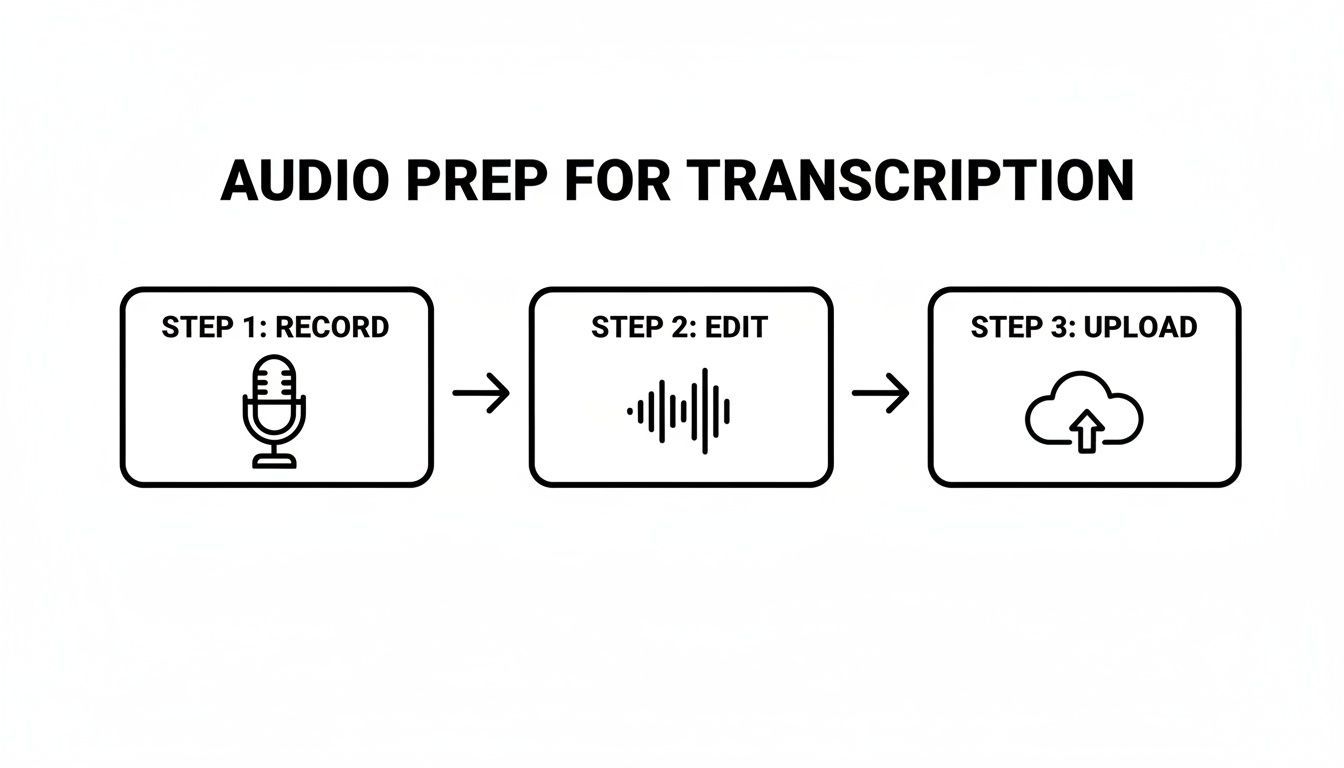
Dieser einfache Workflow – aufnehmen, bereinigen und hochladen – ist die Grundlage für jedes Mal ein hochwertiges Transkript.
Feinabstimmung Ihrer Transkriptionseinstellungen
Nachdem Ihre MP3 hochgeladen wurde, sehen Sie einige wichtige Einstellungen. Die Standardoptionen sind normalerweise ziemlich gut, aber eine Minute hier zu investieren, verwandelt ein ordentliches Transkript in ein fantastisches. Dies ist Ihre Chance, der KI dringend benötigten Kontext zu geben, was die Genauigkeit von Anfang an massiv erhöht.
Ernsthaft, wenn Sie sich einen Moment Zeit nehmen, um diese Optionen zu konfigurieren, sparen Sie sich später eine Menge Bearbeitungszeit. Das Ziel ist es, die KI beim ersten Durchgang so nah wie möglich an die Perfektion zu bringen.
Profi-Tipp: Auch wenn Sie es eilig haben, überspringen Sie den Konfigurationsschritt nicht. Allein die Angabe der richtigen Sprache und die Aktivierung der Sprechererkennung sind zwei der einfachsten Möglichkeiten, das rohe Transkript, das Sie zurückerhalten, dramatisch zu verbessern.
Feinabstimmung für punktgenaue Genauigkeit
Lassen Sie uns die Einstellungen aufschlüsseln, die wirklich den Unterschied machen.
Sprachauswahl: Das scheint offensichtlich, ist aber entscheidend. Wenn Sprecher unterschiedliche Akzente haben – sagen wir, britisches Englisch im Vergleich zu amerikanischem Englisch – hilft die Auswahl der richtigen Hauptsprache der KI, die korrekten phonetischen Modelle zu verwenden. Viele der besten KI-Transkriptionssoftware unterstützen Dutzende von Sprachen und spezifische Dialekte.
Sprechererkennung (Diarisierung): Für Interviews, Teammeetings oder Podcasts mit mehreren Personen ist diese Funktion ein absoluter Game-Changer. Anstatt einer riesigen, unlesbaren Textwand identifiziert die KI automatisch, wer spricht, und kennzeichnet sie (z. B. "Sprecher 1", "Sprecher 2"). Dies macht das Transkript sofort durchsuchbar und viel einfacher zu bearbeiten.
Benutzerdefiniertes Vokabular: Dies ist mit Abstand die leistungsfähigste Funktion für alle, die mit spezialisierten Inhalten arbeiten. Wenn Ihr Audio voller Fachjargon, einzigartiger Produktnamen, Akronyme oder Firmennamen ist, können Sie diese einem benutzerdefinierten Wörterbuch hinzufügen. Wenn Sie zum Beispiel ständig "QuantumLeap AI" sagen, sorgt die Aufnahme in Ihr Vokabular dafür, dass das Tool es jedes Mal perfekt transkribiert, anstatt "Quantum Leap A.I." zu erraten. Sie trainieren im Wesentlichen die KI auf Ihre Sprache, was zu einem enormen Genauigkeitsschub bei Nischenthemen führen kann.
So bearbeiten und exportieren Sie Ihr Transkript wie ein Profi
Ein KI-generiertes Transkript ist ein fantastischer Ausgangspunkt, aber seien wir ehrlich – die Magie geschieht beim Bearbeiten. Hier polieren Sie den Text, beheben alle seltsamen Fehler und bereiten ihn für sein endgültiges Ziel vor, sei es ein Blogbeitrag, Video-Untertitel oder Ihr Besprechungsarchiv.
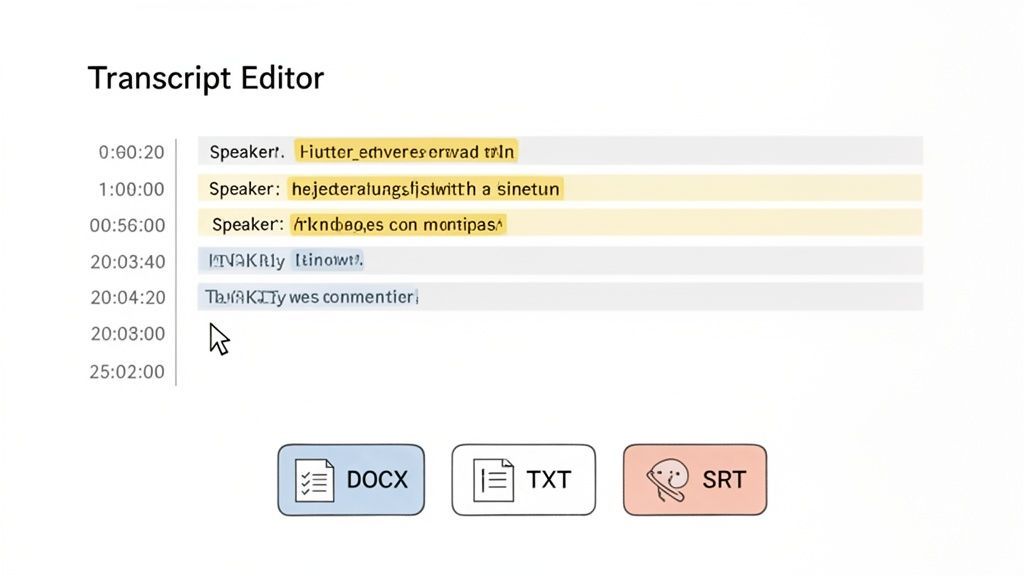
Die meisten modernen Tools, einschließlich Transcript.LOL, verfügen über einen integrierten interaktiven Editor, der Ihren Text brillant mit dem Audio synchronisiert. Wenn Sie auf ein beliebiges Wort klicken, wird sofort der genaue Teil der MP3-Datei abgespielt. Das macht das Finden und Beheben von Fehlern unglaublich schnell.
Funktionen, die Transkripte in nutzbare Assets verwandeln

Bearbeitungswerkzeuge
Bearbeite Transkripte mit leistungsstarken Werkzeugen wie Suchen und Ersetzen, Sprecherzuordnung, Rich-Text-Formate und Hervorhebungen.

In mehreren Formaten exportieren
Exportiere deine Transkripte in mehreren Formaten, einschließlich TXT, DOCX, PDF, SRT und VTT mit anpassbaren Formatierungsoptionen.
Zusammenfassungen und Chatbot
Erstelle Zusammenfassungen und andere Erkenntnisse aus deinem Transkript, wiederverwendbare benutzerdefinierte Prompts und Chatbot für deine Inhalte.
Verfeinern Sie Ihr Transkript für Klarheit
Selbst bei einer Genauigkeit von 99 % möchten Sie es noch einmal kurz durchgehen. Die KI könnte mit einem einzigartigen Namen stolpern, bei Fachjargon ins Stocken geraten oder etwas falsch verstehen, das gemurmelt wurde. Dies ist Ihre Chance, diese kleinen Unvollkommenheiten zu erkennen.
Dies ist auch der perfekte Zeitpunkt, um Sprecherbeschriftungen zu bereinigen. Die KI weist wahrscheinlich generische Tags wie "Sprecher 1" und "Sprecher 2" zu. Sie können diese einfach in die tatsächlichen Namen der Teilnehmer umbenennen, was die Lesbarkeit erheblich verbessert.
Profi-Tipp: Nutzen Sie die Wiedergabegeschwindigkeitsregler im Editor. Das Zurückhören mit 1,5-facher Geschwindigkeit ist ein echter Game-Changer. So können Sie viel schneller Korrektur lesen und gleichzeitig leicht Unterschiede zwischen Audio und Text erkennen.
Anpassen von Zeitstempeln für perfekte Synchronisation
Eine der leistungsstärksten Funktionen eines guten Transkript-Editors ist die Möglichkeit, Zeitstempel anzupassen. Diese Zeitmarkierungen sind absolut unerlässlich für die Erstellung genauer Videountertitel oder für die Identifizierung spezifischer Momente in einer langen Aufnahme.
Wenn Sie feststellen, dass ein Wort oder eine Phrase leicht außer Synchronisation ist, können Sie den Zeitstempel einfach ziehen, um ihn perfekt an das Audio anzupassen. Dieses Maß an Kontrolle sorgt dafür, dass Ihre finalen Videountertitel perfekt synchronisiert sind.
Auswahl des richtigen Exportformats
Sobald Ihr Transkript poliert und bereit ist, ist der letzte Schritt der Export. Das von Ihnen gewählte Format hängt wirklich davon ab, was Sie mit dem Text vorhaben. Dies ist eine kritische Entscheidung, die beeinflusst, wie Sie die Ausgabe verwenden können, nachdem Sie MP3 in Text konvertiert haben.
Hier sind die gängigsten Formate und wofür sie am besten geeignet sind:
- TXT (.txt): Dies ist eine reine Textdatei – keine Formatierung, keine Extras. Sie ist perfekt, wenn Sie einfach nur den reinen Text benötigen, um ihn in eine andere Anwendung zu kopieren oder für eine einfache Archivierung.
- DOCX (.docx): Wählen Sie dieses Format, wenn Sie ein Dokument benötigen, das für Microsoft Word oder Google Docs bereit ist. Es behält wichtige Formatierungen wie Sprecherbeschriftungen und Absätze bei, was es ideal für Berichte, Artikel oder Besprechungszusammenfassungen macht.
- SRT (.srt) & VTT (.vtt): Dies sind spezielle Untertiteldateien. Sie bündeln den Text mit präzisen Start- und Endzeitstempeln, die direkt auf Plattformen wie YouTube oder Vimeo für Untertitel hochgeladen werden können. Wenn Sie tiefer eintauchen möchten, finden Sie in unserem Leitfaden, wie Sie ein SRT-Dateiersteller werden, alle Informationen.
Die massive Nachfrage nach barrierefreien Inhalten ist ein wichtiger Treiber für den Speech-to-Text-Markt. Allein Nordamerika generierte 2023 1,3 Milliarden USD und hatte damit über 37 % Marktanteil. Dieses Wachstum wird von allen vorangetrieben, von Videoerstellern, die SRT/VTT-Exporte nutzen, bis hin zu Rechtsexperten, die DOCX-Dateien für offizielle Aufzeichnungen benötigen, und treibt den globalen Markt bis 2030 auf voraussichtlich 8.569,4 Millionen USD an.
KI-Funktionen über die einfache Transkription hinaus nutzen
Heutige Tools, die MP3 in Text konvertieren, sind weniger auf Transkription ausgerichtet und mehr darauf, vollwertige Content-Erstellungsmaschinen zu werden. Eine einfache Textdatei zu erhalten, ist nur der erste Schritt. Die wahre Magie geschieht, wenn Sie beginnen, die erweiterten KI-Funktionen zu nutzen, die diese Textwand in eine ganze Reihe von gebrauchsfertigen Assets verwandeln.
Transkriptionstools sind jetzt Content-Engines
Moderne Transkriptionsplattformen gehen weit über die reine Texterstellung hinaus. Sie ermöglichen jetzt Zusammenfassungen, Content-Erstellung, Workflow-Automatisierung und Teamzusammenarbeit aus einer einzigen Audiodatei.
Stellen Sie sich vor, Sie beenden ein zweistündiges Interview und statt sich vor dem Transkript zu fürchten, erhalten Sie sofort eine saubere, prägnante Zusammenfassung, die alle wichtigsten Punkte abdeckt. Das ist keine Science-Fiction mehr; es ist eine Standardfunktion auf Plattformen wie Transcript.LOL. Diese Tools analysieren das gesamte Gespräch und reduzieren es auf wenige verdauliche Absätze, was Ihnen Stunden mühsamer Überprüfung erspart.
Automatisierung von Content-Erstellung und Workflows
Über reine Zusammenfassungen hinaus agieren diese KI-Funktionen wie ein kreativer Assistent. Sie können zum Beispiel automatisch eine Liste von Aktionspunkten aus einem Projektmeeting erstellen, um sicherzustellen, dass nichts Wichtiges übersehen wird. Plötzlich ist Ihre Audiodatei nicht mehr nur eine Aufzeichnung dessen, was gesagt wurde – sie ist ein proaktives Werkzeug für Ihr Team.
Denken Sie an diese realen Szenarien:
- Social-Media-Schnipsel: Ziehen Sie die besten Zitate oder großen Ideen aus einem Podcast und lassen Sie die KI eine Reihe von sofort postbaren Social-Media-Updates entwerfen.
- Gliederungen für Blogbeiträge: Erstellen Sie eine vollständige, strukturierte Gliederung basierend auf den Kernthemen, die in Ihrer Audioaufnahme besprochen wurden, was Ihnen einen enormen Vorsprung für Ihren nächsten Artikel verschafft.
- Bildungsquizze: Für Lehrer und Trainer ist dies ein Game-Changer. Sie können eine einstündige Vorlesung in wenigen Minuten in ein Multiple-Choice-Quiz verwandeln, was die Vorbereitungszeit um bis zu 75 % reduzieren kann.
Deshalb wird erwartet, dass der Markt für Spracherkennung von 2023 bis 2030 mit einer jährlichen Wachstumsrate (CAGR) von 16,3 % wachsen wird – die Ergebnisse sind greifbar. Vermarkter verzeichnen mit untertiteltem Videomaterial, das aus Transkripten erstellt wurde, eine Steigerung des Engagements um etwa 35 %, während Führungskräfte sofortige Aktionspunkte aus ihren Meetings erhalten. Sie können mehr über das Wachstum der Spracherkennung erfahren und wie es verschiedene Branchen aufmischt.
Integration von Transkription in Ihr Ökosystem
Die wahre Stärke entfaltet sich, wenn Sie diese Tools mit den anderen Apps verbinden, die Sie täglich nutzen. Durch die Einrichtung von Integrationen mit Plattformen wie Zapier oder Slack können Sie automatisierte Workflows erstellen, die im Hintergrund laufen, ohne dass Sie etwas tun müssen.
Dies ist der Sprung vom reinen Transkribieren von Dateien zum Aufbau einer intelligenten, automatisierten Content-Pipeline. Ihre MP3-Datei wird zum Startschuss für eine ganze Reihe produktiver Aktionen.
Sie könnten zum Beispiel einen Workflow erstellen, bei dem jede neue Audiodatei, die in einen bestimmten Dropbox-Ordner hochgeladen wird, automatisch an Transcript.LOL gesendet wird. Sobald die Transkription abgeschlossen ist, könnte die KI-generierte Zusammenfassung sofort in einem speziellen Slack-Kanal gepostet werden. Ihr gesamtes Team bleibt auf dem Laufenden, ohne dass jemand einen Finger rühren muss. Diese Art von freihändiger Produktivität verwandelt eine repetitive manuelle Aufgabe in ein nahtloses, automatisiertes System und maximiert so den Wert, den Sie erhalten, wenn Sie mp3 in Text umwandeln.
Noch Fragen zur Umwandlung von MP3 in Text?
Selbst mit einem großartigen Tool werden Sie wahrscheinlich einige Fragen haben, wie Sie mp3 in Text umwandeln und die besten Ergebnisse erzielen können. Ich verstehe das. Lassen Sie uns einige der häufigsten Fragen durchgehen, von der Bewältigung unklarer Audioaufnahmen bis hin zur Gewährleistung der Privatsphäre Ihrer Dateien.
Welche Genauigkeit kann ich realistischerweise erwarten?
Das ist die wichtigste Frage. Moderne KI-Transkriptionstools wie Transcript.LOL können eine Genauigkeit von bis zu 99 % erreichen, aber das gilt unter perfekten Laborbedingungen. Denken Sie an einen sauberen Podcast mit einem einzelnen Sprecher, der mit einem hochwertigen Mikrofon aufgenommen wurde.
Für die durchschnittliche Aufnahme – ein Zoom-Anruf, eine Vorlesung, ein Interview mit etwas Hintergrundgeräuschen – können Sie immer noch eine Genauigkeit im hohen 90er-Bereich erwarten.
Wo beginnt es zu schwächeln? Normalerweise bei Dingen wie:
- Starke Akzente oder regionale Dialekte, auf die die KI nicht stark trainiert wurde.
- Übersprechungen, bei denen mehrere Personen gleichzeitig sprechen.
- Schlechte Mikrofonqualität, die Rauschen, Echo oder einen entfernten, blechernen Klang verursacht.
Am besten stellen Sie sich vor, dass die KI Ihnen einen fantastischen ersten Entwurf liefert. Sie erledigt 95 % der Schwerstarbeit. Ein paar Minuten Korrekturlesen Ihrerseits sind immer ein kluger Schachzug, um 100 % zu erreichen.
Wie gehe ich mit schlechter Audioqualität um?
Okay, was passiert also, wenn die Aufnahme bereits abgeschlossen ist und sie… nicht gerade toll ist? Sie können eine schreckliche Aufnahme zwar nicht magisch reparieren, aber Sie sind nicht im Nachteil.
Wenn Sie das nötige Know-how haben, kann das Durchlaufen der Datei durch eine Audiobearbeitungssoftware, um Hintergrundgeräusche zu bereinigen, einen großen Unterschied machen.
Wenn das keine Option ist, nutzen Sie die Funktionen Ihres Transkriptionstools. Zum Beispiel ist die Einrichtung eines benutzerdefinierten Vokabulars, um der KI spezifische Fachbegriffe, Firmennamen oder Personennamen beizubringen, eine enorme Hilfe. Es liefert der KI wichtige Kontextinformationen, die ihr helfen, bessere Vermutungen anzustellen, selbst wenn die Audioaufnahme undeutlich ist.
Die wichtigste Erkenntnis ist diese: Selbst unklare Audioaufnahmen können zu einem brauchbaren Transkript führen. Sie müssen vielleicht etwas mehr Zeit mit der Bearbeitung verbringen, aber Sie sparen immer noch Stunden im Vergleich zum Abtippen von Hand.
Ist es sicher, sensible oder vertrauliche Dateien hochzuladen?
Sicherheit ist ein völlig berechtigtes Anliegen, insbesondere wenn Sie Kundengespräche, Therapiesitzungen oder private Forschungsinterviews transkribieren. Seriöse Plattformen nehmen dies sehr ernst.
Bei Transcript.LOL zum Beispiel verfolgen wir bei den meisten Dateien eine Null-Aufbewahrungsrichtlinie und eine strikte Richtlinie, keine Daten zum Training zu verwenden. Das ist unser Versprechen an Sie. Das bedeutet, dass Ihre Audioaufnahmen verarbeitet und sofort gelöscht werden. Ihre Daten werden niemals, niemals zum Trainieren unserer KI-Modelle verwendet.
Wenn Sie sich umsehen, achten Sie immer auf einen Dienst, der seine Datenschutz- und Sicherheitsrichtlinien klar darlegt. Ihre Inhalte gehören Ihnen allein, und die besten Dienste machen es sich zur Aufgabe, das auch so zu halten.
Sind Sie bereit, Ihre Audioaufnahmen in präzise, umsetzbare Texte zu verwandeln, mit einem Tool, das Ihre Privatsphäre an erste Stelle setzt? Probieren Sie Transcript.LOL aus und erleben Sie, wie mühelos es sein kann. Beginnen Sie noch heute unter https://transcript.lol.