
How to Transcribe Audio Flawlessly with AI
Learn how to transcribe audio with this expert guide. Get actionable tips on audio prep, choosing AI tools, editing, and repurposing content for max impact.
Kate
August 27, 2025
So, you need to turn audio into text. The basic idea is simple enough: take your audio file, clean it up a bit, and run it through an AI transcription tool like Transcript.LOL. Pick your language, hit go, and let the AI do its thing.
But the real magic isn't just in getting words on a page. It's about getting the right words, accurately, and having a great editor to polish up the final details.
Why Accurate Audio Transcription Matters More Than Ever
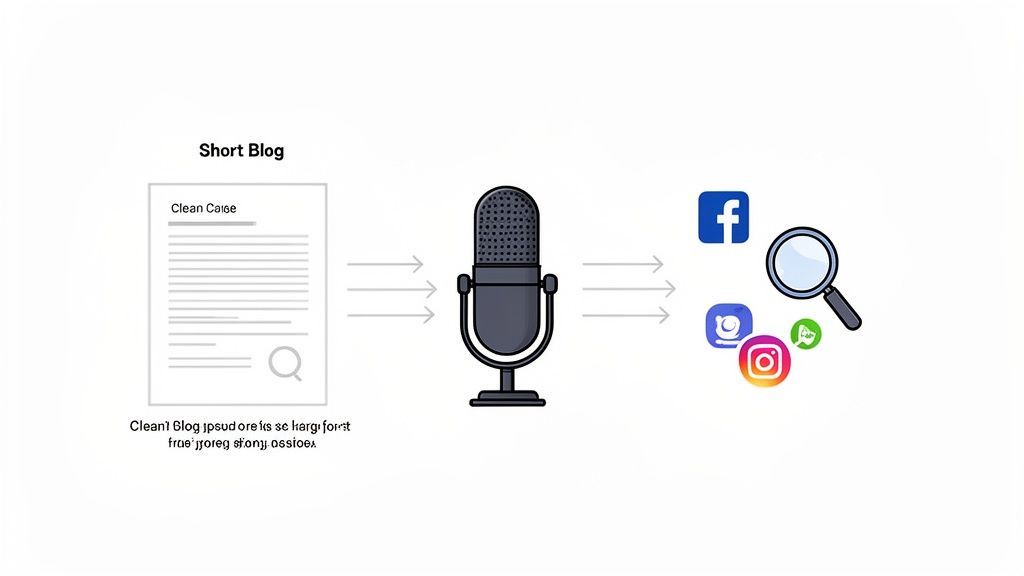
Turning spoken words into text used to be a niche task for journalists or legal assistants. Not anymore. For creators, marketers, and teams of all kinds, high-quality transcription has become a secret weapon for getting more out of your content.
Instead of letting valuable conversations from meetings, podcasts, or webinars just fade into memory, transcription turns them into permanent, searchable assets.
Features That Support Clear Transcription Foundations
State-of-the-art AI
Powered by OpenAI's Whisper for industry-leading accuracy. Support for custom vocabularies, up to 10 hours long files, and ultra fast results.

Import from multiple sources
Import audio and video files from various sources including direct upload, Google Drive, Dropbox, URLs, Zoom, and more.

Speaker detection
Automatically identify different speakers in your recordings and label them with their names.
This whole movement is powered by the explosion in digital content. The global AI transcription market hit $4.5 billion in 2024 and is on track to smash $19.2 billion by 2034. That's not just a trend; it's a fundamental shift in how we handle audio and video.
Unlocking Your Content's Potential
Think about that last podcast you recorded or the team brainstorming session you led. That audio file is sitting on a goldmine of ideas, just waiting to be repurposed. An accurate transcript is the key that unlocks it all.
Searchable Knowledge
Accurate transcripts transform audio into searchable text, making it easy to find ideas, decisions, and insights long after the conversation ends.
Faster Content Creation
Instead of re-listening to recordings, teams can pull quotes, summaries, and sections directly from text.
Better Accessibility
Transcripts make content accessible to wider audiences, including non-native speakers and hearing-impaired users.
Stronger Documentation
Meetings, interviews, and webinars turn into permanent records that reduce miscommunication and repeated discussions.
For instance, that one-hour webinar you hosted can instantly become:
- A detailed, SEO-friendly blog post.
- A dozen powerful quotes for X and LinkedIn.
- A downloadable PDF guide for your email list.
- An internal training doc with clear action items.
This isn't about creating more work. It’s about multiplying the value of the work you've already done, saving you countless hours while expanding your reach.
Why Transcription Is a Content Multiplier?
A single transcript can power blogs, social posts, internal documentation, and training material. When conversations are captured accurately, they become reusable assets instead of one-time moments.
Key Takeaway: Transcription is more than just a written record. It’s a strategic play to make your spoken content discoverable, accessible, and incredibly versatile for everything from marketing to internal training.
The Foundation of Quality
Here’s the catch, though: all these benefits hinge on the quality of the transcript. A messy, inaccurate text file is worse than useless—it actually creates more work by forcing you into hours of painful manual corrections.
Poor Audio Leads to Poor Transcripts
No AI can fix badly recorded audio. Background noise, echo, and overlapping speech dramatically reduce transcription accuracy and increase editing time.
This is exactly why understanding speech-to-text accuracy is non-negotiable before you start. Modern AI, like OpenAI's Whisper model that powers our platform, delivers incredible results right away.
But knowing how to prep your files and use editing features is what separates a decent transcript from a perfect one. This guide will walk you through getting that professional-grade quality, every single time.
Prepping Your Audio for a Flawless AI Transcription
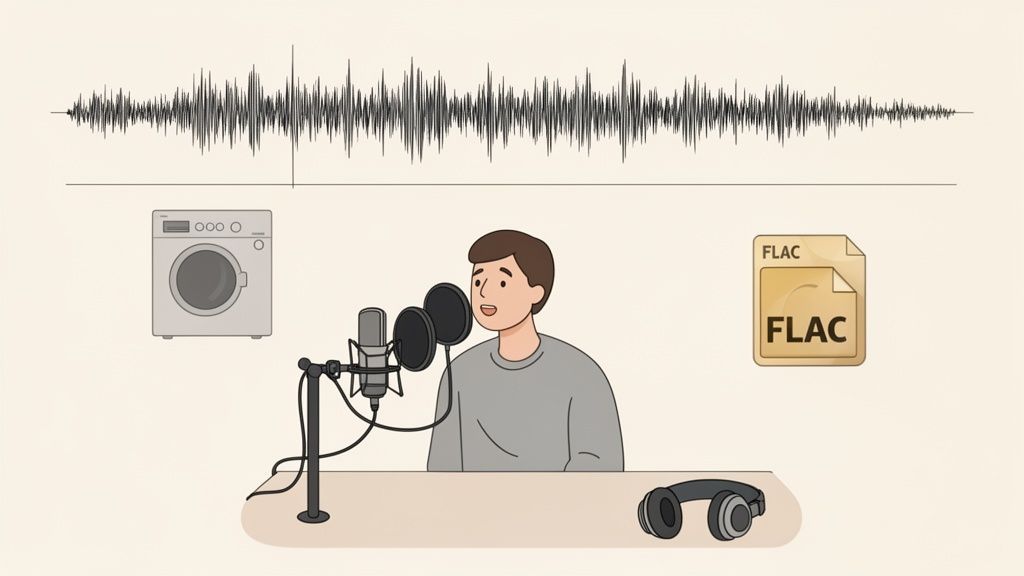
You've probably heard the old saying "garbage in, garbage out," and nowhere is it more true than with AI transcription. Before you even think about uploading a file, just remember this: the quality of your source audio is the single biggest factor in getting back an accurate transcript.
A few minutes spent on prep can genuinely save you hours of painful editing on the other side.
Think of the AI as an incredibly sharp listener trying to focus in a noisy cafe. If there's an air conditioner humming, a siren wailing in the distance, or people talking over each other, even the smartest algorithm will struggle. Your mission is to give it the cleanest signal possible.
This all starts with where you record. You don’t need a pro-level studio, but finding a quiet space is a non-negotiable. Simple things like closing a window, turning off a buzzing fridge, or just recording in a room with a carpet and curtains can slash echo and background noise.
Get Your Recording Technique Right
Beyond the room itself, how you capture the sound is huge. If you’re using a physical mic, placement is everything. Try to keep the mic a consistent distance from each speaker—usually about six to twelve inches from their mouth. This keeps the volume level nice and steady, making it much easier for the AI to tell who's who.
For remote calls and interviews, get everyone to wear headphones. This is a game-changer. It stops the all-too-common problem where one person's speaker output gets picked up by another's mic, creating a confusing echo that completely derails the transcription.
And for podcasters or anyone serious about their audio, a dedicated recording device is a solid investment. If you're looking for one, our guide on the best voice recorder with transcription can point you in the right direction.
Pro Tip: Got a recording with some background hum you couldn't avoid? A quick pass through a free tool like Audacity works wonders. Just use its 'Noise Reduction' feature to sample the hiss and then strip it from the entire track before uploading.
Choose Your Audio Format Wisely
Finally, let's talk file formats. MP3s are everywhere because they're small, but they use what’s called lossy compression. This means to save space, some audio data is thrown away forever. Sometimes, that discarded data includes the subtle phonetic sounds the AI needs to be accurate.
For the absolute best results, always go with a lossless format if you have the choice. These formats keep every single bit of the original audio data.
- FLAC (Free Lossless Audio Codec): This is the gold standard for quality. You get perfect audio fidelity at about half the size of a giant, uncompressed WAV file.
- WAV (Waveform Audio File Format): It's uncompressed and top-quality, but the files can be massive.
If you absolutely must use a compressed format, at least aim for a higher bitrate MP3 (like 320 kbps) to hold onto as much detail as possible. Making this one simple choice gives the transcription engine the best possible material to work with, and you'll see the difference in the final transcript.
Choosing the Right AI Transcription Tool for Your Needs
Picking an AI transcription service can feel like a shot in the dark. A quick search turns up dozens of options, all promising speed and accuracy. But the best tool for a podcaster isn't the same one a legal team needs for sensitive depositions.
You have to look past the flashy marketing and focus on what actually impacts your day-to-day work.
First things first: how do you get your audio into the system? Sure, a direct file upload is standard, but modern tools give you much more flexibility. Can you connect your Google Drive or Dropbox? Even better, can you just paste a YouTube link and have it transcribe on the spot?
Imagine you're a content marketer who needs to analyze a competitor's webinar from YouTube. A direct link import isn't a "nice-to-have"—it's a must.
Beyond the Basics: What Really Matters
Once you know a tool can handle your files, it’s time to look at the features that separate the good from the great. Speed is awesome, but for any serious work, three other things are way more important: privacy, vocabulary, and language support.
-
Data Privacy Policy: This is a deal-breaker if you handle any kind of confidential information. You need to find a service with a crystal-clear "no-training" policy. This is your guarantee that the provider won't use your audio or transcripts to train their AI models. Your conversations stay private. Period.
-
Custom Vocabulary: Does your audio have a ton of industry jargon, unique company names, or weird acronyms? A custom vocabulary feature is a lifesaver. You can build a list of these specific terms beforehand, which tells the AI exactly what to listen for. This dramatically boosts accuracy and cuts your editing time way down.
-
Language and Accent Support: Always double-check that the tool supports the specific languages and dialects you're working with. A powerful AI trained on a wide range of accents will give you a much cleaner transcript, especially when you're dealing with international speakers.
The whole point of transcribing audio with AI is to save yourself manual work. A tool that understands your specific needs—whether it’s recognizing medical terms or protecting client confidentiality—is an asset that pays for itself in time alone.
Before you commit, it's a good idea to put a few tools to the test. To make it easier to see what matters at a glance, here’s a quick comparison of the features you should be looking for.
AI Transcription Feature Comparison
| Feature | Why It Matters for You | Example Application |
|---|---|---|
| "No-Training" Privacy | Guarantees your sensitive audio and transcripts are never used to train the provider's AI models. | Transcribing confidential client meetings, legal depositions, or internal strategy sessions. |
| Custom Vocabulary | Massively improves accuracy for audio with industry-specific jargon, acronyms, or unique names. | A medical researcher adding terms like "pharmacokinetics" to ensure they're transcribed correctly. |
| Direct Link Import | Saves time by letting you transcribe directly from platforms like YouTube or Vimeo without downloading first. | A marketing team quickly turning a competitor's product demo video into a searchable text document. |
| Speaker Detection | Automatically identifies and labels different speakers in the conversation, making the transcript easy to read. | A journalist transcribing a multi-person interview and needing to attribute quotes accurately. |
| Flexible Export Formats | Allows you to download your transcript in various formats (.docx, .srt, .txt) to fit your workflow. | A video editor exporting an SRT file to create subtitles for their latest YouTube upload. |
Choosing a tool with the right mix of these features will make a huge difference in your workflow.
Making an Informed Decision
Most platforms offer a free trial, and you should absolutely take advantage of it. Don't just upload a clean, simple audio file. Give it a real challenge.
Use a clip with some background noise, multiple speakers talking over each other, and a few of your industry-specific terms. That’s how you’ll see which tool really performs under pressure.
To help you narrow down your options, check out this detailed review of the best transcription tools on the market. And for a more focused look at our top picks, our own guide on the best AI transcription software compares platforms on accuracy, features, and overall value.
Putting in a little time now to evaluate these key elements will ensure you end up with a tool that’s not just fast, but a secure and reliable partner for your work.
From Upload to Final Edits: Your Transcription Workflow
Alright, let's get into the nitty-gritty. This is where your clean audio file finally becomes a polished, usable transcript. It’s more than just clicking a button—it’s a simple but crucial workflow that ensures your final document is accurate, readable, and ready to go.
Imagine you just wrapped up a one-hour podcast interview. Your audio is prepped and waiting. Your first move is to get that file into your transcription tool. Most modern platforms give you a few ways to do this: drag and drop the file, connect your Google Drive or Dropbox, or even just paste a URL if the audio is already hosted online.
Once it's uploaded, you'll see a few key settings. This is where you tell the AI what it’s listening to. You’ll need to specify the language spoken and, most importantly, enable speaker detection (sometimes called diarization). Trust me, for interviews or meetings, this feature is a lifesaver. It automatically figures out who is speaking and when, saving you from a massive organizational headache later.
Features That Improve Accuracy and Review

Editing tools
Edit transcripts with powerful tools including find & replace, speaker assignment, rich text formats, and highlighting.

Export in multiple formats
Export your transcripts in multiple formats including TXT, DOCX, PDF, SRT, and VTT with customizable formatting options.
Summaries and Chatbot
Generate summaries & other insights from your transcript, reusable custom prompts and chatbot for your content.
Kicking Off the Transcription
With your settings dialed in, it’s time to hit "transcribe." The AI gets to work, breaking down the audio and converting it into text. For a one-hour file, this can take anywhere from a few seconds to a few minutes, depending on the service and how busy its servers are.
AI Has Dramatically Reduced Transcription Time
Modern AI models can process long recordings in minutes instead of hours, allowing teams to move from upload to usable text almost instantly.
While you wait, start thinking about the next step, which is arguably the most important one: the editing phase. No AI is perfect. Even a transcript that’s 99% accurate will have mistakes, especially with proper names, niche jargon, or those moments where people talk over each other.
This quick flowchart breaks down the key decisions you'll make right before you start.
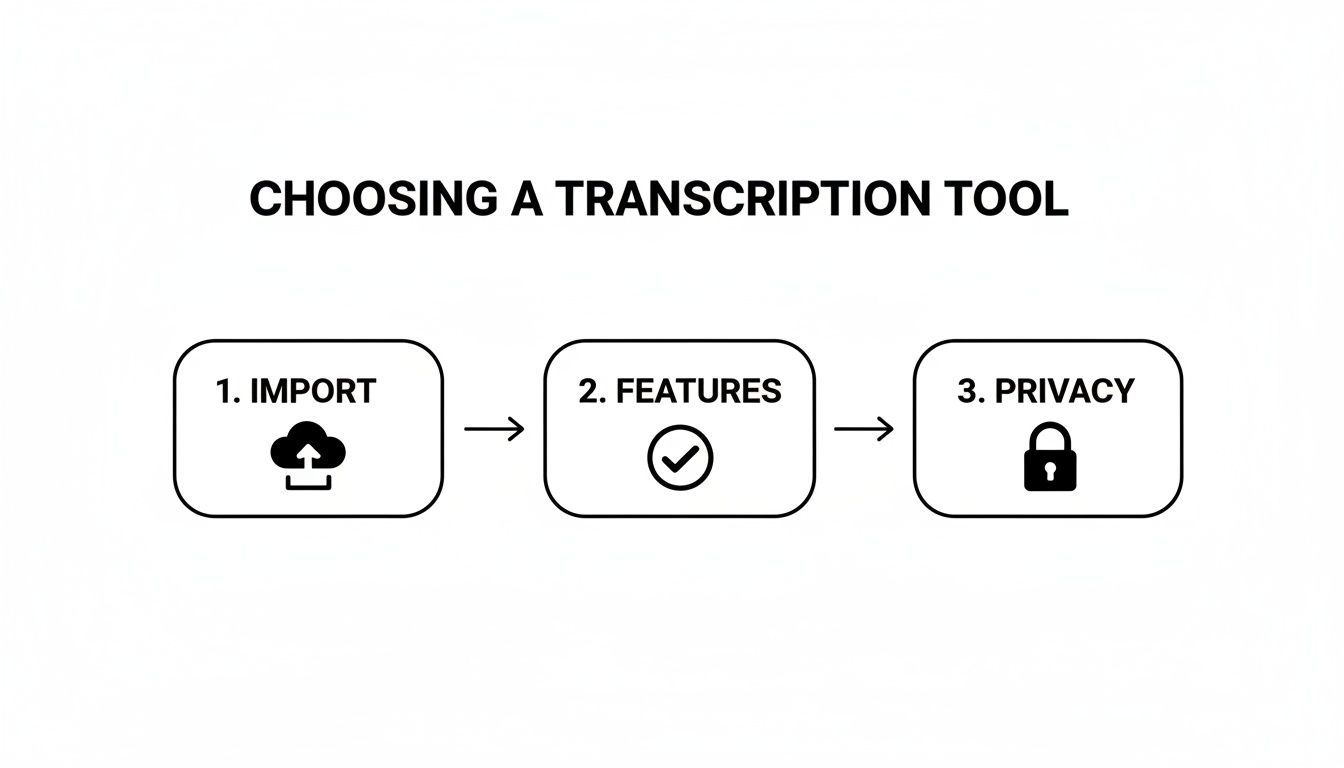
As you can see, a good workflow starts before you even hit the transcribe button, beginning with how you import your files and what privacy safeguards are in place.
The Art of Polishing Your Transcript
Once the AI is done, you'll get a raw text output perfectly synced with your audio. Now it’s your turn to step in and transform that draft into a final document. A good transcription editor is your best friend here, giving you an interface to play the audio and edit the text at the same time.
Here’s what your editing workflow should focus on:
- Correcting Names and Jargon: An AI might misspell a guest’s name or fumble a technical term. Your first pass should be a quick scan to fix these specific, often-repeated errors.
- Assigning Speaker Labels: Even with speaker detection on, you’ll still need to assign the correct names to the labels (e.g., changing "Speaker 1" to "Jane Doe").
- Fine-Tuning Punctuation: AI is decent with commas and periods, but it doesn't always capture the natural flow of conversation. This is your chance to add paragraph breaks for clarity and adjust punctuation to better reflect the speaker's tone.
A professional transcript isn't just about getting the words right; it's about capturing the meaning. The editing stage is where you, the human, add the final layer of context and clarity that an AI can't quite replicate.
This editing process is where you truly refine the output. For a deeper dive into making your text flawless, our guide on the importance of proofreading in transcription offers some expert tips.
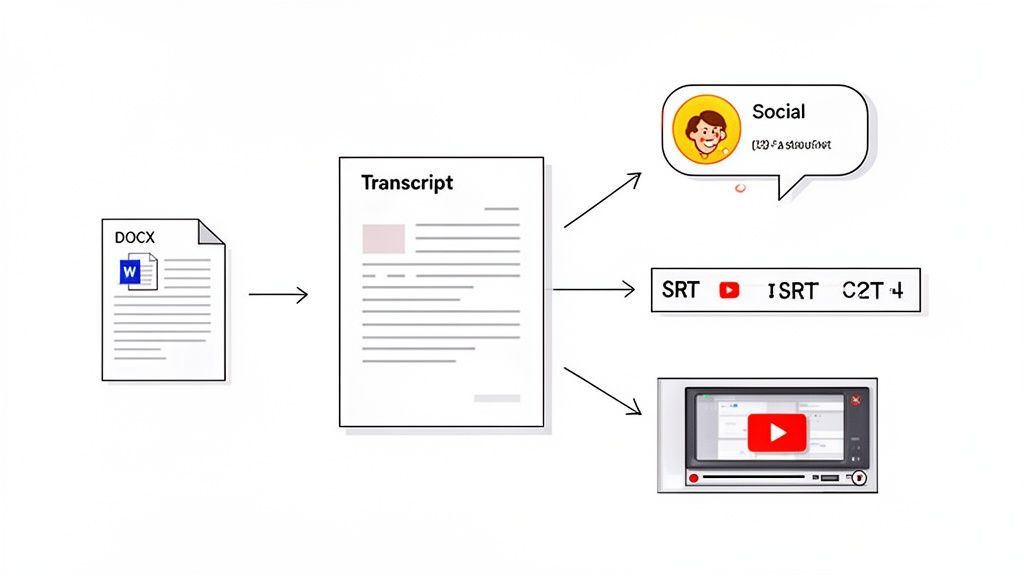
Once your edits are complete, you're ready to export the final transcript into whatever format you need, whether it's a DOCX for a blog post or an SRT file for video captions.
Repurposing Your Transcript for Maximum Impact
Getting a perfectly edited transcript isn't the finish line—it's the starting block. So many people see transcription as a simple record-keeping task, and it's a huge missed opportunity. The real magic happens when you treat that text as raw material for a dozen other content pieces.
One recording can easily become a week's worth of marketing assets.
This all starts with the basics: exporting your text. Any decent transcription tool will let you download the text in multiple formats. A DOCX file is perfect for turning into an article, while an SRT or VTT file is exactly what you need for perfectly timed video captions.
But honestly, that’s just scratching the surface.
From Text to Content Engine
Modern platforms like Transcript.LOL are built for this very purpose. They don’t just spit out words; they give you tools to instantly reshape those words into something new. Imagine finishing a client interview and, with one click, shooting a concise summary over to your team's Slack channel.
Think about a product demo webinar you just hosted. Instead of sitting through the whole recording again to pull out the important stuff, you can use built-in AI features to automatically find:
- Action items for your development team.
- Key questions from the Q&A session to build a follow-up FAQ doc.
- Highlight reels of the most impactful moments.
Suddenly, your transcript isn't just a static document. It’s a dynamic workspace.
The goal is to stop thinking of a transcript as an end product and start seeing it as a content hub. Every piece of audio becomes a central point from which new articles, social posts, and video scripts can branch out.
Generating Assets with AI
The most exciting part is the rise of AI-powered content generation happening right inside the transcription tool. You can feed your polished transcript to an AI and ask it to create entirely new assets based on that conversation. This is where the real efficiency kicks in.
Let’s say you have a one-hour podcast transcript. From that single file, you could instantly generate:
- A Draft for a Blog Post: Ask the AI to structure the main talking points into a coherent article.
- Five X (Twitter) Threads: Prompt it to pull out five compelling ideas and spin them into engaging, multi-post threads.
- A Newsletter Summary: Have it write a short, personable summary of the episode's key takeaways for your email list.
- A Video Script: Tell it to create a quick script for a YouTube Short or Instagram Reel based on a powerful story from the interview.
This approach lets you scale your output without having to manually sift through the text every single time. You go from a single audio file to a full-blown content campaign in minutes, not hours. It completely reframes transcription from a simple conversion task into a strategic content multiplication machine.
Got Questions? We've Got Answers
Even with the best tools, you're bound to run into a few questions once you start transcribing audio regularly. Getting a handle on the common hurdles is the key to a smoother workflow and more professional results. Let's tackle some of the most frequent ones we see.
A big one is always accuracy, especially when you're dealing with less-than-perfect audio. You might be wondering how to handle recordings with thick accents or super technical jargon that tends to trip up the AI.
How Can I Improve Accuracy for Niche or Technical Content?
For specialized content, your best bet is to find a transcription tool that supports a custom vocabulary. This feature is a game-changer. It lets you upload a list of specific names, industry acronyms, or technical terms before the transcription even starts.
You're essentially giving the AI a cheat sheet, priming it to recognize and correctly spell the words that matter most to your project.
What about audio with heavy accents? The fix really starts at the source—the recording itself.
- Make sure the audio is as clean as you can get it, with minimal background chatter.
- Use a high-quality microphone and place it close to the person speaking.
- Choose a service powered by a modern AI model, like OpenAI's Whisper, which has been trained on a massive and diverse dataset of spoken language.
And if you want to dig deeper into the fundamentals of transcription and get more of your questions answered, check out this fantastic resource on What Is Video Transcription: Your Ultimate Guide.
How Do I Handle Confidential Information Securely?
Security is another huge concern, especially for our users in the legal, medical, or corporate fields. Can you trust an AI service with confidential information? The short answer is: it completely depends on the provider's privacy policy.
Confidential Audio Requires Zero-Compromise Privacy
Uploading sensitive conversations to the wrong platform can create serious legal and compliance risks. If a service trains its AI on your data, you lose control over confidential information permanently. Always verify privacy guarantees before trusting any transcription tool.
For any sensitive material, you absolutely must choose a service with a strict 'no-training' clause. This is a guarantee that the provider will not use your uploaded audio or resulting transcripts to train their AI models. It ensures your data remains completely private and is never seen by human eyes.
Always, always review a service's privacy policy before uploading anything sensitive. It’s a simple step that protects your information and keeps you compliant with data protection standards. Honestly, it's non-negotiable for any professional use case where confidentiality is on the line.
Ready to turn your audio into accurate, actionable text? With Transcript.LOL, you get a powerful, secure, and intuitive platform designed to handle any transcription challenge. Start your free trial today at https://transcript.lol and see for yourself.