
A Practical Guide to Converting Video Into Text
Discover how to convert video into text with our practical guide. We cover the best AI tools, manual methods, and real-world tips for perfect accuracy.
Kate
July 24, 2024
Turning your video's audio into a searchable, editable document is what video-to-text conversion is all about. This can be done using automated AI software or by hiring human transcription services to get an accurate text version of your media file.
Why Converting Video Into Text Unlocks Content Value
It’s easy to think of a video transcript as just a simple script or a file for subtitles. But that's a huge mistake. A transcript is a powerhouse asset that completely changes how your content gets discovered, used, and repurposed. It’s the key that unlocks all the value previously locked away inside the video file itself.
Think about a webinar you just hosted. By turning that one video into text, you've instantly created the raw material for a half-dozen new pieces of content. That transcript can be polished into a detailed blog post, its best quotes can be pulled for social media graphics, and any compelling stats can fuel your next email campaign. It’s all about working smarter, not harder.
Key Features That Enhance Your Transcription Workflow
State-of-the-art AI
Powered by OpenAI's Whisper for industry-leading accuracy. Support for custom vocabularies, up to 10 hours long files, and ultra fast results.

Import from multiple sources
Import audio and video files from various sources including direct upload, Google Drive, Dropbox, URLs, Zoom, and more.

Export in multiple formats
Export your transcripts in multiple formats including TXT, DOCX, PDF, SRT, and VTT with customizable formatting options.
Expanding Your Reach and Accessibility
One of the biggest wins here is making your content far more discoverable. Search engines like Google can’t "watch" your video, but they can crawl and index text like nobody's business. A transcript gives them a keyword-rich document they can easily understand, helping your video rank for relevant searches and pulling in more organic traffic.
Beyond SEO, accessibility is a massive deal. A text version of your audio ensures that your content is open to everyone, including individuals who are deaf or hard of hearing. It also serves the huge audience that watches videos with the sound off—a common habit on social platforms where 75% of all video views happen on mobile devices.
This isn't just a "nice-to-have" anymore; it's often a requirement. Regulations like the Americans with Disabilities Act (ADA) mandate digital accessibility, making captions and transcripts essential for compliance. As these demands grow, finding affordable ways to meet them is key, as highlighted in a webinar offering insights into AI-driven closed captions for compliance.
The market reflects this urgency. The global video transcription market was valued at around $1.2 billion in 2022 and is expected to more than double by 2027. This explosion shows just how critical this skill has become for any modern creator or business.
Important Industry Insight
Video-to-text conversion isn’t just a productivity tool — it’s fast becoming a compliance and accessibility requirement across industries. Having searchable transcripts reduces manual workload and ensures your content meets accessibility standards globally.
Streamlining Research and Analysis
For anyone in research, journalism, or academia, sifting through hours of interview or lecture footage is painfully slow. A transcript changes the game completely.
Instead of scrubbing through video, you can now:
- Quickly find key themes: Just use a simple text search (Ctrl+F) to instantly locate every mention of a specific term or idea.
- Analyze speaker contributions: Easily see who said what, when, and identify patterns in the conversation without having to guess.
- Extract perfect quotes: Pull accurate quotes for articles, reports, or papers without re-watching the same clip ten times.
This kind of efficiency lets you move from raw footage to real insights in a fraction of the time, making deep analysis not just possible, but practical.
Choosing the Right Transcription Method
So you need to turn your video into text. The first big decision you’ll make is how you're going to get it done. This isn't just about picking a tool; it's about matching the method to your specific project's needs.
You’re looking at two main paths: letting an AI handle it automatically or hiring a professional human transcriber. Each has its place, and choosing the right one from the start will save you a ton of headaches, time, and money down the road.
When to Use Automated AI Transcription
AI transcription services are absolute workhorses. They're incredibly fast, affordable, and perfect for jobs where getting a perfect, word-for-word transcript isn't the top priority. Think "good enough" for internal use.
Let's say you just finished a two-hour internal Zoom meeting. You don't need a flawless script to publish. You just need a searchable record so team members who missed it can catch up on key decisions. An AI can spit that out in minutes for next to nothing.
This is your go-to method for:
- Internal meetings and webinars where you just need a quick, searchable archive.
- Creating rough drafts for blog posts or articles from a video source.
- Personal notes or research from lectures and interviews.
- Captions for social media videos where a minor slip-up isn't a big deal.
The real win with AI here is efficiency. When you're dealing with a high volume of content that doesn't need to be perfect, AI lets you scale your efforts without draining your budget.
When to Choose Manual Human Transcription
Despite all the advances in AI, a professional human transcriber is still the gold standard for accuracy. A person can pick up on nuance, understand thick accents, and make sense of messy audio in a way that algorithms just can't yet.
Imagine you need a transcript of a legal deposition for a court case. Every single word, stutter, and pause matters. An AI could easily mishear a critical term or get confused by people talking over each other—a mistake that could have serious consequences. For high-stakes situations like this, a human professional is the only real option.
Opt for a manual service when you're working with:
- Legal or medical recordings where 100% accuracy is non-negotiable.
- Documentary and film production for scripts and subtitles that need to capture dialect and tone perfectly.
- Poor audio quality videos with lots of background noise, echoes, or muffled speakers.
- Highly technical content full of jargon, acronyms, or industry-specific terms an AI won't recognize.
Making the Final Decision
It all boils down to a simple trade-off between Accuracy, Speed, and Budget. For a deeper dive into the nuts and bolts, this guide on how to transcribe a video to text is a great resource with more detailed steps.
But to keep it simple, just ask yourself one question: What’s the cost of a mistake?
If an error is just a minor annoyance, an AI tool will probably do the job just fine. But if a mistake could create legal problems, mislead your audience, or damage your brand, then investing in a professional service is a no-brainer. It ensures you get the right transcript for your needs, every single time.
Using AI to Transcribe Your Video
So, you've decided an automated tool is the way to go. Smart choice. But getting great results from an AI isn't quite a one-click affair. A little bit of prep work and a few smart clicks can be the difference between a decent transcript and a fantastic one.
Think of it as setting the AI up for success.
The absolute foundation of a quality transcript is clean audio. This is, without a doubt, the single biggest factor that will determine the final accuracy. Before you even think about uploading your video, just take a minute to listen to the sound.
Preparing Your File for Best Results
Even the most sophisticated AI will get tripped up by messy audio. If your recording is full of background chatter, echo, or speakers who are too far from the mic, the transcript quality is going to take a hit. You can't always go back and re-record, but you can often clean things up.
For instance, say you recorded a podcast interview and there's a constant low hum from an air conditioner. Running that audio through a simple noise-reduction tool first can work wonders. It might take an extra five minutes, but it can easily boost your accuracy from a frustrating 75% to a brilliant 95% or more.
Your goal is to make the spoken words as clear and distinct as possible. Every bit of interference you can remove—from keyboard clicks to distant sirens—gives the AI a much better shot at getting it right on the first pass.
Most services handle common video formats like MP4 or MOV just fine. Pro tip: if your video file is huge, consider exporting just the audio as an MP3 or WAV file. The upload will be way faster, and it won't impact the transcription quality at all.
Configuring Your Transcription Settings
Once your file is uploaded, you’ll see a few settings. Don't just blow past this and click "Transcribe." Seriously, taking 30 seconds here is one of the most important steps in turning that video into accurate text.

Speaker detection
Automatically identify different speakers in your recordings and label them with their names.

Editing tools
Edit transcripts with powerful tools including find & replace, speaker assignment, rich text formats, and highlighting.
Summaries and Chatbot
Generate summaries & other insights from your transcript, reusable custom prompts and chatbot for your content.
Integrations
Connect with your favorite tools and platforms to streamline your transcription workflow.
Here’s what you need to lock in:
- Language and Dialect: This one's a must. Always tell the AI what language is being spoken. If you see options for dialects (like US English vs. UK English), pick the one that matches your speakers. It helps the AI nail regional slang and pronunciations.
- Speaker Identification: If you have more than one person talking, turn this on. The AI will do its best to tell the voices apart and label them for you (e.g., Speaker 1, Speaker 2). This saves an unbelievable amount of editing time later.
- Custom Vocabulary: For anyone with technical or niche content, this is a total game-changer. It lets you build a personal dictionary of terms, names, or acronyms the AI probably wouldn't know otherwise.
The Power of a Custom Vocabulary
Let’s use a real-world example. Imagine you’re transcribing a tech podcast about a new software product. The hosts keep saying company names like "InnovateCorp," product features like "QuantumLeap Engine," and acronyms like "SaaS" or "API."
Without a custom vocabulary, the AI might spit out "innovate corp," "quantum leap engine," or try to spell out "S-a-a-S." You’d be left with a transcript full of tiny, annoying errors that you have to fix one by one.
But if you add those specific terms to a custom dictionary before you transcribe, you're essentially teaching the AI. Now, when it hears "SaaS," it knows exactly what to write. This simple action can boost your accuracy by several percentage points, especially if your content is specialized. To see how different tools put these features to work, you can explore various options for AI-powered transcription software.
Once your settings are dialed in, hit go. Most AI services are incredibly quick, often turning around an hour-long video in just a few minutes. When it’s done, you'll have a solid first draft, ready for the final (and crucial) phase: a quick human review to polish it up. The AI handles the grunt work, leaving you with the much easier task of making it perfect.
Let's be real: an AI-generated transcript is an amazing first draft, but it's almost never perfect. This is where you, the human expert, step in to turn that rough cut into a polished, professional document ready for anything.
Think of the AI as a super-fast assistant that gets you 90% of the way there. Your job is to handle that last 10%—the final polish—catching the subtle mistakes and nuances that machines still can't quite grasp. This doesn’t have to be a slog. With the right workflow, you can clean up an hour-long recording faster than you think.
This simple, three-stage process shows how to get from raw video to refined text.
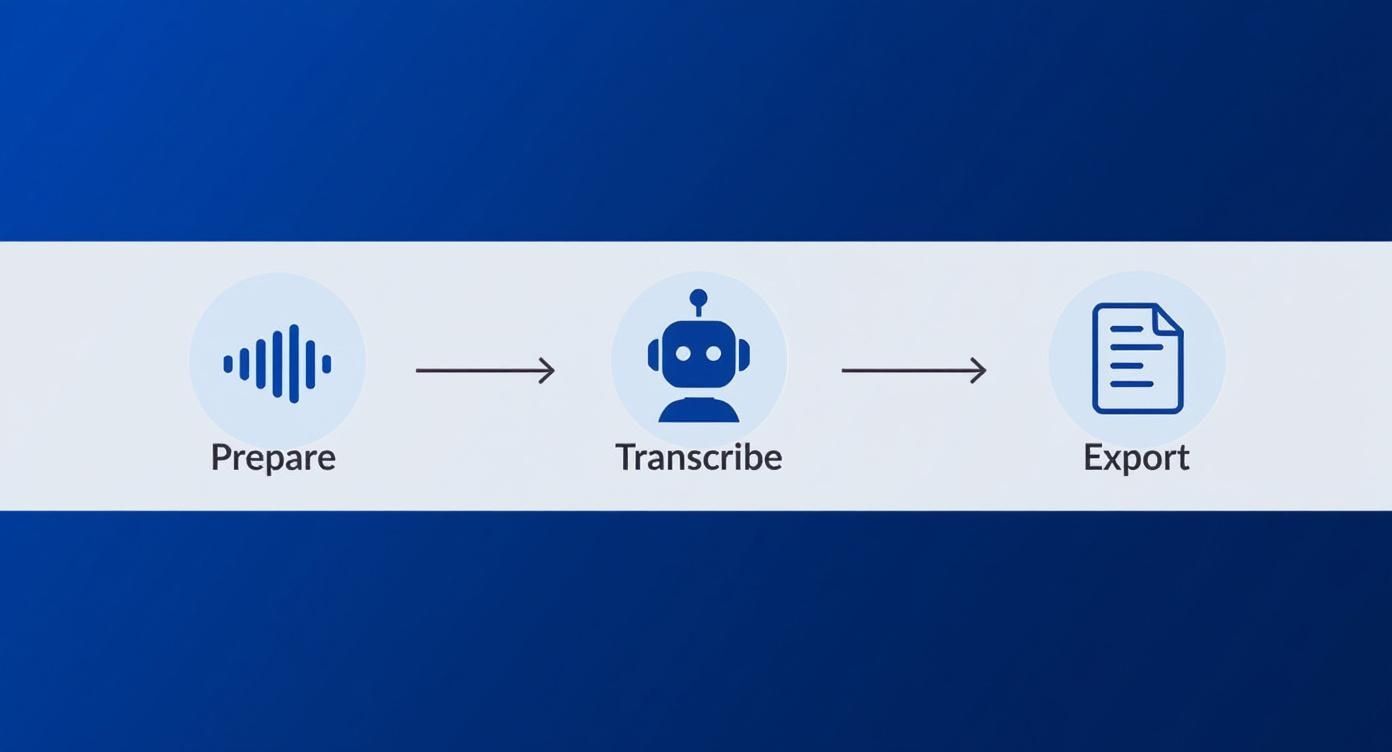
As you can see, after the AI does its thing, the human-led editing and export stage is what truly makes the transcript useful.
Nail Your Editing Workflow
Efficiency is everything. Most modern transcription tools are built to make this part of the job as painless as possible. The key is to listen and read at the same time to catch every error.
Here are a few tricks to speed things up:
- Crank up the playback speed: You don’t need to listen in real-time. Try bumping the speed to 1.5x or 1.75x. It’s usually fast enough to keep things moving but slow enough to spot mistakes.
- Learn the keyboard shortcuts: Seriously, this is a game-changer. Being able to play, pause, or rewind a few seconds without reaching for your mouse will easily cut your editing time in half.
- Use clickable timestamps: See a word that looks a bit off? Most good editors let you click the timestamp to instantly jump to that exact spot in the audio. It’s perfect for clarifying those muddled phrases.
One of the biggest mistakes people make is trying to edit the text without listening to the audio. Always do a "read-along" review. Your ears will catch what your eyes skim over, guaranteeing the final text is a true reflection of what was said.
And if you’re creating video captions, timing is just as crucial as the words themselves. To get that sync just right, check out our guide on transcription with timecode for a deep dive into frame-perfect accuracy.
Spot and Fix Common AI Goofs
After you've edited a few transcripts, you'll start to see the same types of AI mistakes pop up again and again. Knowing what to look for helps you find and fix them in record time.
Keep an eye out for these usual suspects:
- Homophones: Words that sound alike but mean different things (think "their," "there," and "they're") are classic AI mix-ups.
- Speaker Confusion: Even with speaker labels, the AI can get confused, especially when people talk over each other or have similar voices.
- Proper Nouns & Jargon: Names, company-specific terms, and industry jargon are notorious stumbling blocks. This is where that custom vocabulary you set up earlier really shines.
- Punctuation: An AI makes a decent guess at commas and periods, but it can’t understand the natural pauses or emphasis of a conversation. You’ll need to adjust the punctuation to make it flow naturally.
Formatting and Exporting Your Final Text
Once the content is accurate, it's time to format it for its final destination. A well-formatted document is infinitely more valuable than a raw block of text.
Add paragraph breaks to separate ideas or when speakers change. This kills the dreaded "wall of text" and makes your content scannable. Also, make sure your speaker labels are consistent (e.g., stick with "Dr. Smith" instead of switching between "Smith" and "Dr. S.").
Finally, export your masterpiece. Most platforms give you several options, each with a specific purpose:
| Format | Best For |
|---|---|
| .TXT | Plain text files. Perfect for raw data or pasting anywhere. |
| .DOCX | Formatted documents for Microsoft Word or Google Docs. |
| .SRT | The industry standard for video captions, with text and timings. |
Choosing the right format means your polished transcript is ready to go, whether you're writing a blog post or making your video content more accessible.
Leveraging Your Transcript for Maximum Impact
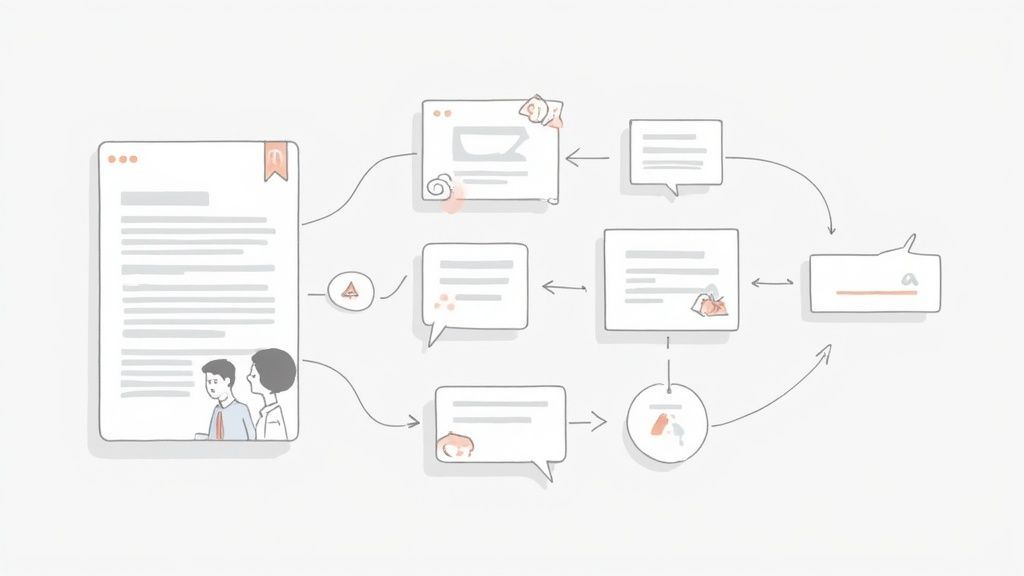
Okay, your perfectly edited transcript is ready to go. Now the real fun begins.
Think of a transcript not as the finish line, but as the starting block for all kinds of content and data opportunities. It’s time to turn that simple text file into a strategic asset.
Modern transcription platforms are packed with AI-powered features that analyze your text and pull out valuable insights automatically. This is where turning video into text goes from a simple conversion to a powerful workflow for your entire team.
From Transcript to Actionable Intelligence
Imagine you just wrapped up a one-hour customer interview. Instead of re-watching the whole thing, you can use built-in AI tools to get an executive summary in seconds. No fluff, just the key takeaways ready to share with stakeholders.
But it doesn't stop there. The same AI can spot recurring themes and topics. For that customer interview, this could mean:
- A list of feature requests: The AI can pick out every time the customer mentioned a product need or pain point, creating a clean, organized list for your product team.
- Key topic identification: Instantly see the main subjects discussed, helping you categorize feedback or plan follow-up conversations.
- Automatic chapter markers: For long videos like webinars or lectures, AI can generate timestamps for different sections, making the video so much easier for people to navigate.
The goal is to let the machine do the heavy lifting. By automatically summarizing and categorizing your transcript, you free up your team to focus on strategy and action instead of mind-numbing data entry.
These features transform a flat text file into a dynamic, searchable database of insights. This is a game-changer for researchers, marketers, and product managers who need to find specific information quickly across dozens of recordings.
Unlocking Content Repurposing at Scale
One of the most immediate payoffs of a transcript is its potential for content creation. That single video can become the foundation for an entire marketing campaign, and it all starts with the text.
Think about a 30-minute webinar. From that one transcript, you could easily create:
- A detailed 1,500-word blog post that dives deep into the topic.
- A series of five social media posts, each highlighting a key quote or statistic.
- A short email newsletter summarizing the main points for your subscribers.
- An internal training document for new team members.
This approach maximizes the return on your video production efforts. You’re not just creating one asset; you’re building a hub where dozens of other content pieces can spring to life. If you want more ideas, our guide on content repurposing strategies has a ton of practical tips.
Streamlining Team Collaboration
Finally, converting video to text is a massive win for teamwork. Forget passing around huge video files and timestamped notes in a messy email thread.
With a shared transcription platform, your team can work together directly on the document. This creates a seamless workflow where people can:
- Share transcripts instantly with a simple link.
- Leave comments and highlight specific sections to ask questions or give feedback.
- Collaborate on edits in real-time, so everyone is always on the same page.
- Securely manage access, giving specific permissions to different team members or departments.
This kind of collaborative environment cuts out confusion and keeps projects moving.
Ways to Use Your Transcript
📄 Blog-Ready Drafts
Transform your transcript into full blog articles, SEO-optimized posts, or landing page content. A perfect way to repurpose educational or promotional videos.
📣 Social Media Snippets
Extract quotes, key statements, and short insights for Instagram reels, LinkedIn posts, Twitter threads, and carousel content.
📧 Email & Newsletter Content
Turn video insights into clear, actionable email summaries for your audience, team, or clients.
📚 Internal Knowledge Base
Use transcripts to build searchable documentation, SOPs, training material, and meeting archives for fast team reference.
A marketer can pull quotes, a legal expert can review for compliance, and a content writer can draft a blog post—all from the same central document. It turns the transcript into a living, collaborative workspace that powers your whole team.
Let's face it: even with the best tools, you’ll eventually run into a transcript that’s a complete mess. It happens. Things like bad audio quality, people talking over each other, and strong accents can easily trip up an AI, but they don't have to derail your entire project.
Most of the time, transcription problems start with the source file itself. The old saying "garbage in, garbage out" is a golden rule here. If your video's audio is swimming in background noise, echo, or mic hiss, the AI simply can't tell the difference between the words and the interference. The result? A low-quality transcript.
Pre-Processing for Better Accuracy
Before you toss that difficult file aside, try cleaning up the audio first. You don't need to be a professional audio engineer to do this. Free tools like Audacity have simple noise reduction filters that work wonders on annoying background hum or static.
Seriously, spending just five minutes on this can make a night-and-day difference when you convert that video to text. A cleaner audio track gives the AI a much clearer signal to work with, which can send its accuracy soaring.
Think of it like this: cleaning your audio is like wiping a foggy lens before taking a picture. It removes the distortion so the subject—the spoken words—comes through sharply and clearly. This simple step can salvage a transcript you might have otherwise considered unusable.
Audio Quality Directly Impacts Accuracy
Even the best AI cannot fully correct distorted, low-volume, or noisy recordings. Always clean your file first — removing hums, echoes, and overlapping speech ensures dramatically better results and reduces editing time later.
For a deeper dive into how audio quality affects your results, check out our guide on improving speech-to-text accuracy. It’s packed with detailed insights and benchmarks to help you set realistic expectations.
Handling Tricky Speaker Scenarios
Sometimes, the headache isn't just about audio quality—it's about how people talk. Complex conversations can throw even the most sophisticated AI models for a loop.
You'll probably run into a few common challenges:
- Overlapping Speakers: When several people talk at once, the AI often gets confused and mashes their words into nonsense. The fix is simple: use your transcription software’s playback controls to slow the audio down. This makes it much easier to carefully separate who said what during your edit.
- Strong Accents: AI is getting much better at understanding different accents, but a particularly strong or unfamiliar one can still cause errors. If you have a specific speaker who consistently gives you trouble, try adding some of their common phrases or jargon to your custom vocabulary. This helps train the AI to understand them better over time.
- Incorrect Speaker Labels: Speaker detection isn't perfect. If the tool mislabels "Speaker 1" as "Speaker 2," don't panic. Most platforms let you reassign speakers across the entire document in just a couple of clicks. Look for a "find and replace" or "reassign speaker" feature.
By tackling these issues one by one, you can rescue a challenging transcript and transform it into a valuable, accurate document. Mastering these little troubleshooting skills is the key to getting great results, every single time.
Got Questions About Converting Video to Text?
Even with a smooth workflow, a few questions always pop up when you're turning video into text. Let's tackle the most common ones so you can fine-tune your process and get back to work.
How Accurate Are These AI Converters, Really?
Honestly, the accuracy of most AI transcription tools is impressive, usually landing somewhere between 85% and over 95%. But that number is completely at the mercy of your audio quality.
If you have a video with one person speaking clearly into a good microphone and zero background noise, you'll get results on the high end of that range. It’s almost magical.
But things get tricky with heavy accents, multiple people talking over each other, or a ton of technical jargon. In those cases, accuracy can dip. That's why it's always smart to budget a little time for a human to give it a final once-over.
I always tell people to treat the AI transcript as a fantastic first draft. It does 90% of the heavy lifting. Your job is to add that last 10% of polish and context that only a human can.
What’s the Best File Format to Use?
Most services, including ours, handle common video formats like MP4, MOV, and AVI without breaking a sweat. The video container itself isn't what matters most—it's the audio track hiding inside.
For the best results, make sure the audio in your video is encoded at a high quality. Here's a pro tip: if you're dealing with a massive video file, just export an audio-only version (like a high-bitrate MP3 or WAV). The file will be much smaller, upload way faster, and you won't lose a bit of transcription quality.
Can I Transcribe a Video That Isn't in English?
Absolutely. Most of the leading AI services support dozens of languages and can even pick up on specific dialects, like the difference between US and UK English.
The one critical thing to remember is to select the correct source language in the tool's settings before you hit "transcribe." If you forget and upload a Spanish video while the tool is set to English, you’ll get a wall of gibberish. It's a simple mistake, but one that can cost you time.
Feature Update
Modern AI transcription systems now support dozens of global languages with better accent recognition. Regular updates improve punctuation handling, diarization (speaker separation), and long-form transcription accuracy.
Ready to turn your video content into accurate, actionable text in seconds? Transcript.LOL gives you an AI-powered platform with custom vocabulary, speaker detection, and powerful editing tools to make your entire workflow a breeze. Try it for free today.