
How to Transcribe Voice Memos Like a Pro in 2026
Turn your audio into text effortlessly. Learn how to transcribe voice memos on any device and discover AI tools that deliver perfect transcripts in seconds.
Kate, Praveen
March 2, 2026
Got a phone full of voice memos? We all do. They're perfect for capturing those flashes of brilliance, but let's be honest—an audio file is where good ideas go to die.
To get any real value out of them, you need to turn that spoken audio into written text. You could do it the old-fashioned way and type it out manually, mess around with your phone's built-in software, or you can get smart and use a dedicated AI transcription service. For anyone who values their time, AI tools like Transcript.LOL are a no-brainer. They turn your audio ramblings into clean, searchable text in just a few minutes.
Turn Voice Memos Into Clean Text in Minutes
State-of-the-art AI
Powered by OpenAI's Whisper for industry-leading accuracy. Support for custom vocabularies, up to 10 hours long files, and ultra fast results.

Import from multiple sources
Import audio and video files from various sources including direct upload, Google Drive, Dropbox, URLs, Zoom, and more.

Speaker detection
Automatically identify different speakers in your recordings and label them with their names.
Why Transcribing Voice Memos Is a Productivity Game Changer
A voice memo is a fantastic starting point, but its true potential is locked away. That amazing idea you recorded while walking the dog? It's unsearchable, a pain to share, and nearly impossible to act on until it’s in writing.
Learning how to transcribe voice memos isn't just about getting words on a page. It's about unlocking the value of your own thoughts.
Imagine you're a marketer who records a killer campaign concept on your commute. As an audio file, it's just a thought bubble. Once transcribed, it instantly becomes a shareable brief for your team, a source of pull-quotes for a presentation, or content you can copy directly into your project management app. The audio is the raw material; the transcript is the finished product.
Why Text Beats Audio Every Time?
Audio is hard to scan, search, and reuse. Text turns your thoughts into something editable, shareable, and instantly actionable. Once transcribed, your ideas become assets you can copy, quote, organize, and build on instead of replaying recordings over and over.
Transforming Ideas Into Actionable Content
This simple process transforms a jumble of random voice notes into an organized, searchable library. Think of it as audio asset management—every fleeting thought becomes a permanent, editable piece of your personal or professional knowledge base.
Here's how people are using it every day:
- Journalists: Recording interviews and getting instant transcripts to pinpoint key quotes without having to listen back for hours.
- Students: Capturing entire lectures and converting them into searchable study guides. Finding a specific term before an exam is now a simple "Ctrl+F" away.
- Executives: Dictating meeting summaries and action items, then using AI to generate a clean, formatted list to send out to the team.
The real magic here is simple: transcription closes the gap between a spoken idea and its execution. It turns passive listening into active creation.
Everyday Wins From Transcribing Voice Notes
📚 Build a Personal Knowledge Base
Every idea you record becomes searchable text you can store, tag, and revisit later. No more digging through dozens of unnamed audio files to find one insight.
⚡Save Hours Every Week
Listening back to recordings takes forever. Reading a transcript takes minutes. You instantly skim, highlight, and extract only what matters.
🤝 Share Ideas Faster
Text is easy to send in Slack, email, or docs. Teammates can read, comment, and collaborate without replaying long audio clips.
✍️ Repurpose Into Content
Turn one memo into blog posts, notes, summaries, or captions. A single recording can power multiple outputs without starting from scratch.
From Manual Effort to AI Efficiency
Not too long ago, this meant plugging in headphones and spending hours manually typing everything out. It was tedious, slow, and expensive if you hired someone.
Today, AI-powered platforms have made the process almost instantaneous. Modern tools can analyze audio with incredible accuracy, identify different speakers, and deliver a polished transcript in moments. You can even use services that learn your specific jargon through voice memo dictation and custom vocabulary. This is what makes transcription a true game-changer for anyone looking to get more done.
Choosing Your Transcription Method
Before you even think about hitting "transcribe," you need to pick the right tool for the job. This decision is more important than you might think—it's the difference between a clean, usable document and a garbled mess that costs you hours of frustration.
You really have three paths: the old-school manual route, the convenient built-in tools on your phone, and the powerful dedicated AI services. Each has its place, and knowing which to choose depends entirely on what you need.
This little decision tree can help you visualize the choice. Are you after a quick-and-dirty conversion, or do you need a polished, professional transcript?
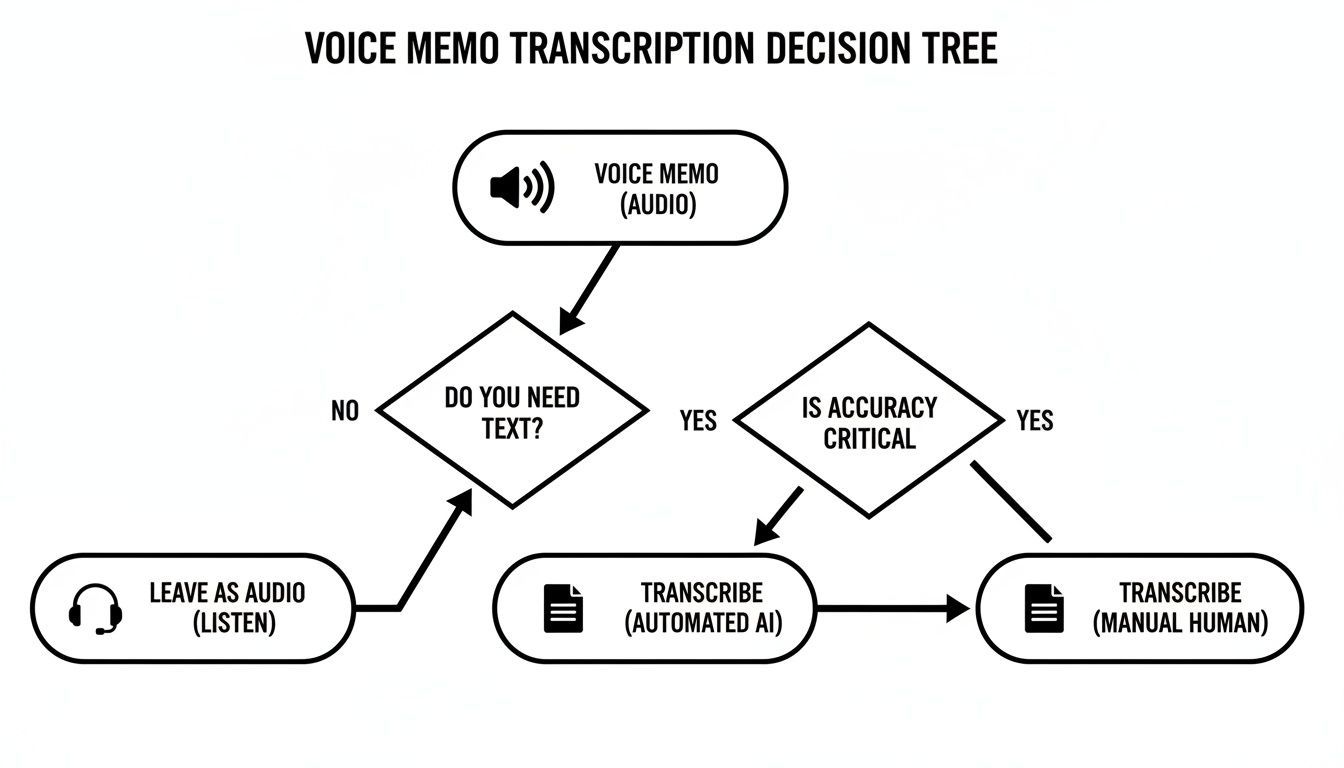
As you can see, getting a transcript you can actually use often means going beyond the most basic options and opting for a more robust solution.
Manual Transcription: Your Last Resort
Let's start with the classic method: doing it yourself. You pop in some headphones, listen to the audio, and type out every single word. Sure, it costs nothing but your time, but that time adds up fast. A professional transcriptionist often needs four to six hours just to get through one hour of audio.
Honestly, this method is only practical for something incredibly short, like a 30-second idea you jotted down. For anything longer, the time you sink into it and the high risk of errors just make it a bad deal. You're better off using that time to actually work with the ideas in your memo, not painstakingly typing them out.
Built-in Tools: The Convenience Trap
Most smartphones come with some kind of speech-to-text. Your iPhone has it in the Voice Memos app, and many Android devices have Google's Recorder app. They're wonderfully convenient—you record and transcribe all on the same device. It feels seamless.
But that convenience comes at a steep price: accuracy and features. I've seen these built-in tools stumble again and again. They typically struggle with:
- Background Noise: Even a little bit of café chatter or street noise can turn your transcript into gibberish.
- Multiple Speakers: They almost never distinguish between different people talking, which leaves you with a confusing, single-block wall of text.
- Formatting: You just get raw, unformatted text. Expect to spend a lot of time cleaning it up, adding punctuation, and creating paragraphs.
Built-In Apps Can Cost You Time Later
Free device tools seem convenient, but poor accuracy means heavy editing afterward. Misheard words, missing speakers, and messy formatting often take longer to fix than using a proper transcription service from the start. For important recordings, reliability matters more than convenience.
These tools are fine for a quick, rough draft of your own thoughts. But for an important interview, a team meeting, or any audio you plan on sharing? They just don't cut it.
Dedicated AI Services: The Professional Choice
This is where AI-powered transcription services like Transcript.LOL really shine. They deliver the best of both worlds: the lightning speed of automation combined with accuracy that can rival a human transcriptionist.
An advanced AI service can turn a one-hour voice memo into a transcript in just a few minutes, often with over 99% accuracy when the audio quality is good.
Go Beyond Transcripts With Smart AI Tools

Editing tools
Edit transcripts with powerful tools including find & replace, speaker assignment, rich text formats, and highlighting.

Export in multiple formats
Export your transcripts in multiple formats including TXT, DOCX, PDF, SRT, and VTT with customizable formatting options.
Summaries and Chatbot
Generate summaries & other insights from your transcript, reusable custom prompts and chatbot for your content.
These platforms are built from the ground up to transcribe audio with precision. They handle background noise far better, offer automatic speaker labeling, and give you useful export options like DOCX, PDF, and SRT files. You can dive deeper into choosing the right AI-powered transcription software in our detailed guide.
Yes, they have a cost, but the massive amount of time you save and the sheer quality of the final transcript deliver a clear return on investment for anyone who's serious about their work.
To make the choice crystal clear, let's break it down.
Transcription Method Comparison
Here’s a quick table comparing the three main approaches. Think about what matters most to you—speed, accuracy, or cost—and it should point you in the right direction.
| Method | Accuracy | Speed | Cost | Best For |
|---|---|---|---|---|
| Manual Transcription | High (if done well) | Extremely Slow | "Free" (your time) | Very short clips (under 2 mins); when 100% precision is non-negotiable |
| Built-in Device Tools | Low to Medium | Fast | Free | Quick personal notes; rough drafts of your own thoughts |
| Dedicated AI Service | Very High | Extremely Fast | Low to Moderate | Interviews, meetings, lectures, content creation; any audio over 5 mins |
Ultimately, for any task where the final transcript actually matters, a dedicated AI service is the smartest path. The trade-off in time and quality almost always makes the small investment worthwhile.
How to Transcribe Voice Memos on Any Device
We’ve all been there—you capture a fleeting thought on your iPhone during a commute, an Android while walking the dog, or right at your desk. Turning that audio into usable text shouldn't be a hassle. The good news is, you have options on every platform. The best method, however, isn't always the most obvious one.
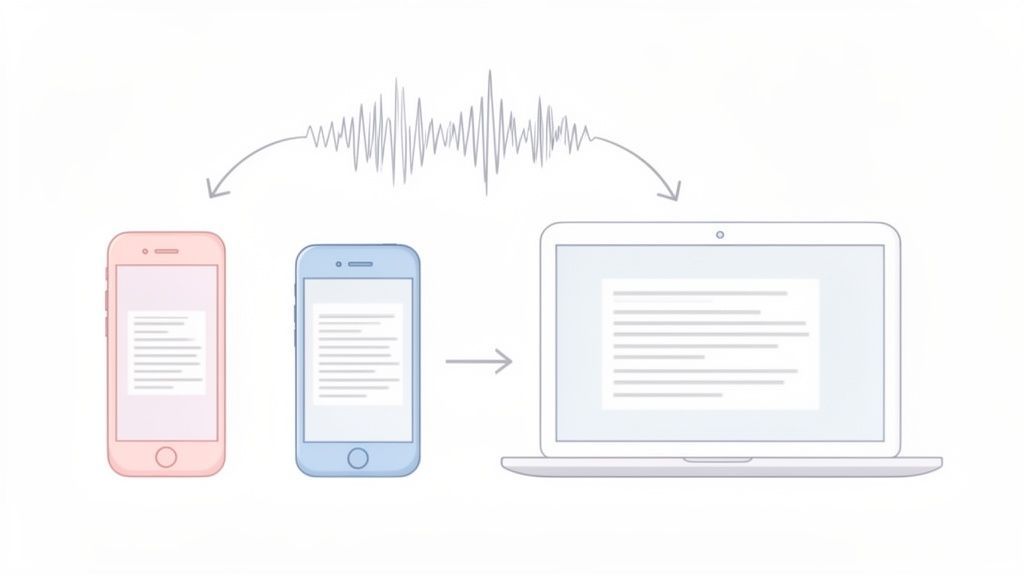
While the built-in apps on your phone offer a quick fix, they often fall short when accuracy and clarity really matter. For anything more serious than a personal reminder, you’ll want a more powerful approach.
Transcribing on an iPhone
The native Voice Memos app on the iPhone is a fantastic recording tool. It’s simple, reliable, and always right there in your pocket. But while Apple has been improving its speech-to-text features, using it for proper transcription is a mixed bag.
Getting the text often means relying on clunky workarounds, like enabling the "Live Captions" accessibility feature or trying to copy the text that shows up during playback. It just wasn't designed for creating a clean, editable document. For those who need a more polished result, we've broken down how to transcribe Apple voice memos with dedicated tools.
Transcribing on an Android Device
Over in the Android world, you'll find a wide variety of voice recorders. Some devices, like Google's Pixel phones, come with the seriously impressive Recorder app. It gives you live, offline transcription that’s surprisingly accurate for a free, built-in tool.
Unfortunately, many other Android phones don't have this feature, leaving you with a much more basic recorder. In those cases, your best bet is to share the audio file directly from your device to a dedicated transcription service. The process is pretty straightforward.
- Record your memo in your favorite app.
- Open the audio file and hit the "Share" button.
- Choose your transcription app or service from the list.
This simple workflow sends your audio file straight for processing, no computer required.
The Most Effective Method: A Cloud-Based AI Service
Device-specific tools are handy in a pinch, but they just can't compete with the speed, accuracy, and flexibility of a dedicated AI transcription platform like Transcript.LOL. This approach separates the recording from the transcribing, giving you far more control and much better results. Best of all, it works the same whether your memo is on an iPhone, Android, or your desktop.
The whole process is built for efficiency. You aren't tied to a specific device or app. Instead, you get multiple ways to have your audio processed.
The real power of a cloud service is its versatility. You can upload a file from your computer, connect your cloud storage for automatic processing, or even just paste a link to an audio file you have online.
Imagine you have a Google Drive folder where you save all your project-related voice memos. Instead of uploading them one by one, you can connect that folder directly to a service like Transcript.LOL. New files get transcribed automatically, creating a hands-off system that turns your thoughts into text without any extra effort.
Here’s what a typical workflow looks like:
- Direct Upload: The most common method. Just drag and drop your voice memo file (MP3, M4A, WAV, etc.) from your computer right into the web interface.
- Cloud Integration: Connect your Google Drive, Dropbox, or OneDrive account. This is a game-changer for teams or anyone managing a high volume of audio files.
- URL Paste: If your voice memo is hosted somewhere online—maybe a private podcast feed or a file-sharing site—you can often just paste the URL to get it transcribed.
This approach centralizes all your transcription needs into one powerful hub. It ensures you get fast, accurate, and consistently formatted text every time you transcribe voice memos, no matter which device you used to hit record.
Create an Automated Workflow
Instead of manually uploading files every time, connect your cloud storage and let transcripts generate automatically. New recordings get processed instantly, organized in one place, and ready to share. It’s a hands-off system that saves time every single day.
Using AI to Get More From Your Voice Memos
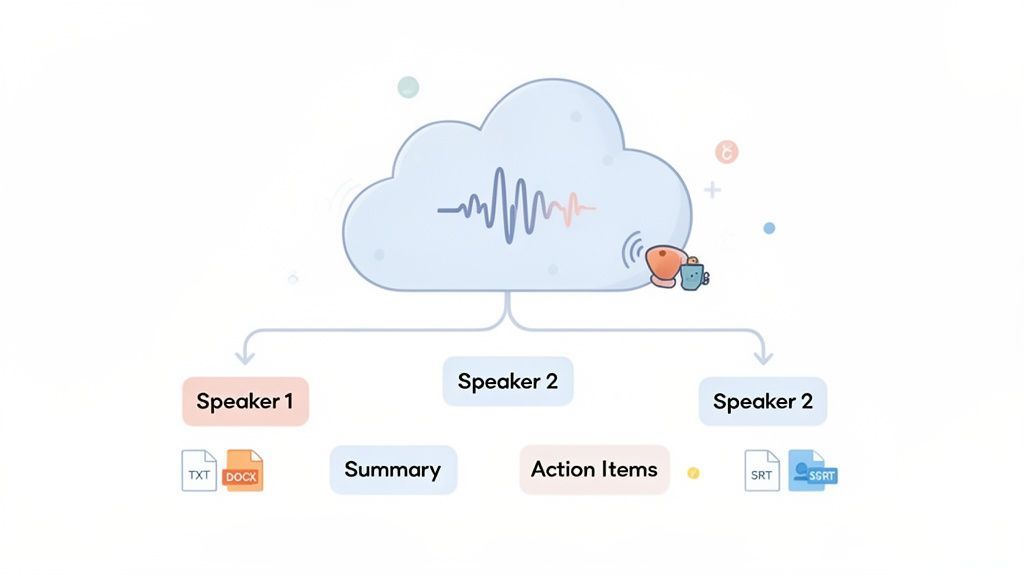
Getting a basic text file from a voice memo is one thing, but that’s really just scratching the surface. Modern AI platforms do a whole lot more than just convert your speech to words. They turn your messy, unstructured audio into clean, organized, and genuinely useful data. This is where you start to see the real magic happen when you transcribe voice memos.
There’s a good reason these advanced tools are blowing up right now. The demand for fast, accurate speech-to-text has pushed the global AI transcription market to a valuation of $4.5 billion in 2024. It’s expected to hit $19.2 billion by 2034, growing at a breakneck 15.6% CAGR. You can dig deeper into these numbers and the future of automated transcription on Sonix.ai.
Go Beyond Just Converting to Text
Think of advanced AI transcription less like a typist and more like an intelligent assistant that actually understands the context of your audio. This is what separates a professional platform from the simple, often clunky tools built into your phone.
Here are a few key features I always look for:
- Automatic Speaker Detection: This is an absolute must-have for interviews or meeting notes. The AI automatically identifies who is speaking and labels them (e.g., "Speaker 1," "Speaker 2"), turning a confusing block of text into a clean, readable conversation.
- Custom Vocabulary: I work with a lot of clients in specialized fields like law and medicine, and they’re constantly using industry-specific jargon. A good service lets you build a custom dictionary so these unique terms are transcribed perfectly every single time.
- Multiple Export Formats: Your needs change. One minute you might need a .DOCX file for a formal report, the next you need a simple .TXT for raw data, or maybe an .SRT file to burn subtitles into a video. Flexibility is key.
Turn One Memo Into a Dozen Assets
The real power move is using the generative AI features built right on top of your transcript. This is where platforms like Transcript.LOL completely change the game. Once your voice memo is transcribed, you don't just get a wall of text—you get a launchpad for creating all sorts of new content.
A single transcribed voice memo can become the source for summaries, action items, mind maps, or even a series of social media posts—all with a single click. This multiplies the value of your original idea instantly.
Let's say you just recorded a 15-minute voice memo brainstorming ideas for a new marketing campaign. With a tool like Transcript.LOL, you can instantly:
- Generate a quick summary to paste into Slack for your team.
- Pull out a list of action items to drop into your Trello or Asana board.
- Create a mind map to get a visual overview of the core concepts.
- Draft a few social media posts to start teasing the new campaign.
Suddenly, one simple audio file becomes an entire content package. It's a workflow we're seeing more and more, with many AI video editing tools now integrating transcription as a core feature. While large language models are impressive, it’s worth knowing the specifics of how ChatGPT handles audio transcription compared to a dedicated service.
Ultimately, this AI-driven repurposing is how you squeeze every drop of value out of every voice note you record.
Pro Tips for Optimizing Your Transcription Workflow
To consistently get accurate transcripts from your voice memos, you need to think beyond just hitting "record" and "upload." A few small tweaks to your process—both before you record and after you get the text—can make a world of difference. It all starts with capturing the cleanest audio possible.
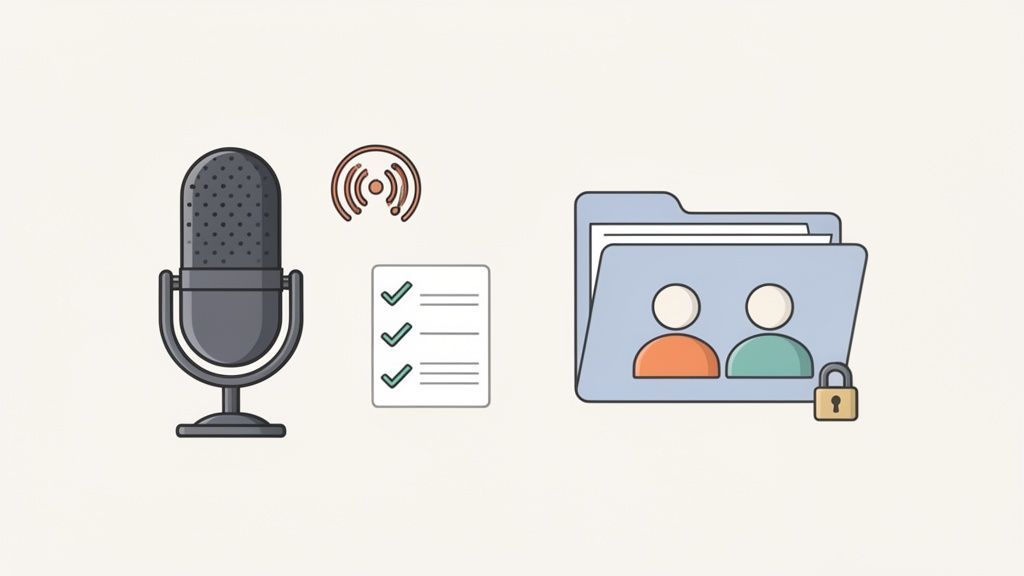
This proactive approach dramatically improves the results from any transcription tool, but especially AI-powered ones. A clear source file is the foundation for a flawless transcript.
Set Yourself Up for Success Before Recording
Your recording environment plays a huge role in the quality of the final transcript. Even the most advanced AI struggles with messy audio.
Here are a few pre-recording habits to adopt:
- Minimize Background Noise: Step away from the noisy café or street corner. Find a quiet room or even use your car as a makeshift recording booth. Every little bit helps.
- Get Closer to the Mic: Don't hold your phone at arm's length. Keep it about six inches from your mouth for a clear, strong signal. If you're recording a conversation, place the phone centrally between speakers.
- Speak Clearly: Enunciate and speak at a natural, consistent pace. Mumbling or speaking too quickly forces the AI to guess, which is where errors creep in.
Remember, the goal is to give the AI as much clean data as possible. A few seconds of preparation can save you ten minutes of editing later.
For recordings with multiple people, like interviews or team meetings, try to have each person speak one at a time. Overlapping conversations are the quickest way to confuse speaker detection algorithms and get a jumbled transcript.
Post-Transcription Best Practices
Once you have your transcript, a quick review is essential. Even with 99% accuracy, there will be the occasional error, especially with unique names or industry jargon. Using a service with a rich-text editor makes this process painless. You can play the audio and follow along with the text, making corrections on the fly.
This editing phase is also where you can truly add value. Organize the text with headings, bold key takeaways, and fix any punctuation. Once you have a polished transcript, you can do so much more with it. For example, once you have flawless AI transcripts, you might want to understand how to further scale content creation using an AI-powered system to repurpose your ideas.
The growing demand for efficient audio-to-text workflows is clear. The business voice memo and voicemail transcription market alone was valued at $1,466.9 million in 2023 and is projected to grow at an 11% CAGR through 2033, showing how professionals are turning audio into searchable assets. You can find more details in this voicemail transcription services market analysis.
Finally, always consider security. If your voice memos contain sensitive information, choose a provider with a strict no-training policy. This ensures your data remains confidential and is never used to train their models. For teams, using shared workspaces and folder management can also improve security while keeping everyone organized.
🔐 Keep Sensitive Audio Private
Choose services with strong encryption and strict privacy policies. A no-training policy ensures your files are never used to train AI models or shared externally. For teams, controlled access and shared folders keep everything secure while still collaborative.
Your Top Questions About Transcribing Voice Memos, Answered
Even when you've got the tools in hand, you probably still have a few questions about getting the most out of your voice memo transcriptions. I see the same queries pop up time and again, so let's tackle them head-on.
Getting these details right can make a world of difference.
How Long Does It Really Take to Transcribe a Voice Memo?
This one comes down to your method, and the time difference is massive. If you're typing it out by hand, get ready for a marathon. A professional typist will spend a good 4-6 hours transcribing a single one-hour recording. It’s a huge time sink.
Your phone's built-in transcription feature is definitely faster, but the output is often a jumbled mess of inaccurate text that needs a ton of editing. On the other hand, a dedicated AI service like Transcript.LOL can process that same one-hour file in just a few minutes, delivering a clean, accurate transcript. For pure efficiency, there's no contest.
Can I Transcribe a Memo with Multiple People Talking?
Absolutely, but this is where your choice of tool becomes critical. Basic apps just can't handle it—they'll smash the whole conversation into one confusing block of text. Good luck figuring out who said what.
This is where a professional AI platform shines. It uses a smart feature called speaker detection (or diarization) to automatically identify and label each person. The result is a clean, readable script that’s perfect for interviews, team meetings, or any group discussion. For me, this is a non-negotiable feature.
How Secure Are My Voice Memos When I Upload Them?
This is a great question, and you're right to be cautious. Not all online services treat your data with the same respect. Some free or cheap tools might actually use your audio and transcripts to train their AI models, which is a huge privacy red flag.
You need to pick a service with a crystal-clear privacy policy. Look for platforms like Transcript.LOL that operate on a strict no-training policy. This is your guarantee that your confidential files and their transcripts stay completely private and are never used for anything else.
The transcription industry is a major economic force, valued globally at $21.6 billion in 2022. With North America making up over 37% of that market, the demand for secure, reliable services is clear. You can dig deeper into these numbers by exploring the growth of the transcription industry on wifitalents.com.
What's the Best Format to Save My Transcript In?
The "best" format really just depends on what you plan to do next. A good transcription service should give you options.
- .TXT or .DOCX: These are your go-to formats for easy editing, sharing, or just copying and pasting into an email or document.
- .SRT or .VTT: If you're a video creator or podcaster, these formats are essential. They contain timestamps needed for generating captions and subtitles.
- .PDF: Perfect for when you need a final, uneditable copy for your records or to include in a formal report.
Ready to turn your voice memos into searchable, actionable text without the hassle? Transcript.LOL gives you everything you need—from speaker detection and custom vocabulary to instant summaries and multiple export formats. And it's all protected by a strict no-training privacy policy. Transform your audio today by visiting https://transcript.lol.