
Choosing the Best Meeting Transcription App for Your Team
Discover how the right meeting transcription app can boost productivity. Learn key features, real-world uses, and what to look for to make the best choice.
Kate, Praveen
February 5, 2026
Evere tried to recall a key decision from an hour-long meeting that happened last week? It's tough. A meeting transcription app is a tool that automatically turns everything said in your meetings into a clean, searchable text document. Think of it less like a recorder and more like a dedicated assistant that captures every idea, decision, and action item so your team never loses a single detail.
Why a Meeting Transcription App Is Your New Must-Have Tool
Relying on memory alone just doesn't cut it. And manual note-taking? It often leads to missed details, distracts people from the actual conversation, and locks away important knowledge in one person's notebook.
The Hidden Cost of Manual Notes
When one person handles notes, they miss parts of the conversation and can’t fully participate. Important details slip through, and knowledge gets trapped in personal notebooks. Over time, this slows teams down and creates avoidable mistakes.
A modern meeting transcription app fixes all of this. It acts as a perfect, unbiased memory for your entire team, making sure no critical information ever slips through the cracks. In today's fast-paced, often-remote work culture, this kind of tool is no longer a luxury—it's essential.
Why Teams Are Switching to Transcription?
Modern teams can’t afford missed decisions or forgotten tasks. Automatic transcription creates a shared memory for everyone, ensuring every idea, agreement, and action item is captured accurately. It removes confusion and keeps work moving forward without extra effort.
The Problem with Traditional Note-Taking
Let's be honest, manual note-taking is fundamentally flawed. It forces at least one person to juggle listening, thinking, and typing. The result is usually a mess:
- Incomplete Records: Nobody can type as fast as people talk. This means crucial nuances and even entire ideas get left out.
- Participant Distraction: The person stuck taking notes can't fully participate in the discussion, holding back their own valuable contributions.
- Subjective Interpretation: Notes are filtered through the note-taker's personal biases and understanding, not what was actually said.
To see the difference side-by-side, here's a quick comparison:
| Aspect | Manual Note-Taking | AI Meeting Transcription App |
|---|---|---|
| Accuracy | Prone to human error, omissions, and bias | Verbatim, objective, and highly accurate |
| Focus | Divides attention; note-taker is disengaged | Allows 100% focus and active participation |
| Completeness | Captures only highlights and key points | Records every word, nuance, and detail |
| Accessibility | Notes are often siloed and hard to find | Easily searchable and shareable with the team |
| Speed | Slow, tedious, and requires post-meeting cleanup | Instant, automated, and ready immediately |
As you can see, the gap is huge. One method is a relic of the past, while the other is built for how modern teams actually work.
The AI-Powered Solution
An AI-powered solution like Transcript.LOL, which uses OpenAI's Whisper, automates this whole process. Instead of one person struggling to keep up, every participant can stay completely present and engaged, knowing a perfect record is being created in the background.
⚡ Core Features That Handle the Heavy Lifting
State-of-the-art AI
Powered by OpenAI's Whisper for industry-leading accuracy. Support for custom vocabularies, up to 10 hours long files, and ultra fast results.

Import from multiple sources
Import audio and video files from various sources including direct upload, Google Drive, Dropbox, URLs, Zoom, and more.

Export in multiple formats
Export your transcripts in multiple formats including TXT, DOCX, PDF, SRT, and VTT with customizable formatting options.
The proof is in the numbers. The AI meeting transcription market is projected to explode from $3.86 billion in 2025 to a massive $29.45 billion by 2034, all because organizations are seeing huge boosts in team productivity.
By transforming spoken conversations into searchable, actionable text, a meeting transcription app turns transient discussions into a permanent knowledge base for your entire organization.
This isn't just about convenience; it's a strategic move. It creates a single source of truth for everything that happens in a meeting, which drives accountability and clarity across the board.
If you want to dig deeper into the world of AI-driven productivity, resources like Parakeet AI's blog are a great place to start. And for a closer look at how you can apply this in your own work, check out our guide on various use cases for transcription.
The Core Features That Power Great Transcription Apps
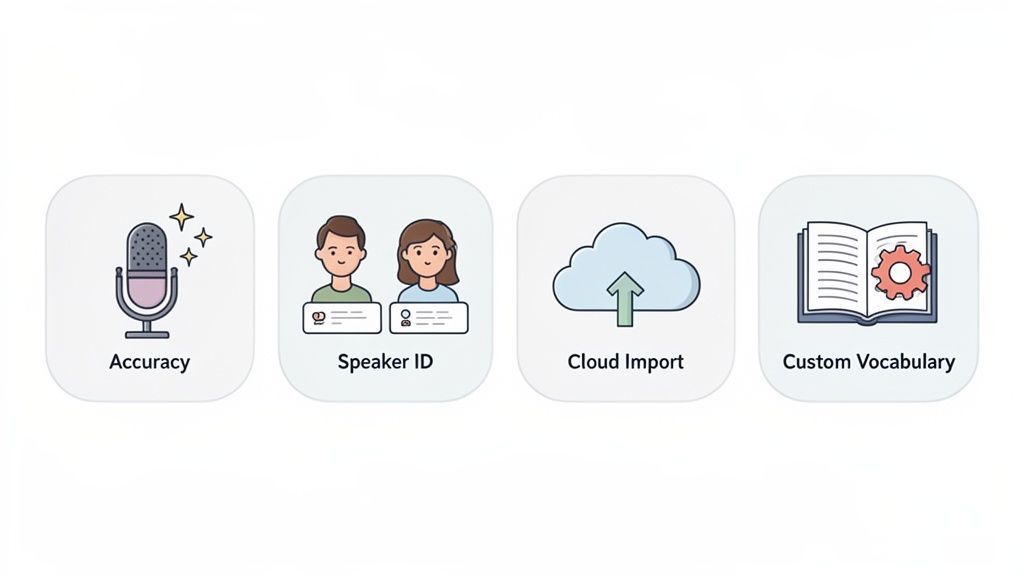
Okay, so we know what these apps do in theory. But what really separates a frustrating gimmick from an indispensable tool? It all comes down to the features humming away under the hood.
These aren't just flashy extras; they are the engine that turns a messy recording into a goldmine of searchable, actionable information. Let’s break down the features that actually matter.
Pinpoint Accuracy and Speaker Identification
First thing's first: accuracy. A transcript riddled with mistakes is worse than useless—it’s a liability. It creates confusion, misattributes ideas, and frankly, makes you look bad. Thankfully, modern AI has gotten incredibly good at this.
The best platforms now hit 99% accuracy, which is why professionals who depend on getting the words right are flocking to these tools. In fact, adoption of real-time speech-to-text has jumped over 200% since 2020. You can dig into more stats about the booming US transcription market on grandviewresearch.com.
But a perfectly accurate wall of text is still a pain to read. That's where speaker identification (also called diarization) comes in. This feature is a lifesaver. It intelligently figures out who is talking and when, then neatly labels each part of the conversation.
It’s the difference between this mess:
- Before Speaker ID: "We need to finalize the marketing budget. I think we should allocate more to digital ads. What's your take? I agree, but we also need to consider our Q4 event."
And this crystal-clear dialogue:
- After Speaker ID: "[Speaker 1]: We need to finalize the marketing budget. I think we should allocate more to digital ads. What's your take? [Speaker 2]: I agree, but we also need to consider our Q4 event."
See? Instantly usable. You know exactly who said what, making it easy to follow the flow and assign action items correctly.
Custom Vocabulary and Versatile Imports
Every team, industry, and company has its own lingo. Think about your internal acronyms, project codenames, and technical jargon. A generic AI will trip over terms like "synergistic API integration" or your CEO's last name every single time.
This is why a custom vocabulary feature is a total game-changer.
You can essentially 'teach' the AI your specific terms. Once you do, it nails them every time, keeping your transcripts clean and professional.
For anyone in technical, legal, or medical fields, this isn't just nice to have—it's essential. At Transcript.LOL, we let you build your own custom dictionary to dramatically boost accuracy for your unique content.
Finally, a great tool has to play nice with your existing workflow. You shouldn't have to jump through hoops just to get a file transcribed. The best apps give you multiple, dead-simple ways to import your recordings.
Look for a service that offers flexible options like these:
- Direct Cloud Integration: Pull files straight from your Google Drive, Dropbox, or OneDrive.
- URL Pasting: Just paste a link from YouTube, Vimeo, or almost any public webpage.
- Platform-Specific Connections: Automatically sync recordings from platforms like Zoom without lifting a finger.
This kind of flexibility means that no matter where your recording lives, you can get it transcribed in a couple of clicks. If you want to see how we handle this, you can check out the integration capabilities of Transcript.LOL in our docs.
How Professionals Are Transforming Their Workflows
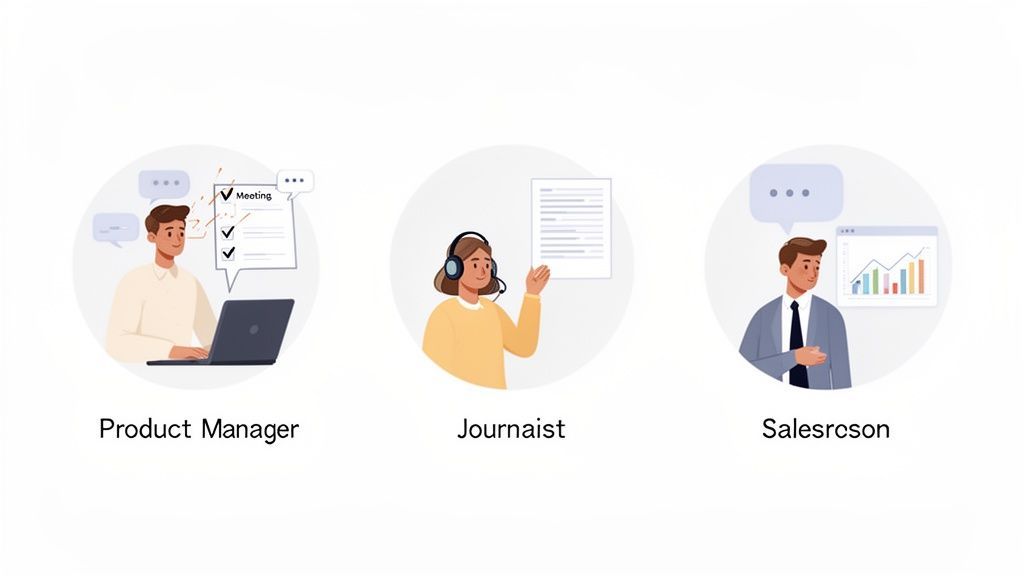
The real magic of a meeting transcription app isn't in the tech itself—it's how it completely changes the way people get things done every day. Across all sorts of industries, professionals are using these tools to work faster, smarter, and squeeze more value out of every single conversation.
How Meetings Feel Different With Transcription?
More Participation
Nobody has to play “note-taker” anymore. Everyone can fully focus, share ideas freely, and contribute to the discussion without multitasking.
Fewer Follow-Ups
Decisions are documented the first time, so teams don’t waste extra meetings just to clarify what was said or agreed upon.
Less Miscommunication
With an exact record, there’s no “I thought you meant this.” Everyone refers to the same source of truth, reducing confusion and rework.
Stronger Team Trust
When conversations are transparent and documented, accountability improves naturally. Teams collaborate with more confidence and fewer conflicts.
Think about a product manager running a brainstorming session. Instead of being the designated note-taker, frantically trying to catch every detail, they can actually lead. They're free to guide the discussion, build on creative sparks, and keep the energy high.
Once the meeting's over, the app serves up a perfect transcript. With a tool like Transcript.LOL, they can instantly pull out action items, see key decisions in the summary, and even turn the whole conversation into a detailed project brief. That one-hour creative sprint becomes a documented, actionable plan in minutes, not hours.
For Marketers and Content Creators
Content teams have figured out that a meeting transcription app is basically a content-creation machine. A single webinar, client interview, or even an internal strategy call can be spun into a dozen different pieces of content.
The raw transcript becomes the foundation for all kinds of assets:
- Blog Posts: The main themes and best quotes from a chat can be quickly shaped into a killer article.
- Social Media Snippets: Pull out those punchy one-liners or surprising stats from the transcript for instant, engaging social posts.
- Case Studies: A customer success call can be transcribed and its highlights used to build a powerful and authentic case study.
By transcribing every audio and video file, marketing teams are building a searchable goldmine of raw material. No valuable insight ever gets lost again.
It's about more than just notes. Transcription apps unlock the potential of your audio, making repurposing audio content into different formats incredibly simple. A single recording can easily fuel your entire content calendar.
For Sales and Human Resources Teams
In sales, knowing your customer is the whole game. Sales managers use transcriptions to review client calls, pinpointing common objections, figuring out which pitches land, and understanding customer pain points. This data-driven coaching helps sharpen the entire team's approach. New hires can even study transcripts from top performers to learn what a great call actually sounds like.
Over in HR, transcription is a lifesaver for accuracy and compliance. During interviews, having an exact record ensures hiring decisions are based on what was actually said, creating a clear, unbiased point of reference. It’s also invaluable for documenting performance reviews and internal investigations, creating a reliable record that protects everyone involved.
These real-world examples show that a tool like Transcript.LOL is more than just a simple utility. It's a flexible platform that molds to different professional needs, turning spoken words into a genuine strategic asset. If you want to see what others are saying, check out what our customers have shared in their reviews of transcription tools.
Turning Raw Text into Real Insights with AI
A basic transcript is a great starting point, but the real power of a meeting transcription app is its ability to tell you what all those words actually mean. Modern tools have moved far beyond simple dictation. They're knowledge engines, built to analyze the conversation, find the important signals in all the noise, and turn that wall of text into a strategic asset.
This is where the magic happens. Instead of you having to manually comb through pages of text to find key moments, the AI does the heavy lifting. It’s like having a research assistant who reviews the entire discussion and automatically extracts the most important stuff for you.
From Words to Intelligence
Think about it: a one-hour meeting can easily generate thousands of words. Sifting through that is nobody's idea of a good time. A smart meeting transcription app uses AI to condense that entire hour into a minute of essential reading.
So, how does it work? It’s all about layers of analysis:
- Automated Summaries: The AI scans the conversation, identifies the main topics, and whips up a concise summary. This gives you the high-level takeaways without you having to read a single line of the full transcript.
- Action Item Extraction: The system is trained to spot tasks, deadlines, and who’s responsible for what. It pulls these out and creates a clean, actionable to-do list so nothing falls through the cracks.
- Theme and Topic Spotting: AI can identify recurring themes, keywords, and discussion topics, giving you a bird's-eye view of the meeting's primary focus areas.
Put it this way: The transcript is the raw data. The AI analysis is the executive summary, the project plan, and the trend report all rolled into one. It tells you what was said and, more importantly, what you need to do next.
For example, Transcript.LOL doesn't just hand you a text file and call it a day. It builds interactive summaries, pulls out every action item, and can even help you draft follow-up emails based on what was discussed. This transforms a simple record into a productivity tool that actively moves work forward.
Turning Conversation into Action
Let’s be real—the whole point of a meeting is to drive action and make decisions. AI analysis makes this so much easier by making the outcomes crystal clear. A sales manager can instantly see a client's key objections, while a project manager can get a list of all committed deliverables without re-watching a single second of the recording.
This analytical layer is what separates a basic utility from a tool you can't live without. It automates all that tedious post-meeting work—summarizing, organizing, and sharing info—saving teams dozens of hours every single month. By using a tool with these capabilities, you ensure that the value hidden in every conversation is captured, understood, and put to work immediately.
Features for Smarter Workflows

Speaker detection
Automatically identify different speakers in your recordings and label them with their names.

Editing tools
Edit transcripts with powerful tools including find & replace, speaker assignment, rich text formats, and highlighting.
Summaries and Chatbot
Generate summaries & other insights from your transcript, reusable custom prompts and chatbot for your content.
Your Checklist for Choosing the Right Transcription App
Picking the right meeting transcription app can feel like a chore, but it really comes down to asking a few straightforward questions. It helps to think of it less like shopping and more like hiring a new team member—you need something competent, reliable, and easy to work with.
This checklist will help you cut through the marketing fluff and focus on what really matters. By sizing up each potential app against these core criteria, you can confidently choose a tool that actually fits your team's workflow.
How Accurate and Reliable Is It?
Let's get one thing straight: accuracy is the absolute, non-negotiable starting point. A transcript riddled with errors just creates more work, defeating the whole purpose.
Don't just take a company's word for it. Test drive any potential app with your own real-world audio—recordings with background chatter, speakers talking over each other, or your industry’s specific jargon. Look for tools with a custom vocabulary feature, which lets you teach the AI your team's unique acronyms and terms. This can make a huge difference.
An app like Transcript.LOL, powered by OpenAI’s Whisper engine, gives you a powerful baseline of accuracy that you can then dial in for your specific needs.
Don’t get hung up on an advertised accuracy percentage. The only real test is how well it handles your audio. A free trial is your best friend here—use it to run real-world tests before you commit.
This flowchart maps out a simple decision-making path for evaluating any app based on three pillars: accuracy, security, and usability.
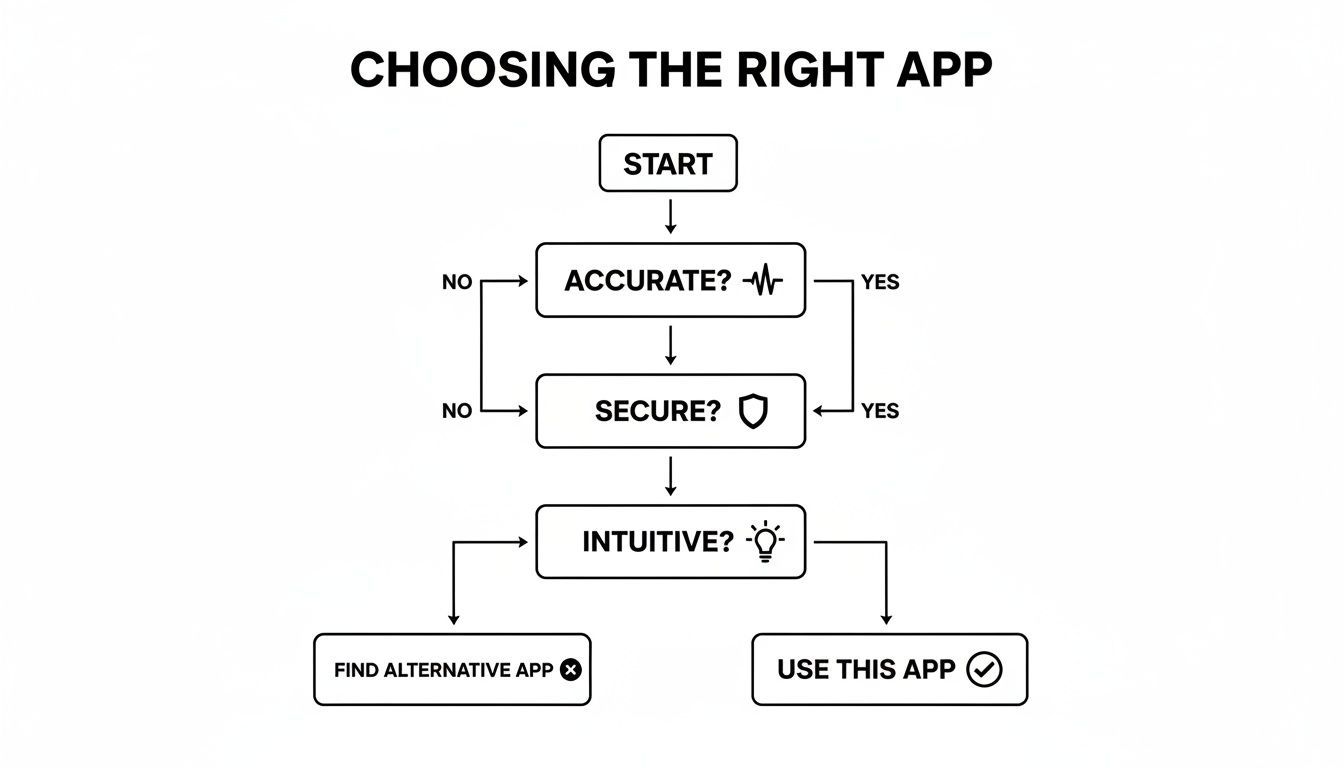
As the guide shows, if an app stumbles on any of these fundamentals, it’s probably not going to be a good long-term fit for your team.
Is It Secure and Easy to Use?
Your meetings are full of sensitive information, so data security isn't just a "nice-to-have" feature; it's a dealbreaker. Before you upload a single file, you need to be crystal clear on the app's privacy policy.
Ask these direct questions:
- Where is my data stored? Look for clear answers on data handling and storage protocols.
- Do you use my data to train your AI? Go with a provider that has a strict no-training policy. Transcript.LOL, for instance, guarantees your data is never used for AI training, period.
- What security measures are in place? End-to-end encryption should be the bare minimum.
Beyond security, the app just has to be intuitive. If your team needs a 50-page manual to figure it out, they won't use it. The interface should be clean, simple, and get you from an audio file to a finished transcript in just a few clicks.
To help you compare your options, here’s a quick checklist to run through when you’re evaluating different apps.
Feature Checklist for Selecting Your App
| Feature/Criteria | Importance Level | What to Look For |
|---|---|---|
| Transcription Accuracy | Critical | Test with your own audio files (background noise, accents, jargon). Look for a free trial to verify performance. |
| Data Security | Critical | Clear privacy policy, end-to-end encryption, and a firm "no-training on customer data" guarantee. |
| Custom Vocabulary | High | The ability to add specific names, acronyms, and industry terms to improve accuracy significantly. |
| Ease of Use | High | An intuitive, clean interface that requires minimal training. Can you get a transcript in just a few clicks? |
| Speaker Identification | High | Automatically distinguishes between different speakers and labels them clearly in the transcript. |
| Integration Options | Medium | Connects with other tools you use daily, like Slack, Notion, or your CRM, to automate workflows. |
| Export Formats | Medium | Offers multiple export options (e.g., .txt, .srt, .docx) to fit different use cases. |
| Pricing Transparency | High | Clear, straightforward pricing with no hidden fees. Plans should be easy to understand and scale with your needs. |
| Customer Support | Medium | Accessible and responsive support channels (email, chat) in case you run into issues. |
This checklist isn't exhaustive, but it covers the essentials. An app that checks these boxes is likely a solid, reliable choice that will save you time instead of creating headaches.
Finally, think about the price. An app’s value is tied directly to how useful it is, so look for transparent and flexible plans. You can get a better sense of the market by exploring different transcription service pricing models to see what fits your budget. A good tool provides clear value without any nasty surprises on your bill.
Answering Your Top Questions About Transcription Apps
Diving into a new technology always sparks a few questions. Before you jump in, let’s clear up the most common ones we hear about meeting transcription apps. Getting these answers upfront will give you the confidence to pick the right tool and start making your team’s life easier right away.
We’ll give you direct, straightforward answers to the questions we get all the time, from data security to how these apps handle the beautiful chaos of a real-world meeting.
How Accurate Are These Apps, Really?
This is the big one, right? The best transcription apps, especially those built on modern AI, can hit accuracy rates up to 99%. But let's be real—real-world conditions aren't perfect. Things like bad audio quality, background noise, strong accents, or people talking over each other can knock that number down.
This is exactly why having more control is a game-changer. For example, Transcript.LOL lets you build a custom vocabulary where you can "teach" the AI specific industry jargon, company acronyms, and unique names. It’s a simple step that makes a huge difference in accuracy, ensuring your transcripts are actually useful and professional.
Is My Meeting Data Kept Private?
Data security is non-negotiable. When you’re looking at different apps, the privacy policy is required reading. The most trustworthy providers will offer end-to-end encryption and have a strict, clear policy stating they won't use your data to train their AI models.
Your confidential conversations should stay that way—confidential. An app's commitment to data privacy is a direct reflection of its reliability.
At Transcript.LOL, we operate with a firm no-training policy. It’s simple: your private meeting data is never viewed, shared, or used for anything other than generating your transcript. Your information is yours alone, period. This should be the minimum standard you expect from any service you consider.
How Do They Handle Multiple Speakers?
A key feature in any modern transcription app is speaker detection and labeling (sometimes called diarization). This tech is smart enough to figure out who is speaking and when, then it neatly labels each part of the conversation.
So instead of a messy wall of text, you get a clean, organized dialogue:
- Speaker 1: "Let's review the Q3 marketing budget."
- Speaker 2: "Agreed. I have the numbers ready to share."
- Speaker 1: "Great, please walk us through the highlights."
This makes it incredibly easy to follow the flow of conversation, know who said what, and assign action items to the right person without any confusion. It turns a raw transcript into a genuinely useful record of your discussion.
What Integrations Are Most Important?
The best integrations are the ones that slide right into the workflow you already have. Seamless connections to cloud storage like Google Drive and Dropbox are a must-have for easy file uploads. And a powerful Zapier integration is huge, as it can connect your transcription app to thousands of other tools, automating tedious tasks and saving you a ton of time.
Look for tools that make it painless to get your audio or video from where it lives into the transcription engine. Transcript.LOL offers connections for Zoom, YouTube, WhatsApp, and Telegram, which removes all the friction from your daily work.
Ready to turn your conversations into actionable intelligence? With Transcript.LOL, you get industry-leading accuracy, ironclad privacy, and powerful AI features that save you time. Start transcribing for free today and see the difference for yourself!