
So transkribieren Sie Videos in Text: Ein vollständiger Leitfaden
Erfahren Sie, wie Sie Videos in Text transkribieren, mit unserem vollständigen Leitfaden. Entdecken Sie die besten Tools, Arbeitsabläufe und Tipps, um schnelle, genaue Transkripte für jedes Projekt zu erhalten.
Praveen
September 24, 2025
Um Text aus einem Video zu erhalten, haben Sie wirklich drei Hauptwege: es von Hand zu tun, einen menschlichen Dienst zu beauftragen oder KI-gestützte Tools zu verwenden. Heutzutage setzen clevere Ersteller und Unternehmen stark auf automatisierte Software. Warum? Weil sie eine Videodatei sofort in bearbeitbaren Text umwandelt und damit eine Fülle neuer Möglichkeiten für Inhalte und Barrierefreiheit eröffnet. Diese eine Änderung kann Ihnen unzählige Stunden sparen und ein einzelnes Video in ein ernsthaftes strategisches Gut verwandeln.
Kernfunktionen, die die Transkription von Videos mühelos machen
Modernste KI
Angetrieben von OpenAIs Whisper für branchenführende Genauigkeit. Unterstützung für benutzerdefinierte Vokabulare, bis zu 10 Stunden lange Dateien und ultraschnelle Ergebnisse.

Aus mehreren Quellen importieren
Importiere Audio- und Videodateien aus verschiedenen Quellen, einschließlich direktem Upload, Google Drive, Dropbox, URLs, Zoom und mehr.

Sprechererkennung
Identifiziere automatisch verschiedene Sprecher in deinen Aufnahmen und beschrifte sie mit ihren Namen.
Warum die Transkription Ihrer Videoinhalte ein strategischer Schachzug ist
Wenn Sie Transkription immer noch als eine weitere mühsame Aufgabe auf Ihrer To-Do-Liste betrachten, verpassen Sie das Gesamtbild. Die Umwandlung von Video in Text ist nicht mehr nur eine schriftliche Aufzeichnung; es ist eine Kernstrategie für jeden, der ernsthaft das Beste aus seinen Inhalten herausholen möchte. So machen Sie Ihr Video durchsuchbar, zugänglich und bereit, auf ein Dutzend verschiedene Arten wiederverwendet zu werden.
Warum Transkripte mehr als nur Text sind
Video-Transkripte verbessern die Auffindbarkeit, Zugänglichkeit und Wiederverwendung von Inhalten. Sie ermöglichen es Suchmaschinen, gesprochene Ideen zu indizieren, helfen dem Publikum, Inhalte in seinem bevorzugten Format zu konsumieren, und dienen als Rohmaterial für Blogs, E-Mails und Social-Media-Posts.
Lassen Sie sich nicht nur von meinen Worten überzeugen – der Markt erzählt die gleiche Geschichte. Der globale Markt für Online-Transkriptionsdienste wurde im Jahr 2022 auf satte 12,9 Milliarden USD geschätzt. Bis 2027 wird voraussichtlich eine Verdopplung auf 27,4 Milliarden USD erreicht, was zeigt, wie enorm die Nachfrage geworden ist.
Von einem Video zu einem Dutzend Content-Assets
Werden wir praktisch. Stellen Sie sich vor, Ihr Marketingteam hat gerade ein einstündiges Webinar abgeschlossen. Ohne Transkript ist dieser Inhalt gefangen. Er existiert und stirbt als einzelne Videodatei, und sein Wert ist begrenzt.
Aber sobald Sie es transkribieren, wird dieses eine Asset zum Sprungbrett für eine ganze Content-Kampagne.
- Blogbeiträge: Die wichtigsten Diskussionspunkte sind perfekte Gliederungen für ausführliche Artikel.
- Social-Media-Updates: Ziehen Sie die überzeugendsten Zitate und Statistiken für schnelle, ansprechende Beiträge auf LinkedIn oder X heraus.
- E-Mail-Newsletter: Erstellen Sie eine Zusammenfassung der wichtigsten Erkenntnisse, die Sie an Ihre Abonnenten senden können.
- Lead-Magnete: Verpacken Sie das gesamte Transkript in einen polierten, herunterladbaren PDF-Leitfaden.
Plötzlich wurde ein Content-Stück mit minimalem zusätzlichem Aufwand in ein Dutzend vervielfacht. Wenn Sie tiefer in dieses Thema eintauchen möchten, lesen Sie diese leistungsstarken Strategien zur Wiederverwendung von Inhalten, um jeden Tropfen Wert aus Ihren Videos herauszuholen.
Erschließung von Zugänglichkeits- und SEO-Vorteilen
Ein Transkript tut mehr, als nur Ihre Content-Maschine zu füttern. Es macht Ihr Video sofort einem viel breiteren Publikum zugänglich, einschließlich Menschen, die gehörlos oder schwerhörig sind, ganz zu schweigen von denen, die einfach lieber lesen.
Eine der wirkungsvollsten Dinge, die Sie mit einem Transkript tun können, ist die Erstellung von Untertiteln. Das Erlernen von wie man Videos Untertitel hinzufügt kann Ihre Reichweite und Ihr Engagement erheblich steigern.
Indem Sie Suchmaschinen wie Google eine Textversion Ihres Videos zur Verfügung stellen, geben Sie ihnen lesbaren Inhalt zum Crawlen und Indizieren. Das bedeutet, dass die Ideen und Schlüsselwörter, die in Ihrem Video verborgen sind, endlich in den Suchergebnissen ranken können und organischen Traffic generieren, lange nachdem Sie auf "Veröffentlichen" geklickt haben.
Ihr Workflow für automatisierte Transkription
Der Einstieg in die automatisierte Transkription kann sich etwas technisch anfühlen, aber moderne Tools haben den gesamten Prozess überraschend einfach gemacht. Ein guter Workflow besteht darin, das Rätselraten aus dem Prozess zu nehmen, sodass Sie in nur wenigen Minuten von einer rohen Videodatei zu einem polierten, bearbeitbaren Textdokument gelangen.
Es geht nicht nur um Geschwindigkeit. Es geht darum, die Technologie für sich arbeiten zu lassen, egal ob Sie ein Podcaster sind, der ein Zoom-Interview hochlädt, oder ein Student, der eine Vorlesung transkribieren muss.
Die ganze Idee ist, die KI die schwere Arbeit machen zu lassen. Das Wachstum des KI-Transkriptionsmarktes sagt alles – er wurde im Jahr 2024 auf 4,5 Milliarden USD geschätzt und wird voraussichtlich auf 19,2 Milliarden USD bis 2034 explodieren. Das ist eine massive Abkehr von den langsamen, manuellen Methoden der Vergangenheit hin zu sofortigen, KI-gesteuerten Ergebnissen.
KI-Transkription wird zum Industriestandard
KI-gestützte Transkription ersetzt zunehmend manuelle Arbeitsabläufe aufgrund ihrer Geschwindigkeit, Erschwinglichkeit und Skalierbarkeit. Unternehmen erwarten heute nahezu sofortige Transkripte als Teil ihrer Standardinhalte und Dokumentationsprozesse.
Dieses Diagramm zeigt wirklich, wie sehr sich die Dinge verändert haben, von mühsamer manueller Arbeit hin zu schlanken, KI-gestützten Lösungen.
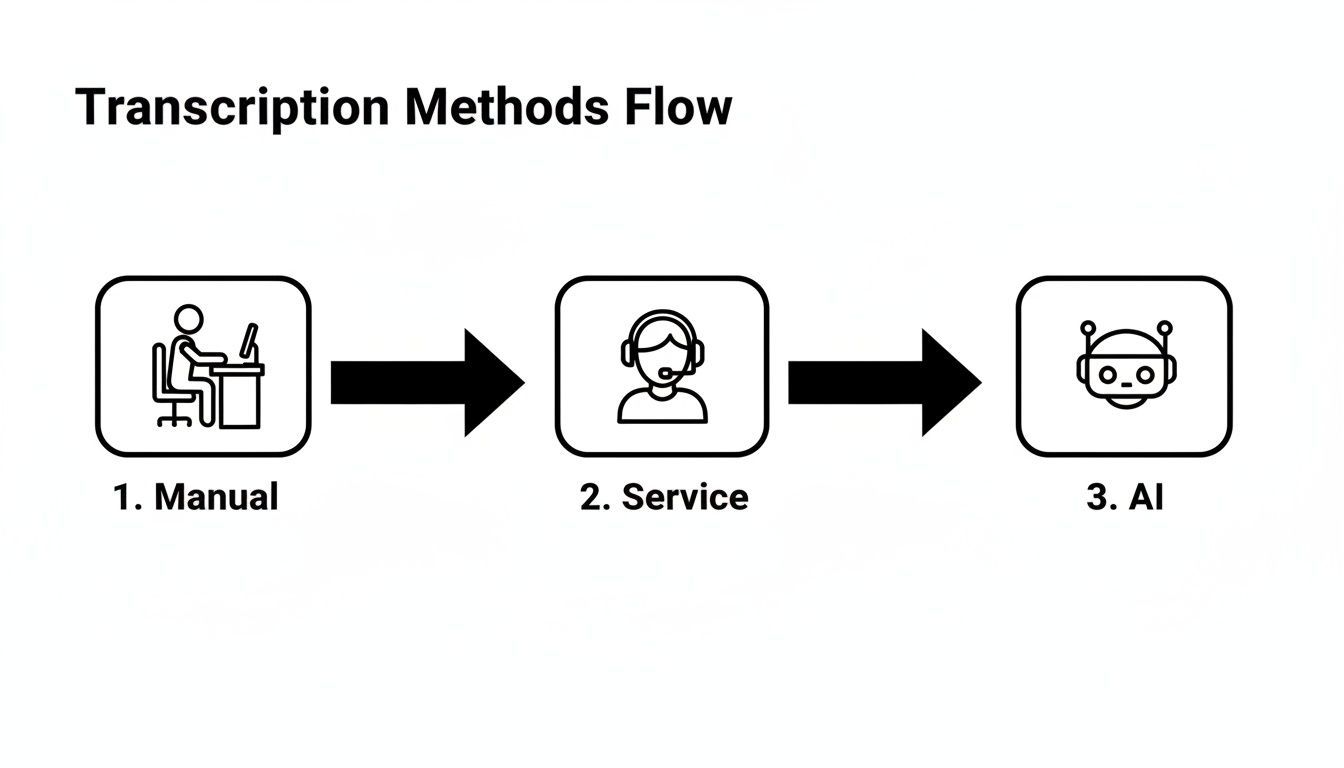
Sie können sehen, warum KI gewinnt. Sie automatisiert, was einst stundenlange intensive Konzentration erforderte, und macht die Transkription für praktisch jeden zugänglich.
Vorbereiten und Hochladen Ihrer Videodateien
Der Weg zu einem großartigen Transkript beginnt mit Ihrer Quelldatei. KI ist schlau, aber keine Magie – sie braucht klaren Ton, um ihre beste Arbeit zu leisten. Bevor Sie etwas hochladen, ist es immer eine gute Idee, eine schnelle Überprüfung durchzuführen und sicherzustellen, dass der Ton Ihres Videos so sauber wie möglich ist.
Schlechter Ton = Schlechte Transkripte
Hintergrundgeräusche, überlappende Sprache und minderwertige Mikrofone reduzieren die Transkriptionsgenauigkeit erheblich. Selbst die besten KI-Tools haben Schwierigkeiten, wenn die Audioqualität beeinträchtigt ist, was zu mehr manueller Bearbeitung führt.
Eine Datei mit minimalem Hintergrundrauschen und klaren Sprechern liefert Ihnen immer eine genauere Transkription.
Glücklicherweise sind die meisten modernen Plattformen sehr flexibel, was die Art und Weise angeht, wie Sie Ihre Dateien in das System hochladen. Sie sind nicht mehr nur darauf beschränkt, von Ihrem Computer hochzuladen.
- Direkter Upload: Der klassische Drag-and-Drop. Perfekt für MP4-, MOV- oder AVI-Dateien, die auf Ihrem Desktop liegen.
- Cloud-Integration: Verbinden Sie sich direkt mit Diensten wie Google Drive oder Dropbox, um Dateien abzurufen, ohne sie vorher herunterladen zu müssen. Das spart wirklich Zeit.
- URL-Einfügen: Mein persönlicher Favorit für Online-Inhalte. Fügen Sie einfach einen Link von YouTube oder Vimeo ein, und das Tool ruft das Video für Sie ab.
Konfigurieren Ihrer Transkriptionseinstellungen
Sobald Ihr Video hochgeladen ist, sehen Sie normalerweise einige einfache, aber leistungsstarke Einstellungen. Dies ist Ihre Chance, der KI Kontext zu Ihrem Audio zu geben, was einen großen Unterschied für die endgültige Genauigkeit macht. Ein Moment hier kann Ihnen später viel Bearbeitungszeit sparen.
Betrachten Sie es so, als würden Sie einem menschlichen Transkriptionisten ein kurzes Briefing geben, bevor er beginnt. Je mehr Informationen er im Voraus hat, desto besser wird das Endergebnis sein.
Zuerst müssen Sie der KI mitteilen, welche Sprache im Video gesprochen wird. Viele der besten KI-Transkriptionssoftware-Optionen unterstützen Dutzende von Sprachen, stellen Sie also sicher, dass Sie die richtige auswählen.
Danach sollten Sie nach zwei weiteren entscheidenden Einstellungen Ausschau halten:
- Sprechererkennung (Diarisierung): Diese Funktion erkennt automatisch, wer wann spricht, und kennzeichnet jede Person als "Sprecher 1", "Sprecher 2" usw. Dies ist absolut unerlässlich für Interviews, Besprechungen oder Podiumsdiskussionen, bei denen Sie wissen müssen, wer was gesagt hat.
- Benutzerdefiniertes Vokabular: Hier können Sie die Genauigkeit wirklich verbessern. Wenn Ihr Video bestimmte Namen, Fachbegriffe, Akronyme oder technische Begriffe erwähnt, können Sie diese zu einer benutzerdefinierten Liste hinzufügen. Die KI lernt dann, diese Wörter korrekt zu erkennen, anstatt zu raten.
Nachdem Sie diese Einstellungen angepasst haben, sind Sie bereit. Drücken Sie einfach den Knopf, und die KI macht sich an die Arbeit und liefert normalerweise eine vollständige Transkription in einem Bruchteil der Videolaufzeit. Es verwandelt eine einst gefürchtete Aufgabe in einen schnellen, einfachen Schritt in Ihrem Workflow.
So überprüfen und perfektionieren Sie Ihre Transkription
Eine KI-generierte Transkription bringt Sie 95 % weiter, aber die letzte kleine Strecke ist, wo die wahre Magie passiert. Diese endgültige Überprüfung ist Ihre Chance, den Text zu polieren, die subtilen Fehler zu erkennen, die Maschinen übersehen, und aus einem guten Entwurf ein makelloses Dokument zu machen.
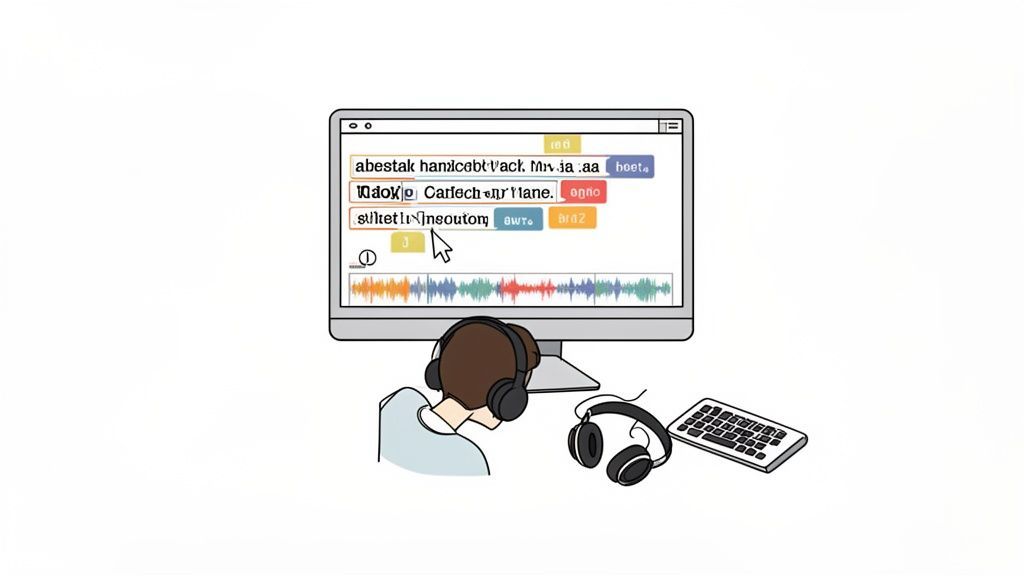
Die meisten modernen Transkriptionstools – wie unseres – verfügen über einen interaktiven Editor, der den Text direkt mit dem Audio synchronisiert. Das ist Ihr bester Freund. Während Sie das Video abspielen, werden die Wörter in Echtzeit hervorgehoben, sodass Sie mitverfolgen und Korrekturen vornehmen können.
Diese synchronisierte Wiedergabe ist ein entscheidender Vorteil, um den Kontext richtig zu erfassen. Eine KI hört vielleicht "their" (ihr), wenn der Sprecher klar "there" (dort) gesagt hat. Wenn Sie es selbst hören, während Sie lesen, ist das Erkennen und Beheben dieser kleinen Homophon-Verwechslungen ein Kinderspiel.
Korrektur häufiger KI-Fehler
Selbst die intelligenteste KI hat ihre blinden Flecken. Zu wissen, wo die Automatisierung oft stolpert, hilft Ihnen, Ihre Überprüfung zu fokussieren und sie viel schneller zu erledigen.
Ihr erster Durchgang sollte sich auf diese üblichen Verdächtigen konzentrieren:
- Eigennamen: Das ist ein wichtiger Punkt. KI verhunzt oft einzigartige Namen von Personen, Unternehmen oder Produkten. Sie könnte "Kaitlyn" als "Caitlin" schreiben oder "Transcript.LOL" als "Transcript LOL" missverstehen.
- Branchenspezifische Terminologie: Wenn Sie mit spezialisiertem Jargon oder internen Akronymen arbeiten, kann die KI leicht verwirrt werden, es sei denn, Sie haben ein benutzerdefiniertes Vokabular eingerichtet.
- Sprecherkennzeichnungen: Obwohl KI ziemlich gut darin ist, Sprecher zu unterscheiden, verschmilzt sie manchmal den Dialog zweier Personen oder ordnet ihn falsch zu. Überprüfen Sie doppelt, ob jeder korrekt gekennzeichnet ist.
Betrachten Sie die Bearbeitungsphase weniger als Umschreiben, sondern mehr als Verfeinern. Sie überbrücken lediglich die Lücke zwischen automatisiertem Output und menschlicher Nuance, um den ursprünglichen Dialog zu würdigen.
Polieren für Lesbarkeit und Fluss
Sobald die offensichtlichen Fehler behoben sind, ist es Zeit, die Transkription leicht lesbar zu machen. Hier geht es um mehr als nur um die Korrektur von Wörtern; es geht darum, den Text so zu strukturieren, dass er natürlich fließt. Wenn Sie darin wirklich gut werden wollen, wird die Beherrschung der Kunst des Korrekturlesens bei der Transkription Ihre finalen Dokumente auf die nächste Stufe heben.
Ein entscheidender Zeitsparer hier ist die Funktion "Suchen und Ersetzen". Haben Sie einen Namen zehnmal falsch geschrieben bemerkt? Sie können jede einzelne Instanz mit einem einzigen Vorgang beheben, anstatt sie einzeln zu suchen.
Achten Sie auch auf Formatierungsprobleme. KI erstellt manchmal einen neuen Absatz, jedes Mal, wenn ein Sprecher eine Pause macht, was den Text abgehackt und zusammenhanglos erscheinen lässt. Haben Sie keine Angst, kurze, zusammenhängende Sätze zu einem einzigen, kohärenten Absatz zusammenzufassen. Das macht einen großen Unterschied im Leseerlebnis und wertet Ihren KI-Entwurf zu etwas wirklich veröffentlichungsreifen auf.
Ihre Transkription nutzen: Exportieren und Wiederverwenden
Sobald Sie Ihre Transkription poliert haben, beginnt der eigentliche Spaß. Hier bringen Sie all diesen Text zum Einsatz. Die erste Entscheidung, die Sie treffen – wie Sie ihn exportieren – ist strategischer, als Sie vielleicht denken. Alles hängt davon ab, was Sie als Nächstes vorhaben.
Die Wahl des richtigen Formats von Anfang an ist der Schlüssel, um das volle Potenzial Ihres Videos auszuschöpfen und sich später eine Menge Kopfzerbrechen zu ersparen.
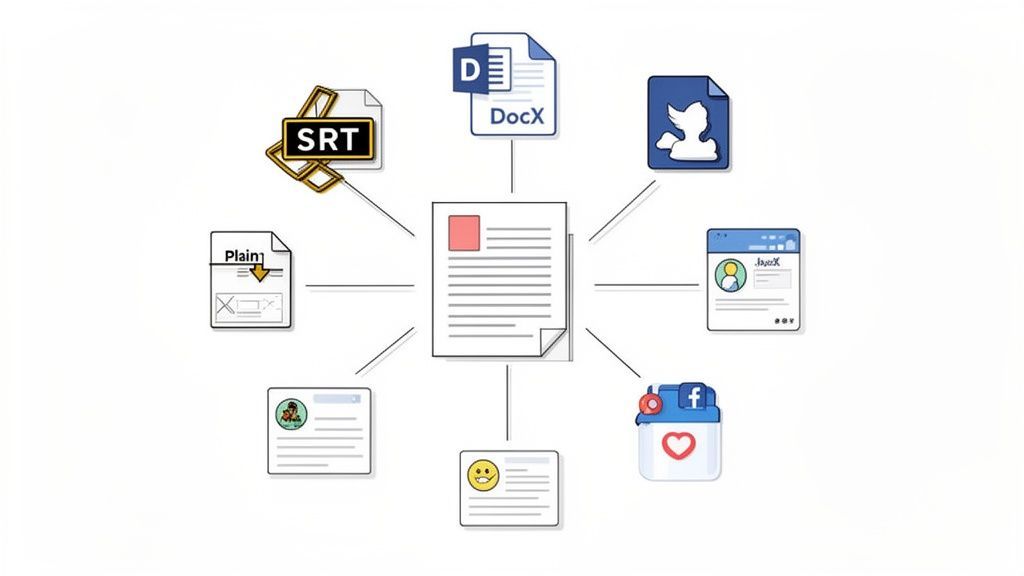
Denken Sie darüber nach: Ein YouTuber, der die Reichweite seines Videos maximieren möchte, hat völlig andere Bedürfnisse als ein Forscher, der ein langes Interview archiviert. Der eine benötigt eine Datei, die für Untertitel auf dem Bildschirm erstellt wurde, während der andere nur den reinen Text für die Analyse benötigt.
Das richtige Exportformat wählen
Wenn Sie sich mit den wichtigsten Dateitypen vertraut machen, wird Ihr Workflow erheblich reibungsloser. Jede von ihnen ist für eine bestimmte Aufgabe konzipiert, sei es das Hinzufügen von Untertiteln oder das Erstellen eines neuen Blogbeitrags.
- SRT & VTT: Dies sind die Goldstandards für Video-Untertitel. Beide Formate enthalten nicht nur den Text, sondern auch die entscheidenden Zeitstempel, die die Wörter perfekt mit dem Audio Ihres Videos synchronisieren. Sie sind unerlässlich für Plattformen wie YouTube und Vimeo und bilden das Fundament für barrierefreie Inhalte. Wenn Sie jemals einen von Grund auf neu erstellen müssen, ist ein spezieller SRT-Dateiersteller Ihr bester Freund.
- DOCX: Planen Sie, Ihre Transkription in einen Artikel, Bericht oder ein formelles Dokument umzuwandeln? Dies ist das richtige Format für Sie. Es behält alle wichtigen Formatierungen wie Absätze und Sprecherkennzeichnungen bei und bietet Ihnen eine saubere, bearbeitungsbereite Grundlage in Microsoft Word oder Google Docs.
- TXT: Wenn Sie einfach nur den reinen, unverfälschten Text benötigen, ist die einfache TXT-Datei perfekt. Sie ist ein Favorit bei Forschern und Datenanalysten, die sauberen Text ohne Formatierung in andere Tools zur Analyse importieren müssen.
Das richtige Exportformat für Ihre Bedürfnisse wählen
Um es noch klarer zu machen, hier ist eine kurze Aufschlüsselung, welches Format Sie wann verwenden sollten.
| Format | Dateierweiterung | Hauptanwendungsfall | Hauptmerkmal |
|---|---|---|---|
| SRT | .srt | Video-Untertitel für YouTube, soziale Medien, Player | Text + Zeitstempel für perfekte Synchronisation |
| VTT | .vtt | Moderne Web-Video-Untertitel (HTML5) | Ähnlich wie SRT, mit erweiterten Styling-Optionen |
| DocX | .docx | Blogbeiträge, Artikel, Berichte, Besprechungsnotizen | Behält Formatierung bei (Absätze, Sprecherkennzeichnungen) |
| Text | .txt | Datenanalyse, Forschung, einfache Textarchivierung | Reiner, unformatierter Text für maximale Kompatibilität |
Die Wahl des richtigen Formats im Voraus erspart Ihnen die Konvertierung von Dateien oder die manuelle Neuformatierung von allem später.
Alles, was Sie zum Bearbeiten, Exportieren und Wiederverwenden von Transkripten benötigen

Bearbeitungswerkzeuge
Bearbeite Transkripte mit leistungsstarken Werkzeugen wie Suchen und Ersetzen, Sprecherzuordnung, Rich-Text-Formate und Hervorhebungen.

In mehreren Formaten exportieren
Exportiere deine Transkripte in mehreren Formaten, einschließlich TXT, DOCX, PDF, SRT und VTT mit anpassbaren Formatierungsoptionen.
Zusammenfassungen und Chatbot
Erstelle Zusammenfassungen und andere Erkenntnisse aus deinem Transkript, wiederverwendbare benutzerdefinierte Prompts und Chatbot für deine Inhalte.
Das Format, das Sie wählen, sollte Ihr Endziel direkt unterstützen. Laden Sie nicht einfach eine generische Textdatei herunter, wenn Ihr eigentliches Ziel darin besteht, Ihrem Video professionelle Untertitel hinzuzufügen – Sie werden sich nur mehr Arbeit machen.
Verwandeln Sie Ihr Transkript in eine Content-Maschine
Ihr fertiges Transkript ist nicht nur eine Aufzeichnung dessen, was gesagt wurde; es ist Rohmaterial für eine Menge neuer Inhalte. Eine Textversion Ihres Videos ermöglicht es Ihnen, dessen Wirkung mit überraschend wenig Aufwand zu vervielfachen.
Hier steigen Sie von der reinen Kenntnis, wie man Videos in Text transkribiert, zum wahren Beherrschen Ihres Content-Workflows auf. Um das Beste aus jedem Video herauszuholen, sollten Sie Strategien zur Wiederverwendung von Inhalten meistern.
Zum Beispiel kann ein einzelnes einstündiges Webinar sofort verwandelt werden in:
- Eine schnelle Zusammenfassung: Verwenden Sie ein KI-Tool, um eine prägnante Zusammenfassung zu erstellen, die perfekt für einen E-Mail-Newsletter geeignet ist.
- Klare Handlungsaufforderungen: Extrahieren Sie jede Aufgabe oder Entscheidung aus einem Meeting-Transkript für ein übersichtliches Follow-up-Dokument.
- Eine Woche Social-Media-Inhalte: Heben Sie aussagekräftige Zitate, überraschende Statistiken oder wichtige Erkenntnisse hervor, um ansprechende Beiträge für X, LinkedIn oder Instagram zu erstellen.
Dieser Ansatz verwandelt ein Video in eine ganze Bibliothek von Assets und erweitert dessen Reichweite und Wert weit über die ursprüngliche Aufnahme hinaus.
So erzielen Sie die beste Transkriptionsgenauigkeit: Einige Insider-Tipps
Die KI-Transkription hat sich stark weiterentwickelt, aber ihre Genauigkeit hängt nicht nur von der Software ab. Sie hängt fast ausschließlich von der Qualität Ihres Audios ab.
Stellen Sie es sich so vor: Die KI hört aufmerksam zu, daher ist die Bereitstellung einer sauberen, klaren Audiospur das Beste, was Sie tun können, um beim ersten Versuch ein großartiges Transkript zu erhalten. Ihre Reise zu einer perfekten Textdatei beginnt tatsächlich lange bevor Sie jemals auf "Transkribieren" klicken.
Was jedes Mal zu einem hochwertigen Transkript führt
Zuerst sauberer Ton
Klarer Ton ist der wichtigste Faktor für die Transkriptionsgenauigkeit. Reduzieren Sie Hintergrundgeräusche, vermeiden Sie Echo und nehmen Sie nach Möglichkeit in kontrollierten Umgebungen auf.
Sprechertrennung verwenden
Die Sprechererkennung hilft, Gespräche klar zu organisieren. Sie ist unerlässlich für Interviews, Besprechungen und Podiumsdiskussionen, bei denen die Zuordnung wichtig ist.
Bringen Sie der KI Ihr Vokabular bei
Benutzerdefiniertes Vokabular stellt sicher, dass Fachbegriffe, Namen und Akronyme korrekt transkribiert werden, wodurch wiederholte manuelle Korrekturen reduziert werden.
Vor der Veröffentlichung überprüfen
KI bringt Sie weitgehend ans Ziel, aber eine schnelle menschliche Überprüfung gewährleistet Lesbarkeit, korrekten Kontext und professionelle Abrundung.
Die Nachfrage nach diesen Dingen ist übrigens riesig. Da immer mehr Inhalte online verfügbar sind, wird erwartet, dass der US-Markt für allgemeine Transkriptionen bis 2025 die Marke von 32 Milliarden US-Dollar überschreiten und bis 2035 50 Milliarden US-Dollar erreichen wird. Dieser Boom, insbesondere in Bereichen wie Recht und Gesundheitswesen, unterstreicht nur, wie entscheidend Genauigkeit geworden ist. Mehr Daten zu diesem Trend finden Sie in dieser eingehenden Analyse des Marktes für Transkriptionsdienste.
Alles beginnt mit Ihrer Audio-Umgebung
In der Technik gibt es ein altes Sprichwort: Müll rein, Müll raus. Für die Transkription könnte es nicht wahrer sein.
Wenn die KI die Worte nicht klar verstehen kann, muss sie raten, und dann passieren Fehler. Bevor Sie überhaupt auf Aufnahme drücken, nehmen Sie sich eine Minute Zeit, um Ihre Umgebung zu überprüfen.
- Schalten Sie Hintergrundgeräusche aus. Nehmen Sie an einem ruhigen Ort auf. Entfernen Sie sich von summenden Klimaanlagen, Straßenverkehr oder auch nur von Bürogelaber. Diese kleinen Geräusche stören Sie vielleicht nicht, aber sie können eine KI leicht verwirren.
- Verhindern Sie, dass Leute übereinander reden. Wenn Sie mehrere Sprecher haben, stellen Sie sicher, dass sie sich Raum zum Sprechen geben. Überlappende Dialoge sind für jede Transkriptionssoftware eine der schwierigsten Hürden.
- Verwenden Sie ein ordentliches Mikrofon. Das Mikrofon Ihres Telefons oder Laptops funktioniert im Notfall, aber ein einfaches externes USB- oder Ansteckmikrofon macht einen großen Unterschied. Es ist eine kleine Investition, die sich in Bezug auf die Genauigkeit enorm auszahlt.
Bringen Sie der KI Ihre Fachsprache bei
Selbst bei einwandfreiem Audio kann die KI bei Wörtern, die sie noch nie gehört hat, ins Stolpern geraten. Denken Sie an Branchenjargon, einzigartige Firmennamen oder spezifische Akronyme.
Hier wird eine Funktion für benutzerdefinierte Vokabulare zu Ihrer Geheimwaffe.
Die meisten seriösen Transkriptionstools, einschließlich Transcript.LOL, ermöglichen es Ihnen, eine Liste benutzerdefinierter Wörter zu erstellen. Indem Sie diese Begriffe hinzufügen, bevor Sie Ihre Datei hochladen, geben Sie der KI im Wesentlichen einen Spickzettel für Ihr spezifisches Thema.
Zum Beispiel könnte ein Arzt, der eine Vorlesung transkribiert, Begriffe wie "Pharmakokinetik" oder "Enalapril" hinzufügen. Die KI weiß dann, dass sie diese komplexen Wörter erkennen muss, anstatt etwas Gebräuchlicheres zu erraten.
Dieser einfache Schritt verwandelt die KI von einem Generalisten in einen Spezialisten für Ihre Inhalte. Er reduziert manuelle Bearbeitungen drastisch und stellt sicher, dass Ihr endgültiges Transkript perfekt ist.
Beim Einstieg in die Videotranskription tauchen normalerweise dieselben Fragen auf. Die Leute möchten etwas über Genauigkeit, Kosten, Datenschutz und den Umgang mit weniger als perfektem Audio wissen.
Lassen Sie uns diese Fragen beantworten, damit Sie mit Zuversicht beginnen können.
Ist KI-Transkription so gut wie menschlich?
Das ist die große Frage, und die ehrliche Antwort lautet: Es kommt darauf an.
Bei klarem Audio mit ein oder zwei Sprechern ist moderne KI-Transkription unglaublich, oft mit einer Genauigkeit von bis zu 95 % oder mehr. Sie ist lächerlich schnell und spart enorm viel Zeit, um Besprechungen, Interviews oder Vorlesungen in Text umzuwandeln.
Aber ein professioneller menschlicher Transkriptionist gewinnt in wirklich kniffligen Situationen immer noch. Sie verstehen besser:
- Starke Akzente oder Sprecher mit einzigartigen Dialekten.
- Unordentliches Audio mit viel Hintergrundgeräuschen oder Echo.
- Überlappende Gespräche, bei denen alle gleichzeitig sprechen.
- Subtile Kontexte, wie Sarkasmus oder Nischenjargon, die eine KI einfach übergehen könnte.
Für geschäftskritische Dateien wie juristische Aussagen oder veröffentlichte Forschungsergebnisse ist die Überprüfung des Transkripts durch einen Menschen unerlässlich. Für fast alles andere bringt Sie KI in einem Bruchteil der Zeit und der Kosten zu 95 % ans Ziel.
Was ist der beste Weg, um mit schlechtem Audio umzugehen?
In der Technik gibt es ein altes Sprichwort: Müll rein, Müll raus. Das gilt besonders für die Transkription. Undeutliche Stimmen, Hintergrundgeräusche oder ein böses Echo lassen Ihre Genauigkeit schnell sinken.
Während kein Tool Wunder bei Audio vollbringen kann, das völlig unverständlich ist, sind Sie nicht hilflos.
Bevor Sie Ihre Datei hochladen, versuchen Sie, sie durch ein Tool zur Rauschunterdrückung laufen zu lassen. Programme wie Audacity (das kostenlos ist) oder professionelle Tools wie Adobe Audition verfügen über Filter, die Brummen, Zischen und Hintergrundgeräusche bereinigen können. Selbst eine kleine Verbesserung kann einen großen Unterschied für das endgültige Transkript machen und Ihnen viel Zeit bei der manuellen Bearbeitung sparen.
Wie viel kostet es wirklich, ein Video zu transkribieren?
Der Preis variiert stark, je nachdem, wie Sie vorgehen.
Wenn Sie es selbst tun, kostet es Sie nichts außer Ihrer Zeit – und zwar viel davon. Die Beauftragung eines menschlichen Transkriptionsdienstes ist die teuerste Option und kostet in der Regel zwischen 1,00 und 2,50 US-Dollar pro Audiominute. Ein einstündiges Video kann Sie leicht 60 bis 150 US-Dollar kosten.
Hier glänzen KI-gestützte Dienste wirklich. Viele Plattformen, auch unsere, bieten eine kostenlose Testversion an, damit Sie die Gewässer testen können. Von dort aus basieren kostenpflichtige Pläne in der Regel auf einem Abonnement oder einem Pay-as-you-go-Modell, das nur wenige Cent pro Minute kostet. Es ist mit Abstand die günstigste und skalierbarste Methode für die Transkription, wenn Sie regelmäßige Anforderungen haben.
Sind meine Daten sicher, wenn ich ein Online-Tool verwende?
Das ist eine berechtigte Frage. Wenn Sie eine Datei hochladen, vertrauen Sie darauf, dass ein Dienst Ihre Inhalte verantwortungsvoll behandelt. Es ist unerlässlich, eine Plattform mit einer glasklaren Datenschutzrichtlinie zu wählen.
Das Wichtigste ist, auf die Zusage zu achten, dass Ihre Daten nicht zum Trainieren ihrer KI-Modelle verwendet werden. Seriöse Unternehmen geben dies im Voraus an.
Prüfen Sie auch grundlegende Sicherheitsmaßnahmen wie die Verschlüsselung von Dateien beim Hochladen und Speichern. Bei Transcript.LOL haben wir eine strenge No-Training-Richtlinie. Ihre Daten werden ausschließlich zur Erstellung Ihres Transkripts verwendet, Punkt. Es ist immer eine gute Idee, die Datenschutzbestimmungen eines Dienstes zu lesen, bevor Sie sensible Materialien hochladen.
Bereit, Ihre Videos in präzise, einfach zu verwendende Texte umzuwandeln? Mit Transcript.LOL können Sie von Ihrem Computer, Google Drive hochladen oder sogar einen YouTube-Link einfügen und erhalten in wenigen Minuten ein poliertes Transkript zurück.