
How Do I Record a Phone Call A Practical Guide for Any De...
Struggling with how do I record a phone call? This guide provides clear, legal methods and top app recommendations for iPhone, Android, VoIP, and landlines.
Kate
February 24, 2026
Recording a phone call used to be a niche task, but today it's a mainstream need for everyone from journalists chasing a story to businesses focused on quality control. The reasons are simple: we need to remember what was said, confirm details, and have a reliable record of important conversations.
Whether you're trying to capture precious family memories, lock down a verbal agreement, or just keep notes from a client call, hitting that record button is invaluable. Without it, crucial details get fuzzy almost immediately. A recording cuts through the "he said, she said" and gives you a single source of truth.
Recordings Are Only Step One
Audio recordings capture every detail, but they’re not easy to search or skim. Replaying long calls takes time and disrupts your workflow. Converting recordings into text makes them truly useful by letting you quickly find and reference important information.
This flowchart is a great starting point. It breaks down the options based on the device you're using, which is always the first piece of the puzzle.
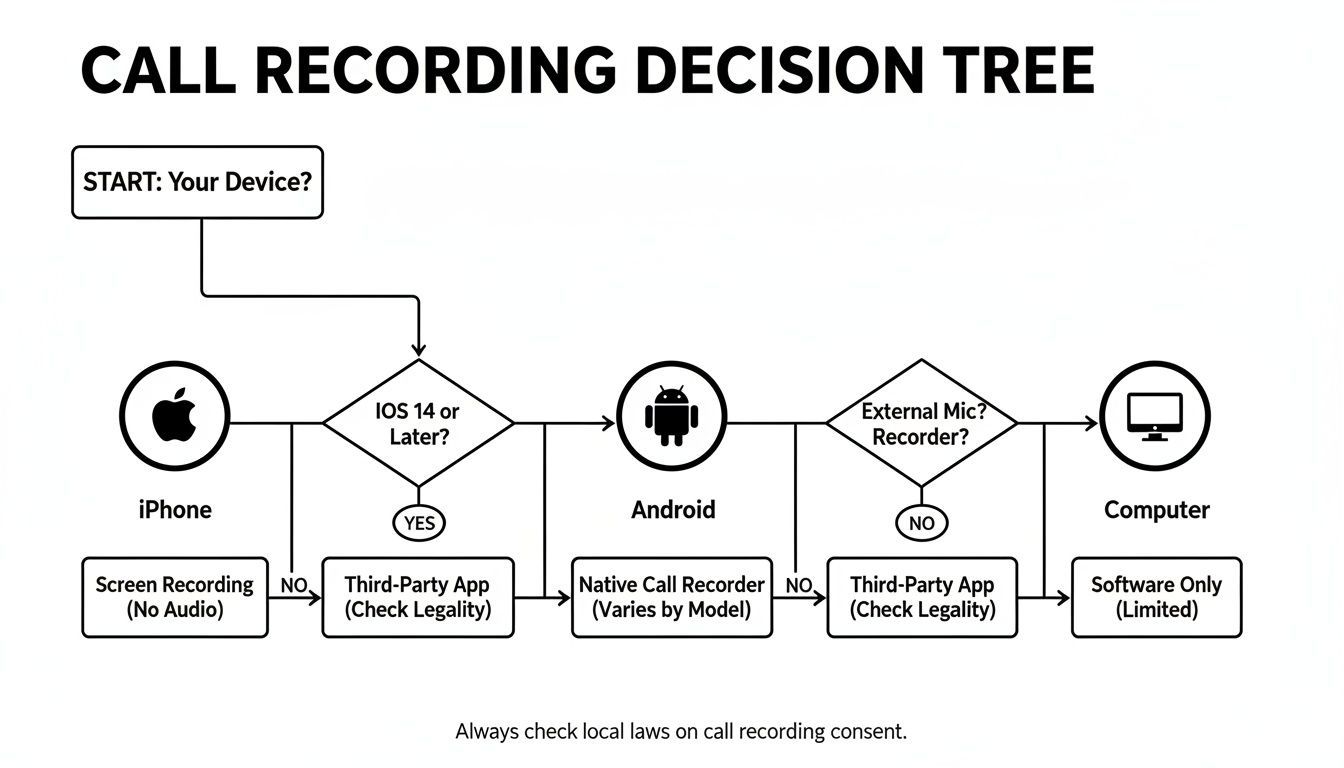
As you can see, your path to recording a call depends entirely on whether you're on an iPhone, Android, or your computer. Each has its own set of rules and tools.
Key Reasons to Record Conversations
So, why bother with the setup? The reasons go far beyond just taking better notes.
- Documentation and Compliance: In many fields, recording calls isn't just a good idea—it's a legal requirement. It creates a solid record of transactions, agreements, and customer consent.
- Quality Assurance: Businesses constantly record customer service calls. It's the best way to train staff, monitor performance, and make sure every customer gets a great experience.
- Accurate Information Capture: For journalists, researchers, and students, a recording means you can be fully present in the conversation, not frantically scribbling notes. You can always go back for the exact quotes later.
- Personal Keepsakes: Sometimes, the most important calls are with family. Recording a conversation with a loved one can create a memory you can revisit for years.
"A recording transforms a fleeting conversation into a permanent asset. It’s the ultimate tool for accuracy, accountability, and peace of mind."
Of course, once you have the audio, the next step is making it useful. That's where a transcript comes in. Having a written version makes it incredibly easy to find key information without scrubbing through the entire recording. You can learn more by checking out our FAQs on transcribing audio.
Features That Make Transcription Effortless
State-of-the-art AI
Powered by OpenAI's Whisper for industry-leading accuracy. Support for custom vocabularies, up to 10 hours long files, and ultra fast results.

Import from multiple sources
Import audio and video files from various sources including direct upload, Google Drive, Dropbox, URLs, Zoom, and more.

Export in multiple formats
Export your transcripts in multiple formats including TXT, DOCX, PDF, SRT, and VTT with customizable formatting options.
Understanding the Legal Side of Recording Calls
Before you hit record on any call, we need to talk about the law. It’s easy to get caught up in the tech—the apps, the devices—but the most critical question isn't how to record a call, but whether you can. Getting this wrong can land you in some serious trouble, so let’s make sure you're doing things the right way.
The legal landscape in the United States is a bit of a mess, frankly. It’s a patchwork of state and federal laws that all boil down to one simple idea: consent. Who needs to know they’re being recorded? That’s the million-dollar question.
One-Party vs. Two-Party Consent
The main thing you need to understand is the difference between "one-party" and "two-party" consent. This simple distinction dictates whether you need to tell the other person you're recording.
- One-Party Consent: Most states (around 38 plus D.C.) and the federal government operate under this rule. If you're part of the conversation, you can legally record it without telling anyone else.
- Two-Party Consent: A handful of states, like California, Florida, and Pennsylvania, are much stricter. They require that everyone on the call agrees to be recorded. It’s often called "all-party consent" because it applies to group calls, too.
So, what happens if you’re in a one-party state like Texas calling someone in a two-party state like California? Whose rules do you follow?
The best-practice, cover-all-your-bases approach is to always get consent. Just assume the strictest law applies. A simple, "Hey, just to let you know, I'm recording this call for my notes," is all it takes. It covers you legally and, honestly, it just builds trust.
How to Get Consent Without Making It Weird
Announcing you're recording doesn't have to be an awkward conversation killer. Just be upfront and confident about it. Frame it as a normal part of your process.
For customer service teams, a simple automated message like, "This call may be recorded for quality purposes," is standard. For a journalist or researcher, a quick heads-up before the interview starts is perfect. If they keep talking after you've told them, that's generally considered implied consent.
For a deeper look into the legal fine print, our guide on the legal aspects of transcription is a great resource.
International Calls and Data Privacy
Things get even more complicated if you’re calling someone overseas. The European Union’s GDPR, for instance, is no joke. It treats recorded audio as personal data and has strict rules about how you can collect and store it. The UK and Canada also have their own all-party consent laws to navigate.
Data privacy is a huge deal, but it hasn't stopped the call recording market from growing. Businesses are figuring out how to balance compliance with the need to document conversations. The global call recording software market is projected to grow from USD 4.69 billion in 2025 to USD 8.69 billion by 2033.
This is where privacy-focused platforms like Transcript.LOL really stand out. With a strict no-training policy on user data, you can securely upload recordings from Zoom or WhatsApp and get speaker labels and rich-text editing, all while keeping your data private.
At the end of the day, it’s all about responsibility. Store your recordings securely, limit who can access them, and get rid of them when you don’t need them anymore. If you prioritize transparency and follow the rules, call recording can be an incredibly powerful tool.
How to Record Calls on Your iPhone or Android
When you need to record a call, the answer depends almost entirely on the phone in your pocket. An iPhone user's experience is worlds apart from an Android user's, and it all comes down to some fundamental differences in how Apple and Google approach privacy and software.
Let's break down the practical steps for each.
Apple has built its entire brand on a foundation of user privacy. This is exactly why your iPhone has no built-in call recording feature. It’s an intentional choice to prevent apps from sneakily accessing the microphone during a call.
Because of this lockdown, iPhone users have to get a little creative. The most reliable method involves a three-way conference call.
Navigating iPhone Call Recording
The three-way call method sounds more complicated than it actually is. You’re essentially using an app that gives you a special phone number to dial into.
Here’s the rundown: you call your contact, then use the "Add Call" button on your iPhone to dial the app's recording number. Finally, you merge the two calls.
This turns your conversation into a three-way conference, where the third "participant" is the recording service.
- Initiate the Call: First, call the person you need to record.
- Add the Recording Line: Once you're connected, tap "Add Call" and dial the number provided by your app.
- Merge the Calls: After the recording line picks up, just tap "Merge Calls." Your conversation is now being recorded.
It’s a bit of a clunky process, but it’s the most dependable solution out there for iPhone users. Popular apps like Rev Call Recorder or TapeACall are built around this exact system.
Keep in mind that these services almost always have a subscription fee. You’re paying for them to maintain the phone numbers and server space that make this workaround possible.
Finding the Right iPhone App
Choosing an app usually comes down to balancing cost against features. Some services offer a flat monthly fee for unlimited recordings, while others go with a pay-per-minute model. Many also bundle in transcription services, which can be a huge time-saver.
The screenshot below gives you an idea of a typical interface, showing how you can manage and listen back to your conversations.
As you can see, recordings are usually organized neatly by contact and date, so you can easily track down a specific call later on.
Unlocking Call Recording on Android
Over in the Android world, things are a lot more open, which makes call recording much easier.
Many Android makers, like Samsung and even Google on its Pixel phones, build a recording feature directly into the standard Phone app. If your phone has it, you'll see a "Record" button right on the call screen.
When you tap it, the recording starts, and both you and the other person will usually hear a notification like, "This call is now being recorded." This is done to ensure transparency and keep things legally compliant.
Here’s what you should look for:
- A "Record" button right on the active call screen.
- An automatic announcement stating that the call is being recorded.
- Your saved files are typically found in a "Call Recordings" folder in your phone's file manager.
But not all Android phones have this built-in. Its availability can depend on your phone model, your carrier, and even your country due to local laws. If your device doesn’t have a native option, the Google Play Store is full of third-party apps that can help.
Comparing Top Android Recording Apps
When you search for an Android app, you'll find dozens of choices. Apps like Automatic Call Recorder (ACR) and Cube ACR are incredibly popular because they give you a ton of control and automation.
| Feature | App A (e.g., ACR) | App B (e.g., Cube ACR) |
|---|---|---|
| Automation | Automatically record all calls or only specific contacts. | Similar automation, plus it can record VoIP calls. |
| Cloud Backup | Integrates with Google Drive, Dropbox, and more. | Supports a wide range of cloud storage options. |
| VoIP Support | Limited to standard cellular calls. | Can record calls from WhatsApp, Skype, and others. |
| Cost | Freemium model with a Pro version for more features. | Freemium model with a premium subscription. |
The biggest advantage of a dedicated app is customization. You can set it to automatically record every call, only record calls from unknown numbers, or even start recording when you shake your phone.
A freelance journalist, for example, might set their app to automatically record every incoming call so they never miss a critical quote from a source. Someone else might prefer to manually trigger the recording for just a few important conversations.
Ultimately, whether you're on an iPhone or an Android, there's a reliable solution for you. It just takes a simple workaround for iPhone users, while Android users often get a more integrated, one-tap experience.
Recording Solutions for VoIP and Landline Calls
Important conversations aren't just happening on your cell phone. With so many of us relying on internet-based phone systems and even the trusty old landline, knowing how to record those calls is a critical skill. The methods are a bit different, but the end goal is always the same: get a clean, reliable audio file.
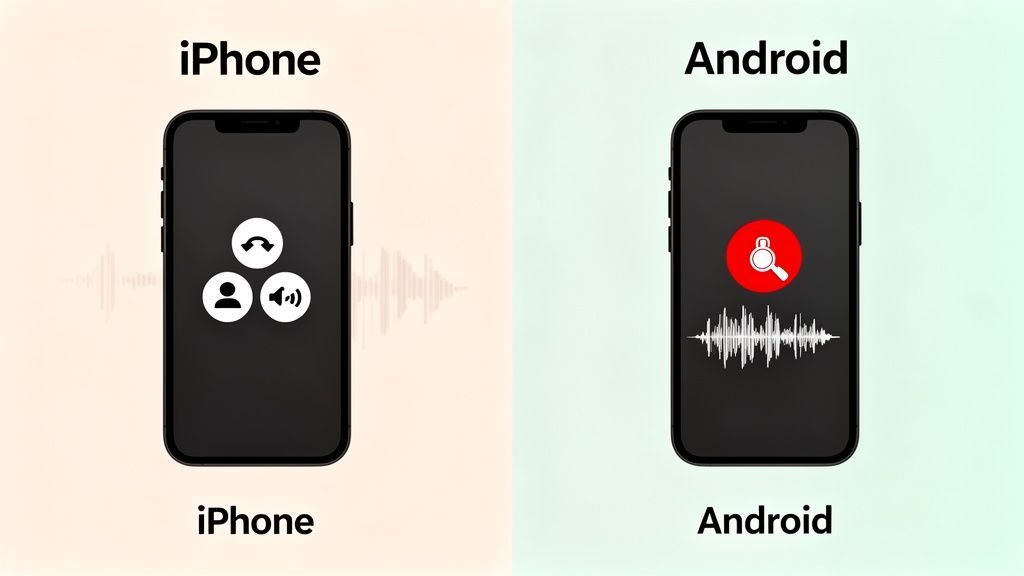
For remote teams and modern offices, Voice over Internet Protocol (VoIP) is the new normal. Platforms like Zoom Phone, Google Voice, and Skype have made it incredibly easy to make calls right from your computer.
The best part? Many of these services come with built-in recording features. It's usually a standard option, designed for business use cases like client meetings, training sessions, or just keeping a record for compliance.
Mastering VoIP Recording
Finding the record button is typically a piece of cake. In Zoom, it’s right there in the call window. If you're using Google Voice, you can start recording an incoming call just by hitting the number 4 on your keypad.
A few things to keep in mind, though:
- Permissions: On a business account (like Zoom Phone), your administrator might need to flip a switch to enable recording permissions for you.
- Automatic Announcements: Most platforms will automatically play a message like "this call is now being recorded." This is a huge help for staying compliant with two-party consent laws without you having to remember.
- Storage: Your recordings usually get saved straight to the cloud, making them easy to access from anywhere. Just keep an eye on your account's storage limits.
If you’re a heavy Skype user, this guide on how to record your Skype calls breaks down the platform-specific steps in more detail.
This kind of built-in functionality is part of a massive trend. The call recording software market is exploding as more companies realize the value of capturing conversations for smarter decision-making. It was valued at USD 4.69 billion in 2025 and is projected to hit USD 8.69 billion by 2033. A huge driver is fraud prevention, with 50-60% of companies using these tools to secure their customer interactions.
Capturing Calls on a Landline
What about that traditional landline sitting on your desk? While they’re less common for personal use, many offices still rely on them. Recording these calls usually means plugging in a physical device that sits between your phone and the wall jack.
These little gadgets are smart—they detect when a call is active and automatically start recording. They often save the audio to an SD card or internal memory, which you can then pop into your computer.
Pro Tip: When you're shopping for a landline recorder, make sure it saves files in a common format like MP3 or WAV. This will save you a ton of headaches when you want to upload the file for transcription.
Another route is using a three-way calling service, much like the workaround for iPhones. You simply merge your landline call with a third-party recording line, and it captures the entire conversation for you.
Once you have your audio file—whether from VoIP or a landline—the next step is to make it useful. Uploading it to a service like Transcript.LOL turns that audio into a precise, searchable text document in minutes. Check out our documentation to see how easy it is to get started.
Instant Clarity
Instead of replaying a 30-minute call, you can scan the text in seconds. Important quotes, agreements, and decisions stand out immediately, so there’s no more guessing about what someone said.
Better Accountability
Action items and commitments are clearly documented. You know exactly who promised what and when, which removes confusion and keeps projects moving forward.
Faster Follow-Ups
Summaries, notes, and reports can be created directly from the transcript. There’s no need to re-listen or rewrite everything, so work gets done much quicker.
Long-Term Knowledge
Past calls become a searchable archive you can revisit anytime. Even months later, you can find details instantly, turning conversations into reusable assets instead of forgotten files.
Turning Your Recorded Calls into Actionable Insights
Capturing a phone call's audio is really just the starting point. A raw recording is like having a book written in a language you don't understand—all the information is technically there, but you can’t get to it. The real magic happens when you transform that audio file into something you can actually use.
This is where you stop just storing calls and start extracting real intelligence from them. It's no longer about remembering what was said; it's about making that conversation searchable, shareable, and actionable.
From Raw Audio to Polished Transcript
It all starts when you upload your audio file. Whether it’s from a VoIP system, a mobile app, or a physical recorder hooked up to your landline, the goal is to get it into a super-accurate text document. Thankfully, modern tools make this dead simple.
Features for Professional Workflows

Speaker detection
Automatically identify different speakers in your recordings and label them with their names.

Editing tools
Edit transcripts with powerful tools including find & replace, speaker assignment, rich text formats, and highlighting.
Summaries and Chatbot
Generate summaries & other insights from your transcript, reusable custom prompts and chatbot for your content.
Services like Transcript.LOL use powerful AI—like OpenAI's Whisper engine—to turn hours of conversation into a precise transcript in just a few minutes. And you're not just getting a giant wall of text. The best platforms bring the conversation to life with smart features.
- Automatic Speaker Labeling: The system figures out who said what, adding labels like "Speaker 1" and "Speaker 2." This is an absolute game-changer for reviewing interviews or multi-person meetings.
- Custom Vocabulary: You can teach the AI specific names, industry jargon, or company acronyms. This massively boosts accuracy for specialized topics, ensuring "Zylker" doesn't get transcribed as "Zilker."
- Multiple Export Options: Once the transcript is ready, you can grab it in whatever format you need—DOCX for reports, TXT for quick notes, or SRT for adding captions to videos.
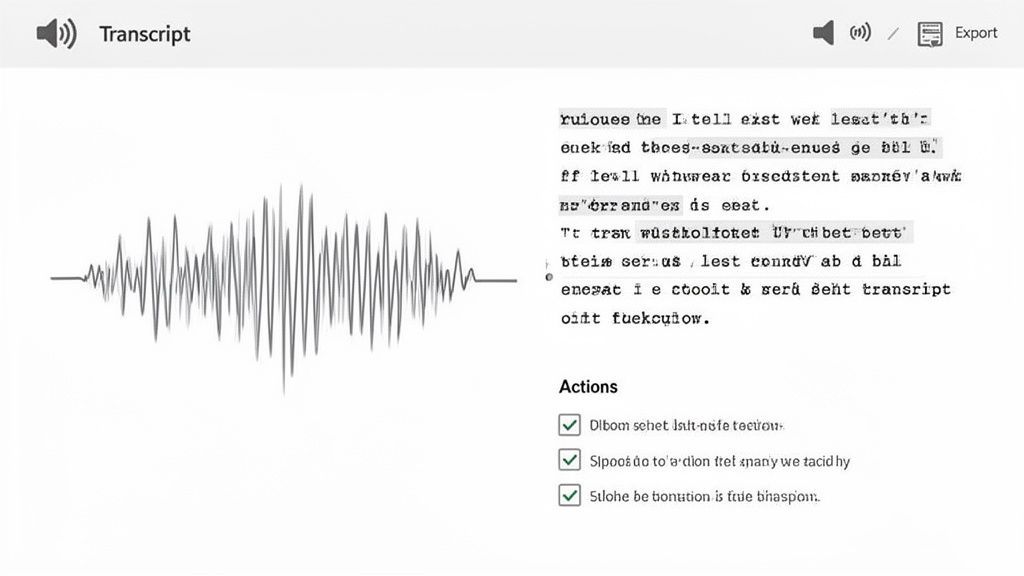
A transcript flips the script on your audio file. It turns a linear, hard-to-navigate recording into a dynamic document. You can instantly search for keywords, jump to key moments, and copy-paste exact quotes without ever scrubbing through the audio again.
The Power of Post-Processing
Once you've got the text, a whole new level of productivity unlocks. You're essentially turning a fleeting conversation into a tangible business asset, and a single recorded call can be repurposed in dozens of ways.
Think about a marketing consultant who just wrapped up a 45-minute feedback call with a happy client. Instead of relying on scribbled notes, they upload the recording. Minutes later, they have a perfect transcript. From there, they can:
- Generate an executive summary to share with their team.
- Pull out powerful quotes to use as testimonials on their website.
- Create a list of action items and assign them out.
- Turn the client's success story into a detailed case study or a few social media posts.
This workflow is a huge reason why AI-driven call analysis is changing how businesses operate. We've seen that companies making over 100 cold calls daily see a 37% higher success rate when they record and analyze them. Tools like Transcript.LOL are built to handle massive files from any source—Google Drive, YouTube, even a Telegram voice note—and quickly spin up summaries and action items.
Refining Your Audio and Transcript
Sometimes, the raw audio itself could use a little love to get the best possible transcript. Think of it like a bit of audio production.
This might mean using simple software to cut down on background noise or even out the volume levels before you upload the file. A cleaner audio file always gives you a more accurate transcript, which saves you a ton of time on edits down the line.
Refining the transcript itself is just as important. With a good editor, you can easily correct any small mistakes the AI might have made, assign proper speaker names ("Speaker 1" becomes "Jane Doe"), and format the text so it's clean and easy to read.
This ability to turn a simple phone call into so many different assets is what makes the process so powerful. If you want to see how this works across different fields, you can explore various use cases for transcription. The core idea is always the same: stop treating recorded calls as a dusty archive and start seeing them as a goldmine of valuable, reusable content.
Common Questions About Recording Phone Calls
Even with the best tools, you're bound to run into a few tricky questions when you start recording calls. That’s perfectly normal. From legal gray areas to technical quirks on certain phones, a few specific concerns pop up time and time again. Let’s clear the air and tackle them head-on.
Is It Legal to Record a Call Without Telling Someone
This is the big one, and the answer is a classic "it depends." The legality comes down to where you and the other person are located. In a one-party consent state, you're in the clear as long as you're part of the conversation and you consent to the recording.
But in two-party consent states (sometimes called "all-party"), like California or Florida, you have to get explicit consent from everyone on the line. Since you might not know where all participants are physically located, the safest bet is always to announce that you're recording at the very beginning of the call. It's not just legally sound; it's the right thing to do.
Why Are iPhone Call Recording Apps So Complicated
If you've ever tried to record a call on an iPhone, you've probably noticed it feels a bit clunky. That's not an accident—it's by design. Apple is famously protective of user privacy, and iOS is built to prevent any app from directly tapping into the microphone during an active phone call.
This security measure forces app developers to get creative. The most common solution involves a three-way conference call. The app essentially dials its own recording service in as a third participant, and that service is what actually captures the audio. It’s a workaround, but it’s the only reliable method that plays by Apple's strict rules.
Can I Record a Zoom Meeting or WhatsApp Call
Absolutely. Recording on most VoIP platforms is much more straightforward.
- Zoom: The platform has a built-in recording feature that works beautifully. The host just needs to enable it, and Zoom automatically notifies everyone that the session is being recorded. Easy.
- WhatsApp: This one's trickier, as there’s no native recording function. You’ll have to use a third-party app or your phone’s built-in screen recorder, but be warned—audio quality can be a real mixed bag.
Once you have the file, you can easily upload it to a transcription service to get a written record.
The key takeaway here is to always use the platform's native recording feature if it has one. You'll get the best audio quality and, in many cases, consent notifications are handled for you.
How Can I Get the Best Audio Quality from a Recorded Call
Your audio quality will make or break your transcript's accuracy, so this is worth getting right. The goal is to capture the audio digitally, not acoustically.
For the best results, stick with the built-in recording functions on services like Zoom or use a dedicated call recording app. These tools grab the digital audio stream directly from the source, giving you crisp, clear sound.
The absolute worst method? Putting your phone on speaker and holding another recording device next to it. You'll pick up every echo, air conditioner hum, and background distraction imaginable. No matter how you capture the audio, running it through a powerful transcription service is the best way to get a clean, usable transcript.
Transforming your recorded calls into searchable text, summaries, and action items is the final step to unlocking their value. At Transcript.LOL, we turn your audio into accurate, actionable content in minutes.