
A Practical Guide to Automated Transcription Software
Discover how automated transcription software turns audio into text, its essential features, and how to choose the right tool to boost your productivity.
Praveen
October 1, 2025
Ever tried to type out every word from a recording? It’s a nightmare. Now, picture a super-fast assistant who does it for you almost instantly. That’s the magic of automated transcription software—a game-changing tool that turns spoken words from any audio or video into clean, searchable text. It’s the modern answer to the slow, painful process of manual transcription that creators, researchers, and professionals have struggled with for years.
Features That Power Automated Transcription Software
State-of-the-art AI
Powered by OpenAI's Whisper for industry-leading accuracy. Support for custom vocabularies, up to 10 hours long files, and ultra fast results.

Import from multiple sources
Import audio and video files from various sources including direct upload, Google Drive, Dropbox, URLs, Zoom, and more.

Speaker detection
Automatically identify different speakers in your recordings and label them with their names.
The Shift From Manual To Automated Transcription
Not too long ago, turning audio into text was a grueling job. A human transcriber had to listen to a recording over and over, painstakingly typing out every single word. A one-hour file? That could easily take four to six hours of intense work. While the final text was usually accurate, the process was incredibly slow, expensive, and just couldn't keep up with the amount of content being created.
Automated transcription software flips the script entirely.
Automated transcription doesn’t just save time — it fundamentally changes how audio content is created, searched, reused, and scaled across teams and platforms.
It uses artificial intelligence to do all the heavy lifting, delivering a full transcript in a matter of minutes, not hours. This isn’t just a small step forward; it’s a massive leap that makes transcription cheap, fast, and available to anyone. At its heart, the software simply converts audio to text, but in doing so, it unlocks a ton of new workflows and efficiencies.
The numbers tell the story. The global AI transcription market is exploding, set to jump from $4.5 billion to an incredible $19.2 billion by 2034. That’s driven by a 15.6% compound annual growth rate, proving just how much demand there is for instant, accurate transcripts across every industry imaginable.
Manual vs Automated Transcription at a Glance
The difference between the old way and the new way is night and day. Manual transcription is limited by a person’s hearing and typing speed, while automated tools are powered by smart algorithms. This gives automated software a huge advantage in speed, cost, and the ability to handle large volumes of files. Of course, a final human review is sometimes needed for tricky recordings, but the bulk of the work is done. (If you want to dive deeper into the basics, check out our guide on what a transcription is).
Always relying on manual transcription is not good
Relying entirely on manual transcription slows content workflows, increases costs, and makes large-scale audio processing nearly impossible.
Let's break down the key differences in a quick table.
| Factor | Manual Transcription | Automated Transcription Software |
|---|---|---|
| Speed | 4-6 hours per audio hour | 5-10 minutes per audio hour |
| Cost | High (per-minute or per-hour rate) | Low (often a flat subscription fee) |
| Scalability | Limited by human availability | Virtually unlimited; process multiple files at once |
| Accessibility | Requires hiring a professional | Available instantly via software |
It’s pretty clear why automated transcription has become such a vital tool. It opens up the process to everyone, allowing individuals and businesses to turn their audio and video into valuable text without breaking the bank or waiting for days. With that foundation set, let’s look at the powerful AI that makes it all happen.
How AI Powers Modern Transcription
Automated transcription software can feel a bit like magic, but what's happening under the hood is a fascinating type of artificial intelligence known as Automatic Speech Recognition (ASR). You can think of ASR as the software's brain and ears working together. It’s not just passively hearing sounds; it’s actively identifying speech, processing it, and converting spoken words into written text.
The whole process happens in two main stages, pretty similar to how our own brains make sense of a conversation. First up is the acoustic model, which acts like the system's ears. It has been trained on thousands upon thousands of hours of audio, learning to pick up on phonemes—the tiny building blocks of sound in a language. It’s what helps the AI tell the difference between a "p" and a "b" or an "s" and a "z."
After that, the language model takes over, acting as the system's brain. It receives the stream of phonemes from the acoustic model and starts putting them together to form actual words and logical sentences. This model uses patterns and context to figure out if someone said "I scream" or "ice cream," making sure the final transcript actually makes sense.
The Brain Behind the Operation
The secret sauce to ASR's accuracy is all in the training data. The AI models are constantly fed enormous datasets of spoken language from every corner of the world, covering a huge range of:
- Accents and Dialects: From a Texas drawl to a thick Scottish brogue, the AI learns to understand how different people talk.
- Speaking Styles: It analyzes everything from fast talkers who barely take a breath to speakers who are slow and deliberate.
- Acoustic Environments: The models are trained on audio full of real-world messiness, like background cafe noise, echoey rooms, and other imperfections.
This non-stop learning is what lets modern AI-powered transcription software hit accuracy rates north of 99% under the right conditions. The more varied the data, the smarter the AI gets.
"The core strength of AI transcription lies in its ability to learn from immense amounts of data. It’s not just programmed with grammar rules; it learns the nuances of human speech by analyzing millions of real conversations.”
This diagram breaks down the two main ways to get a transcript: the old-school manual way and the new-school automated approach.
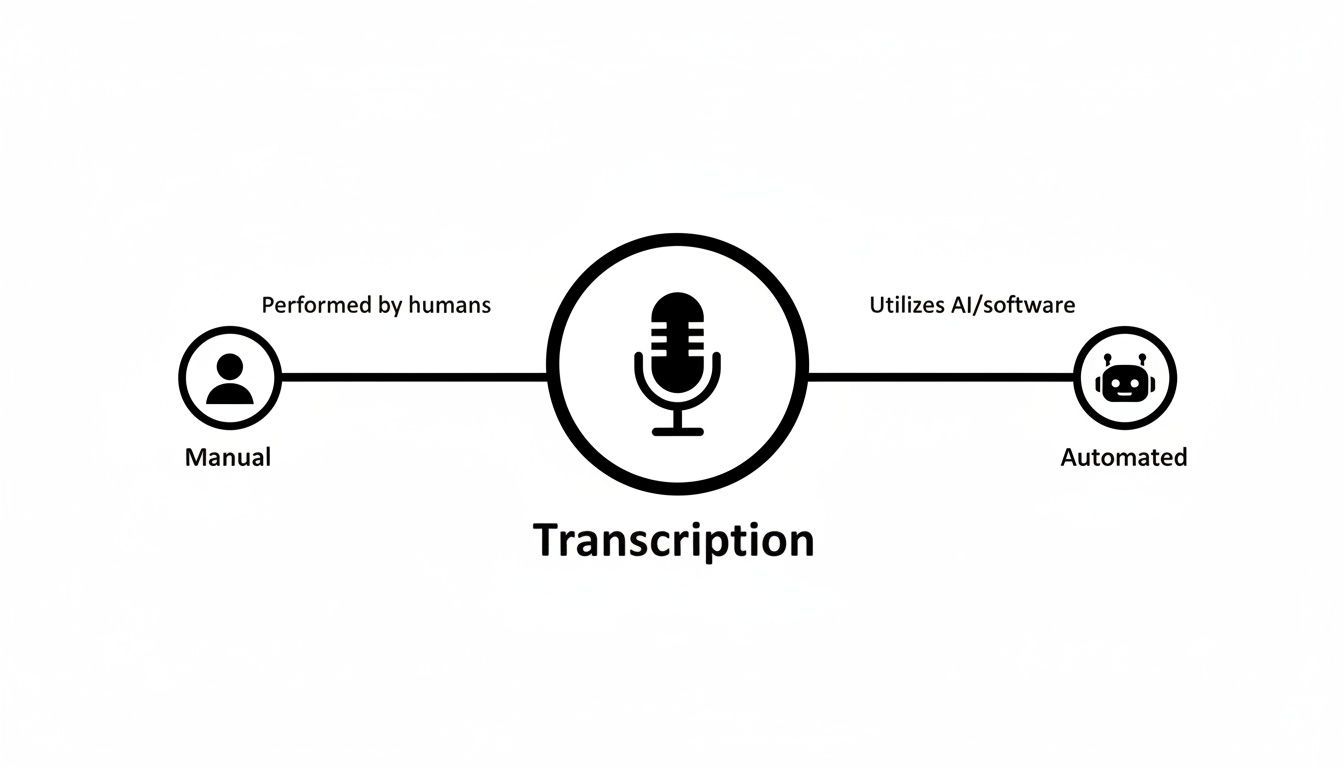
As you can see, the automated route uses technology to bring a level of speed and efficiency that a human just can't compete with.
Adding Another Layer of Intelligence
But just turning sounds into words isn't the whole story. For a transcript to be genuinely useful, the software needs to understand what it's writing. That’s where Natural Language Processing (NLP) steps in. NLP is another branch of AI that helps the software grasp the meaning, context, and structure of the text it just created.
NLP is the engine behind many of the features that make these tools so powerful. For instance, it gives the software the ability to:
- Identify Different Speakers: NLP algorithms can tell one voice from another in a recording, automatically labeling who is talking (e.g., "Speaker 1," "Speaker 2").
- Add Punctuation and Formatting: It intelligently sprinkles in periods, commas, and question marks, and breaks text into paragraphs to make it easy to read.
- Understand Industry Jargon: With custom vocabulary, NLP can be trained to recognize specific technical terms, brand names, or acronyms unique to your field.
ASR and NLP are the power couple that drives the entire process. ASR does the heavy lifting of turning audio into raw text, and then NLP comes in to clean it up, add structure, and make it clear and ready to use. It’s this smart combination that turns a simple audio file into a document you can actually work with.
Features That Turn Transcripts Into Usable Content

Editing tools
Edit transcripts with powerful tools including find & replace, speaker assignment, rich text formats, and highlighting.

Export in multiple formats
Export your transcripts in multiple formats including TXT, DOCX, PDF, SRT, and VTT with customizable formatting options.
Summaries and Chatbot
Generate summaries & other insights from your transcript, reusable custom prompts and chatbot for your content.
What to Look For in Top Transcription Software
Trying to pick the right automated transcription software can feel like you're drowning in options. Dozens of tools all claim to be the best, but most are built on the same core AI. The real difference between a decent platform and a great one comes down to the features that save you actual time and effort after the initial transcript is done. These aren't just flashy add-ons; they turn a simple text file into something you can actually use.
Getting this right is crucial. It’s the difference between a raw, messy block of text and a polished, structured document ready to go. The smart move is to look past the promises of speed and focus on the tools that genuinely make your life easier.
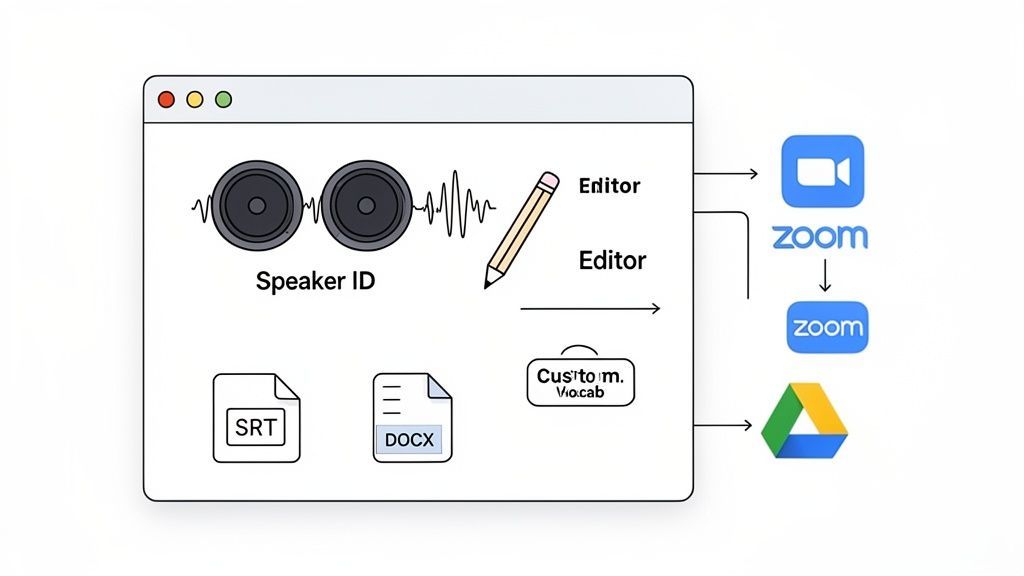
Speaker Detection and Labeling
If you’re transcribing anything with more than one person—interviews, meetings, podcasts—speaker detection is a must-have. Without it, you get a giant wall of text where it’s impossible to tell who said what. Going back and manually adding "Speaker 1" and "Speaker 2" is a miserable task that can take almost as long as the recording itself.
Good software does this for you automatically. The AI analyzes the unique vocal patterns in your audio and assigns labels to each person's dialogue. This instantly transforms a confusing mess into a clean, readable script. For podcasters, journalists, and researchers, this isn't negotiable.
An Integrated Transcript Editor
Look, even the best AI isn't perfect. It's going to stumble over a name, a bit of jargon, or a mumbled word. That’s why a built-in, easy-to-use editor is so important. When the editor is part of the platform, you don’t have to waste time exporting the text to another program like Word or Google Docs just to make a few fixes.
This setup saves a ton of time and keeps the audio synced with the text. A solid editor will have:
- Click-to-play audio: Click a word in the transcript, and the audio instantly jumps to that spot. It makes checking a tricky phrase a breeze.
- Playback speed controls: Slow things down to catch that one garbled word or speed it up to fly through proofreading.
- Simple text editing: Intuitive tools to fix text, rename speakers, and tweak timestamps on the fly.
This seamless editing experience gets your transcript to 100% accuracy without the headache of jumping between different apps. To see what's out there, check out a breakdown of the best audio transcription software to see how different platforms tackle this.
Advanced Custom Vocabulary
For anyone in a specialized field—law, medicine, tech—standard AI models often choke on industry-specific terms, acronyms, and company names. This is where a custom vocabulary feature saves the day. It lets you "teach" the AI a list of unique words before it even starts.
You build a personal dictionary of terms important to your work, and the AI’s accuracy shoots way up on the first try. That means less time spent correcting the same mistakes over and over again.
Think of custom vocabulary as giving the AI a cheat sheet for your industry. It ensures terms like "phlebotomy," "SaaS metrics," or "subpoena duces tecum" are transcribed correctly every time, saving you from a ton of repetitive edits.
Robust Export Options
A transcript is rarely the final product. You're probably going to use it for something else. The best transcription software gives you a bunch of export options to fit whatever you're doing next. You should be able to download your text in formats like:
- .DOCX: Perfect for reports, articles, or show notes.
- .TXT: A simple, plain text file that works with everything.
- .SRT / .VTT: Subtitle files, which are absolutely essential if you’re creating videos for YouTube or Vimeo and want to boost accessibility and SEO.
- .PDF: For sharing a clean, non-editable version.
This kind of flexibility means you can move your content to your next tool—whether it's a CMS, a video editor, or an archive—without any hassle.
Seamless Integrations
Finally, what really separates a good tool from a great one is how well it plays with others. Modern software should connect directly to the apps you already rely on, automating your workflow from start to finish.
Look for key integrations with:
- Cloud Storage: Automatically pull in files from Google Drive, Dropbox, or OneDrive.
- Video Conferencing: Connect to Zoom or Google Meet to get meetings transcribed automatically.
- Video Platforms: Import videos right from YouTube or Vimeo just by pasting a link.
- Automation Tools: Use tools like Zapier to build custom workflows, like sending a transcript summary to Slack or creating a new task in your project manager.
These connections get rid of all the manual uploading and downloading, creating a smooth process that lets you focus on using your content instead of just managing it.
Real-World Uses for Professionals
Understanding the tech is one thing, but seeing how automated transcription software actually changes daily workflows is where the magic happens. This isn't just a tool for turning audio into text; it's a productivity engine that opens up entirely new possibilities for professionals in just about every field.
How Automated Transcription Delivers Real-World Value
Faster Content Production
Creators and teams can turn hours of audio into ready-to-use text in minutes, dramatically reducing turnaround time.
Better Accessibility & Reach
Transcripts and subtitles make content accessible to wider audiences and improve discoverability through search engines.
Effortless Content Repurposing
One transcript can fuel blogs, emails, social posts, documentation, and video captions without re-recording.
Scalable Knowledge Capture
Organizations can store, search, and analyze conversations at scale, turning spoken knowledge into reusable assets.
Let's get practical and look at how this software becomes a game-changer. Each of these scenarios shows a clear "before and after," highlighting how real problems get solved and new levels of efficiency are unlocked.
For Podcasters and Video Creators
If you create audio or video, you know the post-production grind is a massive bottleneck. A one-hour interview is packed with gold, but digging it out by hand is a soul-crushing time sink. This is where automated transcription completely flips the script.
Imagine a podcaster just wrapped up an amazing interview. Before, they were staring down the barrel of hours of manual work. Now, they just upload the audio file and get a full, speaker-labeled transcript back in minutes. That one document becomes the cornerstone of their entire content strategy.
With that transcript, they can instantly:
- Generate Show Notes: Quickly pull key quotes, discussion topics, and resources mentioned to create killer show notes for their listeners.
- Create Accessible Subtitles: Export an SRT or VTT file and upload it straight to YouTube or Vimeo. This makes their content accessible to everyone and gives its SEO a serious boost.
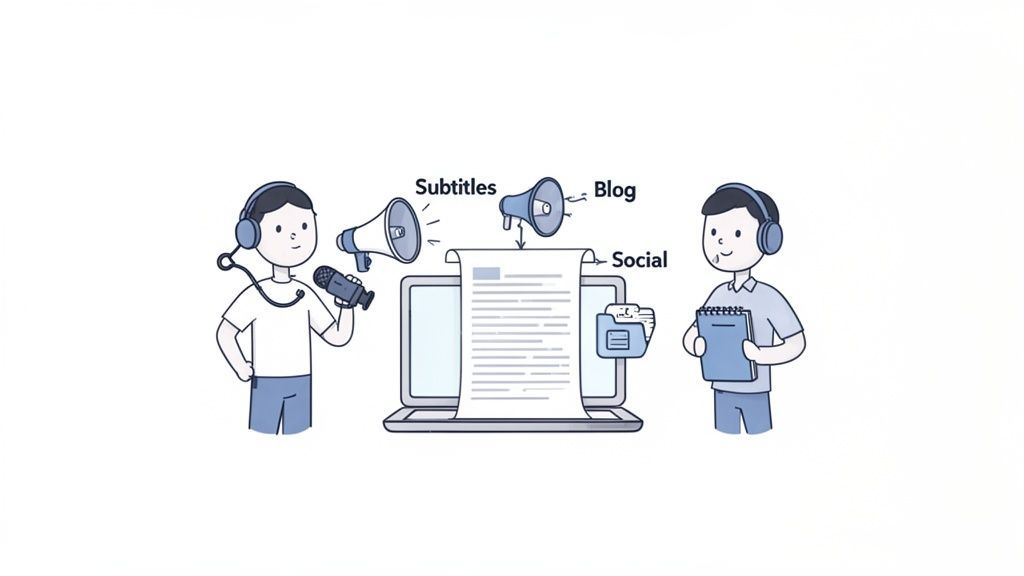
- Repurpose Content Effortlessly: A single interview transcript can be sliced and diced into dozens of content pieces. A key insight becomes a blog post, a powerful quote turns into a social media graphic, and a list of tips becomes a script for a short-form video.
The workflow shifts from a one-to-one output (one recording, one episode) to a one-to-many model. A single piece of audio can fuel a whole week's worth of content across multiple platforms.
This doesn't just save time—it multiplies the creator's reach and impact without ever hitting the record button again.
For Content Marketers and Social Media Managers
Content marketers are always on the hook to produce more, more, more. A fantastic one-hour webinar, for instance, is a goldmine of expertise, but its value is often trapped inside the video file. Automated transcription is the key that unlocks it.
Picture a marketing team that just hosted a killer webinar. Instead of letting the recording collect dust on a landing page, they run it through their transcription tool. Minutes later, they have a complete text version of the entire presentation, ready to be repurposed in a dozen different ways.
This kicks off a streamlined content workflow:
- Create a Detailed Blog Post: The transcript is the perfect first draft for a deep-dive article summarizing the webinar's key takeaways.
- Develop Social Media Snippets: They can pull out dozens of tweetable quotes, surprising stats, and actionable tips to fuel their social media calendar for weeks.
- Craft an Email Summary: A condensed version of the transcript makes for a valuable follow-up email to attendees or a great teaser for those who missed out.
- Build a Lead-Generating Quiz: They can even turn key points into a quiz, using the transcript to quickly generate questions and answers that engage their audience and capture leads.
This approach squeezes every last drop of ROI from a single content initiative, making sure one big effort produces a steady stream of marketing assets.
For Researchers, Students, and Academics
In the academic world, interviews, lectures, and focus groups are the lifeblood of research. The eternal challenge has been organizing and analyzing this mountain of qualitative data. Manually transcribing hours of audio is a notoriously slow, painful process that can delay research findings for weeks, if not months.
Automated transcription software is a massive breakthrough here. A student can record a two-hour lecture and have a fully searchable text document ready to go by the time they're back in their dorm. A researcher can knock out a dozen interviews and rapidly convert them into a cohesive dataset for analysis.
This creates a searchable database of knowledge, enabling:
- Efficient Thematic Analysis: Researchers can use a simple keyword search (Ctrl+F) to instantly find every mention of a specific theme, concept, or term across multiple interviews.
- Accurate Quoting: Pulling direct quotes for a dissertation or research paper becomes as easy as copy-and-paste, complete with timestamps for perfect citation.
- Improved Study Habits: Students can actually listen and engage during a lecture, knowing they'll have a complete, searchable transcript to study from later.
This tech fundamentally accelerates the research lifecycle, letting academics and students get from data collection to meaningful insights faster than ever before.
Navigating Accuracy, Privacy, and Security
When you’re thinking about trusting a piece of software with your audio and video files, two questions always come to mind: "How accurate is this thing?" and "Is my data actually safe?" These aren't just little details—they're the foundation of trust. Let's tackle them head-on.
First up, accuracy. While some platforms might throw around claims of perfection, the reality is that no AI is flawless. But here's the good news: top-tier tools can hit up to 99% accuracy, which is right up there with professional human transcribers. The catch? That's only under "ideal conditions."
So, what are ideal conditions? Think of it like a crystal-clear phone call. When a speaker is close to the mic, speaks clearly, and there's no background noise, the AI has a much easier job. Throw in heavy accents, people talking over each other, or the clatter of a busy coffee shop, and you'll see that accuracy number start to dip.
How to Get the Most Accurate Transcripts
You actually have a ton of control over the final quality. You don't have to just take what the AI spits out on the first try. A few simple tweaks can make a world of difference:
- Provide High-Quality Audio: This is the big one. A decent microphone and a quiet room will do more for accuracy than anything else. Garbage in, garbage out.
- Speak Clearly: If you can, encourage speakers to enunciate and try not to interrupt each other. Clean, distinct speech is what AI models are trained on.
- Use Custom Vocabulary: This is a game-changer if your recordings are full of jargon, brand names, or specific acronyms. You can "teach" the AI these terms beforehand, which means a much cleaner transcript from the start.
Following these tips helps you push the software to its limits and saves you a ton of editing time down the line.
"Accuracy isn't just about the percentage; it's about the effort required to get to 100%. A 98% accurate transcript that requires five minutes of edits is far more valuable than a 95% one that takes an hour to fix."
Your Data, Your Privacy
Now for that second huge concern: security. When you're uploading a confidential client meeting, a sensitive research interview, or a private brainstorming session, you have to know it's going to stay private. This is where a company's data policy becomes everything.
Look for a provider with a strict "no-training-on-customer-data" policy. This is non-negotiable. It’s a rock-solid guarantee that the company won't use your audio or transcripts to train its own AI models. Without it, your private conversations could theoretically end up in the dataset used to improve the service for everyone else.
It's crucial to carefully review a software's privacy policy to make sure your sensitive data is handled responsibly. This document tells you exactly how your information is stored and protected. For industries with strict rules, like healthcare, this isn't just a best practice—it's the law. If you're in the medical field, understanding the details of HIPAA-compliant transcription services is an essential step to protect patient information.
Choosing a platform that takes both accuracy and uncompromising privacy seriously means you’re getting a tool that’s not just powerful, but also genuinely trustworthy.
How to Choose the Right Transcription Tool
Figuring out which automated transcription software to use isn't about finding the single "best" tool on the market. It’s about finding the best tool for you and your workflow. With so many options out there, having a clear way to evaluate them helps cut through the noise so you can make a decision you feel good about.
The best way to start is with a simple checklist. Focus on the things that actually matter to you day-to-day. Check its accuracy with your typical audio files, not just pristine studio recordings. Make sure it has the features you can't live without, whether that's reliable speaker detection or specific export formats like SRT files for videos. And don't forget to glance at the security policy—you want a firm commitment that your data won't be used for training models.
Calculating Your Return on Investment
Beyond just features, the most practical way to choose is to calculate its Return on Investment (ROI). This simple exercise reframes the subscription fee from a monthly expense into a strategic investment in your own productivity.
Here’s a quick way to think about it:
- Estimate Time Saved: How many hours do you really spend transcribing or cleaning up transcripts each month? Be honest. Even saving 30 minutes on a single recording adds up fast.
- Assign a Value to Your Time: What’s an hour of your focused work actually worth? Let's say you value your time at $40 per hour. That's your baseline.
- Do the Math: If the software saves you five hours a month, that’s $200 in value you just created ($40/hour x 5 hours).
This simple calculation puts the direct financial benefit in black and white. When a tool that costs $15 a month gives you back $200 in productive time, the decision becomes incredibly clear. You aren't just buying software; you're buying back your most valuable asset—time.
This pragmatic approach makes sure you choose a tool that not only slots into your workflow but pays for itself many times over.
Frequently Asked Questions
Even after getting the hang of the tech, you probably have a few practical questions. Let's tackle some of the most common ones we hear.
How Long Does Automated Transcription Take?
It’s ridiculously fast. Most modern platforms can turn a one-hour audio or video file into a full transcript in just a few minutes.
Compare that to doing it by hand, which typically takes a professional 4-6 hours for every single hour of audio. When it comes to pure efficiency, automation is in a different league entirely.
Can The Software Handle Different Accents and Languages?
Absolutely. The best tools are trained on massive, diverse datasets from around the globe, which means they can handle a huge variety of accents with impressive accuracy.
Top-tier services also support transcription in dozens of languages, making them a lifesaver for anyone creating international content or running a global business. It’s all about making sure your message lands, no matter who is speaking or listening.
A key factor in choosing a service is its language support and accent recognition. A robust platform will perform well with various speakers, minimizing the need for extensive edits and saving you valuable time.
Is My Data Secure When Using These Services?
This is a big one, and the answer varies from one provider to the next. It’s something you absolutely must check before uploading anything sensitive.
Always look for a service with a strict "no-training-on-customer-data" policy. This is your guarantee that the provider will never use your audio, video, or transcripts to train their AI models. It’s the only way to ensure your information stays completely private.
Ready to stop wasting time on manual transcription and unlock the full potential of your audio and video content? Try Transcript.LOL today and get your first transcript back in minutes, not hours. See how easy it is to convert speech to text at https://transcript.lol.