
A Practical Guide to Convert Any Video to Transcript
Discover how to convert any video to transcript with our practical guide. Learn to use AI tools for accurate, fast, and searchable text to elevate your content.
Praveen
July 3, 2024
So, you've got a video file. What you're really doing when you convert it to a transcript is using some smart AI-powered software to automatically pull all the spoken words out and turn them into editable text.
This simple act unlocks your video's content, making it searchable, accessible, and incredibly easy to repurpose into a ton of new formats.
What Video Transcription Really Enables?
Video transcription is more than text conversion—it’s content liberation. By turning spoken words into searchable text, you unlock accessibility, discoverability, and reuse across blogs, social media, training, and documentation workflows.
Why Turning Video Into Text Is a Content Game Changer
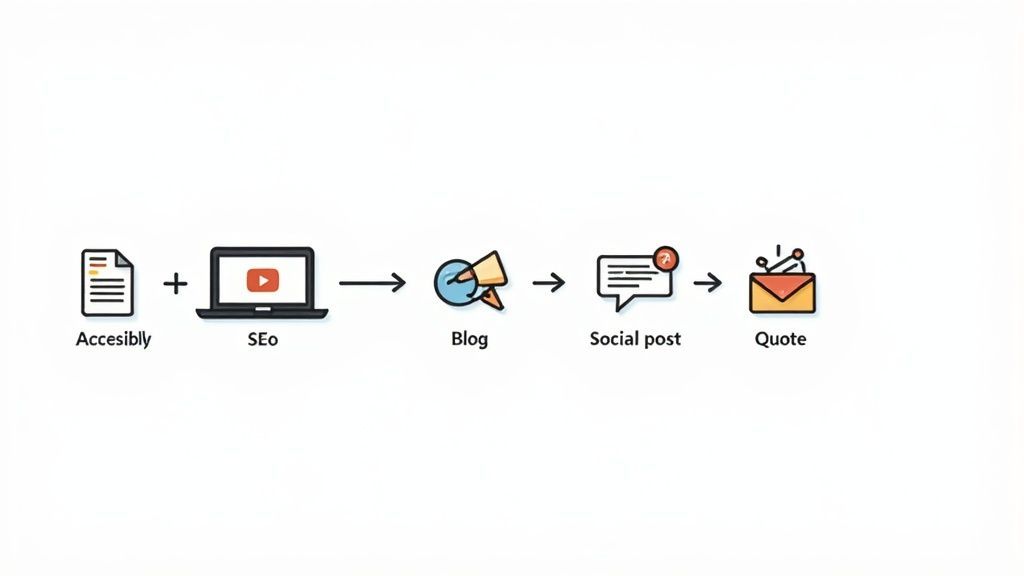
Think of your video library as a goldmine. Seriously. Every single webinar, interview, and tutorial you've ever recorded is packed with valuable information that’s basically invisible to search engines and anyone who prefers reading over watching.
By turning that video into a transcript, you’re not just making a text file. You're laying the groundwork for a much smarter, more efficient content strategy. It's how you stop treating your videos as one-and-done assets.
How Transcripts Multiply Content Value?
Searchable Knowledge
Transcripts turn videos into indexed, scannable assets. Teams can instantly locate insights instead of rewatching hours of footage.
Faster Content Production
Writers and marketers no longer start from scratch. Transcripts act as ready-made raw material for multiple content formats.
Better Accessibility
Text-based content ensures inclusivity for hearing-impaired users and those who prefer reading over watching.
Higher ROI on Video
One video fuels blogs, emails, social posts, and documentation—maximizing returns without extra production cost.
Immagina questo: un team di marketing prende un singolo webinar di un'ora e, utilizzando la trascrizione, lo trasforma in una dozzina di diversi contenuti. Quel testo diventa la materia prima per post di blog, citazioni killer per i social media, newsletter via email e persino studi di casi approfonditi. È una tattica comprovata: la ricerca mostra che il 46% delle persone legge le trascrizioni solo perché è più veloce che guardare, il che ti dice che c'è un vasto pubblico in attesa.
Sblocca l'Accessibilità e Potenzia la SEO
Uno dei maggiori vantaggi immediati è rendere i tuoi contenuti accessibili a un pubblico molto più ampio. Le trascrizioni sono essenziali per le persone con problemi di udito per interagire pienamente con il tuo materiale.
Ma va oltre. Creano semplicemente una migliore esperienza utente per tutti. Molte persone preferiscono scorrere rapidamente il testo per trovare le informazioni di cui hanno bisogno invece di guardare un intero video.
Presentando i contenuti in modi accessibili, si avvantaggiano tutti gli utenti, indipendentemente dalle loro esigenze. Le trascrizioni video sono spesso trattate come un contenuto autonomo dagli spettatori che hanno poco tempo o che necessitano di trovare rapidamente informazioni specifiche.
Accessibility Is Now a Growth Lever
Accessibility has evolved from compliance to competitive advantage. Transcripts improve engagement, retention, and reach while aligning content with modern accessibility expectations and SEO standards.
E parliamo di motori di ricerca. Google non può guardare i tuoi video, ma è un maestro assoluto nell'indicizzare e scansionare testi. Quando aggiungi una trascrizione, stai fornendo ai motori di ricerca un documento ricco di parole chiave che rispecchia perfettamente il contenuto del tuo video. Questo aumenta drasticamente le sue possibilità di posizionarsi per i giusti termini di ricerca. Anche le produzioni video cinematografiche HD professionali ottengono un enorme vantaggio SEO se abbinate a una trascrizione dettagliata.
Semplifica il tuo Flusso di Lavoro di Creazione di Contenuti
I guadagni di efficienza qui sono enormi. Invece di pensare costantemente a nuove idee da una pagina bianca, il tuo team può attingere a un vasto serbatoio di materiale esistente e di alta qualità.
Questo è il cuore delle moderne strategie di riutilizzo dei contenuti che spremono ogni goccia di ROI dai tuoi sforzi. Un ricercatore può trovare una citazione specifica sepolta in ore di filmati in pochi secondi con una trascrizione ricercabile. Questo cambia completamente il loro flusso di lavoro.
È il modo definitivo per moltiplicare il tuo impatto senza moltiplicare il tuo sforzo. Hai già fatto il duro lavoro di creare il video; ora è il momento di lasciare che quel contenuto lavori per te in altri modi. Scopri altre idee qui: https://transcript.lol/blog/content-repurposing-strategies
Quindi, hai bisogno di una trascrizione. Sembra semplice, vero? Ma scegliere lo strumento AI giusto può sembrare come navigare in un mare di opzioni, tutte che affermano di essere le migliori. Il segreto non è trovare una soluzione magica, ma lo strumento giusto per il lavoro che hai in questo momento.
Si riduce davvero a un semplice compromesso: accuratezza, velocità e costo. Stai solo trascrivendo un'intervista veloce e chiara per i tuoi appunti? Uno strumento automatizzato di base che ti porta al 95% del risultato è probabilmente perfetto. Ma se quella trascrizione è destinata a un deposito legale o a un importante progetto del cliente, vorrai l'accuratezza quasi perfetta che deriva da un servizio ibrido con revisione umana. Sapere questo in anticipo ti risparmia un sacco di grattacapi.
Questo mercato è in forte espansione per una buona ragione. L'intera industria della trascrizione AI, la tecnologia che alimenta i moderni strumenti di conversione da video a trascrizione, dovrebbe diventare un mercato da 19,2 miliardi di dollari entro il 2034. È un numero enorme, e dimostra quanto tutti ci affidiamo all'AI per trasformare ore di video in testo utile e ricercabile.
Cosa Conta Davvero Quando si Sceglie uno Strumento
È facile farsi distrarre da funzionalità appariscenti che non userai mai. Il mio consiglio? Concentrati sulle cose che faranno una reale differenza nel tuo flusso di lavoro.
Core Capabilities That Matter Most
IA all'avanguardia
Alimentato da Whisper di OpenAI per una precisione leader nel settore. Supporto per vocabolari personalizzati, file fino a 10 ore e risultati ultra rapidi.

Importa da più fonti
Importa file audio e video da varie fonti tra cui caricamento diretto, Google Drive, Dropbox, URL, Zoom e altro.

Rilevamento dei parlanti
Identifica automaticamente diversi parlanti nelle tue registrazioni e etichettali con i loro nomi.
Integrazioni
Collegati con i tuoi strumenti e piattaforme preferiti per ottimizzare il tuo flusso di lavoro di trascrizione.
Ecco cosa cerco sempre:
- Identificazione dell'oratore: Riconosce automaticamente chi sta parlando e lo etichetta? Per interviste, riunioni o podcast, questo è un requisito assoluto. Ti risparmia un'enorme quantità di lavoro di editing manuale in seguito.
- Vocabolario personalizzato: Se i tuoi contenuti sono pieni di gergo di nicchia, nomi di aziende o acronimi insoliti, hai bisogno di uno strumento che ti permetta di creare un dizionario personalizzato. È la differenza tra una trascrizione pulita e una disseminata di strane sottolineature rosse senza senso.
- Tempo di consegna: Quanto velocemente ne hai bisogno? I servizi completamente automatizzati possono fornire una trascrizione in pochi minuti. Se aggiungi un livello di revisione umana, potresti dover aspettare qualche ora. Pianifica di conseguenza.
- Integrazioni: Lo strumento funziona bene con il software che già utilizzi? Le connessioni con strumenti come Google Drive, Zoom o il tuo editor video possono creare un processo molto più fluido.
Un modo rapido per confrontare le tue opzioni
Per rendere le cose ancora più chiare, analizziamo i principali tipi di servizi. Pensa a cosa trascriverai più spesso. È per uso interno o si tratta di contenuti rifiniti che saranno visti dal pubblico? La risposta ti indicherà la giusta direzione.
Per uno sguardo più dettagliato su piattaforme specifiche, consiglio vivamente la nostra guida sul miglior software di trascrizione AI, che analizza i pro e i contro dei principali contendenti.
Ora, diamo un'occhiata a una tabella per aiutarti a visualizzare le differenze.
Confronto delle funzionalità degli strumenti di trascrizione
Questa tabella ti aiuta a confrontare le funzionalità chiave tra diversi tipi di servizi di trascrizione per trovare la soluzione migliore per il tuo progetto.
| Funzionalità | Servizio AI automatizzato (es. Otter.ai) | Servizio ibrido (AI + Revisione umana) | Servizio manuale (solo umano) |
|---|---|---|---|
| Precisione | Buona (85-95%), fatica con accenti/gergo | Molto alta (99%+) | Massima (99,5%+) |
| Tempo di consegna | Minuti | Ore fino a un giorno | Giorni |
| Costo | Basso (spesso basato su abbonamento) | Moderato (al minuto/ora) | Alto (al minuto/ora) |
| ID oratore | Solitamente automatizzato | Corretto dagli umani | Incluso |
| Vocabolario personalizzato | Spesso disponibile | Supportato | Supportato |
| Ideale per | Note interne, riunioni, bozze iniziali | Contenuti pubblici, legali, ricerca | Legale, medico, trasmissione di alto profilo |
In definitiva, la scelta dipende da quali sono le tue priorità. Per la maggior parte delle attività quotidiane, un solido servizio AI automatizzato è più che sufficiente. Quando la precisione è non negoziabile, un servizio ibrido è un fantastico compromesso senza l'alto costo di un processo completamente manuale.
Don’t Chase Accuracy Alone
Even the most accurate transcript loses value if it’s hard to edit, search, or reuse. Workflow fit, usability, and integration often matter more than percentage points.
Infine, non trascurare l'usabilità. Un'interfaccia pulita e semplice fa un'enorme differenza.
Qualcosa come l'area di trascinamento mostrata sopra è un ottimo segno. Significa che i creatori hanno pensato all'esperienza utente, rendendo facile iniziare senza una ripida curva di apprendimento. È un piccolo dettaglio che parla molto.
Bene, esaminiamo come ottenere la trascrizione del tuo primo video. È un po' più complicato che premere un pulsante "carica", ma ti prometto che è semplice una volta che sai cosa cercare.
L'intero gioco inizia e finisce davvero con la qualità audio. Non posso sottolinearlo abbastanza. Il vecchio detto "spazzatura in ingresso, spazzatura in uscita" è la verità assoluta qui. Se lo strumento AI non riesce a distinguere le parole a causa del rumore di fondo o delle persone che parlano l'una sull'altra, la tua accuratezza crollerà.
Prima ancora di pensare a caricare, fai un rapido controllo audio. C'è un sacco di chiacchiericcio da bar, rumore di vento o un'eco? In tal caso, prenditi qualche minuto per ripulirlo. Un semplice filtro di riduzione del rumore in uno strumento gratuito come Audacity può fare una differenza abissale. È un piccolo passo che non salto mai nei progetti che contano.
Ottenere la Trascrizione del Tuo File
Una volta che il tuo audio è a posto, sei pronto. La maggior parte delle piattaforme di trascrizione moderne ha un'interfaccia di trascinamento super semplice. Trascina semplicemente il tuo file video nella finestra del browser. Spesso vedrai anche altre opzioni, come incollare un URL da YouTube o connetterti direttamente a un cloud drive.
Dopo aver caricato, avvii il processo di trascrizione. L'AI si mette al lavoro e, a seconda della durata del tuo video, potresti aspettare da pochi secondi a qualche minuto. Di solito vedrai una barra di avanzamento e poi, boom, il tuo testo apparirà in un editor interattivo.
È qui che dovrai affrontare alcune decisioni chiave su come affrontare il progetto, che questo grafico illustra in modo efficace.
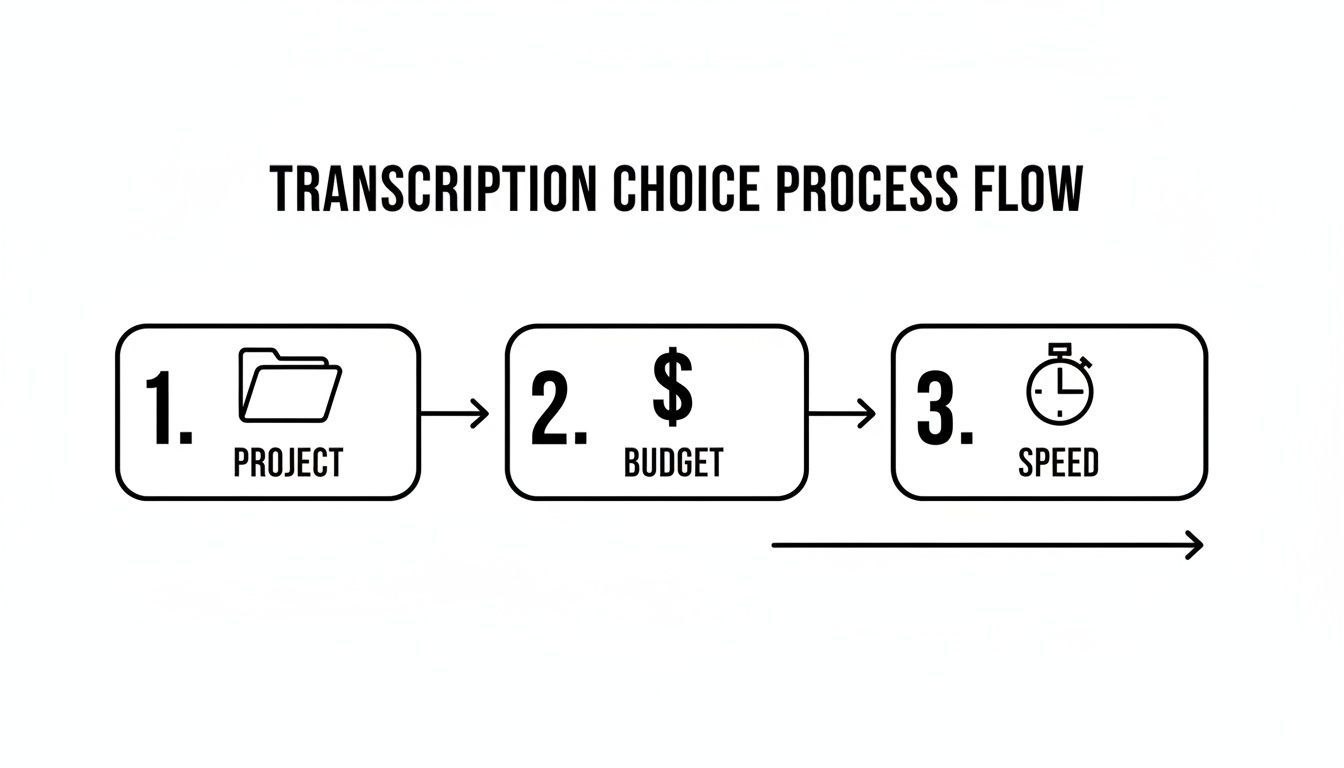
Tutto si riduce a ciò di cui il tuo progetto ha bisogno, quanto puoi spendere e quanto velocemente hai bisogno che venga fatto.
Dare un Senso ai Risultati
La prima bozza che ricevi dall'AI sarà impressionante, ma quasi mai perfetta al 100%. Vedrai il testo completo, solitamente con timestamp ed etichette degli oratori. È qui che vedi il vero potere di questi strumenti, specialmente per uso aziendale.
Una funzionalità eccezionale da cercare è la diarizzazione degli oratori. Determina automaticamente chi sta parlando e li etichetta (ad esempio, Oratore 1, Oratore 2). Questa singola funzionalità consente di risparmiare un'incredibile quantità di tempo di editing.
Nei mercati come gli Stati Uniti, questa tecnologia sta diventando uno standard. È il motore dietro le didascalie in tempo reale in strumenti come Zoom e Microsoft Teams, il che è un grosso vantaggio per l'accessibilità ai sensi di leggi come l'ADA. Per le aziende, il beneficio è enorme. Le trascrizioni ricercabili possono ridurre il tempo necessario per trovare informazioni negli archivi video fino all'80%. Puoi approfondire altre statistiche sulla trascrizione automatica se sei curioso.
Ora hai una bozza solida. Il passo successivo è la rifinitura umana finale per renderla perfetta.
Come Modificare e Rifinire la Tua Trascrizione Generata dall'AI
Ottenere una trascrizione da un'AI è un enorme risparmio di tempo, ma raramente è il prodotto finito. Pensala come una solida prima bozza. La macchina ti porta per l'85-95% del percorso, ma quell'ultimo pezzettino, il tocco umano, è ciò che la rende veramente professionale e affidabile.
Tools That Refine Raw Transcripts

Strumenti di modifica
Modifica le trascrizioni con strumenti potenti tra cui trova e sostituisci, assegnazione dei parlanti, formati di testo arricchito ed evidenziazione.

Esporta in più formati
Esporta le tue trascrizioni in più formati tra cui TXT, DOCX, PDF, SRT e VTT con opzioni di formattazione personalizzabili.
Riassunti e Chatbot
Genera riassunti e altri approfondimenti dalla tua trascrizione, prompt personalizzati riutilizzabili e chatbot per i tuoi contenuti.
La tua prima passata dovrebbe essere una rapida scansione per individuare gli errori più ovvi di cui l'IA è nota. Cerco sempre prima i nomi propri, i nomi di aziende e qualsiasi gergo specifico del settore. Ad esempio, un'IA potrebbe sentire "SaaS" e scrivere "sass", o trascrivere "AcmeCorp" come "acme corp". Si tratta di piccole correzioni, ma fanno un'enorme differenza nella credibilità del documento finale.
Messa a punto con editor interattivi
È qui che si svolge il vero lavoro e, per fortuna, la maggior parte degli strumenti moderni lo rende facile. Un editor interattivo non è solo una casella di testo; è un'interfaccia potente che sincronizza il tuo testo direttamente con l'audio. Quando fai clic su una parola, viene riprodotto istantaneamente quel preciso momento del video. Niente più pasticci tra un lettore multimediale e un documento di testo.
Uso questa funzione costantemente per perfezionare frasi difficili o parti in cui le persone si sovrappongono. È il modo più veloce in assoluto per confermare ciò che è stato effettivamente detto. Secondo la mia esperienza, un'efficace revisione delle bozze nella trascrizione riguarda meno la lettura e più l'ascolto con l'intento di verificare il lavoro dell'IA.
Non limitarti a leggere la trascrizione, ascoltala. La riproduzione audio-testo sincronizzata è il tuo strumento più potente per cogliere sottili errori di tono e terminologia che una semplice lettura trascurerebbe.
Cose come accenti marcati o rumori di fondo possono mettere in difficoltà anche la migliore IA, motivo per cui questa fase di revisione umana è così fondamentale. Con il miglioramento della tecnologia, questo flusso di lavoro sta diventando uno standard. Entro il 2030, gli esperti prevedono che il 70% delle imprese si affiderà a flussi di lavoro video-to-transcript per trasformare filmati grezzi in dati attuabili che alimentano decisioni chiave.
Infine, dai un'ultima rifinitura per la leggibilità. Ciò significa suddividere monologhi lunghi e densi in paragrafi più brevi e facilmente scansionabili e aggiungere la punteggiatura dove necessario. Una trascrizione pulita e ben formattata non è solo più accurata, ma è molto più preziosa per chiunque ne abbia bisogno.
Ottieni di più dalle tue trascrizioni
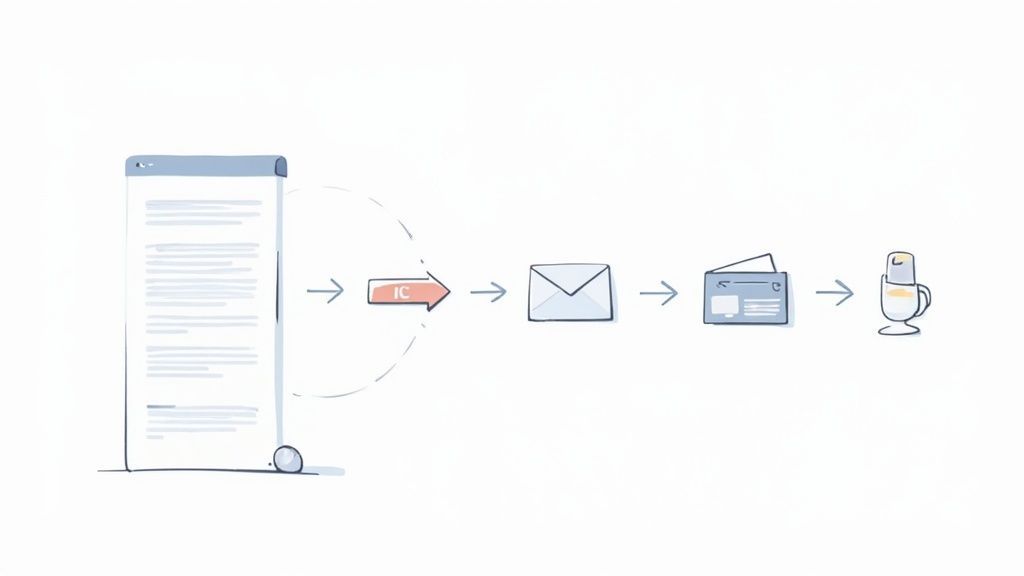
Una trascrizione pulita e accurata è molto più di un semplice file di testo. Pensala come la materia prima per un potente motore di moltiplicazione di contenuti. Una volta che smetti di trattarla come un file d'archivio, inizi a sbloccare il vero ritorno sul tuo investimento nella produzione video.
L'obiettivo è smettere di pensare a un video come a un singolo asset. Invece, considera la sua trascrizione come la piattaforma di lancio per dozzine di nuovi contenuti, ognuno creato per piattaforme e pubblici diversi. Questo cambiamento di mentalità trasforma il tuo flusso di lavoro di contenuti da una fatica costante a un sistema intelligente ed efficiente.
Transcripts Are Content Infrastructure
A transcript isn’t an archive—it’s a foundation. It powers SEO, fuels repurposing, improves accessibility, and supports long-term content scalability.
Trasforma la tua trascrizione in contenuti freschi
Quel testo video-trascrizione lucido che hai è incredibilmente versatile. Ho visto team rimodellare una singola trascrizione in innumerevoli formati per estenderne la portata e l'impatto ben oltre il pubblico del video originale. Si tratta di rispettare come persone diverse preferiscono ottenere le proprie informazioni.
Ecco alcuni modi pratici per farlo:
- Crea post di blog coinvolgenti: Estrai gli argomenti principali, i punti dati chiave e le storie avvincenti dalla tua trascrizione per strutturare un articolo dettagliato. Questo è un modo fantastico e diretto per catturare traffico organico dai motori di ricerca.
- Trova il tuo oro per i social media: Isola citazioni potenti, statistiche sorprendenti o consigli pratici. Queste piccole perle sono perfette per creare grafiche accattivanti o brevi post di testo per piattaforme come LinkedIn e X (precedentemente Twitter).
- Crea una newsletter via email: Riassumi il messaggio centrale del tuo video e utilizza estratti chiave della trascrizione per fornire un valore reale direttamente nelle caselle di posta dei tuoi iscritti.
Migliora la tua SEO e l'accessibilità
Oltre a creare nuovi asset, le trascrizioni sono una vera e propria potenza per la SEO. Quando incorpori il testo completo e ricco di parole chiave sulla stessa pagina del tuo video, stai fornendo ai motori di ricerca una mappa dettagliata per comprendere e classificare i tuoi contenuti.
Nell'odierno ambiente di lavoro ibrido, gli strumenti di trascrizione sono diventati essenziali per combattere la "Zoom fatigue". Gli studi mostrano una ritenzione del 40% migliore con il testo in tempo reale, una tendenza che sta guidando un'adozione massiccia in contesti aziendali. Puoi saperne di più sul crescente mercato della trascrizione di videoconferenze e sulla sua traiettoria.
Ciò rende anche i tuoi contenuti enormemente più accessibili. Accoppiando il testo con il video, non stai solo aiutando gli utenti con problemi di udito; stai soddisfacendo chiunque preferisca scorrere o leggere. Il testo accurato è anche la base per la creazione di sottotitoli sincronizzati, e la nostra guida sulla trascrizione con timecode può guidarti passo dopo passo in questo processo.
Hai domande sulla conversione da video a trascrizione? Abbiamo risposte.
Man mano che sempre più persone iniziano a trasformare i propri contenuti video in testo, emergono sempre alcune domande comuni. Ha senso. Vuoi sapere cosa aspettarti e come ottenere il miglior risultato possibile. Approfondiamo alcune delle più frequenti che sento.
Quanto siamo precisi?
Questa è solitamente la prima cosa che le persone chiedono, e a buona ragione. La risposta breve? I moderni strumenti di trascrizione AI sono sorprendentemente precisi, raggiungendo spesso il 95-98% di accuratezza subito pronti con audio chiaro.
Ma ovviamente, il mondo reale non è sempre uno studio di registrazione pulito. Cose come rumori di fondo pesanti, più persone che parlano contemporaneamente o accenti forti possono certamente abbassare quel numero. Se stai lavorando su qualcosa di critico, come deposizioni legali o sottotitoli video finali, vorrai puntare alla perfezione. In questi casi, un approccio ibrido che aggiunge una revisione umana finale è la tua migliore opzione per raggiungere lo standard d'oro del 99%+ di accuratezza.
E per quanto riguarda più oratori o tipi di file strani?
Discussioni di gruppo, interviste, focus group... cosa succede quando ci sono più persone che parlano? La maggior parte delle piattaforme avanzate sono costruite esattamente per questo scenario. Utilizzano una funzione intelligente chiamata diarizzazione degli oratori, che individua automaticamente chi sta parlando e etichetta ogni parte della conversazione. Questo da solo può farti risparmiare ore di dolorosa modifica manuale.
Quando si tratta di formati di file, troverai che la maggior parte dei servizi è piuttosto flessibile e può gestire i soliti sospetti come MP4, MOV e AVI senza problemi. Onestamente, il contenitore video stesso non è la parte più importante. Ciò che conta davvero è la qualità audio all'interno di quel file. Una traccia audio nitida e pulita ti darà sempre un risultato video-trascrizione molto migliore.
Stiamo assistendo a un cambiamento globale in cui i fornitori più intelligenti stanno combinando la velocità grezza dell'IA, che può elaborare l'audio fino a 10 volte più velocemente di un essere umano, con una rifinitura umana finale per il controllo qualità. Questa combinazione sta rapidamente diventando il nuovo standard del settore.
Questo modello ibrido non è solo una tendenza di nicchia; sta prendendo piede a livello internazionale. Rispecchia ciò che sta accadendo in mercati come gli Stati Uniti e l'Europa, dove la domanda di trascrizioni veloci e affidabili è in forte crescita. Puoi vedere ulteriori dati su come il mercato delle trascrizioni negli Stati Uniti si sta evolvendo per tenere il passo con altri hub tecnologici globali.
Pronto a convertire i tuoi video con velocità e precisione? Transcript.LOL utilizza un'IA avanzata per fornire trascrizioni accurate e modificabili in pochi secondi. Provalo gratuitamente oggi stesso!