
Prendere appunti per le riunioni: padroneggia tecniche comprovate
Padroneggia la presa di appunti per le riunioni con passaggi pratici, modelli e suggerimenti AI per aumentare accuratezza e velocità. Inizia oggi.
Kate
November 26, 2025
Prendere appunti durante una riunione significa creare la versione ufficiale di una conversazione: cosa è stato discusso, cosa è stato deciso e chi farà cosa successivamente. È il processo di trasformare la conversazione in un verbale formale e scritto. Non si tratta solo di responsabilità; si tratta di creare un riferimento storico per progetti futuri, sia per coloro che erano presenti che per coloro che non hanno potuto partecipare.
Perché verbali di riunione efficaci sono un superpotere aziendale
 Siamo onesti, prendere appunti durante una riunione spesso sembra un compito ingrato. È facile liquidarlo come semplice lavoro amministrativo. Ma cosa succederebbe se ti dicessi che è una delle competenze più potenti che potresti sviluppare per la tua carriera e per la tua intera organizzazione?
La verità è che verbali realizzati con maestria sono molto più di semplici appunti. Sono uno strumento strategico che trasforma conversazioni confuse in piani d'azione concreti. Senza quel registro chiaro, idee brillanti svaniscono, decisioni critiche diventano vaghe e la responsabilità scompare completamente.
Il vero costo delle riunioni inefficaci
Il posto di lavoro moderno è letteralmente sommerso dalle riunioni, e troppe di esse sono improduttive. Dati recenti mostrano che i dipendenti trascorrono circa 11,3 ore a settimana in riunioni, consumando quasi il 28% della loro settimana lavorativa. Si tratta di uno sbalorditivo 392 ore lavorative per persona, all'anno.
E con l'83% dei dipendenti che trascorre fino a un terzo della settimana in riunioni, il costo di tale ambiguità è enorme. Senza una documentazione adeguata, le decisioni vengono rielaborate in infinite catene di email e i membri del team se ne vanno con idee completamente diverse su ciò che è stato appena concordato.
Verbali di riunione efficaci sono l'antidoto a questo caos. Creano un'unica fonte di verità che allinea i team, chiarisce gli impegni e fornisce una base per il progresso effettivo.
Perché gli appunti sono più importanti di quanto pensi
Gli appunti delle riunioni non sono solo documentazione, sono un'assicurazione sulle decisioni. Prevengono rilavorazioni, riducono le incomprensioni e garantiscono che la responsabilità non svanisca nel tempo. Se scritti bene, gli appunti diventano un punto di riferimento di cui i team si fidano a lungo dopo la fine della riunione.
Un approccio moderno a un'abilità essenziale
Fortunatamente, il modo in cui prendiamo appunti sta cambiando. Non si tratta più solo di digitare freneticamente cercando di stare al passo e partecipare. Oggi, strumenti incredibili come la trascrizione guidata dall'IA possono gestire il lavoro pesante di catturare ogni singola parola con precisione.
Questo cambiamento ti libera per concentrarti sul lavoro di livello superiore: comprendere il contesto della conversazione, estrarre i punti chiave e assicurarsi che il documento finale sia una risorsa veramente preziosa per la condivisione della conoscenza nelle organizzazioni. Questa guida ti mostrerà esattamente come combinare le migliori pratiche senza tempo con la tecnologia moderna per padroneggiare veramente questa abilità essenziale.
Il tuo playbook di preparazione pre-riunione
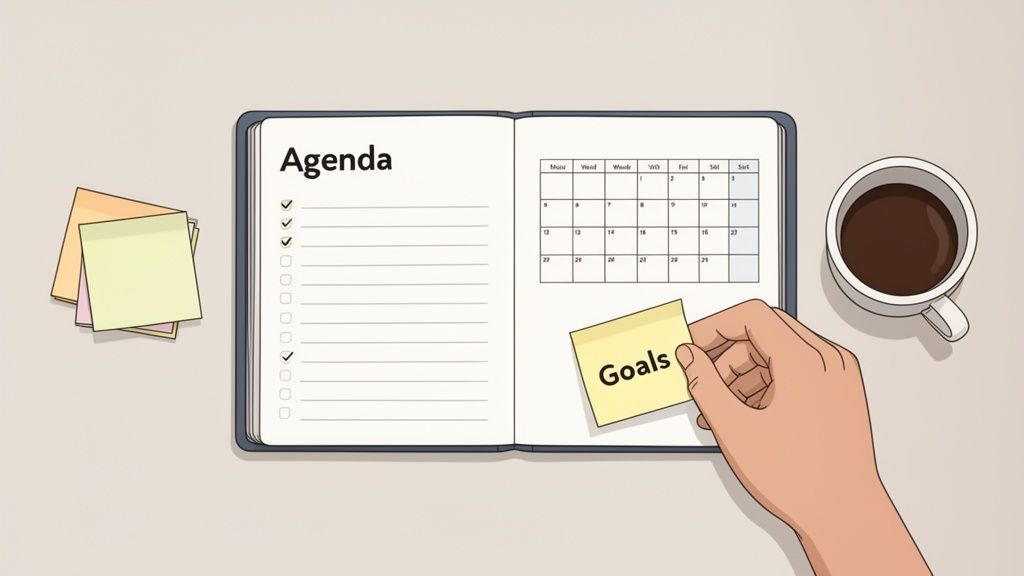
Ecco un segreto che ho imparato nel corso degli anni: gli ottimi appunti non accadono per caso. Sono il risultato diretto di una preparazione intelligente. Entrare in una riunione senza preparazione è il modo più veloce per finire con un resoconto confuso e incompleto che non aiuta nessuno. Il tuo vero lavoro inizia molto prima che qualcuno si unisca alla chiamata.
Quando svolgi questo lavoro di preparazione, passi da essere un semplice prendi-appunti a un partecipante informato. È la differenza tra scrivere semplicemente parole e capire veramente perché la conversazione sta avvenendo, il che è la chiave per catturare ciò che conta davvero.
Cosa catturano sempre gli appunti di riunione di alta qualità
Decisioni chiare
Gli appunti devono dichiarare chiaramente cosa è stato deciso, non implicato o presunto. Ciò evita di riaprire gli stessi argomenti e mantiene lo slancio in avanti.
Proprietà delle azioni
Ogni attività deve avere un nome associato. La proprietà trasforma la discussione in esecuzione e rimuove immediatamente l'ambiguità.
Scadenze che rispettano
Senza tempistiche, le azioni scompaiono silenziosamente. I buoni appunti bloccano gli impegni nel tempo, non solo l'intenzione.
Contesto che conta
Una breve motivazione spiega perché è stata presa una decisione. Ciò aiuta i futuri lettori a comprendere le decisioni senza riaprire dibattiti.
Connettiti con l'Organizzatore della Riunione
Prima di tutto, vai a parlare con la persona che ha indetto la riunione. Leggere solo l'ordine del giorno non è sufficiente. Devi entrare nella sua testa e capire gli obiettivi reali. Una breve chiacchierata può darti il tipo di contesto che l'ordine del giorno non fornirà mai.
Sii diretto. Poni alcune semplici domande per capire la vera direzione della riunione. Conoscere il risultato desiderato è il tuo filtro; ti aiuta a escludere il rumore e a concentrarti sulle discussioni che stanno effettivamente facendo la differenza.
Prova a chiedere cose come:
- "Come si presenta per te un risultato di successo per questa riunione?"
- "Stiamo cercando di raggiungere una decisione finale, solo di fare brainstorming di idee, o si tratta di un controllo dello stato?"
- "Ci sono argomenti sensibili o potenziali conflitti per cui dovrei essere preparato?"
Onestamente, questa conversazione è il tuo strumento più potente. Allinea la tua strategia di presa di appunti con lo scopo della riunione fin dall'inizio.
Crea un Modello Personalizzato per Prendere Appunti
Dimentica i modelli "taglia unica": raramente funzionano. La struttura dei tuoi appunti dovrebbe rispecchiare gli obiettivi specifici della riunione. Un brainstorming creativo e fluido richiede un layout completamente diverso rispetto a una riunione formale del consiglio con mozioni e votazioni ufficiali.
Prima della riunione, crea un documento scheletrico basato sull'ordine del giorno. Pre-compilalo con gli elementi dell'ordine del giorno, le intestazioni e l'elenco dei partecipanti che già conosci. Questo semplice passaggio ti evita di digitare freneticamente e di cercare di organizzare al volo. Ti fornisce una struttura logica in cui inserire i tuoi appunti man mano che la conversazione si sviluppa.
Suggerimento Pro: Pensa al tuo modello come a una struttura strategica, non solo a un documento. Per una riunione decisionale, potresti avere sezioni come "Opzioni discusse", "Decisione finale" e "Ragioni chiave". Per l'avvio di un progetto, forse hai bisogno di colonne per "Compito", "Responsabile" e "Data di scadenza".
Questa preparazione rende la cattura delle informazioni in tempo reale molto più semplice. Invece di cercare di costruire l'aereo mentre lo stai pilotando, stai solo riempiendo gli spazi vuoti che hai già creato. Se hai bisogno di un buon punto di partenza, la nostra guida con un esempio di verbali di riunione con azioni da intraprendere mostra come una struttura solida possa portare un'incredibile chiarezza.
Comprendi i Partecipanti e i Loro Interessi
Infine, prenditi un minuto per capire chi sarà nella stanza (o alla chiamata). Una riunione non è solo un elenco di argomenti; è una dinamica tra persone con lavori, prospettive e motivazioni diverse. Sapere chi sono i partecipanti e cosa li preoccupa ti aiuta ad anticipare i punti chiave di discussione e persino i potenziali disaccordi.
Mi piace creare un rapido elenco "chi è chi":
- Decisori Chiave: Chi ha l'ultima parola qui?
- Esperti di Materia: Chi porta i dati critici o le conoscenze tecniche?
- Stakeholder: Chi sarà maggiormente influenzato dai risultati di questa riunione?
Questo contesto è oro. Quando il capo dell'ingegneria e il responsabile del prodotto hanno opinioni diverse sulla tempistica di una funzionalità, conoscere i loro ruoli ti aiuta a catturare le sfumature del dibattito. È così che i tuoi verbali passano dal semplice documentare cosa è stato detto allo spiegare perché era importante.
Bene, il lavoro di preparazione è fatto, l'ordine del giorno è aperto e le persone stanno parlando. È qui che inizia il vero lavoro. Il tuo compito ora è sintonizzarti, filtrare il rumore e catturare ciò che conta davvero in tempo reale.
Non sei uno stenografo di tribunale. Il tuo obiettivo non è trascrivere ogni colpo di tosse e "ehm". È distillare la conversazione fino al suo nucleo: le decisioni, gli impegni e i prossimi passi che faranno effettivamente la differenza. Si tratta meno della velocità di digitazione e più di un ascolto attivo e acuto.
Sintonizza le Tue Orecchie su Decisioni e Azioni da Intraprendere
Le parti più critiche di qualsiasi riunione sono i momenti in cui viene presa una decisione o viene assegnato un compito. Questi sono i pepite d'oro che stai cercando, e devono essere catturati senza alcuna ambiguità.
Inizierai a riconoscere le frasi trigger che segnalano che sta succedendo qualcosa di importante:
- "Ok, quindi siamo tutti allineati su..."
- "La decisione finale qui è di..."
- "Sarah, puoi occupartene tu?"
- "Facciamolo entro venerdì prossimo."
Quando senti queste frasi, le tue dita dovrebbero volare. Non limitarti a prendere nota della decisione; ottieni il contesto.
Per ogni singola azione da intraprendere, hai bisogno di tre pezzi di informazione, senza eccezioni:
- Il Compito: Qual è, esattamente, il risultato da consegnare?
- Il Responsabile: A chi è intestato?
- La Scadenza: Quando è dovuto?
"Indagare sul marketing" è un appunto inutile. "Azione: Alex M. per ricercare le opzioni di budget di marketing per il Q4 e presentare tre scenari entro fine giornata di venerdì" è un ottimo appunto. Vedi la differenza?
Sapere Quando Riassumere e Quando Citare
Il più delle volte, il riassunto è il tuo migliore amico. Nessuno vuole leggere un resoconto parola per parola di un dibattito di dieci minuti. Il tuo ruolo è catturare l'essenza della discussione e la conclusione a cui ha portato.
Ma a volte, una citazione diretta è oro puro. Passa dal riassumere al citare quando:
- Una mozione formale è all'ordine del giorno: "Mi muovo per approvare il budget del Q3 come presentato."
- La posizione esatta di uno stakeholder chiave è critica: Cogliere la loro formulazione precisa può evitare un mare di "ha detto, ha detto" in futuro.
- Una frase specifica e sfumata definisce il percorso da seguire: Occasionalmente, le parole esatte sono la decisione.
Una semplice regola che seguo è riassumere la discussione ma catturare la decisione verbatim. Questo mantiene i verbali snelli assicurando al contempo che i risultati siano solidi come una roccia.
Crea un Sistema di Formattazione "Quick-and-Dirty"
Se stai cercando di produrre appunti perfettamente rifiniti durante una riunione dal vivo, rimarrai indietro. Velocemente. Il trucco è sviluppare un tuo sistema di abbreviazioni che puoi usare al volo. Potrai renderlo carino più tardi.
Ho visto persone usare semplici sistemi che funzionano a meraviglia:
- [D] = Decisione
- [A] = Azione da intraprendere
- [Q] = Domanda per follow-up
- Testo in grassetto per nomi e date
Un sistema come questo ti permette di etichettare le informazioni istantaneamente senza perdere il filo del tuo pensiero. Stai creando un file grezzo strutturato che rende la pulizia post-riunione un gioco da ragazzi. Questo tipo di velocità sta diventando essenziale. Secondo il rapporto 2023 di Doodle, il 55% delle riunioni in Nord America dura ora tra i 30 e i 60 minuti. Riunioni più brevi richiedono una presa di appunti più rapida ed efficiente.
Padroneggia il "Parcheggio"
Cosa succede quando emerge un'ottima idea al momento sbagliato? È un classico deragliatore di riunioni. È qui che il "parcheggio" diventa la tua arma segreta per mantenere le cose in carreggiata.
È un concetto semplice. Quando emerge un argomento che è prezioso ma non pertinente all'elemento attuale dell'ordine del giorno, semplicemente lo "parcheggi".
Intervieni educatamente e dì qualcosa come: "È un ottimo punto, John. Voglio assicurarmi di dargli il tempo che merita, quindi lo aggiungo al nostro parcheggio. Possiamo affrontarlo alla fine o programmare una chiacchierata separata."
Quindi, crei semplicemente una sezione "Parcheggio" nei tuoi appunti e ci inserisci l'argomento. Hai riconosciuto l'idea, rispettato la persona che l'ha condivisa e abilmente reindirizzato la conversazione all'ordine del giorno. È un punto di svolta.
Come l'IA Può Rivoluzionare il Tuo Flusso di Lavoro
Immagina di entrare in una riunione ed essere effettivamente presente. Stai contribuendo con idee, interagendo con i colleghi e leggendo la stanza, tutto senza la pressione costante di catturare ogni singola parola. Questo non è un sogno lontano; sta succedendo proprio ora grazie agli strumenti di trascrizione AI.
Questi strumenti cambiano completamente il gioco. Il prendi-appunti non è più uno stenografo che digita freneticamente. Invece, diventi un partecipante strategico. Puoi concentrarti sulla comprensione della conversazione reale, sull'identificazione del consenso e sulla segnalazione dei momenti chiave, perché l'IA si occupa del lavoro pesante di creare un resoconto accurato.
Funzionalità AI principali che rimuovono lo sforzo manuale
IA all'avanguardia
Alimentato da Whisper di OpenAI per una precisione leader nel settore. Supporto per vocabolari personalizzati, file fino a 10 ore e risultati ultra rapidi.

Importa da più fonti
Importa file audio e video da varie fonti tra cui caricamento diretto, Google Drive, Dropbox, URL, Zoom e altro.

Rilevamento dei parlanti
Identifica automaticamente diversi parlanti nelle tue registrazioni e etichettali con i loro nomi.
La Potenza della Trascrizione Automatica e dell'Identificazione del Relatore
Al centro di questo cambiamento c'è la trascrizione automatica. Un servizio come Transcript.LOL può prendere il file audio o video della tua riunione e trasformarlo in una trascrizione parola per parola in pochi minuti. Questo elimina completamente lo stress e l'errore umano che derivano dalla presa di appunti manuale, specialmente quando la conversazione diventa frenetica con persone che si sovrappongono.
Una delle funzionalità più preziose qui è l'identificazione del relatore (nota anche come diarizzazione). L'IA è abbastanza intelligente da distinguere le diverse voci ed etichettare automaticamente chi ha detto cosa. Questa singola funzionalità risolve un enorme grattacapo. Niente più appunti vaghi come "qualcuno ha suggerito..." o confusione tra due relatori.
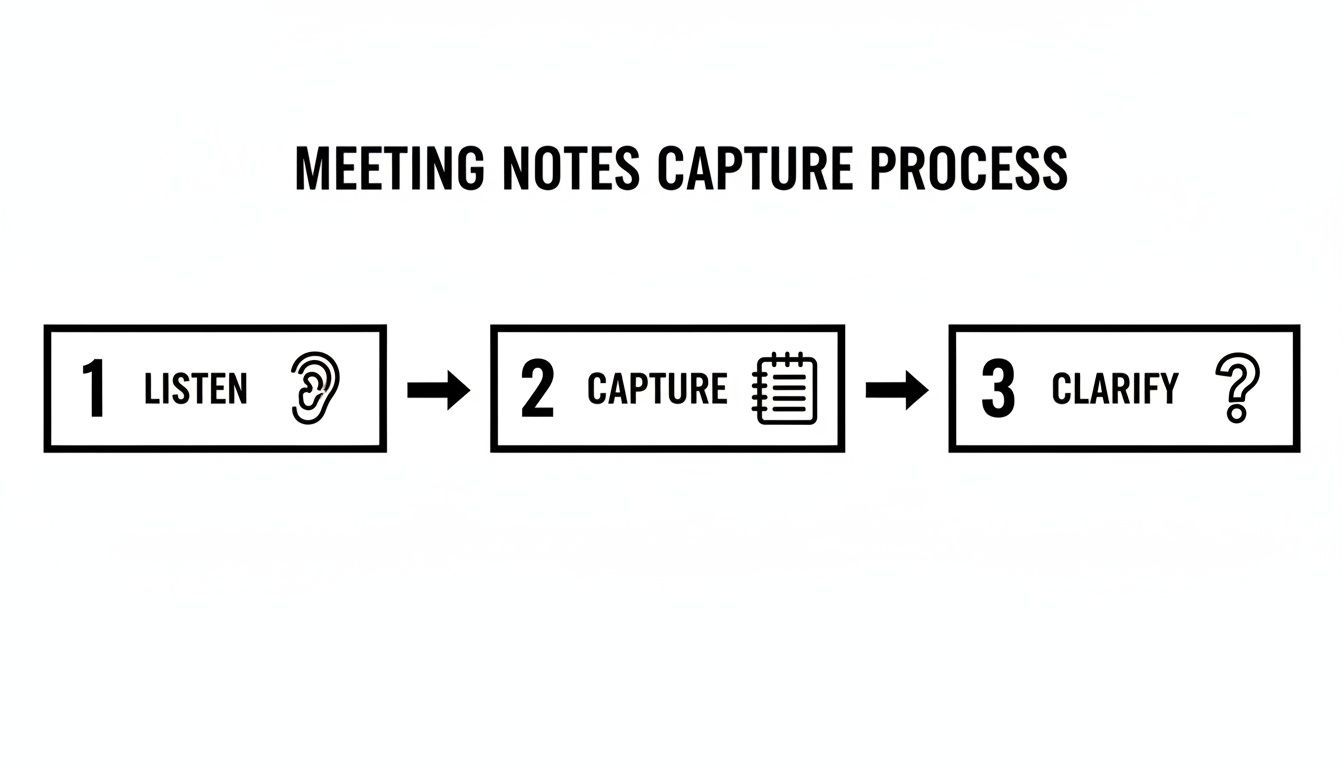
Gli strumenti di IA si occupano essenzialmente del passaggio "cattura" con una precisione quasi perfetta. Ciò ti lascia libero di dedicare tutte le tue energie all'ascolto e al chiarimento di ciò che conta davvero.
Dal Testo Grezzo a Insight Azionabili
Ma una trascrizione perfetta è solo il punto di partenza. La vera magia avviene quando l'IA ti aiuta a dare un senso a tutto. Gli strumenti moderni non ti scaricano semplicemente un muro di testo; ti offrono modi per estrarre istantaneamente le cose importanti da ore di discussione.
Pensa a funzionalità come:
- Riepiloghi Automatici: Genera istantaneamente una panoramica breve e concisa dell'intera riunione, toccando tutti gli argomenti e le decisioni principali.
- Estrazione di Elementi d'Azione: L'IA può individuare frasi che segnalano l'assegnazione di un compito, quindi raccoglierle tutte in un elenco di cose da fare pulito.
- Identificazione degli Argomenti Chiave: Ottieni una rapida visione di ciò che è stato discusso di più, aiutandoti a strutturare i tuoi appunti finali in modo sensato.
Per ottenere il massimo da questo, è utile pensare in modo più ampio all'ottimizzazione dei flussi di lavoro. Non si tratta solo di una riunione; si tratta di costruire un sistema più intelligente per catturare e agire sulle informazioni in tutta la tua azienda.
Considera il lato finanziario delle cose. Le riunioni improduttive costano all'economia statunitense una stima di 37 miliardi di dollari all'anno, e alcuni dirigenti trascorrono quasi 23 ore alla settimana in esse. La trascrizione AI è un attacco diretto a questo spreco, rendendo ogni riunione più produttiva e i suoi risultati più facili da seguire.
L'efficienza delle riunioni sta cambiando rapidamente
Riunioni più brevi, decisioni più rapide e team distribuiti stanno diventando la norma. La trascrizione AI non è più un miglioramento della produttività, sta diventando un'infrastruttura standard. I team che la adottano presto ottengono chiarezza e velocità che altri faticano a eguagliare.
Uno scenario pratico: l'AI in azione
Analizziamo come appare nel mondo reale. Diciamo che hai appena concluso un kickoff di progetto di 90 minuti con otto persone. Il vecchio modo? Passeresti almeno un'altra ora a cercare di sistemare i tuoi appunti, ricordare chi ha concordato cosa e scrivere un'e-mail di riepilogo.
Con uno strumento AI, il tuo processo è totalmente diverso:
- Carica: Inserisci la registrazione della riunione in una piattaforma come Transcript.LOL.
- Trascrivi: In pochi minuti, ricevi una trascrizione completa con ogni relatore chiaramente etichettato.
- Riassumi: Premi un pulsante e ottieni un riepilogo esecutivo. Fatto.
- Estrai attività: Utilizza la funzione di azioni per generare un elenco di attività e chi le possiede.
- Modifica e condividi: Dai una rapida occhiata all'output dell'AI, apporta alcune modifiche per chiarezza e invia appunti curati. L'intera operazione richiede meno di 30 minuti.
Trasformare le trascrizioni in risorse attuabili

Strumenti di modifica
Modifica le trascrizioni con strumenti potenti tra cui trova e sostituisci, assegnazione dei parlanti, formati di testo arricchito ed evidenziazione.

Esporta in più formati
Esporta le tue trascrizioni in più formati tra cui TXT, DOCX, PDF, SRT e VTT con opzioni di formattazione personalizzabili.
Riassunti e Chatbot
Genera riassunti e altri approfondimenti dalla tua trascrizione, prompt personalizzati riutilizzabili e chatbot per i tuoi contenuti.
Questo non solo fa risparmiare un sacco di tempo, ma produce un resoconto molto più accurato e utile di quanto la maggior parte di noi potrebbe mai creare manualmente. Un assistente AI per riunioni fa più che aiutare a prendere appunti; crea un archivio intelligente e ricercabile delle conversazioni più importanti del tuo team. Affidando il lavoro pesante, ti liberi per essere un collaboratore più prezioso.
Creare e Distribuire Verbali Puliti
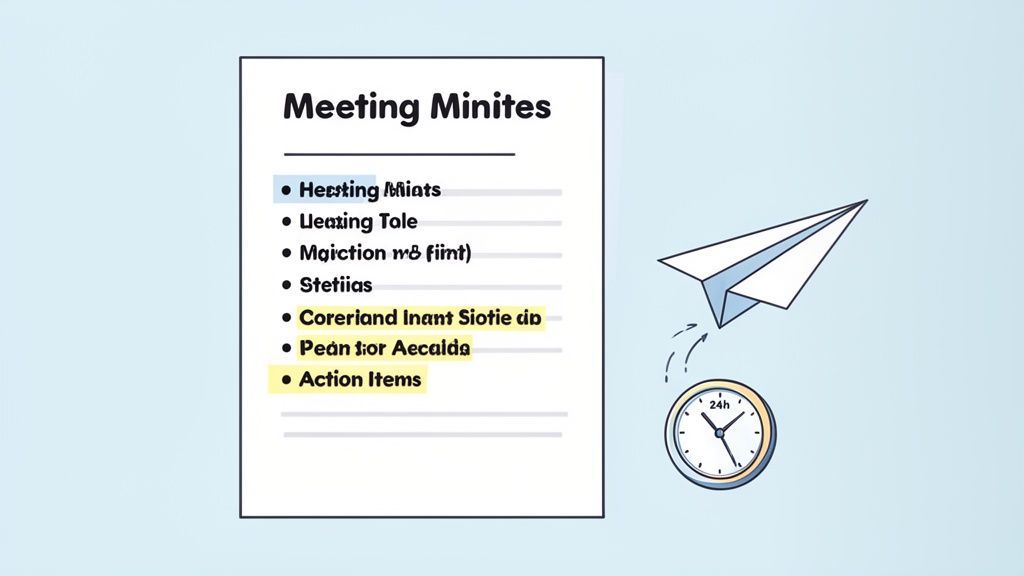
La riunione potrebbe essere finita, ma il tuo lavoro non è ancora del tutto concluso. È qui che avviene la vera magia: trasformare un miscuglio di appunti grezzi in un resoconto prezioso e permanente per il team. Sia che tu abbia utilizzato una trascrizione AI o che tu abbia scarabocchiato tutto a mano, questa fase di editing e distribuzione assicura che il tuo duro lavoro porti effettivamente all'azione.
Il tuo primo compito è trasformare quegli appunti disordinati e in tempo reale in un documento pulito e professionale. Non si tratta solo di correggere errori di battitura; si tratta di modellare il contenuto per una chiarezza e un impatto totali.
Dagli Appunti Grezzi a un Resoconto Pulito
Non posso sottolinearlo abbastanza: rivedi i tuoi appunti o la trascrizione non appena ti è possibile, idealmente entro un paio d'ore dalla riunione. Il contesto è ancora fresco, il che rende infinitamente più facile decifrare la tua stenografia o dare un senso a una frase ambigua di una trascrizione.
Mentre modifichi, concentrati su alcune cose chiave:
- Chiarezza e Concisión: Vai dritto al punto. Elimina il superfluo conversazionale, i commenti ripetitivi e qualsiasi deviazione che non abbia portato a una decisione. Stai creando un riassunto conciso, non una sceneggiatura parola per parola.
- Obiettività: Le tue opinioni personali non hanno posto qui. Elimina qualsiasi linguaggio emotivo e attieniti ai fatti. Invece di scrivere "c'è stato un acceso dibattito", prova qualcosa di neutro come "Dopo aver discusso vari punti di vista..."
- Struttura per la Scansionabilità: Siamo onesti, nessuno vuole leggere un muro di testo. Usa titoli che corrispondano all'ordine del giorno, testo in grassetto per nomi e scadenze importanti, e punti elenco per decisioni o elementi d'azione.
Pensa a te stesso come a un giornalista che scrive la prima bozza della storia per la tua azienda. Il documento finale deve essere così chiaro che qualcuno che non era nemmeno nella stanza possa cogliere i risultati in pochi minuti.
Rendere i Tuoi Verbali Facili da Capire
Il modo in cui strutturi il documento finale è tutto. Un formato intelligente e organizzato significa che i tuoi colleghi impegnati possono trovare ciò di cui hanno bisogno in pochi secondi. Un recente sondaggio ha mostrato un enorme divario qui: mentre l'86% delle persone ha dichiarato che venivano presi appunti, solo il 54% ha ritenuto che gli elementi d'azione fossero tracciati in modo efficace. Una buona formattazione colma questo divario.
Metti sempre le informazioni più importanti dove non possono essere perse. La mia mossa preferita è quella di inserire un riepilogo dedicato "Decisioni e Elementi d'Azione" proprio in cima, anche prima degli appunti principali. Questo singolo cambiamento può fare una differenza enorme nel determinare se le cose vengono effettivamente fatte.
Suggerimento Pro: Adoro usare una semplice tabella per gli elementi d'azione con tre colonne: Elemento d'Azione, Responsabile e Data di Scadenza. Rende immediatamente chiaro visivamente chi è responsabile di cosa e entro quando.
Se vuoi approfondire la strutturazione del tuo documento, esaminare diversi modelli è un ottimo passo successivo. Puoi saperne di più su come creare un formato professionale per i verbali delle riunioni con elementi d'azione e vedere quanto possa essere potente un layout pulito.
Gli Ultimi Passaggi: Distribuzione e Approvazione
Una volta che i tuoi verbali hanno un aspetto impeccabile, l'ultimo passaggio è farli arrivare nelle mani giuste, rapidamente. La velocità è tua amica qui. Punta a inviarli entro 24 ore dalla fine della riunione. Questo mantiene i dettagli freschi e dà a tutti un promemoria tempestivo di ciò a cui si sono impegnati.
Prima di inviarli a tutto il gruppo, seguo sempre un rapido processo di approvazione. Per prima cosa, invia la bozza al presidente della riunione per una rapida revisione. Questo semplice controllo assicura che tu abbia catturato i risultati chiave e la loro intenzione in modo accurato.
Una volta ottenuto il via libera, puoi distribuire i verbali finali a tutti i partecipanti e a chiunque altro debba essere informato. Questo follow-up tempestivo e professionale non solo chiude il cerchio sulla riunione; rafforza la responsabilità e consolida il tuo ruolo come parte essenziale del successo del team.
Trappole Comuni nel Prendere Appunti (e Come Evitarle)
Anche i redattori di verbali più attenti possono cadere in alcune trappole comuni. Questi piccoli errori potrebbero sembrare innocui al momento, ma possono completamente vanificare il valore del tuo resoconto. Sapere cosa evitare è metà della battaglia.
Uno degli errori più grandi che vedo è lasciare che opinioni personali o linguaggio di parte si insinuino negli appunti. Il tuo compito è essere un reporter obiettivo, non un commentatore. L'obiettivo è catturare i fatti di ciò che è stato detto, non la tua interpretazione.
Un altro classico errore? Elementi d'azione vaghi. Un appunto come "David si occuperà del follow-up di marketing" è praticamente inutile. Manca un compito concreto e una scadenza, lasciandolo completamente aperto a interpretazioni errate e rendendo la responsabilità un gioco d'ipotesi.
Mantenere l'Obiettività e la Precisione
L'obiettività non è solo una buona pratica; è un must. I verbali possono diventare documenti ufficiali, persino legali. La tua interpretazione personale o una formulazione giudicante potrebbero creare rischi reali per la tua organizzazione in futuro.
Ecco come rimanere sulla retta via:
- Usa un linguaggio neutro. Invece di scrivere "Dopo un acceso litigio", prova qualcosa di più fattuale come "A seguito di una discussione dettagliata di diversi punti di vista..."
- Attribuisci idee, non sentimenti. Concentrati su ciò che è stato detto, non su come pensi che qualcuno si sia sentito quando l'ha detto.
- Elimina aggettivi e avverbi. Queste parole spesso portano una carica soggettiva. Una formulazione semplice e diretta è sempre più chiara e sicura.
Correggere gli elementi d'azione è ancora più semplice: individua sempre il "cosa", "chi" e "quando". Ogni singolo compito necessita di un risultato specifico, del nome di una persona ad esso associato e di una chiara data di scadenza. Questa piccola abitudine trasforma un'intenzione vaga in un impegno che puoi effettivamente tracciare.
Uno scopo fondamentale del prendere appunti alle riunioni è riflettere le vere intenzioni del gruppo. L'ambiguità è il nemico dell'azione. Il tuo compito è eliminarla essendo incessantemente chiaro, conciso e obiettivo in ogni voce.
Gli appunti vaghi creano rischi nascosti
Una formulazione poco chiara porta a scadenze mancate, scaricabarile e progetti bloccati. Gli appunti possono anche diventare registri legali o di conformità: la precisione non è facoltativa. Se qualcosa è abbastanza importante da discuterne, è abbastanza importante da documentarlo chiaramente.
Il problema con la tempestività e la riservatezza
Rimandare l'invio dei verbali è un altro errore critico. Un recente sondaggio me lo ha fatto capire davvero: mentre l'86% delle persone ha dichiarato che nei loro incontri venivano presi verbali, solo il 54% ha ritenuto che le azioni da intraprendere venissero effettivamente monitorate. È un divario enorme. Inviare i verbali rapidamente, entro 24 ore è lo standard d'oro, mantiene lo slancio e assicura che quei compiti importanti non cadano nel dimenticatoio.
Infine, non dimenticare mai che molte discussioni sono riservate. I verbali delle riunioni non sono destinati al pettegolezzo aziendale. Sii consapevole di argomenti sensibili come questioni di personale o consulenza legale, e assicurati di gestirli in conformità con le politiche della tua organizzazione. In caso di dubbio, è sempre meglio essere concisi e fattuali, omettendo qualsiasi dettaglio che non sia assolutamente essenziale per il verbale ufficiale.
Hai domande sulla redazione dei verbali? Abbiamo le risposte.
Anche dopo anni di redazione di verbali, certe situazioni possono ancora lasciarti perplesso. Sia che tu sia alle prime armi o che tu sia il punto di riferimento per la presa di appunti del tuo team, alcune domande comuni sembrano sempre emergere. Affrontiamole.
Quanto dettaglio è troppo?
Questo è il classico dilemma del redattore di verbali. Vuoi essere completo, ma non sei un cronista giudiziario. L'obiettivo non è una trascrizione parola per parola; è un riassunto di ciò che è realmente accaduto.
Concentrati sui risultati: cosa è stato deciso, chi è responsabile della prossima azione e qual è la scadenza. Tutto il resto è solitamente solo rumore.
Una regola generale che seguo sempre è quella di documentare le azioni e le decisioni, non l'intero dibattito che ti ha portato lì. Perdersi nel "lui ha detto, lei ha detto" può creare confusione e persino grattacapi legali in futuro. Mantienilo pulito e concentrato sui risultati.
Chi ha davvero bisogno di vedere questi verbali?
Come minimo, la tua lista di distribuzione dovrebbe includere tutti coloro che erano presenti alla riunione. È anche buona norma inviarli a chiunque sia stato invitato ma non abbia potuto partecipare: li tiene aggiornati.
Oltre a ciò, pensa a chi è influenzato dalle decisioni prese. Potrebbero essere altri capi team, capi dipartimento o stakeholder chiave. Assicurati solo di ottenere un rapido cenno di approvazione dal presidente della riunione prima di inviare i verbali a un pubblico più ampio.
E se la riunione diventa... tesa?
Succede. Quando le discussioni si accendono, il tuo compito è rimanere completamente neutrale. È qui che attenersi ai fatti diventa più importante che mai.
Evita qualsiasi linguaggio che suoni emotivo o soggettivo. I tuoi appunti devono essere una registrazione oggettiva.
- Non scrivere: "Dopo un'accesa discussione, il team alla fine si è arreso e ha accettato."
- Scrivi: "Dopo aver discusso molteplici punti di vista, il gruppo ha raggiunto un consenso per procedere con l'Opzione A."
Questo approccio cattura il risultato senza immortalare il conflitto. Il verbale ufficiale non è un luogo per il dramma d'ufficio.
Stanco di destreggiarti tra gli appunti mentre cerchi di partecipare? Transcript.LOL utilizza un'intelligenza artificiale avanzata per gestire il lavoro pesante. Ottieni trascrizioni accurate, etichette degli oratori e persino riepiloghi automatici in modo da poterti concentrare sulla conversazione, non sulla tastiera. Provalo gratuitamente e scopri la differenza.