
Top 12 Ways to Convert Speech to Text Free in 2025
Discover the 12 best tools to convert speech to text free. Our 2025 guide covers web apps, offline tools, and OS features for fast, accurate transcription.
Kate, Praveen
January 8, 2025
Trasformare le parole pronunciate in testo scritto è un compito fondamentale per un'ampia gamma di professionisti, dai podcaster che creano note dello show e creatori di video che aggiungono sottotitoli, ai ricercatori che analizzano interviste e team aziendali che documentano riunioni. La necessità di convertire gratuitamente il parlato in testo in modo accurato è cresciuta in modo significativo, ma navigare tra le opzioni può essere confusionario. Molti servizi promettono trascrizioni gratuite ma nascondono funzionalità cruciali dietro un paywall o impongono limiti restrittivi che li rendono impraticabili per l'uso nel mondo reale. Questa guida taglia il rumore.
Abbiamo curato un elenco completo di 12 metodi veramente gratuiti per la trascrizione audio e video di alta qualità. Scoprirai di tutto, da applicazioni web dedicate e potenti API per sviluppatori con generosi piani gratuiti, a robusti software open-source e funzionalità nascoste già integrate negli strumenti che utilizzi quotidianamente. Sebbene molti abbiano familiarità con soluzioni commerciali di livello professionale come Dragon NaturallySpeaking, il nostro obiettivo qui è sulle alternative accessibili e gratuite che offrono risultati eccellenti.
Questa risorsa è progettata per essere pratica e attuabile. Per ogni strumento, forniamo un link diretto, uno screenshot chiaro e istruzioni passo passo per iniziare immediatamente. Analizzeremo i casi d'uso ideali, valuteremo onestamente i limiti come i limiti di dimensione dei file o il supporto linguistico e confronteremo la loro accuratezza. Sia che tu abbia bisogno di trascrivere un rapido memo vocale, una lunga lezione o una serie di episodi di podcast, troverai in questo elenco una soluzione affidabile che si adatta alle tue esigenze specifiche senza richiedere una carta di credito.
1. Transcript.LOL
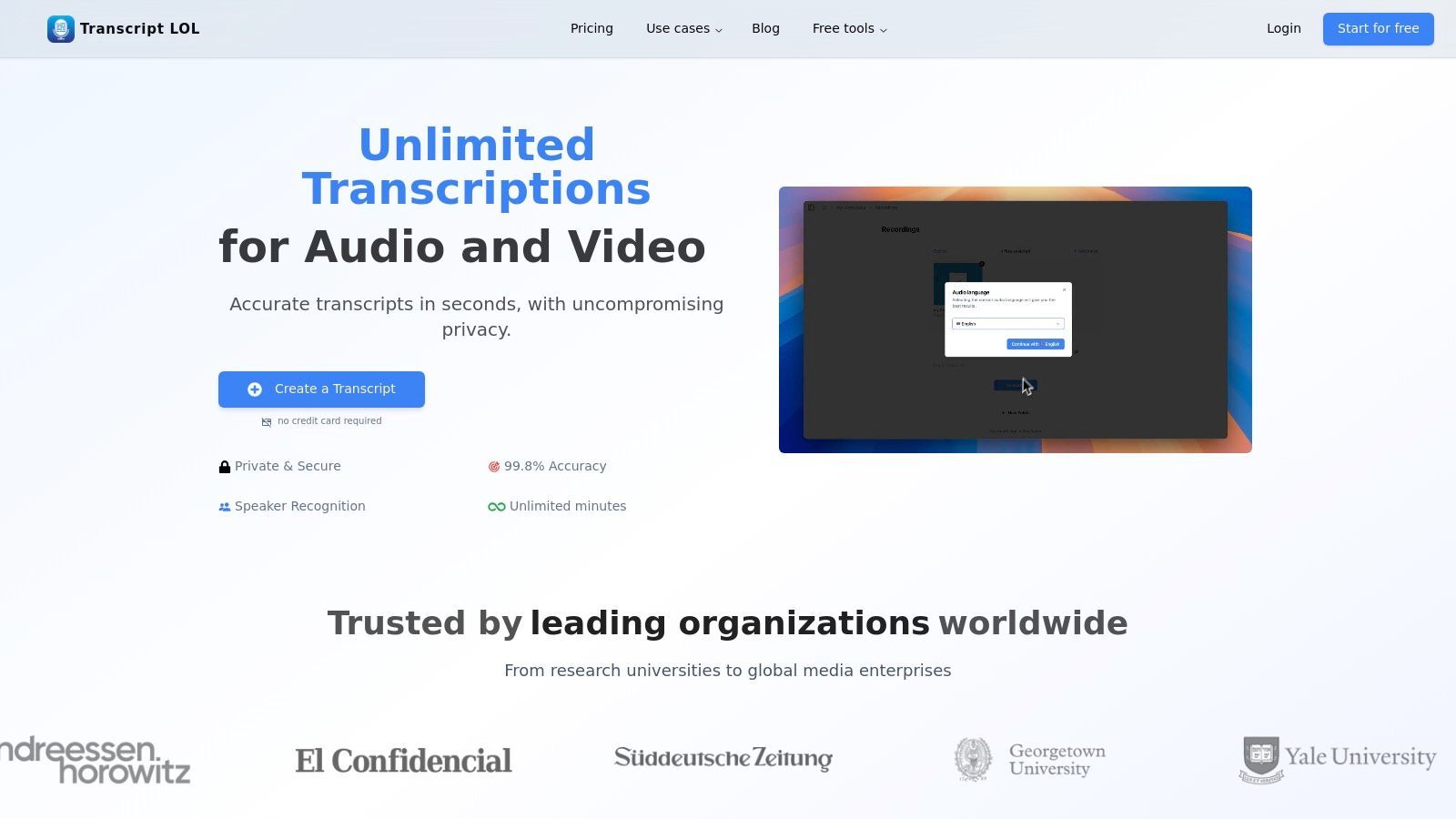
Transcript.LOL si distingue come una piattaforma potente e focalizzata sulla privacy che offre molto più di un semplice modo per convertire gratuitamente il parlato in testo. È un motore di creazione di contenuti all-in-one, basato sul modello Whisper altamente accurato di OpenAI. Questo servizio è progettato per professionisti che necessitano non solo di trascrizioni precise, ma anche di un modo semplificato per riutilizzare tali contenuti in altri asset di valore.
Il punto di forza principale della piattaforma è la sua utilità end-to-end. Va oltre la trascrizione di base generando automaticamente etichette degli oratori, timestamp e un documento interattivo e modificabile. Questo pone le basi per la sua funzionalità più impressionante: una suite di generatori di contenuti integrati che possono creare istantaneamente riassunti, identificare argomenti chiave, redigere post sui social media o persino costruire una mappa mentale dal tuo file audio o video.
Capacità principali e casi d'uso
La piattaforma eccelle nella gestione di vari input multimediali con notevole flessibilità. Gli utenti possono caricare file direttamente o importarli da Google Drive, Dropbox, Zoom e persino URL pubblici da siti come YouTube e Vimeo. Ciò la rende ideale per podcaster, content marketer, ricercatori ed educatori che lavorano con diverse fonti multimediali. Per un team, le sue funzionalità collaborative come gli spazi di lavoro condivisi e la robusta ricerca trasformano le registrazioni disorganizzate in una base di conoscenza centralizzata e attuabile.
Core Features for Smarter Workflow
IA all'avanguardia
Alimentato da Whisper di OpenAI per una precisione leader nel settore. Supporto per vocabolari personalizzati, file fino a 10 ore e risultati ultra rapidi.

Importa da più fonti
Importa file audio e video da varie fonti tra cui caricamento diretto, Google Drive, Dropbox, URL, Zoom e altro.

Esporta in più formati
Esporta le tue trascrizioni in più formati tra cui TXT, DOCX, PDF, SRT e VTT con opzioni di formattazione personalizzabili.
A key differentiator is its commitment to privacy. With a strict no-training policy on user data, your content remains yours and isn't used to train AI models, a critical assurance for businesses and professionals handling sensitive information.
Plan Details and Limitations
While robust, the free tier is designed as an entry point. It offers up to two transcriptions per day with a 20-minute maximum length per file and operates on a lower-priority processing queue. For those with more demanding needs, the Unlimited plan ($120/year) removes these restrictions, offering support for files up to 10 hours long and providing high-priority processing. Team plans start at $240/year for two users, adding collaboration and access management features.
Best For: Content creators, marketers, educators, and teams needing a fast, private, and highly accurate transcription service that also automates the process of creating derivative content like summaries and social posts.
Advanced Features for Professionals

Rilevamento dei parlanti
Identifica automaticamente diversi parlanti nelle tue registrazioni e etichettali con i loro nomi.

Strumenti di modifica
Modifica le trascrizioni con strumenti potenti tra cui trova e sostituisci, assegnazione dei parlanti, formati di testo arricchito ed evidenziazione.
Riassunti e Chatbot
Genera riassunti e altri approfondimenti dalla tua trascrizione, prompt personalizzati riutilizzabili e chatbot per i tuoi contenuti.
Website: https://transcript.lol
2. Google Cloud Speech-to-Text
For developers or those comfortable with a more technical setup, Google Cloud Speech-to-Text offers a powerful, high-fidelity engine to convert speech to text free of charge within its monthly limits. Unlike simple web-based converters, this is a developer-grade API designed to be integrated into applications, websites, and automated workflows. Its primary strength lies in its exceptional accuracy and reliability, backed by Google's massive infrastructure.
The platform is ideal for tasks like building custom transcription services, analyzing customer service calls in bulk, or powering voice command features in an app. While the setup requires creating a Google Cloud project and enabling the API, the documentation is thorough. You'll need some basic command-line or programming knowledge to send your audio files to the service for transcription.
Key Features and Usage Limits
Google's free tier provides a generous starting point for smaller projects or for testing purposes before committing to a paid plan.
- Free Tier: Get 60 minutes of audio transcription per month at no cost.
- Audio Length: Asynchronous processing supports audio files up to 8 hours long.
- Accuracy: It leverages advanced machine learning models, and you can learn more about its performance in this speech-to-text accuracy analysis.
- Use Cases: Perfect for developers building applications, researchers transcribing large datasets, or businesses automating transcription workflows.
While the technical barrier is higher than consumer tools, the quality and scalability make it a top-tier option for professional use.
- Website: Google Cloud Speech-to-Text
3. Amazon Transcribe (AWS)
For users already invested in the Amazon Web Services ecosystem, or those needing enterprise-grade features, Amazon Transcribe offers a highly accurate and scalable way to convert speech to text free for the first year. Similar to Google Cloud, this is a developer-focused API service rather than a simple online tool. It's designed for integration into applications and large-scale data processing workflows, making it a strong choice for businesses and technical users.
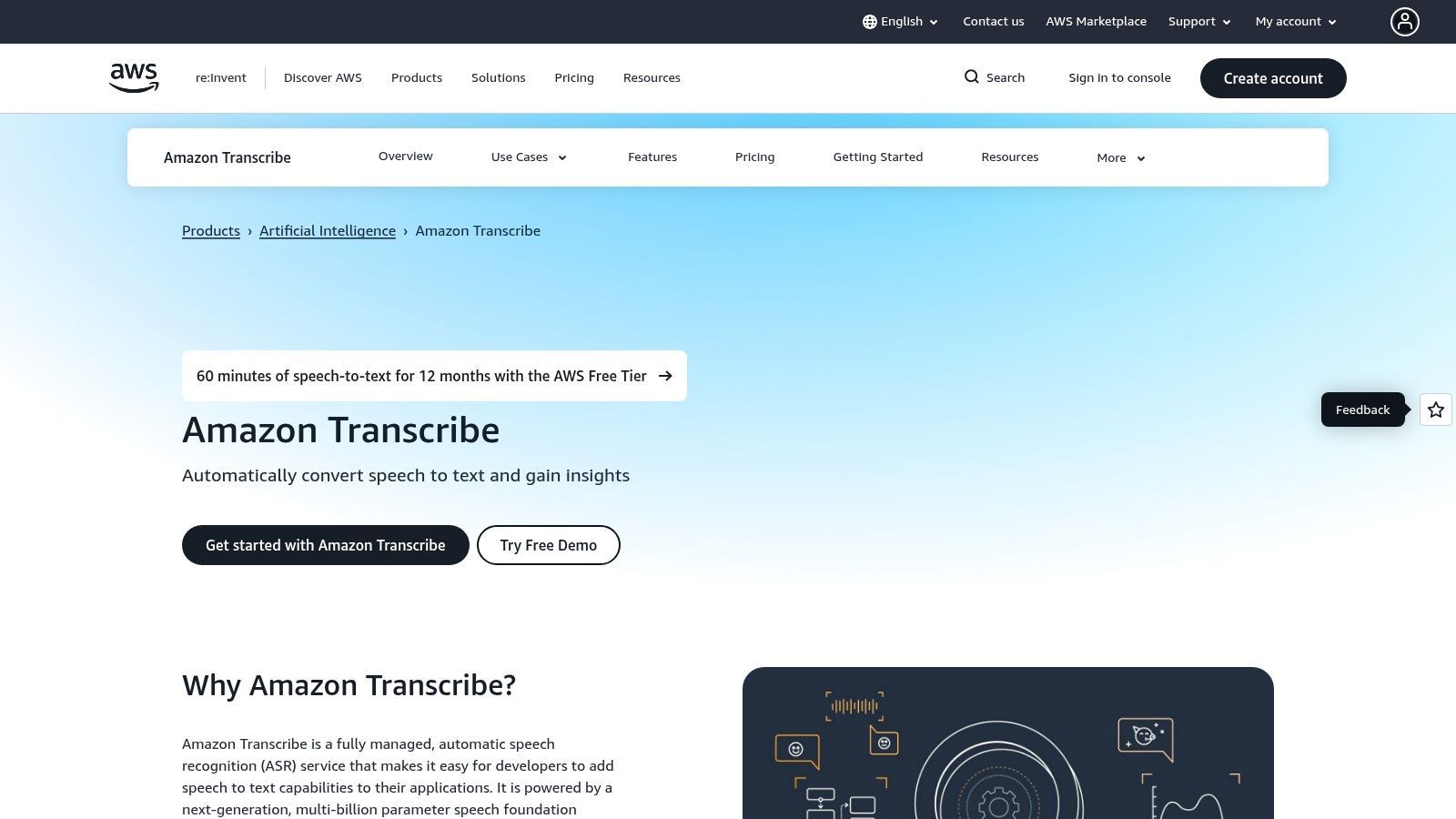
The service excels at handling both real-time (streaming) audio and batch processing of pre-recorded files stored in services like Amazon S3. Setting it up requires creating an AWS account and configuring permissions, which involves a steeper learning curve than a typical web app. However, its robustness and advanced features like PII redaction and custom vocabularies make it a powerful option for professional transcription needs where compliance and accuracy are critical.
Key Features and Usage Limits
Amazon Transcribe's Free Tier is designed to give new AWS users a substantial trial period to build and test their applications before incurring costs.
- Free Tier: New AWS customers get 60 minutes of audio transcription per month for the first 12 months.
- Audio Modes: Supports both batch processing for existing audio files and real-time streaming for live transcription.
- Advanced Features: Includes powerful options like speaker diarization (labeling who spoke when), automatic PII redaction, and custom vocabulary support to improve accuracy for specific jargon.
- Use Cases: Ideal for contact center call analysis, media content subtitling, and building voice-powered applications within the AWS ecosystem.
While the free tier is limited to one year, its integration with other AWS services and its enterprise-level features provide a clear path for projects that need to scale.
- Website: Amazon Transcribe
4. Microsoft Azure AI Speech (Speech to Text)
Similar to Google's offering, Microsoft Azure AI Speech provides a developer-focused service to convert speech to text free within a generous monthly allotment. This platform is part of Microsoft’s broader suite of AI and cloud computing tools, making it an excellent choice for those already within the Azure ecosystem or developers looking for robust integration capabilities. It is designed for building applications, automating business processes, and handling transcription at scale rather than for casual, one-off use.
Setting up the service requires an Azure account and creating a Speech resource, which involves a few steps in the Azure portal. However, Microsoft provides extensive documentation and SDKs for various programming languages, simplifying the integration process. This makes it suitable for creating voice-enabled bots, transcribing call center audio, or adding voice control to custom applications.
Key Features and Usage Limits
Microsoft’s free tier is one of the most generous among the major cloud providers, offering a significant amount of transcription capacity each month.
- Free Tier: Transcribe up to 5 audio hours per month using standard models at no cost.
- Flexibility: Supports both real-time transcription for live audio streams and batch processing for pre-recorded files.
- Developer Tools: Offers SDKs for Windows, macOS, Linux, and mobile platforms, enabling deep integration.
- Use Cases: Ideal for developers building voice-interactive applications, businesses analyzing customer interactions, or researchers processing audio data.
The initial setup is more involved than a simple web tool, but the platform’s high accuracy and larger free allowance make it a compelling option for sustained projects.
- Website: Microsoft Azure AI Speech
5. IBM Cloud – Speech to Text
For businesses and developers operating within the IBM ecosystem, IBM Cloud – Speech to Text provides an enterprise-grade solution to convert speech to text free under its lite plan. Similar to Google Cloud, this is a developer-focused API service rather than a simple online converter. It is designed for integration into applications, offering robust performance and security features suitable for corporate environments. Its main advantage is its powerful "large speech" models and seamless integration with other IBM Cloud and watsonx services.
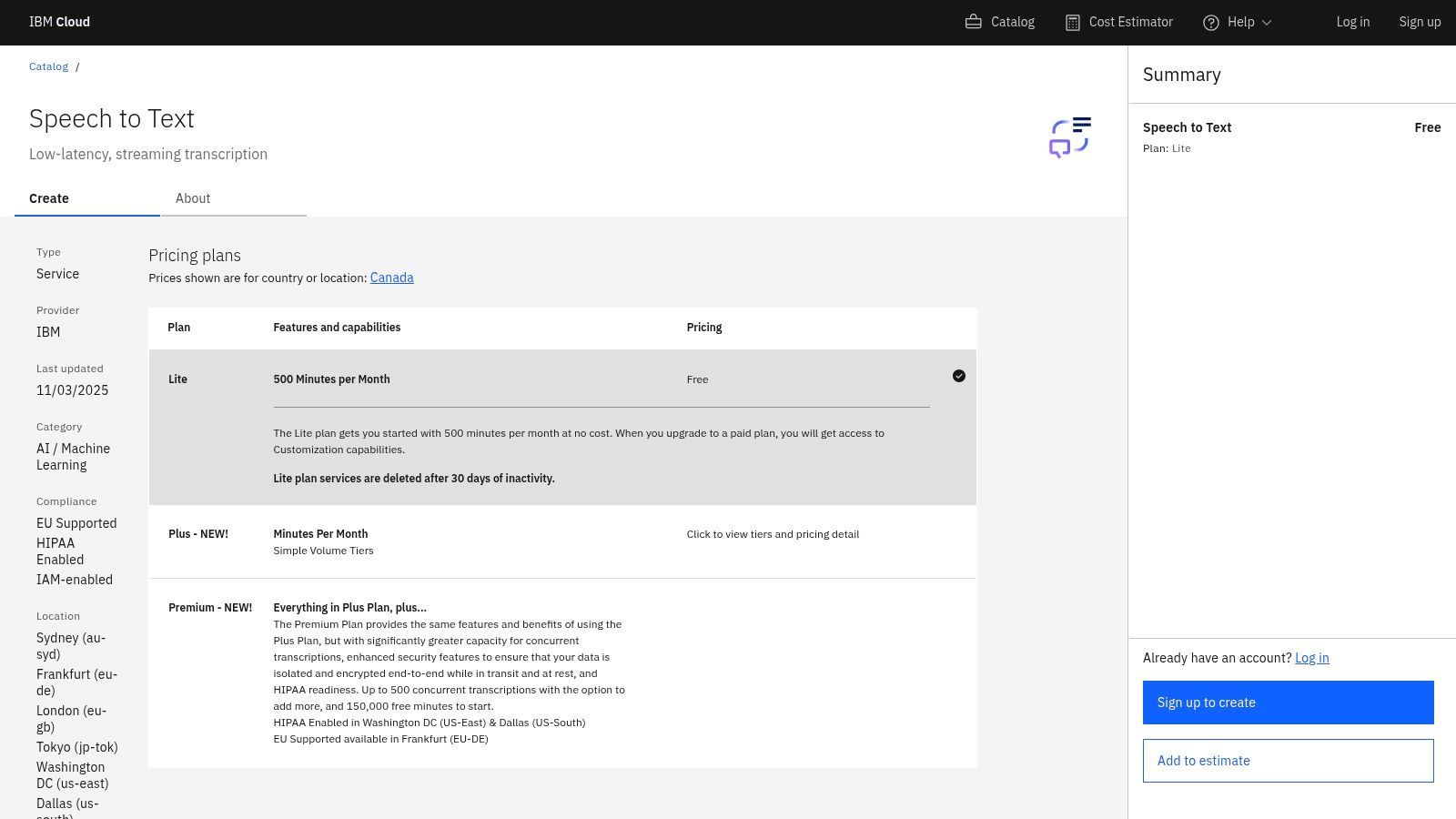
The platform is ideal for enterprise use cases, such as transcribing customer support interactions, powering voice-driven analytics, or meeting compliance needs with HIPAA-enabled options. Getting started requires signing up for an IBM Cloud account and provisioning the service, which involves a more technical setup process. The comprehensive documentation guides users through API calls, but a basic understanding of programming or cloud services is beneficial for effective implementation.
Key Features and Usage Limits
IBM Cloud's free "Lite" plan offers a solid amount of transcription minutes, making it a viable option for development, testing, or small-scale production needs.
- Free Tier: The Lite plan includes 500 minutes of audio transcription per month at no cost.
- Enterprise-Grade: Offers advanced features like speaker diarization, keyword spotting, and options for HIPAA compliance on paid plans.
- Language Support: Provides next-generation "large speech" models for high accuracy across numerous languages and dialects.
- Use Cases: Best suited for businesses already using IBM Cloud, developers building secure applications, or organizations with strict data privacy requirements.
While less accessible for casual users, its enterprise controls and generous free tier make it a compelling choice for professional and technical applications.
- Website: IBM Cloud – Speech to Text
6. OpenAI Whisper (open-source)
For users with technical expertise who want ultimate control and privacy, OpenAI's Whisper offers a powerful, open-source model you can run locally to convert speech to text free of any per-minute charges. Unlike cloud-based APIs, Whisper runs entirely on your own machine, making it a fantastic option for processing sensitive audio without sending data to a third party. Its primary advantage is its exceptional accuracy across numerous languages, often rivalling or exceeding commercial services.
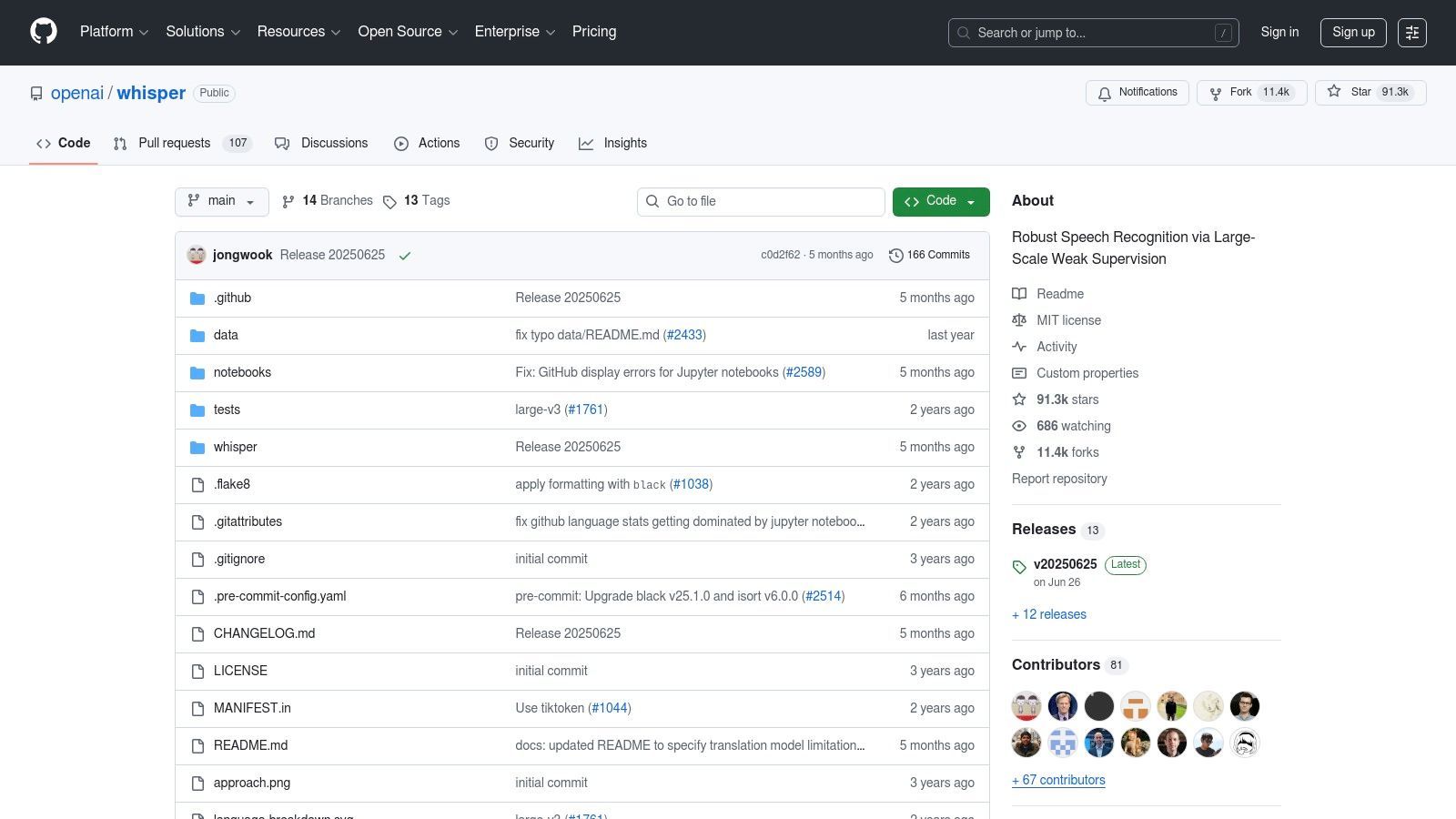
This tool is ideal for developers, researchers, or anyone comfortable with the command line. The setup involves installing Python and other dependencies, but once configured, you gain a robust transcription engine with no vendor lock-in. You can choose from several model sizes, allowing you to balance speed against accuracy based on your computer's hardware capabilities. The larger models provide state-of-the-art results but require a powerful GPU for reasonable processing times.
Key Features and Usage Limits
Whisper's local-first approach means limitations are defined by your hardware, not a service plan.
- Free Tier: It is 100% free to use, with costs limited only to the electricity needed to run your computer.
- Offline Processing: Because it runs locally, it works completely offline, ensuring total privacy.
- Accuracy: Offers multiple models, with the "large" version providing extremely high accuracy. Many tools, including various free online speech to text converters, are built on top of Whisper's powerful engine.
- Use Cases: Perfect for transcribing confidential interviews, creating subtitles for large video libraries, or building custom applications that require a top-tier speech recognition component without ongoing fees.
While it demands a technical setup, the cost-effectiveness and privacy of running a world-class model on your own hardware are unmatched.
- Website: OpenAI Whisper
7. Vosk (open-source, offline)
For developers and privacy-conscious users seeking complete control over their data, Vosk offers an open-source, offline toolkit to convert speech to text free of charge. Unlike cloud-based services, Vosk runs entirely on your local machine, from a desktop PC to a small Raspberry Pi. This makes it a powerful choice for applications where internet connectivity is unreliable or data privacy is non-negotiable, as your audio files never leave your device.
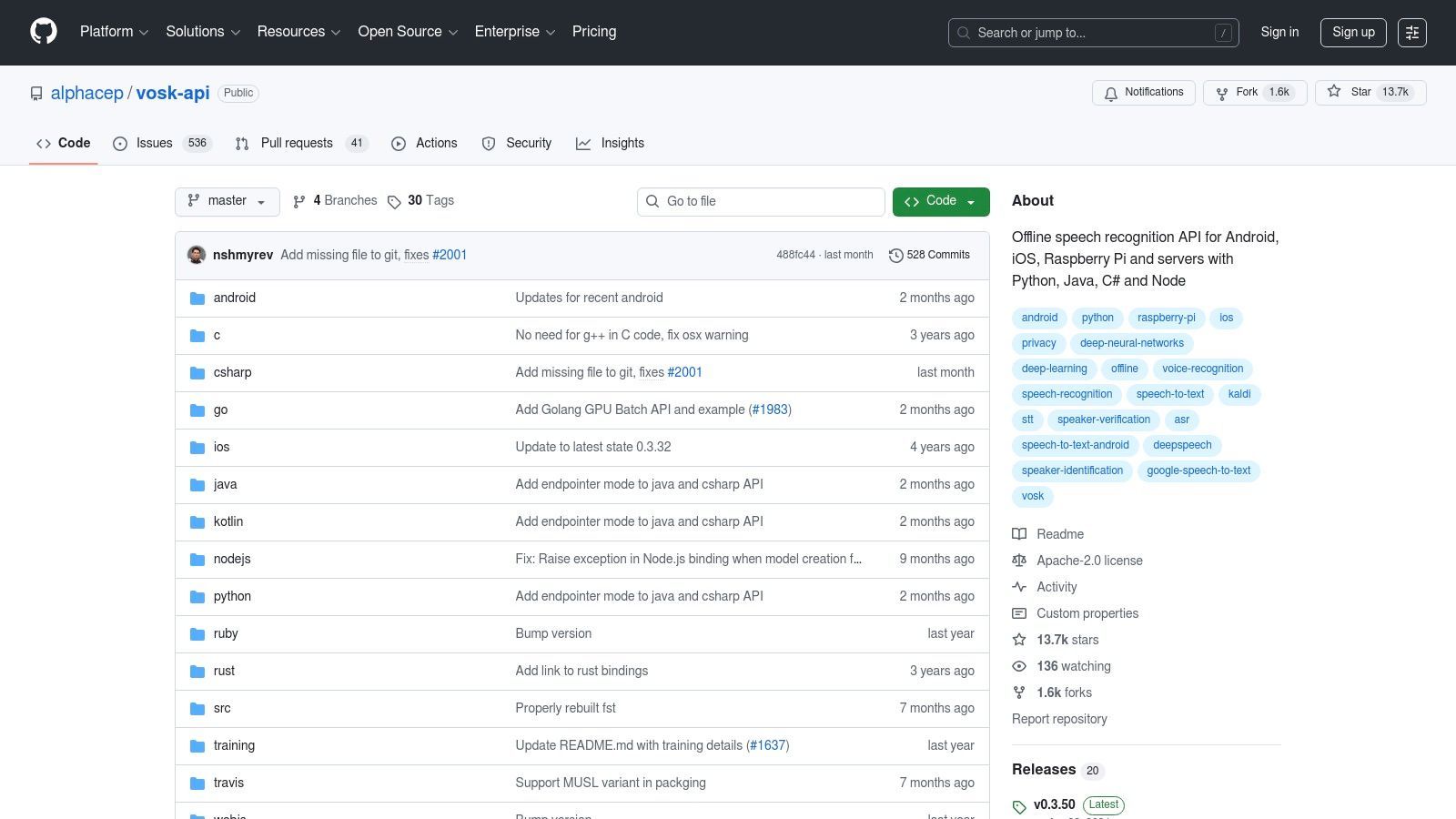
The platform is a lightweight yet powerful speech recognition engine, not a ready-to-use web application. It requires a technical setup, including downloading language models and using programming languages like Python or Java to integrate them. Its strength lies in its flexibility and offline capability, making it ideal for building custom voice-controlled applications, on-device transcription tools, or interactive voice response (IVR) systems without ongoing costs or privacy trade-offs.
Key Features and Usage Limits
Vosk is completely free under the Apache 2.0 license, with limitations tied to your hardware's capability rather than a subscription plan.
- Free Tier: Completely free and open-source with no usage limits.
- Offline Operation: All processing happens on your device, ensuring 100% privacy.
- Platform Support: Runs on a wide range of hardware, including Windows, macOS, Linux, Android, iOS, and Raspberry Pi. It provides bindings for Python, Java, Node.js, C#, and more.
- Lightweight Models: Supports over 20 languages with small, efficient models (often around 50 MB), which are perfect for embedded systems and mobile apps.
While its accuracy may not always match large-scale cloud models, its offline nature and zero-cost model make it an invaluable tool for specific, privacy-sensitive projects.
- Website: Vosk API on GitHub
8. Google Docs – Voice Typing
For those who already work within the Google ecosystem, Google Docs offers a surprisingly robust way to convert speech to text free directly within a document. This feature, known as Voice Typing, is not a separate application but a built-in tool perfect for drafting content, taking live notes during a meeting, or for accessibility purposes. It's incredibly straightforward, requiring just a click to activate and start dictating.
The primary advantage of Voice Typing is its seamless integration and zero-cost barrier. If you have a Google account and a microphone, you can start using it immediately, primarily within the Chrome browser for best performance. While it's designed for live dictation rather than uploading audio files, its real-time accuracy is impressive for clear speech, making it an excellent tool for writers, students, and anyone looking to get thoughts down quickly without typing.
Key Features and Usage Limits
Google Docs Voice Typing is all about simplicity and immediate access, making it a go-to for quick dictation tasks.
- Free Tier: Completely free with a Google account. There are no minutes to track or subscriptions to manage.
- Ease of Use: Activate it by navigating to Tools > Voice Typing in any Google Doc. A single click on the microphone icon starts the dictation.
- Voice Commands: Supports commands for basic formatting and punctuation, such as "new paragraph," "comma," and "period."
- Use Cases: Ideal for drafting emails, writing articles, taking real-time meeting notes, or as an accessibility aid for users who find typing difficult.
While it lacks the advanced features of dedicated transcription services, its convenience is unmatched for live dictation. For a detailed walkthrough of other methods, explore this guide on how to transcribe audio to text for free.
- Website: Google Docs
9. Live Transcribe by Google (Android app)
For Android users seeking a real-time solution, Google's Live Transcribe app offers an exceptional way to convert speech to text free for live conversations. Developed with accessibility in mind, this app turns your phone into a powerful captioning device, capturing spoken words and displaying them on the screen instantly. Its primary strength lies in its simplicity and effectiveness for in-person communication, making it an invaluable tool for the deaf and hard-of-hearing community or anyone in a noisy environment.
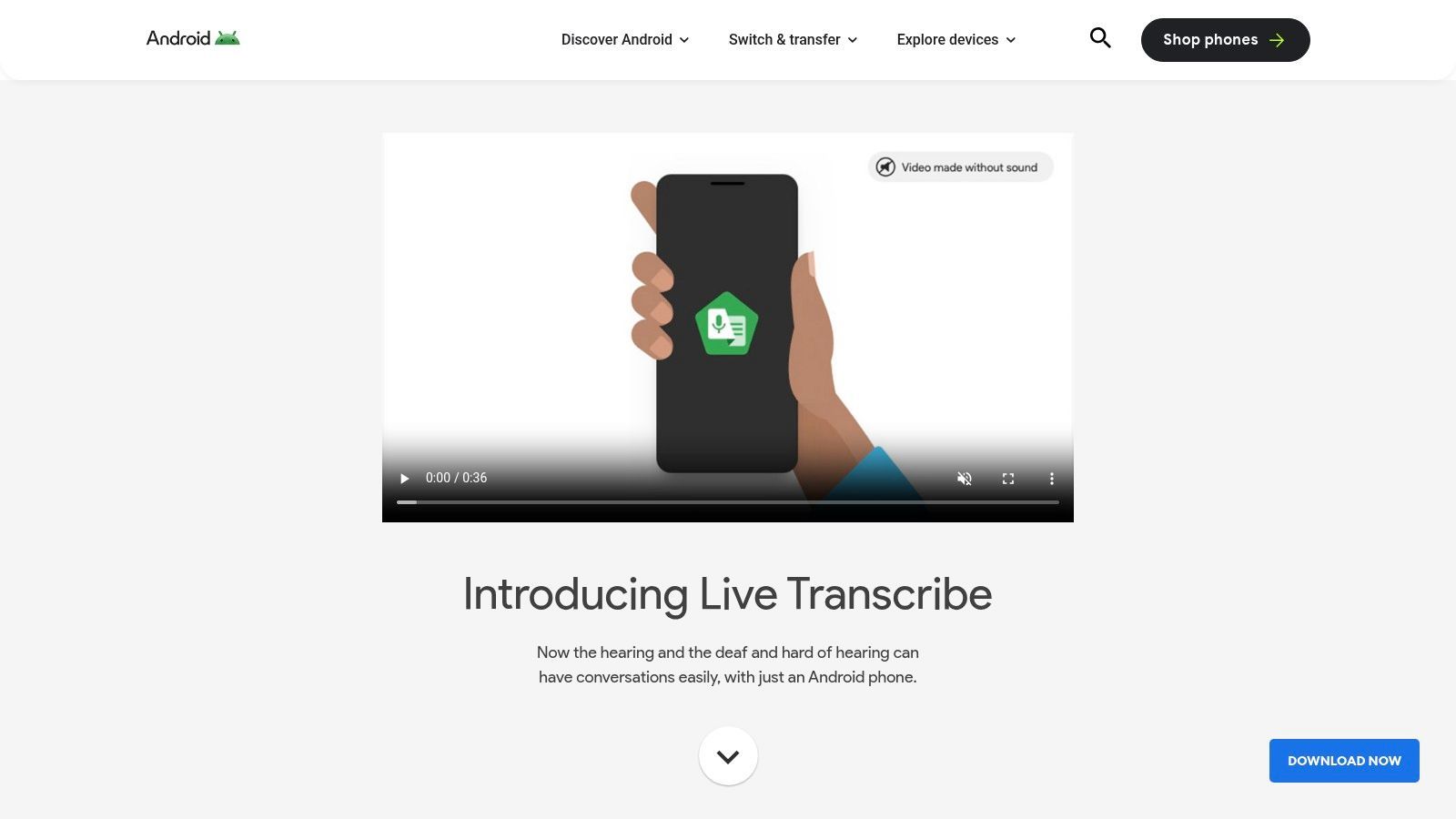
The app is not designed for transcribing pre-recorded audio files; instead, it excels at capturing live dialogue directly through your device's microphone. The interface is clean and straightforward, focusing entirely on providing fast, readable text. Because conversations are processed on-device, it offers strong privacy benefits as your discussions are not stored on Google's servers. This makes it a secure choice for sensitive, real-time captioning needs.
Key Features and Usage Limits
Live Transcribe is entirely free and built directly into the Android ecosystem, offering powerful features without any cost.
- Cost: Completely free with no usage limits or hidden fees.
- Language Support: Supports over 80 languages and dialects, allowing for seamless multilingual conversations.
- Privacy: Emphasizes privacy with on-device processing for many languages, ensuring conversations remain confidential.
- Use Cases: Ideal for live captioning in meetings, lectures, or daily conversations, especially for accessibility purposes. It is not suitable for uploading and transcribing audio files.
While its focus is narrow, Live Transcribe is a best-in-class tool for its intended purpose: instant, on-the-go transcription of the world around you.
- Website: Live Transcribe by Google
10. Otter.ai
Otter.ai is one of the most well-known names in meeting transcription, offering a polished platform designed to capture, summarize, and share conversations in real-time. While primarily aimed at professionals and teams, its free plan provides a great way to convert speech to text free for meetings, lectures, or interviews. The platform shines with its live transcription capabilities, which work seamlessly with video conferencing tools.
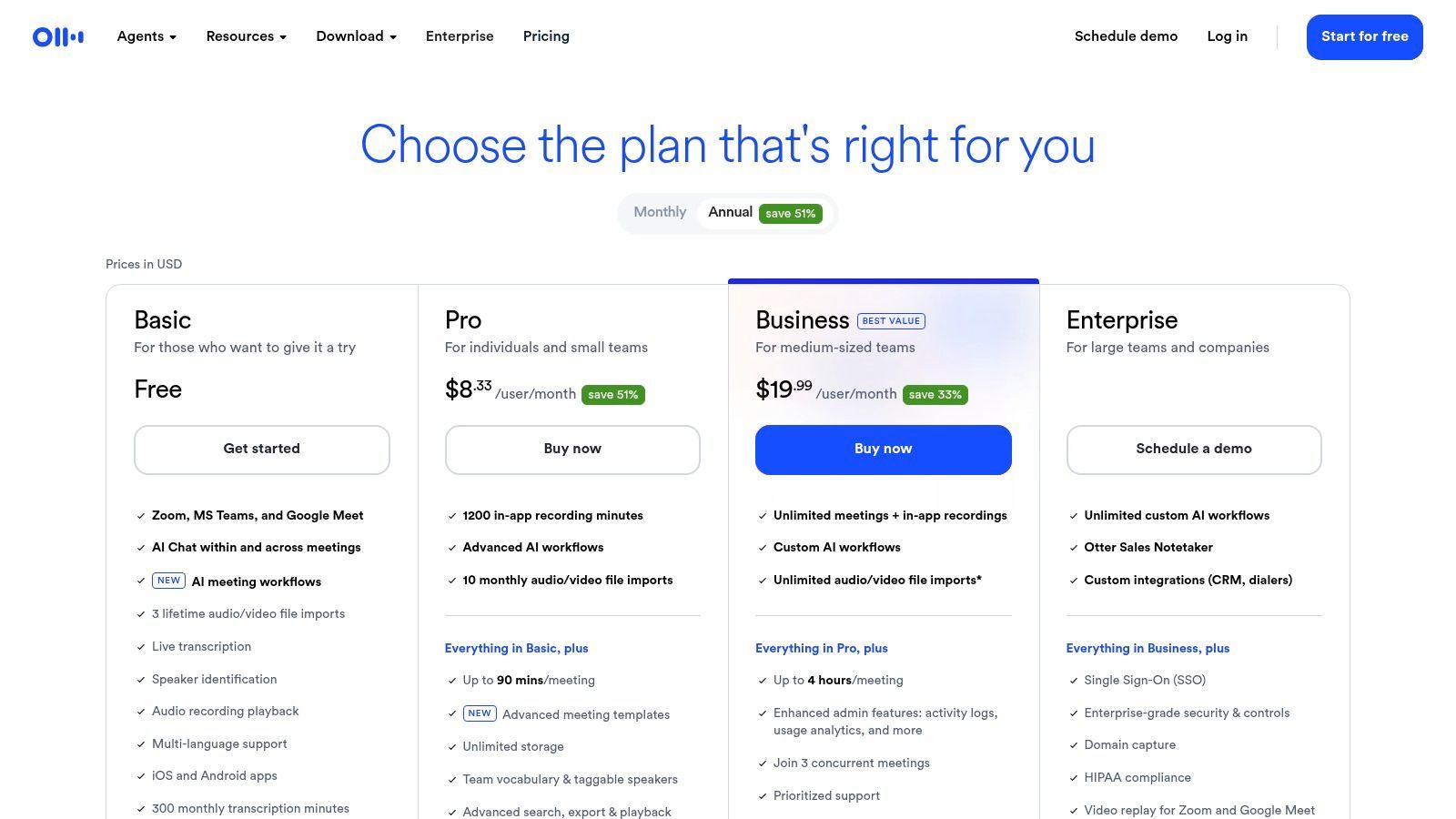
The platform is more than just a transcriber; it's an AI meeting assistant. It can automatically join your Zoom, Google Meet, or Microsoft Teams calls, take notes, and generate an AI summary afterward. This makes it ideal for users who need to recall key decisions and action items without re-watching entire recordings. The collaborative features, like highlighting and adding comments, are also excellent for team-based work.
Key Features and Usage Limits
Otter.ai's free plan is a solid entry point for individuals, but its limitations are important to understand.
- Free Tier: Includes 300 transcription minutes per month, with a cap of 30 minutes per conversation.
- Import Limit: You can only import a total of 3 audio or video files in the lifetime of your free account.
- Core Features: Provides real-time transcription, AI-generated summaries, and integrations with popular meeting platforms.
- Use Cases: Excellent for students recording lectures, professionals capturing short meeting notes, or anyone needing quick, shareable transcripts.
While the free plan's caps are restrictive, particularly the import limit, it offers a powerful taste of what modern automatic transcription software can achieve for productivity.
- Website: Otter.ai
11. Notta.ai
Notta.ai is a versatile web and mobile transcription app designed for users who need to regularly convert speech to text free for shorter clips like meeting notes, voice memos, or interviews. It stands out by offering a well-defined free plan that provides significant value for recurring use, complete with a Chrome extension and useful integrations. Its interface is clean and modern, making it easy to upload files or start a live recording.
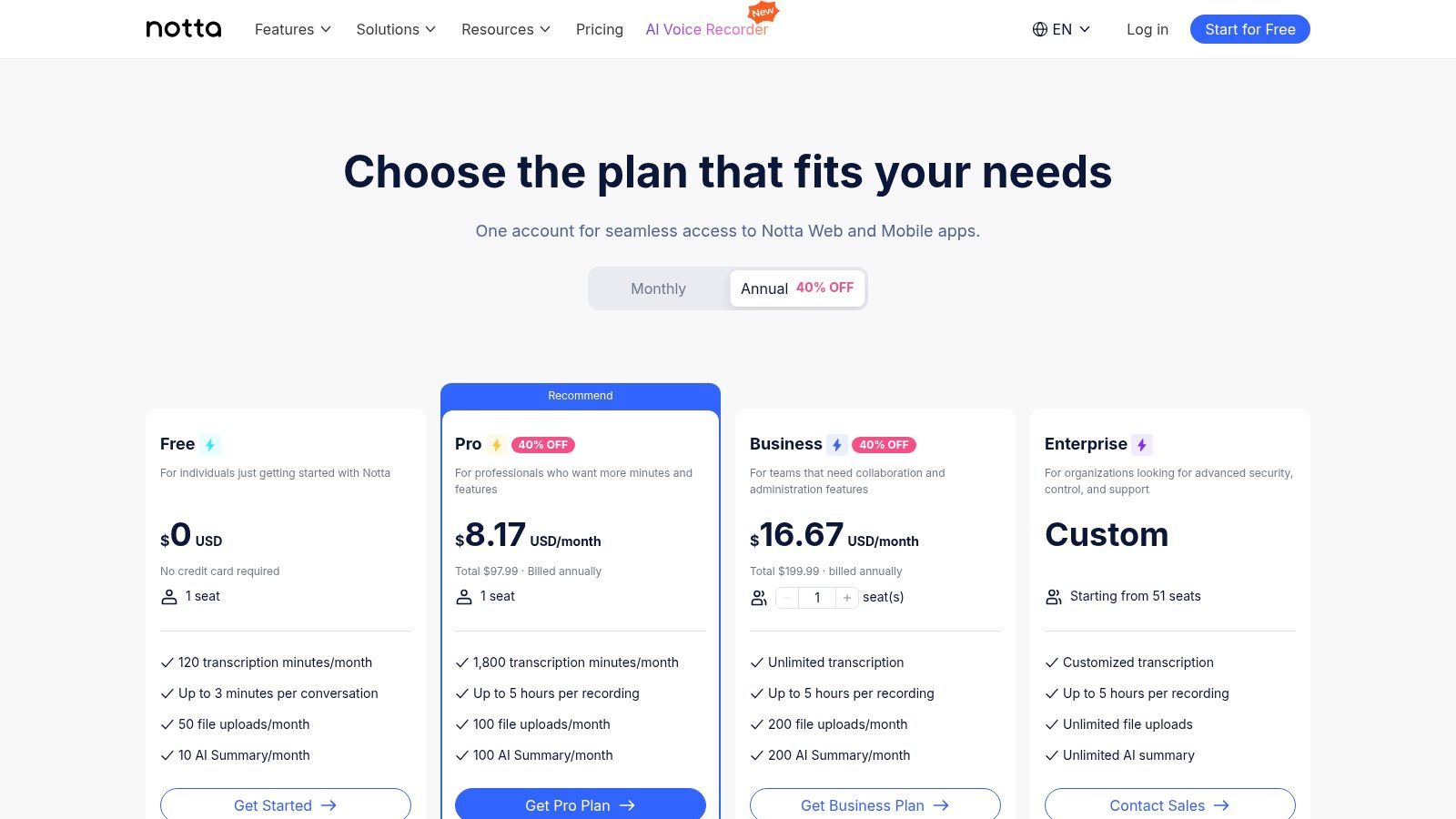
The platform is particularly useful for students or professionals who frequently need to transcribe brief audio segments. While the free tier has clear limitations, it provides a solid foundation with features like AI-powered summaries, which help distill key points from your transcriptions quickly. The platform’s strength lies in its ecosystem, which includes integrations with tools like Zoom and Google Calendar to streamline transcription workflows.
Key Features and Usage Limits
Notta's free plan is structured to handle frequent, short-duration transcription tasks, making it a reliable daily tool for many users.
- Free Tier: Get 120 minutes of transcription per month.
- Audio Length: Each recording or upload is limited to 3 minutes on the free plan.
- File Uploads: You can upload up to 50 files per month, which is generous for short clips.
- Use Cases: Ideal for transcribing voice notes, short meeting segments, or brief interviews. The AI summary feature is excellent for quickly capturing action items.
While the 3-minute per-file limit is restrictive for longer content, Notta is a great choice if your primary need is capturing and organizing numerous short audio recordings.
- Website: Notta.ai
12. SpeechTexter
For those who need to convert speech to text free in real-time, SpeechTexter offers a straightforward, no-frills solution directly in your web browser. This tool is designed for live dictation, functioning like a digital stenographer for note-taking, drafting emails, or writing content without touching the keyboard. It leverages Google Chrome’s built-in speech recognition engine, making it instantly accessible without any software installation or registration.
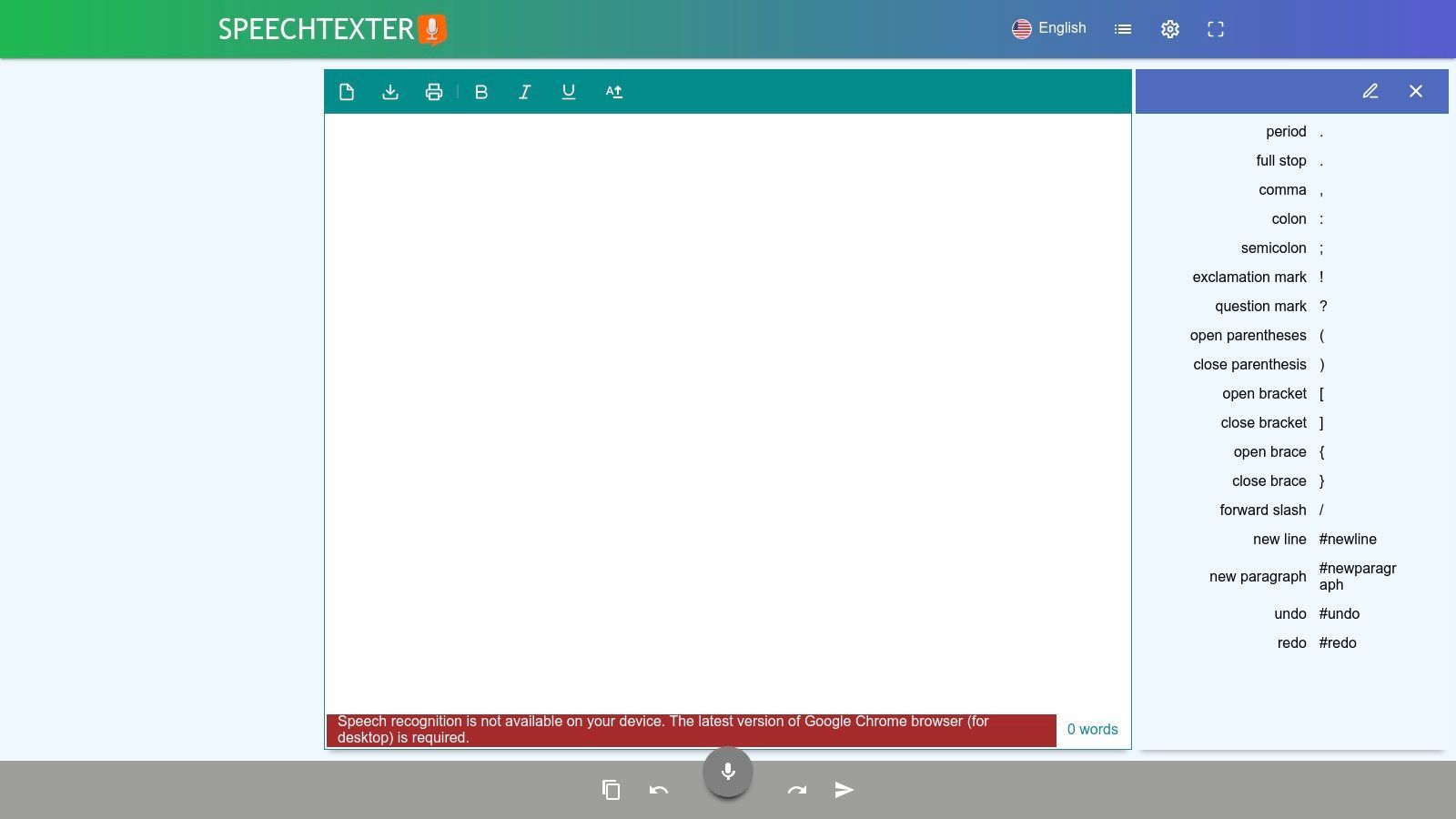
The platform's primary strength is its simplicity. You visit the website, click the microphone icon, grant it permission to listen, and start speaking. The text appears on the screen as you talk. It is an ideal tool for users who want to quickly capture their thoughts or dictate content without the friction of signing up for a service. However, it's important to note that SpeechTexter is exclusively for live dictation and does not support uploading pre-recorded audio files for transcription.
Key Features and Usage Limits
SpeechTexter is completely free, supported by on-page ads, making it a highly accessible choice for immediate voice typing needs.
- Free Tier: Unlimited use for live dictation. The service is entirely free.
- Language Support: Offers dictation in over 70 languages, inheriting the capabilities of Chrome's voice recognition.
- Custom Commands: You can create custom voice commands for punctuation (e.g., saying "comma" or "new paragraph") and for inserting frequently used phrases or text blocks.
- Use Cases: Excellent for students taking notes, writers drafting articles, or anyone needing hands-free typing for short-form content.
Its performance is directly tied to your microphone's quality and the clarity of your speech, but for quick, on-the-fly dictation, it's an incredibly useful bookmark.
- Website: SpeechTexter
12 Free Speech-to-Text Tools Comparison
| Product | Core features | Accuracy & UX | Price / Value | Audience & USP |
|---|---|---|---|---|
| 🏆 Transcript.LOL | Whisper + custom vocab, 10h/5GB uploads, speaker detection, rich editor, multi-format export, many integrations | ★★★★★ fast (~99.8% claimed), editable time‑stamps, collaborative tools | 💰 Free (2/day, 20min); Unlimited $120/yr; Team from $240/yr | 👥 Podcasters/marketers/educators/teams — ✨ Auto summaries, quizzes, mind maps, strict no‑training privacy |
| Google Cloud Speech-to-Text | Dev API, sync/async/streaming, up to 8h files, scalable quotas | ★★★★★ reliable infra, broad language support | 💰 60 min/mo free; pay-as-you-go | 👥 Developers/enterprises — ✨ Tight Google Cloud integration |
| Amazon Transcribe (AWS) | Batch & streaming, PII redaction, S3 integration | ★★★★ solid accuracy, enterprise features | 💰 60 min/mo free (12 months for new accounts); pay-as-you-go | 👥 AWS users/enterprises — ✨ PII redaction & AWS ecosystem |
| Microsoft Azure AI Speech | Real-time & batch, speaker diarization, multi‑platform SDKs | ★★★★ strong dev tools, good docs | 💰 5 hrs/mo free (F0); pay-as-you-go | 👥 Developers/enterprises — ✨ Rich SDKs & larger free allowance |
| IBM Cloud – Speech to Text | Large‑speech models, enterprise controls, HIPAA options | ★★★★ enterprise-grade, suitable for regulated use | 💰 Varies by plan; IBM Cloud billing | 👥 Enterprises in IBM ecosystem — ✨ Enterprise controls & support |
| OpenAI Whisper (open-source) | Multiple model sizes (tiny→large), CLI/Python, multilingual | ★★★★–★★★★★ depends on model & compute | 💰 Free to run locally (compute costs apply) | 👥 Tech-savvy/self-hosters — ✨ No vendor fees, offline operation |
| Vosk (open-source, offline) | Lightweight on-device models, many language bindings | ★★★ accuracy varies by model | 💰 Free, offline (small model downloads) | 👥 Edge/embedded/privacy-focused — ✨ Runs on Raspberry Pi & mobile |
| Google Docs – Voice Typing | In‑doc dictation, 100+ languages, voice formatting commands | ★★★★ good for live dictation & drafting | 💰 Free with Google account | 👥 Writers/students — ✨ Instant in‑place editing |
| Live Transcribe (Google, Android) | On-device live captions, 70+ languages, simple UI | ★★★★ optimized for live conversations, privacy-friendly | 💰 Free app | 👥 Accessibility/live conversations — ✨ On-device captions (no server storage) |
| Otter.ai | Real-time meeting notes, AI summaries, Zoom/Meet integrations | ★★★★ reliable meeting capture, collaborative notes | 💰 Free 300 min/mo; paid tiers for advanced features | 👥 Teams/meeting note takers — ✨ Live notes + shareable summaries |
| Notta.ai | Web/mobile, Chrome ext, Zoom/calendar integrations, AI summaries | ★★★★ good UX for short clips & meetings | 💰 Free 120 min/mo; paid plans for longer & translations | 👥 Recurring meeting users — ✨ Generous upload count on free tier |
| SpeechTexter | Browser dictation (Chrome SR), 70+ languages, custom voice commands | ★★★ quick, zero‑setup dictation | 💰 Free, ad-supported | 👥 Quick note‑takers — ✨ No sign-in, instant use in Chrome |
Finding the Right Free Transcription Tool for Your Needs
Navigating the world of free speech-to-text conversion reveals a diverse and powerful landscape of tools. As we've explored, there is no single "best" solution, only the one that aligns perfectly with your specific project, workflow, and priorities. The journey from spoken word to written text is now more accessible than ever, whether you're a student recording a lecture, a journalist transcribing an interview, or a developer integrating voice commands into an application.
Productivity Boosters
Smart Editor
Refine transcripts with formatting, highlights, and quick adjustments to make them ready for publishing.
Collaboration Hub
Share transcripts with teammates, assign roles, and comment directly inside shared workspaces.
Content Repurposing
Instantly generate summaries, social posts, or mind maps from transcripts to extend their value.
Privacy Controls
Keep your data secure with strict no-training policies and customizable access permissions.
Il punto chiave è che la scelta ideale dipende da una chiara comprensione delle tue esigenze. La decisione di convertire la voce in testo gratuitamente non significa più compromettere la qualità, ma richiede un processo di selezione strategico.
Abbinare lo Strumento al Compito
Distilliamo i punti decisionali fondamentali per aiutarti a fare la scelta giusta ogni volta. La tua selezione dovrebbe essere guidata da alcune domande critiche:
- Qual è il mio caso d'uso primario? Per la dettatura semplice e in tempo reale direttamente in un documento, la comodità integrata di Digitazione vocale di Google Docs è impareggiabile. È veloce, non richiede alcuna configurazione ed è perfetta per redigere e-mail, note o articoli.
- Quanto sono importanti la privacy e l'accesso offline? Se il tuo audio contiene informazioni sensibili o hai bisogno di lavorare senza una connessione Internet, i modelli open-source sono la tua migliore opzione. Whisper di OpenAI e Vosk, basato sull'offline, ti danno il controllo completo sui tuoi dati, una caratteristica non negoziabile per molti professionisti legali, medici e di ricerca.
- Ho bisogno di controllo a livello di sviluppatore e scalabilità? Per chi sta costruendo applicazioni, le principali piattaforme cloud offrono API robuste e di livello enterprise. Google Cloud, Amazon Transcribe (AWS) e Microsoft Azure offrono tutti generosi livelli gratuiti che ti consentono di elaborare una quantità significativa di audio, rendendoli perfetti per test e progetti su piccola scala prima di impegnarsi in un piano a pagamento.
- Sto trascrivendo file preregistrati e ho bisogno di funzionalità avanzate? Quando si tratta di file audio o video esistenti, le tue esigenze passano dalla semplice dettatura all'editing e all'analisi post-trascrizione. È qui che i servizi di trascrizione dedicati come Otter.ai e Notta.ai eccellono, offrendo identificazione dell'oratore, timestamp e spazi di lavoro collaborativi all'interno dei loro piani gratuiti.
Bilanciare i Livelli Gratuiti con la Crescita Futura
Una considerazione cruciale nella scelta di uno strumento per convertire la voce in testo gratuitamente sono le limitazioni della sua offerta gratuita. Molti servizi, sebbene eccellenti, impongono limiti rigorosi sui minuti mensili o sulle dimensioni dei file. Questo è perfetto per un uso occasionale o leggero, ma può diventare un collo di bottiglia man mano che il tuo volume di trascrizione aumenta.
È qui che un potente modello freemium offre un vantaggio significativo. Ti consente di accedere gratuitamente a trascrizioni di base e ad alta precisione, offrendo al contempo un percorso di aggiornamento chiaro e senza interruzioni man mano che le tue esigenze evolvono. Per gli utenti che desiderano il meglio di entrambi i mondi: trascrizione privata e di alta qualità per i loro file senza la complessità di configurare un modello open-source, uno strumento dedicato è spesso la soluzione più efficiente.
In definitiva, il potere di trasformare il linguaggio parlato in testo ricercabile, modificabile e condivisibile è un punto di svolta per la produttività e l'accessibilità. Valutando attentamente i tuoi requisiti specifici rispetto ai punti di forza degli strumenti che abbiamo trattato, puoi sbloccare un flusso di lavoro che ti fa risparmiare innumerevoli ore e fa emergere preziose informazioni dal tuo contenuto audio. Lo strumento giusto è là fuori, pronto ad ascoltare.
Important
Choose the one that guarantees privacy with a strict no-training policy, ensuring your data is never used to train external AI models.
Ready to experience a transcription tool that blends the best of privacy, accuracy, and user-friendly features? Get started with Transcript.LOL to see how our advanced AI can handle your audio and video files with precision. Try our free tier today to Transcript.LOL and discover a smarter, faster way to convert speech to text.