
Top Free Automatic Transcription Software for 2025
Discover the best automatic transcription software free options in 2025. Efficient, reliable, and perfect for your transcription needs. Click to learn more!
Kate
May 22, 2025
In a world overflowing with audio and video content, manually transcribing it all is a tedious, time-consuming task.Whether you're a student recording lectures, a journalist conducting interviews, a podcaster creating show notes, or a marketer analyzing customer feedback, you need a faster, more efficient solution. This is where automatic transcription software free of charge comes in, converting spoken words into text in minutes. But with so many options available, how do you find a reliable tool that doesn't break the bank?
Save 90% of Your Time
Automatic transcription software converts hours of audio into text in just minutes. No more manual typing.
Questa guida va dritta al sodo. Abbiamo curato un elenco definitivo delle 12 migliori opzioni di software di trascrizione automatica gratuiti, approfondendo le loro prestazioni nel mondo reale, i limiti nascosti e i casi d'uso ideali. Ad esempio, educatori e studenti utilizzano sempre più questi strumenti per rendere l'apprendimento più accessibile. Per esplorare ulteriormente il panorama più ampio di come l'IA sta trasformando l'apprendimento e la comunicazione, potresti trovare spunti preziosi in una guida completa all'IA nel marketing e nelle comunicazioni educative.
Dimentica il marketing generico e vuoto. Questa è un'analisi pratica con collegamenti diretti e screenshot per ogni strumento, da semplici convertitori basati su browser a potenti modelli open-source. Il nostro obiettivo è aiutarti a scegliere la piattaforma giusta per recuperare il tuo tempo e sbloccare il valore nascosto nei tuoi file audio.
1. Transcript.LOL
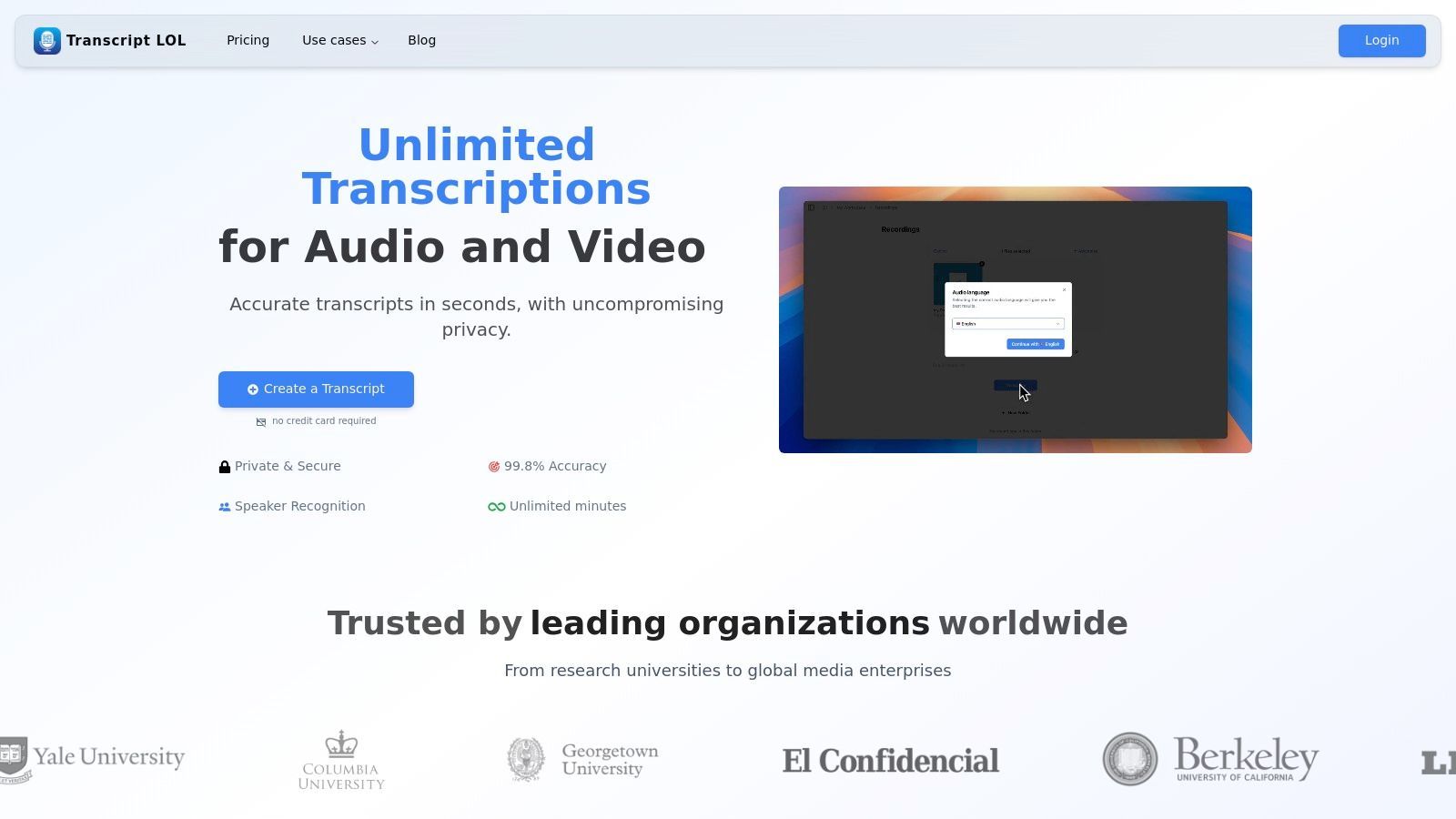
Transcript.LOL si posiziona come una scelta di prim'ordine per il software di trascrizione automatica gratuito combinando un'accuratezza eccezionale con una robusta suite di funzionalità di produttività. Sfrutta la tecnologia avanzata Whisper di OpenAI per raggiungere un impressionante tasso di accuratezza del 99,8%, rendendolo uno strumento affidabile per professionisti che vanno da podcaster e marketer a team aziendali ed educatori. La piattaforma eccelle offrendo più della semplice trascrizione di base, trasformando l'audio grezzo in contenuti attuabili.
What Makes Transcript.LOL Stand Out
IA all'avanguardia
Alimentato da Whisper di OpenAI per una precisione leader nel settore. Supporto per vocabolari personalizzati, file fino a 10 ore e risultati ultra rapidi.

Importa da più fonti
Importa file audio e video da varie fonti tra cui caricamento diretto, Google Drive, Dropbox, URL, Zoom e altro.

Esporta in più formati
Esporta le tue trascrizioni in più formati tra cui TXT, DOCX, PDF, SRT e VTT con opzioni di formattazione personalizzabili.
Ciò che distingue veramente Transcript.LOL è il suo ecosistema di strumenti basati sull'intelligenza artificiale progettati per semplificare i flussi di lavoro. Gli utenti possono generare istantaneamente riassunti, elementi d'azione, post sui social media o persino quiz direttamente dalle loro trascrizioni. Questa funzionalità consente un notevole risparmio di tempo, eliminando la necessità di riutilizzare manualmente i contenuti. Il supporto per vocabolari personalizzati garantisce che il gergo tecnico o i nomi univoci vengano trascritti correttamente, una funzionalità fondamentale per i settori specializzati.
Funzionalità e Casi d'uso principali
- Elevata precisione e versatilità: Ideale per podcaster e giornalisti che richiedono trascrizioni precise. Il supporto per vocabolari personalizzati è prezioso per ricercatori e professionisti legali che si occupano di terminologie specifiche.
- Generazione avanzata di contenuti: Un punto di svolta per i content marketer. Un singolo file audio può essere trasformato in una suite completa di materiali di marketing come schemi di post di blog, aggiornamenti sui social media e snippet di newsletter in pochi minuti.
- Collaborazione di squadra: Spazi di lavoro condivisi e controlli di accesso granulari lo rendono perfetto per i team aziendali che necessitano di un hub sicuro e centralizzato per verbali di riunioni e registrazioni di progetti.
Who Benefits from Transcript.LOL?
🎙 Podcasters
Create show notes & episode summaries instantly.
🎓 Educators/Students
Transcribe lectures & create quizzes.
📈 Marketers
Repurpose webinars into blogs & social posts.
🏢 Teams
Centralize meeting minutes & action items.
Limitations and Pricing
The free plan is generous, offering two transcripts per day, but limits file length to 20 minutes. For those needing to transcribe longer content like lectures or lengthy interviews, the Unlimited plan at $120/year provides a cost-effective solution. Team plans start at $240/year for collaborative features. If you are starting out, you can explore their guides on how to transcribe audio to text for free to maximize the platform's capabilities.
Website: https://transcript.lol
Affordable for Everyone
Get started free (2 transcripts/day). Upgrade to Unlimited for just $120/year—far cheaper than most competitors.
2. Otter.ai
Otter.ai è un gigante nel settore della trascrizione, evolutosi da un semplice strumento di dettatura in un potente assistente AI per riunioni. Il suo piano gratuito lo rende una delle migliori scelte per gli utenti che necessitano di trascrizione dal vivo per le riunioni e desiderano riassunti basati sull'intelligenza artificiale senza un investimento iniziale. È un eccezionale software di trascrizione automatica gratuito per studenti, giornalisti e professionisti che partecipano frequentemente a riunioni virtuali.
La caratteristica distintiva della piattaforma è la sua capacità di trascrizione in tempo reale. OtterPilot può unirsi automaticamente alle tue riunioni Zoom, Google Meet o Microsoft Teams, prendere appunti e persino catturare slide. Questo crea un registro ricco e ricercabile delle tue conversazioni.
Funzionalità Chiave e Limitazioni
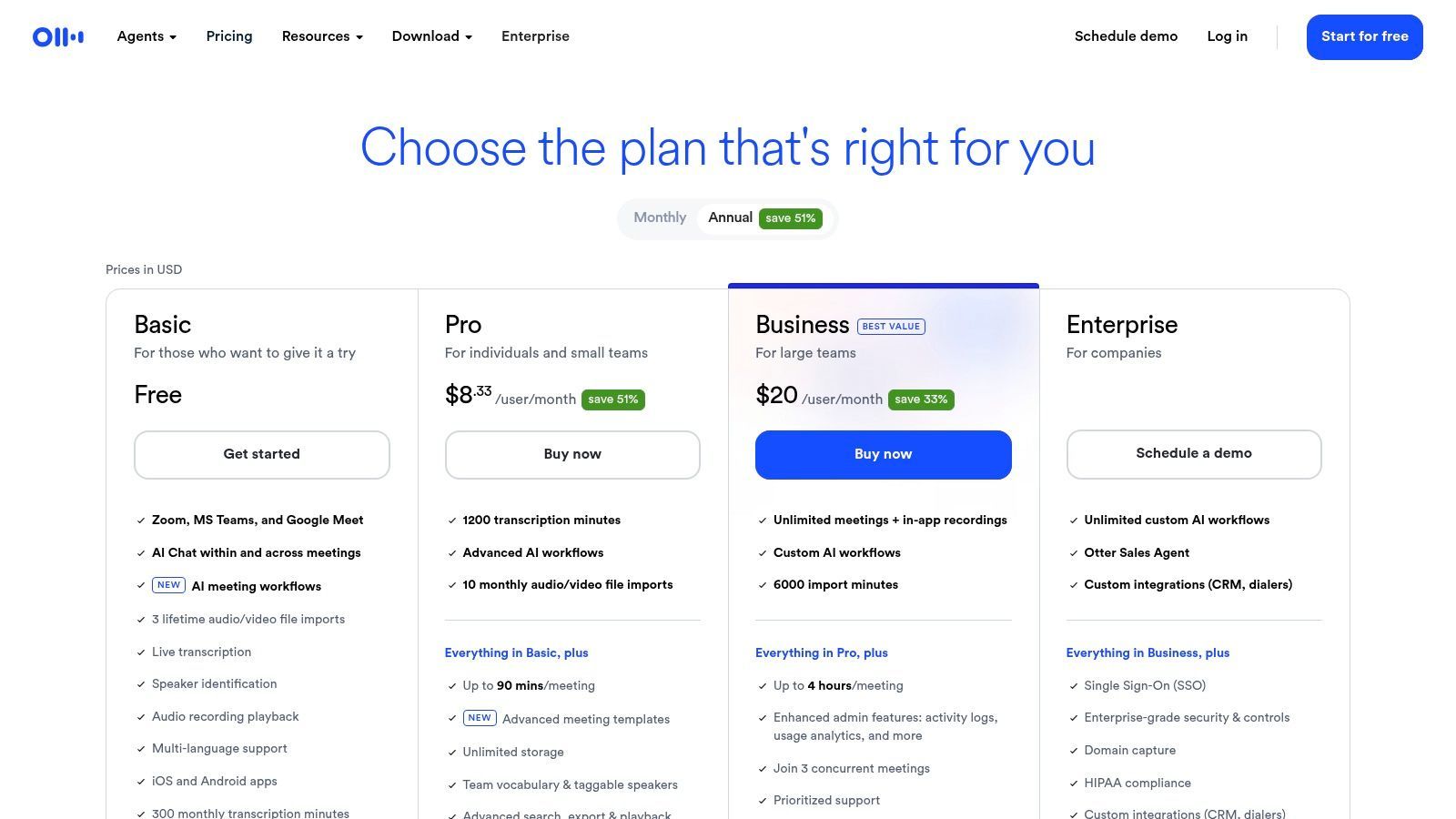
Il piano gratuito di Otter.ai è piuttosto generoso per l'uso dal vivo, ma presenta chiari confini progettati per incoraggiare gli upgrade.
Cosa ottieni con il piano gratuito:
- Trascrizione dal vivo: Trascrivi fino a 30 minuti per conversazione in tempo reale.
- Assistente AI per riunioni: OtterPilot si unisce automaticamente e registra le tue riunioni dal calendario.
- Quota mensile: Ricevi 300 minuti di trascrizione mensili.
- Importazione file: Importa e trascrivi fino a 3 file audio o video in tutta la vita.
La limitazione più significativa è il limite di 30 minuti per conversazione e il rigido limite sull'importazione di file. Se le tue riunioni sono più lunghe o hai un arretrato di audio da trascrivere, raggiungerai rapidamente questi limiti. Tuttavia, per brevi sincronizzazioni di team o appunti di lezioni, è molto efficace.
Scopri di più e iscriviti su: otter.ai/pricing
3. Descript
Descript rivoluziona il processo di editing trattando audio e video come testo. È più di un semplice servizio di trascrizione; è uno studio di produzione completo costruito attorno al suo motore di trascrizione. Questo lo rende il software di trascrizione automatica gratuito di riferimento per podcaster, YouTuber e qualsiasi creatore di contenuti che desideri registrare, trascrivere, modificare ed esportare da un'unica piattaforma intuitiva.
Il concetto principale è semplice ma potente: modifica la trascrizione e il file audio o video corrispondente viene modificato automaticamente. Questo approccio di editing basato su testo abbassa significativamente la barriera d'ingresso per la produzione audio e video, rendendo le modifiche complesse facili come correggere un errore di battitura in un documento.
Funzionalità Chiave e Limitazioni
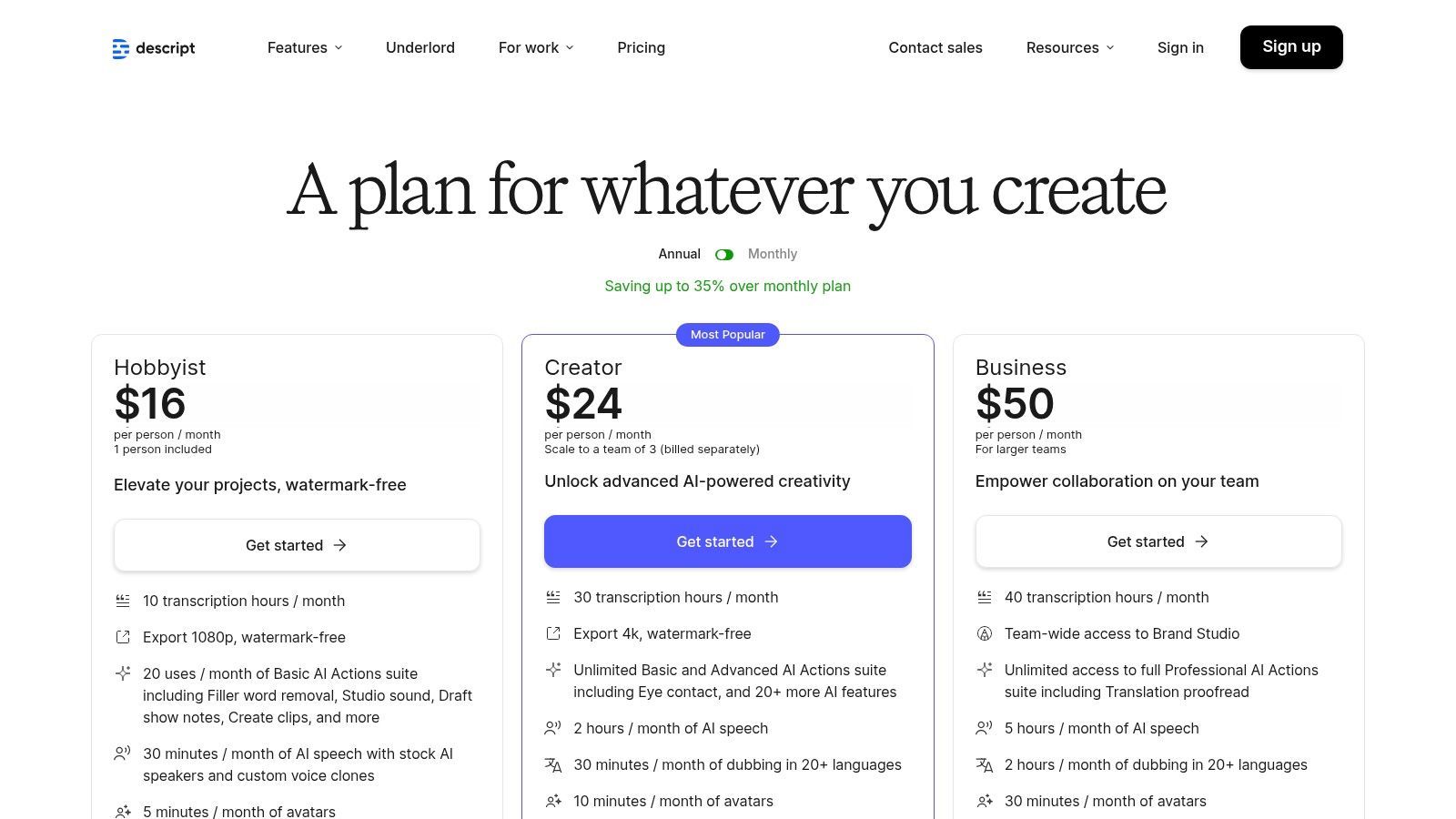
Il piano gratuito di Descript offre un ottimo assaggio del suo flusso di lavoro, ma riserva le sue funzionalità AI più potenti e le opzioni di esportazione per i piani a pagamento.
Cosa ottieni con il piano gratuito:
- Ore di trascrizione: 1 ora di trascrizione al mese.
- Importazione file: Importazione illimitata di file audio e video.
- Esportazione video: Un'esportazione video senza watermark al mese a risoluzione 720p.
- Effetti AI: Uso limitato di funzionalità AI come Studio Sound (migliora la qualità della voce) e Green Screen.
Le limitazioni principali sono la bassa quota di trascrizione mensile e l'unica esportazione senza watermark. Se produci contenuti regolarmente, probabilmente dovrai effettuare l'upgrade per una maggiore qualità di esportazione e più tempo di trascrizione. Tuttavia, per un creatore che sta appena iniziando o che lavora su un singolo progetto, il piano gratuito è un eccellente punto di ingresso all'editing basato su testo.
Scopri di più e iscriviti su: https://www.descript.com/pricing
4. Notta
Notta si posiziona come uno strumento di trascrizione semplificato e altamente accessibile, focalizzato su riunioni e conversazioni dal vivo. La sua forza risiede nella sua ampia disponibilità di piattaforme, inclusa una comoda estensione per Chrome, che lo rende un versatile software di trascrizione automatica gratuito per gli utenti che necessitano di catturare audio da varie fonti al volo. È particolarmente adatto per professionisti che necessitano di trascrizioni rapide e dirette di riunioni senza una configurazione complessa.
La piattaforma si integra direttamente con il tuo calendario e le principali piattaforme di riunione come Zoom, Google Meet e Microsoft Teams. I suoi riassunti basati sull'intelligenza artificiale aiutano a distillare lunghe conversazioni in punti attuabili, il che è un notevole risparmio di tempo per chiunque desideri analizzare dati di interviste o risultati di riunioni in modo efficiente.
Funzionalità Chiave e Limitazioni
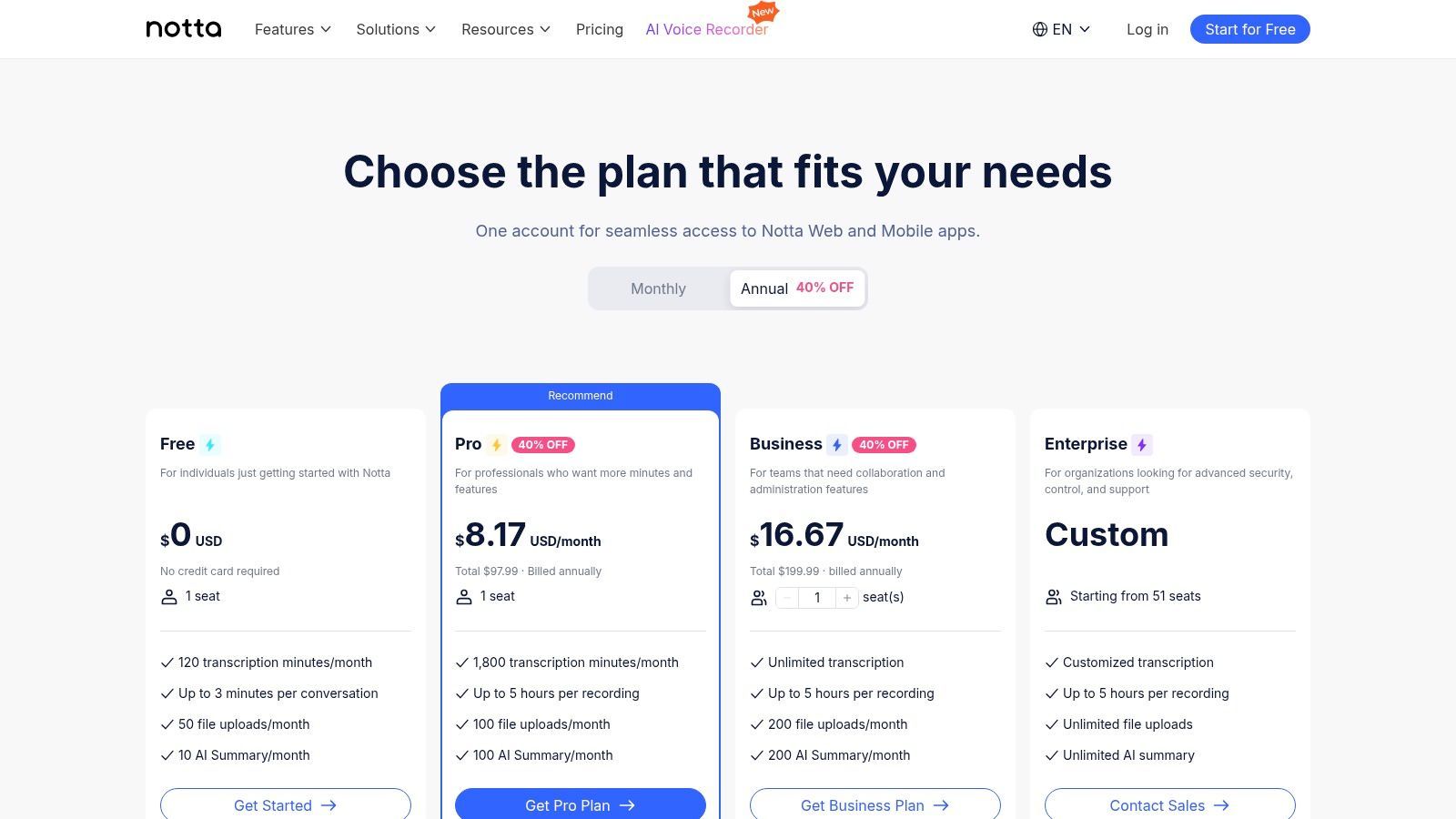
Il piano gratuito di Notta è progettato per un uso leggero o occasionale, con chiari limiti che incoraggiano l'upgrade per esigenze di trascrizione più impegnative.
Cosa ottieni con il piano gratuito:
- Quota mensile: Generosi 120 minuti di trascrizione mensili.
- Trascrizione dal vivo: Trascrivi riunioni o conversazioni dal vivo, ma con un limite di 3 minuti per sessione.
- Importazione file: Importa e trascrivi file audio o video, anch'essi limitati a 3 minuti per file.
- Accesso alla piattaforma: Usa Notta sul web, app mobili (iOS/Android) e come estensione per Chrome.
La limitazione più restrittiva è il limite di 3 minuti sia per le trascrizioni dal vivo che per i caricamenti di file. Questo rende il piano gratuito ideale per trascrivere brevi note vocali o brevi segmenti di riunioni, ma inadatto per trascrivere interviste complete, lezioni o riunioni di team più lunghe.
Scopri di più e iscriviti su: www.notta.ai/en/pricing
5. Sonix
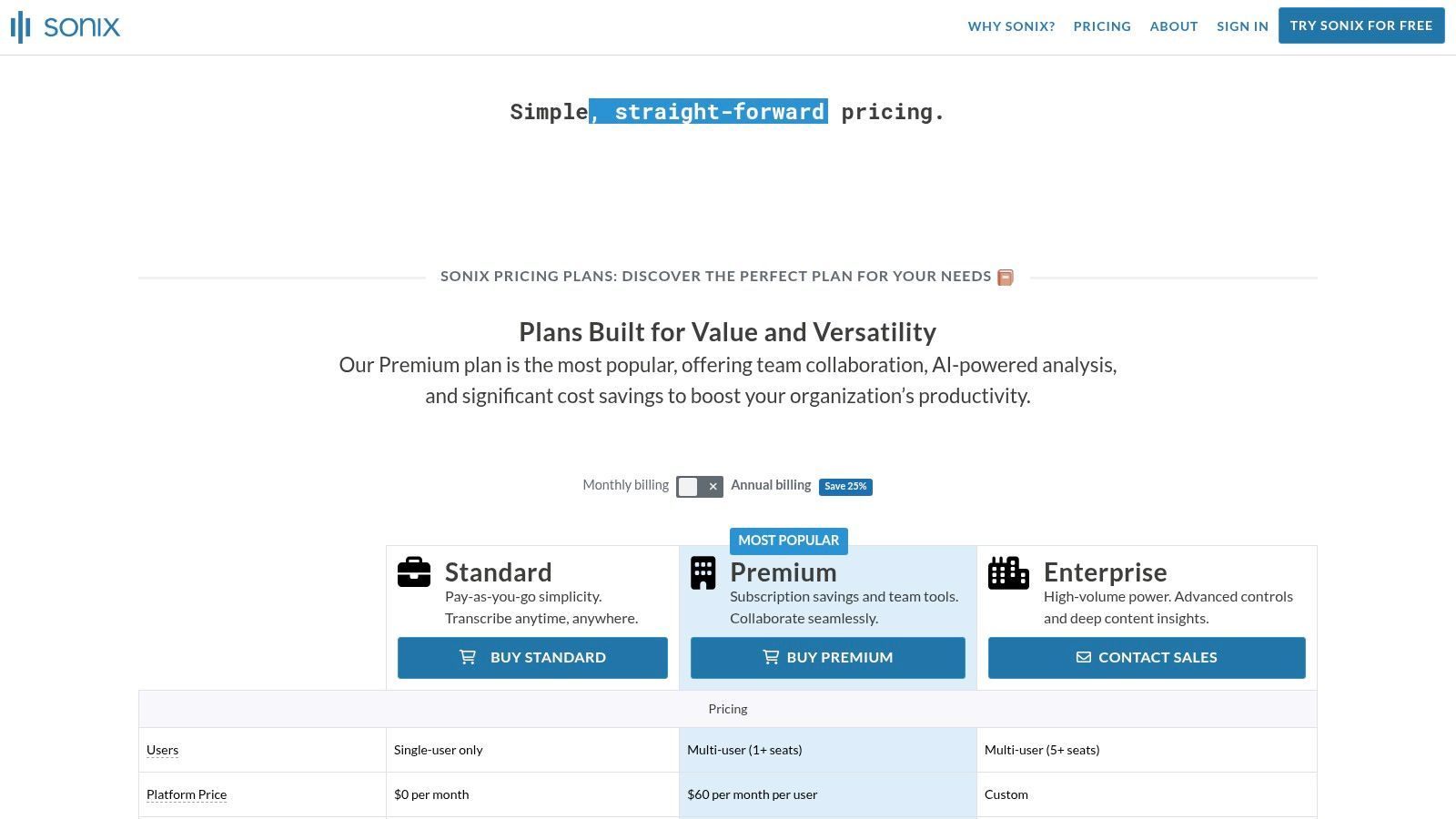
Sonix è un servizio di trascrizione basato su cloud riconosciuto per la sua rapida velocità di elaborazione e le ampie opzioni di esportazione, che lo rendono ideale per i professionisti dei media. Sebbene non sia un servizio completamente gratuito, la sua prova offre uno sguardo su una potente piattaforma progettata per podcaster, cineasti e creatori di contenuti che necessitano rapidamente di trascrizioni, sottotitoli o didascalie in vari formati. Si posiziona come un software di trascrizione automatica gratuito di alta gamma da provare, concentrandosi sulla fornitura di risultati modificabili di alta qualità per flussi di lavoro multimediali.
La piattaforma eccelle nel trasformare audio e video in testo e quindi nel rendere quel testo utile. Il suo editor basato sul web consente una facile collaborazione e perfezionamento, con funzionalità come l'etichettatura degli altoparlanti e la regolazione dei timestamp.
Funzionalità Chiave e Limitazioni
La prova gratuita di Sonix è un'offerta a tempo limitato, progettata per mostrare le sue funzionalità premium prima di richiedere un abbonamento.
Cosa ottieni con la prova gratuita:
- Minuti di trascrizione: Ricevi 30 minuti di trascrizione gratuita al momento dell'iscrizione.
- Accesso completo alle funzionalità: La prova include l'accesso a tutte le funzionalità, come l'editor nel browser, l'identificazione dell'altoparlante e i timestamp parola per parola.
- Ampie opzioni di esportazione: Esporta la tua trascrizione come SRT, VTT, Microsoft Word e altri formati.
- Traduzione automatica: Testa la sua capacità di tradurre la tua trascrizione in dozzine di lingue diverse.
La limitazione principale è il piccolo numero di minuti di prova. Una volta utilizzati i 30 minuti, dovrai effettuare l'upgrade a un piano a pagamento. Questo lo rende adatto per test o per un singolo progetto breve, ma non per un uso gratuito continuativo.
Scopri di più e iscriviti su: sonix.ai/pricing
6. Deepgram
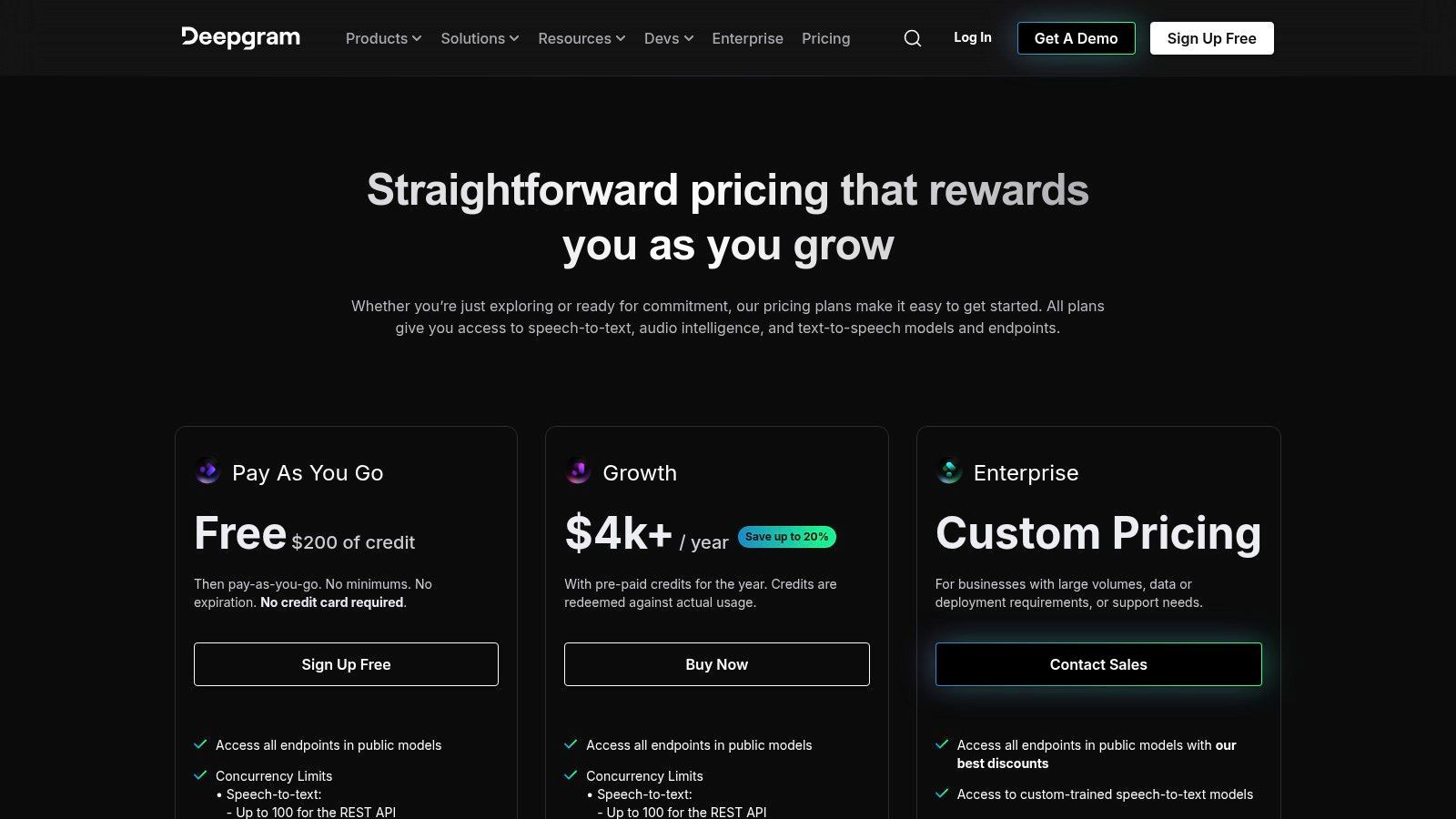
Deepgram è una piattaforma focalizzata sugli sviluppatori che offre un'API di riconoscimento automatico del parlato (ASR) potente e altamente accurata. Sebbene non sia un'applicazione rivolta all'utente come le altre in questo elenco, fornisce uno dei piani gratuiti più generosi per coloro che hanno familiarità con l'integrazione API. Questo lo rende il miglior software di trascrizione automatica gratuito per sviluppatori, startup o aziende che necessitano di integrare le funzionalità di trascrizione direttamente nei loro prodotti o flussi di lavoro.
La piattaforma è nota per la sua velocità e accuratezza, sfruttando modelli di deep learning end-to-end. Supporta sia la trascrizione di audio pre-registrato (batch) che in tempo reale (streaming), offrendo agli sviluppatori flessibilità per varie applicazioni, dalla trascrizione di archivi audio all'alimentazione di sottotitoli dal vivo.
Funzionalità Chiave e Limitazioni
L'offerta gratuita di Deepgram è progettata per consentire agli sviluppatori di creare e testare ampiamente prima di impegnarsi in un piano a pagamento.
Cosa ottieni con il piano gratuito:
- Crediti generosi: Inizia con $200 in crediti gratuiti, che non scadono. Non è richiesta alcuna carta di credito per l'iscrizione.
- Accesso completo all'API: Accedi a tutte le funzionalità principali, tra cui la diarizzazione degli altoparlanti, il potenziamento delle parole chiave e il supporto multilingue.
- Modelli di alta qualità: Utilizza i loro modelli "Nova-2" ad alta accuratezza sia per la trascrizione in streaming che in batch.
- Eccellente documentazione: SDK e guide complete per Python, Node.js e altri linguaggi popolari rendono l'integrazione semplice.
La limitazione principale è che Deepgram non è uno strumento autonomo; richiede conoscenze tecniche per essere implementato tramite la sua API. Se hai bisogno di un'interfaccia semplice di caricamento e trascrizione senza scrivere codice, questa non è la scelta giusta. Tuttavia, i crediti gratuiti forniscono un'enorme autonomia per lo sviluppo e il test.
Scopri di più e iscriviti su: deepgram.com/pricing
APIs Powering the Next Wave of Transcription
7. AssemblyAI
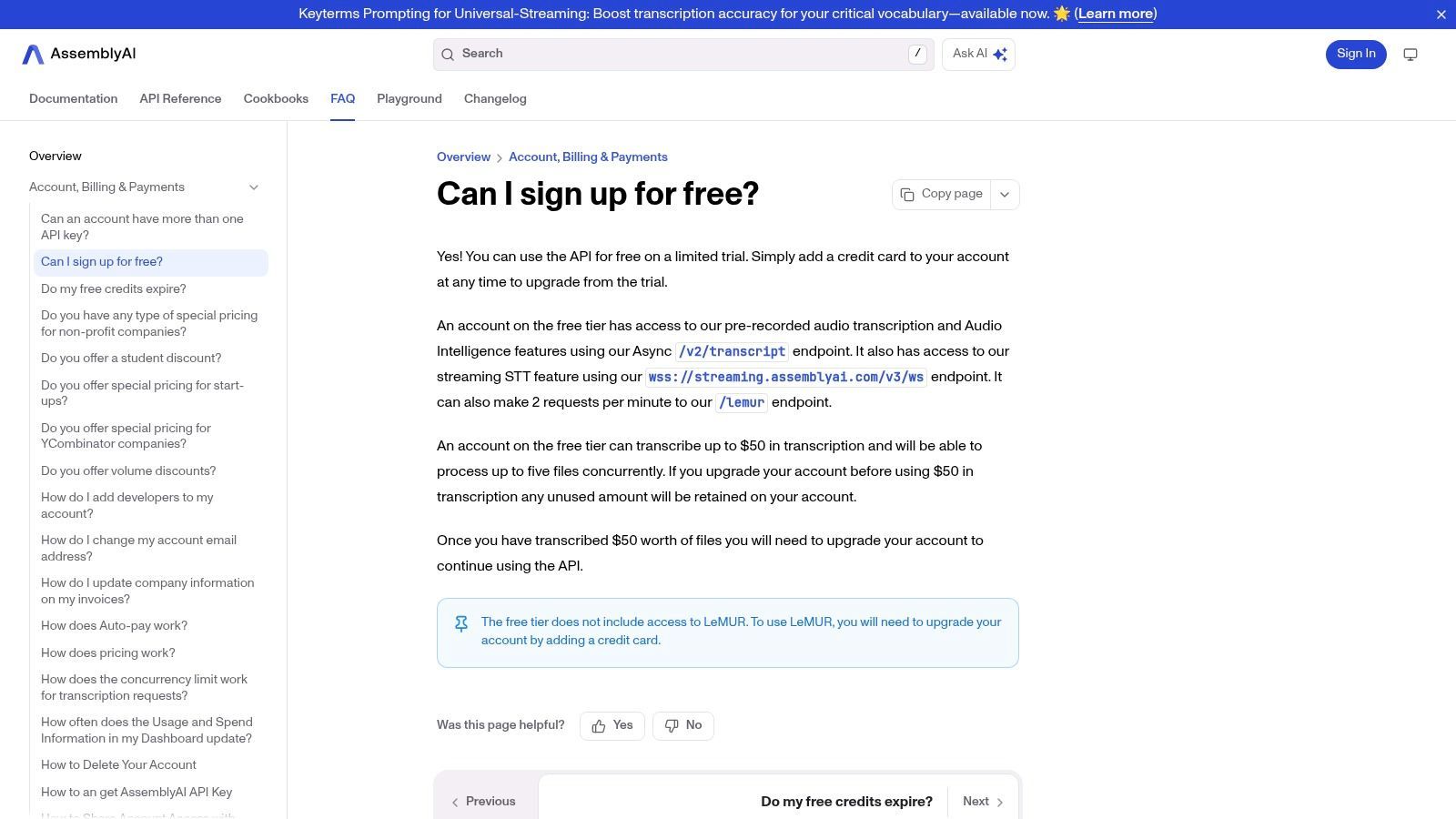
AssemblyAI è una piattaforma incentrata sugli sviluppatori che offre una potente API speech-to-text, rendendola un pezzo unico di software di trascrizione automatica gratuito per coloro che hanno familiarità con la programmazione. A differenza delle app rivolte ai consumatori, AssemblyAI fornisce gli elementi costitutivi per creare soluzioni di trascrizione personalizzate, complete di funzionalità avanzate di intelligenza audio come riassunto, rilevamento di argomenti e analisi del sentiment. È ideale per sviluppatori e aziende che desiderano integrare la trascrizione ad alta precisione direttamente nei propri prodotti.
La piattaforma si distingue per la sua robusta documentazione e la facilità di prototipazione. Il suo piano gratuito è progettato come una generosa prova, offrendo agli sviluppatori ampio spazio per testare e creare applicazioni utilizzando i suoi modelli all'avanguardia, inclusi endpoint compatibili con Whisper.
Funzionalità chiave e limitazioni
L'offerta gratuita di AssemblyAI è un sistema basato su crediti, che fornisce un valore significativo per i test ma richiede una mentalità da sviluppatore per l'implementazione.
Cosa ottieni con il piano gratuito:
- Crediti di trascrizione gratuiti: I nuovi utenti ricevono $50 in crediti gratuiti, che si traducono in diverse ore di trascrizione audio per provare il servizio.
- Intelligenza audio: Accesso a funzionalità avanzate come riassunto, analisi del sentiment, rilevamento di argomenti e altro ancora.
- Accesso API e SDK: Accesso completo alle sue API di trascrizione asincrona e in tempo reale e a vari kit di sviluppo software (SDK).
- Documentazione estesa: Forte supporto attraverso guide e documentazione completi per aiutarti a iniziare rapidamente.
La limitazione principale è che si tratta di un'API, non di un'applicazione pronta all'uso. Richiede competenze di programmazione per l'integrazione e non è adatta agli utenti che cercano un'interfaccia semplice di caricamento e trascrizione. Tuttavia, per coloro che creano strumenti personalizzati, è un punto di partenza incredibilmente potente e accessibile.
Scopri di più e iscriviti su: https://www.assemblyai.com/docs/faq/can-i-sign-up-for-free
8. Google Cloud Speech-to-Text
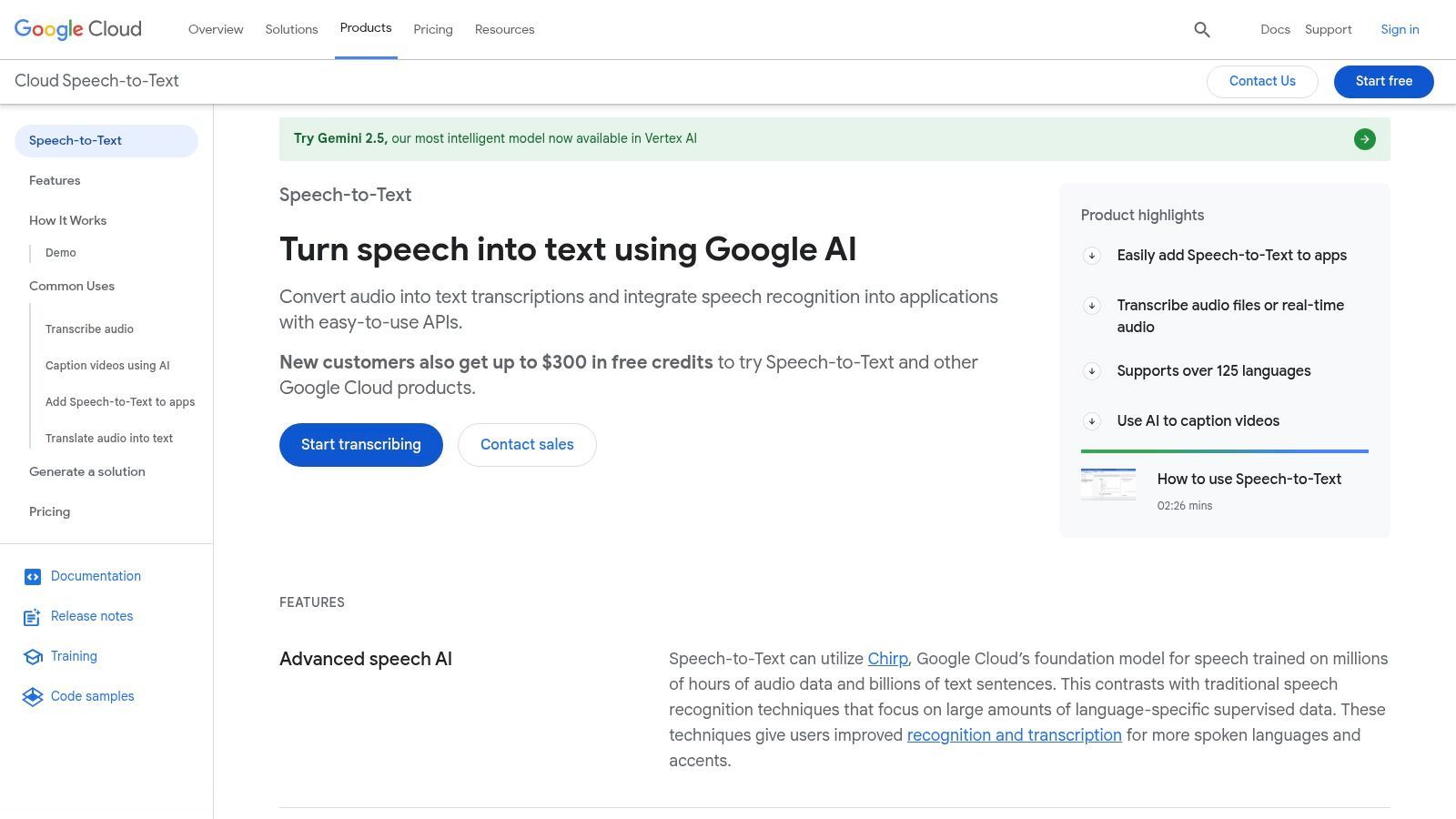
Google Cloud Speech-to-Text offre una potenza di trascrizione di livello enterprise a utenti individuali attraverso un generoso piano gratuito. Sebbene sia un'API progettata per gli sviluppatori, la sua elevata precisione e i modelli specializzati la rendono un pezzo interessante di software di trascrizione automatica gratuito per coloro che sono disposti a navigare in una configurazione più tecnica. Eccelle nell'elaborazione di grandi lotti di audio o nell'integrazione della trascrizione direttamente in flussi di lavoro personalizzati.
La piattaforma è nota per il suo incredibile supporto linguistico e i modelli specifici del dominio, che possono migliorare significativamente i risultati di trascrizione per l'audio relativo a finanza, medicina o altri campi tecnici. Sebbene non sia uno strumento semplice di caricamento e via, la qualità che offre è di prim'ordine per l'audio pulito.
Funzionalità chiave e limitazioni
L'offerta gratuita di Google è progettata per consentirti di testare e utilizzare il servizio a basso volume senza impegno, ma è comunque necessario un account di fatturazione per la configurazione.
Cosa ottieni con il piano gratuito:
- Quota mensile: Trascrivi fino a 60 minuti di audio al mese gratuitamente.
- Credito per nuovi utenti: I nuovi utenti di Google Cloud ricevono spesso $300 in crediti gratuiti per esplorare i servizi, che possono essere utilizzati per trascrizioni estese.
- Modelli avanzati: Accesso a tutti i modelli di trascrizione standard e specializzati.
- Supporto linguistico: Trascrivi audio in oltre 125 lingue e varianti.
La limitazione principale è la barriera tecnica all'ingresso; richiede la configurazione di un progetto Google Cloud e l'interazione con un'API, che può essere scoraggiante per i non sviluppatori. La sua precisione, sebbene eccellente, dipende fortemente dalla qualità dell'audio. Per saperne di più su come fattori come la chiarezza audio influenzano i risultati, puoi esplorare ripartizioni dettagliate dell'accuratezza di Speech-to-Text.
Scopri di più e iscriviti su: cloud.google.com/speech-to-text
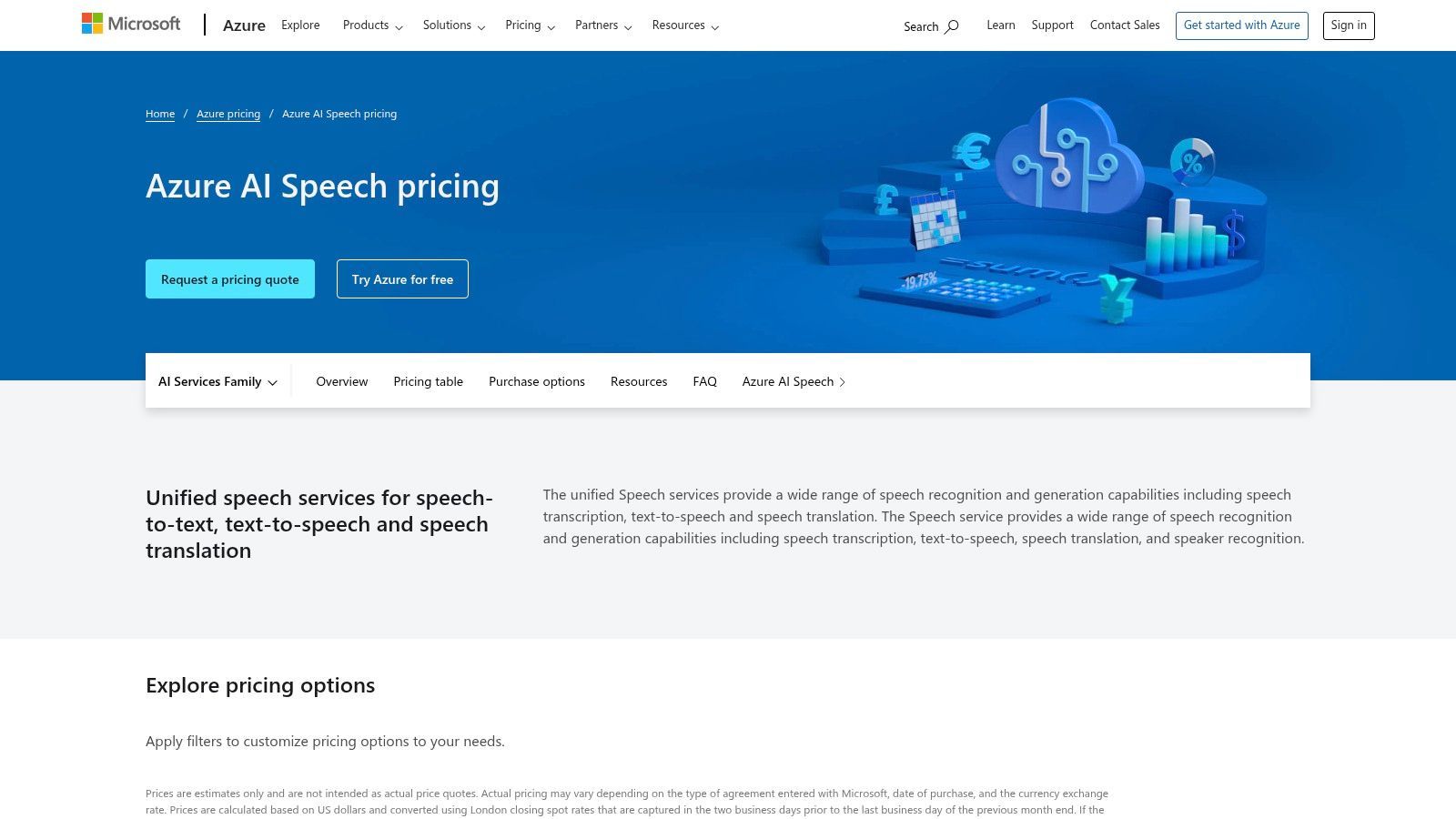
9. Microsoft Azure AI Speech (Speech to Text)
Il servizio AI Speech to Text di Microsoft Azure è una soluzione di livello enterprise che offre uno dei piani gratuiti più generosi disponibili da un importante provider cloud. Sebbene sia spesso visto come uno strumento per sviluppatori, il suo potente motore di trascrizione e la sostanziale quota gratuita lo rendono un pezzo interessante di software di trascrizione automatica gratuito per individui con una certa familiarità tecnica che necessitano di trascrizioni ad alto volume e alta precisione per progetti.
Questa piattaforma non è una semplice app web di caricamento e via, ma un robusto servizio integrato nell'ecosistema cloud di Azure. Eccelle sia nell'elaborazione in tempo reale che in batch, rendendola adatta a tutto, dalle applicazioni di sottotitolazione dal vivo alla trascrizione di grandi archivi di file audio con eccellente precisione e identificazione dell'oratore (diarizzazione).
Funzionalità chiave e limitazioni
Il piano gratuito di Azure è progettato per consentire agli utenti di esplorare ampiamente le capacità del servizio prima di impegnarsi, ma richiede la navigazione nel portale Azure.
Cosa ottieni con il piano gratuito:
- Quota mensile: Trascrivi fino a 5 ore audio al mese gratuitamente.
- Trascrizione in tempo reale: Include 5 ore di elaborazione speech-to-text in tempo reale al mese.
- Personalizzazione: Accesso a strumenti per la creazione di modelli vocali e di pronuncia personalizzati.
- Diarizzazione: L'identificazione dell'oratore è inclusa nelle ore di elaborazione gratuite.
La limitazione principale è la complessità della configurazione iniziale. I nuovi utenti devono creare un account Azure, impostare una risorsa e potenzialmente utilizzare un'API o un SDK, il che presenta una curva di apprendimento più ripida rispetto alle app di trascrizione dedicate. Tuttavia, per coloro che superano questo ostacolo, la concessione mensile è un vantaggio significativo per le esigenze di trascrizione ricorrenti.
Scopri di più e iscriviti su: azure.microsoft.com/en-us/pricing/details/cognitive-services/speech-services/
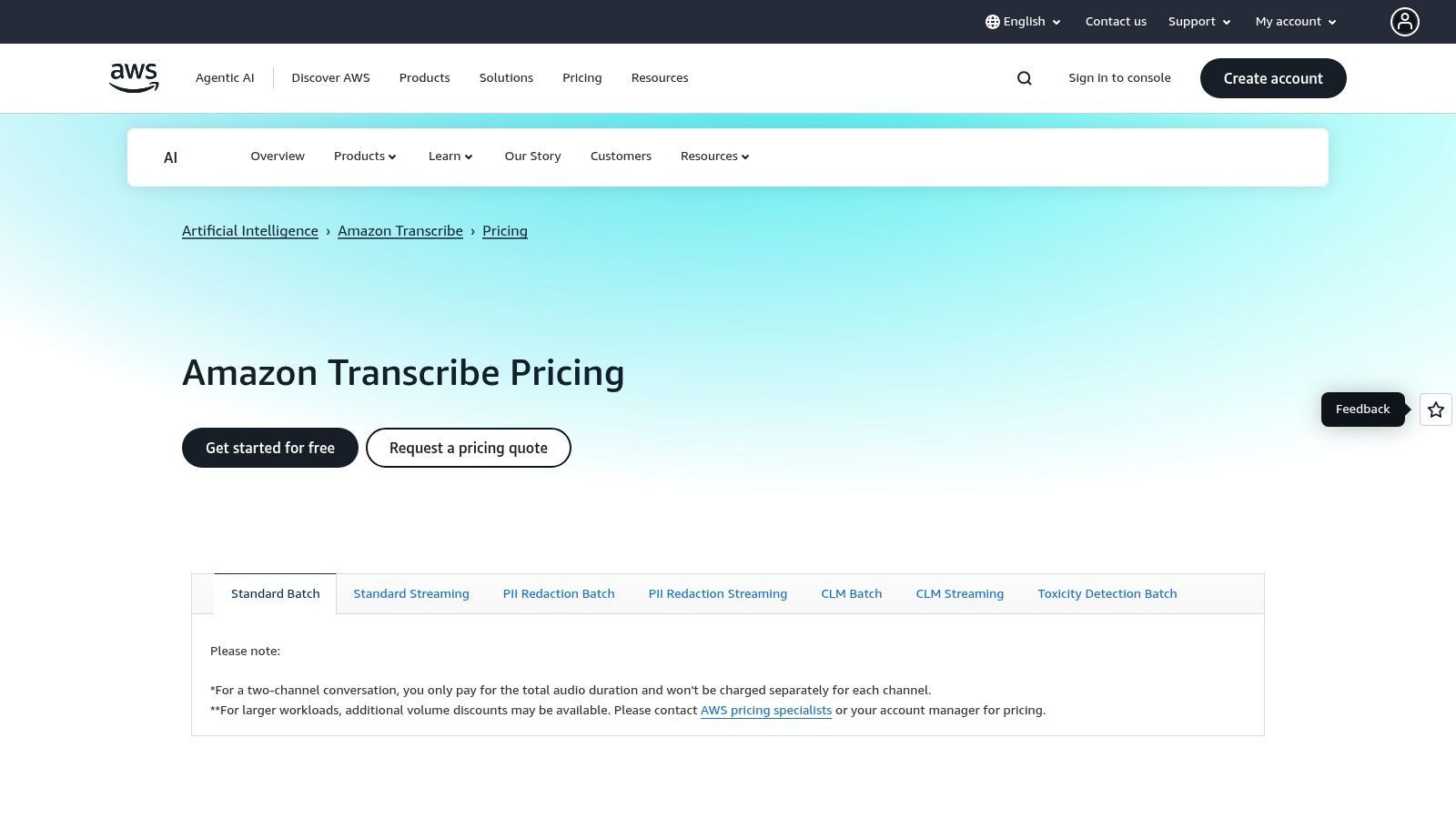
10. Amazon Transcribe
Amazon Transcribe è un potente servizio di riconoscimento vocale automatico (ASR) incentrato sugli sviluppatori di Amazon Web Services (AWS). Sebbene non sia un'app autonoma come altre in questo elenco, offre un piano gratuito che lo rende un pezzo eccellente di software di trascrizione automatica gratuito per coloro che hanno familiarità con l'ecosistema AWS o che necessitano di integrare la trascrizione in un'applicazione. Eccelle nella gestione di grandi volumi di audio con elevata precisione.
Il servizio è altamente personalizzabile, consentendo vocabolari specializzati e funzionalità come la diarizzazione dell'oratore e l'identificazione dei canali. Questo lo rende ideale per l'elaborazione di audio complessi come registrazioni di call center o interviste con più oratori in cui distinguere le voci è fondamentale.
Funzionalità chiave e limitazioni
L'offerta gratuita di Amazon Transcribe fa parte del più ampio AWS Free Tier, progettato per consentire agli sviluppatori di sperimentare e creare senza costi iniziali.
Cosa ottieni con il piano gratuito:
- Quota mensile: 60 minuti di trascrizione audio al mese per i primi 12 mesi dopo l'iscrizione.
- Trascrizione standard: Supporta sia l'elaborazione batch di file preregistrati che la trascrizione in streaming in tempo reale.
- Personalizzazione: Accesso a funzionalità come vocabolario personalizzato e identificazione dell'oratore.
- Redazione PII: Identifica e redige automaticamente le informazioni di identificazione personale dalle trascrizioni.
Le limitazioni principali sono il rigido limite mensile di 60 minuti e il limite di tempo di 12 mesi. Ancora più importante, richiede la configurazione di un account AWS e alcune conoscenze tecniche per configurare e utilizzare il servizio, il che può essere una barriera per i non sviluppatori.
Scopri di più e iscriviti su: aws.amazon.com/transcribe/pricing
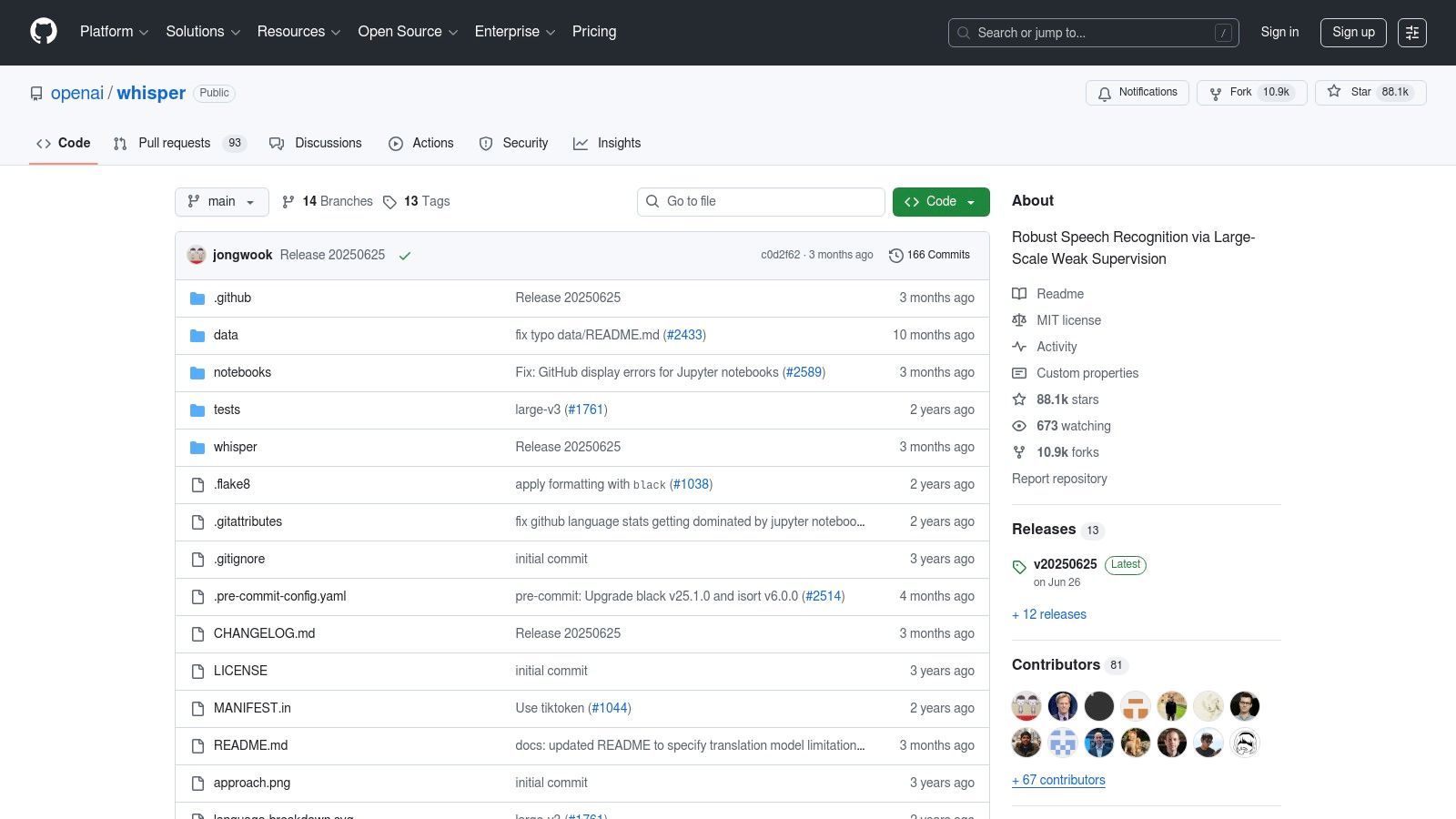
11. OpenAI Whisper (open source)
Per gli utenti con competenze tecniche che cercano il massimo controllo e privacy, Whisper di OpenAI è un eccezionale modello open-source. A differenza dei servizi basati su cloud, Whisper viene eseguito localmente sulla tua macchina, rendendolo un potente pezzo di software di trascrizione automatica gratuito da vendor lock-in e costi ricorrenti. È ideale per sviluppatori, ricercatori o chiunque gestisca dati sensibili che necessita di funzionalità di trascrizione robuste e multilingue.
Il modello è rinomato per la sua elevata precisione in varie lingue, accenti e persino in presenza di rumore di fondo. Poiché è open-source, è emerso un intero ecosistema di strumenti sviluppati dalla community per renderlo più accessibile, da semplici interfacce a riga di comando ad applicazioni grafiche.
Funzionalità chiave e limitazioni
Whisper mette la trascrizione all'avanguardia nelle tue mani, ma richiede che tu fornisca l'hardware e la configurazione.
Cosa ottieni con il modello gratuito:
- Trascrizione di alta qualità: Eccellente precisione per trascrizioni e traduzioni multilingue.
- Privacy completa: Tutta l'elaborazione avviene localmente, quindi i tuoi file non lasciano mai il tuo computer.
- Nessun vendor lock-in: La licenza MIT consente la completa libertà di utilizzare e modificare il software.
- Capacità offline: Trascrivi file audio e video senza connessione Internet.
Le limitazioni principali sono tecniche. Le prestazioni sono direttamente legate all'hardware del tuo computer, in particolare alla GPU. Manca anche di funzionalità SaaS integrate come l'identificazione dell'oratore o riassunti automatici, richiedendo strumenti aggiuntivi o sviluppo personalizzato. Puoi scoprire di più leggendo su come scaricare trascrizioni video di YouTube con Whisper.
Scopri di più e inizia su: github.com/openai/whisper
12. Vosk (open source, Alphacephei)
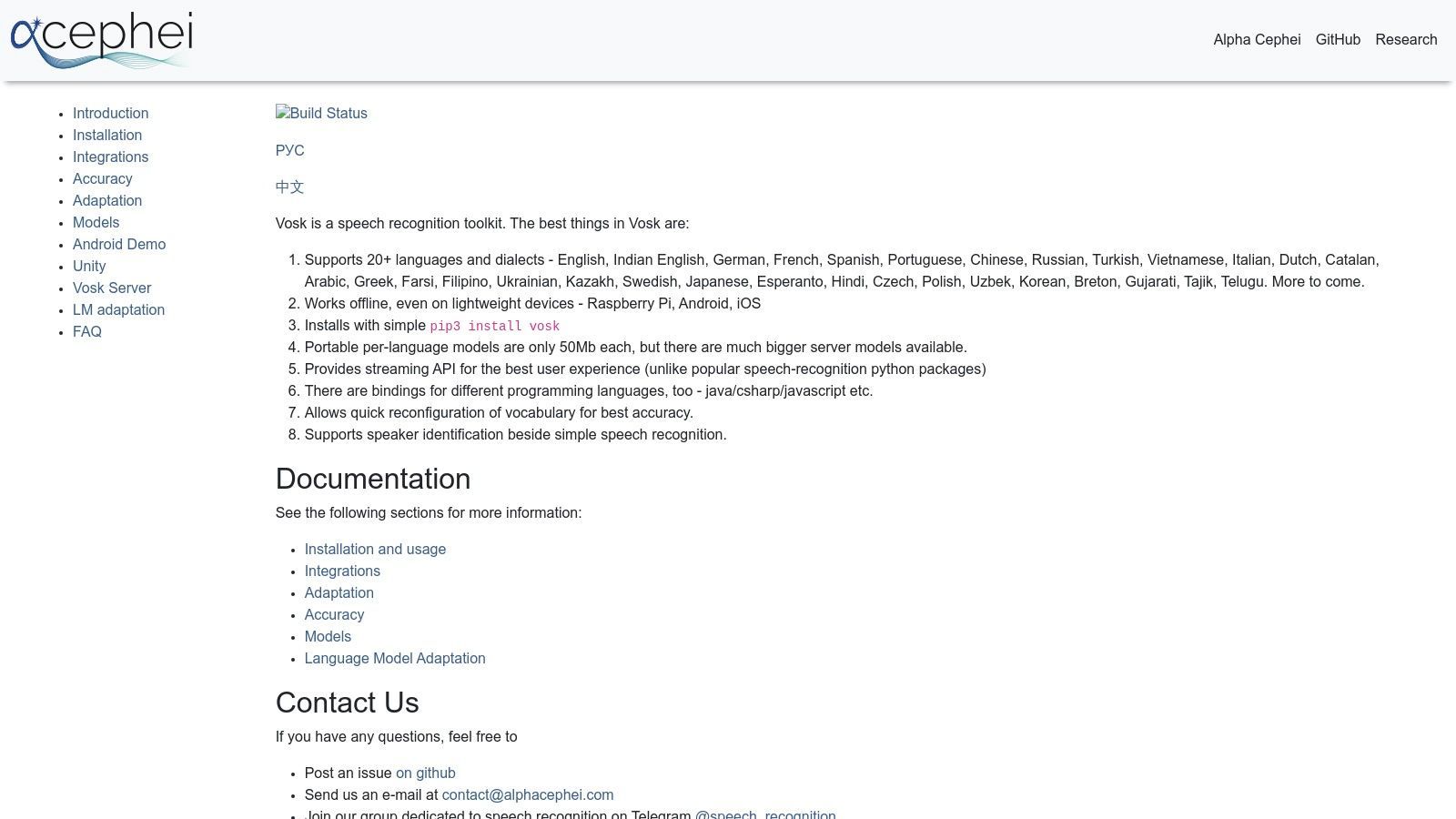
Per sviluppatori e utenti attenti alla privacy, Vosk offre una potente alternativa ai servizi basati su cloud. È un toolkit di riconoscimento vocale offline e open-source che viene eseguito interamente sul tuo dispositivo. Questo approccio lo rende un pezzo unico di software di trascrizione automatica gratuito da costi ricorrenti e preoccupazioni sulla privacy dei dati, ideale per integrare la trascrizione in applicazioni o eseguirla su hardware a basso consumo.
Vosk si distingue perché opera completamente offline. I suoi modelli leggeri possono funzionare in modo efficiente su tutto, da un server a un Raspberry Pi o a un telefono Android, offrendo agli sviluppatori un'incredibile flessibilità senza la necessità di una connessione Internet.
Funzionalità chiave e limitazioni
Come toolkit open-source, Vosk è completamente gratuito sotto licenza Apache 2.0, ma richiede know-how tecnico per l'implementazione.
Cosa ottieni con il toolkit gratuito:
- Funzionamento offline: Elabora l'audio localmente per la massima privacy e sicurezza.
- Supporto multilingue: Accedi a modelli per oltre 20 lingue.
- Modelli leggeri: I modelli partono da soli 50 MB, perfetti per dispositivi edge.
- Binding per sviluppatori: Fornisce supporto per Python, Java, Node.js, C# e altro ancora.
La limitazione principale è che Vosk non è un'applicazione pronta all'uso; è un toolkit per sviluppatori. Gli utenti devono avere competenze di programmazione per integrarlo nei propri progetti. Anche la precisione può variare a seconda del modello linguistico specifico utilizzato e richiede una certa messa a punto per prestazioni ottimali.
Scopri di più e scarica su: alphacephei.com/vosk
Confronto dei 12 migliori software di trascrizione automatica gratuiti
| Prodotto | Funzionalità principali / Precisione | Esperienza utente e qualità ★★★★☆ | Valore e prezzi 💰 | Pubblico di destinazione 👥 | Punti di forza unici ✨ |
|---|---|---|---|---|---|
| 🏆 Transcript.LOL | Whisper basato su AI, caricamenti 10 ore, ID oratore | 4.8★ da oltre 1.200 recensioni, editing avanzato | Gratuito (2/giorno), $120/anno Illimitato, $240/anno Team | Podcaster, marketer, team | Riassunti, quiz, mappe mentali, social, privacy |
| Otter.ai | Trascrizione dal vivo, integrazioni riunioni | App fluide, riassunti efficaci | Piano gratuito (limite 30 min), piani a pagamento | Team, professionisti | Sottotitoli live Zoom/Meet, automazione riunioni |
| Descript | Trascrizione automatica + modifica audio/video basata su testo | Condivisione facile, flusso di lavoro end-to-end | AI gratuita limitata, filigrana all'esportazione | Podcaster, creatori di contenuti | Le modifiche di testo si ripercuotono su audio/video |
| Notta | Trascrizione live/file, bot per riunioni | Piano gratuito semplice con minuti mensili | Gratuito (limite 3 min/registrazione), piani a pagamento | Utenti riunioni, trascrizione occasionale | Estensione Chrome, integrazione calendario e riunioni |
| Sonix | Trascrizione e traduzione rapide, esportazioni multiple | Onboarding rapido | Minuti di prova limitati | Team di contenuti, flussi di lavoro multimediali | Traduzione + diversi formati di esportazione |
| Deepgram | API streaming + batch, potenziamento parole chiave | Amichevole per sviluppatori, documentazione chiara | $200 crediti gratuiti | Sviluppatori, imprese | API streaming, modelli neurali, text-to-speech |
| AssemblyAI | API asincrona/streaming, intelligenza audio | Documentazione solida, prototipazione facile | Prova gratuita $50 | Sviluppatori | Riassunti, sentiment, SDK compatibili con Whisper |
| Google Cloud Speech-to-Text | Batch + streaming, oltre 100 lingue | Buona precisione con audio pulito | 60 min gratuiti/mese, $300 credito nuovo utente | Imprese, sviluppatori | Ampio supporto linguistico, livello enterprise |
| Microsoft Azure AI Speech | 5 ore/mese gratuite, batch e in tempo reale | Sicurezza solida, conformità | Piano gratuito con limiti | Imprese | Modelli personalizzati, data center con sede negli Stati Uniti |
| Amazon Transcribe | Batch/streaming, variante medica | Integrato con AWS, fatturazione al secondo | 60 min/mese gratuiti per 12 mesi | Utenti AWS, sanità | Redazione PII, personalizzazione vocabolario |
| OpenAI Whisper (open source) | Multilingue, robusto al rumore | Nessun vendor lock-in, uso offline | Gratuito, dipendente dall'hardware | Utenti esperti di tecnologia | Open source, trascrizione offline |
| Vosk (open source) | Offline, multilingue, modelli piccoli | Funziona su dispositivi a basso consumo | Gratuito, nessun costo | Sviluppatori, utenti di dispositivi edge | Offline, multilingue, leggero |
Fare la scelta giusta per le tue esigenze di trascrizione
Navigare nel panorama del software di trascrizione automatica gratuito rivela un ecosistema diversificato di strumenti, ognuno su misura per diversi utenti e flussi di lavoro. Il termine "gratuito" non è un'etichetta universale; spazia da generosi minuti mensili per gli utenti di tutti i giorni a sostanziali crediti una tantum per gli sviluppatori, e persino modelli open-source completi per coloro che hanno competenze tecniche. La chiave per sbloccare la soluzione giusta non sta nel trovare un unico strumento "migliore", ma nell'identificare quello che si allinea perfettamente con i tuoi requisiti specifici.
Come abbiamo esplorato, il tuo caso d'uso principale è il fattore più critico. Sei un podcaster che necessita di trascrizioni accurate con etichette degli oratori per le note dello spettacolo? O uno sviluppatore che crea un'applicazione attivata dalla voce? La scelta ideale per uno è spesso impraticabile per l'altro.
Come scegliere il tuo strumento di trascrizione gratuito
Per prendere una decisione informata, considera questi fattori chiave in base agli strumenti che abbiamo esaminato:
- Per facilità d'uso e alta precisione: Se hai bisogno di uno strumento web semplice che offra trascrizioni precise senza una ripida curva di apprendimento, piattaforme come Transcript.LOL e Notta sono ottimi punti di partenza. I loro piani gratuiti offrono un modo tangibile per testare l'accuratezza e le funzionalità prima di impegnarsi.
- Per riunioni collaborative: Per i professionisti che trascorrono le loro giornate in riunioni virtuali, la trascrizione in tempo reale e le funzionalità collaborative di Otter.ai sono specificamente progettate per catturare ogni dettaglio, assegnare elementi d'azione e creare un registro ricercabile delle conversazioni.
- Per l'editing di contenuti creativi: I creatori di video e i podcaster troveranno rivoluzionario l'innovativo editing audio/video basato su testo di Descript. Il suo piano gratuito offre un'opportunità unica per sperimentare come la trascrizione dei tuoi media possa cambiare fondamentalmente il tuo flusso di lavoro di editing.
- Per sviluppatori e utenti tecnici: Se stai creando applicazioni, le API incentrate sugli sviluppatori di Deepgram, AssemblyAI e dei principali provider cloud (Google, Microsoft, Amazon) offrono soluzioni potenti e scalabili. I loro crediti e piani gratuiti sono progettati per prototipare, testare e integrare i loro modelli avanzati nei tuoi progetti.
- Per il massimo controllo e privacy: Per gli utenti che gestiscono dati sensibili o coloro che richiedono il controllo completo sul loro flusso di lavoro e sui costi, il percorso open-source è impareggiabile. Whisper di OpenAI offre precisione all'avanguardia, mentre Vosk offre un'alternativa leggera e offline, a condizione che tu sia a tuo agio nel gestire la configurazione tecnica sul tuo hardware.
Considerazioni finali sull'implementazione
Prima di integrare qualsiasi software di trascrizione automatica gratuito nella tua routine quotidiana, ricorda di valutare le limitazioni. Presta particolare attenzione ai limiti mensili di minuti, alle restrizioni sulla dimensione dei file e alla disponibilità di funzionalità avanzate come la diarizzazione dell'oratore o il vocabolario personalizzato nei piani gratuiti. La strategia più efficace è selezionare due o tre strumenti da questo elenco che meglio si adattano al tuo profilo ed eseguire lo stesso file audio attraverso ciascuno di essi. Questo confronto diretto rivelerà rapidamente quale piattaforma fornisce l'accuratezza, la velocità e l'esperienza utente di cui hai bisogno per trasformare parole parlate in testo prezioso e accessibile.
Pronto a provare uno strumento di trascrizione che combina precisione di prim'ordine con un'interfaccia user-friendly e preziose funzionalità di generazione di contenuti? Il piano gratuito di Transcript.LOL è il punto di partenza perfetto, offrendo una generosa concessione per convertire i tuoi file audio e video in testo preciso. Prova Transcript.LOL gratuitamente oggi stesso e scopri quanto può essere semplice la trascrizione.