
La tua guida al software di trascrizione automatica
Scopri come funziona il software di trascrizione automatica. Impara a valutare le funzionalità chiave e a scegliere lo strumento migliore per convertire il tuo audio e video in testo accurato.
Kate, Praveen
July 23, 2025
Hai mai desiderato avere un assistente superveloce in grado di ascoltare qualsiasi registrazione e digitare ogni singola parola? Questo è praticamente ciò che fa il software di trascrizione automatica. È uno strumento basato sull'intelligenza artificiale che trasforma le parole pronunciate da audio o video in un documento di testo pulito in pochi minuti.
Dalle onde sonore al testo ricercabile
Sono finiti i giorni della trascrizione manuale dell'audio, un processo dolorosamente lento di pausa, riavvolgimento e digitazione per ore e ore. Con il software di trascrizione automatica, è sufficiente caricare un file e lasciare che un algoritmo si occupi del lavoro più pesante.
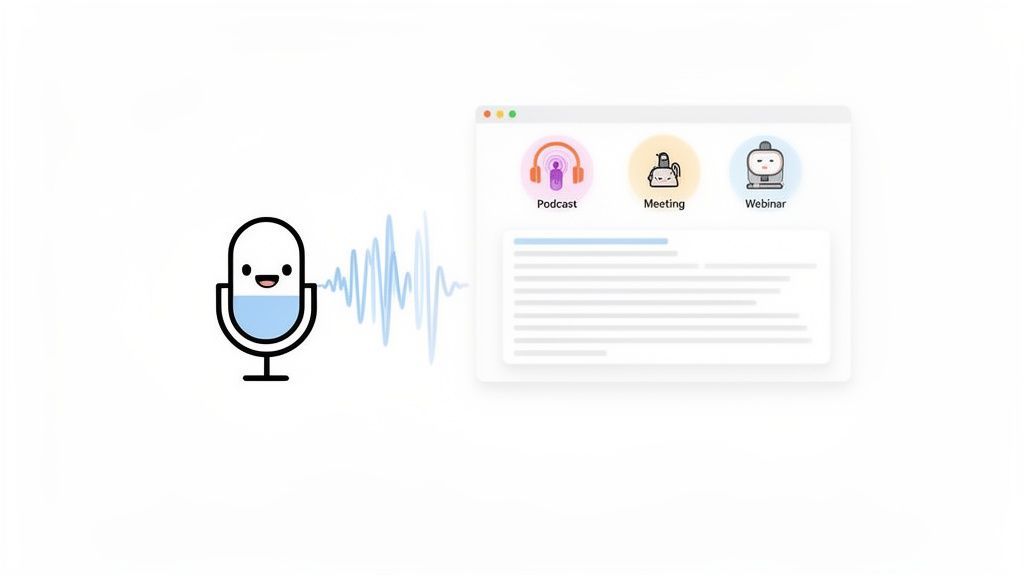
La magia dietro questo è una tecnologia chiamata Riconoscimento Vocale Automatico (ASR). Pensa a un modello ASR come a uno studente che ha trascorso milioni di ore ad ascoltare le persone parlare. Ha imparato a cogliere diversi schemi, accenti e i minimi dettagli nel discorso umano. Quando gli fornisci il tuo file, analizza le onde sonore e le confronta con la sua enorme libreria interna per prevedere quali parole vengono dette.
Questa semplice capacità è un punto di svolta, che trasforma completamente il modo in cui lavoriamo con audio e video, sbloccando tutte le preziose informazioni precedentemente intrappolate all'interno.
Funzionalità principali del software di trascrizione automatica
IA all'avanguardia
Alimentato da Whisper di OpenAI per una precisione leader nel settore. Supporto per vocabolari personalizzati, file fino a 10 ore e risultati ultra rapidi.

Importa da più fonti
Importa file audio e video da varie fonti tra cui caricamento diretto, Google Drive, Dropbox, URL, Zoom e altro.

Rilevamento dei parlanti
Identifica automaticamente diversi parlanti nelle tue registrazioni e etichettali con i loro nomi.
Perché è un grande affare
Il passaggio a questa tecnologia è massiccio e in rapida crescita. Il mercato globale della trascrizione AI è destinato a passare da 4,5 miliardi di dollari nel 2024 a ben 19,2 miliardi di dollari entro il 2034, crescendo a un ritmo del 15,6% ogni anno. Non si tratta solo di una tendenza; è un cambiamento fondamentale nel modo in cui gestiamo i contenuti vocali.
Ciò che un tempo era uno strumento di nicchia è ora essenziale per quasi tutti.
- I podcaster possono creare istantaneamente note dello spettacolo, post di blog e contenuti accessibili per gli ascoltatori con problemi di udito.
- I marketer possono rendere ricercabili i loro contenuti video e webinar, estraendo citazioni chiave per i social media in pochi secondi.
- I team possono trasformare lunghe riunioni in registri ricercabili e attuabili, assicurando che nessuna idea brillante vada persa.
Fondamentalmente, la trascrizione automatica rende i contenuti vocali utili quanto il testo scritto. Colma il divario tra ascolto e lettura, permettendoti di cercare, modificare e condividere idee che un tempo potevi solo sentire.
Non si tratta solo di risparmiare tempo, ma di trasformare le conversazioni in dati utilizzabili.
Trascrizione automatica
La trascrizione automatica trasforma l'audio in testo ricercabile, rendendo facile analizzare conversazioni, estrarre informazioni e riutilizzare contenuti su blog, report e video senza riascoltare.
Puoi individuare informazioni chiave, analizzare discussioni e creare nuovi contenuti dalle tue registrazioni esistenti. Per un approfondimento sulle basi, la nostra guida su cos'è una trascrizione è un ottimo punto di partenza.
Come l'IA Impara a Comprendere il Linguaggio Parlato
Quindi, come fa una macchina a trasformare le tue parole parlate in testo? Al centro di qualsiasi software di trascrizione si trova una tecnologia chiamata Riconoscimento Vocale Automatico (ASR).
Pensala come addestrare un nuovo assistente. Inizieresti fornendogli migliaia di ore di registrazioni audio insieme agli script perfettamente digitati. Col tempo, l'assistente impara a collegare i suoni, i ritmi e le peculiarità del linguaggio umano alle parole sulla pagina. I modelli di IA fanno la stessa cosa, solo su vasta scala, finché non sono in grado di riconoscere accenti, stili di parlato e voci diverse con incredibile precisione.
La Scienza dell'Ascolto
Quando parli, un sistema ASR sta essenzialmente giocando a un gioco di probabilità ad alto rischio. Non "sente" le parole come facciamo noi. Invece, scompone l'audio in piccole fette di un millisecondo e analizza le onde sonore in ciascuna di esse.
Per ogni fetta, prevede la combinazione più probabile di suoni e parole, concatenandole per formare la frase più probabile. Ecco perché l'audio di alta qualità fa la differenza: più chiaro è il suono, più facile è per l'IA fare la scelta giusta senza confondersi. I modelli ricevono anche un grande aiuto da comprensione dei Large Language Models (LLM), che forniscono il collante grammaticale e contestuale per garantire che il testo finale abbia senso.
Cosa Determina l'Accuratezza della Trascrizione
Anche l'IA più potente non è perfetta, e l'accuratezza è l'unica metrica che conta davvero. La misuriamo con qualcosa chiamato Word Error Rate (WER): è semplicemente una percentuale di quante parole l'IA ha sbagliato. Più basso è il WER, migliore è la trascrizione.
L'audio scadente porta a trascrizioni errate
La scarsa qualità audio, gli interlocutori sovrapposti o un forte rumore di fondo possono ridurre significativamente l'accuratezza della trascrizione. Rivedi sempre le trascrizioni prima di condividerle o pubblicarle.
Diversi sospetti comuni possono compromettere l'accuratezza e aumentare il WER:
- Rumore di fondo: Un bar rumoroso, sirene in transito o anche solo un condizionatore d'aria che ronza possono confondere l'IA.
- Parlatori sovrapposti: Quando le persone parlano una sopra l'altra, l'IA fatica a distinguere le diverse voci.
- Accenti e dialetti: Se un modello è stato addestrato principalmente su un tipo di accento, potrebbe avere difficoltà con altri che non ha sentito spesso.
- Gergo specialistico: Termini tecnici, medici o specifici del settore che non erano presenti nei dati di addestramento vengono spesso fraintesi.
L'obiettivo è sempre quello di avvicinare il WER a zero. Sebbene un punteggio perfetto sia raro, gli strumenti di alto livello di oggi possono competere con l'accuratezza a livello umano, raggiungendo tassi superiori al 95% in buone condizioni.
Per superare questi problemi, le piattaforme moderne hanno qualche asso nella manica. Ad esempio, Transcript.LOL ti consente di creare un vocabolario personalizzato. Questa funzionalità è una manna dal cielo: puoi "insegnare" all'IA nomi di prodotti specifici, acronimi aziendali o termini tecnici che deve conoscere, migliorando drasticamente la sua accuratezza sui tuoi file.
Comprendere questi fattori è il primo passo per ottenere una trascrizione migliore. Per saperne di più, consulta la nostra guida su come misurare e migliorare l'accuratezza del parlato in testo. Una volta che sai cosa cercare, puoi ripulire il tuo audio e scegliere uno strumento progettato per gestire le tue esigenze specifiche.
Funzionalità chiave che definiscono un ottimo software di trascrizione
Il giusto software di trascrizione automatica fa molto più che convertire l'audio in testo. Dovrebbe essere il centro di comando per l'intero flusso di lavoro dei tuoi contenuti. Sebbene un'accuratezza decente sia il minimo indispensabile, le funzionalità che fanno davvero la differenza sono quelle che ti fanno risparmiare ore, aprono nuove possibilità e semplicemente ti semplificano il lavoro.
Pensalo meno come una semplice app di dettatura e più come un assistente intelligente che sa già cosa devi fare dopo.
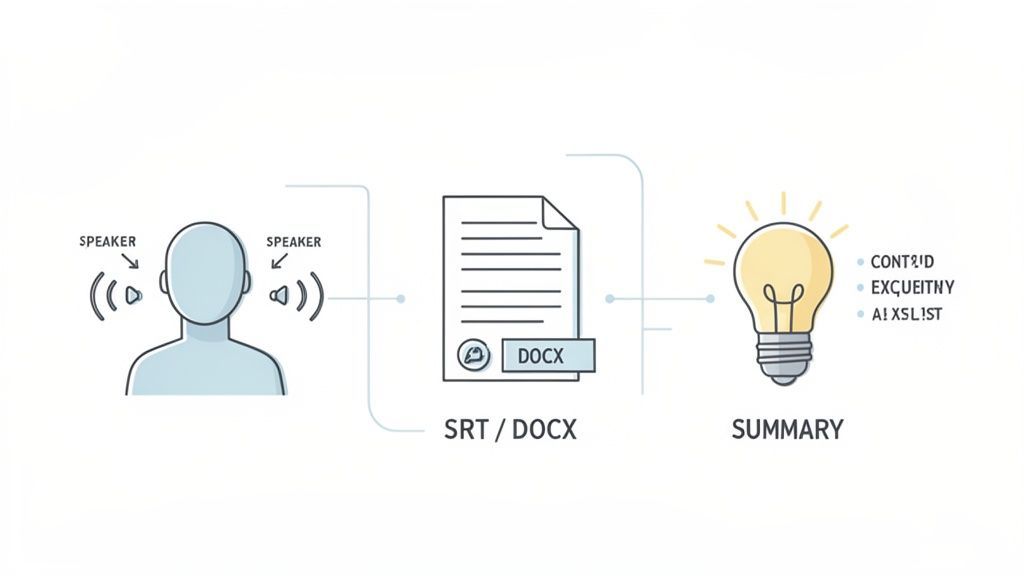
Questa distinzione è ciò che separa gli strumenti di base dalle piattaforme di livello professionale. È un aspetto importante in un mercato in rapida crescita: il software detiene ora un enorme 74,6% della quota del mercato globale della trascrizione AI nel 2024. È per questo che le piattaforme ricche di funzionalità intelligenti cambiano le regole del gioco per podcaster, ricercatori e marketer. Puoi approfondire altre statistiche sul mercato della trascrizione AI su market.us.
Quindi, cosa dovresti cercare effettivamente? Analizziamo i requisiti indispensabili.
Funzionalità che rendono le trascrizioni più utili

Strumenti di modifica
Modifica le trascrizioni con strumenti potenti tra cui trova e sostituisci, assegnazione dei parlanti, formati di testo arricchito ed evidenziazione.

Esporta in più formati
Esporta le tue trascrizioni in più formati tra cui TXT, DOCX, PDF, SRT e VTT con opzioni di formattazione personalizzabili.
Riassunti e Chatbot
Genera riassunti e altri approfondimenti dalla tua trascrizione, prompt personalizzati riutilizzabili e chatbot per i tuoi contenuti.
Integrazioni
Collegati con i tuoi strumenti e piattaforme preferiti per ottimizzare il tuo flusso di lavoro di trascrizione.
Elenco delle funzionalità per il software di trascrizione automatica
Quando valuti diversi strumenti, è facile perdersi nel rumore del marketing. La tabella seguente lo supera, evidenziando le funzionalità che separano un semplice trascrittore da un vero e proprio motore di flusso di lavoro. Queste sono le cose che ti fanno risparmiare tempo e ti aiutano a creare contenuti migliori.
| Funzionalità | Perché è importante
Cosa puoi fare con le trascrizioni automatiche?
Trasforma le riunioni in piani d'azione
Converti lunghe discussioni in riassunti strutturati e liste di attività, assicurando che decisioni e responsabilità siano chiaramente documentate.
Crea contenuti più velocemente
Utilizza le trascrizioni per produrre rapidamente blog, newsletter, didascalie e post sui social media senza partire da zero.
Costruisci una knowledge base ricercabile
Archivia le trascrizioni come record ricercabili in modo che idee, citazioni e decisioni importanti non vadano mai perse.
Migliora l'accessibilità istantaneamente
Rendi i contenuti audio e video accessibili a pubblici sordi o con problemi di udito utilizzando didascalie accurate e versioni testuali.
Prendi un podcaster che ha appena terminato un'intervista di un'ora. Quella registrazione era un tempo il prodotto finale. Ora, è la materia prima per un'esplosione di contenuti. In pochi minuti, una trascrizione completa diventa un post del blog, note dettagliate dello show e una ancora di salvezza per i membri del pubblico con problemi di udito.
Da lì, possono estrarre le migliori citazioni per creare contenuti per i social media per una settimana. La trascrizione è il fondamento di tutto, trasformando una singola registrazione in una dozzina di risorse che conferiscono all'episodio una portata e un impatto molto maggiori.
Trasformare i flussi di lavoro di marketing e aziendali
I team di marketing stanno vedendo lo stesso tipo di effetto a catena con i loro contenuti video. Un singolo webinar, una volta trascritto, può essere trasformato in più contenuti che generano lead. Quella trascrizione può essere rifinita in una guida approfondita, suddivisa in una serie di newsletter via email o utilizzata per creare brevi e incisivi clip video con sottotitoli perfettamente sincronizzati per i social media.
Si tratta di massimizzare il ritorno su ogni singolo video prodotto. E il mercato si sta adattando rapidamente. Il mercato statunitense della trascrizione è sulla buona strada per raggiungere i 41,93 miliardi di dollari entro il 2030, il che ti dice quanto questi strumenti stiano diventando essenziali. Puoi approfondire queste tendenze del mercato della trascrizione AI su brasstranscripts.com.
Una trascrizione trasforma un evento unico come un webinar o una riunione in una risorsa di conoscenza permanente e ricercabile. È la chiave per sbloccare le informazioni intrappolate nei tuoi file audio e video.
In un contesto aziendale, questa tecnologia crea una libreria ricercabile di conoscenze aziendali. Pensa a tutte le decisioni, le azioni e le idee brillanti che vanno perse dopo la fine di una riunione. Con la trascrizione automatica, ogni riunione diventa un registro ricercabile. Un project manager può trovare istantaneamente chi ha concordato una scadenza o recuperare i punti chiave da una sessione di brainstorming settimane dopo. Nulla sfugge, la responsabilità riceve una seria spinta e le grandi idee non vengono mai perse. Per ulteriore ispirazione, consulta la nostra guida sull'uso della trascrizione per la creazione di contenuti.
Strumenti essenziali per professionisti specializzati
Oltre ai team di contenuti e aziendali, i professionisti specializzati si affidano alla trascrizione automatica per rispettare scadenze ravvicinate e mantenere un'accuratezza impeccabile.
- Giornalisti: Quando un'intervista finisce, il tempo stringe. La trascrizione automatica fornisce una prima bozza quasi istantanea, consentendo ai giornalisti di trovare citazioni e costruire le loro storie in pochi minuti, non in ore di noiosa digitazione.
- Educatori e studenti: I professori possono offrire trascrizioni delle loro lezioni, rendendo le lezioni accessibili a tutti, compresi gli studenti con disabilità o quelli che imparano l'inglese. Gli studenti possono registrare le lezioni e utilizzare le trascrizioni per studiare in modo più efficace, cercando parole chiave invece di scorrere ore di audio.
- Professionisti legali: Nel mondo legale, l'accuratezza è tutto. Il software di trascrizione aiuta i team legali a documentare rapidamente deposizioni, incontri con i clienti e procedimenti giudiziari, creando un registro testuale preciso e ricercabile che può essere rivisto e citato in un attimo.
In ognuno di questi casi, il software è un moltiplicatore di produttività. Si occupa del lavoro estenuante di convertire il parlato in testo, liberando i professionisti per concentrarsi sulle parti creative, strategiche e analitiche del loro lavoro. È un perfetto esempio di come l'automazione risolva sfide reali e quotidiane.
Come scegliere il software di trascrizione giusto
Scegliere il software di trascrizione automatica giusto può sembrare opprimente. Il mercato è inondato di strumenti che promettono la luna in termini di accuratezza e funzionalità. Quindi, come si fa a farsi strada tra il rumore e trovare quello che funziona davvero per te?
Il segreto è smettere di farsi distrarre da elenchi di funzionalità appariscenti e iniziare con alcune semplici domande sui propri obiettivi. Qual è il motivo principale per cui hai bisogno di trascrivere qualcosa? Si tratta di trasformare un podcast in un post del blog, documentare riunioni di team o rendere accessibili i tuoi video con sottotitoli? La tua risposta chiarirà immediatamente ciò che conta davvero.
Questo albero decisionale aiuta a visualizzare come il tuo ruolo, che tu sia un podcaster, un marketer o un team leader, modella le tue priorità.
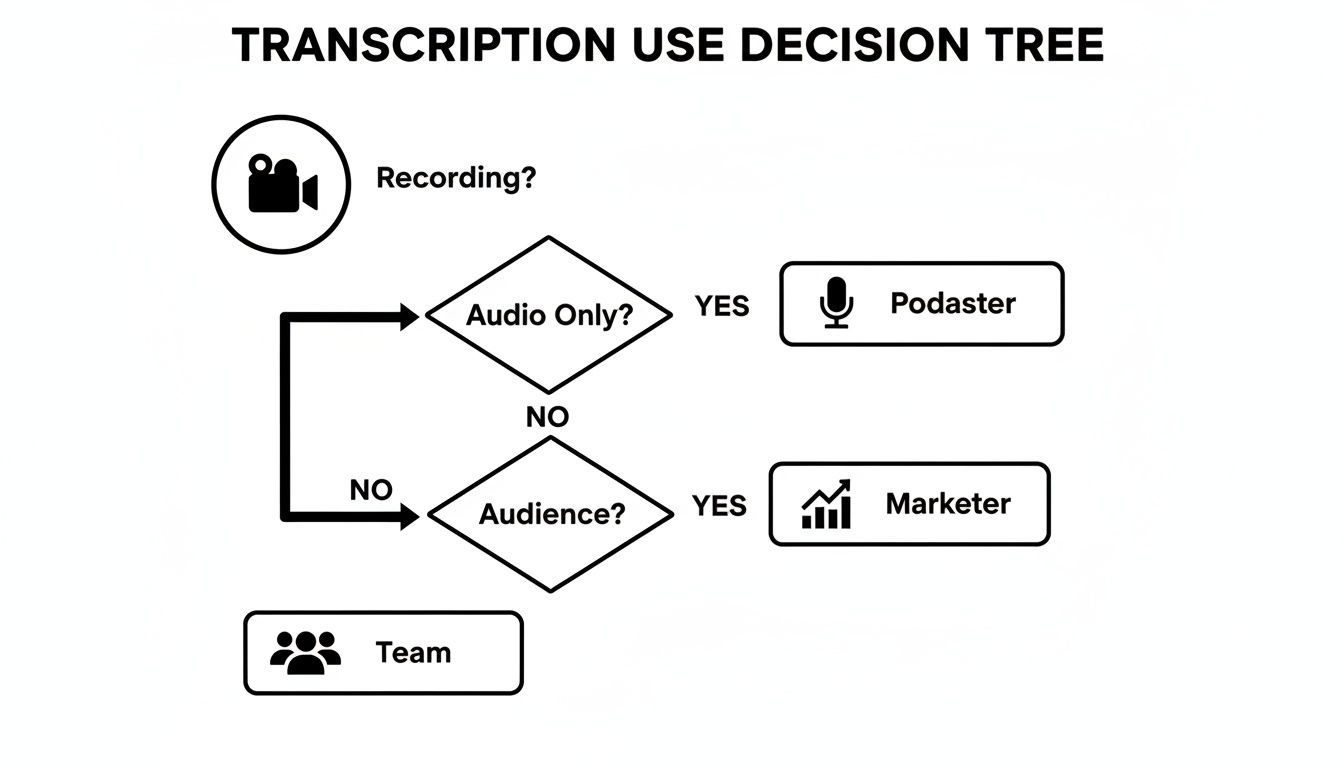
Come puoi vedere, il tuo lavoro principale determina quali funzionalità utilizzerai maggiormente. Un podcaster otterrà il massimo valore dal riutilizzo dei contenuti AI, mentre un team aziendale avrà bisogno di strumenti di collaborazione solidi e di etichettatura degli altoparlanti.
Costruisci il tuo punteggio
Per prendere una decisione informata, crea un semplice punteggio per valutare diverse piattaforme. Questo ti costringe a confrontarli oggettivamente invece di seguire solo l'istinto. Il tuo punteggio dovrebbe concentrarsi sulle poche aree chiave che avranno il maggiore impatto sul tuo flusso di lavoro quotidiano.
Usa questi criteri come punto di partenza. Per ognuno, chiediti quanto sia importante su una scala da uno a cinque.
- Accuratezza e affidabilità: Quanto vicino alla perfezione deve essere la trascrizione? Stai lavorando con audio da studio cristallino o registrazioni rumorose dal campo?
- Integrazioni del flusso di lavoro: Il software funziona bene con gli strumenti che già utilizzi, come Google Drive, Dropbox o YouTube? Connessioni fluide fanno risparmiare un sacco di tempo.
- Funzionalità di collaborazione: Avrai più persone che necessitano di visualizzare, modificare o commentare le trascrizioni? Se è così, cerca spazi di lavoro condivisi e gestione degli utenti.
- Funzionalità basate sull'IA: Hai bisogno di più di un semplice muro di testo? Funzionalità rivoluzionarie come riepiloghi automatici, rilevamento di elementi d'azione o generatori di post per i social media possono moltiplicare la tua produttività.
- Privacy e sicurezza dei dati: Quanto è sensibile il tuo audio? Assicurati che il provider abbia una politica chiara e trasparente sull'utilizzo dei dati e confermi che non utilizzerà i tuoi file per addestrare i propri modelli.
Scegliere il software giusto non significa trovare lo strumento "migliore" in assoluto, ma trovare la soluzione giusta. Una piattaforma perfetta per un giornalista freelance potrebbe essere una scelta terribile per una grande azienda con stringenti esigenze di sicurezza.
Confronto delle tue opzioni
Una volta che sai cosa stai cercando, puoi iniziare a valutare strumenti come Transcript.LOL rispetto al tuo punteggio. Ad esempio, se la collaborazione di squadra è la tua priorità assoluta, uno strumento con prezzi basati sul team e cartelle condivise otterrà un punteggio molto più alto rispetto a uno costruito per un singolo utente.
Questa tabella ti offre un modo strutturato per pensare al processo, collegando le tue esigenze direttamente a ciò che una piattaforma può offrire.
Come scegliere il tuo software di trascrizione
Una guida basata sui criteri per aiutarti a valutare e selezionare il software giusto in base alle tue esigenze specifiche.
| Criterio di valutazione | Cosa chiedersi | Come Transcript.LOL affronta questo |
|---|---|---|
| Caso d'uso primario | Sto creando contenuti, documentando riunioni o migliorando l'accessibilità? | Offre generazione di contenuti AI per creatori e una solida etichettatura degli altoparlanti per le note delle riunioni. |
| Budget e prezzi | Ho bisogno di un modello pay-as-you-go o di un abbonamento? Quanti utenti necessitano di accesso? | Offre piani flessibili per individui e team, garantendo l'efficacia dei costi man mano che le tue esigenze crescono. |
| Requisiti di esportazione | Quali formati finali mi servono (ad esempio, .SRT per sottotitoli, .DOCX per articoli)? | Fornisce esportazioni con un clic in tutti i principali formati, inclusi SRT, VTT, DOCX e PDF. |
| Facilità d'uso | Quanto è intuitiva la piattaforma? Richiederà una formazione significativa per il mio team? | Presenta un'interfaccia pulita e semplice progettata per un'adozione rapida con una curva di apprendimento minima. |
Utilizzando un approccio strutturato come questo, puoi scegliere con sicurezza un servizio di trascrizione che non solo risolva i tuoi problemi immediati, ma cresca anche con te in futuro.
Dalla trascrizione ai contenuti attuabili
Una trascrizione grezza è davvero solo il punto di partenza. Il suo vero potere non è nelle parole stesse, ma in ciò che fai con esse successivamente. Il moderno software di trascrizione è costruito per essere più di una macchina da dettatura: è un motore di produttività che può alimentare l'intero tuo flusso di lavoro. Si tratta di trasformare quel muro di testo in riepiloghi, attività e follow-up in pochi secondi.
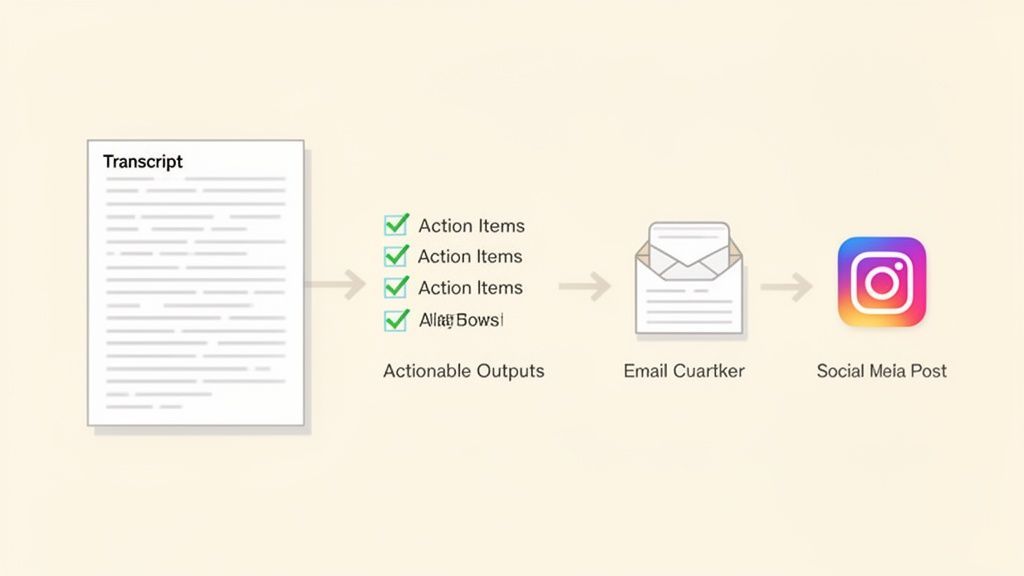
Supponiamo che tu abbia appena terminato una riunione di progetto critica di un'ora. Invece di passare i successivi trenta minuti a cercare di dare un senso ai tuoi appunti disordinati, carichi la registrazione. In pochi minuti, ricevi una trascrizione pulita con ogni relatore perfettamente etichettato. È qui che inizia la vera magia.
Il flusso di lavoro automatizzato in azione
Con la tua trascrizione pronta, puoi ora utilizzare gli strumenti AI integrati per elaborare istantaneamente l'intera conversazione. Ecco un flusso di lavoro semplice e potente che chiunque può utilizzare:
-
Genera un riepilogo conciso: Con un singolo clic, l'IA condensa l'intera discussione di 60 minuti in alcuni paragrafi chiari. È perfetto da condividere con gli stakeholder che hanno perso la riunione o che necessitano solo dei punti chiave senza leggere ogni parola.
-
Estrai gli elementi d'azione: Successivamente, dici all'IA di estrarre tutti i compiti e le decisioni. Scansiona il testo e produce un elenco ordinato e puntato di chi è responsabile di cosa, insieme a eventuali scadenze menzionate. Questo elimina praticamente il rischio che follow-up importanti sfuggano.
-
Bozza un'email di follow-up: Infine, puoi utilizzare un altro prompt AI per creare una bozza di un'email di follow-up professionale al team. L'IA utilizza il riepilogo e gli elementi d'azione per creare un messaggio chiaro e conciso pronto per essere inviato, facendoti risparmiare un sacco di tempo sul lavoro amministrativo.
Questo processo senza interruzioni, dalla registrazione alla trascrizione all'azione, è un cambiamento fondamentale. Il miglior software non ti fornisce solo parole; offre risultati. Chiude il cerchio tra discussione ed esecuzione, assicurando che ogni conversazione porti a progressi reali.
L'obiettivo finale della trascrizione moderna è ridurre il tempo tra una conversazione e la sua azione risultante. Un flusso di lavoro AI integrato rende questa connessione quasi istantanea, trasformando le idee espresse in compiti documentati.
Sfrutta più valore dai tuoi contenuti
Una volta ottenuta quella trascrizione pulita, puoi esplorare tutti i tipi di strategie di riutilizzo dei contenuti attuabili per ottenere ancora più valore da essa. Quella trascrizione della riunione può facilmente diventare la base per la documentazione interna, una nuova guida di formazione o persino un post del blog pubblico sull'ultimo progetto del tuo team. Questo approccio garantisce di estrarre ogni goccia di valore dai tuoi contenuti registrati.
Domande frequenti
Mentre concludiamo, alcune domande potrebbero ancora rimbalzare nella tua testa. Scegliere lo strumento di trascrizione giusto significa pensare a tutto, dalla sicurezza alla gestione dell'audio non perfetto. Affronteremo le più comuni qui per aiutarti a fare una scelta informata.
Andremo dritti al punto su preoccupazioni importanti come la privacy dei dati, i diversi modelli di prezzo e cosa aspettarsi quando l'audio non è di qualità da studio.
Quanto sono sicuri i miei dati con il software di trascrizione?
Questa è, senza dubbio, una delle domande più importanti. Spesso trascrivi riunioni sensibili, interviste private o appunti personali. Qualsiasi servizio affidabile prende sul serio questo aspetto. Cerca sempre un provider che abbia una politica cristallina che dichiari che non utilizzerà i tuoi dati per addestrare i propri modelli AI.
Oltre a ciò, le piattaforme di alto livello utilizzano una forte crittografia per proteggere i tuoi file dal momento in cui li carichi fino a quando non vengono archiviati sui loro server. Strumenti come Transcript.LOL sono costruiti con questo livello di sicurezza, assicurando che le tue conversazioni rimangano completamente riservate e vengano utilizzate solo per generare la tua trascrizione.
Cosa succede se la qualità del mio audio è scarsa?
Siamo onesti: anche il software di trascrizione AI più intelligente ha difficoltà con l'audio scadente. Cose come il rumore di fondo, le persone che parlano contemporaneamente e gli accenti marcati possono aumentare notevolmente il tasso di errore delle parole (WER). Ma gli strumenti migliori hanno alcuni assi nella manica per aiutare.
- Riduzione del rumore: Alcune piattaforme possono applicare filtri per ripulire automaticamente ronzii o statiche di fondo fastidiosi prima ancora che inizi la trascrizione.
- Etichettatura degli altoparlanti: Anche se il dialogo diventa confuso, sapere chi ha detto cosa rende il testo finale infinitamente più leggibile.
- Editor interattivi: Un buon editor è un must. Ti consente di fare clic su una parola, ascoltare quel preciso pezzo di audio e correggere eventuali errori in pochi secondi.
Sebbene nessuna IA possa fare miracoli, un servizio di qualità può comunque fornirti una solida prima bozza da una registrazione difficile. Già questo ti farà risparmiare un sacco di tempo rispetto a partire da zero.
La qualità di qualsiasi trascrizione automatica è direttamente legata alla chiarezza dell'audio che le fornisci. Puntare semplicemente a una registrazione pulita con rumore di fondo minimo può fare la differenza tra l'80% di accuratezza su un file confuso e oltre il 95% su un file pulito.
In che modo i modelli di prezzo differiscono?
I prezzi della trascrizione di solito si presentano in due forme, e conoscere la differenza può farti risparmiare un sacco di soldi.
-
Pay-As-You-Go: Questo modello è esattamente ciò che sembra: paghi per minuto o per ora di audio che trascrivi. È perfetto per le persone che necessitano di trascrizioni solo occasionalmente. Se hai solo pochi progetti una tantum, questa è facilmente la strada più conveniente.
-
Piani di abbonamento: Questi piani ti offrono un certo numero di ore di trascrizione ogni mese per una tariffa fissa. Gli abbonamenti sono un gioco da ragazzi per podcaster, marketer, ricercatori e team che trascrivono costantemente contenuti. Di solito ottieni una tariffa per minuto molto più bassa e spesso ottieni vantaggi aggiuntivi come strumenti di collaborazione di squadra.
La scelta giusta dipende davvero dal tuo flusso di lavoro e da quanto audio prevedi di elaborare ogni mese.
Pronto a trasformare il tuo audio e video in testo accurato e utilizzabile? Transcript.LOL offre una piattaforma potente, sicura e facile da usare progettata per tutte le tue esigenze di trascrizione. Provalo gratuitamente oggi stesso!