
Using an AI Note Taker for Zoom Meetings
Discover how to use an AI note taker for Zoom to streamline your workflow. This guide offers practical tips for setup, use, and advanced features.
Kate
August 28, 2024
Un assistente AI per Zoom è uno strumento che si unisce automaticamente alle tue riunioni per trascrivere la conversazione, estrarre i punti chiave e creare un riassunto che puoi effettivamente utilizzare. Pensalo come un assistente dedicato, che ti libera dalla digitazione frenetica in modo da poter rimanere completamente presente nella conversazione.
Perché gli assistenti AI per Zoom sono un must
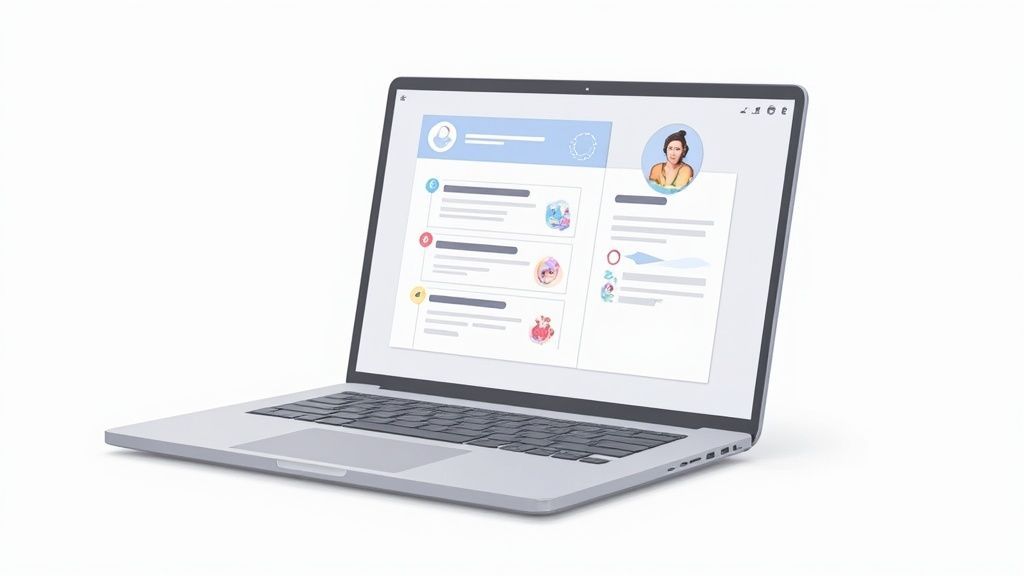
Ti sei mai trovato a cercare di ascoltare attivamente e prendere appunti coerenti allo stesso tempo? È un classico problema del lavoro da remoto. O sei impegnato nella discussione o la stai registrando: è quasi impossibile fare entrambe le cose bene. Questa attenzione divisa porta a mancare i punti d'azione, a un ricordo confuso delle decisioni chiave e a quell'orribile corsa post-riunione per dare un senso ai propri scarabocchi.
È esattamente qui che entra in gioco un assistente AI per Zoom. Non si tratta solo di ottenere una trascrizione parola per parola. Si tratta di recuperare la tua concentrazione e rendere più intelligente tutto il tuo team.
Smart Features That Make AI Note Taking Powerful
IA all'avanguardia
Alimentato da Whisper di OpenAI per una precisione leader nel settore. Supporto per vocabolari personalizzati, file fino a 10 ore e risultati ultra rapidi.

Importa da più fonti
Importa file audio e video da varie fonti tra cui caricamento diretto, Google Drive, Dropbox, URL, Zoom e altro.

Esporta in più formati
Esporta le tue trascrizioni in più formati tra cui TXT, DOCX, PDF, SRT e VTT con opzioni di formattazione personalizzabili.
Manual vs AI Note Taking: A Quick Comparison
See the stark differences in efficiency, accuracy, and post-meeting value between taking notes by hand and using an AI assistant for your Zoom calls.
| Aspect | Manual Note Taking | AI Note Taker |
|---|---|---|
| Focus | Divided attention, constant context-switching | Fully engaged in the conversation |
| Accuracy | Prone to errors, omissions, and personal bias | Near-perfect, objective transcription |
| Speed | Slow, often can't keep up with fast speakers | Real-time, instant capture of every word |
| Searchability | Difficult to find specific details later | Instantly searchable by keyword |
| Outputs | Basic notes, requires manual summarizing | Full transcripts, summaries, action items |
The takeaway is clear: automation doesn't just save time, it fundamentally improves the quality and utility of your meeting records.
Why This Matters for Teams
AI note takers eliminate manual effort and reduce errors. Teams get cleaner, more accurate meeting records instantly. This leads to better decision-making and more reliable documentation.
Moving Beyond Simple Transcription
Imagine this: a project manager needs to remember a specific client decision made two weeks ago. Instead of digging through old docs or Slack channels, they just search the meeting transcript and find it in seconds. Or think of a sales team that automatically logs every customer commitment without someone having to do tedious data entry into a CRM.
That's the real power here. An AI assistant turns your fleeting conversations into a permanent, searchable knowledge base. It creates a reliable system of record, killing the "he said, she said" arguments that can derail projects and making accountability crystal clear. This is quickly becoming the standard for high-performing teams.
How Teams Use AI Note Takers
Client Meetings
Captures requirements, commitments, and important client feedback. Helps teams avoid misunderstandings. Ensures seamless follow-ups.
Project Discussions
Keeps track of decisions and next steps automatically. Reduces confusion within the team. Makes project execution smoother.
Sales Calls
Logs customer objections and interests instantly. Helps optimize sales pitches. Improves CRM data quality.
Training & Onboarding
Documents internal knowledge for new hires. Provides searchable learning materials. Boosts team productivity over time.
Se sei curioso di sapere come si confronta con i metodi della vecchia scuola, la nostra guida su prendere appunti alle riunioni lo illustra.
La crescente domanda di assistenti intelligenti
La crescita del mercato racconta la storia. Si prevede che lo spazio di presa di appunti potenziato dall'IA salterà da 450,7 milioni di dollari nel 2023 a ben 2,545 miliardi di dollari entro il 2033. Questa non è solo una tendenza di nicchia; è un cambiamento importante. Le aziende stanno investendo seriamente in strumenti che eliminano il trascinamento amministrativo e consentono alle loro persone di svolgere un lavoro più significativo.
Automatizzando il noioso compito di prendere appunti, i team possono dedicare la loro energia cognitiva a ciò che conta veramente: la risoluzione creativa dei problemi, il pensiero strategico e la costruzione di relazioni più solide con colleghi e clienti.
Scegliere e collegare il tuo assistente di appunti AI
Siamo onesti, scegliere un assistente di appunti AI per Zoom può sembrare un po' un gioco d'azzardo. Stai cercando di trovare quel punto ideale tra accuratezza della trascrizione, le giuste integrazioni e un prezzo che non ti faccia lacrimare gli occhi.
Un responsabile marketing potrebbe semplicemente volere riassunti puliti e condivisibili inviati su Slack, ma un project manager probabilmente ha bisogno di uno strumento che si integri direttamente con Asana o Salesforce per creare automaticamente attività. Trovare uno strumento che identifichi correttamente gli oratori e comprenda effettivamente le azioni da intraprendere può farti risparmiare ore di lavoro di pulizia in seguito.
Prima di impegnarti, ecco cosa cercare:
- Accuratezza della trascrizione: Quanto bene gestisce il gergo specifico del tuo settore? Provalo.
- Riassunti e punti salienti: Estrae i punti chiave che ti interessano davvero?
- Integrazioni chiave: Assicurati che funzioni bene con il tuo stack esistente, come Slack, Salesforce o qualsiasi altra cosa utilizzi quotidianamente.
Una volta trovato il vincitore, collegarlo a Zoom è piuttosto semplice.
Basta andare nelle impostazioni di amministrazione di Zoom e trovare il Marketplace delle app. Da lì, puoi cercare il tuo assistente di appunti e autorizzarlo come app di terze parti. Il passo successivo cruciale è abilitare la Registrazione cloud nelle impostazioni di Gestione registrazioni. Questo è ciò che dà al tuo nuovo assistente AI il permesso di accedere automaticamente all'audio della riunione.
Ecco una rapida occhiata a dove troverai quell'interruttore nelle impostazioni di Zoom.
Attivare quell'interruttore è la magia che consente al tuo assistente di appunti di fare il suo lavoro senza che tu debba caricare manualmente un singolo file.
More Smart Features

Rilevamento dei parlanti
Identifica automaticamente diversi parlanti nelle tue registrazioni e etichettali con i loro nomi.

Strumenti di modifica
Modifica le trascrizioni con strumenti potenti tra cui trova e sostituisci, assegnazione dei parlanti, formati di testo arricchito ed evidenziazione.
Riassunti e Chatbot
Genera riassunti e altri approfondimenti dalla tua trascrizione, prompt personalizzati riutilizzabili e chatbot per i tuoi contenuti.
Finalizing Your Setup
With the Zoom permissions handled, you can integrate your chosen tool with a platform like Transcript.LOL to keep all your transcripts and summaries in one place.
If you're a fan of automation (who isn't?), you can use our Zapier connector to push action items directly into Asana or your CRM. This closes the loop and turns conversation into action. You can set it up for real-time workflows—where meetings are recorded and summarized as they happen—or opt for a post-meeting review to polish summaries before sharing them.
By 2025, the field has really been defined by tools like Jamie, Zoom AI Companion, and Fireflies. They've set the standard with real-time transcription, solid speaker recognition, and genuinely useful summaries with task detection. Jamie even has a free plan for 10 meetings per month (with a 30-minute limit), plus executive plans for those who need unlimited meetings. You can read more about these top contenders at meetjamie.ai.
Bringing It All Together
Once your permissions are granted and integrations are live, your AI note taker becomes more than just a recorder—it's a searchable knowledge base for your entire team.
If you're still weighing your options, check out our guide on the best meeting transcription software for a deeper dive.
Now you can walk into your next meeting with the confidence that every word, task, and decision is being captured for you. For teams serious about efficiency, an AI note taker isn't a luxury anymore; it's becoming essential.
Tips And Best Practices
A little prep goes a long way. Before your calls, do a quick audio check. Good, clear audio from a well-placed microphone makes a massive difference in transcription quality.
Most great tools have a custom vocabulary feature. Use it. Teaching the AI your company’s acronyms and industry-specific terms upfront will slash your editing time later. It's also a good habit to periodically review a few transcripts to catch and correct any recurring errors, which helps train the model over time.
Having a hiccup? Here are a few quick fixes for common issues:
- Assistant won't join? Double-check your API keys and make sure your Zoom account type is compatible.
- Speakers getting mixed up? Dive into the settings and confirm that speaker detection is enabled.
- Summaries missing action items? See if you can adjust the keyword sensitivity or triggers within the tool's settings.
Following these steps will help you get the most out of your AI note taker, ensuring it works reliably and adds real value.
Go ahead and get started. It’s time to change how your team captures knowledge from meetings.
Enjoy
Integrating the AI into Your Meeting Workflow
An AI note taker for Zoom really starts to shine when it becomes an invisible, automatic part of your daily rhythm. The goal is to move it from a novelty to a necessity, and that happens when you weave it into the entire meeting lifecycle—before, during, and after the call. This is how the tool evolves from a simple recorder into a genuine productivity partner.
Getting started just takes a few simple setup steps to make sure everything runs smoothly. This initial configuration is what unlocks its full potential.
This infographic lays out the whole setup process into three core steps: selection, authorization, and integration.
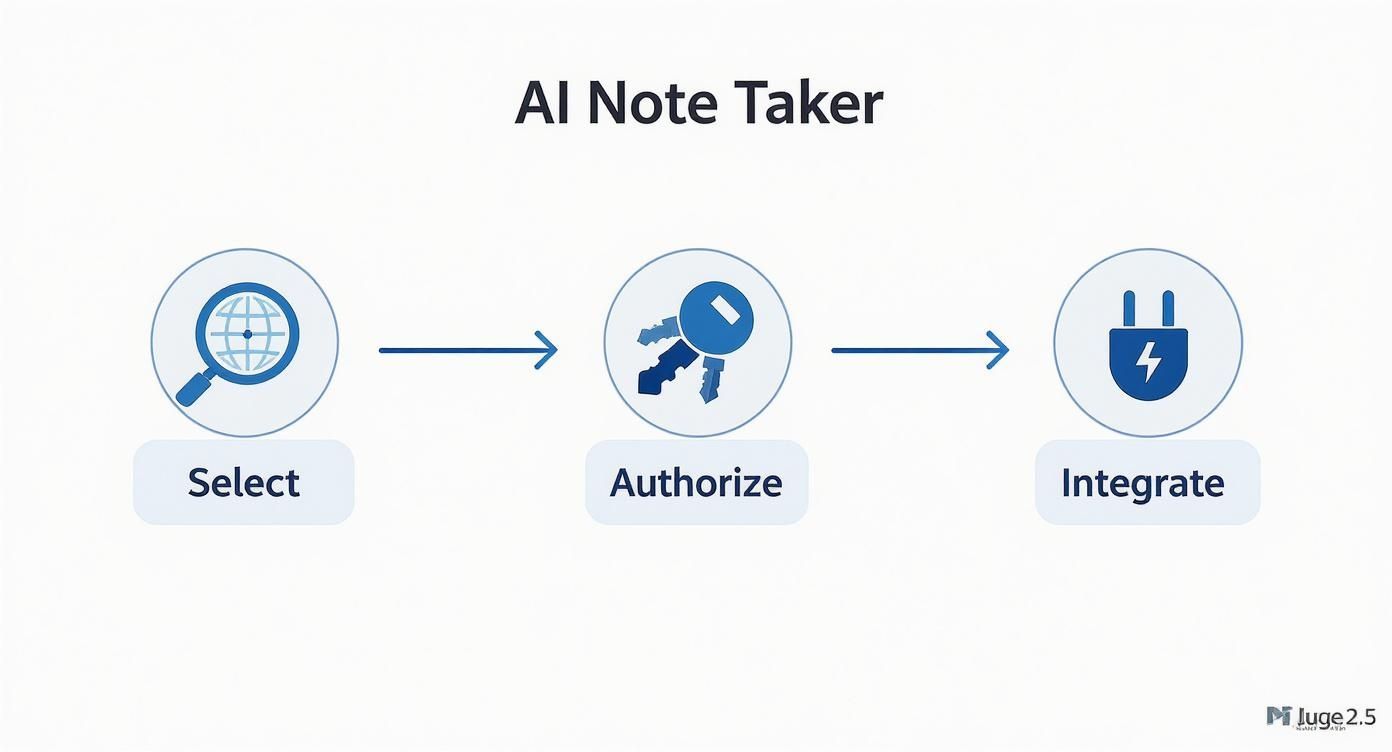
As you can see, a successful integration isn't about jumping through complex technical hoops. It's more of a logical flow of granting permissions and connecting the right systems.
Before Your Meeting Starts
The best work often happens before the meeting even kicks off. By connecting your AI note taker to your Google or Outlook calendar, you can set it to automatically join scheduled Zoom calls. It just shows up like any other attendee, ready to work without you lifting a finger.
This one simple automation completely eliminates that "Oh, I forgot to hit record" moment. A recent survey found that nearly 75% of team leaders spend a significant amount of time on meeting notes each week. Automating the capture process is the first step to getting that time back.
Pro Tip: For recurring meetings like weekly team syncs or project stand-ups, this calendar integration is a non-negotiable. It guarantees you have a complete, unbroken record of every discussion and decision throughout the project's life.
During the Live Conversation
While the AI handles the heavy lifting of transcription, your role shifts from being the scribe to being an active participant. You can now focus entirely on the conversation, but there are still smart ways to interact with the tool in real-time.
Many advanced tools let you flag key moments live. If a client makes a critical request or your team nails down a major deadline, you can add a marker or a quick comment in the live transcript. This makes finding that exact point in a 60-minute recording incredibly easy later on.
Imagine a product team in a user feedback session. They can flag every time a user mentions a specific pain point. Instead of re-watching the whole call, they can jump directly to those highlighted moments, saving hours of review.
After the Meeting Ends
This is where your AI note taker for Zoom really delivers its value. Within moments of the call ending, you get a full transcript, a concise summary, and a list of action items. Your job now is to refine and distribute this intelligence.
- Refine the Summary: AI summaries are good, but they sometimes miss the nuance. Take two minutes to review it, making sure it captures the meeting's tone and top priorities.
- Convert to Tasks: Drag and drop the AI-identified action items straight into your project management tool, whether it’s Asana, Trello, or something else. This closes the loop between discussion and execution.
- Share with Stakeholders: Send the polished summary to attendees and anyone who couldn't make it. This keeps everyone aligned without forcing them to read a dense, word-for-word transcript.
If you have a backlog of recordings, you can process them after the fact, too. For a simple guide, you can learn more about importing from Zoom to get all your past meetings into the new system. By building these simple habits, your team can turn conversations into a structured, searchable, and actionable asset.
Advanced Strategies To Maximize Your Tool
Once you’ve conquered the fundamentals, your AI note taker for Zoom can become much more than a transcript generator. It’s about automating follow-ups, surfacing critical insights, and building a truly searchable knowledge base that teams rely on daily.
Think about custom triggers for your most common meeting cues. When someone says “next steps” or “send a proposal,” you could:
- Create a task in Salesforce and assign it to the account owner
- Send a templated summary email to stakeholders
- Flag action items in your project tracker for quick review
These simple automations ensure nothing slips through the cracks.
Powerful Automations You Can Enable
Auto Task Creation
Convert phrases like “next steps” into actionable tasks. Directly send them to Asana, Trello, or Notion. Zero manual entry.
Summary Email Triggers
Automatically send meeting digests to stakeholders. Ensures everyone stays aligned. Perfect for busy teams.
CRM Updates
Sync customer responses into Salesforce instantly. Improves follow-up quality. Helps sales teams close faster.
Custom Alerts
Alert you when specific keywords appear in meetings. Ideal for compliance, sales, or product teams. Helps track important patterns.
Building A Central Knowledge Hub
Every call holds value—feedback from clients, shifts in strategy, or quick internal brainstorms. Let your transcripts accumulate into one powerful archive instead of scattering notes across tools.
With this hub in place, a product manager might:
- Search all mentions of a “competitor’s feature” from last quarter
- Pull up decisions made in a specific project meeting
- Spot recurring client requests without digging through email threads
By turning transient conversations into a structured, searchable database, you create a single source of truth. Miscommunications drop, and everyone taps into the same context instantly.
2025 Update on Team Knowledge Management
Modern tools now combine transcripts, summaries, and smart search. Teams can instantly pull decisions from months or years back. Knowledge becomes permanent and accessible to everyone.
Utilizzo delle trascrizioni per il coaching del team
Il coaching basato sulle trascrizioni elimina le congetture. Invece di guardare una demo dal vivo, puoi rivedere esattamente come sono state gestite le obiezioni o quanto efficacemente è stato spiegato un argomento complesso.
Ciò offre:
- Feedback oggettivo e basato sull'evidenza
- Esempi concreti per il miglioramento
- Un modo a bassa pressione per i membri del team per auto-riflettersi
In settori come i servizi finanziari, i gestori patrimoniali si affidano a trascrizioni dettagliate per la conformità e per elevare le conversazioni con i clienti. Una valutazione del 2025 ha mostrato che le migliori piattaforme si integrano con Zoom, CRM e Google Calendar (https://calendar.google.com) per attivare follow-up intelligenti tra i sistemi.
Oltre a prendere appunti, puoi trasformare i tuoi riassunti in deliverable curati. Scopri come brevi estratti e punti dati alimentano la creazione di presentazioni convincenti con l'IA, trasformando le trascrizioni grezze nella spina dorsale del tuo prossimo report o deck per clienti.
Implementa queste strategie e il tuo prendi appunti AI passa da registratore passivo a parte indispensabile del flusso di lavoro del tuo team.
Navigare sicurezza, privacy e problemi comuni
Affidare le conversazioni del tuo team a un prendi appunti AI per Zoom richiede fiducia. È un grande passo. Devi sapere esattamente come vengono gestiti i tuoi dati, dove vengono archiviati e chi vi ha accesso. Mentre valuti diversi strumenti, dai priorità ai fornitori con politiche sui dati chiare e trasparenti.
Prima di impegnarti con qualsiasi strumento AI, fai i tuoi compiti. Ad esempio, dovresti essere in grado di rivedere facilmente la loro politica sulla privacy e comprendere i loro impegni. Cerca dichiarazioni esplicite che confermino che non utilizzano i tuoi dati per addestrare i loro modelli AI. Una certificazione SOC 2 è un altro ottimo segno di un'azienda che prende sul serio la sicurezza.
Stabilire linee guida per il team
La trasparenza non è solo per il fornitore, è fondamentale anche all'interno del tuo team. L'ultima cosa che vuoi è che l'assistente AI sia un ospite a sorpresa in una chiamata.
Stabilisci una politica chiara e semplice: l'ospite della riunione deve annunciare all'inizio della chiamata che viene trascritta da un'IA.
Un rapido avviso è tutto ciò che serve. Qualcosa come: "Solo per informare tutti, stiamo utilizzando un prendi appunti AI per registrare questa conversazione per i nostri archivi", funziona perfettamente. Costruisce fiducia e assicura che tutti si sentano a proprio agio, il che è fondamentale sia per la conformità legale che per la cortesia professionale.
Always Get Consent Before Recording
Some regions have strict recording laws. Make sure every participant knows the meeting is being transcribed. This avoids legal issues and builds trust.
Questo semplice atto evita qualsiasi imbarazzo e aiuta a creare una cultura di trasparenza su come stai utilizzando la tecnologia per lavorare in modo più intelligente.
Risoluzione rapida dei problemi comuni
Anche il miglior registratore di appunti AI per Zoom può incontrare degli intoppi. Invece di frustrarti, ecco alcune soluzioni rapide per i problemi che si presentano più spesso.
- Il bot non riesce a unirsi: Nove volte su dieci, questo è un problema di permessi. Contatta il tuo amministratore Zoom per assicurarti che abbia autorizzato l'app. Vale anche la pena ricontrollare che le impostazioni del tuo account personale consentano la registrazione cloud.
- L'etichettatura degli oratori non è corretta: Se l'IA confonde gli oratori, la prima cosa da controllare è che il nome Zoom di ogni partecipante sia chiaro e distinto. Nomi vaghi come "iPhone" o "Team Vendite" causeranno quasi sempre confusione. Inoltre, controlla le impostazioni dello strumento e verifica che l'identificazione dell'oratore sia abilitata.
- Il gergo aziendale viene distorto: Questo è un classico problema di accuratezza. La maggior parte degli strumenti di alto livello offre una funzione di "vocabolario personalizzato". Dedica cinque minuti per aggiungere gli acronimi della tua azienda, i nomi unici dei prodotti e i termini specifici del settore. Stai essenzialmente insegnando all'IA il tuo linguaggio interno.
Ottenere trascrizioni pulite e accurate spesso si riduce a poche piccole modifiche. Se vuoi approfondire, puoi saperne di più su cosa influenza realmente l'accuratezza del parlato-testo e come ottenere risultati migliori. Un piccolo sforzo iniziale può farti risparmiare un sacco di tempo di modifica in seguito e mantenere il tuo flusso di lavoro fluido.
Domande scottanti sui registratori di appunti AI per Zoom
Saltare nel mondo delle note automatiche per le riunioni di solito suscita alcune domande. Ottenere risposte dirette è fondamentale per adottare un registratore di appunti AI per Zoom con fiducia, in modo da sapere esattamente cosa aspettarsi dal primo giorno. Approfondiamo alcune delle cose più comuni che le persone chiedono.
Ho davvero bisogno di un account Zoom a pagamento?
Mentre alcuni strumenti potrebbero tecnicamente essere in grado di partecipare a una riunione su un piano Zoom gratuito, quasi sempre vorrai un account a pagamento (come Pro o Business) per prestazioni affidabili. Ecco il punto: la maggior parte dei registratori di appunti AI deve accedere alla funzione di registrazione cloud di Zoom per accedere correttamente al flusso audio.
Gli account Zoom gratuiti non hanno questa funzione o hanno delle serie limitazioni. Un piano a pagamento garantisce essenzialmente che il tuo assistente AI possa connettersi senza problemi e ottenere l'audio di alta qualità di cui ha bisogno per trascrizioni accurate. È sempre saggio ricontrollare i requisiti per lo strumento specifico che stai valutando, ma una licenza Zoom a pagamento è praticamente lo standard per una configurazione fluida.
Come posso ottenere una migliore accuratezza della trascrizione?
È un problema classico: l'IA distorce il gergo specifico del tuo settore o gli acronimi aziendali. Il modo più efficace per risolvere questo problema è utilizzare un registratore di appunti che disponga di una funzione di vocabolario personalizzato. Questo ti permette di insegnare all'IA i tuoi termini specifici, i nomi dei marchi e il linguaggio tecnico prima che inizi ad ascoltare.
Onestamente, dedicare solo pochi minuti alla creazione di questo dizionario personalizzato può fare un'enorme differenza nell'accuratezza fin da subito. Alcune delle piattaforme più avanzate imparano anche dalle tue correzioni, quindi ripulire una trascrizione dopo una riunione aiuta effettivamente ad addestrare l'IA per la volta successiva.
Naturalmente, le basi contano ancora. Un audio buono e chiaro e una persona che parla alla volta daranno sempre a qualsiasi strumento di trascrizione una migliore possibilità di fare le cose per bene.
Le persone sapranno che un'IA è nella riunione?
Sì, ed è una buona cosa. Qualsiasi registratore di appunti AI affidabile è costruito per essere trasparente. Di solito si unirà alla chiamata come partecipante a sé stante, con un nome chiaro come "Transcript.LOL Bot" o "Fathom Assistant". Inoltre, Zoom stesso mostrerà tipicamente un'icona "Registrazione" o "Trascrizione" a tutti i partecipanti alla chiamata.
È una best practice fondamentale, sia per motivi legali che per semplici buone maniere, avvisare rapidamente all'inizio della riunione che un assistente AI è presente per trascrivere. È un semplice passo che tiene tutti informati e aiuta a costruire una cultura di riunione trasparente e confortevole.
Pronto a smettere di prendere appunti e iniziare a concentrarti sulla conversazione? Transcript.LOL offre la migliore accuratezza della categoria, rilevamento degli oratori e riepiloghi potenti per trasformare le tue riunioni Zoom. Provalo gratuitamente oggi stesso!