
Un guide moderne pour la prise de procès-verbaux de réunion
Maîtrisez l'art de la prise de procès-verbaux de réunion. Ce guide couvre la préparation, la prise de notes, la mise en forme et l'utilisation de l'IA pour des comptes rendus de réunion impeccables.
Kate, Praveen
February 10, 2026
Prendre des procès-verbaux de réunion ne consiste pas à écrire chaque mot prononcé. Il s'agit de créer un compte rendu clair et factuel de ce qui a été réellement discuté, décidé et assigné. Considérez-le comme la source unique de vérité qui responsabilise chacun et maintient tout le monde sur la même longueur d'onde.
Pourquoi des procès-verbaux de réunion impeccables sont plus importants que jamais
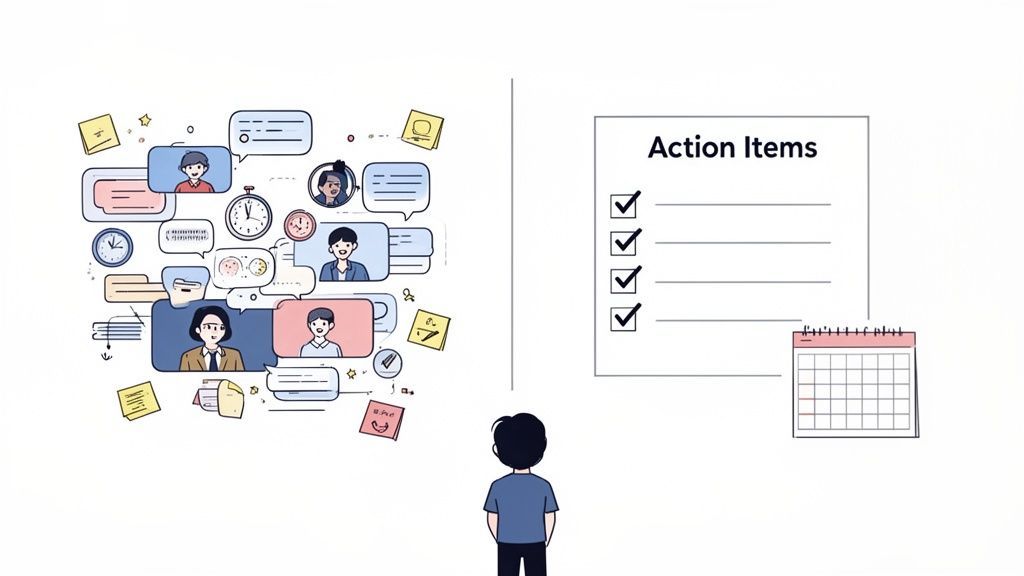
Soyons honnêtes : la plupart d'entre nous considèrent la prise de notes de réunion comme une corvée. Cela ressemble à un travail administratif fastidieux. Mais dans un monde d'appels virtuels qui s'enchaînent, des procès-verbaux clairs sont la bouée de sauvetage qui transforme les conversations chaotiques en progrès concrets. Ils sont la mémoire officielle de votre équipe, de votre projet, voire de toute l'entreprise.
Pourquoi les procès-verbaux comptent plus que les notes ?
Les procès-verbaux de réunion ne sont pas des notes informelles. Ils deviennent le compte rendu officiel sur lequel tout le monde s'appuie plus tard. Une documentation claire évite la confusion, protège les décisions et maintient les équipes alignées bien après la fin de l'appel.
Le passage au travail à distance et hybride a rendu des enregistrements précis absolument essentiels. Le nombre de réunions a explosé. Rien qu'aux États-Unis, il y a jusqu'à 56 millions de réunions chaque jour, et celles qui sont improductives coûtent aux entreprises américaines la somme ahurissante de 399 milliards de dollars par an. Le problème s'est aggravé lorsque les réunions virtuelles sont passées de 48 % à 77 % de toutes les réunions entre 2020 et 2022. Vous pouvez approfondir ces statistiques sur MyHours.com.
Le véritable coût de procès-verbaux médiocres
En l'absence d'un enregistrement fiable, la confusion s'installe. Les points d'action sont oubliés, les décisions sont débattues encore et encore, et tout stagne. Ce n'est pas seulement agaçant ; cela tue la productivité et gaspille de l'argent.
L'objectif de la prise de procès-verbaux de réunion est de refléter les véritables intentions du conseil d'administration et de servir d'enregistrement officiel et légal. C'est le pont entre la discussion et l'exécution.
Pour certaines équipes, les enjeux sont encore plus élevés :
- Les dirigeants d'entreprise s'appuient sur les procès-verbaux pour suivre les progrès des objectifs stratégiques et s'assurer que les règles de gouvernance sont respectées.
- Les équipes marketing les utilisent pour finaliser les décisions de campagne, attribuer les tâches de contenu et s'assurer que tout le monde respecte ses délais.
- Les équipes juridiques considèrent les procès-verbaux comme des documents officiels qui peuvent avoir un poids juridique sérieux, prouvant la diligence raisonnable ou les approbations du conseil d'administration.
Une approche moderne d'une tâche séculaire
La bonne nouvelle ? La technologie rattrape enfin son retard. Au lieu de taper frénétiquement pour suivre le rythme, vous pouvez désormais utiliser des outils de transcription et de résumé par IA pour faire le gros du travail. Cela vous libère pour écouter réellement et contribuer à la conversation.
Nous avons vu toutes sortes de professionnels rationaliser ces flux de travail exacts à l'aide de l'IA. Ce guide vous montrera comment maîtriser l'art de la prise de procès-verbaux en combinant des meilleures pratiques intemporelles avec les puissants nouveaux outils à votre disposition.
Votre manuel de préparation avant la réunion
Voici un secret que tous les preneurs de notes expérimentés connaissent : le vrai travail commence bien avant le début de la réunion. Arriver sans préparation, c'est comme essayer de monter un meuble IKEA sans instructions : vous pourriez obtenir quelque chose, mais ce ne sera certainement pas ce que vous vouliez.
Se préparer transforme une séance de prise de notes frénétique et chaotique en un processus calme et structuré.
Votre premier mouvement ? Contactez l'organisateur de la réunion. Ne vous contentez pas de jeter un coup d'œil à l'ordre du jour ; ayez une discussion rapide pour comprendre le pourquoi derrière cela. Quels sont les résultats absolument indispensables de cette discussion ? Qui sont les décideurs clés sur lesquels vous devez vous concentrer ? Obtenir ce contexte est crucial : cela vous aide à séparer les signaux critiques du bruit conversationnel plus tard.
Créez votre modèle intelligent
Une fois que vous connaissez les objectifs de la réunion, il est temps de créer un modèle intelligent. Ce n'est pas juste une page blanche. C'est un document pré-rempli conçu pour vous mettre sur la voie du succès, vous évitant de vous précipiter pour taper des informations de base pendant que tout le monde est déjà plongé dans la discussion.
Assurez-vous que votre modèle comprend quelques éléments clés :
- Les essentiels : Pré-remplissez le nom de l'organisation, le titre de la réunion (par exemple, "Session stratégique marketing T3"), la date et l'heure.
- La liste des participants : Insérez les noms de toutes les personnes invitées. Pendant la réunion, vous pouvez simplement cocher qui est présent, absent ou s'est excusé. C'est beaucoup plus rapide.
- L'ordre du jour : Copiez et collez l'ordre du jour officiel directement dans votre modèle. Cela donne à vos notes une structure logique et facilite le suivi du déroulement de la conversation.
Cette simple habitude permet de garder vos procès-verbaux cohérents et professionnels, en particulier pour les réunions récurrentes. Vous serez prêt à capturer les décisions importantes dès le départ au lieu de courir après les détails administratifs.
Établissez de meilleurs procès-verbaux à chaque fois
La structure d'abord
Commencer avec un modèle élimine le chaos avant qu'il ne commence. Lorsque le format est prêt, vous pouvez vous concentrer sur l'écoute au lieu de vous précipiter pour organiser vos notes.
Écoutez les résultats
Capturez les décisions et les résultats, pas chaque phrase. Filtrer les informations permet de garder vos procès-verbaux concis, clairs et exploitables.
Attribuez la responsabilité
Chaque tâche nécessite une personne responsable. Une responsabilité claire élimine la confusion et garantit un suivi réel.
Partagez rapidement
Les procès-verbaux perdent de leur valeur s'ils sont retardés. Les envoyer dans les 24 heures maintient l'élan et fait avancer les tâches immédiatement.
Assemblage de votre boîte à outils
Enfin, préparez votre matériel. Que vous viviez dans un carnet numérique comme Notion ou que vous utilisiez une application de réunion dédiée, ayez-la ouverte avec votre modèle chargé. Si vous enregistrez la réunion, testez votre microphone et votre logiciel au préalable. Rien n'est pire qu'une défaillance technique de dernière minute.
Selon une enquête, bien que 86 % des participants aux réunions aient déclaré que des comptes rendus avaient été créés, le manque de suivi des actions à entreprendre était un problème majeur. Une boîte à outils bien préparée est votre première ligne de défense contre cela.
Un excellent preneur de notes ne se contente pas d'écrire ce qui a été dit. Il se prépare de manière à rendre les résultats de la réunion clairs, exploitables et impossibles à ignorer.
Envisagez sérieusement d'ajouter un assistant IA à votre flux de travail. Un outil comme Transcript.LOL peut gérer la tâche ardue de transcrire chaque mot, vous libérant ainsi pour vous concentrer sur les décisions de haut niveau, les actions à entreprendre et les nuances de la conversation. Avoir une transcription complète et précise comme sauvegarde est une aubaine pour vérifier les détails plus tard. Ce guide complet transforme la prise de notes en une stratégie proactive pour obtenir des résultats concrets, plutôt qu'une corvée réactive.
Laissez l'IA s'occuper du gros du travail
IA de pointe
Alimenté par Whisper d'OpenAI pour une précision de premier plan. Prise en charge des vocabulaires personnalisés, des fichiers jusqu'à 10 heures et des résultats ultra rapides.

Importer depuis plusieurs sources
Importez des fichiers audio et vidéo depuis diverses sources, y compris le téléchargement direct, Google Drive, Dropbox, les URL, Zoom et plus encore.

Exporter en plusieurs formats
Exportez vos transcriptions en plusieurs formats dont TXT, DOCX, PDF, SRT et VTT avec des options de formatage personnalisables.
Comment capturer ce qui compte vraiment lors d'une réunion
La réunion bat son plein et la conversation est lancée. C'est là que votre travail de préparation prend tout son sens. Votre objectif n'est pas de créer une transcription mot à mot, mais d'agir comme un filtre, extrayant les signaux critiques du bruit ambiant. L'écoute active est votre meilleure alliée.
Au lieu d'essayer frénétiquement de taper chaque commentaire, concentrez-vous sur les trois piliers de toute réunion productive : les décisions, les discussions et les actions à entreprendre. Une décision est un accord formel. La discussion est le contexte qui la sous-tend. Une action à entreprendre est la prochaine étape tangible. Maîtriser la différence est le secret d'une prise de notes efficace.
De la discussion à la décision
Toutes les digressions ou conversations parallèles n'ont pas besoin d'être consignées dans le compte rendu. Votre rôle est de capturer l'essence de la discussion qui a mené à une conclusion finale. Pour un brainstorming informel, cela peut signifier noter les grandes idées ou les thèmes récurrents qui ont émergé.
Lorsque les choses deviennent plus formelles, vous devrez documenter les motions et les votes avec précision. Cela ne doit pas être compliqué. Énoncez simplement la motion, notez qui l'a proposée et enregistrez le résultat.
Exemple de motion formelle : Motion : Jane Doe a proposé d'approuver le budget marketing du T4 de 50 000 $ tel que présenté. Secondée par : John Smith. Décision : La motion a été adoptée à l'unanimité.
Ce format simple vous offre un enregistrement clair et défendable sans vous enliser dans le "il a dit, elle a dit" du débat. C'est propre, concis et fait le travail.
L'art de consigner les actions à entreprendre
C'est, sans aucun doute, la partie la plus importante de votre travail en tant que preneur de notes. Une action à entreprendre sans propriétaire clair et sans date limite ferme n'est qu'un souhait qui sera probablement oublié avant le déjeuner.
Un tueur de productivité courant
Des tâches vagues comme « quelqu'un s'en chargera » n'engendrent aucune responsabilité. Sans nom ni date, le travail stagne simplement. Chaque action doit clairement indiquer qui en est responsable et quand elle est due.
Chaque tâche doit être documentée avec le "qui, quoi et quand".
- Qui : Attribuez la tâche à une personne spécifique. Ne l'attribuez jamais à une équipe entière, c'est ainsi que les choses passent entre les mailles du filet.
- Quoi : Décrivez la tâche clairement et de manière concise. Aucune place pour l'ambiguïté.
- Quand : Fixez une date d'échéance spécifique. "La semaine prochaine" n'est pas une date d'échéance. "Vendredi 25 octobre" l'est.
Cette simple habitude intègre la responsabilité directement dans le compte-rendu de la réunion, transformant les discussions en progrès réels et mesurables. Pour les éducateurs jonglant avec les plans de cours ou les spécialistes du marketing coordonnant des campagnes, ce niveau de clarté est non négociable. Pour une analyse plus approfondie, consultez ces meilleures pratiques pour enregistrer une réunion.
Cette infographie détaille un processus simple et répétable pour vous préparer avant même le début de la réunion.
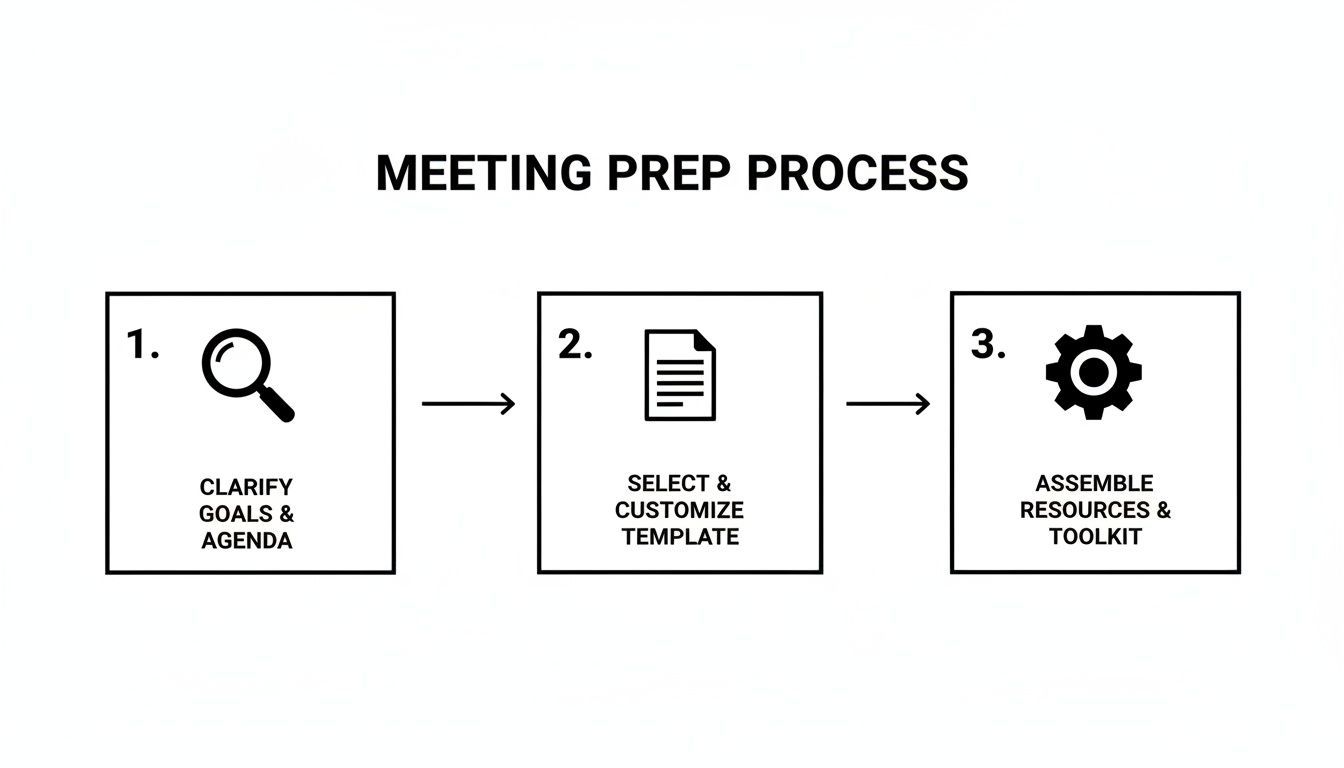
Maîtriser ces étapes — clarifier les objectifs, personnaliser votre modèle et rassembler vos ressources — pose les bases pour capturer tout ce qui compte une fois la discussion lancée.
Prise de notes manuelle vs. assistée par IA
L'ancienne méthode de prise de notes a sa place, mais la technologie change la donne. Avec des réunions qui s'enchaînent, s'appuyer uniquement sur des notes manuelles peut entraîner des détails manqués. Comparons les deux approches.
| Caractéristique | Prise de notes manuelle | Assistée par IA avec Transcript.LOL |
|---|---|---|
| Précision | Sujet à l'erreur humaine, aux détails manqués et aux biais personnels. | Capture chaque mot avec une précision de 99 % et plus. |
| Vitesse et Efficacité | Chronophage ; nécessite une concentration intense pendant la réunion. | Transcription instantanée et résumés générés par IA en quelques minutes. |
| Complétude | Capture des résumés et des points clés, mais manque de contexte complet. | Fournit une transcription complète et consultable de toute la réunion. |
| Concentration en réunion | Le preneur de notes est souvent trop occupé à taper pour participer pleinement. | Permet à chacun d'être présent et engagé dans la discussion. |
| Suivi des éléments d'action | Repose sur le preneur de notes pour identifier et attribuer correctement les tâches. | L'IA peut identifier et lister automatiquement les éléments d'action. |
| Coût | "Gratuit" en termes de logiciel, mais coûteux en termes de temps employé. | Abonnement abordable, économisant des heures de travail manuel. |
En fin de compte, le choix dépend de vos besoins. Pour des discussions informelles, des notes manuelles peuvent suffire. Mais pour des réunions importantes où chaque détail compte, un outil d'IA comme Transcript.LOL offre un filet de sécurité, garantissant que rien ne soit perdu tout en vous libérant pour contribuer réellement.
Transformer les notes brutes en comptes-rendus de réunion soignés
La réunion est peut-être terminée, mais votre travail ne l'est pas tout à fait. Vient maintenant la partie critique : transformer ce fouillis de notes brutes, d'abréviations et de pensées inachevées en un document soigné et professionnel qui sert de compte-rendu officiel.
Le meilleur conseil que je puisse vous donner est de vous en occuper immédiatement après la fin de la réunion. Sérieusement, faites-le pendant que tout est encore frais dans votre esprit. C'est votre fenêtre d'or pour combler les lacunes et donner un sens aux points ambigus. Si vous attendez ne serait-ce qu'un jour, vous trouverez le processus dix fois plus difficile.
Votre première action est de donner une structure au document. Commencez par les bases : les informations d'en-tête non négociables que chaque compte-rendu doit contenir.
Construire les fondations de vos comptes-rendus
Avant même de penser à résumer la discussion, notez les détails administratifs essentiels en haut de votre document. Cette simple étape fournit un contexte immédiat à toute personne lisant les comptes-rendus, que ce soit demain ou dans un an.
- Organisation et Nom de la réunion : Soyez précis. "Acme Inc. - Lancement de projet T4" est bien mieux que "Réunion de projet".
- Date, Heure et Lieu : Incluez la date complète, les heures de début et de fin, et l'endroit où elle s'est déroulée (par exemple, "Salle de conférence B" ou "Virtuel - Zoom").
- Participants et Absents : Dressez une liste claire de qui était présent et, tout aussi important, de qui était absent. C'est essentiel pour la responsabilité à long terme.
Ce cadre transforme instantanément une page de notes désordonnée en un enregistrement formel. C'est un petit détail qui ajoute une énorme dose de professionnalisme.
Écrire avec clarté et objectivité
Maintenant, il est temps de retravailler vos notes pour en faire une histoire cohérente. Votre objectif ici est d'être un reporter objectif, pas un romancier. Tenez-vous-en aux faits. Les comptes-rendus doivent refléter ce qui a été décidé, pas comment les gens se sont sentis à propos des décisions.
Visez un langage simple, direct et sans ambiguïté. N'oubliez pas que ces comptes-rendus peuvent devenir un enregistrement légal et officiel. La clarté est votre principale mission pour éviter toute future mauvaise interprétation.
La cohérence est votre meilleure alliée ici. Par exemple, mettez toujours en gras les noms des personnes auxquelles des éléments d'action sont assignés. Utilisez des puces pour séparer les décisions clés ou les points à retenir. Cela rend le document facile à parcourir et à digérer pour vos collègues occupés.
Si vous avez enregistré la réunion, obtenir une transcription complète peut changer la donne. Cela élimine les conjectures pour savoir qui a dit quoi. Vous pouvez en savoir plus sur la transcription par IA sur transcript.lol et voir à quel point cela peut accélérer tout ce processus.
La touche finale : relecture et examen
Avant même de penser à cliquer sur "envoyer", une relecture approfondie est non négociable. Lisez l'intégralité du document pour corriger les fautes de frappe, les erreurs grammaticales ou les formulations maladroites. Voici une astuce de pro : lisez-le à voix haute. C'est un moyen presque infaillible de repérer les phrases qui ne coulent pas bien.
Vérifiez que chaque élément d'action indique clairement le qui, quoi et quand. C'est là que la plupart des suivis de réunion échouent. Assurez-vous également que les noms sont correctement orthographiés et que vous avez fidèlement capturé les résultats de tous les votes ou motions formelles.
Enfin, pensez à votre public. Les comptes-rendus d'une réunion formelle du conseil d'administration auront un ton beaucoup plus structuré que les notes d'une réunion créative informelle. Une fois que vous êtes convaincu de l'exactitude et de la clarté du document, il est prêt à être approuvé et distribué.
Utiliser l'IA pour automatiser et améliorer vos comptes-rendus
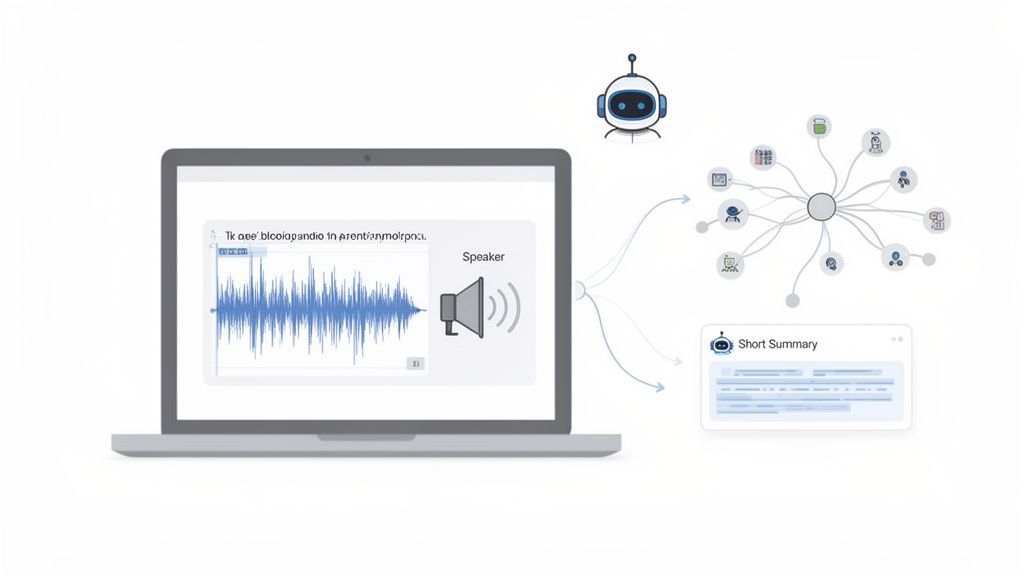
Soyons honnêtes, la prise de notes manuelle est fastidieuse. Ce n'est plus la seule façon de capturer ce qui se passe lors d'une réunion, et franchement, ce n'est pas la meilleure. L'émergence d'outils d'IA change complètement la façon dont nous documentons les réunions, déplaçant l'attention de la frappe frénétique à la participation réelle.
Il ne s'agit pas seulement d'obtenir une transcription mot à mot. Il s'agit de laisser un système intelligent gérer les parties fastidieuses de la prise de notes, vous libérant ainsi pour vous engager, poser des questions et contribuer à la conversation.
De l'audio aux informations exploitables
Les plateformes d'IA modernes peuvent prendre un fichier audio ou vidéo brut et le transformer en une transcription soignée, avec identification des locuteurs, en quelques minutes. Le processus est très simple : téléchargez votre enregistrement, et l'IA fait le gros du travail. Le résultat est un document précis, facile à parcourir et à modifier.
Si vous êtes curieux des rouages de tout cela, vous pouvez consulter notre documentation technique ici : https://transcript.lol/docs.
Mais la vraie magie réside dans ce que vous pouvez faire après avoir obtenu la transcription. Au lieu de passer des heures à lire des pages de texte, l'IA peut vous aider à :
- Générer des résumés instantanés : Obtenez un aperçu général de toute la réunion en quelques secondes.
- Extraire les éléments d'action : Repérez automatiquement qui est responsable de quoi et pour quand.
- Identifier les sujets clés : Repérez les thèmes principaux et les points de discussion les plus importants sans examen manuel.
Transformez les transcriptions en procès-verbaux exploitables
Étiquetez automatiquement les intervenants, générez des résumés intelligents, nettoyez les mots de remplissage et envoyez les résultats directement dans vos outils de flux de travail. Transformez une réunion en procès-verbaux, tâches et suivis en quelques secondes.

Détection des intervenants
Identifiez automatiquement les différents intervenants dans vos enregistrements et étiquetez-les avec leurs noms.

Outils d'édition
Modifiez les transcriptions avec des outils puissants incluant rechercher et remplacer, attribution des intervenants, formats de texte enrichi et surlignage.
Résumés et Chatbot
Générez des résumés et d'autres analyses de votre transcription, des prompts personnalisés réutilisables et un chatbot pour votre contenu.
Intégrations
Connectez-vous à vos outils et plateformes préférés pour optimiser votre flux de travail de transcription.
Ce type d'automatisation devient une bouée de sauvetage. Avec une croissance incroyable de 2900% à 300 millions de participants quotidiens sur Zoom ces dernières années, le volume de réunions est écrasant. La documentation manuelle de trillions de procès-verbaux de réunions n'est tout simplement pas évolutive.
Considérez les outils d'IA comme votre arme secrète. Ils vous aident à créer des comptes rendus de réunion qui ne sont pas seulement complets, mais aussi véritablement utiles et consultables, vous faisant gagner d'innombrables heures d'administration post-réunion.
Dynamisez votre flux de travail avec l'IA
Les meilleurs outils d'IA vont bien au-delà de la simple génération de texte. Certains peuvent créer des cartes mentales visuelles à partir d'une discussion, vous aidant à voir comment les différentes idées se connectent. D'autres peuvent rédiger des e-mails de suivi basés sur les décisions et les actions identifiées dans la transcription.
Vous pouvez même automatiser la capture initiale de la discussion elle-même. Par exemple, vous pouvez utiliser Gemini pour prendre des notes dans Google Meet, ce qui vous permet de vous concentrer à 100% sur la conversation, sachant que les détails importants sont enregistrés en arrière-plan.
En intégrant ces outils dans votre flux de travail, vous transformez la prise de notes en réunion d'une corvée en un puissant moteur de productivité et de responsabilité pour votre équipe.
La nouvelle norme pour les équipes
Les assistants de réunion basés sur l'IA deviennent rapidement la norme dans les équipes modernes. Les résumés et transcriptions automatisés ne sont plus facultatifs, ils sont attendus pour une exécution plus rapide et une meilleure collaboration.
Questions fréquentes sur la prise de notes de réunion
Même avec un plan de match solide, vous rencontrerez inévitablement des situations délicates lorsque vous serez chargé de prendre des notes. Considérez ceci comme votre guide de référence pour ces moments de "et si" qui peuvent déstabiliser même un professionnel aguerri.
Clarifions quelques-uns des points de confusion les plus courants. Avec ces réponses en poche, vous pourrez aborder votre prochaine réunion en toute confiance.
Les notes de réunion sont-elles légalement contraignantes ?
C'est une question importante, et la réponse n'est pas un simple oui ou non. Pour les organismes formels – pensez aux conseils d'administration d'entreprises, aux organisations à but non lucratif ou aux comités gouvernementaux – les notes constituent le compte-rendu officiel et légal de leurs décisions. En fait, elles sont souvent présentées devant les tribunaux comme preuve que le conseil a respecté les règles et a fait preuve de la diligence requise.
Dans un litige, les notes de réunion sont présumées être un compte-rendu factuel de ce qui s'est passé. C'est pourquoi les rédiger correctement n'est pas seulement une question de bonne pratique ; c'est une couche critique de protection juridique pour l'organisation.
Maintenant, pour une réunion d'équipe interne moyenne, elles ne sont pas "légalement contraignantes" au même sens. Mais elles créent absolument un enregistrement d'engagement. Elles constituent la piste papier qui prouve ce qui a été décidé et qui s'est engagé à faire quoi, ce qui est essentiel en matière de responsabilité.
Que faire en cas de désaccord ?
Cela ne manquera pas d'arriver. Deux parties prenantes se souviennent d'une décision de manière complètement différente, ou quelqu'un a l'impression que son point de vue n'a pas été correctement consigné. L'astuce consiste à gérer cela professionnellement avant que les notes ne reçoivent le tampon d'approbation final.
Si quelqu'un suggère une correction, la meilleure approche est de l'aborder dès le début de la réunion suivante. Vous pourriez dire quelque chose comme : "Avant de commencer, Jane a proposé une correction aux notes de la semaine dernière concernant la décision budgétaire du quatrième trimestre."
À partir de là, le groupe peut en discuter et voter sur la modification. Si elle est approuvée, vous devez la documenter clairement. Une simple note comme "Les notes de la réunion du 15 octobre ont été approuvées avec l'amendement suivant..." fait parfaitement l'affaire. Cela permet au compte-rendu final de refléter fidèlement la mémoire collective du groupe.
Comment gérer les notes pour les réunions virtuelles ?
Les principes de base sont les mêmes, mais les réunions virtuelles ajoutent quelques complications. Il devient beaucoup plus important d'être très clair sur qui parle, surtout lorsque des personnes se connectent par téléphone sans vidéo.
Voici quelques conseils spécifiques aux réunions en ligne :
- Confirmer la présence : Un rapide appel nominal au début est un moyen infaillible d'enregistrer exactement qui est dans la "salle".
- Documenter les problèmes techniques : Si un décideur clé quitte l'appel juste avant un vote important, c'est quelque chose que vous devez absolument noter.
- Utiliser les enregistrements : Utilisez l'enregistrement de la réunion comme filet de sécurité. C'est parfait pour vérifier une citation spécifique ou confirmer les détails d'une décision que vous auriez pu manquer en tapant.
Pour une analyse plus approfondie des questions et réponses courantes des experts, n'hésitez pas à consulter notre FAQ complète.
Arrêtez de perdre du temps avec la transcription manuelle et concentrez-vous sur l'essentiel. Transcript.LOL utilise une IA de pointe pour transformer vos enregistrements de réunion en transcriptions précises, avec identification des intervenants, et en résumés exploitables en quelques minutes. Essayez-le gratuitement dès aujourd'hui !