
Best Voice Recorder with Transcription
Discover the best voice recorder with transcription for your needs. This guide explains key features and compares top options to help you choose.
Kate
December 18, 2024
Encontrar la mejor grabadora de voz con transcripción no se trata de un solo dispositivo mágico. Se trata de construir un flujo de trabajo que realmente funcione para ti.
La configuración perfecta es una combinación perfecta de hardware y software. Ya seas un periodista persiguiendo una historia o un estudiante intentando capturar una conferencia, lo que necesitas determinará las herramientas adecuadas para el trabajo.
Cómo Elegir el Flujo de Trabajo de Transcripción Correcto
Elegir un flujo de trabajo de transcripción es un poco como elegir cómo llegar a algún lugar. ¿Necesitas la gratificación instantánea de un coche deportivo para un viaje rápido, o te conformas con un tren fiable para un viaje largo en el que puedes procesar todo más tarde?
Todo se reduce a una pregunta: ¿priorizas la velocidad inmediata o un proceso más deliberado?
La transcripción en tiempo real te da texto al instante, lo cual es fantástico para tomar notas en vivo o extraer puntos de acción a medida que ocurren. Por otro lado, el posprocesamiento te permite capturar la mejor calidad de audio posible primero y convertirla en texto a tu propio ritmo.
Este diagrama de flujo describe los dos caminos principales, ayudándote a decidir según tu necesidad de velocidad.
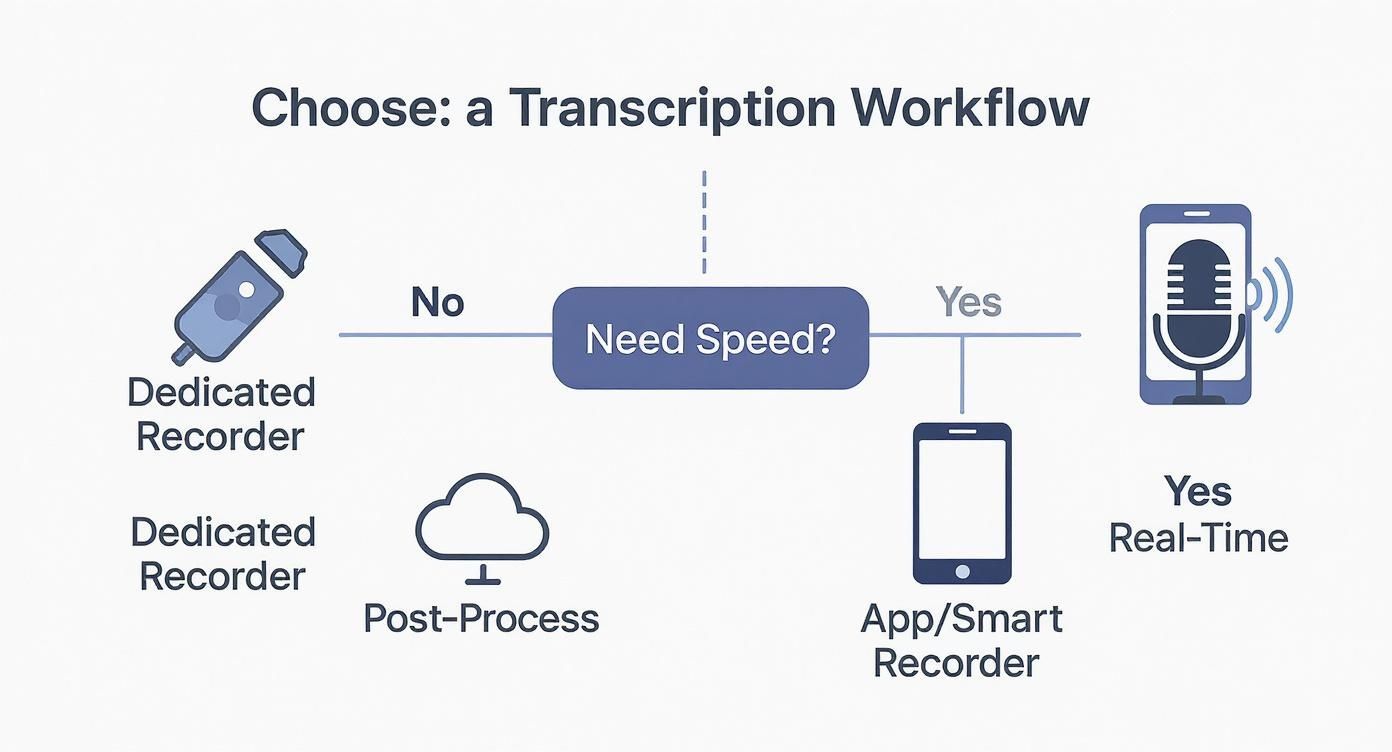
La conclusión es simple. Si necesitas transcripciones ahora mismo, una aplicación o una grabadora inteligente es tu mejor aliada. Pero si la calidad de audio impecable es innegociable y puedes esperar, una grabadora dedicada junto con un servicio potente como el nuestro es el camino a seguir.
Comparación de Opciones de Grabadoras de Voz y Transcripción
Aquí tienes una comparación rápida para ayudarte a encontrar la mejor opción para tus necesidades de transcripción.
| Tipo de Grabadora | Mejor Para | Método de Transcripción | Ventajas | Desventajas |
|---|---|---|---|---|
| Grabadora Dedicada | Periodistas, investigadores, podcasters que necesitan audio de primera categoría. | Posprocesamiento con un servicio. | Calidad de audio superior, excelente en entornos ruidosos, larga duración de la batería. | Requiere un paso adicional para transcribir, no es instantáneo. |
| Aplicación de Smartphone | Estudiantes, tomadores de notas casuales, reuniones rápidas. | En tiempo real en el dispositivo o en la nube. | Conveniente, siempre contigo, a menudo gratuito o de bajo costo. | La calidad del micrófono es una debilidad, lucha con el ruido de fondo. |
| Grabadora Inteligente | Profesionales que necesitan un equilibrio entre conveniencia y calidad. | Transcripción en tiempo real integrada o sincronización en la nube. | Mejores micrófonos que un teléfono, a menudo tiene funciones de IA. | Puede ser costoso, puede obligarte a un solo ecosistema. |
| Configuración de Computadora/Micrófono | Reuniones virtuales, entrevistas, creadores de contenido en un escritorio. | Software de transcripción en vivo o posprocesamiento. | Excelente control sobre el audio, acceso directo a archivos. | No es portátil, requiere configuración. |
En última instancia, la elección correcta depende completamente de cómo, cuándo y dónde grabarás.
Consideraciones Clave del Flujo de Trabajo
Antes de decidirte por un método, repasa esta rápida lista de verificación:
- Entorno: ¿Estás en una oficina tranquila o en una cafetería ruidosa? Una grabadora dedicada con cancelación de ruido sólida está diseñada para situaciones difíciles.
- Urgencia: ¿Necesitas el texto inmediatamente para las actas de una reunión, o puede esperar unas horas mientras preparas un informe detallado?
- Seguridad de los Datos: ¿La información es sensible? La transcripción en el dispositivo mantiene tus datos locales, mientras que los servicios en la nube significan que debes verificar sus políticas de privacidad.
- Necesidades de Precisión: Para trabajos legales o profesionales, querrás la alta precisión que proviene del posprocesamiento. Para notas personales, el tiempo real suele ser suficiente.
Pensar en estas variables te ayuda a construir un sistema eficiente en lugar de simplemente comprar un gadget. Para un ejemplo del mundo real, mira cómo opera un servicio de transcripción de sermones: se trata de capturar audio claro primero para obtener un texto final preciso.
La configuración "mejor" es la que no te estorba. Debería sentirse invisible, permitiéndote concentrarte en la conversación, no en la tecnología. Tu objetivo es un camino fluido desde las palabras habladas hasta el texto que realmente puedes usar.
El método que elijas define todo tu proceso. Si quieres entrar en los detalles, nuestra guía sobre cómo convertir audio a texto desglosa los pasos prácticos para obtener los resultados más precisos, sin importar el hardware que estés utilizando.
Para entender realmente por qué una gran grabadora de voz con transcripción es tan importante, tienes que ver cómo llegamos hasta aquí. No hace tanto tiempo que convertir audio a texto era un trabajo arduo y manual. Era un verdadero oficio, algo así como revelar película en un cuarto oscuro: requería un conjunto especial de habilidades, mucha paciencia y horas y horas para obtener un producto terminado.
Una sola hora de audio podía llevar fácilmente a un mecanógrafo profesional de cuatro a seis horas para transcribir. Piensa en eso por un segundo.
Este proceso, aunque preciso, era un gran cuello de botella. Periodistas, investigadores y abogados tenían que tener en cuenta enormes retrasos solo para obtener sus entrevistas y reuniones en un formato utilizable. Ralentizó todo y limitó la rapidez con la que cualquiera podía extraer información de las palabras habladas.
El Amanecer del Reconocimiento Automático del Habla
La verdadera revolución llegó con la tecnología de Reconocimiento Automático del Habla (ASR), el motor que impulsa la transcripción moderna de IA. Si la transcripción manual era el cuarto oscuro, la ASR es la cámara digital. De repente, el proceso se volvió casi instantáneo, accesible para todos e increíblemente escalable. Lo que antes requería horas de esfuerzo humano concentrado ahora se podía hacer en solo unos minutos.
Este salto no solo aceleró la vieja forma de hacer las cosas; cambió por completo lo que era posible. Los profesionales ahora podían obtener borradores casi instantáneos de reuniones, conferencias o entrevistas, lo que les permitía buscar, editar y compartir información a una velocidad que antes era impensable. Esta es exactamente la razón por la que la transcripción integrada ya no es una característica "agradable de tener" en una grabadora de voz, sino una parte fundamental de un flujo de trabajo eficiente.
Transcripción de IA en el Flujo de Trabajo Moderno
La IA de hoy es mucho más que una simple herramienta de dictado. Las plataformas modernas pueden identificar diferentes hablantes, comprender terminología específica con vocabularios personalizados e incluso crear resúmenes o puntos de acción directamente desde un archivo de audio. Esto ha impulsado un crecimiento de mercado considerable. El mercado global de transcripción de IA se valoró en alrededor de 4.500 millones de dólares en 2024 y se espera que se dispare a 19.200 millones de dólares para 2034. Ese salto masivo muestra cuántas personas confían en la IA para obtener transcripciones rápidas y escalables.
El salto de la transcripción manual a la de IA no se trata solo de ahorrar tiempo. Se trata de desbloquear el valor atrapado en horas de grabaciones, convirtiendo archivos de audio pasivos en conocimiento activo y buscable.
A medida que la IA se vuelve más inteligente, herramientas innovadoras como shortgenius están llevando las cosas aún más lejos al automatizar la creación de contenido directamente desde audio y video. Toda esta evolución deja una cosa clara: elegir la mejor grabadora de voz con transcripción es una de las decisiones más importantes que puedes tomar para tu productividad.
Características Esenciales de una Grabadora de Voz de Alta Calidad
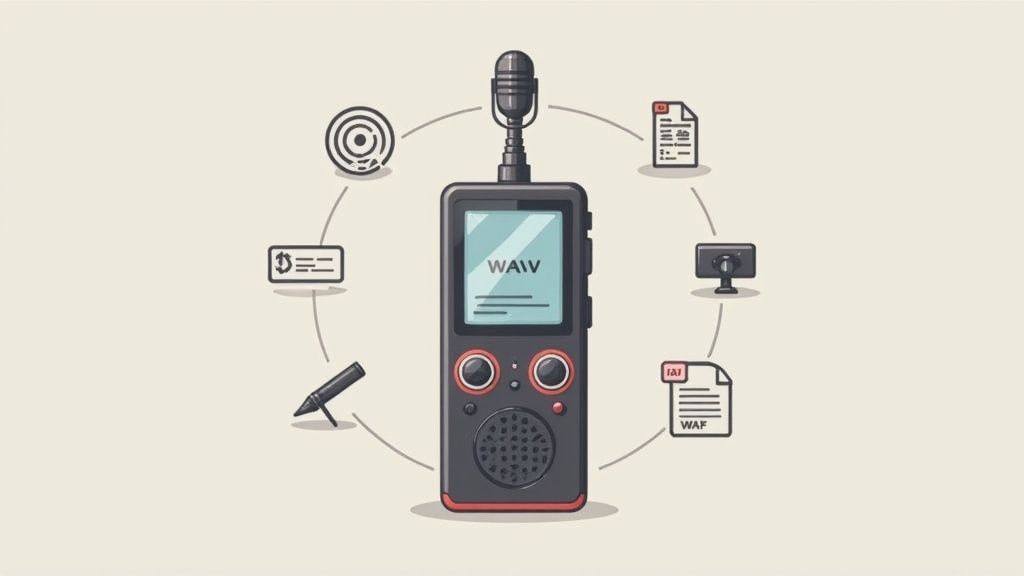
Cuando buscas la mejor grabadora de voz con transcripción, es fácil perderse en un mar de jerga técnica. Vamos a cortar el ruido y centrarnos en lo que realmente impacta la calidad de tu transcripción final.
Piensa en tu grabadora como los cimientos de una casa: si son débiles, todo lo que construyas sobre ella será inestable.
Las grandes transcripciones comienzan con un gran audio. Es así de simple. Incluso la IA más inteligente no puede transcribir con precisión lo que no puede escuchar claramente. Esto significa que las características del hardware no son solo extras opcionales; son absolutamente fundamentales para obtener los resultados que deseas.
Calidad de Micrófono Superior
El micrófono es el corazón de tu grabadora. El micrófono integrado de tu smartphone es un comodín, pero no un maestro en nada, a menudo capta cada crujido, tos y sirena lejana. Una grabadora dedicada, por otro lado, está diseñada para un solo trabajo: capturar audio de voz limpio y nítido.
Generalmente te encontrarás con dos tipos principales de micrófonos:
- Micrófonos Omnidireccionales: Capturan el sonido de todas las direcciones. Son perfectos para reuniones grupales, grupos focales o conferencias donde varias personas hablan. Se aseguran de que ninguna voz se pierda, sin importar dónde esté sentada una persona.
- Micrófonos Unidireccionales: Se centran en el sonido de una sola dirección, enfocándose efectivamente en la voz del hablante. Esto los convierte en la opción ideal para entrevistas uno a uno o dictados personales, ya que apartan el molesto ruido de fondo.
Elegir el tipo de micrófono adecuado para cómo realmente usarás la grabadora es el primer y más importante paso para obtener audio listo para transcribir.
Why Mic Choice Matters?
Highlight how mic directionality impacts transcription accuracy, and clarify that poor mic selection causes more AI errors than background noise or accents.
Non-Negotiable Noise Cancellation
Let's be real—your recording environment is rarely a silent studio. Background noise, from humming air conditioners to coffee shop conversations, is the number one enemy of an accurate transcript. This is where effective noise cancellation becomes a non-negotiable feature.
Modern recorders use multiple microphones and smart software to identify and filter out those ambient sounds, making the main speaker’s voice pop. This feature alone can make a massive difference in your results.
Essential Recording Fundamentals
Capture Clean Audio
Explain why clarity outranks volume and why recorders shouldn’t rely on post-processing to fix bad sound.
Control the Environment
Note how room acoustics, reflections, and distance influence AI transcription quality.
Prioritize Lossless Formats
Stress WAV/FLAC benefits and why compressed formats reduce accuracy.
Optimize Distance & Direction
Explain ideal mic placement, angle, and speaker alignment.
Puedes aprender más sobre cómo la claridad del audio impacta los resultados explorando nuestra guía sobre precisión de voz a texto.
Un grabador con excelente cancelación de ruido no solo graba sonido; lo refina. Limpia activamente tu audio antes de que se convierta en un archivo, ahorrándote horas de dolores de cabeza y ayudando a la IA a funcionar de manera óptima.
Funciones Esenciales de Grabación y Software
Más allá del micrófono, algunas otras características son críticas para un flujo de trabajo fluido que culmine en una transcripción de alta calidad.
1. Formatos de Audio de Alta Calidad Siempre, siempre opta por un grabador que pueda guardar archivos en un formato sin comprimir como WAV o uno sin pérdidas como FLAC. Los formatos comprimidos como MP3 son tentadores porque los archivos son más pequeños, pero logran eso descartando datos de audio sutiles, los mismos datos que la IA de transcripción necesita para una precisión de primer nivel.
2. Almacenamiento y Duración de la Batería Suficientes Nada es peor que un grabador que se apaga a mitad de una gran entrevista. Busca dispositivos con al menos 8 GB de almacenamiento interno (o una ranura expandible para tarjeta microSD) y una batería que pueda durar más de 20 horas de grabación continua.
3. Identificación de Hablantes (Diarización) Para grabaciones con más de una persona, la diarización de hablantes cambia las reglas del juego. Esta función identifica y etiqueta automáticamente quién está hablando en la transcripción. Es la diferencia entre un muro de texto confuso y un diálogo claro y organizado.
Comparación de IA Integrada y Transcripción Basada en la Nube
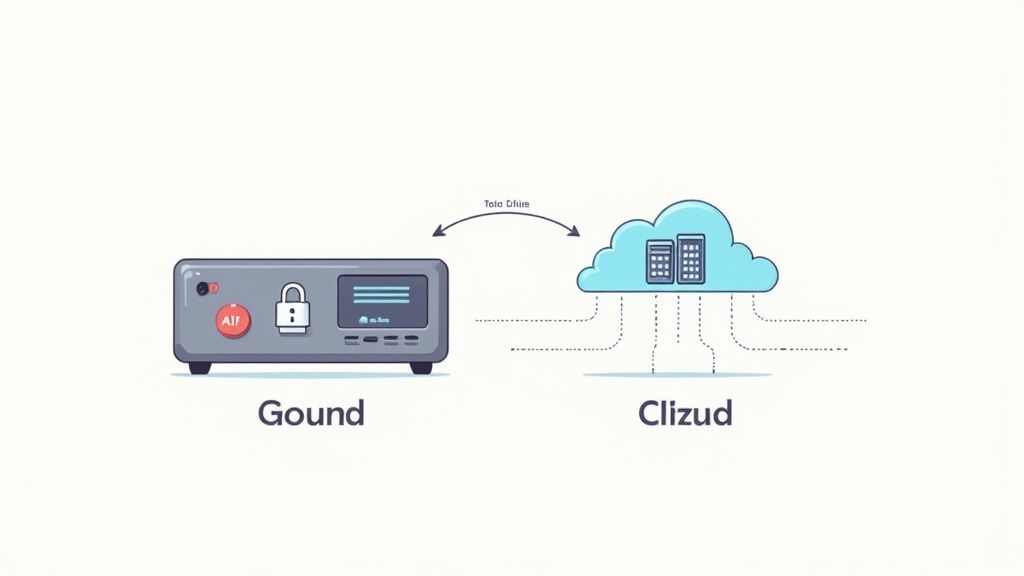
Cuando busques una grabadora de voz que transcriba, te encontrarás en una encrucijada: ¿deberías optar por un dispositivo con IA integrada o uno que funcione con un servicio basado en la nube? Esto no es solo un detalle técnico; es una elección entre que todo suceda instantáneamente en tu dispositivo o aprovechar la potencia bruta de una supercomputadora.
Descubrir los pros y los contras aquí es clave para construir un flujo de trabajo que realmente te facilite la vida.
IA Integrada: La Ventaja Sin Conexión
Los grabadores con transcripción de IA integrada tienen un gran punto de venta: funcionan en cualquier lugar, en cualquier momento, sin necesidad de internet. Puedes obtener una transcripción instantánea en un avión, en una cabaña remota o en cualquier otro lugar fuera de la red.
Dado que el audio nunca sale de tu dispositivo, es una opción sólida para conversaciones altamente sensibles donde la privacidad es innegociable: piensa en reuniones legales o entrevistas confidenciales. Todo está contenido.
Pero esa conveniencia tiene un costo. Los modelos de IA deben ser lo suficientemente pequeños como para residir en el dispositivo, lo que significa que son menos potentes que sus contrapartes basadas en la nube.
Esto es lo que significa para ti:
- Precisión: La IA integrada puede tener dificultades con múltiples hablantes, acentos fuertes o incluso un poco de ruido de fondo.
- Funciones: No obtendrás herramientas avanzadas como vocabularios personalizados para jerga industrial o identificación matizada de hablantes.
- Actualizaciones: La IA está congelada en el tiempo hasta que el fabricante lanza una actualización de firmware, por lo que no aprende y mejora continuamente como los modelos en la nube.
Este mercado definitivamente se está calentando.
On-Device AI Limitations
Warn users about the limitations of embedded transcription chips: outdated models, lower accuracy, and issues with accents/noise. Emphasize that local AI is convenient but less powerful.
El mercado mundial de grabadoras de voz digitales, valorado en 2.040 millones de dólares en 2025, se espera que casi se duplique hasta los 3.890 millones de dólares para 2035, en gran parte gracias a estos avances integrados de IA.
Transcripción Basada en la Nube: Desbloqueando el Máximo Rendimiento
Aquí es donde entran en juego servicios como Transcript.LOL. En lugar de intentar meterlo todo en un dispositivo pequeño, descargamos el trabajo pesado a servidores potentes. Este enfoque desbloquea un nivel de rendimiento que una grabadora de mano simplemente no puede igualar.
La mayor ventaja aquí es la precisión inigualable. Los sistemas en la nube están impulsados por enormes modelos de IA que se entrenan constantemente con conjuntos de datos masivos y diversos. Esto les permite clavar las transcripciones incluso con audio complicado que haría fallar a un chip integrado.
Un flujo de trabajo basado en la nube separa inteligentemente dos trabajos diferentes: capturar el audio y procesarlo. Puedes concentrarte en usar una gran grabadora para obtener un sonido nítido, sabiendo que un potente motor de IA se encargará de la transcripción más tarde.
Además, obtienes un conjunto completo de herramientas que van mucho más allá de simplemente convertir el habla en texto. Para cualquiera que se tome en serio la conversión de grabaciones en contenido utilizable, comprender las capacidades completas del software de transcripción con IA es imprescindible. Puedes obtener etiquetas automáticas de los hablantes, añadir diccionarios personalizados para términos especializados y exportar tu transcripción en varios formatos. Crea un flujo de trabajo mucho más flexible y potente.
Advanced AI Transcription Features

Detección de hablantes
Identifica automáticamente diferentes hablantes en tus grabaciones y etiquétalos con sus nombres.

Herramientas de edición
Edita transcripciones con herramientas potentes como buscar y reemplazar, asignación de hablantes, formatos de texto enriquecido y resaltado.
Resúmenes y Chatbot
Genera resúmenes y otros análisis de tu transcripción, prompts personalizados reutilizables y chatbot para tu contenido.
Onboard AI vs Transcripción en la Nube: Una Comparación Directa
Para que la elección sea más clara, analicemos las diferencias clave entre una grabadora de voz que realiza el trabajo por sí misma y el envío del audio a un servicio dedicado en la nube.
| Característica | Transcripción con IA Integrada | Transcripción Basada en la Nube (ej. Transcript.LOL) |
|---|---|---|
| ¿Requiere Internet? | No, funciona completamente sin conexión. | Sí, para subir el archivo de audio. |
| Precisión | Generalmente menor, tiene dificultades con acentos y ruido de fondo. | La más alta posible, impulsada por modelos de IA masivos y en constante actualización. |
| Privacidad y Seguridad | Máxima privacidad, ya que los datos nunca abandonan tu dispositivo. | Seguridad sólida con cifrado, pero los datos se procesan en servidores. |
| Velocidad de Procesamiento | Casi instantánea, ya que ocurre en el dispositivo. | Rápida, pero implica tiempo de carga. Los servicios premium ofrecen procesamiento prioritario. |
| Funciones Avanzadas | Solo transcripción básica. Sin etiquetas de hablante ni vocabulario personalizado. | Conjunto de funciones enriquecido: etiquetas de hablante, resúmenes, indicaciones personalizadas, etc. |
| Modelo de Costo | Costo único de hardware. | Típicamente un modelo de suscripción o pago por uso. |
En última instancia, no hay una única opción "mejor", todo depende de lo que más valores. Si necesitas privacidad absoluta y acceso sin conexión para transcripciones rápidas de calidad de borrador, una grabadora con IA integrada es una gran herramienta. Pero si tu prioridad es obtener la transcripción más precisa y rica en funciones posible para uso profesional, una grabadora dedicada junto con un servicio en la nube es la combinación ganadora.
Cómo las Grabadoras de Voz Están Cambiando Realmente el Juego
Es fácil descartar una grabadora de voz con transcripción como un simple gadget más. Pero en realidad, es una herramienta fundamental que está revolucionando por completo la forma en que los profesionales realizan su trabajo. Ver esta tecnología en acción muestra cómo resuelve problemas reales, inyecta una dosis seria de eficiencia y garantiza la precisión en docenas de campos.
Para muchos, es la clave para desbloquear un nivel de productividad que no creían posible.
Esto no es solo una tendencia de nicho; está impulsando un crecimiento masivo del mercado. La demanda de los sectores profesionales es tan alta que se espera que el mercado de servicios de transcripción de EE. UU. supere los 32 mil millones de dólares en 2025. Este auge se debe a que industrias como la salud, el derecho y la educación se han volcado por completo a la grabación digital. Puedes profundizar en más estadísticas sobre el crecimiento del mercado de transcripción en dittotranscripts.com.
Casos de Uso Profesionales en el Mundo Real
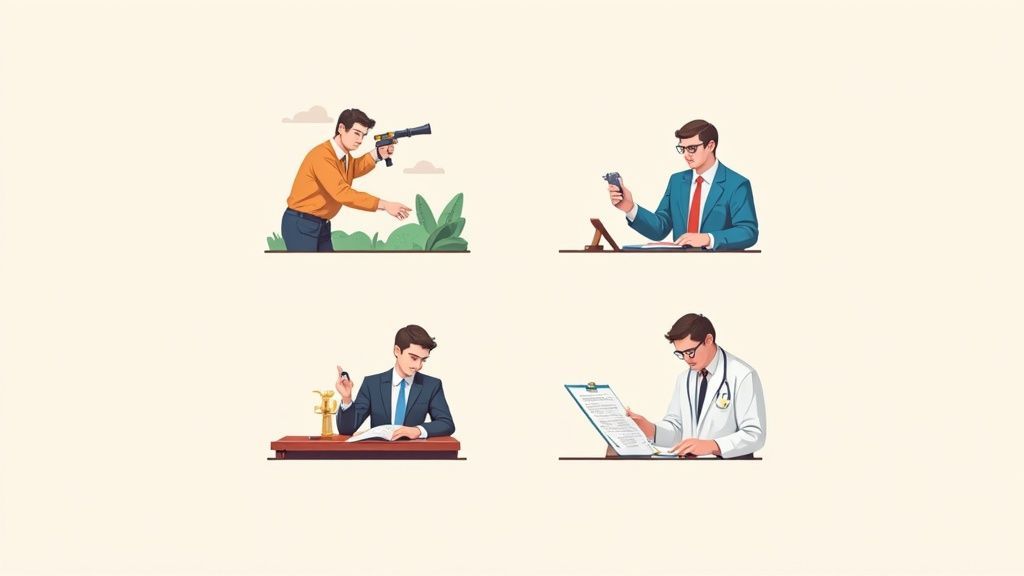
Desde la sala del tribunal hasta el aula, las formas en que las personas están utilizando esto son tanto prácticas como increíblemente potentes. Cada escenario muestra cómo una configuración moderna de grabación y transcripción puede eliminar el dolor de las tareas exigentes.
-
Periodistas: Cuando estás en el campo intentando conseguir una entrevista, lo último que quieres es una grabación ruidosa e inutilizable. Una grabadora dedicada con una excelente cancelación de ruido asegura que cada cita se capture perfectamente, permitiéndote convertir horas de audio en un artículo preciso sin volverte loco.
-
Abogados y Asistentes Legales: En el mundo legal, "casi suficiente" no sirve. Las grabadoras de voz son esenciales para documentar deposiciones, reuniones con clientes y declaraciones oficiales con precisión absoluta. Las transcripciones que producen se convierten en registros digitales buscables, ahorrando a los bufetes incontables horas de tediosa revisión manual.
-
Estudiantes e Investigadores: Piensa en una conferencia de tres horas repleta de información densa. Un estudiante puede grabarla entera, pasarla por un servicio de transcripción y tener instantáneamente una guía de estudio editable y buscable. Hace que encontrar conceptos clave y prepararse para los exámenes sea mucho más manejable.
-
Profesionales Médicos: Los médicos y terapeutas necesitan capturar notas detalladas de los pacientes, pero estar pegado a un teclado crea una barrera. Con una grabadora, pueden dictar notas verbalmente, lo que permite interacciones más naturales con los pacientes y crea documentación conforme en una fracción del tiempo.
Estos ejemplos dejan una cosa clara: las herramientas adecuadas hacen más que solo grabar audio. Construyen un puente perfecto desde las palabras habladas hasta texto útil y accionable. Esto es especialmente cierto para cosas como la dictado de notas de voz, donde un pensamiento rápido puede transformarse instantáneamente en una nota organizada o un borrador para un correo electrónico.
Al capturar audio de alta fidelidad y combinarlo con una transcripción rápida y precisa, los profesionales no solo ahorran tiempo, sino que mejoran fundamentalmente la calidad y la eficiencia de su trabajo.
Preguntas Comunes sobre Grabadoras de Voz y Transcripción
Cuando buscas la configuración perfecta de grabadora de voz y transcripción, siempre surgen algunas preguntas prácticas. Resolverlas con anticipación te ayuda a evitar las trampas comunes y a elegir las herramientas adecuadas para el trabajo.
Profundicemos en las preguntas más frecuentes que escuchamos.
¿Puedo Usar Simplemente Mi Teléfono Inteligente?
Mira, tu teléfono inteligente es una maravilla de la conveniencia. Siempre lo tienes contigo. Pero cuando se trata de calidad de audio pura, una grabadora de voz dedicada casi siempre sale ganando. Son herramientas diseñadas específicamente con micrófonos muy superiores y una cancelación de ruido mucho más inteligente.
Si obtener una transcripción precisa es innegociable para tu trabajo profesional o académico, ese dispositivo dedicado es una inversión inteligente. Te ahorrará muchos dolores de cabeza más adelante, porque el audio limpio es la base de una gran transcripción.
¿Qué Tan Precisa Es la Transcripción con IA?
Los mejores servicios de IA de hoy en día pueden alcanzar una precisión del 95-99%, pero hay un inconveniente: eso es en audio claro y bien grabado. Son increíblemente rápidos y asequibles, convirtiendo horas de audio en una transcripción final en solo unos minutos.
Dicho esto, los transcriptores humanos todavía tienen una ventaja con las cosas difíciles: acentos fuertes, personas que hablan al mismo tiempo o jerga súper específica. Es por eso que muchos profesionales usan un enfoque híbrido ahora. Obtienen un borrador casi instantáneo de una IA, y luego un humano le da un rápido repaso para la perfección.
¿Cuál Es el Mejor Formato de Archivo de Audio?
Para obtener la mejor precisión posible, opta siempre por un formato sin comprimir como WAV o uno sin pérdidas como FLAC. Piensa en ello como una foto de alta resolución frente a un JPEG granulado y comprimido.
Los formatos como MP3 son tentadores porque los archivos son más pequeños, pero logran eso descartando datos de audio sutiles. Esos son precisamente los datos que la IA necesita para hacer su mejor trabajo. Si tu grabadora te da la opción, siempre súbelo a la configuración de mayor calidad.
¿Cómo Obtengo el Mejor Audio para la Transcripción?
Es una verdad simple: las grandes transcripciones comienzan con un gran audio. No necesitas un estudio profesional, solo sigue estas sencillas reglas:
- Acércate: Cuanto más cerca esté el micrófono del hablante, mejor. Así de simple.
- Busca silencio: Graba en una habitación con el menor ruido de fondo posible. Cierra la ventana, apaga el ventilador.
- Prueba primero: Siempre haz una prueba de sonido rápida. Una prueba de un minuto puede evitar que descubras que una grabación de una hora está arruinada por un zumbido extraño.
Unos minutos de preparación antes de pulsar grabar pueden literalmente ahorrarte horas de frustrantes ediciones posteriores.
Smart Recording Checklist
Quiet Environment
Why silence improves AI accuracy drastically
Test Recording
Prevents ruined files and ensures stable input levels
Mic Positioning
Close, consistent distance guarantees clarity
Backup Storage
Avoid session loss & ensure multi-device redundancy.
Ready to turn your audio into accurate, actionable text? Transcript.LOL uses powerful AI to deliver fast, feature-rich transcripts, complete with speaker labels, summaries, and more. Try it free and see the difference a great workflow makes.