
Mastering the Time Stamp on Video for Better SEO
Discover how a time stamp on video can transform your SEO and user engagement. Learn practical methods for YouTube chapters, captions, and burned-in timecodes.
Praveen
December 18, 2024
Das Hinzufügen eines Zeitstempels zu einem Video bedeutet, bestimmte Momente in einer Videodatei zu markieren. Sie haben dies bereits in Aktion gesehen – es ist das, was diese klickbaren Kapitel in einer YouTube-Beschreibung erstellt oder die genauen, zeitsynchronisierten Untertitel in einer SRT- oder VTT-Datei generiert.
Warum Video-Zeitstempel für Wachstum unerlässlich sind
Seien wir ehrlich: Das Hinzufügen eines Zeitstempels zu einem Video ist von einer "nette-zu-haben"-Funktion zu einem unverzichtbaren Bestandteil jeder soliden Content-Strategie geworden. Es geht nicht mehr nur darum, die Zeit zu markieren; es geht darum, die Zeit Ihres Zuschauers zu respektieren und Ihren Inhalt für Suchmaschinen leichter auffindbar zu machen.
Wenn Zuschauer direkt zu den genauen Informationen springen können, nach denen sie suchen, bleiben sie länger dabei, interagieren mehr und kommen mit größerer Wahrscheinlichkeit wieder. Dieses Verhalten sendet die richtigen Signale an Plattformen wie YouTube und steigert wichtige Kennzahlen wie die Wiedergabezeit und die Sitzungsdauer. Anstatt frustriert wegzuklicken, finden sie, was sie brauchen, und signalisieren dem Algorithmus, dass Ihr Inhalt gut strukturiert und wertvoll ist.
Verbesserung des Benutzererlebnisses und der Interaktion
Stellen Sie sich vor, Sie haben ein langes Tutorial oder ein ausführliches Interview erstellt. Ohne Zeitstempel ist es nur ein riesiger, einschüchternder Inhaltsblock. Jeder, der nach einer bestimmten Antwort sucht, muss hin und her spulen, was eine sichere Methode ist, ihn zum Verlassen zu bewegen.
Fügen Sie nun Zeitstempel hinzu. Plötzlich ist dasselbe Video eine interaktive, überspringbare Ressource. Es ist eine kleine Änderung, die einen großen Unterschied macht.
- Verbesserte Navigation: Zuschauer können sofort zu den relevantesten Teilen Ihres Videos gelangen. Das zeigt, dass Sie ihre Zeit schätzen.
- Erhöhte Wiedergabezeit: Indem Sie Ihren Inhalt leicht navigierbar machen, ermutigen Sie die Leute, mehr anzusehen, auch wenn sie nur nach einem kleinen Informationshäppchen gesucht haben.
- Bessere Bindung: Ein gutes Benutzererlebnis ist einprägsam. Es ist das, was einen einmaligen Zuschauer zu einem Abonnenten macht.
Der Kernvorteil ist einfach: Zeitstempel verwandeln passives Ansehen in ein aktives, benutzergesteuertes Erlebnis. Dieser Kontrollwechsel ist genau das, was moderne Zielgruppen von digitalen Inhalten erwarten.
Diese praktische Infografik zeigt, wie Zeitstempel direkt die wichtigsten Wachstumsmetriken für Ihre Inhalte befeuern.
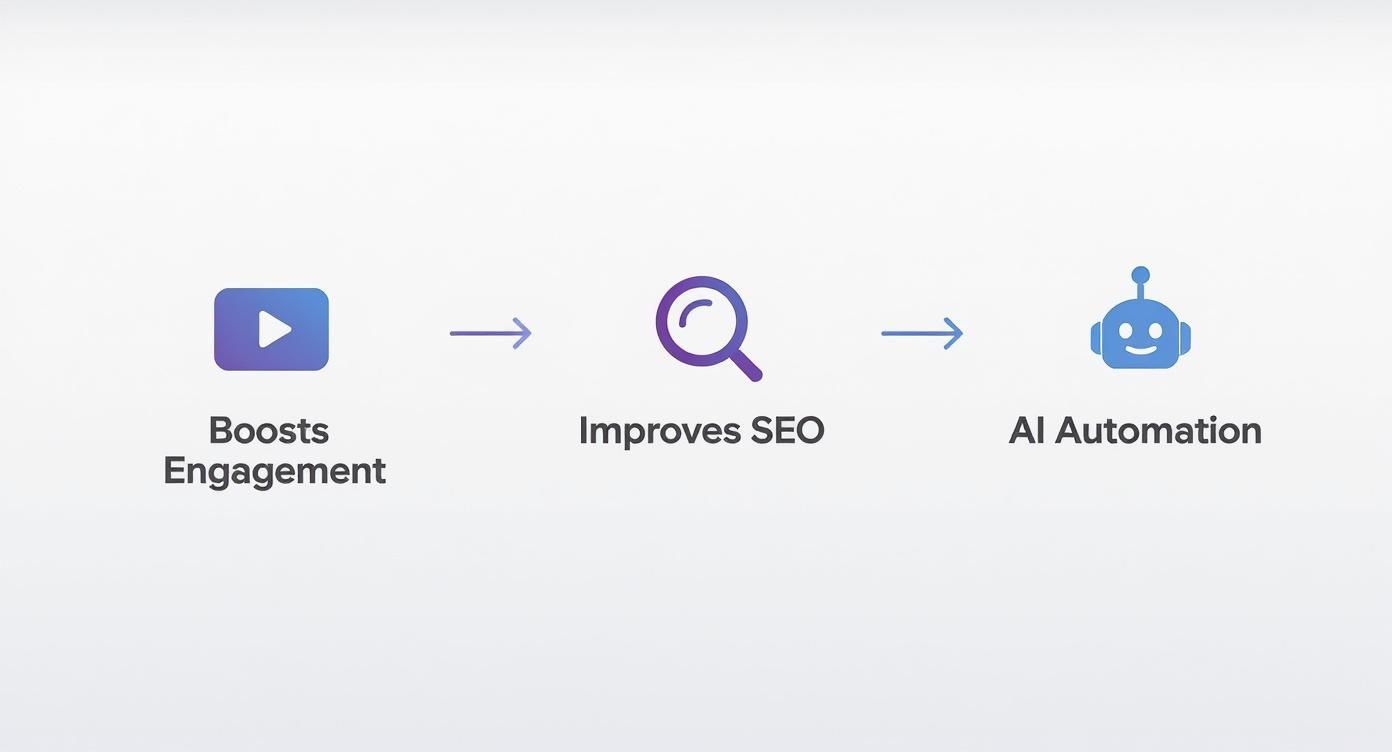
Wie Sie sehen können, gibt es einen klaren Weg vom Zeitstempeln zum Wachstum, der von besserer Interaktion und SEO bis hin zu einem einfacheren Workflow dank KI-Automatisierung reicht.
Freischalten leistungsstarker SEO-Vorteile
Zeitstempel sind nicht nur für Ihre Zuschauer; sie sind auch ein mächtiges Werkzeug für Suchmaschinen. Google nutzt diese Daten aktiv, um zu verstehen, worum es in Ihrem Video geht, und erstellt daraus die "Schlüsselmomente", die direkt in den Suchergebnissen angezeigt werden. Dies hebt Ihr Video hervor und erhöht die Klickrate erheblich.
Wenn Sie wirklich ins Detail gehen möchten, können Sie mehr über Optimierung von YouTube-SEO mit Zeitstempeln erfahren. Wenn Plattformen wie YouTube täglich über 1 Milliarde Stunden Video ansehen, werden Zeitstempel entscheidend für die Organisation dieser riesigen Bibliothek.
Glücklicherweise müssen Sie dies nicht mehr manuell tun. Moderne Tools wie Transcript.LOL haben den gesamten Prozess automatisiert.
Main Features You’ll Use
Modernste KI
Angetrieben von OpenAIs Whisper für branchenführende Genauigkeit. Unterstützung für benutzerdefinierte Vokabulare, bis zu 10 Stunden lange Dateien und ultraschnelle Ergebnisse.

Aus mehreren Quellen importieren
Importiere Audio- und Videodateien aus verschiedenen Quellen, einschließlich direktem Upload, Google Drive, Dropbox, URLs, Zoom und mehr.

In mehreren Formaten exportieren
Exportiere deine Transkripte in mehreren Formaten, einschließlich TXT, DOCX, PDF, SRT und VTT mit anpassbaren Formatierungsoptionen.
Instead of painfully scrubbing through a video to find the right moments, you can get a perfectly synced transcript with timecodes in seconds. To see just how easy it is, check out our guide on transcription with timecode.
Why Manual Timestamping Fails
Manual timestamping often leads to inconsistent timecodes, missed segments, and inaccurate chapter placement. This becomes a serious issue for long videos or detailed tutorials. AI-based timestamping eliminates all these errors automatically.
So erstellen Sie klickbare YouTube-Kapitel
Klickbare YouTube-Kapitel sind eines der am meisten unterschätzten Features zur Steigerung der Leistung Ihres Videos. Sie dienen nicht nur der Segmentierung Ihres Inhalts; sie verändern die Art und Weise, wie die Leute ihn ansehen, grundlegend.
Stellen Sie es sich wie ein interaktives Inhaltsverzeichnis für Ihre Zuschauer vor. Anstatt sich durch ein langes Video zu wühlen, um den einen bestimmten Teil zu finden, den sie benötigen, können sie einfach darauf klicken und direkt dorthin springen. Diese einfache Geste zeigt, dass Sie ihre Zeit respektieren, was ein großer Gewinn für das Engagement und die gesamte Wiedergabezeit ist.
Wenn Zuschauer leicht finden, wonach sie suchen, bleiben sie länger dabei. Dies sendet ein starkes Signal an den YouTube-Algorithmus, dass Ihr Inhalt gut strukturiert und wertvoll ist, was zu einem schönen Schub bei Suchergebnissen und Empfehlungen führen kann.
Die altmodische manuelle Methode
Das Hinzufügen von Kapiteln ist ziemlich einfach, aber Sie müssen präzise sein. Alles geschieht direkt in der Beschreibungsbox Ihres Videos auf YouTube, wo Sie eine Liste von Zeitstempeln und deren Titeln hinzufügen.
Damit die Kapitel tatsächlich in Ihrem Video angezeigt werden, müssen Sie sich an einige strenge Regeln halten:
Common Mistakes That Break YouTube Chapters
If you forget to start at 00:00, use fewer than 3 chapters, or make chapters under 10 seconds, YouTube will not display chapters. Always double-check formatting before publishing.
Um Ihnen bei der Auswahl des richtigen Ansatzes für Ihr Projekt zu helfen, hier ist eine kurze Übersicht über die gängigsten Zeitstempelmethoden und ihre Stärken.
Wichtige Zeitstempelmethoden und ihre primären Anwendungsfälle
| Zeitstempelmethode | Primäre Plattform | Hauptvorteil | Am besten geeignet für |
|---|---|---|---|
| YouTube-Kapitel | YouTube | Verbessert die Navigation direkt im Videoplayer und verbessert die SEO. | Langform-Inhalte, Tutorials, Interviews und Podcasts. |
| SRT/VTT-Dateien | Verschiedene Plattformen | Bietet genaue, zeitlich synchronisierte Untertitel für Barrierefreiheit und SEO. | Jedes Video, das Untertitel benötigt, insbesondere für soziale Medien oder ein globales Publikum. |
| Eingebrannte Zeitcodes | Videobearbeitung | Zeigt eine laufende Zeitcode-Überlagerung direkt im Videobild an. | Produktions-Dailies, juristische Zeugenaussagen und Überprüfungsexemplare für Redakteure. |
Jede dieser Methoden dient einem anderen Zweck, von der Benutzerfreundlichkeit eines YouTube-Videos bis hin zur Sicherstellung einer genauen Dokumentation einer juristischen Zeugenaussage. Die Wahl der richtigen Methode hängt vollständig von Ihrem Endziel ab.
YouTube Chapters
Perfect for viewer navigation and SEO. Helps segment long videos into easy-to-jump sections. Increases watch time by letting viewers skip to what they need quickly.
SRT Caption Files
Industry-standard format for subtitles. Improves accessibility and boosts SEO rankings. Compatible with almost every platform.
VTT Caption Files
Modern subtitle format with styling support. Ideal for web players and course platforms. Offers cleaner formatting and advanced text controls.
Burnt-In Timecodes
Permanent timestamps visible on screen. Used for legal reviews, film editing, and research analysis. Ensures frame-accurate feedback from all collaborators.
- Beginnen Sie immer bei Null. Ihr allererster Zeitstempel muss
00:00sein. Das ist der Grund Nummer 1, warum Kapitel bei vielen Leuten nicht funktionieren. - Halten Sie sie in Ordnung. Die Zeitstempel müssen chronologisch von Anfang bis Ende aufgelistet werden.
- Drei ist die magische Zahl. Sie benötigen mindestens drei Kapitel-Einträge, damit die Funktion aktiviert wird.
- Geben Sie ihnen etwas Spielraum. Jedes Kapitel muss mindestens 10 Sekunden lang sein.
Ein typischer Eintrag sieht so aus: HH:MM:SS Kapitelüberschrift. Wenn Ihr Video kürzer als eine Stunde ist, können Sie auch nur MM:SS verwenden. Ihre Beschreibung könnte zum Beispiel Folgendes enthalten:
00:00 Einführung in Video-Zeitstempel
01:25 Warum Kapitel für SEO wichtig sind
04:10 Manuelles Erstellen von Kapiteln
07:55 KI zur Automatisierung von Zeitstempeln nutzen
Profi-Tipp: Machen Sie Ihre Kapitelüberschriften beschreibend und reich an Schlüsselwörtern. Behandeln Sie sie wie Mini-Überschriften für jeden Abschnitt. Das leitet nicht nur Ihre Zuschauer, sondern gibt YouTube und Google auch mehr Kontext, um Ihre Inhalte zu verstehen – und zu ranken.
Der intelligentere Weg: KI-Automatisierung
Der manuelle Ansatz funktioniert für kurze Clips, aber seien wir ehrlich – für längere Videos ist er eine Qual. Es ist mühsam, zeitaufwendig und man macht leicht Fehler.
Hier verändern KI-Tools wie Transcript.LOL das Spiel komplett.
Vergessen Sie das Durchsuchen Ihres Videos, das Anhalten alle paar Sekunden, um eine Zeit aufzuschreiben. Mit einem KI-Transkriptionsdienst ist der gesamte Arbeitsablauf unglaublich effizient. Sie laden einfach Ihre Videodatei hoch oder fügen eine URL ein. Die KI macht sich an die Arbeit, analysiert den Ton und identifiziert die natürlichen Pausen und Themen in Ihren Inhalten, um ein perfekt getimtes Transkript zu generieren.
Von dort aus können Sie einfach eine vorformatierte Liste von Kapiteln kopieren, komplett mit hypergenauen Zeitstempeln. Eine Aufgabe, die leicht eine Stunde Ihrer Zeit in Anspruch nehmen könnte, ist in Sekunden erledigt. Für jeden Creator, der eine YouTube-Video-Transkription herunterladen muss, ist dieser Arbeitsablauf ein massiver Produktivitäts-Hack.
Der Unterschied ist Tag und Nacht. Ein Video ohne Kapitel ist nur ein langer Inhaltsblock. Aber ein Video mit Kapiteln wird zu einer durchsuchbaren, überspringbaren Ressource, die Ihr Publikum glücklich und engagiert hält und so das Wachstum Ihres Kanals fördert.
Generieren von SRT- und VTT-Dateien für Untertitel
Über die Erstellung klickbarer Kapitel hinaus ist ein ordentlicher Zeitstempel auf dem Video die absolute Grundlage für die Zugänglichkeit Ihrer Inhalte mit Untertiteldateien. Dies sind kleine Textdateien – Sie haben wahrscheinlich schon von SRT oder VTT gehört –, die den Dialog mit der Zeitleiste Ihres Videos synchronisieren. Sie sind unerlässlich für Zuschauer, die gehörlos, schwerhörig sind oder einfach nur ohne Ton an einem öffentlichen Ort zuschauen. Dies ist kein kleines Add-on; es ist ein entscheidendes Element, um Ihr Video von einer möglichst breiten Zielgruppe gesehen und verstanden zu bekommen.
Was ist also der Unterschied? Eine SRT (SubRip Text)-Datei ist der universelle Standard der alten Schule. Sie ist mit praktisch jeder Plattform kompatibel, die Sie sich vorstellen können, von YouTube bis zu sozialen Medien. Eine VTT (WebVTT)-Datei ist die modernere Version und bietet einige nützliche erweiterte Funktionen wie Textformatierung und Styling. Das macht sie zu einer guten Wahl, wenn Sie Videos auf einer Kursplattform oder einem benutzerdefinierten Webplayer hosten, bei denen Sie mehr Kontrolle über das Aussehen der Untertitel haben möchten.
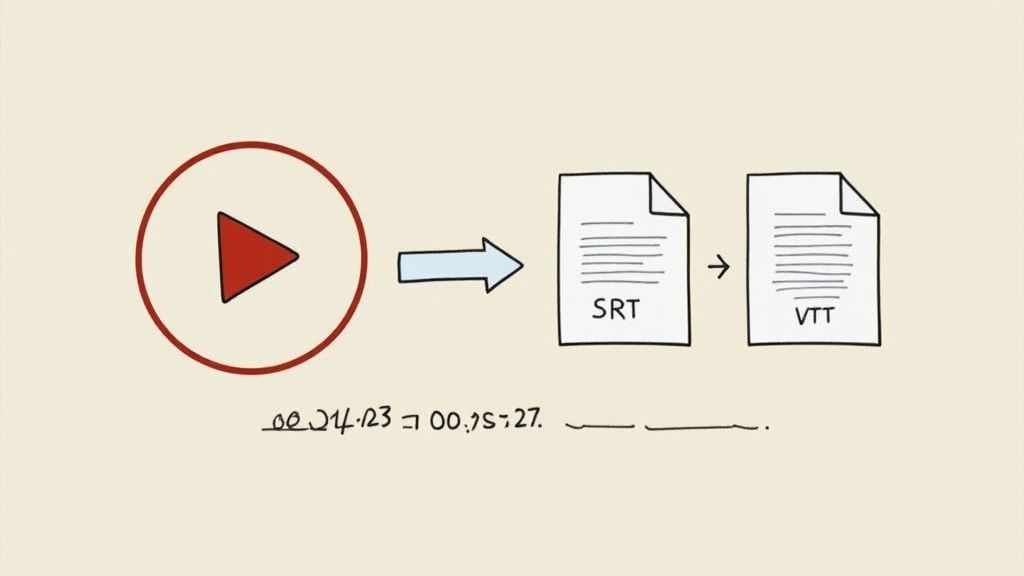
Alte Methode versus moderne Effizienz
Der Versuch, diese Dateien manuell zu erstellen, ist ein Albtraum. Ernsthaft.
Why Caption Accuracy Matters
Accurate captions improve accessibility, SEO, and viewer retention. A well-synced SRT/VTT file increases watch time and builds trust with international audiences.
Das bedeutet, dort zu sitzen, sich Video für Video anzusehen, jedes einzelne Wort abzutippen und dann akribisch die Start- und Endzeiten für jede Zeile zu protokollieren. Es ist quälend langsam, unglaublich fehleranfällig und einfach nicht realistisch für jeden, der regelmäßig Inhalte produziert.
Genau hier verändert ein Dienst wie Transcript.LOL das Spiel komplett. Anstatt Stunden an Ihre Tastatur gefesselt zu verbringen, laden Sie einfach Ihr Video hoch. Unsere KI macht sich an die Arbeit und generiert in wenigen Minuten eine perfekt formatierte SRT- oder VTT-Datei, inklusive Zeitstempeln. Sie laden sie mit einem Klick herunter und sind bereit. Das ist nicht nur Bequemlichkeit; es verändert grundlegend Ihren gesamten Arbeitsablauf und gibt Ihnen die Freiheit, sich auf die Erstellung weiterer großartiger Inhalte zu konzentrieren.
Der wirkliche Gewinn mit KI ist hier die Umwandlung einer choreografischen Aufgabe zur Barrierefreiheit in einen völlig mühelosen Teil Ihrer Veröffentlichungsroutine. Jedes Video kann mit Untertiteln versehen werden, keine Ausreden mehr, keine Zeit zu haben.
Hochladen Ihrer Untertiteldateien
Sobald Sie Ihre SRT- oder VTT-Datei haben, ist das Hinzufügen zu Ihrem Video kinderleicht. Auf YouTube zum Beispiel gehen Sie einfach in die Details Ihres Videos, klicken auf "Untertitel" und laden die Datei hoch. Die Plattform erledigt den Rest und synchronisiert alles automatisch. Ähnliche, einfache Prozesse finden Sie auf Vimeo, Facebook und LinkedIn. Wenn Sie eine detailliertere Anleitung wünschen, lesen Sie unseren Leitfaden unter wie man Untertitel für Videos erstellt.
Ein wenig Geschichte für Sie: Die Technologie, die all dies ermöglicht, gibt es schon seit einiger Zeit. Der MPEG-4-Kompressionsstandard, der bereits 1998 eingeführt wurde, war ein riesiger Wendepunkt. Er enthielt Protokolle für Zeitstempel, die es ermöglichten, Videos reibungslos und synchron zu streamen – eine Technologie, die das Video-Ökosystem, das wir täglich nutzen, immer noch untermauert.
Letztendlich bewirkt die Erstellung und Verwendung von Untertiteldateien weit mehr als nur das Anzeigen von Wörtern auf einem Bildschirm. Sie macht Ihre Inhalte durchsuchbar, inklusiv und für ein viel größeres Publikum weitaus wertvoller. Und es geht nicht nur darum, die Dateien zu erstellen; es geht auch darum, sicherzustellen, dass sie tatsächlich helfen und nicht schaden. Für einen tieferen Einblick in dieses Thema ist dies ein ausgezeichneter Leitfaden zur Optimierung von Videountertiteln für Engagement.
Hinzufügen permanenter Zeitcode-Overlays zu Videos
Manchmal benötigen Sie einen Zeitstempel auf dem Video, der mehr ist als nur ein klickbarer Link oder versteckte Daten – er muss permanent sichtbar sein, direkt auf dem Bildschirm. Dies nennen wir einen "eingebrannten" Zeitcode oder Overlay, und für einige professionelle Arbeitsabläufe ist er ein absolutes Muss.
Denken Sie an die Überprüfung von Dailies für einen Film. Der Regisseur muss sehr spezifisches Feedback geben, wie: "Schneide die Zeile bei 01:15:32:04." Ohne einen sichtbaren Zeitcode ist diese Art von Präzision nur Raten. Dasselbe gilt für juristische Zeugenaussagen, bei denen jede Sekunde der Aussage erfasst und in Gerichtsunterlagen leicht nachvollziehbar sein muss.
Selbst akademische Forscher, die Verhaltensstudien durchführen, verlassen sich auf sichtbare Zeitstempel, um die Handlungen der Probanden mit vollständiger Genauigkeit zu protokollieren. Es ist ein unbestreitbarer Referenzrahmen, der alle auf dem gleichen Stand hält.
Wie man einen Zeitcode einbrennt
Die meisten professionellen Videobearbeitungssoftware, wie Adobe Premiere Pro oder DaVinci Resolve, verfügt über einen integrierten Effekt dafür. Der Prozess ist ziemlich einfach: Sie wenden einen "Timecode"-Filter oder -Effekt direkt auf Ihren Videoclip an oder, noch besser, auf eine Anpassungsebene über Ihrer Zeitleiste.
Sobald Sie ihn eingefügt haben, können Sie das Aussehen anpassen. Sie möchten einige wichtige Einstellungen vornehmen:
- Position: Platzieren Sie ihn in einer Ecke, wo er nichts Wichtiges im Bild verdeckt.
- Größe und Schriftart: Stellen Sie sicher, dass er lesbar, aber nicht so groß ist, dass er ablenkt. Eine einfache, klare Schriftart ist fast immer die richtige Wahl.
- Deckkraft: Sie können die Deckkraft etwas reduzieren, damit der Zeitcode natürlicher in Ihr Filmmaterial übergeht.
- Quelle: Entscheiden Sie, ob der Zeitcode für jeden Clip neu von Null beginnen soll (Clip-Zeitcode) oder ob er kontinuierlich durch das gesamte Projekt laufen soll (Sequenz-Zeitcode).
Diese Methode brennt die visuelle Markierung beim Export direkt in die Videodatei ein. Sie ist permanent.
Ein eingebrannter Zeitcode eliminiert Mehrdeutigkeit. Er garantiert, dass jeder Mitarbeiter, vom Editor bis zum Rechtsteam, genau denselben Frame betrachtet. Das ist entscheidend für klare Kommunikation und solide Dokumentation.
Der Pro-Workflow mit KI-Transkripten
Nun, hier ist eine ernsthafte Workflow-Verbesserung: Kombinieren Sie Ihren eingebrannten Zeitcode mit einem KI-generierten Transkript.
Exportieren Sie zuerst Ihre Überprüfungskopie des Videos mit dem sichtbaren Zeitstempel. Führen Sie dann den Ton dieses Videos durch ein Transkriptionstool. Dies schafft ein unglaublich effizientes System für Feedback. Sie können verschiedene KI-gestützte Transkriptionssoftware ausprobieren, um eine zu finden, die zu Ihrem Workflow passt.
Mitarbeiter können das Transkript lesen, während sie das Video ansehen. Wenn sie eine Dialogzeile finden, die sie ändern möchten, können sie den genauen Moment anhand des Zeitcodes auf dem Bildschirm referenzieren. Keine vagen Notizen mehr wie "irgendwo in der Mitte". Stattdessen erhalten Sie umsetzbares Feedback wie: "Bei 00:27:14, lass uns diesen Satz entfernen."
Diese Mischung aus visueller Zeit und geschriebenem Text macht die gesamte Feedbackschleife schneller und weitaus genauer.
More Powerful Workflow Features

Sprechererkennung
Identifiziere automatisch verschiedene Sprecher in deinen Aufnahmen und beschrifte sie mit ihren Namen.

Bearbeitungswerkzeuge
Bearbeite Transkripte mit leistungsstarken Werkzeugen wie Suchen und Ersetzen, Sprecherzuordnung, Rich-Text-Formate und Hervorhebungen.
Zusammenfassungen und Chatbot
Erstelle Zusammenfassungen und andere Erkenntnisse aus deinem Transkript, wiederverwendbare benutzerdefinierte Prompts und Chatbot für deine Inhalte.
Von analogen Bändern zu KI-Zeitstempeln: Eine kurze Geschichte
Um wirklich zu schätzen, wie lächerlich einfach es heute ist, ein Video zu zeitstempeln, muss man zurückblicken, wie schmerzhaft schwierig es früher war. Die Reise von klobigen, raumgroßen Maschinen zu intelligenten KI-Plattformen zeigt einen klaren Weg: Technologie wird immer zugänglicher, leistungsfähiger und letztendlich nützlicher für alle.
In den frühen Tagen des Videos war Zeit ein verschwommener Begriff. Die ersten großen kommerziellen Videobandrekorder, wie das Monster Ampex VRX-1000 von 1956, wurden für das Broadcasting entwickelt. Sie konnten Fernsehsendungen aufzeichnen und abspielen, aber es gab keine Möglichkeit, präzise Zeitdaten in das Band selbst einzubrennen.
Das bedeutete, dass die Bearbeitung ein brutales, unpräzises Handwerk war, das hochqualifizierten Profis in millionenschweren Studios überlassen wurde. Wenn Sie einen unterhaltsamen Rückblick wünschen, können Sie mehr darüber erfahren, wie weit die Videotechnologie gekommen ist.
Der digitale Wandel und ein neuer Standard
Der eigentliche Durchbruch kam, als Video digital wurde. Camcorder wie Sonys Betacam, die 1983 auf den Markt kamen, gehörten zu den ersten, die Timecode direkt auf das Band einbetteten. Das war ein absoluter Wendepunkt.
Plötzlich hatte jedes einzelne Videobild seine eigene eindeutige Adresse. Frame-genaue Bearbeitung ging von einem unerfüllbaren Traum zur Standardpraxis für Sender und Filmemacher über.
Diese Technologie fand schließlich ihren Weg zu normalen Menschen mit Formaten wie MiniDV Mitte der 90er Jahre. Zum ersten Mal konnten aufstrebende Kreative und Hobbyisten Aufnahmen mit professionellem Timecode erfassen – eine Funktion, die einst dem Rundfunk vorbehalten war. Dies öffnete die Türen für den Content-Erstellungs-Boom, den wir heute sehen.
Timecode entwickelte sich von einer komplexen Funktion für eine ausgewählte Gruppe zu einem unsichtbaren, wesentlichen Metadatenbestandteil jeder digitalen Videodatei, die wir erstellen. Es ist das stille Gerüst, das die moderne Videobearbeitung ermöglicht.
Als wir von sperrigen Magnetbändern zu schlanken digitalen Dateien übergingen, wurden diese Zeitstempeldaten als Metadaten eingebettet. Dies ermöglichte mehr als nur die Bearbeitung; es befeuerte automatisierte Protokollierungssysteme und Content-Management und machte riesige Videoarchive zum ersten Mal durchsuchbar.
Der Aufstieg der KI-gestützten Zeitstempelung
Wir befinden uns nun in der nächsten Phase dieser Entwicklung. Der zugrunde liegende Zeitstempel in einer Videodatei ist immer noch vorhanden, aber wie wir ihn verwenden, hat sich vollständig verändert. Anstatt stundenlang manuell durch Aufnahmen zu scrollen, um einen bestimmten Moment zu finden, haben wir jetzt KI-Tools, die dies sofort erledigen.
Plattformen wie Transcript.LOL lesen den Timecode des Videos und analysieren gleichzeitig den Ton. Das Ergebnis ist eine hypergenaue, wortwörtliche Transkription, bei der jedes einzelne Wort mit seinem genauen Moment im Video verknüpft ist.
Dieser Fortschritt macht Aufgaben, die früher eine massive Zeitverschwendung waren – wie das Erstellen von YouTube-Kapiteln, das Generieren von SRT-Untertiteldateien oder das Finden des perfekten Zitats für eine Bearbeitung – unglaublich schnell. Was einst Stunden manueller Arbeit erforderte, ist jetzt ein automatisierter Prozess, der nur wenige Sekunden dauert.
Es ist der natürliche Abschluss einer jahrzehntelangen Reise, die die präzise Video-Zeitstempelung endlich für jedermann zugänglich macht, nicht nur für Branchenprofis.
Fragen? Wir haben Antworten.
Auch mit großartigen Werkzeugen, die es einfacher machen, kann das Hinzufügen eines Zeitstempels zu einem Video immer noch einige Fragen aufwerfen. Egal, ob Sie bei einem technischen Detail feststecken oder einfach nur das Beste aus Ihren Inhalten herausholen möchten, klare Antworten sind alles. Lassen Sie uns einige der häufigsten Fragen zur Zeitstempelung angehen.
Was ist das richtige Format für YouTube-Zeitstempel?
Damit YouTube-Kapitel angezeigt werden, ist das Format entscheidend. Es ist streng, aber einfach. Sie verwenden HH:MM:SS für Videos, die länger als eine Stunde sind, und MM:SS für alles Kürzere. Aber hier ist die eine Regel, die die Leute fast immer übersehen: Ihr allererster Zeitstempel muss bei 00:00 beginnen.
Sie benötigen außerdem mindestens drei Zeitstempel in Ihrer Liste, und sie müssen chronologisch geordnet sein. Darüber hinaus muss jedes Kapitel mindestens 10 Sekunden lang sein. Wenn Sie eine dieser Regeln verletzen, werden die Kapitel einfach nicht angezeigt. So einfach ist das.
Hier ist eine schnelle Checkliste, um es jedes Mal richtig zu machen:
- Beginnen Sie Ihre Liste immer mit etwas wie
00:00 Einführung. - Stellen Sie sicher, dass Sie insgesamt mindestens drei Zeitstempel haben.
- Halten Sie jedes Kapitel mindestens 10 Sekunden auseinander.
- Listen Sie alles in der richtigen Reihenfolge von Anfang bis Ende auf.
Befolgen Sie diese, und YouTube kann Ihre Liste lesen und diese schicken, klickbaren Kapitel erstellen, die Zuschauer lieben.
Kann ich einem Video Zeitstempel hinzufügen, nachdem ich es hochgeladen habe?
Ja, absolut. Das ist einer der besten Teile der Verwendung von Kapitel-Zeitstempeln und Untertiteldateien – sie sind unglaublich flexibel. Für Plattformen wie YouTube und Vimeo können Sie jederzeit in die Beschreibung Ihres Videos gehen, um Ihre Kapitelliste hinzuzufügen oder zu ändern.
Sie müssen nicht das gesamte Video erneut hochladen, was bedeutet, dass Sie zurückgehen und Ihre älteren Inhalte verbessern können, ohne all die wertvollen Aufrufe und Kommentare zu verlieren. Das Gleiche gilt für SRT- oder VTT-Untertiteldateien. Sie können einfach eine neue Version hochladen oder die alte direkt in den Einstellungen des Videos ersetzen.
Die Möglichkeit, nachträglich Zeitstempel hinzuzufügen, ist ein großer Vorteil. Das bedeutet, dass Sie die Benutzererfahrung und den SEO-Wert Ihrer gesamten Videobibliothek verbessern können, ohne bei Null anfangen zu müssen.
Wie macht KI Zeitstempel genauer?
KI-Transkriptionsdienste bieten ein Maß an Präzision, das von Hand fast unmöglich zu erreichen ist. Anstatt dass eine Person versucht, auf einem Timer auf "Start" und "Stopp" zu drücken, greifen KI-Modelle direkt in die Audio-Wellenform Ihres Videos ein. Dies ermöglicht es ihnen, den genauen Moment zu bestimmen, in dem Wörter gesprochen werden, oft mit einer Genauigkeit von unter einer Sekunde.
Dies eliminiert menschliche Fehler vollständig und erfasst die Zeitgebung in einem viel feineren Detail. Wenn Sie perfekt synchronisierte Untertitel erstellen, ist diese Genauigkeit ein entscheidender Vorteil. Es ist der Unterschied zwischen Untertiteln, die sich perfekt im Takt anfühlen, und denen, die nervig hinter dem Sprecher zurückbleiben – ein klassisches Problem bei manueller Zeitmessung.
Helfen Zeitstempel tatsächlich der SEO meines Videos?
Sie helfen immens. Suchmaschinen wie Google sind immer hungrig nach Hinweisen, die ihnen helfen, Inhalte besser zu verstehen und zu ranken. Wenn Sie Zeitstempel hinzufügen, übergeben Sie Google im Grunde eine saubere, strukturierte Gliederung Ihres Videos. Es frisst diese Informationen auf und kann sie verwenden, um "Schlüsselmomente" direkt in den Suchergebnissen anzuzeigen.
Diese kleinen Rich Snippets lassen Ihr Video auf der Seite hervorstechen, was oft zu viel mehr Klicks führt. Es hilft auch dem eigenen Algorithmus von YouTube zu verstehen, worum es in Ihren Inhalten geht, damit er sie den richtigen Leuten empfehlen und ihre Auffindbarkeit verbessern kann. Die Bereitstellung dieser zusätzlichen Daten ist ein klares Signal dafür, dass Ihr Video von hoher Qualität und gut organisiert ist.
Bereit, in Sekundenschnelle perfekt genaue Transkripte und Zeitstempel zu erstellen? Probieren Sie Transcript.LOL aus und sehen Sie, wie unsere KI-gestützte Plattform Ihren gesamten Workflow automatisieren kann. Starten Sie kostenlos unter https://transcript.lol.