
Audio in Text umwandeln: Ein praktischer Leitfaden
Erfahren Sie in diesem praktischen Leitfaden, wie Sie Audio in Text umwandeln. Entdecken Sie die besten KI-Tools, kostenlose Methoden und Profi-Tipps für genaue Transkriptionen.
Praveen
December 25, 2024
Das Umwandeln von Audio in Text ist keine Einheitslösung. Sie können einen automatisierten KI-Dienst wie Transcript.LOL nutzen, um dies schnell zu erledigen, die integrierten Tools Ihrer Geräte für pure Bequemlichkeit verwenden oder sogar selbst Hand anlegen, um absolute Präzision zu gewährleisten.
Die richtige Wahl hängt wirklich davon ab, was Sie abwägen: Geschwindigkeit, Kosten oder Genauigkeit. Für die meisten Menschen treffen KI-Plattformen heutzutage den "Sweet Spot" und bieten das Beste aus allen Welten.
Warum die Umwandlung von Audio in Text heute unerlässlich ist
Wir ertrinken in Audioinhalten, und die Umwandlung all dieser gesprochenen Worte in Text hat sich von einer Nischenaufgabe zu einer unverzichtbaren Fähigkeit entwickelt. Podcaster, Forscher, Geschäftsleute und Studenten erkennen alle, wie viel Wert in ihren Audiodateien steckt.
Dabei geht es nicht nur darum, eine schriftliche Kopie zu haben. Es geht darum, Ihre Inhalte für Sie effektiver zu nutzen – sie zugänglicher, durchsuchbarer und unglaublich vielseitig zu machen.
Wenn Sie Ihr Audio transkribieren, erschließen Sie einige ernsthafte Vorteile, die leicht zu übersehen sind:
- Erhöhen Sie Ihre Reichweite massiv: Eine Transkription öffnet Ihre Inhalte sofort für gehörlose oder schwerhörige Menschen. Sie hilft auch Nicht-Muttersprachlern, mitzuhalten, und spricht die Zielgruppe an, die einfach lieber liest als zuhört.
- Werden Sie bei Google gefunden: Suchmaschinen können Ihrem Podcast nicht zuhören. Aber sie können Text crawlen. Indem Sie Ihr Audio in eine Transkription umwandeln, erstellen Sie ein schlüsselwortreiches Dokument, das neuen Zielgruppen hilft, Ihre Arbeit durch eine einfache Google-Suche zu entdecken.
- Schöpfen Sie das Potenzial Ihrer Inhalte aus: Eine Transkription ist das ultimative Rohmaterial. Sie ist die Grundlage für endlose Strategien zur Wiederverwendung von Audioinhalten. Sie können sie für soziale Medien aufteilen, in einen Blogbeitrag umwandeln oder ein E-Book erstellen. Wir haben sogar einen eigenen Leitfaden zu leistungsstarken Strategien zur Wiederverwendung von Inhalten zusammengestellt, um Ihnen den Einstieg zu erleichtern.
- Behalten Sie eine durchsuchbare Aufzeichnung: Haben Sie jemals versucht, diese eine wichtige Entscheidung aus einer einstündigen Besprechung zu finden? Eine Transkription macht es einfach. Sie ist eine zuverlässige, durchsuchbare Wahrheitsquelle für Geschäftstreffen, akademische Interviews oder jede wichtige Unterhaltung.
Dieser gesamte Prozess wird von einem sogenannten Spracherkennungssystem angetrieben. Stellen Sie es sich so vor:
Das System nimmt das Audio auf, zerlegt es in einzigartige Merkmale und verwendet hochentwickelte Modelle, um die gesprochenen Wörter zu ermitteln. Das ist die Magie hinter der modernen Transkription.
Die treibende Kraft hinter der modernen Transkription
Die Nachfrage nach diesen Vorteilen treibt ein unglaubliches Wachstum an. Der globale Markt für KI-Transkriptionen wurde im Jahr 2024 auf satte 4,5 Milliarden US-Dollar geschätzt und wird voraussichtlich bis 2034 auf 19,2 Milliarden US-Dollar explodieren.
Das ist eine jährliche Wachstumsrate von 15,6 %, angetrieben von allen, von Medienunternehmen bis hin zu Schulen und Krankenhäusern, die mitmachen. Dies ist keine futuristische Idee mehr – es ist ein praktisches Werkzeug, das Menschen jeden Tag nutzen, um produktiver zu sein und mehr aus ihren Inhalten herauszuholen.
So wählen Sie die richtige Transkriptionsmethode
Bei der Umwandlung von Audio in Text geht es nicht darum, das eine "beste" Werkzeug zu finden. Es geht darum, die Methode an Ihre Mission anzupassen. Was für eine schnelle Brainstorming-Sitzung funktioniert, wäre eine Katastrophe für eine juristische Aussage. Die richtige Wahl hängt wirklich davon ab, was Sie brauchen: blitzschnelle Geschwindigkeit, perfekte Genauigkeit oder etwas, das keinen Cent kostet.
Wenn Sie dies von Anfang an richtig machen, sparen Sie viel Zeit und Geld. Es macht keinen Sinn, für eine perfekte Transkription eines Rohentwurfs einen Menschen zu bezahlen, genauso wenig wie Sie einer schnellen Sprachnotiz-App bei kritischen Forschungsinterviews vertrauen würden.
Diese visuelle Anleitung zeigt die häufigsten Gründe auf, warum Menschen überhaupt Transkripte benötigen, und hilft Ihnen zu klären, was Sie erreichen möchten.
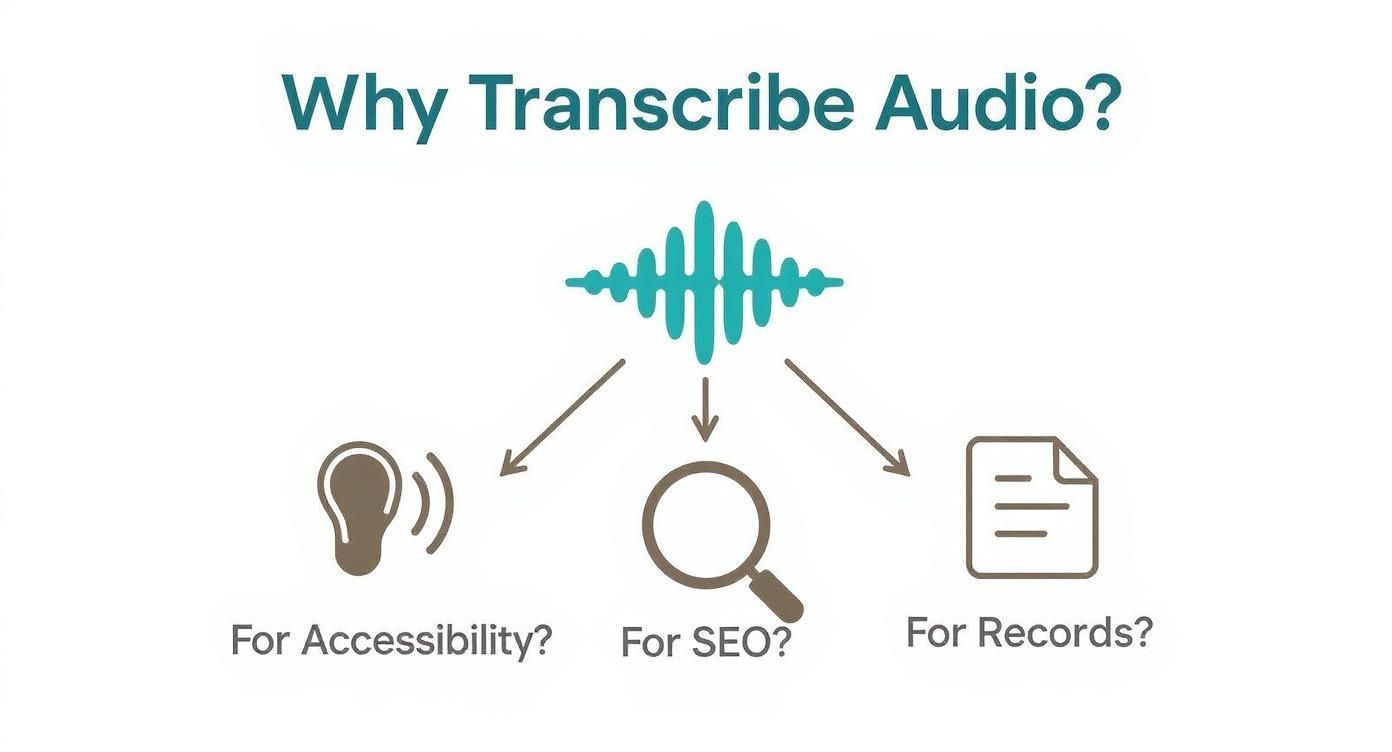
Wie Sie sehen können, beeinflusst das Warum direkt das Wie. Möchten Sie Ihren Podcast zugänglicher machen? Die SEO Ihrer Website verbessern? Oder einfach nur sorgfältige Aufzeichnungen führen? Ihre Antwort weist Ihnen den besten Weg nach vorn.
Um es noch klarer zu machen, lassen Sie uns die Hauptoptionen aufschlüsseln und sehen, wo jede einzelne glänzt.
Vergleichsleitfaden für Transkriptionsmethoden
Fühlen Sie sich in den Optionen etwas verloren? Diese schnelle Vergleichstabelle schneidet durch den Lärm. Nutzen Sie sie, um die perfekte Transkriptionsmethode für Ihr Projekt zu finden, basierend darauf, was Ihnen am wichtigsten ist – sei es Geschwindigkeit, Präzision oder Preis.
| Methode | Am besten geeignet für | Vorteile | Nachteile |
|---|---|---|---|
| Automatisierte KI-Dienste | Massentranskription, Podcasts, Besprechungen, Interviews, Inhaltserstellung | Unglaublich schnell, erschwinglich, skalierbar, funktionsreich (Zeitstempel, Sprechererkennung) | Die Genauigkeit kann bei schlechtem Audio, Akzenten oder Fachjargon sinken; erfordert eine abschließende Korrekturlesung |
| Integrierte Diktierwerkzeuge | Schnelle Notizen, E-Mail-Entwürfe, Ideen unterwegs erfassen, Echtzeit-Sprache-zu-Text | Kostenlos und vorinstalliert, sofortige Ergebnisse für einfache Aufgaben | Nicht für voraufgezeichnete Dateien, kämpft mit Lärm, fehlen erweiterte Funktionen |
| Manuelle Transkription | Gerichtsverfahren, medizinische Aufzeichnungen, akademische Forschung, risikoreiche Inhalte | Höchstmögliche Genauigkeit (99,9 %), versteht Nuancen und Kontext | Sehr langsam, teuerste Option, nicht praktikabel für große Mengen |
Letztendlich ist die beste Methode diejenige, die nahtlos in Ihren Arbeitsablauf passt. Für die meisten modernen Anforderungen trifft KI-Transkription den "Sweet Spot", aber es ist gut zu wissen, wann ein anderer Ansatz die klügere Wahl ist.
Lassen Sie uns nun tiefer in jede einzelne eintauchen.
Automatisierte KI-Transkriptionsdienste
Für die überwiegende Mehrheit der heutigen Aufgaben sind KI-gestützte Transkriptionsplattformen die beste Wahl. Sie treffen den perfekten Mittelweg aus Geschwindigkeit, Kosten und hoher Genauigkeit. Wenn Sie Interviews, Vorlesungen, Besprechungen oder Podcasts transkribieren, ist ein automatisierter Dienst Ihr bester Freund. Sie können Stunden von Audio in nur wenigen Minuten in Text umwandeln lassen.
Die Nachfrage nach dieser Technologie explodiert. Der globale Markt für Sprache-zu-Text wird im Jahr 2025 voraussichtlich rund 15 Milliarden US-Dollar erreichen und wird voraussichtlich bis 2033 mit einer Rate von etwa 20 % pro Jahr wachsen. Dies ist nicht nur ein Technologietrend; er wird durch reale Bedürfnisse in den Bereichen Medien, Gesundheitswesen und Bildung angetrieben. Mehr über den Aufstieg von KI-gestützter Transkriptionssoftware erfahren Sie in unserem detaillierten Leitfaden.
Wichtigste Erkenntnis: KI-Dienste sind das moderne Arbeitspferd für die Transkription. Sie verarbeiten riesige Audiodateien und bieten spielverändernde Funktionen wie Sprechererkennung und Zeitstempel, die die Bearbeitung erheblich erleichtern.
Was macht KI-Transkriptionsplattformen so leistungsfähig?
Modernste KI
Angetrieben von OpenAIs Whisper für branchenführende Genauigkeit. Unterstützung für benutzerdefinierte Vokabulare, bis zu 10 Stunden lange Dateien und ultraschnelle Ergebnisse.

Aus mehreren Quellen importieren
Importiere Audio- und Videodateien aus verschiedenen Quellen, einschließlich direktem Upload, Google Drive, Dropbox, URLs, Zoom und mehr.

Sprechererkennung
Identifiziere automatisch verschiedene Sprecher in deinen Aufnahmen und beschrifte sie mit ihren Namen.
Kostenlose integrierte Diktierwerkzeuge
Schlafen Sie nicht über die Werkzeuge, die Sie bereits besitzen. Sowohl Windows als auch macOS verfügen über integrierte Sprach-zu-Text-Funktionen, die für bestimmte Aufgaben überraschend gut geeignet sind. Sie eignen sich perfekt für die Echtzeit-Diktierfunktion – denken Sie daran, eine schnelle E-Mail zu versenden, Notizen während eines Anrufs zu machen oder eine brillante Idee festzuhalten, bevor sie verschwindet.
Aber sie haben definitiv ihre Grenzen.
- Sie verfügen nicht über ausgefallene Funktionen wie die Anzeige, wer spricht.
- Die Genauigkeit nimmt rapide ab, wenn Hintergrundgeräusche vorhanden sind oder sich Personen überlappen.
- Sie sind nicht dafür ausgelegt, vorab aufgenommene Audiodateien zu verarbeiten.
Betrachten Sie diese Werkzeuge als ein digitales Notizbuch für Ihre Stimme. Sie eignen sich hervorragend für unmittelbare, persönliche Aufgaben, aber sie können kein ernsthaftes Transkriptionsprojekt bewältigen.
Manuelle Transkription
Und dann gibt es noch den altmodischen Ansatz: es von Hand zu machen. Das bedeutet, dass eine echte Person sich hinsetzt, sich die Audioaufnahme anhört und jedes einzelne Wort abtippt. Dies ist mit Abstand der zeitaufwändigste und teuerste Weg, liefert aber die absolut höchste Genauigkeit – oft 99,9 %.
In einigen Bereichen ist dies nicht verhandelbar. Für Gerichtsverfahren, medizinische Aufzeichnungen oder akademische Forschung, bei denen jedes "Ähm", jede Pause und jedes Stammeln zählt, benötigen Sie menschliches Fingerspitzengefühl. Ein professioneller Transkriptionist kann Nuancen, Slang und überlappende Gespräche erfassen, auf eine Weise, die KI manchmal immer noch nicht beherrscht, und garantiert, dass der Text ein perfekter Spiegel der Audioaufnahme ist.
KI-Plattformen für schnelle und genaue Transkripte nutzen
Wenn Sie Audio in Text umwandeln müssen und das gestern erledigt sein muss, sind moderne KI-Plattformen Ihre beste Wahl. Sie verändern das Spiel komplett und verbinden unglaubliche Geschwindigkeit mit Genauigkeit, die jedes Jahr besser wird.
Was früher stundenlange mühsame manuelle Arbeit war, ist jetzt eine Aufgabe, die nur wenige Minuten dauert. Dies ist der bevorzugte Workflow für Podcaster, Forscher und praktisch jeden, der eine schriftliche Aufzeichnung seines Audios ohne Kopfzerbrechen benötigt.
Stellen Sie sich vor, Sie haben gerade ein einstündiges Podcast-Interview abgeschlossen. Sie benötigen ein vollständiges Transkript für Ihre Show-Notizen, einige interessante Zitate für soziale Medien und ein durchsuchbares Dokument, um später wichtige Momente zu finden. Mit einem KI-Dienst ist dieser gesamte Prozess lächerlich einfach.
Sie ziehen einfach Ihre endgültige Audiodatei – normalerweise eine MP3- oder WAV-Datei – in das Dashboard der Plattform. Hier beginnt die Magie, und Sie können Einstellungen vornehmen, die das endgültige Transkript sofort einsatzbereit machen.
Konfigurieren Ihres Transkriptionsauftrags
Bevor die KI an die Arbeit geht, sehen Sie einige Optionen. Überspringen Sie diese nicht. Es handelt sich nicht nur um technische Schalter; es sind Entscheidungen, die das endgültige Transkript erheblich verbessern und Ihnen viel Bearbeitungszeit sparen.
Für diese Podcast-Episode möchten Sie unbedingt die Sprechererkennung aktivieren. Diese Funktion, manchmal auch "Sprecher-Diarisierung" genannt, erkennt automatisch, wann eine andere Person spricht, und kennzeichnet sie (z. B. Sprecher 1, Sprecher 2). Von dort aus ist es ein Kinderspiel, sie in "Host" und "Gast" umzubenennen.
Ein weiteres Muss ist die Zeitstempelung. Dies fügt dem Text Zeitmarkierungen hinzu, was eine Rettung für die Synchronisierung des Transkripts mit Ihrer Audioaufnahme oder die Erstellung von Videountertiteln ist. Viele Tools können Zeitstempel für jeden Absatz oder sogar für jedes einzelne Wort hinzufügen.
Die richtige Einstellung der Optionen im Voraus ist das Geheimnis für ein Transkript, das zu 90 % fertig ist, sobald Sie es zurückerhalten. 30 Sekunden für die Aktivierung von Sprecherkennzeichnungen und Zeitstempeln können Ihnen eine Stunde manuelle Formatierung ersparen.
Sobald Sie Ihre Präferenzen festgelegt haben, klicken Sie einfach auf "Transkribieren". Die Plattform lädt die Audioaufnahme hoch, und ihr KI-Modell erledigt seine Aufgabe. Für eine einstündige Datei erhalten Sie normalerweise ein vollständiges Transkript in weniger als zehn Minuten – ein winziger Bruchteil der Zeit, die ein Mensch benötigen würde.
Vorbereiten Ihrer Audioaufnahme für optimale KI-Leistung
Hier ist eine harte Wahrheit: Die Qualität Ihres Transkripts hängt direkt von der Qualität Ihrer Audioaufnahme ab. Obwohl die heutige KI leistungsfähig ist, ist sie keine Magie. Eine saubere, klare Datei zu liefern, ist das Beste, was Sie tun können, um ein nahezu perfektes Ergebnis zu erzielen und Ihre Korrekturzeit zu verkürzen.
Ein paar Profi-Tipps zur Vorbereitung Ihrer Audioaufnahme:
- Hintergrundgeräusche eliminieren: Nehmen Sie in einem ruhigen Raum auf. Das Summen der Klimaanlage oder das ferne Geplapper können die KI leicht durcheinanderbringen.
- Ein ordentliches Mikrofon verwenden: Ein dediziertes Mikrofon nahe bei jedem Sprecher lässt seine Stimme hervorstechen. Vermeiden Sie das eingebaute Laptop-Mikrofon, wann immer Sie können.
- Übersprechen vermeiden: Versuchen Sie, zu verhindern, dass Sprecher übereinander sprechen. Selbst fortschrittliche KI kann Schwierigkeiten haben, überlappende Gespräche zu entwirren.
Diese kleinen Anstrengungen zahlen sich aus. Je sauberer die Audioaufnahme, desto höher die Genauigkeit – unter idealen Bedingungen manchmal bis zu 99 %. Um wirklich ins Detail zu gehen, können Sie mehr darüber erfahren, was die Genauigkeit von Sprache-zu-Text beeinflusst, und sehen, wie Sie Ihr Setup für makellose Transkripte jedes Mal optimieren können.
Die kostenlosen Werkzeuge nutzen, die Sie bereits besitzen
Bevor Sie überhaupt daran denken, Geld für einen Transkriptionsdienst auszugeben, werfen Sie einen Blick auf die leistungsstarken Werkzeuge, die bereits auf Ihrem Computer vorhanden sind. Sowohl Windows als auch macOS verfügen über überraschend gute, kostenlose Sprach-zu-Text-Funktionen, die sich perfekt für die Echtzeit-Diktierfunktion eignen.
Nun, um es klar zu sagen: Diese sind nicht dafür ausgelegt, eine aufgezeichnete einstündige Interviewaufnahme zu verarbeiten. Ihr idealer Einsatzbereich ist die Umwandlung Ihrer gesprochenen Worte in Text, genau jetzt, während Sie sie aussprechen.
Betrachten Sie sie als Produktivitäts-Hack. Sie könnten eine E-Mail entwerfen, während Sie Papiere auf Ihrem Schreibtisch sortieren, oder eine brillante Idee in einem Dokument festhalten, ohne jemals die Tastatur berühren zu müssen. Für diese schnellen, persönlichen Aufgaben sind diese nativen Werkzeuge oft der schnellste Weg, um Wörter auf Papier zu bringen.
Der Einstieg ist lächerlich einfach. Es ist nur eine Tastenkombination entfernt.
- Unter Windows: Drücken Sie die Windows-Taste + H, um die Diktier-Symbolleiste aufzurufen.
- Unter macOS: Drücken Sie einfach zweimal die Funktionstaste (Fn), um in jedes beliebige Textfeld zu diktieren, das Sie geöffnet haben.
Sobald Sie das kleine Mikrofonsymbol sehen, fangen Sie einfach an zu sprechen. Es ist eine einfache, aber unglaublich effektive Methode, um Audio in Text umzuwandeln für Bedürfnisse im Moment.
Wissen, wann man sie benutzt (und wann nicht)
Diese integrierten Werkzeuge sind fantastisch, aber sie haben ihre Grenzen. Sie sind für einen einzelnen Sprecher in einem einigermaßen ruhigen Raum konzipiert. Das macht sie perfekt für persönliche Notizen, das Verfassen des ersten Entwurfs eines Blogbeitrags oder das Beantworten einer Nachricht.
Aber es ist entscheidend, ihre Grenzen zu verstehen. Sie geraten bei Hintergrundgeräuschen durcheinander und haben keine Ahnung, wie sie in einem Gespräch einen Sprecher vom anderen unterscheiden können. Und vergessen Sie ausgefallene Funktionen wie Zeitstempel oder den Export in spezielle Formate wie SRT für Videountertitel. Dort endet ihre Nützlichkeit und beginnt die Notwendigkeit einer dedizierten Plattform.
Integrierte Tools haben ihre Grenzen
Die native Diktierfunktion ist großartig für schnelle Aufgaben, aber sie kann keine Audioaufnahmen mit mehreren Sprechern, Zeitstempel, spezielle Formate oder lange Aufnahmen verarbeiten. Für alles Professionelle – Podcasts, Interviews, Forschung – benötigen Sie eine spezielle Transkriptionsplattform, die auf Genauigkeit und Skalierbarkeit ausgelegt ist.
Betrachten Sie diese Tools als eine "Sprachtastatur". Sie eignen sich hervorragend, um Text per Sprache in eine App einzugeben, aber sie haben nicht die Leistung für Analysen oder Formatierungen, wie es ein echter Transkriptionsdienst bietet.
Die Technologie, die dies ermöglicht, ist von großer Bedeutung. Der globale Markt für Spracherkennung, der die treibende Kraft hinter diesen Tools ist, wird voraussichtlich bis 2025 eine Marktgröße von 10,62 Milliarden US-Dollar erreichen. Diese Explosion wird durch Sprachbefehle und Diktate angeheizt, die zu Standardfunktionen in den Geräten werden, die wir jeden Tag nutzen. Weitere Zahlen zum globalen Markt für Spracherkennung finden Sie auf Statista.
Wann es Zeit ist, auf einen dedizierten Dienst umzusteigen
Wann sollten Sie also über diese kostenlosen Angebote hinausblicken? Die Grenze ist ziemlich klar: immer dann, wenn Genauigkeit, Komplexität und Dateiverarbeitung zu Ihren Hauptanliegen werden.
Sie sollten einen dedizierten KI-Transkriptionsdienst suchen, wenn Ihr Ziel darin besteht:
- Eine vorab aufgenommene Audio- oder Videodatei zu transkribieren.
- Ein Transkript zu erhalten, das verschiedene Sprecher identifizieren und kennzeichnen kann.
- Hohe Genauigkeit bei schwierigem Audio zu erzielen (denken Sie an starke Akzente, Fachjargon oder Hintergrundgeräusche).
- Ihr Transkript in verschiedene Formate wie DOCX, SRT oder PDF zu exportieren.
Während die integrierten Tools für schnelles Diktieren lebensrettend sind, ersetzen sie keinen spezialisierten Dienst, wenn Sie zuverlässig Audio in Text umwandeln aus vorhandenen Aufnahmen für professionelle oder kreative Arbeiten müssen.
Profi-Tipps für ein makelloses Endtranskript
Hier ist ein Geheimnis, das die meisten Leute übersehen: Ein großartiges Transkript beginnt nicht, wenn Sie Ihr Audio hochladen. Es beginnt lange bevor Sie überhaupt auf Aufnahme drücken.
Die Gewohnheiten, die Sie während der Aufnahme entwickeln, und die Sorgfalt, die Sie bei der Überprüfung walten lassen, trennen ein anständiges Transkript von einem professionellen. Betrachten Sie die KI als eine brillante Assistentin – je besser die Rohmaterialien, die Sie ihr geben, desto besser das Endergebnis, das sie Ihnen zurückgibt.
Dies sind keine komplizierten, technischen Schritte. Es sind einfache, praktische Anpassungen, die die häufigsten Fehler verhindern und den gesamten Prozess der Audio-zu-Text-Umwandlung reibungsloser und zuverlässiger machen.
Beginnen Sie mit hochwertigem Ton
Die goldene Regel der Transkription ist einfach: Müll rein, Müll raus. Keine KI, egal wie hochentwickelt, kann dumpfes, verrauschtes oder verzerrtes Audio genau entwirren. Ihre oberste Priorität sollte immer darin bestehen, den saubersten möglichen Ton aufzunehmen.
Einige Best Practices werden einen großen Unterschied machen:
- Achten Sie auf Ihr Mikrofon: Bringen Sie das Mikrofon so nah wie möglich an den Mund des Sprechers, idealerweise 10-15 cm entfernt. Wenn Sie mehrere Sprecher haben, tun Sie sich einen Gefallen und geben Sie jeder Person ihr eigenes Mikrofon.
- Wählen Sie Ihren Ort: Nehmen Sie in einem ruhigen Raum mit weichen Möbeln auf. Harte, leere Räume erzeugen Echo und Hall, während Dinge wie Teppiche, Vorhänge und Sofas Schall absorbieren und verhindern, dass er herumprallt.
- Schalten Sie Umgebungsgeräusche aus: Schalten Sie Lüfter, Klimaanlagen und alle Gerätebenachrichtigungen aus. Diese Hintergrundgeräusche und Pings mögen für Ihre Ohren geringfügig erscheinen, können aber die Transkriptionssoftware leicht durcheinanderbringen.
Perfektionieren Sie Ihren Workflow nach der Transkription
Sobald die KI ihren Teil erledigt hat, ist es Zeit für den menschlichen Touch. Eine schnelle und effiziente Korrekturlesung ist der Punkt, an dem Sie die subtilen Fehler erkennen, die Maschinen übersehen, und sicherstellen, dass Ihr endgültiges Dokument poliert und genau ist. Für jede professionelle Arbeit ist diese Überprüfungsphase nicht verhandelbar.
Ihre Korrekturlesung sollte sich auf einige Schlüsselbereiche konzentrieren, in denen selbst die besten KI-Modelle dazu neigen, zu stolpern. Es geht nicht nur um Tippfehler; es geht um Kontext und Nuancen.
Eine dedizierte 15-minütige Überprüfung eines einstündigen Transkripts kann über 95 % der KI-Fehler erkennen. Es ist eine geringe Zeitinvestition, die die Integrität Ihres Inhalts schützt und peinliche Fehler vermeidet.
Achten Sie bei der Überprüfung auf diese häufigen Fehler:
- Homophone und ähnlich klingende Wörter: KI kann leicht Wörter wie "ihr", "hier" und "mir" oder "effektiv" und "effektvoll" verwechseln. Der schnellste Weg, diese zu erkennen, ist, das Audio anzuhören, während Sie den Text lesen.
- Eigennamen und Fachbegriffe: Markennamen, Nischen-Akronyme und Fachbegriffe sind häufige Problembereiche. Wenn Sie wissen, dass sie vorkommen, erstellen Sie vorher ein kurzes Glossar, um Ihre Suchen-und-Ersetzen-Bearbeitungen zu vereinfachen.
- Fehler bei der Sprecherkennzeichnung: In einem schnellen Gespräch kann eine KI gelegentlich einen Satz der falschen Person zuweisen. Ein schneller Scan der Sprecherkennzeichnungen stellt sicher, dass der Dialog Sinn ergibt.
- Interpunktion und Fluss: KI ist ziemlich gut mit Interpunktion, aber sie kann nicht immer den beabsichtigten Ton oder Rhythmus erfassen. Möglicherweise müssen Sie Absatzumbrüche für die Lesbarkeit hinzufügen oder Kommas anpassen, um die natürlichen Pausen eines Sprechers besser wiederzugeben.
Profi-Bearbeitungstipps, die Zeit sparen
Mit Kopfhörern überprüfen
Hochwertige Kopfhörer helfen Ihnen, subtile Fehler zu erkennen, die KI oft übersieht. Sie werden falsch verstandene Begriffe, unklare Wörter und überlappende Dialoge leichter bemerken.
Benutzerdefiniertes Glossar erstellen
Führen Sie eine Liste mit Namen, Fachbegriffen und Akronymen, die in Ihrem Audio vorkommen. Dies beschleunigt die Suche und den Ersetzungsvorgang und sorgt für perfekte Konsistenz im gesamten Transkript.
In saubere Absätze aufteilen
Lesbare Formatierung ist wichtig. Das Aufteilen langer Textblöcke erleichtert das Scannen, Kommentieren und Wiederverwenden des Transkripts für Blogs oder Zitate.
Sprecherkennzeichnungen überprüfen
Ein schneller Scan zur Bestätigung, wer was gesagt hat, hält Ihr Transkript logisch. Falsch zugeordnete Zeilen sind häufig, und deren frühe Korrektur vermeidet spätere Verwirrung.
Durch das Einbauen von Zeitstempeln in Ihren Workflow können Sie sofort zu bestimmten Audiosegmenten springen, die genauer betrachtet werden müssen. Mehr über die Vorteile der Arbeit mit Transkription mit Zeitstempel in unserem detaillierten Leitfaden erfahren Sie in unserem detaillierten Leitfaden.
Diese Profi-Tipps werden die Art und Weise, wie Sie Audio in Text umwandeln, komplett verändern und Ihnen helfen, jedes Mal ein makelloses Endprodukt zu liefern.
Ihre Top-Fragen zur Audio-Transkription, beantwortet
Der Einstieg in die Welt der Audio-Transkription wirft normalerweise eine Handvoll Fragen auf. Sie fragen sich vielleicht nach der realen Genauigkeit von KI oder wie sicher Ihre Dateien sind, sobald Sie sie hochladen.
Direkte Antworten zu erhalten ist der Schlüssel zur Auswahl der richtigen Methode zur Umwandlung von Audio in Text. Lassen Sie uns die häufigsten Fragen aufschlüsseln.
Wie genau sind KI-Transkriptionsdienste wirklich?
Moderne KI-Transkriptionstools können schockierend gut sein und bei perfekten Bedingungen eine Genauigkeit von bis zu 99 % erreichen. Aber dieser "perfekte" Teil ist wichtig. Dieses Qualitätsniveau ist keine Selbstverständlichkeit – es hängt alles von Ihrem Quell-Audio ab.
Betrachten Sie die KI als einen sehr wörtlichen Zuhörer. Wenn Sie ihr eine saubere Aufnahme mit einem einzelnen, klaren Sprecher nahe am Mikrofon geben, werden die Ergebnisse nahezu fehlerfrei sein.
Aber genau wie ein Mensch kann die KI ins Stolpern geraten. Die Genauigkeit kann beeinträchtigt werden durch:
- Lauter Hintergrundlärm: Straßenverkehr, ein belebtes Café oder sogar eine summende Klimaanlage können die Sache erschweren.
- Mehrere Personen sprechen gleichzeitig: Wenn Stimmen überlappen, ist es für jedes System schwierig zu entwirren, wer was gesagt hat.
- Starke Akzente oder Fachjargon: Unbekannte Akzente und branchenspezifische Begriffe können manchmal falsch interpretiert werden.
Selbst mit diesen Hürden leisten die besten Plattformen immer noch beeindruckende Arbeit. Für alles Wichtige ist jedoch eine schnelle menschliche Korrektur immer ein kluger Schachzug. Es dauert nur wenige Minuten, um kleine Fehler zu erkennen.
Fortgeschrittene Funktionen von Tools, die Ihre Transkripte aufwerten
Diese erweiterten Funktionen helfen Ihnen, über einfache Transkriptionen hinauszugehen. Fassen Sie lange Aufnahmen automatisch zusammen, integrieren Sie sie in Ihren bestehenden Workflow und bereinigen Sie Ihren Text mit integrierten Bearbeitungswerkzeugen – alles, ohne die App zu wechseln.

Bearbeitungswerkzeuge
Bearbeite Transkripte mit leistungsstarken Werkzeugen wie Suchen und Ersetzen, Sprecherzuordnung, Rich-Text-Formate und Hervorhebungen.

In mehreren Formaten exportieren
Exportiere deine Transkripte in mehreren Formaten, einschließlich TXT, DOCX, PDF, SRT und VTT mit anpassbaren Formatierungsoptionen.
Zusammenfassungen und Chatbot
Erstelle Zusammenfassungen und andere Erkenntnisse aus deinem Transkript, wiederverwendbare benutzerdefinierte Prompts und Chatbot für deine Inhalte.
Integrationen
Verbinde dich mit deinen bevorzugten Tools und Plattformen, um deinen Transkriptions-Workflow zu optimieren.
Ist es sicher, meine Audiodateien hochzuladen?
Das ist eine wichtige Frage, und das aus gutem Grund – besonders wenn Sie mit privaten Interviews oder vertraulichen Geschäftsbesprechungen arbeiten. Jede seriöse Transkriptionsplattform nimmt die Sicherheit sehr ernst und implementiert starke Schutzmaßnahmen für Ihre Daten.
Achten Sie auf Dienste, die Ihre Dateien sowohl während des Hochladens (in Übertragung) als auch während der Speicherung auf ihren Servern (im Ruhezustand) verschlüsseln. Noch wichtiger ist, dass Sie deren Datenschutzrichtlinien lesen. Sie müssen eine klare Zusage sehen, dass Ihre Daten nicht zum Trainieren ihrer KI-Modelle ohne Ihre ausdrückliche Zustimmung verwendet werden. Wenn Sie tiefer in die Grundlagen eintauchen möchten, bietet dieser Leitfaden zu Wie man eine Audiodatei transkribiert einige großartige Einblicke.
Wenn Sie mit hochsensiblen Dateien wie juristischen Aussagen oder medizinischen Notizen arbeiten, stellen Sie sicher, dass der Dienst Vorschriften wie die DSGVO oder HIPAA einhält. Das ist Ihr Gütesiegel für erstklassige, geprüfte Sicherheit.
Wie lange dauert es, mein Transkript zu erhalten?
Hier sehen Sie die größten Unterschiede zwischen den Methoden. Die Zeit, die benötigt wird, um Audio in Text umzuwandeln, kann von nur wenigen Minuten bis zu mehreren Stunden reichen, je nachdem, welchen Weg Sie wählen.
KI-Geschwindigkeit verändert die Arbeitsweise
KI-Tools erledigen jetzt in Minuten, was früher Stunden dauerte. Kreative, Studenten, Unternehmen und Forscher nutzen Transkriptionen schneller als je zuvor, da die Zeitersparnis enorm ist und die Genauigkeit jedes Jahr weiter verbessert wird.
KI-gestützte Dienste sind die unangefochtenen Champions der Geschwindigkeit. Sie können eine einstündige Audiodatei in wenigen Minuten verarbeiten, was sie zu einem Lebensretter für knappe Fristen macht.
Manuelle Transkription hingegen ist ein wesentlich langsamerer Prozess. Ein erfahrener menschlicher Transkriptor benötigt normalerweise 4 bis 6 Stunden, um eine Stunde klare Audio zu verarbeiten. Wenn die Aufnahme komplex ist, mit mehreren Sprechern oder schlechter Qualität, kann sich diese Zeit noch verlängern.
Bereit für schnelle, genaue Transkripte ohne Wartezeit? Transcript.LOL verwendet fortschrittliche KI, um Ihre Audio- und Videodateien in Sekundenschnelle in Text umzuwandeln. Mit Sprechererkennung, mehreren Exportformaten und einer strikten No-Training-Richtlinie für Ihre Daten ist es die sichere und effiziente Lösung für Kreative und Profis. Probieren Sie es kostenlos unter https://transcript.lol aus und erleben Sie, wie einfach Transkription sein kann.