
Maîtriser les horodatages YouTube pour stimuler l'engagement
Apprenez à utiliser un horodatage YouTube pour créer des chapitres vidéo qui stimulent la rétention des spectateurs et améliorent le référencement de vos vidéos. Obtenez des conseils exploitables et des conseils pratiques.
Kate
February 26, 2026
Vous les avez probablement déjà vues : ces horodatages cliquables dans la description d'une vidéo YouTube. Officiellement, YouTube les appelle des chapitres vidéo, et ils servent de table des matières super pratique pour votre contenu. En ajoutant une simple liste d'heures (comme 0:00, 1:30, 3:45), vous permettez aux spectateurs de sauter directement aux parties qui les intéressent le plus.
C'est une fonctionnalité simple, mais c'est l'un des outils les plus puissants dont vous disposez pour améliorer les performances de votre chaîne.
Pourquoi les horodatages YouTube sont non négociables pour la croissance
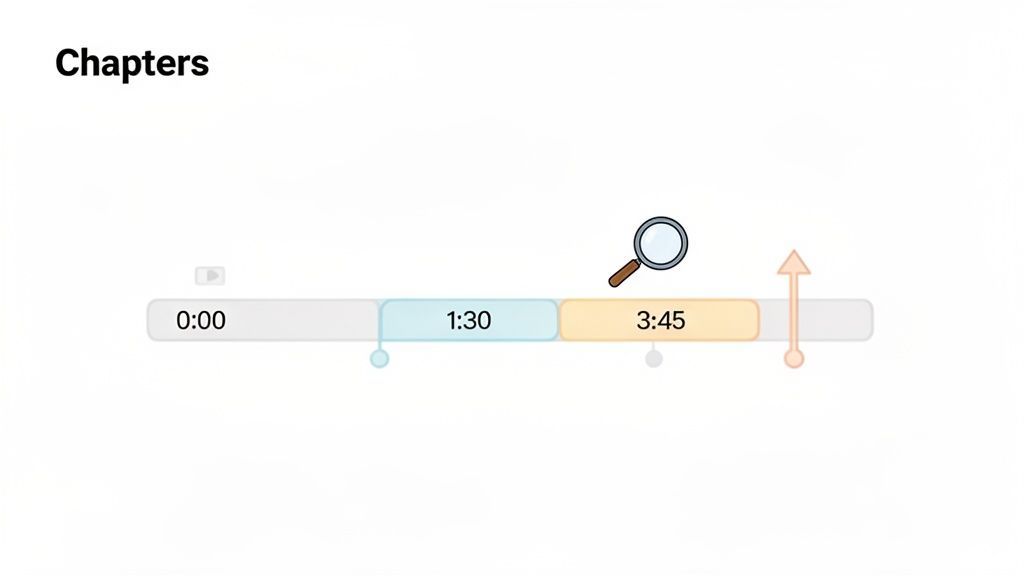
Tant de créateurs négligent cette étape, considérant les horodatages comme une réflexion après coup. C'est une énorme erreur. Les chapitres sont un outil stratégique qui indique à votre public et à l'algorithme YouTube exactement ce que votre vidéo propose.
Lorsque vous divisez votre contenu en chapitres logiques, vous créez une feuille de route. Pour les spectateurs, c'est un guide. Pour les moteurs de recherche, c'est un résumé détaillé qui les aide à comprendre et à classer votre contenu.
Améliorer l'expérience spectateur
Soyons honnêtes, les durées d'attention sont courtes. Les spectateurs veulent des réponses, et ils les veulent maintenant. Les horodatages leur donnent ce contrôle.
Au lieu de parcourir sans fin un long tutoriel pour trouver cette étape spécifique, ils peuvent simplement cliquer sur le chapitre et y accéder directement. Cet acte simple de respecter le temps de votre spectateur crée énormément de confiance et de bonne volonté.
Une meilleure expérience utilisateur se traduit directement par de meilleures métriques de chaîne :
- Satisfaction accrue des spectateurs : Les gens adorent quand vous leur facilitez la vie. Les spectateurs satisfaits sont plus susceptibles de s'abonner et de revenir.
- Augmentation du temps de visionnage par session : Un spectateur peut sauter vers trois segments différents de cinq minutes qui l'intéressent, au lieu de simplement partir après deux minutes de recherche.
- Plus de spectateurs réguliers : Une chaîne qui offre constamment une expérience formidable et conviviale est une chaîne à laquelle les gens restent fidèles.
Booster le SEO et la découvrabilité
C'est là que la vraie magie opère. Chaque horodatage YouTube et son titre de chapitre constituent des métadonnées riches qui donnent à YouTube et à Google un contexte puissant sur votre vidéo.
Vos titres de chapitre sont essentiellement des mini-mots-clés. Lorsque quelqu'un recherche une phrase spécifique qui correspond à l'un de vos titres de chapitre, Google peut afficher ce segment exact comme un "Moment clé" directement dans les résultats de recherche.
Cette fonctionnalité change absolument la donne.
Soudainement, votre vidéo peut se classer pour des dizaines de mots-clés de longue traîne, pas seulement pour le titre principal. Une seule vidéo "comment faire" peut apparaître dans les recherches pour chaque étape qu'elle couvre. C'est l'un des conseils de croissance de chaîne YouTube les plus efficaces, car il multiplie votre visibilité sans effort supplémentaire.
En fait, certaines études ont montré que l'ajout de chapitres peut augmenter la rétention des spectateurs jusqu'à 11 %. C'est une amélioration massive, surtout lorsqu'elle est mise à l'échelle sur des milliers de vues. Ces métadonnées indiquent également à YouTube de quoi parle votre vidéo, l'aidant à être recommandée aux côtés d'autres contenus pertinents.
Si vous souhaitez approfondir les mécanismes, nous avons un guide complet sur la façon de créer un horodatage pour vidéo et de l'optimiser parfaitement.
Astuce de pro : les chapitres agissent comme des mini-boosters de référencement
Chaque titre d'horodatage fonctionne comme des métadonnées consultables, aidant les moteurs de recherche à comprendre clairement les différentes parties de votre vidéo. Google peut mettre en évidence ces sections comme des « moments clés », rendant des parties spécifiques directement découvrables dans les résultats de recherche. Cela signifie que votre seule vidéo peut se classer automatiquement pour plusieurs mots-clés connexes, augmentant ainsi la visibilité et le trafic.
Ajouter manuellement des horodatages à vos vidéos
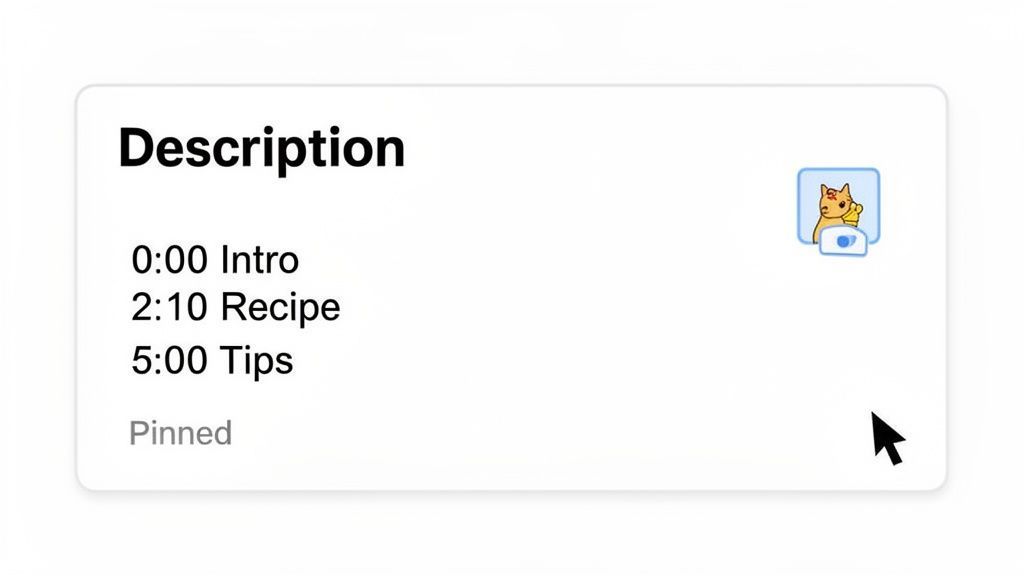
Commençons par les bases. L'ajout manuel d'une liste d'horodatages YouTube est une compétence fondamentale que tout créateur devrait avoir à sa disposition. C'est direct, totalement fiable et vous donne un contrôle total sur l'apparence de vos chapitres.
Vous avez deux endroits principaux pour placer vos horodatages : la description de la vidéo ou la section des commentaires.
La description de la vidéo est de loin la meilleure pratique et la plus courante. Elle est permanente, vous pouvez la modifier à tout moment, et c'est le premier endroit où les spectateurs et les moteurs de recherche recherchent du contexte. Les y placer est votre meilleur atout pour la découvrabilité.
🎯 Qu'est-ce qui fait une bonne liste de chapitres ?
Séparations claires des sujets
Chaque chapitre doit représenter une idée ou une étape complète. Évitez de couper au milieu d'une explication ou d'une action, car cela perturbe les spectateurs lorsqu'ils sautent en avant.
Titres optimisés pour la recherche
Utilisez des titres que les gens recherchent réellement, comme « Corriger les problèmes de synchronisation audio » au lieu d'étiquettes vagues comme « Partie 2 ». Des mots-clés forts améliorent à la fois la découvrabilité et le potentiel de clics.
Durées équilibrées
Pour les tutoriels, visez des chapitres d'environ 30 à 90 secondes. Trop courts, cela donne une impression de fouillis, et trop longs, cela va à l'encontre de l'objectif de navigation rapide.
L'intention du spectateur d'abord
Pensez du point de vue du spectateur : « À quoi voudrais-je sauter ? » Structurez les chapitres autour de questions réelles et de l'intention de l'utilisateur, et non pas seulement de sections de votre script.
Épingler un commentaire avec vos horodatages est une autre tactique solide. Cela peut en fait susciter un peu plus d'engagement, car les gens pourraient répondre directement à la liste des chapitres. L'inconvénient ? Ce n'est pas aussi bon pour le référencement, car Google et YouTube privilégient fortement la description pour comprendre et indexer votre contenu.
Les règles de formatage de base
Pour que YouTube voie réellement vos horodatages et les transforme en ces chapitres vidéo élégants et cliquables, vous devez suivre quelques règles simples et non négociables. Sérieusement, se tromper sur l'une d'elles est la raison n°1 pour laquelle je vois les chapitres ne pas apparaître.
Les chapitres n'apparaîtront pas si le formatage est incorrect
Si vous manquez 0:00, utilisez les mauvais séparateurs ou créez des segments trop courts, les chapitres n'apparaîtront pas du tout. Même une seule erreur de formatage peut désactiver la fonctionnalité entière. Vérifiez toujours attentivement vos horodatages avant de publier pour éviter de perdre cet avantage SEO.
- Vous devez commencer à
0:00. C'est le point le plus important. Si vous n'avez pas d'horodatage à0:00(généralement intitulé "Intro" ou quelque chose de similaire), les chapitres ne fonctionneront tout simplement pas. - Vous avez besoin d'au moins trois horodatages. Une liste avec seulement deux entrées ne suffira pas. Votre vidéo doit être décomposée en au moins trois sections distinctes.
- Chaque chapitre doit durer au moins 10 secondes. YouTube ignorera tout ce qui est plus court pour éviter d'encombrer le lecteur vidéo avec des segments minuscules et inutiles.
- Les horodatages doivent être dans l'ordre chronologique. Cela semble évident, mais il est facile de se tromper. Vérifiez toujours que votre liste va du début à la fin.
Règles de formatage des horodatages YouTube
Voici un tableau de référence rapide pour vous assurer de bien faire les choses à chaque fois. C'est une simple liste de contrôle à parcourir avant de publier.
| Règle | Exigence | Exemple |
|---|---|---|
| Point de départ | Le premier horodatage doit être 0:00. | 0:00 Introduction |
| Chapitres minimum | Vous devez lister au moins trois horodatages. | 0:00, 1:15, 3:30 |
| Durée du chapitre | Chaque segment doit durer 10 secondes ou plus. | 1:15 à 1:24 est trop court. |
| Ordre de la liste | Toutes les entrées doivent être séquentielles. | 0:00, 1:15, 3:30 (Correct) 0:00, 3:30, 1:15 (Incorrect) |
Mettez cette page en favoris ou enregistrez une capture d'écran, cela vous évitera bien des maux de tête plus tard lorsque vos chapitres disparaîtront mystérieusement.
Exemples concrets en action
La façon dont vous structurez vos chapitres dépend entièrement de votre contenu. Il n'y a pas d'approche unique.
Par exemple, imaginez une chaîne de cuisine qui prépare une recette de lasagnes. Leurs chapitres portent tous sur le processus :
0:00 - Intro
0:45 - Préparation de la sauce
3:20 - Cuisson des pâtes
5:10 - Assemblage des lasagnes
8:55 - Cuisson et révélation finale
Maintenant, pensez à un podcast d'affaires. Sa structure est basée sur des sujets, conçue pour un public occupé :
0:00 - Bienvenue et introduction du sujet
2:15 - L'impact de l'IA sur le marketing
9:30 - Étude de cas : le succès de l'entreprise X
17:05 - Erreurs courantes à éviter
24:40 - Questions des auditeurs
28:50 - Réflexions finales et points à retenir
En étant spécifiques, les deux créateurs rendent leur contenu beaucoup plus précieux. Le cuisinier aide un spectateur à retrouver une étape qu'il a manquée, tandis que le podcasteur permet à un professionnel pressé de sauter directement à l'étude de cas qui l'intéresse réellement. Ces petits détails font une énorme différence.
Si vous travaillez avec du contenu plus technique, comme un tutoriel sur les formats vidéo, il est utile de comprendre les fichiers avec lesquels vous travaillez. Pour une analyse plus approfondie, vous pouvez en apprendre davantage sur la création de fichiers SRT et mieux comprendre le fonctionnement des formats de texte chronométrés en coulisses.
Bonnes pratiques pour créer des marqueurs de chapitre efficaces
Ajouter une liste d'horodatages YouTube à votre description est facile. Mais créer des chapitres qui aident réellement votre public ? C'est là que la vraie magie opère. De bons marqueurs de chapitre ne servent pas seulement à la navigation ; ils constituent une partie stratégique de la structure de votre vidéo. L'objectif est de les rendre intuitifs, utiles et même un peu captivants.
Commencez par être votre propre premier spectateur. Regardez votre vidéo avec un regard neuf et recherchez les changements naturels. Quand la conversation change-t-elle de sujet ? Quand passez-vous à une nouvelle étape d'un tutoriel ? Où une nouvelle idée apparaît-elle ? Ce sont vos coupures de chapitre.
Pour une vidéo de 20 minutes, une bonne règle générale est de viser 8 à 12 chapitres bien définis. Cela donne aux spectateurs suffisamment de détails pour naviguer sans encombrer la chronologie.
Rédiger des titres de chapitre captivants
Vos titres de chapitre sont plus que de simples étiquettes ; ce sont des mini-titres. Ils doivent être suffisamment descriptifs pour être utiles, mais suffisamment attrayants pour donner envie de cliquer.
C'est votre chance de vous débarrasser des généralités et d'utiliser un langage orienté vers l'action et riche en mots-clés. Ce n'est pas seulement pour votre spectateur, cela donne plus de contexte à l'algorithme YouTube sur ce qui se trouve dans votre vidéo.
-
Générique :
Préparation de la sauce -
Mieux :
Cuisson de la sauce marinara parfaite -
Générique :
Démo logicielle -
Mieux :
Présentation des fonctionnalités clés du tableau de bord
Cette petite modification transforme une table des matières fade en un aperçu passionnant des meilleurs moments de votre vidéo.
Considérez chaque titre de chapitre comme un crochet. Si un spectateur voit "Révélation finale et dégustation" dans une vidéo de cuisine, il est beaucoup plus susceptible de cliquer dessus que s'il est simplement écrit "Conclusion". Vous guidez leur parcours et éveillez leur curiosité.
Trouver le juste équilibre pour la quantité de chapitres
Alors, combien de chapitres, c'est trop ? Cela dépend vraiment de la durée et de la complexité de votre vidéo. J'ai vu de longues vidéos avec trop peu de chapitres, ce qui va un peu à l'encontre de l'objectif. D'un autre côté, entasser trop de chapitres dans une courte vidéo donne simplement à la chronologie un aspect chaotique.
Voici une ligne directrice générale que j'aime suivre :
| Durée de la vidéo | Chapitres recommandés |
|---|---|
| 5-10 minutes | 3-5 chapitres |
| 10-30 minutes | 8-15 chapitres |
| 30+ minutes | 15+ chapitres |
Ces chiffres ne sont qu'un point de départ, pas une règle stricte. Laissez votre contenu guider. Si un sujet de votre podcast dure sept minutes avant que vous ne changiez de cap, laissez-le être un seul chapitre. Ne forcez pas une coupure juste pour atteindre un nombre.
N'oubliez pas que des chapitres bien planifiés rendent également votre contenu plus accessible. Les spectateurs utilisant des lecteurs d'écran peuvent facilement naviguer dans la structure de votre vidéo, rendant votre contenu plus inclusif pour tous.
Automatiser votre flux de travail d'horodatage avec les transcriptions
Si vous publiez du contenu régulièrement, vous connaissez la procédure. Ajouter manuellement un horodatage YouTube à chaque vidéo est une perte de temps énorme. Bien que le faire à la main vous donne un contrôle absolu, cela peut rapidement devenir un sérieux goulot d'étranglement dans votre flux de travail.
C'est là que vous pouvez commencer à travailler plus intelligemment. Le secret est déjà dans votre vidéo : la transcription.
Chaque vidéo que vous créez contient une mine d'or de données structurées dans ses paroles. En exportant la transcription, vous obtenez une carte textuelle de votre vidéo entière, avec une synchronisation précise. Cela ouvre la porte à une automatisation sérieuse qui peut vous faire gagner des heures de recherche et de frappe fastidieuses.
⚡ Automatisez votre flux de travail d'horodatage
IA de pointe
Alimenté par Whisper d'OpenAI pour une précision de premier plan. Prise en charge des vocabulaires personnalisés, des fichiers jusqu'à 10 heures et des résultats ultra rapides.

Importer depuis plusieurs sources
Importez des fichiers audio et vidéo depuis diverses sources, y compris le téléchargement direct, Google Drive, Dropbox, les URL, Zoom et plus encore.
Résumés et Chatbot
Générez des résumés et d'autres analyses de votre transcription, des prompts personnalisés réutilisables et un chatbot pour votre contenu.
Du texte aux horodatages
Au lieu de revoir votre vidéo et de noter les heures, vous pouvez simplement alimenter un fichier de transcription dans un outil conçu pour l'analyser. Un outil basé sur l'IA comme Transcript.LOL peut analyser le texte, identifier les changements de sujet naturels et les pauses conversationnelles, puis générer automatiquement des marqueurs de chapitre avec des titres étonnamment pertinents.
Ce simple changement transforme une corvée longue et manuelle en une révision finale rapide. L'IA fait tout le travail ardu de trouver les points de rupture logiques, et votre travail consiste simplement à jeter un coup d'œil à son travail, à faire quelques ajustements et à copier la liste finale dans la description de votre vidéo.
Affinez et publiez plus rapidement

Détection des intervenants
Identifiez automatiquement les différents intervenants dans vos enregistrements et étiquetez-les avec leurs noms.

Outils d'édition
Modifiez les transcriptions avec des outils puissants incluant rechercher et remplacer, attribution des intervenants, formats de texte enrichi et surlignage.

Exporter en plusieurs formats
Exportez vos transcriptions en plusieurs formats dont TXT, DOCX, PDF, SRT et VTT avec des options de formatage personnalisables.
Ce diagramme de flux détaille la réflexion stratégique derrière la création de chapitres pertinents, que vous le fassiez vous-même ou que vous examiniez simplement ce qu'une IA a suggéré.
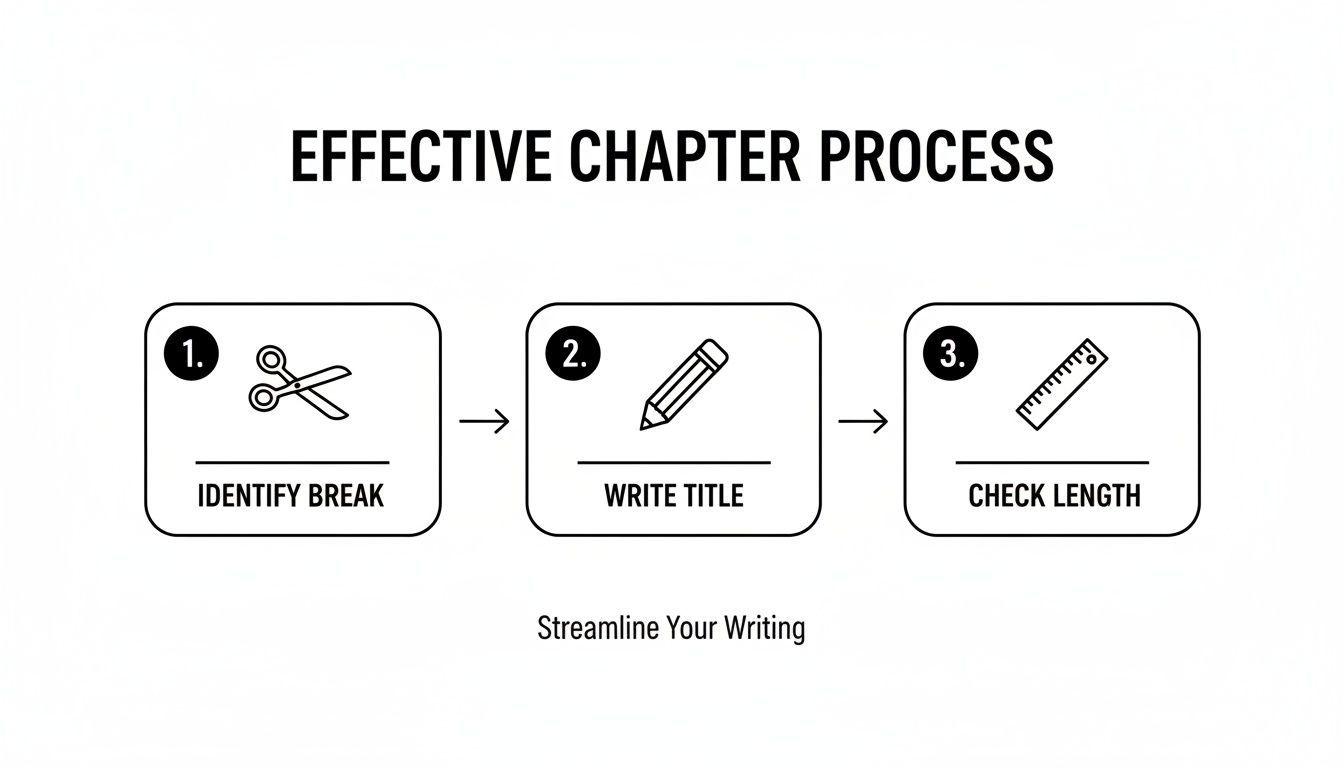
Il s'agit vraiment d'identifier ces moments clés, de leur donner des titres clairs et de s'assurer que chaque chapitre a une longueur significative.
La Puissance De La Génération Automatique De Chapitres
Utiliser un outil pour générer automatiquement des chapitres à partir d'une transcription ne vise pas seulement à être plus rapide ; cela conduit souvent à des résultats plus précis et détaillés. L'IA peut détecter des changements de sujet subtils que vous pourriez complètement manquer lors d'une analyse manuelle, créant ainsi une table des matières beaucoup plus granulaire et utile pour vos spectateurs.
Le véritable avantage ici est de transformer une tâche fastidieuse en un simple contrôle de qualité. Vous passez moins de temps sur un travail répétitif et plus de temps à créer du contenu de qualité, tout en sachant que la navigation de votre vidéo est prise en charge.
Pour les créateurs qui disposent d'un vaste catalogue de vidéos, cette approche change la donne. Vous pouvez revenir efficacement et ajouter des chapitres à toute votre bibliothèque, augmentant instantanément la valeur SEO et l'expérience utilisateur du contenu plus ancien qui, autrement, pourrait prendre la poussière numérique.
Revitalisez les anciennes vidéos avec des mises à jour intelligentes des chapitres
Vous pouvez générer des chapitres en masse pour des dizaines de vidéos plus anciennes à la fois, économisant ainsi des heures de travail manuel. Cela rafraîchit votre visibilité SEO et améliore la rétention de l'audience sans avoir besoin de rééditer le contenu réel. C'est l'un des moyens les plus rapides et les plus efficaces de faire évoluer et d'optimiser votre chaîne.
Si vous êtes prêt à essayer, vous pouvez en savoir plus sur la façon de télécharger la transcription d'une vidéo YouTube pour démarrer votre flux de travail automatisé.
N'oubliez pas le spectateur mobile
L'automatisation de la création de vos horodatages est particulièrement importante pour atteindre le public d'aujourd'hui. Les données sont claires : 90 % des vidéos tutoriels sont regardées sur des appareils mobiles. Sur un petit écran, les spectateurs sont beaucoup plus susceptibles de sauter pour trouver la réponse exacte dont ils ont besoin, tout de suite.
Des marqueurs de chapitre clairs et bien définis sont non négociables pour éviter que ces utilisateurs mobiles ne partent. En automatisant le processus, vous vous assurez que chaque vidéo que vous publiez est parfaitement optimisée pour la façon dont les gens regardent réellement le contenu aujourd'hui.
Erreurs courantes d'horodatage à éviter
C'est un moment frustrant pour tout créateur. Vous avez planifié vos segments, tapé soigneusement votre liste de horodatages YouTube, et appuyé sur enregistrer... pour constater que les marqueurs de chapitre sont introuvables. Le plus souvent, le coupable est une erreur de formatage mineure et facile à corriger.
Lorsque les chapitres n'apparaissent pas, c'est généralement parce qu'une des règles fondamentales de YouTube n'a pas été respectée. Considérez-les moins comme des suggestions que comme des exigences obligatoires pour que la fonctionnalité s'active. Obtenir ces petits détails corrects est la clé pour assurer que votre travail acharné porte ses fruits et que vos spectateurs bénéficient de l'expérience fluide que vous aviez prévue.
Oublier le début essentiel de 0:00
C'est, sans aucun doute, l'erreur la plus courante. Il est facile de supposer que vous pouvez simplement commencer votre liste de chapitres par le premier sujet majeur, mais le système de YouTube a besoin d'un point d'ancrage dès le tout début de la vidéo.
Si votre liste d'horodatages ne commence pas par exactement 0:00, toute la fonctionnalité ne se chargera pas. Même si tout le reste est parfait, cette seule omission annulera vos chapitres. Faites toujours de votre première entrée quelque chose comme 0:00 Intro ou 0:00 Bienvenue pour satisfaire cette règle critique.
Utiliser un format d'heure incorrect
Un autre problème fréquent est simplement d'utiliser le mauvais séparateur pour les minutes et les secondes. L'horloge de votre ordinateur peut afficher 1.15, mais le système de YouTube exige spécifiquement un deux-points.
- Incorrect :
1.15 - Correct :
1:15
Vous devez utiliser un deux-points (:) pour séparer les nombres. L'utilisation d'un point, d'une virgule ou de tout autre caractère entraînera l'ignorance de l'horodatage par YouTube. Cette simple faute de frappe peut empêcher la reconnaissance de toute votre liste de chapitres.
Pensez au format comme à une commande stricte que vous donnez à YouTube. Si la syntaxe n'est pas exactement correcte, le système ne peut tout simplement pas traiter l'instruction. Vérifier les deux-points est une correction rapide de cinq secondes qui résout la plupart des problèmes de formatage.
Créer des chapitres trop courts
YouTube a mis en place une durée minimale pour une bonne raison : empêcher la chronologie du lecteur vidéo de s'encombrer de segments minuscules et inutiles. Chaque chapitre doit durer au moins 10 secondes.
Si vous créez un chapitre de quelques secondes seulement, par exemple 2:05 Section A suivi de 2:12 Section B, YouTube les ignorera tous les deux. Cette règle garantit que chaque chapitre représente une partie significative de votre contenu. Lorsque vous planifiez votre vidéo, assurez-vous que chaque sujet que vous souhaitez mettre en évidence a suffisamment d'espace pour respecter ce minimum de 10 secondes.
Si vous êtes curieux de connaître le côté technique de l'encodage de l'heure dans les fichiers vidéo, vous pouvez en savoir plus sur la transcription avec timecode pour voir comment les professionnels gèrent la synchronisation précise.
Questions courantes sur les horodatages YouTube
Se lancer dans le monde des horodatages YouTube et des chapitres vidéo soulève souvent quelques questions. Obtenir les détails corrects dès le départ signifie que vos chapitres fonctionneront parfaitement et offriront une meilleure expérience à vos spectateurs. Passons en revue certaines des questions les plus courantes que les créateurs se posent.
Combien d'horodatages dois-je ajouter ?
Il n'y a pas de nombre magique ici. Le véritable objectif est de créer des sections logiques et significatives qui aident réellement quelqu'un à naviguer dans votre vidéo.
Vous avez besoin d'un minimum de trois horodatages juste pour que la fonctionnalité de chapitre s'active. Pour une vidéo typique de 10 minutes, viser entre 5 et 8 chapitres bien définis est un excellent point de départ. Si vous travaillez avec un contenu beaucoup plus long, comme un podcast d'une heure ou un tutoriel approfondi, vous pourriez finir avec 15 chapitres ou plus. Assurez-vous simplement de décomposer le contenu d'une manière qui soit réellement utile, et non de créer une liste encombrée de segments minuscules et inutiles.
Pourquoi mes horodatages YouTube ne fonctionnent-ils pas ?
Neuf fois sur dix, lorsque les chapitres n'apparaissent pas, il s'agit d'une simple erreur de formatage. Avant de vous arracher les cheveux, parcourez cette courte liste de contrôle :
- Votre tout premier horodatage est-il exactement
0:00? C'est un point de départ non négociable. - Tous vos horodatages sont-ils listés dans l'ordre chronologique ?
- Chaque chapitre dure-t-il au moins 10 secondes ? YouTube ignore tout ce qui est plus court.
- Utilisez-vous des deux-points (
3:45) et non des points (3.45) ? C'est une faute de frappe facile à faire.
Dans de rares cas, YouTube peut désactiver la fonctionnalité de chapitres pour une vidéo spécifique. Cela peut se produire si votre chaîne a des avertissements actifs concernant les directives communautaires ou si le contenu de la vidéo est signalé comme inapproprié pour certains annonceurs.
Puis-je ajouter des horodatages après la publication d'une vidéo ?
Oui, absolument. En fait, revenir en arrière et ajouter des horodatages à d'anciennes vidéos est un excellent moyen d'optimiser votre bibliothèque existante.
Rendez-vous simplement sur YouTube Studio, trouvez la vidéo que vous souhaitez mettre à jour et cliquez pour modifier sa description. Collez votre liste de chapitres correctement formatée, cliquez sur "Enregistrer", et c'est fait. YouTube traitera les modifications, et les nouveaux marqueurs de chapitre cliquables devraient apparaître sur la vidéo assez rapidement.
C'est une stratégie puissante pour redonner vie à votre catalogue existant. L'ajout de chapitres à d'anciennes vidéos populaires peut améliorer leur expérience utilisateur et leur donner un coup de pouce SEO.
Les horodatages YouTube aident-ils réellement au référencement ?
Oui, vraiment. Les horodatages créent un aperçu structuré de votre vidéo, donnant à YouTube et à Google une compréhension beaucoup plus claire de ce que chaque partie concerne. Ce contexte supplémentaire peut sérieusement améliorer les chances de votre vidéo de se classer pour des mots-clés spécifiques et de longue traîne.
Mieux encore, Google utilise souvent ces données de chapitre pour afficher des "Moments clés" directement dans ses résultats de recherche. Cela permet aux gens de cliquer sur un lien qui les emmène à la partie exacte de votre vidéo qui répond à leur question, ce qui peut augmenter considérablement votre taux de clics à partir de la recherche.
Prêt à arrêter de parcourir manuellement les vidéos et à commencer à gagner des heures ? Transcript.LOL utilise l'IA pour générer automatiquement des horodatages et des marqueurs de chapitre précis à partir de votre contenu en quelques secondes. Essayez gratuitement et simplifiez votre flux de travail.