
A Practical Guide to Transcription Audio to Text
Unlock the power of transcription audio to text. Our guide offers real-world advice on preparing audio, choosing AI tools, and editing for perfect results.
Praveen
February 19, 2026
Welcome to the practical guide for turning spoken words into powerful, usable text. In a world driven by content, knowing how to accurately handle transcription audio to text has become a non-negotiable skill for creators, marketers, and pretty much any professional. This guide goes beyond the basics to show you how to master the entire process—from prepping your raw audio to leveraging smart AI tools for near-instant transcripts.
Why High-Quality Transcription Matters Now More Than Ever
Let's be clear: transcription isn't just about documentation anymore. It’s a genuine strategic advantage. It unlocks searchability for your content, makes it accessible to everyone, and opens up endless possibilities for repurposing.
Transcription Is Now a Growth Tool
High-quality transcripts don’t just store information, they unlock discoverability, accessibility, and repurposing at scale. Teams that treat transcription strategically publish faster, rank higher, and reuse content more efficiently.
Whether you're a podcaster trying to grow your audience, an educator creating more inclusive learning materials, or a team lead capturing crucial meeting takeaways, getting the transcription right changes everything.
This isn't just a niche trend. The global AI transcription market is exploding, projected to jump from $4.5 billion in 2024 to an incredible $19.2 billion by 2034. That’s a 15.6% compound annual growth rate, which tells you just how essential AI-powered solutions have become across almost every industry.
The Real-World Impact of an Accurate Transcript
Getting a clean, precise transcript is about so much more than having a written record. It's the very foundation for making your audio and video content discoverable, engaging, and inclusive. Without an accurate text version, your valuable spoken insights are basically invisible to search engines and off-limits to a huge part of your potential audience.
Just think about the practical applications:
- Make Your Content Discoverable: Search engines can't listen to your podcast or watch your webinar, but they can crawl and index a transcript. This one simple step makes your audio content searchable on Google, which can dramatically boost your organic reach.
- Boost Accessibility: Transcripts are essential for people with hearing impairments. But they also help non-native speakers and people who just prefer to read or skim for key info—one study found this was the case for 25% of viewers.
- Repurpose Content Effortlessly: A single hour-long interview can be the source material for a blog post, a dozen social media updates, a detailed newsletter, or even a lead-generation guide. The transcript is the raw material that makes it all possible.
"We may provide transcripts for accessibility reasons; however, people read and use transcripts for many non-accessibility reasons too. Video transcripts are treated as a standalone piece of content. This clearly demonstrates that when we present content in accessible ways, it benefits all users, regardless of their needs."
In specialized fields like healthcare, high-quality transcription is absolutely critical for documenting patient interactions through telehealth software solutions. Here, accuracy isn't a "nice-to-have"—it's a requirement for compliance and proper record-keeping.
To show how this plays out across different fields, here's a quick look at the benefits.
Key Benefits of High-Quality Transcription
| Benefit | Impact for Podcasters & Creators | Impact for Marketers & Teams | Impact for Educators & Researchers |
|---|---|---|---|
| SEO & Discoverability | Makes episodes searchable on Google, attracting new listeners organically. | Boosts webinar and video rankings, driving more traffic and leads. | Allows research interviews and lectures to be indexed and cited easily. |
| Accessibility & Inclusion | Opens content to hearing-impaired and international audiences. | Ensures marketing messages comply with accessibility standards (WCAG). | Provides an equitable learning experience for all students. |
| Content Repurposing | Easily turn episodes into blog posts, show notes, and social media content. | Transform customer interviews and webinars into case studies and articles. | Convert lectures and findings into papers, study guides, and books. |
| User Experience | Allows listeners to quickly find specific topics or quotes within an episode. | Lets users skim video content for relevant info, increasing engagement. | Enables students and researchers to search, review, and quote material efficiently. |
These benefits aren't just theoretical; they are tangible advantages that give you a real edge. Let's dig into the foundational practices that will ensure you get the best possible transcript every single time.
Setting Up Your Audio for Flawless Transcription
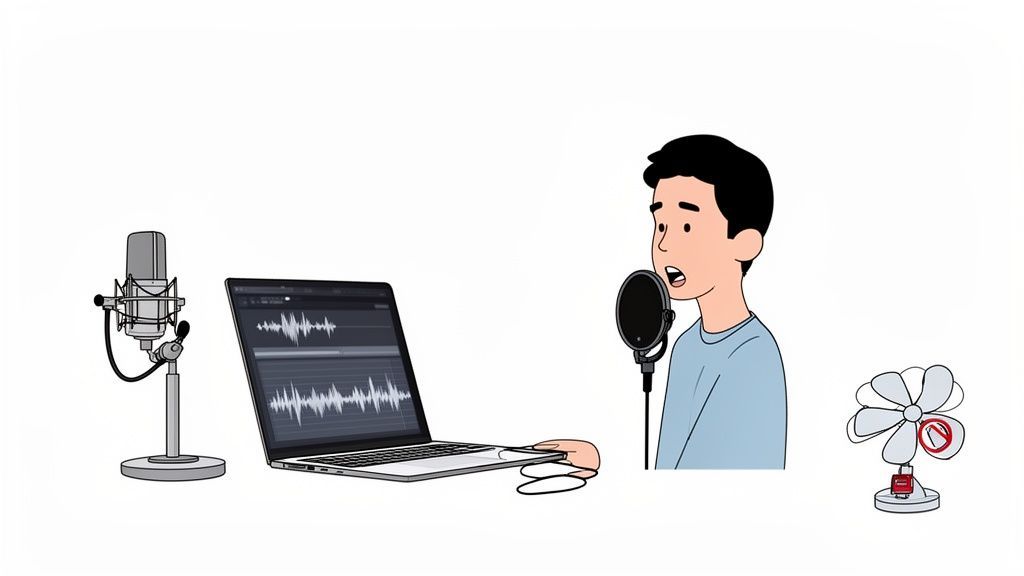
The quality of your final transcript is pretty much decided before you even hit "upload." Think of it this way: if you feed an AI mumbled, noisy audio, you’re going to get a jumbled, inaccurate transcript back. Garbage in, garbage out is the golden rule of transcription audio to text.
Getting your source audio right is the single most important thing you can do for accuracy. Think of these next steps as your pre-flight checklist. Nailing them makes the whole process smoother and leaves you with a transcript that barely needs touching up.
Conquer Background Noise
The number one enemy of a clean transcript is background noise. Today's AI models are incredibly powerful, but they still get tripped up trying to separate a human voice from the hum of an air conditioner, a distant dog bark, or nearby office chatter.
The good news? You don't need a professional studio to manage your acoustic environment. A few simple tweaks can make a world of difference.
- Choose a 'soft' room: Hard surfaces like tile floors and bare walls are your enemy—they reflect sound, creating echo and reverb. Recording in a room with carpet, curtains, or even a closet full of clothes will absorb that sound and give you a much clearer recording.
- Silence the machines: Before you hit record, kill the fan, the A/C, and any other buzzing appliances. Even a quiet computer fan can introduce a low-level hum that muddies the audio.
- Mind the traffic: If you can, record away from windows facing a busy street. The unpredictable sound of a passing siren can be a real pain to edit out later.
These small changes significantly reduce the audio clutter an AI has to sift through, letting it focus only on the spoken words.
A clean recording isn't just a best practice; it's a direct investment in accuracy. Every minute you spend reducing noise will save you several minutes of tedious editing on the back end.
Master Your Microphone Technique
Your microphone is the gateway for your voice, and how you use it matters—a lot. You don't need to drop a ton of money on fancy gear, but following a few basic principles will get you clean, consistent audio every time.
Positioning is key. The sweet spot is usually about 6-12 inches away from your mouth. Get too close, and you'll get "plosives"—those harsh 'p' and 'b' sounds that distort the audio. Too far, and your voice sounds distant and gets lost in the room's ambient noise.
If you’re interviewing someone, make sure each person has their own mic. Or, at the very least, position everyone equally around a good omnidirectional mic. This is crucial for speaker detection, as it helps the AI cleanly separate one voice from another.
Choose the Right Audio Format
Finally, the format of your audio file plays a real role in the quality of your transcription audio to text. While most modern tools can handle a wide variety of formats, a little know-how here can save you a headache.
Here’s a quick rundown:
| Format | Best For | Why It Matters |
|---|---|---|
| WAV or FLAC | Archival Quality & Maximum Accuracy | These are lossless formats. They contain all the original audio data without any compression, giving the AI the most information to work with. |
| MP3 (High Bitrate) | Convenience & General Use | This is a compressed format, perfect for podcasts or meetings. Just make sure it's recorded at a high bitrate (192 kbps or above) to keep the audio detail. |
| M4A | Mobile Recordings | The standard for most smartphone recordings. It offers a great balance of quality and manageable file size, making it a solid choice for recording on the go. |
For most people, a high-quality MP3 is the perfect middle ground. It keeps file sizes small enough for easy uploads without sacrificing the audio detail needed for a killer transcript. Get these three things right—environment, mic technique, and format—and you've set the stage for a perfect result.
Choosing Your Ideal Transcription Tool
Picking the right service to transcribe audio to text can feel like a chore with so many options out there. The best choice really boils down to your specific needs—are you chasing near-perfect accuracy, lightning-fast turnaround, or just trying to stick to a tight budget?
Your decision will likely land you in one of two camps: traditional human-powered services or today's powerful AI platforms. Both have their place, but the right one for you depends entirely on the job at hand.
Features That Simplify Transcription
State-of-the-art AI
Powered by OpenAI's Whisper for industry-leading accuracy. Support for custom vocabularies, up to 10 hours long files, and ultra fast results.

Import from multiple sources
Import audio and video files from various sources including direct upload, Google Drive, Dropbox, URLs, Zoom, and more.

Export in multiple formats
Export your transcripts in multiple formats including TXT, DOCX, PDF, SRT, and VTT with customizable formatting options.
AI Speed vs. Human Nuance
For decades, human transcription was the gold standard. It offers incredible accuracy, especially for tricky audio loaded with heavy accents, super technical jargon, or just poor recording quality. But that precision comes at a price—both in time and money. Turnaround can take hours, sometimes days, and the cost per minute is way higher.
This is where AI-powered tools like Transcript.LOL, which runs on models like OpenAI's Whisper, completely change the game. You get your transcripts back in minutes, not days. And the accuracy? It’s gotten so good, often hitting 95-99% on clear audio. That makes it a perfect fit for the vast majority of projects, from podcasting to meeting notes, where getting things done fast is what matters most.
The market is definitely shifting. The U.S. transcription market was valued at a whopping $30.42 billion in 2024, and its software segment is blowing up thanks to AI tools that deliver faster, more accurate results with less manual work.
Must-Have Features in a Modern Tool
When you're looking at an AI transcription platform, don't get hung up on just the accuracy claims. The real time-savers are the workflow features that cut out the annoying, tedious parts of the process.
Here’s what I’d consider non-negotiable:
- Reliable Speaker Labeling: This is absolutely essential for any recording with more than one person. A good tool should automatically detect and separate speakers (a feature often called "diarization"), letting you quickly slap names on them in the editor.
- Custom Dictionaries: A total game-changer if your content is full of niche jargon, company names, or weird acronyms. You can "teach" the AI specific terms, which gives your accuracy a serious boost.
- Flexible Import Options: Your audio and video files are scattered everywhere, right? A great tool won't make you upload everything from your desktop. Look for integrations with Google Drive or Dropbox, or even just the ability to paste a link from YouTube.
A modern tool should have a simple, clean interface that makes this all feel effortless.
This is what you want to see—a clear layout that makes it obvious how to get your files in from different sources. It’s a small thing that makes a huge difference in your workflow.
Key Takeaway: The best tool isn't just about turning audio into words. It’s about making the entire process, from import to final edit, as painless as possible. Focus on features that smooth out the friction in your specific workflow.
Security and Collaboration Considerations
Never, ever overlook data privacy. If you’re transcribing sensitive meetings, confidential research, or personal interviews, you need a service that takes security seriously. Look for platforms that have a strict no-training policy, which means they explicitly state your data will never be used to train their AI models.
And if you work with a team, collaborative features are a massive plus. Things like shared workspaces, project folders, and access management can turn a solo task into a streamlined team effort. As you build out your workflow, you might also want to look at a broader set of platforms for content creators to see what else can support your content journey.
Ultimately, the best transcription tool is one that slots right into the other apps you use every day. You can check out our https://transcript.lol/tools to see how this works in practice.
Your AI Transcription Workflow From Start to Finish
Alright, let's get practical. A modern AI tool completely changes the game for transcription audio to text, turning what used to be a multi-day headache into something you can knock out on a coffee break.
We'll walk through the entire process, from getting your file into the system to exporting a polished, ready-to-use transcript.
Getting Your Media Into the System
First thing's first: you need to feed your audio or video to the AI. The good news is that modern platforms are built for how people actually work. You aren't just stuck uploading a file from your desktop anymore.
Instead, you’ll find a few different ways to import your content, designed to fit right into your workflow:
- Direct Upload: The old classic. Just drag and drop a file straight from your computer. Simple and effective.
- Cloud Storage Integration: This is a huge time-saver. You can connect directly to your Google Drive, Dropbox, or other cloud accounts and pull files in without downloading them first. It’s perfect for large files or team-based projects.
- Link Pasting: Got a video on YouTube or Vimeo? Just copy the URL, paste it in, and let the platform do the heavy lifting. No need to mess around with third-party downloader tools.
This flexibility is everything. A podcaster can pull an interview right from their shared Dropbox folder, while a marketer can get a transcript of a webinar just by grabbing the YouTube link. It’s all about removing friction.
What a Great Transcript Actually Gives You?
Faster Execution
Decisions, ideas, and insights are captured instantly, so no one needs to rewatch long recordings to understand what was discussed. Everything is documented clearly in real time, allowing work to move forward quickly without unnecessary delays.
Knowledge Retention
Everyone sees the exact same words and context, which removes confusion and eliminates “I thought you said…” situations. With shared clarity, teams stay aligned effortlessly and collaborate more effectively.
Knowledge Retention
Conversations are transformed into searchable documents that can be accessed anytime. Past discussions become reusable assets, ensuring that important information is never lost and can always be referenced when needed.
Content Multiplication
A single recording can be repurposed into blogs, social media posts, captions, and emails. You’re able to create more content without recording more, achieving maximum output with minimal effort.
This quick flowchart breaks down just how simple the three-stage process really is.
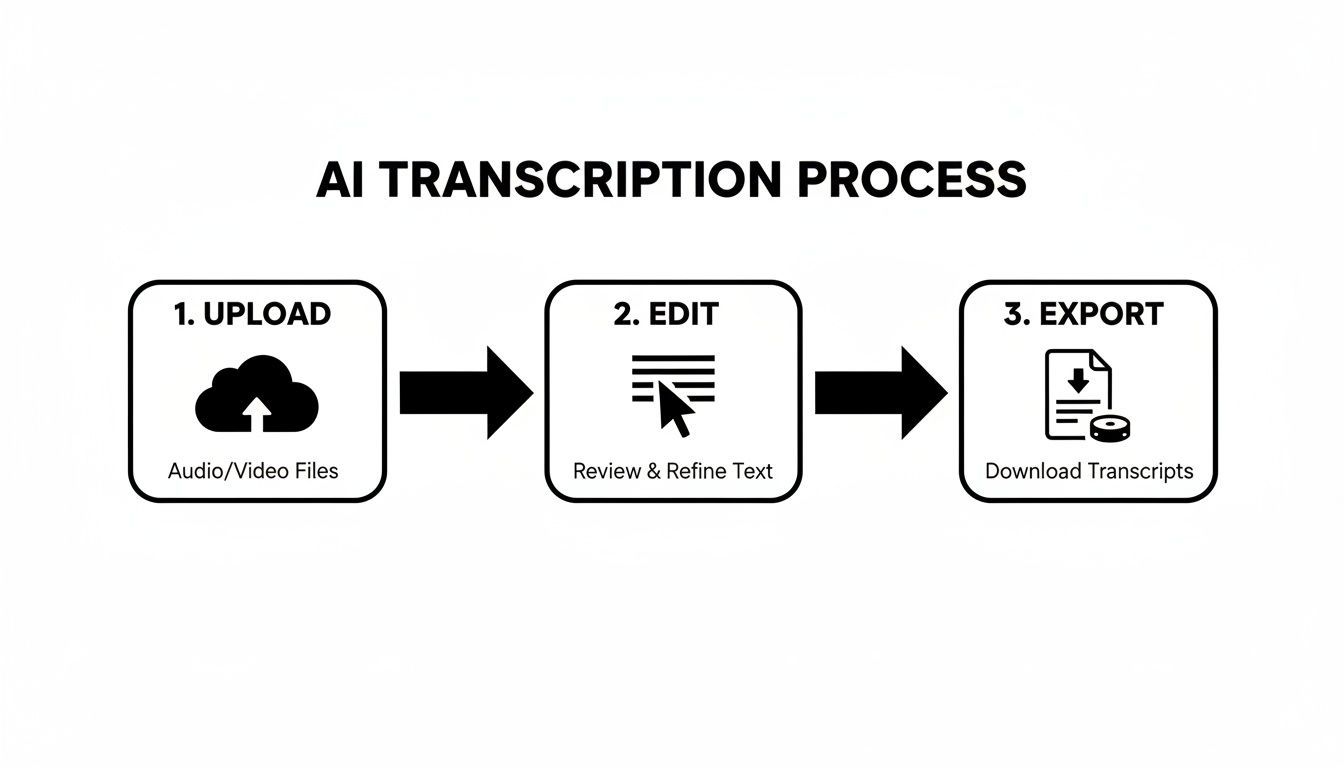
As you can see, a powerful workflow doesn't need to be complex. It's just about moving smoothly from one step to the next.
Configuring Your Transcription Settings
Before the AI gets to work, you’ll make a couple of quick but critical choices to dial in the accuracy. The most important setting is language selection. While most tools have an auto-detect feature, I always recommend manually selecting the language spoken in the file. It removes any guesswork.
Next, you'll want to enable speaker detection, which you might also see called "diarization." This is a must-have for any recording with more than one person—think interviews, meetings, or panel discussions. The AI will automatically tag each speaker (e.g., "Speaker 1," "Speaker 2"), which makes editing so much easier later on.
Once you’ve locked in your settings, the magic happens. Thanks to powerful modern models, even an hour-long file is typically transcribed in just a few minutes.
Features for Faster Editing & Insights

Speaker detection
Automatically identify different speakers in your recordings and label them with their names.

Editing tools
Edit transcripts with powerful tools including find & replace, speaker assignment, rich text formats, and highlighting.
Summaries and Chatbot
Generate summaries & other insights from your transcript, reusable custom prompts and chatbot for your content.
Editing and Polishing Your Transcript
Let's be real: no AI is perfect. That's why a good platform must have an intuitive editor to make cleanup fast and easy. Once the first draft is done, you'll see the text perfectly synced to the audio playback, usually with clickable timestamps.
Always Review Before Publishing
AI gets you 95–99% there, but small mistakes still happen. Names, numbers, and context may need correction. A quick human pass ensures your transcript stays accurate and professional.
This lets you zero in on any section. Hear something that sounds a bit off? Just click the word in the transcript, and the audio will jump to that exact spot. It makes proofreading a breeze.
This is also where you'll clean up the speaker labels. You can quickly swap out the generic "Speaker 1" for an actual name, like "Sarah" or "Dr. Evans." It’s a small touch that adds crucial context and makes the final document look far more professional. For a deeper dive into editing features, you can explore the comprehensive documentation here.
A great built-in editor should feel seamless. The ability to click any word and have the audio jump to that exact moment is a small feature that saves an enormous amount of time during the review process.
Exporting Your Final Product
After a quick proofread, your transcript is ready to go. The last step is to export it in whatever format you need. A truly useful tool won't lock you into a single file type. You should have options.
Common export formats usually include:
- Plain Text (.TXT): The most basic option, perfect for pasting into emails or simple notes.
- Word Document (.DOCX): Ideal for formal reports, blog posts, or anytime you need richer formatting.
- Subtitle Files (.SRT/.VTT): This is absolutely essential for video creators. These files come pre-formatted with precise timestamps, ready to be uploaded for captions that boost accessibility and engagement.
Choosing the right format ensures your transcript is immediately ready for its next job, whether that's creating show notes for your podcast, generating video captions, or documenting a client meeting. This final step completes a powerful and incredibly efficient transcription audio to text workflow.
Transforming Transcripts into Valuable Content Assets
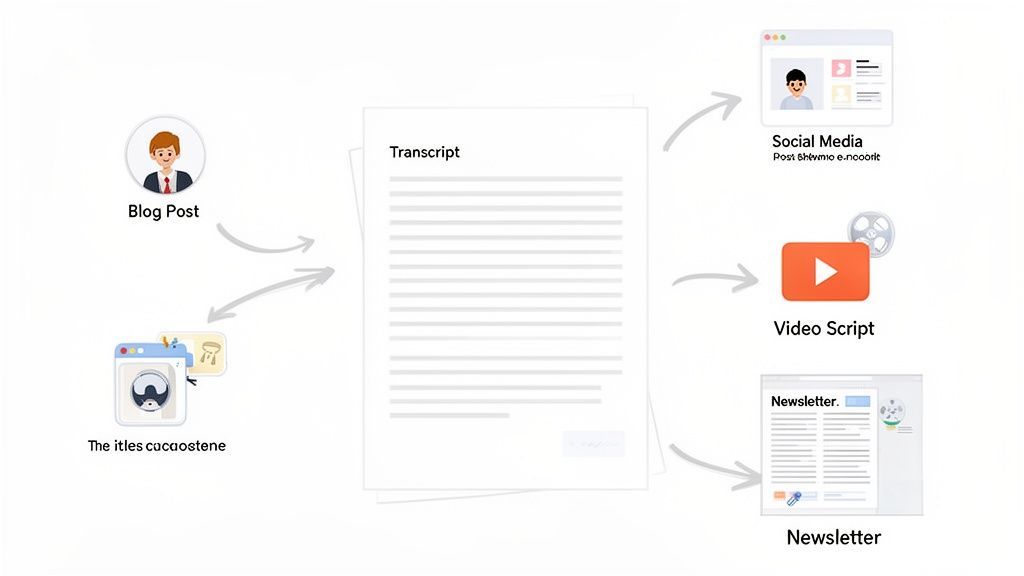
A finished transcript isn't the finish line—it’s the starting block for countless content opportunities. This is where you move beyond simple documentation and start strategically multiplying the value of your original audio or video. The raw text from your recording is a goldmine waiting to be repurposed.
Modern tools for transcription audio to text now come packed with integrated AI features that make this process almost effortless. Instead of manually sifting through pages of text, you can generate instant summaries of long recordings, extract key highlights for a newsletter, or even pull a list of action items from a team meeting with just one click.
From Single Recording to Multiple Assets
For content creators, this is a total force multiplier. Imagine taking a single one-hour podcast interview and spinning it into a dozen different pieces of content. Your transcript becomes the foundation for a detailed blog post, a series of engaging social media updates, and even the script for a short-form video.
Here’s a practical workflow a marketer might use:
- Generate a Summary: Use an AI tool to create a concise summary of the entire transcript. This becomes the perfect blurb for a newsletter or a LinkedIn post.
- Extract Key Quotes: Pull out the most powerful, insightful, or controversial quotes. These are ideal for creating visually appealing quote cards for Instagram or X (formerly Twitter).
- Outline a Blog Post: Identify the main topics discussed in the conversation. The transcript gives you the key talking points and supporting details to structure a comprehensive article.
- Draft a Video Script: Find a compelling three-minute segment from the conversation. That part of the transcript can be polished into a script for a YouTube Short or TikTok video.
This approach turns one piece of cornerstone content into a full week's worth of promotional material. You maximize its reach and impact without needing to hit "record" again.
A transcript is not a static document. It's a dynamic asset that can be reshaped and repurposed to fit any channel, extending the lifespan and ROI of your original content creation efforts.
The Power of Specialized AI Functions
The meeting transcription space is a perfect example of this shift from documentation to active asset creation. In fact, the AI meeting transcription segment is the fastest-growing vertical in the market, projected to skyrocket from $3.86 billion in 2025 to $29.45 billion by 2034. That explosive growth is driven by the demand for tools that can pull actionable intelligence from conversations, not just record them.
Many platforms now offer specialized functions that go way beyond simple text conversion:
- Action Item Detection: The AI can scan a meeting transcript and automatically identify tasks, deadlines, and owners, creating a clean to-do list.
- Highlight Extraction: It can pinpoint the most relevant or frequently mentioned topics, giving you an at-a-glance overview of what mattered most.
- Question and Answer Pairing: For webinars or Q&A sessions, the tool can isolate questions from the audience and pair them with the corresponding answers from the speaker.
These features save an immense amount of manual review time and help teams immediately put the information from their conversations to use. You can explore a variety of these applications by checking out different transcription use cases.
Achieving Higher Accuracy with Custom Vocabularies
To get the most out of these advanced functions, your initial transcript needs to be as accurate as possible. This is where a feature like custom vocabularies becomes invaluable. It allows you to "train" the AI on specific names, brands, or industry acronyms it might not recognize otherwise.
For example, a medical researcher can upload a list of complex pharmaceutical names, or a tech company can add its unique product names and internal jargon. This simple step dramatically improves accuracy for specialized topics, ensuring the summaries, highlights, and action items generated by the AI are based on correctly transcribed information.
This is how you fine-tune the transcription audio to text process for expert-level results.
Questions We Hear All the Time About Transcribing Audio
Jumping into the world of audio to text transcription can bring up a few questions, especially when you're trying to balance speed, accuracy, and cost. We get it.
Here are some straightforward answers to the questions we hear most often from creators, professionals, and teams just like you.
How Does AI Transcription Stack Up Against a Human?
Today’s AI transcription is incredibly good, regularly hitting 95-99% accuracy on clear audio. This puts it right on par with, and sometimes even better than, traditional human services. The real kicker? AI delivers your transcript in minutes, not days, and at a fraction of the cost.
So, where does a human still have an edge? A person might catch that last 1-2% on tricky audio filled with heavy accents, overlapping speakers, or a lot of background noise.
For most people, the smartest workflow is to let the AI do the heavy lifting for the first draft, then give it a quick human proofread to catch any small slip-ups. It’s the best of both worlds.
What’s the Best Audio Format to Use?
If you're aiming for absolute, top-tier accuracy, lossless formats like WAV or FLAC are the technical champs. They're uncompressed, meaning they feed the AI the most audio data possible to work with.
But let's be realistic. For everyday tasks like transcribing podcasts, meetings, or interviews, a high-quality compressed file is more than enough. A well-encoded MP3 (at 192 kbps or higher) gives you fantastic results while keeping file sizes small and uploads speedy.
The takeaway here is to find the right balance. While lossless is technically "best," a quality MP3 offers the perfect mix of accuracy and convenience for almost every transcription task.
How Do I Handle Audio with Multiple Speakers?
This used to be a major headache, but modern AI platforms solve it beautifully with a feature called speaker detection (or diarization). Before you start the transcription, just flip this setting on.
The AI will listen through the audio, automatically identify each unique voice, and label them—"Speaker 1," "Speaker 2," and so on. Once it’s done, you just pop into the editor and replace those generic labels with the actual speakers' names. You’re left with a clean, organized, and easy-to-read conversation.
Is My Data Safe with an Online Service?
This is a big one, and it should be. Any reputable service will make data security a top priority, using things like end-to-end encryption to protect your files. But the single most important thing to check is the company’s privacy policy.
You want to find a service with a crystal-clear no-training policy. This is your guarantee that your confidential audio, video, and transcript data will never be used to train their AI models. It ensures your content stays yours and is only used to create your transcript.
If you want to dive deeper into this, you can read our full list of frequently asked questions.
Ready to see how a faster, smarter transcription workflow feels? With Transcript.LOL, you can turn your audio and video into polished text in just a few minutes. Get started for free today at https://transcript.lol.