
A Modern Guide to Taking Minutes in Meetings
Master the art of taking minutes in meetings with our modern guide. Learn preparation, note-taking techniques, and how AI tools can save you hours.
Kate, Praveen
February 1, 2026
Taking minutes in a meeting is more than just busywork—it's a strategic skill that turns messy conversations into a clear record of what was decided, who’s doing what, and what’s next. It’s not about scribbling down every word; it’s about creating the single source of truth that keeps everyone accountable and projects moving. Getting this right is a game-changer for any team.
📘 Clear Minutes Create Real Accountability
Without structured notes, decisions disappear and tasks fall through the cracks. Great minutes turn conversations into commitments and give everyone a shared source of truth. That clarity is what keeps projects moving forward.
Why Mastering Meeting Minutes Matters More Than Ever
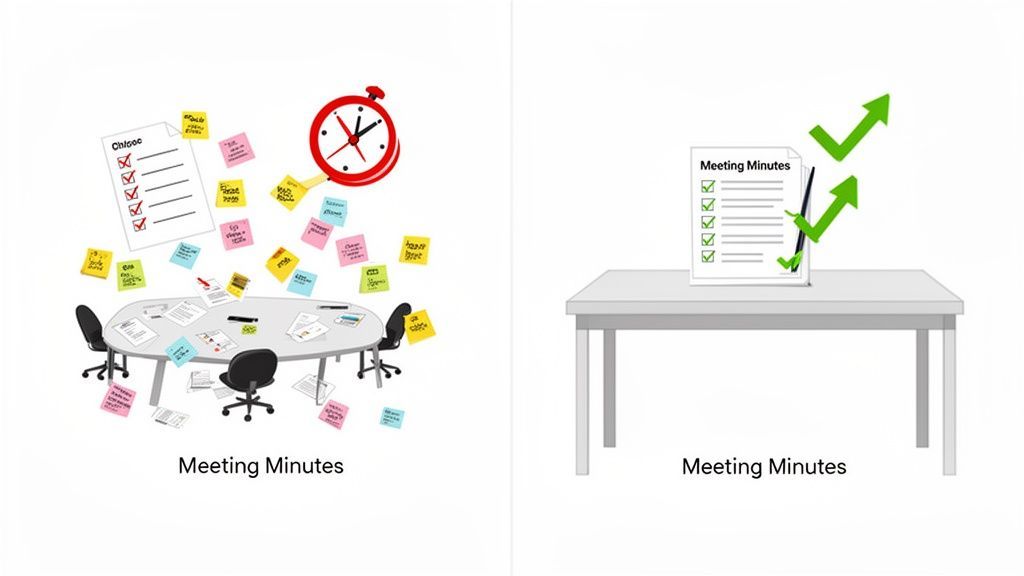
Let's be honest. Taking minutes often feels like a chore handed to whoever looks least busy. But in a world of back-to-back video calls and remote teams, that mindset is dangerously outdated. Good minute-taking has become a cornerstone of collaboration, separating the high-performing teams from those stuck in a cycle of confusion and "what did we decide again?" conversations.
When meetings are poorly documented, the costs are real. Decisions get lost, action items vanish, and projects stall. It’s not just inefficient; it breeds frustration as people waste time trying to remember who agreed to what.
The True Cost of Inefficient Meetings
The time sink alone is staggering. Executives now spend nearly 23 hours per week in meetings, a massive jump from just 10 hours back in the 1960s. This calendar creep has led to a point where 65% of workers feel meetings get in the way of their actual work. In this environment, having a reliable transcript and a quick summary isn't a luxury—it's essential for getting things done. (If you're into the numbers, this report on 2025 meeting statistics is a real eye-opener.)
By treating minute-taking as a strategic advantage, not a clerical task, you build a system for accountability. Clear minutes ensure every decision is captured and every action item has an owner and a deadline.
A Modern Solution for a Modern Problem
Thankfully, how we take minutes has evolved. It’s no longer just about perfecting your shorthand. The real solution is blending smart strategies with powerful technology.
By adopting modern methods and tools, you can transform meeting notes from a forgotten document into a living asset that fuels progress. Plus, great documentation is key to building a culture of knowledge sharing within organizations. This guide will show you exactly how to get there, making sure every meeting ends with clarity and a clear path forward.
Your Pre-Meeting Preparation Checklist
Great minutes don't just happen. They’re built on the groundwork you lay before the meeting even starts. Walking in unprepared is like trying to build furniture without the instructions—you might get something done, but it’s going to be messy and missing crucial pieces.
A little prep work frees you up to actually focus on the conversation instead of scrambling to figure out who’s talking and what’s going on. The agenda becomes your roadmap, giving you the skeleton of your future minutes before the first person even joins the call.
Define the Meeting's Core Purpose
First things first: get crystal clear on the meeting's objective. Is this a wide-open brainstorming session where ideas are the only goal? Or is it a formal decision-making meeting where you need to capture votes and motions precisely?
Knowing the "why" helps you filter out the noise.
For instance, in a project kickoff, your ears will be tuned for roles, responsibilities, and timelines. In a quarterly review, you’ll be focused on progress metrics and key strategic decisions. Clarifying the objective helps you zero in on what truly matters.
Structure Your Note-Taking Template
Once you have the agenda, use it to build out your note-taking document ahead of time. Don't just copy and paste the topics—create a real structure.
- List Attendees: Pre-populate a list of everyone invited. As people join, you can just check them off as present or absent instead of frantically typing names during intros.
- Agenda Items as Sections: Turn each agenda item into its own section. Leave dedicated space under each for notes, decisions, and action items. This keeps everything organized and easy to scan later.
- Prepare Key Questions: For really complex or important topics, jot down a few clarifying questions in your template. If the discussion gets vague, you’ll have a prompt ready to go to help pin down the specifics.
A well-prepared template is your secret weapon. It frees up your mental energy to actively listen and engage, transforming you from a frantic scribe into a strategic recorder of information.
Setting up your digital workspace is a huge part of this. Whether you're using a shared Google Doc, a OneNote page, or a dedicated meeting app, make sure it’s open and ready to go. If your team uses Microsoft Teams, it's also a smart move to understand how to properly record a meeting in Teams. Having a complete audio-visual record to fall back on is a lifesaver.
For anyone looking to go deeper on this, there’s a great guide on preparing for a meeting that covers all the bases. Getting this right not only makes your job easier but also contributes to a more productive outcome for the entire team.
Real-Time Note-Taking Techniques for Clarity
Okay, the prep work is done. This is where you switch from planning to capturing, and the method you pick is the difference between a jumble of notes and a clear, actionable record.
Your goal isn't to write a novel or transcribe every single word. It's to filter the conversation for what actually matters. A simple chronological log of who said what can get messy fast. A structured method, on the other hand, acts like a filter, catching only the important stuff and letting the rest go. When you focus on outcomes, the minutes serve a real purpose.
This decision path shows how your meeting's objective, agenda, and tools all feed into your note-taking strategy.
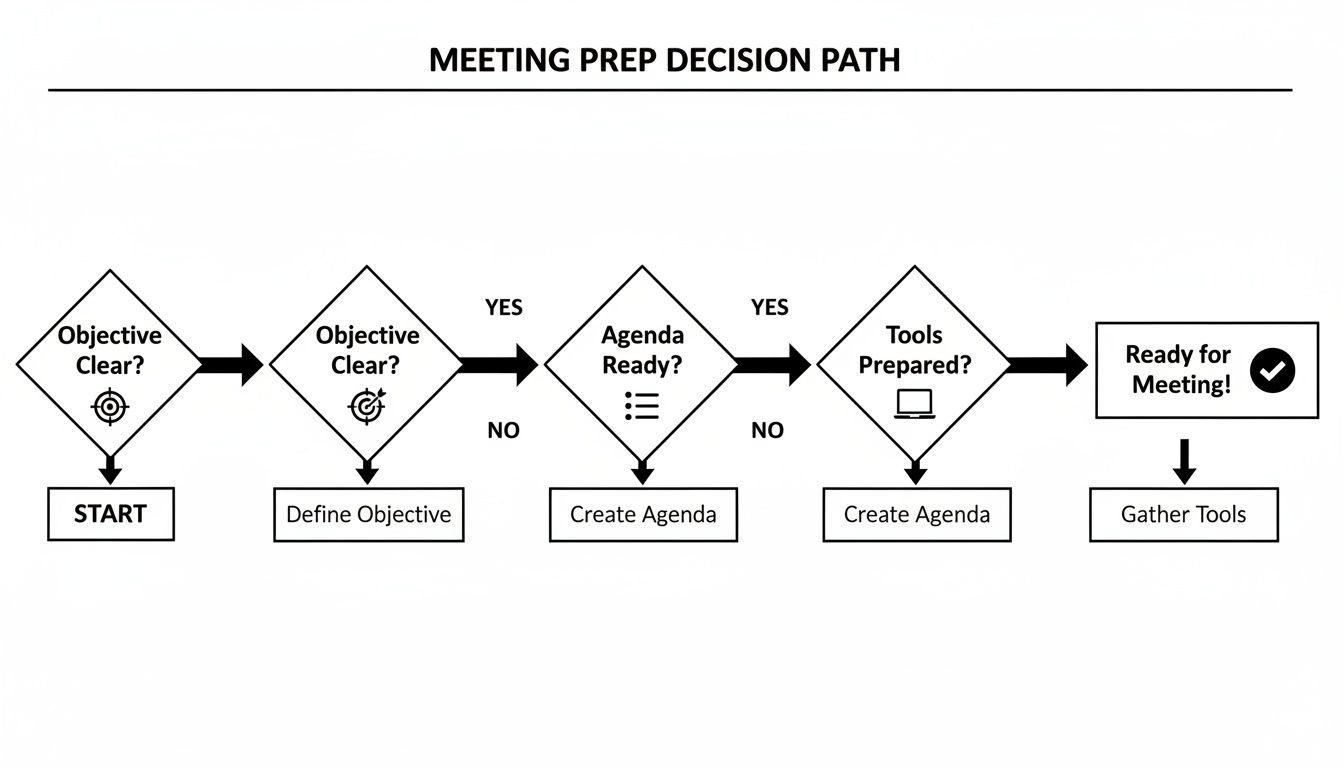
When you know your goals from the start, you can pick the right agenda and tools, which makes taking notes in the moment so much easier.
The Action-Decision-Information Method
One of the best frameworks I’ve seen is the Action-Decision-Information (ADI) method. It’s dead simple: as you listen, you sort everything into one of three buckets.
- Actions: What are the specific tasks that came out of the discussion? Who owns it, and what’s the deadline?
- Decisions: What did the team actually agree on? Document the final conclusion, clear as day.
- Information: What key context is essential for understanding the why behind the actions and decisions?
This approach is a lifesaver in fast-paced brainstorming sessions where ideas are flying. Instead of scrambling to capture every suggestion, you just listen for the moment an idea becomes a real next step. When you hear, "Okay, Alex will mock up the new landing page by Friday," you know exactly where it goes.
Adapting to Different Meeting Types
The right technique really depends on the vibe of the meeting. A formal board meeting and a quick team huddle are two totally different animals.
For a structured, formal meeting, you'll want to follow the agenda closely, maybe even recording motions, seconds, and vote counts with precision. But for a high-energy creative review? A more visual method might be your best bet.
A great visual alternative is the Quadrant Method. Just divide your page into four sections: General Notes, Action Items, Decisions, and Questions. This lets you categorize information on the fly without breaking the flow of the conversation.
Meetings are getting shorter and more focused. Data shows the median meeting length is now just 35 minutes, and a whopping 45% last exactly 30 minutes. In some product teams, 40% of meetings are booked with less than 24 hours' notice. That speed makes it easy to miss things.
This is where AI transcription tools like Transcript.LOL become invaluable. They create a perfect record you can scan later to pull out the details you missed.
Choosing Your Note-Taking Method
So, which technique is right for you? It depends on the meeting type, your personal style, and what you need the minutes for. Here’s a quick comparison to help you decide.
| Method | Best For | Key Advantage | Potential Drawback |
|---|---|---|---|
| Action-Decision-Info (ADI) | Fast-paced, decision-oriented meetings (e.g., project kickoffs, weekly check-ins) | Forces you to focus on outcomes and actionable takeaways. | Can miss some of the broader conversational context or nuances. |
| Quadrant Method | Brainstorming sessions or meetings with lots of open questions and ideas. | Visually organizes different types of information, making it easy to see everything at a glance. | Requires a bit more active sorting during the meeting, which can be distracting. |
| Formal/Agenda-Based | Official proceedings like board meetings, committee meetings, or legal reviews. | Creates a structured, official record that’s easy to follow and reference later. | Can be rigid and time-consuming; not great for informal or creative discussions. |
| Mind Mapping | Highly creative or strategic sessions where you need to connect related ideas. | Excellent for visualizing connections and the flow of a complex conversation. | Can get messy and might be difficult for others to interpret without context. |
Ultimately, the best method is the one that helps you capture what matters without getting bogged down. Don't be afraid to experiment and find what works for you.
Active Listening Is Your Superpower
No matter which method you land on, your ability to actively listen is what makes it all work.
Seriously, don’t be afraid to ask for clarification. A simple, "Just to confirm, are we saying the deadline for the report is next Wednesday?" can save weeks of confusion down the line. It’s not about interrupting; it’s about ensuring the record is accurate.
You’re there to capture intent, not just words. For those looking to really level up this skill, our guide on effective note-taking methods has a ton more strategies.
How AI Is Completely Changing Meeting Documentation
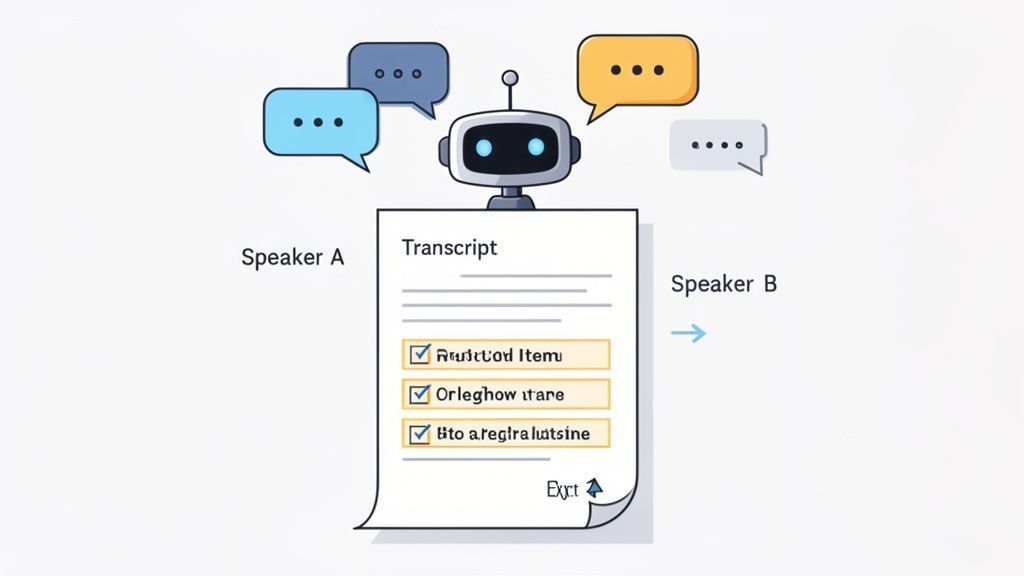
Let's be honest: manual note-taking creates an impossible choice. You can either be a great participant, engaged and contributing, or you can be a great scribe, capturing every detail. You can't really be both.
This is where AI flips the script on meeting minutes, turning a chore into a ridiculously powerful productivity booster.
Core Transcription Features That Save Hours
State-of-the-art AI
Powered by OpenAI's Whisper for industry-leading accuracy. Support for custom vocabularies, up to 10 hours long files, and ultra fast results.

Import from multiple sources
Import audio and video files from various sources including direct upload, Google Drive, Dropbox, URLs, Zoom, and more.

Export in multiple formats
Export your transcripts in multiple formats including TXT, DOCX, PDF, SRT, and VTT with customizable formatting options.
AI-powered transcription tools like Transcript.LOL are built to take the grunt work off your plate. Instead of frantically typing, you just record the meeting (with everyone’s permission, of course) and let the tech do its thing. Suddenly, you're free to actually lead the conversation, ask smart questions, and keep the team on track.
From Raw Audio to Actionable Insights
Getting started is refreshingly simple. You upload your audio or video file, and in a few minutes, you get back a word-for-word transcript that’s surprisingly accurate, complete with speaker labels. This isn't just a wall of text—it's a structured, searchable log of your entire discussion.
But the real magic is what happens next. Modern AI tools can:
- Whip up concise summaries: Automatically generate a high-level overview that’s perfect for executives or stakeholders who just need the highlights.
- Pull out action items: Scan the entire conversation to pinpoint tasks, deadlines, and who owns them, then neatly list them out for you.
- Create a searchable archive: Build a library of every single discussion, making it dead simple to find a specific decision or quote weeks after you’ve forgotten it.
With the explosion of hybrid work, this kind of tech is more essential than ever. Between 2020 and 2022, the portion of virtual meetings shot up from 48% to 77%. Today, 86% of meetings include at least one remote person. Yet only 37% of companies bothered to upgrade their video tech, leaving note-takers to battle bad audio and constant interruptions. AI effortlessly bridges that gap.
Bad Audio Ruins Good Minutes
Background noise, echoes, and cross-talk drastically reduce transcript accuracy. That means more manual corrections and wasted time later. Clean recordings are the fastest way to improve results.
By letting AI handle the transcription and initial summary, you get a promotion. You’re no longer just a scribe; you’re a strategic editor. Your job is to refine the output, confirm the action items, and add the context that only a human can.
A Real-World Scenario
Picture this: you're a project manager wrapping up a big client call. The old way meant spending the next hour trying to decipher your own scribbles, piecing together who promised what by when.
Built for Collaboration and Follow-Through

Speaker detection
Automatically identify different speakers in your recordings and label them with their names.

Editing tools
Edit transcripts with powerful tools including find & replace, speaker assignment, rich text formats, and highlighting.
Summaries and Chatbot
Generate summaries & other insights from your transcript, reusable custom prompts and chatbot for your content.
With an AI assistant, your workflow is a different story:
- Upload: Drop the call recording into a platform like Transcript.LOL.
- Review: A few minutes later, you have a full transcript. You give it a quick scan, maybe correcting a few bits of industry jargon or a product name.
- Generate: You click a button to get an executive summary and a clean list of all action items.
- Distribute: You send the polished summary to stakeholders and push the action items straight into your project management software.
What used to burn an hour of your time now takes less than ten minutes. This isn't just about saving time—it's about reallocating that time to what actually matters: follow-up and execution.
Check out our guide on how an AI meeting assistant can overhaul your entire team's workflow.
Crafting and Sharing Your Final Meeting Minutes
The meeting might be over, but your job isn’t quite done. This is where you turn your raw notes or an AI transcript into a polished, official record that actually drives action.
Hitting "send" too quickly on a messy draft can create more confusion than it solves. This final step is all about adding clarity, cementing accountability, and turning your notes into a valuable asset for the entire team. Your goal is a document that anyone can scan and understand in under two minutes.
What Effective Meeting Minutes Actually Deliver?
Clarity
Everyone understands exactly what was decided and why. There’s no confusion or conflicting interpretations later. Teams stay aligned from the start.
Accountability
Each task has a clear owner and a deadline. Responsibilities don’t get passed around or forgotten. Work gets done faster.
Speed
Structured summaries remove the need to rewatch recordings. Key information is instantly scannable. Minutes become action-ready, not time-consuming.
Searchable History
Past discussions become searchable knowledge. You can find decisions, names, or dates in seconds. Meeting history turns into a valuable asset.
From Raw Notes to Polished Minutes
Whether you're working from scribbled notes or a clean transcript from a tool like Transcript.LOL, your first move is to edit for clarity and brevity. The final document should not be a word-for-word account of the entire conversation. You're refining it down to the essentials.
-
Stick to a Simple Template: Consistency is king. When your minutes follow the same format every time, people know exactly where to look for the information they need. A battle-tested structure includes:
- Meeting Details: Date, time, location, and a list of who was there (and who wasn't).
- Key Decisions: A clean, bulleted list of every final decision made. No fluff.
- Action Items: This is the most important part. List the task, who owns it, and the deadline.
- Brief Discussion Summary: A few sentences summarizing key discussion points, but only if they give crucial context to the decisions.
-
Proofread Like You Mean It: Once everything is structured, comb through it for typos, grammatical mistakes, and unclear phrasing. Double-check that you’ve spelled names correctly and captured the right project titles and deadlines. One wrong date can throw an entire project off track.
Securing Approval and Getting it Out There
Before you broadcast the minutes to everyone, get them approved. Think of it as a quick quality control check.
Send the draft to the meeting chair or your manager for a quick review. This confirms that your notes accurately reflect their understanding of the outcomes and gives the document a stamp of authority. A recent survey found that while 86% of meetings result in minutes, only 54% of people feel the action items are followed up on. A quick approval step helps close that gap.
Once approved, send the final version out promptly—ideally within 24 hours. The conversation is still fresh in everyone's minds, and it gives the team a head start on their new tasks.
Your minutes are an official and sometimes even a legal record of what happened. Distributing them quickly, getting them approved, and storing them properly isn't just good practice; it's fundamental to good governance.
Creating a Central Home for Your Minutes
Finally, where you store your minutes is just as important as how you write them. Don't let them disappear into the email abyss. Create a single source of truth that everyone can access.
This could be a shared folder on Google Drive, a dedicated channel in Slack, or a page in your company’s Confluence or Notion. A central spot makes it easy for anyone to look up past decisions and track progress over time. To make sure your hard work contributes to the company's institutional memory, it's worth checking out this ultimate guide to document management.
Common Questions About Taking Minutes
Even when you’ve got the process down, a few tricky questions always seem to pop up when you're the one in charge of taking notes. Let's walk through some of the most common ones I hear, so you can handle any situation with confidence.
These are the real-world scenarios that can throw you off your game. Getting them right is what makes your minutes truly useful.
What Is the Most Important Information to Include?
When a conversation is moving a million miles an hour, you need to filter aggressively. Your mission is to zero in on the outcomes.
- Decisions Made: What did we actually agree on? Write it down, crystal clear. No room for interpretation.
- Action Items Assigned: Who is doing what, and by when? This is non-negotiable.
- Key Conclusions: What were the big "aha!" moments or agreements that led to those decisions? These add crucial context.
Honestly, everything else is just noise. The whole point is to create a record that tells everyone what happens next.
Can I Take Minutes and Actively Participate?
Ah, the classic minute-taker's dilemma. Trying to juggle thoughtful participation and detailed note-taking at the same time is a recipe for doing both things poorly. I’ve seen it happen countless times.
The best way out of this bind is to lean on technology.
Get permission to record the meeting, then let an AI transcription service handle the raw capture. This frees you up to actually be in the meeting—to ask smart questions, challenge ideas, and contribute. You can participate fully, knowing a perfect record is being created in the background.
If recording is an absolute no-go, then grab a structured template and be ruthless. Focus only on capturing actions and decisions, and let the rest of the conversation go.
Pro Tip: Your final minutes should never be a word-for-word transcript. Think of the full AI-generated transcript as your raw material or a safety net. It’s invaluable if you need to pull an exact quote or clarify a disputed point later, but your official minutes must be a concise, scannable summary.
How Quickly Should I Send Out the Minutes?
This is so important. Timing is what separates an effective work plan from a dusty historical document.
The gold standard is to edit, get a quick approval, and distribute the minutes within 24 hours of the meeting ending.
Why so fast? Because the conversation is still fresh in everyone's mind. It gives people a chance to flag any corrections right away and, most importantly, lets them get started on their action items without delay.
If you wait a week, the momentum is gone. A day-old summary drives action; a week-old summary gets archived and forgotten.
Stop drowning in manual note-taking and let AI do the heavy lifting. With Transcript.LOL, you can turn any meeting recording into an accurate transcript, complete with summaries and action items, in just a few clicks. Try Transcript.LOL for free and see how much time you can save.