
10 Endless Social Media Post Ideas for Business That Work...
Stuck in a content rut? Steal these 10 actionable social media post ideas for business. Includes templates, examples, and strategies to drive engagement.
Kate, Praveen
March 10, 2026
Coming up with fresh, engaging social media post ideas for business can feel like a relentless chore. You know you need to post consistently, but the well of creativity often runs dry, leaving you staring at a blinking cursor. The default response is often a direct sales pitch, a "Buy Now" button, or a generic product photo. While necessary at times, a feed filled with only sales-focused content fails to build a genuine community or foster real connection. It’s the equivalent of walking into a party and only talking about what you’re selling; people will quickly tune you out.
This is where a strategic content playbook becomes essential. The goal is to move beyond one-dimensional promotion and create a content mix that educates, entertains, and inspires your audience. This approach transforms your social media from a simple broadcast channel into a dynamic hub for customer interaction and brand loyalty. By offering value upfront, you build trust and keep your audience engaged, making them more receptive when you do present an offer. To truly connect with your audience and master your social media presence beyond just selling, focusing on video marketing social media mastery is an indispensable part of your playbook.
This guide provides a comprehensive list of actionable post ideas designed to break the creative block. We'll cover everything from pulling back the curtain with behind-the-scenes content to showcasing customer success and establishing your authority with educational mini-series. Each idea comes with specific examples and templates you can adapt for your own brand, helping you build a content calendar that actually connects with people and drives meaningful results. Let's get started.
1. Behind-the-Scenes Transcription Process Posts
State-of-the-art AI
Powered by OpenAI's Whisper for industry-leading accuracy. Support for custom vocabularies, up to 10 hours long files, and ultra fast results.

Import from multiple sources
Import audio and video files from various sources including direct upload, Google Drive, Dropbox, URLs, Zoom, and more.

Export in multiple formats
Export your transcripts in multiple formats including TXT, DOCX, PDF, SRT, and VTT with customizable formatting options.
One of the most effective social media post ideas for business is to pull back the curtain and show your audience exactly how your product works. For a service like Transcript.LOL, this means creating posts that demystify the AI-powered transcription process. Instead of just telling users it’s fast and accurate, you show them. This builds trust and answers the key question in a potential customer's mind: "How does this magic actually happen?"

These posts work because they are inherently visual and educational. They position your brand as transparent and confident in its technology. Similar to how SaaS companies like Zapier create visual breakdowns of their automation workflows, you can use screen recordings to walk users through the journey from an audio file to a polished text document. This approach turns a complex process into a simple, digestible, and impressive piece of content.
How to Create This Post
To get started, focus on clear, compelling visuals that highlight speed and accuracy.
- Use Screen Recordings: Record the entire process from uploading a file to receiving the final transcript. Speed up the "processing" portion and use a timer graphic to emphasize how quickly it works.
- Before-and-After: Show a clip of the original video or a waveform of the audio file, then reveal the clean, formatted transcript side-by-side.
- Highlight Key Features: Use callouts and graphic overlays to point out specific features in action, like speaker identification or timestamp accuracy.
- Add Engaging Elements: Include background music to maintain momentum and use animated captions to make the video accessible and engaging even with the sound off. For a deeper dive into the fundamentals, you can point users to an article explaining what a transcription is and why its quality matters.
Pro Tip: Create short, platform-specific versions. For Instagram Reels or TikTok, focus on a quick, sub-60-second "wow" moment showing the speed. For LinkedIn or YouTube, you can create a more detailed, two-minute walkthrough explaining the technology's benefits for professionals.
2. User Success Story and Case Study Posts
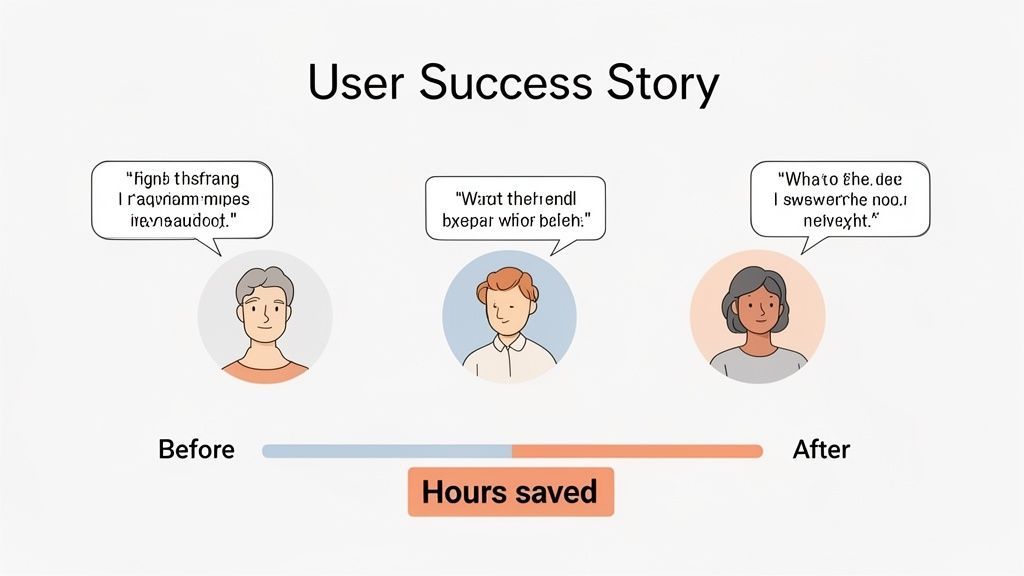
One of the most persuasive social media post ideas for business is sharing authentic success stories from your actual customers. For a service like Transcript.LOL, this means showcasing how different professionals-from podcasters to legal aides-have transformed their workflows using your tool. Instead of you telling the audience your service saves time, let a real user explain how it saved them five hours a week. This social proof is far more powerful and builds deep-seated trust.
Why Social Proof Drives Conversions
Trust is established more quickly by customer success stories than by advertisements. Buyers can instantly see comparable outcomes when actual users describe how a product enhanced their workflow. This kind of knowledge removes doubt and boosts confidence, particularly in SaaS products where dependability and efficiency are crucial.
These posts resonate because they offer a relatable narrative with a tangible outcome. Potential customers see themselves in the stories and can more clearly visualize the direct benefits for their own work. Much like how HubSpot features detailed case studies with metrics, you can turn a customer's positive experience into compelling content that demonstrates your product's value in a real-world context. It answers the prospect's critical question: "Will this work for someone like me?"
How to Create This Post
To get started, focus on gathering genuine stories and presenting them with impactful visuals and specific data.
- Create Quote Graphics: Design simple, branded templates featuring a professional headshot of the customer alongside their most impactful quote. This is perfect for Instagram and LinkedIn.
- Include Specific Metrics: Ask customers for concrete numbers. "Saved 50% on transcription costs" or "Reduced content creation time by 8 hours per month" is much stronger than "saved time and money."
- Produce Video Testimonials: A short, well-produced video interview with a happy customer is content gold. Post the full version on YouTube and LinkedIn, then cut shorter clips for Reels and Shorts.
- Showcase Industry Diversity: Feature stories from various user segments. One week, highlight a podcaster; the next, an academic researcher. This broadens your appeal and shows the versatility of your service. Make sure to get explicit permission before sharing any stories or images.
Pro Tip: Turn a single success story into a multi-platform campaign. Create a detailed case study for your blog, a video testimonial for YouTube, a carousel post for LinkedIn breaking down the results, and a quick quote graphic for Instagram. This maximizes the impact of each story.
3. Quick Tip and Educational Mini-Series Posts
A powerful social media post idea for business involves sharing your expertise through bite-sized educational content. For a brand like Transcript.LOL, this means creating quick tips or a branded mini-series that teaches the audience how to get more value from their transcripts. Instead of just selling transcription, you're teaching them how to use it as a strategic tool, positioning your brand as a helpful expert and a go-to resource.
These posts work because they provide immediate, tangible value. They answer questions your audience might not even know they had, such as how to improve podcast SEO using transcripts or how to repurpose a single video into a dozen content assets. This educational approach builds a loyal following, much like how HubSpot creates daily sales tips or how Canva shares design tutorials that empower their users and keep them engaged with the platform.
How Transcripts Can Change Your Content Approach?
Convert Videos to Blog Posts
Long-form textual content can be easily created from the rich information found in video recordings. Businesses can produce blog pieces that are optimized for search engines and reach new audiences by transcribing videos.
Take Quick Clips from Social Media
Marketers may rapidly find the most captivating statements or moments from a recording by using a transcript. These moments can be turned into brief videos or social media caption posts.
Improve Accessibility for Audiences
Transcripts make your content more accessible to viewers who are hard of hearing or deaf. Additionally, it enhances understanding for viewers of videos in areas with no sound.
Repurpose Content on Different Platforms
You may turn a single webinar or podcast episode into articles, summaries, social media postings, and newsletters. This repurposing process is further accelerated by transcription.
How to Create This Post
To execute this strategy, focus on creating consistently branded, valuable, and easy-to-digest content.
- Create a Branded Series: Develop a recognizable look and feel for your tips. Use a consistent template, color scheme, and title format (e.g., "Transcript Tip Tuesday") to make your series stand out in a busy feed.
- Use Carousel Posts: Break down multi-step processes into a carousel format. For example, a post titled "3 Ways to Repurpose Your Podcast with a Transcript" could have each step explained on a separate slide, making the information scannable.
- Focus on Actionable Advice: Each tip should give the user something they can implement immediately. Examples include "How to Find Viral Clip Ideas in Your Transcript" or "Using Your Transcript for Accessibility Best Practices."
- Optimize for Video: For platforms like Reels or TikTok, use bold text overlays and quick cuts to present tips visually. Show, don't just tell. For a foundational understanding, you can direct followers to a detailed guide on how to transcribe audio to text effectively.
Pro Tip: End each tip with a clear call-to-action or a question to encourage engagement. Ask your audience, "What's your favorite way to repurpose content?" or "Try this tip and let us know your results!" This turns a one-way broadcast into a two-way conversation.
4. Feature Update and Product Announcement Posts
One of the most essential social media post ideas for business is sharing your platform's evolution. Product announcement posts keep your audience informed about new features, integrations, and improvements. For a service like Transcript.LOL, this could mean announcing a new export format like SRT files for captions or an integration with Vimeo. The goal is to present these updates not as technical changes but as direct solutions to user problems.
These posts are effective because they demonstrate momentum and a commitment to customer feedback. They show that your business is actively working to improve the user experience. Companies like Notion and Slack excel at this by building excitement around their release notes, turning what could be dry information into a community event. This approach reinforces your brand's value and can prevent customer churn by showing them you're addressing their needs.
The Significance of Product Updates
Regular product updates demonstrate that a platform is always changing. Users are more confident that the product will continue to provide long-term value when they see regular updates and new features. Transparently releasing updates also demonstrates how user input directly affects development objectives.
How to Create This Post
To announce a feature successfully, focus on the user benefit and build anticipation.
- Highlight the "Why": Don't just state the new feature. Explain the problem it solves. For example, instead of "We now support VTT exports," say, "Adding captions to your videos just got easier. Export your transcripts in VTT format with one click."
- Use Demonstration GIFs or Videos: A short, looping video showing the new feature in action is far more powerful than a static image. Show the user exactly how to access and use the new tool.
- Create Countdown Posts: Build excitement by teasing an upcoming announcement in the days leading up to the launch. This primes your audience to pay attention when the full details drop.
- Offer Early Access: Reward your most engaged followers by offering them a chance to try the new feature before anyone else. This creates a sense of exclusivity and generates valuable early feedback.
Pro Tip: Package multiple small updates into a single, larger "What's New This Month" post. This creates a more impactful announcement than several small, fragmented posts and shows the consistent progress your team is making.
5. User-Generated Content and Community Spotlight Posts
One of the most powerful social media post ideas for business is shifting the spotlight from your brand to your customers. Highlighting user-generated content (UGC) means celebrating how people use your product in their daily lives. For a service like Transcript.LOL, this involves featuring podcasters who are growing their audience with searchable show notes, marketers who are repurposing webinar content, or students creating accessible study materials. This approach builds authentic advocacy and turns customers into your most effective storytellers.
Features That Improve Your Transcription Workflow

Speaker detection
Automatically identify different speakers in your recordings and label them with their names.

Editing tools
Edit transcripts with powerful tools including find & replace, speaker assignment, rich text formats, and highlighting.
Summaries and Chatbot
Generate summaries & other insights from your transcript, reusable custom prompts and chatbot for your content.
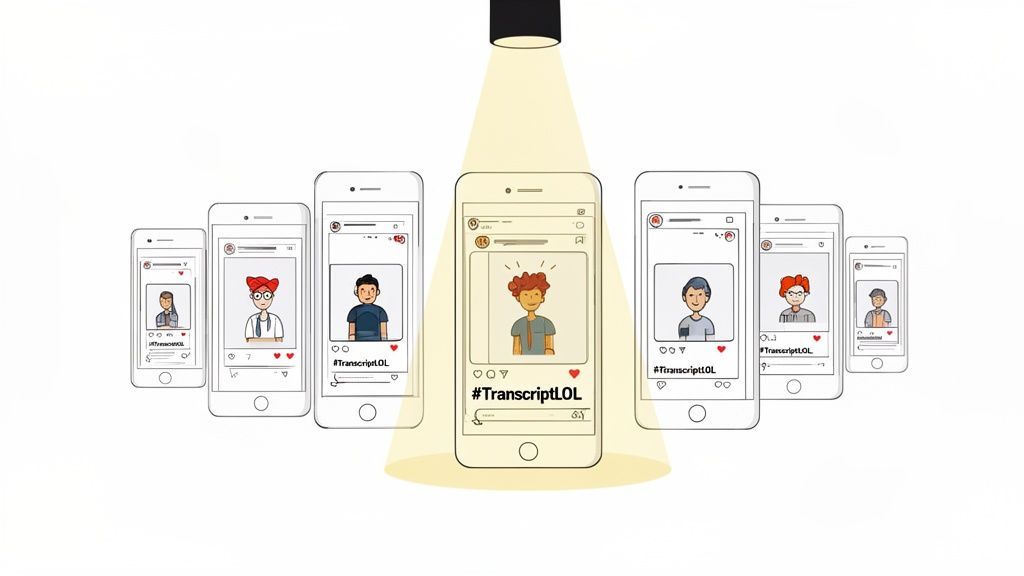
These posts succeed because they provide social proof and foster a genuine sense of community. When potential customers see real people achieving real results, it’s far more persuasive than a traditional advertisement. Much like how GoPro features incredible user videos or Lululemon curates posts under its #TheSweatLife hashtag, you can repost, share, and celebrate the content your users create. This validates their work and organically expands your reach to their networks, building trust through third-party endorsement.
How to Create This Post
To get started, create a system for discovering, curating, and sharing your community's best content.
- Create a Branded Hashtag: Establish and promote a unique hashtag, like
#TranscriptLOLinActionor#MyTranscriptStory, so you can easily find user posts. - Run Contests and Offer Incentives: Launch a monthly or quarterly contest for the most creative use of your service. Offer rewards like a free subscription credit or brand merchandise to encourage participation.
- Feature Users with Proper Credit: Always ask for permission before reposting and give clear, prominent credit to the original creator by tagging their account in the post and image.
- Build a "Community Gallery" Series: Dedicate a recurring post series, such as "Creator Spotlight Friday," to consistently feature user stories. This creates anticipation and shows your ongoing commitment to your community.
Pro Tip: Use Instagram or Facebook Stories for quick, real-time features of user mentions. A simple reshare with a "Thank You!" GIF or sticker is a low-effort way to acknowledge a customer and make them feel seen, strengthening their loyalty to your brand.
6. Problem-Solution Posts and Pain Point Relief
One of the most powerful social media post ideas for business involves directly addressing your audience's struggles and positioning your brand as the solution. For a service like Transcript.LOL, this means identifying the specific frustrations of different user groups-like a podcaster struggling with SEO or a marketer buried in manual transcription-and showing how your tool alleviates that pain. This "problem-solution" framework instantly makes your content relatable and valuable.
This strategy works because it connects with the audience on an emotional level. People don't buy products; they buy solutions to their problems. By leading with the pain point, you show empathy and understanding, which builds a much stronger connection than simply listing features. It's the same principle behind famous campaigns like Slack's "Stop endless email" or Grammarly's focus on preventing embarrassing writing mistakes. You're not just selling a service; you're selling relief, efficiency, and peace of mind.
How to Create This Post
To craft an effective problem-solution post, you need to agitate the problem before presenting the relief.
- Start with a Relatable Problem: Open your post with a question or statement that gets your target audience nodding in agreement. For example, "Spending more time transcribing your podcast than recording it?"
- Use Statistics to Validate: Add weight to the problem with data. "Did you know professionals waste an average of 5 hours a week on manual transcription?" This makes the issue feel more significant.
- Show the "Before" State: Use visuals or descriptions that capture the frustration of the problem, such as a stressed-out professional or a confusing, messy workflow.
- Introduce Your Solution Clearly: Directly connect your service to the pain point. Frame Transcript.LOL as the answer: "Reclaim your day with AI-powered transcription that's 99% accurate and delivered in minutes."
- Quantify the Relief: Highlight measurable benefits. Focus on time saved, costs reduced, or productivity gained. For instance, "Turn a 2-hour transcription task into a 5-minute job."
Pro Tip: Create audience-specific variations of these posts. A post for legal professionals might focus on the high cost of inaccuracies in deposition transcripts, while one for students could highlight how automated notes free up time for studying. This targeted messaging makes the solution feel personal and indispensable.
7. Comparison and Competitive Advantage Posts
Another powerful social media post idea for business involves directly comparing your solution to alternatives. For a service like Transcript.LOL, this means creating content that stacks your features up against competitors or traditional methods. These posts are effective because they address a core question in the buyer's journey: "Why should I choose you over them?" By presenting a factual, professional comparison, you can guide potential customers to a confident decision.
These posts succeed by building credibility and highlighting your unique value. They aren't about attacking competitors but about educating your audience on meaningful differences. Brands like Notion and Asana often create feature-by-feature breakdowns that help users pick the right tool for their needs. Similarly, you can showcase how Transcript.LOL's strict no-training policy on customer data offers a level of privacy that other services may not, a key differentiator for professionals in legal, healthcare, or corporate sectors.
How to Create This Post
Your goal is to be an objective resource, not an aggressive salesperson. Focus on clarity and value.
- Create Comparison Graphics: Use simple tables or side-by-side charts to compare features. Place a checkmark next to features your service offers, like multi-format support, custom vocabulary, and speaker detection.
- Focus on a Key Differentiator: Dedicate a post to one major advantage. For example, a carousel post could explain exactly what a "no-training policy" means for data privacy and why it's a critical security feature.
- Compare Against Methods, Not Just Brands: Create content comparing AI transcription to manual transcription. Highlight differences in speed, cost, and scalability to show the advantages of your technology.
- Use a Neutral Tone: Always maintain a professional and fact-based tone. Avoid emotional or disparaging language, as this can damage your brand's credibility and come across as unprofessional.
Pro Tip: Keep your comparisons current. The competitive landscape changes, so review and update your comparison posts every few months to ensure they remain accurate. Link to a more detailed blog post or a dedicated landing page on your site for users who want to dig deeper into the details.
8. Industry-Specific Use Case and Spotlight Posts
One of the most powerful social media post ideas for business is to move beyond one-size-fits-all messaging and speak directly to individual customer segments. Creating posts that spotlight industry-specific use cases shows that you understand your audience's unique challenges and have a purpose-built solution. For a service like Transcript.LOL, this means not just talking about transcription, but showing how it solves a specific problem for a podcaster, a lawyer, or an educator.
This targeted approach builds a much stronger connection than generic content. When a marketer sees a post about turning a webinar into a dozen social media snippets, they feel understood. It answers the silent question, "Is this tool actually for someone like me?" This strategy positions your brand as a specialized expert rather than a general tool, much like how HubSpot creates dedicated content hubs for sales, marketing, and service professionals.
How to Create This Post
To execute this strategy, you must first deeply understand your audience segments and what drives them.
- Create Audience Personas: Develop detailed personas for each key industry you serve (e.g., "Molly the Marketer," "Leo the Legal Paralegal"). Map out their daily tasks, pain points, and what "success" looks like for them.
- Use Industry-Specific Language: Address your audience using their own terminology. For video creators, talk about "SRT files for captions" and "improving YouTube SEO." For legal professionals, focus on "verbatim records," "deposition review," and "discoverable evidence."
- Showcase Relevant Benefits: A podcaster cares about using a transcript for show notes and SEO. A corporate researcher cares about analyzing meeting notes for key themes. Tailor your post's value proposition to match each segment's goals. Learn more about how transcription aids in streamlining content creation for marketers.
- Feature Customer Spotlights: Create posts featuring a real professional from a specific industry. A short video testimonial or a quote graphic from a journalist explaining how your tool saves them time is more convincing than any claim you could make yourself.
Pro Tip: Create dedicated landing pages for each industry. A social post targeting educators should link to a page that exclusively discusses the benefits for teaching, accessibility, and student learning, complete with relevant testimonials and case studies.
9. Integration Spotlight and Workflow Posts
A powerful social media post idea for business is showcasing how your tool fits into your customers' existing ecosystem. For a service like Transcript.LOL, this means demonstrating how it connects with popular platforms such as Zapier, Google Drive, Zoom, and Dropbox. Instead of just stating that integrations exist, you show the complete, time-saving workflow from start to finish. This helps potential users visualize exactly how your service solves their problems without disrupting their current processes.
These posts are effective because they address a primary friction point for adopting new software: "Will this work with the tools I already use and love?" By illustrating a seamless workflow, you prove your product is not another isolated tool but a valuable connector that makes their entire process more efficient. Like Slack, which frequently showcases app integrations to highlight its role as a central communication hub, you can position your service as an indispensable part of a modern content workflow.
How to Create This Post
Your goal is to build a visual narrative around efficiency and convenience. Focus on showing a complete journey that saves time and effort.
- Create Step-by-Step Guides: Use a series of screenshots or a short screen recording to walk users through a workflow. For example, show a Zoom recording automatically being sent to Transcript.LOL, then the finished transcript being saved to a specific Google Drive folder.
- Highlight the "Aha!" Moment: Emphasize the automation. Use visual callouts to point out where manual work is eliminated, such as "No more manual uploads!" or "Get transcripts delivered to your project folder automatically."
- Quantify the Time Saved: Don't just say it saves time; show it. Add text overlays like, "This 3-step automated workflow saves our team 2 hours per week on content repurposing."
- Showcase Multiple Workflows: Create content for different user needs. One post might focus on a podcaster's workflow (Audio from Dropbox → Transcript.LOL → Show notes in Google Docs), while another targets a marketing team (Webinar on Vimeo → Transcript.LOL → Blog post draft in Notion).
Pro Tip: Partner with the tools you integrate with for a co-branded post. Tag them in your content to tap into their audience and lend credibility to your workflow. You can also expand these short posts into more detailed companion guides about the best social media content creation tools to build a more comprehensive resource.
10. Motivational and Inspirational Brand Culture Posts
People connect with a brand's "why" just as much as its "what." Sharing motivational and inspirational posts about your company culture and mission is a powerful social media post idea for business because it builds an emotional connection that transcends the product itself. For a service like Transcript.LOL, this means communicating the purpose behind the technology: democratizing transcription, making content more accessible for everyone, and empowering creators to share their voices more efficiently.
These posts work by humanizing your brand and aligning it with values your audience shares. Instead of just being a software tool, you become a partner in their success and a force for good. Much like how Patagonia shares its environmental advocacy or TOMS Shoes highlights its social impact, you can showcase the positive real-world effects of your service. This strategy fosters brand loyalty and transforms customers into advocates.
How to Create This Post
To develop these posts, focus on authentic storytelling that reflects your core values and mission.
- Share Your Mission: Create posts that clearly state your company's purpose. For example, explain how providing affordable, accurate transcription helps make educational content, podcasts, and journalism accessible to wider audiences, including the hard-of-hearing community.
- Highlight Team Achievements: Feature team members or departments that have achieved a significant milestone. Celebrate their hard work and connect it back to the company’s mission of helping users work more efficiently.
- Showcase Impact with Data: Share statistics or testimonials that demonstrate your impact. For instance, "This month, we helped 10,000+ creators make their video content searchable and accessible!"
- Communicate Core Values: A key value for Transcript.LOL is user privacy. Create a post explaining the no-training-on-user-data policy. This builds immense trust and shows you respect your customers' intellectual property.
- Be Authentic: Share genuine behind-the-scenes moments, team celebrations, or even challenges you've overcome. Authenticity resonates far more than performative or generic corporate messaging.
Pro Tip: Turn your company's mission or values statement into a visually appealing graphic or short animated video. This makes it highly shareable and serves as a powerful, concise reminder of what your brand stands for. Use these posts to start conversations by asking your audience what values matter most to them in the businesses they support.
10 Business Social Media Post Ideas Comparison
| Post Type | 🔄 Implementation Complexity | 💡 Resource Requirements | ⚡ Speed/Efficiency | 📊 Expected Outcomes ⭐ | Ideal Use Cases |
|---|---|---|---|---|---|
| Behind-the-Scenes Transcription Process Posts | Medium–High — needs polished visuals and clear narration | Medium — screen recordings, editing, captions, music | High — demonstrates fast transcription in seconds | Builds credibility, showcases technical sophistication and trust | LinkedIn, YouTube Shorts, TikTok, Instagram Reels |
| User Success Story and Case Study Posts | Medium — coordination with customers and editing | Medium — customer interviews, professional media, permissions | Medium — takes time to collect/produce but highly persuasive | Strong social proof, higher conversions, relatable validation | LinkedIn, YouTube, Instagram, Twitter/X |
| Quick Tip and Educational Mini-Series Posts | Low — repeatable short formats (carousels/videos) | Low — templates, simple graphics, short videos | High — quick to produce and share; drives saves/shares | Establishes authority, shareable resources, audience loyalty | Instagram, LinkedIn, TikTok, Pinterest |
| Feature Update and Product Announcement Posts | Medium — aligned with release schedule and PR | Medium — demo assets, GIFs/videos, copy and graphics | Medium — timely impact around launches | Drives adoption, highlights innovation, creates urgency | LinkedIn, Twitter/X, YouTube, Email + Social |
| User-Generated Content and Community Spotlight Posts | Low–Medium — depends on community activity & moderation | Low — curated user content, contests, hashtag management | High — cost-effective content flow when community active | Authentic advocacy, stronger community loyalty, diverse content | Instagram, TikTok, Twitter/X, LinkedIn |
| Problem-Solution Posts and Pain Point Relief | Low–Medium — requires audience research & crafting | Low — targeted copy, supporting stats, testimonials | High — directly drives recognition and conversions | High relevance and conversion potential for targeted segments | LinkedIn, Instagram, Facebook, Twitter/X |
| Comparison and Competitive Advantage Posts | Medium — requires accurate research and careful tone | Low–Medium — comparison charts, benchmarks, assets | Medium — persuasive for buyers, sensitive to updates | Clarifies value proposition and aids decision-making | LinkedIn, Blog + Social, YouTube, Twitter/X |
| Industry-Specific Use Case and Spotlight Posts | Medium — needs domain knowledge and tailored content | Medium — industry visuals, case-specific metrics, partnerships | Medium — effective for niche engagement but time-intensive | Higher engagement in verticals, targeted relevance, ROI clarity | LinkedIn, YouTube, Industry platforms |
| Integration Spotlight and Workflow Posts | Medium–High — technical demos and multi-tool setups | Medium — screenshots, screen recordings, step guides | High — shows automation and saves time for users | Demonstrates versatility, reduces switching cost, appeals to power users | LinkedIn, YouTube, Blog, Twitter/X |
| Motivational and Inspirational Brand Culture Posts | Low — authentic storytelling and regular cadence | Low — team photos, impact metrics, narratives | Medium — builds long-term loyalty and attract talent | Strengthens brand affinity, attracts values-aligned users/employees | LinkedIn, Instagram, Twitter/X, YouTube |
Turn Your Ideas Into an Unstoppable Content Machine
You now have a complete playbook of diverse and effective social media post ideas for business. We've moved beyond generic advice, exploring ten specific strategies that turn your existing assets, especially audio and video recordings, into a constant source of compelling content. The core principle is simple: your daily operations, customer interactions, and expert knowledge are already brimming with value. Your task is to capture, refine, and share that value in formats your audience will appreciate.
From showcasing your behind-the-scenes process to celebrating user success stories and breaking down complex problems, each idea is designed to build a different facet of your brand's relationship with its community. Remember, consistency is not about posting the same thing every day. It's about consistently showing up with content that educates, entertains, inspires, and solves problems.
Key Takeaways for Building Your Content Engine
To truly make these strategies work, focus on these central themes:
- Repurpose, Don't Reinvent: The most sustainable content strategies are built on efficiency. Instead of brainstorming from a blank slate, start with what you already have. A single customer interview, product demo video, or internal training session can be deconstructed into dozens of unique social media posts using transcription.
- Value Over Volume: While a consistent posting schedule is important, the quality and relevance of each post matter more. Every piece of content should serve a purpose, whether it's highlighting a user's success, explaining a feature's benefit, or reinforcing your brand's core values.
- Audience-Centric Storytelling: The most powerful social media post ideas for business are not about you; they are about your customer. Frame your content around their pain points, their successes, and their goals. Use your platform to make them the hero of the story.
- Systemize Your Creativity: Inspiration can be fleeting, but a system is reliable. By categorizing your content ideas (e.g., educational, community-focused, product-centric), you create a structured framework. This system ensures you maintain a balanced feed and never run out of things to say.
Your Actionable Next Steps
Feeling motivated? Good. Now, turn that motivation into momentum. Don't try to implement all ten ideas at once. Instead, pick one or two that align most closely with your immediate business goals.
- Conduct a Content Audit: Look back at your last month of audio or video content. Did you record a client call, a team meeting, or a webinar?
- Choose Your First Campaign: Select one idea from this article. For instance, start with "Problem-Solution Posts."
- Transcribe and Extract: Use a transcription tool to get a written record of your chosen audio/video. Scan the text for key phrases, questions, and powerful statements that address a customer pain point.
- Create and Schedule: Craft 3-5 posts based on the insights you extracted. Create a simple visual and schedule them over the next week.
By starting small and building a repeatable process, you transform a list of ideas into a functioning, results-driven content machine. These concepts are the building blocks. To transform these concepts into a consistent flow and ensure your content pipeline is always full, explore these specific examples of 10 Social Media Post Ideas for Business That Work. This foundation will not only fill your calendar but also forge a deeper, more meaningful connection with your audience, turning passive followers into loyal advocates for your brand.
Ready to stop brainstorming and start creating? Transcript.LOL instantly converts any audio or video file into accurate text, complete with speaker labels and timestamps. Use it to pull quotes, create summaries, and find the perfect soundbites for your next viral social media post. Turn your conversations into content today at Transcript.LOL.