
How to Transcribe a Podcast A Practical Guide
Learn how to transcribe a podcast with our practical guide. We cover AI tools, manual services, and expert editing tips to boost your SEO and reach.
Kate, Praveen
July 17, 2024
So you know you should transcribe your podcast, but do you really understand why? It's not just about turning your audio into a text file. That single step unlocks a dozen new ways to grow your show, making your content searchable, accessible, and way easier to repurpose.
Why Transcribing Your Podcast Is a Game Changer
Before we jump into the "how-to," let's get clear on the "why." A transcript is so much more than a word-for-word copy of your show. It's a strategic asset that fuels growth, expands your reach, and squeezes every last drop of value from the episodes you work so hard to create.
Too many podcasters treat transcription as an afterthought. Don't make that mistake. It deserves to be a core part of your publishing workflow.
At its most basic level, a transcript makes your audio—which is completely invisible to search engines—into fully indexable text. This is a huge unlock for SEO. Google can finally crawl and understand what your episode is about, helping new listeners discover your show when they search for specific topics you've covered.
Expand Your Audience and Accessibility
One of the quickest wins from transcription is making your content available to a much wider audience. This immediately includes people who are deaf or hard of hearing, who can now experience your show just like everyone else.
It also helps non-native speakers who find it easier to read along while they listen, which boosts their comprehension.
But it goes beyond that. Think about your listeners in different environments—stuck in a loud office, on a quiet train without headphones, or quickly scanning for info. A transcript gives them a way to consume your content when audio just isn't an option. You're removing barriers and making it easier for more people to join your community.
Fuel Your Content Marketing Engine
This is where the real magic happens.
Core Features That Supercharge Your Transcription Workflow
State-of-the-art AI
Powered by OpenAI's Whisper for industry-leading accuracy. Support for custom vocabularies, up to 10 hours long files, and ultra fast results.

Import from multiple sources
Import audio and video files from various sources including direct upload, Google Drive, Dropbox, URLs, Zoom, and more.

Export in multiple formats
Export your transcripts in multiple formats including TXT, DOCX, PDF, SRT, and VTT with customizable formatting options.
A high-quality transcript is the ultimate launchpad for content repurposing. Instead of just having a single audio file, you now have a rich text document ready to be sliced and diced into countless other pieces of content.
This is how you get a massive return on your time and effort.
Here are just a few ideas to get you started:
- Create SEO-Optimized Blog Posts: Your transcript is the perfect raw material for a detailed blog post. Tidy it up, add some headings, and you’ve got an article that can rank on Google and drive organic traffic for years.
- Generate Social Media Snippets: Pull out the most compelling quotes, surprising stats, or key takeaways. Turn them into eye-catching graphics or text posts for X, LinkedIn, and Instagram.
- Build Detailed Show Notes: Go way beyond a simple summary. Post the full transcript on your website as a comprehensive, searchable resource for your listeners.
- Develop Email Newsletters: Grab the best insights from an episode, summarize them, and send them to your email list. It’s a great way to provide value and drive people back to the full episode.
By turning one hour of audio into a dozen marketing assets, you multiply your impact without recording new material. It's one of the most efficient growth strategies available to creators. Our guide to content repurposing strategies explores these ideas in greater depth.
The demand for this is growing fast. The broader transcription market is projected to blow past $32 billion in the U.S. alone by 2025, and podcasting is a huge reason for that growth.
To bring it all together, here’s a quick look at the core benefits.
Key Benefits of Podcast Transcription at a Glance
| Benefit | Impact on Your Podcast | Example |
|---|---|---|
| SEO Boost | Makes your audio content discoverable by search engines, driving organic traffic. | A listener finds your episode by searching Google for a specific quote from your guest. |
| Enhanced Accessibility | Opens your content to audiences who are deaf, hard of hearing, or non-native speakers. | A fan who is hard of hearing can now follow your show by reading the transcripts. |
| Improved Listener Experience | Allows people to consume content in noisy environments or quickly find specific information. | A listener in an open office reads the transcript to catch up on an episode without headphones. |
| Content Repurposing | Provides the raw material for blog posts, social media content, newsletters, and more. | You turn a 10-minute segment into a detailed blog post and five social media graphics. |
Ultimately, transcription isn't a cost—it's an investment in your podcast's future, making every episode work harder for you long after you hit publish.
AI vs. Manual: Which Transcription Method is Right for You?
So, you need a transcript for your podcast. Now comes the big question: do you trust a machine or a human to do the job? This isn't just a technical detail—it's a strategic choice that hinges on your budget, your audio quality, and what you actually plan to do with the transcript.
There’s no single “best” way to do this. There’s only the best way for your show. It all comes down to a trade-off between cost, accuracy, and speed. Get it wrong, and you could be staring down hours of painful edits or, worse, a transcript that’s completely useless.
Why Most Podcasters Are Turning to AI
For the vast majority of podcasters today, AI transcription is a no-brainer. The tech has gotten ridiculously good. Modern AI tools can chew through an hour-long episode in just a few minutes, and they do it for pennies on the dollar compared to traditional services.
This shift has been a game-changer. The entire podcast transcription market has exploded, mostly because AI made it so affordable and fast. In fact, around 70% of podcasters are now using AI-powered tools instead of manual services. With clear audio, many of these platforms can hit over 90% accuracy, a stat you can learn more about from industry reports like those at podcastindustry.org.
AI transcription is probably your best bet if you have:
- Clean Audio: You’ve got minimal background noise, people aren't talking over each other, and everyone speaks clearly.
- A Modest Budget: You need a solid transcript without shelling out big bucks for a human professional.
- General Topics: Your show doesn't dive into super-niche jargon or sensitive medical or legal terminology.
- A Need for Speed: You want to get show notes, blog posts, or social media clips out the door right after an episode drops.
For many creators, the workflow is simple: upload the audio to an AI service, get a draft back in minutes, and spend an hour or two cleaning it up. This blend of automation and human oversight offers the best of both worlds.
When You Absolutely Need a Human Touch
As amazing as AI is, it’s not perfect. It still fumbles with thick accents, gets tripped up by crosstalk when speakers interrupt each other, and can produce gibberish from poor-quality audio. It also has a bad habit of misspelling niche terminology, brand names, or complex scientific terms.
This is exactly where a human transcriber earns their keep. A professional brings a level of context and understanding that software just can't replicate, delivering near-perfect accuracy.
AI Isn’t Enough for Complex Audio
When audio contains accents, background noise, or technical jargon, AI accuracy drops sharply. Human review becomes essential to avoid embarrassing mistakes in your transcript.
You should seriously consider hiring a manual service if your podcast involves:
- Messy or Complex Audio: You have multiple guests talking at once, lots of background noise, or speakers with heavy accents.
- Technical or Sensitive Content: Your episodes cover legal, medical, or scientific topics where a single wrong word could be a huge problem.
- A Demand for 99%+ Accuracy: The transcript is for legal records, academic research, or other high-stakes situations where every word must be perfect.
- Zero Time for Editing: Your schedule is packed, and you'd rather pay a premium for a polished, ready-to-publish transcript.
Sure, a manual service costs more and takes longer—usually a 24 to 48-hour turnaround. But what you're buying is peace of mind. You get a transcript that’s virtually flawless from the moment it lands in your inbox. For a deeper dive, check out our complete guide to AI-powered transcription software.
Making the Final Call for Your Show
To make the right choice, stop thinking about just the audio file and start thinking about the end goal. What is this transcript for?
If you’re just repurposing an episode into a blog post for SEO, a slightly imperfect AI transcript that you clean up yourself is perfect. The cost savings are huge, and fixing a few errors is easy. But if the transcript is the final product—like a paid resource for your online course or an official record for legal purposes—then the near-perfect accuracy of a manual service is non-negotiable.
Here’s a quick way to think about it:
| Factor | Choose AI Transcription If... | Choose Manual Transcription If... |
|---|---|---|
| Budget | You need an affordable, low-cost solution. | Accuracy is more important than cost. |
| Turnaround | You need the transcript back in minutes or a few hours. | You can wait 24-48 hours for a polished result. |
| Audio Quality | Your audio is clean with minimal background noise. | Your audio has crosstalk, accents, or poor quality. |
| Content Type | You discuss general topics and common terminology. | You cover specialized, technical, or sensitive subjects. |
| Editing Time | You have an hour or two to review and clean up the text. | You have no time and need a publish-ready document. |
Ultimately, this is all about matching your tools to your goals. Think through these factors, and you’ll pick the approach that saves you time, fits your budget, and gives you a transcript that truly serves your podcast.
Your Hands-On Guide to AI Transcription Tools
Theory is great, but the only way to really get a feel for podcast transcription is to jump in and do it. So, let’s walk through the actual process using a modern AI tool. The goal here isn't just to generate a wall of text; it's about getting the settings right from the start to produce a clean first draft that saves you hours of painful editing down the road.
Getting started is usually dead simple. Most services, like Transcript.LOL, have a straightforward drag-and-drop interface. All you need to do is grab your polished audio file and upload it.
Advanced Features That Boost Accuracy & Save Time

Speaker detection
Automatically identify different speakers in your recordings and label them with their names.

Editing tools
Edit transcripts with powerful tools including find & replace, speaker assignment, rich text formats, and highlighting.
Summaries and Chatbot
Generate summaries & other insights from your transcript, reusable custom prompts and chatbot for your content.
Integrations
Connect with your favorite tools and platforms to streamline your transcription workflow.
Dialing in Your Transcription Settings
Once your file is uploaded, you’ll see a few critical settings. Don't just smash the "Transcribe" button and hope for the best. Taking thirty seconds here to fine-tune these options will massively improve the accuracy of your transcript and slash your cleanup time later.
Think of these settings as your first line of defense against common AI mistakes.
Here’s a breakdown of what to look for and why it matters:
- Select the Language: This sounds obvious, but it's the most critical step. Make sure you've picked the correct language and dialect (e.g., English - US vs. English - UK) spoken in your podcast. A wrong language setting is the #1 reason you’ll get a completely unusable transcript back.
- Enable Speaker Detection: Often called "diarization," this is an absolute must-have for any podcast with more than one speaker. The AI will automatically identify the different voices and label them (e.g., Speaker 1, Speaker 2). This turns a chaotic editing job into a simple find-and-replace to add your guest's name.
- Use a Custom Vocabulary: This is the pro move that separates an okay transcript from a great one. If your show mentions specific brand names, industry jargon, acronyms, or your guests have unique names, add them to a custom vocabulary list. This essentially "teaches" the AI how to spell those words correctly, preventing dozens of frustrating, repetitive errors.
A custom vocabulary list is like giving the AI a cheat sheet before the test. You're handing it the answers to the trickiest questions up front, so it doesn't butcher your company's name or your guest's new book title a hundred times.
This flowchart breaks down that initial choice between an AI tool and a manual service.
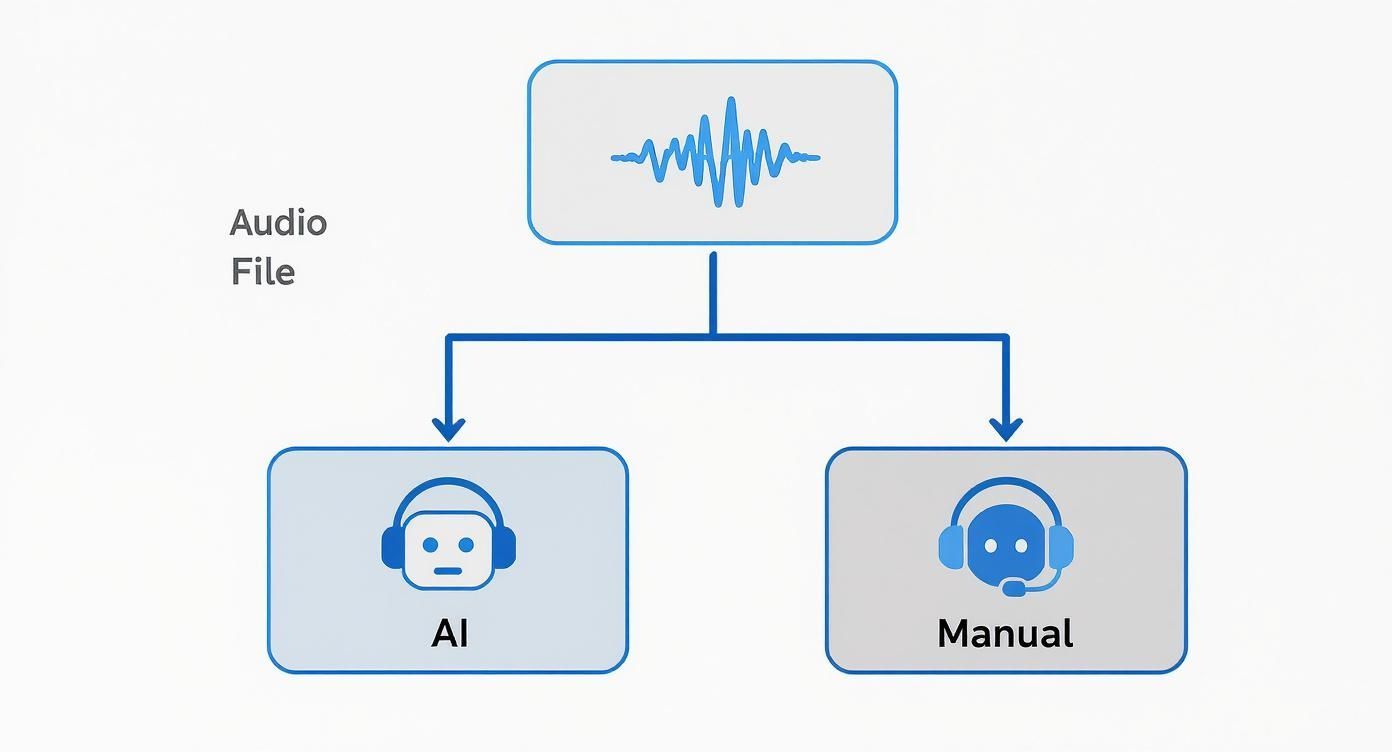
As you can see, the path you take depends on your specific needs, but AI is almost always the go-to for speed and affordability.
From Upload to First Draft
After you've locked in your settings, it's time to kick off the transcription. Modern AI services, often powered by incredible models like OpenAI's Whisper, are shockingly fast. An hour-long podcast episode can be fully transcribed in as little as 5-10 minutes.
This is where the magic happens. The AI crunches through the audio, separates the speakers, and converts everything into timestamped text. You’ll probably get an email as soon as it's ready.
What you get back is your first draft—a raw but totally workable transcript. It won't be perfect, but it gives you a massive head start. Many tools also have a free online speech to text converter, so you can test the technology with a short audio clip before committing to a full episode.
Making Sense of the AI's Output
Your new transcript will almost always appear in an interactive editor designed to make the cleanup process as painless as possible.
What You’ll See Inside the Transcript Editor?
Timestamp Navigation
Quickly jump to any moment in your audio by clicking text-linked timestamps. Makes checking accuracy effortless and saves hours.
Speaker Labels
Automatically separates voices into labeled sections so your transcript stays organized and easy to follow.
Confidence Highlights
The editor visually marks uncertain words so you can fix problem areas instantly without rereading everything.
Inline Editing Tools
Clean up text, correct names, and adjust formatting directly in the editor with just a few clicks
Here’s what you can expect to see:
- Timestamped Text: Every word or phrase is linked to the exact moment it was spoken in the audio. Clicking a word in the text will jump the audio player right to that spot, which makes verifying and correcting mistakes incredibly easy.
- Speaker Labels: Because you enabled speaker detection, the dialogue will be neatly organized by who's talking (e.g., Speaker 1: "Welcome to the show."). Your first job is to swap these generic labels with the right names.
- Confidence Scores: Some more advanced platforms will even highlight words or phrases where the AI was a bit shaky on accuracy. This helps you zero in on the potential trouble spots that need a quick human review.
With this raw material in hand, the heavy lifting is done. You’re ready to turn a machine-generated text into a polished, professional document.
Refining Your Transcript From Raw Text to Polished Content
An AI-generated transcript is a fantastic running start, but it's never the finish line. One of the biggest mistakes I see is podcasters publishing that raw, unedited text. It can make an otherwise professional brand look sloppy. This next phase—the human touch—is where you transform that rough draft into a polished, valuable asset that actually reflects the quality of your show.
The editing process isn't about rewriting your episode. It's about refining. The goal is to make the text clear, accurate, and easy to read, ensuring it serves both your audience and your SEO strategy. This is really the most crucial step in learning how to transcribe a podcast properly.
Your Initial Editing Checklist
Before you start agonizing over sentence structure, do a quick, high-level cleanup. This first pass catches the most obvious errors and gives you a clean foundation to work from. Think of it as tidying up the room before you start decorating.
Your first run-through should focus on just a few key areas:
- Correct Speaker Labels: The AI's speaker detection is a lifesaver, but its first guess is often generic. Go through and replace labels like "Speaker 1" and "Speaker 2" with the actual names of your host and guests. It immediately makes the transcript more readable.
- Fix Proper Nouns and Jargon: Even with a custom vocabulary, AI can still mangle unique names, brands, or technical terms. Scan the document specifically for these words and fix them. A quick "find and replace" can knock out recurring mistakes in seconds.
- Address Glaring Punctuation Errors: AI often struggles with the natural pauses and flow of a real conversation. This can lead to awkward run-on sentences or misplaced commas. Just fix the most obvious ones that hurt readability for now.
This first pass shouldn't take long, but it’s vital. It makes the document feel way more organized and a lot less intimidating to edit.
Deciding Between Verbatim and Clean Read
One of the most important calls you'll make is how to handle the natural messiness of human speech. Do you keep every "um," "ah," and false start, or do you clean it up? This choice defines the entire style of your transcript.
A verbatim transcript captures every single sound, including filler words, stutters, and verbal tics. This is essential for things like legal depositions or deep linguistic analysis, but frankly, it’s a slog for a general audience to read.
For most podcasters, a clean read transcript is the way to go. This edited version tactfully removes filler words, corrects minor grammatical slips, and tidies up sentences for clarity. It preserves what the speaker meant to say and creates a much more enjoyable reading experience.
Pro Tip: Unless you have a specific, compelling reason to keep them, always remove filler words. Your audience is there for your insights, not a perfect record of every hesitation. A clean read makes your content feel more professional and accessible.
Adding Timestamps for Better Navigation
Timestamps are a small detail with a huge impact. They sync the text directly to the audio, letting readers click on a paragraph and jump to that exact moment in your podcast. This is incredibly useful for listeners who want to rehear a specific point or share a key segment with someone else.
Many AI tools generate timestamps automatically, but you'll still want to review them during your edit. Make sure they’re accurate and placed logically—usually at the start of a new speaker's turn or when the topic shifts. If you're creating timestamps from scratch, we have a complete walkthrough in our guide to adding timecodes to your transcript.
This feature turns your transcript from a static wall of text into an interactive table of contents for your audio.
The Final Proofread for Clarity and Flow
With the technical fixes out of the way, your final step is to read the entire transcript from top to bottom. This time, you're not just hunting for errors; you're reading for flow and comprehension. Does it make sense as a standalone piece of content? Is the tone right?
During this final pass, focus on:
- Readability: Break up long, dense paragraphs. Aim for shorter, scannable chunks of just one to three sentences.
- Clarity: Rework any awkward sentences. Some things sound fine when spoken but are just clunky in writing.
- Consistency: Double-check that formatting for names, titles, and key terms is consistent all the way through.
This final polish is what elevates your transcript from a simple text file to a piece of high-quality content that can stand confidently alongside your audio.
Turn Your Transcript into a Content Goldmine
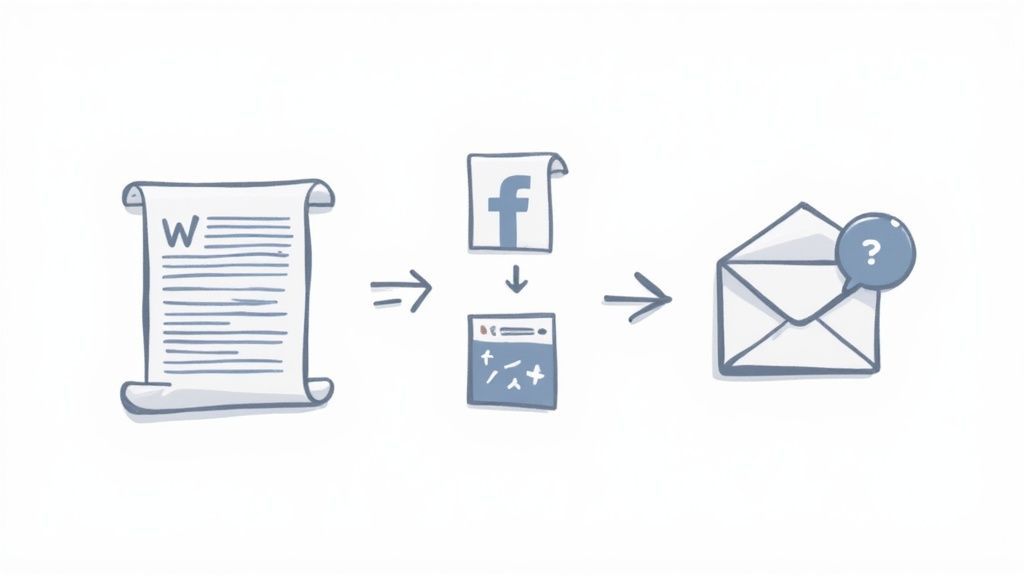
So, you've got your polished transcript. Don't just let it sit in a folder gathering digital dust. That text file is a content engine, a launchpad for an entire marketing strategy that can keep a single podcast episode relevant for weeks.
Thinking of it as just a backup is a massive missed opportunity. The real magic happens when you start slicing it up and reformatting it for different platforms. This is how you get the absolute most out of every minute you poured into creating your show.
Repurposing Is Your Biggest Growth Lever
Repurposing your transcript into articles, clips, emails, and SEO content multiplies your reach without creating new episodes. It’s the smartest way to grow consistently.
Transform Your Transcript into an SEO Powerhouse
The most direct win is turning your transcript into a full-fledged, SEO-optimized blog post. This isn't a simple copy-paste job. You need to structure it for both search engines and human eyeballs.
Treat the transcript as your raw material. Read through and pull out the core topics, questions, and key takeaways. Use these to map out a logical structure with clear headings (H2s, H3s) that hit the keywords your audience is actually searching for.
For instance, a segment on "morning routines for entrepreneurs" can be reframed as a blog section titled "How Successful Founders Start Their Day." That simple shift aligns your content with what people type into Google, making it way more discoverable. Don't forget to weave in the best quotes to add authority and break up the text.
A quick pro-tip: Add internal links to other relevant episodes or articles on your site. This helps search engines connect the dots and keeps visitors clicking around, which sends strong positive signals to Google.
Slice and Dice for Social Media Engagement
Your transcript is an absolute goldmine for bite-sized social media content. Stop stressing about what to post next and just mine your latest episode for compelling soundbites.
Here are a few ways to get started right away:
- Create Quote Graphics: Pull the most insightful, funny, or even controversial lines from your guest. Pop them into a simple tool like Canva to create slick, shareable graphics for Instagram, LinkedIn, and X.
- Build Audiograms: An audiogram pairs a short audio clip with a static image and animated captions. They're incredibly effective for grabbing attention in a silent-scroll world.
- Generate Text-Based Posts: Summarize a key point in a punchy post for LinkedIn, or create a thread on X that breaks down a complex topic from the episode.
This workflow keeps your social calendar full of valuable content straight from your show. It’s a super-efficient way to keep your audience hooked between episode drops.
Fuel Your Email Newsletter and Beyond
Your email list is one of your most valuable assets, and that transcript is the perfect fuel to keep it running. Instead of just dropping a link to the new episode, give your subscribers a reason to click.
Summarize the top three to five takeaways right in the newsletter. Pull a powerful quote or a surprising statistic that makes them curious enough to hear the whole conversation.
This strategy pays dividends across the board. The global listenership for podcasts is projected to hit 584.1 million in 2025, and accessible content is how you capture a piece of that pie. Podcasters who provide transcripts often see a 20-30% boost in engagement because people can easily find and share specific insights.
One of the best ways to repurpose your transcript is by turning it into video subtitles. You can find a complete guide on how to add subtitles to videos to get started. By recycling your transcript into different formats, a single episode can generate a week's worth of marketing material, turning your show into a powerful content creation machine.
Got Questions About Transcription? Let's Clear Things Up.
Diving into podcast transcription for the first time can feel a little overwhelming. There's new lingo to learn, different tools to figure out, and you probably have a bunch of questions about how it all works in practice.
Let's cut through the noise and tackle the most common questions podcasters have. Getting these answers straight will help you set the right expectations for your time, budget, and workflow.
How Long Does It Really Take to Transcribe a Podcast?
This is the classic "it depends" question, but I can give you some real-world numbers to work with. The time it takes for that initial pass depends entirely on the method you choose.
- AI Transcription: An AI service like Transcript.LOL is ridiculously fast. It can process a one-hour audio file in about 5-15 minutes, giving you an instant first draft to work with.
- Manual Transcription: If you hire a professional human service, you're usually looking at a turnaround time of 24-48 hours for that same one-hour file.
But here’s the thing most people miss: for podcasters using AI, the real time commitment is in the editing.
A good rule of thumb for clean audio with clear speakers is a 2x-3x ratio. That means for every one hour of your podcast, you should plan to spend two or three hours editing and proofreading the transcript.
If your audio is a bit chaotic—maybe you have guests talking over each other, strong accents, or background noise—that ratio can easily jump to 4x-5x. Suddenly, that one-hour episode could take you a full afternoon to get just right.
Verbatim vs. Clean Read: Which One Do I Need?
When you start editing, you'll need to decide on a style. For podcasters, this choice is almost always a no-brainer.
A verbatim transcript is a literal, word-for-word record of every single sound. It includes every "um," "ah," stutter, and false start. This is essential for things like legal proceedings, but it's a nightmare to read.
A clean read transcript, on the other hand, is edited for clarity. It thoughtfully removes all the filler words, fixes small grammatical slips, and polishes the sentences to reflect what the speaker meant to say. This is exactly what you want for blog posts, show notes, and social media content.
For virtually every podcasting scenario, a clean read is the way to go. It makes your content look professional and gives your audience a much better experience. They’re here for your insights, not your hesitations.
Can AI Handle Multiple Speakers?
Yes, absolutely. Modern AI tools make transcribing interviews and panel discussions easier than ever. The secret sauce is a feature called speaker detection (sometimes called "diarization").
When you turn this on, the AI listens for unique voices and automatically labels them, usually as "Speaker 1," "Speaker 2," and so on. It’s not always perfect—it might get confused if voices sound similar or people interrupt each other—but it gives you a massive head start. Your first editing task is to simply go through and replace those generic labels with your speakers' actual names.
Pro-tip: For the best possible accuracy with multiple speakers, record each person on a separate audio track. Giving the AI clean, isolated audio for each voice helps it nail the speaker labels almost every time.
Common Transcription Mistakes to Sidestep
Once you get the hang of it, the transcription process is pretty straightforward. But a few common mistakes can trip you up and waste a ton of time.
Here are the big ones to watch out for:
- Publishing the Raw AI Transcript: Never, ever skip the human review. An unedited AI transcript is often full of weird punctuation, mixed-up speaker labels, and misspelled names. Publishing it as-is can make your brand look sloppy.
- Ignoring Custom Vocabulary: Most tools let you "teach" the AI specific jargon, company names, or your guests' names before it starts transcribing. Forgetting this step means you'll spend ages manually correcting the same errors over and over.
- Forgetting to Format for Readability: Don't just dump a giant wall of text on your website. No one will read it. Break up your transcript into short, scannable paragraphs. Use subheadings and bold text to highlight key points and make it easy for your audience to skim.
Ready to skip the headaches and get a fast, accurate first draft?
Try Transcript.LOL for AI-Powered Transcription
Get instant, highly accurate transcripts with custom vocabulary, speaker detection, and easy editing tools. Perfect for podcasters who want speed and quality.
Transcript.LOL uses best-in-class AI to generate polished transcripts in minutes. With support for custom vocabulary and automatic speaker detection, we handle the heavy lifting so you can focus on your content. Try it for free today at https://transcript.lol.