
A Modern Guide to Creating a Transcript From Audio and Video
Learn how to master creating a transcript with AI and manual workflows. Our guide offers actionable tips for podcasters, marketers, and professionals.
Praveen
March 8, 2026
Not long ago, creating a transcript meant chaining yourself to a keyboard, endlessly hitting pause and rewind. It was a slow, frustrating task. Thankfully, those days are over. Modern AI has completely flipped the script, turning hours of audio into an accurate, editable text file in minutes.
The Modern Way to Create a Transcript
Forget tedious manual work. Today's transcription process is fast, intelligent, and powered by sophisticated AI. Platforms like Transcript.LOL use advanced models, including OpenAI's Whisper, to deliver near-human accuracy almost instantly. You can upload a file straight from your computer, paste a link from YouTube, or even connect your cloud drive to get started.
Features That Make AI Transcription So Powerful
State-of-the-art AI
Powered by OpenAI's Whisper for industry-leading accuracy. Support for custom vocabularies, up to 10 hours long files, and ultra fast results.

Import from multiple sources
Import audio and video files from various sources including direct upload, Google Drive, Dropbox, URLs, Zoom, and more.

Export in multiple formats
Export your transcripts in multiple formats including TXT, DOCX, PDF, SRT, and VTT with customizable formatting options.
This isn't just about saving time—it's about making your content work harder for you. The global transcription market was valued at USD 21.6 billion in 2022 and is still growing, which shows just how essential this has become. If you're a podcaster, researcher, or video creator, there has never been a better time to make transcription a core part of your workflow.
Why Transcription Has Become Important for Digital Content?
These days, transcription is more than just a work for document. It is essential to knowledge management, accessibility, and content marketing. Reusing, sharing, and analyzing information is made simpler by turning spoken interactions into searchable text. Transcripts convert a single recording into several useful content assets for producers and companies.
From Audio to Text in Minutes
What used to be a chore is now a simple, almost effortless process. The AI does all the heavy lifting, including one of the most time-consuming parts: automatically detecting and labeling different speakers. This is a huge help for interviews, team meetings, and focus groups.
The entire experience is designed to be clean and straightforward, letting the technology do its job seamlessly in the background.
The real power of modern transcription is its ability to unlock the value hidden inside your audio and video. A transcript becomes the foundation for blog posts, social media content, and detailed show notes.
For a deeper dive into the technology making this all possible, this guide on AI audio to text transcription is an excellent resource. You can also see our own tips for getting the most from AI on our blog post about how to convert audio to text with AI.
How to Prepare Your Files for Flawless Transcription
Let's be real: the secret to a near-perfect transcript isn't just about the software you use—it's about the quality of the file you give it. Think of it as "garbage in, garbage out." A clean, clear audio or video file is the single biggest factor in getting an accurate result right out of the gate.
Before you even think about hitting that upload button, spending a few minutes prepping your file can save you hours of tedious editing later. This is your chance to set the AI up for success.
Quick Ways to Improve Transcription Accuracy
Always Record Close to the Speaker
Audio clarity is significantly improved by keeping the microphone close to the speaker. During transcription, clear voice recording minimizes background noise and helps accurate word recognition by AI systems.
Record in a Quite Environment
Try recording in places that are quiet and have minimal noises from outside. Speech recognition models are affected by interruption from even the smallest sounds, such as fans, keyboard tapping, or distant voices.
Keep the Volume Constant
Speech recognition systems may become confused by unexpected changes in volume. To ensure that the AI records every word accurately and without error, speakers should be encouraged to speak at a constant volume.
Make Use of High-Quality Audio Files
Export recordings in high-bitrate MP3, WAV, or FLAC whenever you can. More sound detail is preserved in these formats, which enhances the AI's capacity to recognize speech.
Improve Your Audio Clarity
The cleaner your audio, the better your transcript. It’s that simple. Background noise is the ultimate enemy of accurate transcription, as it easily confuses the AI, leading to mistakes and garbled words. Even minor sounds like an AC hum, keyboard clicks, or a distant conversation can throw things off.
For podcasters and video creators, this all starts at the recording stage.
- Use a decent microphone: An external mic will always beat the one built into your laptop or phone. Get it close to the speaker's mouth to capture their voice directly and minimize room noise.
- Record in a quiet space: Find a room with soft surfaces. Carpets, curtains, and even a packed closet will do wonders to absorb echo and dampen unwanted background sounds.
- Check your levels: You want to avoid "clipping"—that distorted, crunchy sound when the audio is too loud. Aim for a strong, consistent volume that isn't peaking into the red.
A good rule of thumb: if you have to strain to hear a word or phrase, the AI will struggle, too. Making sure the speaker's voice is the most prominent sound is the key to a high-quality automated transcript.
If you’re working with separate audio tracks for each speaker, like in a podcast interview, it’s best to combine them into a single file before uploading. If you're not sure how, you can learn how to merge audio files to create one clean source.
Optimize File Formats and Settings
While our platform can handle almost anything you throw at it, certain formats just deliver better results. Whenever you can, export your audio in a lossless format like FLAC or WAV, or at the very least, a high-bitrate MP3 (320kbps is great). These formats keep more of the original audio data, giving the AI more detail to analyze.
When you're dealing with video files like Zoom recordings or interviews, it's the audio track that really matters. If your editing software lets you, export the audio as a separate, high-quality file. This simple step prevents the audio quality from being degraded by video compression, which is common in standard MP4 exports.
Choosing Your Transcription Workflow
When it comes to creating a transcript, you really have two main paths: a fully automated process or a hybrid approach that mixes AI speed with a human’s final polish. The right choice really boils down to your audio quality, the complexity of what was said, and how perfect that final document needs to be.
Let's break down which workflow makes the most sense for your project.
The Fully Automated Workflow
For most transcription needs these days, the fully automated route is a total game-changer. This is where you just upload your audio or video file to a service like Transcript.LOL and let the AI do all the heavy lifting. It's incredibly fast, super affordable, and the accuracy is genuinely impressive, especially if you start with clear audio.
This little decision tree can help you figure out if your audio is ready for a pure AI workflow.
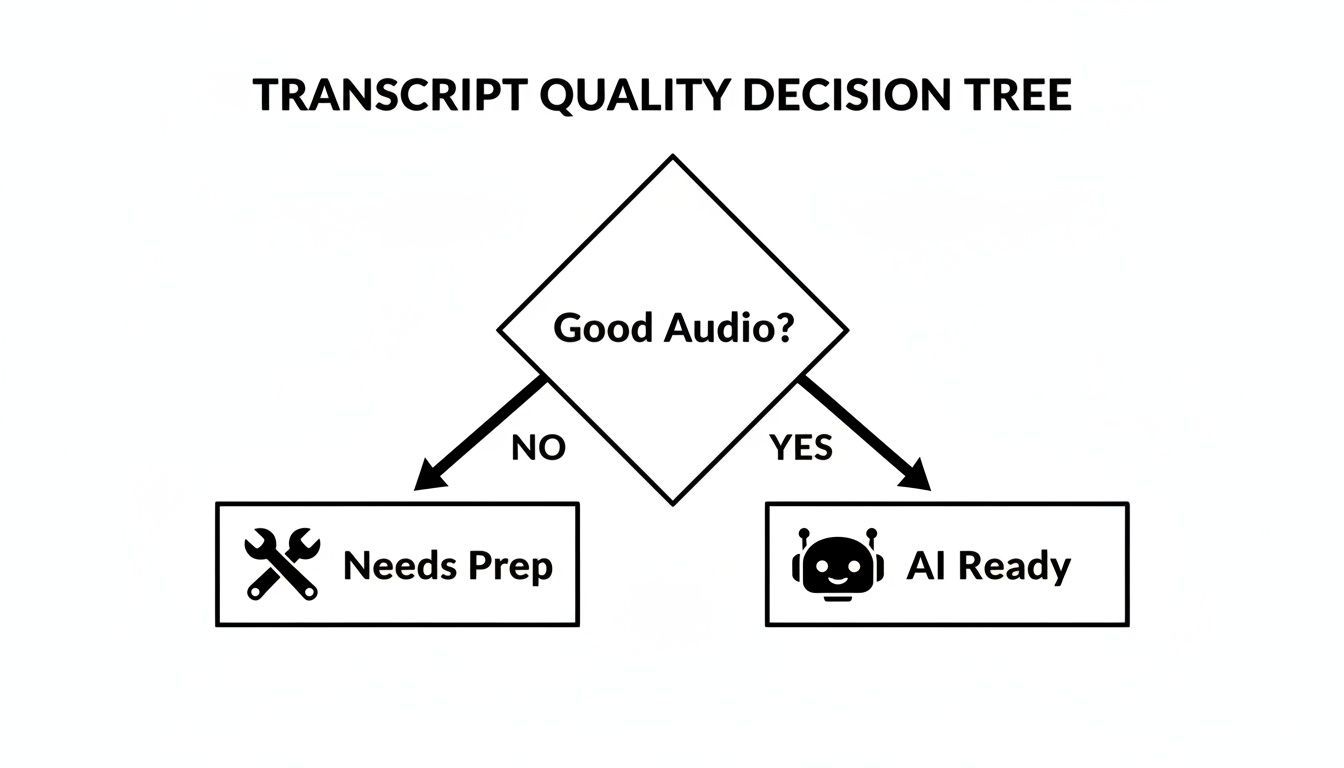
As you can see, good audio is really the key. If you have that, you can get a high-quality automated transcript without a bunch of extra prep work.
This hands-off method is perfect for:
- Podcasters who need quick show notes or content to repurpose.
- Marketers turning webinar recordings into blog posts and articles.
- Students transcribing lectures to create searchable study notes.
Honestly, the entire industry is moving this way. The global AI transcription market was valued at $4.5 billion in 2024 and is projected to skyrocket to $19.2 billion by 2034, growing at a massive 15.6% CAGR. The AI is just that good now—often reaching human-level accuracy and making it the default choice for many of us.
The Hybrid Workflow: A Personal Favorite
While AI is incredibly powerful, sometimes you just need that human touch. The hybrid workflow is my personal go-to for complex or high-stakes projects. It starts with an AI-generated first draft, which gets you about 95% of the way there. Then, a human expert—either you or a professional editor—steps in to refine it.
This approach gives you the best of both worlds: you get the speed and affordability of AI, plus the nuance and precision of a human editor. It's ideal for content with heavy accents, multiple speakers talking over each other, or highly technical jargon that an AI might stumble on.
The hybrid model is your quality assurance safety net. It ensures that even the most challenging audio results in a flawless, professional-grade transcript ready for any audience.
You’ll want to consider this workflow for things like:
- Legal depositions or court proceedings where every word matters.
- Medical research interviews filled with specific terminology.
- Focus group discussions with a ton of crosstalk.
As you're figuring out your process, you might want to try a dedicated lunabloomai AI transcription app to see how different tools handle that initial automated pass. Many platforms, including Transcript.LOL, have a flexible interface that makes editing the AI's output straightforward, which is essential for this hybrid method.
Ultimately, picking the right workflow is all about matching the tool to the task. To help you find the right platform, check out our guide to the best AI-powered transcription software. It’ll give you a good sense of what’s out there and what might be the best fit for you.
Editing Your Transcript Like a Pro
An AI-generated first draft gets you 95% of the way there, but that last 5% is what separates a good transcript from a truly great one. This is where you step in to add the human touch, refining the details that make the text accurate, polished, and ready for your audience. It's about more than just a quick spell-check; it's about making the content genuinely readable.
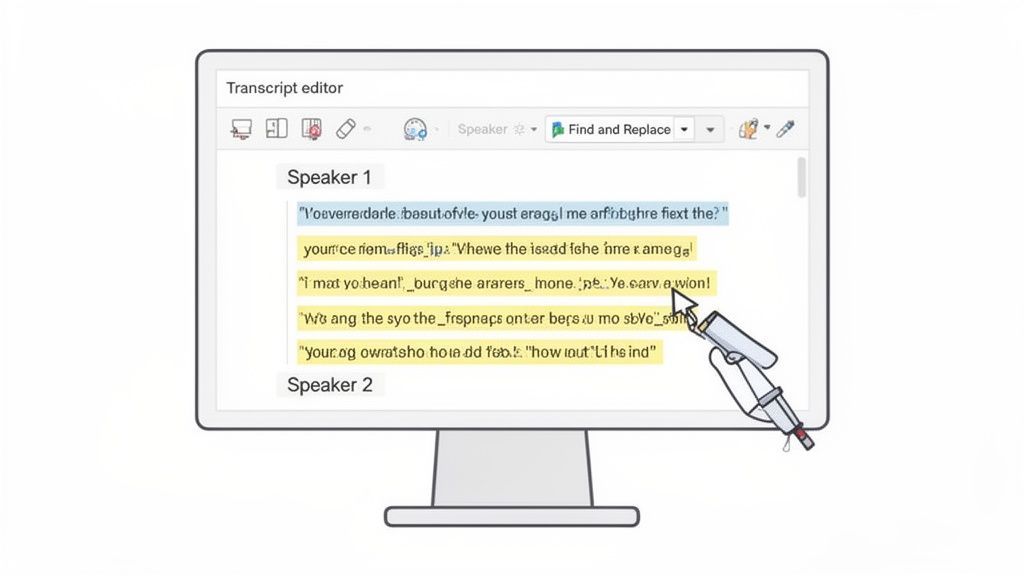
Thankfully, modern transcription platforms like Transcript.LOL make this easy. Our built-in editor syncs your transcript directly to the audio. As the file plays, the corresponding text is highlighted, so you can follow along and make corrections in real-time without ever losing your place. This synchronized playback is your secret weapon for fast, accurate editing.
Advanced Features That Simplify Transcript Editing

Speaker detection
Automatically identify different speakers in your recordings and label them with their names.

Editing tools
Edit transcripts with powerful tools including find & replace, speaker assignment, rich text formats, and highlighting.
Summaries and Chatbot
Generate summaries & other insights from your transcript, reusable custom prompts and chatbot for your content.
Fine-Tuning Punctuation and Formatting
While AI is fantastic at capturing words, it doesn't always nail the nuances of human speech—the natural pauses, the shifts in tone, or the end of a thought. Your first pass should be all about cleaning up the flow.
Keep an eye out for long, run-on sentences that can be broken up. Listen for those natural pauses in the audio that signal a new sentence or paragraph. Simply adding periods, commas, and line breaks can transform a wall of text into something much easier to digest.
This is also the time to correct any misheard words. Even the best AI can mistake a proper name for a common noun or get tripped up by industry jargon. With the audio linked, finding and fixing these mistakes is a breeze—just click the word and type the correction.
The Significance of Final Human Review
Words can occasionally be misinterpreted by even the most powerful AI transcription systems, particularly when dealing with technical terms, accents, or overlapping speakers. A quick human review ensures the final transcript maintains professional accuracy. Taking a few minutes to verify key sections can prevent misunderstandings or publishing errors.
Managing Speaker Labels for Clarity
For any recording with more than one person, like an interview or a team meeting, accurate speaker labels are non-negotiable. The AI does a decent job of detecting when a new person starts talking, but it can't magically know their names. It assigns generic labels like "Speaker 1," "Speaker 2," and so on.
Your task is to swap those generic tags for actual names. Most editors, including ours, make this incredibly simple. You can usually change the name just once, and the platform will update it across the entire transcript. This small step instantly makes a conversation a hundred times clearer.
A clean transcript with accurate speaker names feels professional and is easy to follow. It turns a jumble of text into a clear, structured conversation that anyone can understand.
This is absolutely critical for legal depositions, journalistic interviews, or meeting minutes where knowing who said what is the entire point.
Essential Editing Checklist for a Perfect Transcript
To make sure you cover all your bases, it helps to follow a structured checklist. Here’s a simple workflow I use to review and finalize every transcript, ensuring nothing gets missed.
| Checklist Item | What to Look For | Pro Tip |
|---|---|---|
| Initial Read-Through | Glaring errors, typos, and obvious misheard words. | Don't edit yet. Just play the audio and read along to get a feel for the flow and spot major issues. |
| Punctuation and Flow | Run-on sentences, missing periods, or awkward paragraph breaks. | Listen for natural pauses in the audio. A pause almost always means it's time for a period or a new paragraph. |
| Speaker Labels | Generic labels like "Speaker 1," "Speaker 2," etc. | Use the "Find and Replace" feature to change all instances of "Speaker 1" to the correct name in one go. |
| Names and Jargon | Misspelled proper nouns, company names, or industry-specific terms. | Create a "Custom Vocabulary" list beforehand to teach the AI these terms and reduce errors from the start. |
| Filler Words | Repetitive "ums," "ahs," "likes," and false starts. | Unless you need a strict verbatim record, remove these to improve readability. The final text will be much cleaner. |
| Final Proofread | Any last, subtle mistakes your eyes might have skipped. | Read the transcript one final time without the audio. This helps you catch errors that sound right but look wrong on the page. |
Following these steps methodically ensures your final transcript is not only accurate but also professional and easy to read.
Time-Saving Editing Hacks
Editing doesn't have to be a time-sink. With a few tricks, you can speed up the process dramatically.
- Find and Replace: This is your best friend for fixing recurring mistakes. If the AI consistently wrote "Transcript LOL" instead of "Transcript.LOL," you can fix every single instance with one simple command.
- Build a Custom Vocabulary: Be proactive. Platforms like ours let you build a custom dictionary of names, acronyms, and unique terms. This trains the AI to get it right from the start, saving you a ton of editing time on future files.
- Focus on the Substance: Remember the goal: a readable and accurate document. Unless a client specifically requests a strict, verbatim transcript, feel free to clean up false starts and filler words like "um" and "ah."
If you’re ready to take your skills to the next level, check out our detailed guide on the importance of proofreading in transcription. It’s packed with more tips for catching those final, tricky errors.
How to Repurpose and Export Your Transcript
Once you've polished your transcript, the real fun begins. Don't just let that file sit on your hard drive—that's a huge missed opportunity. The final step is exporting it in the right format so you can put it to work. This is where you start seeing a real return on your efforts.
What you do next depends entirely on your goal. Think of it like picking the right tool for a job. A simple .TXT file is fantastic for grabbing raw text, while a .DOCX is your best friend for drafting an article or a polished report.
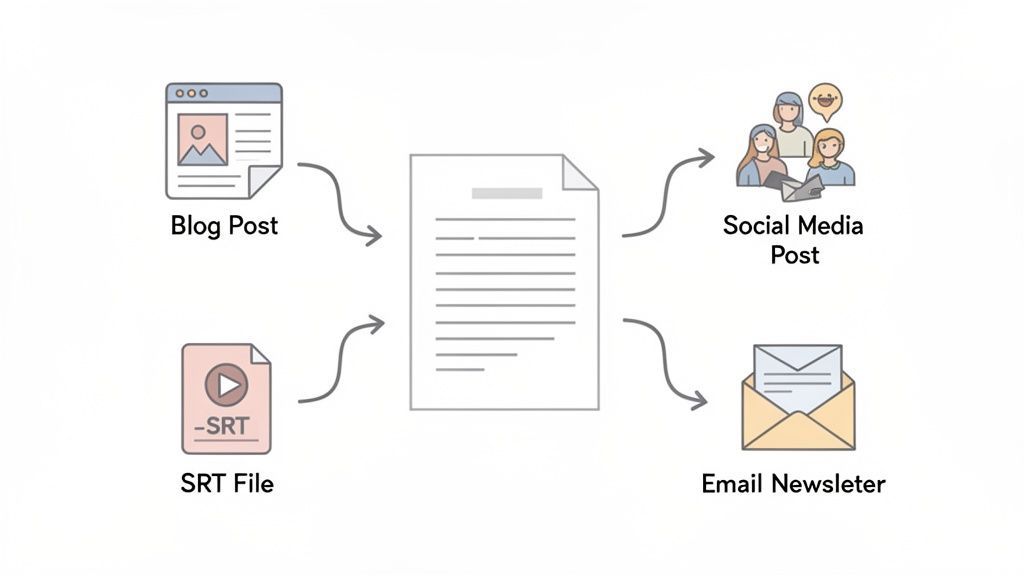
A single transcript can be the launchpad for a dozen different pieces of content, from accessible video captions to a week's worth of social media updates. It’s all about working smarter, not harder.
Choosing the Right Export Format
Modern transcription platforms give you plenty of export options, and knowing which one to grab is key. Each format is designed for a specific job.
- TXT (Plain Text): This is as basic as it gets—just the words. It's perfect for quickly copying text into another app or for simple archiving where you don't need any special formatting.
- DOCX (Word Document): Grab this when you need a formatted, shareable document. It keeps things like bolding, paragraphs, and speaker labels intact. It's the perfect starting point for meeting minutes, reports, or a new blog post.
- SRT & VTT (Caption Files): These are non-negotiable for video. Whether you're posting on YouTube, Vimeo, or social media, these files contain both the text and the timestamps. This ensures your words sync perfectly with the video, which is critical for accessibility and keeping viewers engaged.
- PDF (Portable Document Format): Need to send a final, uneditable version? PDF is your go-to. It’s ideal for official records, legal documents, or academic submissions where you need to preserve the content exactly as it is.
From Transcript to Content Engine
A finished transcript isn't just a record; it's raw material for your entire content strategy. Seriously, one hour-long podcast can fuel a full week of marketing.
The real power of a transcript is its ability to be deconstructed and repurposed. You’ve already done the hard work of creating the core message; now you just need to repackage it for different channels.
For instance, a podcaster can take one transcript and easily:
- Publish a full blog post: This makes your audio content discoverable by search engines, boosting your SEO.
- Pull out killer quotes: Turn the most powerful lines into quote graphics for Instagram or X (formerly Twitter).
- Draft an email newsletter: Create a quick summary of the episode's highlights to drive more listens from your subscribers.
- Create a lead magnet: Go deeper on a key topic from the episode and turn it into a downloadable checklist or guide for your audience.
The business world is catching on, too. The global business transcription market is set to explode from US$3.4 billion in 2026 to US$8.6 billion by 2033. This boom is fueled by AI-powered tools that help teams turn everyday conversations into data they can actually use. You can read more in this in-depth analysis of the transcription market.
The AI Transcription Industry's Quick Development
As companies realize how important it is to turn conversations into useful data, AI transcription technology is developing quickly. Every year, advances in automation, language modeling, and speech recognition speed up and improve the accuracy of transcribing. Transcription is becoming a standard component of modern digital workflows as adoption increases.
Common Questions About Creating Transcripts
Diving into transcription for the first time? You probably have a few questions. It’s completely normal to wonder about things like accuracy, how to handle messy audio, or if it’s even worth the effort.
We get these questions all the time. Let's break down some of the most common ones with clear, straightforward answers.
How Accurate Is AI Transcription Really?
This is the big one, and the short answer is: surprisingly accurate. Modern AI like OpenAI's Whisper can hit up to 99% accuracy under ideal conditions.
So, what are "ideal conditions"? Think clean audio with clear speakers and very little background noise. Where accuracy might dip is with heavy accents, people talking over each other, or poor recording quality. That’s exactly why the hybrid approach—letting AI do the heavy lifting and a human add the final polish—is so powerful for getting a perfect result.
Will Transcribing My Podcast Hurt My Listenership?
It's a valid concern we hear from creators all the time: if people can just read the episode, why would they listen? The truth is, it doesn't hurt. In fact, it almost always helps grow your audience.
A transcript makes your content discoverable. Someone searching Google for a specific topic you covered can land right on your show notes, find your podcast, and become a brand-new listener.
Think of a transcript not as a replacement for your audio, but as a new doorway into your content. It caters to different preferences—some people simply prefer reading—and makes your show more accessible to those who are hard of hearing.
What’s the Difference Between Verbatim and Clean Read?
You’ll run into two main styles when you create a transcript, and it's important to know which one fits your needs.
- Verbatim: This is an exact, word-for-word record of everything said. It includes every "um," "ah," filler word, and false start. This style is non-negotiable for legal work or academic research where every single utterance is critical.
- Clean Read (or Edited Transcript): This is the go-to for most people. It strips out all the filler words and corrects minor slip-ups to make the text easy to read. The goal is to capture the core message in a clean, professional format—perfect for blog posts, articles, and show notes.
For most content creators, a clean read is the way to go. It presents your ideas in the best light without the natural, but distracting, clutter of conversational speech.
How Secure Is My Data When I Upload a File?
Security should absolutely be a top concern. When you upload your audio or video, you’re trusting a service with your content, which could be sensitive. It's crucial to pick a platform that takes your privacy seriously.
At Transcript.LOL, we enforce a strict no-training policy. This means we never, ever use your data to train our AI models. Your files are yours alone, and their contents are always kept confidential. Before using any service, always check its privacy policy to make sure they have similar safeguards in place.
Ready to stop typing and start creating? Transcript.LOL uses powerful AI to turn your audio and video into accurate, editable transcripts in minutes. Sign up today and get your first transcript on us.