
Top 12 façons de convertir la parole en texte gratuitement en 2025
Découvrez les 12 meilleurs outils pour convertir la parole en texte gratuitement. Notre guide 2025 couvre les applications web, les outils hors ligne et les fonctionnalités des systèmes d'exploitation pour une transcription rapide et précise.
Kate, Praveen
January 8, 2025
Transformer des mots parlés en texte écrit est une tâche essentielle pour un large éventail de professionnels, des podcasteurs créant des notes d'épisodes et des créateurs vidéo ajoutant des sous-titres, aux chercheurs analysant des interviews et aux équipes commerciales documentant des réunions. Le besoin de convertir gratuitement la parole en texte avec précision a considérablement augmenté, mais naviguer parmi les options peut être déroutant. De nombreux services promettent une transcription gratuite mais cachent des fonctionnalités cruciales derrière un paywall ou imposent des limites restrictives qui les rendent impraticables pour une utilisation réelle. Ce guide vous aidera à y voir plus clair.
Nous avons compilé une liste complète de 12 méthodes véritablement gratuites pour une transcription audio et vidéo de haute qualité. Vous découvrirez tout, des applications web dédiées et des API développeurs puissantes avec des niveaux gratuits généreux aux logiciels open-source robustes et aux fonctionnalités cachées déjà intégrées aux outils que vous utilisez quotidiennement. Bien que beaucoup connaissent les solutions commerciales de niveau professionnel comme Dragon NaturallySpeaking, notre objectif ici est de proposer des alternatives accessibles et gratuites qui offrent d'excellents résultats.
Cette ressource est conçue pour être pratique et exploitable. Pour chaque outil, nous fournissons un lien direct, une capture d'écran claire et des instructions étape par étape pour vous permettre de commencer immédiatement. Nous détaillerons les cas d'utilisation idéaux, évaluerons honnêtement les limitations telles que les limites de taille de fichier ou la prise en charge des langues, et comparerons leur précision. Que vous ayez besoin de transcrire un mémo vocal rapide, une longue conférence ou une série d'épisodes de podcast, vous trouverez dans cette liste une solution fiable qui correspond à vos besoins spécifiques sans avoir besoin d'une carte de crédit.
1. Transcript.LOL
Transcript.LOL se distingue comme une plateforme puissante et axée sur la confidentialité qui offre bien plus qu'un simple moyen de convertir gratuitement la parole en texte. C'est un moteur de création de contenu tout-en-un, basé sur le modèle Whisper très précis d'OpenAI. Ce service est conçu pour les professionnels qui ont besoin non seulement de transcriptions précises, mais aussi d'un moyen rationalisé de réutiliser ce contenu en d'autres actifs précieux.
La force principale de la plateforme réside dans son utilité de bout en bout. Elle va au-delà de la transcription de base en générant automatiquement des étiquettes de locuteurs, des horodatages et un document interactif et éditable. Cela prépare le terrain pour sa fonctionnalité la plus impressionnante : une suite de générateurs de contenu intégrés qui peuvent instantanément créer des résumés, identifier les sujets clés, rédiger des publications sur les réseaux sociaux, ou même construire une carte mentale à partir de votre fichier audio ou vidéo.
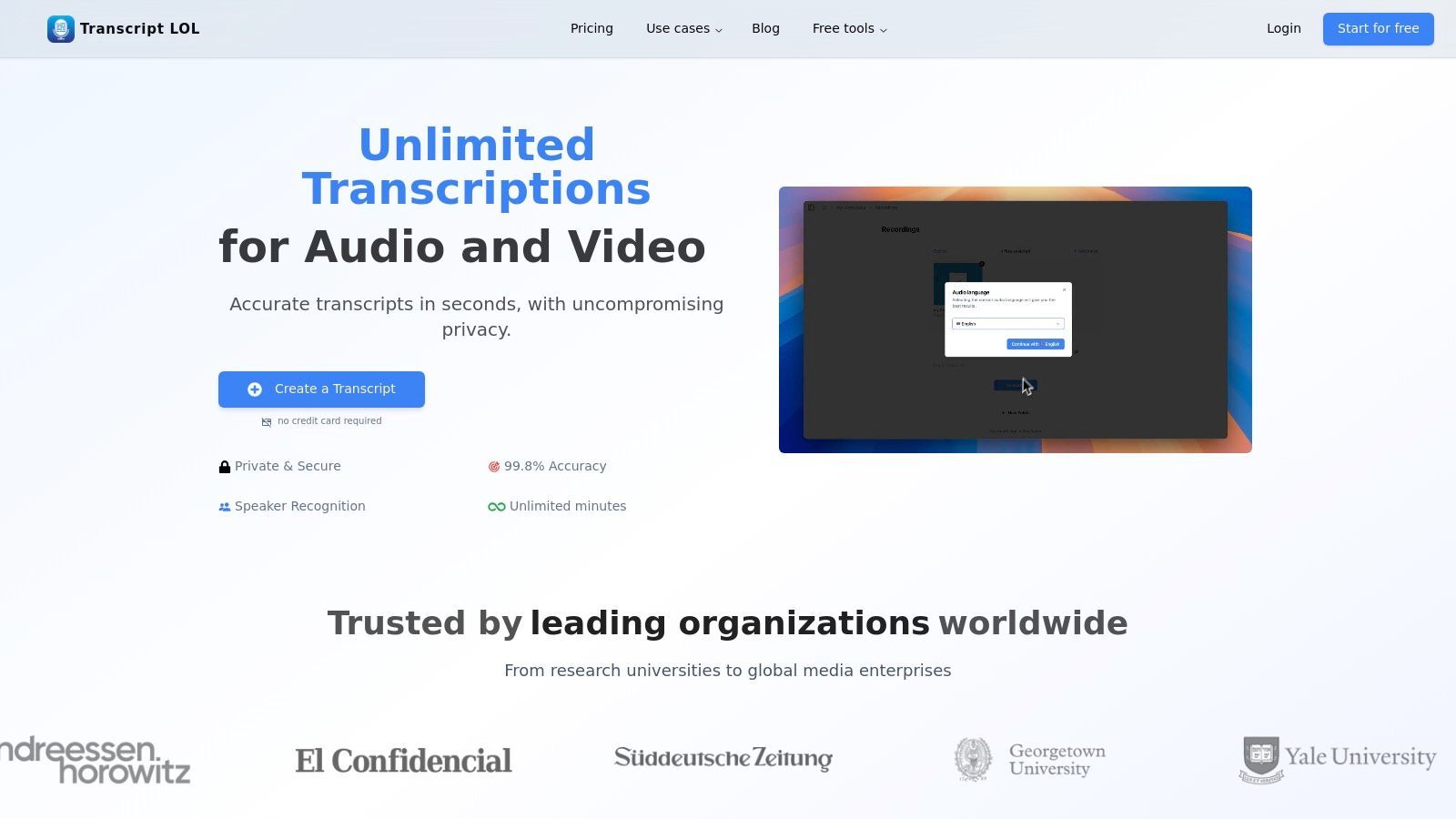
Capacités principales et cas d'utilisation
La plateforme excelle dans la gestion de divers types d'entrées multimédias avec une remarquable flexibilité. Les utilisateurs peuvent télécharger des fichiers directement ou importer depuis Google Drive, Dropbox, Zoom, et même des URL publiques de sites comme YouTube et Vimeo. Cela la rend idéale pour les podcasteurs, les spécialistes du marketing de contenu, les chercheurs et les éducateurs qui travaillent avec diverses sources multimédias. Pour une équipe, ses fonctionnalités collaboratives comme les espaces de travail partagés et la recherche robuste transforment les enregistrements désorganisés en une base de connaissances centralisée et exploitable.
Fonctionnalités clés pour un flux de travail plus intelligent
IA de pointe
Alimenté par Whisper d'OpenAI pour une précision de premier plan. Prise en charge des vocabulaires personnalisés, des fichiers jusqu'à 10 heures et des résultats ultra rapides.

Importer depuis plusieurs sources
Importez des fichiers audio et vidéo depuis diverses sources, y compris le téléchargement direct, Google Drive, Dropbox, les URL, Zoom et plus encore.

Exporter en plusieurs formats
Exportez vos transcriptions en plusieurs formats dont TXT, DOCX, PDF, SRT et VTT avec des options de formatage personnalisables.
Un différenciateur clé est son engagement envers la confidentialité. Avec une politique stricte de non-formation sur les données des utilisateurs, votre contenu vous appartient et n'est pas utilisé pour entraîner des modèles d'IA, une assurance essentielle pour les entreprises et les professionnels traitant des informations sensibles.
Détails du plan et limitations
Bien que robuste, le niveau gratuit est conçu comme un point d'entrée. Il offre jusqu'à deux transcriptions par jour avec une longueur maximale de 20 minutes par fichier et fonctionne sur une file d'attente de traitement de priorité inférieure. Pour ceux qui ont des besoins plus exigeants, le plan Illimité (120 $/an) supprime ces restrictions, offrant une prise en charge des fichiers jusqu'à 10 heures de long et un traitement prioritaire. Les plans d'équipe commencent à 240 $/an pour deux utilisateurs, ajoutant des fonctionnalités de collaboration et de gestion des accès.
Idéal pour : Créateurs de contenu, spécialistes du marketing, éducateurs et équipes ayant besoin d'un service de transcription rapide, privé et très précis qui automatise également le processus de création de contenu dérivé comme des résumés et des publications sur les réseaux sociaux.
Fonctionnalités avancées pour les professionnels

Détection des intervenants
Identifiez automatiquement les différents intervenants dans vos enregistrements et étiquetez-les avec leurs noms.

Outils d'édition
Modifiez les transcriptions avec des outils puissants incluant rechercher et remplacer, attribution des intervenants, formats de texte enrichi et surlignage.
Résumés et Chatbot
Générez des résumés et d'autres analyses de votre transcription, des prompts personnalisés réutilisables et un chatbot pour votre contenu.
Site Web : https://transcript.lol
2. Google Cloud Speech-to-Text
Pour les développeurs ou ceux qui sont à l'aise avec une configuration plus technique, Google Cloud Speech-to-Text offre un moteur puissant et de haute fidélité pour convertir la parole en texte gratuitement dans la limite de ses quotas mensuels. Contrairement aux simples convertisseurs en ligne, il s'agit d'une API de niveau développeur conçue pour être intégrée dans des applications, des sites Web et des flux de travail automatisés. Sa principale force réside dans son exactitude et sa fiabilité exceptionnelles, soutenues par l'infrastructure massive de Google.
La plateforme est idéale pour des tâches telles que la création de services de transcription personnalisés, l'analyse de gros volumes d'appels de service client ou l'alimentation de fonctionnalités de commandes vocales dans une application. Bien que la configuration nécessite la création d'un projet Google Cloud et l'activation de l'API, la documentation est complète. Vous aurez besoin de connaissances de base en ligne de commande ou en programmation pour envoyer vos fichiers audio au service pour transcription.
Fonctionnalités clés et limites d'utilisation
Le niveau gratuit de Google offre un point de départ généreux pour les petits projets ou pour des tests avant de s'engager dans un plan payant.
- Niveau gratuit : Obtenez 60 minutes de transcription audio par mois sans frais.
- Durée de l'audio : Le traitement asynchrone prend en charge des fichiers audio allant jusqu'à 8 heures.
- Exactitude : Il exploite des modèles d'apprentissage automatique avancés, et vous pouvez en apprendre davantage sur ses performances dans cette analyse de l'exactitude de la parole au texte.
- Cas d'utilisation : Parfait pour les développeurs créant des applications, les chercheurs transcrivant de grands ensembles de données ou les entreprises automatisant les flux de travail de transcription.
Bien que la barrière technique soit plus élevée que pour les outils grand public, la qualité et l'évolutivité en font une option de premier ordre pour un usage professionnel.
- Site Web : Google Cloud Speech-to-Text
3. Amazon Transcribe (AWS)
Pour les utilisateurs déjà investis dans l'écosystème Amazon Web Services, ou ceux qui ont besoin de fonctionnalités de niveau entreprise, Amazon Transcribe offre un moyen hautement précis et évolutif de convertir la parole en texte gratuitement pendant la première année. Similaire à Google Cloud, il s'agit d'un service d'API axé sur les développeurs plutôt qu'un simple outil en ligne. Il est conçu pour être intégré dans des applications et des flux de traitement de données à grande échelle, ce qui en fait un choix solide pour les entreprises et les utilisateurs techniques.
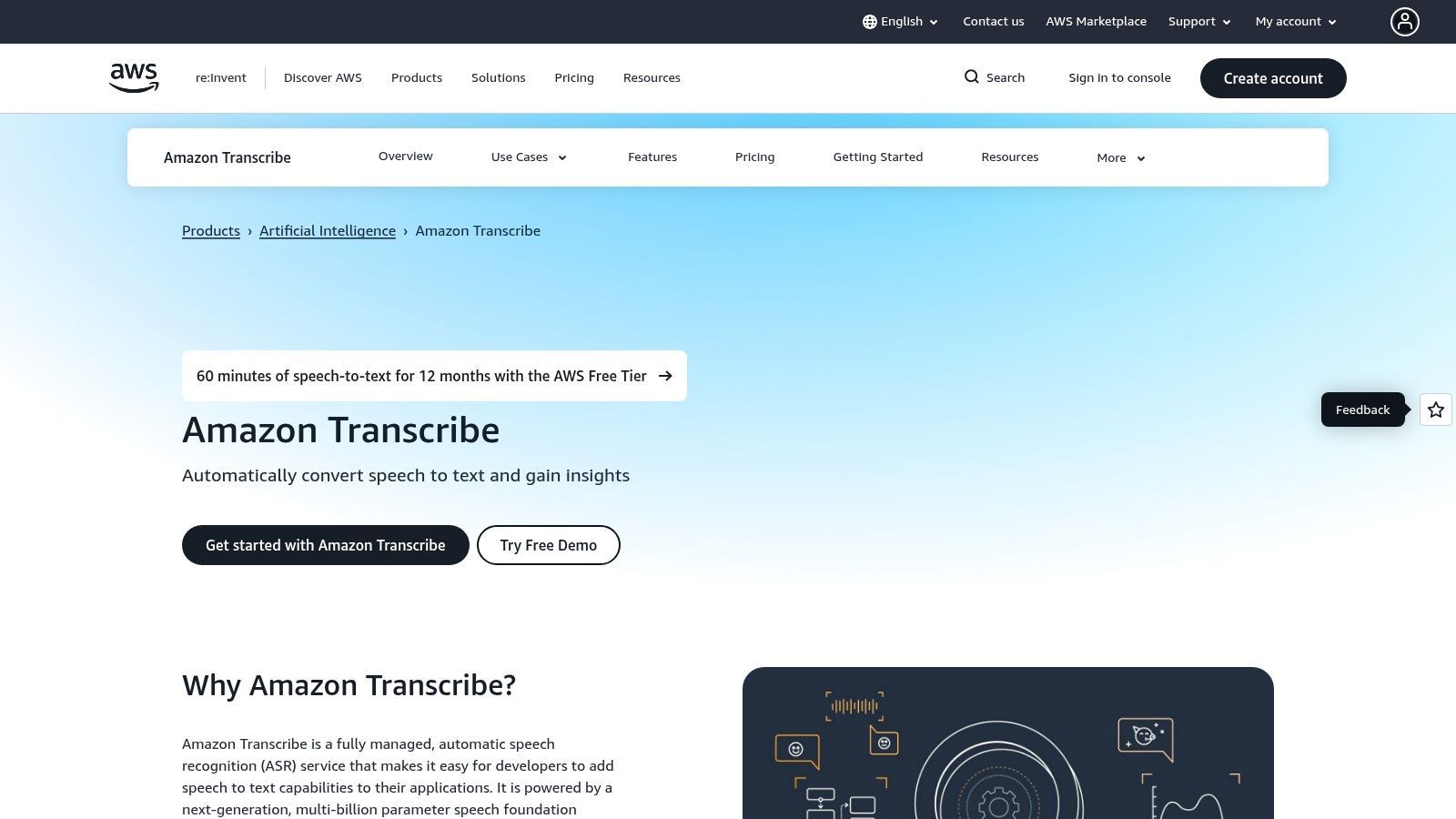
Le service excelle dans la gestion de l'audio en temps réel (en streaming) et du traitement par lots de fichiers pré-enregistrés stockés dans des services comme Amazon S3. Sa configuration nécessite la création d'un compte AWS et la configuration des autorisations, ce qui implique une courbe d'apprentissage plus abrupte qu'une application Web typique. Cependant, sa robustesse et ses fonctionnalités avancées comme la suppression des PII et les vocabulaires personnalisés en font une option puissante pour les besoins de transcription professionnels où la conformité et l'exactitude sont critiques.
Fonctionnalités clés et limites d'utilisation
Le niveau gratuit d'Amazon Transcribe est conçu pour offrir aux nouveaux clients AWS une période d'essai substantielle pour construire et tester leurs applications avant d'engager des coûts.
- Niveau gratuit : Les nouveaux clients AWS obtiennent 60 minutes de transcription audio par mois pendant les 12 premiers mois.
- Modes audio : Prend en charge le traitement par lots pour les fichiers audio existants et le streaming en temps réel pour la transcription en direct.
- Fonctionnalités avancées : Comprend des options puissantes comme la diarisation des locuteurs (identification de qui a parlé et quand), la suppression automatique des PII et la prise en charge de vocabulaires personnalisés pour améliorer l'exactitude pour le jargon spécifique.
- Cas d'utilisation : Idéal pour l'analyse des appels de centres de contact, le sous-titrage de contenu médiatique et la création d'applications vocales au sein de l'écosystème AWS.
Bien que le niveau gratuit soit limité à un an, son intégration avec d'autres services AWS et ses fonctionnalités de niveau entreprise offrent une voie claire pour les projets qui doivent évoluer.
- Site Web : Amazon Transcribe
4. Microsoft Azure AI Speech (Speech to Text)
Similaire à l'offre de Google, Microsoft Azure AI Speech fournit un service axé sur les développeurs pour convertir la parole en texte gratuitement dans le cadre d'une allocation mensuelle généreuse. Cette plateforme fait partie de la suite plus large d'outils d'IA et de cloud computing de Microsoft, ce qui en fait un excellent choix pour ceux qui sont déjà dans l'écosystème Azure ou pour les développeurs recherchant des capacités d'intégration robustes. Elle est conçue pour créer des applications, automatiser des processus métier et gérer la transcription à grande échelle plutôt que pour une utilisation occasionnelle et unique.
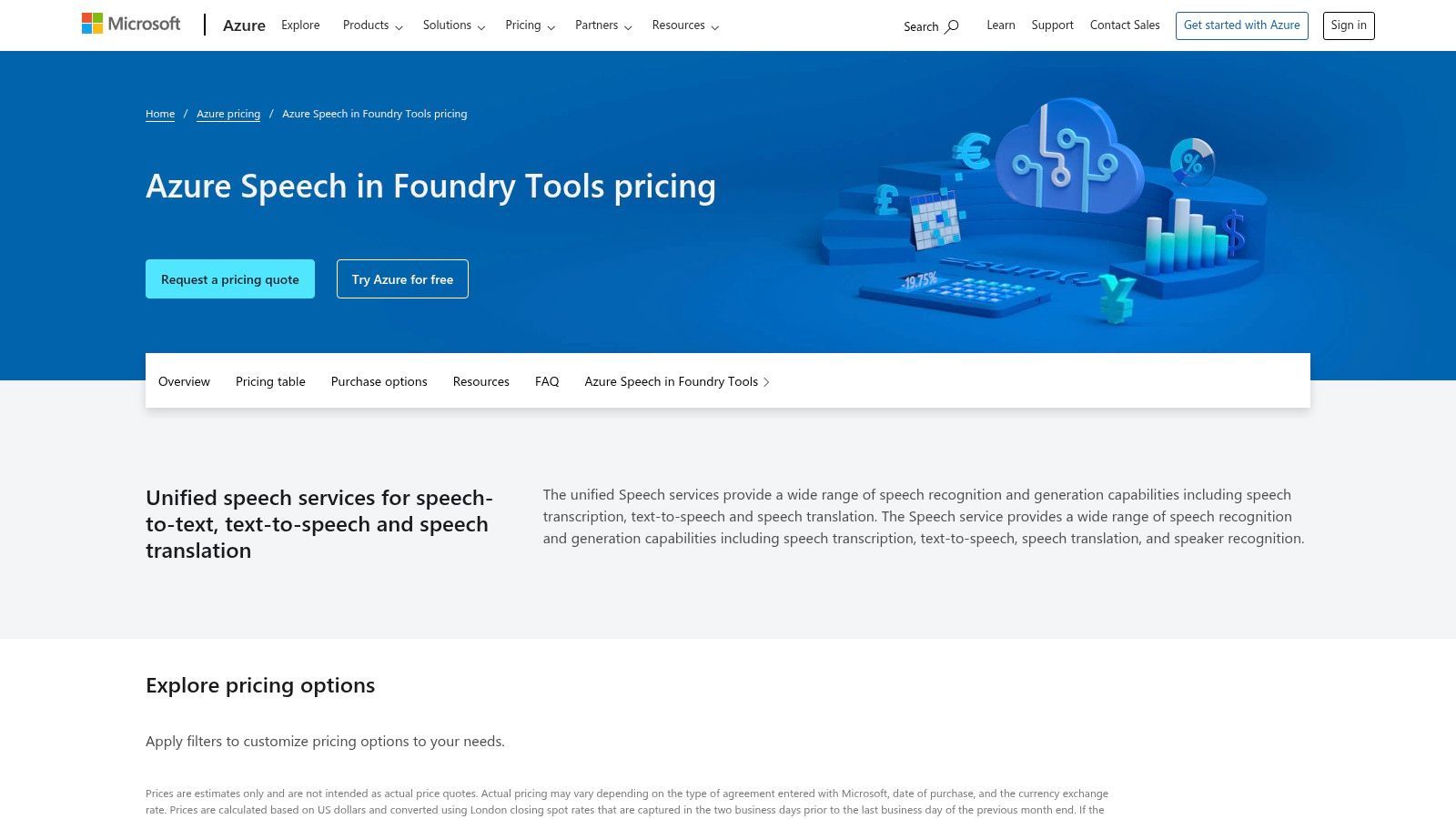
La configuration du service nécessite un compte Azure et la création d'une ressource Speech, ce qui implique quelques étapes dans le portail Azure. Cependant, Microsoft fournit une documentation et des SDK complets pour divers langages de programmation, simplifiant le processus d'intégration. Cela le rend adapté à la création de bots vocaux interactifs, à la transcription de l'audio des centres d'appels ou à l'ajout de commandes vocales à des applications personnalisées.
Fonctionnalités clés et limites d'utilisation
Le niveau gratuit de Microsoft est l'un des plus généreux parmi les principaux fournisseurs de cloud, offrant une capacité de transcription importante chaque mois.
- Niveau gratuit : Transcrivez jusqu'à 5 heures d'audio par mois en utilisant des modèles standard sans frais.
- Flexibilité : Prend en charge la transcription en temps réel pour les flux audio en direct et le traitement par lots pour les fichiers pré-enregistrés.
- Outils de développement : Propose des SDK pour Windows, macOS, Linux et les plateformes mobiles, permettant une intégration approfondie.
- Cas d'utilisation : Idéal pour les développeurs créant des applications vocales interactives, les entreprises analysant les interactions clients ou les chercheurs traitant des données audio.
Bien que la configuration initiale soit plus complexe qu'un simple outil Web, la haute précision de la plateforme et son allocation gratuite plus importante en font une option attrayante pour les projets soutenus.
- Site Web : Microsoft Azure AI Speech
5. IBM Cloud – Speech to Text
Pour les entreprises et les développeurs opérant au sein de l'écosystème IBM, IBM Cloud – Speech to Text fournit une solution de niveau entreprise pour convertir la parole en texte gratuitement dans le cadre de son plan Lite. Similaire à Google Cloud, il s'agit d'un service d'API axé sur les développeurs plutôt qu'un simple convertisseur en ligne. Il est conçu pour être intégré dans des applications, offrant des performances robustes et des fonctionnalités de sécurité adaptées aux environnements d'entreprise. Son principal avantage réside dans ses puissants modèles "large speech" et son intégration transparente avec d'autres services IBM Cloud et watsonx.
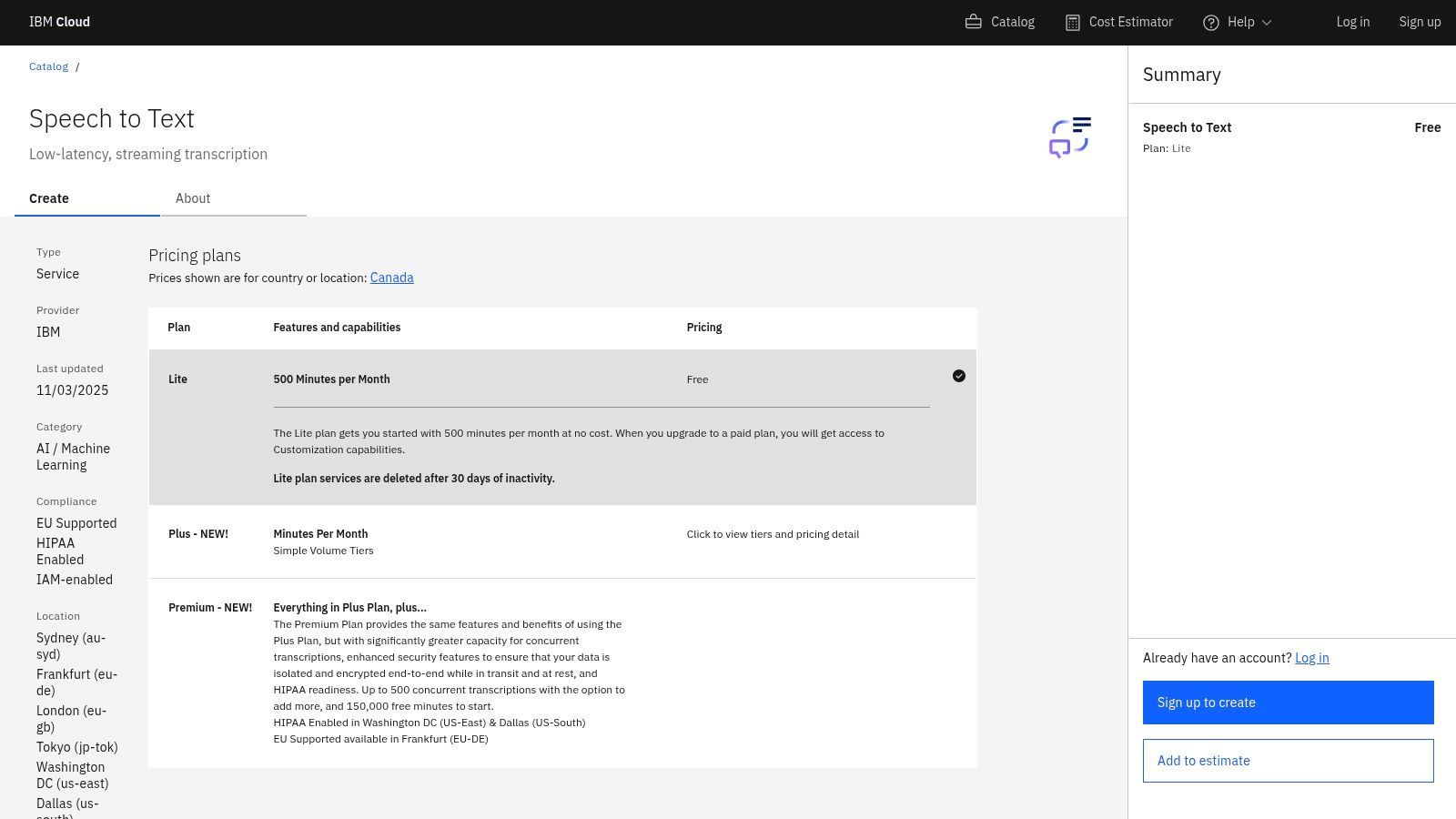
La plateforme est idéale pour les cas d'utilisation d'entreprise, tels que la transcription des interactions de support client, l'alimentation d'analyses vocales ou la conformité aux exigences avec des options compatibles HIPAA. Pour commencer, il faut s'inscrire à un compte IBM Cloud et provisionner le service, ce qui implique un processus de configuration plus technique. La documentation complète guide les utilisateurs à travers les appels API, mais une compréhension de base de la programmation ou des services cloud est bénéfique pour une mise en œuvre efficace.
Fonctionnalités clés et limites d'utilisation
Le plan gratuit "Lite" d'IBM Cloud offre une quantité solide de minutes de transcription, ce qui en fait une option viable pour le développement, les tests ou les besoins de production à petite échelle.
- Niveau gratuit : Le plan Lite comprend 500 minutes de transcription audio par mois sans frais.
- Niveau entreprise : Offre des fonctionnalités avancées comme la diarisation des locuteurs, la détection de mots clés et des options de conformité HIPAA sur les plans payants.
- Prise en charge linguistique : Fournit des modèles "large speech" de nouvelle génération pour une grande précision dans de nombreuses langues et dialectes.
- Cas d'utilisation : Idéal pour les entreprises utilisant déjà IBM Cloud, les développeurs créant des applications sécurisées ou les organisations ayant des exigences strictes en matière de confidentialité des données.
Bien que moins accessible aux utilisateurs occasionnels, ses contrôles d'entreprise et son niveau gratuit généreux en font un choix attrayant pour les applications professionnelles et techniques.
- Site Web : IBM Cloud – Speech to Text
6. OpenAI Whisper (open-source)
Pour les utilisateurs ayant une expertise technique qui souhaitent un contrôle et une confidentialité ultimes, OpenAI Whisper offre un modèle open-source puissant que vous pouvez exécuter localement pour convertir la parole en texte gratuitement sans frais par minute. Contrairement aux API basées sur le cloud, Whisper s'exécute entièrement sur votre propre machine, ce qui en fait une option fantastique pour le traitement de l'audio sensible sans envoyer de données à un tiers. Son principal avantage est son exactitude exceptionnelle dans de nombreuses langues, rivalisant souvent avec les services commerciaux, voire les dépassant.
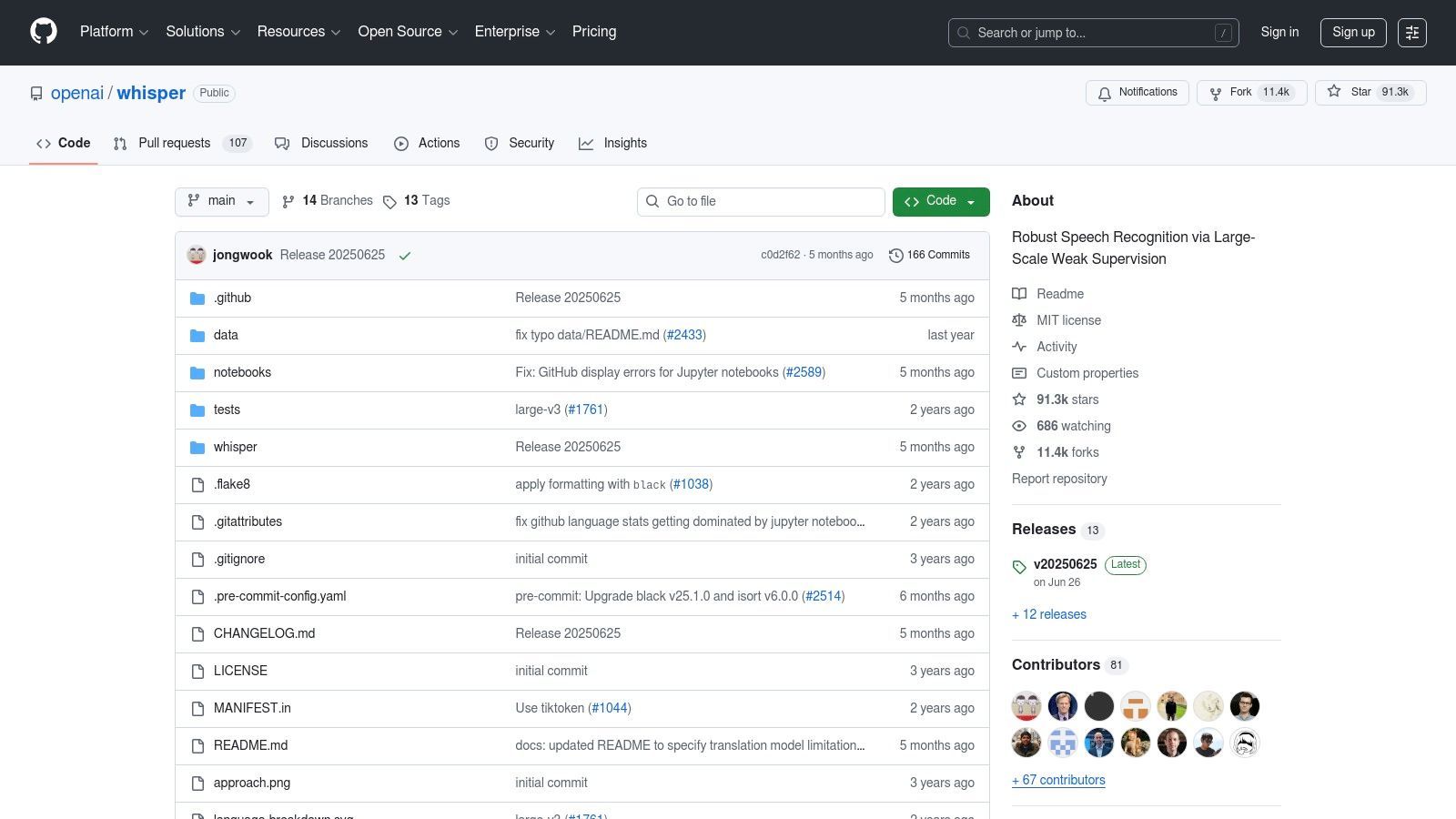
Cet outil est idéal pour les développeurs, les chercheurs ou toute personne à l'aise avec la ligne de commande. La configuration implique l'installation de Python et d'autres dépendances, mais une fois configuré, vous bénéficiez d'un moteur de transcription robuste sans dépendance vis-à-vis d'un fournisseur. Vous pouvez choisir parmi plusieurs tailles de modèles, vous permettant d'équilibrer la vitesse et l'exactitude en fonction des capacités matérielles de votre ordinateur. Les modèles plus grands fournissent des résultats de pointe, mais nécessitent un GPU puissant pour des temps de traitement raisonnables.
Fonctionnalités clés et limites d'utilisation
L'approche locale de Whisper signifie que les limitations sont définies par votre matériel, et non par un plan de service.
- Niveau gratuit : Il est 100 % gratuit à utiliser, les coûts étant limités à l'électricité nécessaire pour faire fonctionner votre ordinateur.
- Traitement hors ligne : Comme il s'exécute localement, il fonctionne complètement hors ligne, garantissant une confidentialité totale.
- Exactitude : Offre plusieurs modèles, la version "large" fournissant une exactitude extrêmement élevée. De nombreux outils, y compris divers convertisseurs de parole en texte gratuits en ligne, sont construits sur le moteur puissant de Whisper.
- Cas d'utilisation : Parfait pour transcrire des entretiens confidentiels, créer des sous-titres pour de grandes bibliothèques vidéo ou créer des applications personnalisées nécessitant un composant de reconnaissance vocale de premier ordre sans frais récurrents.
Bien qu'il nécessite une configuration technique, la rentabilité et la confidentialité de l'exécution d'un modèle de classe mondiale sur votre propre matériel sont inégalées.
- Site Web : OpenAI Whisper
7. Vosk (open-source, hors ligne)
Pour les développeurs et les utilisateurs soucieux de leur vie privée qui recherchent un contrôle total sur leurs données, Vosk offre une boîte à outils open-source et hors ligne pour convertir la parole en texte gratuitement. Contrairement aux services basés sur le cloud, Vosk s'exécute entièrement sur votre machine locale, d'un PC de bureau à un petit Raspberry Pi. Cela en fait un choix puissant pour les applications où la connectivité Internet est peu fiable ou où la confidentialité des données est non négociable, car vos fichiers audio ne quittent jamais votre appareil.
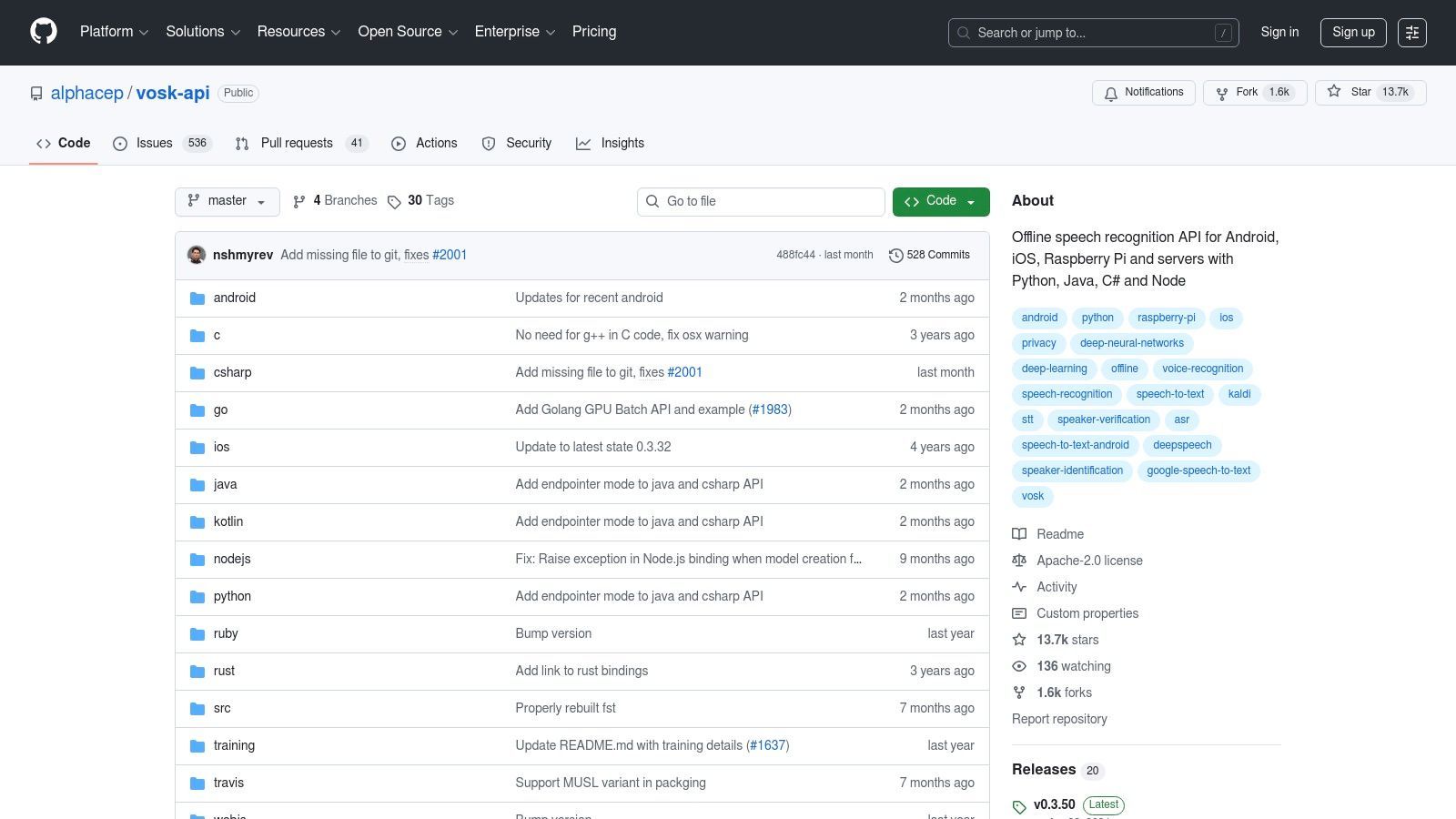
La plateforme est un moteur de reconnaissance vocale léger mais puissant, pas une application Web prête à l'emploi. Elle nécessite une configuration technique, y compris le téléchargement de modèles linguistiques et l'utilisation de langages de programmation comme Python ou Java pour les intégrer. Sa force réside dans sa flexibilité et sa capacité hors ligne, ce qui en fait un choix idéal pour créer des applications personnalisées à commande vocale, des outils de transcription sur appareil ou des systèmes de réponse vocale interactive (IVR) sans frais récurrents ni compromis sur la confidentialité.
Fonctionnalités clés et limites d'utilisation
Vosk est entièrement gratuit sous licence Apache 2.0, avec des limitations liées aux capacités de votre matériel plutôt qu'à un plan d'abonnement.
- Niveau gratuit : Entièrement gratuit et open-source sans limites d'utilisation.
- Fonctionnement hors ligne : Tout le traitement se fait sur votre appareil, garantissant 100 % de confidentialité.
- Prise en charge des plateformes : Fonctionne sur une large gamme de matériel, y compris Windows, macOS, Linux, Android, iOS et Raspberry Pi. Il fournit des liaisons pour Python, Java, Node.js, C# et plus encore.
- Modèles légers : Prend en charge plus de 20 langues avec des modèles petits et efficaces (souvent autour de 50 Mo), parfaits pour les systèmes embarqués et les applications mobiles.
Bien que son exactitude ne corresponde pas toujours aux modèles cloud à grande échelle, sa nature hors ligne et son modèle sans coût en font un outil inestimable pour des projets spécifiques et sensibles à la confidentialité.
- Site Web : Vosk API sur GitHub
8. Google Docs – Saisie vocale
Pour ceux qui travaillent déjà dans l'écosystème Google, Google Docs offre un moyen étonnamment robuste de convertir la parole en texte gratuitement directement dans un document. Cette fonctionnalité, connue sous le nom de Saisie vocale, n'est pas une application distincte mais un outil intégré parfait pour rédiger du contenu, prendre des notes en direct pendant une réunion ou à des fins d'accessibilité. C'est incroyablement simple, ne nécessitant qu'un clic pour activer et commencer à dicter.
L'avantage principal de la Saisie vocale est son intégration transparente et son absence de coût. Si vous avez un compte Google et un microphone, vous pouvez commencer à l'utiliser immédiatement, principalement dans le navigateur Chrome pour de meilleures performances. Bien qu'elle soit conçue pour la dictée en direct plutôt que pour le téléchargement de fichiers audio, son exactitude en temps réel est impressionnante pour une parole claire, ce qui en fait un excellent outil pour les écrivains, les étudiants et toute personne souhaitant coucher ses idées rapidement sans taper.
Fonctionnalités clés et limites d'utilisation
La Saisie vocale de Google Docs est axée sur la simplicité et l'accès immédiat, ce qui en fait un outil de prédilection pour les tâches de dictée rapides.
- Niveau gratuit : Entièrement gratuit avec un compte Google. Il n'y a pas de minutes à suivre ni d'abonnements à gérer.
- Facilité d'utilisation : Activez-la en accédant à Outils > Saisie vocale dans n'importe quel Google Doc. Un seul clic sur l'icône du microphone lance la dictée.
- Commandes vocales : Prend en charge les commandes pour la mise en forme de base et la ponctuation, telles que "nouveau paragraphe", "virgule" et "point".
- Cas d'utilisation : Idéal pour rédiger des e-mails, écrire des articles, prendre des notes de réunion en temps réel ou comme aide à l'accessibilité pour les utilisateurs qui ont du mal à taper.
Bien qu'il manque des fonctionnalités avancées des services de transcription dédiés, sa commodité est inégalée pour la dictée en direct. Pour un aperçu détaillé d'autres méthodes, explorez ce guide sur comment transcrire gratuitement de l'audio en texte.
- Site Web : Google Docs
9. Live Transcribe par Google (application Android)
Pour les utilisateurs Android recherchant une solution en temps réel, l'application Live Transcribe de Google offre un moyen exceptionnel de convertir la parole en texte gratuitement pour les conversations en direct. Développée dans un souci d'accessibilité, cette application transforme votre téléphone en un puissant appareil de sous-titrage, capturant les mots prononcés et les affichant instantanément à l'écran. Sa principale force réside dans sa simplicité et son efficacité pour la communication en personne, ce qui en fait un outil précieux pour la communauté sourde et malentendante ou toute personne se trouvant dans un environnement bruyant.
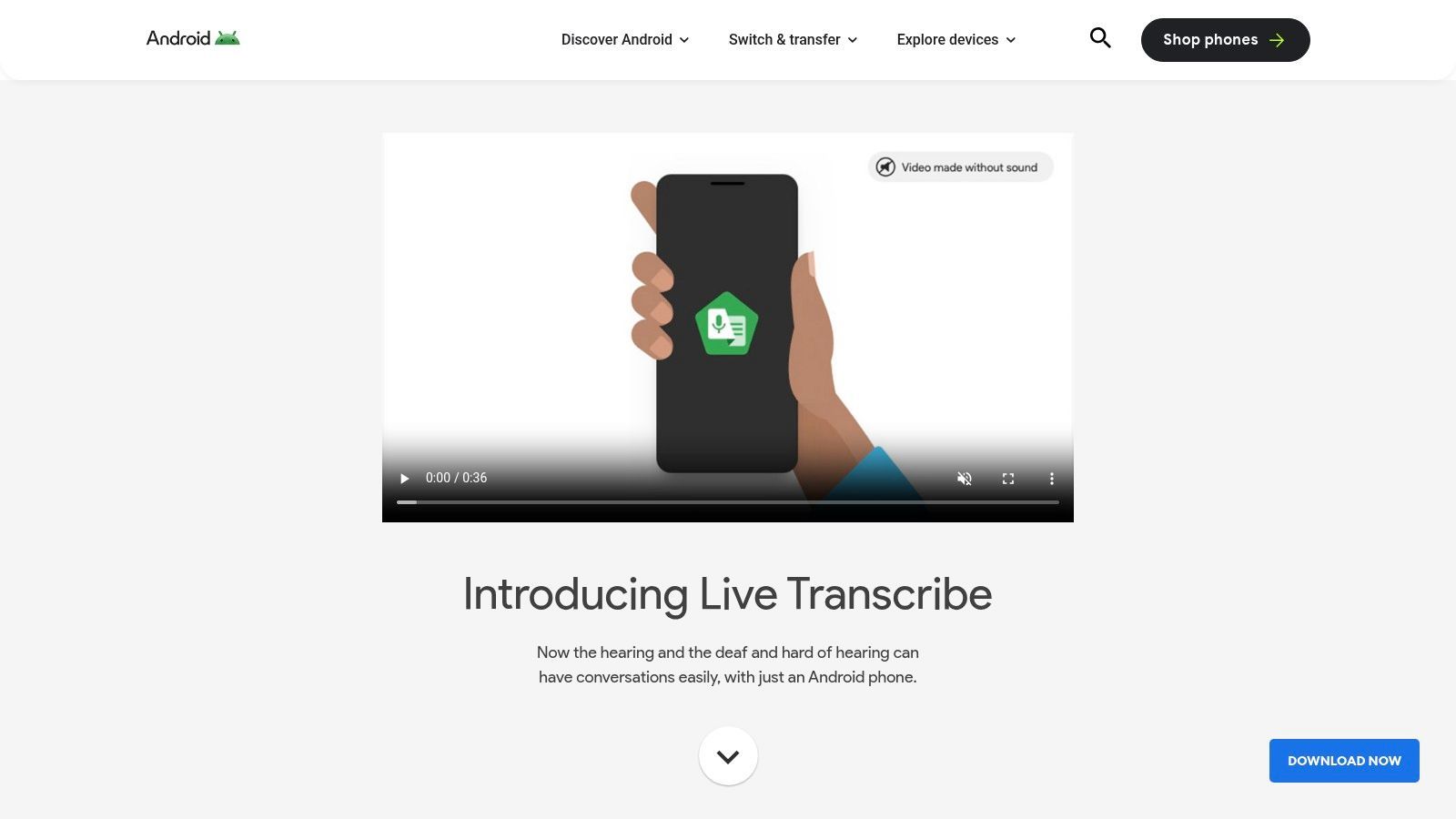
L'application n'est pas conçue pour transcrire des fichiers audio pré-enregistrés ; elle excelle plutôt dans la capture de dialogues en direct directement via le microphone de votre appareil. L'interface est épurée et simple, se concentrant entièrement sur la fourniture d'un texte rapide et lisible. Comme les conversations sont traitées sur l'appareil, elle offre de solides avantages en matière de confidentialité, car vos discussions ne sont pas stockées sur les serveurs de Google. Cela en fait un choix sécurisé pour les besoins de sous-titrage en temps réel sensibles.
Fonctionnalités clés et limites d'utilisation
Live Transcribe est entièrement gratuit et intégré directement dans l'écosystème Android, offrant des fonctionnalités puissantes sans aucun coût.
- Coût : Entièrement gratuit sans limites d'utilisation ni frais cachés.
- Prise en charge linguistique : Prend en charge plus de 80 langues et dialectes, permettant des conversations multilingues fluides.
- Confidentialité : Met l'accent sur la confidentialité avec le traitement sur l'appareil pour de nombreuses langues, garantissant que les conversations restent confidentielles.
- Cas d'utilisation : Idéal pour le sous-titrage en direct lors de réunions, de conférences ou de conversations quotidiennes, en particulier à des fins d'accessibilité. Il ne convient pas au téléchargement et à la transcription de fichiers audio.
Bien que son objectif soit étroit, Live Transcribe est un outil de premier ordre pour son objectif : la transcription instantanée et sur le pouce du monde qui vous entoure.
- Site Web : Live Transcribe par Google
10. Otter.ai
Otter.ai est l'un des noms les plus connus dans la transcription de réunions, offrant une plateforme soignée conçue pour capturer, résumer et partager des conversations en temps réel. Bien qu'il s'adresse principalement aux professionnels et aux équipes, son plan gratuit offre un excellent moyen de convertir la parole en texte gratuitement pour les réunions, les conférences ou les entretiens. La plateforme brille par ses capacités de transcription en direct, qui fonctionnent de manière transparente avec les outils de vidéoconférence.
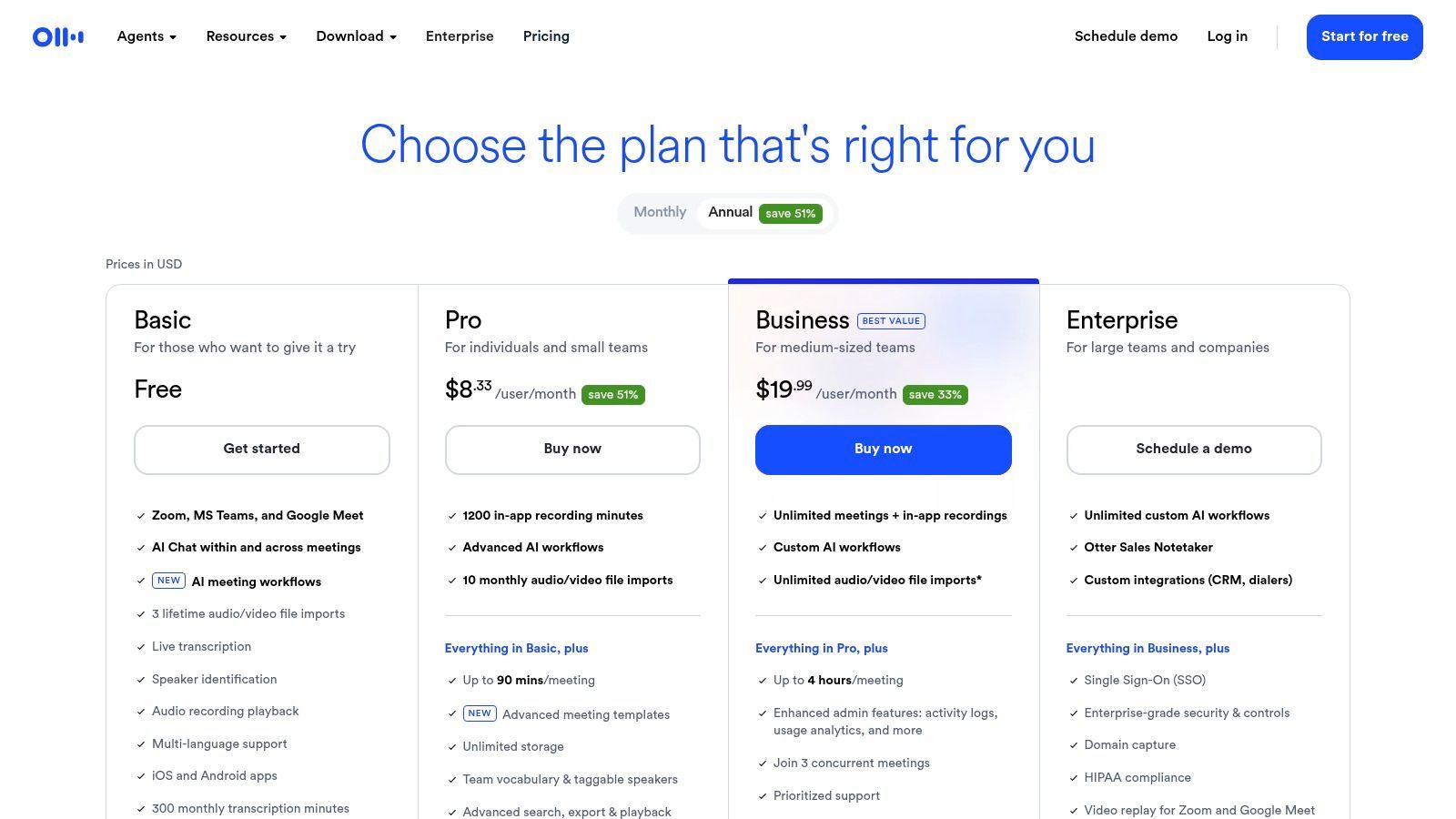
La plateforme est plus qu'un simple transcripteur ; c'est un assistant de réunion IA. Il peut rejoindre automatiquement vos appels Zoom, Google Meet ou Microsoft Teams, prendre des notes et générer un résumé IA par la suite. Cela en fait un outil idéal pour les utilisateurs qui ont besoin de se souvenir des décisions clés et des éléments d'action sans revoir des enregistrements entiers. Les fonctionnalités collaboratives, comme la mise en surbrillance et l'ajout de commentaires, sont également excellentes pour le travail d'équipe.
Fonctionnalités clés et limites d'utilisation
Le plan gratuit d'Otter.ai est un excellent point d'entrée pour les particuliers, mais ses limites sont importantes à comprendre.
- Niveau gratuit : Comprend 300 minutes de transcription par mois, avec un plafond de 30 minutes par conversation.
- Limite d'importation : Vous ne pouvez importer qu'un total de 3 fichiers audio ou vidéo au cours de la vie de votre compte gratuit.
- Fonctionnalités de base : Fournit une transcription en temps réel, des résumés générés par IA et des intégrations avec les plateformes de réunion populaires.
- Cas d'utilisation : Excellent pour les étudiants enregistrant des conférences, les professionnels capturant de courtes notes de réunion ou toute personne ayant besoin de transcriptions rapides et partageables.
Bien que les plafonds du plan gratuit soient restrictifs, en particulier la limite d'importation, il offre un aperçu puissant de ce que les logiciels de transcription automatique modernes peuvent accomplir en matière de productivité.
- Site Web : Otter.ai
11. Notta.ai
Notta.ai est une application de transcription Web et mobile polyvalente conçue pour les utilisateurs qui ont besoin de convertir régulièrement la parole en texte gratuitement pour des clips plus courts comme des notes de réunion, des mémos vocaux ou des entretiens. Elle se distingue en offrant un plan gratuit bien défini qui apporte une valeur significative pour une utilisation récurrente, avec une extension Chrome et des intégrations utiles. Son interface est épurée et moderne, ce qui facilite le téléchargement de fichiers ou le démarrage d'un enregistrement en direct.
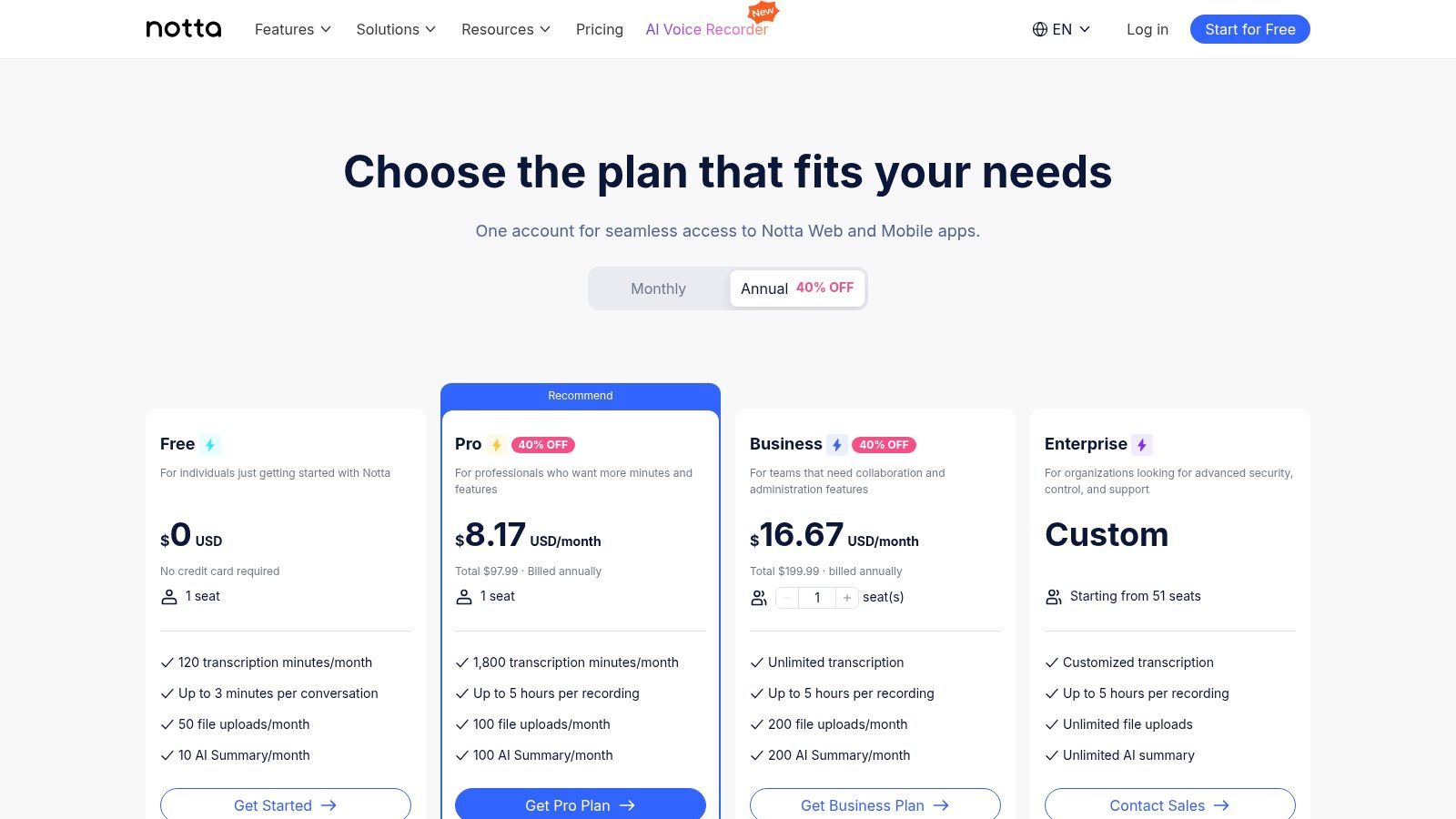
La plateforme est particulièrement utile pour les étudiants ou les professionnels qui ont fréquemment besoin de transcrire de courts segments audio. Bien que le niveau gratuit ait des limitations claires, il offre une base solide avec des fonctionnalités telles que des résumés alimentés par l'IA, qui aident à distiller rapidement les points clés de vos transcriptions. La force de la plateforme réside dans son écosystème, qui comprend des intégrations avec des outils comme Zoom et Google Calendar pour rationaliser les flux de travail de transcription.
Fonctionnalités clés et limites d'utilisation
Le plan gratuit de Notta est structuré pour gérer des tâches de transcription fréquentes et de courte durée, ce qui en fait un outil quotidien fiable pour de nombreux utilisateurs.
- Niveau gratuit : Obtenez 120 minutes de transcription par mois.
- Durée de l'audio : Chaque enregistrement ou téléchargement est limité à 3 minutes dans le plan gratuit.
- Téléchargements de fichiers : Vous pouvez télécharger jusqu'à 50 fichiers par mois, ce qui est généreux pour les clips courts.
- Cas d'utilisation : Idéal pour transcrire des notes vocales, de courts segments de réunion ou de brèves interviews. La fonctionnalité de résumé IA est excellente pour capturer rapidement les éléments d'action.
Bien que la limite de 3 minutes par fichier soit restrictive pour le contenu plus long, Notta est un excellent choix si votre besoin principal est de capturer et d'organiser de nombreux enregistrements audio courts.
- Site Web : Notta.ai
12. SpeechTexter
Pour ceux qui ont besoin de convertir la parole en texte gratuitement en temps réel, SpeechTexter offre une solution simple et sans fioritures directement dans votre navigateur Web. Cet outil est conçu pour la dictée en direct, fonctionnant comme un sténographe numérique pour la prise de notes, la rédaction d'e-mails ou la création de contenu sans toucher le clavier. Il exploite le moteur de reconnaissance vocale intégré de Google Chrome, ce qui le rend instantanément accessible sans aucune installation de logiciel ni enregistrement.
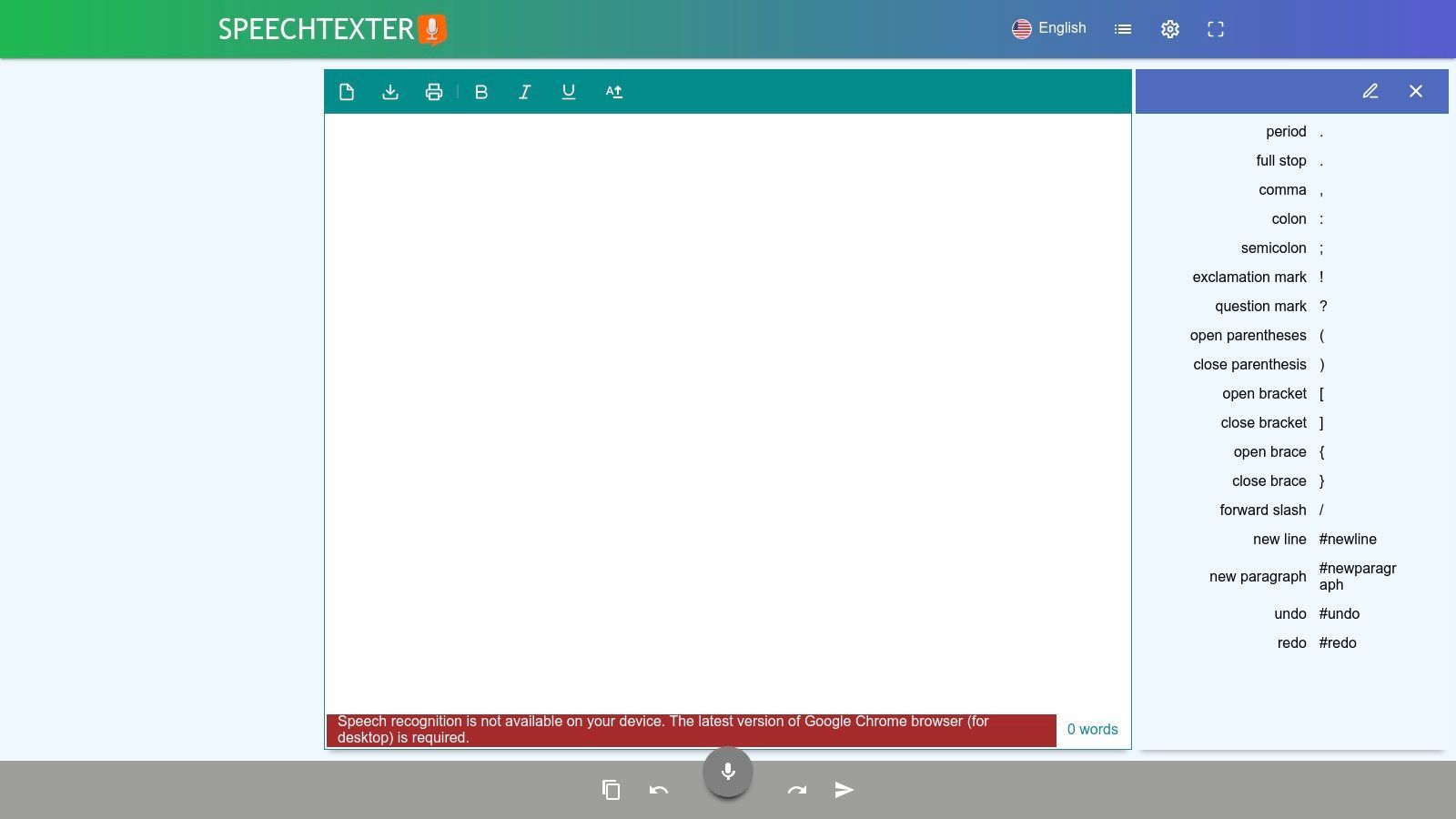
La principale force de la plateforme est sa simplicité. Vous visitez le site Web, cliquez sur l'icône du microphone, lui accordez la permission d'écouter, et commencez à parler. Le texte apparaît à l'écran pendant que vous parlez. C'est un outil idéal pour les utilisateurs qui souhaitent capturer rapidement leurs pensées ou dicter du contenu sans la friction de l'inscription à un service. Cependant, il est important de noter que SpeechTexter est exclusivement destiné à la dictée en direct et ne prend pas en charge le téléchargement de fichiers audio pré-enregistrés pour la transcription.
Fonctionnalités clés et limites d'utilisation
SpeechTexter est entièrement gratuit, soutenu par des publicités sur la page, ce qui en fait un choix très accessible pour les besoins immédiats de frappe vocale.
- Niveau gratuit : Utilisation illimitée pour la dictée en direct. Le service est entièrement gratuit.
- Prise en charge linguistique : Offre la dictée dans plus de 70 langues, héritant des capacités de reconnaissance vocale de Chrome.
- Commandes personnalisées : Vous pouvez créer des commandes vocales personnalisées pour la ponctuation (par exemple, dire "virgule" ou "nouveau paragraphe") et pour insérer des phrases ou des blocs de texte fréquemment utilisés.
- Cas d'utilisation : Excellent pour les étudiants prenant des notes, les écrivains rédigeant des articles ou toute personne ayant besoin de taper sans les mains pour du contenu court.
Ses performances sont directement liées à la qualité de votre microphone et à la clarté de votre voix, mais pour une dictée rapide et à la volée, c'est un favori incroyablement utile.
- Site Web : SpeechTexter
12 Comparaison des outils gratuits de parole en texte
| Produit | Fonctionnalités principales | Exactitude & UX | Prix / Valeur | Public & USP |
|---|---|---|---|---|
| 🏆 Transcript.LOL | Whisper + vocabulaire personnalisé, téléchargements de 10h/5Go, détection de locuteur, éditeur riche, exportation multi-formats, nombreuses intégrations | ★★★★★ rapide (~99,8 % revendiqué), horodatages modifiables, outils collaboratifs | 💰 Gratuit (2/jour, 20min) ; Illimité 120 $/an ; Équipe à partir de 240 $/an | 👥 Podcasteurs/marketeurs/éducateurs/équipes — ✨ Résumés automatiques, quiz, cartes mentales, confidentialité stricte sans entraînement |
| Google Cloud Speech-to-Text | API Dev, synchrone/asynchrone/streaming, fichiers jusqu'à 8h, quotas évolutifs | ★★★★★ infrastructure fiable, large prise en charge linguistique | 💰 60 min/mois gratuit ; paiement à l'usage | 👥 Développeurs/entreprises — ✨ Intégration étroite avec Google Cloud |
| Amazon Transcribe (AWS) | Lot et streaming, suppression des PII, intégration S3 | ★★★★ exactitude solide, fonctionnalités d'entreprise | 💰 60 min/mois gratuit (12 mois pour les nouveaux comptes) ; paiement à l'usage | 👥 Utilisateurs AWS/entreprises — ✨ Suppression des PII et écosystème AWS |
| Microsoft Azure AI Speech | Temps réel et lot, diarisation des locuteurs, SDK multiplateformes | ★★★★ outils de développement riches, bonne documentation | 💰 5h/mois gratuit (F0) ; paiement à l'usage | 👥 Développeurs/entreprises — ✨ SDK riches et allocation gratuite plus importante |
| IBM Cloud – Speech to Text | Modèles "large speech", contrôles d'entreprise, options HIPAA | ★★★★ niveau entreprise, adapté à une utilisation réglementée | 💰 Varie selon le plan ; facturation IBM Cloud | 👥 Entreprises de l'écosystème IBM — ✨ Contrôles et support d'entreprise |
| OpenAI Whisper (open-source) | Plusieurs tailles de modèles (tiny→large), CLI/Python, multilingue | ★★★★–★★★★★ dépend du modèle et du calcul | 💰 Gratuit à exécuter localement (coûts de calcul applicables) | 👥 Technophiles/auto-hébergeurs — ✨ Pas de frais de fournisseur, fonctionnement hors ligne |
| Vosk (open-source, hors ligne) | Modèles légers sur appareil, nombreuses liaisons linguistiques | ★★★ l'exactitude varie selon le modèle | 💰 Gratuit, hors ligne (téléchargements de petits modèles) | 👥 Embarqués/orientés confidentialité — ✨ Fonctionne sur Raspberry Pi et mobile |
| Google Docs – Saisie vocale | Dictée dans le document, plus de 100 langues, commandes de formatage vocal | ★★★★ bon pour la dictée en direct et la rédaction | 💰 Gratuit avec un compte Google | 👥 Écrivains/étudiants — ✨ Édition instantanée sur place |
| Live Transcribe (Google, Android) | Sous-titres en direct sur appareil, plus de 70 langues, interface simple | ★★★★ optimisé pour les conversations en direct, respectueux de la vie privée | 💰 Application gratuite | 👥 Accessibilité/conversations en direct — ✨ Sous-titres sur appareil (pas de stockage serveur) |
| Otter.ai | Notes de réunion en temps réel, résumés IA, intégrations Zoom/Meet | ★★★★ capture de réunion fiable, notes collaboratives | 💰 Gratuit 300 min/mois ; plans payants pour les fonctionnalités avancées | 👥 Équipes/prise de notes de réunion — ✨ Notes en direct + résumés partageables |
| Notta.ai | Web/mobile, extension Chrome, intégrations Zoom/calendrier, résumés IA | ★★★★ bonne UX pour les clips courts et les réunions | 💰 Gratuit 120 min/mois ; plans payants pour les traductions et plus longs | 👥 Utilisateurs de réunions récurrentes — ✨ Nombre généreux de téléchargements sur le niveau gratuit |
| SpeechTexter | Dictée dans le navigateur (SR Chrome), plus de 70 langues, commandes vocales personnalisées | ★★★ dictée rapide, sans configuration | 💰 Gratuit, financé par la publicité | 👥 Prise de notes rapide — ✨ Aucune connexion requise, utilisation instantanée dans Chrome |
Trouver le bon outil de transcription gratuit pour vos besoins
Naviguer dans le monde de la conversion gratuite de la parole en texte révèle un paysage d'outils diversifié et puissant. Comme nous l'avons exploré, il n'existe pas de solution unique "meilleure", seulement celle qui correspond parfaitement à votre projet, à votre flux de travail et à vos priorités spécifiques. Le voyage de la parole écrite au texte écrit est désormais plus accessible que jamais, que vous soyez un étudiant enregistrant une conférence, un journaliste transcrivant une interview ou un développeur intégrant des commandes vocales dans une application.
Boosters de productivité
Éditeur intelligent
Affinez les transcriptions avec la mise en forme, les surlignages et les ajustements rapides pour les rendre prêtes à être publiées.
Hub de collaboration
Partagez des transcriptions avec des coéquipiers, attribuez des rôles et commentez directement dans des espaces de travail partagés.
Réutilisation du contenu
Générez instantanément des résumés, des publications sur les réseaux sociaux ou des cartes mentales à partir des transcriptions pour en étendre la valeur.
Contrôles de confidentialité
Sécurisez vos données avec des politiques strictes de non-formation et des autorisations d'accès personnalisables.
L'essentiel est que le choix idéal dépend d'une compréhension claire de vos besoins. La décision de convertir la parole en texte gratuitement ne signifie plus faire de compromis sur la qualité, mais elle nécessite un processus de sélection stratégique.
Adapter l'outil à la tâche
Distillons les principaux points de décision pour vous aider à faire le bon choix à chaque fois. Votre sélection doit être guidée par quelques questions critiques :
- Quel est mon cas d'utilisation principal ? Pour une dictée simple et en temps réel directement dans un document, la commodité intégrée de la Saisie vocale de Google Docs est inégalée. Elle est rapide, ne nécessite aucune configuration et est parfaite pour rédiger des e-mails, des notes ou des articles.
- Quelle est l'importance de la confidentialité et de l'accès hors ligne ? Si votre audio contient des informations sensibles ou si vous avez besoin de travailler sans connexion Internet, les modèles open-source sont votre meilleure option. Whisper d'OpenAI et Vosk, axé sur le hors ligne, vous donnent un contrôle total sur vos données, une fonctionnalité non négociable pour de nombreux professionnels du droit, de la médecine et de la recherche.
- Ai-je besoin d'un contrôle de niveau développeur et d'une évolutivité ? Pour ceux qui créent des applications, les principales plateformes cloud fournissent des API robustes de niveau entreprise. Google Cloud, Amazon Transcribe (AWS) et Microsoft Azure offrent tous des niveaux gratuits généreux qui vous permettent de traiter une quantité importante d'audio, ce qui les rend parfaits pour les tests et les petits projets avant de s'engager dans un plan payant.
- Dois-je transcrire des fichiers pré-enregistrés et ai-je besoin de fonctionnalités avancées ? Lorsque vous traitez des fichiers audio ou vidéo existants, vos besoins passent de la simple dictée à l'édition et à l'analyse post-transcription. C'est là que des services de transcription dédiés comme Otter.ai et Notta.ai excellent, offrant l'identification des locuteurs, l'horodatage et des espaces de travail collaboratifs dans leurs plans gratuits.
Équilibrer les niveaux gratuits avec la croissance future
Une considération cruciale lors du choix d'un outil pour convertir la parole en texte gratuitement est la limitation de son offre gratuite. De nombreux services, bien qu'excellents, imposent des plafonds stricts sur les minutes mensuelles ou la taille des fichiers. C'est parfait pour une utilisation occasionnelle ou légère, mais cela peut devenir un goulot d'étranglement à mesure que votre volume de transcription augmente.
C'est là qu'un modèle freemium puissant offre un avantage significatif. Il vous permet d'accéder gratuitement à une transcription de base de haute précision tout en offrant un chemin de mise à niveau clair et transparent à mesure que vos besoins évoluent. Pour les utilisateurs qui souhaitent le meilleur des deux mondes - une transcription privée de haute qualité pour leurs fichiers sans la complexité de la configuration d'un modèle open-source - un outil dédié est souvent la solution la plus efficace.
En fin de compte, le pouvoir de transformer la langue parlée en texte consultable, modifiable et partageable change la donne en matière de productivité et d'accessibilité. En évaluant soigneusement vos exigences spécifiques par rapport aux forces des outils que nous avons abordés, vous pouvez débloquer un flux de travail qui vous fait gagner d'innombrables heures et met en évidence des informations précieuses à partir de votre contenu audio. Le bon outil est là, prêt à écouter.
Important
Choisissez celui qui garantit la confidentialité avec une politique stricte de non-formation, garantissant que vos données ne sont jamais utilisées pour former des modèles d'IA externes.
Prêt à découvrir un outil de transcription qui allie le meilleur de la confidentialité, de la précision et des fonctionnalités conviviales ? Commencez avec Transcript.LOL pour voir comment notre IA avancée peut traiter vos fichiers audio et vidéo avec précision. Essayez notre niveau gratuit dès aujourd'hui sur Transcript.LOL et découvrez une façon plus intelligente et plus rapide de convertir la parole en texte.