
Best Way to Transcribe Audio: Top 7 in 2025
Discover the best way to transcribe audio: compare AI tools, human services, and DIY methods for speed and accuracy.
Kate
October 23, 2025
Turning spoken words into written text is a critical task for countless professionals, from podcasters and marketers creating accessible content to researchers analyzing interviews. But with a vast array of options available, finding the best way to transcribe audio can be a challenge. The ideal solution isn't one-size-fits-all; it's a careful balance of your specific needs. Do you require the near-perfect accuracy of a human transcriptionist for legal proceedings, the instant turnaround of an AI for meeting notes, or a budget-friendly DIY approach for personal projects?
This comprehensive guide cuts through the noise. We will dive deep into the top methods and platforms, from manual transcription workflows to sophisticated AI services like Transcript.LOL, Rev, and Otter.ai. We'll analyze the crucial trade-offs between speed, cost, and accuracy, providing a clear roadmap to help you select the perfect workflow. Each option is presented with direct links and practical insights to ensure you can make an informed decision quickly.
The technology powering these platforms is advancing rapidly, impacting more than just transcription. Similarly, a wide array of AI content generation tools are revolutionizing how digital assets like blogs and marketing copy are created. For our purposes, we will focus squarely on transforming your audio into accurate, usable text, empowering you to choose the most efficient method for your unique situation.
1. Transcript.LOL
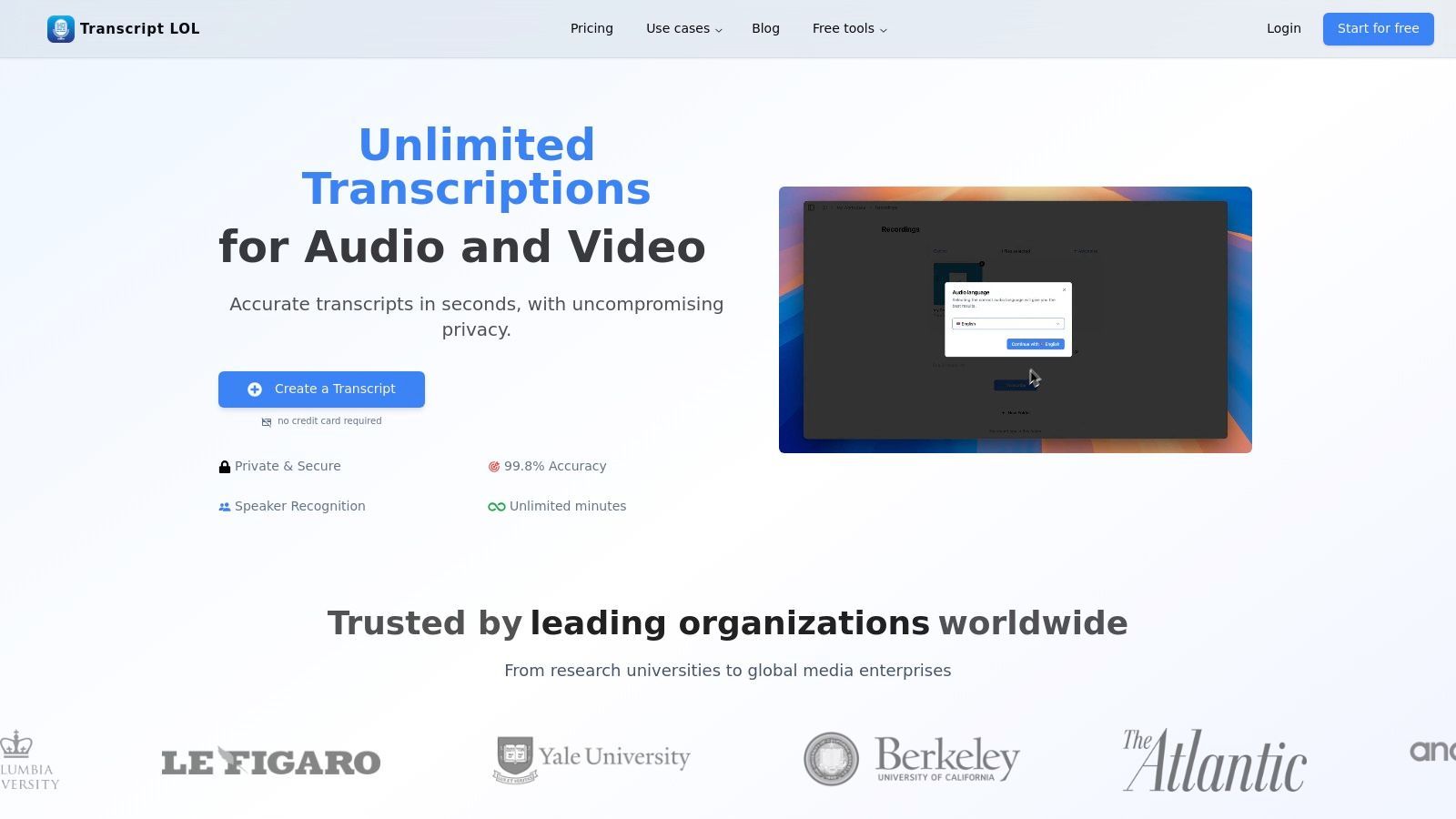
For those seeking the best way to transcribe audio, Transcript.LOL presents a powerful, all-in-one solution that combines elite accuracy, remarkable speed, and a firm commitment to user privacy. It leverages a fine-tuned version of OpenAI’s Whisper engine, achieving an advertised accuracy rate of ~99.8%. This platform is engineered not just to convert speech to text, but to transform raw recordings into structured, actionable content, making it an indispensable tool for professionals across various industries.
Key AI-Powered Capabilities
State-of-the-art AI
Powered by OpenAI's Whisper for industry-leading accuracy. Support for custom vocabularies, up to 10 hours long files, and ultra fast results.

Import from multiple sources
Import audio and video files from various sources including direct upload, Google Drive, Dropbox, URLs, Zoom, and more.

Export in multiple formats
Export your transcripts in multiple formats including TXT, DOCX, PDF, SRT, and VTT with customizable formatting options.
The platform excels at handling large and complex files, supporting uploads up to 10 hours or 5 GB. Its versatility in sourcing content is a major advantage, allowing users to import files from their local drive, cloud services like Google Drive and Dropbox, or directly from URLs. Native integrations with YouTube, Zoom, and messaging apps like WhatsApp and Telegram further streamline the workflow for creators and business professionals.
Key Features and Strengths
Transcript.LOL stands out by going beyond basic transcription. Its built-in content repurposing tools are a significant differentiator, allowing users to instantly generate summaries, identify action items, create quizzes, and even draft social media posts directly from a transcript. This feature alone saves hours of manual work, turning a simple recording into a suite of ready-to-use assets.
Collaboration is another core strength. The platform offers shared workspaces, folder organization, and access management, making it ideal for teams of podcasters, marketers, researchers, and legal professionals. The powerful cross-content search function enables teams to quickly locate specific information across their entire library of transcribed files.
Privacy-First Approach: A critical differentiator is Transcript.LOL's strict no-training policy. Both the platform and its subprocessors are contractually prohibited from using your data to train AI models, ensuring your sensitive content remains confidential.
Use Cases and Pricing
Best for:
- Podcasters & Marketers: Quickly create show notes, blog posts, and social content from episodes.
- Researchers & Educators: Transcribe interviews and lectures, then generate summaries and key topics for analysis.
- Corporate Teams: Document meetings, identify action items, and maintain a searchable archive of discussions.
The pricing structure is straightforward and accessible. A Free tier allows users to process two transcripts per day (up to 20 minutes each), making it perfect for light use. For heavy users, the Unlimited plan ($120/year) offers unlimited transcriptions and support for large files. The Team plan ($240/year for 2 users) adds collaborative features.
| Feature | Pros | Cons |
|---|---|---|
| Accuracy & Speed | Industry-leading accuracy (~99.8%) with custom vocabulary support and ultra-fast processing. | Free tier has lower processing priority during peak times. |
| Content Tools | Integrated AI features for summaries, action items, social posts, and more. | Advanced AI features may require a learning curve for new users. |
| Privacy | Strict contractual no-training policy protects user data. | Lacks widely publicized third-party security certifications like SOC 2 on its main site. |
| Integrations | Extensive import options (local, cloud, URL) and multiple export formats (TXT, DOCX, SRT). | More advanced API customization might be desired by enterprise developers. |
| Pricing | A generous free tier and an affordable, truly unlimited individual plan offer exceptional value. | The 20-minute limit on the free plan necessitates an upgrade for longer audio. |
For users who need a fast, highly accurate, and private transcription service that also helps them act on their content, Transcript.LOL is a top-tier choice.
Website: https://transcript.lol
2. Rev
Rev has established itself as a go-to platform for individuals and businesses needing a reliable, high-accuracy transcription solution. It masterfully blends human expertise with AI efficiency, making it a versatile choice for various projects. This balance makes it one of the best ways to transcribe audio when you need a guarantee of quality that automated-only tools can't always provide.
The platform's core offering is its human transcription service, which boasts a 99% accuracy guarantee and a typical 24-hour turnaround for most files. This service is ideal for projects where precision is non-negotiable, such as legal proceedings, academic research, or polished video content. Alongside this, Rev provides a more affordable, near-instant AI transcription service for less critical tasks like drafting notes or creating internal documentation.
Key Features and Pricing
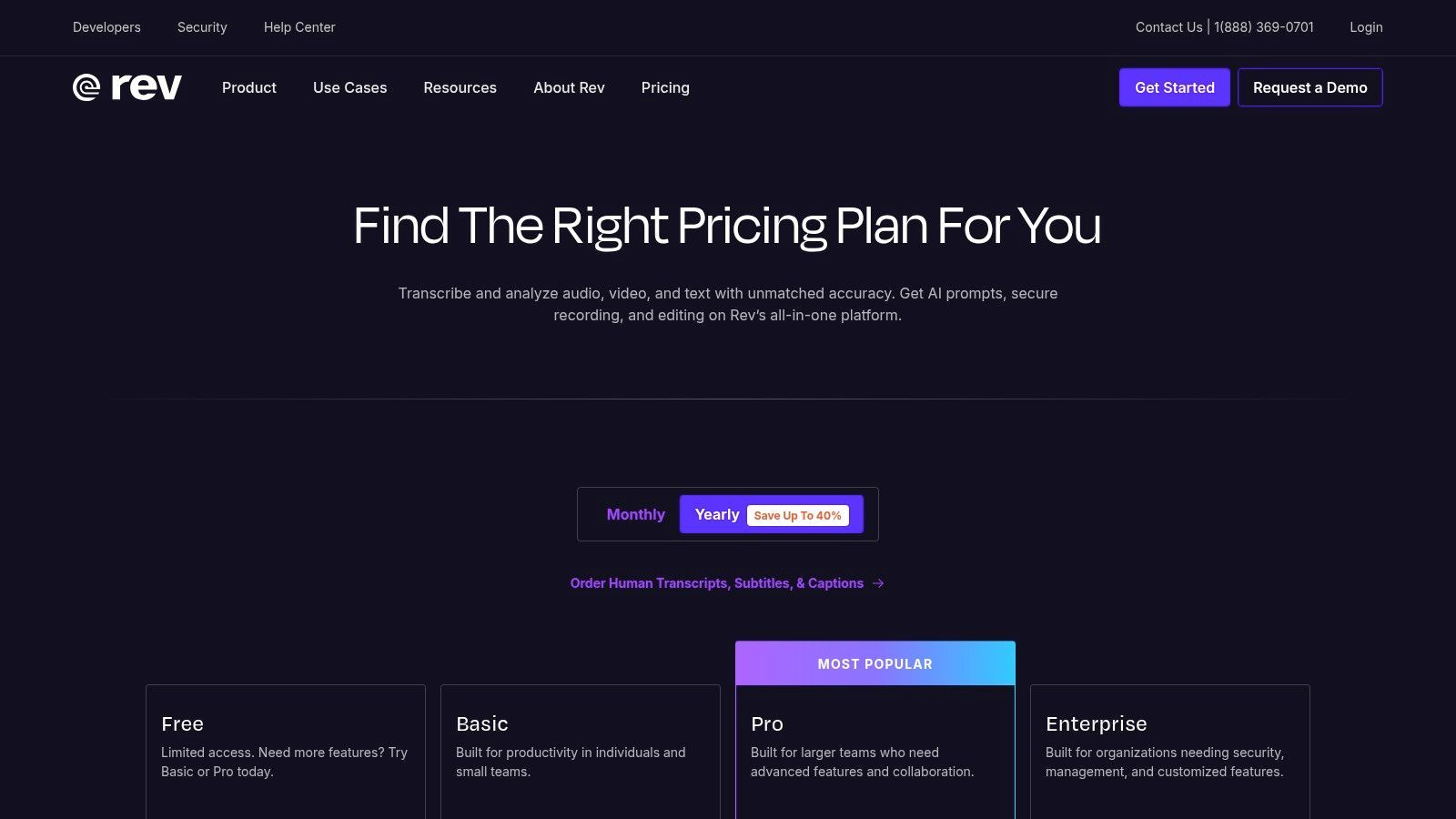
Rev's pricing is straightforward and transparent, which simplifies budgeting for transcription needs. The per-minute model for human services ensures you only pay for what you use, while subscription plans offer discounts for frequent users.
- Human Transcription: Starts at $1.50 per audio minute, with a 99% accuracy guarantee.
- Automated Transcription: A lower-cost option at $0.25 per minute, delivering transcripts in minutes with an accuracy rate of 90%+.
- Add-ons: Customize your order with options like rush delivery, verbatim transcription (including filler words), and instant first drafts.
- Enterprise Solutions: Rev offers HIPAA and SOC 2 compliant services, making it a secure choice for healthcare and corporate clients. For a deeper look at how it stacks up, especially for interviews, you can see a detailed comparison of popular transcription software tools.
Pro Tip: When submitting audio for human transcription on Rev, use the "glossary" feature. Add proper nouns, acronyms, or industry-specific jargon to help the transcriber achieve the highest possible accuracy for your specific content.
Who is Rev Best For?
Rev excels for users who prioritize accuracy and reliability over speed and cost. Journalists, legal professionals, and academic researchers benefit immensely from the human-verified transcripts. Similarly, businesses requiring enterprise-grade security and compliance find Rev's offerings well-suited to their needs. While the human service is pricier than fully automated tools, the investment guarantees a polished, ready-to-use transcript, saving significant time on manual editing and corrections.
Website: https://www.rev.com/
3. Otter.ai
Otter.ai has carved out a niche as the ultimate AI meeting assistant, transforming how teams capture and utilize conversational data. It specializes in real-time transcription and automated summaries for platforms like Zoom, Google Meet, and Microsoft Teams. This focus on live collaboration and searchable notes makes it a powerful contender for the best way to transcribe audio for business and academic settings where meeting productivity is paramount.
Important Note on Real-Time Transcription Reliability
Real-time transcription tools like Otter.ai and similar AI meeting assistants are extremely convenient, but their accuracy can fluctuate based on microphone quality, background noise, and speaker accents. They work best for internal documentation but may require manual correction before being shared publicly or used in formal records.
The platform's standout feature is its "OtterPilot," an AI agent that can automatically join your calendar meetings to record, transcribe, and summarize discussions. This creates a searchable, collaborative archive of every conversation, complete with speaker identification and key takeaways. While it relies solely on AI, its seamless integration into existing workflows provides immense value for teams needing to document decisions and action items without manual note-taking.
Key Features and Pricing
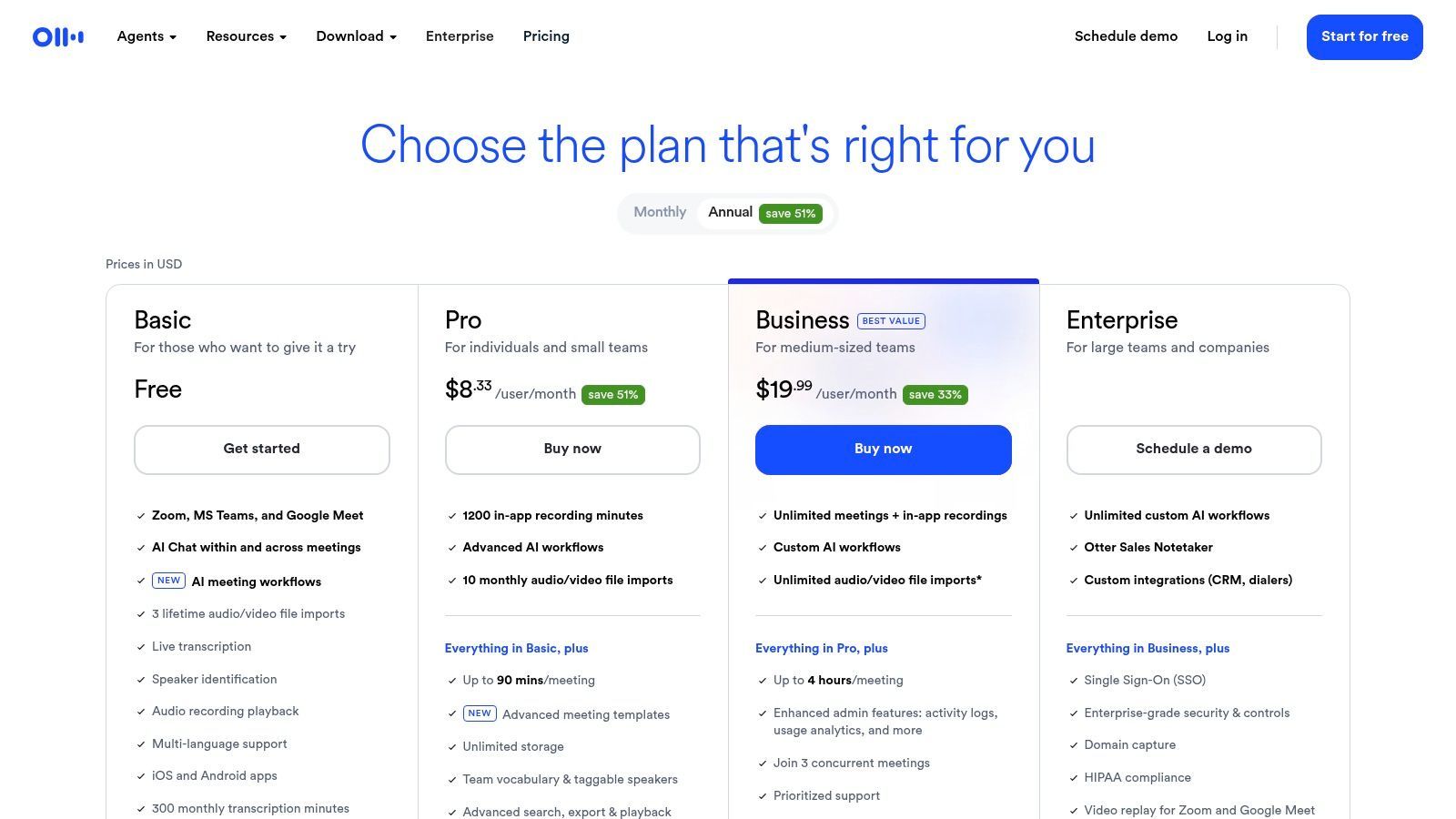
Otter.ai's pricing is structured around individual and team needs, with generous free and pro tiers and more advanced features on its Business plan. The focus is on providing high-volume transcription minutes rather than per-file pricing.
- Free Plan: Includes real-time transcription, audio recording, and automated summaries, with limits on transcription duration and monthly minutes.
- Pro Plan: Starts at $16.99 per month and increases limits significantly, making it suitable for individual professionals.
- Business Plan: Priced at $35 per user/month, this tier includes team features like shared vocabulary, administrative tools, and the OtterPilot for automated meeting attendance. Explore an in-depth comparison of the best meeting transcription software to see how it competes.
- Integrations: Deep integration with major video conferencing and calendar tools is a core strength.
Pro Tip: Use Otter's "Shared Vocabulary" feature on team plans to add custom terms, names, and acronyms specific to your company or industry. This trains the AI to recognize and transcribe them correctly, significantly improving accuracy over time.
Who is Otter.ai Best For?
Otter.ai is ideal for teams, students, and professionals who live in virtual meetings. Its ability to generate live notes and automated summaries makes it an indispensable productivity tool for corporate environments, remote-first companies, and academic group projects. While it lacks the 99% accuracy guarantee of human services, its low-friction, high-volume model is perfect for creating searchable records of internal discussions, lectures, and brainstorming sessions where speed and collaboration are more critical than perfect accuracy.
Website: https://otter.ai/pricing
4. Descript
Descript has revolutionized the content creation workflow by transforming audio and video editing into a process as simple as editing a text document. It's a comprehensive suite designed for podcasters, video creators, and marketers who need transcription to be an integral part of their production process, not just a final step. This unique approach makes it the best way to transcribe audio when the transcript itself becomes the foundation for editing.
The platform's standout feature is its text-based editing, where deleting a word from the transcript automatically cuts the corresponding audio or video clip. This intuitive system dramatically lowers the barrier to entry for media editing. Descript's AI-powered tools, like automatic filler word removal ("um," "uh") and Studio Sound for enhancing audio quality, further streamline the path from raw recording to a polished, publishable product.
Key Features and Pricing
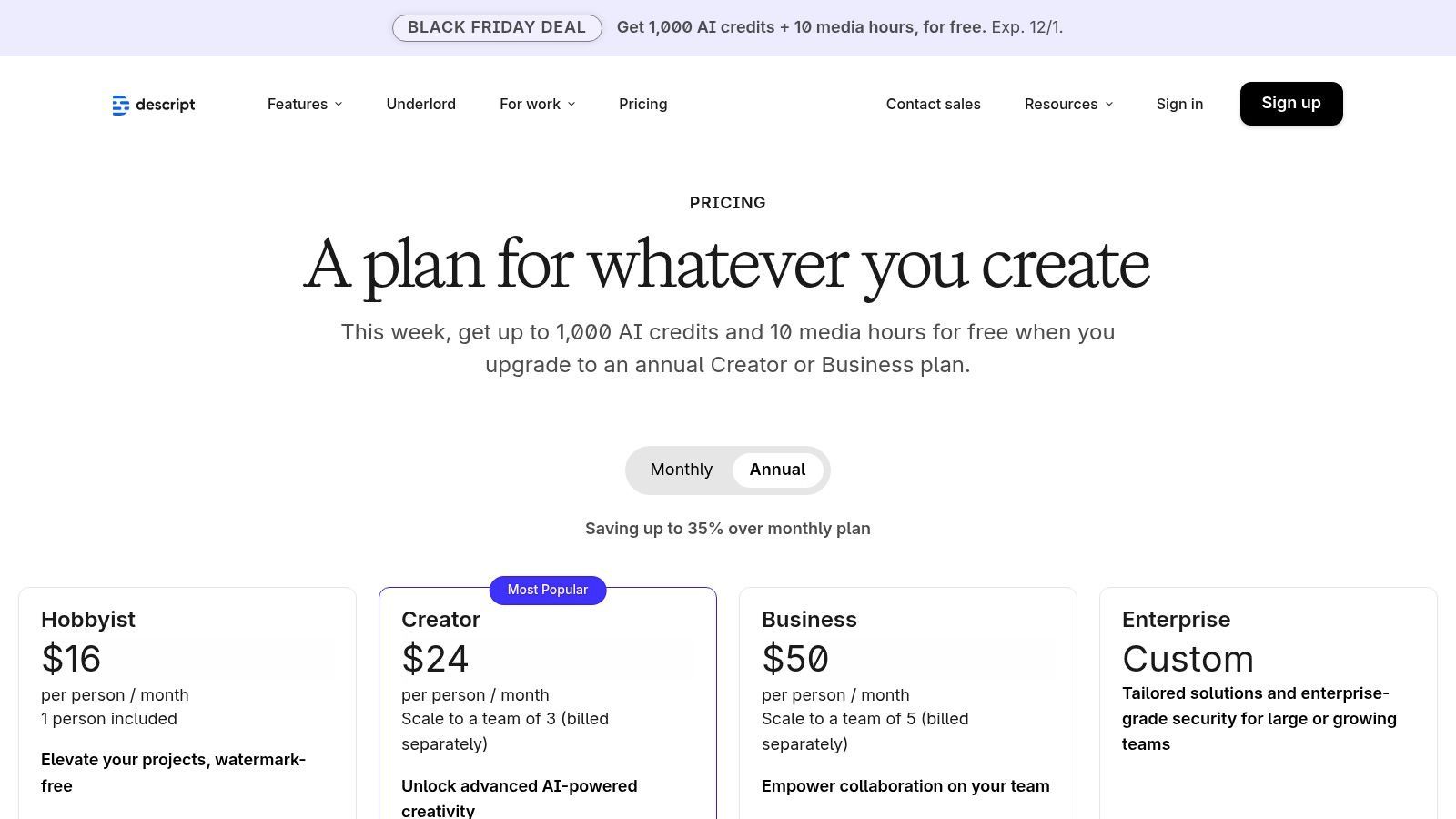
Descript’s pricing is structured around subscription tiers, offering different levels of transcription hours and access to advanced features. While less straightforward than a per-minute model, it provides excellent value for regular content creators.
- Free Plan: Includes 1 hour of transcription per month and limited use of features like Studio Sound and filler word removal.
- Creator Plan: Starts at $12 per user/month (billed annually) and includes 10 hours of transcription per month.
- Pro Plan: At $24 per user/month (billed annually), this tier offers 30 hours of transcription and unlocks advanced AI features like AI Green Screen and Find Good Clips.
- End-to-End Workflow: The platform supports every stage from multitrack recording and screen capture to adding B-roll, creating captions, and exporting directly to publishing platforms.
Pro Tip: Use Descript's "Find Good Clips" AI feature to quickly identify interesting or shareable moments from a long recording. Just type in a prompt like "find 5 clips where the guest talks about productivity hacks," and it will instantly surface relevant sections for social media or promotional content.
Who is Descript Best For?
Descript is the ideal choice for content creators, particularly podcasters and YouTubers, who want a seamless, all-in-one solution for recording, transcribing, and editing. Its text-based editing is a game-changer for anyone intimidated by traditional timeline-based software. Corporate teams also benefit from its collaborative features and brand controls for creating training materials or marketing videos. While it doesn't offer human-verified transcription, its powerful AI and editing tools save immense time for those who produce content regularly.
Website: https://www.descript.com/
5. Trint
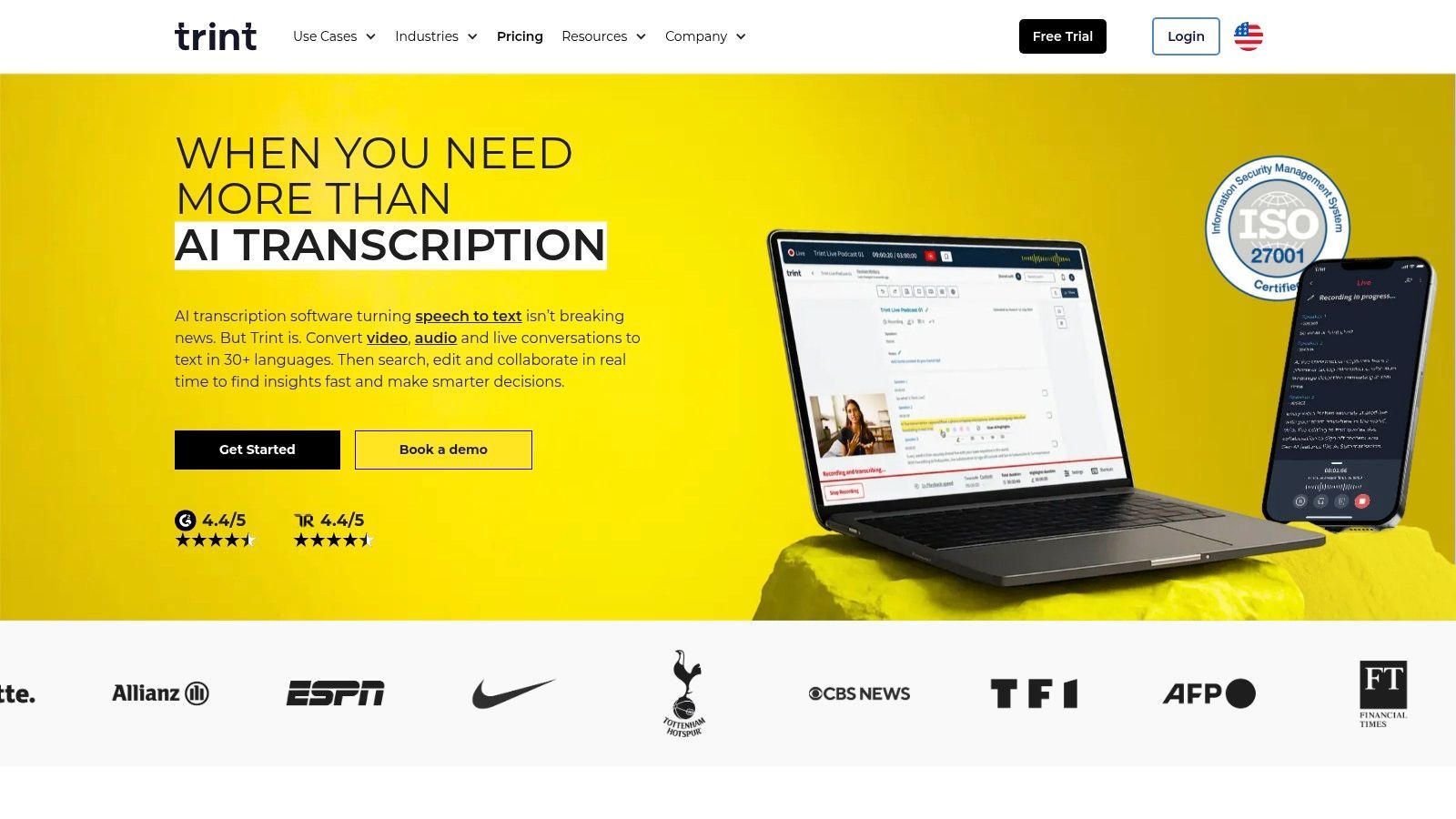
Trint is a powerful, AI-driven transcription platform designed for high-stakes environments where collaboration and security are paramount. It excels in serving newsrooms, research teams, and enterprises by combining fast, automated transcription with a suite of tools for editing, sharing, and translating content. This collaborative focus makes it one of the best ways to transcribe audio when multiple stakeholders need to work on a single source of truth.
The platform's core strength lies in its interactive web editor, which links the text directly to the audio. This allows users to easily search, verify, and correct the transcript while listening to the original recording. Trint is built for teams, providing features that enable seamless collaboration on transcripts, highlights, and story drafts, all within a secure, compliant environment.
Key Features and Pricing
Trint's pricing is structured around user seats and transcription volume, catering to both individuals and large organizations. While specific plan details may require creating an account, the platform offers a 7-day free trial to test its full capabilities.
- Interactive Editor: Edit, highlight, and comment on transcripts with a web-based editor that syncs text with audio and video.
- Collaboration Tools: Invite team members to edit and review transcripts in real-time, streamlining editorial and research workflows.
- Enterprise Security: Features ISO 27001 certification and data residency options in the US or EU, ensuring data is protected and not used for AI training.
- Translation: Translate transcripts into more than 50 languages to quickly repurpose content for global audiences.
Pro Tip: Use Trint’s "Highlights" feature to pull key quotes from your transcript. You can then assemble these highlights into a rough draft or "paper edit" directly within the platform, significantly speeding up the content creation process.
Who is Trint Best For?
Trint is ideal for media organizations, legal teams, academic researchers, and enterprise clients who need a secure, collaborative transcription solution. Its purpose-built features for team-based workflows are invaluable for journalists building stories, researchers analyzing interviews, and corporate teams creating reports. While its pricing model is geared more towards teams than solo users, the investment provides a robust, compliant, and efficient platform for turning audio and video into actionable content.
Website: https://trint.com
6. Amazon Transcribe (AWS)
Amazon Transcribe is a fully managed speech-to-text service from Amazon Web Services (AWS) designed for developers and businesses that need to embed transcription capabilities directly into their applications or workflows. It's a powerful, scalable engine that prioritizes technical integration and large-volume processing over a simple end-user interface. This makes it a different kind of tool, offering a foundational way to transcribe audio at scale.
Rather than a standalone platform, Transcribe is a service within the vast AWS ecosystem. It provides robust features like batch processing for existing audio files and real-time streaming transcription for live audio feeds. Its strength lies in its deep integration with other AWS services, allowing for complex, automated data processing pipelines, and its enterprise-grade security controls.
Key Features and Pricing
Amazon Transcribe's pricing model is pay-as-you-go, making it highly cost-effective for processing large quantities of audio. Pricing is calculated per second of audio processed, with different tiers for standard and specialized medical transcription needs.
- Standard Batch Transcription: Starts at $0.024 per minute ($0.0004 per second) for the first 250,000 minutes per month, with discounts for higher volumes.
- Real-Time Streaming: Priced at $0.024 per minute ($0.0004 per second).
- PII Redaction: Includes features to automatically identify and redact personally identifiable information from transcripts.
- Custom Models: Allows you to train custom language models (CLMs) with your own data to improve accuracy for specific jargon, accents, or unique terminology. You can learn more about how this compares to other AI-powered transcription software.
Pro Tip: For maximum accuracy, use the "Custom Vocabulary" feature to upload a list of specific terms, product names, or acronyms that are unique to your industry or company. This significantly reduces transcription errors for non-standard words.
Who is Amazon Transcribe Best For?
Amazon Transcribe is not for the casual user seeking a quick transcript. It's built for developers, data scientists, and organizations that need a scalable, programmatic transcription solution. Companies building their own media asset management systems, call center analytics platforms, or voice-controlled applications will find it an indispensable tool. While it requires technical expertise to set up and use, its scalability, advanced features like PII redaction, and cost-efficiency at high volumes make it an unparalleled choice for embedding transcription into a larger tech stack.
Website: https://aws.amazon.com/transcribe/pricing/
7. OpenAI Whisper
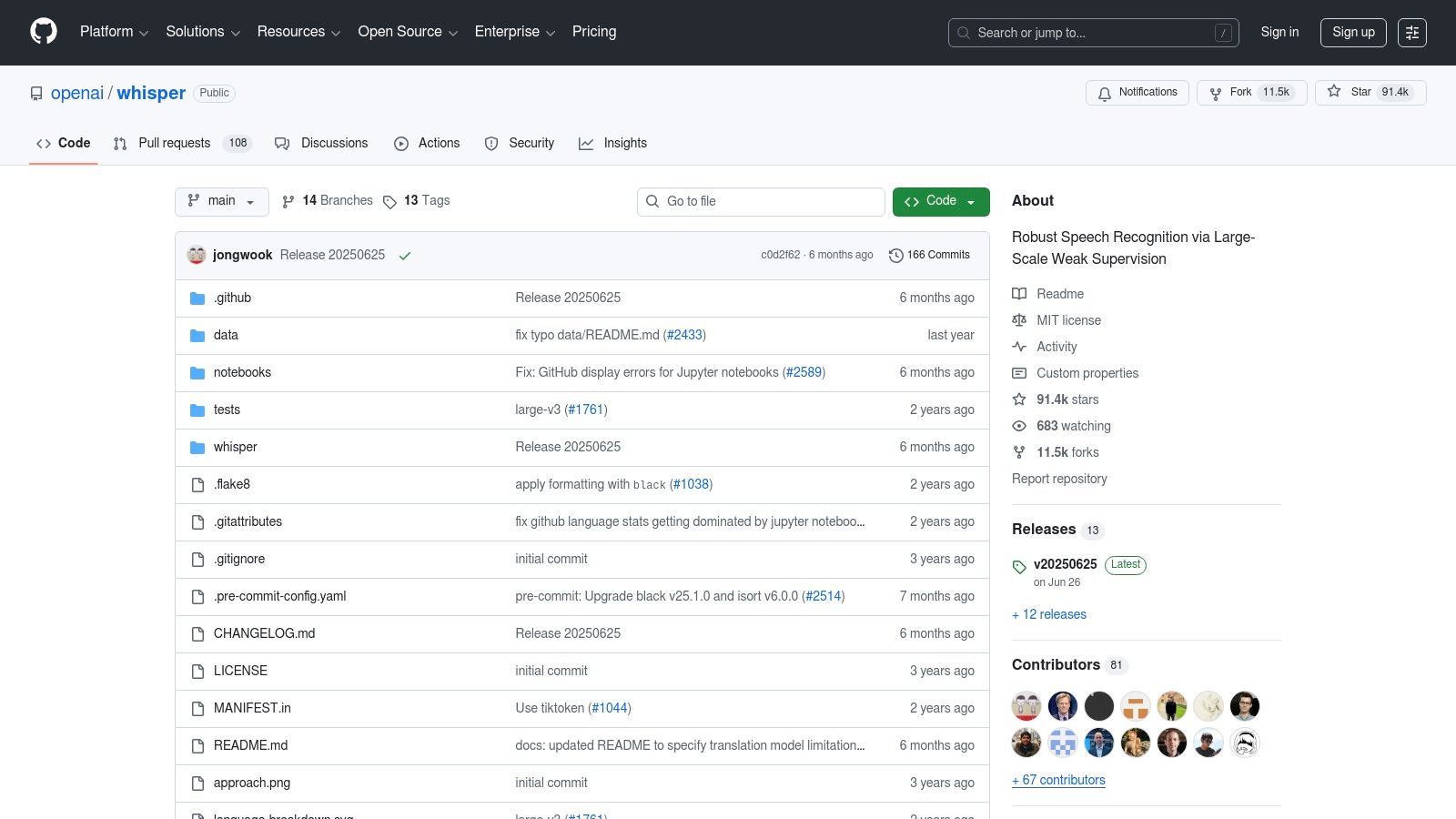
For those with technical know-how or a strong need for privacy, OpenAI Whisper offers a powerful, open-source approach to transcription. Unlike hosted services, Whisper is a speech-recognition model you can run locally on your own hardware. This makes it the best way to transcribe audio for developers, researchers, and privacy-conscious users who want complete control over their data and no recurring subscription fees.
Whisper's core strength is its high-quality, multilingual transcription and translation engine, trained on a massive and diverse dataset. Because it runs offline, it’s an ideal solution for sensitive content that cannot be uploaded to third-party clouds. While it requires a one-time setup and sufficient computing resources (a GPU is recommended for speed), it provides a level of autonomy and cost-effectiveness that commercial services cannot match.
Key Features and Pricing
As an open-source model, Whisper is completely free to use, with costs limited to the hardware required to run it. Its flexibility is a key differentiator, allowing users to choose the model size that best fits their needs for speed versus accuracy.
- Completely Free: The model and code are available under the permissive MIT license, meaning there are no license or per-minute fees.
- Multiple Model Sizes: Choose from several models (e.g., tiny, base, small, medium, large) to balance transcription speed with accuracy based on your hardware capabilities.
- Multilingual Support: Excels at transcribing audio in numerous languages and can also translate other languages directly into English.
- Local Processing: Runs entirely offline, ensuring maximum privacy and data security. You can learn more about how factors like these impact speech-to-text accuracy benchmarks.
Pro Tip: For the best results with Whisper, use the largest model your hardware can comfortably handle. While smaller models are faster, the
large-v2orlarge-v3models provide significantly higher accuracy, especially with background noise, accents, or technical jargon.
Who is Whisper Best For?
OpenAI Whisper is best suited for tech-savvy individuals and organizations that prioritize data privacy, customization, and cost-effectiveness over the convenience of a turnkey service. Developers can integrate it directly into their applications, while researchers can use it for large-scale data analysis without incurring high costs. It's also an excellent choice for anyone handling confidential information, such as legal or medical professionals, who can run it on a secure, air-gapped machine. While it requires setup, the trade-off is unparalleled control and zero ongoing transcription costs.
Website: https://github.com/openai/whisper
Choosing the Right Transcription Method
Speed vs. Accuracy
Many projects require instant transcripts, but others demand near-perfect precision. Understanding your accuracy threshold helps you select between AI tools, hybrid methods, or human-verified services.
Workflow Integration
Your choice should fit naturally into your existing tools — whether you need API access, video editing connections, meeting integrations, or seamless export options to publishing platforms.
Data Privacy Requirements
If handling sensitive recordings, prioritize offline tools or platforms with strict no-training policies. Your data protection needs should be a major factor in choosing any transcription solution.
Budget and Scale
Whether you process a few minutes per week or thousands per month, costs vary drastically. Pick a model — free, subscription, or pay-as-you-go — that aligns with your long-term usage.
Top 7 Audio Transcription Tools Comparison
| Service | 🔄 Implementation complexity | ⚡ Resource requirements | ⭐ Expected outcomes | 📊 Ideal use cases | 💡 Key advantages & tips |
|---|---|---|---|---|---|
| Transcript.LOL | Low — turnkey web app, minimal setup | Low local resources; cloud processing; subscription for heavy use | Very high (advertised ~99.8%); fast, speaker detection | Podcasters, marketers, researchers, teams needing private fast transcripts | Privacy-first (no-training), built-in repurposing tools; upgrade for long files |
| Rev | Low–Medium — web/API; human workflow adds steps | Pay-per-minute; higher cost for human transcripts and rush services | Human: very high; AI: moderate — predictable quality with human review | Legal/medical/enterprise where human verification & compliance are required | Clear pricing and SLAs; choose human service for critical accuracy |
| Otter.ai | Low — seamless meeting integrations, minimal setup | Per-seat subscriptions; cloud service; Business tier unlocks limits | Good for live meetings; accuracy varies with audio (not human-verified) | Teams needing live captions, searchable meeting notes, calendar integrations | Strong Zoom/Teams integration and Meeting Agent; upgrade for business features |
| Descript | Low–Medium — desktop app with text-based editing learning curve | Media hours/AI credits on plans; app and cloud features | Good for creator workflows; AI-first transcription integrated with editing | Podcasters, creators producing/editing audio & video end-to-end | Edit audio by editing text, Studio Sound, dubbing — watch media credit model |
| Trint | Low — web-based with enterprise setup options | Subscription / enterprise plans; data residency choices | Reliable for editorial workflows; strong collaboration & security | Newsrooms, research teams, enterprises needing compliance and collaboration | ISO 27001 & data-residency; good team workflows — pricing may require signup |
| Amazon Transcribe (AWS) | High — requires AWS integration and developer effort | Pay-as-you-go; scalable infra; possible custom models and config | Strong at scale; configurable (PII redaction, CLMs) for enterprise needs | Developers embedding STT, high-volume automated processing, enterprise apps | Integrates with AWS stack; use CLMs and redaction for compliance; complex billing |
| OpenAI Whisper | High — local setup or integration work; many community tools | Compute-heavy for larger models (GPU recommended); no license fees | Good multilingual accuracy; varies by model size and audio quality | Developers and privacy-focused users wanting offline control and no vendor lock-in | MIT-licensed, offline option for privacy; pick model size for speed vs. accuracy |
The Right Transcription Method for the Right Job
Navigating the world of audio transcription reveals a crucial truth: the single "best way to transcribe audio" doesn't exist. Instead, the optimal method is a direct reflection of your specific project's unique demands, priorities, and constraints. As we've explored, the landscape is diverse, ranging from powerful, developer-focused APIs to user-friendly AI platforms and meticulous human-powered services. Your ideal solution hinges on a careful evaluation of what matters most to you.
The core decision often revolves around the classic trade-off triangle: accuracy, speed, and cost. Understanding how these three factors interact is the key to making an informed choice. A legal deposition or a medical record requires near-perfect, often certified, accuracy, making a human-powered service like Rev a necessary investment despite its higher cost and longer turnaround time. Conversely, a content marketer looking to quickly repurpose a webinar into a blog post can achieve fantastic results with an AI tool like Descript or Otter.ai, where 95% accuracy delivered in minutes is more than sufficient.
Your Action Plan for Choosing the Right Tool
To move from understanding to implementation, follow this simple framework to pinpoint your perfect transcription partner:
- Define Your "Why": What is the ultimate purpose of this transcript? Is it for legal compliance, SEO content creation, internal meeting notes, academic research, or creating accessible video subtitles? Your end goal dictates your non-negotiable requirements.
- Assess Your Accuracy Threshold: Determine your tolerance for error. For internal notes or first drafts, a highly accurate AI model is perfect. For public-facing content or official records, you might need a human-in-the-loop workflow or a hybrid approach.
- Evaluate Your Workflow Integration: How will this tool fit into your existing processes? If you're a developer, the control offered by Amazon Transcribe or a self-hosted Whisper model is invaluable. If you're a content creator, a platform that combines transcription with editing and content repurposing, like Transcript.LOL, will save you significant time and effort.
- Consider Privacy and Security: For sensitive business, legal, or personal audio, data privacy is paramount. Investigate each service's security protocols and data handling policies. On-device or privacy-first platforms offer an essential layer of protection for confidential information. For those focused on creating written records of spoken content in podcasts, specific solutions like Klap's Podcast Transcription tool can provide dedicated features tailored to that medium.
Ultimately, the best way to transcribe audio is the one that empowers you to unlock the value hidden within your recordings efficiently and effectively. Whether you're a podcaster aiming to boost your SEO, a researcher analyzing qualitative data, or a business professional documenting critical meetings, the right tool is out there. By aligning your specific needs with the strengths of the solutions we've covered, you can transform spoken words into a powerful, versatile, and actionable asset.
Advanced Productivity Features

Speaker detection
Automatically identify different speakers in your recordings and label them with their names.

Editing tools
Edit transcripts with powerful tools including find & replace, speaker assignment, rich text formats, and highlighting.
Summaries and Chatbot
Generate summaries & other insights from your transcript, reusable custom prompts and chatbot for your content.
Integrations
Connect with your favorite tools and platforms to streamline your transcription workflow.
Ready to experience a transcription workflow that combines blazing-fast speed, top-tier accuracy, and uncompromising privacy? Transcript.LOL provides an all-in-one platform designed for creators and professionals who need more than just a transcript. Start transforming your audio and video into valuable content today by visiting Transcript.LOL.